
IR10BT - Radio BLAUPUNKT - Free user manual and instructions
Find the device manual for free IR10BT BLAUPUNKT in PDF.


Pick your language and provide your email: we'll send you a specifically translated version.
| Product Type | Portable Radio with Bluetooth |
| Brand | Blaupunkt |
| Model | IR10BT |
| Dimensions (approx.) | 20 x 12 x 6 cm (7.9 x 4.7 x 2.4 in) |
| Weight (approx.) | 0.5 kg (1.1 lbs) |
| Power Supply | Built-in rechargeable battery (3.7V Li-ion) or USB-C charging |
| Battery Life | Up to 10 hours at moderate volume |
| Radio Bands | FM (87.5-108 MHz) |
| Bluetooth Version | 5.0 for wireless streaming |
| Additional Inputs | AUX 3.5mm jack |
| Speaker Output | 3W RMS mono |
| Display | LCD with backlight |
| Preset Stations | 20 FM presets |
| Care and Cleaning | Wipe with a dry, soft cloth. Do not use harsh chemicals. |
| Safety | Keep away from moisture and heat sources. Do not disassemble. |
| Spare Parts | Battery and antenna are replaceable |
| Repairability | Battery replacement only; other repairs by authorized service |
| General Information | Ideal for home or outdoor use; supports Bluetooth hands-free |
Frequently Asked Questions - IR10BT BLAUPUNKT
How do I pair the IR10BT with my phone via Bluetooth?
Turn on the radio and press the Bluetooth button to enter pairing mode. Enable Bluetooth on your phone and select 'IR10BT' from the device list. Confirm pairing if prompted.
Can I use the radio while it is charging?
Yes, the IR10BT supports pass-through charging, so you can listen to the radio or stream music while the battery is charging via USB-C.
How do I set an FM radio station as a preset?
Tune to the desired station on FM, then press and hold one of the preset buttons (1-5) until you hear a beep. The station is saved.
What is the battery life of the IR10BT?
The built-in Li-ion battery provides up to 10 hours of playback at moderate volume levels. Actual battery life may vary depending on volume and usage.
How can I improve FM reception?
Extend the built-in telescopic antenna fully and reposition the radio for best signal. Avoid placing it near large metal objects.
Does the IR10BT have DAB+ radio?
No, this model supports FM radio only, not DAB+.
Can I connect external speakers or headphones?
Yes, the IR10BT has a 3.5mm AUX output (headphone jack) for connecting headphones or external speakers.
How do I reset the radio to factory settings?
With the radio off, press and hold the Power button for about 10 seconds until the display flashes. Release to reset.
What are the main buttons on the IR10BT?
The controls include Power/Volume knob, Mode button (radio/Bluetooth/AUX), Tuning knob, Preset buttons (1-5) and a Play/Pause button for Bluetooth playback.
How should I clean the radio?
Use a soft, dry cloth to wipe the exterior. Do not use liquids or cleaning agents as they may damage the device.
User questions about IR10BT BLAUPUNKT
0 question about this device. Answer the ones you know or ask your own.
Ask a new question about this device
No questions yet. Be the first to ask one.
Download the instructions for your Radio in PDF format for free! Find your manual IR10BT - BLAUPUNKT and take your electronic device back in hand. On this page are published all the documents necessary for the use of your device. IR10BT by BLAUPUNKT.
USER MANUAL IR10BT BLAUPUNKT
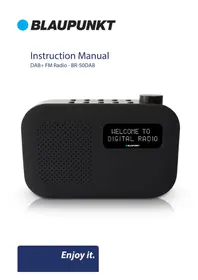
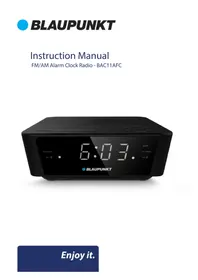
Manual assistant
Powered by Anthropic
Waiting for your message
Product information
Brand : BLAUPUNKT
Model : IR10BT
Category : Radio