
HR10BT - Radio BLAUPUNKT - Free user manual and instructions
Find the device manual for free HR10BT BLAUPUNKT in PDF.


Pick your language and provide your email: we'll send you a specifically translated version.
| Product type | Car radio |
| Brand | Blaupunkt |
| Model | HR10BT |
| Mounting standard | DIN 1-DIN |
| Power supply | 12 V DC |
| FM frequency range | 87.5 - 108 MHz |
| AM frequency range | 522 - 1620 kHz |
| Bluetooth | Version 5.0, range 10 m |
| Output power | 4 x 50 W (max.) |
| Inputs | USB, AUX 3.5 mm |
| File support | MP3, WMA, WAV |
| Display | LCD with backlight |
| Dimensions | 178 x 50 x 100 mm |
| Weight | 0.85 kg |
| Protections | Against short circuit and overheating |
| Cleaning | With a damp cloth |
| Storage | In a dry place |
| Accessories | Mounting frame, key, screws |
| General information | PL instruction manual, 24-month warranty |
Frequently Asked Questions - HR10BT BLAUPUNKT
How do I pair my phone with the radio via Bluetooth?
To pair your phone, enable Bluetooth on your mobile device, then select BT mode on the radio. The radio will automatically search for available devices. Choose HR10BT from the list and confirm the pairing with code 0000 or 1234.
How do I save radio stations?
Tune to the selected station, then press and hold the button with the position number (1-6) for a few seconds. The station will be saved permanently. You can save up to 30 stations (18 FM and 12 AM).
What should I do if the radio does not play files from USB?
Check that the USB drive is formatted with FAT32. Make sure the files are in MP3, WMA, or WAV formats. It is also recommended to store files in the root directory rather than in nested folders.
How do I set the time on the display?
Press and hold the DSP (or MENU) button for 3 seconds. The hour will start flashing on the display. Use the + / - buttons to set the hours, then confirm and set the minutes. Pressing the DSP button again will save the settings.
Does the radio support phone calls?
Yes, thanks to the Handsfree function via Bluetooth. After pairing your phone, you can answer calls with a button on the panel. The radio has a built-in microphone and calls are played through the car speakers.
How can I improve the antenna signal?
Make sure the antenna is fully extended (if it is telescopic) and properly connected to the ISO connector on the radio. In case of poor reception, consider using an antenna amplifier or check the antenna cable for damage.
How do I reset the radio to factory settings?
With the radio turned off, press and hold the DSP and 1 buttons simultaneously for 5 seconds. This will restore factory settings, including removing saved stations and Bluetooth pairing.
Does the radio have theft protection?
This device does not have a traditional detachable panel, but it has a PIN code function. When power is connected for the first time, you can set a 4-digit code that will be required after any power loss.
How do I connect the radio to the car electrical system?
Connect the radio's ISO plug to the appropriate connectors in the car. The wire colors are standard (red - ignition, yellow - power, black - ground). If you do not have ISO plugs, use the included adapters or consult an installer.
What file formats are supported?
Does the device play CDs? There is no CD drive, but it supports USB drives with MP3, WMA, and WAV files. The recommended bitrate is 128-320 kbps for MP3.
User questions about HR10BT BLAUPUNKT
0 question about this device. Answer the ones you know or ask your own.
Ask a new question about this device
No questions yet. Be the first to ask one.
Download the instructions for your Radio in PDF format for free! Find your manual HR10BT - BLAUPUNKT and take your electronic device back in hand. On this page are published all the documents necessary for the use of your device. HR10BT by BLAUPUNKT.
USER MANUAL HR10BT BLAUPUNKT
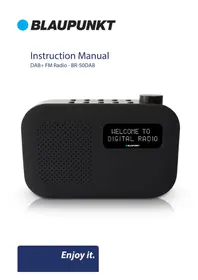
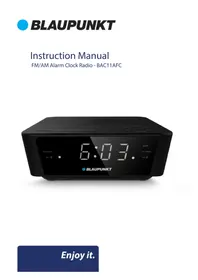

Manual assistant
Powered by Anthropic
Waiting for your message
Product information
Brand : BLAUPUNKT
Model : HR10BT
Category : Radio