
HG00079A - Uncategorized AURIOL - Free user manual and instructions
Find the device manual for free HG00079A AURIOL in PDF.


| Product Type | Digital Weather Station |
| Model | HG00079A |
| Brand | Auriol |
| Dimensions (Base Station) | Approx. 150 x 100 x 25 mm |
| Weight (Base Station) | Approx. 200 g |
| Power Supply | 3 x AAA batteries (not included) |
| Outdoor Sensor | Wireless, 433 MHz, range up to 100 m |
| Temperature Measurement | Indoor: 0°C to 50°C, Outdoor: -20°C to 60°C |
| Humidity Measurement | Indoor and outdoor, 20% to 95% |
| Barometric Pressure | Display with trend arrow |
| Weather Forecast | Icons: sunny, partly cloudy, cloudy, rainy, stormy |
| Clock Function | Radio-controlled DCF-77 time, date, alarm |
| Display Features | LCD, backlight, time, date, alarm, snooze |
| Mounting | Table stand or wall mount |
| Maintenance | Clean with dry cloth, avoid liquids |
| Safety | Keep away from water and heat sources |
Frequently Asked Questions - HG00079A AURIOL
User questions about HG00079A AURIOL
0 question about this device. Answer the ones you know or ask your own.
Ask a new question about this device
Download the instructions for your Uncategorized in PDF format for free! Find your manual HG00079A - AURIOL and take your electronic device back in hand. On this page are published all the documents necessary for the use of your device. HG00079A by AURIOL.
USER MANUAL HG00079A AURIOL
SET DE RELOJ Y PULSERA SET OROLOGIO E BRACCIALETTO
ES
SET DE RELOJ Y PULSERA
WRISTWATCH AND BRACELET SET
Operation and Safety Notes
DE AT CH
ARMBANDUHR- SCHMUCKSET
GB/MT Operation and Safety Notes Page 29
| B | ||||
| 3 BAR | √ | × | × | × |
| 5 BAR | √ | √ | × | × |
| 10 BAR | √ | √ | √ | × |
| 20 BAR | √ | √ | √ | √ |

HG01480C / HG01480E

HG01480C / HG01480E
SET DE RELOJ Y PULSERA
- Introducción
WRISTWATCH AND BRACELET SET
- Introduction
We congratulate you on the purchase of your new product. You have chosen a high quality product. Familiarise yourself with the product before using it for the first time. In addition, please carefully refer to the operating instructions and the safety advice below. Only use the product as instructed and only for the indicated field of application. Keep these instructions in a safe place. If you pass the product on to anyone else, please ensure that you also pass on all the documentation with it.
● Preparations for use
- Changing the battery
Note: Have batteries changed in a specialist shop.
- Display
1 Minute hand
2 Crown
3 Second hand
4 Hour hand
5 1st position
6 Fastener (for model HG01480A)
7 Segment
8 Repair set
9 Slider
10 Spare pin
11 Bottom cover
- Setting the time
- To set the time, pull the crown 2 out to the 1st position 5.
- Turn the crown 2 to set the hour and minute hands 4, 1.
- When the crown 2 is pushed back to the normal position the second hand 3 begins to run.
- Watertightness
This watch is watertight to 3 bar in accordance with DIN 8310.
Figure B shows the permissible areas of use. Please note that the watertightness is not a permanent feature. It should be checked annually and particularly before subjecting it to special conditions, as the function of the inbuilt sealing elements diminishes with daily use.
● Shortening the watch strap
Model No. HG01480A
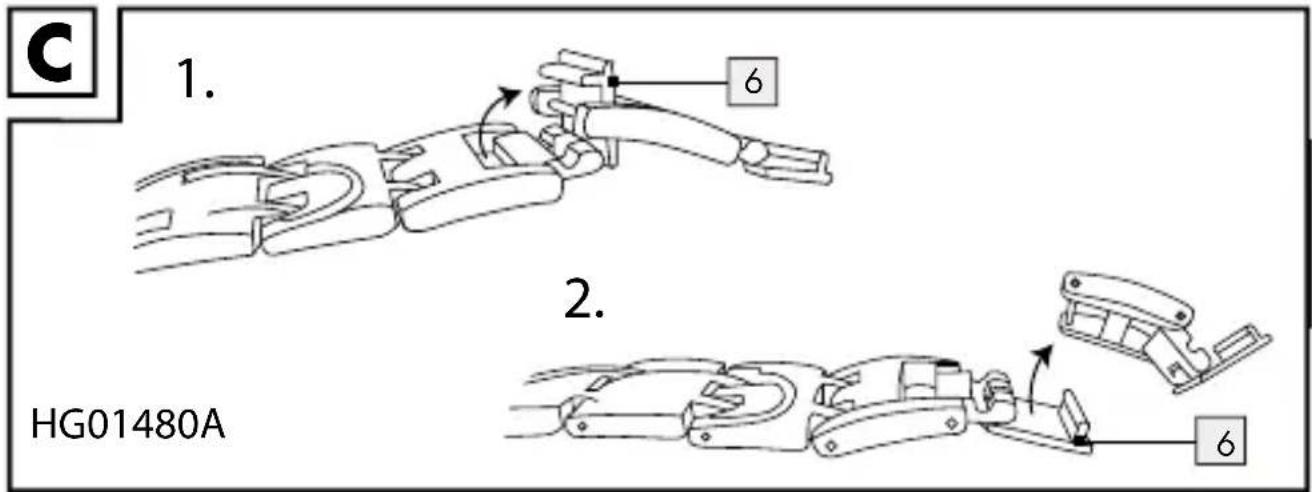
To shorten the watch strap, 2 removable segments are included. Open the fastener 6 of the watch strap and the fastener of the removable segment. Remove 1 or 2 segments and re-close the fastener of the watch strap (see Fig. C).
Model No. HG01480C / HG01480E

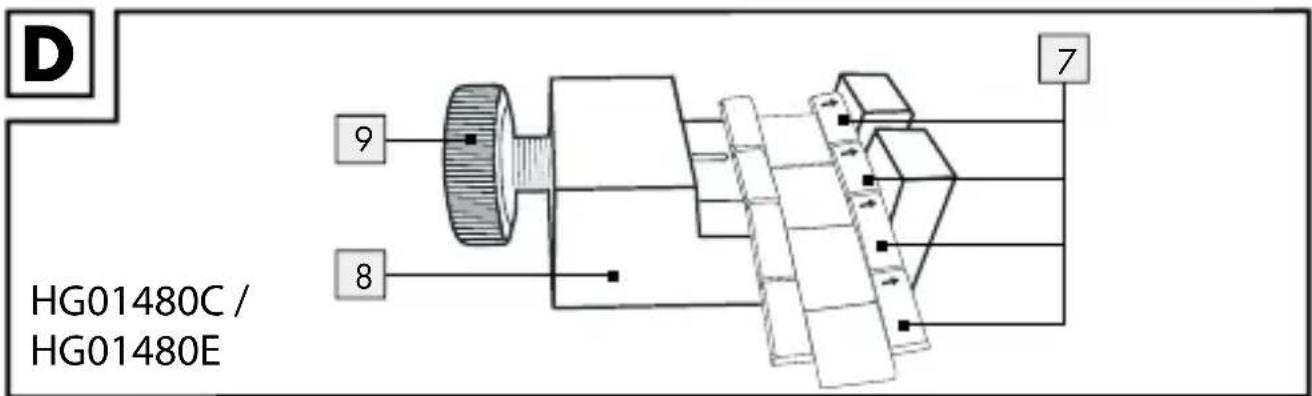
Note: The watch strap can be shortened by removing segments 7 (2 spare units are included). To this purpose you should use the repair set 8 supplied.
- Removing Segments (Fig. D)
Note: The segments which can be removed are marked with an arrow (see Fig. D). They are connected together with pins. These can be pushed out in the direction of the arrow with the repair set 8. Use a pair of tweezers if necessary in order to remove the pins.
Place the watch with the dial facing downwards in the repair set 8.
☐ Remove the pins of the segment that you wish to remove (as described above) and take out the segment 7.
Note: If you would like to take out more than one consecutive segment 7, it is sufficient to remove the two outer pins.
☐ Connect the watch strap together again by joining the loose segments 7 with a pin. Press this pin against the direction of the arrow into the adjacent segments 7.
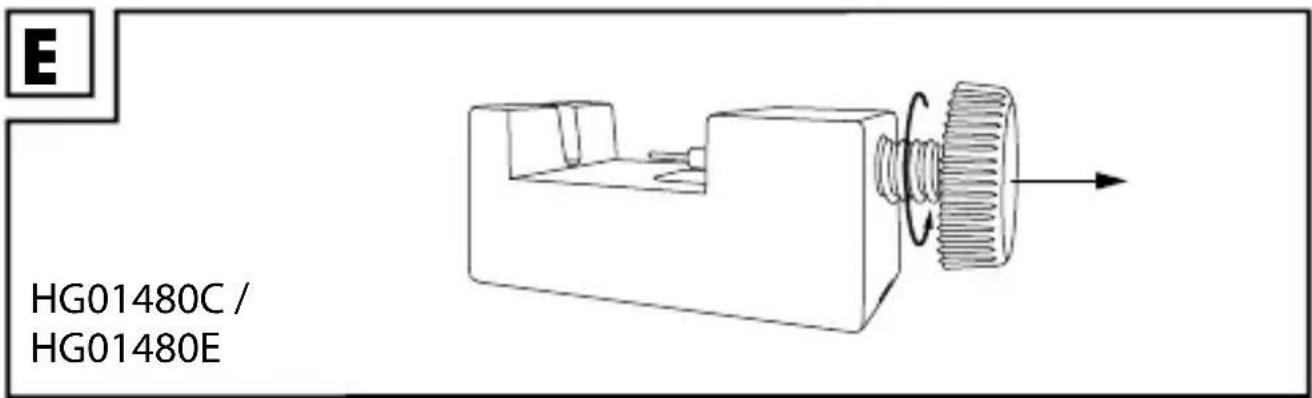
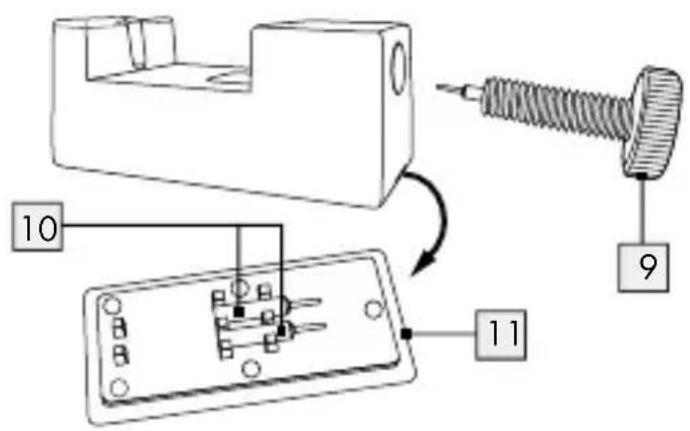
How to exchange the pin inside the slider (Fig. E,F,G)
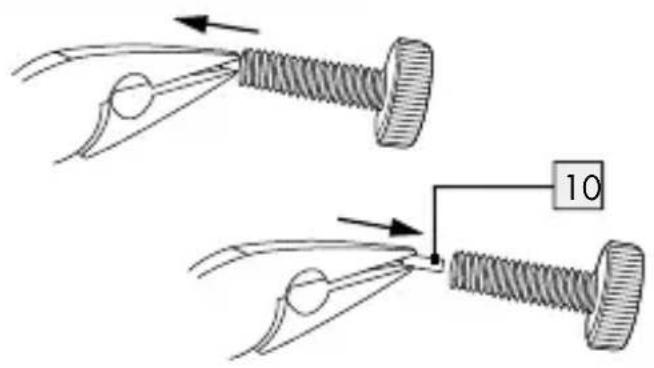
Take out the slider 9, open the bottom cover 11 with the spare pin 10 inside.
☐ You will need the pliers to carefully remove the old pin from the
slider.
☐ Insert the spare pin carefully into the slider by again using the pliers. The new pin is installed.
● Cleaning and maintenance
- Clean the product on the outside only with a soft, dry cloth.
- Disposal

packaging is made entirely of recyclable materials, which you may dispose of at local recycling facilities.
Contact your local refuse disposal authority for more details of how to dispose of your worn-out product.
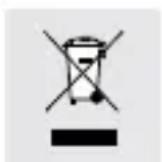
To help protect the environment, please dispose of the product properly when it has reached the end of its useful life and not in the household waste. Information on collection points and their opening hours can be obtained from your local authority.
Faulty or used batteries must be recycled in accordance with Directive 2006 / 66 / EC and its amendments. Please return the batteries and / or the device to the available collection points.
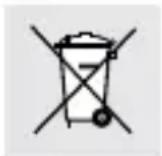
Environmental damage through incorrect disposal of the batteries!
Batteries must not be disposed off with domestic waste. They may contain toxic heavy metals and are subject to hazardous waste treatment rules and regulations. The chemical symbols of the heavy metals are as follows: Cd = cadmium, Hg = mercury, Pb = lead. That is why you should dispose of used batteries at a local collection point.
- Warranty
The device has been manufactured to strict quality guidelines and meticulously examined before delivery. In the event of product defects you have legal rights against the retailer of this product. Your legal rights are not limited in any way by our warranty detailed below.
The warranty for this device is 3 years from the date of purchase.
Should this device show any fault in materials or manufacture within three years from the date of purchase, we will repair or replace it - at our choice - free of charge to you.
The warranty period begins on the date of purchase. Please keep the original sales receipt in a safe location. This document is required as your proof of purchase. This warranty becomes void if the device has been damaged or improperly used or maintained.
The warranty applies to faults in material or manufacture. This warranty does not cover product parts subject to normal wear, thus possibly considered consumables (e.g. batteries) or for damage to fragile parts, e.g. switches, rechargeable batteries or glass parts.
The warranty further excludes a reduction in water tightness. The state of water tightness is not a permanent property and should therefore be regularly maintained. Please note, opening and repairs performed by unauthorized individuals will void any warranty.
CE
ARMBANDUHR-SCHMUCKSET
Einleitung
- SET DE RELOJ Y PULSERA SET OROLOGIO E BRACCIALETTO
- SET DE RELOJ Y PULSERA
- WRISTWATCH AND BRACELET SET
- ARMBANDUHR- SCHMUCKSET
- - Introducción
- - Introduction
- ● Preparations for use
- - Changing the battery
- - Display
- - Setting the time
- - Watertightness
- ● Shortening the watch strap
- Model No. HG01480A
- Model No. HG01480C / HG01480E
- - Removing Segments (Fig. D)
- How to exchange the pin inside the slider (Fig. E,F,G)
- Environmental damage through incorrect disposal of the batteries!
- - Warranty
- ARMBANDUHR-SCHMUCKSET
- Einleitung
Brand : AURIOL
Model : HG00079A
Category : Uncategorized