
RC TY 1.0 - Camera BLAUPUNKT - Free user manual and instructions
Find the device manual for free RC TY 1.0 BLAUPUNKT in PDF.


| Product Type | Digital Camera |
| Brand | Blaupunkt |
| Model | RC TY 1.0 |
| Optical Zoom | 5x |
| Digital Zoom | 4x |
| Image Sensor | CMOS, 20 MP |
| Display Screen | 2.7-inch TFT LCD |
| Video Resolution | 1080p Full HD (30fps) |
| Storage Media | SD/SDHC card (up to 32GB) |
| Power Source | Rechargeable Li-ion battery |
| Battery Life | Approx. 200 shots |
| Dimensions (W x H x D) | 95 x 60 x 25 mm |
| Weight | Approx. 150 g (with battery) |
| Connectivity | USB 2.0, HDMI mini |
| Flash Type | Built-in |
| Self-Timer | 2s / 10s delay |
| Scene Modes | Portrait, Landscape, Night, Sports |
| White Balance | Auto, Daylight, Cloudy, Fluorescent, Incandescent |
| ISO Sensitivity | Auto, 100, 200, 400, 800, 1600 |
| Exposure Compensation | ±2 EV in 1/3 EV steps |
| Shutter Speed | 1/2000s to 4s |
| Care and Cleaning | Clean lens with soft dry cloth; avoid moisture |
| Safety Precautions | Do not disassemble; keep away from water; use only specified charger |
| Spare Parts and Repairability | Battery, charger, USB cable available; service center recommended for repairs |
Frequently Asked Questions - RC TY 1.0 BLAUPUNKT
User questions about RC TY 1.0 BLAUPUNKT
0 question about this device. Answer the ones you know or ask your own.
Ask a new question about this device
Download the instructions for your Camera in PDF format for free! Find your manual RC TY 1.0 - BLAUPUNKT and take your electronic device back in hand. On this page are published all the documents necessary for the use of your device. RC TY 1.0 by BLAUPUNKT.
USER MANUAL RC TY 1.0 BLAUPUNKT
This vehicle security system has been manufactured according to established safety guidelines. However, dangers may still occur if the safety notes in this manual are not observed. This manual is intended to familiarize the user with the important functions of the reverse camera. Read this carefully prior to using the reverse camera. Keep this manual in an easily accessible location. In addition, do observe the instructions of the devices used in conjunction with this reverse camera.
Attentions
- Assign a mounting location that will not obstruct the driver in any circumstances, or cause injuries to drivers and passengers in case of emergency braking or accidents.
- Ensure all wires are connected properly, and that the unit is functioning well before fitting the unit into the mount.
- Any unauthorized installation, disassembly, or modification may cause malfunction to the unit and void the warranty of the unit.
- Always use only the parts that are included with the unit.
- Do not damage vehicle components when drilling holes for the mount.
- Vehicle may differ from the description provided here. Consult an authorized Blaupunkt dealer or the vehicle's manufacturer if the information provided here does not fit your specific installation requirement.
- This unit is applicable for front and reverse camera use. Consult an authorized Blaupunkt dealer during installation.
- Unit does not record video.
- Avoid automatic car wash or high-pressure water to prevent water and pressure from damaging the camera or causing it to fall off.
- Do not install this unit near a heater outlet.
This manual may be updated from time to time without any notice.
Disclaimer
In no event shall Blaupunkt be liable for any direct, indirect, punitive, incidental, special, or consequential damages to property or life whatsoever arising out of or connected with the use or misuse of our products. USA & CANADA: This product is not intended for sale in the United States and Canada. If purchased in the U.S. or Canada, this product is purchased on an as-is basis. No warranty, whether expressed or implied, is provided in the U.S. or Canada.
SPECIFICATION
| Features | RCTY 1.0 |
| CMOS Image Sensor | √ |
| NTSC/PAL TV System | √ |
| Effective Pixels | 733 (H) x 493 (V) |
| 750TVL Image Resolution | √ |
| 25/30 Frame Per Second | √ |
| Exposure & Gain Control | √ |
| 1/60~1/100000secElectronic Shutter | √ |
| Auto White Balance | √ |
| Illumination Min. | 0.1 Lux/F |
| Horizontal View | 155°H |
| Vertical View | 135°V |
| Diagonal View | 170°D |
| DC12V Voltage | √ |
| Current | 65mA |
| DC9-16V OperatingVoltage Range | √ |
| Operating Temperature | -20~+70 °C |
| Storage Temperature | -30~+75°C |
| Protection Grade | IP68 |
| RCA/4 PIN DIN | √ |
| Lens | 5glass |
INSTALLATION LOCATION Remarks: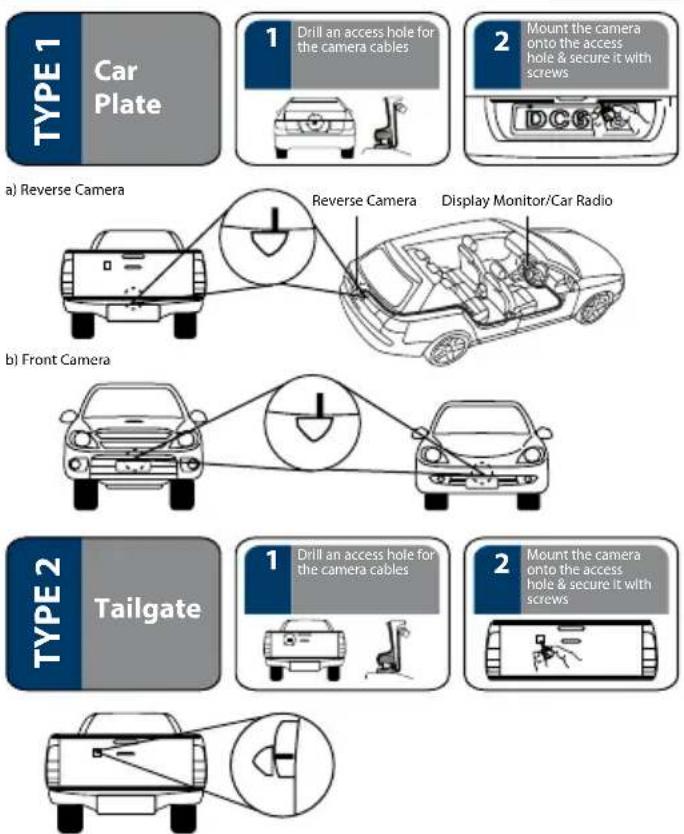
- Pictures are for illustration purpose only, see actual vehicle for accurate installation location.
- Ensure diameter of hole size is correct before drilling.
- Ensure drilling process does not harm the component of the vehicle.
- Assign mounting location that will not obstruct camera view.
INSTALLATION DIAGRAM![graph TD A["Display Monitor/Car Radio"] --> B["Black Wire (Ground)"] B --> C["Red Wire"] C --> D["Reverse Light"] D --> E["Reverse Trigger"] E --> F["White"] E --> G["Blue"] E --> H["Purple"] E --> I["Reverse Camera"]](/content/2026/05/822654/images/38050e9769a4d1ff7b441efdba61b195ce7facbe9a8dbcaee284c0dc2debd7cc.jpg)
Ground the wire through the exterior body of the vehicle and keep connection intact.
Attention
- Remove protective film from camera lens before use.
• Take extra precautions when setting up the connection near petrol tank and wires.
- Connect Red Wire⊕ with reverse light.
FRONT / REAR CAMERA INSTALLATION
Rear Camera Wiring (Remove Parking Line)
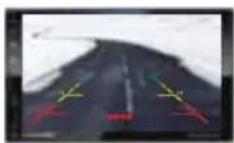

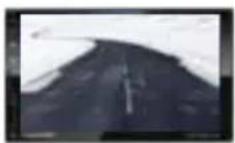
Reverse Camera
Do not cut the wires when using as reverse camera.
Rear Camera
Cut blue wire when using as front camera to remove parking line.
Front Camera Wiring (Flip Viewing Display & Remove Parking Line)
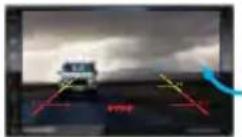

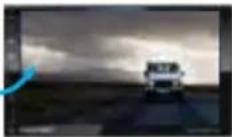
Reverse Camera
Do not cut the wire when using as reverse camera.
Front Camera
Cut white & blue wires when using as front camera to flip viewing display & remove parking line.
Type 1 Installation Wiring
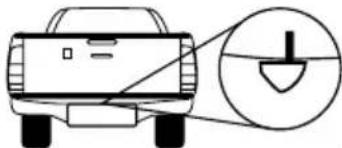
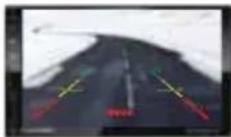
Reverse Camera Wiring
Do not cut the wires when using as reverse camera near license plate.
FRONT / REAR CAMERA INSTALLATION
Type 2 Installation Wiring
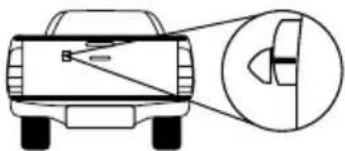
Before Cutting Wires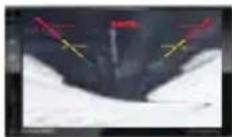
Reverse Camera Wiring
Cut white and purple wires when using as reverse camera on rear back door.
After Cutting Wires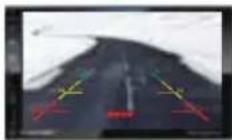
TROUBLESHOOTING
If any of the following problems occur, please refer to Troubleshooting for possible solutions. Consult a Blaupunkt authorized dealer if the problem persists.
| Problem | Solution |
| Display monitor / car radio does not show reverse view when reversing. | Restart the display monitor / car radio. |
| Reverse view does not show even after restarting the display monitor/ car radio. | Examine if the power supplies of the reverse light or the rear car plate light is properly connected. |
| Reverse view does not show even though power supplies of the reverse light or the rear car plate light is properly connected. | Examine if the power supply cables of the reverse light or the rear car plate light is damaged. Repair/replace if the cables are damaged. |
Designed and engineered by Blaupunkt Competence Centre 1 331 20 010 32 01


Brand : BLAUPUNKT
Model : RC TY 1.0
Category : Camera