
BXEFT45E - Fan BLACK & DECKER - Free user manual and instructions
Find the device manual for free BXEFT45E BLACK & DECKER in PDF.


| Product Type | Pedestal Fan |
| Brand | Black & Decker |
| Model | BXEFT45E |
| Power Supply | Mains 220-240 V, 50 Hz |
| Power | 45 W |
| Blade Diameter | 40 cm |
| Adjustable Height | Yes |
| Oscillation | Yes |
| Number of Speeds | 3 |
| Timer | No |
| Remote Control | No |
| Material | Plastic and Metal |
| Weight | 4.5 kg |
| Dimensions (H x W x D) | 130 x 45 x 45 cm |
| Noise Level | 55 dB |
| Airflow | 120 m³/min |
| Safety | Protective grille, stable base |
| Maintenance | Clean with a damp cloth |
| Certifications | CE |
| Warranty | 2 years |
Frequently Asked Questions - BXEFT45E BLACK & DECKER
User questions about BXEFT45E BLACK & DECKER
0 question about this device. Answer the ones you know or ask your own.
Ask a new question about this device
Download the instructions for your Fan in PDF format for free! Find your manual BXEFT45E - BLACK & DECKER and take your electronic device back in hand. On this page are published all the documents necessary for the use of your device. BXEFT45E by BLACK & DECKER.
USER MANUAL BXEFT45E BLACK & DECKER
text_image
BLACK+ DECKER™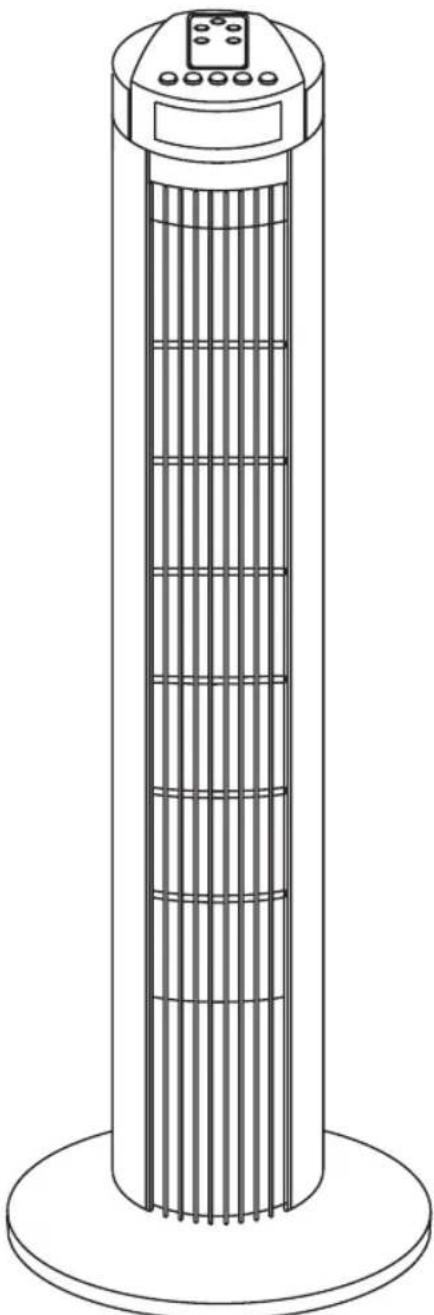
natural_image
Line drawing of a tall outdoor air conditioner tower with cooling fins and a digital display (no text or symbols)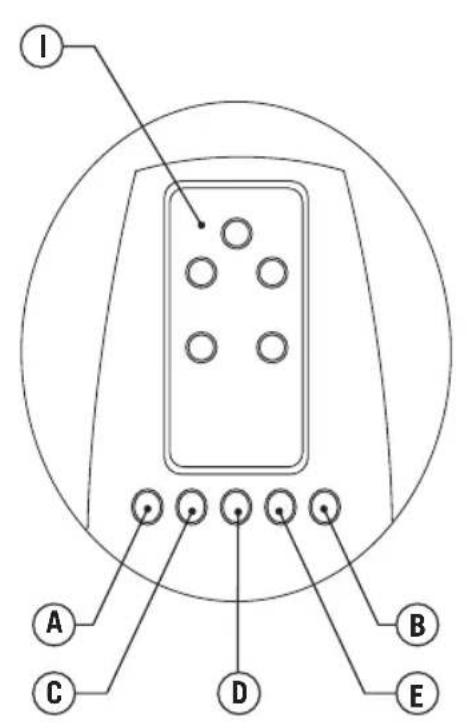
text_image
I A C D B E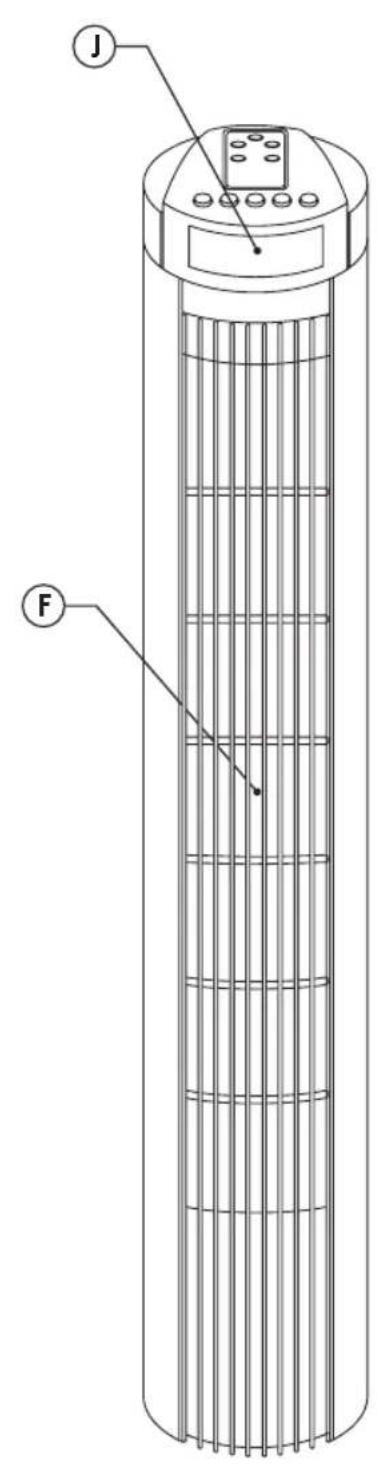
text_image
J F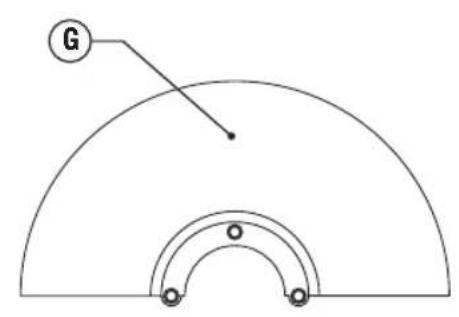
text_image
G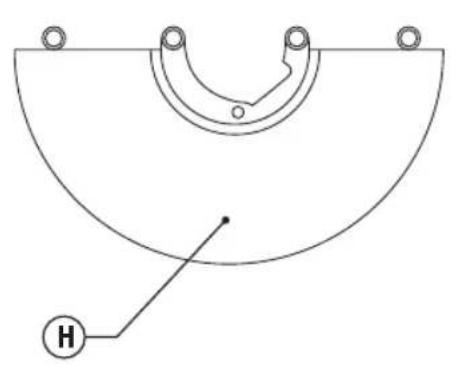
natural_image
Simple line drawing of a semi-circular mechanical component with mounting holes and a labeled point H (no text or symbols beyond the label)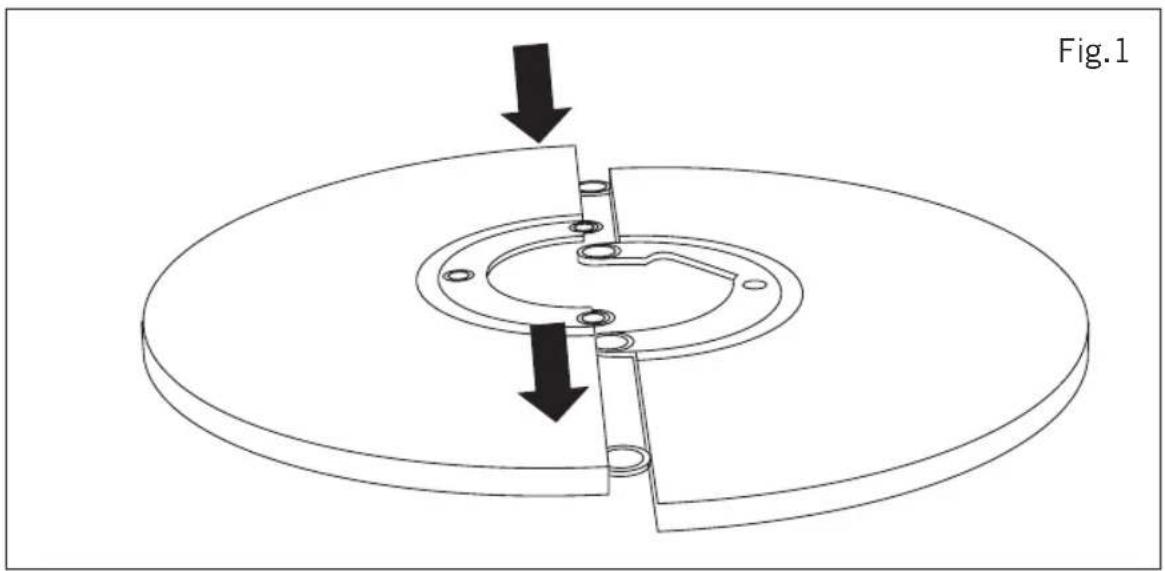
natural_image
Technical diagram of a mechanical assembly with two downward arrows indicating force or movement, no text or symbols present.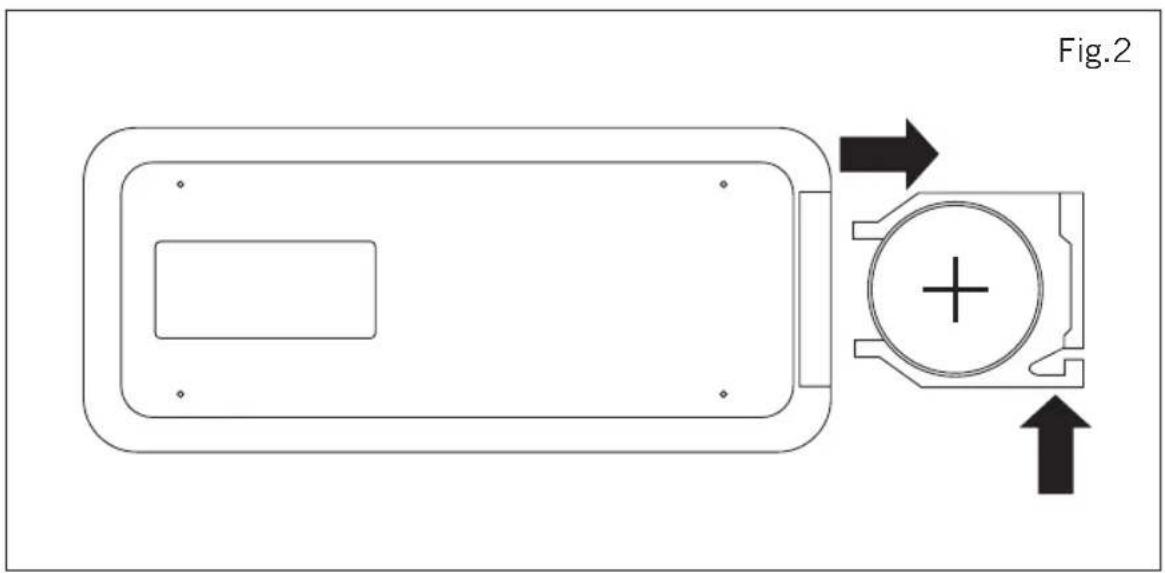
text_image
Fig.2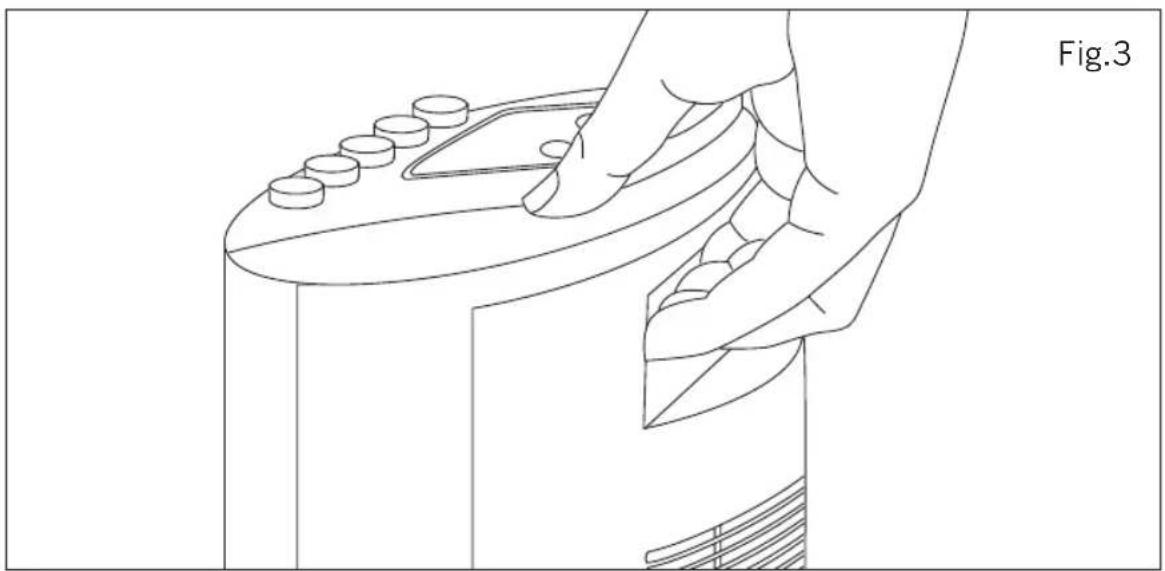
natural_image
Line drawing of a hand pressing down on a circular object with circular elements, labeled Fig.3 (no text or symbols on the diagram itself)Tower Fan
BXEFT45E
Dear customer,
Many thanks for choosing to purchase a BLACK+DECKER brand product.
Thanks to its technology, design and operation and the fact that it exceeds the strictest quality standards, a fully satisfactory use and long product life can be assured.
Read these instructions carefully before switching on the appliance and keep them for future reference. Failure to follow and observe these instructions could lead to an accident.
SAFETY ADVICE AND WARN- INGS
- This appliance can be used by children aged from 8 years and above and persons with reduced physical, sensory or mental capabilities or lack of experience and knowledge if they have been given supervision or instruction concerning use of the appliance in a safe way and understand the hazards involved.
◆ Cleaning and user maintenance shall not be made by children unless they are supervised.
◆ This appliance is not a toy. Children should be supervised to ensure that they do not play with the appliance.
If the connection to the mains has been damaged, it must be replaced, take the appliance to an authorised technical support service. Do not attempt to disassemble or repair the appliance by yourself in order to
avoid a hazard.
◆ This appliance is for household use only, not professional, industrial use.
- Ensure that the voltage indicated on the rating label matches the mains voltage before plugging in the appliance.
- Connect the appliance to a socket that can supply a minimum of 10 amperes.
◆ The appliance's plug must fit into the mains socket properly. Do not alter the plug. Do not use plug adaptors.
◆ The appliance must be used and placed on a flat, stable surface.
◆ Do not use the appliance if the cable or plug is damaged.
If any of the appliance casings breaks, immediately disconnect the appliance from the mains to prevent the possibility of an electric shock.
Do not use the appliance if it has fallen on the floor, if there are visible signs of damage or if it has a leak.
Do not force the power cord. Never use the power cord to lift up, carry or unplug the appliance.
◆ Do not wrap the power cord around the appliance.
◆ Do not clip or crease the power cord.
◆ Check the state of the power cord. Damaged or tangled cables increase the risk of electric shock.
◆ The appliance is not suitable for outdoor use.
Supply cord should be regularly examined for signs of damage, and if the cord is damaged, the appliance must not be used.
◆ Do not use or store the appliance outdoors.
Do not leave the appliance out in the rain or exposed to moisture. If water gets into the appliance, this will increase the risk of electric shock.
◆ Do not touch the plug with wet hands. - Do not touch any of the appliance's moving parts while it is operating.
Use and care:
◆ Fully unroll the appliance's power cable before each use.
- Do not use the appliance if the on/off switch does not work.
◆ Use the appliance handle/s, to catch it or move it.
- Do not use the appliance if it is tipped up and do not turn it over.
- Do not turn the appliance over while it is in use or connected to the mains.
◆ Disconnect the appliance from the mains when not in use and before undertaking any cleaning task.
(Original instructions)
ENGLISH
◆ Store this appliance out of reach of children and/or persons with physical, sensory or reduced mental or lack of experience and knowledge.
◆ Make sure that dust, dirt or other foreign objects do not block the fan grill on the appliance.
♦ Keep the appliance in good condition. Check that the moving parts are not misaligned or jammed and make sure there are no broken parts or anomalies that may prevent the appliance from operating correctly.
- Never leave the appliance connected and unattended if is not in use. This saves energy and prolongs the life of the appliance.
Service:
◆ Any misuse or failure to follow the instructions for use renders the guarantee and the manufacturer's liability null and void.
DESCRIPTION
A On / Off button
B Oscillation button
C Speed selection button
D Air flow modes selection button
E Timer control button
F Ventilation grill
G Front base
H Back base
I Remote control
J LED display
If the model of your appliance does not have the accessories described above, they can also be bought separately from the Technical Assistance Service.
INSTALLATION
- Be sure to remove all packaging material from inside the appliance.
◆ Ensure that the fan is switched off from the supply mains before start any installation or assembly operation.
◆ The appliance should be used with its base fitted.
Assembling the battery/s:
◆ Caution: During the handling of batteries, do not touch both poles at the same time, as this will provoke the partial discharge of the stocked energy therefore affecting
longevity.
◆ Remove the cover of the battery compartment.
◆ Check that the plastic covering that protects the battery has been removed (some batteries are sold with a protective covering)
♦ Put the battery in its compartment, respecting the polarity (Fig.2).
◆ Replace the cover of the battery compartment.
◆ N.B. When changing the batteries, the configuration of the appliance will be removed, and you will need to reset the parameters of the appliance.
Assembling the base:
◆ To fix the base into the appliance, place the appliance face down.
◆ Fit the base with the column and secure it with the screws provided (Fig.1).
◆ Stand the appliance up again so as to check that the base works properly.
INSTRUCTIONS FOR USE
Before use:
◆ Make sure that all products' packaging has been removed.
Use:
◆ Unroll the cable completely before plugging it in.
◆ Connect the appliance to the mains.
◆ Guide the appliance to direct the flow of air in the desired direction.
◆ Turn the appliance on, by using the on/off button.
◆ Select the desired ventilation speed.
Timer function:
◆ The appliance's operating time can be controlled.
◆ To program the operating time simply select it using the (E) button.
◆ The time programmed or remaining time will appear on the display (J) (from 0,5h to 7,5h).
◆ After the selected time the appliance will switch off automatically.
Oscillation function:
The oscillation function makes it possible to direct the flow from the apparatus so that it automatically alternates over a range of 75^ .

ENGLISH
(Original instructions)
◆ To activate this function, press the (B) button.
◆ To deactivate this function, follow the procedure for switching it on in reverse.
AIR FLOW MODES FUNCTION:
♦ Choose the desired air flow option by pressing the air flow selection button (D).
◆ NM: Normal flow, continuous air flow.
◆ NT: Natural flow, soft air flow.
◆ SL: Sleeping, intermittent air flow.
Once you have finished using the appli- ance:
◆ Turn the appliance off, using the on/off button.
◆ Unplug the appliance from the mains.
◆ Clean the appliance.
Carry handle/s:
◆ This appliance has a handle on the upper part of the body, which facilitates comfortable transportation (Fig.3).
CLEANING
◆ Disconnect the appliance from the mains and allow it to cool before undertaking any cleaning task.
◆ Clean the equipment with a damp cloth with a few drops of washing-up liquid and then dry.
Do not use solvents, or products with an acid or base pH such as bleach, or abrasive products, for cleaning the appliance.
- Never submerge the appliance in water or any other liquid or place it under running water.
ANOMALIES AND REPAIR
Take the appliance to an authorised technical support service if product is damaged or other problems arise. Do not attempt to disassemble or repair the appliance yourself as this may be dangerous.
For EU product versions and/or in case that it is requested in your country:
Ecology and recyclability of the product
The materials of which the packaging of this appliance consists are included in a collection, classification and recycling system. Should you wish to dispose of them,
use the appropriate public recycling bins for each type of material.
- The product does not contain concentrations of substances that could be considered harmful to the environment.
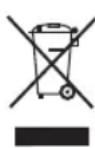
This symbol means that in case you wish to dispose of the product once its working life has ended; take it to an authorised waste agent for the selective collection of Waste from Electric and Electronic Equipment (WEEE).
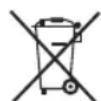
This symbol means that product may include a battery or batteries; user must to remove them before disposing of the product. Remember that batteries must be disposed of in duly authorised containers. Do not dispose of them in fire.
The following information details the features related to ecodesign.
| BXEFT45E | |
| Maximum fan flow rate (F) 21,7 m | ^3 /min |
| Fan power input(P) 36,8 W | |
| Service value (SV) (according to IEC 60879) | 0,6 ( m^3 /min)/W |
| Standby power consumption (PSB) | N/A |
| Fan sound power level (LWA) 52 dB(A) | |
| Maximum air velocity( c ) 2,9 metres/sec | |
This appliance complies with Directive 2014/35/EU on Low Voltage, Directive 2014/30/EU on Electromagnetic Compatibility, Directive 2011/65/EU on the restrictions of the use of certain hazardous substances in electrical and electronic equipment and Directive 2009/125/EC on the ecodesign requirements for energy-related products.
Warranty and technical assistance
This product enjoys the recognition and protection of the legal guarantee in accordance with current legislation. To enforce your rights or interests you must go to any of our official technical assistance services. You can find the closest one by accessing the following web link: http://www.2helpu.com/ You can also request related information, by contacting us (see the last page of the manual). You can download this instruction manual and its updates at http://www.2helpu.com/