
Motion Detector - Security Camera RING - Free user manual and instructions
Find the device manual for free Motion Detector RING in PDF.


| Product Type | Motion Detector for Security Camera |
| Brand | Ring |
| Model | Motion Detector |
| Dimensions (W x H x D) | Approximately 2.5 x 2.5 x 2 inches (63.5 x 63.5 x 50.8 mm) |
| Weight | Approximately 3.5 oz (100 g) |
| Power Source | Battery (CR123A, included) |
| Battery Life | Up to 3 years under normal use |
| Detection Technology | Passive Infrared (PIR) sensor |
| Detection Range | Up to 30 feet (9 meters) |
| Field of View | 110 degrees horizontal, 60 degrees vertical |
| Operating Temperature | 14°F to 120°F (-10°C to 49°C) |
| Connectivity | Z-Wave (Ring proprietary) |
| Compatibility | Requires Ring Alarm Base Station (sold separately) |
| Mounting Type | Wall mount (hardware included) |
| Color | White |
| LED Indicator | Red/Green LED for arm/disarm status |
| Warranty | 1-year limited warranty |
| Maintenance | Keep sensor lens clean; replace battery when low |
| Safety Certifications | FCC, UL |
| Included Accessories | Mounting bracket, screws, user manual, CR123A battery |
Frequently Asked Questions - Motion Detector RING
User questions about Motion Detector RING
0 question about this device. Answer the ones you know or ask your own.
Ask a new question about this device
Download the instructions for your Security Camera in PDF format for free! Find your manual Motion Detector - RING and take your electronic device back in hand. On this page are published all the documents necessary for the use of your device. Motion Detector by RING.
USER MANUAL Motion Detector RING
Home security beyond the front door
Ring Video Doorbells began a Ring of Security around your entire property.
Ring Alarm is the security system that takes the Ring of Security a step further giving you another level of protection for your property.
Now, you can arm and disarm your system, prevent crime and protect your home - all from your phone, tablet or PC.
Contents
- Diagram
- In-app Setup
- Connecting the Device
- Physical Installation
- Troubleshooting
1.
Say hello to your Ring Motion Detector.
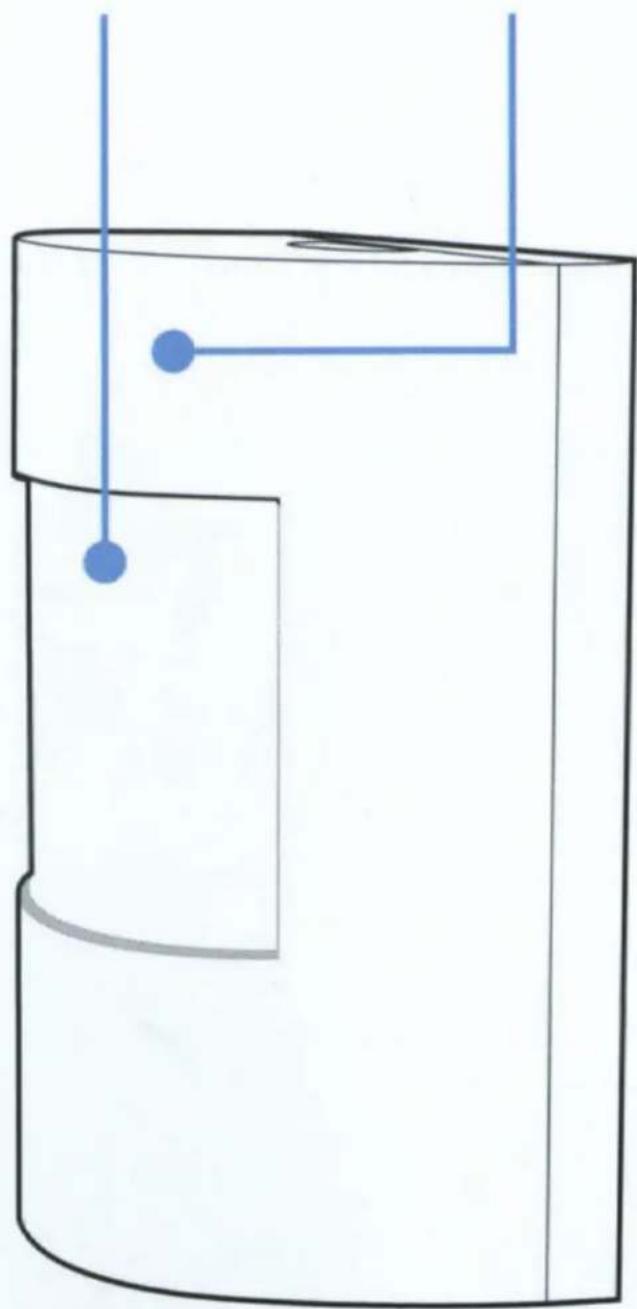
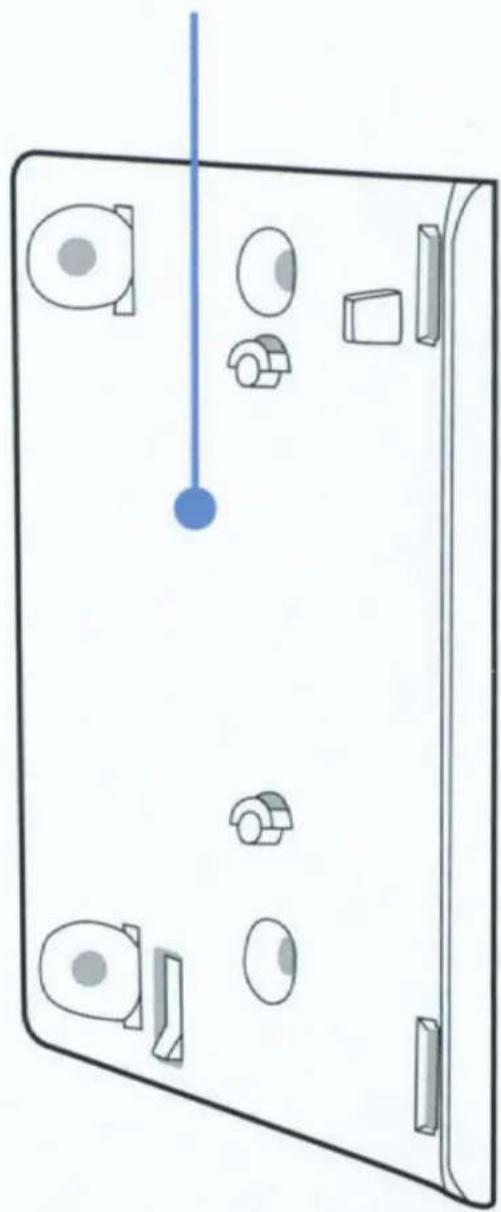
Diagram
Detector
LED Ring
natural_image
Simple line drawing of a cylindrical container with two blue dots and connecting lines, no text or symbols present.Mounting bracket
natural_image
Diagram of a device panel with labeled components and a blue vertical line, no text or symbols present2.
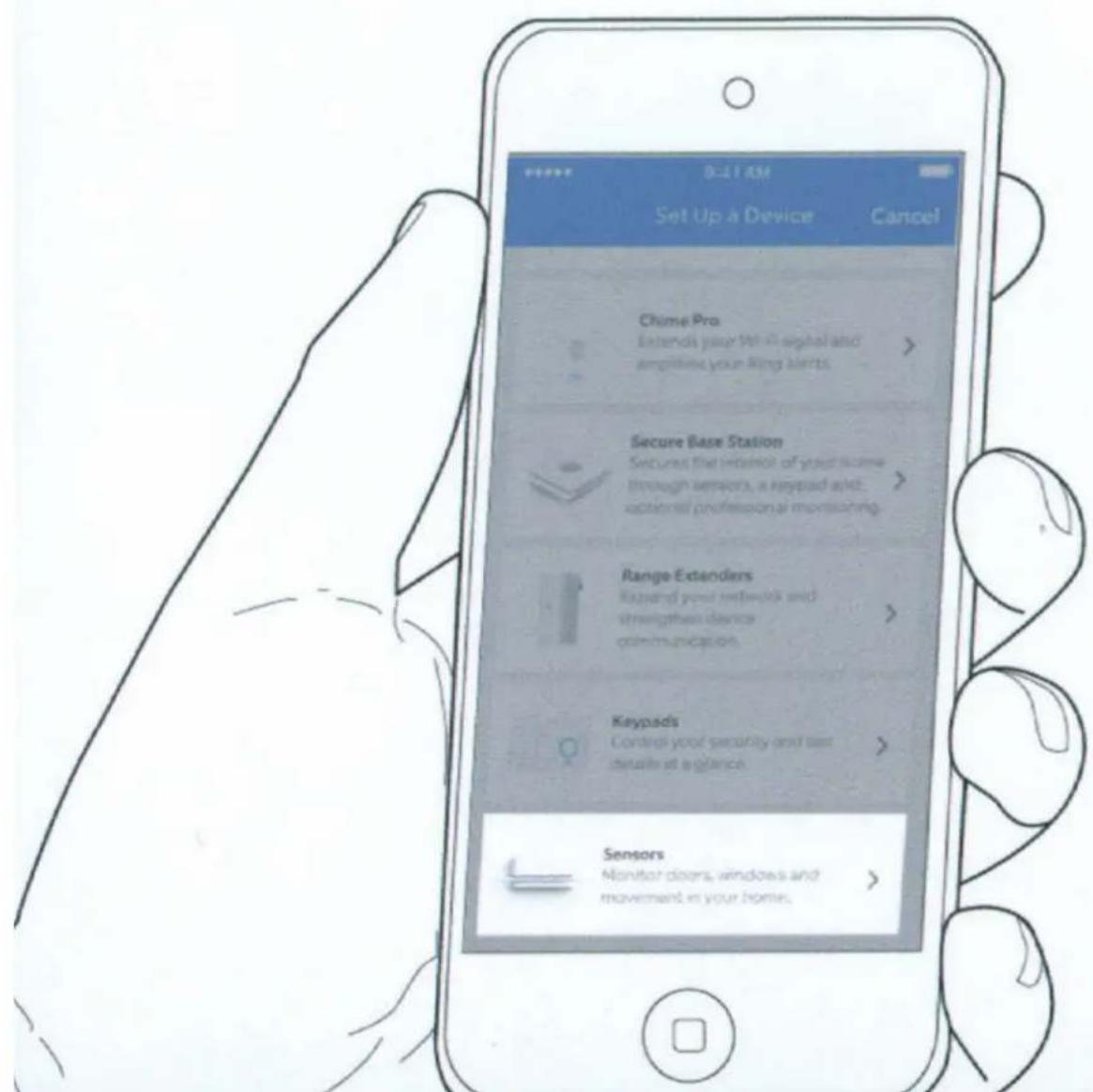
Set up your Ring Motion Detector in the Ring app.
Set up your Ring Motion Detector near your Base Station
In the Ring app, choose Set Up a Device.
Choose Sensors, then Ring Motion Detector.
3.
Connect your Ring Motion Detector to your base station.
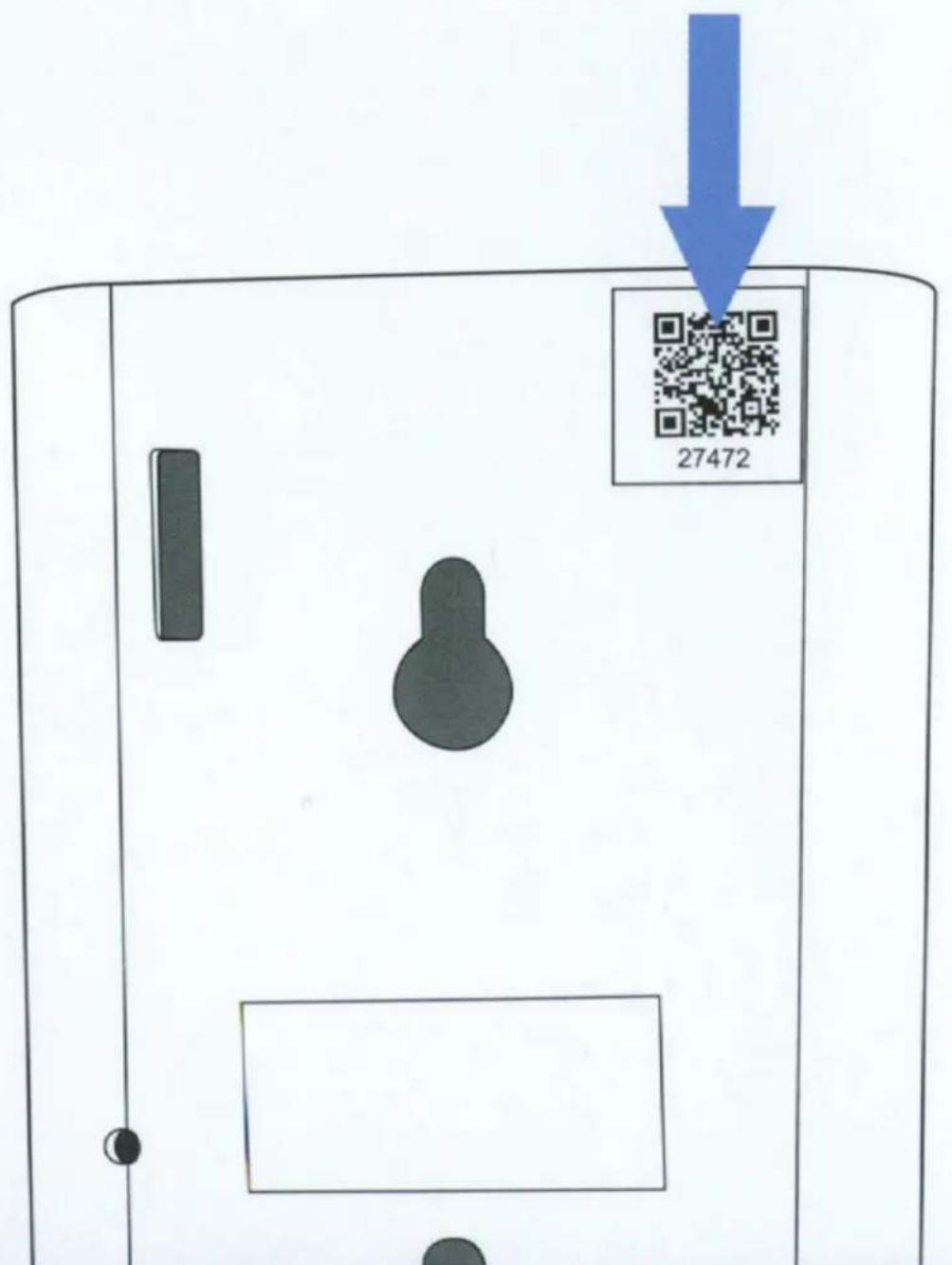
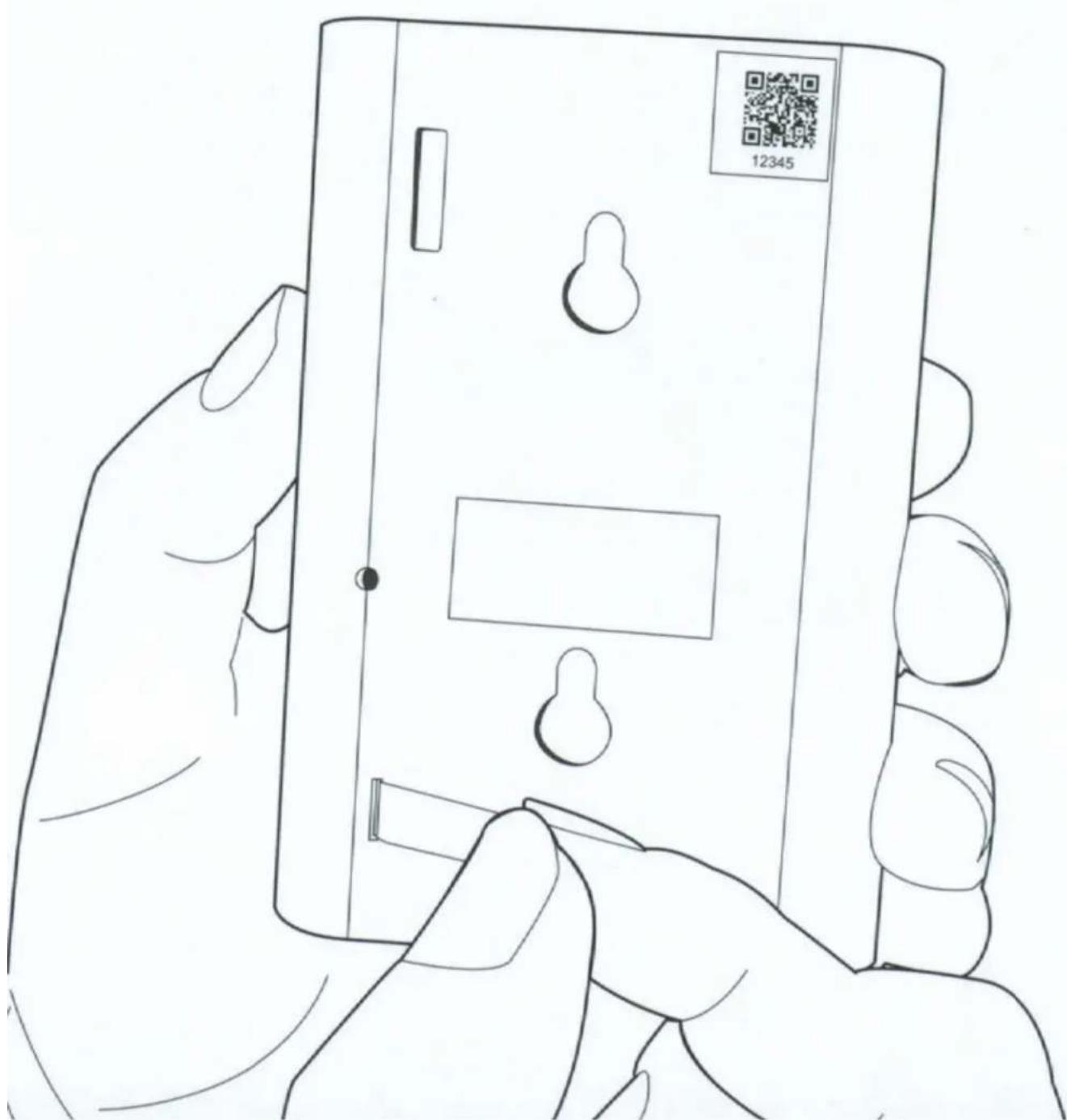
Scan the QR Code or enter the S2 PIN
The QR Code and PIN can be found on the back of your device, on the box, or on the card in this box.
Pull the tab on the detector
This connects the battery and turns on the device. Your base station will find it.
Track the connection progress of the sensor
Your sensor will try to connect to your base station. The sensor's LED ring will show you the progress.
Connected

Blue Solid (5 sec)
Motion detected

Blue Blink (1x)
Sensor tampered

Blue Blinks (3x)
4.
Install your Ring Motion Detector on the wall.
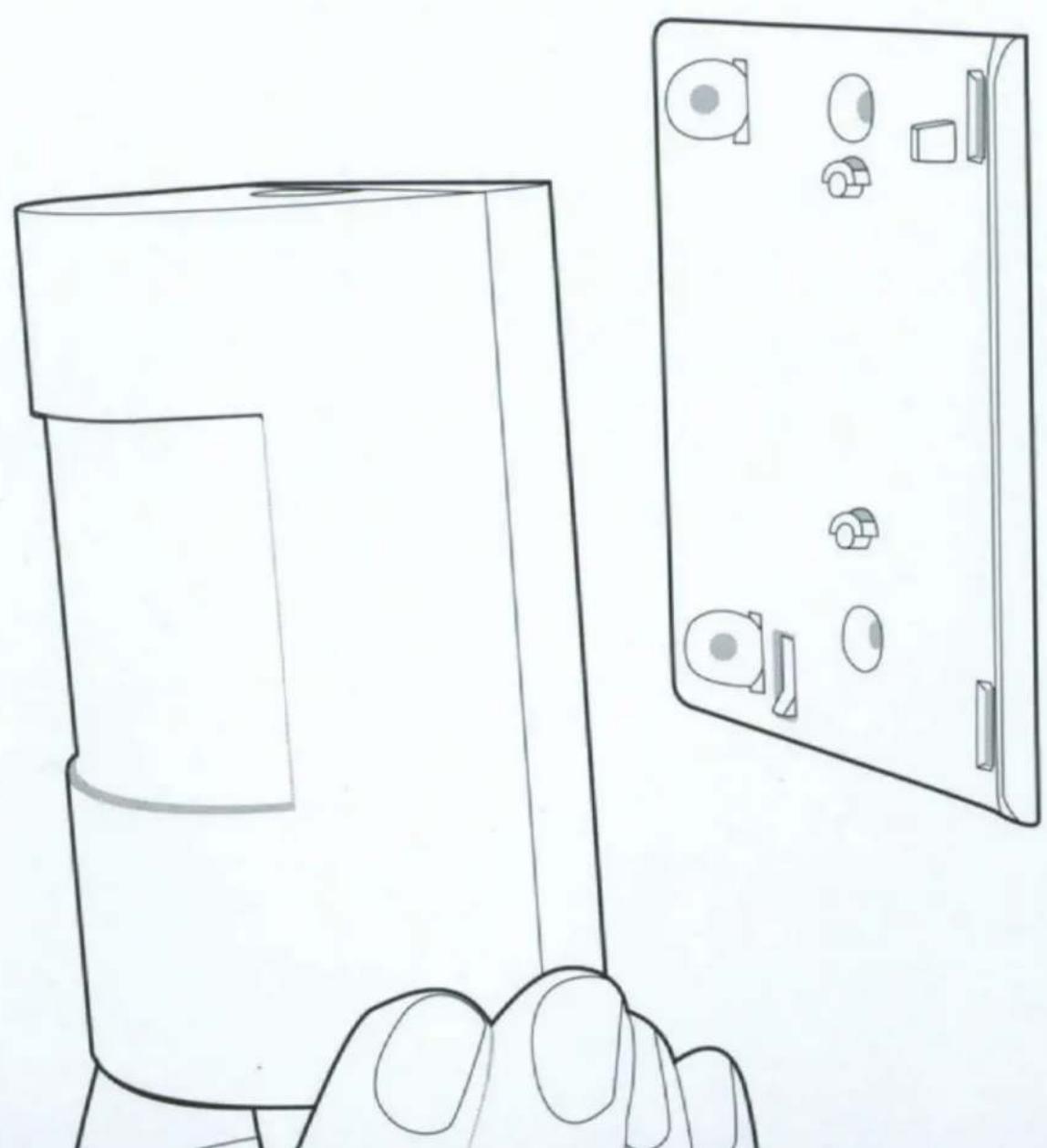
Place your detector (but don't install it yet)
Hold the detector where you want to install it. Make sure the detector detects motion in the whole area.
natural_image
Line drawing of a hand holding a rectangular device next to a closed screen (no text or symbols)Install your detector.
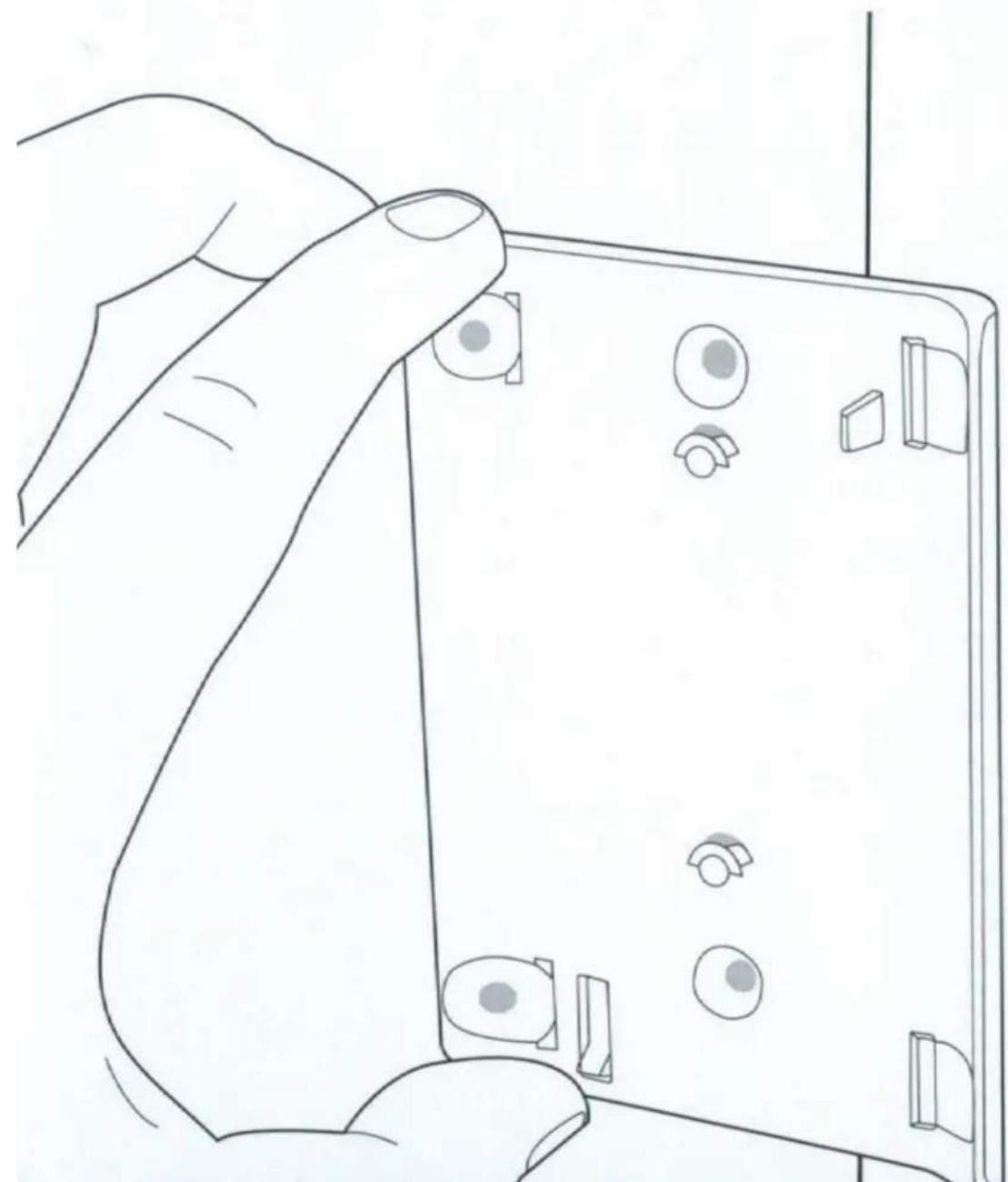
Use the bracket and tape or screws included in your kit. The detector can be mounted flush to the wall or angled in a corner.
natural_image
Line drawing of a hand holding a device with multiple circular components and connectors (no text or symbols)5.
Some additional details about your detector.
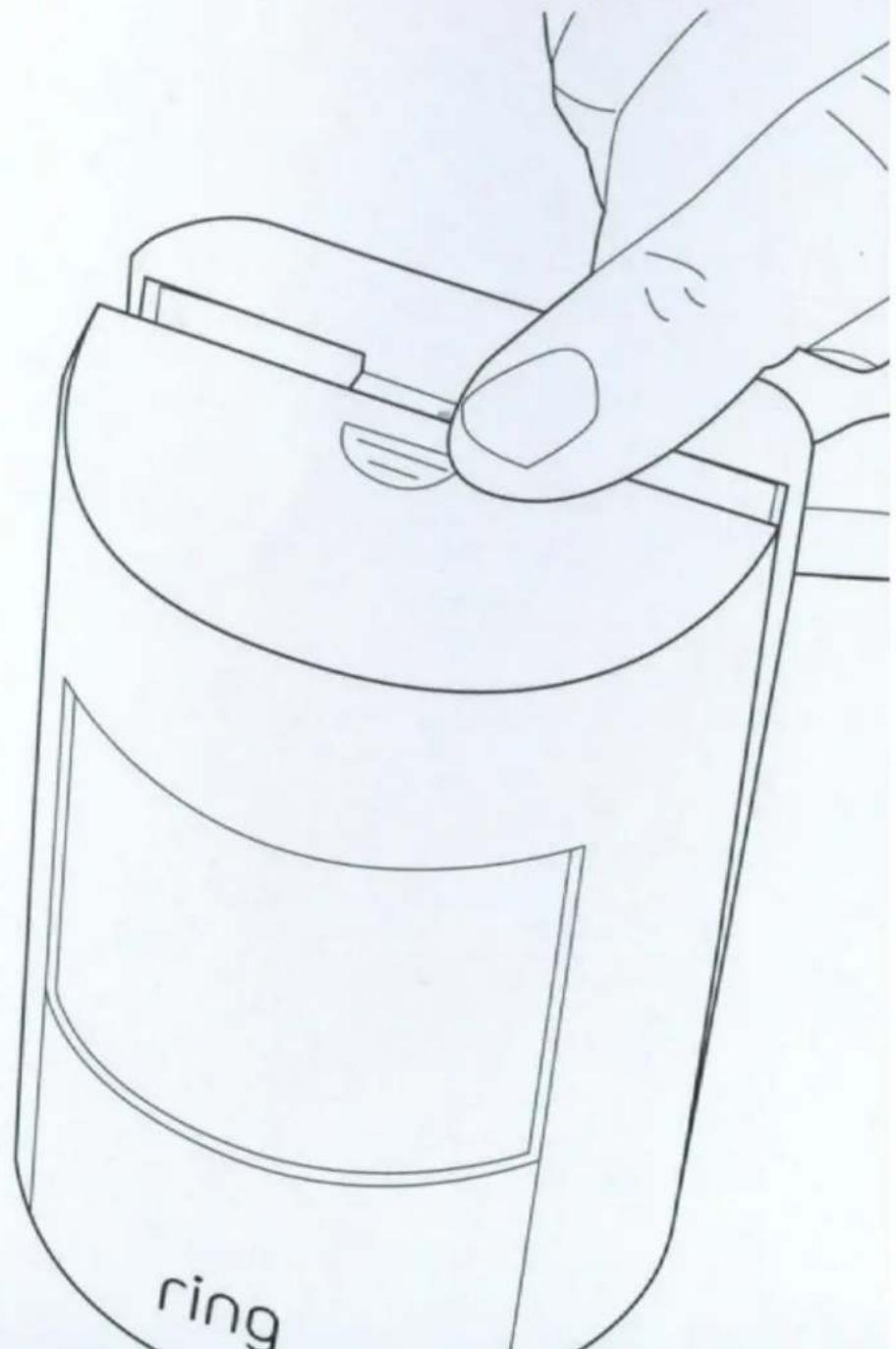
How to change the battery
Your battery should last quite a long time, but when you need to replace it, press the clip and remove the detector cover.
© 2018 Ring Inc. RING, ALWAYS HOME, and CHIME are trademarks of Ring Inc. Last updated: 12/30/17
natural_image
Line drawing of a hand holding a ring-shaped object, no text or symbols presentRing Motion Detector Z-Wave Device Specific Key (DSK)
ring
1523 26th St. Santa Monica, CA 90404
This device complies with Part 15 of the FCC Rules. Operation is subject to the following two conditions: (1) This device may not cause harmful interference, and (2) this device must accept any interference received, including interference that may cause undesired operation.
This device complies with Industry Canada's licence-exempt RSSs. Operation is subject to the following two conditions: (1) This device may not cause interference; and (2) This device must accept any interference, including interference that may cause undesired operation of the device.
CAN ICES-3 (B)/NMB-3(B) - This Class B digital apparatus complies with Canadian ICES-003.
The FCC ID of the device in this package can be found on the back or bottom of the device.
CAUTION
To reduce the risk of electrical shock, DO NOT open the unit. There are no user serviceable parts inside the unit. Refer to customer support for any repairs.
CAUTION
Danger of explosion if battery is incorrectly replaced. Replace only with the same of equivalent type recommended by the manufacturer. Dispose of the used batteries according to the manufacturer's instructions.
WARNING: Changes or modifications to this unit not expressly approved by the party responsible for compliance could void the user's authority to operate the equipment.
NOTE: This equipment has been tested and found to comply with the limits for a Class B digital device, pursuant to Part 15 of the FCC Rules. These limits are designed to provide reasonable protection against harmful interference in a residential installation. This equipment generates, uses, and can radiate radio frequency energy and, if not installed and used in accordance with the instructions, may cause harmful interference to radio communications.
However, there is no guarantee that interference will not occur in a particular installation. If this equipment does cause harmful interference to radio or television reception, which can be determined by turning the equipment off and on, the user is encouraged to try to correct the interference by one or more of the following measures:
• Reorient or relocate the receiving antenna.
- Increase the separation between the equipment and receiver.
- Connect the equipment into an outlet on a circuit different from that to which the receiver is connected.
- Consult the dealer or an experienced radio/TV technician for help.
WARNING: RF Exposure Compliance
The antenna(s) used for this transmitter must be installed to provide a separation distance of at least 20 cm from all persons and must not be co-located or operating in conjunction with any other product antenna or transmitter.
Protect the device from direct sunlight. Install the device at dry locations, and protect it against rain and humidity. The device may not get in contact to salt water or other conductive liquids. The device must be charged only within a building in a dry state.
This device may not be disassembled and used for any other purpose. This unit, and all the components are configured for the sole purpose of providing a security. They are not approved for individual cellular use, battery use or other mishandling.
A mobile app must be used to set up the device. This product must be installed to provide a separation distance of at least 20 cm from all persons and must not be co-located or operating in conjunction with any other radios or transmitter.
This device is not an Access point or Hotspot and should not be used as one.





- Home security beyond the front door
- Contents
- 1.
- Diagram
- Detector
- LED Ring
- Mounting bracket
- 2.
- Set up your Ring Motion Detector in the Ring app.
- Set up your Ring Motion Detector near your Base Station
- 3.
- Scan the QR Code or enter the S2 PIN
- Pull the tab on the detector
- Track the connection progress of the sensor
- 4.
- Install your Ring Motion Detector on the wall.
- Place your detector (but don't install it yet)
- Install your detector.
- 5.
- Some additional details about your detector.
- How to change the battery
- ring
- 26th St. Santa Monica, CA 90404
- CAUTION
- WARNING: RF Exposure Compliance
Brand : RING
Model : Motion Detector
Category : Security Camera