
Doorbell Wired - Security Camera RING - Free user manual and instructions
Find the device manual for free Doorbell Wired RING in PDF.


| Product Type | Video Doorbell |
| Brand | Ring |
| Model | Doorbell Wired |
| Dimensions | 4.98 x 2.43 x 0.87 in (12.6 x 6.2 x 2.2 cm) |
| Weight | 0.44 lb (0.2 kg) |
| Power Source | Existing doorbell wiring (8-24 V AC, 40VA max transformer) |
| Video Resolution | 1080p HD |
| Field of View | 155° horizontal, 180° diagonal |
| Night Vision | Color night vision |
| Audio | Two-way audio with noise cancellation |
| Motion Detection | Adjustable motion zones |
| Connectivity | Wi-Fi 802.11 b/g/n (2.4 GHz) |
| Compatibility | Works with Alexa, iOS and Android |
| Weather Resistance | Weather resistant (IPX5) |
| Installation | Hardwired to existing doorbell system |
| Power Adapter | Not included; uses existing transformer |
| Included Accessories | Mounting bracket, screws, level, screwdriver bit |
| Security Features | End-to-end encryption, privacy zones |
| Storage | Cloud recording with Ring Protect Plan (subscription separate) |
| Maintenance | Wipe with soft dry cloth; avoid harsh chemicals |
Frequently Asked Questions - Doorbell Wired RING
User questions about Doorbell Wired RING
0 question about this device. Answer the ones you know or ask your own.
Ask a new question about this device
Download the instructions for your Security Camera in PDF format for free! Find your manual Doorbell Wired - RING and take your electronic device back in hand. On this page are published all the documents necessary for the use of your device. Doorbell Wired by RING.
USER MANUAL Doorbell Wired RING
Included hardware. Find your doorbell chime.
Bag Hardware

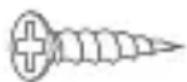
(2) 1" Mounting Screws

(2) Wall Anchors


(2) 3/16" Security Screws


1x Jumper Cable
Your Doorbell Wired is designed to replace an existing doorbell button, and gets its power from the doorbell system.
Ring your existing doorbell and listen for the chime. If it rings, we know your existing doorbell system is working.
Follow the sound to find your chime and make a mental note of the location. We'll return to your chime soon.

Don't have an existing doorbell? You can power your Doorbell Wired directly using our Plug-in Adapter. Visit ring.com/accessories to learn more.
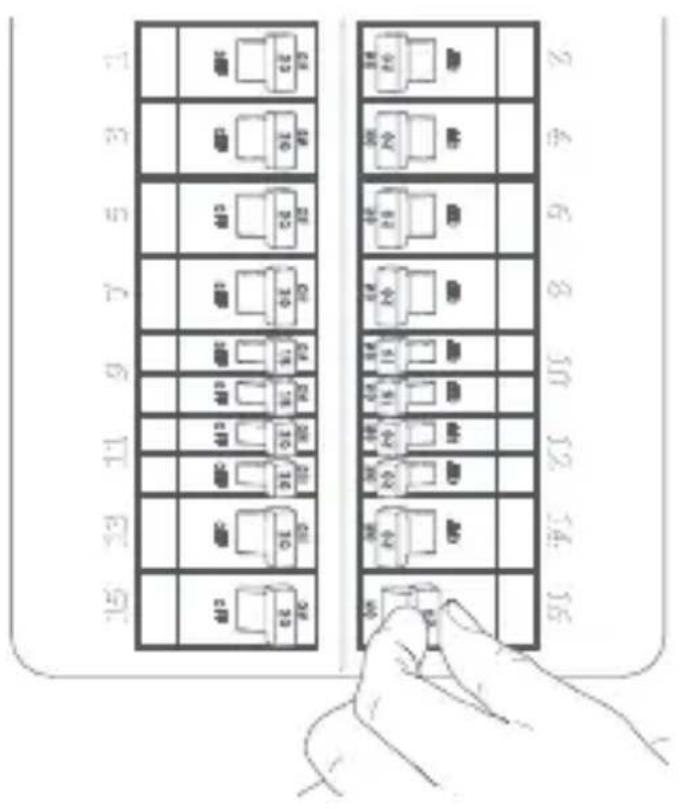
Turn off power at the breaker.
This is essential to keeping you and your new Ring Doorbell safe.
If you're not sure which breaker controls your doorbell chime, turn off the master breaker for your home, or contact an electrician.

CAUTION!
You'll be working with electrical wires during the install process. If you are uncomfortable or inexperienced with doing so, consult with a licensed electrician.

Grab the included Jumper Cable.
The Jumper Cable bypasses and disables your existing doorbell chime, and must be installed before you install your Ring Doorbell.
Your Doorbell Wired is compatible with doorbell systems supplying 10–24 volts AC, at 50 or 60Hz, 40VA max. The AC connector is the class 2 energy source.

natural_image
Pure line drawing of a U-shaped tool or spring with no text or symbolsRemove the cover from your doorbell chime.
After you've located your doorbell chime and turned off power at the breaker, remove the cover from your chime and set it aside for now.
Loosen the "Front" and "Trans" terminal screws.
Make sure to keep the existing doorbell wires in place.
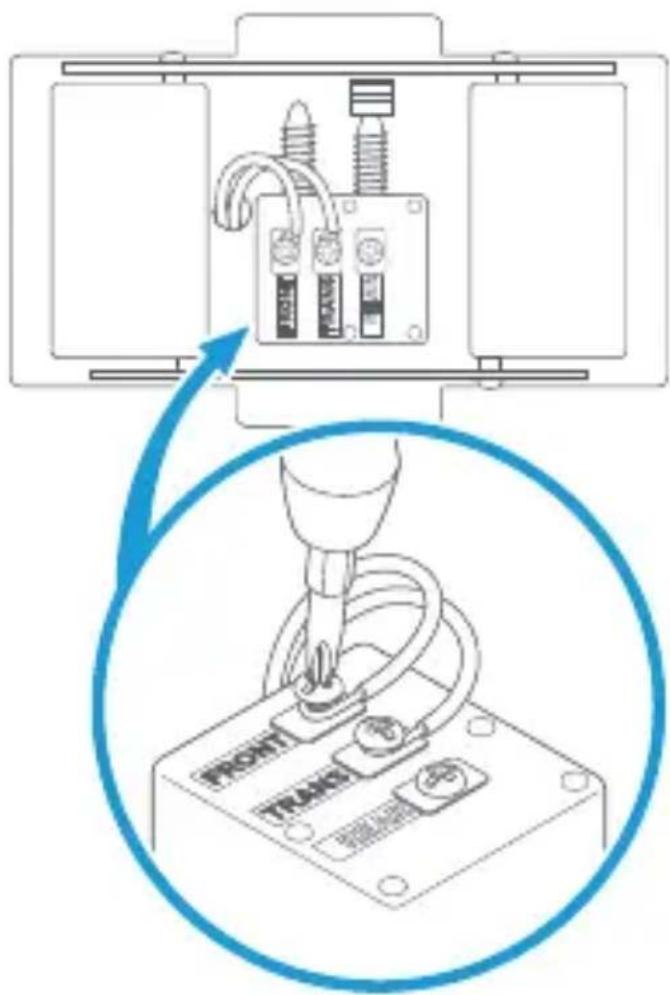
Connect the Jumper Cable.
Connect one end of the Jumper Cable to the "Front" terminal, and the other to the "Trans" terminal. It doesn't matter which wire you connect to which terminal.
Then re-tighten the terminal screws.

Uninstall your existing doorbell button.
Remove your doorbell from the wall.
Disconnect the wires. Make sure they don't fall back inside your wall so you can access them later.
Remove the faceplate.
Grasp the bottom of the faceplate and pull to remove.

natural_image
Line drawing of a hand pressing a vertical panel with a blue arrow indicating rotation (no text or symbols)Mark the screw holes.
Using your Ring Doorbell as a template, mark the location of the two mounting holes on your wall.

natural_image
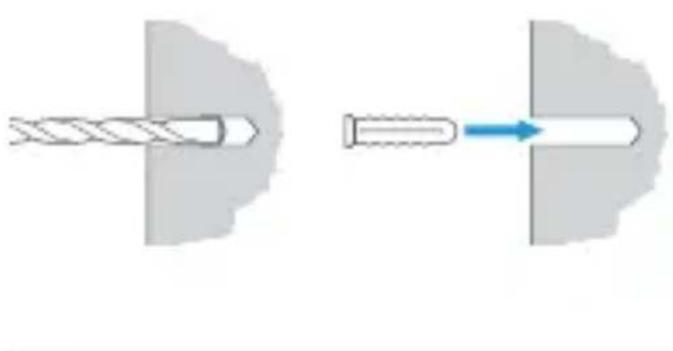
Line drawing of hands installing or adjusting a device component with a screwdriver (no text or symbols)Install the anchors. (optional)
On stucco, brick, or concrete, use a 14 " masonry bit to drill holes in your wall, then insert the included wall anchors.
(If you're installing on wood or siding, you can skip this step.)
natural_image
Diagram showing a twisted screw and its insertion into a cylindrical shaft (no text or symbols)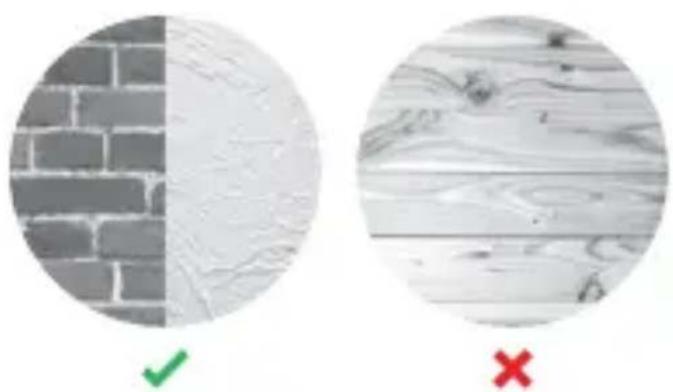
natural_image
Two circular images showing brick wall and wooden surface, one with checkmark and red X (no text or symbols)Connect the doorbell wires.
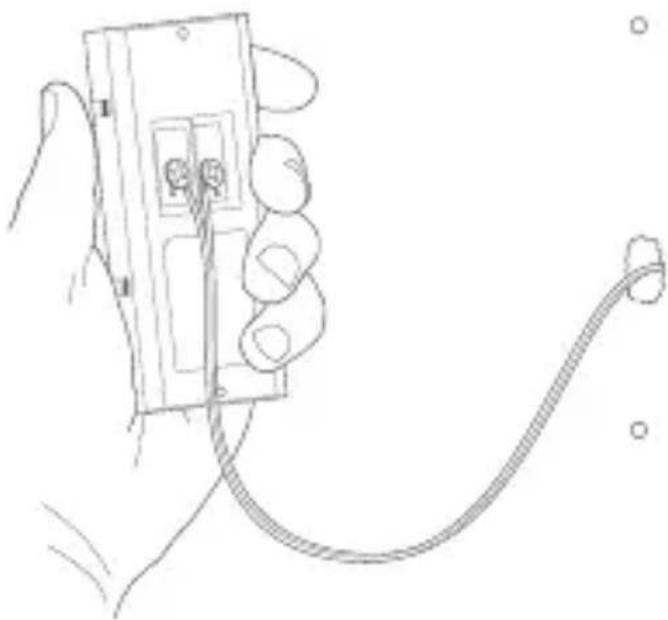
Loop one doorbell wire around each of the screw terminals on the rear of your Ring Doorbell then tighten the terminals to secure.
natural_image
Line drawing of a hand holding an electrical plug with a coiled cable (no text or symbols)Screw in your Ring Doorbell.
Mount your Ring Doorbell with the two included mounting screws.
Be sure to feed any excess wiring back into the wall first.

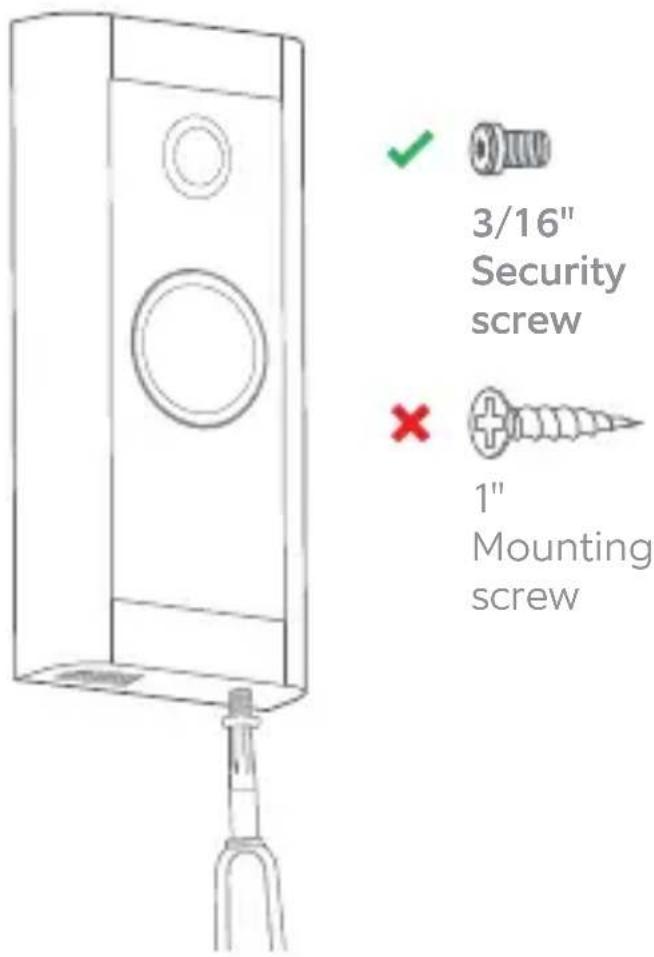
DO NOT USE any screw other than the included mounting screws when securing your Ring Doorbell.

Restore power at the breaker.
It may take a moment for your Ring Doorbell to power on. You'll know it's ready once it lights up and speaks to you.
Download the Ring App.
The Ring App walks you through setting up and managing your Ring Doorbell.
Search for "Ring" in one of the app stores below, or visit ring.com/app


Set up your Ring Doorbell.
In the Ring app, select Set Up a Device and follow the in-app instructions.
Secure your Ring Doorbell.
Re-attach the faceplate, then use the included screwdriver to drive the small security screw into the bottom of your Ring Doorbell.

CAUTION!
If you use the wrong screws to secure the Video Doorbell, you could damage the battery during installation, create a fire hazard, and be seriously injured.
For additional help, visit
ring.com/help
Or give us a call:
US 1 800 656 1918
Canada 1 855 300 7289
Worldwide +1 310 929 7085
For a list of all our customer support numbers, visit ring.com/callus
For information on our warranty, theft protection, and Ring Protect Plans, see ring.com/legal
© 2020 Ring LLC or its affiliates.
Ring and all related marks are trademarks of Ring LLC or its affiliates.


- Included hardware. Find your doorbell chime.
- Bag Hardware
- Turn off power at the breaker.
- CAUTION!
- Grab the included Jumper Cable.
- Remove the cover from your doorbell chime.
- Loosen the "Front" and "Trans" terminal screws.
- Connect the Jumper Cable.
- Uninstall your existing doorbell button.
- Remove the faceplate.
- Mark the screw holes.
- Install the anchors. (optional)
- Connect the doorbell wires.
- Screw in your Ring Doorbell.
- Restore power at the breaker.
- Download the Ring App.
- Set up your Ring Doorbell.
- Secure your Ring Doorbell.
Brand : RING
Model : Doorbell Wired
Category : Security Camera