
Zoopa Q420 Cruiser - Drone SNAKEBYTE - Free user manual and instructions
Find the device manual for free Zoopa Q420 Cruiser SNAKEBYTE in PDF.


| Product Type | Drone |
| Brand | Snakebyte |
| Model | Zoopa Q420 Cruiser |
| Dimensions (L x W x H) | 30 x 30 x 10 cm |
| Weight | 120 g |
| Power Supply | Rechargeable Li-Po battery 3.7 V 500 mAh |
| Flight Time | 8 to 10 minutes |
| Range | Up to 100 meters |
| Transmission Frequency | 2.4 GHz |
| Gyroscope | 6-axis |
| Main Functions | Altitude hold, hovering, automatic return, headless mode, 3D flips, automatic takeoff/landing |
| Charger | USB cable included |
| Material | ABS plastic |
| Safety | Propeller guards included |
| Maintenance and Cleaning | Clean with a soft, dry cloth |
| Spare Parts and Repairability | Spare propellers available, easy replacement |
| Ease of Use | Beginner |
| Recommended Age | 14 years and up |
| Compliance | CE, RoHS |
Frequently Asked Questions - Zoopa Q420 Cruiser SNAKEBYTE
User questions about Zoopa Q420 Cruiser SNAKEBYTE
0 question about this device. Answer the ones you know or ask your own.
Ask a new question about this device
Download the instructions for your Drone in PDF format for free! Find your manual Zoopa Q420 Cruiser - SNAKEBYTE and take your electronic device back in hand. On this page are published all the documents necessary for the use of your device. Zoopa Q420 Cruiser by SNAKEBYTE.
USER MANUAL Zoopa Q420 Cruiser SNAKEBYTE
natural_image
Black and red quadcopter drone with propellers, no visible text or symbols on bodyAnleitung
Manual
33129 Delbrück Germany
Tel: +49 2944 973830
natural_image
Black and red quadcopter drone with orange propellers, no visible text or symbols1x zoopa Q420 cruiser Quadrocopter
natural_image
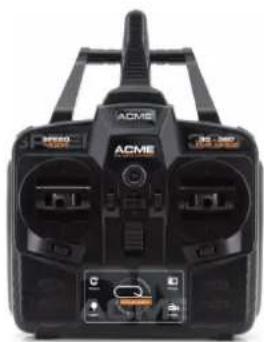
Front view of a black ACME radio receiver with dual input dials and control buttons (no visible text or symbols)natural_image
Illustration of a USB cable with two connectors (no text or symbols)1x USB-Ladekabel
natural_image
Close-up of a black electronic device with a white cable and connector (no visible text or symbols)natural_image
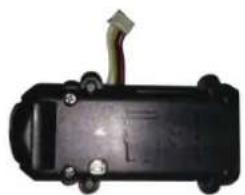
Black rectangular electronic device with horizontal lines and a USB cable (no visible text or symbols)1x LiPo Akku 600mAh 3,7V
natural_image
Simple line drawing of an open book and a pen-like object (no text or symbols)natural_image
Two black USB flash drives with gold contacts, one open and one closed (no text or symbols visible)1x USB-Card Reader
natural_image
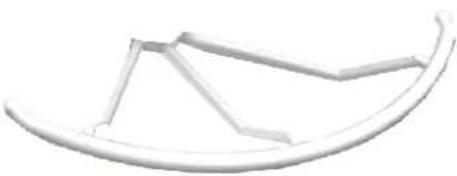
Simple line drawing of a curved object resembling a boat or sail (no text or symbols)4x Propeller Schutz

natural_image
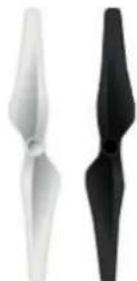
Two stylized propeller blades, one white and one black, against a white background (no text or symbols)4x Ersatz Propeller
natural_image
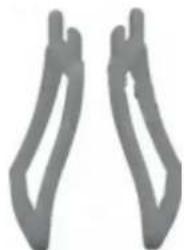
Two abstract gray shapes resembling stylized hands or legs, no text or symbols present2x Kufe
natural_image
Top-down view of a black and red quadcopter drone with four propellers, no visible text or symbols on the body.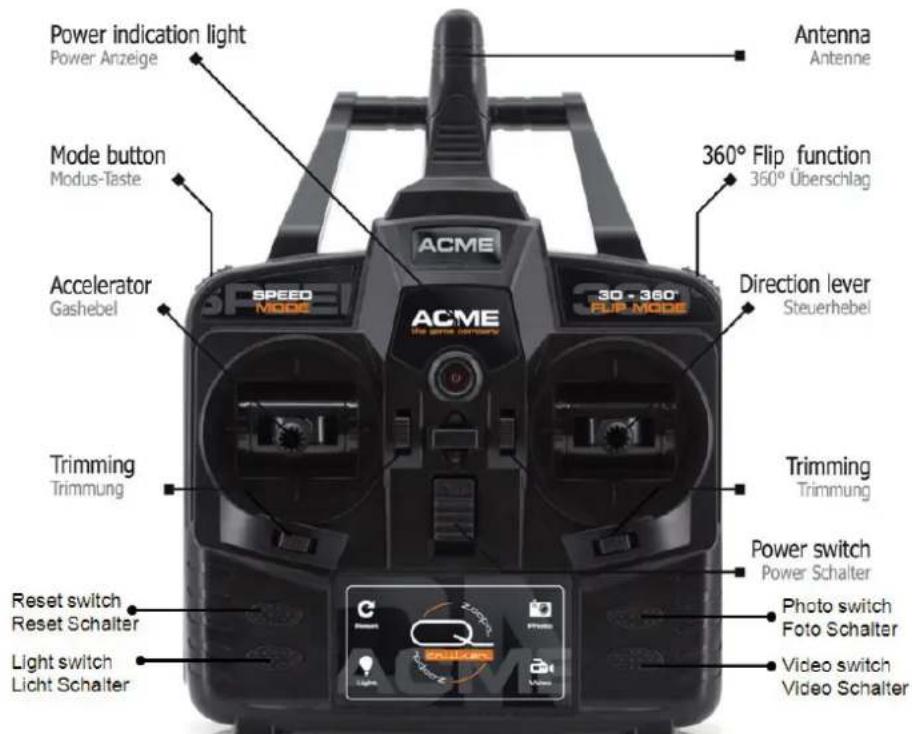
text_image
Power indication light Power Anzeige Mode button Modus-Taste Accelerator Gashebel ACME 30 - 360° FUP-MODE 360° Flip function 350° Überschlag Direction lever Steuerhebel ACME TIME SWITCH BUTTONS Speed MODE Trimming Trimmung Reset switch Reset Schalter Light switch Light Schalter Trimming Trimmung Power switch Power Schalter Photo switch Foto Schalter Video switch Video Schalternatural_image
Top-down view of a black robotic vehicle with visible wheels and structural components (no text or symbols)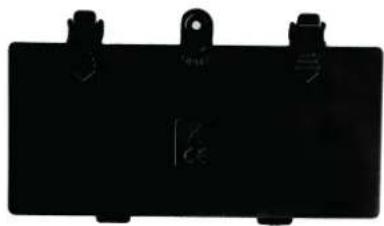
natural_image
Black rectangular electronic component with three mounting clips (no visible text or symbols)text_image
Diagram showing cable connection to a computer with labeled ports and 3.7V power outputnatural_image
Close-up of a hand holding a transparent plastic clip with an arrow pointing to a small white plastic component (no text or symbols visible)natural_image
Close-up of a white mechanical fan or propeller with multiple blades and a black arrow pointing to a specific component (no text or symbols visible)natural_image
Close-up of hands installing or adjusting a white plastic device with visible internal components (no text or symbols)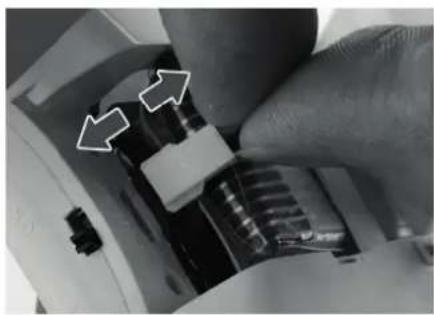
natural_image
Close-up of a hand adjusting a mechanical component with two white arrows pointing to specific parts (no text or symbols visible)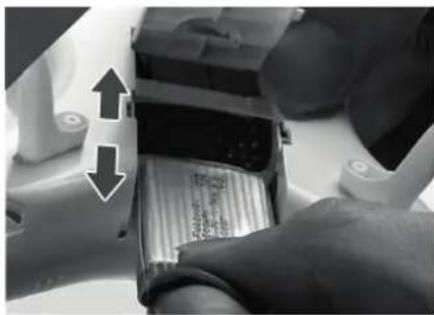
natural_image
Close-up of a mechanical device with two arrows indicating upward and downward motion, showing internal components (no visible text or symbols)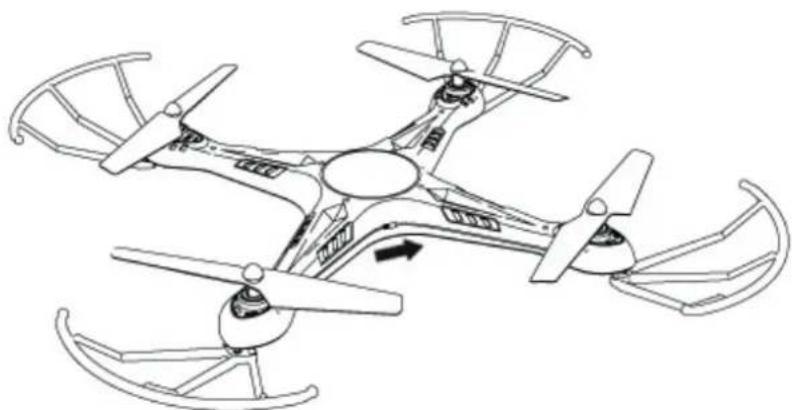
natural_image
Line drawing of a four-blade quadcopter drone with propellers and control panels (no text or symbols)natural_image
Close-up of a black ACME remote control device with two motors and a white directional arrows indicating input/output ports (no text or symbols on the device itself)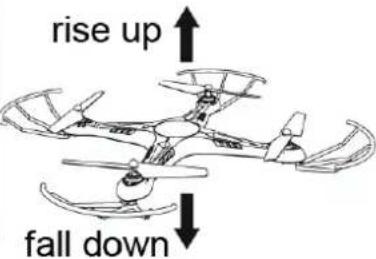
text_image
rise up fall downRechts / Links
natural_image
Close-up of a black ACME remote control device with two dials and a white directional arrow (no visible text or symbols)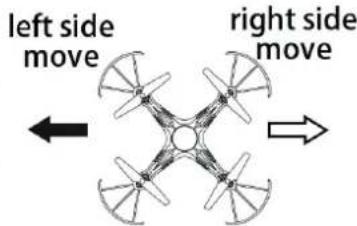
text_image
left side move right side moveDrehung
natural_image
Close-up of a black ACME remote control device with dual dials and two rotary buttons (no visible text or symbols)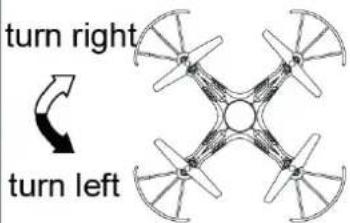
text_image
turn right turn leftnatural_image
Close-up of a black ACME remote control device with two rotary buttons and a white directional arrow (no text or symbols visible)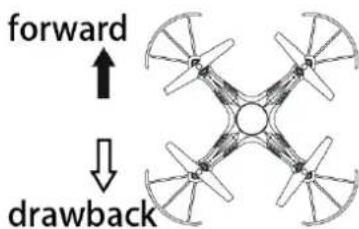
text_image
forward ↓ drawback360° Flip Funktion
natural_image
Close-up of a robotic arm with a black sensor module being inserted, no visible text or symbolsAkku Pflege
ACME the game company GmbH
Boikweg 24
33129 Delbrück
Germany
Manual Please read carefully before use!
zoopa Q cruiser 420
natural_image
Black and red quadcopter drone with propellers, no visible text or symbols on bodyManual
Technical Data
Size:
Weight:
Recommended Age:
Field of use:
Battery:
Controller:
Range :
350x350x80mm
106g
10+ years
indoor and outdoor
3.7V LiPo; 600mAh
2.4 GHz
approx. 80 meter
Vers.: 1.1
© Copyright 2016 ACME the game company GmbH
Safety Advice
WARNING:
NOTE THE FOLLOWING ADVICE,
TO AVOID DAMAGES AND SHORTCUTS:
ONLY USE RECOMMENDED SPARE PARTS
DO NOT DISSAMBLE THE PRODUCT
INNER PARTS CAN BE REPAIRED BY THE USER.
PLEASE CONTACT QUALIFIED STAFF IF YOU ARE NOT FAMILIAR WITH RC-MODELS.
SERVICE & SUPPORT
ACME the game company GmbH
Boikweg 24
33129 Delbrück
Germany
Tel: +49 2944 973830
service@ACME-online.de
or
http://www.ACME-online.de
SAFETY ADVICE
Danger of fire and explosion occurs if a battery is not connected properly.
Always charge LiPo batteries under supervision.
Please stop charging if you notice a deformation or if the battery is blowing up!
Charge LiPo batteries at 15°-25°C.
Avoid heating of over 50°C at discharge.
Do not shortcut, never throw into fire!
Only use original batteries.
-Always use the original LiPo-battery
-Do not use if the battery deforms, discolors or softens
-Store the battery at temperatures between 15° and 25°C at dry and dark places.
-The charging capacity shall be at min. 75%
-Store away from children and pets
-Keep away from fire, water, heating sources and foreign matters that can cause a shortcut
-Always use the original charger which is placed on a fireproof surface
-Avoid mechanical exposure and do not open
-NEVER SHORTCUT
-Do not touch the battery if gas or liquid leaks out of the battery
-Improper handling may result into health problems
-Dispose wasted batteries properly
- Never exhaust the battery
CE Declaration
Herewith we declare that this item is in accordance with the essential requirements and other relevant regulations of the directive 1999/5/EC. A copy of the original declaration of conformity can be obtained at the address above.

This product uses LiPo batteries. LiPo batteries are recyclable, and a valuable resource. To dispose of the battery, remove it and take it to a resource recovery facility.

WEEE Reg. Nr.: DE64989527
This symbol is marked on a product or packaging, it means that the product including the batteries must not be disposed of with your general household waste. Only discard electrical/electronic items in separate collection schemes, which cater for the recovery and recycling of materials contained within. Your co-operation is vital to ensure the success of these schemes and for the protection of the environment.
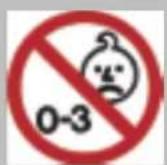
ATTENTION!
Choking hazard – Not for children under 3 years!!!
Content of the box
Please check the content before using the product!
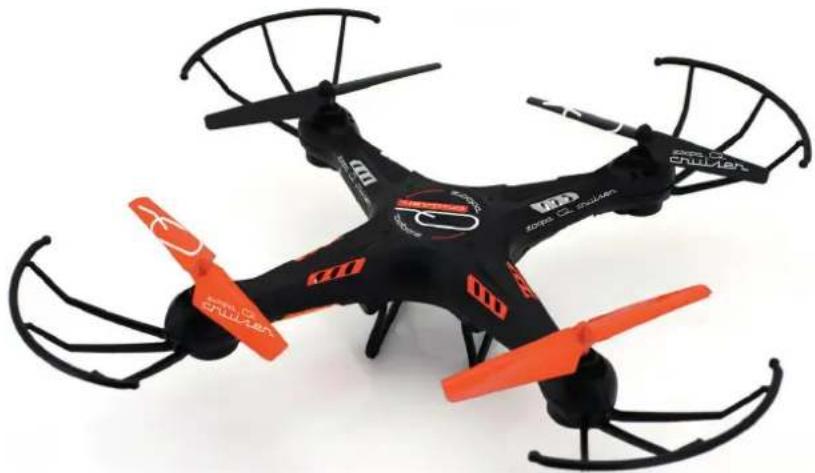
natural_image
Black and red quadcopter drone with extended wings and propellers (no visible text or symbols)1x zoopa Q420 cruiser Quadrocopter
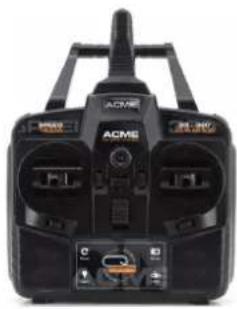
natural_image
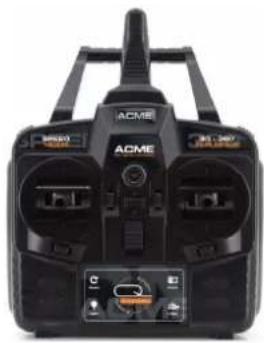
Black and white photo of a DC motor (ACMS) device with visible ports and control buttons (no readable text or symbols)1x 2.4GHz controller
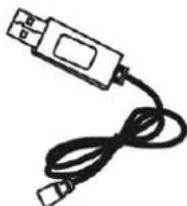
natural_image
Simple line drawing of a USB cable with connector (no text or symbols)1x USB-Charging cable
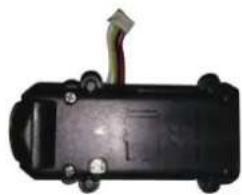
natural_image
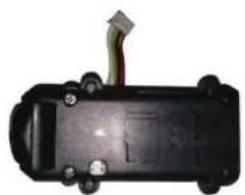
Close-up of a black electronic device with a green cable and mounting holes (no visible text or symbols)1x FlyCamOne Nano HD (integrated)
natural_image
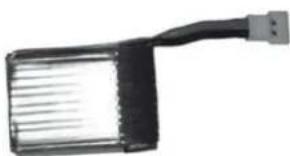
Black rectangular electronic device with a USB cable extending from its side (no visible text or symbols)1x LiPo Battery 600mAh 3.7V
1x Manual
1x Screw driver
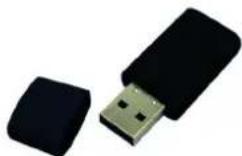
1x USB-Card Reader
natural_image
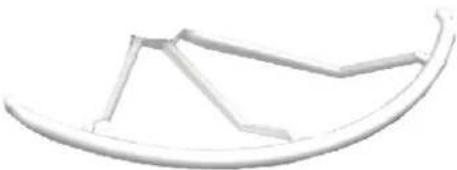
Simple line drawing of a curved object resembling a boat or sail (no text or symbols)4x Propeller Guards
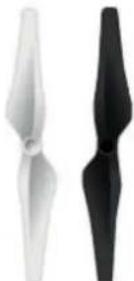
4x Spare rotors
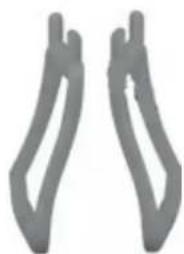
natural_image
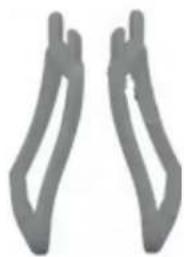
Two gray abstract shapes resembling stylized hands or brackets, no text or symbols present.2x Landing gears
For using, you will additionally require 6 AA-batteries and a micro SD card.
Setup and functions
natural_image
Top-down view of a black and red multi-rotor drone with visible propellers and branding (no text or symbols on the aircraft body)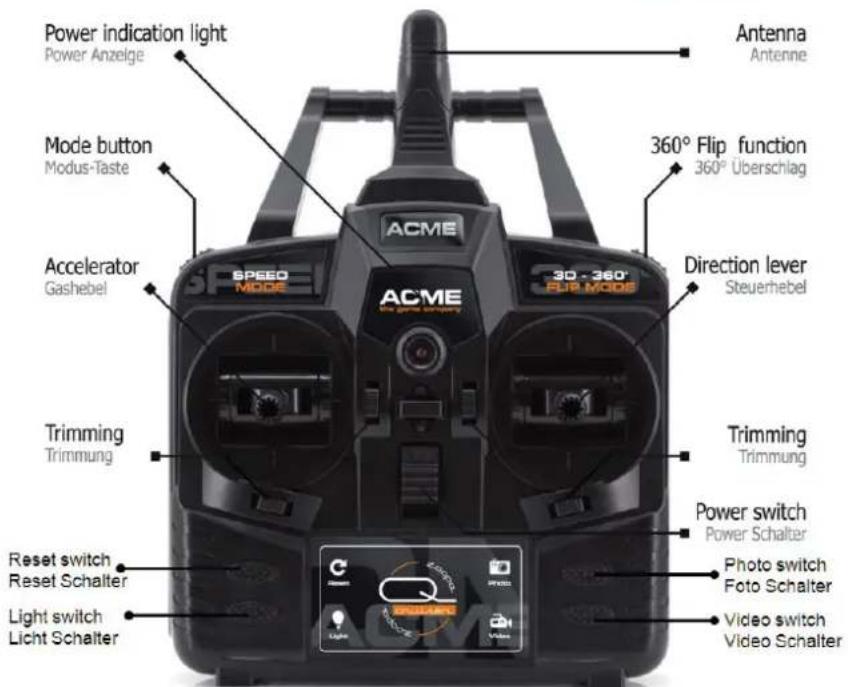
text_image
Power indication light Power Anzeige Mode button Modus-Taste Accelerator Gashebel ACME 360° Flip function 360° Überschlag Direction lever Steuerhebel Trimming Trimmung Reset switch Reset Schalter Light switch Licht Schalter ACME the game company 30 - 360° FUP MODE SPEED MODE Trimming Trimmung Power switch Power Schalter Photo switch Foto Schalter Video switch Video SchalterBy pressing the reset button, all controller settings (trims) will be deleted.
In order to optimally balance the model in the air, you can adjust the attitude by pressing the trim buttons.
Please note!
Do not fly if there are people, animals or obstacles nearby!
Do not fly at strong wind or bad weather!
Make sure that you are allowed to fly in the selected area!
First steps and information
Read this manual carefully.
The zoopa Q 420 cruiser is a RTF (Ready-to-Fly) model.
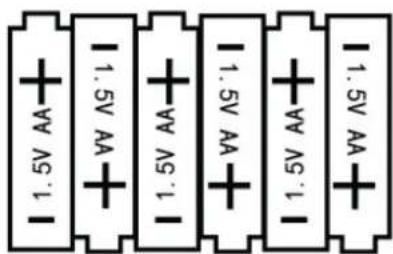
For activation, you additionally require 6x 1.5V AA mignon batteries for the controller.
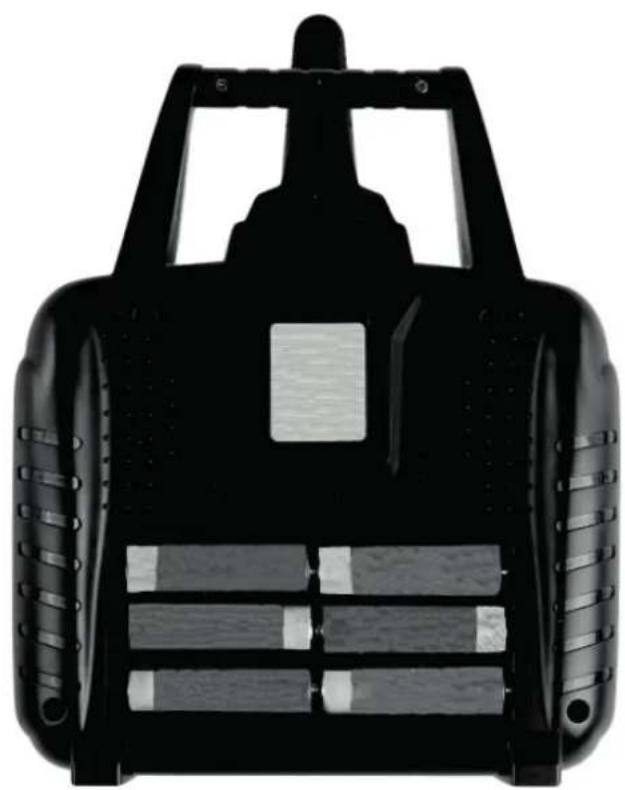
natural_image
Top-down view of a black robotic vehicle with visible wheels and a central rectangular component (no text or symbols)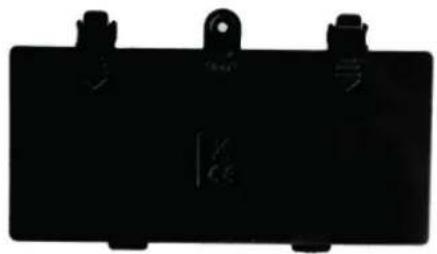
natural_image
Black rectangular electronic component with mounting holes and a small symbol on the side (no readable text or labels)Battery Cover
text_image
1.5V AA 1.5V AA 1.5V AA 1.5V AA 1.5V AA 1.5V AA6 1.5V AA Batteries
ACME the game company GmbH assumes no liability for privacy violations and damage to private property caused by the user of the model.
Please follow carefully the instructions in this manual step by step, to ensure proper handling.
Charging the battery
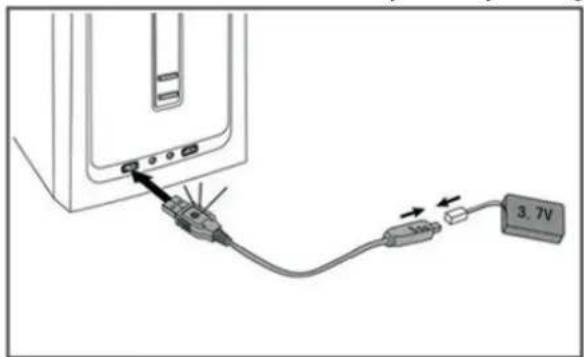
You can charge the LiPo-battery with the supplied USB cable.
Plug the charger to a USB port / USB-power adaptor.
Connect the LiPo battery to the charger. Check the polarity and also that the plug is firmly connected.
The USB plug lights up in red.
Charging takes around 60-80 minutes. Once the battery is fully charged, the LED will shut down.
text_image
3.7VPlease only use the original battery, as batteries from another supplier might use another polarity! We also recommended our USB power adaptor (Art.No. AA0150-X).
Mounting the landing gears and propeller guards
Only a few steps are required to start flying.
Put the two landing gears in the provided holes on the bottom of the zoopa Q 420.
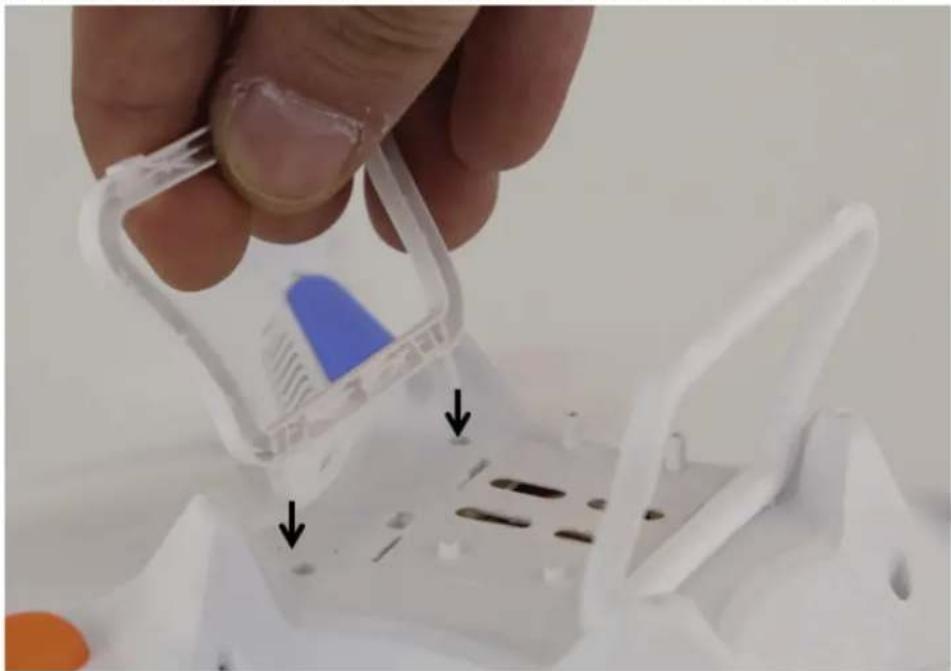
natural_image
Close-up of a hand holding a transparent plastic clip with an arrow pointing to a white plastic container (no text or symbols visible)To mount the propeller guards, please follow these steps:
-Turn out the screw from the bottom of each arm
-Now place the rotor protection
-Turn in the screw again
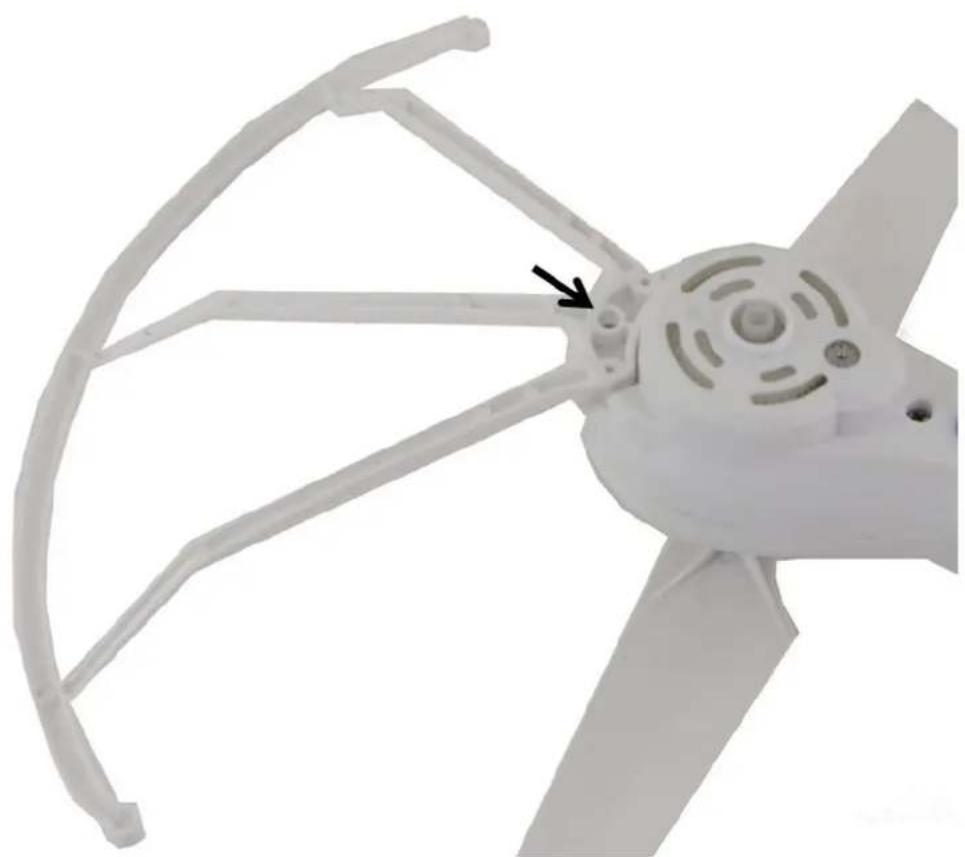
natural_image
Close-up of a white propeller with curved blades and a black arrow pointing to a component (no text or symbols visible)Inserting the battery
Once the battery is fully charged, insert it into the case on the bottom of the model.
Check the polarity before you connect the battery!
Close the case. Pull down the gas stick (left) of the deactivated controller until end position. Switch on the model and then the controller. Pull the gas stick up and down again.
After flight, you need to first switch off the model and then the controller.
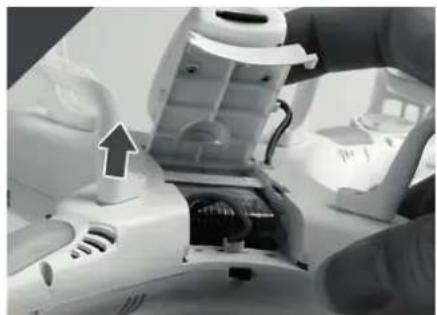
natural_image
Close-up of hands installing or adjusting a white plastic device with visible internal components (no text or symbols)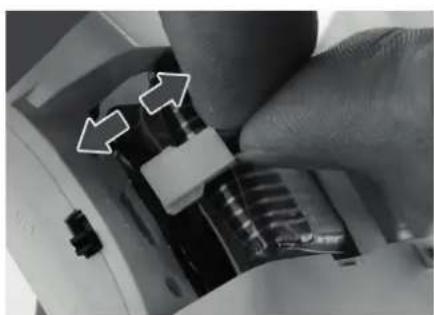
natural_image
Close-up of a hand adjusting a mechanical component with two white arrows pointing to specific parts (no text or symbols visible)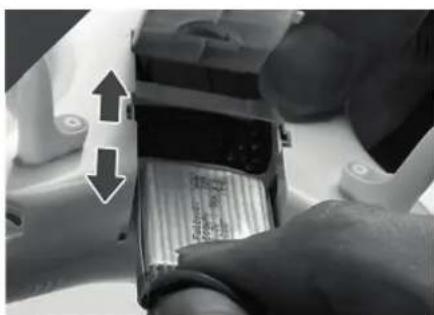
natural_image
Close-up of a hand inserting a battery into a housing (no visible text or symbols)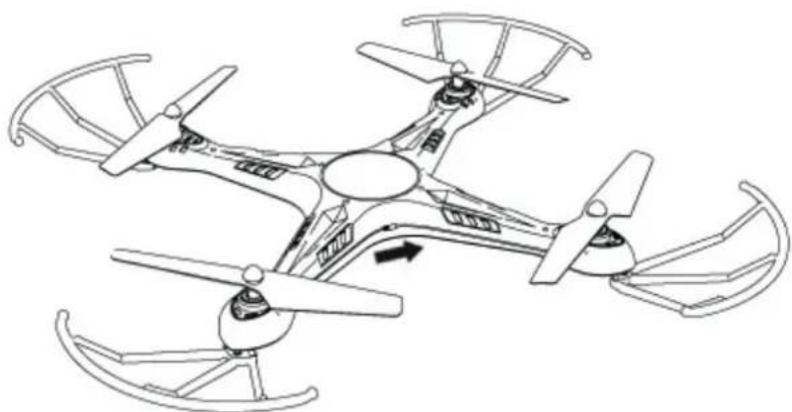
natural_image
Line drawing of a four-blade drone with propellers and control panels (no text or symbols)The On/Off switch is located between the rear rotors.
Controller and model are already paired out of the box.
Anyway it might be possible that you need to re-bind them again. To perform this, switch on the model. Now keep pressed the upper left button while you switch on the controller. Once the controller is activated, move the gas stick (left) up and down again. Pairing is now successful and the model is ready to fly.
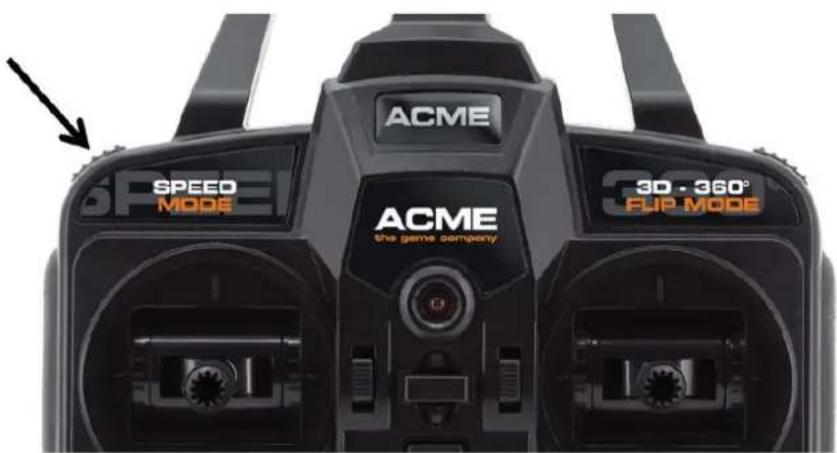
text_image
ACME SPEED MODE ACME the game company 3D - 360° FUP MODEBeginner and Professional mode
You can choose between beginner and professional mode in 4 steps. The model flies with lower speed in beginner mode. This helps you to carefully check all controls. When choosing the 3 additional modes, the model will fly faster and more agile.
To change the modes, press the left button on the top of controller while the model is already activated.
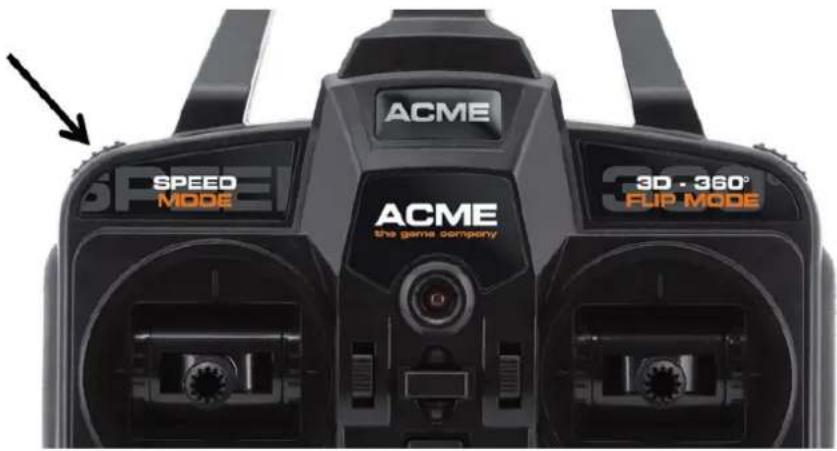
text_image
ACME SPEED MODE ACME the game company 3D - 360° FUP MODEA beep- sound will confirm the setting. The different modes are being displayed by various sounds.
1 - Beginner (60% amplitude/ motor power)
2 - Beginner plus (70% amplitude/ motor power)
3 - Advanced (80% amplitude/ motor power)
4 - Professional (100% amplitude/ motor power)
First fly
Before you perform your first flights, make sure that there are no persons or animals nearby. Keep a free area of 3x3 meters!
Place the zoopa Q420 cruiser on an even surface.
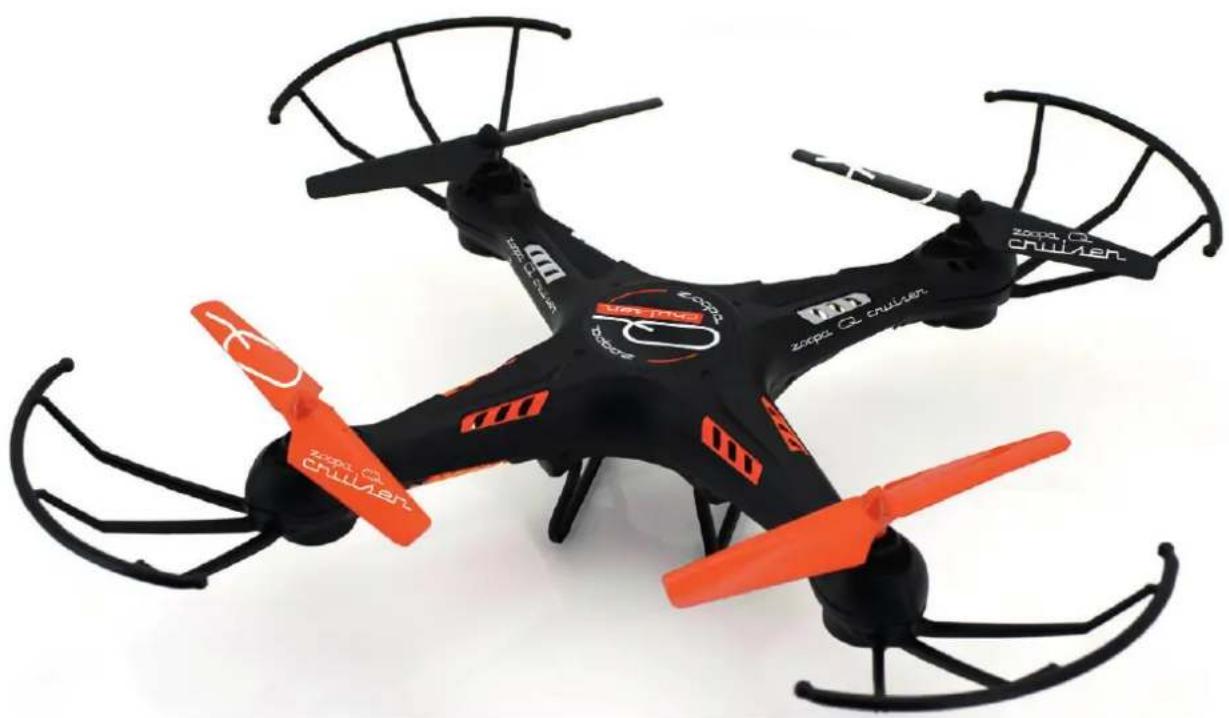
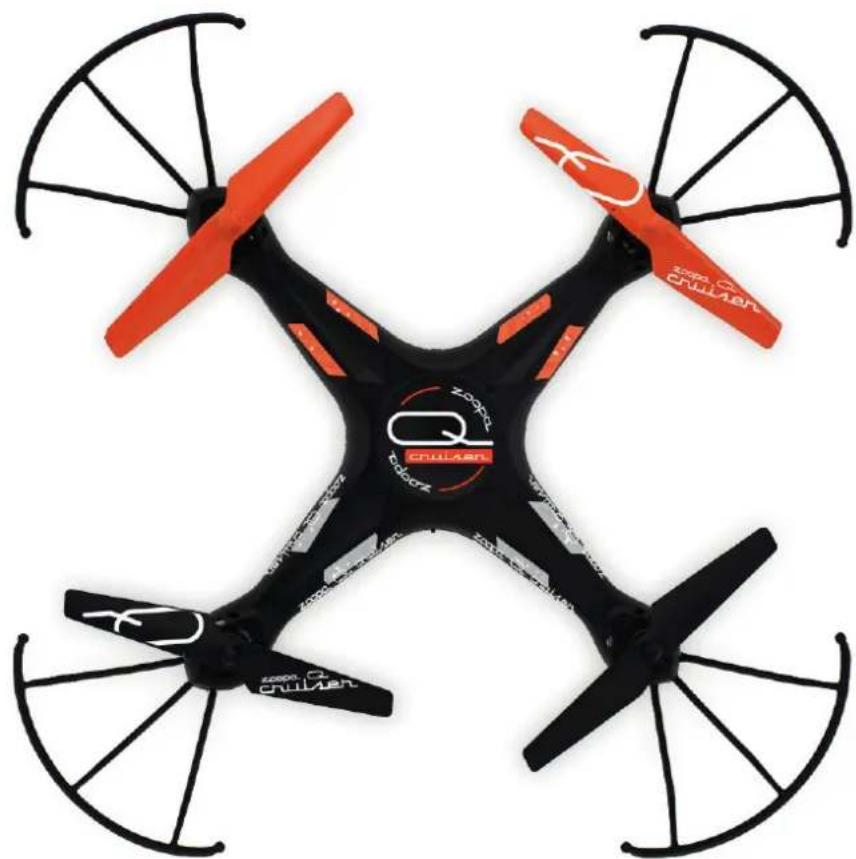
The orange rotors show the front of the model. The black rotors show the rear of the quadrocopper.
The different colors help you to have a better orientation during flight.
Pull the gas stick up slowly at first.
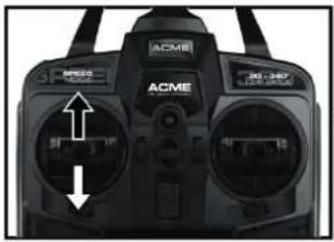
Up / Down
Move the gas stick (left lever) up to rise the model and pull it down to decrease the height.
natural_image
Close-up of a black ACME remote control device with two dials and a speedometer (no visible text or symbols)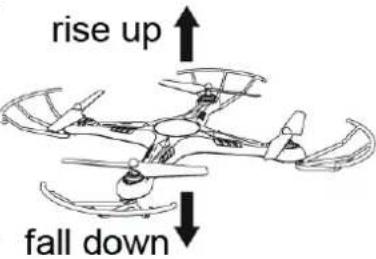
text_image
rise up fall downRight / Left
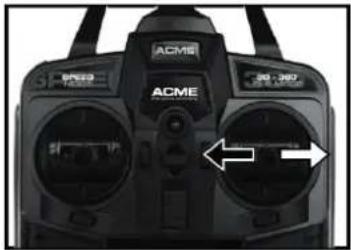
Move the control stick (right lever) to pan the model to the left and right.
natural_image
Close-up of a black ACM6 remote control device with dual dials and a white directional arrow (no text or symbols visible)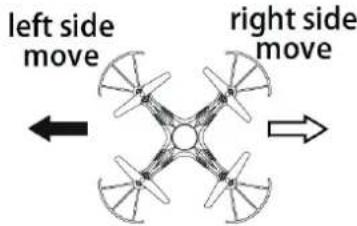
text_image
left side move right side moveTurn
Move the left stick to the left or right to perform a turn around the own axis.
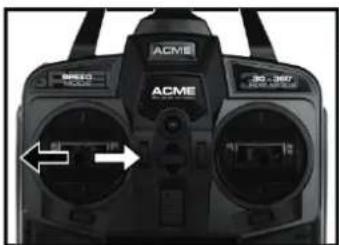
natural_image
Close-up of a black ACME remote control device with two dials and control buttons (no visible text or symbols)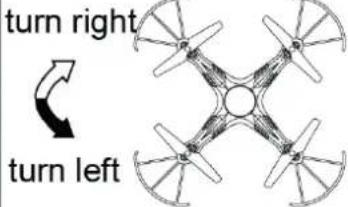
text_image
turn right turn leftForwards / Backwards
Move the control stick (right) up and down to fly forward and backward.
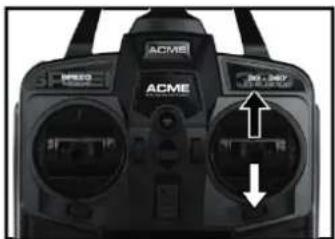
natural_image
Close-up of a black ACME remote control device with two ports and control buttons (no visible text or symbols)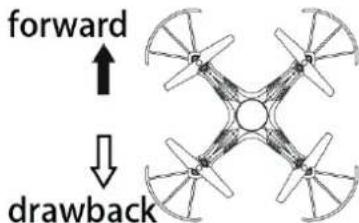
text_image
forward ↓ drawback360° Flip Mode
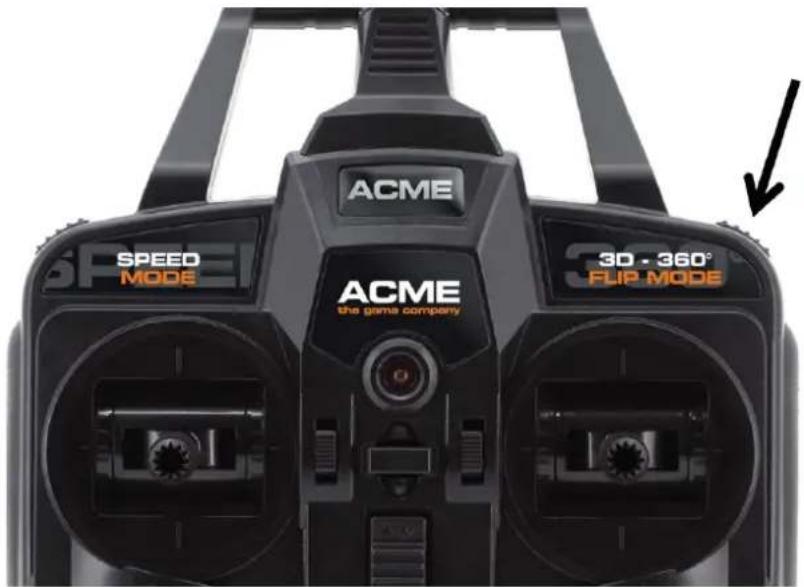
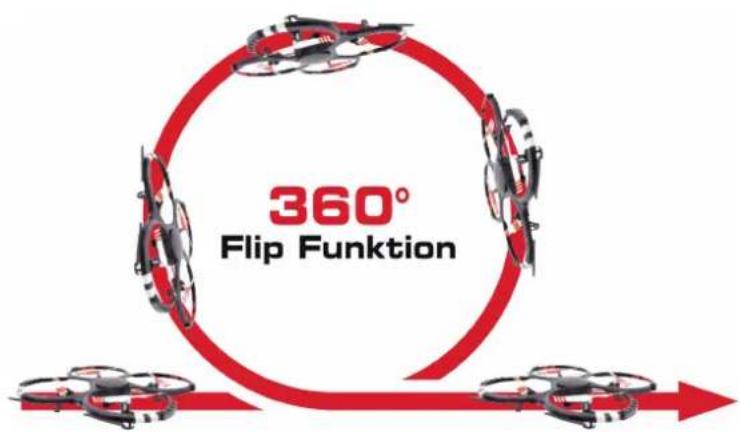
To perform a 360° flip, press the upper right button as shown below.
text_image
ACME SPEED MODE ACME the game company 3D - 360° FLIP MODEBy pressing the button, you can now move the model at it own tilting axis. Make sure that you have sufficient space and flight height (min 2m) when performing this.
text_image
360° Flip FunktionCamera
Video- and photo recording
- Insert a memory card (max. 8GB) into the micro SD slot. Make sure that it is properly engaged.
- Press the camera button (photo or video) on the controller to start the recording. In video mode, you can stop the recording by pressing the button again.
- Switch off the quadrocopter. Remove the memory card and insert it into the USB card reader. Open the device that is recognized by your computer. Before you playback the recording, you should copy it on your hard drive. We recommend the VLC media player which is available for free online.
natural_image
Close-up of a robotic arm with a black sensor device inserted, being handled by a gloved hand (no visible text or symbols)Battery care
To ensure a long battery life, please follow these steps:
- Never store the model in activated mode, make sure it is switched off.
- Only store with charged battery (min. 85% capacity)
- Disconnect the battery from the model
- Store at room temperature
- When not using, make sure the battery will be charged every 3 months
If these steps are not being followed, the battery might get damaged.
Rotor replacement
You can replace the rotors in a few steps.
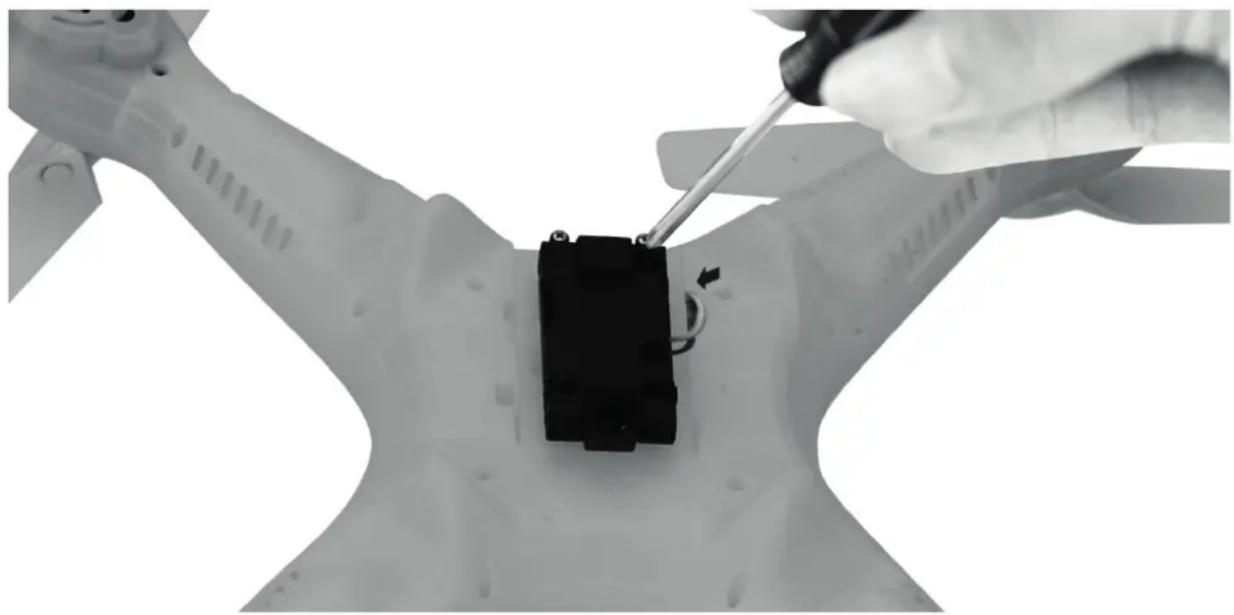
Remove the cap which is located in the middle of the rotor arm and then turn out the screw by using the supplied screw driver. Pull of the rotor from the axis.
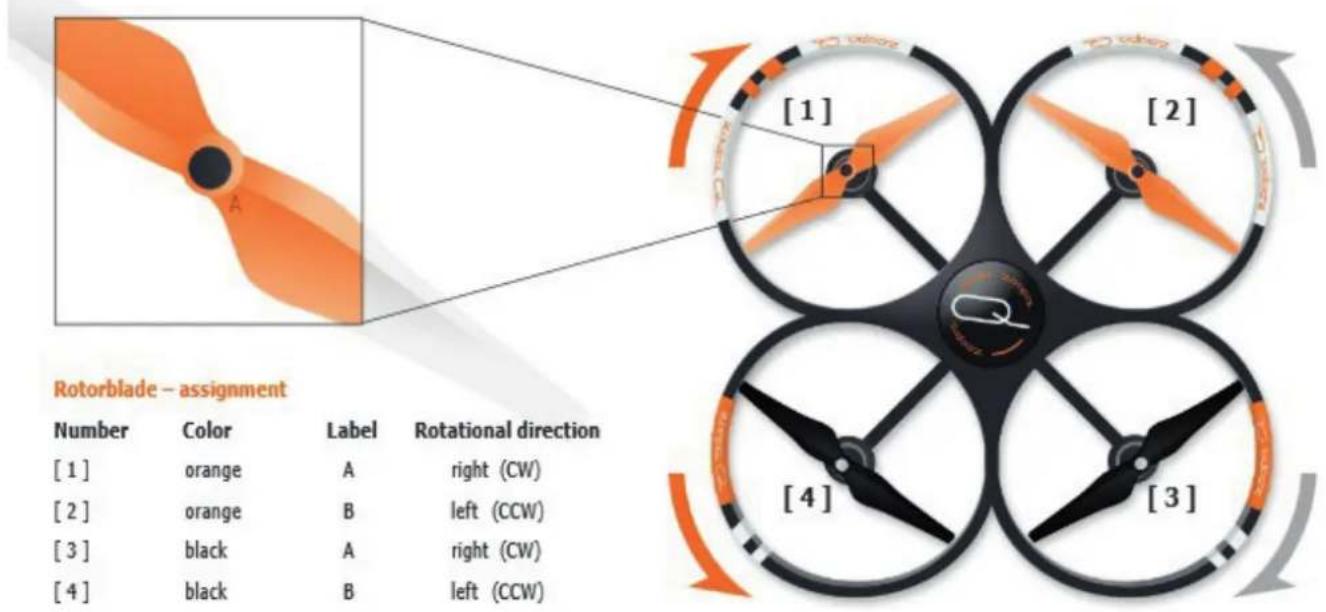
Make sure that you are replacing the rotor by the correct one (follow the marks on the rotors).
To ensure an optimal flight, please regard the proper assembly and turning direction of the rotorblades. The position of the mark (labelled with A or B) may vary – it could be printed on the upside or bottom.
text_image
Rotorblade - assignment Number Color Label Rotational direction [1] orange A right (CW) [2] orange B left (CCW) [3] black A right (CW) [4] black B left (CCW)Troubleshooting
| Error | Source | Solution |
| The model does not react on the commands | Controller batteries are not inserted correctly. | Check the battery |
| Batteries are empty | Replace the batteries | |
| Model battery is empty | Charge the battery | |
| The model makes strange sounds | Blades/ Gears are damaged | Check these and replace them if needed |
| The controller has no connection to the model | Weak battery | Charge the battery |
| Controller batteries are empty | Replace the batteries | |
| Battery damaged | Replace the battery | |
| The model is out of range | ||
| The model shows a weak performance | The motor is worn out Check all motors and replace it if needed | |
You can contact us anytime if you have further problems!
Please find our details at the "Service & Support" section.
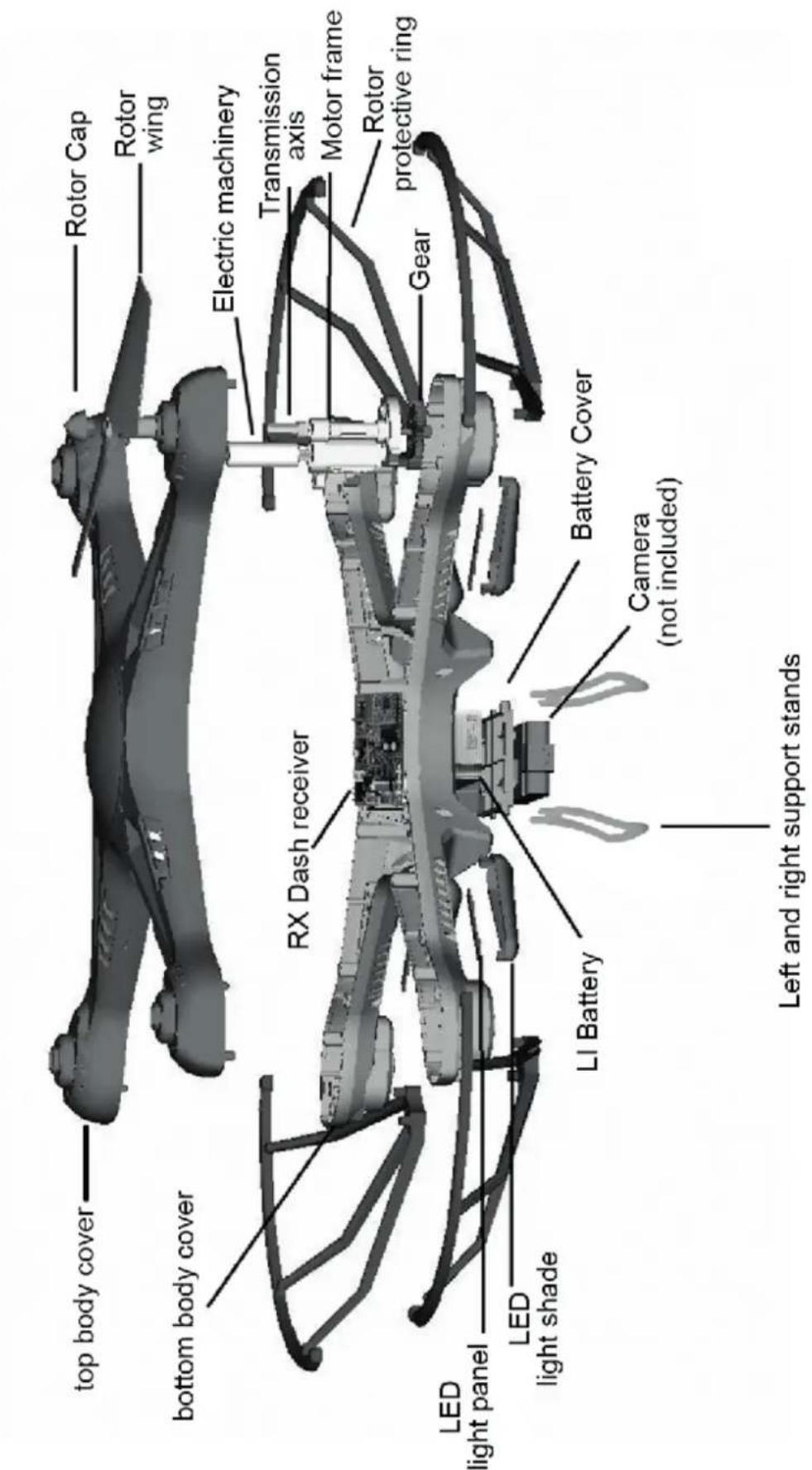
text_image
top body cover Rotor Cap Rotor wing bottom body cover Electric machinery RX Dash receiver Transmission axis Motor frame Rotor protective ring Gear LED light panel LED light shade LI Battery Battery Cover Camera (not included) Left and right support standsAccessories and Spares
| Art. No. Item | |
| ZQ0420-A zoopa | Q 420 cruiser Body |
| ZQ0420-B zoopa | Q 420 cruiser LiPo battery 3.7V 600mAh |
| ZQ0420-C zoopa | Q 420 cruiser Rotor set |
| ZQ0420-D zoopa | Q 420 cruiser Rotor protection |
| ZQ0420-E zoopa | Q 420 cruiser USB-Cable |
| FC2470 FlyCam | One nano camera 720p |
| FCHD43 USB power adaptor | |
Warranty
The consumer is without prejudice to any claim against the seller granted a guarantee to the following conditions:
» New devices and their components exhibiting defects within 24 months from the purchase due to manufacturing and / or material faults, are ACME the game company at its option, reflecting the current state of the art exchanged or repaired free device. For wear parts (eg batteries, motors, etc.), this warranty is valid or 3 months from purchase.
» This warranty does not apply if the device defect is due to improper treatment and / or failure to comply with these instructions.
» This warranty does not extend to self- paid by the customer services.
» Warranty claims are to make immediate payment of the Guarantee case.
» Ownership of devices or components that are returned to ACME the game company as part of the exchange, shall become the property of ACME the game company.
» By services rendered under warranty, the warranty period is not extended.
» So far there is no warranty case to ACME the game company reserves the right to charge the customer for replacement, repair, or shipping costs. The customer will be informed in advance.
Damages resulting from mechanical influences are not covered under warranty.
Service & Support
ACME the game company GmbH
Boikweg 24
33129 Delbrück
Germany
natural_image
Black and red quadcopter drone with propellers, no visible text or symbols on body© Copyright 2016 ACME the game company GmbH
natural_image
Black and orange quadcopter drone with red branding, shown from above (no text or symbols on the drone itself)1x Quadrocoptère zoopa Q420 cruiser
natural_image
Front view of a black ACME remote control device with dual ports and control buttons (no visible text or symbols)natural_image
Illustration of a USB cable with two connectors (no text or symbols)1x Cordon de charge USB
natural_image
Close-up of a black electronic device with a white cable and connector (no visible text or symbols)natural_image
Black rectangular electronic device with horizontal lines and a cable, no visible text or symbols1x Accu LiPo 600mAh 3.7V
natural_image
Simple line drawing of an open book and a pair of scissors (no text or symbols)natural_image
Simple line drawing of a curved object resembling a boat or wave (no text or symbols)4x Protection rotor
4x Hélices de rechange
natural_image
Two abstract gray shapes resembling stylized hands or legs, no text or symbols presentnatural_image
Top-down view of a black and red quadrupedal drone with propellers, no visible text or symbols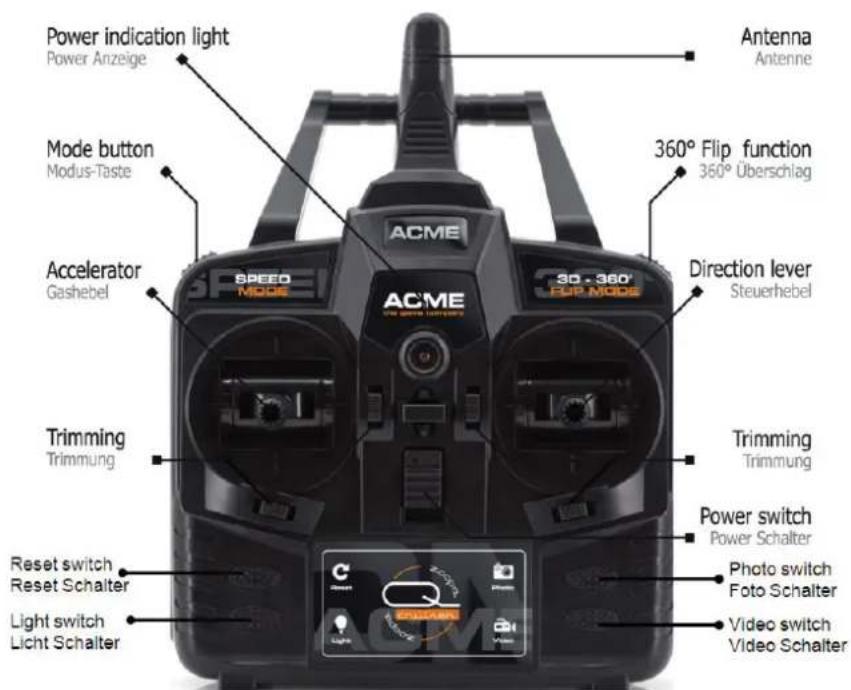
text_image
Power indication light Power Anzeige Mode button Modus-Taste Accelerator Gashebel ACME 3D - 360° FUP MODE 360° Flip function 360° Überschlag Direction lever Steuerhebel Trimming Trimmung Reset switch Reset Schalter Light switch Light Schalter ACME Power switch Power Schalter Photo switch Foto Schalter Video switch Video Schalternatural_image
Black and white photo of a toy vehicle with visible wheels and a central rectangular component (no text or symbols)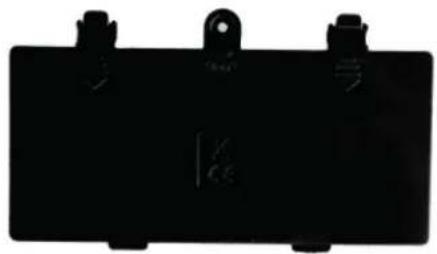
natural_image
Black rectangular electronic component with mounting holes and a small symbol on the side (no readable text or labels)Battery Cover
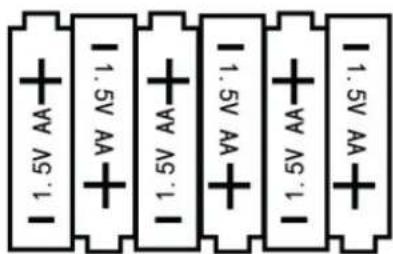
text_image
1.5V AA 1.5V AA 1.5V AA 1.5V AA 1.5V AA 1.5V AA6 1.5V AA Batteries
text_image
Diagram showing cable connection to a computer monitor with 3.7V power supply labelednatural_image
Close-up of a hand holding a transparent plastic clip with arrows pointing to internal components (no visible text or symbols)natural_image
Close-up of a white propeller with curved blades and a black arrow pointing to a specific component (no text or symbols visible)natural_image
Close-up of hands installing or adjusting a white plastic device with visible internal components (no text or symbols)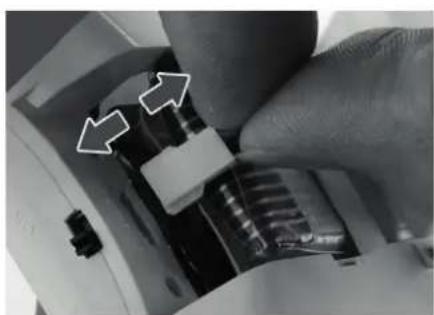
natural_image
Close-up of a hand adjusting a mechanical component with two white arrows pointing to specific parts (no text or symbols visible)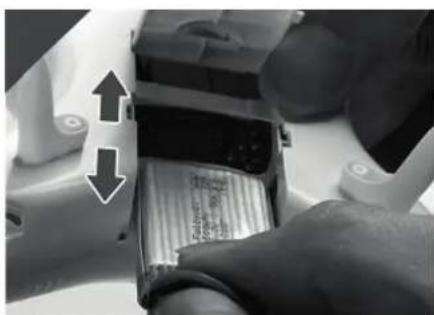
natural_image
Close-up of a hand inserting a battery into a housing (no visible text or symbols)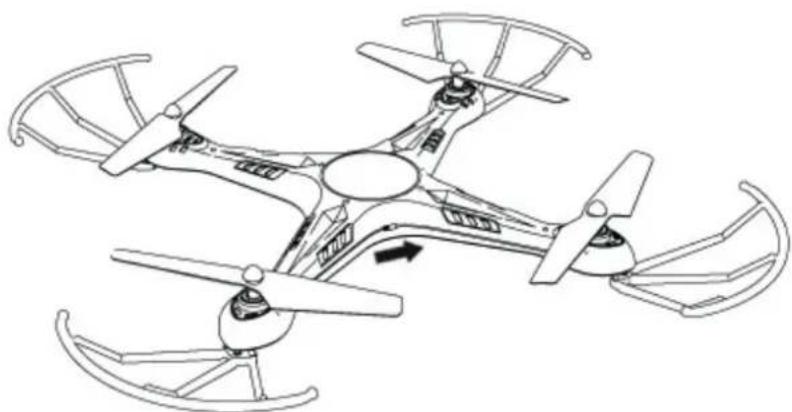
natural_image
Line drawing of a four-blade drone with propellers and control panels (no text or symbols)natural_image
Close-up of a black ACME remote control device with two ports and an arrow indicating left vent (no text or symbols on the device body)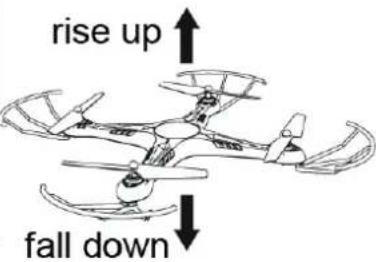
text_image
rise up fall downDroite / Gauche
natural_image
Close-up of a black ACM6 remote control device with two dials and a white directional arrow (no visible text or symbols)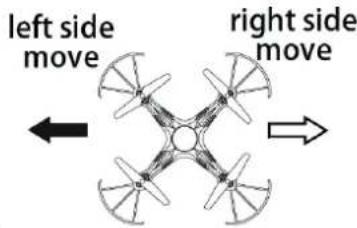
text_image
left side move right side moveRotation
natural_image
Close-up of a black ACME remote control device with two dials and a white directional arrow (no text or symbols visible)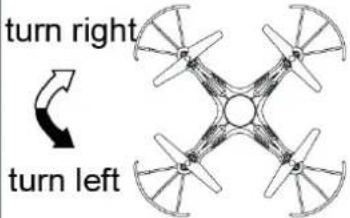
text_image
turn right turn leftAvant / Arrière
natural_image
Close-up of a black ACME controller with two ports and an arrow indicating speed (no text or symbols on the device itself)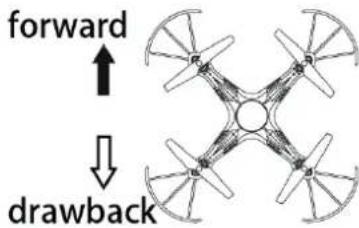
text_image
forward ↓ drawbackFonction Flip 360°
natural_image
Close-up of a gloved hand using a screwdriver to adjust a black component on a white mechanical part (no visible text or symbols)text_image
top body cover bottom body cover RX Dash receiver LED light panel LED light shade LI Battery Camera (not included) Left and right support stands Rotor Cap Rotor wing Electric machinery Transmission axis Motor frame Rotor protective ring Gear Battery CoverACME the game company GmbH
Boikweg 24
33129 Delbrück
Allemagne