
AR4051 - Vacuum Cleaner Arzum - Free user manual and instructions
Find the device manual for free AR4051 Arzum in PDF.


| Brand | Arzum |
| Model | AR4051 |
| Product Type | Canister Vacuum Cleaner |
| Power Consumption | 800 W |
| Voltage / Frequency | 220-240 V ~ 50 Hz |
| Dust Collection | Transparent dust reservoir with multi-cyclone filter |
| Filtration System | HEPA 13 air outlet filter, MIF engine protector filter, foam filter |
| Suction Control | Mechanical slide adjustment on hose handle |
| Cord Rewind | Yes, with button |
| Dust Bag Indicator | Yes (turns red when reservoir needs emptying) |
| Accessories Included | Turbo brush, carpet/floor brush (adjustable), narrow nozzle, small brush, cleaning nozzle |
| Telescopic Tube | Yes, adjustable length |
| Product Life | 10 years |
| Safety Features | Automatic shut-off when overheating? Not specified; indicator for clogged filters |
| Weight | Approx. 4.5 kg (estimated) |
Frequently Asked Questions - AR4051 Arzum
User questions about AR4051 Arzum
0 question about this device. Answer the ones you know or ask your own.
Ask a new question about this device
Download the instructions for your Vacuum Cleaner in PDF format for free! Find your manual AR4051 - Arzum and take your electronic device back in hand. On this page are published all the documents necessary for the use of your device. AR4051 by Arzum.
USER MANUAL AR4051 Arzum
natural_image
Close-up of a hand holding a flexible hose, no visible text or symbolsnatural_image
Close-up of a hand holding a tool with an arrow pointing to a component (no visible text or symbols)natural_image
Close-up of a black vacuum cleaner with a handle and control panel (no visible text or symbols)natural_image
Close-up of a mechanical component with a tool inserted, showing internal structure and a circular arrow indicating rotation (no text or symbols visible)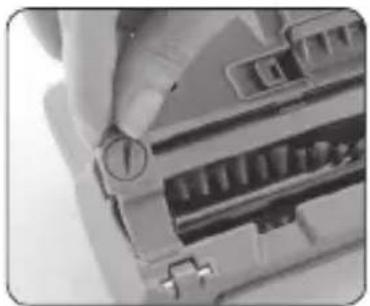
natural_image
Close-up of a hand inserting a USB into a device (no visible text or symbols)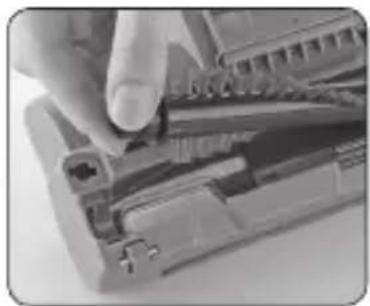
natural_image
Close-up of a hand inserting a component into a device housing (no visible text or symbols)natural_image
Close-up of hands using a computer to press or adjust a device (no visible text or symbols)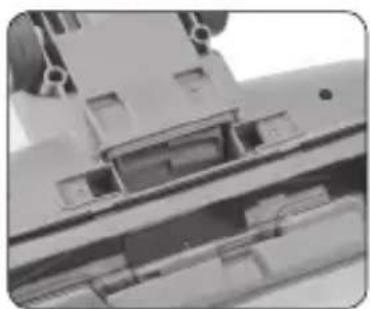
natural_image
Close-up of a mechanical component with internal channels and mounting holes (no visible text or symbols)natural_image
Close-up of a black vacuum cleaner on a white surface (no text or symbols visible)Dar uçlu boru:
natural_image
Gray plastic T-shaped object with a cylindrical body and rectangular top (no text or symbols visible)Küçük fırça:
natural_image
Close-up of a gray cylindrical object with a black textured top (no text or symbols visible)natural_image
Close-up of a black curved object with smooth edges, possibly a tire or mechanical component (no visible text or symbols)CİHAZINIZIN KULLANIMI
natural_image
Black and white photo of a vacuum cleaner with wheels and a cable (no text or symbols visible)natural_image
Close-up of a mechanical device with a handle and arrow indicator (no visible text or symbols)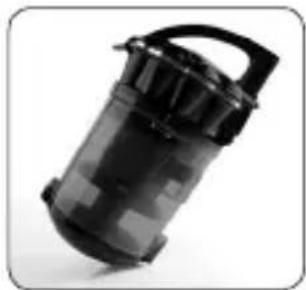
natural_image
Black cylindrical device with handle and lid, possibly a battery or filter (no visible text or symbols)natural_image
Close-up of a mechanical component with a black arrow pointing to a small circular feature (no text or symbols visible)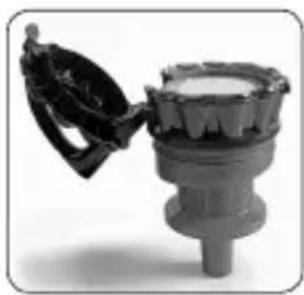
natural_image
Close-up of a mechanical component with a handle and central shaft (no visible text or symbols)natural_image
Close-up of a hand pressing a button on a computer mouse (no visible text or symbols)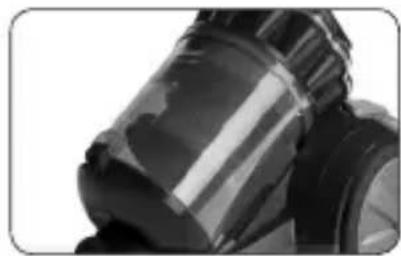
natural_image
Close-up of a black and white mechanical component with reflective surfaces (no visible text or symbols)natural_image
Close-up of a hand holding a lid over a container with food items (no visible text or symbols)natural_image
Close-up of a black robotic device with visible mechanical components and a vertical rod (no text or symbols)Xiang Yang Road, Suzhou, 215009 New District Jiangsu, P.R. China
Tel: +86 512-68258388 +86 512-68418558
ithalatçı:
1- On/Off switch
2- Cord rewinding button
3- Dust bag indicator
4- Dust reservoir removal button
5- Mechanical suction power adjustment slide
6- Hose
7- Telescopic tube
8- Transparent dust collection reservoir
9- Cyclone filter
10- MIF engine protector filter and foam filter
11- Hepa13 air outlet filter and filter lid
12- Turbo brush
13- Carpet/floor brush adjustable according to the kind of surface
14- Narrow nozzle, small brush and small cleaning nozzle
In order to obtain utmost results from your appliance, please ready CAREFULLY this user's manual and save it for further use.
IMPORTANT SAFEGUARDS
• Make sure that the voltage indicated on the appliance corresponds with the main voltage in your home. Our company shall not be held liable for any failures owing to any discrepancy and such failures shall not be covered by the guarantee.
- Your appliance has been designed for household use only. Do not use for commercial or industrial purposes. Otherwise, it shall not be covered by the guarantee.
- This appliance can be used by children aged from 8 years and above and persons with reduced physical, sensory or mental capabilities or lack of experience and knowledge if they have been given supervision or instruction concerning use of the appliance in a safe way and understand the hazards involved. Children shall not play with the appliance. Cleaning and user maintenance shall not be made by children without supervision.
• To prevent harming your appliance do not use extension cords that supply insufficient current.
- ALWAYS unplug your appliance from outlet when not in use and before putting in or taking off any accessories, and before cleaning and maintenance.
Do not leave your appliance in operating state when you do not use it and unplug it.
NEVER USE YOUR APPLIANCE FOR CLEANING OUTER SPACE OR WET SURFACES. DO NOT LET YOUR APPLIANCE TO CONTACT WITH WATER OR OTHER LIQUIDS.
Do not move your appliance by its cord. Be careful mains plug not to be squeezed to the corners, door thresholds, not to be cut and scraped by sharp objects. Do not move your appliance over its cord. Avoid contact of cord with hot surfaces.
To unplug, grasp plug and pull from the power outlet. Never pull the cord.
Do not attempt to remove the mains plug of your appliance when your hands are wet.
- Be careful not to absorb the objects preventing suction of your appliance. If there is any object preventing its suction, continue to use your appliance after cleaning it.
- Keep away your hands, hairs, fingers, clothes from operating parts of your appliance.
- Switch off your appliance before unplugging it.
• Special care is required especially for cleaning the stairs.
Do not use your appliance to clean any flammable materials such as cigarette, matchsticks or active cigarette ashes, any flammable liquids and organic solvents and acids.
While rewinding the cord, hold the plug in your hand and prevent it to hit the body.
- Keep away your appliance from direct heat sources as hot stove, burner or in a heated oven.
- While connecting or changing the hose of your appliance, given accessories, unplug it.
- NEVER use your vacuum cleaner while its filters, dust filter or dust bag are not mounted on their places.
- If you are in doubt that the cord or plug is damaged, or that your device malfunctions in any manner whatsoever, including dropping down, etc., never start up your appliance, nor repair it by yourself. Take it to the nearest Arzum Authorized Service.
- Contact Arzum Authorized Service for repair, and spare parts, and use original accessories and dust bag only.
• Use your appliance as recommended and for its intended purposes.
USAGE OF ACCESSORIES How to Mount and Remove The Hose:
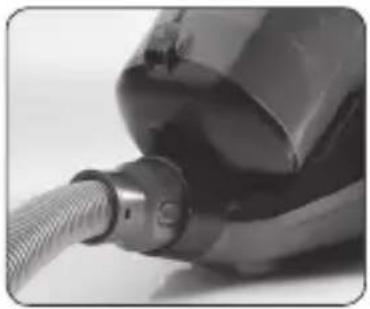
Insert the hose into its socket located in the hose inlet of the nozzle. To remove the hose, press the button on the hose nozzle and pull towards yourself.
natural_image
Close-up of a metallic mechanical component with a coiled cable or hose (no visible text or symbols)How to Adjust Telescopic Tube:
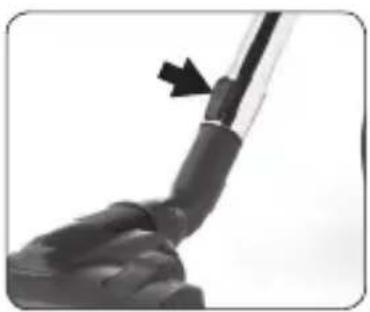
Fit the telescopic tube onto the handle of hose. You can adjust the telescopic tube in such length you want, by pressing the button on the telescopic tube and by moving the metal tube inwards/outwards.
natural_image
Close-up of a hand holding a tool with an arrow pointing to a component (no visible text or symbols)Cleanable Turbo Brush
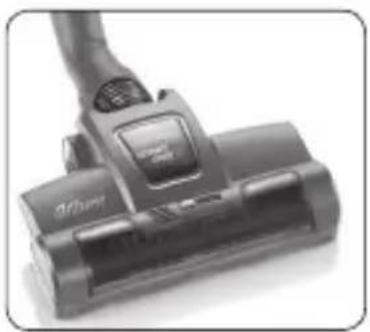
- Turbo brush has a rotary brush driven by air flowing in the nozzle casing. By the rotating brush the pieces is easily cleaned. The use of the rotary brush on the turbo head increases the effectiveness of picking up the fibre-like impurities from carpets and floor coverings.
natural_image
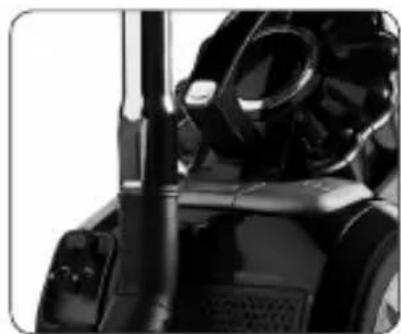
Close-up of a black vacuum cleaner with a handle and control panel (no visible text or symbols)- Do not keep the turbo head on the same spot for longer than necessary while vacuuming.
Keep the turbo head moving across the carpet all the time otherwise you can damage the carpet.
The brush roll or its suction canal may be blocked with small pieces of materials, if this happens turn your vacuum cleaner off and remove the impurities blocking the roll of suction canal.
- NEVER touch while the brush is rotating.
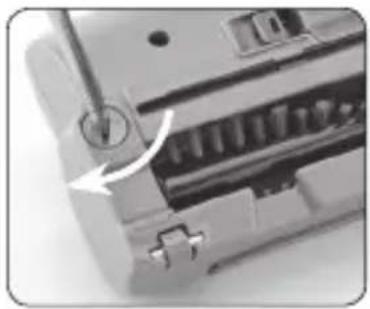
• Regularly cleaning the pieces of threads, strings, hairs etc. is increase the performance of the turbo head. For cleaning it, firstly turn your vacuum cleaner off and remove the turbo brush from telescopic tube and then clean the turbo head.
- To clean the turbo brush of Arzum Olimpia Turbo; unlock the screw which placed under the brush by turning it clockwise. Then remove the brush by hand and clean the hair that tangled. Than, replace the brush and lock the screw by turning it counterclockwise.
natural_image
Close-up of a mechanical device with a circular arrow indicating rotation or adjustment (no visible text or symbols)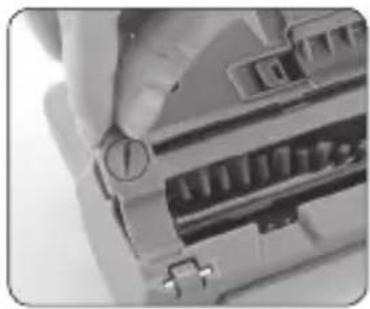
natural_image
Close-up of a hand holding a circular knob on an electronic device (no visible text or symbols)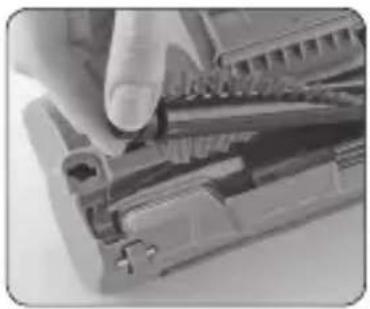
natural_image
Close-up of a hand using a tool to adjust internal components (no visible text or symbols)- Remove the cover by pressing from both sides of latches. Remove the hair which was wrapped around wheel. Finally attach the cover back into it's own place by aligning
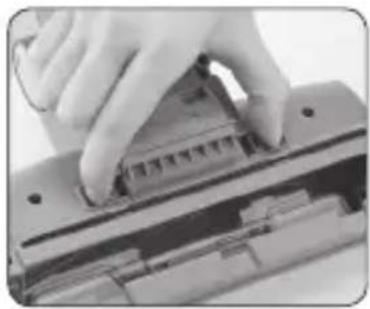
natural_image
Close-up of hands using a computer to press or install a physical component (no visible text or symbols)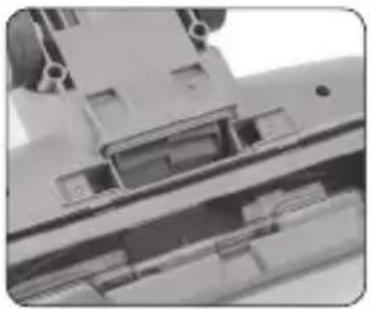
natural_image
Close-up of a mechanical component with internal components and mounting holes (no visible text or symbols)cap to the rails on the sides.
Carpet and Floor Brush Adjustable According To Surface:
It is used for dry cleaning of both hard and soft surfaces. You can clean the hard surfaces with the brush placed outside, and the soft surfaces, such as carpets, etc. with the brush placed inside. Ensure inserting or removing the brush by pressing the button on the brush.
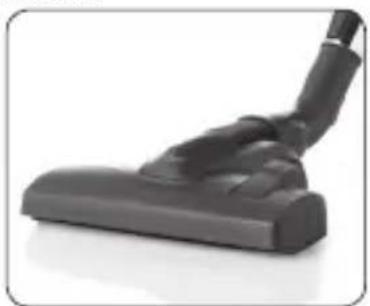
natural_image
Close-up of a black vacuum cleaner with a curved handle and lever (no text or symbols visible)Tube with Narrow Nozzle:
- It is used for cleaning of especially unapproachable areas such as armchair corners, radiator intervals, wall borders and corners etc. narrow areas.
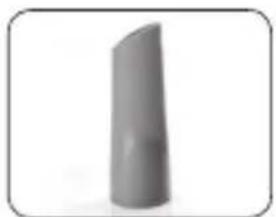
natural_image
3D-rendered gray cylindrical object with smooth surface and pointed tip, no visible text or symbolsCleaning Nozzle
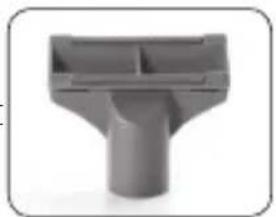
In places where the narrow nozzle is not convenient to use, this part is used (for cleaning upholstery, cloths, beds, etc.)
natural_image
3D rendered image of a gray plastic mechanical component with T-shaped cutout (no text or symbols)Small Brush
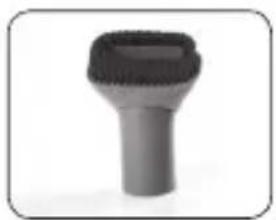
- By attaching this part to the small brush, you can clean furniture, lamps, shelves, books, etc.
natural_image
Close-up of a gray cylindrical object with a black textured top (no text or symbols visible)Mechanical Suctioning Power Adjustment:
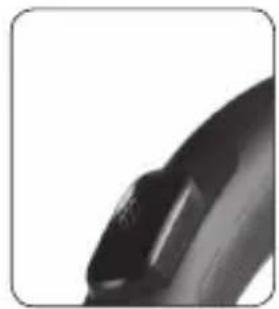
Using the air adjustment button located on the hose handle makes it easier for you to clean tulles, curtains, etc.
natural_image
Close-up of a black curved object with a small mark, possibly a lens or abstract form (no text or symbols visible)USING YOUR APPLIANCE
CAUTION: Before using your appliance, make sure that filters and dust reservoir are attached.
natural_image
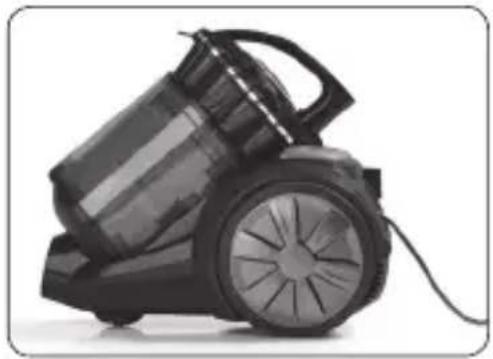
Black and white photo of a vacuum cleaner with wheels and a handle (no text or symbols visible)Before using your appliance extend its mains cable to the proper length and plug in the wall socket. After the yellow tape appears on the cord, the cord is in the most suitable length for use. When red tape appears, NEVER force too much to pull out the cord.
Operate your appliance by pressing on/off switch on the main body.
- Press on/off switch again in order to finish the cleaning process.
• After unplugging, press the cord rewinding button on the main body and then collect the cord.
CLEANING AND CARE
• Always turn off your appliance and unplug your mains cable from the wall socket before attempting any maintenance and care process.
Clean body and interior section of your appliance with a wet cloth and then make sure that they are dried. Do not use abrasive substances or chemical solvents for cleaning your vacuum cleaner.
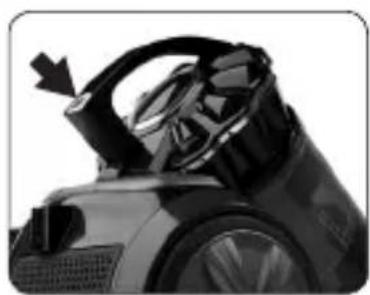
Removing and Emptying the Dust Reservoir
• In order to remove the dust reservoir, firstly eject the hose from hose inlet.
By pushing the dust reservoir removal button, take the reservoir out.
natural_image
Close-up of a black vacuum cleaner's hood with a black arrow pointing to the handle (no visible text or symbols)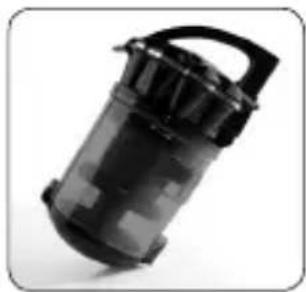
natural_image
Black plastic cylindrical device with handle and lid, isolated on white background (no text or symbols)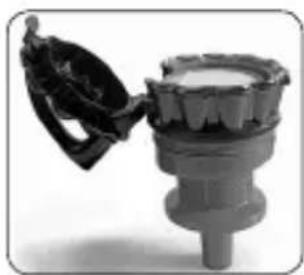
natural_image
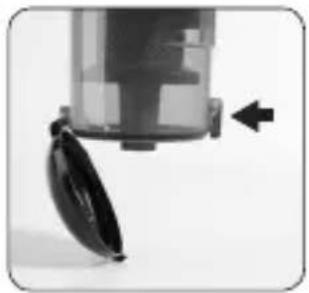
Close-up of a mechanical component with a handle and central shaft (no visible text or symbols)- Ensure to open the cover by pressing cover locking button (PUSH) under the dust reservoir in order to empty any dust. Empty the reservoir.
- Make sure that cover is closed completely for further use.
natural_image
Close-up of a vacuum cleaner with a black tag attached, showing mechanical components and an arrow indicating motion (no text or symbols)- To wash the dust bin, switch the multi cyclone unit to position and pull it up.
Dust Bag Indicator
· Turning the indicator to red or decrease of suctioning power considerably indicates that the time for emptying the dust reservoir comes.
CAUTION: If the indicator light is still on even after emptying the dust reservoir, please check the following cases:
- Telescopic tube, hose, suctioning nozzle, or cleaning nozzles may be clogged.
- Motor protection filter or air outlet filter may get dirty.
- NEVER operate your vacuum cleaner unless indicator light turns to its normal position.
- When dust level in the dust bin reaches max level, cleaning of dust bin is recommended.
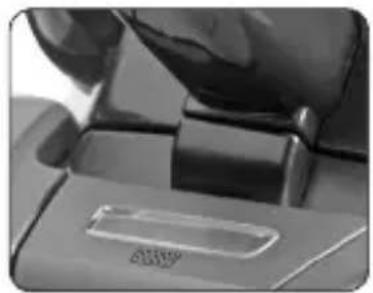
natural_image
Close-up of a hand pressing down on a mechanical component with a small rectangular cutout (no visible text or symbols)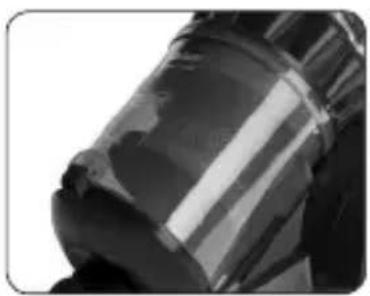
natural_image
Close-up of a metallic cylindrical object with reflective surface (no visible text or symbols)REPLACING THE FILTERS
- Before replacing the filters, be careful that your appliance is not plugged in the wall socket.
• Before attaching the filters, NEVER operate your vacuum cleaner.
Replacing MIF Motor Protector Filter
- With its enduring shape, MIF motor protector filter ensures keeping suction power on the highest level.
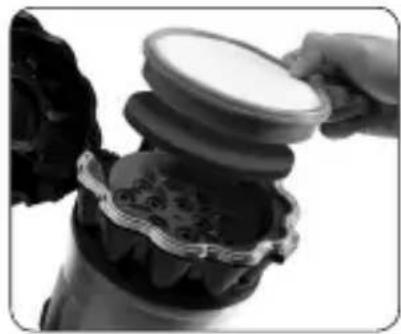
- Remove dust chamber. Remove it by pulling the latch that is available on the upper cover of the dust chamber. Remove the MIF engine protector filter and foam filter that are available under the cover. You may clean
foam filter by washing it with plenty of water; you may use it again by placing it below MIF filter after it is dried.
natural_image
Close-up of hands pouring a lid onto a decorative container with floral patterns (no text or symbols visible)To renew filters, you may call on Arzum Authorized Service.
Replacing HEPA Air Outlet Filter
- HEPA filter ensures better cleaning conditions for those suffering respiratory-track illness, children, and those suffering allergy. Hepa filter is a useful device with superior properties.
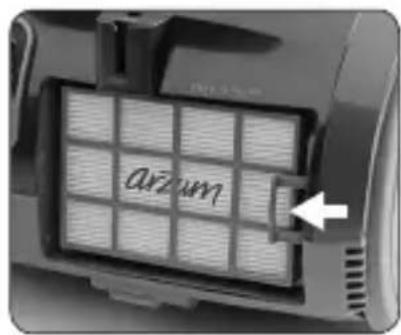
- Open Hepa filter cover. Remove the Hepa filter from its socket on the body and then replace it
- HEPA filters need to be changed at least once a year with respect to intensity of usage
EASY TO CARRY AND STORE
- You can easily carry and store your appliance by affixing the extension of the apparatus located on the carpet/floor brush adjustable according to the kind of surface onto park position socket on your appliance.
natural_image
Close-up of a black industrial robot with visible mechanical components and no text or symbolsProduct Life 10 years Technical Specifications 220-240 V \~ 50 Hz 800W
HANDLING AND SHIPMENT
- During handling and shipment, your appliance must be kept in original package in order to prevent damages to its parts.
- Keep at normal position during shipment.
- Do not drop the product when transporting and protect from impacts.
• After delivery of the product, failures and damages that may occur while transporting are not covered by warranty.
The product is in compliance with the EEE Directives.
WEEE
This product contains recyclable materials that compliance with the WEEE directives. Do not dispose this product as unsorted municipal waste. Please contact your local municipality for the nearest collection point.

Manufacturer:
Kingclean Electric Co., Ltd.
Xiang Yang Road, Suzhou, 215009 New District Jiangsu, P.R. China
Tel: +86 512-68258388 +86 512-68418558
Importer:
natural_image
Close-up of a mechanical component with a coiled cable or hose, no visible text or symbols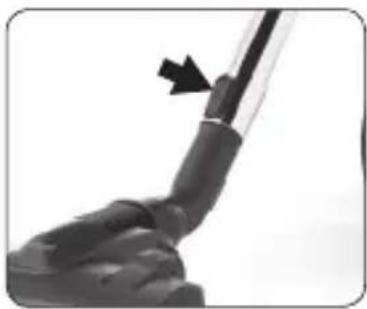
natural_image
Close-up of a black mechanical component with an arrow pointing to a detail (no visible text or symbols)Turbobürste
natural_image
Close-up of a black vacuum cleaner with a handle and control panel (no visible text or symbols)natural_image
Close-up of a mechanical component with a tool inserted, showing internal structure and a circular arrow indicating rotation (no text or symbols visible)natural_image
Close-up of a hand holding a small electronic device with a circular button (no visible text or symbols)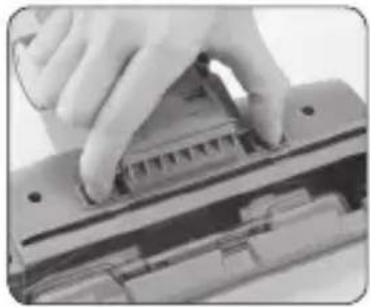
natural_image
Close-up of hands using a tool to press or adjust a mechanical component (no visible text or symbols)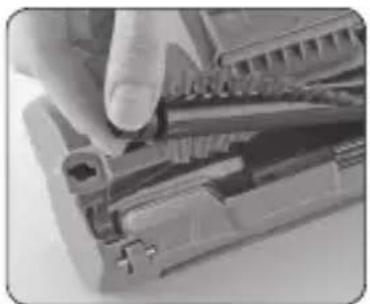
natural_image
Close-up of a hand using a tool to adjust or install electronic components (no visible text or symbols)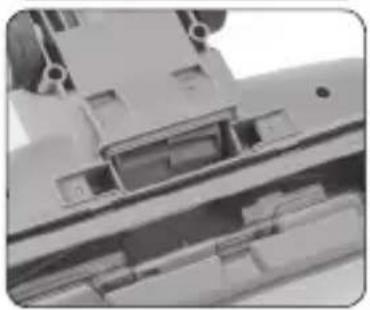
natural_image
Close-up of a mechanical component with internal compartments and mounting holes (no visible text or symbols)natural_image
Black vacuum cleaner on a white surface (no text or symbols visible)Schmales Rohrende:
natural_image
3D rendered image of a smooth, elongated object resembling a lipstick or capsule (no text or symbols visible)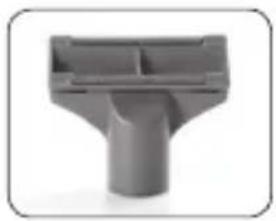
natural_image
Gray plastic mechanical component with T-shaped cutout (no text or symbols visible)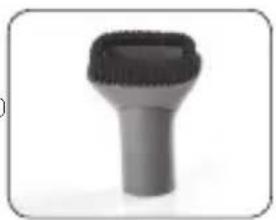
natural_image
Close-up of a black and gray plastic tool with a textured cap (no text or symbols visible)natural_image
Close-up of a black electronic device with a glossy surface and a small button (no visible text or symbols)EINSATZ IHRES GERÄTES
natural_image
Black and white photo of a vacuum cleaner with wheels and a cable (no text or symbols visible)natural_image
Close-up of a mechanical device with a curved handle and arrow indicator (no visible text or symbols)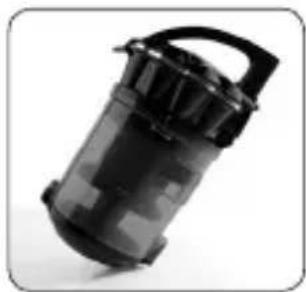
natural_image
Black plastic cylindrical device with handle, isolated on white background (no text or symbols)natural_image
Close-up of a vacuum cleaner's wheel and disc with an arrow indicating motion (no text or symbols visible)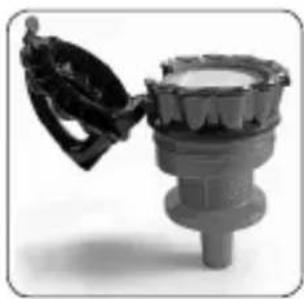
natural_image
Close-up of a mechanical component with a handle and central shaft (no visible text or symbols)natural_image
Close-up of a mechanical component with a hand pressing a button labeled 'AMV' (no other text or symbols visible)natural_image
Close-up of a mechanical component with reflective surfaces (no visible text or symbols)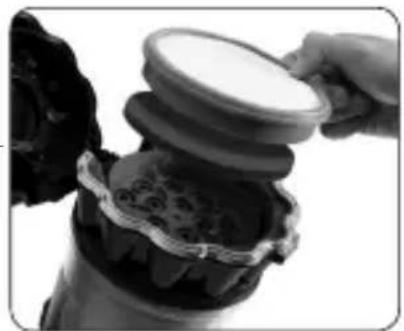
natural_image
Close-up of hands pouring liquid from a container into a container with decorative patterns (no visible text or symbols)natural_image
Close-up of a black industrial machine component with no visible text or symbols

- Dar uçlu boru:
- Küçük fırça:
- CİHAZINIZIN KULLANIMI
- IMPORTANT SAFEGUARDS
- USAGE OF ACCESSORIES How to Mount and Remove The Hose:
- How to Adjust Telescopic Tube:
- Cleanable Turbo Brush
- Carpet and Floor Brush Adjustable According To Surface:
- Tube with Narrow Nozzle:
- Cleaning Nozzle
- Small Brush
- Mechanical Suctioning Power Adjustment:
- USING YOUR APPLIANCE
- CLEANING AND CARE
- Removing and Emptying the Dust Reservoir
- Dust Bag Indicator
- REPLACING THE FILTERS
- Replacing MIF Motor Protector Filter
- Replacing HEPA Air Outlet Filter
- EASY TO CARRY AND STORE
- HANDLING AND SHIPMENT
- The product is in compliance with the EEE Directives.
- WEEE
- Turbobürste
- Schmales Rohrende:
- EINSATZ IHRES GERÄTES
Brand : Arzum
Model : AR4051
Category : Vacuum Cleaner