
BoomBottle MM - Pregnant Scosche - Free user manual and instructions
Find the device manual for free BoomBottle MM Scosche in PDF.


User questions about BoomBottle MM Scosche
0 question about this device. Answer the ones you know or ask your own.
Ask a new question about this device
Download the instructions for your Pregnant in PDF format for free! Find your manual BoomBottle MM - Scosche and take your electronic device back in hand. On this page are published all the documents necessary for the use of your device. BoomBottle MM by Scosche.
USER MANUAL BoomBottle MM Scosche
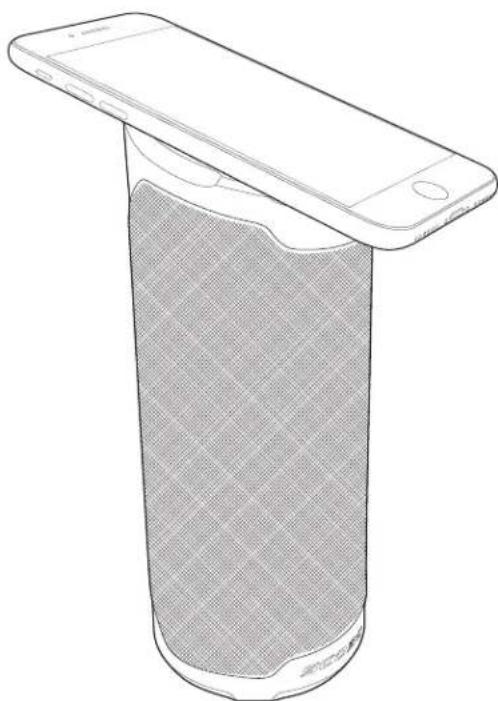
WATERPROOF WIRELESS SPEAKER WITH BUILT-IN MAGICMOUNT™
FEATURES
natural_image
Line drawing of a smartphone partially covered in a sound barrier (no text or symbols)• Rugged IP67 dustproof/waterproof construction
- Rechargeable battery for up to 12 hours of music playback
• Dual pairing for true stereo sound
- Unique bottle design fits into water bottle cages & cup holders
- 2 passive subwoofers provide large-speaker bass in a small package
• Automatic indoor/outdoor EQ
• Built in bottle opener
- Magnetic top and base for phone and speaker mounting options
Works with: Most smartphones and tablets with A2DP streaming audio.

text_image
STOPIMPORTANT!
DO NOT RETURN PRODUCT TO THE RETAILER
IF YOU NEED ASSISTANCE OR REPLACEMENT PARTS
CALL US TOLL FREE: 1-800-363-4490 X1
HOURS MON-FRI 8AM-5:30PM (PST) SATURDAY 8AM-2PM (PST)
Bluetooth is a registered trademark of Bluetooth SIG, Inc.
OVERVIEW
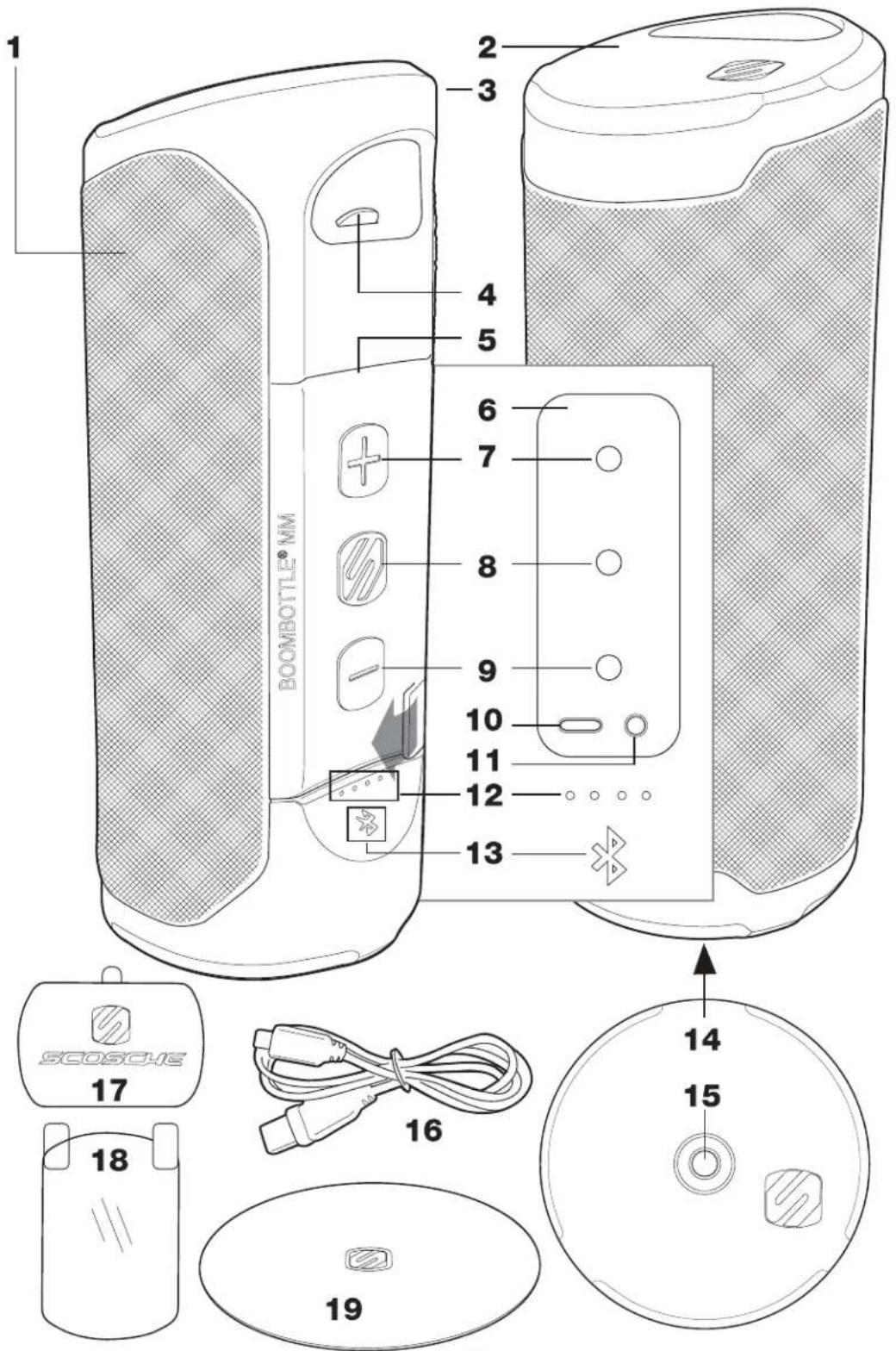
PARTS INCLUDED
(1) BOOMBOTTLE™ MM speaker
(1) Large metal plate
(1) XL circular metal plate
(1) Type C to USB charge cable
(1) Protective film sticker
(1) Carabiner clip
(1) Cleaning wipe
SPECIFICATIONS
Audio Input: Bluetooth & 3.5mm aux.
Battery: 4000mAh li-ion
Continuous Use Time: Up to 12 hrs.
Operating Range: 30 ft. (9M)
Charging input: 5V, 2A
Bluetooth Version 4.2, A2DP, AVRCP
Dimensions: 185mm(H) x 72mm(D)
Weight: 1.25 Lbs.
Waterproof Rating: IP67
- BOOMBOTTLE™ MM SPEAKER
- MAGICMOUNT™ MAGNETIC MOBILE DEVICE MOUNT
- CARABINER
- BOTTLE OPENER
- ACCESS PANEL COVER
- ACCESS PANEL
- VOLUME UP (+)
- MFB (MULTI-FUNCTION BUTTON)
- VOLUME DOWN (-)
- USB TYPE C INPUT PORT
- 3.5mm AUDIO INPUT
- 4-LED BATTERY LEVEL INDICATOR
- BLUETOOTH LED STATUS INDICATOR
- MAGICMOUNT™ MAGNETIC SPEAKER MOUNT
- 1/4" THREADED MOUNTING HOLE
- TYPE-C TO USB CABLE
- MAGICPLATE™ METAL PLATE
(for mounting mobile device to speaker)
-
PROTECTIVE FILM STICKER
-
MAGICPLATE™ XL CIRCULAR METAL PLATE
(for mounting speaker to non-magnetic surface)
OVERVIEW
text_image
1 2 3 4 5 6 7 8 9 10 11 12 13 BOOMBOTTLE® NMM 14 15 16 17 18 19BUTTON FUNCTIONS
Power On
Press and release multi-function button (MFB). (A)
Power Off
Press and hold the MFB for 3 seconds.
Play/Pause
Click MFB once.
Track Forward
Click MFB twice.
Track Back
Click MFB three times.
Answer/End Call
Click MFB once.
Volume Control
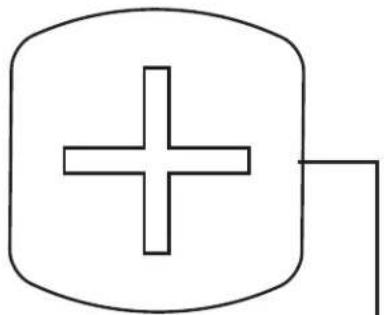
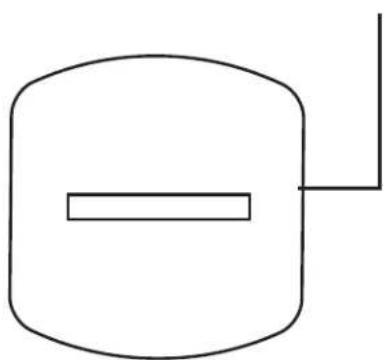
Press “+” or “-” button (B) to increase or decrease volume. Unit will emit a sound prompt when the maximum volume is reached.
Auto Shut-off
BOOMBOTTLE™ MM will shut down automatically with no wireless playback or 3.5 connection after 10 minutes.
Re-Pairing
To search for new device, single-tap MFB, “+” & “-” buttons at the same time. BOOMBOTTLE™ MM will lose the existing connection and start pairing to a new device.
natural_image
Simple line drawing of a plus sign inside a rounded rectangle with an out-of-pocket line extending from it (no text or symbols)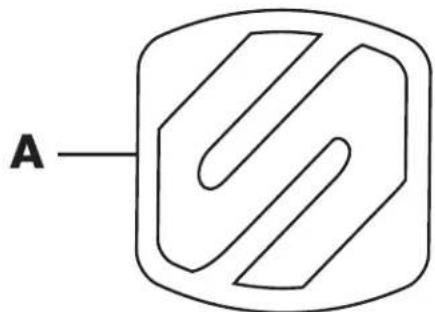
flowchart
graph TD
    A["A"] --> B["Decision Node"]
    B --> C["Square"]
    style A fill:#f9f,stroke:#333
    style C fill:#ccf,stroke:#333
B
natural_image
Simple line drawing of a cylindrical object with a horizontal bar and a vertical line extending from its top (no text or symbols)CHARGING
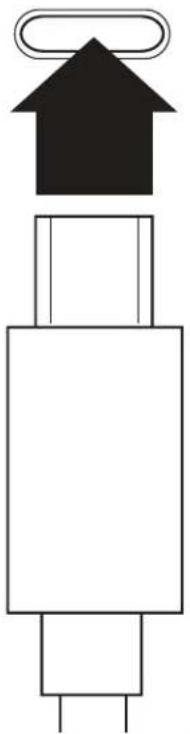
Charge the BOOMBOTTLE™ MM using the included USB Type C to USB cable with a USB charger (not included) or other USB power source. Refer to the chart below:
Note: Low battery warning prompt will sound once when the battery level reaches 10%, once more when the battery level reaches 5%, and one final prompt will sound right before the unit shuts off.
natural_image
Pure electrical component diagram showing a black house atop a white base with a loop on top (no text or symbols)BATTERY LEVEL
Note: When speaker is off, check battery level by tapping the multi-function button once.

LED 1

LED 2

LED 3

LED 4

75 -100%


50 -75%


25 -50%


<25% (*)
(*) will flash when charge is depleted
CONNECTING
natural_image
Abstract geometric symbol resembling a stylized 'X' with radiating lines, no text or symbols presentPAIRING (individual speaker)
- Power on/Pairing: Press and hold the multi-function button (MFB) for 3 seconds to turn on the BOOMBOTTLE™ MM. A tone prompt will sound. The Bluetooth indicator (Blue LED) will blink repeatedly.
- Enter your device's Bluetooth menu to search for and connect to the BOOMBOTTLE™ MM.
- Select BOOMBOTTLE™ MM.
- A sound prompt will notify you of a successful connection.
Note: After powering on the BOOMBOTTLE™ MM it will automatically reconnect to the last device paired. An audio prompt will indicate a completed connection. If no device is found within 25 seconds, BOOMBOTTLE™ MM will enter pairing mode (with an audio prompt), and will be found on a new pairing device under the pairing name “BOOMBOTTLE MM”.
CONNECTING
DUAL PAIRING (two speaker units)
- Power on both BOOMBOTTLE™ units at the same time.
- Press and hold the “+” & “-” buttons on one speaker for 3 seconds.
- A tone prompt will sound, indicating the speakers have connected.
- Enter your device's Bluetooth menu to search for and connect to the BOOMBOTTLE™ MM.
- A second tone prompt will sound.
Note: Turning off one speaker will shut off both.
DUAL PAIRING (while one speaker is currently paired to phone)
- Power on speaker currently paired to mobile device.
- Sound prompt will indicate successful connection to mobile device.
- Press and hold the “+” & “-” buttons for 3 seconds (speaker will automatically enter pairing mode).
- Power on second speaker.
- A sound prompt will indicate a successful connection of both speakers.
- BOOMBOTTLE™ MMs will reconnect to mobile device.
3.5MM AUDIO-IN
The BOOMBOTTLE™ MM may also be used with non-Bluetooth devices (personal CD or MP3 players). Simply connect the 3.5mm headphone jack on your device to the 3.5mm input on the speaker using a 3.5mm audio cable (not included).
MAGICPLATE™ INSTALLATION
OPTION 1
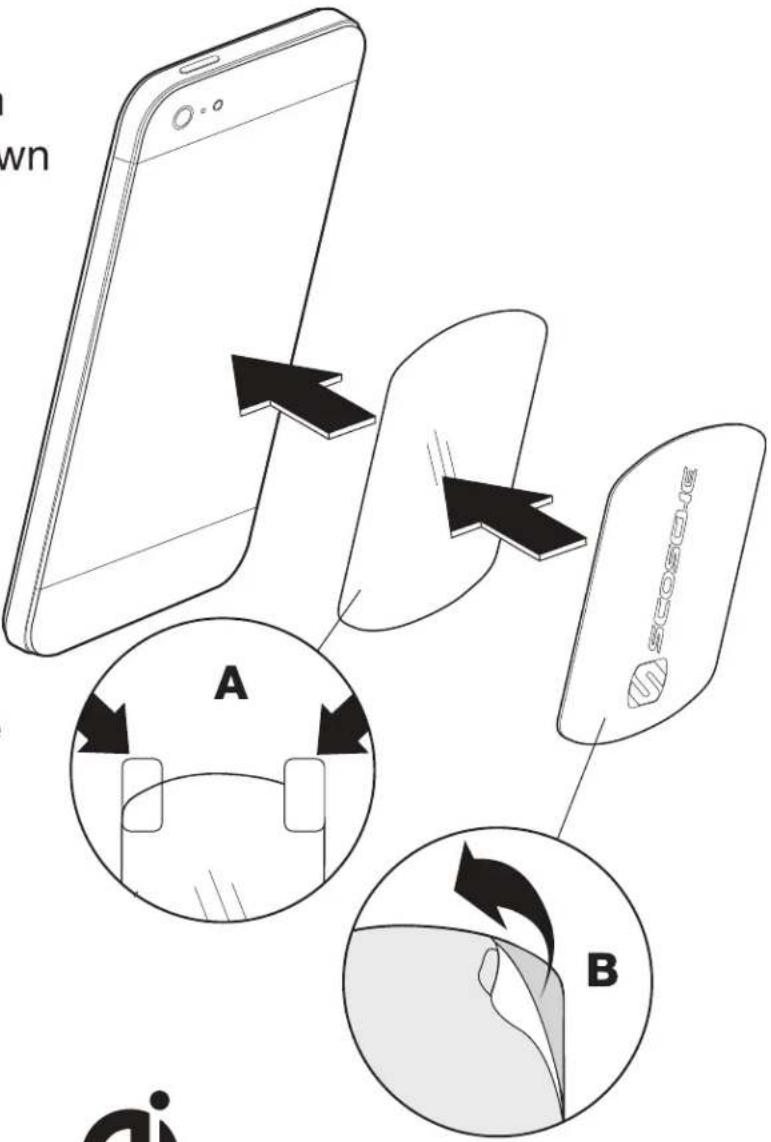
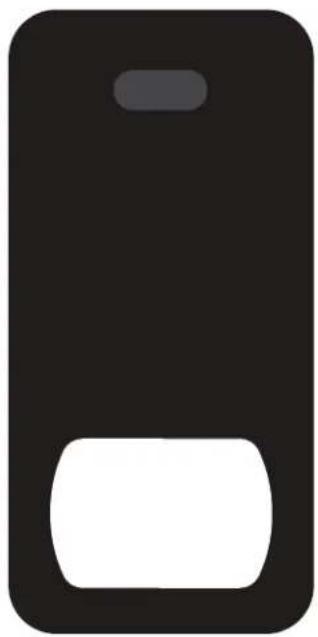
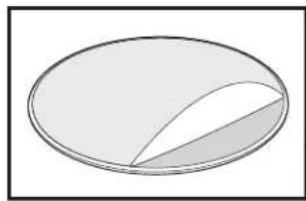
Remove the backing from the protective film as shown on the removal tabs, and place on the device (A).
Note: The protective film must be used when applying MAGICPLATE™ directly to the back of your device.
Remove the adhesive backing from the metal plate and attach the plate to the protective film on the device (B).
flowchart
graph TD
    A["Smartphone"] -->|A| B["Card Card"]
    B -->|B| C["Device Card"]
    style A fill:#f9f,stroke:#333
    style B fill:#ccf,stroke:#333
    style C fill:#cfc,stroke:#333
natural_image
Simple black and white icon resembling a stylized phone or button (no text or symbols)
MAGICPLATE™ placement for Qi-enabled Smartphones
MAGICPLATE™ INSTALLATION
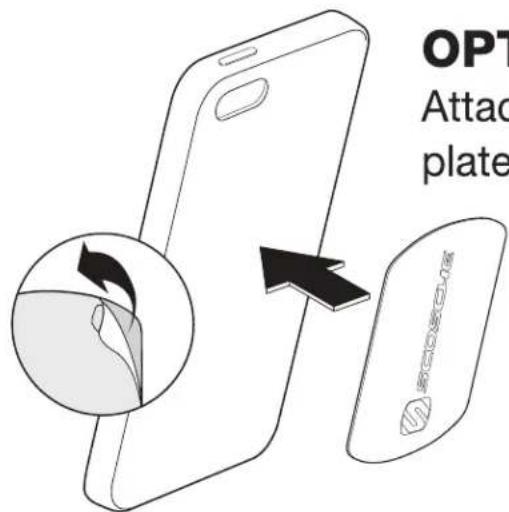
OPTION 2
Attach adhesive side of metal plate directly to back of case.
text_image
OPT Attack plateOPTION 3
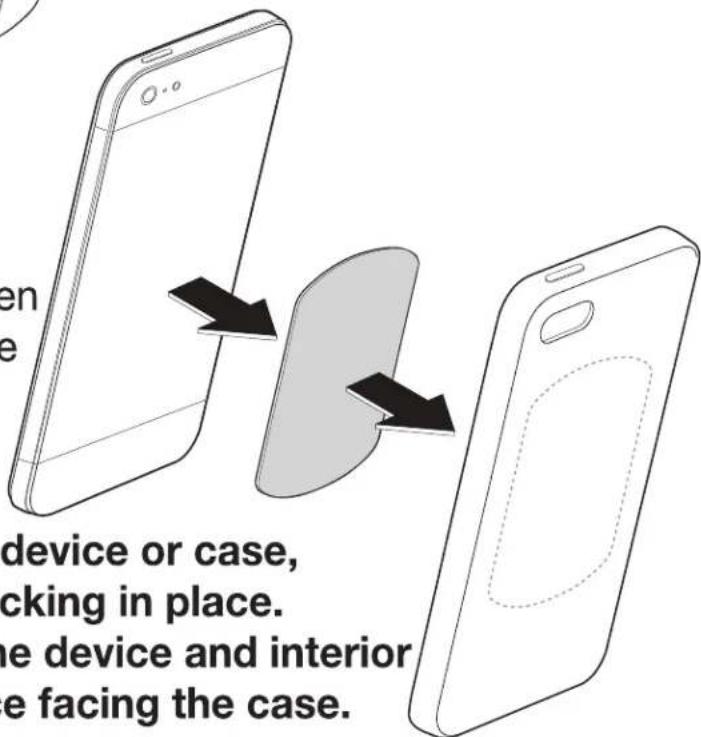
Attach adhesive side of metal plate to interior of case, between device and inside of case. Plate will adhere to magnetic mount through rear panel of case.
NOTE: If choosing not to
attach the metal plate to the device or case, please leave the adhesive backing in place.
Position the plate between the device and interior of case with the metal surface facing the case.
text_image
en e device or case, cking in place. the device and interior e facing the case.MAGICPLATE™ REMOVAL
Use a thin plastic card to carefully lift the plates adhesive surface from the mounting surface. Slowly lift up and remove the plate.
Do not use any heat or liquids to remove the plate, due to risk of damaging your phone or dash. Contact Scosche Customer Service for any additional assistance at 800.363.4490 Ext. 1 or customerservice@scosche.com.
MOUNTING OPTIONS
text_image
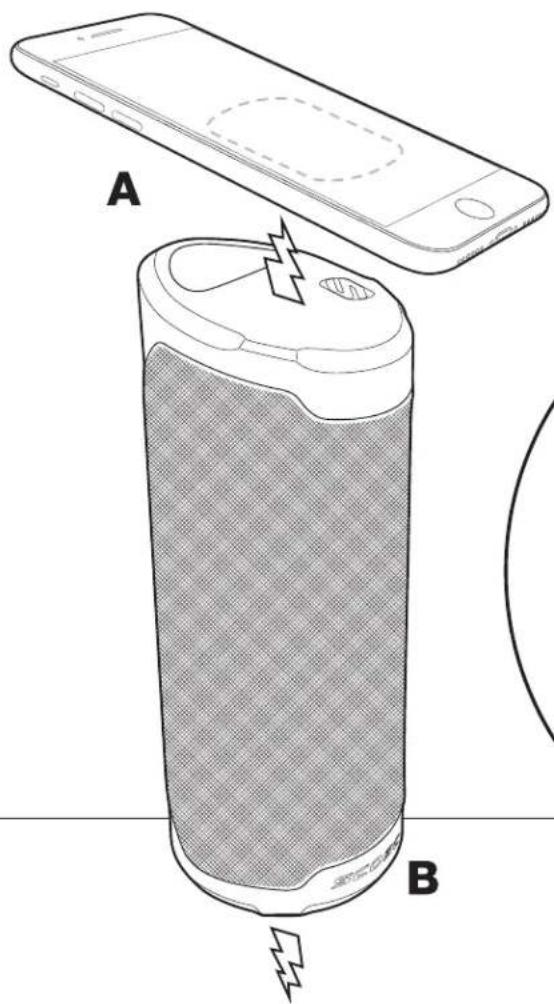
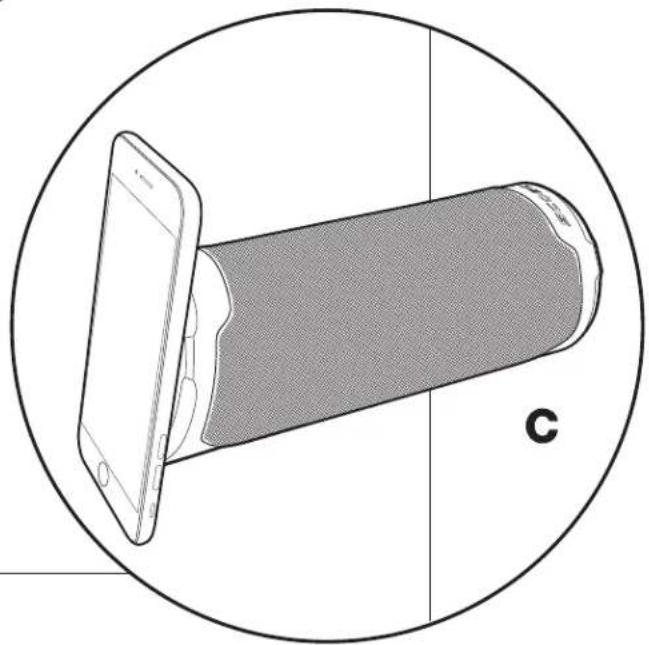
A BWith the MAGICPLATE™ installed, place your device on the magnetic top surface of the BOOMBOTTLE™ MM (A).
natural_image
Diagram of a smartphone partially covered by a cylindrical device, enclosed in a circle (no text or symbols)Place the magnetic base of the BOOMBOTTLE™ MM (B) on a flat, magnetic metal surface (C).
For non-magnetic surfaces, attach
MAGICPLATE™ circular metal mounting plate to the surface, and place the magnetic base on the plate (D).
Note: BOOMBOTTLE™ MM may also be attached to a 1/4" threaded camera mount.
natural_image
Simple diagram of a circular shape divided into three colored regions (white, gray, and white outline), no text or symbols present.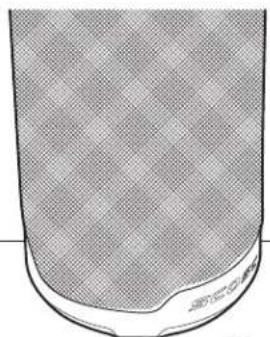
natural_image
Close-up of a textured, curved surface with a small mark at the bottom (no text or symbols visible)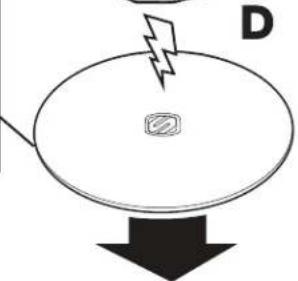
natural_image
Simple diagram of a device with a lightning bolt and a square button, pointing downward (no text or symbols)TROUBLESHOOTING\*
*NOTE: Make sure your IOS, Android, or other mobile device has the latest software installed.
| PROBLEM | SOLUTION |
| How to reset BOOMBOTTLE ^TM MM. | Single-tap MFB, “+” & “-” buttons at the same time. |
| BOOMBOTTLE ^TM MM is not powering on. | Charge the BOOMBOTTLE ^TM MM. Confirm that the cables are securely plugged in. Check battery indicator on BOOMBOTTLE ^TM MM to confirm the battery level. Refer to chart on page 5. |
| How to charge BOOMBOTTLE ^TM MM. | Refer to page 5. If the BOOMBOTTLE ^TM MM has a completely dead battery, let it charge for 30 minutes before playing music while the internal battery is being charged. |
| Bluetooth profile is not working (HFP, AVRCP, A2DP are not functioning). | Check your device to confirm that it supports Bluetooth. |
| Unable to pair BOOMBOTTLE ^TM MM with my device. | Check that the device you are attempting to pair with is Bluetooth compatible. Follow pairing instructions on pages 6-7. |
| Music plays intermittently. | The BOOMBOTTLE ^TM MM has a range of approximately 30 feet. For the best quality music keep your device within range of the BOOMBOTTLE ^TM MM. |
| Device is connected via 3.5mm cable, but no music plays. | Confirm that the BOOMBOTTLE ^TM MM is not paired with another Bluetooth device (a Bluetooth connection overrides a device connected by cable). Confirm that the BOOMBOTTLE ^TM MM is fully charged. |
For complete warranty details, please visit us at www.scosche.com or call (800) 363-4490
RoHS
CE
FCC STATEMENT
This device complies with Part 15 of the FCC Rules. Operation is subject to the following two conditions: (1) This device may not cause harmful interference, and (2) this device must accept any interference received, including interference that may cause undesired operation. This transmitter must not be co-located or operating in conjunction with any other antenna or transmitter. Changes or modifications not expressly approved by the party responsible for compliance could void the user's authority to operate the equipment.
This equipment has been tested and found to comply with the limits for a Class B digital device, pursuant to Part 15 of the FCC Rules. These limits are designed to provide reasonable protection against harmful interference in a residential installation. This equipment generates uses and can radiate radio frequency energy and, if not installed and used in accordance with the instructions, may cause harmful interference to radio communications. However, there is no guarantee that interference will not occur in a particular installation. If this equipment does cause harmful interference to radio or television reception, which can be determined by turning the equipment off and on, the user is encouraged to try to correct the interference by one or more of the following measures:
-- Reorient or relocate the receiving antenna.
-- Increase the separation between the equipment and receiver.
-- Connect the equipment into an outlet on a circuit different from that to which the receiver is connected.
-- Consult the dealer or an experienced radio/TV technician for help.
Radiation Exposure Statement: The product complies with the FCC/IC RF Exposure for Low Power Consumer Wireless Power Transfer. RF exposure limit set forth for an uncontrolled environment and are safe for intended operation as described in this manual. The further RF exposure that compliance was demonstrated at 10cm and greater separation from the user body or set the device to lower output power if such function is available.
IC STATEMENT
This device complies with Industry Canada's license-exempt RSSs. Operation is subject to the following two conditions: (1) This device may not cause interference; and (2) This device must accept any interference, including interference that may cause undesired operation of the device.
The term “IC:” before the certification/registration number only signifies that the Industry Canada technical specifications were met. This product meets the applicable Industry Canada technical specifications.