
ZU850 - Projector OPTOMA - Free user manual and instructions
Find the device manual for free ZU850 OPTOMA in PDF.


| Product Type | DLP Video Projector |
| Native Resolution | WUXGA (1920 x 1200) |
| Brightness | 8,500 ANSI lumens |
| Contrast Ratio | 2,000:1 |
| Display Technology | 0.67" DLP |
| Lamp Life | 2,000 hours (normal mode) |
| Power Supply | 100-240 VAC, 50/60 Hz |
| Power Consumption | 850 W (max) |
| Dimensions (L x W x H) | 500 x 400 x 200 mm |
| Weight | 20 kg |
| Keystone Correction | Vertical ±20°, horizontal ±10° |
| Optical Zoom | 1.25x |
| Input Connectors | HDMI, DisplayPort, VGA, Composite, S-Video, USB |
| Output Connectors | VGA, Audio 3.5 mm, RS-232 |
| Noise Level | 35 dB (normal mode) |
| Operating Temperature | 5°C to 40°C |
| Maintenance and Cleaning | Regular cleaning of the air filter every 500 hours |
| Security | Kensington lock, power-on password |
| Spare Parts | Replacement lamp, air filter |
| Warranty | 2 years (parts and labor) |
Frequently Asked Questions - ZU850 OPTOMA
User questions about ZU850 OPTOMA
0 question about this device. Answer the ones you know or ask your own.
Ask a new question about this device
Download the instructions for your Projector in PDF format for free! Find your manual ZU850 - OPTOMA and take your electronic device back in hand. On this page are published all the documents necessary for the use of your device. ZU850 by OPTOMA.
USER MANUAL ZU850 OPTOMA
natural_image
Technical line drawing of a projector housing (no text or symbols)INHALT
SICHERHEIT 4
natural_image
Illustration of a rectangular electronic device with a circular button and internal structure (no text or symbols)Projektor Fernbe
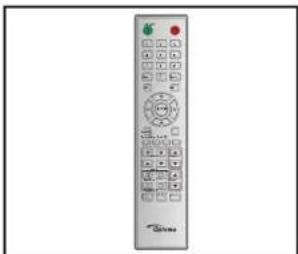
natural_image
Front view of a remote control with stylus and keypad (no visible text or symbols)hung 2 x AAA-Batterien
kabel
natural_image
Line drawing of a bundle of cables tied with a strap (no text or symbols)The Ground Truth image displays a single, solid horizontal line. According to Rule 2 (UNDERSCORE & LINE RULES), this is a stylistic or background line, not a placeholder underscore. Therefore, the OCR result must ignore it and output nothing or only meaningful text. The provided OCR content is "____", which consists of four underscores. This is an incorrect interpretation of the line as a placeholder, violating the rule that stylistic lines must be ignored. The OCR has hallucinated underscores where none should exist based on the GT's visual context. Hence, the OCR result is inconsistent with the Ground Truth.

natural_image
Pure electrical connector diagram without any text, numbers, or symbolsVGA-Kabel

natural_image
3D rendered mechanical component with threaded end and central bore (no text or symbols)natural_image
3D rendering of a mechanical bearing component (no text or symbols visible)Objektivring
Optionales Zubehör

natural_image
Technical line drawing of a mechanical component with no visible text or symbolsOptionales Objektiv A01 (0,95 - 1,22)
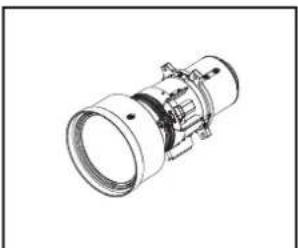
natural_image
Technical line drawing of a mechanical component with flanged ends and central hub (no text or symbols)Optionales Objektiv A06 (1,22 - 1,52)
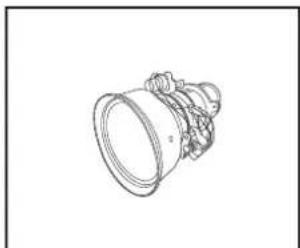
natural_image
Line drawing of a mechanical component with no visible text or symbolsOptionales Objektiv A03 (1,53 - 2,92)
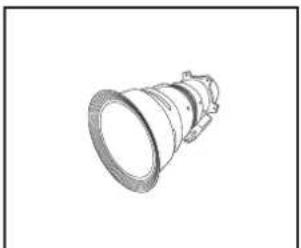
natural_image
Technical line drawing of a mechanical component (no text or symbols)Optionales Objektiv A13 (2,90 – 5,50)

natural_image
Technical line drawing of a mechanical component with concentric rings and mounting brackets (no text or symbols)Optionales Objektiv A15 (0,75 - 0,95)
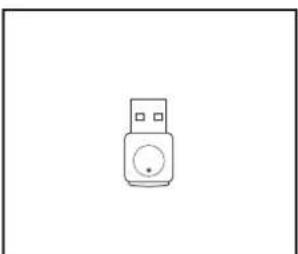
natural_image
Simple line drawing of a USB device with a circular button (no text or symbols)WLAN-Dongle (WUSB Pro)
Before install or replacing the lens, switch off the power to the projector.
Avoid using the remote control or projector keypad button to adjust the lens shift or zoom/focus while the lens attachment process is carried out.
Wichtig!
natural_image
3D rendering of a rectangular projector with a circular vent and fan blade (no text or symbols visible)natural_image
3D technical illustration of a projector housing with a blue arrow indicating direction (no text or symbols)natural_image
3D rendering of a projector with a blue arrow pointing to the lens (no text or symbols visible)natural_image
Illustration of a projector with a blue lens inserted, showing mechanical components (no text or symbols)natural_image
3D rendering of a projector with a blue arrow pointing to the internal component (no text or symbols visible)natural_image
Three-step diagram showing battery charging process: before, after, and after (no text or symbols)natural_image
Simple geometric diagram with a dashed rectangular outline and a solid rectangle (no text or symbols)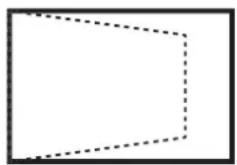
natural_image
Simple geometric diagram of a rectangle with dashed lines indicating hidden edges (no text or symbols)V Keystone
natural_image
Simple geometric diagram with a rectangle and two curved dashed lines forming an incomplete shape (no text or symbols)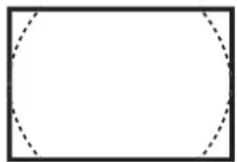
PROJEKTOR VERWENDEN
V Verzeich.
natural_image
Simple geometric diagram with a rectangle and two curved dashed lines inside, no text or symbols present.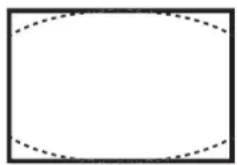
natural_image
Empty rectangular frame with dashed inner lines, no text or symbols present4-Ecken
PROJEKTOR VERWENDEN
Informationen-Seite
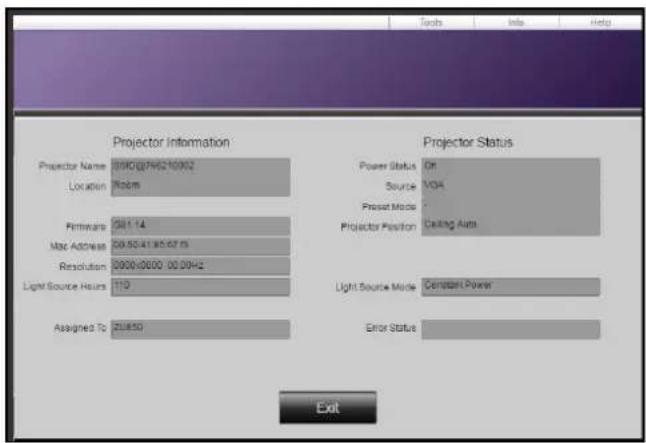
Werkzeuge-Seite
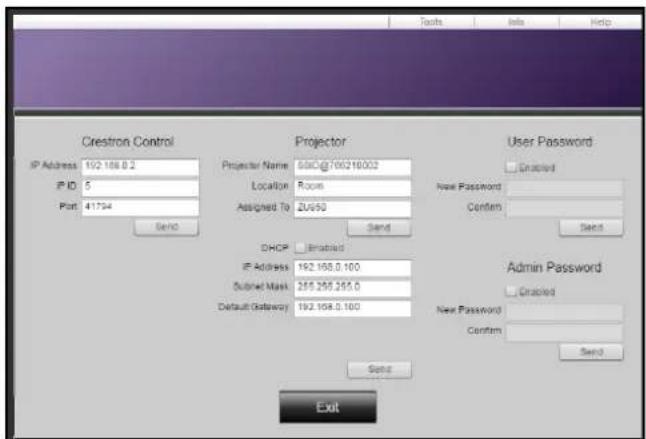
IT-Helpdesk kontaktieren

PROJEKTOR VERWENDEN
The light power will be reduced
due to the high ambient temperature.
ZUSÄTZLICHE INFORMATIONEN
Running the projector at high ambient temperature will impact DMD life time.
42 Caxton Way, The Watford Business Park
Watford, Hertfordshire,
WD18 8QZ, UK +44 (0) 1923 691 800
www.optoma.eu +44 (0) 1923 691 888
Service Tel: +44 (0)1923 691865
service@tsc-europe.com
Benelux BV
Randstad 22-123 +31 (0) 36 820 0252
1316 BW Almere +31 (0) 36 548 9052
The Netherlands
www.optoma.nl
Frankreich
info@os-worldwide.com
www.os-worldwide.com
Taiwan
12F., No.213, Sec. 3, Beixin Rd.,
Xindian Dist., New Taipei City 231,
Taiwan, R.O.C.
www.optoma.com.tw
+886-2-8911-8600
+886-2-8911-6550
services@optoma.com.tw
asia.optoma.com
Hong Kong
Unit A, 27/F Dragon Centre,
79 Wing Hong Street, +852-2396-8968
Cheung Sha Wan,
Kowloon, Hong Kong
+852-2370-1222
www.optoma.com.hk
China
5F, No. 1205, Kaixuan Rd.,
Changning District
Shanghai, 200052, China
+86-21-62947376
+86-21-62947375
www.optoma.com.cn

Brand : OPTOMA
Model : ZU850
Category : Projector