
W318STe - Projector OPTOMA - Free user manual and instructions
Find the device manual for free W318STe OPTOMA in PDF.


| Product Type | Projector |
| Brand | Optoma |
| Model | W318STe |
| Display Technology | DLP |
| Native Resolution | WXGA (1280 x 800) |
| Brightness | 3200 ANSI lumens |
| Contrast Ratio | 20,000:1 |
| Short Throw Lens | Yes (projection ratio 0.52:1) |
| Lamp Life | Up to 10,000 hours (Normal mode) / 15,000 hours (Dynamic mode) |
| Power Supply | 100-240 V AC, 50-60 Hz |
| Power Consumption | 255 W (Normal mode), <0.5 W in standby |
| Dimensions (W x D x H) | 316 x 244 x 98 mm |
| Weight | 2.8 kg |
| Connectivity | 2x HDMI (1 with MHL), 1x VGA, 1x Composite, 1x Audio In/Out, USB (Service) |
| Key Features | Wireless projection (via adapter), Vertical keystone correction, Digital zoom |
| Maintenance & Cleaning | Clean air filter every 500 hours, use a soft cloth for the lens |
| Security | Kensington lock, Security password |
| Spare Parts & Repairability | Replacement lamp (model BL-FP240A), parts available from after-sales service |
| General Information | Compliant with Canadian NMB-003 standards (Class B) |
Frequently Asked Questions - W318STe OPTOMA
User questions about W318STe OPTOMA
0 question about this device. Answer the ones you know or ask your own.
Ask a new question about this device
Download the instructions for your Projector in PDF format for free! Find your manual W318STe - OPTOMA and take your electronic device back in hand. On this page are published all the documents necessary for the use of your device. W318STe by OPTOMA.
USER MANUAL W318STe OPTOMA
natural_image
Line drawing of a projector with visible lens and screen (no text or symbols)INDHOLDSFORTEGNELSE
SIKKERHED 4
natural_image
Illustration of a projector with a circular lens and screen (no text or symbols on the device itself)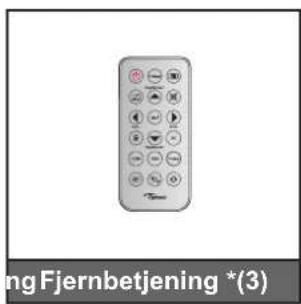
natural_image
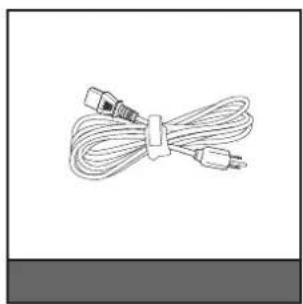
Coiled cable with two connectors, no text or symbols visible
natural_image
Line drawing of a two-wheeled device with attached cables, labeled 'Bæretaske' below (no other text or symbols)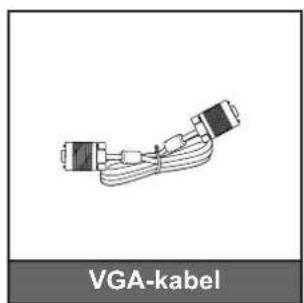
natural_image
Diagram of VGA-kabel connector with two connectors and cable routing (no text or symbols on diagram)
natural_image
Simple circular object with a shaded interior, labeled 'Linsekappe' below (no other text or symbols)INDLEDNING
Fjernbetjening 2
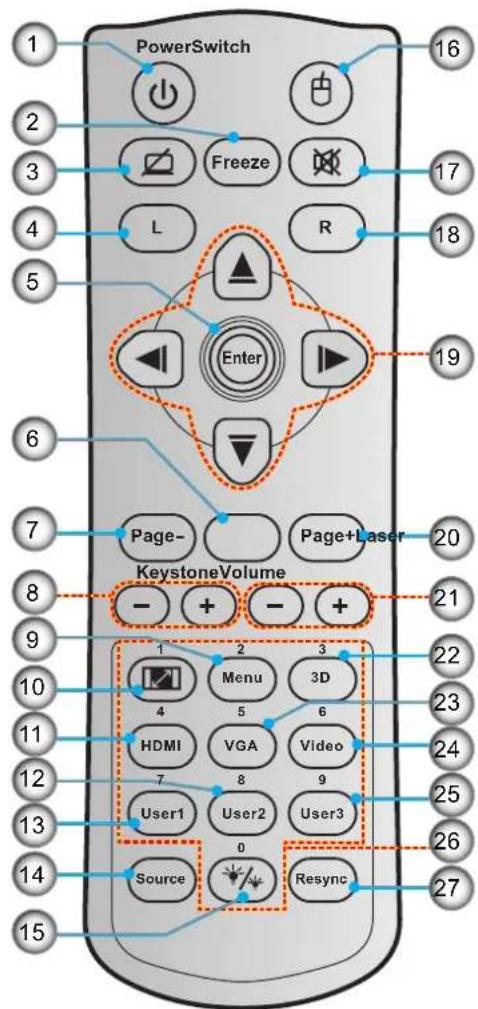
Nr. Emne Nr. Emne
natural_image
Interior view of a room with a person seated in a chair facing a wall-mounted device (no text or symbols visible)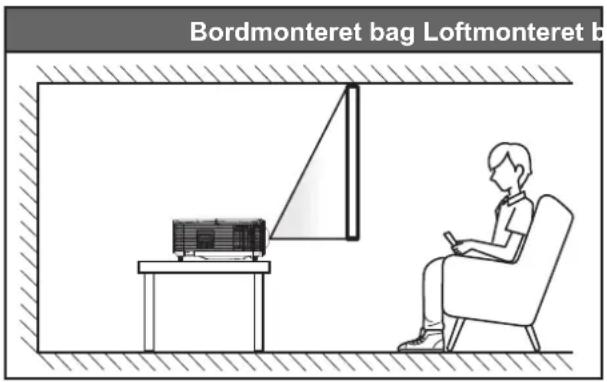
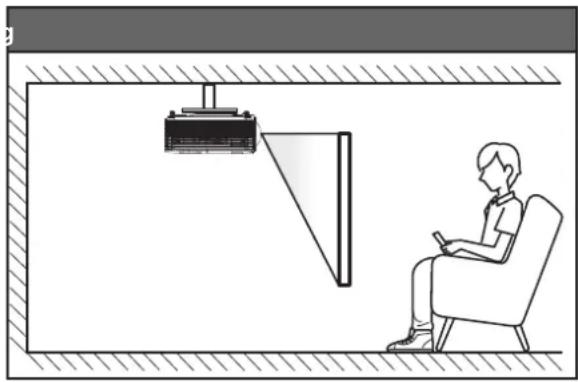
natural_image
Illustration of a person sitting in a chair watching a projector mounted on a wall, with no visible text or symbols.natural_image
Illustration of a projector with a red X symbol crossed out, no text or symbols present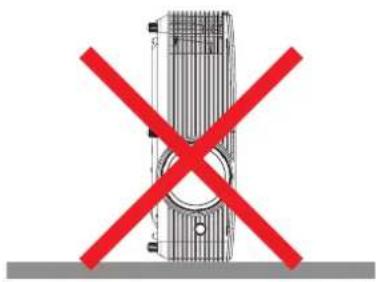
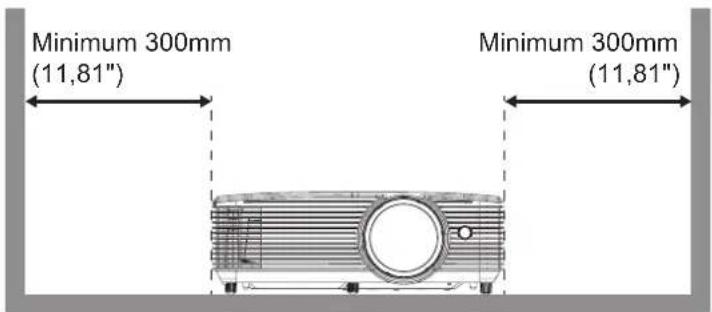
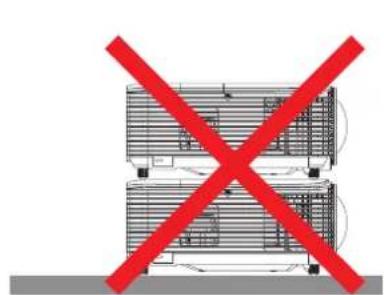
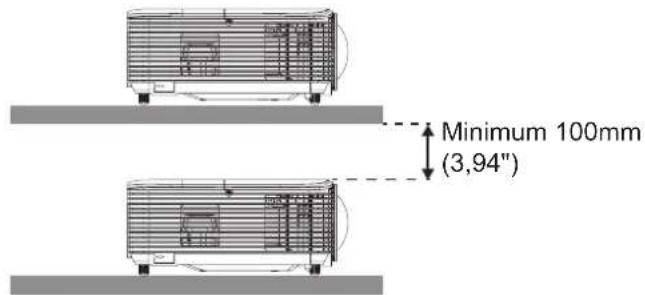
natural_image
Illustration of hands using a tool to adjust or install a component, with red arrows indicating direction (no text or symbols)
Åbn billedskiftmenuen
Image Shift
Bruges til at justere billedets placering horisontalt (H) og vertikalt (V).
Åbn menuen for trapezkorrektion
Keystone
Optional Filter Installed
Angiv indstillinger for adversel.
SÅDAN BRUGES PROJEKTOREN
- Tryk på knappen "Menu" på projektoren.
- Åbn Nettverk > LAN på projektoren.
-
Indtast følgende forbindelsesparametre:
-
DHCP: AV
- IP-adresse: 192.168.0.100
- Nettverksmaske: 255.255.255.0
- Gateway: 192.168.0.254
-
DNS: 192.168.0.1
-
Tryk på "Enter" for at bekræfte indstillingerne.
- Åbn en webbrowser, som fx Microsoft Internet Explorer med Adobe Flash Player 9.0 eller nyere installeret.
- Indtast IP-adressen i adressefeltet: 192.168.0.100.

- Tryk på "Enter".
SÅDAN BRUGES PROJEKTOREN
Forside
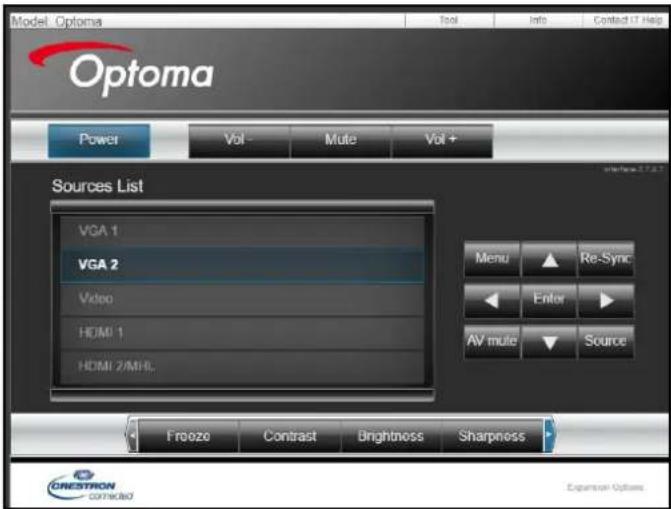
Værktøjsside
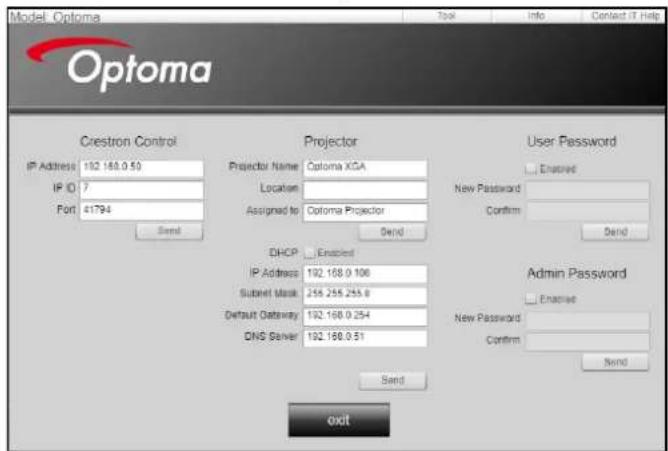
Kontakt IT-afdelingen
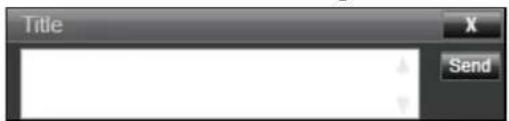
SÅDAN BRUGES PROJEKTOREN
Procedure:
natural_image
Illustration of a projector with internal components and a blue arrow indicating motion (no text or symbols)47697 Westinghouse Drive,
Fremont, CA 94539, USA
www.optomausa.com

888-289-6786

510-897-8601

services@optoma.com
Canada
47697 Westinghouse Drive,
Fremont, CA 94539, USA
www.optomausa.com

888-289-6786

510-897-8601

services@optoma.com
Latin America
47697 Westinghouse Drive,
Fremont, CA 94539, USA
www.optomausa.com

888-289-6786

510-897-8601

services@optoma.com
Europa
Unit 1, Network 41, Bourne End Mills
Hemel Hempstead, Herts,
HP1 2UJ, United Kingdom
www.optoma.eu
Service Tel: +44 (0)1923 691865

+44 (0) 1923 691 800

+44 (0) 1923 691 888

service@tsc-europe.com
Benelux BV
Randstad 22-123
1316 BW Almere
The Netherlands
www.optoma.nl

+31 (0) 36 820 0252

+31 (0) 36 548 9052
Frankrig
Bâtiment E
81-83 avenue Edouard Vaillant
92100 Boulogne Billancourt, France

+33 1 41 46 12 20

+33 1 41 46 94 35

savoptoma@optoma.fr
Spain
C/ José Hierro, 36 Of. 1C
28522 Rivas VaciaMadrid,
Spain

+34 91 499 06 06

+34 91 670 08 32
Tyskland
Wiesenstrasse 21 W
D40549 Düsseldorf,
Germany

6670

+49 (0) 211 506 66799

info@optoma.de
Scandinavien
Lerpeveien 25
3040 Drammen
Norway

+47 32 98 89 90

+47 32 98 89 99

info@optoma.no
PO.BOX 9515
3038 Drammen
Norway
Korea
WOOMI TECH.CO.,LTD.
4F, Minu Bldg.33-14, Kangnam-Ku,
Seoul, 135-815, KOREA
korea.optoma.com

+82+2+34430004

+82+2+34430005
Japan
東京都足立区綾瀬3-25-18
12F., No.213, Sec. 3, Beixin Rd.,
Xindian Dist., New Taipei City 231,
Taiwan, R.O.C.
www.optoma.com.tw asia.optoma.com
+886-2-8911-8600
886-2-8911-6550
services@optoma.com.tw
Hong Kong
Unit A, 27/F Dragon Centre,
79 Wing Hong Street, +852-2396-8968
Cheung Sha Wan, +852-2370-1222
Kowloon, Hong Kong www.optoma.com.hk
Kina
5F, No. 1205, Kaixuan Rd., +86-21-62947376
Changning District +86-21-62947375
Shanghai, 200052, China www.optoma.com.cn
Brand : OPTOMA
Model : W318STe
Category : Projector