Picus 77013 - Watch Elysee - Free user manual and instructions
Find the device manual for free Picus 77013 Elysee in PDF.


User questions about Picus 77013 Elysee
0 question about this device. Answer the ones you know or ask your own.
Ask a new question about this device
Download the instructions for your Watch in PDF format for free! Find your manual Picus 77013 - Elysee and take your electronic device back in hand. On this page are published all the documents necessary for the use of your device. Picus 77013 by Elysee.
USER MANUAL Picus 77013 Elysee
Settings for automatic movement 14
Water resistance 17
Warranty and guarantee ....19
natural_image
Close-up of interlocking mechanical gears in a mechanical assembly (no text or symbols visible)
text_image
MADE IN GERMANY Düsseldorfnatural_image
Close-up of interlocking mechanical gears and gears in a mechanical assembly (no text or symbols visible)Since 1960 ELYSEE stands for classic watchmaking and finest watch design. Here in Düsseldorf, we are producing high quality time pieces – Made in Germany. A constant motivation to do even better, is for the entire team living company philosophy:
"At the heart of our work is the sum of design, quality and great value for money, of course, connected with the varied desires of watch lovers."
We would like to congratulate you on your new ELYSEE and we hope that you will enjoy it.
With best regards, your ELYSEE team
EVERYTHING AT A GLANCE
text_image
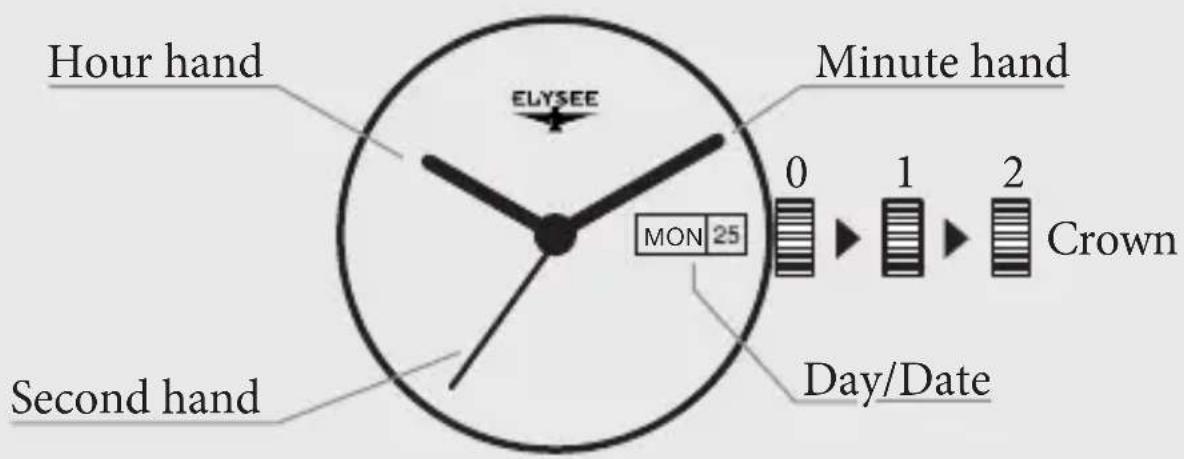
Hour hand ELYSEE Minute hand MON 25 Second hand Day/Date 0 1 2 CrownPlease note that this is only a schematic diagram for explaining the settings. The design and various functions can therefore differ from your watch.
SET YOUR AUTOMATIC WATCH
To start the movement of your new ELYSEE for the first time, turn the crown clockwise in the normal position (0). Usually about 20 turns. The spring tension is now applied by the movement of the weight, the so-called “rotor”, on the bottom of the movement. If the watch has a display of the power reserve, the spring tension can be read on the dial.
Please note that for mechanical watches the date adjustment is between 9pm and 3am. Please do not adjust during this time, as otherwise the gear will be engaged and damage may occur.
Some ELYSEE watches have a screw-down crown. You must first loosen these to set the clock. To do this, simply turn the crown. After adjustment, screw the crown back into its normal position (0).
SETTING DAY / DATE / TIME
- Pull the crown out to position 1 and turn it to set the day of the week to the previous day. Turn the crown counter clockwise to set the date to the previous day, too.
- Pull the crown out to position 2. To ensure that the indication of the day and date will not change at noon, turn the hour and minute hand until the day and date switch to the current day and date at midnight.
- Now, by turning the crown, adjust the hour and minute hand to the current time and make sure that the current time is before or after noon.
- Push the crown back to its normal position (0).
WATER RESISTANCE (DIN 8310)
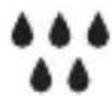
3 ATM Resistant to splashes, sweat and rain drops
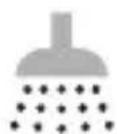
5 ATM Waterproof, but not suitable for swimming

10 ATM Suitable for swimming or snorkeling
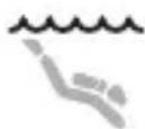
20 ATM Suitable for swimming, snorkeling and diving
The details of the water resistance can be found on the case back of your watch.
natural_image
Close-up of interlocking mechanical gears and gears in a mechanical assembly (no text or symbols visible)WARRANTY AND GUARANTEE
Your ELYSEE has a warranty of 2 years from the date of purchase against all manufacturing defects. This excludes the use of bracelet, glass, battery and damage caused by unauthorized access.
Should you need the warranty or a repair, please send your ELYSEE with the original receipt to the following address:
ELYSEE Uhren GmbH
Heerdter Lohweg 212
40549 Düsseldorf
Germany
Should you have any questions regarding the service processing, please do not hesitate to contact us by phone +49 211 522894-12 or just write an e-mail to service@elysee-watches.com.
ELYSEE

— SEIT 1960 —
DÜSSELDORF / GERMANY