Minos 83820 - Montre-bracelet Elysee - Free user manual and instructions
Find the device manual for free Minos 83820 Elysee in PDF.


| Product Type | Wristwatch |
| Brand | Elysee |
| Model | Minos 83820 |
| Movement Compatibility | Citizen/Miyota, Ronda, Seiko/TMI, ETA/Valjoux |
| Water Resistance | Up to 20 ATM (200 m) depending on variant |
| Crown Positions | 3 (0 = normal, 1 = date setting, 2 = time setting) |
| Pushers | 2 (Pusher A: start/stop, Pusher B: reset) |
| Chronograph Functions | Start, stop, resume, reset |
| Date Display | Yes (quick set via crown position 1) |
| Day/Date Display | Yes (for ETA/Valjoux movement only) |
| Time Setting | Hour and minute hands via crown position 2 |
| Warranty | 2 years from purchase date |
| Country of Origin | Germany (Düsseldorf) |
| Manual Format | PDF, 43 pages |
| Language Support | English, German, and others on request |
| Suitable For | Splash/rain (3 ATM), swimming (10 ATM), snorkeling/diving (20 ATM) |
| Battery | Requires replacement (type varies by movement) |
| Case Back | Engraved with water resistance rating |
| Brand Heritage | Since 1960 |
| Customer Support | Email: service@elysee-watches.com, Phone: +49 211 522894-12 |
Frequently Asked Questions - Minos 83820 Elysee
User questions about Minos 83820 Elysee
0 question about this device. Answer the ones you know or ask your own.
Ask a new question about this device
Download the instructions for your Montre-bracelet in PDF format for free! Find your manual Minos 83820 - Elysee and take your electronic device back in hand. On this page are published all the documents necessary for the use of your device. Minos 83820 by Elysee.
USER MANUAL Minos 83820 Elysee
Settings for CITIZEN/MIYOTA movement .....26
Settings for RONDA movement 30
Settings for SEIKO/TMI movement 34
Settings for ETA/VALJOUX movement 38
Water resistance 41
Warranty and guarantee 42
Environmental note and disposal 43

Since 1960 ELYSEE stands for classic watchmaking and finest watch design. Here in Düsseldorf, we are producing high quality time pieces – Made in Germany. A constant motivation to do even better, is for the entire team living company philosophy:
"At the heart of our work is the sum of design, quality and great value for money, of course, connected with the varied desires of watch lovers."
We would like to congratulate you on your new ELYSEE and we hope that you will enjoy it.
With best regards, your ELYSEE team
SETTINGS FOR CITIZEN/MIYOTA MOVEMENT
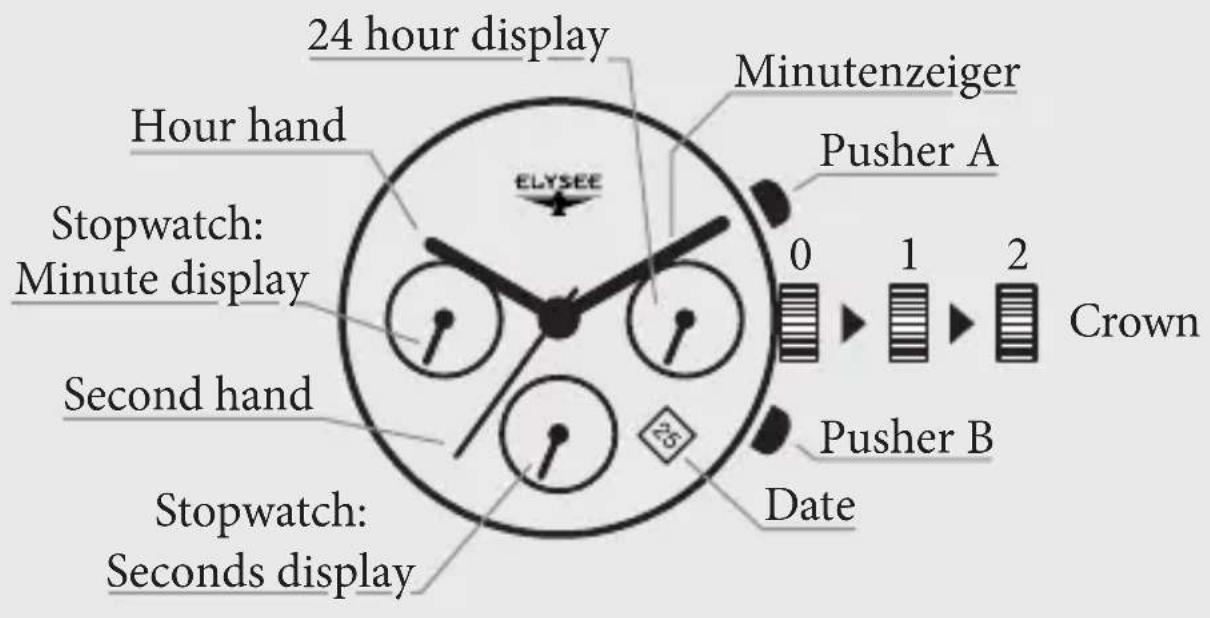

Please note that this is only a schematic diagram for explaining the settings. The design and various functions can therefore differ from your watch.
Setting the date
- Pull the crown out to position 1 and turn the crown counterclockwise to set the date of the previous day.
- Pull the crown out to position 2. To ensure that the indication of the date will not change at noon, turn the hour and minute hands forward until the indication of the date changes to the current date.
- By turning the crown, set the hour and minute hand to the current time.
- Push the crown back to its normal position (0).
Setting the time
- Pull the crown out to position 2 and turn the crown clockwise to set the current time.
- Push the crown back to its normal position (0).
The date must be reset on the first day of each month following a month with less than 31 days.
USE OF THE CHRONOGRAPH
- By pressing Pusher A, the stopwatch is started or stopped. The stop operation can be continued or stopped by pressing the Pusher A again.
- Once the Pusher B is pressed, the stopwatch is reset if the time measurement has been stopped.
Example:
- Pusher A = start time measurement
- Pusher A = stop time measurement and read the time
- Pusher A = resume time measurement
- Pusher A = stop time measurement and read the time again
- Pusher B = The hands of the chronograph return to their zero position
RESET THE CHRONOGRAPH
You should always carry out a reset, if the second hands won't be in their correct zero position or every time after changing the battery.
- Pull out the crown into position 2.
- By pressing the Pusher A you can reset the second hand of the Chronograph to position "0".
- After being back exactly on zero position, please adjust the time and pull back the crown into its normal position.
Do not press the crown back into its normal position while the chronograph's second hand is not yet in the right zero position. Otherwise, the chronograph assumes the intermediate position as the zero position.
SETTINGS FOR RONDA MOVEMENT
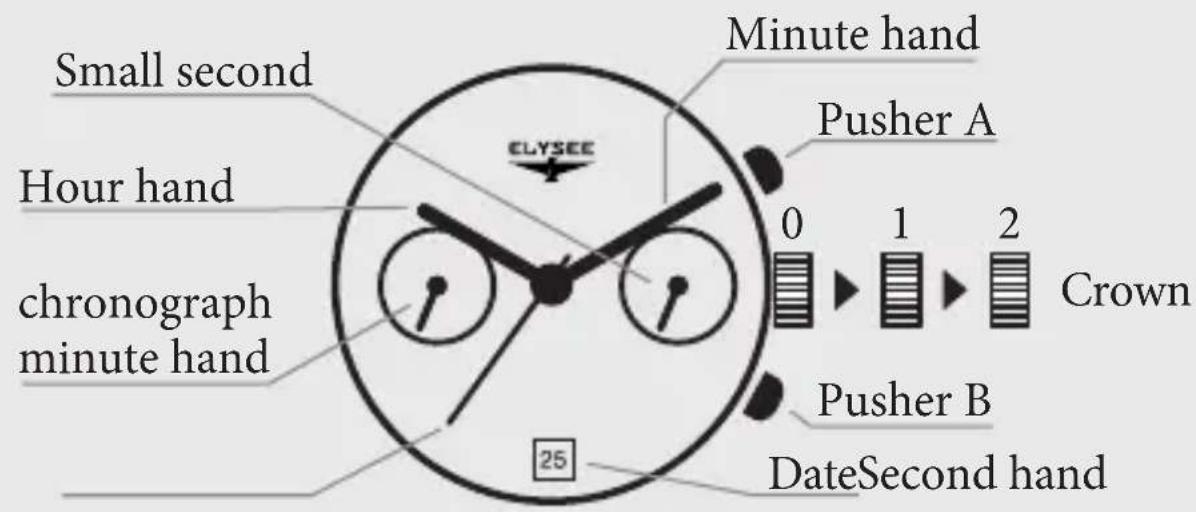
Please note that this is only a schematic diagram for explaining the settings. The design and various functions can therefore differ from your watch.
Setting the date
- Pull the crown out to position 1 and turn the crown counterclockwise to set the date of the previous day.
- Pull the crown out to position 2. To ensure that the indication of the date will not change at noon, turn the hour and minute hands forward until the date changes to the current date.
- By turning the crown, set the hour and minute hand to the current time.
- Push the crown back to its normal position (0).
Setting the time
- Pull the crown out to position 2 and turn the crown to set the current time.
- Push the crown back to its normal position (0).

The date must be reset on the first day of each month following a month with less than 31 days.
USE OF THE CHRONOGRAPH
Chronograph: Basic function (Start / Stop / Zero)
- Press the Pusher A to start or stop the time measurement. The stop operation can be continued or stopped by pressing the Pusher A again.
- Pressing the Pusher B once resets the chronograph hands back to their zero positions, if the time measurement has been stopped before.
Other time measurements are also possible. For further information please visit www.elysee-watches.com
RESET THE CHRONOGRAPH
One or more chronograph hands are not in theirs correct zero positions and must be aligned (e.g. after battery change).
Alignment of the chronograph pointer to the zero position
- Pull the crown to position 2. (All chronograph hands move to their correct or incorrect position.)
- Press the Pushers A and B simultaneously for at least 2 seconds. The correction mode is activated when the second hand rotates 360^ .
- Now press Pusher A (1 x short = single steps, long = continuous) to adjust the alignment of the hands.
- Move to the next hand by pressing Pusher B. Repeat steps 3 and 4 until you have set all hands to the correct zero position.
- Push the crown back to its normal position (0).
SETTINGS FOR SEIKO/TMI MOVEMENT
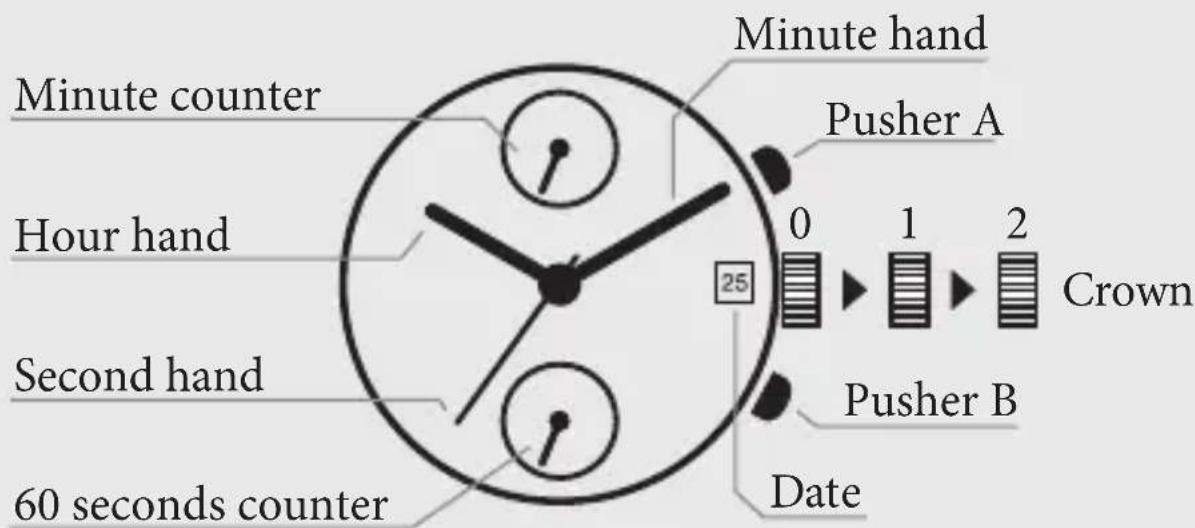

Please note that this is only a schematic diagram for explaining the settings. The design and various functions can therefore differ from your watch.
Setting the date
- Pull the crown out to position 1 and turn it clockwise to set the date of the previous day.
- Pull the crown out to position 2. To ensure that the date display does not switch at noon, turn the hour and minute hand forward until the display changes to the current date.
- Set the current time by turning the crown and check whether the current time is before or after noon.
- Push the crown back to its normal position (0).
Setting the time
- Pull the crown out to position 2 and turn it to set the current time. Note that the current time is before or after noon.
- Press the crown back to its normal position (0).
USE OF THE CHRONOGRAPH
Chronograph: Basic function (Start / Stop / Zero)
- Press the Pusher A to start or stop the time measurement. The stop operation can be continued or stopped by pressing the Pusher A again.
- Pressing the Pusher B once resets the chronograph hands back to their zero positions, if the time measurement has been stopped before.
Other time measurements are also possible. For further information please visit www.elysee-watches.com
RESET THE CHRONOGRAPH
One or more chronograph hands are not in theirs correct zero positions and must be aligned (e.g. after battery change).
Alignment of the chronograph pointer to the zero position
- Pull the crown out to position 2.
- Press the Pusher B for two seconds and release the Pusher.
- Push the crown back to its normal position (0).
The small second hand will move at two-second interval for 10 seconds as a demonstration. If the crown is operated within these 10 seconds, the two-second interval movement will not be activated.
SETTING FOR ETA/VALJOUX MOVEMENT
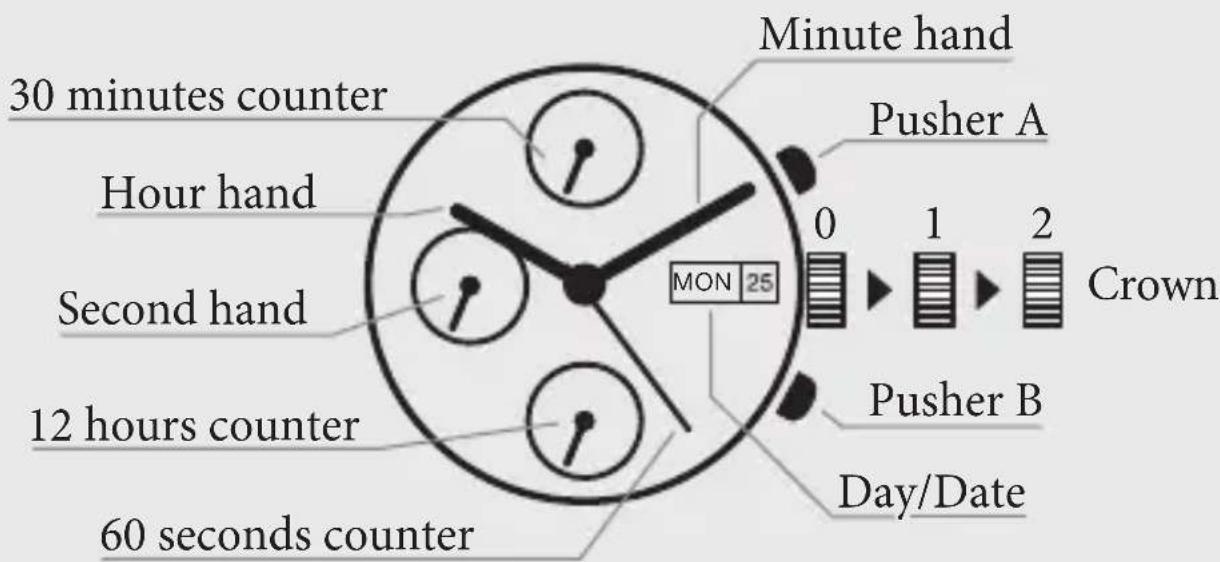

Please note that this is only a schematic diagram for explaining the settings. The design and various functions can therefore differ from your watch.
Setting the day and date
- Pull the crown out to position 1 and turn it clockwise to set the indication of the date of the previous day. Rotate the crown counterclockwise to set the indication of the day of the previous day.
- Pull the crown out to position 2. To ensure that the indications will not change at noon, turn the hour and minute hands forward until the day and date change to the current day and date.
- By turning the crown, set the hour and minute hand to the current time.
- Push the crown back to its normal position (0).
Setting the time
- Pull the crown out to position 2 and turn it to set the current time.
- Press the crown back to its normal position (0).
Please do not set the weekday and date display between 21:00pm and 03:00am, otherwise damage to the clockwork may occur.
USE OF THE CHRONOGRAPH
- Pressing Pusher A starts or stops the stopwatch. The stop operation can be continued or stopped by pressing the Pusher A again
- Once the Pusher B is pressed, the chronograph's hands are reset to theirs zero positions, but only if the time measurement has been stopped first.
Example:
- Pusher A = start time measurement
- Pusher A = stop time measurement and read the time
- Pusher A = resume time measurement
- Pusher A = stop time measurement and read the time again
- Pusher B = The hands of the chronograph return to theirs zero positions
WATER RESISTANCE (DIN 8310)
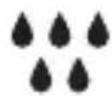
3 ATM Resistant to splashes, sweat and rain drops
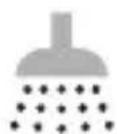
5 ATM Waterproof, but not suitable for swimming

10 ATM Suitable for swimming or snorkeling
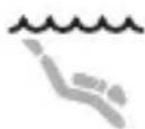
20 ATM Suitable for swimming, snorkeling and diving
The details of the water resistance can be found on the case back of your watch.
WARRANTY AND GUARANTEE
Your ELYSEE has a warranty of 2 years from the date of purchase against all manufacturing defects. This excludes the use of bracelet, glass, battery and damage caused by unauthorized access.
Should you need the warranty or a repair, please send your ELYSEE with the original receipt to the following address:
ELYSEE Uhren GmbH
Heerdter Lohweg 212
40549 Düsseldorf
Germany
Should you have any questions regarding the service processing, please do not hesitate to contact us by phone +49 211 522894-12 or just write an e-mail to service@elysee-watches.com.
ENVIRONMENTAL NOTE AND DISPOSAL
Some products are made of high quality materials and parts that can be recycled and reused. Therefore, at the end of their service life, they must not dispose of the product via household waste. Disposal must be in accordance with the applicable directives for WEEE. Please dispose of the products at a local collection point for waste electrical and electronic equipment.
As a consumer you are legally obliged by the battery regulation to return all used batteries and accumulators. Disposal in household waste is prohibited. You can dispose of used batteries free of charge at the collecting points of your municipality and everywhere where batteries are sold.
With the recycling of old equipment and the proper disposal of batteries / accumulators, you make an important contribution to the protection of our environment.
ELYSEE
— SEIT 1960 —
DÜSSELDORF / GERMANY
ELYSEE Uhren GmbH
- SETTINGS FOR CITIZEN/MIYOTA MOVEMENT
- Setting the date
- Setting the time
- USE OF THE CHRONOGRAPH
- Example:
- RESET THE CHRONOGRAPH
- SETTINGS FOR RONDA MOVEMENT
- Chronograph: Basic function (Start / Stop / Zero)
- Alignment of the chronograph pointer to the zero position
- SETTINGS FOR SEIKO/TMI MOVEMENT
- SETTING FOR ETA/VALJOUX MOVEMENT
- Setting the day and date
- WATER RESISTANCE (DIN 8310)
- WARRANTY AND GUARANTEE
- ENVIRONMENTAL NOTE AND DISPOSAL
- ELYSEE Uhren GmbH
Brand : Elysee
Model : Minos 83820
Category : Montre-bracelet