
TV-IP301W - Security Camera TRENDNET - Free user manual and instructions
Find the device manual for free TV-IP301W TRENDNET in PDF.


| Product Type | Security Camera |
| Brand | TRENDnet |
| Model | TV-IP301W |
| Connectivity | Wireless (IEEE 802.11b/g) and Ethernet (RJ-45) |
| Image Sensor | CMOS |
| Maximum Resolution | 640 x 480 pixels |
| Lens | Manual focus (rotating lens) |
| Wireless Security | WEP, WPA |
| Supported Protocols | TCP/IP, DHCP, HTTP |
| Management | Web browser with ActiveX |
| Power Supply | 5V DC, 2A (adapter included) |
| Power Consumption | 10W (max) |
| Dimensions (approximate) | 120 x 60 x 60 mm |
| Weight (approximate) | 200 g |
| Operating Temperature | 0°C to 40°C |
| Certifications | FCC, CE |
| LED Indicators | Power, Link (blinking green when connected) |
| Package Contents | Camera, power adapter, Ethernet cable, quick installation guide |
| Technical Support (US/Canada) | 1-866-845-3673 (toll-free, 24/7) |
| Technical Support (Europe) | +00800 60 76 76 6 (toll-free) |
Frequently Asked Questions - TV-IP301W TRENDNET
User questions about TV-IP301W TRENDNET
0 question about this device. Answer the ones you know or ask your own.
Ask a new question about this device
Download the instructions for your Security Camera in PDF format for free! Find your manual TV-IP301W - TRENDNET and take your electronic device back in hand. On this page are published all the documents necessary for the use of your device. TV-IP301W by TRENDNET.
USER MANUAL TV-IP301W TRENDNET
natural_image
Two TreadNet 743981 microcontroller devices with visible ports and wiring, displayed against a grid background (no text or symbols on the devices themselves)Quick Installation Guide






Table of Contents
Deutsch 1
natural_image
Two wireless camera modules with visible ports and cables, no text or symbols presentPackungsinhalt
flowchart
graph TD
    A["Office Monitoring (TV-IP301W)"] --> B["Wireless Router (TEW-432BRP)"]
    C["Front Gate Monitoring (TV-IP301W)"] --> B
    D["Nursery Room Monitoring (TV-IP301)"] --> B
    E["Warehouse Monitoring (TV-IP301)"] --> B
    F["Workstation with PCI Adapter (TE100-PCIWN)"] --> B
    B --> G["Cable/DSL Modem"]
    B --> H["Internet"]
natural_image
Exterior view of a blue and white optical instrument mounted on a stand with cables (no visible text or symbols)natural_image
Electronic device with antenna and ports, no visible text or symbols on main bodynatural_image
Close-up of a wireless device with antenna, power connector, and cable (no visible text or symbols)Q1: How do I configure TCP/IP settings on my computer?
- Go into the Control Panel and double-click the Network Connections icon, and then right-click the Local Area Connection icon and then click Properties.

- Click Internet Protocol (TCP/IP) and then click Properties. Then click on Use the following IP address, and make sure you assign your network adapter an IP address in the subnet of 192.168.1.x.

Q2: The image is blurry. How do I fix this?
A2: You can adjust the Internet Camera's focus by rotating the lens.
Q3: When I click on Live Show Active X, the image does not load?
A3: First, make sure that you are using a browser that supports Active X. Second, make sure that Active X is installed.
Q4: How do I connect the TV-IP301W to my wireless router or access point?
A4: Make sure that you configure the camera to have the same SSID, encryption mode and key (if enabled). Follow the instructions in section 2 to configure the camera with the SSID and encryption key.
Q5: After I successfully configured the TV-IP301W to match my wireless network settings, I can not connect to the camera.
A5: First, verify that the wireless settings match your wireless network settings. Second, verify in the wireless section of the browser configuration that the Disable Wireless Communication option is not checked. Third, make sure to disconnect the Ethernet cable from the camera and verify that the LINK LED is blinking green.
If you still encounter problems or have any questions regarding the TV-IP301/TV-IP301W, please contact TRENDnet's Technical Support Department.
Certifications
This equipment has been tested and found to comply with FCC and CE Rules.
Operation is subject to the following two conditions:
(1) This device may not cause harmful interference.
(2) This device must accept any interference received. Including interference that may cause undesired operation.


Waste electrical and electronic products must not be disposed of with household waste. Please recycle where facilities exist. Check with you Local Authority or Retailer for recycling advice.

NOTE: THE MANUFACTURER IS NOT RESPONSIBLE FOR ANY RADIO OR TV INTERFERENCE CAUSED BY UNAUTHORIZED MODIFICATIONS TO THIS EQUIPMENT. SUCH MODIFICATIONS COULD VOID THE USER'S AUTHORITY TO OPERATE THE EQUIPMENT.
TRENDnet Technical Support
US·Canada
Toll Free Telephone: 1(866) 845-3673
24/7 Tech Support

Europe (Germany • France Italy Spain Switzerland UK)
Toll Free Telephone: +00800 60 76 76 6
Worldwide
Telephone: +(31) (0) 20 504 05 35
English/Espanol - 24/7
Francais/Deutsch-11am-8pm,Monday-Friday MET
Product Warranty Registration
Please take a moment to register your product online.
Go to TRENDnet's website at http://www.trendnet.com
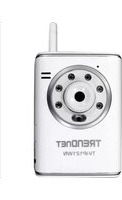
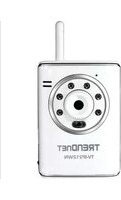
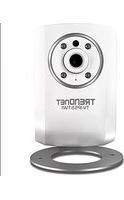
Brand : TRENDNET
Model : TV-IP301W
Category : Security Camera