T-Mobile

Speedport W 921V - Router T-Mobile - Free user manual and instructions

Find the device manual for free Speedport W 921V T-Mobile in PDF.

📄 352 pages English EN Download 💬 AI Question 10 questions ⚙️ Specs
Notice T-Mobile Speedport W 921V - page 345
View the manual : Deutsch DE English EN
Pick your language and provide your email: we'll send you a specifically translated version.
Product TypeRouter
BrandT-Mobile
ModelSpeedport W 921V
Dimensions (approx.)200 x 150 x 30 mm
Weight (approx.)300 g
Power Supply12V DC, 1A (via external adapter)
Wireless StandardWi-Fi 4 (802.11n)
Frequency Bands2.4 GHz
Antenna TypeInternal
WAN Port1 x RJ45
LAN Ports4 x RJ45 (10/100 Mbps)
VoIP SupportYes (2 TAE ports, DECT base)
DECT FeaturesCAT-iq 2.0, up to 6 handsets
USB Port1 x USB 2.0 (for storage or printer)
WDS / Repeater ModeYes
FirewallSPI, NAT, DoS protection
VPN SupportIPSec, PPTP, L2TP
ManagementWeb interface (HTTP/HTTPS), EasySupport
Firmware UpdateVia web interface
Care & CleaningWipe with dry soft cloth; avoid liquids
Safety InstructionsDo not expose to water, keep away from heat sources
Spare Parts AvailabilityPower adapter, replacement antennas (compatible)
Repairability Index6/10 (typical for routers)
General InformationHome router with integrated VoIP and DECT

Frequently Asked Questions - Speedport W 921V T-Mobile

How do I reset the Speedport W 921V to factory settings?
Press and hold the Reset button on the back of the router for at least 10 seconds using a paperclip until all LEDs flash. The router will reboot with default settings.
How can I change the Wi-Fi password?
Log in to the router's web interface (usually http://192.168.2.1). Go to Wireless > Security and enter a new passphrase. Click Apply to save.
What is the default IP address and login?
The default IP is 192.168.2.1, and the default username/password is admin/admin (or printed on the device label).
How can I set up a DECT phone with the router?
Press the DECT button on the router, then put your phone into pairing mode (refer to phone manual). The router registers the handset automatically.
Can I use the Speedport W 921V as a Wi-Fi repeater?
Yes, enable WDS or Repeater mode in the wireless settings. Enter the MAC address of the main router and configure the same SSID/password.
How do I update the firmware?
Download the latest firmware from the T-Mobile support site. Log into the router, go to System > Firmware Update, upload the file, and wait for the router to reboot.
Why is my internet connection slow?
Check for interference from other devices, move the router to a central location, or change the Wi-Fi channel. Also verify your ISP plan and cable connections.
How do I enable the firewall?
Go to Security > Firewall in the web interface. Ensure SPI and NAT are enabled. Default settings are typically sufficient.
Can I connect a USB printer to the router?
Yes, plug the printer into the USB port. In the web interface, go to USB > Printer and enable Print Server. Install the printer driver on your computer.
How do I configure VoIP settings?
Log in to the web interface, go to Telephony. Enter your SIP account details (provided by your VoIP provider) and apply changes. A DECT phone connected to the router will then work for calls.

User questions about Speedport W 921V T-Mobile

0 question about this device. Answer the ones you know or ask your own.

Ask a new question about this device

The email remains private: it is only used to notify you if someone responds to your question.

No questions yet. Be the first to ask one.

Download the instructions for your Router in PDF format for free! Find your manual Speedport W 921V - T-Mobile and take your electronic device back in hand. On this page are published all the documents necessary for the use of your device. Speedport W 921V by T-Mobile.

USER MANUAL Speedport W 921V T-Mobile

Firmware-Update....253

System-Informationen....254

EasySupport-Services....258

EasySupport aktivieren....260

1 Medienserver powered by TWONKYSERVER *

EasySupport-Services
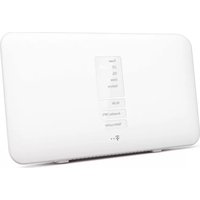
Table of contents Click a title to access it
Manual assistant
Powered by Anthropic
Waiting for your message
Product information

Brand : T-Mobile

Model : Speedport W 921V

Category : Router