M-60 - Solarium Soltron - Free user manual and instructions
Find the device manual for free M-60 Soltron in PDF.


User questions about M-60 Soltron
0 question about this device. Answer the ones you know or ask your own.
Ask a new question about this device
Download the instructions for your Solarium in PDF format for free! Find your manual M-60 - Soltron and take your electronic device back in hand. On this page are published all the documents necessary for the use of your device. M-60 by Soltron.
USER MANUAL M-60 Soltron
natural_image
Close-up of a banana peel with a flower design, labeled 'BANANA BEACH' (no other text or symbols visible)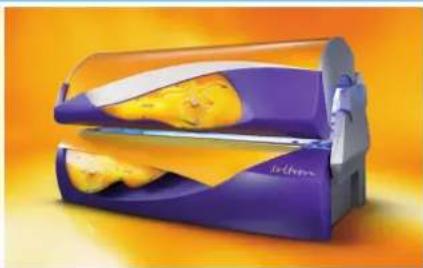
natural_image
Purple and yellow food processor with cutlery, no visible text or symbols
text_image
soltronsoltron
THE SUNMAKER
soltron
Operating Instructions
natural_image
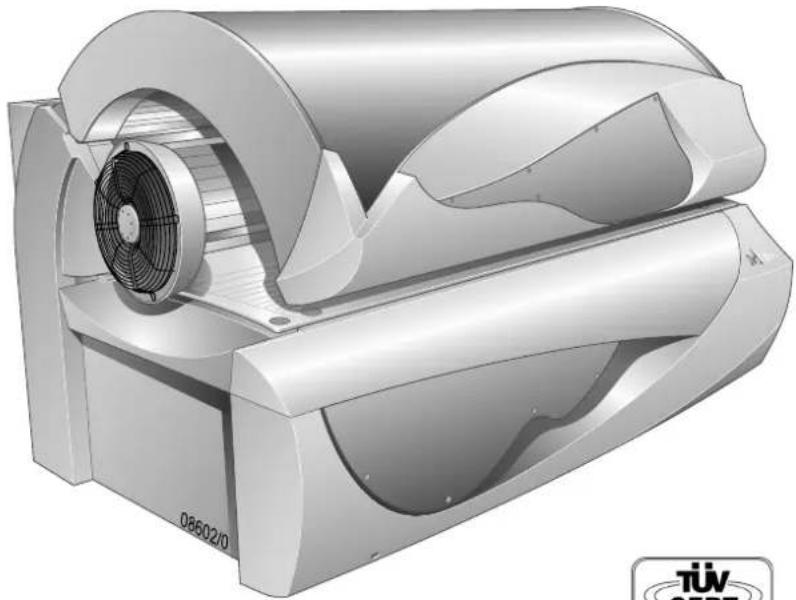
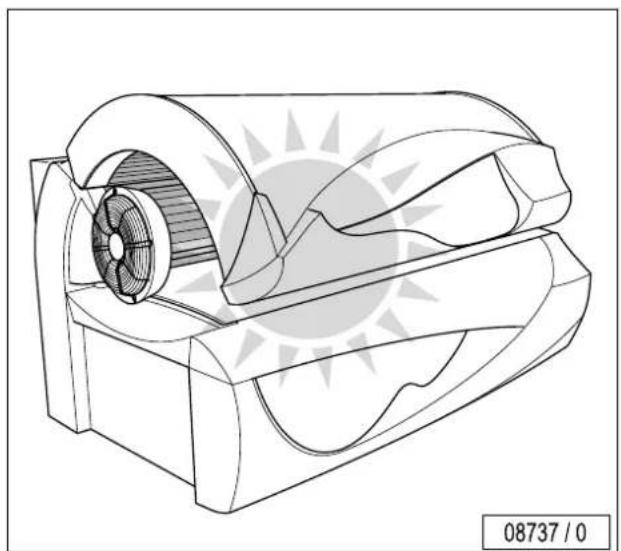
3D rendered mechanical device with fan and housing (no visible text or symbols)
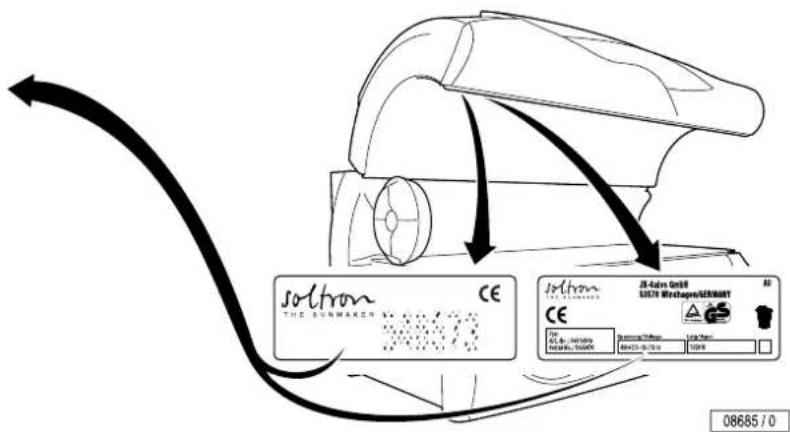
text_image
Soltron THE SUNMAKEN CE J-Adobe Mini J-Adobe Mini CE J-Adobe Mini J-Adobe Mini 08685 / 0


GB Table of contents .....29
How to use the instruction manual....31

Vorwort

text_image
Vorworttext_image
Technical diagram showing a mechanical component with labeled parts and an arrow indicating direction, including page number 09800/0.The Soltron device you have purchased is a technically advanced and powerful system. Your device was manufactured with the greatest care and precision. It went through numerous quality and safety checks in order to guarantee trouble-free, safe operation. But you too may make a significant contribution to your long-term satisfaction with your device. Following the tips and instructions in the instruction manual will ensure you enjoyment and pleasure with your device.
In case of any questions, we are always at your disposition. ^1)
Your sincerely
JK-Sales GmbH
- Read and observe the information in this instruction manual. This will enable you to prevent accidents and provide you with a reliable device ready for use.
• Always observe the generally valid legal and further regulations and legal requirements as well as the valid environmental protection regulations, including those of the country in which the system is operated. - The locally valid regulations of professional associations and other regulatory authorities must always be complied with!
Table of contents
Important safety notes and information....31
How to use the instruction manual....31
Meaning of symbols 32
Guidelines 36
Intended use 36
Safety 37
Export 38
Equipment 38
Accessories 38
Maintenance and care 39
Cleaning 39
Maintenance 41
Deenergise device and secure against being switched on again . 42
Faults 43
Product information 44
Environmental protection information 46
Use the sunbed – but use it properly! 47
General safety information 48
Manufacturer's guarantee 50
Recommended tanning times ....51
Operation 53
Overview.... Fold-out page 54
Accessories 55
Starting device/Functions during start-up 56
Switching UV lamps on and off during tanning 57
Running time of accent lighting. 59
Regulating the facial tanners 60
Switching shoulder tanner off and on ^1) 63
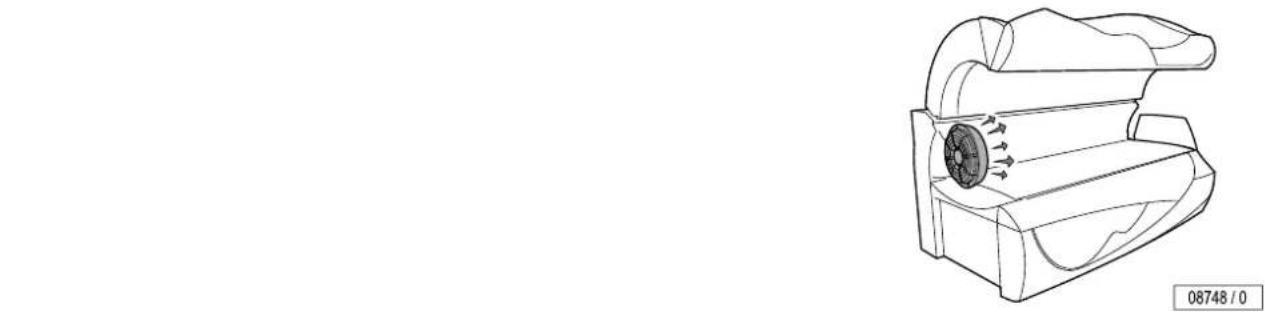
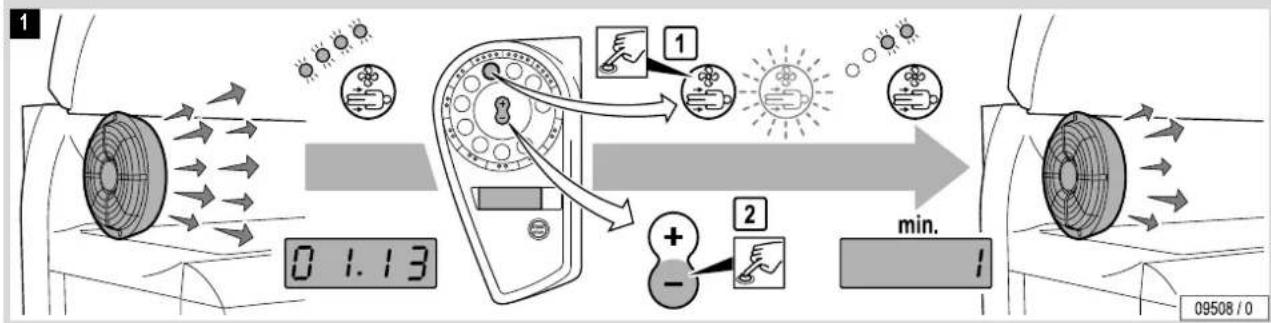
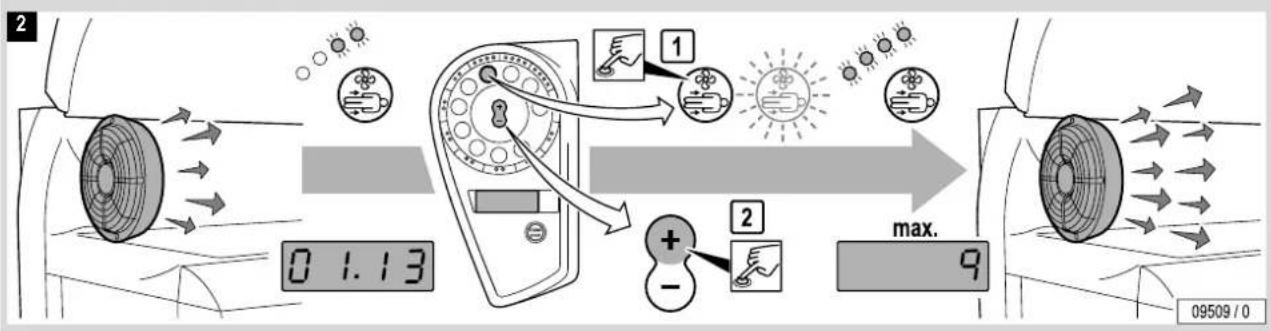
Regulating body cooling 65
Regulating facial cooling. 67
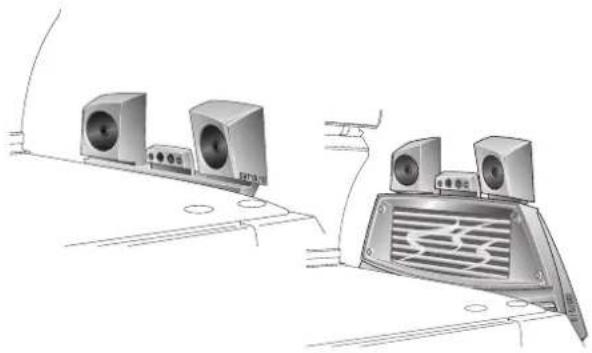
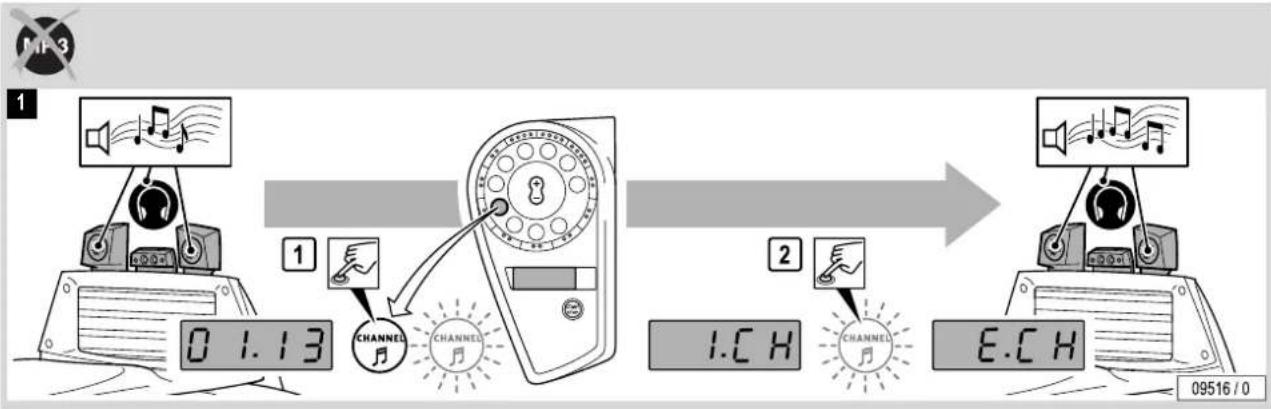
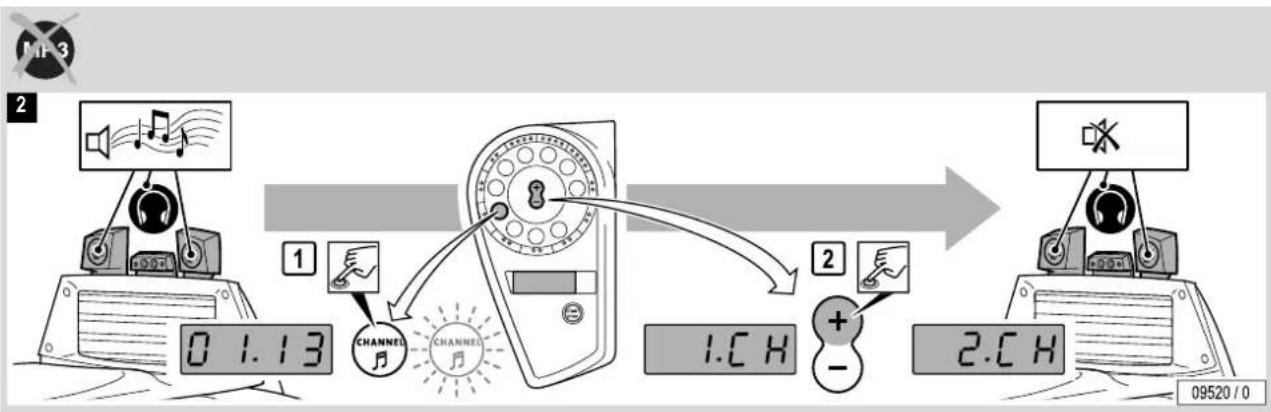
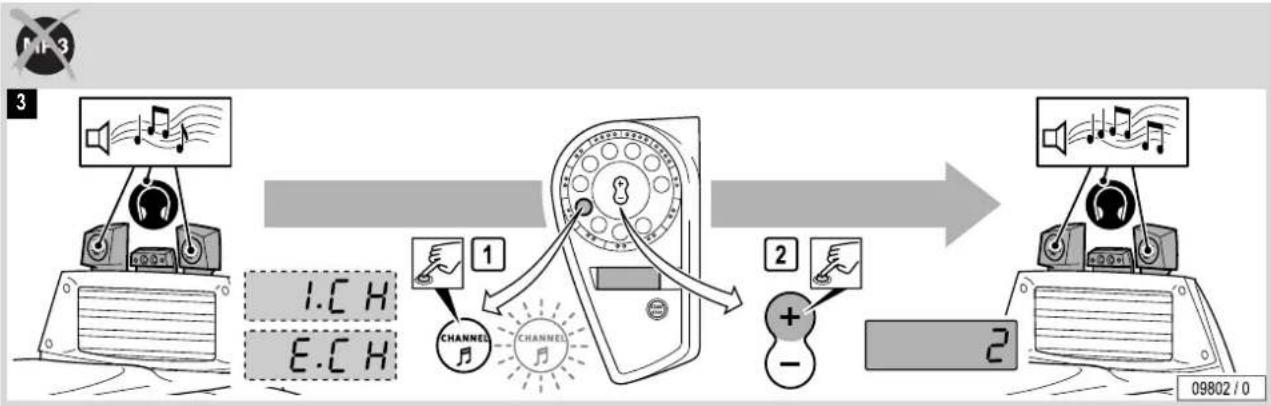
Selecting music channel ^1) 69
Adjusting volume ^1) 72
MP3 player connection ^1) 72
Technical Data 77
Maintenance 82
Overview.... Fold-out page 82
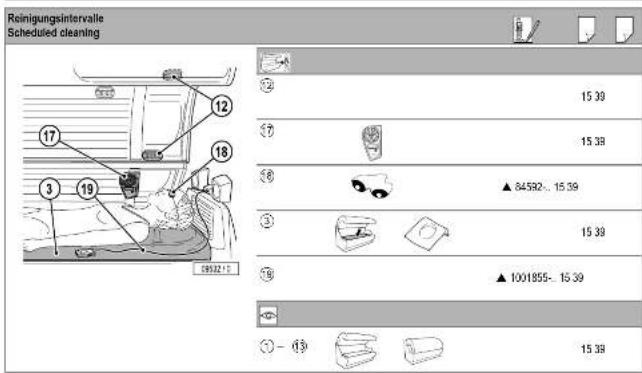
Cleaning schedule 82

Table Of Contents
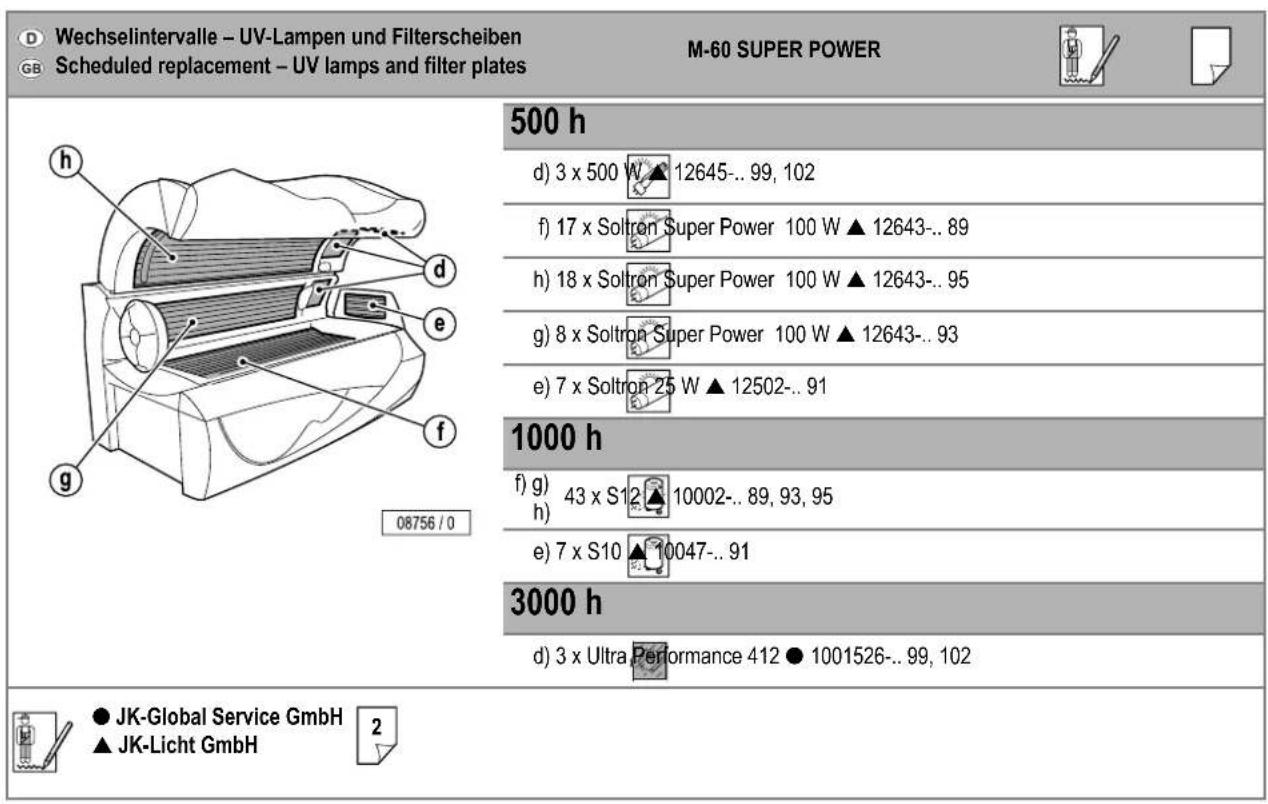
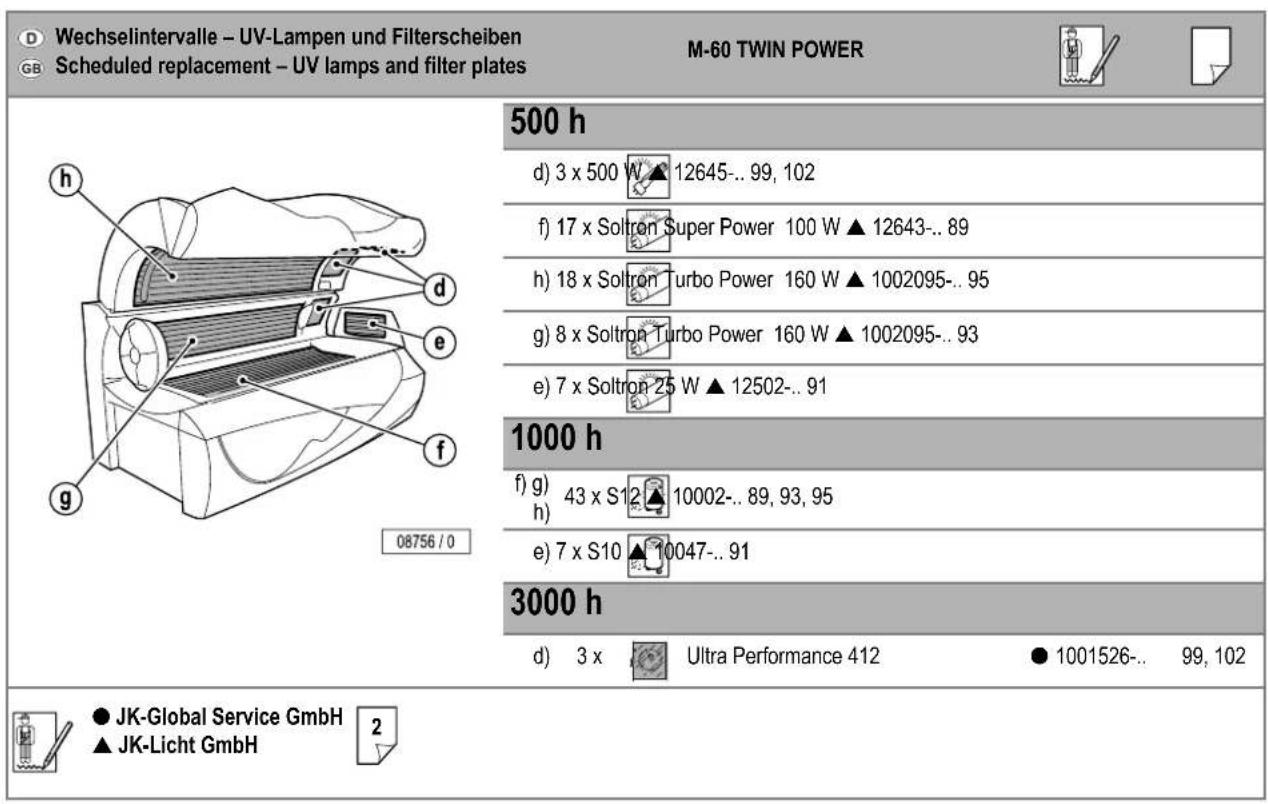
Maintenance schedule, installed lamps and order numbers ..... 83
Cleaning/replacing UV low-pressure lamps in the sunbed base ..... 89
Cleaning/replacing UV low-pressure lamps in the shoulder tanner . . . 91
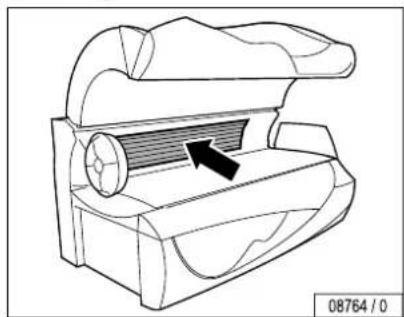
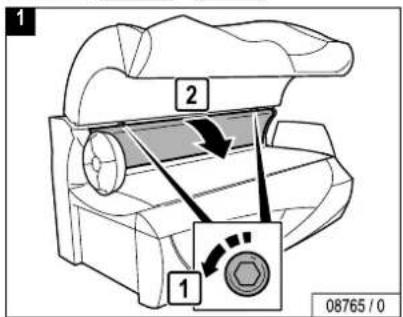
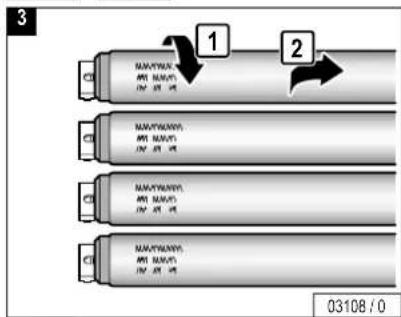
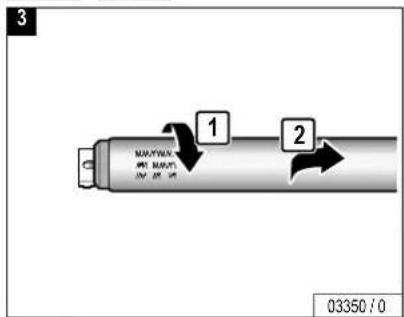
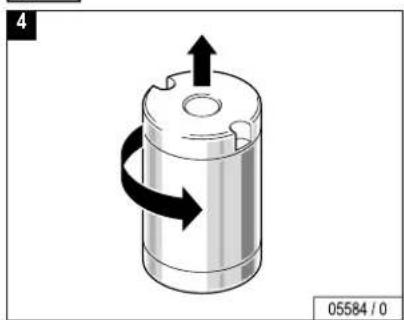
Cleaning/replacing UV low-pressure lamps in the side section ..... 93
Cleaning/replacing UV low-pressure lamps in the canopy ..... 95
Cleaning/replacing interior lighting....97
Cleaning/replacing UV high-pressure lamps and filter disks in the side section 99
Cleaning/replacing UV high-pressure lamps and filter disks in the canopy 102
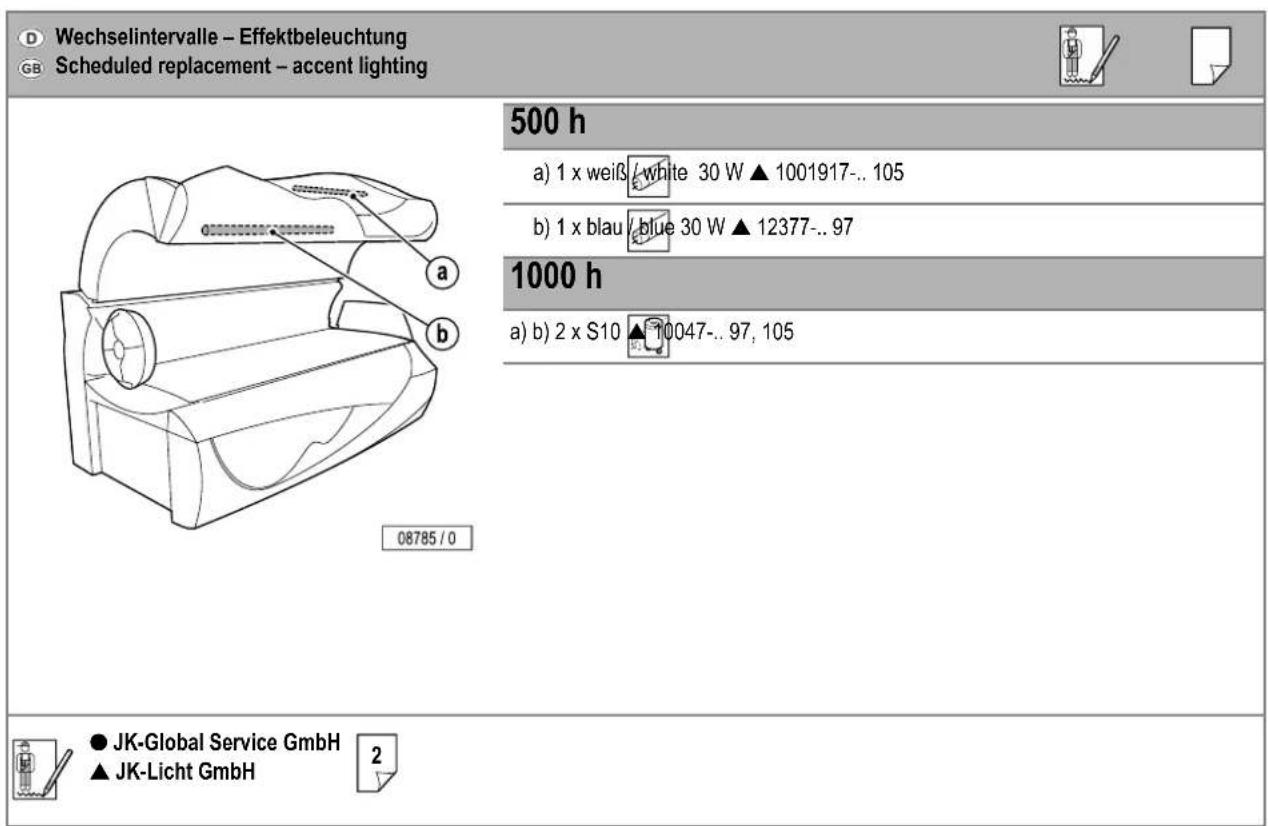
Cleaning/replacing accent lighting in canopy. 105
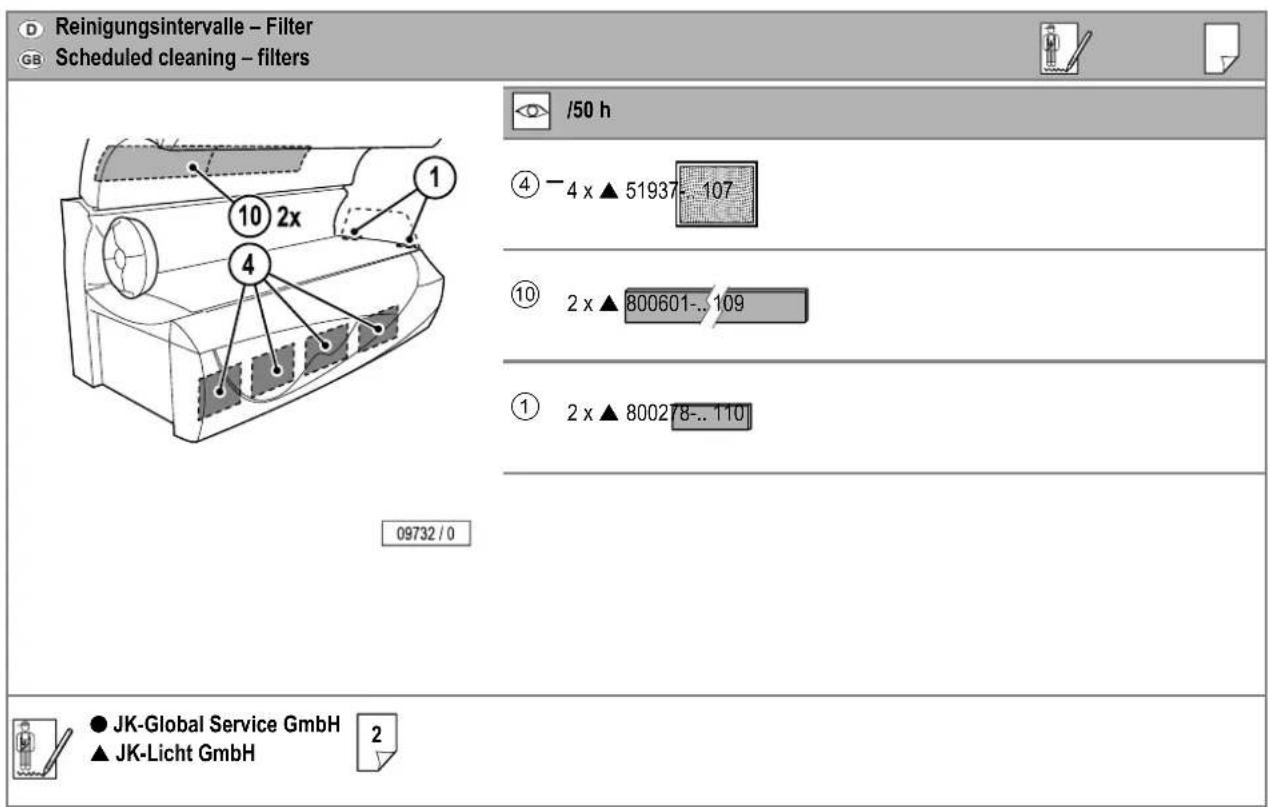
Cleaning the filters in the sunbed base 107
Cleaning/replacing filter mats in the canopy 109
Cleaning/replacing filter mats in the shoulder tanner....110
Presettings 113
Changing presettings with the control panel 119
Changing presettings with a hand-held unit. 121
JK timer controller....125
Index 129
Troubleshooting – see "Error codes", Order No. 800641
Important safety notes and information
How to use the instruction manual
The chapters "Description/Operation", "Technical Data" and "Maintenance" in this instruction manual primarily contain graphics and symbols, but only very little text. Important general information and safety precautions are provided here in the first chapter.
There are several types of symbols:
- Chapter symbols (1) (e.g. Operation, Maintenance). These symbols have a black background and are positioned on the outer edge of the page. This chapter symbol can also be used as the page heading (2).
- Symbols in the top line (3) apply to the entire page. These may be headings or important information.
- Symbols directly over a graphic (4) refer to the work step shown in the graphic.
The meaning of the symbols is explained beginning on Page 32 in this chapter.

Note:
Technical changes are reserved with respect to the illustrations and specifications in this instruction manual.
Reprinting and reproduction, in whole or in part, of this manual is only permitted with our previous written approval and with specification of the source.
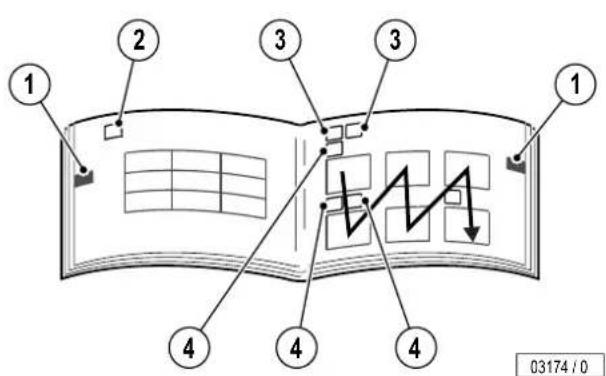
text_image
1 2 3 3 1 4 4 4 03174 / 0
Please read and observe ...
Meaning of symbols
Danger notes:

Danger!
This safety note – warning triangle with the word “Danger” – points out that danger for persons can be expected here (danger to life and limb).
Example:

Extreme danger!
Warning! High voltage!

Caution!
This safety note – warning triangle with the word "Caution" – points out that danger for devices, materials and the environment can be expected here.
Important information:

Note:
This symbol does not identify safety notes, but states information for a better understanding of the processes.
Symbols of tanning table – see Page 51
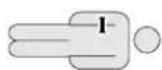
Skin type I (Sensitive):
- Invariably gets sunburn.
- Accepts little natural sunlight.
– Tanning sessions not allowed.
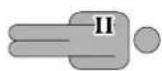
Skin type II (Fair):
- Frequent sunburn.
- Can take approx. 10-20 min. of natural sun.
– Maximum tanning sessions per year: see from page 51 on
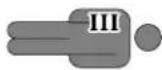
Skin type III (Normal):
– Seldom gets a sunburn.
- Can take approx. 20-30 min. of natural sun.
– Maximum tanning sessions per year: see from page 51 on
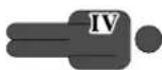
Skin type IV (Dark):
– Seldom gets a sunburn.
- Can take approx. 40 min. of natural sun.
– Maximum tanning sessions per year: see from page 51 on
Symbols for Description, Operation and Maintenance
 | Customer Service | UV high-pressure lamps |
 | Manufacturer | Filter panels |
 | Part/article number (for orders) | Cleaning and disinfectant agents |
 | Danger!Deenergise device – disconnect from power supply | Tanning table |
 | Danger of burns!Do not touch, hot surface | Operation |
 | Low-pressure lamps | Display of tanning time |
 | UV low-pressure lamps | Display of run-on time (fan run-on) |
| [cw6w] | Starter for low-pressure lamps | Fault display (example), see separate manual |
Please read and observe ...
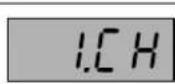
Display of Music Channel 1 (Channel 1) Factory setting: 1 channel Customer service can set further channels
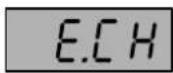
Display: externally connected systems
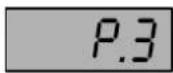
Display: MP3 player connected
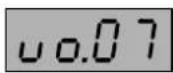
Display when adjusting volume
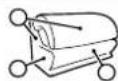
Description
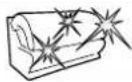
Accent lighting

Press button

e.g.: 2s
Press button for 2 seconds

Duration: 3 minutes

Headphone connection

Connection for MP3 player
| Technical data |  |
| Maintenance |  |


Please read and observe ...

Suction cup

Cleaning

Replacing


Clean or replace depending on soiling

Visual inspection

Filter mat
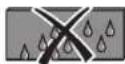
Filter and filter mats must not be damp.

Troubleshooting – see Page 43
...
Continuation of work steps on next page

End of work step
Presettings


Please read and observe ...
Guidelines
This device was built according to the following guidelines:
- EC directive "Electromagnetic Compatibility" 89/336/EEC (according to the currently valid version).
- Low-Voltage Directives 72/23/EEC (according to the currently valid version).

Note:
Depending on the local utility company, the devices can transmit interference to the power system of the house that impair the audio-frequency remote control system used by the utility company. This can, for example, interfere with the function of night-storage heaters.

Note:
If faults occur due to the operation of the devices, then the operator is responsible for the installation of an audio frequency blocking device in the building electrical installation. Please contact your electrician. The electrician is familiar with the technical connection conditions of your local utility company so that the audio-frequency blocking device can be matched to the power system of your utility company.
Intended use
The device is meant for commercial use only, not for home use.
This device is used for tanning one adult person at a time.
Nursing infants and small children through age 7 years may not use this device.
The following applies for children and teenagers between the ages of 8 and 17 years: Only use tanning devices in agreement with a parent or guardian, or after consulting a physician.
The sunbed may only be operated with the specified or equivalent lamps. The tanning times given in this instruction manual are valid only for the specified lamp configuration.
Any other use shall be considered improper. The manufacturer cannot be held liable for damage or injuries resulting from this. The operator bears the sole risk for this.
The proper use also includes compliance with the manufacturer's instructions, operating, and maintenance conditions. The device may only be operated, maintained and repaired by persons familiar with these tasks and that have been informed of the dangers involved.
For the maximum permissible load on the acrylic glass panel, please see the Technical Data on Page 77.
Safety

Danger!
Assembly and electrical connection must comply with the national regulations. ^1)
The electrical installation is to be fitted with an easily accessible all pole isolating device (master switch) on the building side, complying with overvoltage category III. This means that each pin shall have a contact opening width complying with the conditions of overvoltage category III for full isolation.
If it is connected via a plug and socket, the plug system used shall comply with EN 60309-1/A11; 5-pin; 400 V AC (16A or 32A) shall be used.
Assembly, installation, upgrading or repair of the device may only be carried out by specially trained and instructed personnel.
- All danger and safety notes attached to the device must be observed!
- No safety equipment (e.g. panel switch) or safety notes may be removed or deactivated which can impair the safe operation of the device!
-
The device may only be operated in proper condition!
-
A timing device must be designed so that the device is automatically switched off at the latest after < 110% of the selected operating time even when the controller fails. The device operating time must be dual controlled with a timing device in accordance with EN 60335-2-27. ^2)
- Do not change, obstruct or block the air inflow and outflow area to the device or make any unauthorised changes to the device. The manufacturer shall bear no liability for damage or injuries resulting from such actions.
- Before putting a tanning device into operation, the transport pallet must be removed from under the device. Danger of overheating by obstruction of the air routing.

Caution!
The code for access via the infrared interface is preset in the software of the hand-held unit, and can therefore be used with any unit. Anyone, who downloads the software from the Internet can access the unit date with a hand-held unit. Please note that Customer Service changes the preset access code during initial start-up – see Page 120. Please note the new code for future use!
This code is independent of the access code for the presettings via the control panel.

Please read and observe ...
Export
We emphasise that these devices are intended for the European market and must not be exported to nor operated in the USA or Canada! The manufacturer shall assume no liability whatsoever in case of non-observance! We explicitly emphasise that high liability risks may occur for the exporter an/or the operator in case of non-observance.
Equipment
The equipment of the devices differs depending on the model.
In this operating manual all standard and optional components/functions are taken into account which must be observed during operation and/or when performing maintenance.
The control panel is also affected by the differing equipment: Only those buttons are visible that can be operated, i.e. the corresponding function must be part of the equipment of the device.
Accessories
Some accessory parts are taken into account in the maintenance schedule beginning on Page 82, however this does not automatically mean that your device is provided with this equipment.
An overview of the possible accessories is provided in the sales documentation and the planning manual. See page 55 for a selection of these.
Maintenance and care
Cleaning

Risk of infections!
Infections can be spread by skin contact.
All articles/device components, which can come into contact with the user during tanning, must be disinfected after every tanning:
- Acrylic glass panel
- Pillows
- Handles and control panel
- Adjustable air nozzles
• M P 3 - c a b l e - Protective goggles
Antifect® fast disinfectant cleaner
Antifect concentrate, 250 ml Order No.: ▲ 8001813-..
Spray bottle, 1 ltr. (empty) Order No.: ▲ 8001513-..
Spray head Order No.: ▲ 8001613-.. Mixing container, 5 ltr. (empty) Order No.: ▲ 8001713-..

Note:
Follow the manufacturer's instructions for use.
Acrylic glass surfaces

Caution!
Do not rub with a dry cloth – danger of scratching!
For fast, hygienic proper cleaning of acrylic glass surfaces, use exclusively the specially developed fast disinfectant cleaner Antifect ^® .
Other cleaning agents, especially concentrated disinfectants or solvents (e.g. Lysoform, ethyl alcohol or other liquids containing alcohol), may not be used for cleaning.
Failure to observe this voids all guarantee claims.

Please read and observe ...
Filter panels and lamps Filter and filter mats

UV low-pressure lamps: Clean with plain water (damp cloth).

UV high-pressure lamps: Clean bulb with spirit if necessary.

Filter panels: Clean with plain water (damp cloth).

Filters in sunbed base
Dry cleaning: vacuum cleaner (depending on the degree of soiling)
Moist cleaning: water and detergent, also a dish washer.
Filter mats in canopy, in shoulder tanner
Dry cleaning: vacuum cleaner
Moist cleaning: water and a mild detergent. Do not use a dish washer.

Attention! The system can be damaged by moisture!
When re-assembling, the cleaned filters and filter mats must be dry.
Please read and observe ...
Plastic surfaces
For cleaning the other plastic surfaces, it is best to use warm water and a leather cloth. Never use aggressive cleaning agents containing alcohol, e.g. the commercially available Sagrotan, or essential oils. These may lead, in the long run, to damages not covered by the guarantee.
During cleaning a slight discolouration of the leather cloth by the rubber seals must be expected for production-related reasons.

Note:
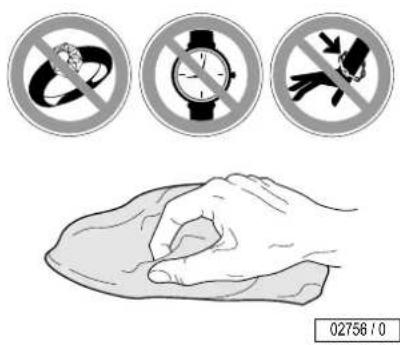
Prevent damage to the acrylic glass and plastic surfaces. Remove rings, watches, bracelets etc. before the start of cleaning work.
text_image
02756 / 0Maintenance

Extreme danger!
The device must be deenergised when performing maintenance work requiring the opening of the device. See Page 42.
Maintenance and care play a major role in deciding whether the device meets the requirements placed on it in a satisfactory manner. The compliance with the specified maintenance intervals and the careful conducting of the maintenance and care work are therefore absolutely necessary – see Page 82 ff.
The current operating hours of the parts requiring maintenance can be displayed in the Presetting mode – see Page 119 ff.
Remount any protective devices (e.g. filter panels) after completing work.
We point out that the device must be subject to repetitive inspections by our customer service or an approved specialised company every 12 months (from commissioning) to maintain its proper condition!

Caution!
Only use genuine spare parts of the same type!
The use of other parts voids the CE conformity!
Any liability is excluded in case of damage or injury proven to be the result of the use of non-genuine spare parts.

Please read and observe ...
Deenergise device and secure against being switched on again

Extreme danger!
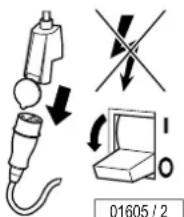
If work is to be performed on the devices, they must be deenergised. That means that all live lines must be switched off.
Switching off the device alone is insufficient, as certain points may remain energised. Therefore, switch off fuses before performing any work and – if possible – remove them.
text_image
01605 / 2
Extreme danger!
Severe accidents can occur if the device is mistakenly switched on again.
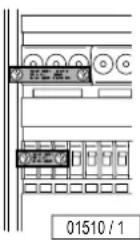
Immediately after deenergising, secure all switches or fuses used for deenergising against being switched on again.
- Lock the fuse box with a padlock.
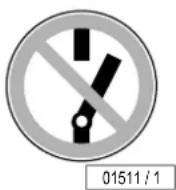
- In case of circuit breakers which cannot be screwed out, a strip of adhesive tape may be applied over the actuation lever with the wording "Do not switch, danger!".
A prohibition sign with the text:
- "Work in progress!"
- "Place: ......"
- "Sign may only be removed by: ……" must always be securely mounted immediately.

Extreme danger!
Prohibition signs must not be hung on or touch live parts.
Please read and observe ...
Faults
Error codes appear on the display to simplify localising of the fault cause ^1) :
- If a fault occurs, the fault code flashes in the display.
- If several faults occur, the fault messages are displayed alternately.
- The fault remedy is acknowledged by pressing the START/STOP button.
- If the fault cannot be eliminated, inform Customer Service – see Page 2.

Please read and observe ...
Product information
Acrylic glass panels
The acrylic glass panels for the tanning devices are produced of acrylic glass developed especially for this application. The acrylics used are characterised by a particularly high UV permeability and resistance, as well as an easy-care, hygienic surface that is gentle to the skin.
The acrylic glass panels are formed to their shapes for the specific devices in a technically complex production process. Despite state-of-the-art production know-how, the presence of minor spots, air bubbles or streaks in the acrylic panels is unavoidable. In addition, hairline cracks can occur on the bed surface during operation.
These occurrences are material-dependent and are unavoidable in processing, however have no significant effect on the utility value and can therefore not be recognised as defects.

Caution!
Cosmetics or sun screen products must be removed prior to tanning as they can cause damage (e.g. cracks on the surface) when used continuously.
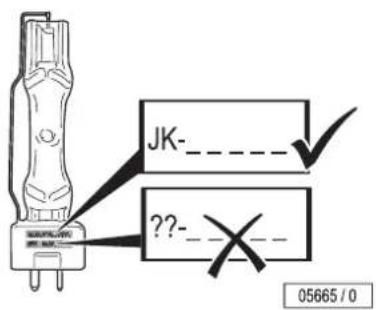
UV high-pressure lamps

Fire hazard!
High pressure lamps that have not been approved by Soltron can explode. Hot lamp components can set other parts on fire. People can be killed or severely injured due to smoke and fume inhalation.
- Only fit high pressure lamps recommended by Soltron.
- Clean the inside of the tanning device regularly. Fluff is inflammable!
text_image
JK-_ ??- 05665 / 0MP3 music (optional) – Advice for the studio owner
Studio customers may connect their private MP3 players to the sunbed if the "Audio System" accessory is fitted.
The personal use of an MP3 player during tanning is not a public broadcast in copyright terms, so that there is no obligation for registration or payment by the studio owner to the GEMA ^1 .
The same regulations apply for the official use of MP3 music files as for other music sources: As studio owner you are only allowed to use original audio CDs, MCs, audio DVDs etc. in your premises and / or play them in the MP3 music module fitted to the SOLTRON professional sunbed if you have already obtained the corresponding performing rights (GEMA ^1) /GVL ^1) ).
Copy-protected audio CDs, MCs, audio DVDs etc., as well as the tracks included on these media, are not allowed to be converted to MP3 format and / or stored on hard discs, audio CDs, MCs, audio DVDs etc. when software and / or computer programs are used for this purpose which cancel or avoid the copy-protection included on the storage media.
On request of field staff or other GEMA1) controlling bodies you must at any time be able to show evidence of the rights gained by presenting the certificate issued by the GEMA1).
As long you follow the advice given above and have gained of the necessary rights, you may convert your original audio CDs, MCs, audio DVDs etc. to the MP3 format required for the player. However, you may only create one copy (either a duplicate or a conversion to MP3 format)
for each audio CD, MC, audio DVD etc. for which you have obtained the legal rights. The original sound storage medium must be stored and is not allowed to be used at the same time.

Please read and observe ...
text_image
Environmental protection informationEnvironmental protection information
Environmental Declaration – The JK Corporate Group

EMAS
GEPRÜFTES UMWELTMANAGEMENT
D-141-00000
The JK corporate group is subject to the strict regulations of EC Directive 761/2001 and the standard EN ISO 14001:1996, and undergoes regular internal and external environment audits performed by trained auditors.
Environmental regulations – disposal of lamps and batteries
UV low-pressure lamps and UV high-pressure lamps contain fluorescent materials and other waste containing mercury. Batteries contain heavy metal compounds.
According to the national waste disposal laws and in accordance with the municipal waste regulations, proof must be provided of the proper disposal of UV lamps and batteries.
Your local sales agency will be happy to assist you with the disposal of UV lamps and batteries.
- Report the number of UV lamps and batteries to your local agency by telephone or in writing.
- The agency will inform you about a collecting point ^1) for your lamps or will pickup the lamps and arrange proper disposal in cooperation with a disposal company.
Packaging
All packaging consists of 100 % recyclable materials. Packaging brought into circulation by the JK Corporate Group that is no longer required can be returned to the JK Corporate Group. Your agency partner or dealer will be happy to advise you.
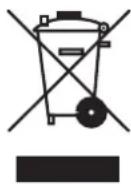
Disposing of used equipment
The device has been produced of recyclable materials. When being scrapped later, the device must be disposed of properly. The JK Corporate Group will provide you with information on the content or potential hazards of the materials used.
If required, the JK-Company Group ^1) will dispose of this equipment in accordance with the regulations. Your agent or dealer will be pleased to advise you.
The components and units are marked with the following symbols:
Use the sunbed – but use it properly!
A few things need to be noted to get maximum enjoyment from a sunbed. Here are some answers to some frequently asked questions.
Make-up on the sunbed?
Please don't. Clean skin absorbs UV light better.
A wide variety of materials is found in cosmetics. Again, whether these are emulsifiers, greases, or so-called scents – in conjunction with UV radiation, these can cause allergic reactions of the skin.
Accordingly, a must before using a sunbed is: Remove all make-up. This is essential. Make-up clogs the pores in the face. The UV light from a sunbed re-opens these clogged pores so that not only does the light penetrate the skin, but also the allergenic components of the make-up.
A further negative consequence of make-up is that the appearance of the skin deteriorates irreversibly over a period of time. However good a decent make-up might be – in conjunction with UV light, it causes more harm than good. Therefore: Remove all make-up before a session on your sunbed – it will be much better applied afterwards.
Showering after leaving the sunbed?
The browning is in the skin, not on it. Therefore you cannot wash it off. Treat your skin to a moisturizing cream after showering.
Are medications and the sunbed compatible?
It is known that some medications increase the skin's sensitivity to UV light. This probability is particularly high with antibiotics, sulphonamides, psychiatric drugs, tranquillizers, anti-diabetes treatments and diuretics. Suncreams which contain psorale or kumarin also increase skin sensitivity. If you are in any doubt, first ask your doctor – then you can enjoy the sun at no risk.
Contact lenses on the sunbed?
The answer is: Yes! Like any other sunbed user, contact lens wearers should also wear special protective goggles which protect the eyes against UV light. To guarantee better protection, wearers of spectacles and contact lenses can ask their optician for exchange contact lenses with UV protection. The UV-A and UV-B filters built into exchange contact lenses will protect the cornea and the internal parts of the eye against almost 100% of the energy in UV radiation.
This will benefit sunbed users not only in the open air, but on the sunbed itself. You can wear these contact lenses even on the sunbed without any restrictions. For more information, ask your optician or optometrist.

Please read and observe ...
General safety information

Danger of skin and eye injuries or skin diseases!
- Persons with very sensitive skins (skin type I) must not use the unit, as with this skin type tanning is impossible without damaging the skin (e.g. sunburn).
- Individuals with acute sunburn, individuals who have had or have skin cancer, or individuals who are at increased risk of skin cancer, must not use the system.
- UV devices must not be used without taking medical advice if unexpected effects, such as itching, occur within 48 hours of the first session.
- The sunbed may never be used when a filter panel is missing or damaged, or the timer is defective!
- UV light from the sun or UV systems can cause injuries to the skin or eyes. This biological effect is dependent on the sensitivity of the individual's skin and on the type and amount of UV light.
- The skin can become sunburned when exposed to excessive radiation. Excessive, frequently repeated exposure to UV radiation with sunlight or UV devices can result in premature ageing of the skin and an increased risk of skin tumours.
-
Particular caution is advisable for individuals who are especially sensitive to UV light, and when certain medications or cosmetics are used.
-
Remove cosmetics before tanning and do not use sun screen products.
• See a physician if stubborn swelling, sores or pigmented moles form on the skin. - Some medications for internal or external use can considerably increase the skin's sensitivity to UV light. For example: Antibiotics, Sulphonamides, psoralenes such as melanin, vitamin A acid and derivatives. Sunbaths – including those in the sun – should not be taken during and shortly after using preparations of this kind! If in doubt, ask your physician beforehand!
- The unprotected eye can become inflamed on the surface, and in certain cases the retina can be damaged by excessive radiation. Cataracts can form after frequently repeated exposure to radiation.
Use the accompanying protective goggles that block UV (Order No. ▲ 84592-..). - The time between the first two tanning sessions must be at least 48 hours! Do not take an additional sunbath on the same day.
- Increased tanning requires an extension of the exposure time (= radiation time) and further intensification is not possible after a specific degree of tanning has been realised. However, the radiation time may not be extended as desired within the scope of the permissible radiation doses! Therefore, only a certain degree of final tanning dependent on the skin type can be achieved without endangering your health.
Recommended tanning times
See the table on Page 51.

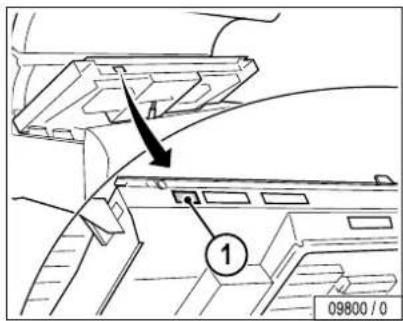
Note:
The sunbeds are supplied without low pressure lamps.
However, the tanning times are only valid for the lamp configuration specified on the sticker (1).
text_image
Technical diagram showing a mechanical component with labeled parts and an arrow indicating direction, including page number 09800/0.
Please read and observe ...
Manufacturer's guarantee
Soltron accepts liability for any tanning system defects that arise in accordance with the following regulations on behalf of customers who have purchased an Soltron tanning system for private or commercial utilisation from one of Soltron's sales partners; consumable parts such as UV-high pressure lamps (burner), UV-low pressure lamps (tubes) and starters as well as the acrylic-glass tanning bed itself are not covered by the warranty.
The warranty stipulates that Soltron will eliminate any defects within a time period predetermined by Soltron by repairing or exchanging the defective part.
Claims made in accordance with this warranty can be lodged with Soltron or the Soltron sales partner from whom the product was purchased on presentation of the warranty card or invoice; this warranty is valid for a period of 24 months from the date of purchase.
This does not affect the rights of the customer under the existing guarantee with regard to any claims that the customer might have in accordance with the contract of purchase.
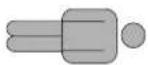
| Soltron M-60SUPER POWER | Super Power 100 W | ! | |||
| II | III | IV | I | ||
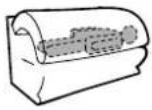 | 1.2 | 2 | 2 | 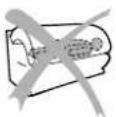 | |
| 2.2 | 2 | 3 | |||
| 3. | 2 | 3 | 4 | ||
| 4. | 3 | 4 | 5 | ||
| 5.3 | 4 | 6 | |||
| 6.4 | 5 | 7 | |||
| 7. | 4 | 6 | 8 | ||
| 8.5 | 7 | 9 | |||
| 9.5 | 7 | 1 | 0 | ||
| 10.6 | 8 | 1 | 1 | ||
| 11. | 6 | 9 | 1 | 2 | |
| 12.7 | 1 | 0 | 1 | 3 | |
| ...7 10 13 | |||||
| 65 46 35 — | |||||

natural_image
Technical line drawing of a mechanical fan assembly (no text or symbols)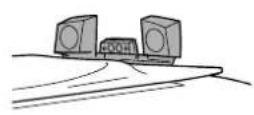
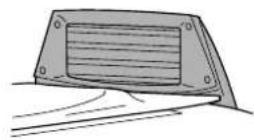
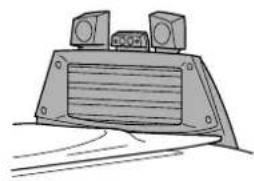
natural_image
Line drawing of a mechanical device with two speakers and a ventilation grille (no text or symbols)08736/0

Start
natural_image
Technical line drawing of a mechanical fan assembly (no text or symbols)natural_image
Technical line drawing of a mechanical device with internal fan and cooling fins (no text or symbols)


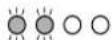

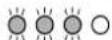

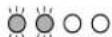


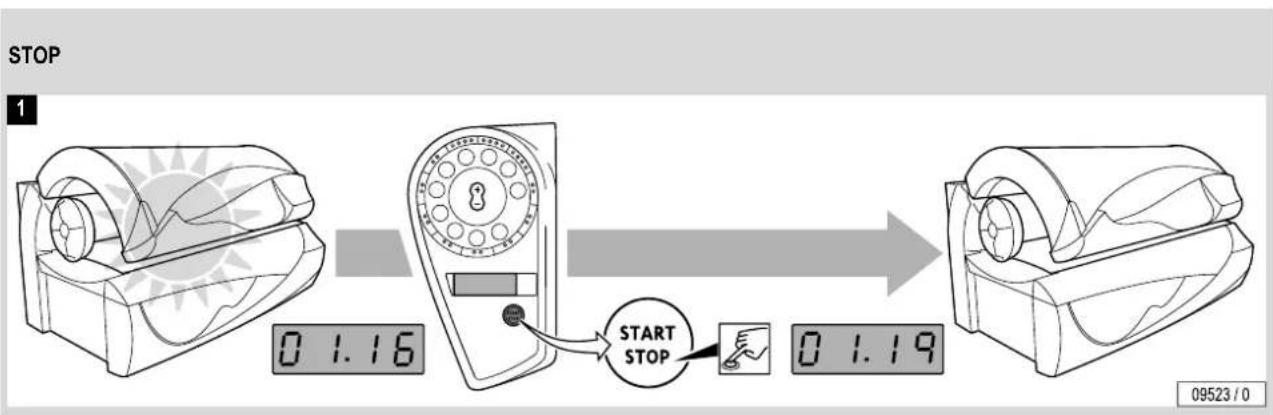
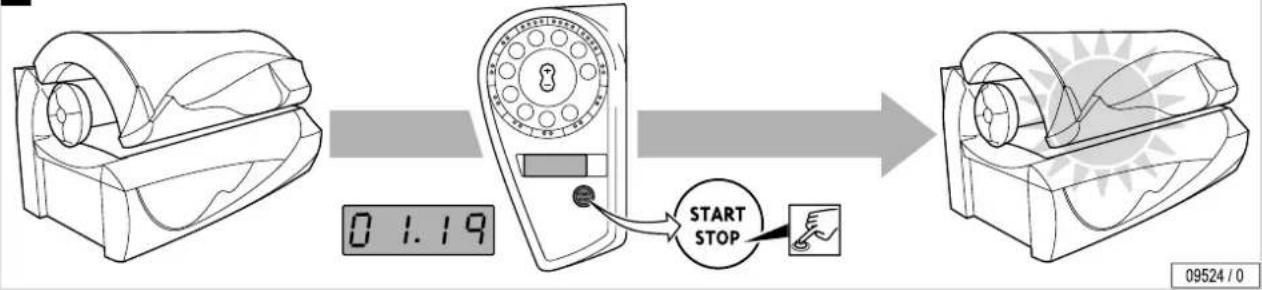
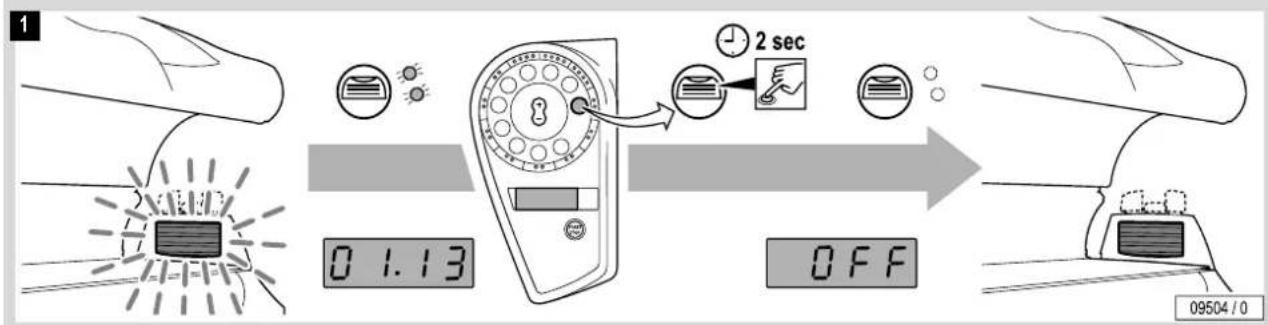
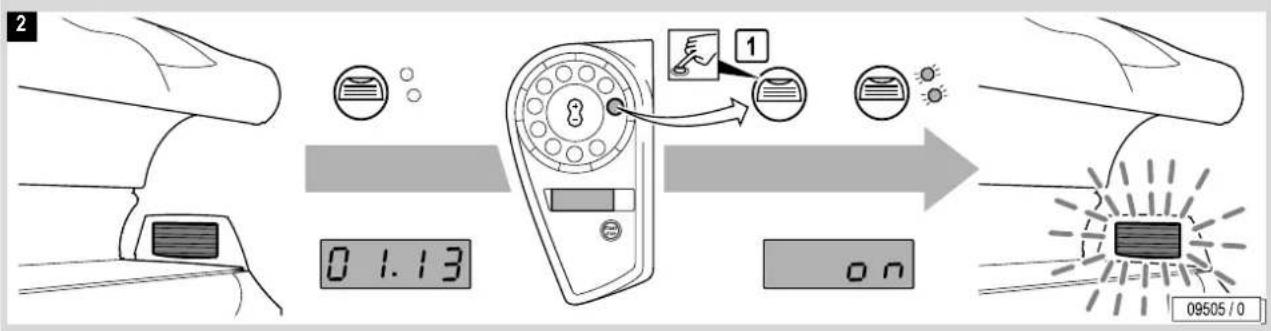
GB Switching UV lamps off and on during tanning

Note:
If the UV lamps are switched off during
tanning, the tanning time runs on.

flowchart
graph LR
    A["STOP"] --> B["0 1.16"]
    B --> C["START STOP"]
    C --> D["0 1.19"]

START
2
flowchart
graph LR
    A["Device Display"] -->|0 1.19| B["Digital Display"]
    B --> C["Switch Start Stop"]
    C --> D["Final Display"]

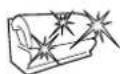
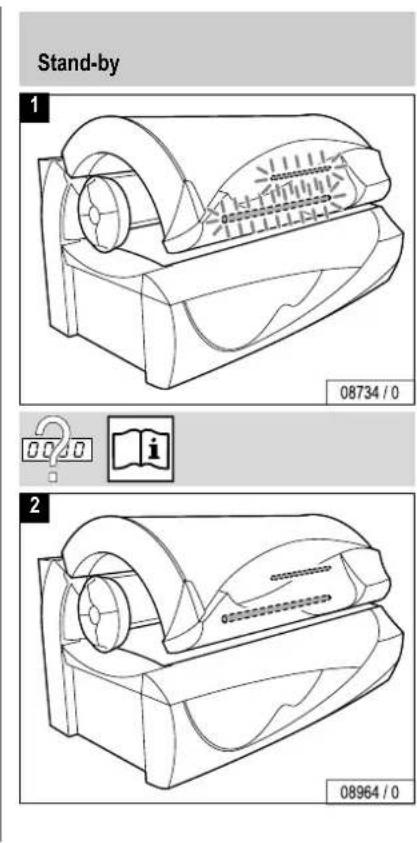
GB Running time of accent lighting
text_image
Stand-by 1 08734 / 0 2 08964 / 0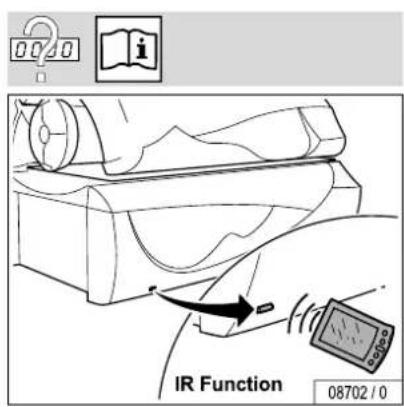
text_image
020 i IR Function 08702 / 0
D Voreinstellungen
GB Presettings


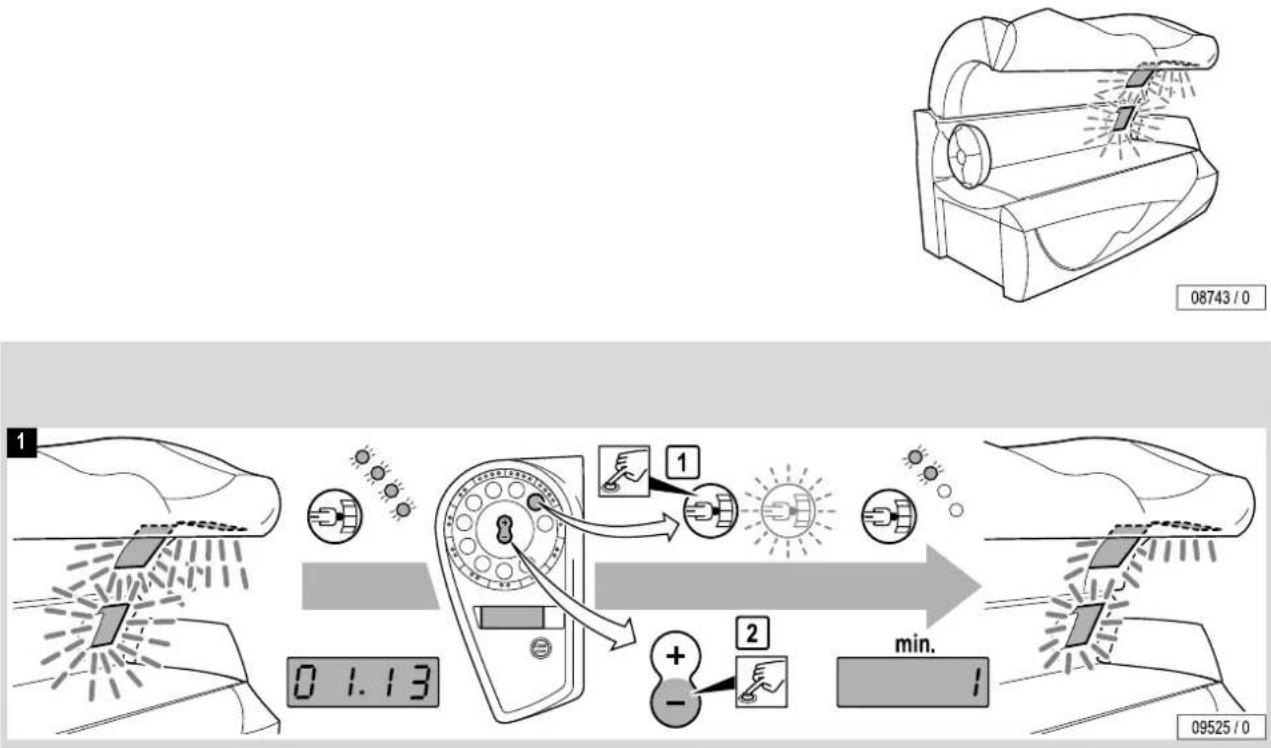
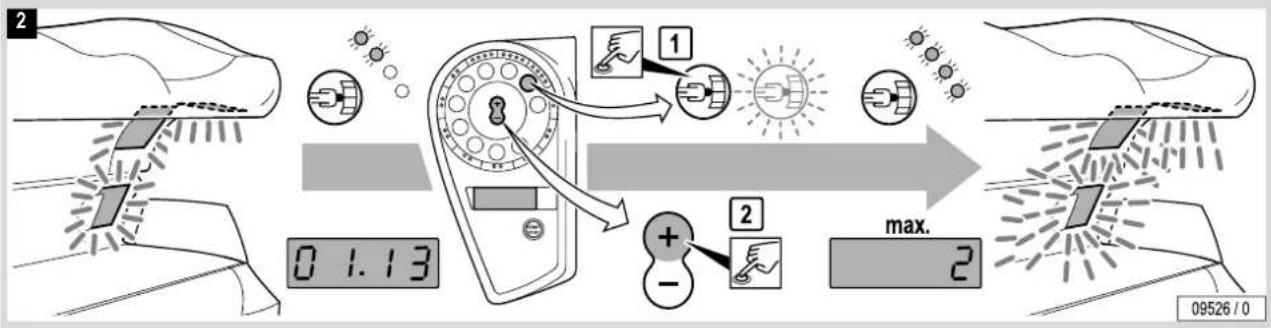
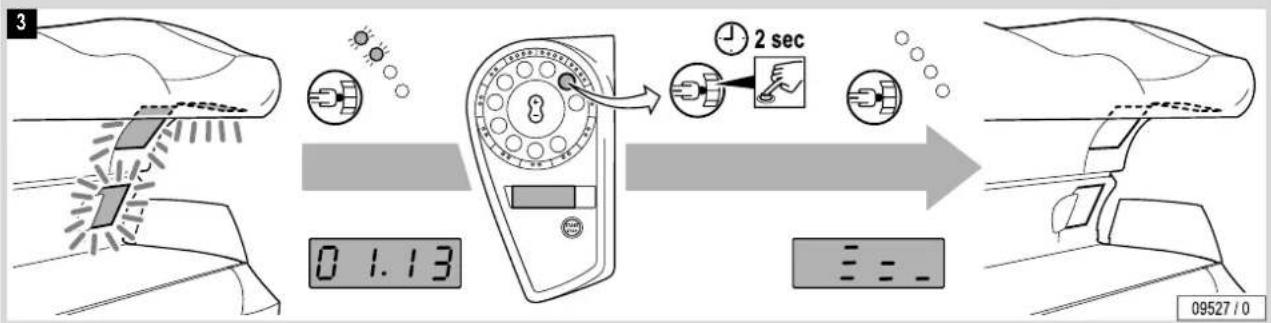
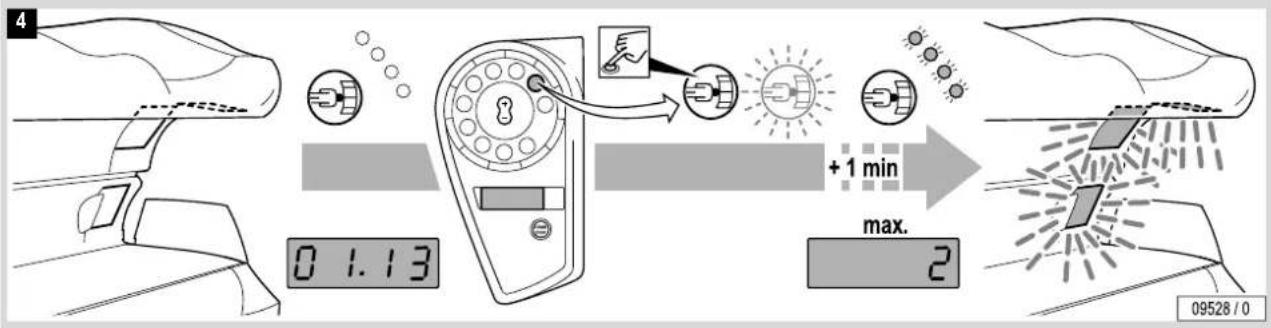
© Gesichtsbräuner regulieren
GB Regulating the facial tanners
flowchart
graph TD
    A["Step 1: Inspection of car helmet"] --> B["Step 2: Tool use"]
    B --> C["Time adjustment: 0.1.13"]
    C --> D["Action: Positive or Negative shift"]
    D --> E["End: Time constant: 09525/0"]

flowchart
graph TD
    A["Device 1"] --> B["Light Bulb"]
    B --> C{Status Indicator}
    C -->|Yes| D["Display"]
    C -->|No| E["Display"]
    D --> F["Max."]
    E --> F
    style A fill:#f9f,stroke:#333
    style F fill:#bbf,stroke:#333
STOP
flowchart
graph LR
    A["Sensor input"] --> B["1:1.13"]
    B --> C["2 sec speed adjustment"]
    C --> D["Output status"]


START
flowchart
graph LR
    A["Start"] --> B["1 min"]
    B --> C["Max. 2"]
    C --> D["+1 min"]
    D --> E["Display"]
    style A fill:#f9f,stroke:#333
    style E fill:#bbf,stroke:#333


natural_image
Technical line drawing of two vehicle-mounted air purifiers with ventilation grilles (no text or symbols)
Bedienung Operation
flowchart
graph LR
    A["Device 1"] --> B["Time: 0.1.13"]
    B --> C["Timer setting: 2 sec"]
    C --> D["Display: OFF"]
    D --> E["Home Control with Timecode 09504/0"]
...

flowchart
graph LR
    A["Device 1"] --> B["Timer: 0.1.13"]
    B --> C["Lock: 1"]
    C --> D["Display Panel: 09505/0"]


D Körperkühlung regulieren
GB Regulating body cooling
natural_image
Technical line drawing of a mechanical component with internal flow arrows (no text or symbols)
Bedienung Operation
flowchart
graph LR
    A["Fan Air"] --> B["0.1.13"]
    B --> C["Temperature Measurement"]
    C --> D["1: Hand icon with lightbulb"]
    C --> E["2: Shoe icon with light bulb"]
    D --> F["Indicator lights: 1 and 2"]
    E --> G["Indicator lights: 2"]
    F --> H["min."]
    G --> H
    H --> I["Output: 09508 / 0"]

flowchart
graph LR
    A["Fan"] --> B["Temperature Reading"]
    B --> C["Air Inlet"]
    C --> D{Condition 1}
    D --> E["Light Bulb"]
    D --> F["Light Bulb"]
    D --> G["Light Bulb"]
    E --> H["Max."]
    F --> H
    G --> H
    H --> I["9"]
    J["0 1.13"] --> K["Digital Display"]


D Gesichtskühlung regulieren
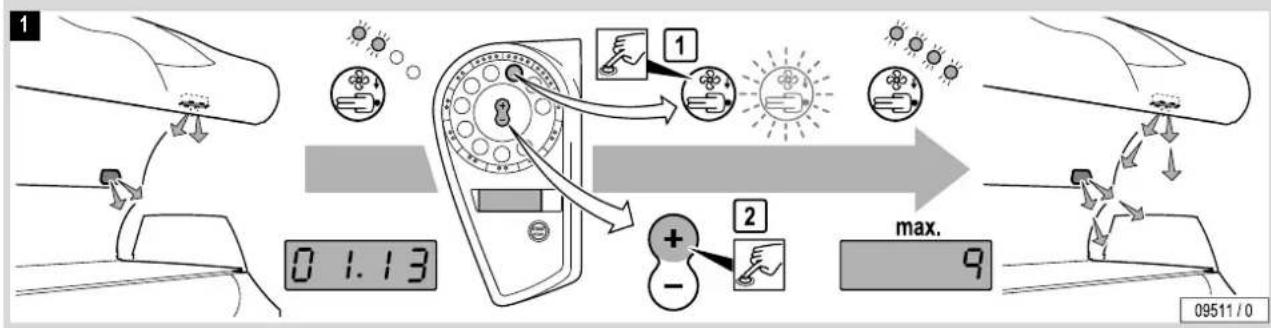
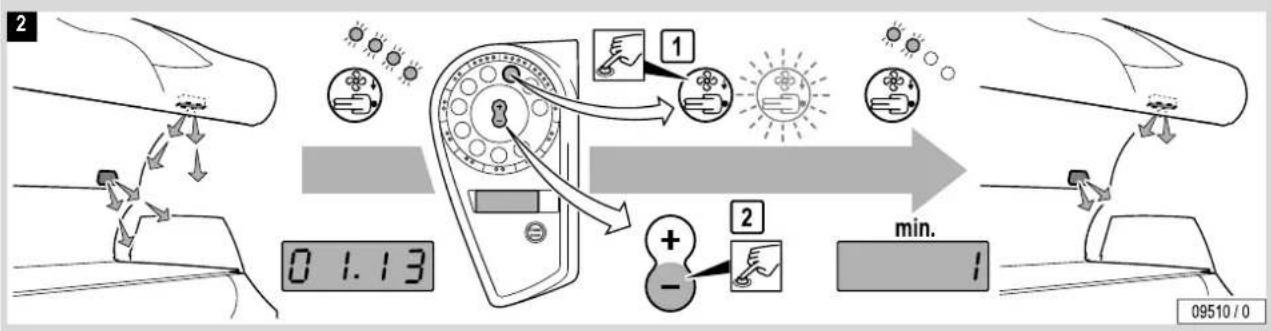
GB Regulating facial cooling
natural_image
Line drawing of a mechanical device with a cylindrical top and flanged base (no text or symbols)
Bedienung Operation
flowchart
graph LR
    A["Car Input"] --> B["Sensor Inputs"]
    B --> C{Input}
    C --> D["1 Sensor"]
    C --> E["2 Battery"]
    D --> F["Output"]
    E --> F
    F --> G["max."]
    G --> H["9 Output"]
...

flowchart
graph LR
    A["Sensor Input"] --> B["Control Panel"]
    B --> C{Check Point}
    C -->|1| D["Light Bulb"]
    C -->|2| E["Pressure Gauge"]
    D --> F["Display"]
    E --> G["Timer"]
    G --> H["0 1.13"]
    H --> I["Time Window"]
    I --> J["09510 / 0"]


D Musikkanal (Channel) wählen
GB Selecting music channel
(四) 提供方
natural_image
Technical illustration of two speakers mounted on a vehicle chassis, with no visible text or symbols
Bedienung Operation
flowchart
graph LR
    A["Speaker with sound waves"] --> B["Signal transmission"]
    B --> C["Channel 1: 0.1.13"]
    C --> D["Channel 2: I.CH"]
    D --> E["Speaker with sound waves"]
    E --> F["Channel 2: 0.9516/0"]
    F --> G["Channel 3: 0.9516/0"]

flowchart
graph LR
    A["Speaker"] --> B["Channel"]
    B --> C["I.CH"]
    C --> D["Speaker"]
    style A fill:#f9f,stroke:#333
    style B fill:#ccf,stroke:#333
    style C fill:#cfc,stroke:#333
    style D fill:#fcc,stroke:#333
flowchart
graph LR
    A["Speaker at top"] --> B["Signal transmission: 1.C.H."]
    B --> C["Channel 1: Click to listen"]
    C --> D["Switch: Channel 2: Click to monitor"]
    D --> E["Switch: Channel 3: Listen to video"]
    E --> F["Monitor at bottom"]
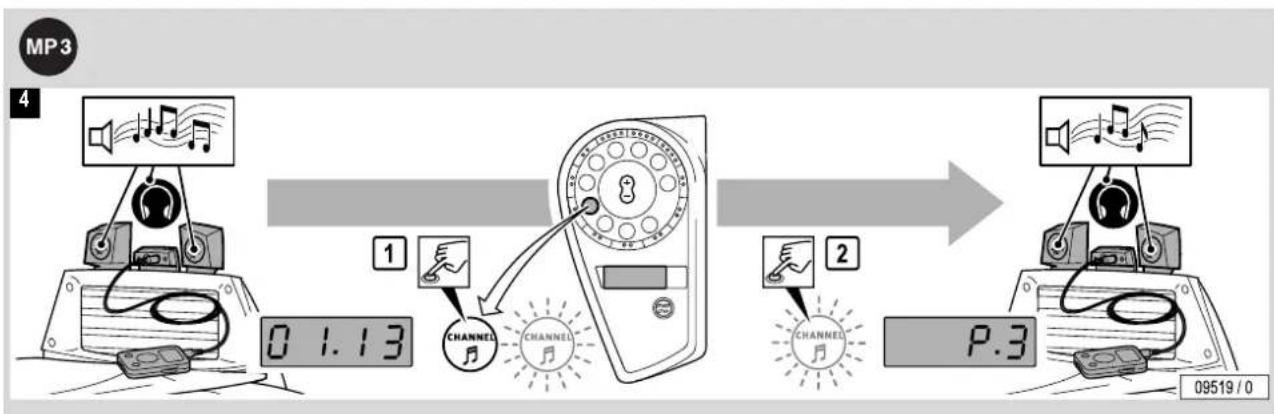
flowchart
graph LR
    A["Speaker with microphone"] --> B["Digital display: 0.1.13"]
    B --> C["Channel 1: Note: Note is 'CHANNEL' pointing to the device"]
    C --> D["Channel 2: Note: Note is 'CHANNEL' pointing to the device"]
    D --> E["Speaker output: P.3"]
    E --> F["Speaker output: 09519/0"]

Bedienung
Operation


natural_image
Technical illustration of two vehicle-mounted speakers and a front-mounted air conditioner unit (no text or symbols visible)
flowchart
graph LR
    A["Speaker at 0.1.13"] --> B["Volume Adjustment"]
    B --> C["VOLUME at 0.14"]
    C --> D["Display Control"]

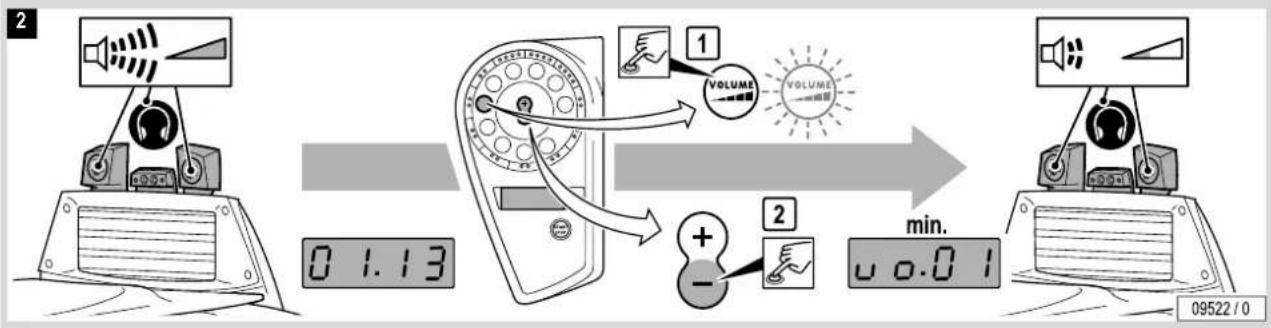
flowchart
graph LR
    A["Speaker"] --> B["Device"]
    B --> C[" meters"]
    C --> D["VOLUME"]
    D --> E["1: VOLUME → VOLUME → 2: +/-"]
    E --> F["0.0.01 min."]
    F --> G["Monitor"]


① Order-No. 1001855-. Provided for use by the studio operator (1.5 m/2x 3.5 mm stereo jack plug) ② MP3 player connection: Refer to the manufacturer's documentation..
Loud music might disturb other studio users!
– Use head-phones whenever necessary.


Achtung!
The heat might damage your MP3 player.
Do not position the unit so that it receives direct tanning radiation.
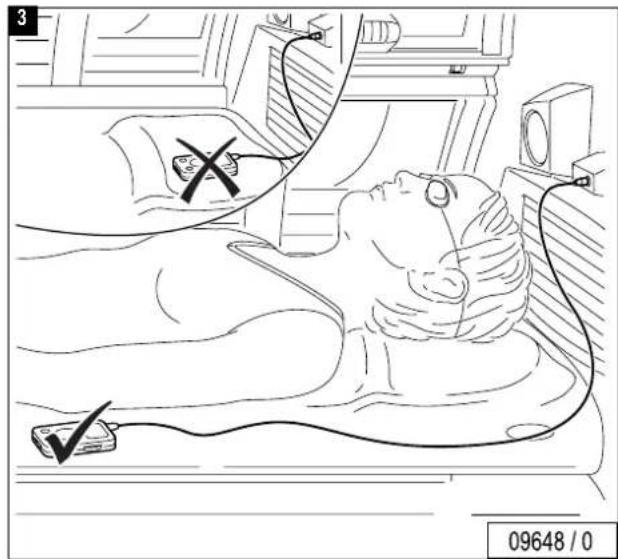
text_image
3 09648 / 0
Bedienung Operation


| Model: | Soltron M-60 SUPER POWER | Soltron M-60 TWIN POWER |
| Rated power consumption: | 7800 W 10300 W | |
| Rated voltage: 400-415V ~3N 400-415V ~3N | ||
| Rated frequency: 50 Hz 50 Hz | ||
| Rated fusing: | 3 x 16 A (time-delay) | 3 x 25 A (time-delay) |
| Conformity mark: |  |  |

text_image
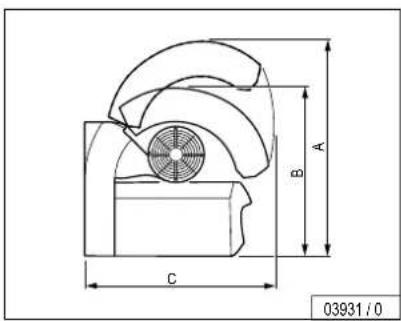
A B C 03931 / 0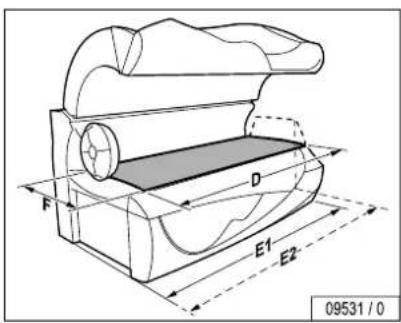
text_image
F D E1 E2 09531 / 0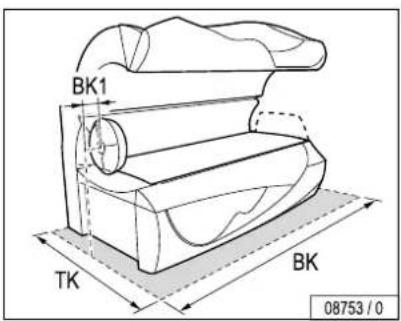
text_image
BK1 TK BK 08753 / 0A = 1720 mm
B = 1350 mm
C = 1340 mm
D = 2000 mm
E1 = 2260 mm
E2 = 2340 mm
F = 800 mm
TK = 2300 mm
BK = 2500 mm
BK1= 100 mm
text_image
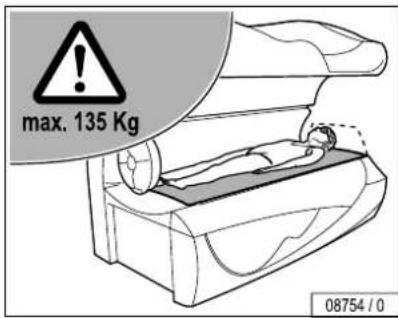
max. 135 Kg 08754 / 0
text_image
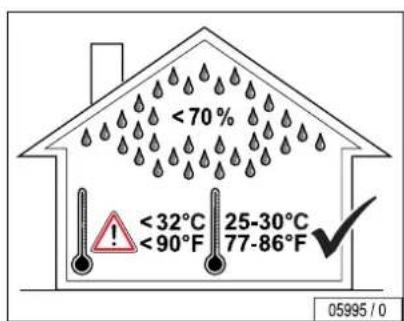
< 70% < 32°C < 90°F 25-30°C 77-86°F 05995 / 0text_image
Technical diagram of a mechanical device with numbered components and a close-up view of the internal structure.
text_image
Reinigungsintervalle Scheduled cleaning 12 17 18 3 19 15 39 15 39 15 39 84592-. 15 39 15 39 1001855-. 15 39 15 39 15 39 15 39 15 39 15 39 15 39 15 39 15 39 15 39 15 39 15 39 15 39 15 39 15 39 15 39 15 39 15 40 15 40 15 40 15 40 15 40 15 40 15 40 15 40 15 40 15 40 15 40 15 40 15 40 15 40 15 40 15 40 15 40 15.32.7.2


text_image
Reinigungsintervalle - Filter Scheduled cleaning - filters /50 h ④ - 4 x ▲ 51937 - 107 ⑩ 2 x ▲ 800601 - 109 ① 2 x ▲ 800278 - 110 09732 / 0 JK-Global Service GmbH ▲ JK-Licht GmbH 2

text_image
Wechselintervalle – Effektbeleuchtung Scheduled replacement – accent lighting 500 h a) 1 x weiß / white 30 W ▲ 1001917-.. 105 b) 1 x blau / blue 30 W ▲ 12377-.. 97 1000 h a) b) 2 x S10 ▲ 10047-.. 97, 105 08785 / 0 JK-Global Service GmbH ▲ JK-Licht GmbH 2

text_image
D Wechselintervalle – UV-Lampen und Filterscheiben GB Scheduled replacement – UV lamps and filter plates M-60 SUPER POWER 500 h d) 3 x 500 W ▲ 12645-.. 99, 102 f) 17 x Soltron Super Power 100 W ▲ 12643-.. 89 h) 18 x Soltron Super Power 100 W ▲ 12643-.. 95 g) 8 x Soltron Super Power 100 W ▲ 12643-.. 93 e) 7 x Soltron 25 W ▲ 12502-.. 91 1000 h f) g) 43 x S12 ▲ 10002-.. 89, 93, 95 h) e) 7 x S10 ▲ 10047-.. 91 3000 h d) 3 x Ultra Performance 412 ● 1001526-.. 99, 102 ● JK-Global Service GmbH ▲ JK-Licht GmbH

text_image
Wechselintervalle – UV-Lampen und Filterscheiben Scheduled replacement – UV lamps and filter plates M-60 TWIN POWER 500 h d) 3 x 500 W ▲ 12645-.. 99, 102 f) 17 x Soltron Super Power 100 W ▲ 12643-.. 89 h) 18 x Soltron Turbo Power 160 W ▲ 1002095-.. 95 g) 8 x Soltron Turbo Power 160 W ▲ 1002095-.. 93 e) 7 x Soltron 25 W ▲ 12502-.. 91 1000 h f) g) 43 x S12 ▲ 10002-.. 89, 93, 95 h) e) 7 x S10 ▲ 10047-.. 91 3000 h d) 3 x Ultra Performance 412 ● 1001526-.. 99, 102 JK-Global Service GmbH ▲ JK-Licht GmbH 2

text_image
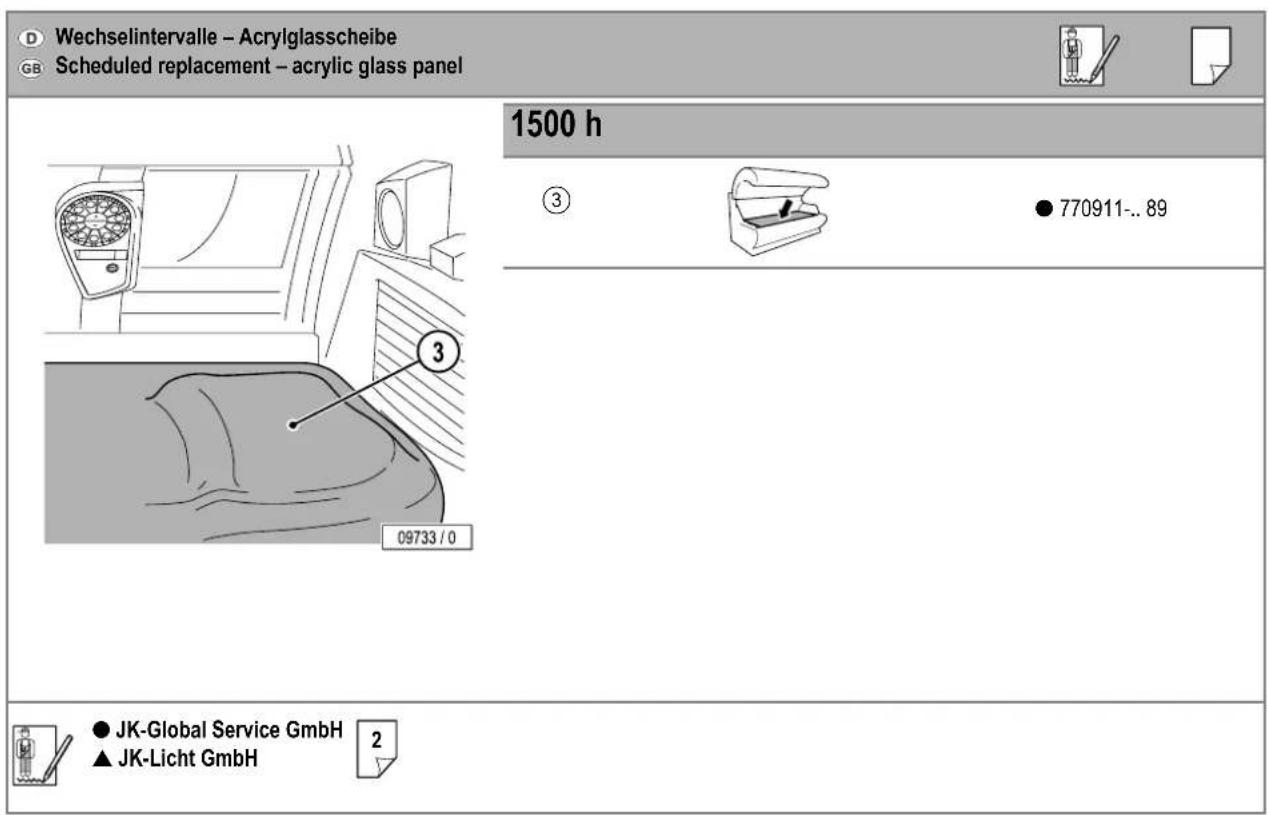
D Wechselintervalle – Acrylglasscheibe GB Scheduled replacement – acrylic glass panel 1500 h ③ ● 770911-.. 89 09733 / 0 ● JK-Global Service GmbH ▲ JK-Licht GmbH 2

text_image
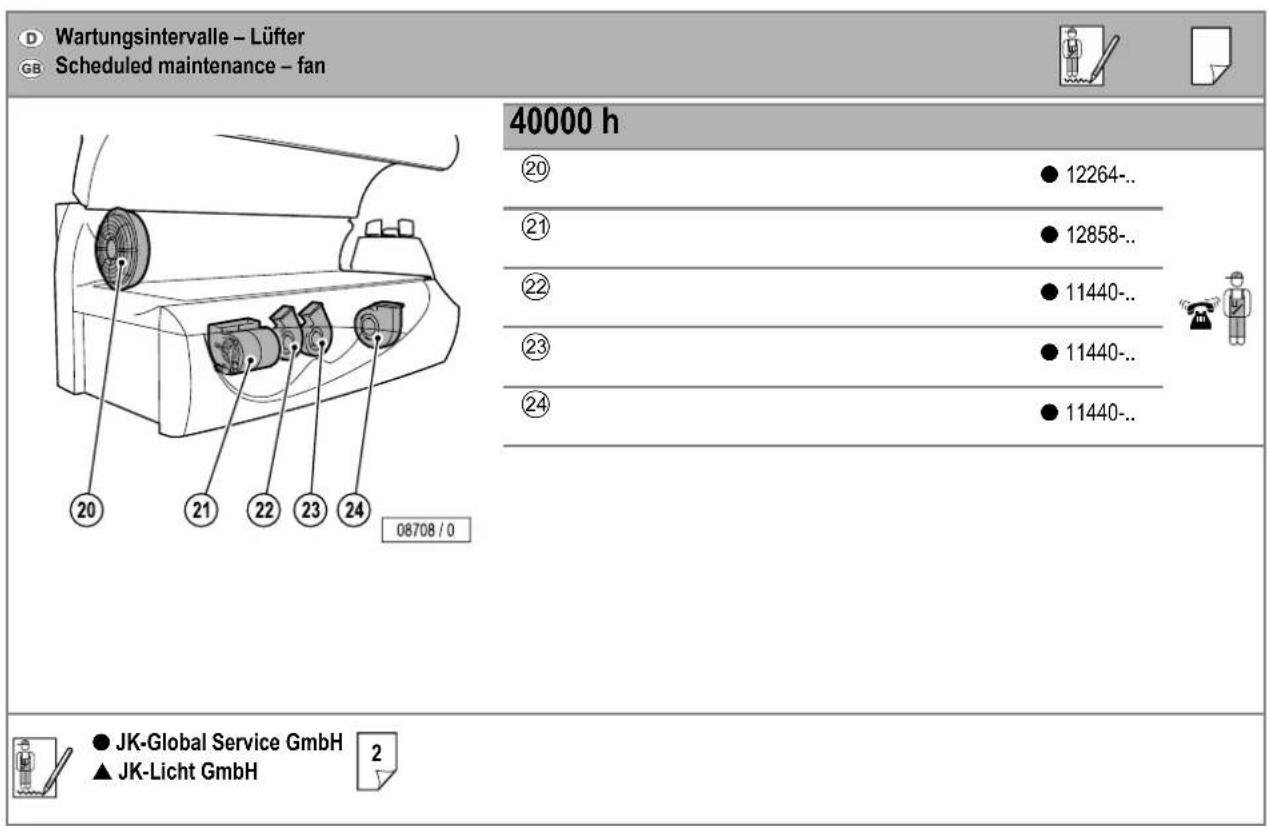
Wartungsintervalle – Lüfter Scheduled maintenance – fan 40000 h ⑳ 12264-.. ② 12858-.. ② 11440-.. ③ 11440-.. ④ 11440-.. ● JK-Global Service GmbH ▲ JK-Licht GmbH 2 08708 / 0

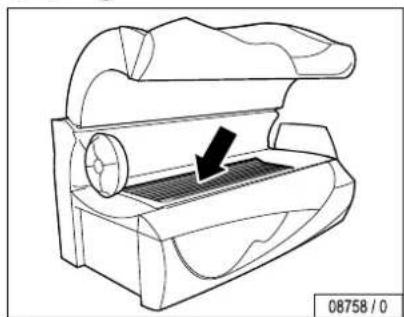
GB UV low-pressure lamps, sunbed base


text_image
1 08759 / 0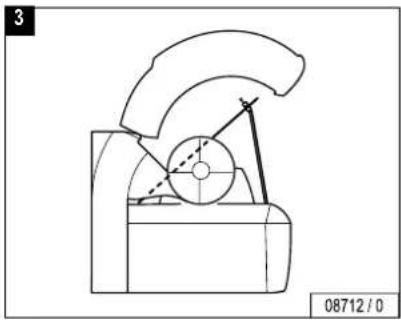
natural_image
Technical line drawing of a mechanical device with no visible text or symbols
natural_image
Technical line drawing of a mechanical device with a circular component and a black arrow indicating a force or movement (no text or symbols present)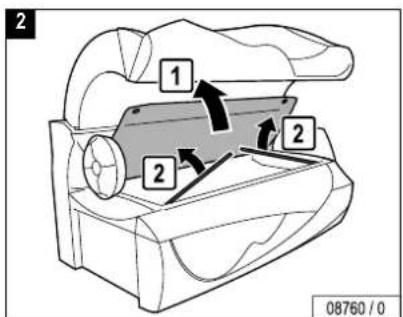
text_image
2 1 2 2 08760 / 0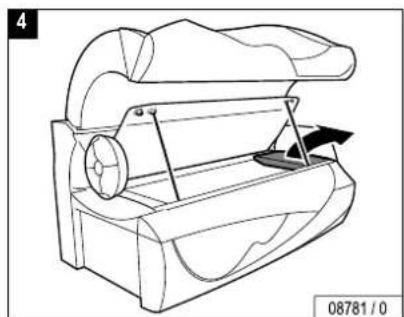
natural_image
Technical line drawing of a mechanical device with no visible text or symbols

flowchart
graph TD
    A["1"] --> B["2"]
    B --> C["3"]
    style A fill:#f9f,stroke:#333
    style B fill:#ccf,stroke:#333
    style C fill:#cfc,stroke:#333

natural_image
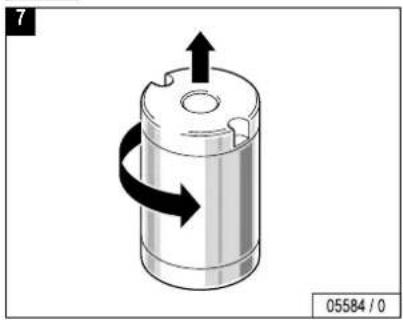
3D diagram of a cylindrical mechanical component with directional arrows indicating rotation or flow (no text or symbols)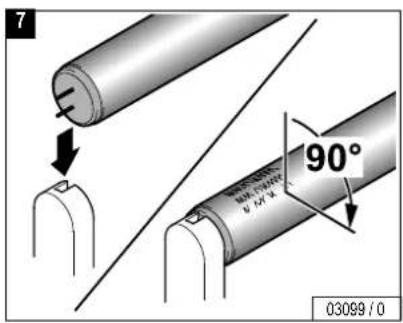
text_image
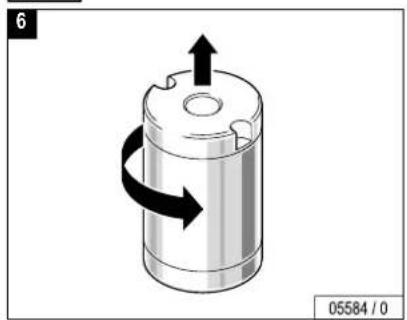
7 90° 03099 / 0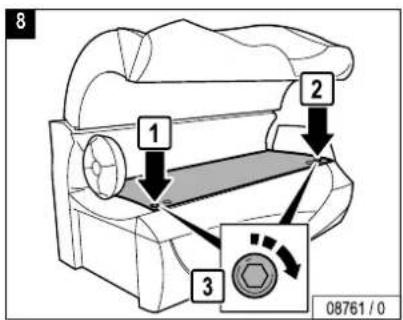
text_image
8 1 2 3 08761 / 0


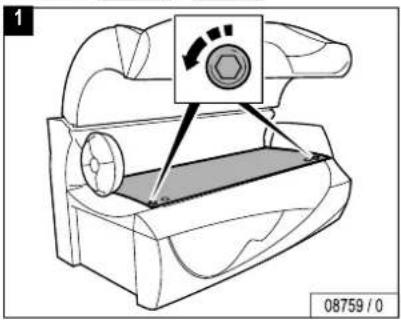
© UV-Niederdrucklampen, Schulterbräuner
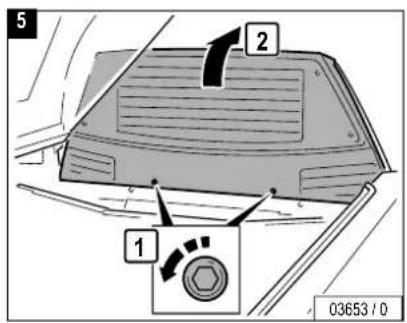
GB UV low-pressure lamps, shoulder tanner
natural_image
Line drawing of a mechanical device with no visible text or symbols


text_image
1 08759 / 0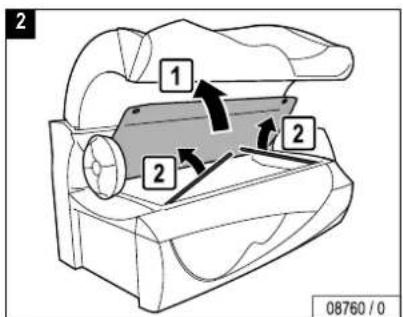
text_image
2 1 2 2 08760 / 0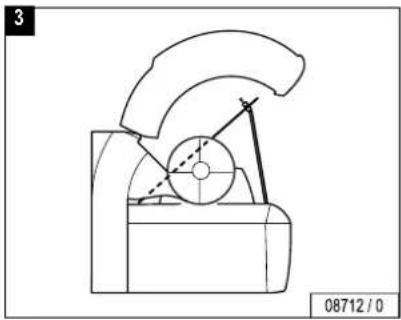
natural_image
Technical line drawing of a mechanical device with no visible text or symbols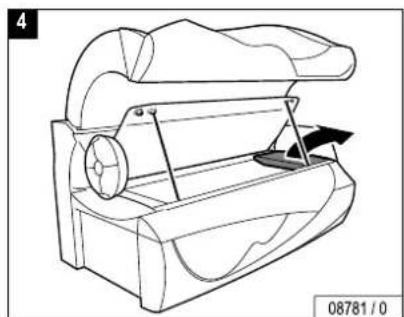
natural_image
Technical line drawing of a mechanical device with no visible text or symbols
text_image
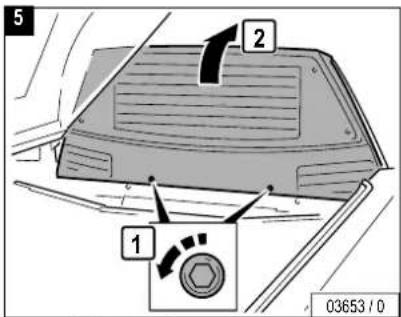
5 2 1 03653 / 0
text_image
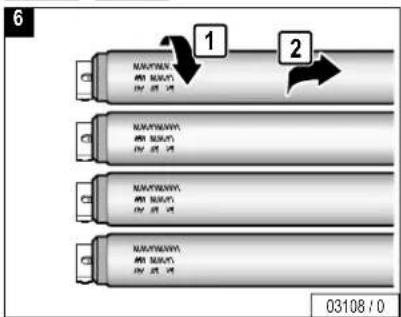
6 1 2 03108 / 0
natural_image
3D diagram of a cylindrical mechanical component with directional arrows indicating rotation (no text or symbols)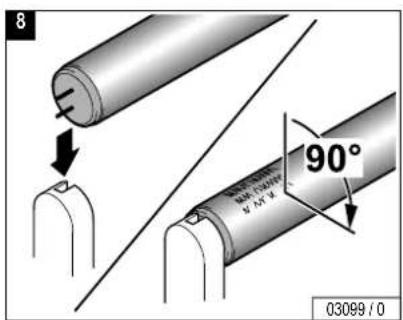
text_image
8 90° 03099 / 0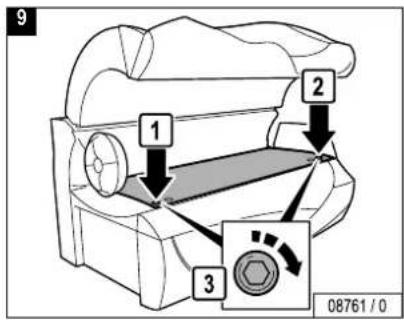
text_image
9 1 2 3 08761 / 0


GB UV low-pressure lamps, side section
natural_image
Technical line drawing of a mechanical device with a circular component and internal striped pattern (no text or symbols)


text_image
1 2 1 08765 / 0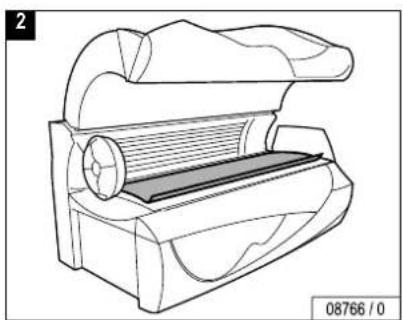
natural_image
Technical line drawing of a mechanical device with no visible text or symbols

text_image
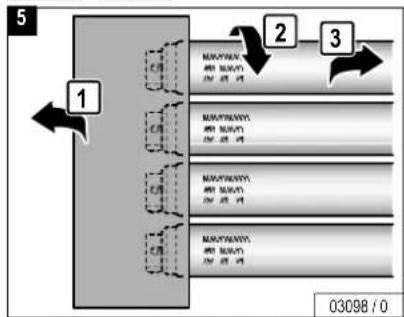
3 1 2 NAMYWAN NAMYWAN NAMYWAN NAMYWAN NAMYWAN 03108/0
natural_image
3D diagram of a cylindrical mechanical component with directional arrows indicating rotation or flow (no text or symbols)
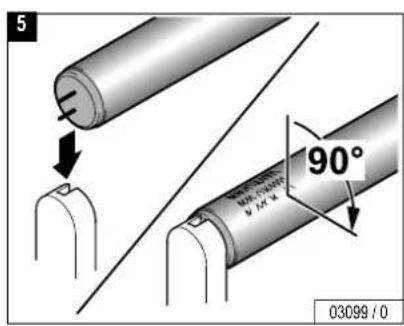
text_image
5 90° 03099 / 0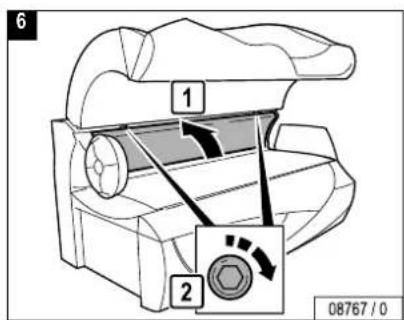
text_image
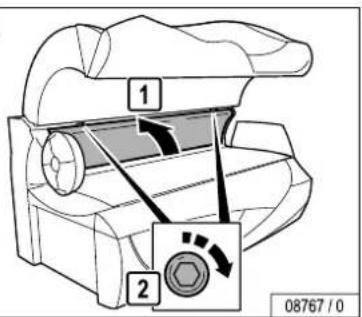
6 1 2 08767/0


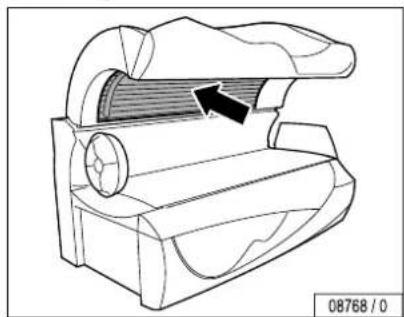
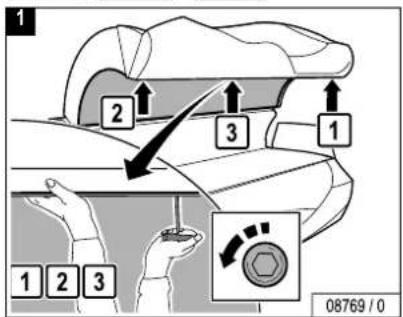
GB UV low-pressure lamps, canopy
natural_image
Technical line drawing of a mechanical component with an arrow indicating direction (no text or symbols)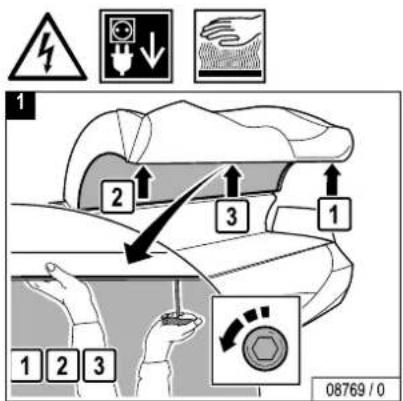
text_image
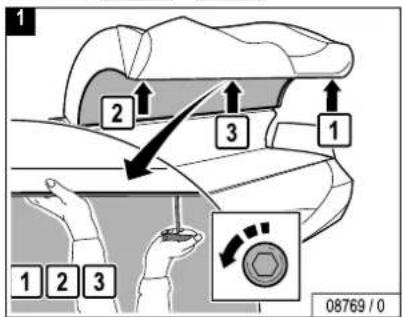
1 2 3 1 1 2 3 08769 / 0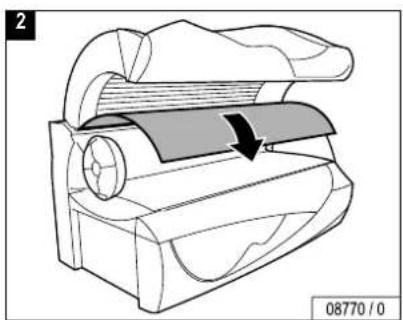
natural_image
Technical line drawing of a mechanical device with a highlighted section and arrow indicating motion (no text or symbols)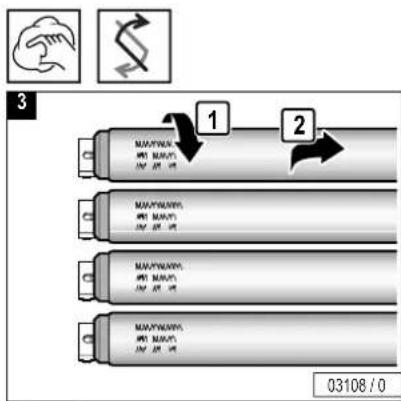
GB Canopy, Interior lighting
natural_image
Technical line drawing of a mechanical device with curved components and a central shaft (no text or symbols)
text_image
1 2 3 1 1 2 3 08769 / 0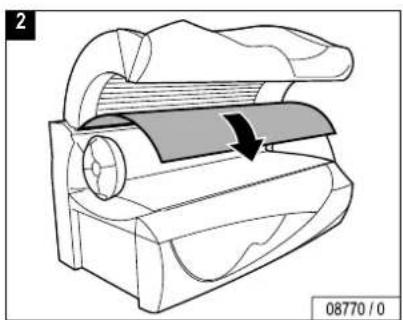
natural_image
Technical line drawing of a mechanical device with a highlighted section and arrow indicating motion (no text or symbols)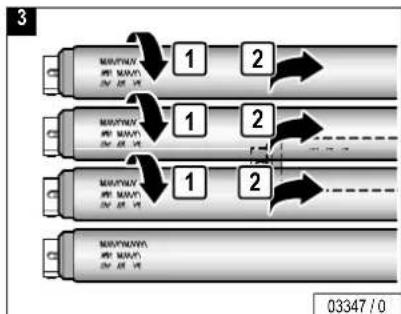
flowchart
graph TD
    A["Port 1"] --> B["Port 2"]
    B --> C["Port 3"]
    C --> D["Port 4"]
    D --> E["Port 5"]
    E --> F["Port 6"]
    F --> G["Port 7"]
    G --> H["Port 8"]
    H --> I["Port 9"]
    I --> J["Port 10"]
    style A fill:#f9f,stroke:#333
    style B fill:#f9f,stroke:#333
    style C fill:#f9f,stroke:#333
    style D fill:#f9f,stroke:#333
    style E fill:#f9f,stroke:#333
    style F fill:#f9f,stroke:#333
    style G fill:#f9f,stroke:#333
    style H fill:#f9f,stroke:#333
    style I fill:#f9f,stroke:#333

text_image
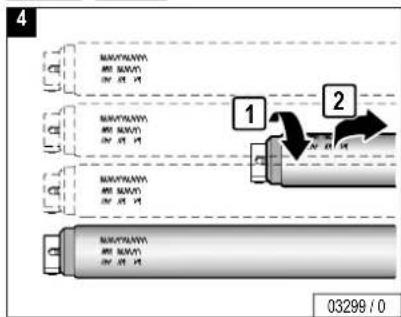
4 MAKAYLAWA AMU BAN ON 25 M MAKAYLAWA AMU BAN ON 25 M MAKAYLAWA AMU BAN ON 25 M 1 2 03299 / 0


natural_image
3D diagram of a cylindrical mechanical component with directional arrows indicating motion (no text or symbols)
text_image
7 3 1 2 1 2 3 08771 / 0
text_image
6 90° 03099 / 0

natural_image
Technical line drawing of a mechanical component with no visible text or symbols


text_image
1 2 1 08765 / 0
natural_image
Technical line drawing of a mechanical device with no visible text or symbols

natural_image
Illustration of hands using a tool to adjust or install a circular component, no text or symbols present
text_image
4 1 2 3 07226 / 0

text_image
5 07227 / 0
natural_image
Diagram of a door with a circular opening and a hand gesture, no text or symbols present
text_image
7 04044 / 1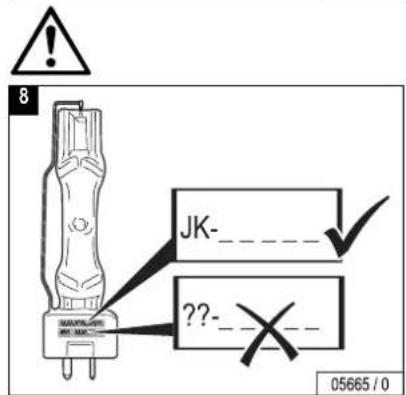
text_image
8 JK- ?? 05665 / 0
text_image
9 07229 / 0
text_image
10 1 2 07230 / 0

11
natural_image
Gray square with diagonal lines and scattered dots, no text or symbols present
text_image
12 2 3 1 07231/0
13
text_image
CLICK! 07232 / 014
text_image
1 2 08767 / 0

natural_image
Technical line drawing of a mechanical component with a highlighted section and arrow (no text or symbols)
text_image
1 2 3 1 1 2 3 08769 / 0
natural_image
Technical line drawing of a mechanical device with a highlighted section and arrow indicating motion (no text or symbols)
natural_image
Illustration of hands holding a switch inside a device with a circular component (no text or symbols)
text_image
4 1 2 3 07226 / 0
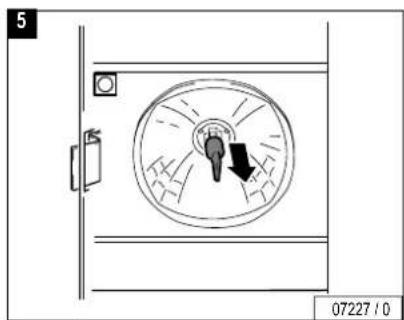
text_image
5 07227 / 0
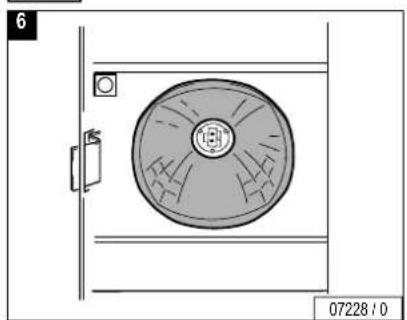
natural_image
Technical diagram of a circular mechanical component mounted on a vertical panel, with no visible text or symbols.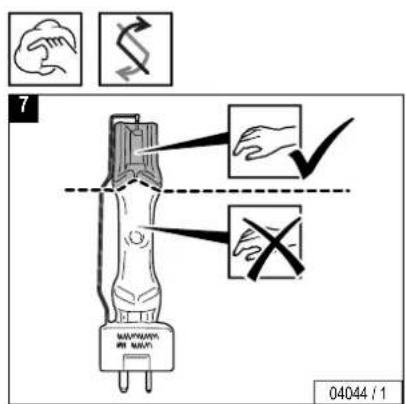
text_image
7 04044 / 1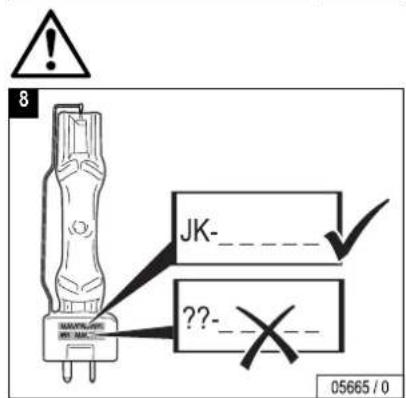
text_image
8 JK-_ ??-_ 05665 / 0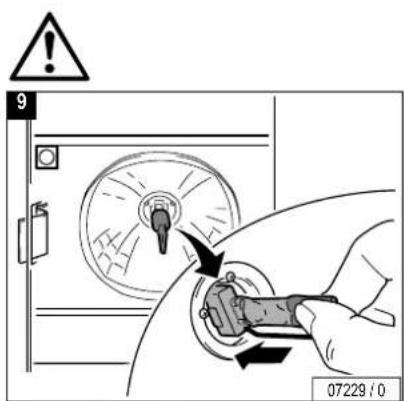
text_image
9 07229 / 0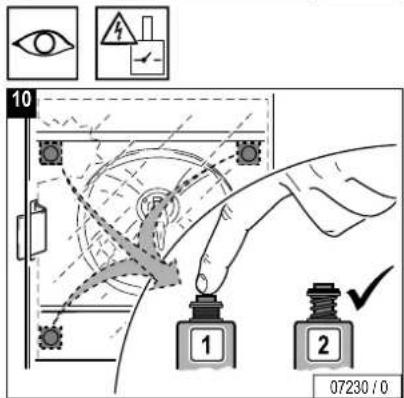
text_image
10 1 2 07230 / 0


11

natural_image
Gray square with diagonal white lines on a gray background, no text or symbols present.
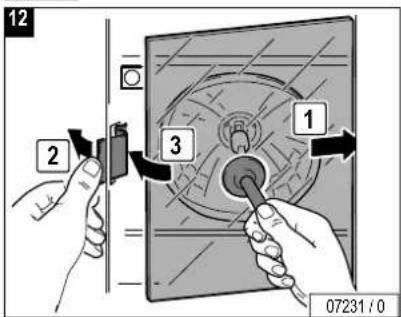
text_image
12 2 3 1 07231/0
13
text_image
CLICK! 07232 / 0
text_image
14 3 1 2 1 2 3 08771 / 0


natural_image
Technical line drawing of a mechanical device with internal components and a directional arrow (no text or symbols)
text_image
1 1 2 09710 / 0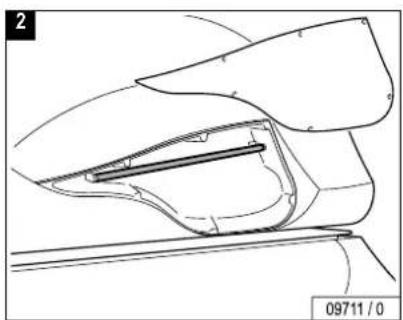
natural_image
Technical line drawing of a mechanical component with no visible text or symbols
text_image
3 1 2 03350 / 0
natural_image
3D diagram of a cylindrical mechanical component with directional arrows indicating rotation or flow (no text or symbols)


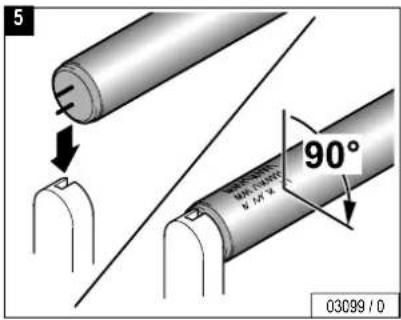
text_image
5 90° 03099 / 0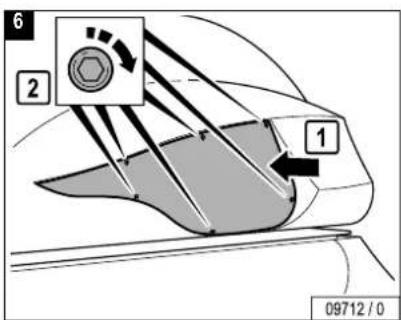
text_image
6 2 1 09712 / 0

natural_image
Line drawing of a mechanical device with no visible text or symbols
text_image
1 08759 / 0
text_image
2 2 1 08793 / 0
text_image
3 2 1 2 08728/0
natural_image
Patterned grid pattern with no text or symbols, featuring a central wavy line and a label '03319 / 0' in the corner (no readable text or symbols within the pattern itself)

text_image
5 08729 / 0
text_image
7 1 2 3 08761 / 0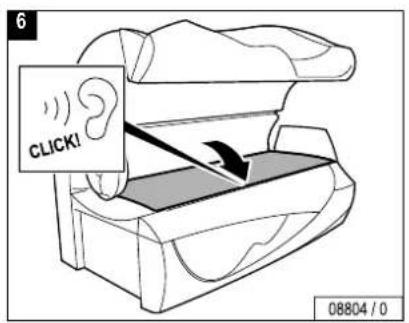
text_image
6 CLICK! 08804 / 0

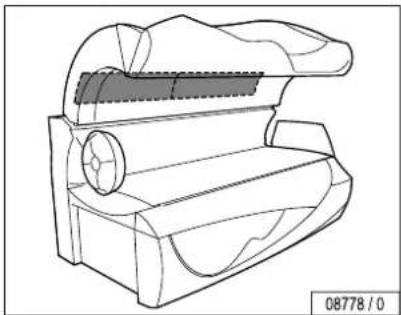
D Oberteil, Filtermatten
GB Canopy, filter mats
natural_image
Technical line drawing of a mechanical component with no visible text or symbols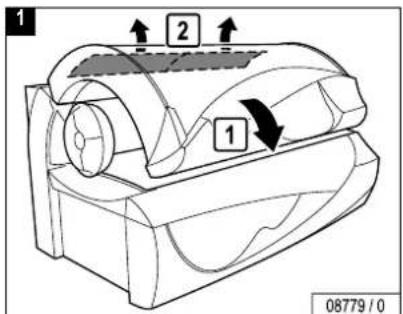
text_image
1 2 1 08779 / 0
natural_image
Simple 3D rectangular block diagram with no text or symbols on the object itself

natural_image
Technical line drawing of a mechanical component with no visible text or symbols


natural_image
Technical line drawing of a mechanical device with no visible text or symbols
natural_image
Technical line drawing of a mechanical device with a circular component and a labeled part (no text or symbols on the diagram itself)
text_image
2 1 2 2 08760 / 0
natural_image
Technical line drawing of a mechanical device with no visible text or symbols
text_image
5 2 1 03653 / 0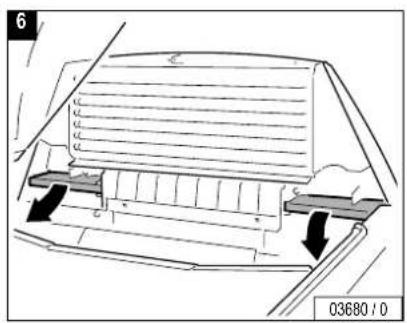
text_image
6 03680/10
natural_image
Simple 3D diagram with a rectangle and two icons: a hand gesture and a dollar sign, no text or symbols present.
text_image
8 04061 / 0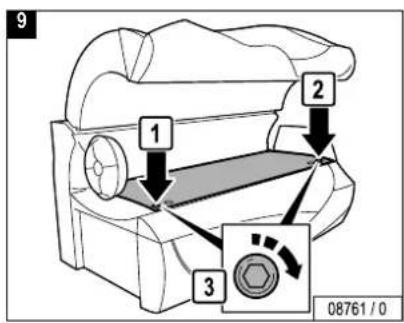
text_image
9 1 2 3 08761 / 0



Changing presettings with the control panel
The setting mode enables you to call up operating states and make alterations to current settings.
Changing to Presetting mode
- Press the buttons – and + simultaneously for at least five seconds outside a tanning process.
-
-
-
- appears in the display.
– Enter the code (see Page 120).
- appears in the display.
-
-
- Press the START/STOP button four times when you run the Presetting mode for the first time.
When a Master or Studio Code is already set (see Page 120), one of these codes must be entered. -
-
-
- briefly appears in the display, then the first function and the presetting value are displayed alternately (see column "On delivery").
-
-
- By pressing the + button you scroll up to the next function.
- By pressing the – button you scroll down to the next function.
Changing presettings
Increase the preset value:
- Press and hold the START/STOP button while simultaneously pressing the + button.
Decrease the preset value: - Press and hold the START/STOP button while simultaneously pressing the - button.
Reset to the last value set: - Press the START/STOP button.
Reset to the delivered state:
– See function 254.

Note:
The sunbed will automatically return to 'idle' mode 30 seconds after the last button was pressed.
The presettings are listed beginning on Page 122.


Defining a code
There is a Master Code and a Studio Code.
The Master Code allows access to all functions, the Studio Code allows access to some functions that are necessary for service.
- Select Function 255 (Master Code) or 256 (Studio Code).
- Press the START/STOP button for 3 seconds until _ _ _ _ _ appears.
- Press the desired buttons consecutively:
- Press the buttons in the same sequence when ____ appears again.
- SICH appears in the display. The set code has been saved.
– Please note the code for Customer Service.
If you know the old code, you can define a new code at any time. We recommend that you already set a new access code during the initial start-up.


Changing presettings with a hand-held unit
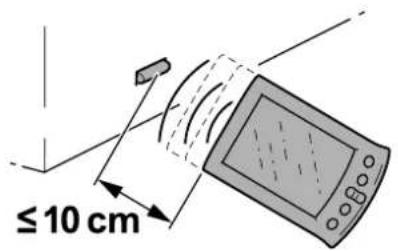
Some data can also be displayed and changed with a commercially available hand-held unit (e.g. from Palm). For this purpose you require special software (available in German and English), which you can download at www.soltron.de. The operating manual for this software is also available at the same website.

Caution!
The code for access via the infrared interface is preset in the software of the hand-held unit, and can therefore be used with any unit. Anyone, who downloads the software from the Internet can access the unit date with a hand-held unit. Please note that Customer Service changes the preset access code during initial start-up – see software operating manual. Please note the new code for future use!
This code is independent of the access code for the presettings via the control panel.

Note:
Please read the operating manual for the Soltron software for instructions on how to display or change data with a hand-held unit.
Information on operating the hand-held unit is contained in the manufacturer's documentation.
text_image
≤10 cmIR Function
04002/1


| No. Description on delivery | ||
| 041 | Total number of operating hours | |
| 042 | Remaining operating time of UV low-pressure lamps (h) | |
| 047 | Remaining operating time of UV high-pressure lamps (h) | |
| 050 | Remaining operating time of UV low-pressure lamps shoulder tanner (h) | |
| 051 | Remaining operating time of filter mats (h) | |
| 101 | To set the time | 10.04 |
| 102 | To set the display format of the clock (24h/12h) | |
| 131 | Decorative lighting operating hours (minutes)When the maximum value is exceeded: Display 'on' = continuous operation | |
| No. Description on delivery | ||
| 205 | Recycle air during fan run-on time(+ = on / - = OFF) | |
| 206 | To set the display format of the temperature (°C/°F) | |
| 212 | Adjust volume for music output (Sound System) | |
| 213 | Adjust volume during fan run-on time | |
| 214 | Adjust volume for external audio devices | |
| 215 | Number of external music channels | |
| 216 | To set the channel for an external audio device1 = decimal2 = BCD3 = pulse | |
| 221 | Fan run-on time (minutes) | |


| No. Description on delivery | ||
| 251 | To reset the pin code of the hand-held unit | |
| 254 | To reset the device to ex-works setting (all functions) | |
| 255 | To set the Master Code | |
| 256 | To set the Studio Code | |


natural_image
Exterior view of a modern office building (no signage)MCS VI 34009700

natural_image
Exterior view of a silver industrial machine (no visible text or symbols)MCS IV plus 34010400
natural_image
Exterior view of a silver industrial water heater device (no visible text or symbols)Studiopilot 34009900

natural_image
Exterior view of a silver industrial air conditioner unit (no visible text or symbols)
Cleaning/replacing 105
Maintenance schedule 84
Accessories 55
Acoustic level....79
Acrylic glass panel
Maintenance schedule 88
Product information.... 44
Allergies......47
B
Body cooling, regulating 65
C
Canopy, interior lighting.... 97
Canopy, replacing UV-lamps 95
Care.... 39
Changing presettings.... 119
Channel 69
Cleaning filters/filter mats 40
Cleaning schedule 82
Code, defining, presettings.... 119
Contact lenses 47
D
Device operating time 37
Dimensions 78
Disposal 46
E
Environmental protection 46
F
Facial cooling, regulating 67
Facial tanners
Maintenance.... 99, 102
Regulating 60
Faults 43
Filter mats, canopy.... 109
Filter mats, shoulder tanner 110
Filters in sunbed base.... 107
Filters/filter mats, cleaning 40
G
Glasses 47
Guidelines 36
H
Hand-held unit, changing presettings..... 121
|
Intended use....36
Interior lighting....97
J
JK timer controller 125
L
Loading of acrylic glass panel ....36
M
Maintenance....81
Maintenance and care....39
Maintenance schedule 83
Make-up 47
Medication......47
Medications 48
MP3 music, product information....45
MP3 player connection....74
Music channel 69
0
Operation....53
Overview Operation....54

Index
P
Packaging......46
Plastic surfaces.... 41
Presettings.... 119
Changing with a hand-held unit ..... 121
Changing with the control panel..... 119
Product information.... 44
Protective goggles 47
Protective measures.... 42
R
Running time of accent lighting.... 59
S
Safety.... 37
Safety instructions 48
Scheduled maintenance 83
Settings during start-up.... 56
Shoulder tanner, replacing UV-lamps...... 91
Shoulder tanner, switching off and on ..... 63
Showering....47
Side section, replacing UV-lamps.... 93
Skin sensitivity 47
Skin type.... 32
Small children 36
Spare parts 41
Start of tanning session 56
Sun screen products 48
Sunbed base, replacing UV-lamps.... 89
Symbols 33
T
Tanning device, overview operation.... 54
Tanning instructions.... 47
Tanning session, interrupting/terminating ... 57
Tanning times.... 51
Technical data....77
Teenagers.... 36
U
UV high-pressure lamps, replacing..... 99, 102
UV lamps, maintenance schedule.... 85
UV low-pressure lamps
Canopy....95
Shoulder tanner.... 91
Side section.... 93
Sunbed base 89
v
Volume....72
W
Waste Disposal Act.... 46
JK-SALES GMBH