Perform S3 - Fitness Equipment Flow Fitness - Free user manual and instructions
Find the device manual for free Perform S3 Flow Fitness in PDF.


User questions about Perform S3 Flow Fitness
0 question about this device. Answer the ones you know or ask your own.
Ask a new question about this device
Download the instructions for your Fitness Equipment in PDF format for free! Find your manual Perform S3 - Flow Fitness and take your electronic device back in hand. On this page are published all the documents necessary for the use of your device. Perform S3 by Flow Fitness.
USER MANUAL Perform S3 Flow Fitness
text_image
User Manual FLOWFITNESS PERFORM 3ENGLISH
NEDERLANDS
NEDERLANDS 3 - 33
ENGLISH 34 - 68
Copyright © Flow Fitness B.V.
All rights reserved. Nothing in this instruction manual may be used or reproduced in any form or way without the express written permission of Flow Fitness B.V.
Warming Up & Cooling Down....9
1 Constant WATT programma
Recovery test
1 Constant WATT programma
iconsole ^+
Techniek
32 Weerstandslevels
18 kg Roterende massa
Permanent magneet weerstandssysteem
Afmetingen
Lengte: 152 cm
Hoogte: 104 cm
Breedte: 59 cm
Gewicht: 50 kg
Ergonomie
A good training schedule starts with a good warming up and ends with a cooling down of the muscles. This will prevent painful muscles and injury. Below you will find some suitable exercises.
natural_image
Silhouettes of a person in various dynamic poses, possibly dancing or stretching (no text or symbols)Head Roll
text_image
⑨7 M5*10L (x1)4. Montage van de iConsole
text_image
Technical diagram of a stationary exercise bike with labeled components and internal parts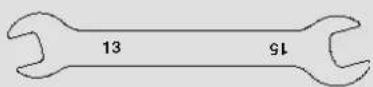
natural_image
Four identical black-and-white bar-like patterns arranged in a row (no text or symbols)ADVAN CE1 ADVAN CE 2 ADVAN CE 3

SPORTY 1 SPORTY 2 SPORTY 3 SPORTY 4

text_image
WATT 120 WATT SETTINGnatural_image
Simple black-and-white icon of a tablet device with a blank screen (no text or symbols)iPad 1 of nieuwer iPad air 1 of nieuwer
natural_image
Simple line drawing of a tablet device with blank screen (no text or symbols)iPad Mini of nieuwer
iPhone 3GS of nieuwer
iPod touch (3gen) of nieuwer

Android tablet OS4.0 of hoger 1280X800 pixels
Android Phone
OS2.2 of hoger
800x480 pixels
text_image
iConsole+ iconsole Download on the App Store
text_image
iConsole+ GET IT ON Google playINFORMATION trainingshistorie
text_image
My Profile My Profile
text_image
My Profile Profiletext_image
Back Edit Account: partner@engreeports Name: Birthday Weight: 0-6000 Character: Male Height: 4 Ltr Logout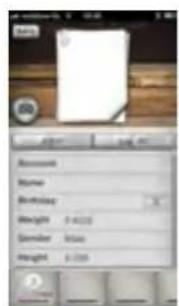
text_image
Access Name Birthday Height 3400 Gender: Male Height 6.250
text_image
Account Password Load On Backpage Load On With Password Load On With Print5 Gebruik
The account's email has been validated!
text_image
Iconself Quick Start PROGRAM HRC WATTKnoppen van de Tablet iConsole app Knoppen van de Smartphone iConsole
+ app

START knop

text_image
Scanned interface screenshot showing a red vertical slider with white control buttons and a black numeric display on the left.text_image
Program Training Program
text_image
Pixel Atext_image
Program Training Time Distance Calories Heart Rate Battery Battery Speed KWH Temperature Level 1text_image
Distance 0.0+ Degree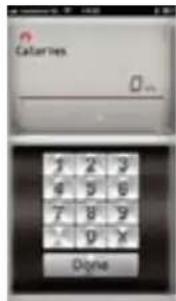
text_image
Calories Oginatext_image
Program Training Time Calories Calories Calories Calories Calories Calories Caloriestext_image
Your workout this time Time 05:38 Distance 0.0 mm Calories 1 Car Average Speed 0.0 mmtext_image
Time Instance Calories Heart Rate Speed MATT APR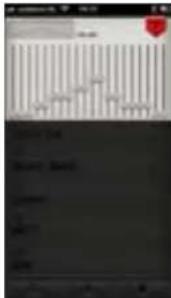
text_image
Scanned screenshot of a software interface with a line chart and a red button labeled 'OK' in the top panel.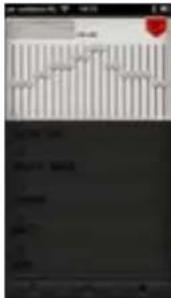
text_image
Scanned document with vertical columns, horizontal lines, and a red circular logo at the top.text_image
Time 00:24 Distance 0.0 Calories 0 Heart Rate 0 Speed 11.5 MINT 44 Battery 31text_image
Your workout this time Time 00:42 out Distance 0.0 Calories 0.0 Speed 0.0 + Home65% FaT BUrnInG vetverbranding (minimaal 30 min.)
text_image
Your Max HR : 210 BPM 55% 1200PM Stress-Up 65% 1200PM Rail Running 75% 1400PM Endurance Trainingtext_image
HRC Target: 0 Current: 0 Time Distance Calories 0 GMTY HPV Sound KNDtext_image
Starting with 30 hours Your bus 48 is 125.00% 110 Time 50... 1 2 3 4 5 6 7 8 9 0 X Digital Digitaltext_image
WATT + 100 Target WATT Current WATT Time Distance Calories Input Power PPM PPN Stressed KWHtext_image
Time 0... 1 2 3 4 5 6 7 8 9 9 10 11 Digital MATT Target time: 00:00 Time: 6:00 Distance: Color: Yes Speed: Start Time: 00:00text_image
iRoute Purchased 1 items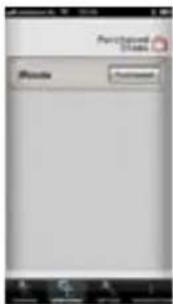
text_image
Participated Status Module Passwordtext_image
Speed: 217.3 km Time: 02:45 Sequence: 1.0 Comments: 12 Airway: 73 Hear Parts Down MARTT 0 0 0 0 0 0 0 0 0 0 0 0 0 0 0 0 0 0 0 0 0 0 0 0 0 0 0 0 0 0 0 0 0 0 0 0 0 0 0 0 0 0 0 0 0 0 0 0 0 0 1text_image
Route Get a route from ... / Plan my own routetext_image
Look Up My Activities I know aboutExploded view
text_image
Exploded view diagram of a mechanical device with numbered parts for identificationOnderdelenlijst
text_image
User Manual FLOWFITNESS PERFORM PERFORM 31. Important information 36
Content of package 37
2. Introduction 38
Important parts....38
Specifications....39
3. Fitness 40
What is fitness....40
Training by heart rate 40
Determining your trainings goal....40
Warming Up & Cooling Down....41
Introduction training schedule 42
Training schedule to improve stamina....43
Training schedule to lose weight....43
4. Assembly 44
-
Assembly of the stabilizers ....44
-
Adjust the handlebar post and seat post ....45
-
Assemble the seat, handlebar and bottle holder....46
-
Assemble the iConsole....47
-
Assemble the pedals and connect the adapter ....48
5. Use 49
Storage, moving and usage 49
Maintenance 49
Using the iConsole....50
Training with the iConsole ^+ app ....54
6. Product information 62
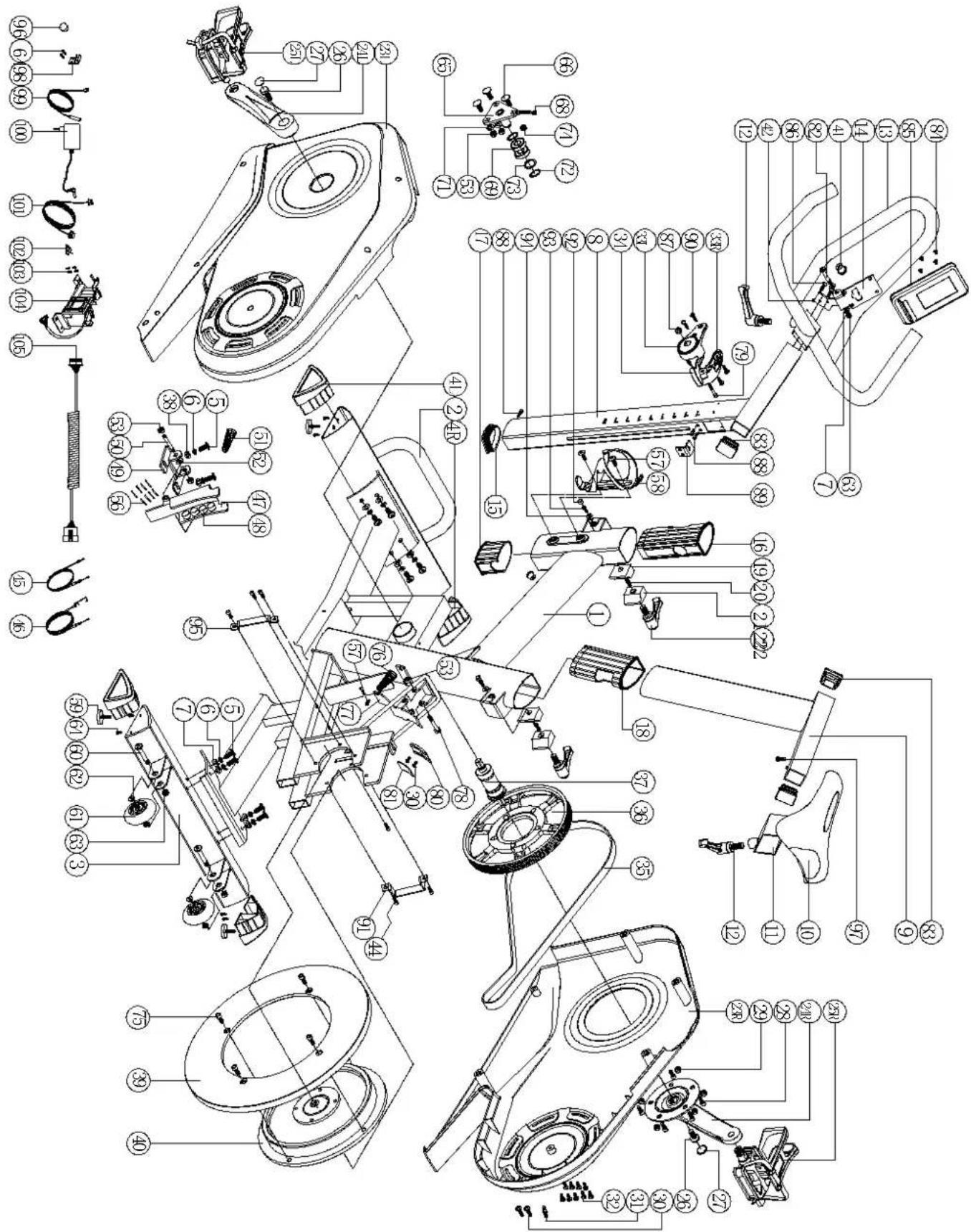
Exploded view....62
Part list....63
Troubleshooting....64
7. Warranty 65
Warranty 65
Health
IMPORTANT: read this instruction manual first and follow the instructions carefully before using the product.
- Consult an expert to determine the training level that is most suitable for you.
- If you experience any dizziness, nausea or any other physical discomfort while training, cease the training immediately and consult a physician.
- Watch your heart beat during the training and immediately stop training when values are inconsistent.
- We advise you to do warming up and cooling down exercises during five to ten minutes before and after use of the product. This way your heart rate can increase and decrease gradually and you can prevent painful muscles.
Safety
- Only use this product as described in this instruction manual.
- Before using this product check that the product functions as it should. In case of malfunction or a defect stop training immediately and contact your dealer.
- Do not use the product when there is a malfunction.
- The product has to be positioned on a flat surface.
- The product can only be used by one person at the same time.
- The product can be used by persons weighing up to 150 kg.
- Always make sure that there is at least one meter of free space in all directions around the product when you are training.
- Don't stick any objects in any opening of the product.
- Keep children and pets away from the product.
- Handicapped persons should get consent from a medical expert and follow their directions for training with the product.
- Do not place hands or feet under the product.
- Never hold your breath during a training session. Your breathing should be at a normal interval depending on the intensity of the training.
- Start your training schedule slowly and build it up gradually.
- Always wear appropriate clothing during training. Don't wear anything that's too loose and can get caught between moving parts of the equipment.
- When moving the equipment always use the appropriate lifting techniques to prevent back injury.
- Check screws and bolts regularly and fasten them if they are loose.
- The owner of the product is responsible for all users to be aware of the warnings and instructions as mentioned in this instruction manual.
- This product is intended for use in a clean and dry environment. Storage in cold and / or moist areas could lead to problems with the product.

WARNING
Have your physical condition checked by a licensed physician before you start training. This is particularly important for persons over 35 years old or persons who have any problems with their health. Read all instructions before using the equipment. Flow Fitness is not responsible for any personal injury or damage to property caused by the use of this equipment.
Content of package
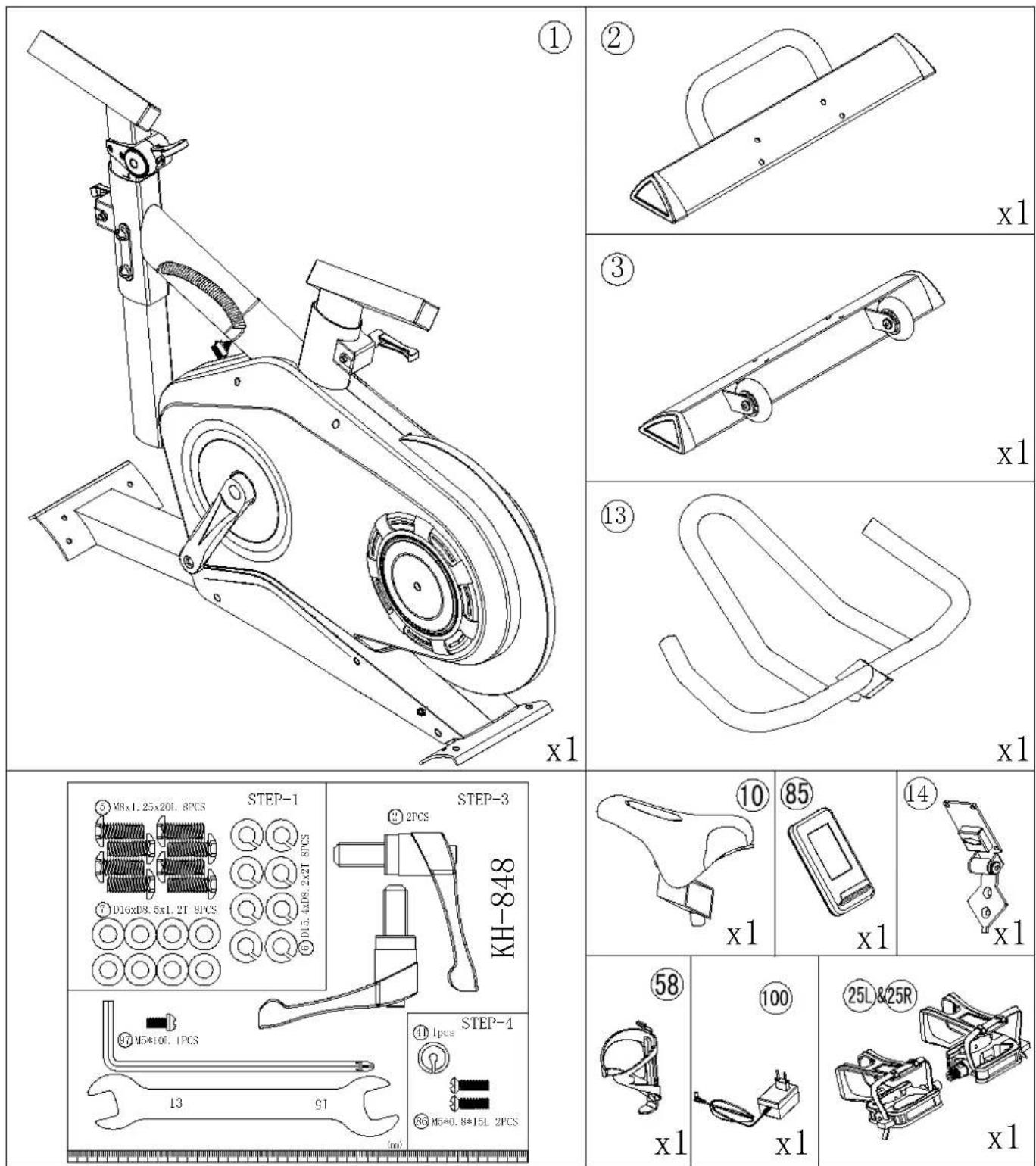
2 Introduction
Important parts
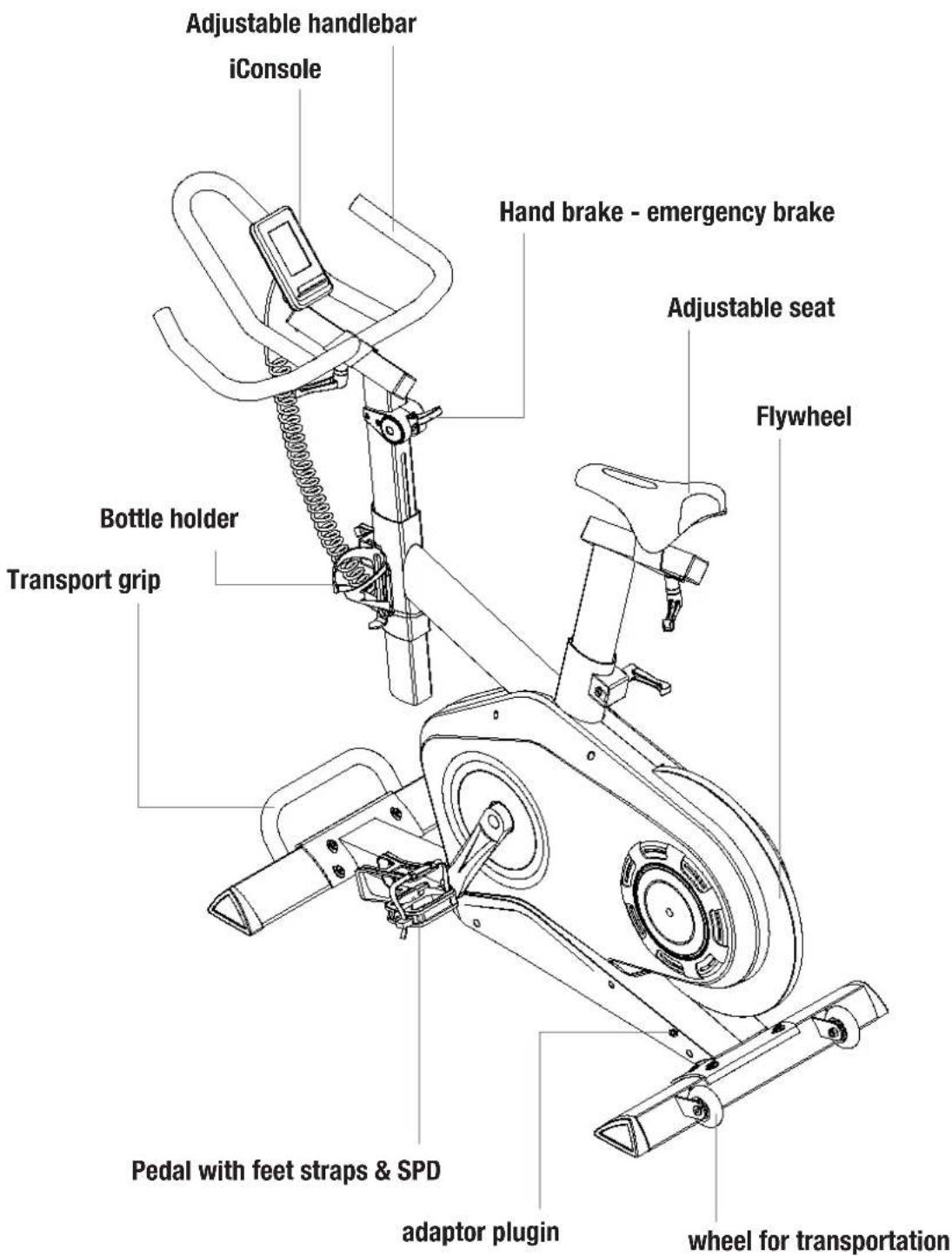
text_image
Adjustable handlebar iConsole Hand brake - emergency brake Adjustable seat Flywheel Bottle holder Transport grip Pedal with feet straps & SPD adaptor plugin wheel for transportationSpecifications
iConsole
18 Total programs
1 Manual program
12 Preset programs
3 Heart Rate Controlled programs
1 Target Heart Rate program
1 Consistant WATT
Recovery test
Heart rate registration with an
optional 5kHz chest belt
USB charger
Bluetooth
iConsole app (with iroute) compatible)
iConsole+ APP
Training with iconsole app
18 Total programs
1 Manual program
12 Preset programs
3 Heart Rate Controlled programs
1 Target Heart Rate program
1 Consistant WATT
iconsole ^+
Technical
32 Resistance levels
18 kg Rotating mass
Permanent magnet resistance system
Size and weight
Length: 152 cm
Heigth: 104 cm
Widht: 59 cm
Weight: 50 kg
Ergonomics
Horizontal and vertical adjustable seat
Horizontal and vertical adjustable handle bar
Pedals with feet straps
Pedals are compatible with SPD cycle shoes
What is fitness

What is fitness? Generally it can be described as an fitness exercise that causes your heart to pump more oxygen to your muscles via the blood from your lungs. The harder the workout, the more fuel (oxygen) the muscles require to achieve this rate of oxygen. The heart has to pump harder to get the oxygenated blood into the muscles. If you have a good stamina, your heart pumps more blood with each heartbeat. The heart will not have to beat that often to transport the necessary oxygen into your muscles. Your resting heart rate and heart rate during exercise will reduce.
Training by heart rate

While training it is important to monitor your heart rate. The heart rate is essential for the result of your training. Your best training heart rate depends firstly on your age. Your maximum heart beat can be determined by this. Secondly the most effective heart rate depends on your training goals. If your training goal is to lose weight, then the most effective training is at 60% of your maximum heart rate. If your training goal is to improve your stamina, then you should train at 85% of your maximum heart rate.
The body stores energy in two forms: carbohydrates and fat. When we exercise we use a combination of these two energy supplies. If the training intensity is at a high level the body will mostly choose the energy that burns fast: carbohydrates. Since there is a limited supply of these carbohydrates you can't continue this for a long period of time. When training at a low intensity the body will mostly choose to use a long lasting source of energy: fat. Since this is stored in large quantities in the body, you can continue this kind of training for a longer time.
Determining your trainings goal
Below you will find a schedule allowing you to calculate the best heart rate for your training. In this schedule each age category has a range that your heart rate should be in during your training. The middle column has the values you should try to maintain if you want to lose weight. If you want to improve your stamina you should try to maintain the rates in the right column.
For each individual the best way to start training is different. If you have not exercised in some time or are overweight, you should start your training schedule slowly and gradually increase the level of activity.
| Age | Weight lost(beats per minute)60% | Improve stamina(beats per minute)85% |
| 20 -24 120 - 118 170 -167 | ||
| 25 - 29 117 - 115 166 - 163 | ||
| 30 - 34 114 - 112 162 - 158 | ||
| 35 - 39 111 - 109 157 - 154 | ||
| 40 - 44 108 - 106 153 - 150 | ||
| 45 - 49 105 - 103 149 - 145 | ||
| 50 - 54 102 - 100 144 - 141 | ||
| 55 - 59 99 - 97 140 - 137 | ||
| 60 and older 96 - 94 136 - 133 |
In the last chapter of this instruction manual you will find several different training schedules (chapter 5. general information). You can use these schedules to reach your training goals. The schedules are divided in two phases. The first phase can be used for beginners or persons who start training after a long period of inactivity. During this phase the level of intensity is built up gradually. After six weeks the second phase begins. You can then choose a training schedule to lose weight or improve your stamina.
At www.flowfitness.nl you can calculate your progress.
Warming Up & Cooling Down
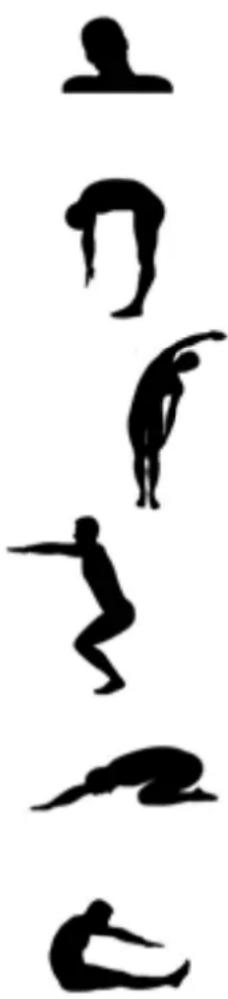
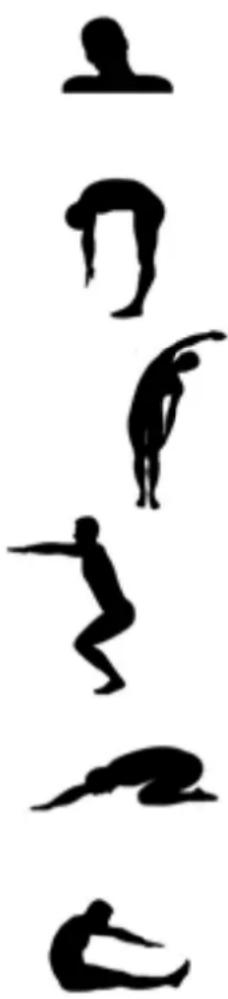
A good training schedule starts with a good warming up and ends with a cooling down of the muscles. This will prevent painful muscles and injury. Below you will find some suitable exercises.
natural_image
Silhouettes of a person in various dynamic poses, possibly dancing or stretching (no text or symbols)Head Roll
Tilt your head to the right. Hold this for one second, so that you feel a little pull in the muscles on the left side of your neck. Do the same for the other side, front and back. Repeat two or three times.
Toe Touch
Slowly bend forward with your back and arms relaxed. Bend as far as you can and hold the position for ten seconds. Repeat this two or three times.
Side Stretch
Extend both your arms up in the air and reach as high as you can with your right arm. Lean a bit to the left so that the muscles in the right side of your torso are stretched. Hold this position for one second. Relax and make the same motion on the other side of your body. Repeat this three or four times.
Knee bend
Set your feet shoulder-width apart and your stretched your hands out. Lower yourself no more than 10cm by bending your knees. Come back up again and repeat several times.
Lower back stretch
Begin on all fours. Stretch your arms out in front of you, allowing your face to lower to a position near the floor. Gently sit back. Rest your glutes just above your heels. Ease back and feel the gentle stretch in your lower back.
Hamstring Stretch
Sit down on the floor with your right leg extended in front of you and place the sole of your left foot on the inside of your right upper leg. Bend forward in the direction of your right foot and hold this position for ten seconds. Relax and then do the same with your other leg. Repeat two or three times.
Introduction training schedule
Training schedule week 1 and 2
Train at 60% of your maximum heart rate with a maximum of 3 times a week.
Warming up
5 - 10 minutes
Train
4 minutes
Rest
1 minute
Train
2 minutes
Slow pedaling
1 minute
Cooling down
5 minutes
Training schedule week 2 and 3
Train at 60% of your maximum heart rate with a maximum of 4 times a week.
Warming up
5 - 10 minutes
Train
5 minutes
Rest
1 minute
Train
3 minutes
Slow pedaling
1 minute
Cooling down
5 minutes
Training schedule week 5 and 6
Train at 60% of your maximum heart rate with a maximum of 5 times a week.
Warming up
5 - 10 minutes
Train
6 minutes
Rest
1 minute
Train
4 minutes
Slow pedaling
3 minutes
Cooling down
5 minutes
After completing the introduction training schedule for six weeks, you can choose the follow-up training schedule that is best suited to your needs. You can choose a schedule that will maximize your weight loss, or one that will improve your stamina. Both training schedules are on the next page.
Training schedule to improve stamina
Training schedule week 7 and 8
Train at 85% of your maximum heart rate with a maximum of 6 times a week.
Warming up
5 - 10 minutes
Train
7 minutes
Rest
1 minute
Train
5 minutes
Slow pedaling
1 minute
Cooling down
5 minutes
Training schedule week 9 and beyond
Train at 85% of your maximum heart rate with a maximum of 6 times a week.
Warming up
5 - 10 minutes
Train
10 minutes
Rest
1 minute
Train
10 minutes
Repeat training
2 or 3 times
Slow pedaling
1 minute
Cooling down
5 minutes
Training schedule to lose weight
Training schedule week 7 and 8
Train at 60% of your maximum heart rate with a maximum of 6 times a week.
Warming up
5 - 10 minutes
Train
7 minutes
Rest
1 minute
Train
5 minutes
Slow pedaling
1 minute
Cooling dow
5 minutes
Training schedule week 9 and beyond
Train at 60% of your maximum heart rate with a maximum of 6 times a week.
Warming up
5 - 10 minutes
Train
10 minutes
Rest
1 minute
Train
10 minutes
Repeat training
2 or 3 times
Slow pedaling
1 minute
Cooling down
5 minutes
4 Assembly
1. Assembly of the stabilizers
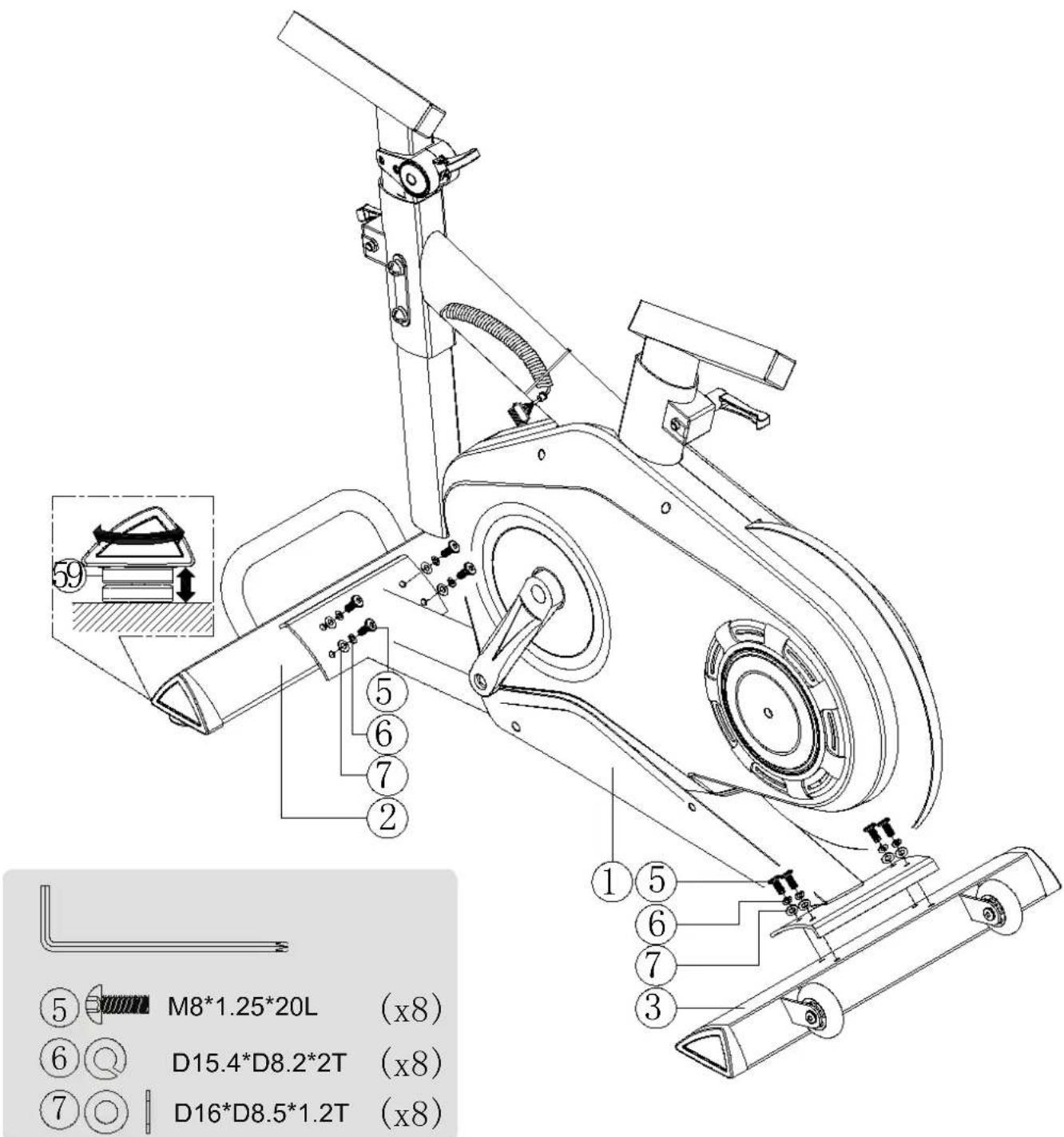
Assemble the front stabilizer and rear stabilizer as displayed in the illustration below. After assembling the stabilizers you can level the S3 by rotating the four adjustable feet underneath the stabilizers.
text_image
⑤ M8*1.25*20L (x8) ⑥ D15.4*D8.2*2T (x8) ⑦ D16*D8.5*1.2T (x8)2. Adjust the handlebar post and seat post
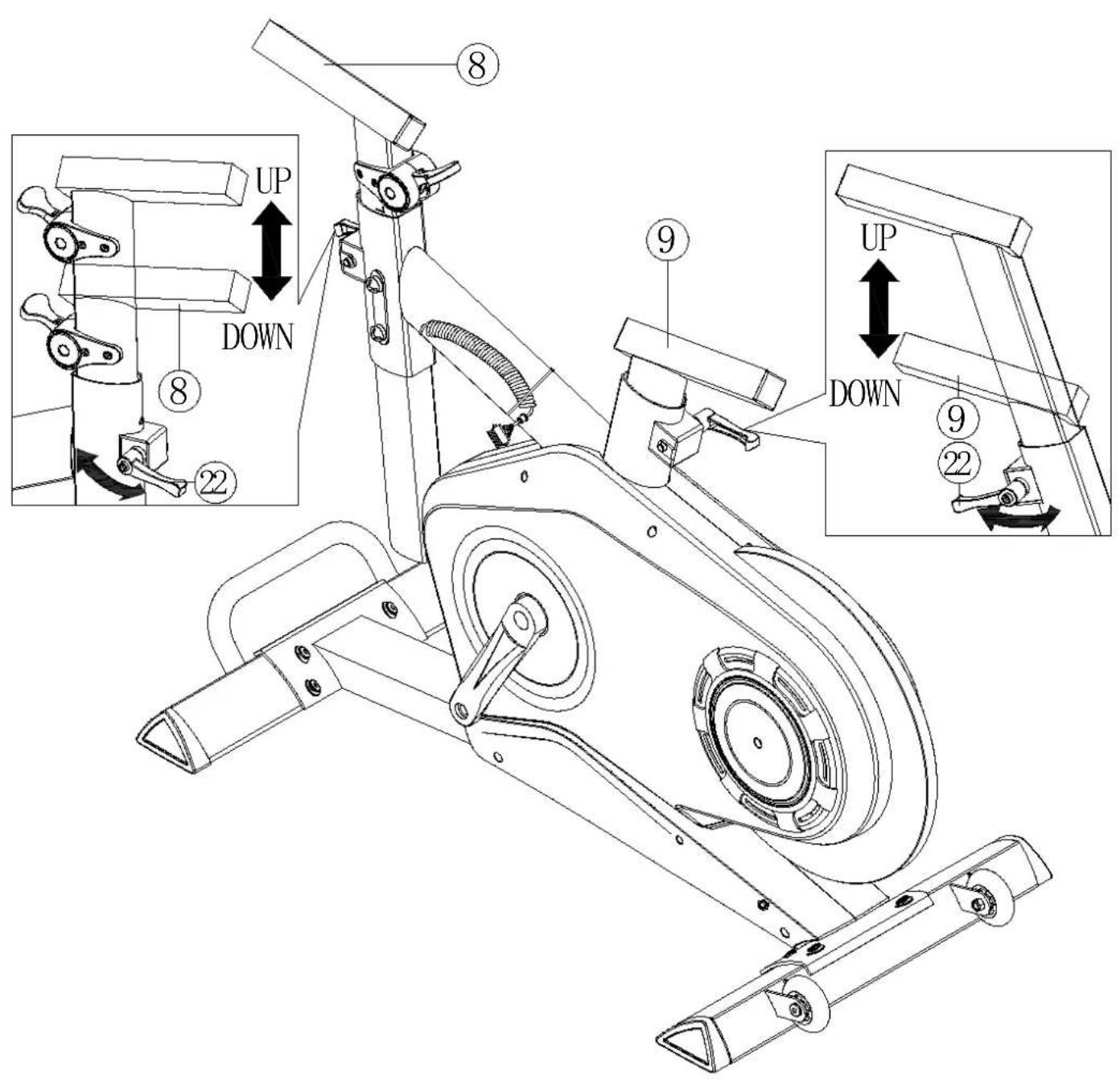
Set the handlebar and seat post into an higher position for easy assembly. The posts can be adjusted by loosening lever (22). Then pull the post to the desired height. Pulling the lever (22) before rotating allows you to position the lever handle without fastening or loosening the post. While using the S3 these levers can be used to setup the preferred height of the handlebar and seat.
text_image
UP DOWN 8 22 9 UP DOWN 9 224 Assembly
3. Assemble the seat, handlebar and bottle holder
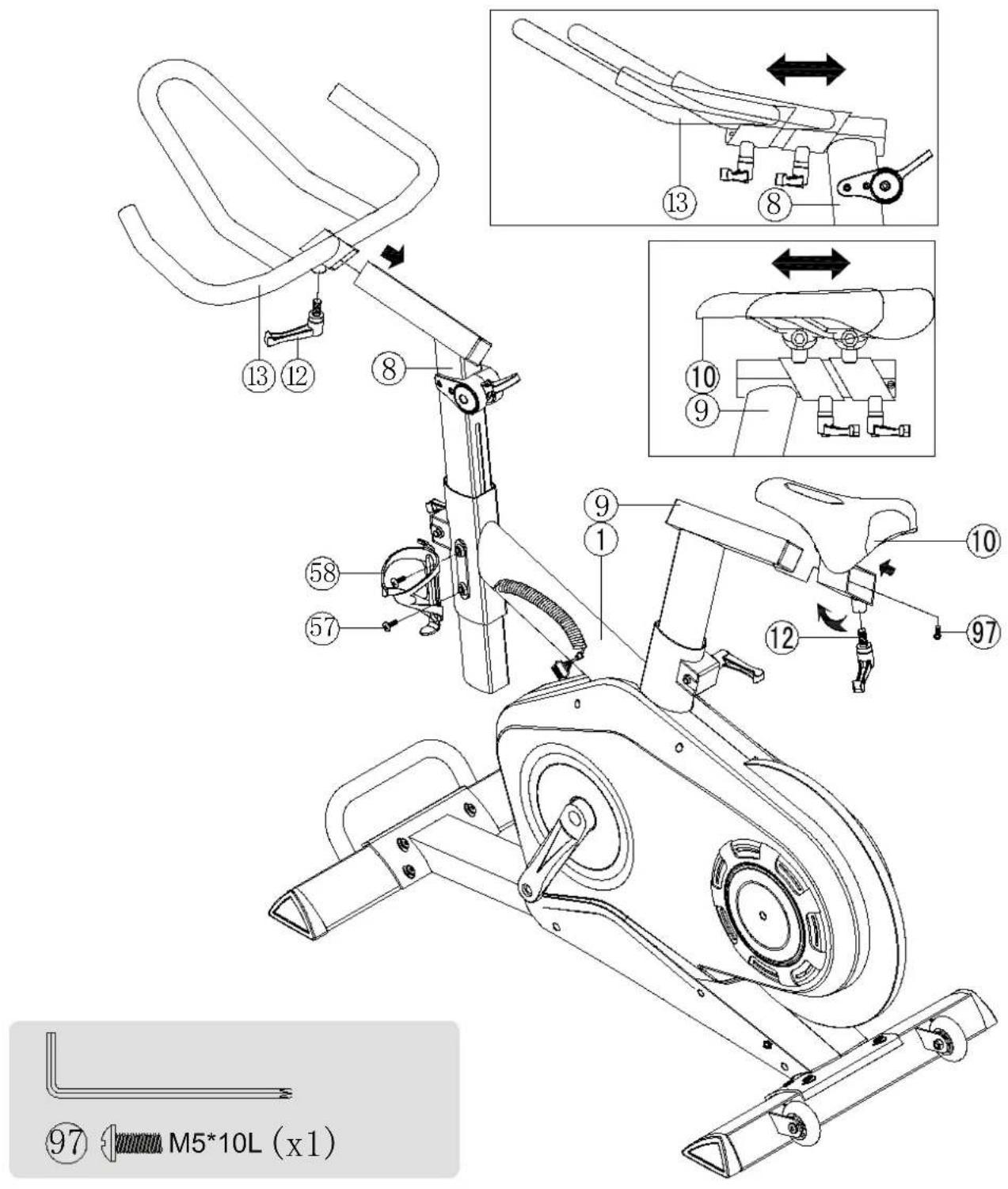
Assemble the handlebar and seat as displayed in the illustration below. After assembling the seat fasten screw (97) to secure the seat onto the rail. To assemble the bottle holder remove screws (57). Then use these screws to fasten the bottle holder
text_image
⑨7 M5*10L (x1)4. Assemble the iConsole
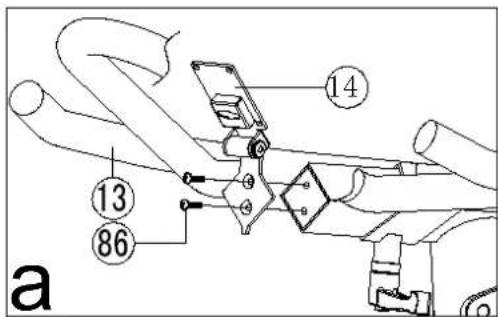
a. Assemble the iconsole bracket as display in illustration a.
b. Feed the console cable through the bracket as display in illustration b
c. Place the cable cover onto the console cable and press it inside the bracket as display in illustration c.
d. First connect the console cable to the iConsole before assembling the iConsole to the bracket by fastening 4 screws, as displayed in illustration d.
e. After assembling the iConsole the screen can be rotated and fixed into the desired position with included tools.
text_image
14 13 86 a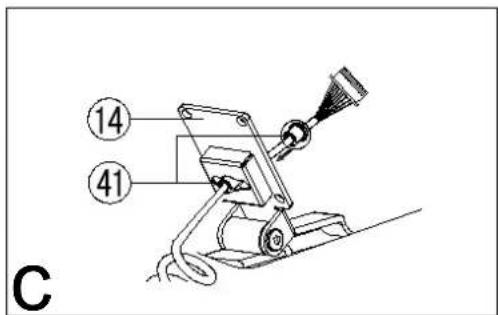
text_image
⑭ ④₁ C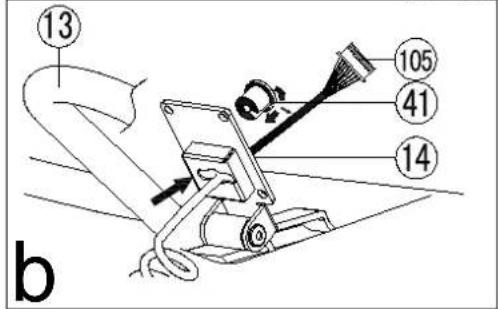
text_image
13 b 105 41 14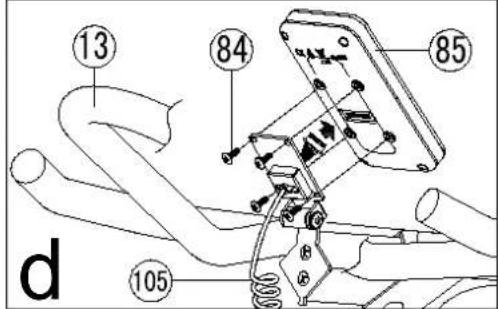
text_image
13 84 85 105 d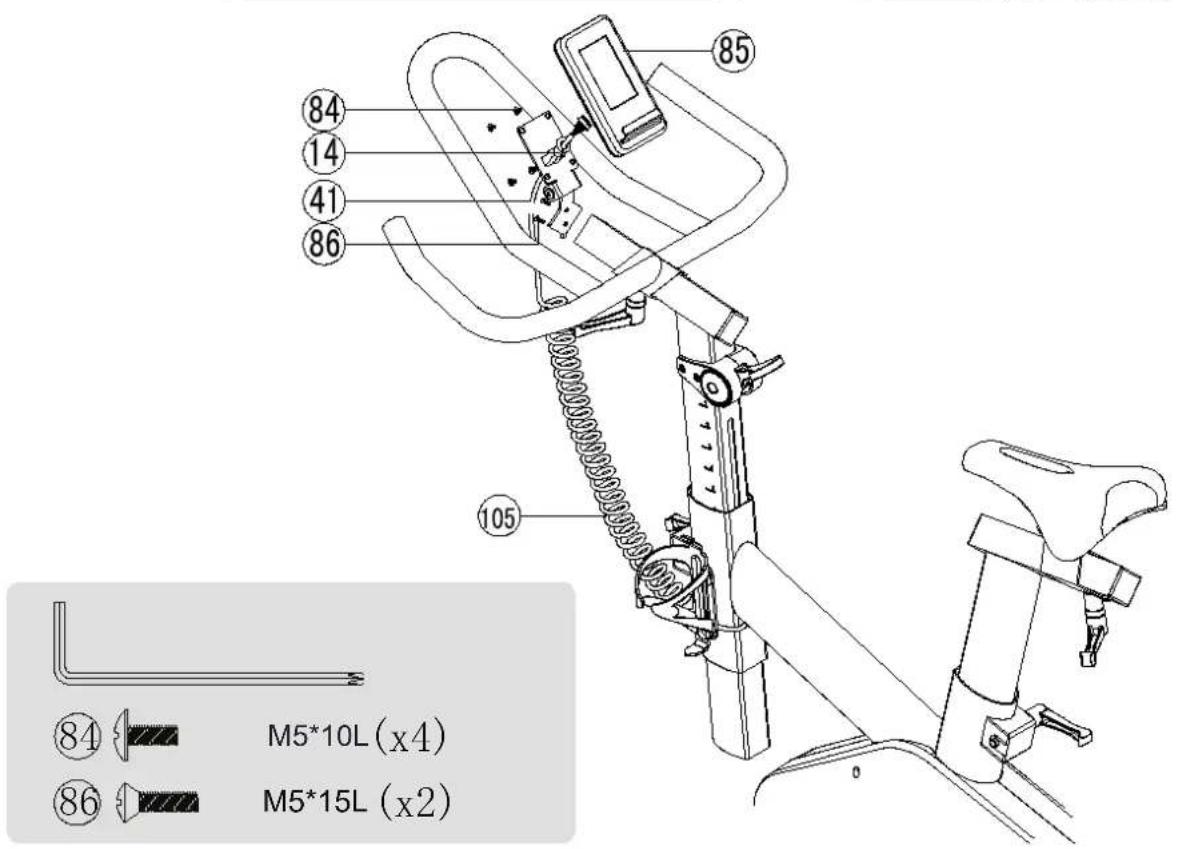
text_image
85 84 14 41 86 105 M5*10L (x4) M5*15L (x2)4 Assembly
5. Assemble the pedals and connect the adapter
Fasten the pedals with the included wrench no. 15 against the pedaling direction. At last connect the power adapter (100) to the S3 and an power outlet.

text_image
Technical diagram of a stationary exercise bike with labeled components and internal parts
Storeage, moving and usage
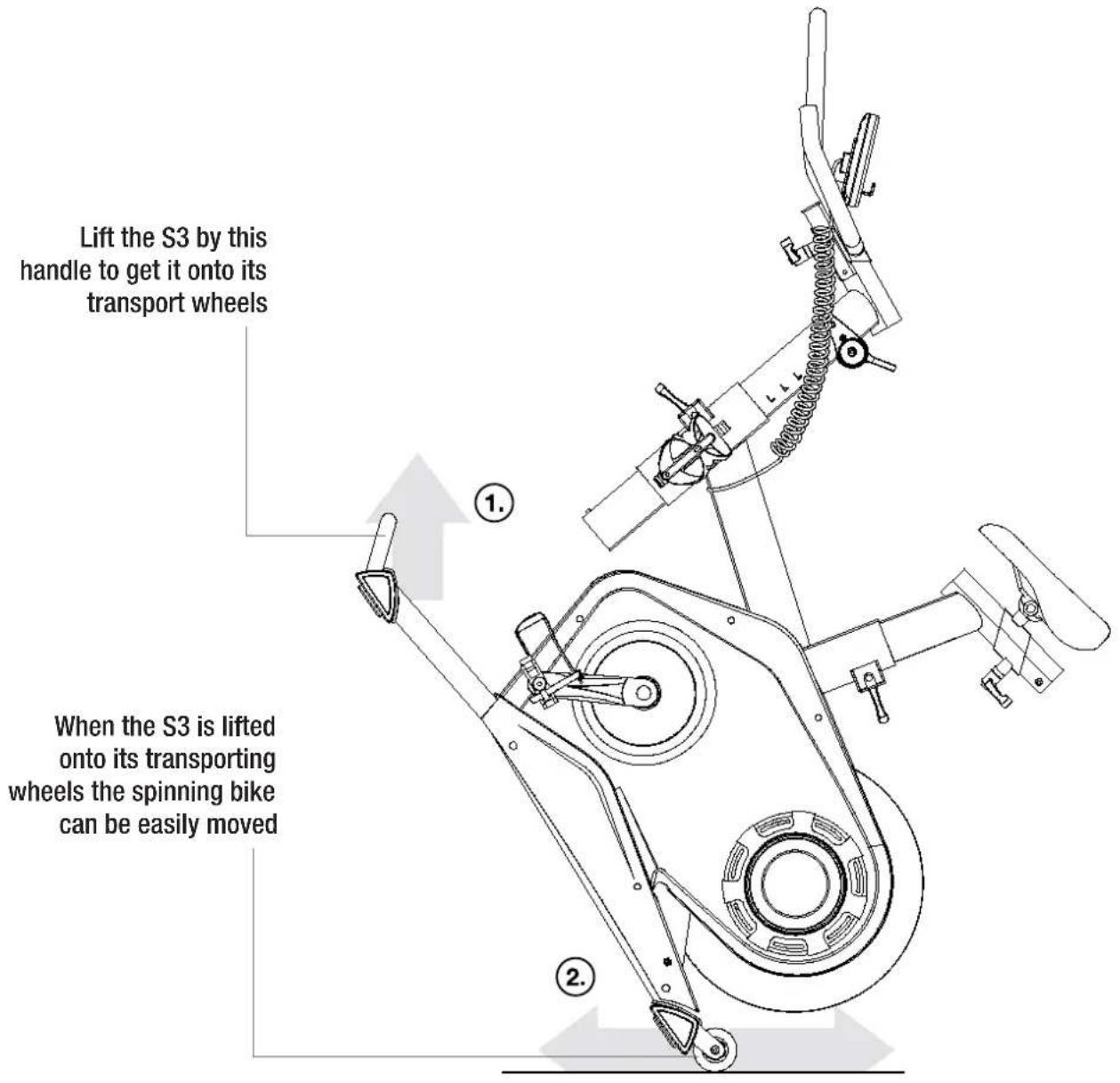
Before moving the PERFORM S3 make sure that the power adapter is disconnected from the product and outlet. For easy moving there is a handle on the front stabilizer for lifting the product with both hands and from the knees. The product is now on its transporting wheels and you are able to ride the spinning bike to the desired location. When placing the product into a new location it might be possible that product needs to be levelled again. When the product is on the desired location, reconnect the power adapter.
text_image
Lift the S3 by this handle to get it onto its transport wheels When the S3 is lifted onto its transporting wheels the spinning bike can be easily movedMaintenance
Flow Fitness advises to fasten nuts and bolts, check and fasten pivot points once every six weeks. For fastening use the tool supplied with the product.
Clean metal and plastic parts with standard cleaning products after every training session. However, make sure that all parts are completely dry before they are used again.
To prevent unnecessary wear, the spinning bike can only be used in house and in a dry environment.
Using the iConsole
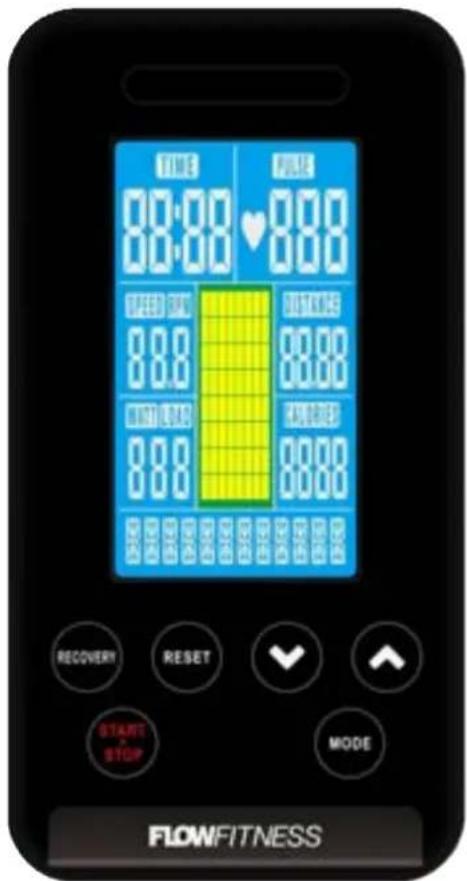
RECOVERY Analyses stamina on the basis of the heart rate recovery
RESET
Reset to current value
Back to main menu
Reboot the iConsole
(press and hold for 2 seconds)
STAR/STOP
Start, pause or stop a training session
text_image
TIME 00:00 ♥ 000 TBD OK 88.0 TBD OUT 88.0 FLOWS 88.0 FLOWS 88.0 FLOWS 88.0 FLOWS 88.0 FLOWS 88.0 FLOWS 88.0 FLOWS 88.0 FLOWS 88.0 FLOWS 88.0 FLOWS 88.0 FLOWS 88.0 FLOWSPHONE HOLDER
DOWN
Program selection
Decrease training value
Decrease resistance level
UP
Program selection
Increase training value
Increase resistance level
MODE
Confirm selection or setting
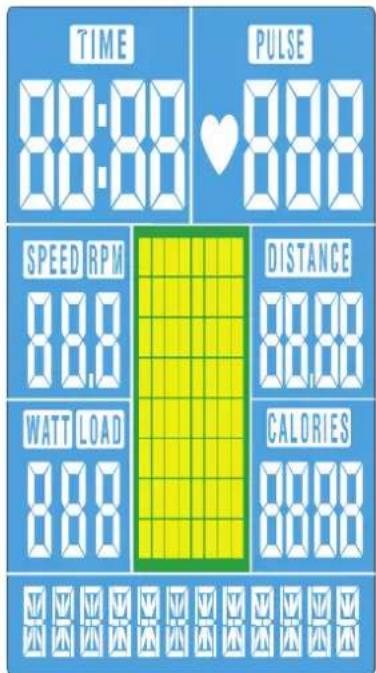
iConsole display values
Time Elapsed or target time
Speed Current speed
Distance elapsed or target distance
Calories Burned or target calories
Pulse Your heart rate in Beats Per Minute
RPM Rotating per minute
WATT You output in WATT
Power on
Plug in the power supply. The computer will power on, there will be a short sound signal and the display will light up. In case of 4 minute inactivity the iConsole will enter standby mode. To wake the iConsole from standby modus press any button or start pedaling.
text_image
TIME 88:00 PULSE 88:00 SPEED RPM 88.0 DISTANCE 88.00 WATT LOAD 88.0 CALORIES 88.00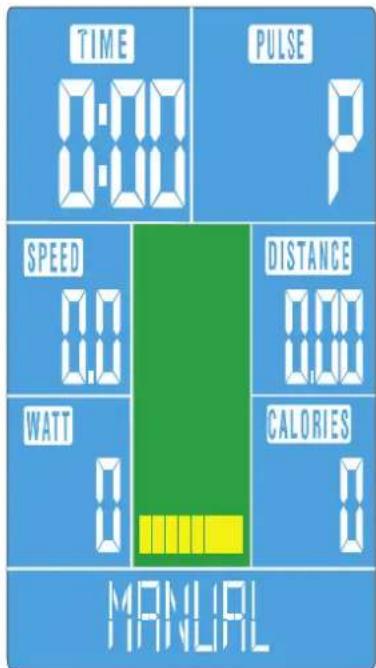
text_image
TIME 0:00 PULSE P SPEED 0.0 DISTANCE 0.0 WATT 0 CALORIES 0 MANUALThe iConsole can be used in two different ways; by connecting your smartphone or tablet using the bluetooth signal. With a smartphone or tablet connected you are able to train with programs on the iConsole+ app. Or there are 18 training programs available with just the iConsole. Training with only the iConsole is described on the next pages. Training with the iConsole+ app is described on page 54 of this manual.
The programs on the iConsole computer are categorized into six training programs and a recovery test. Use the UP and DOWN buttons to select a training program. Confirm your selection by pressing MODE. During a training session press START • STOP to pause the program. Press RESET to end the training program or press START • STOP again to resume the program.
MANUAL BEGINNER ADVANCED SPORTY CARDIO WATT RECOVERY
text_image
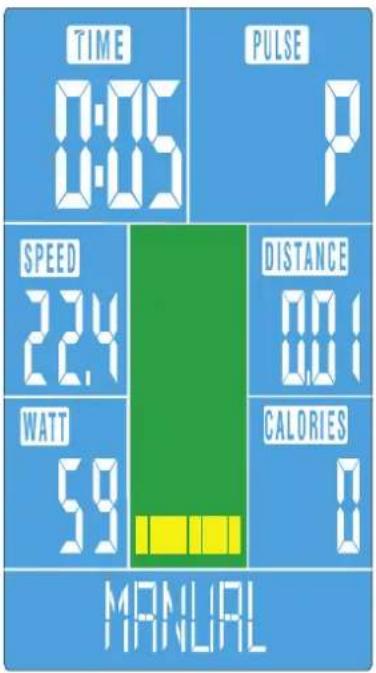
TIME 0:05 PULSE P SPEED 2.4 DISTANCE 0.1 WATT 5.9 CALORIES 0 MANUALMANUAL TRAINING
The MANUAL program is a program with a consistence resistance with preselected target values for TIME, DISTANCE, CALORIES, PULSE. If the values
- Select ManUal program with the UP and DOWN buttons. Press MODE to confirm the selection. Press START • STOP to start the training or set one or more of the following target values; TIME, DISTanCe, CalOrleS, PUISe.
- Set the preferred training duration with the UP and DOWN buttons. Confirm the selection by pressing MODE.
- Set the preferred distance with the UP and DOWN buttons. Confirm the selection by pressing MODE.
- Set the preferred calorie target with the UP and DOWN buttons. Confirm the selection by pressing MODE.
- Set the preferred heart rate target with the UP and DOWN buttons. Confirm the selection by pressing MODE.
- Press START • STOP to start the training program
- Use the UP and DOWN buttons to adjust the resistance level.
The program is finished when one of the target values reaches zero.
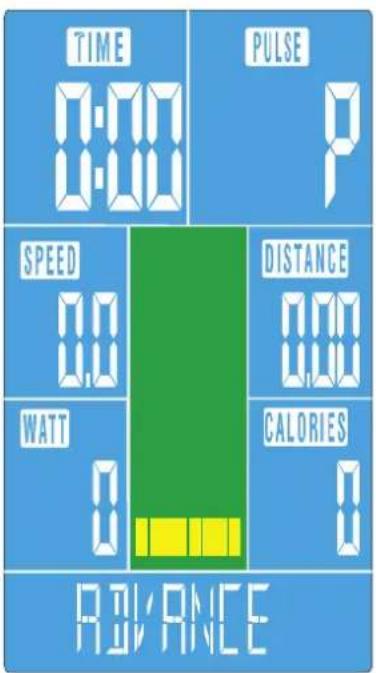
You can choose for one of the preset programs. With a preset program the resistance will vary according to the selected profile. In total there are 12 different profiles categorized in 3 groups; BeGInner, aDVanCeD and SPOrTY.
- Select BeGInner, aDVanCeD or SPOrTY training with the UP and DOWN buttons. Press MODE to confirm the selection.
BEGINNER 1 BEGINNER 2 BEGINNER 3 BEGINNER 4

natural_image
Four identical black-and-white bar-like patterns arranged in a row (no text or symbols)- Choose the desired training profile (1/4) with the with the UP and DOWN buttons. Confirm the selection by pressing MODE.
- Set the preferred training duration with the UP and DOWN buttons. Confirm the selection by pressing MODE.
- Press START • STOP to start the training program
- Use the UP and DOWN buttons to adjust the resistance level.
The program is finished when the set training time has elapsed.

other
| Metric | Value | | :--- | :--- | | TIME | 0:06 | | PULSE | P | | SPEED | 2.4 | | DISTANCE | 0.1 | | WATT | 5.9 | | CALORIES | 0 | | PULSE INPUT | |HEART RATE CONTROLLED TRAINING: CARDIO
With this training it is possible to train by using your heart rate. For this training program you need to wear a optional chest belt. There are 4 different levels: 55%, 75%, 90% or Target Heart Rate (TAG). The level is a percentage of your maximal heart rate, which is calculated on the base of your age.
| 55%Vet verbanding--- | 75%Vet verbanding +Conditieverbeting | 90%---Conditieverbeting | TaGSelecteer eigendoel hartslag |
- Select CarDIO with the UP and DOWN buttons. Press MODE to confirm the selection.
- Set your age with the UP and DOWN buttons. Confirm the selection by pressing MODE.
- Set your heart rate level; 55%, 75%, 90% or TaG with the UP and DOWN buttons. Confirm the selection by pressing MODE.
- When you have selected TaG in the previous step set your target heart rate with the UP and DOWN buttons. Confirm the selection by pressing MODE. If you have selected one of the percentages you can skip this step.
- Set the preferred training duration with the UP and DOWN buttons. Confirm the selection by pressing MODE.
- Press START • STOP to start the training program
When there is no pulse detected for 6 seconds the display will show PUISe InPUT. The program is finished when one of the target values reaches zero.
text_image
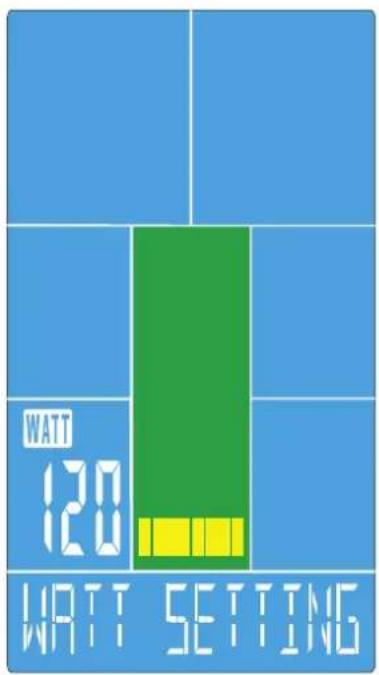
WATT 120 WATT SETTINGWATT TRAINING
With this training you can select on with output you want to train. The computer will automatically adjust the resistance to keep your output consistent.
- Select WaTT with the UP and DOWN buttons. Press MODE to confirm the selection.
- Set the preferred output (WATT) with the UP and DOWN buttons. Confirm the selection by pressing MODE.
- Set the preferred training duration with the UP and DOWN buttons. Confirm the selection by pressing MODE.
- Press START • STOP to start the training program
The program is finished when the set training time has elapsed.
text_image
TIME F6 PULSE 91 RECOVERYRECOVERY TEST
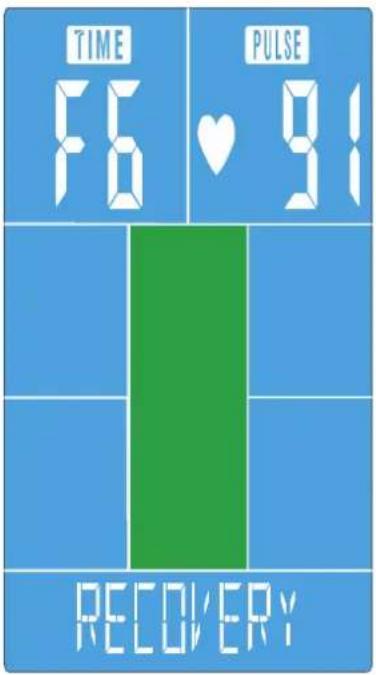
After a workout it is possible to check your stamina level. For the recovery test you need an optional chest belt. Press the RECOVERY button directly after finishing a training session. All values will disappear from the screen and a countdown from 60 to 0 seconds will be visible. After the countdown a code will appear. This code displays your stamina level. Explanation of the code is shown in the table below:
F1: Excellent
F2: Good
F3: Average
F4: Below average
F5: Bad
F6: Very bad / no correct measurement
Important:
The RECOVERY stamina test will only start when a heart rate is detected. Your stamina is based upon the time in which your heart rate returns to rest level. Therefore the RECOVERY program can only be done after an intense workout with a raised heart rate of at least 150 BPM.
Training with the iConsole ^+ app
The iConsole enables you to train by using your smartphone or tablet. For training by smartphone or tablet you need to download the iConsole app. The App can only be used for:

natural_image
Simple black-and-white icon of a tablet device with a square outline and a small dot at the bottom (no text or symbols)iPad 1 or newer iPad air 1 or newer
natural_image
Simple line drawing of a tablet device with blank screen (no text or symbols)iPad Mini or newer
iPhone 3GS or newer
iPod touch (3gen) or newer

Android tablet OS4.0 or higher 1280X800 pixels
Android Phone OS2.2 or higher 800x480 pixels
Training session with the iConsole+ App
First the iConsole+ app needs to be downloaded. Depending on your device and operating system the App can be downloaded in the Google Play store or the Apple App Store. You can also download the App directly by scanning the QR code below. For Android tablets its best to download the iConsole HD app. The iConsole+ App is completely free
After a successful download of the iConsole+ App you need to follow these steps to connect the tablet or smartphone.
For Apple devices
- Go to the settings of or your smartphone or tablet and turn bluetooth on.
- Your smartphone or tablet will search for available bluetooth devices. In the list ICONSOLE will appear.
- Select ICONSOLE to connect both devices.

text_image
iConsole+ Download on the App Store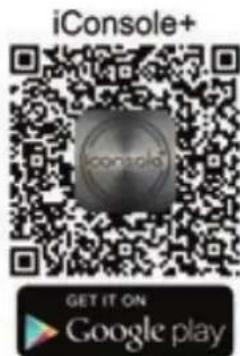
text_image
iConsole+ GET IT ON Google play- Use the password 0000, to complete the connection.
- When the two devices are connected the display of the S3 will automatically turn off.
- Start the ICONSOLE App on your device.
For Android devices
- Go to the settings of or your smartphone or tablet and turn bluetooth on.
- Start the ICONSOLE App.
- Press the bleutooth icon with rotating arrows on top of the screen. A list of bluetooth devices will appear.
- Select ICONSOLE to connect both devices.
- When the two devices are connected the display of the S3 will automatically turn off.
On the next pages the use of the iConsole+ App is described. There is a description for using the tablet App and one for the smartphone App.
Important: the App will be regularly updated. It may be possible this manual is outdated and incomplete. Go to http://www.flowfitness.nl/en/service/gebruiksaanwijzing.php where you can download the most recent version of the manual.
De iConsole' app has 4 menus:
- TRAINING All available trainings
- GYM CENTER All extra in App purchases.
- SETTINGS General settings and profile
- INFORMATION Workout history
All 4 menus are described on the next pages.
iConsole+ SETTINGS MENU
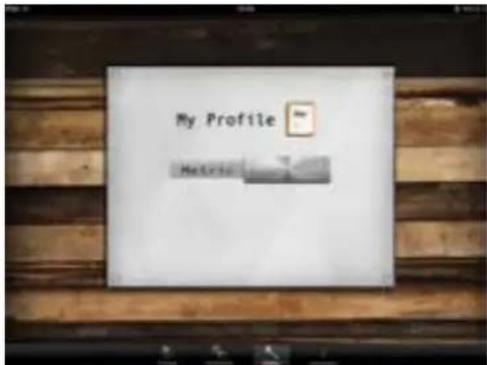
Before you start using the iConsole- App enter your settings for an optimal use by going to the SETTING menu. First it is possible to chose from the metric (METRIC) or the British (IMPERIAL) system. "Swipe" the switch to the right or left.
text_image
My Profile Netrisio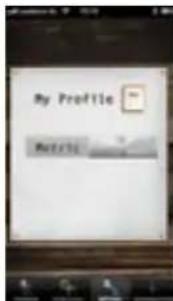
text_image
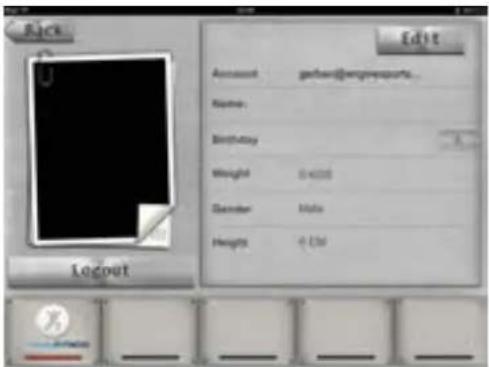
My Profile ProfileSecondly, you can enter your personal information in this menu. This information will be used for the different training programs and storing training information into the INFORMATION MENU. The information can also be used for add-ons of the iConsole+ App displayed in the GYM CENTER MENU.
Press "MY PROFILE", to enter your personal information. Firstly you need to create an account. A account can be created by pressing LOG IN and CREATE AN ACCOUNT. Enter your email under ACCOUNT and create your own PASSWORD. Repeat the same password under CONFIRM PASSWORD. After filling your account and password press SIGN UP. If every thing is filled out correctly the message SUCCESSFULLY SIGNED UP will appear and a confirmation mail will be sent to your provided email.
text_image
Edit Account: gatson@engyngesports Name: Birthday Weight: 0.0000 December: March Height: 0.150 Layout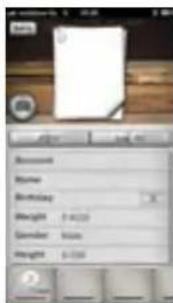
text_image
Account Name Birthday Weight: $400 Gender: Male Height: $350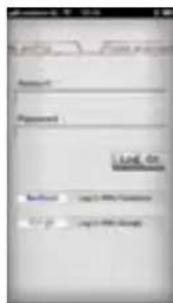
text_image
Account Password Log On Password Log On5 Use
Click on the attached link to activate your account and the following message will appear:
The account's email has been validated!
Now you can login with your email and password. You can also login with your Facebook or Google account.
By pressing EDIT your personal information can be entered. You can even add a photo, by pressing within the EDIT mode on the camera icon. When you have entered all the personal information press DONE, press BACK to go back to the SETTING menu.
iConsole+ TRAININGS MENU
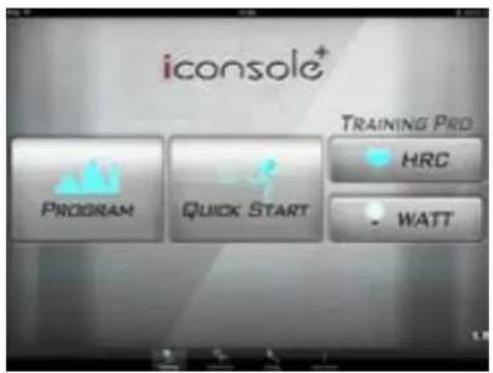
Within the training menu of the iConsole+ app there are 4 different types of programs.
PROGRAM Preset training programs QUICK START Start directly with a training HRC Heart Rate Controlled program WATT Constant Watt program
text_image
iconsole+ TRAINING PRO PROGRAM QUICK START HRC WATT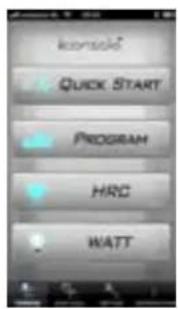
text_image
Iconsid Quick Start PROGRAM HRC WATTTablet iConsole+ app buttons Smartphone iConsole

START button

Scroll wheel for entering values

STOP button

Disk to set the heart rate level

PAUZE button

Button to set the heart rate level

Button to set target values

Back to the TRAINING menu
+ app buttons
START button
PAUZE button
STOP button
Back to TRAINING menu
Resistance level button
iConsole+ QUICK START
With the QUICK START program you don't have to set anything except the resistance. The values TIME, DISTANCE and CALORIES will increase during the training. The resistance on the tablet can be increased or decreased by "swiping" the brown lever up or down. For the phone app press the red ribbon to make the resistance slider appear.
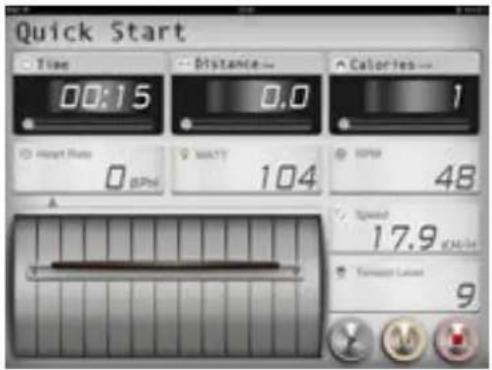
text_image
Quick Start Time 00:15 Distance 0.0 Calories 1 Hemp Rate 0 BPS MATT 104 SPPB 48 A Speed 17.9 Tenset Length 9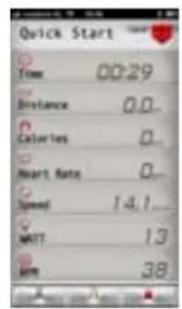
text_image
Quick Start Time 00:29 Distance 0.0... Calories 0... Heart Rate 0... Speed 14.1... MWT 13 BMI 38...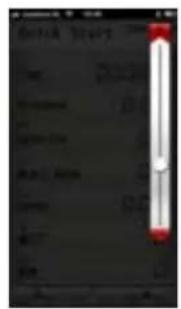
text_image
Scanned document with red header and vertical bar, containing text fields and a white slideriConsole+ PROGRAM - Preset training programs
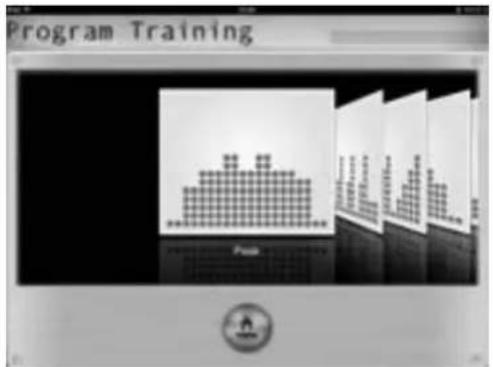
The PROGRAM contains several preset training programs. The resistance varies according to the selected profile. There are 12 profiles in total. Browse trough the profiles by "swiping", until the preferred training is found. Start the training by pressing the preferred profile.
text_image
Program Training Program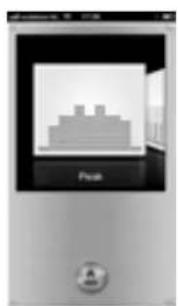
text_image
Pixel ASet a PROGRAM with the Tablet iConsole+ app Set a PROGRAM with the Smartphone iConsole
+ app
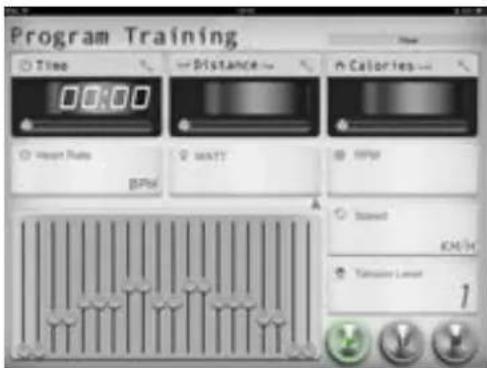
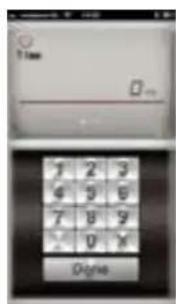
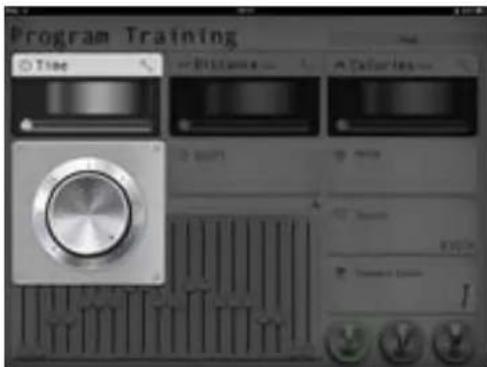
When you have selected the preferred profile a few values have to be entered: TIME, DISTANCE and CALORIES. If no values are entered and start is directly pressed all values will increase. Every 2 minutes the program will go to the next phase.
The values can be entered individually by pressing the wrench next to the value.
text_image
Program Training Time Distance Calories Heart Rate Battery Battery Speed KWH Temperature Level 1When you have selected the preferred profile a few values have to be entered: TIME, DISTANCE and CALORIES. If no values are entered and start is directly pressed all values will increase. Every 2 minutes the program will go to the next phase.
text_image
Time Digna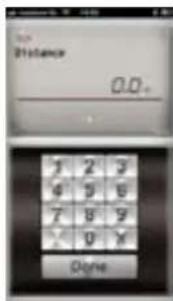
text_image
Distance 0.0+ 1 2 3 9 9 9 7 8 9 X 0 X Degree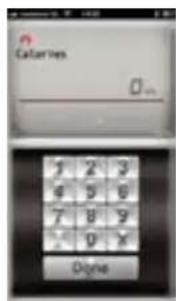
text_image
Calories DigineThe values can be set independently. First TIME will appear. The value can be entered by using the keypad. By "swiping" the TIME
text_image
Program Training Time Distance Coloration 2 mm 100% 100% 100% 1The scroll wheel will appear. By turning the scroll wheel clock or counter clockwise the value can be set. Go back to the program by pressing the wrench again. When you choose to set one of the values the training will end when you have reached one of this values.
text_image
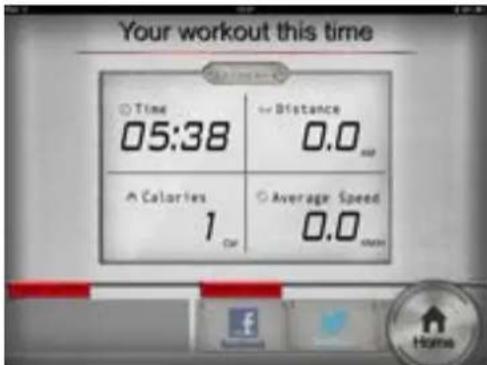
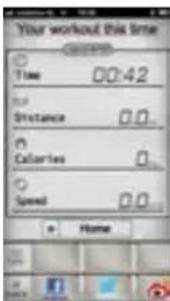
Your workout this time Time 05:38 Distance 0.0 Calories 1 Car Average Speed 0.0 HomeThe resistance can be increased or decreased during a training by moving the profile slider up or down. When the program is finished you can return to the main menu by pressing the HOME button. After a training your able to "post" your result on Facebook or Twitter. For posting you need an account to log in.
box to the left DISTanCe and CalOrleS will appear. When you don't want to enter the distance or burned calories you can press DOne and the program will start.
text_image
Time Distance Calories Heart Rate Speed MATT API
text_image
Scanned screenshot of a software interface with vertical bars and a red heart button, showing text labels and a dark background.
line
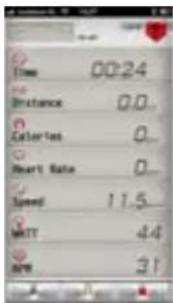
| Date | Value | |---|---| | 01/01/2023 | 1.0 | | 02/01/2023 | 1.5 | | 03/01/2023 | 2.0 | | 04/01/2023 | 2.5 | | 05/01/2023 | 3.0 | | 06/01/2023 | 3.5 | | 07/01/2023 | 4.0 | | 08/01/2023 | 4.5 | | 09/01/2023 | 5.0 | | 10/01/2023 | 5.5 | | 11/01/2023 | 6.0 | | 12/01/2023 | 6.5 | | 1/02/2024 | 7.0 | | 2/02/2024 | 7.5 | | 3/02/2024 | 8.0 | | 4/02/2024 | 8.5 | | 5/02/2024 | 9.0 | | 6/02/2024 | 9.5 | | 7/02/2024 | 10.0 | | 8/02/2024 | 10.5 | | 9/02/2024 | 11.0 | | 10/02/2024 | 11.5 | | 11/02/2024 | 12.0 | | 12/02/2024 | 12.5 | | 1/03/2025 | 13.0 | | 2/03/2025 | 13.5 | | 3/03/2025 | 14.0 | | 4/03/2025 | 14.5 | | 5/03/2025 | 15.0 | | 6/03/2025 | 15.5 | | 7/03/2025 | 16.0 | | 8/03/2025 | 16.5 | | 9/03/2025 | 17.0 | | 10/03/2025 | 17.5 | | 11/03/2025 | 18.0 | | 12/03/2025 | 18.5 | | 1/04/2026 | 19.0 | | 2/04/2026 | 19.5 | | 3/04/2026 | 20.0 | | 4/04/2026 | 20.5 | | 5/04/2026 | 21.0 | | 6/04/2026 | 21.5 | | 7/04/2026 | 22.0 | | 8/04/2026 | 22.5 | | 9/04/2026 | 23.0 | | 10/04/2026 | 23.5 | | 11/04/2026 | 24.0 | | 12/04/2026 | 24.5 | | 1/05/2027 | 25.0 | | 2/05/2027 | 25.5 | | 3/05/2027 | 26.0 | | 4/05/2027 | 26.5 | | 5/05/2027 | 27.0 | | 6/05/2027 | 27.5 | | 7/05/2027 | 28.0 | | 8/05/2027 | 28.5 | | 9/05/2027 | 29.0 | | 10/05/2027 | 29.5 | | 11/05/2027 | 30.0 | | 12/05/2027 | 30.5 | | 1/06/2028 | 31.0 | | 2/06/2028 | 31.5 | | 3/06/2028 | 32.0 | | 4/06/2028 | 32.5 | | 5/06/2028 | 33.0 | | 6/06/2028 | 33.5 | | 7/06/2028 | 34.0 | | 8/06/2028 | 34.5 | | 9/06/2028 | 35.0 | | 10/06/2028 | 35.5 | | 11/06/2028 | 36.0 | | 12/06/2028 | 36.5 | | 1/07/2029 | 37.0 | | 2/07/2029 | 37.5 | | 3/07/2029 | 38.0 | | 4/07/2029 | 38.5 | | 5/07/2029 | 39.0 | | 6/07/2029 | 39.5 | | 7/07/2029 | 40.0 | | 8/07/2029 | 40.5 | | 9/07/2029 | 41.0 | | 10/07/20During a training the resistance is adjustable. Press the red box in the top right corner. Next, the workout profile will appear in the form of 20 different slides. Press on of the sliders and slide up or down. After selecting the desired resistance press on the number in the red box in the top right corner of the screen and you will return to the program.
text_image
Time 00:24 Distance 0.0... Calories 0... Heart Rate 0... Speed 11.5... MINT 44 BPM 31Press the STarT button to start the training program. Press the PaUSe button to pause the training and the STOP button to end the training program.
text_image
Your workout this time Time 00:42 Distance 0.0 Calories 0. Speed 0.0 HomeiConsole+ HRC TRAINING
When you want to train by using your heart rate, select HrC in the training menu.
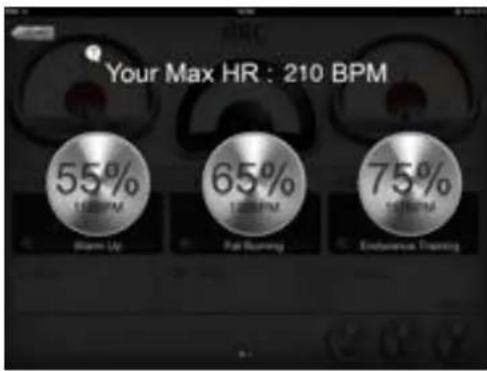
There will be a choice of 3 levels:
55% WarM UP to start your training (10 min.)
65% FaT BUmlnG Fat buring (minimal 30 min.)
75% enDUranCe TrainInG Improving stamina (depends on you basis stamina)
This program can only be used with an chest belt (not included).
Set HRC with Tablet iConsole+ app
text_image
Your Max HR : 210 BPM 55% 120 BPM Open-Up 65% 120 BPM Full Running 75% 120 BPM Endurance TrainingNext to the 3 preset HRC programs your able to create your own HRC program. "Swipe" (when in the screen shown above) to the right and you will get into the CUSTOM HRC program.
text_image
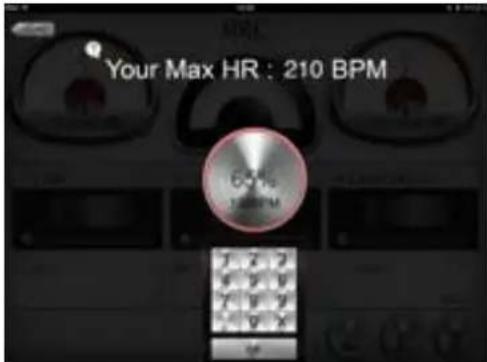
Your Max HR : 210 BPMPress the button with CUSTOM and a keyboard will appear where you can enter the preferred percentage % of you maximal heart rate. Press OK to start the training. A screen like the one shown below will appear and the value TIME can be set, as previously described in PROGRAM.
text_image
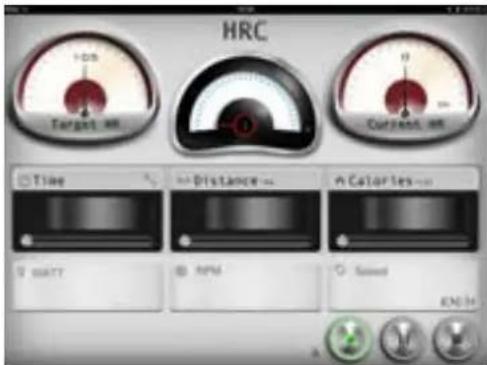
HRC Target on Current on Time Distance Calories S MATT RPM Speed EN34The meter left on the screen is showing the TARGET HR. This is your training heart rate goal. The meter in the middle shows the current resistance level (1-16). The meter on the right is the displaying the CURRENT HR. When the CURRENT HR drops below the TARGET HR the resistance will automatically be increased. When the CURRENT HR tops the TARGET HR the resistance will automatically be decreased.
Set HRC with Smartphone iConsole+ app
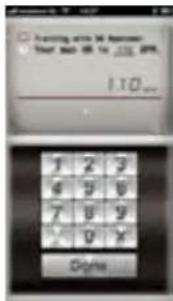
First the heart rate goal needs to be set. The default goal is set to 65%.
text_image
Forming active 34 Minutes User back 08 to 120.000 110 1 2 3 6 5 6 7 8 9 0 X Digital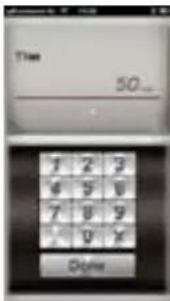
text_image
Time 50...It is also possible to set your own heart rate level. For this option press X on the keypad and enter your level. "Swipe" the heart rate box to the right to enter TIME. Press DONE to get a overview of the training program.
iConsole ^+ WATT TRAINING
Select the consistent Watt program by pressing WATT within the training menu.
Set WATT on the Tablet iConsole app
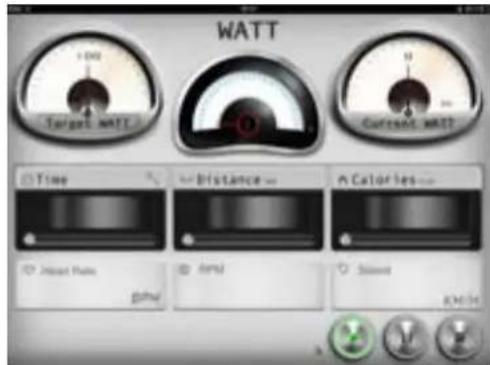
100 Watt is the default Watt level. This is shown by the left meter on the screen. By pressing TARGET WATT the output can be set (see description set CUSTOM HRC under HRC). It is also possible to set the TIME, DISTANCE and CALORIES. (see description set values under PROGRAM)
text_image
WATT +100 Target WATT Current WATT Time Distance Calories Initial Power GPa Temp Slight KOH AThe TARGET WATT is displayed in the left meter on the screen. This output is the trainings goal. The meter in the middle shows the current resistance level (1-16). The meter at the right of the screen is displaying the CURRENT WATT and displays the current output. When the CURRENT WATT drops below the TARGET WATT the resistance will automatically be increased. When the CURRENT WATT tops the TARGET WATT the resistance will automatically be decreased.
Set WATT on the Smartphone iConsole+ app
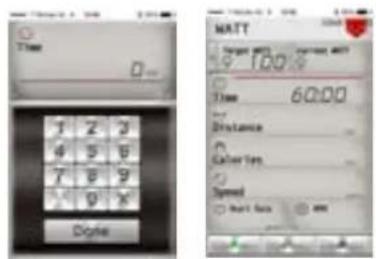
Set your preferred trainings duration and press done. The default WATT level is 100 displayed in the top left corner of the screen. By pressing TARGET WATT the consistent WATT level can be changed. After pressing a keypad will appear. Press the X to erase the current value and then set you preferred value.
text_image
Time Digital MATT Target 00% Target 00% 100% Time 6:00 Distance Cohort Yes Expired Start BackPress the PLAY button in the bottom left corner of the screen to start the WATT program.
iConsole+ GYM CENTER MENU
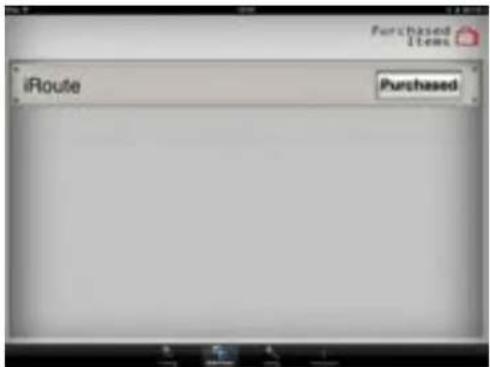
The GYM CENTER will shown additional (purchased) items of the iConsole+ app. A great free addition could be IROUTE. To use this addition your tablet or smartphone needs to be connect to the internet.
text_image
iRoute Purchased Items
text_image
Reads AccessSet IROUTE on the Tablet iConsole app
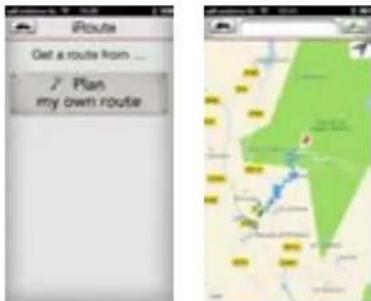
Press IROUTE in the bar and a menu will pop up where you can set your own route. Press PLAN MY OWN ROUTE. You will see a map with a bar on top where you can enter an location. It is also possible to create a route by using two location points. Press and hold your finger for one second on the map and a green pin will appear. This is your starting point. Press and hold again to place the finishing point displayed by a red pin.
Set IROUTE on the Smartphone iConsole+ app
Press IROUTE in the bar and a menu will pop up where you can set your own route. Press PLAN MY OWN ROUTE. You will see a map with a bar on top where you can enter an location. It is also possible to create a route by using two location points. Press and hold your finger for one second on the map and a green pin will
text_image
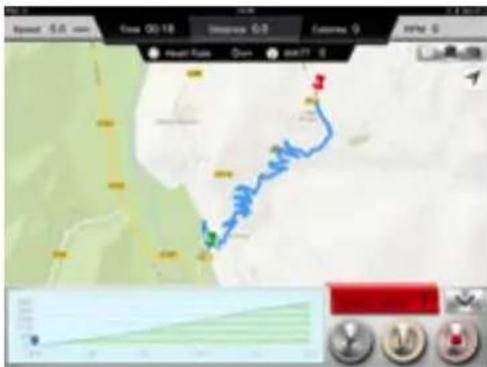
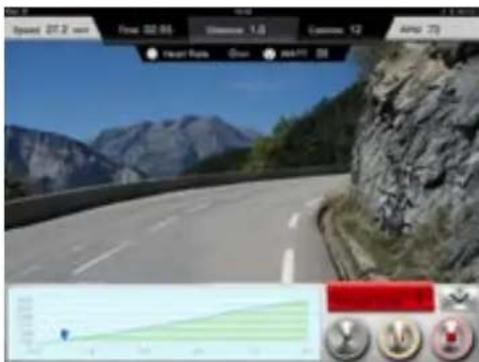
Speed 5.0 mm Cross 00:18 Distance 0.0 Contact 0 Air 0 Heart Rate Open Start 0 4The computer will now calculate the route. Press the STarT button and start to train on the route you just have set. During the training you can switch between "street view" or "hybrid" or "standard".
text_image
Speed 20.3 km Flow: 02.86 Distance: 1.0 Customs: 12 Amp: 73 Heart Rate Open MAPP 0When you want to set an other different route you need to go back to the GYM CenTer menu and follow the previous steps again.
text_image
Route Get a route from ... Plan my own routeappear. This is your starting point. Press and hold again to place the finishing point displayed by a red pin.
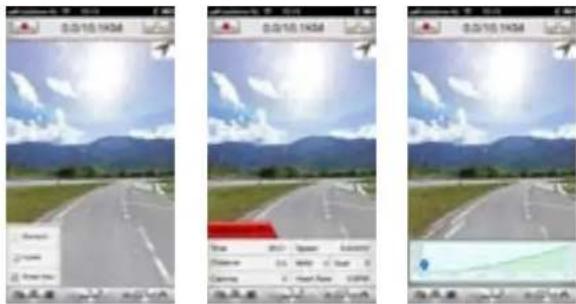
The computer will now calculate the route. Press the STarT button and start to train on the route you just have set. During the training you can switch between "street view" or "hybrid" or "standard".
text_image
0.3/15.14CM 0.3/15.14CM 0.3/15.14CM Change: Change: Change: Change: Change: Change: Change: Change: Change: Change: Change: Change: Change: Change: Change: Change: Change: Change: Change: Change: Change: Change: Change: Change: Change: Change: Change: Change: Change: Change: Change: Change: Change: Change: Change: Change: Change: Change: Change: Change: Change: Change: Change: Change: Change: Change: Change: Change: Change: Change: Change:When you want to set an other different route you need to go back to the GYM CenTer menu and follow the previous steps again.
iConsole+ INFORMATION MENU
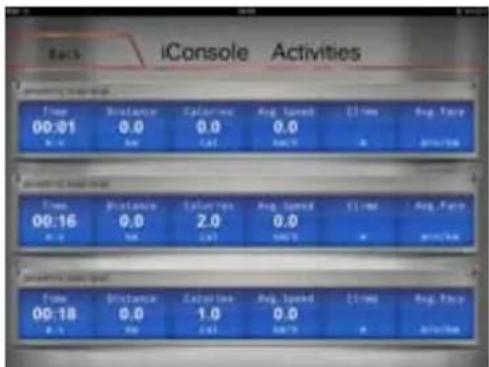
This menu displays the saved training workouts. Press the iConsole ^+ logo and the screen below will appear. There is no limit to the number of saved training workouts.
text_image
iConsole Activities Time Distance Calories Avg Speed Time Avg Speed 00:01 0.0 0.0 0.0 0.0 0.0 0.0 0.0 2.0 0.0 0.0 1.0 0.0 0.0 2.0 0.0 0.0 1.0 0.0 0.0 2.0 0.0 0.0 1.0 0.0 0.0 2.0 0.0 0.0 1.0 0.0 0.0 2.0 0.0 0.0 1.0 2.0 0.0 2.0 1.0 0.0 1.0 3.0 0.0 2.0 2.5 0.0 1.0 3.5 0.0 2.5 3.5 0.0 1.5 4.5 0.0 2.5 4.5 0.0 1.5 5.5 0.0 2.5 5.5 0.0 1.5 6.5 0.0 2.5 6.5 0.0 1.5 7.5 0.0 2.5 7.5 0.0 1.5 8.5 0.0 2.5 8.5 0.0 1.5 9.5 0.0 2.5 9.5 0.0 1.5 10.5 0.0 2.5 11.5 0.0 1.5 12.5 0.0 2.5 13.5 0.0 1.5 14.5 0.0 2.5 15.5 0.0 1.5 16.5 0.0 2.5 17.5 0.0 1.5 18.5 0.0 2.5 19.5 0.0 1.5 20.5 0.0 2.5 21.5 0.0 1.5 22.5 0.0 2.5 23.5 0.0 1.5 24.5 0.0 2.5 25.5 0.0 1.5 26.5 0.0 2.5 27.5 0.0 1.5 28.5 0.0 2.5 29.5 0.0 1.5 30.5 0.0 2.5 31.5 0.0 1.5 32.5 0.0 2.5 33.5 0.0 1.5 34.5 0.0 2.5 35.5 0.0 1.5 36.5 0.0 2.5 37.5 0.0 1.5 38.5 0.0 2.5 39.5 0.0 1.5 40.5 0.0 2.5 41.5 0.0 1.5 42.5 0.0 2.5 43.5 0.0 1.5 44.5 0.0 2.5 45.5 0.0 1.5 46.5 0.0 2.5 47.5 0.0 1.5 48.5 0.0 2.5 49.5 0.0 1.5 50.5 0.0 2.5 51.5 0.0 1.5 52.5 0.0 2.5 53.5 0.0 1.5 54.5 0.0 2.5 55.5 0,4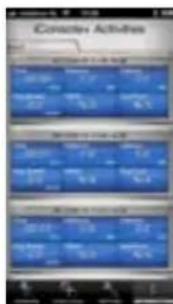
text_image
Concrete Activities 1. 2018-12-31 2. 2019-12-31 3. 2020-12-31 4. 2021-12-31 5. 2022-12-31 6. 2023-12-31 7. 2024-12-31 8. 2025-12-31 9. 2026-12-31 10. 2027-12-31 11. 2028-12-31 12. 2029-12-31 13. 2030-12-31 14. 2031-12-31 15. 2032-12-31 16. 2033-12-31 17. 2034-12-31 18. 2035-12-31 19. 2036-12-31 20. 2037-12-31 21. 2038-12-31 22. 2039-12-31 23. 2040-12-31 24. 2041-12-31 25. 2042-12-31 26. 2043-12-31 27. 2044-12-31 28. 2045-12-31 29. 2046-12-31 30. 2047-12-31 31. 2048-12-31 32. 2049-12-31 33. 2050-12-31 34. 2051-12-31 35. 2052-12-31 36. 2053-12-31 37. 2054-12-31 38. 2055-12-31 39. 2056-12-31 40. 2057-12-31 41. 2058-12-31 42. 2059-12-31 43. 2060-12-31 44. 2061-12-31 45. 2062-12-31 46. 2063-12-31 47. 2064-12-31 48. 2065-12-31 49. 2066-12-31 50. 2067-12-31 51. 2068-12-31 52. 2069-12-31 53. 2070-12-31 54. 2071-12-31 55. 2072-12-31 56. 2073-12-31 57. 2074-12-31 58. 2075-12-31 59. 2076-12-31 60. 2077-12-31 61. 2078-12-31 62. 2079-12-31 63. 2080-12-31 64. 2081-12-31 65. 2082-12-31 66. 2083-12-31 67. 2084-12-31 68. 2085-12-31 69. 2086-12-31 70. 2087-12-31 71. 2088-12-31 72. 2089-12-31 73. 2090-12-31 74. 2091-12-31 75. 2092-12-31 76. 2093-12-31 77. 2094-12-31 78. 2095-12-31 79. 2096-12-31 80. 2097-12-31 81. 2098-12-31 82. 2099-12-31 83. 2099+/-
text_image
Look Up My Activities AccuppliedExploded view
text_image
Exploded view diagram of a mechanical device with numbered parts for identificationPart list
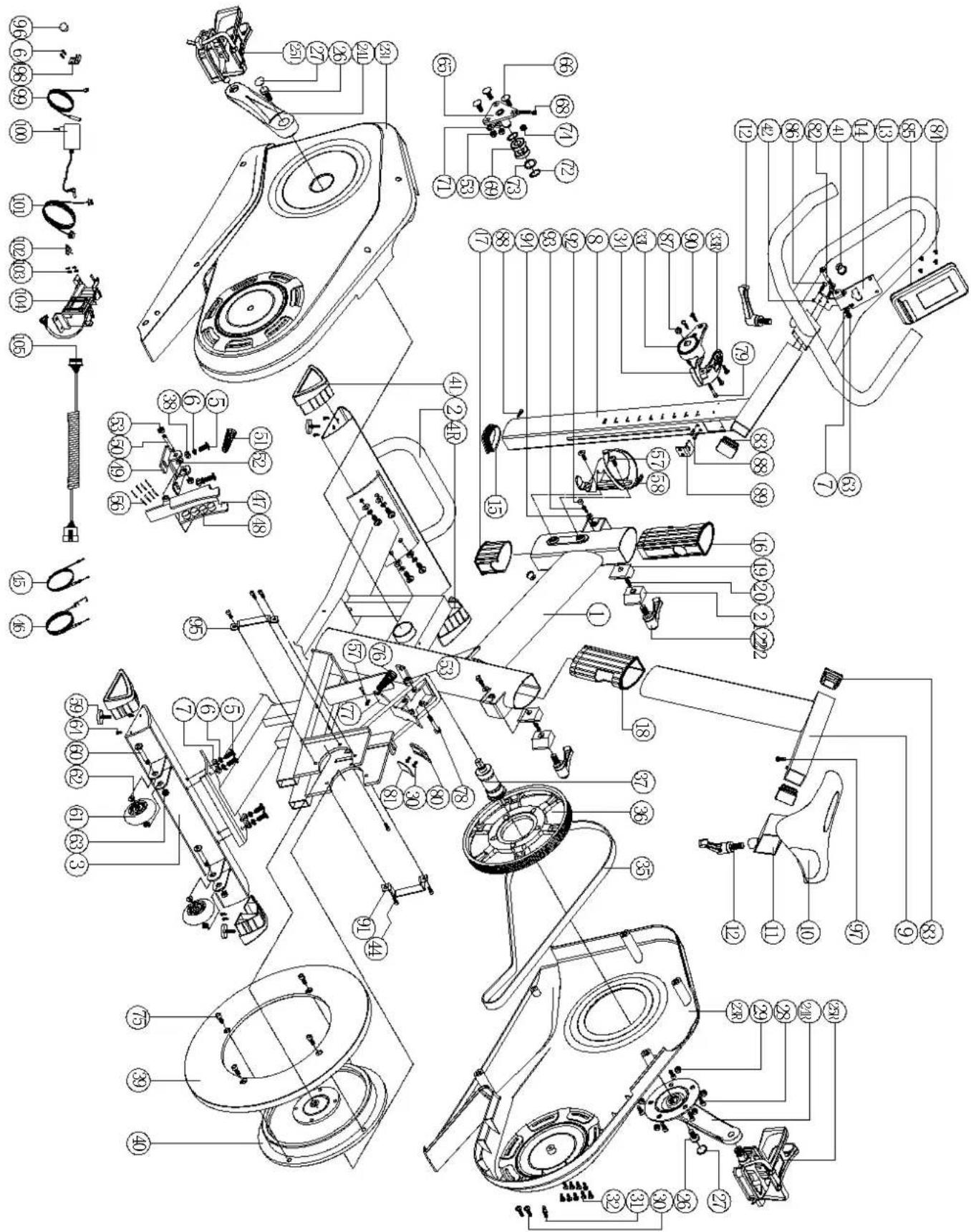
Nr. Part
1 main frame 1
2 front stabilizer 1
3 rear stabilizer 1
4L left triangle cap 2
4R right triangle cap 2
5 allen bolt M8x1.25x20L 10
6 spring washerD15.4xD8.2x2T 10
7 flat washerD16xD8.5x1.2T 10
8 front post 1
9 seat post 1
10 seat 1
11 seat adjustable tube 1
12 L knob 25L 2
13 handlebar
14 computer fixing plate 1
15 D plug
16 cover of front post 1
17 protective cover 1
18 inner insert 1
19 stop plate 2
20 sping 2
21 stop plate(2) 2
22 L knob 50L 2
23L left chaincover 1
23R right chaincover 1
24L left crank 1
24R right crank 1
25L/R pedal set 1
26 hex bolt 2
27 bolt cover 2
28 allen screwM10*1.5*20L 5
29 hex nutM10*1.5*8T 5
30 round cross boltM5x0.8x15L 4
31 pinD6*26.5*7.7 1
32 cross screwST4.2*1.4*20L 9
33L left cover of brake 1
33R right cover of brake 1
34 brake handlebar 1
35 belt 1
36 pulley 1
37 BB sets 1
38 flat washerD25*D8.5*2T 2
39 outer flywheel 1
40 inner flywheel 1
41 cable plug 2
42 swing connection fixing bracket 1
44 allen screwM6*1*15L 6
45 tension cable 1
46 lower tension cable 1
47 magnet fixing bracket 1
48 magnet 8
49 magnet fixing plate set 1
Quantity
Nr. Part
Quantity
50 axle of magnet fixing bracket 1
51 spring D1.2*55L 1
52 flat washerD18*D8.5*1.0T 1
53 nylon nutM8*1.25*8T 5
56 magnet cell 6
57 screw M5*0.8*10L 3
58 water bottle holder 1
59 adjustable round wheel 4
60 allen boltM8*1.25*40L 2
61 round moving wheel 2
62 bushing D22.2*D8.2*7T 2
63 nylon nut M8*1.25*8T 3
64 screwST4*1.41*12L 10
65 idle wheel fixing plate 1
66 square boltM8*1.25*20L 3
68 hex nut M6*1*5T 1
69 bearing 6203-2RS 2
71 flat washerD18*D8.5*1.2T 2
72 C ring S-17(1T) 2
73 waved washerD17*D22*0.3T 1
74 hex nutM8*1.25*6T 1
75 allen screw M8*1.25*16L 4
76 spring D1.4*55L 1
77 fixing plate of brake strap 1
78 hex boltM8*52L 1
79 allen screw M6*1.0*50L 1
80 brake plate
81 cow leather 1
82 allen boltM8x1.25x45L 1
83 square plug38x38x18L 3
84 cross boltM5*0.8*10L 4
85 computer 1
86 round-head screwM5*15L 2
87 nylon nutM6*1.0*6T 1
88 allen screwM6*1*15L 2
89 tension fixing plate 1
90 screwST4.2*1.4*15L 4
91 fixing plate (1) 1
92 bufferD10*5.5T 2
93 hex boltM5*0.8*10L, 2
94 flat washerD15*D5.2*1.0T 2
95 fixing plate (2) 1
96 round magnet 1
97 cross boltM5*10L 1
98 sensor bracket 1
99 sensor cable 1
100 adaptor 1
101 electric cable 1
102 cable buckle 1
103 cross screwST4.2x1.4x12L 4
104 motor 1
105 upper computer cable 1
Troubleshooting
| Problem | During a training the spinning bike makes beeping or scratching noises. |
| Solution | Beeping or scratching noise are mostly caused by the plastic cover hitting or scratching the metal frame. The solution to this problem is to spray this components with WD40. WD40 is available in hardware stores. |
| Problem | De console doesn't or badly reads your heart rate. |
| Solution | When there is no heart rate reception check the following:- Is the chest belt coded? Coded chest belts don't work on our equipment. The chest belt must be “Polar Compatible” and send a 5Hz signal.- Have you read the chest belt's manual? It is important that the sensors are made moist for a better contact with the skin.- Is there a full and correctly placed battery?- Is the chest belt worn tight enough? |
| Problem | I cant find the iConsole+ App within the Google Play store or Apple App Store. |
| Solution | If you can't the App with the search term “iConsole”, try “iConsole+”, “I-console” of “I-console+” instead. |
| Problem | iConsole does't show in the list of bluetooth devices on my smartphone or tablets settings menu. |
| Solution | The spinning bike needs to be turned on for transmitting the bluetooth signal. The adapter must be connected between the wall outlet and the spinning bike. Then get the spinning bike into motion for turning on the display. Now the iConsole will appear in the list of Bluetooth devices and a connection can be established. |
| Problem | My tablet / smartphone can't get a bluetooth connection with the iConsole. |
| Solution | 1. The iConsole+ App doesn't communicatie with all types of tablets and smartphones. The devices that can be used with the iConsole+ App are listed at page 52.2. The bluetooth function only supports one connection. Make sure your not connected to an other device while trying to connect to iConsole.3. The connection can be disrupted by external factors. Turn off the bluetooth function on your tablet or smartphone. Then turn bluetooth back on again and make a connection with the iConsole. |
| Problem | My training exercises are not stored in the INFORMATION MENU. |
| Solution | For saving and storing training exercises you need to have a account. In the chapter SETTING MENU you will find the description on how to make an account. |
| Problem | I can't use the IROUTE function in the GYM CENTER MENU. |
| Solution | To start up the IROUTE application an account is required for logging in. In the chapter SETTING MENU you will find the description on how to make an account. |
| Problem | When starting a route on IROUTE the menu “Your workout this time” appears. |
| Solution | If you are using an Android Tablet download the iConsole HD app from the Google play store. |
In case your problem is not resolved or not described, consult the fitness dealer where you purchased this product.
Warranty
The warranty is provided by the Flow Fitness distributor of your country and the reseller where you have purchased your product. Please check http://www.flowfitness.nl/en/dealers/locations.php for contact information.
Notities / Notes
PERFORM