
HAMMER Blade 5G - Smartphone myPhone - Free user manual and instructions
Find the device manual for free HAMMER Blade 5G myPhone in PDF.


| Product Type | Smartphone |
| Brand | myPhone |
| Model | HAMMER Blade 5G |
| Dimensions (H x W x D) | 168 x 80 x 14 mm |
| Weight | 280 g |
| Display | 6.1 inch IPS LCD, 720 x 1600 pixels |
| Processor | MediaTek Dimensity 700 5G |
| RAM | 4 GB |
| Storage | 64 GB, expandable via microSD |
| Battery | 5000 mAh, removable |
| Charging | USB-C, 18W fast charging |
| Operating System | Android 12 |
| Camera | Rear: 48 MP + 8 MP + 2 MP; Front: 16 MP |
| Connectivity | 5G, Wi-Fi 5, Bluetooth 5.1, NFC, GPS |
| Protection | IP68 dust/water resistant, MIL-STD-810G compliant |
| Main Functions | Rugged design, 5G connectivity, advanced camera system, durable build |
| Care and Cleaning | Wipe with a soft dry cloth. Avoid harsh chemicals. Keep ports dry. |
| Safety | Do not expose to extreme temperatures. Use approved charger only. |
| Spare Parts and Repairability | Battery replaceable. Screen and other parts available via service centers. |
| General Information | User manual available for download at notice-facile.com |
Frequently Asked Questions - HAMMER Blade 5G myPhone
User questions about HAMMER Blade 5G myPhone
0 question about this device. Answer the ones you know or ask your own.
Ask a new question about this device
Download the instructions for your Smartphone in PDF format for free! Find your manual HAMMER Blade 5G - myPhone and take your electronic device back in hand. On this page are published all the documents necessary for the use of your device. HAMMER Blade 5G by myPhone.
USER MANUAL HAMMER Blade 5G myPhone
SKRÓCONA INSTRUKCJA OBSŁUGI SMARTFONA
HAMMER BLADE 5G
Nr partii: 202110
1. Spis treści
natural_image
Black exclamation mark symbol on white background (no text or numbers)-WODA I INNE PŁ YNY-
text_image
Yellow triangular warning sign with a black-and-white icon of an ear and sound wavesnatural_image
Yellow triangular warning sign with sun and eye symbol (no text)LTE: 800/850/900/1800/2000/2100/2300/2500/2600 Mhz
5G: 700/900/1800/2100/2500/2600/3500/3700/4700 MHz
Akumulator: 5000mAh Express Charging
flowchart
graph TD
    A["Hand Click"] --> B["Green Circle with Arrow"]
    B --> C["Arrow to Green Circle"]
    C --> D["Hand Click"]
    D --> E["Green Circle with Arrow"]
    E --> F["Arrow to Green Circle"]
    F --> G["Hand Click"]
    G --> H["Green Circle with Arrow"]
    H --> I["Hand Click"]
11. Komunikacja
natural_image
Simple line drawing of a trash bin with crossed x's and no text or symbolsnatural_image
Simple line drawing of a trash bin with crossed lines indicating no waste or discharge (no text or symbols)1. Table of contents
- Table of contents....20
- Safety 21
- The use of the manual....24
- Important information 24
4.1 Trademarks.... 25
- Package content 26
- Technical Specifications 26
- Appearance of the phone....27
- ESIM function....28
8.1 Turning off and deleting the profile....28
- Buttons....29
- Using the touch screen 30
10.1 Touch....30
10.2 Swipe 30
10.3 Triple click 30
10.4 Hold and swipe 30
10.5 Slide in and out.... 30
- Communication....31
11.1 Making calls 31
11.2 SMS - Messages.... 31
- Maintenance of the device....31
- Correct disposal of used equipment.... 32
- Correct disposal of used battery 32
| Caution! | Statement |
| The manufacturer is not responsible for the consequences of situations caused by improper use of the phone or failure to follow the instructions in the operating manual. | The software version can be upgraded without earlier notice. The manufacturer's representative reserves the right to decide on the correct interpretation of this manual. |
2. Safety
-DO NOT RISK-
All wireless devices may cause interferences, which could affect the quality of other connections. Do not switch the device on in places which are prohibited from using cell phones, or when it may cause interferences or other dangers. Always abide by any kinds of prohibitions, regulations and warnings conveyed by the personnel of the facility.
-RESTRICTIONS IN USE-

natural_image
Black and white icon of a stylized book with an exclamation mark (no text or symbols)Wi-Fi wireless connectivity uses the 2.4 GHz band and the 5 GHz band. The 5 GHz Wi-Fi band shall not be used outdoors in the European Union. Please observe the national and local regulations at the place of use.
-QUALIFIED SERVICE-
Only qualified personnel or an authorized service center may install or repair this product. Repairing by an unauthorized or unqualified service may cause device damage and warranty loss.
-ALARM CALLS-
Making alarm calls may not be possible in some areas or circumstances. It is recommended to find an alternative way
to notify emergency services if you are going to this type of remote areas.
-PETROL STATIONS-
Do not use your mobile phone while refuelling at a petrol station or in the vicinity of chemicals.
CAUTION! In places where there is a risk of explosion (i.e. Petrol stations, chemical factories etc.), it is advisable to turn off the phone. Please refer to regulations governing the use of GSM equipment in these places.
-ROAD SAFETY-
Apart from emergency situations, using the phone while driving should be carried out only with use of a headset or a speakerphone, which ensures safety and does not limit motor abilities of the user. If you do not own a headset and still want to use the phone, you should pull over and stop the car. Pay attention to the legal regulations concerning the use of mobile phone while driving. Some electronic components of the car without adequate protection can be affected by waves emitted by the phone; it is therefore advisable to use the phone in the car only when the external antenna of the vehicle is secured. Use the services of a professional when installing the phone in the car.
-WATER AND OTHER LIQUIDS-
The device has resistance certificate IP69. It means that the device is dust-proof and waterproof when all of the rubber seals are intact and properly put in place.
IP6x - The standard provides total protection against the ingress of dust.
IPx9 - The sign symbolizes protection against flooding with a jet of pressurized water (force applied to the surface of the device 0.9-1.2 N, water temperature up to +80°C). The jet of water directed at angles of 0°, 30°, 60° and 90° for 30 seconds.
As far as possible protect the device from water and other liquids. Water and other fluids do not have a positive effect
on phone electronic components. If wet, wipe and dry the device as soon as possible.

The device is not resistant to salt water
Make sure the USB cable is dry before connecting it to the phone's charging socket. Plugging the cable into a wet or damp outlet exposes it to slow corrosion and may cause problems with charging your phone.
-CHILDREN AND PHYSICALLY OR MENTALLY DISABLED PEOPLE-
This device should not be operated by people (including children) with limited physical or mental abilities, as well as by people with no earlier experience in operation of electronic equipment. They may use the device only under supervision of people responsible for their safety. This device is not a toy. Memory card and SIM card are small enough to be swallowed by a child and cause choking. Keep the device and its accessories out of reach of children.
-BATTERY AND ACCESSORIES-
Avoid exposing the battery to very high/low temperatures (below 0°C/32°F and over 40°C/104°F). Extreme temperatures may influence capacity and battery life. Avoid contact with liquids and metal objects as it may cause partial or complete battery damage. The battery should be used only according to its purpose. Do not destroy, impair or throw the battery into flames - it is dangerous and may cause fire. Worn-out or impaired battery should be placed in a dedicated container. Excessive charging the battery can cause damage. Therefore a single battery charge should not last longer than 1 day. Installing an incorrect battery type can cause an explosion.
Never open the battery. Please dispose of battery according to the instructions. Disconnect an unused charger from
power grid. In case of the charger wire damage, it should not be repaired but replaced with a new one. Use only the original manufacturer's accessories.
-SOUNDS-
text_image
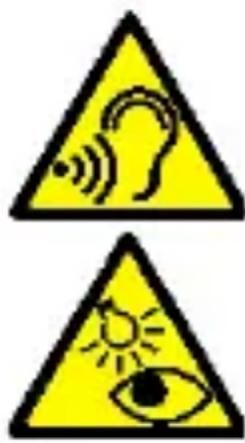
Two yellow triangular warning signs with icons: one for hearing or sound waves, the other for eye and sun.To avoid hearing damage, do not use the device at high volume levels for a long period of time, do not put operating device directly to the ear!
-EYESIGHT-
To avoid eyesight damage do not look closely onto the flash light when it flashes. A strong bean of light may cause permanent eye damage!
3. The use of the manual
The device and the screenshots shown in the illustrations in this manual may differ from those in the actual product. Accessories attached to the smartphone set may differ from the illustrations included in manual.
Options described in the manual are found in Android ^™ system. Those descriptions may differ, depending on the version of the operating system and applications installed on the device.
Without prior written consent of the manufacturer, no part of this manual may be photocopied, reproduced, translated or transmitted any form or by any means, electronic or mechanical, including photocopying, recording or storing in any systems of storing and sharing information.
4. Important information
The majority of applications which can be installed on the device are mobile apps. Modus operandi of such applications may be different from their counterparts installed on a personal computer. Apps installed on the device may vary depending on country, region, and hardware specifications. The manufacturer is not liable for problems caused by third
party software. The manufacturer is not responsible for anomalies that may occur when editing the registry settings and modifying the operating system software. Attempts to modify the operating system can cause malfunctions and problems with applications. It may cause a loss of warranty.

Android System™
The Android 11 system includes several new solutions that are essential for better interaction between the smartphone and the user. The system is equipped with call management functions, screen recording, call pinning and many privacy and security improvements.

Google Play
Google Play is your entertainment unbound. It brings together all of the entertainment you love and helps you explore it in new ways, anytime, anywhere. We've brought the magic of Google to music, movies, TV, books, magazines, apps and games, so you get more from your content every day.
4.1 Trademarks
- Google, Android, Google Play, and other brands are Google LLC trademarks.
- Oracle and Java are a registered trademarks of Oracle and/or its affiliates.
- Wi-Fi® and Wi-Fi logo are a registered trademarks of Wi-Fi Alliance association.
- All other trademarks and copyrights belong to their respective owners.
●
The Android robot has been reconstructed or modified based on a project created and made available by Google. Its use is in accordance with the conditions described in the Creative Commons 3.0 - Attribution.
Manufacturer: mPTech Sp. z o. o. street Nowogrodzka 31 street 00-511 Warsaw Poland Webpage: www.mptech.eu Manufactured in China
5. Package content
• Cell phone HAMMER BLADE 5G
- Charger (adapter + USB cable)
- User manual
If any of the above items is missing or damaged, please contact your dealer.
6. Technical Specifications
Processor: Octa-Core MTK6853
Display: 6.3" FHD+, 1080 x 2340px Gorilla Glass 5
Main camera (rear): 48.0Mpx + 13Mpx + 20Mpx
Front camera (selfie):16.0Mpx
RAM memory: 6 GB
Internal memory: 128 GB
Operating system: Android 11
Dual SIM: eSIM + nanoSIM
Connector: USB-C
Resistance: IP69, IK07
Connectivity: NFC, Wi-Fi 802.11 ac/a/b/g/n 2.4GHz/5.0Ghz,
GPS, Glonass, Bluetooth 5.1
2G (GSM): 850/900/1800/1900 Mhz
UMTS: 850/900/1900/2100 Mhz
LTE: 800/850/900/1800/2000/2100/2300/2500/2600 Mhz
5G: 700/900/1800/2100/2500/2600/3500/3700/4700 MHz
Battery: 5000mAh Express Charging
Charger input parameters: 100-240V - 0.5A, 50/60Hz
Charger output parameters: 5V/7V/9V=1.67A, 15W; 12V 1,25A
Average efficiency during operation (for 230V, 50hz):
77.06%
Energy consumption in no-load condition: less than 0.3W
Weight: 270g
Dimensions: 167.7 x 78.2 x 13.7mm
- Appearance of the phone
| Function | |
| 1 | Notification diode |
| 2 | Brightness and proximity sensors |
| 3 | Internal speaker |
| 4 | Digital camera lens 8Mpx (selfie) |
| 5 | 48 Mpx digital camera lens (main) |
| 6 | Lighting diode / Camera flashlight |
| 7 | Auxiliary cameras 13Mpx + 20Mpx |
| 8 | Slot with nanoSIM card tray |
| 9 | Volume increase/decrease buttons |
| 10 | Fingerprint reader |
| 11 | Microphone |
| 12 | Programmable button |
| 13 | Blockade on/off button |
| 14 | Touchscreen 6.2" |
| 15 | External speaker |
| 16 | LED for NightVision mode |
| 17 | Microphone |
| 18 | Multifunctional microUSB-C port |
8. ESIM function
A Wi-Fi or mobile data network connection is required for eSIM connection.
Go to [Settings] and select the eSIM management menu from the list to start the application. Activation of the card is done by downloading its profile using a special eSIM code (received from your network operator,) You can scan the eSIM card code with a QR code scanner or enter it manually

by pressing the icon 📋, at the bottom right of the application. After scanning or entering the code, the card profile will download automatically
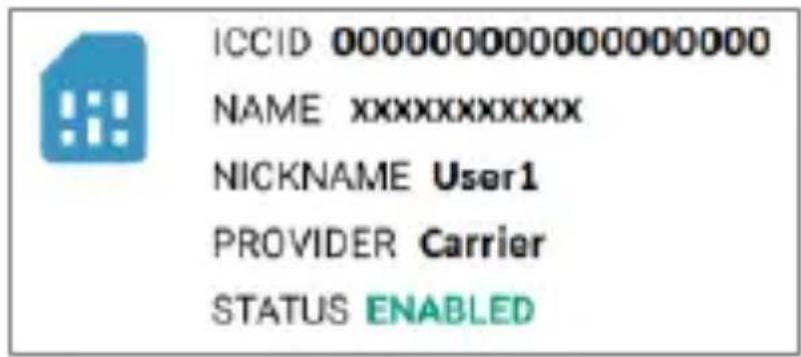
When the profile is downloaded, a window with card information and a network coverage icon in the top status bar appears.
text_image
ICCID 000000000000000000 NAME xxxxxxxxxxxx NICKNAME User1 PROVIDER Carrier STATUS ENABLED8.1 Turning off and deleting the profile
The card profile can be disabled by clicking the icon. Clicking the icon again will turn the profile back on. When it
is turned off, the coverage icon disappears.
To delete the eSIM card profile completely, select the bin
symbol.
If you want to disable eSIM functionality, simply disable the eSIM function by clicking the icon ⏻ then the phone switches to SIM.
9. Buttons
Menu (virtual)
Pressing it will cause the list of open apps to appear - there you can switch in-between or turn them off.
Home (virtual)
One quick press takes you to main screen. Longer holding starts Google Assistant.
Back (virtual)
Press to exit the application / return to the previous screen. Blockade on/off button
• One quick press locks / unlocks the screen.
- Pressing the button for about 2 sec. will cause:
o if the smart phone is off - the device switches on,
- if your smartphone is on - activates a menu to shut down the device or reboot the system.
Volume increase and decrease buttons
Pressing during a voice call will cause an increase or decrease of the audio connection volume.
Programmable button
Pressing on an unlocked smartphone launches the camera application. You can change its function using the settings menu.
10. Using the touch screen
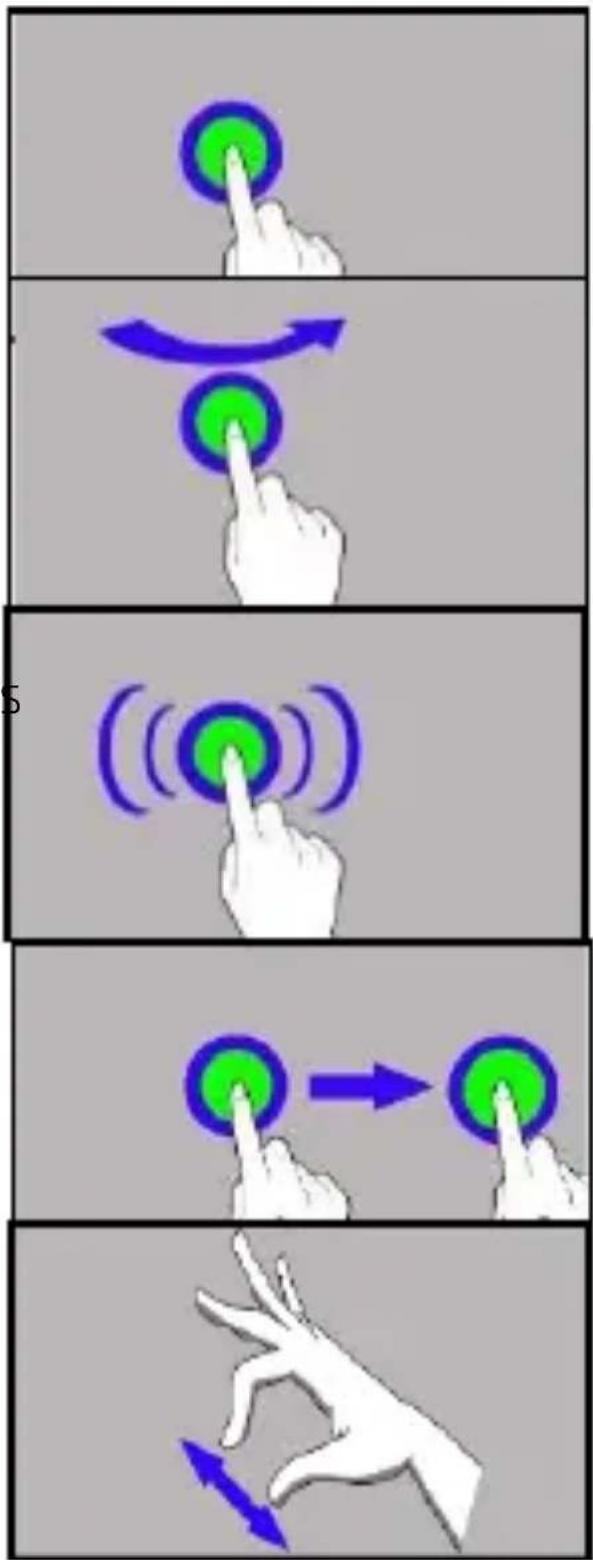
The smartphone's touchscreen makes it easy to select items, perform operations and gestures. The touchscreen can be controlled by the following actions.
10.1 Touch
Touch one to start options, an app, menu.
10.2 Swipe
Quickly swipe up, down, to the left or to the right, to scroll the list or the screen.
10.3 Triple click
Quickly tap the screen three times to start zooming - if this option is enabled in your smartphone settings.
10.4 Hold and swipe
Touch an element (an icon perhaps) and hold it for about 1 second. Then you can move, delete/uninstall that element.
10.5 Slide in and out
Touch the screen with two fingers and slide them together or apart to zoom in or out a photo or a map.
flowchart
graph TD
    A["Hand Click"] --> B["Green Circle"]
    B --> C["Blue Arrow"]
    C --> D["Green Circle with Motion Arrow"]
    D --> E["Blue Arrow"]
    E --> F["Green Circle with Motion Arrow"]
    F --> G["Blue Arrow"]
    G --> H["Green Circle with Motion Arrow"]
    H --> I["Blue Arrow"]
11. Communication
11.1 Making calls
To make a call touch „Phone“, icon placed on the main screen or in Android applications menu and choose the

keyboard icon . Insert the phone number you wish to call. Press „handset" placed at the bottom of the screen and choose which SIM card you wish to use.
11.2 SMS - Messages
You can manage messages using the [Messages] application situated on the main screen or in applications menu. Start the application and touch the icon

, enter the phone number, contact, or choose from the list. When you have chosen the contact a screen will appear where you type the message itself. Enter message content.
Before you send a text message you can transform it into
a multimedia message by pressing symbol, located on the left side of the content window and add a sticker, photo,
video, audio or location. To send the message press
12. Maintenance of the device
Follow the instructions below.
- For cleaning use only a dry cloth. Never use any agent with a high concentration of acids or alkalis.
- Use the original accessories only. Violation of this rule may result in an invalidation of the warranty.
13. Correct disposal of used equipment
natural_image
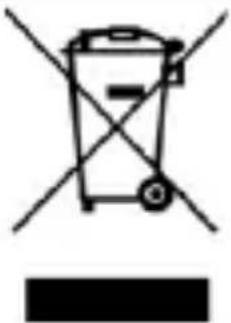
Simple line drawing of a trash bin with crossed x- and circular base, no text or symbols presentThe device is marked with a crossed-out garbage bin, in accordance with the European Directive 2012/19/EU on used electrical and electronic Equipment (Waste Electrical and Electronic equipment - WEEE). Products marked with this symbol should not be disposed of or dumped with other household waste after a period of use. The user is obliged to get rid of used electrical and electronic equipment by delivering it to designated recycling point in which dangerous waste are being recycled. Collecting this type of waste in designated locations, and the actual process of their recovery contribute to the protection of natural resources. Proper disposal of used electrical and electronic equipment is beneficial to human health and environment.
To obtain information on where and how to dispose of used electrical and electronic equipment in an environmentally friendly manner user should contact their local government office, the waste collection point, or point of sale, where the equipment was purchased.
14. Correct disposal of used battery
natural_image
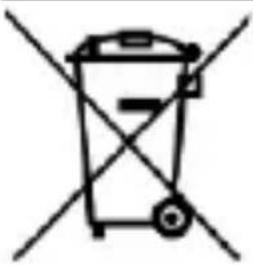
Simple line drawing of a trash bin with crossed lines indicating no waste or restriction (no text or symbols)According to the EU directive 2006/66/EC with changes contained in EU directive 2013/56/UE on the disposal of batteries, this product is marked with crossed-out garbage bin symbol. The symbol indicates that the batteries used in this product should not be disposed with regular household waste, but treated according to the legal directives and local regulations. It is not allowed to dispose of batteries and accumulators with unsorted municipal waste. Users of batteries and accumulators must use the available collection points of these items, which allows them to return, recycle and disposal. Within the EU, the collection
and recycling of batteries and accumulators is a subject to separate procedures. To learn more about existing procedures of recycling of batteries and accumulators please contact your local office or an institution for waste disposal or landfill.
RYCHLÝ NÁVOD
HAMMER BLADE 5G
Číslo šarže: 202110
1. Obsah balení
natural_image
Black and white icon of an exclamation mark on a stylized book or document (no text or symbols)text_image
Yellow triangular warning sign with a black outline depicting a human ear and sound waves-ZVUKY-
natural_image
Yellow triangular warning sign with sun and eye symbol (no text)Odolnost: IP69, IK07
Konektivita: NFC, Wi-Fi 802.11 ac/a/b/g/n 2.4GHz/5.0Ghz,
GPS, Glonass, Bluetooth 5.1
2G (GSM): 850/900/1800/1900 Mhz
UMTS: 850/900/1900/2100 Mhz
LTE: 800/850/900/1800/2000/2100/2300/2500/2600 Mhz
7. Vzhled telefonu
natural_image
Hand pressing a green circular button with a blue arrow indicating rotation (no text or symbols)text_image
Three-step diagram illustrating finger movement and rotation of a circular button, with Chinese labels.natural_image
Simple line drawing of a trash bin with crossed lines indicating no waste or discharge (no text or symbols)natural_image
Simple line drawing of a trash bin with crossed lines indicating no waste or restriction (no text or symbols)natural_image
Black and white icon of a stylized letter 'O' with an exclamation mark (no text or symbols)text_image
Yellow triangular warning sign with a black outline depicting a human ear and sound waves-ZVUKY-
natural_image
Yellow triangular warning sign with sun and eye symbol (no text)Odolnost: IP69, IK07
Konektivita: NFC, Wi-Fi 802.11 ac/a/b/g/n 2.4GHz/5.0Ghz,
GPS, Glonass, Bluetooth 5.1
2G (GSM): 850/900/1800/1900 Mhz
UMTS: 850/900/1900/2100 Mhz
LTE: 800/850/900/1800/2000/2100/2300/2500/2600 Mhz
7. Vzhl'ad telefónu
| Funkcia | |
| 1 | Notifikačná dióda |
| 2 | Senzor jasu a priblíženie |
| 3 | Interný reproduktor |
| 4 | Objektív fotoaparátu 8Mpx (selfie) |
| 5 | Objektív digitálneho fotoaparátu 48 Mpx (hlavný) |
| 6 | / Blesk fotoaparátu |
| 7 | Pomocné kamery 13Mpx + 20Mpx |
| 8 | Slot so zásobníkom na kartu nanoSIM |
| 9 | Tlačidlá pre zvýšenie/zníženie hlasitosti |
| 10 | Čítačka odtlačkov prstov |
| 11 | Mikrofón |
| 12 | Programovatel'né tlačidlo |
| 13 | Tlačidlo Zap/Vyp |
| 14 | Dotyková obrazovka 6.2" |
| 15 | Externý reproduktor |
| 16 | LED dióda pre režim NightVision |
| 17 | Mikrofón |
| 18 | Multifunkčný konektor USB-C |
8. ESIM funkcie
text_image
ICCID 000000000000000000 NAME xxxxxxxxxxxx NICKNAME User1 PROVIDER Carrier STATUS ENABLEDnatural_image
Hand pressing a green circular button with a blue arrow indicating rotation (no text or symbols)10.3 Trojité kliknutie
text_image
Three-step diagram illustrating finger movement and rotation of a circular button, with Chinese labels.10.5 Priblíženie a oddialenie
Dotknite sa dvoma prstami obrazovky a pohybom smerom od seba nimi priblížite obrazovku a pohybom smerom k sebe nimi oddialite obrazovku.
11. Komunikácia
11.1 Volanie
natural_image
Simple line drawing of a trash bin with crossed x's and no text or symbolsnatural_image
Simple line drawing of a trash bin with crossed diagonals (no text or symbols)natural_image
Black exclamation mark symbol on white background (no text or numbers)text_image
Yellow triangular warning sign with a black outline depicting a human ear and sound waves-HANG-
natural_image
Yellow triangular warning sign with sun and eye symbol (no text)LTE: 800/850/900/1800/2000/2100/2300/2500/2600 Mhz
5G: 700/900/1800/2100/2500/2600/3500/3700/4700 MHz
Akkumulátor: 5000mAh Express Charging
Töltés bemenet: 100-240V - 0.5A, 50/60Hz
text_image
ICCID 000000000000000000 NAME: xxxxxxxxxxxx NICKNAME User1 PROVIDER Carrier STATUS ENABLEDflowchart
graph TD
    A["Start"] --> B["Step 1: Hand press with green circle"]
    B --> C["Step 2: Hand press with blue arrow and green circle"]
    C --> D["Step 3: Hand press with blue arrow and green circle"]
    D --> E["End"]