
HighComfort ANC - Speaker Lamax - Free user manual and instructions
Find the device manual for free HighComfort ANC Lamax in PDF.


| Product Type | Wireless Speaker with Active Noise Cancelling |
| Brand | Lamax |
| Model | HighComfort ANC |
| Dimensions (approx.) | 200 x 80 x 80 mm |
| Weight | ~520 g |
| Power Source | Built-in rechargeable lithium-ion battery |
| Charging Port | USB-C |
| Battery Life (ANC off) | Up to 20 hours |
| Battery Life (ANC on) | Up to 12 hours |
| Charging Time | ~3 hours |
| Bluetooth Version | 5.0 |
| Wireless Range | Up to 10 m |
| Active Noise Cancelling | Yes, feed-forward ANC |
| Speaker Drivers | 2 x 40 mm full-range |
| Frequency Response | 60 Hz – 20 kHz |
| Output Power | 2 x 10 W (RMS) |
| Water Resistance | IPX5 (splash-proof) |
| Microphone | Built-in for hands-free calls |
| Controls | Touch buttons on top panel |
| Compatibility | Smartphones, tablets, laptops |
| Included Accessories | USB-C charging cable, user manual |
Frequently Asked Questions - HighComfort ANC Lamax
User questions about HighComfort ANC Lamax
0 question about this device. Answer the ones you know or ask your own.
Ask a new question about this device
Download the instructions for your Speaker in PDF format for free! Find your manual HighComfort ANC - Lamax and take your electronic device back in hand. On this page are published all the documents necessary for the use of your device. HighComfort ANC by Lamax.
USER MANUAL HighComfort ANC Lamax
natural_image
Line drawing of a dual-lens industrial hard drive (no text or symbols)Controls
| On | Hold ☐ for 2 seconds |
| Off | Hold ☐ for 4 seconds |
| Activate ANC | Hold ANC for 2 seconds |
| Play / pause | Press ☐ |
| Next / previous Track | Hold ☑ / hold ☐ |
| VOL + / VOL - | Press ☑ / press ☐ |
| Answer / end Call | Press ☐ |
| Reject Call | Hold ☐ for 1 second |
| Activate Mobile Assistant | Press ☐ twice |
Turning On
Hold ☐ for 2 seconds to turn on the headphones. This is accompanied by an audible notification and the blue flashing LED.
Pairing
-
The headphones automatically go into pairing mode the first time you turn them on. This is indicated by the LED alternately flashing red and blue.
-
On your device, turn Bluetooth on and locate and select LAMAX HighComfort ANC in the list of available Bluetooth devices. After successfully pairing, there is an audible notification and the blue flashing LED.
If you have trouble pairing, remove your headphones from the list of paired devices in your smartphone. Turn off the headphones and then hold the button for 4 seconds. The headphones turn on and automatically go into pairing mode. Pair the headphones again as in Step 2 above.
Active Noise Cancellation (ANC)
Hold the ANC button for 2 seconds to turn ANC on. When ANC is on, the green LED next to the audio connector is lit. To turn off ANC, hold the ANC button for 2 seconds again.
- The ANC function cannot be activated if an audio cable is connected.
- ANC especially suppresses deeper frequencies. Human voices and higher frequencies are minimally suppressed.
Turning Off
Press and hold the ⬤ for 4 seconds to turn off the headphones.
Charging
To charge, connect the USB-C cable to the headphones and the other end to the 5V USB charger. The LED lights up red when charging and blue when fully charged.
Parameters
| Wireless technology | Bluetooth 5.1 |
| Bluetooth range | up to 10 metres |
| Supported codecs | aptX, AAC, SBC |
| Battery capacity | 1050 mAh |
| Headphone charging time | 2-3 hours |
| Playback time | up to 50 hours |
| Playback time with ANC | up to 25 hours |
| Weight | 320 g |
Subject to printing errors.
The latest version of the user guide can be downloaded here.
https://www.lamax-electronics.com/downloads/lamax-highcomfort-anc/LAMAX_HighComfort_ANC.pdf


CE
RoHS
LAMAX
HighComfort ANC
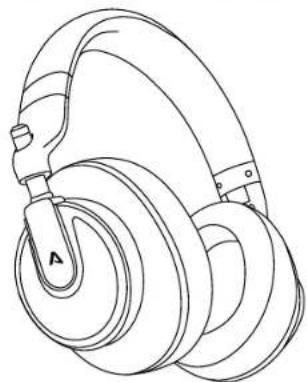
natural_image
Line drawing of a pair of headphones with labeled head (A), no text or symbols presentSteuerung
https://www.lamax-electronics.com/downloads/lamax-highcomfort-anc/LAMAX_HighComfort_ANC.pdf


CE
RoHS
LAMAX
HighComfort ANC
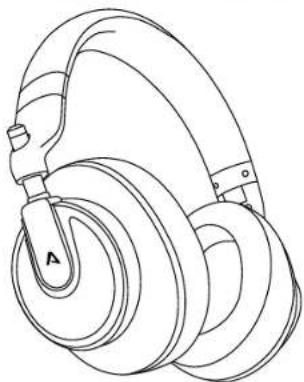
natural_image
Line drawing of a dual-haul passenger seat with labeled component A (no text or symbols beyond label)Ovládání
natural_image
Line drawing of a pair of hardcover headphones with labeled head (A), no text or symbols presentOvládanie
| Zapnút | Podržte 2 sekundy |
| Vypnút | Podržte 4 sekünd |
| Aktivácia ANC | Podržte ANO 2 sekundy |
| Hraf / pauza | Stlačte |
| Nasledajúca / predchädzajúca skladba | Podržte + / podržte |
| VOL+ / VOL - | Stlačte + / stlačte |
| Prijat / ukončit hover | Stlačte |
| Odmietnutó hover | Podržte 1 sekundu |
| Aktivácia mobilnáho asistenta | 2× stlačte |
Zapnutie
natural_image
Line drawing of a dual-haul passenger seat with labeled head (A), no text or symbols presentObsluga
natural_image
Line drawing of a pair of hardcover headphones with a labeled head (no text or symbols on the device itself)Vezérlés
natural_image
Line drawing of a multi-rotor hard drive with labeled head (A), no text or symbols presentUpravljanje
| Vklup | Podržite [IMAGE] 2 sekundi |
| izklop | Podržite [IMAGE] 4 sekund |
| Aktiviranje ANC | Podržite [IMAGE] 2 sekundi |
| Predvajati / premor | Pritisnite [IMAGE] |
| Naslednja / prejšnja skladba | Podržite [IMAGE] / podržite [IMAGE] |
| VOL+ / VOL - | Pritisnite [IMAGE] / pritisnite [IMAGE] |
| Sprvjeti / končati klic | Pritisnite [IMAGE] |
| Zavrniti klic | Podržite [IMAGE] eno sekundo |
| Aktiviranje mobilnega asistenta | 2x pritisnite [IMAGE] |
Vklop
Slušalke prižgete s podržanjem ☐ za 2 sekundi. Vklap spremlja zvočni signal in modra LED dioda.
Združitev
natural_image
Line drawing of a pair of hardcover headphones with labeled head (A), no text or symbols presentUpravljanje
| Uključenje | Držite 2 sekunde |
| Isključenje | Držite 4 sekundi |
| Aktivacija ANC-a | Držite ANC 2 sekunde |
| Reprodukcija / stanka | Pritisnite |
| Sljedeća / prethodna pjesma | Držite + / držite |
| VOL+ / VOL - | Pritisnite + / pritisnite |
| Prihvažanje / zavrižavanje poziva | Pritisnite |
| Odbijanje poziva | Držite 1 sekundu |
| Aktivacija mobilnog asistenta | 2x pritisnite |