
SPDCA A1 - Uncategorized SILVERCREST - Free user manual and instructions
Find the device manual for free SPDCA A1 SILVERCREST in PDF.


| Product Type | USB Charger |
| Brand | SilverCrest |
| Model | SPDCA A1 |
| Model Numbers | HG05316A-BS / HG05316B-BS |
| Input Voltage | 100-240 V ~, 1 A, 50/60 Hz |
| Output USB Port 1 (Type A) | 5 V ===, max 2.4 A (Smart Fast Charge) |
| Output USB Port 2 (Type C, PD 3.0) | 5 V ===, max 3 A / 9 V ===, max 2 A |
| Total Max Output Current | 5.4 A |
| Protection Class | II |
| Operating Temperature | 0–25 °C |
| Indoor Use Only | Yes |
| Scope of Delivery | 1 USB charger, 1 set of operating instructions |
| Charging Technology | Smart Fast Charge, Power Delivery 3.0 |
| Indicator Light | Yes (control lamp for power status) |
| Cleaning Recommendations | Dry, soft, lint-free cloth; unplug before cleaning |
| Warranty Period | 3 years from purchase date |
| Country of Origin | Germany (manufacturer OWIM GmbH & Co. KG) |
| Safety Certification | CE marked |
Frequently Asked Questions - SPDCA A1 SILVERCREST
User questions about SPDCA A1 SILVERCREST
0 question about this device. Answer the ones you know or ask your own.
Ask a new question about this device
Download the instructions for your Uncategorized in PDF format for free! Find your manual SPDCA A1 - SILVERCREST and take your electronic device back in hand. On this page are published all the documents necessary for the use of your device. SPDCA A1 by SILVERCREST.
USER MANUAL SPDCA A1 SILVERCREST
USB CHARGER SPDCA A1
GB IE NI
USB CHARGER
Operation and Safety Notes
HG05316A-BS/ HG05316B-BS
List of pictograms used......Page 6
Introduction......Page 6
Intended use....Page 6
Description of parts......Page 7
Technical Data......Page 7
Scope of delivery....Page 7
Safety notices ......Page 7
Start-up......Page 8
Cleaning and Care ......Page 9
Warranty and service......Page 10
Warranty......Page 10
Warranty claim procedure ......Page 10
Service Page 11
| List of pictograms used | |
| Direct current | |
 Smart Fast Charge Smart Fast Charge | Technology to optimise charging time. |
USB CHARGER
●Introduction
We congratulate you on the purchase of your new product. You have chosen a high quality product. The instructions for use are part of the product. They contain important information concerning safety, use and disposal. Before using the product, please familiarise yourself with all of the safety information and instructions for use. Only use the unit as described and for the specified applications. If you pass the product on to anyone else, please ensure that you also pass on all the documentation with it.
- Intended use
The product may be used to supply electronic devices with power. The product has 2 USB sockets with a maximum output current of 5.4 A. When both USB sockets are used at the same time, the maximum output current is 2.4 A output for USB port 1 (Type A) and 3 A for output USB port 2 (Type C, PD 3.0). The product can be used in a normal socket which provides the power supply stated in the „Technical Data“. The product is not intended for commercial use. The manufacturer is not liable for any damages caused by any use other than for the intended purpose.
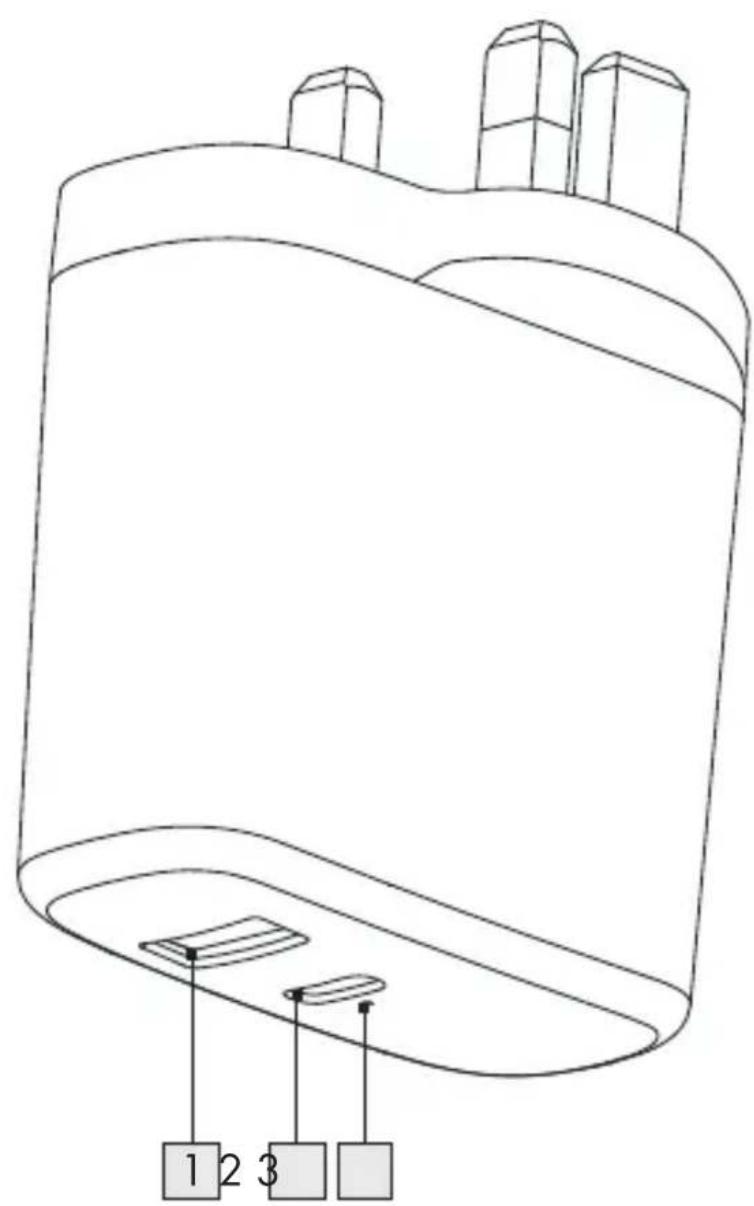
• Description of parts
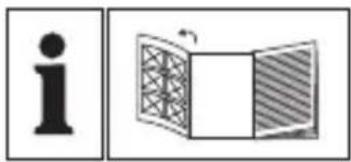
Please refer to the fold out page.
1 USB port (Type A) 2 USB port (Type C, PD3.0) 3 Control lamp
- Technical Data
Input voltage: 100-240 V\~ (alternating current) 1 A, 50/60 Hz
Output USB port 1 (Type A): 5 V === , max 2.4 A (Smart Fast Charge)
Output USB port 2 (Type C, PD3.0): 5 V === , max 3 A / 9V=== , max 2 A
Max. output current
(total): 5.4 A
Protection class: II /
Operating temperature: 0–25 °C
- Scope of delivery
1 USB charger with 2 USB ports 1 Set of operating instructions

Safety notices
PLEASE READ THE INSTRUCTIONS PRIOR TO USE! PLEASE KEEP THE INSTRUCTIONS IN A SAFE PLACE!
- Check the product for damage before use. Never use a damaged product. This product can be used by children aged from 8 years and above and persons with reduced physical, sensory or mental capabilities or lack of experience and knowledge if they have been given supervision or instruction concerning use of the product in a safe way and understand the hazards involved. Children shall not play with the product. Cleaning and user maintenance shall not be made by children without supervision.

Suitable for indoor use only. Do not expose the product to direct sunlight or moisture.
Only plug the product into sockets that are easily accessible, so that you can unplug it easily in case of an emergency.
Start-up
ATTENTION! RISK OF OVERHEATING!
Only connect the product to appliances which do not require more than 5400 mA (= 5.4 A).
Plug the product into a correctly installed socket, which provides the power supply stated in the "Technical Data". The control lamp 3 shows that the product receives current. Connect the appliance that should be charged with the product by plugging its USB plug into the output USB port 1 (Type A) and output USB port 2 (Type C, PD3.0).
Disconnect the charged appliance from the product after charging, by unplugging the USB plug from the USB socket.
Unplug the adapter from the socket.
Cleaning and Care
Always unplug the product from the socket before cleaning!
Use a dry, soft, and lint-free cloth for cleaning and care.
Disposal
The packaging is made entirely of recyclable materials, which you may dispose of at local recycling facilities.
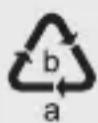
Observe the marking of the packaging materials for waste separation, which are marked with abbreviations (a) and numbers (b) with the following meaning:
1-7: plastics / 20-22: paper and fibreboard / 80-98: composite materials.

The product and packaging materials are recyclable; dispose of them separately for better waste treatment. The Triman logo is valid in France only.

Contact your local refuse disposal authority for more details on how to dispose of your worn-out product.
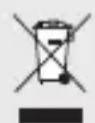
To help protect the environment, please dispose of the product properly when it has reached the end of its useful life and not in the household waste.
Information on collection points and their opening hours can be obtained from your local authority.
Warranty and service
Warranty
The product has been manufactured to strict quality guidelines and meticulously examined before delivery. In the event of product defects you have legal rights against the retailer of this product. Your legal rights are not limited in any way by our warranty detailed below.
The warranty for this product is 3 years from the date of purchase. Should this product show any fault in materials or manufacture within 3 years from the date of purchase, we will repair or replace it – at our choice – free of charge to you.
The warranty period begins on the date of purchase. Please keep the original sales receipt in a safe location. This document is required as your proof of purchase. This warranty becomes void if the product has been damaged, or used or maintained improperly.
The warranty applies to defects in material or manufacture. This warranty does not cover product parts subject to normal wear, thus possibly considered consumables (e.g. batteries) or for damage to fragile parts, e.g. switches, rechargeable batteries or glass parts.
- Warranty claim procedure
To ensure quick processing of your case, please observe the following instructions:
Please have the till receipt and the item number (e.g. IAN 123456_7890) available as proof of purchase.
You will find the item number on the type plate, an engraving on the front page of the instructions (bottom left), or as a sticker on the rear or bottom of the appliance.
If functional or other defects occur, please contact the service department listed either by telephone or by e-mail.
You can return a defective product to us free of charge to the service address that will be provided to you. Ensure that you enclose the proof of purchase (till receipt) and information about what the defect is and when it occurred.
Service
GB Service Great Britain
Tel.: 0800 404 7657
E-Mail: owim@lidl.co.uk
IE Service Ireland
NI Service Northern Ireland
Tel.: 1890 930 034
(0.08 EUR/min, peak)
(0.06 EUR/min, off-peak)
E-Mail: owim@lidl.ie
CE
OWIM GmbH & Co. KG
Stiftsbergstraße 1
DE-74167 Neckarsulm
GERMANY
Model-No.: HG05316A-BS/ HG05316B-BS
Version: 06/2019


- USB CHARGER SPDCA A
- LIST OF PICTOGRAMS USED......PAGE
- INTRODUCTION......PAGE
- SAFETY NOTICES ......PAGE
- START-UP......PAGE
- CLEANING AND CARE ......PAGE
- WARRANTY AND SERVICE......PAGE
- USB CHARGER
- ●INTRODUCTION
- INTENDED USE
- DESCRIPTION OF PARTS
- TECHNICAL DATA
- SCOPE OF DELIVERY
- SAFETY NOTICES
- START-UP
- ATTENTION! RISK OF OVERHEATING
- CLEANING AND CARE
- DISPOSAL
- WARRANTY AND SERVICE
- WARRANTY
- WARRANTY CLAIM PROCEDURE
- SERVICE
- GB SERVICE GREAT BRITAIN
- IE SERVICE IRELAND
- NI SERVICE NORTHERN IRELAND
- CE
Brand : SILVERCREST
Model : SPDCA A1
Category : Uncategorized