KD60122AF - Fridge Atag - Free user manual and instructions
Find the device manual for free KD60122AF Atag in PDF.


User questions about KD60122AF Atag
0 question about this device. Answer the ones you know or ask your own.
Ask a new question about this device
Download the instructions for your Fridge in PDF format for free! Find your manual KD60122AF - Atag and take your electronic device back in hand. On this page are published all the documents necessary for the use of your device. KD60122AF by Atag.
USER MANUAL KD60122AF Atag
ALVORENS HET APPARAAT TE GEBRUIKEN
natural_image
Diagram showing a refrigerator with an open door and a close-up of its interior (no text or symbols visible)Fig. 1
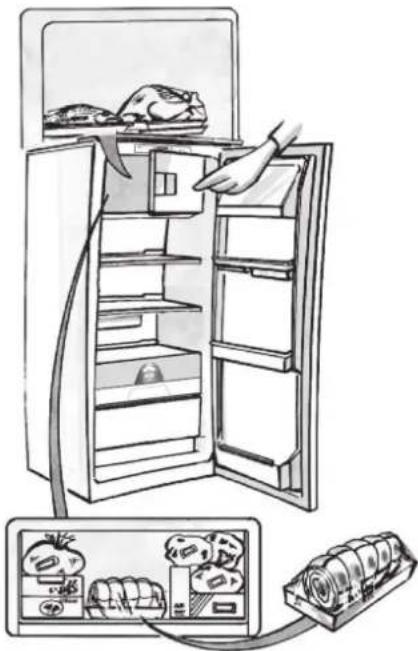
natural_image
Illustration of a refrigerator with open doors and a hand inserting food into the refrigerator (no text or symbols)Fig. 2
| 1-3 | |||
| 4-7 | |||
| 8-12 |
ONTDOOIEN VAN HET APPARAAT
natural_image
Illustration of a refrigerator with open doors and a hand inserting a piping bag into the refrigerator (no text or symbols)Fig. I
REINIGING EN ONDERHOUD
natural_image
Illustration of a hand inserting a plug into a rack-mounted device (no text or symbols visible)natural_image
Diagram showing a refrigerator with an open door and a close-up inset of the front panel (no text or symbols)Fig. 1
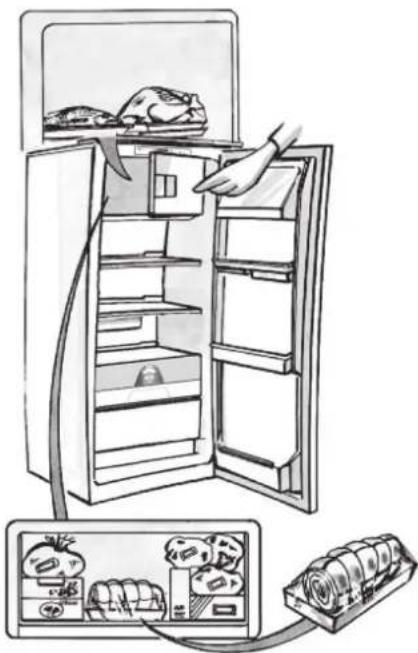
natural_image
Illustration of a refrigerator with open doors and a hand inserting food into the refrigerator (no text or symbols)Fig. 2
| 1-3 | 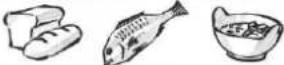 |
| 4-7 | 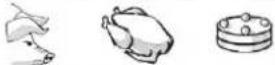 |
| 8-12 | 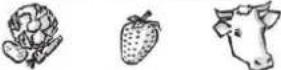 |
COMMENT DÉGIVRER L'APPAREIL
natural_image
Illustration of a refrigerator with an open door and a hand inserting a piping bag into the refrigerator (no text or symbols)Fig. I
NETTOYAGE ET ENTRETIEN
natural_image
Illustration of a hand inserting a plug into a rack-mounted device (no text or symbols visible)DIAGNOSTIC RAPIDE
natural_image
Diagram showing a refrigerator with an open door and a magnified inset of the front panel (no text or symbols visible)Abb. I
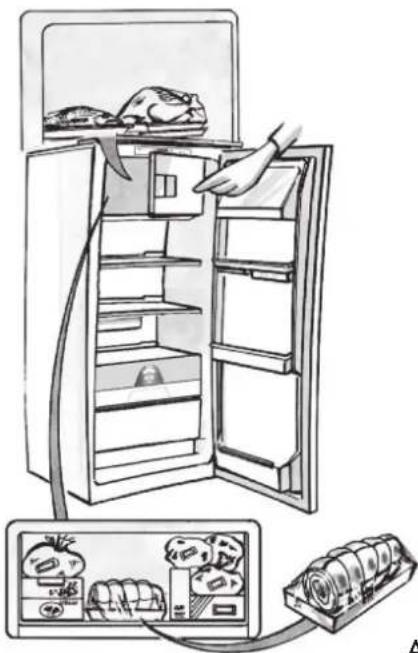
natural_image
Illustration of a refrigerator with doors open and connected to a rack with food items (no text or symbols)Abb. 2
| 1-3 | 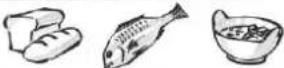 |
| 4-7 | 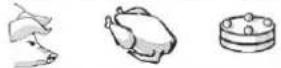 |
| 8-12 |  |
ABTAUEN DES GERÄTS
natural_image
Illustration of a refrigerator with open doors and a hand inserting a piping bag into the drawer (no text or symbols)Abb. I
natural_image
Illustration of a hand inserting a plug into a rack-mounted device (no text or symbols visible)STÖRUNG - WAS TUN
- This appliance is intended to be used in household and similar applications such as
- staff kitchen areas in shops, offices and other working environments;
- farm houses and by clients in hotels, motels and other residential type environments;
- bed and breakfast type environments;
To ensure best use of your appliance, carefully read the operating instructions which contain a description of the product and useful advice. Keep these instructions for future reference.
I. After unpacking the appliance, make sure it is not damaged and that the door closes properly. Any damage must be reported to the dealer within 24 hours of delivery of the appliance.
2. Wait at least two hours before switching the appliance on, to ensure that the refrigerant circuit is fully efficient.
3. Installation and the electrical connection must be carried out by a qualified technician according to the manufacturer's instructions and in compliance with the local safety regulations.
4. Clean the inside of the appliance before using it.
SAFEGUARDING THE ENVIRONMENT
I. Packing
The packing material is 100% recyclable and bears the recycling symbol for disposal, comply with the local regulations. Keep the packing materials (plastic bags, polystyrene parts, etc.) out of the reach of children, as they are a potential source of danger.
2. Scrapping/Disposal
The appliance is manufactured using recyclable material.
This appliance is marked in compliance with European Directive 2002/96/EC on Waste Electrical and Electronic Equipment (WEEE). By ensuring the correct disposal of this appliance, you can help prevent potentially negative consequences for the environment and the health of persons.

The symbol on the appliance, or on the accompanying documents, indicates that this appliance should not be treated as domestic waste but must be taken to a special collection centre for the recycling of electrical and electronic equipment. When scrapping the appliance, make it unusable by cutting off the power cable and removing the doors and shelves so that children cannot easily climb inside and become trapped.
Scrap the appliance in compliance with local regulations on waste disposal, taking it to a special collection centre; do not leave the appliance unattended even for a few days, since it is a potential source of danger for children.
For further information on the treatment, recovery and recycling of this product, contact your competent local office, the household waste collection service or the shop where you purchased the appliance.
Information:
This appliance does not contain CFCs. The refrigerant circuit contains R134a (HFC) or R600a (HC) (see the rating plate inside the appliance). Appliances with Isobutane (R600a): isobutane is a natural gas without environmental impact, but is flammable. Therefore, make sure the refrigerant circuit pipes are not damaged. This product may contain Fluorinated Greenhouse Gases covered by the Kyoto Protocol; the refrigerant gas is inside a hermetically sealed system. Refrigerant gas: R134a has a Global Warming Potential of (GWP) 1300.
Declaration of conformity
- This appliance has been designed for preserving food and is manufactured in compliance with Regulation (CE) No. 1935/2004.

- This appliance has been designed, manufactured and marketed in compliance with:
- safety objectives of the "Low Voltage" Directive 2006/95/CE (which replaces 73/23/CEE and subsequent amendments);
- the protection requirements of Directive "EMC" 2004/108/EC.
Electrical safety of the appliance can only be guaranteed if it is correctly connected to an approved earthing system.
PRECAUTIONS AND GENERAL RECOMMENDATIONS
INSTALLATION
- The appliance must be handled and installed by two or more persons.
- Be careful not to damage the floors (e.g. parquet) when moving the appliance.
- During installation, make sure the appliance does not damage the power cable.
- Make sure the appliance is not near a heat source.
- To guarantee adequate ventilation, leave a space on both sides and above the appliance and follow the installation instructions.
- Keep the appliance ventilation openings free.
- Do not damage the appliance refrigerant circuit pipes.
• Install and level the appliance on a floor strong enough to take its weight and in a place suitable for its size and use.
• Install the appliance in a dry and well-ventilated place. The appliance is arranged for operation in places where the temperature comes within the following ranges, according to the climatic class given on the rating plate. The appliance may not work properly if it is left for a long time at a temperature outside the specified range.
| Climatic Class | Amb. T. (°C) | Amb. T. (°F) |
| SN From | 10 to 32 From 50 | to 90 |
| N From | 16 to 32 From 61 | to 90 |
| ST From | 16 to 38 From 61 | to 100 |
| T From | 16 to 43 From 61 | to 110 |
- Make sure the voltage specified on the rating plate corresponds to that of your home.
- Do not use single/multi adapters or extension cords.
- For the water connection, use the pipe supplied with the new appliance; do not reuse that of the previous appliance.
- Power cable modification or replacement must only be carried out by qualified personnel or by After-sales Service.
- It must be possible to disconnect the appliance from the power supply by unplugging it or by means of a mains two-pole switch installed upstream of the socket.
SAFETY
- Do not store explosive substances such as aerosol cans with a flammable propellant in this appliance.
- Do not store or use petrol, flammable liquids or gas in the vicinity of this or other electrical appliances. The fumes can cause fires or explosions.
- Do not use mechanical, electric or chemical means other than those recommended by the Manufacturer to speed up the defrost process.
- Do not use or place electrical devices inside the appliance compartments if they are not of the type expressly authorised by the Manufacturer.
- This appliance is not intended for use by persons (including children) with reduced physical, sensory or mental capabilities, or lack of experience and knowledge, unless they have been given supervision or instruction concerning use of the appliance by a person responsible for their safety.
- To avoid the risk of children becoming trapped and suffocating, do not allow them to play or hide inside the appliance.
- Do not swallow the contents (non-toxic) of the ice packs (in some models).
- Do not eat ice cubes or ice lollies immediately after taking them out of the freezer since they may cause cold burns.
USE
- Before carrying out any maintenance or cleaning operation, unplug the appliance or disconnect it from the power supply.
- All appliances equipped with an automatic ice-maker and water dispenser must be connected to a water supply that only delivers drinking water (with mains water pressure of between 0.17 and 0.81 Mpa (1.7 and 8.1 bar)). Automatic ice-makers and/or water dispensers not directly connected to the water supply must be filled with drinking water only.
- Use the refrigerator compartment only for storing fresh food and the freezer compartment only for storing frozen food, freezing fresh food and making ice cubes.
- Do not store glass containers with liquids in the freezer since they may burst.
The Manufacturer declines any liability if the above advice and precautions are not respected.
HOW TO OPERATE THE REFRIGERATOR COMPARTMENT
Starting up the appliance
I. Plug in the appliance
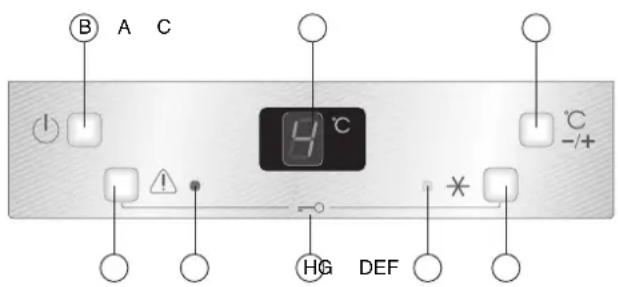
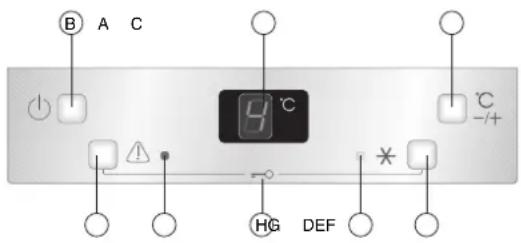
2. When the appliance is plugged in, it is normally factory set to a temperature of 5^ C. If the display A shows only an illuminated dot (stand-by mode), press On/Off button B
3. The appliance switches on and the meat and fish box operates. The refrigerator compartment temperature is factory-set to the intermediate position
Refrigerator temperature settings
To change the refrigerator compartment temperature, press button (C) to select the temperature displayed in a loop (see product sheet)
Note:
Ambient air temperature, the frequency of door opening, the introduction of hot food and unsuitable appliance positioning can all affect the internal temperature of the refrigerator, which may differ from that shown on the display
Switching off the appliance
If the appliance is not to be used for a prolonged period, it can be switched off by pressing button B (Stand-by), or by unplugging it
Refrigerator door open alarm
The appliance issues a warning if the door is accidentally left open: an acoustic signal sounds and the inside light flashes. The alarm is activated when the door is left open for 2 minutes and deactivates automatically when the door is closed. If the door needs to be kept open for more than 2 minutes, the alarm can be muted by pressing button (F); the alarm will activate again after 2 minutes if the door still remains open
Control panel lock
In order to avoid inadvertent selections (buttons being pressed by contact with packets and/or food, or by children) the control panel can be locked by pressing button (F) and (D) at the same time for approx. 3 seconds. The letter L flashes on the display for approx. 5 seconds to indicate the panel has been locked successfully. With the control panel locked, no selections can be made. If any button is pressed in these circumstances, the letter L flashes on the display for 5 seconds.
To unlock the control panel, press buttons (F) and (D) at the same time for approx. 3 seconds.
text_image
B A C 4 °C -/+ HG DEFHow to use the refrigerator compartment:
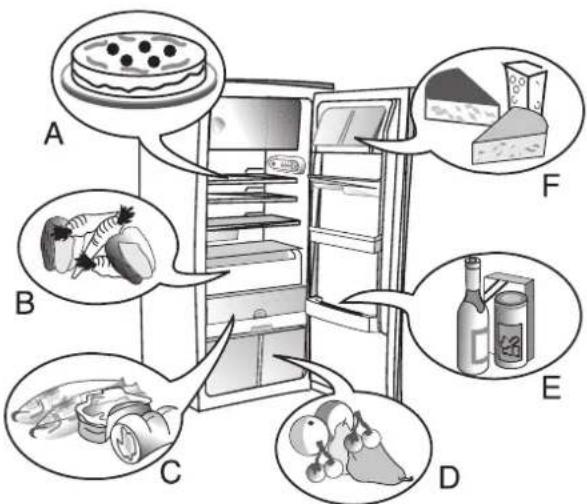
Position the food as shown in the figure.
A Cooked food
B Vegetables
C Fish, meat
D Fruit and vegetables
E Bottles
F Cheese
Note:
• Cover food to prevent it drying out
- The space between the shelves and the rear wall of the refrigerator compartment must be unobstructed to allow circulation of air
- Do not place food in direct contact with the rear wall of the refrigerator compartment.
- Do not place hot food in the refrigerator
• Store liquids in closed containers
Important:
Storing vegetables with a high water content can cause condensation to form on the glass shelves; this will not affect the correct operation of the appliance.
text_image
A B C D E FHOW TO USE THE FREEZER COMPARTMENT
(if present)
The freezer compartment ✦ n also be used for freezing fresh food. The quantity of fresh food that can be frozen in 24 hours is shown on the rating plate.
Freezing fresh food
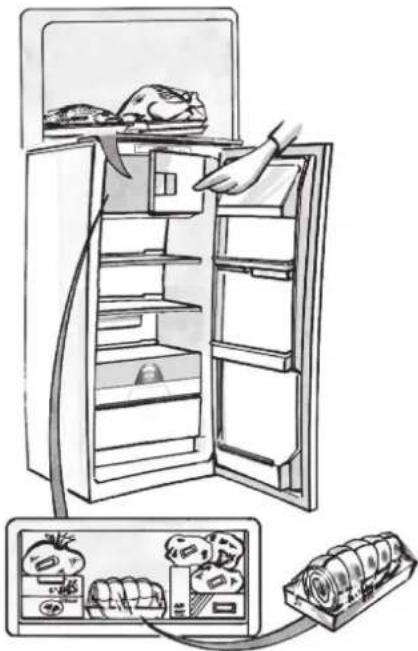
- The recommended position for fresh food is that indicated in Fig. 1, if a wire shelf is present, or that in Fig. 2 for models with no wire shelf.
- Place food in the middle of the compartment, *** making sure it does not touch already frozen food, but is placed at a distance of approx. 20 mm (fig. 1 and 2).
- For appliance with a ✕ npa1tment, press button (D) to activate the Fast Freeze function: the yellow led (E) lights up and remains lit for the duration of freezing.
• After approx. 26h the function switches off automatically and the yellow led (E) switches off. To cancel the function manually, press button (D) again.
The table alongside shows the recommended maximum storage time for frozen fresh foods. When purchasing frozen food products:
- Make sure the packaging is not damaged, since the product quality may have deteriorated. If the package is swollen or has damp patches, it may not have been stored under optimal conditions and defrosting may have already begun.
- When shopping, leave frozen food purchases until last and transport the products in a thermally insulated cool bag.
- Place the items in the compartment as soon as you get home.
- If food has defrosted even partially, do not re-freeze it. Consume within 24 hours.
- Avoid, or reduce temperature variations to the minimum. Respect the best-before date on the package.
• Always follow the storage instructions on the frozen food packages.
Making ice cubes
- Fill the ice cube tray 2/3 full and place it in the compartment * * * *
- Do not use sharp or pointed instruments to detach the tray if it is stuck to the bottom of the * *** compartment.
- Bend the ice tray slightly to remove the cubes.
natural_image
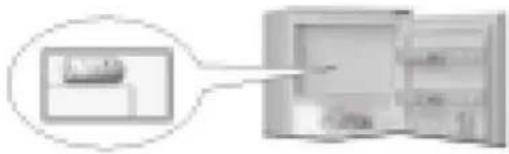
Diagram showing a refrigerator with an open door and a close-up inset of the front panel (no text or symbols)Fig. 1
natural_image
Illustration of a refrigerator with open doors and a hand inserting food into the refrigerator (no text or symbols)Fig. 2
| 1-3 | |||
| 4-7 | |||
| 8-12 |
HOW TO DEFROST THE APPLIANCE
Before defrosting the appliance, unplug it or switch off the power at the mains.
Defrosting of the refrigerator compartment is completely automatic. Droplets of water on the rear wall of the refrigerator compartment indicate that the periodic automatic defrost cycle is in progress. The defrost water is automatically routed to a drain outlet and into a container from which it evaporates.
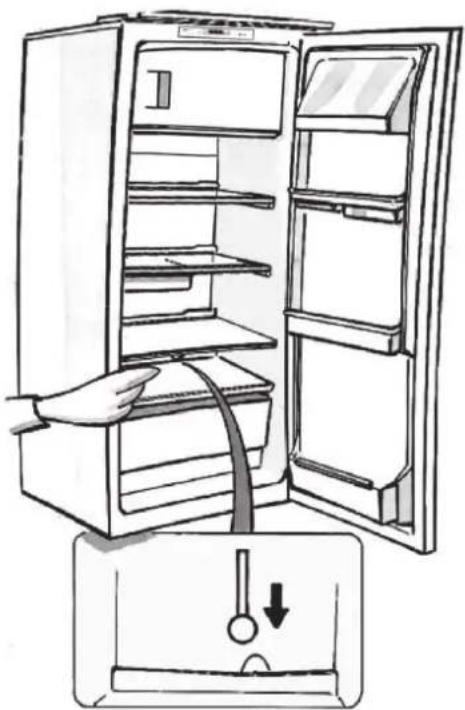
Clean the defrost water drain outlet regularly using the tool supplied with the appliance in order to ensure defrost water is removed correctly. (Fig. 1)
Defrosting the compartment (if present)
Defrost the ✦ mpa-rtment once or twice a year or when ice formation is excessive. It is perfectly normal for ice to form. The amount of ice which forms and the rate at which it accumulates will vary depending on ambient conditions and the frequency with which the freezer door is opened. Ice formation is concentrated at the top of the compartment and does not affect the efficiency of the appliance. If possible, defrost the freezer when it is nearly empty.
- Remove the food from the freezer compartment and group together in a cool place or in a cool bag.
- Leave the door open to allow the frost to melt.
- Clean the interior of the freezer with a sponge and warm water and/or neutral detergent. Do not use abrasive substances.
- Rinse the interior and dry thoroughly.
- Put the food back into the freezer.
- Close the door.
Plug the appliance back in and switch on, following the instructions in chapter "How to operate the refrigerator compartment". The settings and selections made prior to switching off will be restored.
natural_image
Illustration of a refrigerator with an open door and a hand inserting a cable into the refrigerator (no text or symbols)Fig. I
CLEANING AND MAINTENANCE
Before any cleaning or maintenance operation, unplug the appliance from the mains or disconnect the electrical power supply.
- Clean the inside of the refrigerator compartment periodically with a sponge dampened in warm water and/or neutral detergent. Rinse and dry with a soft cloth.
Do not use abrasive products.
- The separators must not be washed in water but simply cleaned with a damp sponge.
- Clean the inside of the freezer compartment when defrosting.
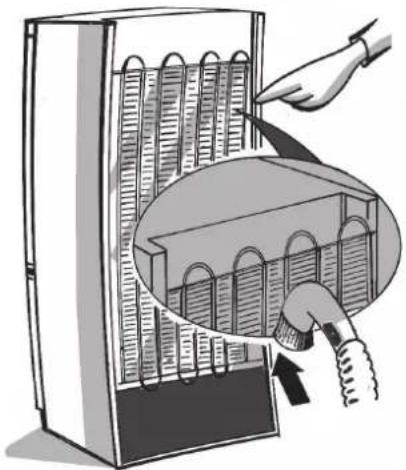
- Clean the air vents and condenser at the rear of the appliance regularly with a vacuum cleaner or brush.
- Clean the outside with a damp cloth. Do not use abrasive products, scourers, stain-removers (e.g. thrichlorethylene acetone) or vinegar.
Prolonged disuse
I. Empty the refrigerator.
2. Disconnect the appliance from the mains power supply.
3. Defrost and clean the interior.
4. In the event of prolonged disuse, leave the appliance door open to prevent mould, odours and oxidation from forming.
-
Clean the appliance.
-
Clean the inside of the low temperature compartment (where present) when defrosting.
- Clean the inside of the refrigerator compartment periodically with a sponge dampened in warm water and/or neutral detergent. Rinse and dry with a soft cloth. Do not use abrasive products.
natural_image
Illustration of a hand inserting a plug into a rack-mounted device (no text or symbols visible)TROUBLESHOOTING GUIDE
I. The appliance is not working.
• Is there a power failure?
- Is the plug properly inserted in the socket?
• Is the main power switch on?
- Has the fuse blown?
• Is the power supply cable damaged?
- Is button (B) set to Stand-by?
text_image
B A C 9 °C -/+ HG DEF *2. Temperature inside the compartments is not low enough.
- Are the doors closed properly?
- Is the appliance installed near a heat source?
- Are the air circulation grilles blocked?
3. Water collects at the bottom of the refrigerator compartment.
• Is the defrost water drain blocked?
4. The inside light is not working.
Perform the checks for problem I and then:
- Disconnect the appliance from the mains power supply.
- If your appliance has a bulb, refer to the instructions and illustration on the attached product description sheet for inspection and replacement
- If your appliance has led lights, contact the after-sales service.
5. Excessive frost build-up in the low temperature compartment.
- Is the low temperature compartment door closed properly?
6. The acoustic alarm sounds, the inside light is intermittent and the red led (G) flashes
- The door has been open for more than 2 minutes. Press button (F) to mute the alarm or close the door.
7. The acoustic alarm sounds, the red led (G) and the letter "A" flash on the display
- Temperature sensor fault. Press button (F) to deactivate the alarm and contact the after-sales service
Note:
- If the alarm condition described at point 7 arises, the temperature setting button (C) and button (D) cannot be used, but the appliance still maintains compartment temperatures that guarantee safe storage conditions for food
- It is normal for the appliance to make a range of noises (gurgling and hissing due to expansion in the refrigerant circuit ...) during the normal operating cycle.
AFTER-SALES SERVICE
Before contacting the After-Sales Service:
I. See if you can solve the problem yourself with the help of the Trouble-shooting guide.
2. Switch the appliance off and then on again to check if the problem has been eliminated. If it has not, switch off the appliance again and repeat the operation after one hour.
3. If the problem persists after this course of action, contact After-sales Service.
Specify:
- the type of fault
-
the appliance model
-
The Service number (the number after the word SERVICE on the rating plate inside the appliance)
- Your full address
- Your telephone number and area code
SERVICE
0000 000 00000

Note:
The direction of door opening can be changed. If this operation is performed by After-sales Service it is not covered by the warranty.
INSTALLATION
• Install the appliance away from heat sources. Installation in a hot environment, direct exposure to the sun or installation near heat sources (heaters, radiators, cookers) will increase power consumption and should therefore be avoided.
- If this is not possible, the following minimum distances must be respected:
- 30 cm from coal or paraffin stoves;
- 3 cm from electric and/or gas stoves.
- Fit the spacers (if supplied) on the rear of the condenser positioned at the back of the appliance.
• Install the appliance in a dry, well-ventilated place, and ensure it is level, using the front adjustment feet if necessary.
- Clean the interior.
- Fit the accessories.
- Regulations require that the appliance be earthed. The manufacturer declines all liability for injury to persons or animals and for damage to property resulting from failure to observe the above procedures and reminders.
- If the plug and socket are not of the same type, have the socket replaced by a qualified electrician.
- Do not use extension leads or adapters.
Disconnecting the appliance
It must be possible to disconnect the appliance by unplugging it or by means of a two-pole switch fitted upline of the socket.
Electrical connection
- Electrical connections must be made in accordance with local regulations.
- Voltage and power consumption are indicated on the rating plate inside the appliance.
ELECTRICAL CONNECTION FOR GREAT BRITAIN AND IRELAND ONLY
Warning - this appliance must be earthed
Fuse replacement
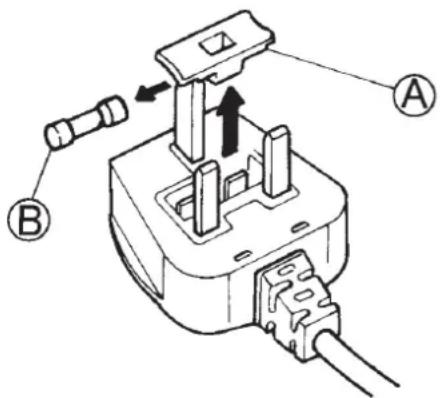
If the mains lead of this appliance is fitted with a BS 1363A 13amp fused plug, to change a fuse in this type of plug use an A.S.T.A. approved fuse to BS 1362 type and proceed as follows:
I. Remove the fuse cover (A) and fuse (B).
2. Fit replacement I3A fuse into fuse cover.
3. Refit both into plug.
Important:
The fuse cover must be refitted when changing a fuse and if the fuse cover is lost the plug must not be used until a correct replacement is fitted.
Correct replacement are identified by the colour insert or the colour embossed in words on the base of the plug.
Replacement fuse covers are available from your local electrical store.
For the Republic of Ireland only
The information given in respect of Great Britain will frequently apply, but a third type of plug and socket is also used, the 2-pin, side earth type.
Socket outlet / plug (valid for both countries)
If the fitted plug is not suitable for your socket outlet, please contact After-sales Service for further instruction. Please do not attempt to change plug yourself. This procedure needs to be carried out by a qualified technician in compliance with the manufactures instructions and current standard safety regulations.