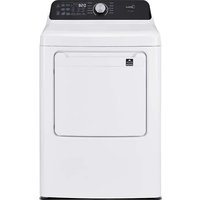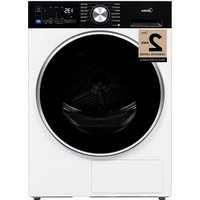
MLHE31S2BBW - Dryer MIDEA - Free user manual and instructions
Find the device manual for free MLHE31S2BBW MIDEA in PDF.


User questions about MLHE31S2BBW MIDEA
0 question about this device. Answer the ones you know or ask your own.
Ask a new question about this device
Download the instructions for your Dryer in PDF format for free! Find your manual MLHE31S2BBW - MIDEA and take your electronic device back in hand. On this page are published all the documents necessary for the use of your device. MLHE31S2BBW by MIDEA.
USER MANUAL MLHE31S2BBW MIDEA
Before using this product, please read this manual carefully and keep it for future reference. The design and specifications are subject to change without prior notice for product improvement. Consult with your dealer or manufacturer for details.
USER MANUAL & INSTALLATION INSTRUCTIONS

natural_image
Line drawing of a washing machine with circular design and front panel (no text or symbols)MODEL NUMBER
MLHE31S2BBW
MLHE31S2BBG
www.midea.com/ca
THANK YOU LETTER
Thank you for choosing Midea! Before using your new Midea product, please read this manual thoroughly to ensure that you know how to operate the features and functions that your new appliance offers in a safe way.
CONTENTS
THANK YOU LETTER 01
SAFETY AND PRECAUTIONS 03
INTRODUCTION 03
WHAT YOU NEED TO KNOW ABOUT SAFETY INSTRUCTIONS 03
IMPORTANT SAFETY SYMBOLS AND PRECAUTIONS 03
IMPORTANT SAFETY INSTRUCTIONS 03
INSTALLATION REQUIREMENTS 06
IMPORTANT TO INSTALLER 06
BASIC REQUIREMENTS 06
LOCATION REQUIREMENTS 06
STACK KIT INSTALLATION INSTRUCTION S 10
DRAIN SYSTEM 13
ELECTRICAL REQUIREMENTS 14
GROUNDING 16
REPLACEMENT PARTS AND ACCESSORIES 16
INSTALLATION INSTRUCTION S 17
REMOVING FROM THE PACKAGE 17
PARTS IDENTIFICATION 17
TOOLS NEEDED IN INSTALLATION 18
INSTALLATION STEPS 18
OPERATING INSTRUCTION S 22
CONTROL PANEL 22
DRYING A LOAD OF LAUNDRY 25
APP SETUP AND OPERATION 29
EMPTY THE WATER TANK 31
CLEAN FILTER 31
CLEAN THE HEAT EXCHANGER 32
SPECIAL LAUNDRY TIPS 33
MAINTENANCE 34
CARE AND MAINTENANCE 34
TROUBLESHOOTING INSTRUCTIONS 35
CHECK THESE SOLUTIONS IF YOUR DRYER... 35
ERROR CODES 37
APPENDIX 38
CERTIFICATIONS 39
WARRANTY 40

Read all instructions and explanations before use. Follow the instructions carefully. Keep the operation instructions handy for later use. If the appliance is sold or passed on, ensure that the new owner always receives these operation instructions.
SAFETY AND PRECAUTIONS
INTRODUCTION
Congratulations on the purchase of your new ryed. The dryer features the latest design and functions provide reliable and trouble-free performance.
WHAT YOU NEED TO KNOW ABOUT SAFETY INSTRUCTIONS
This manual contains important information on the installation, use, and care of your appliance. Please read this manual carefully before installation and operation of this machine to prevent injury and property damage. Warnings and Important Safety Instructions in this manual DO NOT cover all possible conditions and situations that may occur. It is your responsibility to use.
IMPORTANT SAFETY SYMBOLS AND PRECAUTIONS

WARNING
This indicates that hazards or unsafe raptices may cause serious personal injury or death. To reduce the risk of fire, explosion, electric shock, or personal injury when using your dryer, these basic safety precautions SHOULD be followed.

CAUTION
This indicates that hazards or unsafe practices may cause minor personal injury or property damage.

WARNING
For your safet the information in this manual must be followed to minimize the risk of fire orexplosion and to prevent property damage, personal injury or death.
- Do not store or use gasoline or other flammable vapors and liquids in the vicinity of this or any other appliance.
- Installation and service must be performed by a qualified installer, the service agency, or the gas supplier.
IMPORTANT SAFETY INSTRUCTIONS
WARNING-To reduce the risk of fire, electric shock, or injury to persons when using your appliance, follow basic precautions, including the following:
- Read all instructions before using the appliance.
- Use this appliance only for its intended purpose as describe in this Manual.
- Before use, the dryer must be properly installed as described in this manual.
SAFETY AND PRECAUTIONS
- ALWAYS follow the fabric care instructions supplied by the garment manufacturer.
- Risk of Suffocation and Injury from Entrapment: Do not allow children to play on or in the appliance. Close supervision of children is necessary when the appliance is used near children.
- Before the appliance is removed from service or discarded, remove the lid of the washing or door of the drying compartment.
- Do not reach into the appliance if the drum is moving.
- Do not install or store this appliance where it will be exposed to the weather or freezing temperatures.
- Do not tamper with the controls.
- Do not repair or replace any part of the appliance or attempt any servicing unless it is specifically recommended in the user-maintenance instructions or in published user-repair instructions that you understand and have the skills to carry out.
- Packaging material can be dangerous for children. There is a risk of suffocation! Keep all packaging from children.
- Always check the inside of the dryer for foreign objects before loading laundry. Keep the door closed when not in use.
- Do not use fabric softeners or products to eliminate static unless recommended by the manufacturer of the fabric softener or product.
- Clean the lint screen before or after each load.
- Keep the area around the exhaust opening and surrounding areas free from lint, dust, and dirt.
- The interior of the dryer and exhaust duct should be cleaned periodically by qualified service personnel.
- This appliance must be grounded. See “Electrical Requirements” and “Grounding requirements” in the “INSTALLATION REQUIREMENTS” section.
- This appliance must be properly grounded. Never plug the power cord into a receptacle that is not grounded adequately and in accordance with local and national codes. Refer to “Grounding requirements INSTALLATION REQUIREMENTS” section for more information.
- Ensure pockets are free from small irregularly shaped hard objects and foreign material, i.e. coins, knives, pins, etc. These objects could damage your dryer.
- Do not use replacement parts that have not been recommended by the manufacturer (e.g. parts made at home using a 3D printer).
- Sharp Edges -To reduce the risk of injury, use care when cleaning the condenser or evaporator coil fins.
SAVE THESE INSTRUCTIONS.

WARNING- Risk of fire or explosion
- Do not dry items that have been previously cleaned, washed, soaked, or spotted with gasoline, dry cleaning solvents, or other flammable or explosive substances, as they emit vapors that could ignite or explode. Any material that has been in contact with a cleaning solvent or flammable liquids or solids should not be placed in the dryer until all traces of these flammable liquids or solids and their fumes have been removed.
SAFETY AND PRECAUTIONS
- There are many highly flammable items used in homes, such as acetone, denatured alcohol, gasoline, kerosene, some liquid household cleaners, some spot removers, turpentine, waxes, and wax emovers. Store all highly flammable items away from the dryer.
- Do not dry items containing foam rubber (may be labeled latex foam) or similarly textured rubber-like materials on a heat setting. Heated foam rubber materials acunder certain circumstances, produce fire by spontaneous combustion.
- Do not use the dryer to dry clothes which have traces of any flammable substance, such as vegetable oil, cooking oil, machine oil, flammable chemicals, thinner, etc., or anything containing wax or chemicals, such as mops and cleaning clothes. Flammable substances may cause the fabric to catch fire by itself.
- Do not store or use gasoline or other flammable vapors and liquids near this or any other appliance.
- Do not dry articles that have been previously cleaned in, washed in, soaked in or spotted with gasoline, dry-cleaning solvents, other flammable or explosive substances as they give off vapors that could ignite or explode.
- Keep the area underneath and around your appliances free of combustible materials (lint, paper, rags, etc.), gasoline, chemicals and other flammable vapors and liquids.
- Do not place items exposed to cooking oils in your dryer. Items contaminated with cooking oils may contribute to a chemical reaction that could cause a load to catch fire. reduce the risk of fire, the final part of a tumble dryer cycle occurs without heat(cool down period). Avoid stopping a tumble dryer before the end of the drying cycle unless all items are quickly removed and spread out so that any residual heat is dissipated.
- Residual oil on clothing can ignite spontaneously. The potential for spontaneous combustion increases when items containing vegetable oil or cooking oil are exposed to heat. Heat source such as your dryer can warm these items, allowing an oxidation reaction in the oil to occur.
- Oxidation creates heat. If this heat cannot escape, the items can become hot enough to catch fire. Piling, stacking, or storing these kinds of items may prevent heat from escaping and can create a fire hazard.

CAUTION
- Do not sit on top of the dryer.
- Because of continuing product improvements, Midea America reserves the right to change specifications without notice. For complete details, see the Installation Instructions packed with your product before selecting cabinetry, making cutouts, or beginning installation.
- Do not dry clothing with large buckles, buttons, or other heavy metal or solid things.
- Install and use in accordance with the manufacturer's instructions.
- Do not place items in your dryer that have been spotted or soaked with vegetable oil or cooking oil. Even after being washed, these items may contain significant amounts of these oils.
- Take care that children's fingers are not caught in door when closing it. This may result in injury.
INSTALLATION REQUIREMENTS
IMPORTANT TO INSTALLER
Please read the following instructions carefully before installing the dryer. These instructions should be kept for future reference.

CAUTION
- The dryer is not suitable for installation in a mobile home.
- Remove the door from all discarded appliances to avoid the danger of a child being trapped and suffocating. When discarding an appliance, unplug and cut off the power cord.
- Install the dryer according to the manufacturer's instructions and all applicable local codes.
BASIC REQUIREMENTS
Make sure you have everything necessary for the proper installation.
- A GROUNDED ELECTRICAL OUTLET is required. Refer to the “Electrical Requirements” section for more information.
- An electric dryer POWER CORD is required and must be purchased separately if using a U.S.model
LOCATION REQUIREMENTS
- The dryer should be located that there is enough space at the front for loading the dryer. See the following pages for precise minimum clearance measurements.
- Make sure the room in which the dryer is located has enough fresh air. The dryer must be located where there are no air-flow obstructions.
- The dryer must not be installed or stored in an area where it will be exposed to water and/or weather. The dryer area must be kept clear of combustible materials, gasoline, and other flammable vapors and liquids.
- A dryer produces combustible lint. The area around the dryer should be kept lint-free.
INSTALLATION REQUIREMENTS
Alcove, closet or wall insert/recessed installations

- No other fuel-burning appliance should be installed in the same closet as the dryer.
Minimum clearances between the dryer and adjacent walls or other surfaces :
| Sides | 1 in. (25.4mm) | Rear | 2 in.(50.8mm) |
| Top | 2 in. (50.8mm) | Closet front | 2 in. (50.8mm) |

text_image
A C A B B A
text_image
E D F| A | 1 in. (25.4mm) | C | 2 in.(50.8mm) | E | 25.6 in.(650mm) |
| B | 23.4 in. (595mm) | D | 2 in. (51mm) | F | 2 in. (50.8mm) |
INSTALLATION REQUIREMENTS
Undercounter installation

text_image
A B C D
text_image
E F| A | 35.5in.(901mm) | C | 23.4 in. (595mm) | E | 42.2in.(1072mm) |
| B | 1 in. (25mm) | D | 1 in. (25mm) | F | 33.5in.(850mm) |
INSTALLATION REQUIREMENTS
Installation with stacked washing machine and dryer

text_image
A B C D
text_image
E F G H I J
natural_image
Technical line drawing of a mechanical device with dimension lines and labeled point K (no text or symbols beyond basic geometry)| A | 3in.(76mm) | E | 2in.(50.8mm) | I | 3in.(76mm) |
| B | 48in. (3100mm ) | F | / | J | 25.7 in.(653mm) |
| C | 24in. (1550mm ) | G | 1in.(25.4mm) | K | 2 in.(50.8mm) |
| D | 3in.(76mm) | H | 23.4 in. (595mm) |

NOTE
- The front of the closet must have two unobstructed air openings for a combined minimum total area of 72 sq.in. (465 sq.cm) with a minimum clearance of 3 in. (76mm) at the top and bottom. A slatted door with equivalent space clearance is acceptable.
INSTALLATION REQUIREMENTS
Stack Kit Installation Instruction s
1. The stacking kit includes the following parts:

text_image
A B C DA: 1 × Left Bracket
B: 1 × Decorative Strips
C: 1× right Bracket
D: 6 Screw ×
Confirm that the accessory package contains the above components
2. Installation method
Step 1:
First,, screw the left and right protective brackets to the decorative strip

natural_image
Technical line drawing of a mechanical assembly with screws and fasteners (no text or symbols)INSTALLATION REQUIREMENTS
Step 2:
Align the decorative strip and brackets with the top of the washing machine and glue them in place, pressing firmly to secure the backing adhesive.

natural_image
Technical line drawing of a washing machine interior with mounting brackets and ventilation slots (no text or symbols)
natural_image
Technical line drawing of a front-mounted appliance with ventilation grilles and mounting bracket (no text or symbols)Attention: Align the front of the decorative strip with the front of the washing machine control panel.
Step3:
Adjust the leveling foot upwards to the shortest possible position, where no threads are exposed.

natural_image
Line drawing of a washing machine with an inset showing a close-up of its internal components (no text or symbols present)Rotate the foot clockwise to the shortest position.
INSTALLATION REQUIREMENTS
Step 4:
Carefully lift the dryer and place it on top of the washer.

natural_image
Line drawing of a two-tiered washing machine with mounting brackets and circular vent slots (no text or symbols)When lifting the dryer, be careful to keep the water box from sliding out.

text_image
≥15cm
natural_image
Technical line drawing of a mechanical component with internal channels and a force arrow labeled 'F' (no text or symbols beyond the label)INSTALLATION REQUIREMENTS
Step 5:
Lift the front of the dryer slightly.
Adjust the position of the dryer so that the decorative strip aligns with the front door of the dryer, and then use two screws on each side to secure the dryer.

text_image
≈5 N·mDRAIN SYSTEM
The following parts are optional for specific models.
If your dryer has following parts, please wear gloves and install them as per the instruction below.

text_image
Condensing drain hose ConnectorINSTALLATION REQUIREMENTS
DRAIN SYSTEM

text_image
Diagram illustrating a device operation with labeled components and directional arrows indicating movement or interaction.- ake the hose out of the holder.

natural_image
Simple line drawing of two rectangular objects with an arrow pointing upward (no text or symbols)- Disconnect the hose from the water container . You may need to disconnect with force ,due to the tension between the hose and the inflow.

text_image
Max.80cm- insert the drain hose and the external drainage hose into the connector.

natural_image
Line drawing of a sink and a drain with a handle, no text or symbols present- Put the unconnected end of the hose into a washing basin or drain. To ensure smooth drainage, make sure the pipe is not folded
ELECTRICAL REQUIREMENTS
The wiring diagram is located on the back board of the unit.

WARNING
- he improper connection of the equipment grounding conductor can result in the risk of electric shock. Check with a qualified electrician or serviceman if you are in doubt as to whether your dryer is properly grounded. Do not modify the plug provided with your dryer - if it doesn't fit the outlet, have a proper outlet installed by a qualified electrician.
- o prevent unnecessary risk of fire, electrical shock, or personal injury, all wiring and grounding must be done in accordance with local codes, or in the absence of local codes, with the National Electrical Code, ANSI/NFPA No. 70 - Latest Revision (for the U.S.) or the Canadian Electrical Code CSA C22.1 - Latest Revisions and local codes and ordinances. It is your responsibility to provide adequate electrical services for your dryer.
- Il gas installations must be done in accordance with the National Fuel Code ANSI/Z2231 - Latest Revision (for the U.S.) or CAN/CGA - B149 Installation Codes - Latest Revision (for Canada) and local codes and ordinances.
INSTALLATION REQUIREMENTS
Electrical connections
An individual branch (or separate) circuit serving only your dryer is recommended. DO NOT USE AN EXTENSION CORD.
Electric models - U.S. only
The dryers require a 120/240 volt, 60Hz AC approved electrical service.
The electric service requirements can be found on the data label located on the back.
A 30-ampere fus or circuit breaker on both sides of the line is required.
- If a power cord is used, the cord should be plugged into a 30-ampere receptacle.
- The power cord is NOT provided with U.S. electric model dryers.

WARNING
RISK OF ELECTRIC SHOCK:
When local codes allow, the electrical supply of the dryer may be connected by means of a new power supply cord kit, marked for use with a dryer, that is UL listed and rated at a minimum of 120/240 volts, 30-ampere with three No. 10 copper wire conductors terminated with closed loop terminals, open-end spade lugs with turned up ends, or with tinned leads.
- Do not reuse a power supply cord from an old dryer. The power cord electric supply wiring must be retained at the dryer cabinet with a suitable UL-listed strain relief.
- Grounding through the neutral conductor is prohibited for (1) new branch-circuit installations, (2) mobile homes, (3) recreational vehicles, and (4) areas where local codes prohibit grounding through the neutral conductor. (Use a 4-prong plug for 4 wire receptacles, NEMA type 14-30R.)
Electric models - Canada only
- A 120/240 volt, 60Hz AC approved electrical service fused through a fuse or circuit breaker on both sides of the line is required.
- All Canadian models are shipped with the power cord attached.

NOTE
- A power cord is NOT provided with U.S. electric model dryers.
INSTALLATION REQUIREMENTS
Install the clothes dry according to manufacture's instructions and local codes.
GROUNDING
- This appliance must be grounded. In the event of malfunction or breakdown, grounding will reduce the risk of electric shock by providing a path of least resistance for lectric current. his appliance should be used with a cord that has an equipment grounding conductor and grounding plug.
- For products sold in the U.S., your dryer has a optiona corsd separately with an equipment grounding conductor and a grounding plug. For products sold in Canada, your dryer is equipped with a cor thathas an equipment-grounding conductor and a grounding plug.
- The plug must be plugged into an appropriate outlet that is properly installed and grounded in accordance with all local codes and ordinances.
- Do not modify the plug provided with the appliance: if it will not fit the outlet, have a proper outlet installed by a qualified electrician.
- If a power cord is not used and the electric dryer is to be permanently wired, this appliance must be connected to a grounded metal, permanent wiring system, or an equipment-grounding conductor must be run with the circuit conductors and connected to the equipment-grounding terminal or lead on the appliance.

WARNING
- Improper connection of the equipment-grounding conductor can result in a risk of electric shock. Check with a qualified electrician or service representative or personnel if you are in doubt as to whether the appliance is properly grounded.
- Certain internal parts are intentionally not grounded and may present a risk of electric shock only during servicing. Service Personnel – Do not contact the following parts while the appliance is energized:Permanent Magnet Synchronous Pump, Brushless DC Motor, Capacitor, Fan, Choke, PCB.
REPLACEMENT PARTS AND ACCESSORIES
If your dryer requires replacement parts or accessories, contact the dealer where you purchased your dryer or the MIDEA customer care center at 1-888-365-2230.
INSTALLATION INSTRUCTION S
REMOVING FROM THE PACKAGE
- Unpack your dryer and inspect it for shipping damage. Make sure you have received all parts shown below and items listed in the Stacking Kit Installation Instructions.
- To prevent personal injury or strain, wear protective gloves whenever lifting or carrying the unit.

WARNING
Packaging materials can be dangerous to children; Keep all packaging material (plastic bags, polystyrene, etc.) well out of children's reach.
PARTS IDENTIFICATION

text_image
Water Tank Side Plate Control Panel Door Filter Maintenance Cover Adjustable leg(Two legs)
text_image
Wiring Box Drain HoseINSTALLATION INSTRUCTION S
TOOLS NEEDED IN INSTALLATION
Tools needed:

Phillips screwdriver

Flat screwdriver

Level

Pliers

Adjustable wrench that opens to 1" (25 mm)

Cutting knife

Tape measure
INSTALLATION STEPS
For the proper installation, we recommend that you hire a qualified installer.
STEP 1 Choose the proper location
Move your dryer to an appropriate location for the installation. Consider installing the dryer and washer side-by-side, to allow access to the electrical.
STEP 2 Connect the electrical wiring
Three wire outlet

natural_image
Simple electrical circuit symbol for a three-pin socket (no text or labels)3-Wire receptacle (10-30R)
Use a 3-wire power supply cord with ring terminals and UL listed strain relief. The 3-wire power supply cord, at least 4.92 ft. (1.5 m) long, must have 3 10-gauge solid copper wires and match a 3-wire receptacle of NEMA Type 10-30R, rated 120/240V, min 30A.
INSTALLATION INSTRUCTION
3-Wire system connections
the power cord has no grounding wire,
- Connect the grounding wire of the power cord to the external ground conductor screw. I the power cord has no grounding wire, please remove th appliance grounding wire ( ) from the white terminal block screw w. Remove the external ground connector screw, connect the appliance grounding wire to the external ground connector, then replace and tighten the screw.
- Remove the two side terminal block screw and connect the other wires to the outer terminal screws. Be sure to cross the screw through the terminal ring and tighten the screw.
- Tighten the strain relief screws.
- Insert the tab of the terminal block cover into your dryer's rear panel slot. Secure the cover with a screw.
3-Wire system instructions:
A Center terminal block screw
B Grounding
C Neutral grounding wire (White)
D Neutral wire (white or center wire)
E /34" (1.9cm) UL-listed strain relief

text_image
A B C D E
WARNING
- Ring-type terminals are recommended. If using strap terminals, make sure they are tightened.
Four wire outlet

natural_image
Simple electrical circuit symbol with three vertical lines and a diode, enclosed in a circle (no text or labels)4-Wire receptacle (14-30R)
Use a 4-wire power supply cord with ring terminals and UL listed strain relief. The 4-wire power supply cord, at least 4.92 ft. (1.5 m) long, must have 4 10-gauge solid copper wires and match a 4-wire receptacle of NEMA Type 14-30 R, rated 120/240V, min 30A. The ground wire (ground conductor) may be either green or bare. The neutral conductor must be identified by a white color.
4-Wire system connections
- Remove the center terminal block screw.
- Connect the ground wire (green or unwrapped) of the power cord to the external ground conductor screw.
- Connect the neutral wire (white or center wire) of the power cord and the appliance rounding ire(white) under the center screw of the terminal block. Be sure to cross the screw through the ring of the power cord terminal and tighten the screw.
Connect the other wires to the outer terminal block screws. Be sure to cross the 4. screw through the terminal ring and tighten the screw.
INSTALLATION INSTRUCTION S
-
Tighten the strain relief screws.
-
Insert the tab of the terminal block cover into your dryer's rear panel slot. Secure the cover with a screw.
4-Wire system instructions:
IMPORTANT: Ring-type terminals are recommended. If using strap terminals, make sure they are tightened.
A Center terminal block screw
B External ground connector
C Green or bare copper wire of the power cord
D Neutral grounding wire (White)
E Neutral wire (white or center wire)
F 3/4" (1.9cm) UL-listed strain relief

text_image
A B C D E F
Ring-type terminals are recommended. If using strap terminals, make sure they are tightened.

U.S. Models:
Risk Of Electric Shock - All U.S. models are produced for a 3-WIRE SYSTEM CONNECTION.
The dryer frame is grounded to the neutral conductor at the terminal block. A 4-WIRE SYSTEM CONNECTION is required for new or remodeled construction, or if local codes do not permit grounding through neutral conductor.
If the 4-wire system is used, the dryer frame cannot be grounded to the neutral conductor at the terminal block. Refer to the "Electrical Requirements" section on page 16 for 3-WIRE or 4-WIRE SYSTEM CONNECTIONS.
Remove the terminal block cover plate.
Insert the power cord with a UL-listed strain relief through the hose provided in the cabinet near the terminal block.
- A strain relief must be used.
Do not loosen the nuts already installed on the terminal block. Be sure they are tight.
Use a 3/8" (1cm) deep well socket.
STEP 3 Level the dryer
To ensure that the dryer provides the optimal drying performance, it must be leveled. To minimize vibration, noise, and unwanted movement, the floor must be a perfectly level, solid surface.
- Adjust the leveling feet only as much as necessary to level the dryer. Extending the leveling feet more than necessary can cause the dryer to vibrate.
INSTALLATION INSTRUCTION

text_image
level loosen lock Adjustable legsSTEP 4 Power on
Make sure all electrical connections are complete. Plug in your dryer.
STEP 5 Final check
- Make sure the dryer is plugged into an electrical outlet and is properly grounded.
- Make sure the roller is leveled and is sitting firmly on the floor.
- Start your dryer to confirm that it runs, heats, and shuts off.
OPERATING INSTRUCTION S
CONTROL PANEL

WARNING
To reduce the risk of fire, electric shock, or injury to persons, read the IMPORTANT SAFETY INSTRUCTIONS before operating the appliance.

flowchart
graph TD
    A["NORMAL"] --> B["QUICK DRY"]
    C["HEAVY DUTY"] --> D["DELICATES"]
    E["TOWELS"] --> F["DOWN CARE"]
    G["ACTIVE WEAR"] --> H["AIR FLUFF"]
    I["BULKY ITEMS"] --> J["TIMED DRY"]
    K["MY CYCLE"] --> L["REFRESH"]
    M["3"] --> N["1"]
    O["4"] --> P["5"]
    Q["6"] --> R["7"]
    S["8"] --> T["9"]
    U["1"] --> V["0"]
    W["2"] --> X["2"]
    Y["Time"] --> Z["Dryness"]
    AA["Wrinkle Care"] --> AB["Options"]
    AC["Delay ▷"] --> AD["Overnight Dry"]
    AE["30 Min"] --> AF["Damp"]
    AG["2.5 Hr"] --> AH["Very Dry"]
    AI["2.5 Hr"] --> AJ["Smart Control"]
    AK["Empty Tank"] --> AL["Exo Mode"]
    AM["Dump 4x4t"] --> AN["POWER"]
    AO["3 sec"] --> AP["Power Supply"]
1 Power button
Press to turn your dryer on or enter standby mode. If your dryer is on for more than 10 minutes without any buttons being pressed, it automatically returns to standby mode.
2 Start/Pause button
Press to start or pause the program.
3 Cycle selector
Turn the knob to select the appropriate cycle for your laundry load
The cycle you select determines the heat control for the cycle.
The NORMAL, DELICATES, DOWN CARE, DENIM, BULKY ITEMS, ACTIVE WEAR, TOWELS, HEAVY DUTY, BLANKET REFRESH, OVERNIGHT DRY, SMALL LOAD, EASY IRONING, PERM PRESS and SUPER DR Y cycles are Sensor.
QUICK DRY, AIR FLUFF, TIMED DRY, REFRESH are Manual.
OPERATING INSTRUCTION S
4 Delay
This function is used for delaying the clothes drying time for up to 24 hours. The delay time means the programme will start after x hours. When the delay programme starts, the time starts to count down on the display and the delay icon blinks.
5 Overnight Dry
This function is suitable for drying clothes with low heat at night.
6 Time
The button is effective only for Manual cycles. Press the button to change the drying time. Each press of the button adjusts the drying time by 30 minutes.
7 Ctrl lock simultaneously
Press "Time" and "Dryness" simultaneously to activate the Control Lock function. Press and hold "Time" and "Dryness" for another 3 seconds to deactivate the function.
- When this function is activated, all buttons will be deactivated except the "POWER" button and deactivat e Control Lock functio n described above.
- You can power on your unit, set this function and then power off. When you do so, even though the unit is powered on, you still cannot start it the Control Lock function is deactivated.
- This function will not be cancelled automatically if your unit loses power (such as if it is unplugged, out of service, etc.). You must deactivate the function using the "Time" and "Dryness" buttons.
8 Dryness
Press the button to select th dryness level. The available options are Damp, Less, Normal, More, and Very. Different dryness levels will result in different drying times. For clothes to be ironed manually, a lower dr leve should be selected.
9 Wrinkle care/Wireless Network
Wrinkle care
Press once to add the wrinkle care infinite continue physing cycle. multiple times to adjust the time or cancel the wrinkle care function.
When active, wrinkle prevention provides intermittent tumbling in unheated air at the end of the cycle to reduce wrinkling.
The is already ready, and can be removed at any time during the wrinkle care cycle.
Wireless Network
press the “Wrinkle” button for 3 seconds to configure or reset the wireless network. Please follow instructions in the App Setup and Operation section to activate/deactivate the network connection.
OPERATING INSTRUCTION S
10 Options/Smart Control
Options
Pressing this button can turn on or off the "Eco mode" or "Damp Alert" functions.
Eco Mode can be selected for the following cycles: "DOWN CARE", "MY CYCLE(Denim)", "BULKY ITEMS", "TOWELS", "HEAVY DUTY", and "BLANKET REFRESH". "DNORMAER", can be selected for the following cycles:
"DELICATES", "MY CYCLE(Denim)", "ACTIVE WEAR", "TOWELS", "HEAVY DUTY", "OVERNIGHT DRY", "SMALL LOAD", "PERM PRESS", and "SUPER DRY".
Smart Control
Press the "Options" button to switch to Smart Control and use your smartphone to control the machine remotely.
To safely use Smart Control, make sure that:
-
The dryer is connected to the internet.
-
The dryer drum door is closed.
Note:
-If the door is opened at any time, Smart Control will be disabled.
- Smart Control is automatically turned off at the end of each cycle. If you would like to use Smart Control again, you must reactivate it.
Symbols

Delay

Wireless Network

Ctrl lock

Smart Control

Remaining Tim Iedicator /Erro r Message
OPERATING INSTRUCTION S
DRYING A LOAD OF LAUNDRY
STEP 1: Power on your dryer
- Pres the Power button to power your dryer on.
STEP 2: Load your dryer
- Place only one wash load in your dryer at a time.
- Mixed loads of heavy and lightweight fabrics will dry differently, which may result in lightweight fabrics being dry while heavy fabrics remain damp at the end of a drying cycle.
- Add one or more similar items to your dryer when only one or two articles of clothing need drying. This improves the tumbling action and drying efficiency.
- Overloading restricts tumbling action, resulting in uneven drying as well as excessive wrinkling of some fabrics. Do not overload your dryer.
STEP 3: Select the appropriate cycle and options for the load
- Select the appropriate cycl e according to the cycle chart using the Cycle Selector.
- Select the appropriate optiona functions by using the buttons on the control panel.
STEP 4: Start your dryer
Pressing the/Pause button will start the selected cycle. To pause the cycle, press the Start/Pause button, then open the door. To resume, close the door and then press Start/Pause.
Opening the door durin a cycle will immediately pause operation. Close the door and press the Start/Pause button to resume.
OPERATING INSTRUCTION S
| Cycle | Maxim um Amount | Dryness | Delay | Time | Eco Mode | Damp alert | Overnight Dry | Wrinkle care |
| NORMAL | [2W63] | Very More Normal Less Damp | Y | N | N | Y | Y | Y |
| HEAVY DUTY |  | Very More Normal | Y | N | Y | Y | N | Y |
| TOWELS |  | Very More Normal | Y | N | Y | Y | Y | Y |
| ACTIVE WEAR |  | More Normal Less | Y | N | N | Y | Y | Y |
| BULKY ITEMS |  | Very More Normal | Y | N | Y | N | N | Y |
| MY CYCLE (Denim*) |  | Very More Normal | Y | Y | YN Y Y | |||
| QUICK DRY |  | N | Y | NN N | N | Y | ||
| DELICATES |  | Normal Less | Y NN | N | Y | Y | ||
| DOWN CARE |  | Very More Normal | Y | N | Y | N | Y | Y |
| AIR FLUFF |  | N | YY | NN N | Y | |||
| TIMED DRY |  | N | YY | NN N | Y | |||
| REFRESH |  | N | Y | Y | NN N | Y | ||
| BLANKET REFRESH* |  | Very More Normal | Y | N | Y | N | N | Y |
| OVERNIGHT DRY* |  | Very More Normal | Y | N | N | Y | N | Y |
| SMALL LOAD* |  | Very More Normal | Y | N | N | Y | Y | Y |
| EASY IRONING* |  | Damp | YNN Y N | N | ||||
| PERM PRESS* |  | Very More Normal | Y N Y YN | Y | ||||
| SUPER DRY* |  | Very More Normal | Y N Y YN | Y |
OPERATING INSTRUCTION S
* "Y" means optional functions you can select.
Load Size Recommendations:
For best results, follow the wet load size recommendations noted for each cycle.

Small load: Fill the dryer drum with 3-4 items, not more than 1/4 full.

Medium load: Fill the dryer drum up to about 1/2 full.

Large load: Fill the dryer drum up to about 3/4 full. Do not overload. Items need to tumble freely.
Please refer to the following table for the recommended load for each cycle.
| Cycle | Load Size Weight | Application/Properties |
| NORMAL |  | Completely dry single-layer or multi-layer cotton laundry for direct storage. |
| HEAVY DUTY |  | Dry sturdy and large items. |
| TOWELS |  | Completely dry thick or multi-layer synthetic fabrics. |
| ACTIVE WEAR |  | Dry sportswear and thin fabrics, such as polyester. |
| BULKY ITEMS |  | Dry bed linen,bedsheets or other bulky items |
| MY CYCLE |  | Adjust and save your favourite cycle settings. |
| QUICK DRY |  | Dry 1-3 pieces of synthetic fiber/thin cotton clothing with low moisture content. |
| DELICATES |  | Dry delicate synthetic fabrics. |
| DOWN CARE |  | Dry down garments. |
| AIR FLUFF |  | Tumble and air items without heating. The cycle time range is 10-160 minutes (adjusted in 30-minute increments). |
| TIMED DRY |  / / | Dry individual items or finish drying multi-layer fabrics with different drying needs, such as jackets. The cycle time range is 20-170 minutes (adjusted in 30-minute increme |
| REFRESH |  / / | Refresh clothes kept in storage for a long time and remove odors. The cycle time range is 20-170 minutes (adjusted in 30-minute increments). |
| BLANKET REFRESH* |  | Refresh and remove odors from blankets or other heavy items kept in storage for a long time. |
| OVERNIGHTDRY* |  | Dry at a low noise level, with all buttons muted. Ideal for overnight drying. |
| SMALL LOAD* |  | Dry dryer-safe delicate laundry or laundry that is meant to be hand-washed at a lower temperature. |
OPERATING INSTRUCTION S
| Cycle | Load Size Weight | Application/Properties |
| EASY IRONING* |  | Keep single-layer cotton laundry slightly damp for ironing. |
| PERM PRESS* |  | Dry mixed-fiber (such as cotton and synthetic) fabrics. |
| SUPER DRY* |  | Thoroughly dry single- and multi-layer cotton laundry. |
| DENIM* |  | Dry jeans or other denim clothes that are spun in the washing machine. |
STEP 5: Unloading your laundry
- The "Clean filter" will flash 10 sec. when your laundry load is powered on.
- The dryer will beep 6 time when the cycle is done.
- Clean the filter after every cycle once the laundry is unloaded.

NOTE
- Please put clothes that are worn, easily tangled, or small into a laundry bag before drying.
- Knot long belts or ropes before drying.
- Button up clothes with small or decorative buttons before drying.
- Zip up clothes with zippers and turn them inside out before drying.

natural_image
Illustration of a backpack with three circular insets showing different types of hairpins (no text or symbols)OPERATING INSTRUCTION S
APP SETUP AND OPERATION
Use Your Appliance With the SmartHome App
Before you start, make sure that:
- Your smartphone is connected to your know thereless network and network password.
- You are near the home appliance.
- The 2.4GHz band wireless signal is enabled on your wireless router.
Follow the below steps to enter the remote control state.
Download the SmartHome App
On an app market (Google Play Store, Apple App Store), search for "SmartHome" SmartHome app. Download and install it on your phone. You can also download the app by scanning the QR code.
Register and Log In
Open the SmartHome app, and create a new account to start. You can also register through a third-party account. If you already have an existing account, use the account to log in.
Connect Your Devices to SmartHome
- Please make sure your mobile phone is connected to the home wireless network. If it is not, go to Settings and enable wireless networks and bluetooth.
- Please power on your device.
- Open the SmartHome app on your phone.
- If a message of "Smart devices discovered nearby" appears, click to add.
- If no message appears, select "+" on the page and select your device in the list of nearby devices available. If your device is not listed, please add your device manually by the device category and device model.
- Connect your device to the wireless network according to trucinohson app. If the connection fails, please follow the instructions provided by the app to troubleshoot your connection..

text_image
SmartHome Download the app & activate product Downloaded at the App Store Google Play
text_image
Login Form name: Form password: Login

natural_image
Illustration of a hand interacting with a smartphone displaying a home screen (no text or symbols visible)
OPERATING INSTRUCTION S
Start the Remote Control
Rotate the Cycle Selector knob to select one of, then press and hold [ ] until the remote control icon lights up on the display. Once it lights up, you can control the dryer remotely.
Wireless Network Status Light
| Slowly flashing | Waiting for connection |
| Quickly flashing | Connecting |
| Ever bright | Connected to your wireless router |

NOTE
- Make sure your devices are powered on.
- Keep your mobile phone close enough to your device when you are connecting your device to the network.
- Connect your mobile phone to the wireless network at home, and make sure you know the sword of the wireless network.
- Check if your wireless router supports 2.4 GHz band and turn it on. If you are not sure whether the router supports 2.4 GHz band, please contact the router manufacturer.
- The device cannot connect to wireless network that requires authentication, which usually appears in public areas such as hotels, restaurants, etc. Please connect to a wireless network that does not require authentication.
- Turn off the WLAN+ (Android) or WLAN Assistant (iOS) function of your mobile phone when connecting your device to the network.
- In the case that your device connected to a wireless network before but needs to reconnect now please click "+" on the app Home page, and add your device again by the device category and model according to the instructions on the app.
- The Max RF Output Power: Bluetooth LE: 8dBm, 2.4GHz Wireless Network: 18dBm. Frequency band of operation: 2400-2483.5MHz.
OPERATING INSTRUCTION S
EMPTY THE WATER TANK
- Use two hands to pull out the water tank.
- Keep the water tank horizontal to avoid spills.
- Tilt the water tank to pour out the condensate water into a basin or drain.
- Reinstall the water tank.

natural_image
Line drawing of hands operating a mechanical clamp or bracket (no text or symbols)
natural_image
Line drawing of a kitchen sink with a handle and door, no text or symbols present
WARNING
- Empty the water tank after each h use. Otherwise, the cycle will stop paused and the “EMPTY” icon will flash. After the tank is emptied restart the dryer by pressing Start/Pause button.
- Do not drink the condensate water.
- Do not use the dryer without the water tank.
CLEAN FILTERS
This dryer has a double-layer door lint filter. Make sure you clean the lint filter after each cycle.
Clean the lint filter
- Open the door.
- Take out the inner filter.
- Take out the outer filter.
- Open the filter (if applicable) and remove the lint. You can rinse it under running water if needed.
- Dry the door filter thoroughly before reinstalling.

text_image
Door inner filter
text_image
Door outer filter
NOTE
- Make sure the filter orientation is correct before reinstalling.
OPERATING INSTRUCTION S
CLEAN THE HEAT EXCHANGER

WARNING
Do not touch the heat exchanger with your hand, as this may cause injury.
• As necessary, approx. once every 2 months, remove
lint from the heat
exchanger using a vacuum cleaner with a dusting brush attached.
- Clean the heat exchanger without applying any
pressure to avoid damaging
the heat filter. The dryer will not dry if the heat exchanger cooling fins are damaged or bent.

natural_image
Diagram showing a device with a brush applying pressure to a grid-patterned panel, no text or symbols presentOPERATING INSTRUCTION S
SPECIAL LAUNDRY TIPS
| Items | Drying guide |
| Bedspreads & Comforters | - Follow the care label instructions or use the Bulky cycle.- Make sure the item is thoroughly dry before using or storing.- May require repositioning to ensure even drying. |
| Blankets | - Use the Normal cycle and dry only one blanket at a time for best tumbling action.- Make sure the item is thoroughly dry before using or storing.- May require repositioning to ensure even drying. |
| Curtains & Drapery | - Use the Casual cycle and the Less Dry setting to help minimize wrinkling.- Dry these in small loads for best results and remove as soon as possible. |
| Cloth Diapers | - Use the Normal cycle. |
| Down-Filled Items(jackets,sleeping bags,comforters,etc.) | - Use the Normal cycle.- Add a couple of dry towels to shorten drying time and absorb moisture. |
| Foam Rubber(rug backs,stuffed toys,shoulder pads,etc.) | - DO NOT dry using heat . Use the Air Fluff cycle (no heat).WARNING: Drying a rubber item with heat may damage it or create a fire hazard. |
| Pillows | - Use the Normal cycle.- Add a couple of dry towels and a pair of clean sneakers to assist with tumbling and fluff the pillows.DO NOT dry kapok or foam pillows using heat . You can only dry these items using the Air Fluff cycle. |
| Plastics (shower curtains, outdoor furniture covers,etc.) | - Use the Air lff cycle (no heat). |

WARNING
If you encounter issues that you require assistance with:
- Press the [On/Off]button.
- Pull out the main plug and d contact the service center.
MAINTENANCE

Certain internal parts are intentionally not grounded and may present a risk of electric shock only during servicing. Service Personnel – Do not contact the following parts while the appliance is energized: Permanent Magnet Synchronous Pump, Brushless DC Motor, Capacitor, Fan, Choke, PCB.
CARE AND MAINTENANCE
Control panel
- Clean with a soft, damp cloth. Do not use abrasive substances.
- Do not spray cleaners directly on the panel.
- The control panel finish may be damaged by some laundry pre-treatment soil and stain remover products. Apply such products away from your dryer and wipe up any spills or overspray immediately.
Stainless steel or anonized drum
- To clean the stainless steel or anonized drum, use a damp cloth with a mild, non-abrasive cleaner suitable for stainless steel and anonized surfaces.
- Remove the cleaner residue and dry with a clean cloth.
Dryer exterior
- Clean with a soft, damp cloth. Do not use abrasive substances.
- Protect the surface from sharp objects.
- Do not place any heavy or sharp objects or a detergent box on the dryer. Store them separately to avoid scratching or damaging the top cover of the dryer.
- Since the entire dryer has a high-gloss finish, the surface can be scratched or damaged.
- Avoid scratching or damaging the surface when using the dryer.
TROUBLESHOOTING INSTRUCTIONS
CHECK THESE SOLUTIONS IF YOUR DRYER...
If your dryer has any of the following problems, check the solutions listed below before making a service call. This will help you save time and money.
| Problem Solution | |
| Dryer doesn't start | - Make sure the door is latched shut.- Be sure the power cord is plugged into a live electrical outlet.- Check the home's circuit breaker and fuses.- Press the Start/Pause button again if the door is opened during the cycle. |
| Dryer doesn't heat | - Check the home's circuit breaker and fuses.- Select a heat setting other than Air luff.- Clean the lint filter .- Dryer may have moved into the cool-down process of the cycle. |
| Doesn't dry | - Check the all of the above , plus...- Do not overload. One dryer load should be equivalent to one washer load.- Sort heavy items from lightweight items.- Large, bulky items like blankets or comforters may require repositioning to ensure even drying.- Load may be too small to tumble properly. Add a few towels. |
| The unit is noisy | - Check the load for objects such as coins, loose buttons, nails, broken zips, etc. Remove promptly.- It is normal to hear the dryer gas valve or heating element cycle on and off during the drying cycle.- Be sure the dryer is leveled properly as outlined in the Installation Instructions |
| The remaining time changes abnormally | -Sensor cycles will automatically estimate the dampness of clothes The dryer will adjust the remaining time during the cycle to account for the amount, material, and dampness of the clothes. This is normal |
TROUBLESHOOTING INSTRUCTIONS
| Problem Solution | |
| Clothes are unevenly dried | - Seams, pockets, and other similarly heavy areas may not be completely dry when the rest of the load has reached the selected dryness level. This is normal.Select the Time Dry setting or a higher dryness level in order to ensure all areas are completely dry.- If one heavy item is dried with a lightweight load, such as one towel with sheets, it is possible that the heavy item will not be completely dry when the rest of the load has reached the selected dryness level. Sort heavy items from lightweight items fothe est drying results. |
| Shuts off before load is dry | - Household odors from painting, varnishing, strong cleaners, etc. may enter the dryer with urroeding room is This is normal as the dryer draws the air from its surroundings- When these odors linger in the air, ventilate the room completely before using the dryer. |
| Odors remain in clothing after Refresh Cycle | - Fabrics containing strong odors should be using the appropriate wash cycle. |
| Garments still wrinkled after Wrinkle Care was used | - Small loads of 1 to 4 items work best.- Load fewer garments. Load similar types of garments together. |
| Lint on clothes | - Clean the lint filter before every cycle. With some clothes that produce high amounts of lint, it is necessary to clean the filter after the cycle as well.- Some fabrics are lint producers (for example, a fuzzy white cotton towel and shoul be dried separately from clothes that are lint trappers (for example, a pair ofblackihen pants).- Divide larger loads into smaller loads for drying.- Check pockets thoroughly before washing and drying clothes. |
| “Filter”is lightingg up | - Clean lint filter. |
| “EMPTY”TANK”is flashing | - When “EMPTY”flashes, the dryer will beep for 5 se conds.- Check the water container. If it’s full, please pour out the condensate water and restart the dryer.- If the container is not full, please restart the dryer directly.- If the “EMPTY” icon is still flashing after you have finished the first two steps, please callthe service center. |
TROUBLESHOOTING INSTRUCTIONS
| Problem Solution | |
| Selected dryness level was not reached or took too long | - Clean lint filter.- Empty container.- Check drain hose.- Check that the dryer installation location is not too restricted- Clean the moisture sensors.- Clean the air inlet- Use higher dry level or longer time settings |
| The dryer does not shut off instantly when remote control pauses or stops | Cooling in progress — the dryer will shut off automatically when cooled. This is a normal operation, not a adult . |
ERROR CODES
| Error Code | Possible Cause | Solution |
| E33 | Temperature sensor error | Please contact your local service center if the problem occurs. |
| E64 | Motor communication error | |
| E82 | PCB communication error |
TROUBLESHOOTING INSTRUCTIONS
APPENDIX
Fabric Care Chart
The followin symbol provided garment care direction. Clothin gare abels include symbols for washing, bleaching, drying and ironing, or dry cleaning when necessary. The use of symbols ensures consistency among garment manufacturers of domestic and imported items. Follow care label directions to maximize garment life and reduce laundering problems.
| Wash Cycle Special Instructions | Warning Symbols for laundering | ||||
 | Normal Line Dry/ Hang t  |  | Do Not Wash | ||
 | Permanent Press / Wrinkle Resistant / Wrinkle Control |  | Drip Dry |  | Do Not Wring |
 | Gentle/Delicates Dry Fla |  | Do Not Bleach | ||
 | Hand Wash Heat Setting |  | Do Not Tumble Dry | ||
| Water Temperature** |  | High |  | No Steam (added to iron) | |
| ··· | Hot Medium |  |  | Do Not Iron | |
| ··· | Warm Low |  | Dryclean | ||
 | Cold | [BXHH] | Any Heat |  | Dry Clean |
| Bleach | [CSZD] | No Heat/Air |  | Do Not Dry Clean | |
 | Any Bleach (when needed) | Iron-Dry or Steam Temperatures | [5YYS] | Line Dry/ Hang to Dry | |
 | Only Non-Chlorine (color-safe) Bleach (when needed) |  | High |  | Drip Dry |
 | Tumble Dry Cycle |  | Medium |  | Dry Flat |
| Normal |  | Low | |||
 | Permanent Press/ Wrinkle Resistant/ Wrinkle Control |  | For machine-washable wool. Loads should be under 8 pounds. | ||
 | Gentle/ Delicates | ||||
** The number of dots represent appropriate wash water temperatures for various items. The temperature range for Hot is 105-125°F/41-52°C, for Warm 85-105°F/29-41°C and for Cold 60 - 85 °F / 16 - 29 °C.
CERTIFICATIONS
Please note that changes or modifications of this product is not expressly approved by the party responsible for compliance could void the user's authority to operate the equipment.
The antenna(s) used for this transmitter must be installed and operated to provide a separation distance of at least 20 cm from all persons and must not be collocated or operating in conjunction with any other antenna or transmitter. Installers must ensure that 20cm separation distance will be maintained between the device (excluding its handset) and users.
Federal Communications Commission (FCC) Compliance Statement for USA
This device complies with part 15 of the FCC rules. Operation is subject to the following two conditions:
(1) This device may not cause harmful interference, and (2) this device must accept any interference received, including interference that may cause undesired operation. Note: This equipment has been tested and found to comply with the limits for a Class B digital device, pursuant to part 15 of the FCC Rules. These limits are designed to provide reasonable protection against harmful interference in a residential installation. This equipment generates, uses and can radiate radio frequency energy and, if not installed and used in accordance with the instructions, may cause harmful interference to radio communications. However, there is no guarantee that interference will not occur in a particular installation. If this equipment does cause harmful interference to radio or television reception, which can be determined by turning the equipment off and on, the user is encouraged to try to correct the interference by one or more of the following measures:
- Reorient or relocate the receiving antenna.
- Increase the separation between the equipment and receiver.
- Connect the equipment into an outlet on a circuit different from that to which the receiver is connected.
- Consult the dealer or an experienced radio/TV technician for help
This equipment complies with FCC radiation exposure limits set forth for an uncontrolled environment.
FCC Supplier's Declaration of Conformity
Product Name: Auto Tumble Dryer
Model number: MLHE31S2BBW/MLHE31S2BBG
Suppliers Name: Midea America Corp.
Suppliers Address (USA): 300 Kimball Dr. Parsippany, NJ 07054
Suppliers Website: http://midea.com/us
Contact Email/Telephone: 1-866-646-4332
Industry Canada (IC) Compliance Statement for Canada
This device complies with Industry Canada license-exempt RSS standard(s). Operation is subject to the following two conditions: (1) this device may not cause interference, and (2) this device must accept any interference, including interference that may cause undesired operation of the device.
CAN ICES-003(B)/NMB-003(B)
Midea is not responsible for any changes or modifications not expressly approved by
Midea. Such modifications
could void the user's authority to operate the equipment.
Contains FCC ID: 2ADQOMWB-SWB01
Contains IC ID: 12575A-WB01

text_image
FC2 YEAR LIMITED WARRANTY
This warranty is provided to the original purchaser at retail (the "Purchaser" or "you") by Midea America (Canada) Corp. ("Midea" or "we"), which warrants all parts of this Product, as described below. Midea warrants this Product to the Purchaser for personal, family or household use. This warranty covers performance and quality issues in materials and workmanship that appear under normal use and maintenance appearing within two years from the date of purchase. This warranty gives you specific rights, and you may also have other rights that vary from state to state.
WARRANTY LIMITATIONS
This warranty is given only to the original purchaser at retail in either the United States or Canada and may not be transferred to any subsequent buyer. This warranty does not apply to purchasers of our products for use or resale in a business; a separate commercial warranty may protect those purchasers.
This warranty does not cover any Product failure caused by:
(a) Abuse, damage or use of the Product in violation of the Product instructions.
(b) Modification to any Product or part.
(c) Failure to maintain the Product or part as described in accordance with the Product instructions.
(d) Faulty installation or application.
(e) Use of parts or accessories not compatible with this Product.
(f) Floods, fires, winds, lightning, accidents, corrosive atmosphere, or other conditions beyond Midea's control.
(g) Interruption in electrical service or inadequate electrical service.
(h) Replacement of fuses and replacement or resetting of circuit breakers.
(i) Frozen or broken water pipes, water damage, moisture intrusion, mold or other biological growth.
(j) The use, combination or linking of the Product to other products, processes or materials not provided by Midea.
WARRANTY REMEDY
If any quality or performance issue covered by this warranty is discovered during the warranty period, we will, at our option, repair or replace any such Product. This warranty is limited to Product repair or replacement by an authorized Midea servicer or dealer and does not cover any shipping cost, labor cost, customs duties, inland logistics cost, or cost of service, including any diagnostics, removal, transportation, or reinstallation costs. If we ask, you must return the Product to us.
WARRANTY DISCLAIMER; EXCLUSION OF DAMAGES
This is the only express warranty to consumers that we offer on our Products. ANY IMPLIED WARRANTIES BY MIDEA, INCLUDING BUT NOT LIMITED TO WARRANTIES OF MERCHANTABILITY AND FITNESS FOR PARTICULAR PURPOSE, ARE LIMITED TO THE DURATION OF THIS EXPRESS WARRANTY. Some states and provinces do not allow the exclusion of express warranties and/or limitations on how long an implied warranty lasts, so the above exclusion and/or limitation may not apply to you.
THE REMEDY DESCRIBED ABOVE IS THE ONLY ONE THAT WE WILL PROVIDE, EITHER UNDER THIS WARRANTY OR UNDER ANY WARRANTY ARISING BY OPERATION OF LAW. WE WILL NOT BE RESPONSIBLE FOR ANY CONSEQUENTIAL OR INCIDENTAL DAMAGES ARISING FROM THE BREACH OF THIS WARRANTY OR ANY OTHER WARRANTY, WHETHER EXPRESS OR IMPLIED, NEGLIGENCE OR OTHER TORT, OR ON ANY STRICT LIABILITY THEORY, INCLUDING BUT NOT LIMITED TO LOST PROFITS. Some states do not allow the exclusion or limitation of incidental or consequential damages, so the above exclusion may not apply to you.
WARRANTYCLAIMS PROCESS
For more information or to make a warranty claim, please visit:
https://www.midea.com/ca/support
Or contact us at:
Telephone: 1-888-365-2230
Email: CanadaSupport@midea.com
You must have Your bill of sale, delivery slip, or appropriate proof of purchase to submit a warranty claim. The date of purchase establishes the warranty period, should service be required.
DISPUTE RESOLUTION
ARBITRATION CLAUSE. IMPORTANT. PLEASE REVIEW THIS ARBITRATION CLAUSE. IT AFFECTS YOUR LEGAL RIGHTS.
(a) Parties: This arbitration clause (this "Arbitration Clause") affects your rights against Midea and any of its affiliates or employees or agents, successors, or assigns, all of whom together are referred to below as "we" or "us" for ease of reference.
(b) ARBITRATION REQUIREMENT: EXCEPT AS STATED BELOW, ANY DISPUTE BETWEEN YOU AND ANY OF US SHALL BE DECIDED BY NEUTRAL, BINDING ARBITRATION RATHER THAN IN COURT OR BY JURY TRIAL. "Dispute" will be given the broadest possible meaning allowable by law. It includes any dispute, claim, or controversy arising from or relating to your purchase of this Product, any warranty upon the Product, or the Product's condition. It also includes determination of the scope or applicability of this Arbitration Clause. The arbitration requirement applies to claims in contract and tort, pursuant to statute, or otherwise.
(c) CLASS-ARBITRATION WAIVER: ARBITRATION IS HANDLED ON AN INDIVIDUAL BASIS. IF A DISPUTE IS ARBITRATED, YOU AND WE EXPRESSLY WAIVE ANY RIGHT TO PARTICIPATE AS A CLASS REPRESENTATIVE OR CLASS MEMBER ON ANY CLASS CLAIM YOU MAY HAVE AGAINST US OR WE AGAINST YOU, OR AS A PRIVATE ATTORNEY GENERAL OR IN ANY OTHER REPRESENTATIVE CAPACITY, TO THE MAXIMUM EXTENT PERMITTED BY LAW. YOU AND WE ALSO WAIVE ANY RIGHT TO CLASS ARBITRATION OR ANY CONSOLIDATION OF INDIVIDUAL ARBITRATIONS.
(d) Discovery and Other Rights: Discovery and rights to appeal in arbitration are generally more limited than in a lawsuit. This applies to both you and us. Other rights that you or we would have in court may not be available in arbitration. Please read this Arbitration Clause and consult the rules of the arbitration organizations listed below for more information.
(e) SMALL CLAIMS COURT OPTION: YOU MAY CHOOSE TO LITIGATE ANY DISPUTE BETWEEN YOU AND ANY OF US IN SMALL CLAIMS COURT, RATHER THAN IN ARBITRATION, IF THE DISPUTE MEETS ALL REQUIREMENTS TO BE HEARD IN SMALL CLAIMS COURT.
(f) Governing Law: For residents of the United States, the procedures and effect of the arbitration will be governed by the Federal Arbitration Act (9 U.S.C. § 1 et seq.) rather than by state law concerning arbitration. For residents of Canada, the procedures and effect of the arbitration will be governed by the applicable arbitration law of the province in which you purchased your Product. The law governing your substantive warranty rights and other claims will be the law of the state or province in which you purchased your Product. Any court having jurisdiction may enter judgment on the arbitration award.
(g) Rules of the Arbitration: If the amount in controversy is less than \250,000, the arbitration will be decided by a single arbitrator. If the amount in controversy is greater than or equal to \250,000, the arbitration will be decided by a panel of three arbitrators. The arbitrator(s) will be chosen pursuant to the rules of the administering arbitration organization. United States residents may choose JAMS (1920 Main Street, Ste. 300, Irvine, CA 92614, www.jamsadr.com), or, subject to our approval, any other arbitration organization. In addition, Canadian residents may choose the ADR Institute of Canada (234 Eglinton Ave. East, Suite 405, Toronto, Ontario, M4P 1K5, www.amic.org). These organizations' rules can be obtained by contacting the organization or visiting its website. If the chosen arbitration organization's rules conflict with this Arbitration Clause, the provisions of this Arbitration Clause control. The award of the arbitrator(s) shall be final and binding on all parties.
(h) Location of the Arbitration Hearing: Unless applicable law provides otherwise, the arbitration hearing for United States residents will be conducted in the federal judicial district in which you reside (in your hometown area) or, for Canadian residents, in the province in which you reside, and, if you choose, will be in-person.
(i) Costs of the Arbitration: Each party is responsible for its own attorney, expert, and other costs and fees unless applicable law requires otherwise. Notwithstanding the preceding sentence, and unless applicable law requires otherwise, if you are a consumer under the JAMS rules or the rules of another agreed upon arbitration administrator, Midea will pay or reimburse you for all reasonable fees or costs to the extent required by law or the applicable arbitration administrator's rules. Whether or not required by law or such rules, if you prevail at arbitration on any claim against Midea, Midea will reimburse you for any reasonable fees paid to the arbitration administrator in connection with the arbitration proceedings. Under no circumstances will Midea seek from you payment or reimbursement of any reasonable fees that Midea incurs in connection with the arbitration. If you are required to advance any fees or costs to JAMS or other agreed upon arbitration administrator, but you ask Midea to do so in your stead, Midea will consider and respond to your request.
(j) Survival and Enforceability of this Arbitration Clause: This Arbitration Clause shall survive the expiration or termination, or any transfer, of the warranty on your Product. If any part of this Arbitration Clause, except waivers of class-action rights, is found to be unenforceable for any reason, the remainder of this clause and the warranty shall remain enforceable. If, in a case in which class-action allegations have been made, the waiver of class-action rights under this warranty is found to be unenforceable with respect to any part of the dispute, the parts of the dispute as to which the waiver of class-action rights have been found unenforceable will be severed and will proceed in court without reference or application of this Arbitration Clause. Any remaining parts will proceed in arbitration.
QUEBEC RESIDENTS
The arbitration provisions of this warranty shall not apply to residents of Quebec
natural_image
Line drawing of a washing machine with circular design and front panel (no text or symbols)NUMÉRO DE MODÈLE
MLHE31S2BBW
MLHE31S2BBG
www.midea.com/ca
LETTRE DE REMERCIEMENT
natural_image
Technical line drawing of a mechanical or electrical component with dimension labels (K) and no readable text or symbols.| A 3 | po (76 mm) E | 2 po (50,8 mm) | I 3 | po (76 mm) | |
| B | 48 po (3100 mm) | F | / | J 2 | 5,7 po (653 mm) |
| C | 24 po (1550 mm) | G | 1 po (25,4 mm) K | 2 po (50,8 mm) | |
| D | 3 po (76 mm) | H | 23,4 po (595 mm) |

NOTE
natural_image
Technical line drawing of a mechanical assembly with screws and fasteners (no text or symbols)EXIGENCES D'INSTALLATION
Étape 2 :
natural_image
Technical line drawing of a mechanical assembly with arrows indicating assembly steps (no text or symbols present)
natural_image
Technical line drawing of a front-mounted appliance with ventilation grilles and mounting bracket (no text or symbols)natural_image
Line drawing of a washing machine with an inset showing a small component inserted into a housing (no text or symbols)natural_image
Line drawing of a two-tiered washing machine with front panel and side door (no text or symbols)natural_image
Technical line drawing of a mechanical component with internal channels and a force arrow labeled 'F' (no text or symbols beyond the label)EXIGENCES D'INSTALLATION
Étape 5 :
natural_image
Diagram of a device interior with three views showing internal components and connections (no text or labels)natural_image
Simple line drawing of two mechanical components with an arrow indicating direction (no text or symbols)natural_image
Line drawing of a sink and a washing machine (no text or symbols)natural_image
Technical line drawing of a computer tower internal structure showing casing, ventilation ducts, and ventilation slots (no text or labels)Tuyau de drainage
INSTRUCTIONS D'INSTALLATION
OUTILS NÉCESSAIRES À L'INSTALLATION
natural_image
Simple electrical circuit symbol for a three-pin socket (no text or labels)natural_image
Simple electrical circuit symbol for a three-pin socket (no text or labels)natural_image
Illustration of three-step cable or wire assembly process: cutting cable, fastening cable, and fastening plug (no text or symbols)INSTRUCTIONS D'UTILISATION
CONFIGURATION DE L'APPLICATION ET FONCTIONNEMENT
text_image
SmartHome Download the app & activate product App Store Google Play
text_image
Login New user Your password Login Login
natural_image
Illustration of a hand interacting with a washing machine on a smartphone screen (no text or symbols visible)
natural_image
Illustration of a hand interacting with a smartphone displaying a small icon (no text or symbols present)
INSTRUCTIONS D'UTILISATION
natural_image
Line drawing of hands operating a mechanical assembly (no text or symbols)er

natural_image
Line drawing of a kitchen sink with a water tap, no text or symbols present
AVERTISSEMENT
natural_image
Diagram showing a device with a double-headed arrow pointing to a grid-patterned panel and a brush tip, no text or symbols present.OPERATING INSTRUCTIONS
ASTUCES POUR LAVERIE SPÉCIALE
https://www.midea.com/ca/support