ORH 554 X - Refrigerator Orima - Free user manual and instructions
Find the device manual for free ORH 554 X Orima in PDF.


| Product type | American Side by Side Refrigerator |
| Brand | Orima |
| Model | ORH 554 X |
| Dimensions (H x W x D) | 1770 x 900 x 590 mm |
| Total volume | 442 L (refrigerator 291 L, freezer 151 L) |
| Energy class | E |
| Annual consumption | 287 kWh/year |
| Freezing capacity | 9.5 kg/24h |
| Climate class | SN, N, ST, T (10°C to 43°C) |
| Noise level | 39 dB(A) |
| Power supply | 220-240 V ~ 50 Hz, 1.5 A |
| Total power | 150 W |
| Defrost | Automatic (refrigerator and freezer) |
| Interior lighting | LED (class G) |
| Special functions | Super Cool mode, Super Freeze mode, ECO mode, Door alarm, LED display |
| Recommended temperature | Refrigerator: +4°C, Freezer: -18°C |
| Door reversal | Possible |
| Adjustable feet | Yes |
| Installation type | Freestanding |
| Warranty | 36 months |
Frequently Asked Questions - ORH 554 X Orima
User questions about ORH 554 X Orima
0 question about this device. Answer the ones you know or ask your own.
Ask a new question about this device
Download the instructions for your Refrigerator in PDF format for free! Find your manual ORH 554 X - Orima and take your electronic device back in hand. On this page are published all the documents necessary for the use of your device. ORH 554 X by Orima.
USER MANUAL ORH 554 X Orima
natural_image
Abstract red spiral logo with a gray crescent shape inside (no text or symbols)orima
eletrodomésticos
MANUAL DE INSTRUÇÕES
INSTRUCTION MANUAL LIVRE D'INSTRUCTIONS LIBRO DE INSTRUCCIONES
www.orima.pt
facebook.com/orima.pt
natural_image
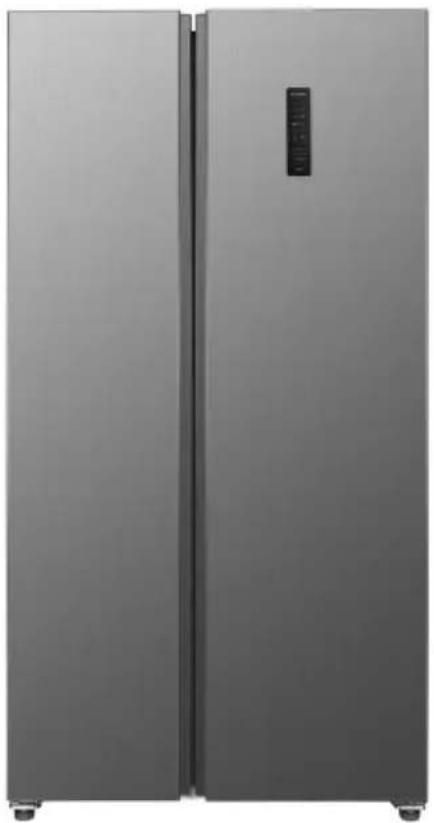
Exterior view of a modern stainless steel refrigerator with dual doors (no visible text or symbols)
MMA
JUETO MIRANEA DE JIMIDA
SIDE BY SIDE
natural_image
Simple line drawing of a mechanical setup with a vertical rod and a base table (no text or symbols)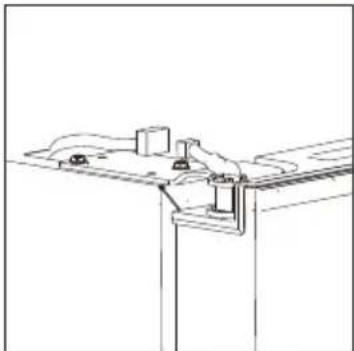
natural_image
Technical line drawing of a mechanical assembly with mounting brackets and joints (no text or symbols)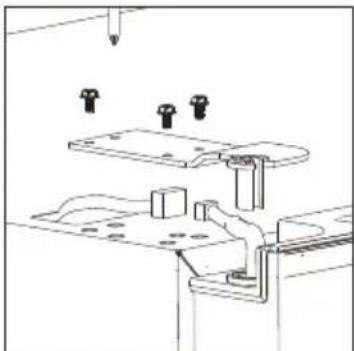
natural_image
Technical line drawing of a mechanical assembly with mounting brackets and a downward arrow (no text or symbols)Porta Reversível
natural_image
Line drawing of a door with an open lid and internal components, no text or symbols present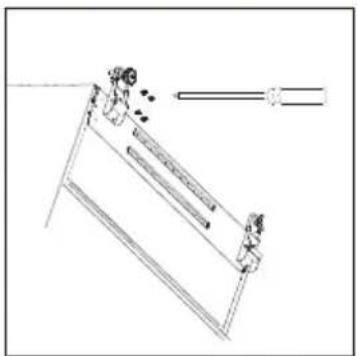
natural_image
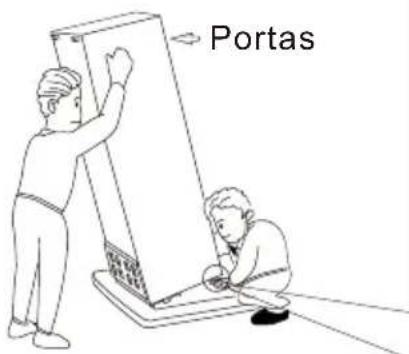
Simple line drawing of a ladder with two people, one standing and one seated, no text or symbols present.natural_image
3D diagram of a rectangular box with a 100mm dimension label and upward arrow, enclosed in a transparent enclosure (no text or symbols on the box itself)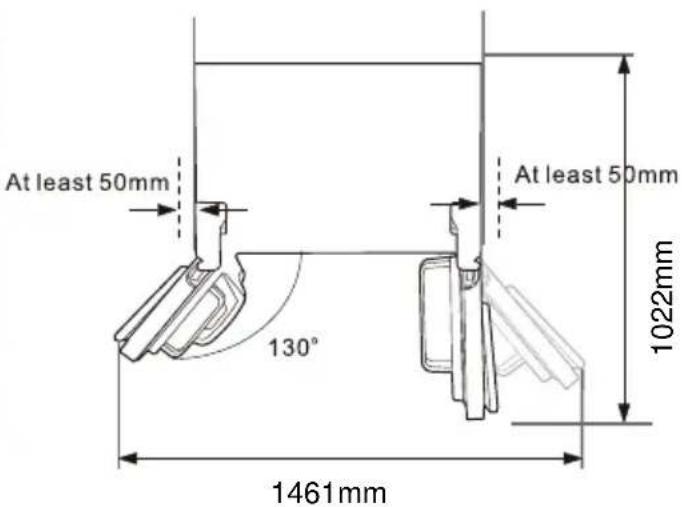
[Pelo menos 50 mm]
Nivelar e fixar o aparelho
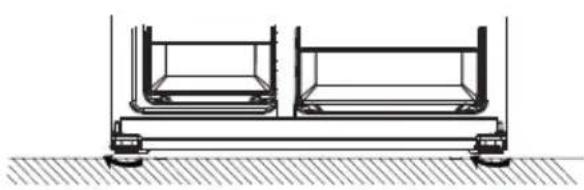
natural_image
Technical line drawing of a mechanical support system with two cylindrical components mounted on a base (no text or symbols)natural_image
Pure geometric diagram with lines and shapes, no text or symbols presentPosicionamento
Instale este aparelho num local onde a temperatura ambiente corresponda à classe climática indicada na placa de características do aparelho:
| Classe Climatica | Temperatura Ambiente |
Localização
natural_image
Illustration showing a hand placing a shelf item into a rack, and a close-up of a container with upward arrows indicating flow or movement (no text or symbols)Posicionamento das prateleiras das portas
Side By Side Refrigerator
| 9 | |
| 11 14 | |
•
•
!
!
process, other
!
!
!


•
•
•
•
•
!
CE
!
!
• •
•
:
•
•
•
•
• •
recommendations




!
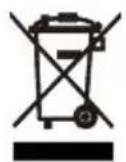
During using, service and disposal the appliance, please pay attention to symbol similar as left side, which is located on rear of appliance (rear panel or compressor) and with yellow or orange color.
It's risk of fire warning symbol. There are flammable materials in refrigerant pipes and compressor.
Please be far away fire source during using, service and disposal.
natural_image
Line drawing of a mechanical setup with a vertical rod and a base table (no text or symbols)
natural_image
Technical line drawing of a mechanical assembly with mounting brackets and a central component (no text or symbols)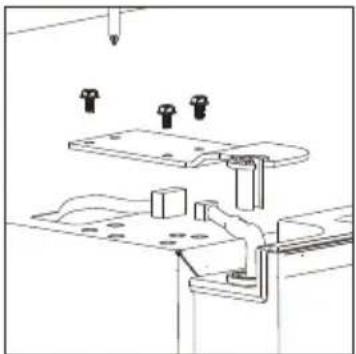
natural_image
Technical line drawing of a mechanical assembly with mounting holes and structural supports (no text or symbols)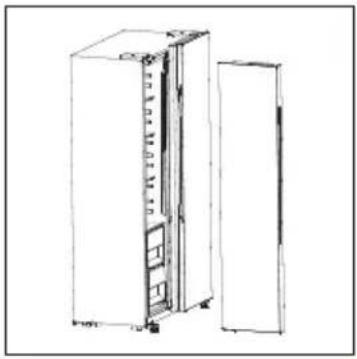
natural_image
Line drawing of a refrigerator with doors open, showing internal compartments and ventilation slots (no text or symbols)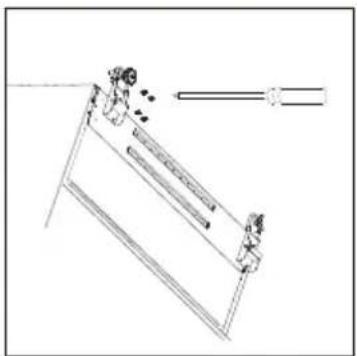
natural_image
Simple line drawing of a ladder with two people and a horizontal bar, no text or symbols present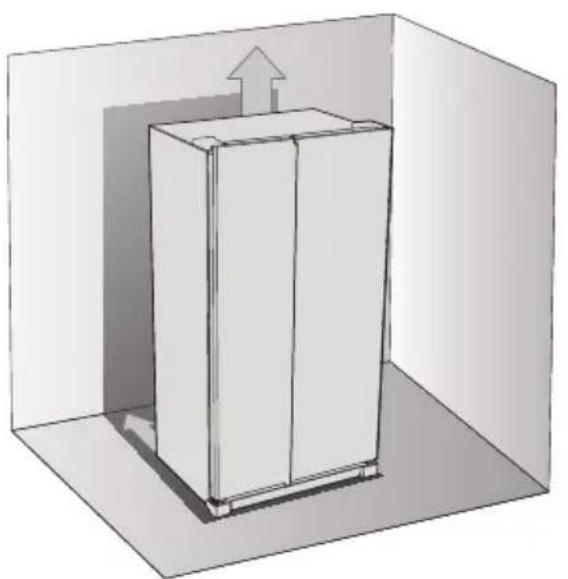
natural_image
3D diagram of a rectangular cabinet inside a room with an upward arrow indicating airflow or movement (no text or symbols)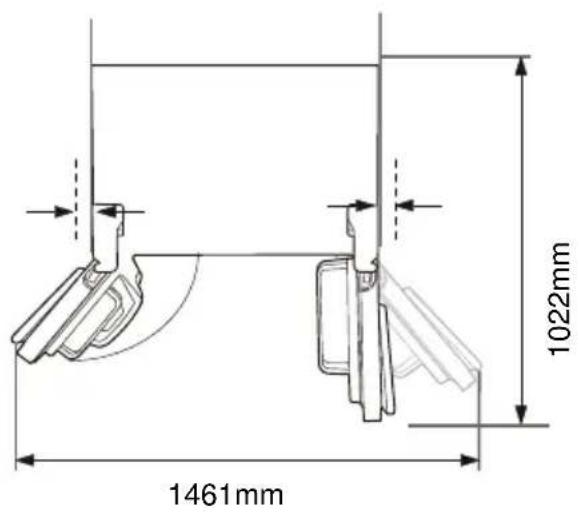
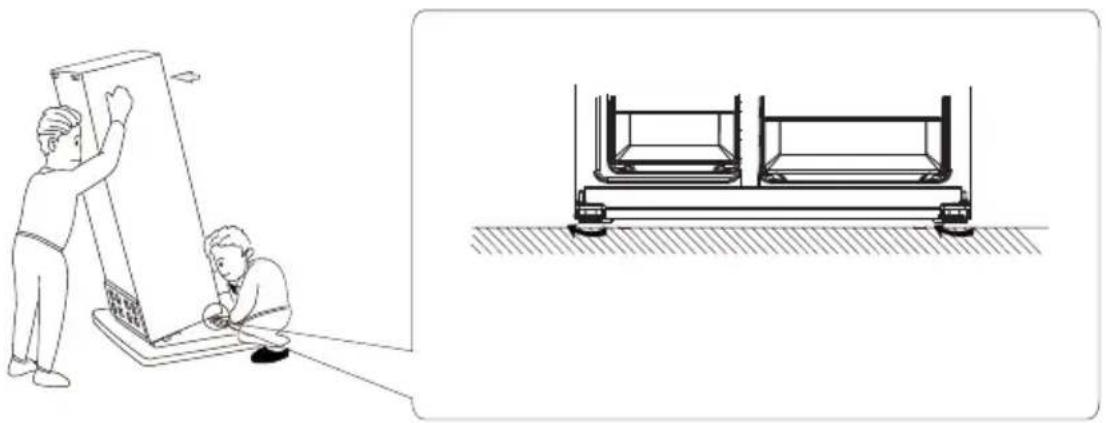
natural_image
Illustration showing two scenes: a person installing a large panel and another inspecting a train car chassis (no text or symbols present)
natural_image
Two vertical panels of gray horizontal bands, no text or symbols present
Using the Control Panel
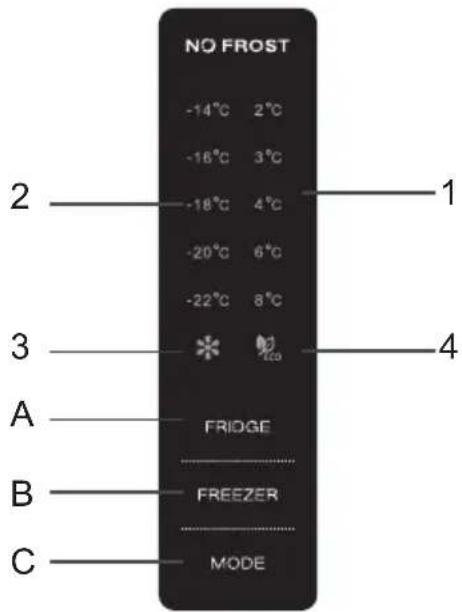
A.Temperature Control of Fridge Compartment B.Temperature Control of Freezer Compartment C.Mode
1.2 LED DISPLAY
1.Temperature of Fridge Comparment
2.Temperature of Freezer Comparment
3.Super Mode
4.ECO Mode
The control panel will be 100% lit up for 3 seconds after power on, and then show previous setting temperature or running mode before power off. After that, you can adjust temperature of freezer or fridge compartments or running mode.
2.1 DISPLAY
2.1.1 The panel will be lit up for 2 minutes once the door of fridge compartment is opened.
2.1.2 The panel will be lit up by any button operation whereas the light would be out 2 minutes after the last operation.
2.1.3 Display during normal operation
Temperature Display of the Fridge Compartment: Indicating the temperature of the current setting. Temperature Display of the Freezer Compartment: Indicating the temperature of the current setting.
3.0 BUTTONS
3.1 FRIDGE
Press FRIDGE button to adjust temperature of fridge compartment in user mode or SUPER mode. Touch the button consecutively, the temperature will change in a circle of "2°C, 3°C, 4°C, 6°C, 8°C, the selection will be confirmed after 5 seconds of flash of fridge temperature icons. In ECO mode, this button is not react.
3.2 FREEZER
Press FREEZER button to adjust temperature of freezer compartment in user mode. Touch the button consecutively, the temperature will change in a circle of “-14°C, -16°C, -18°C, -20°C, -22°C, the selection will be confirmed after 5 seconds of flash of freezer temperature icons. In ECO and SUPER modes, this button is not react.
3.3 MODE
Press MODE button to select running mode: ECO, SUPER and user mode. Once select ECO mode, ECO icon will be lit and other icons will be switched off. Once select SUPER mode, SUPER icon and Fridge temperature icon will be lit, other icons will be switch off. Once select user mode, you can adjust temperature of fridge and freezer compartments by press FRIDGE and FREEZER button.
4.0 ECO MODE
Press MODE button to select ECO mode, ECO icon will flash 5 seconds and then ECO mode is confirmed. In ECO mode, the appliance will automatically set temperature of freezer and fridge compartments according to ambient temperature. Press MODE button to select other running mode to exit ECO mode.
5.0 Super mode
Press MODE button to select Super mode. And it will be confirmed after 5 seconds of flash of Super icon. In Super mode, "FREEZER" button will not response any press. To exit Super mode,
- Adjust mode by MODE button, - Or after 50 hours of Super mode, the refrigerator will automatically stop it and enter to previous setting.
Helpful hint: If you plan to freeze a large number food in one time, please set Super mode 24 hours ahead.
Warning: In Super mode, the refrigerator will work hard. So the noise of refrigerator will be slightly higher than normal running.
6.0 Door Open Alarm
If fridge (upper) door keeps open for 90 seconds, periodical alarm will be arisen until the door is closed.
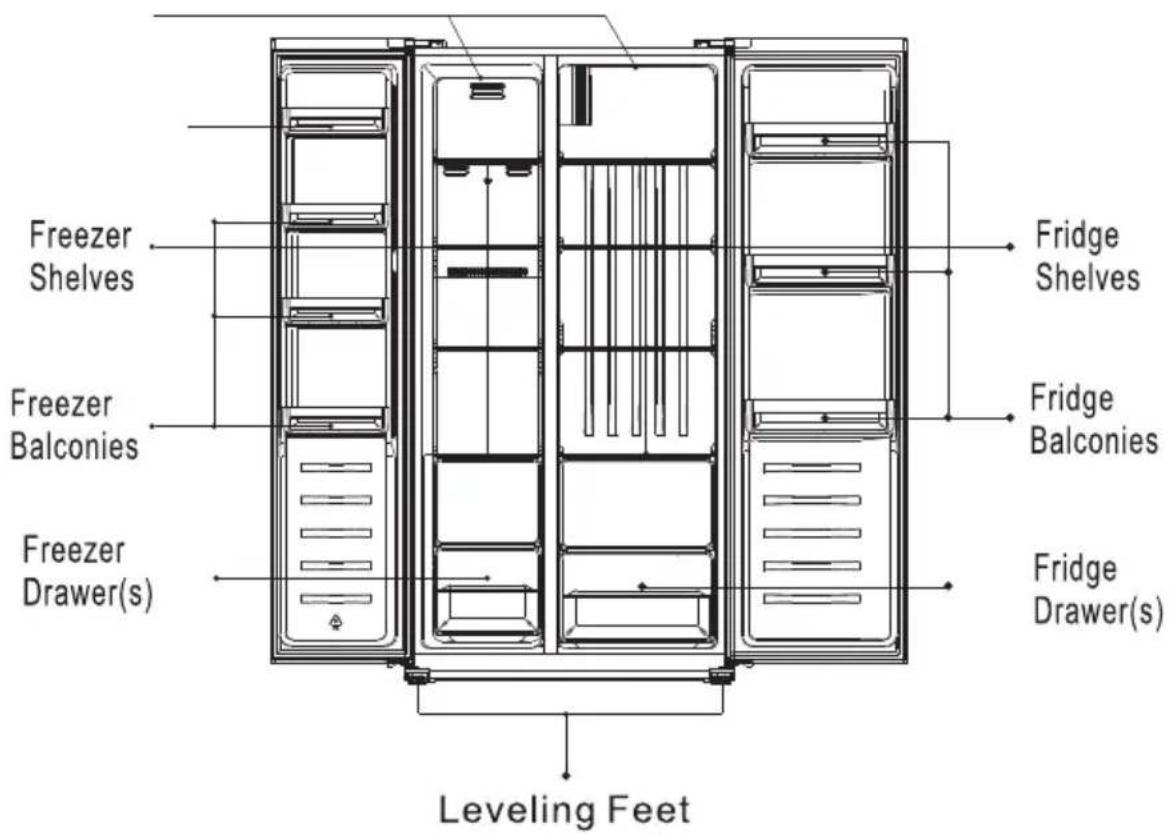
| Refrigerator compartments | Type of food |
| Door or balconies of fridge compartment | ·Foods with natural preservatives, such as jams, juices, drinks, condiments.·Do not store perishable foods. |
| Crisper drawer (salad drawer) | ·Fruits, herbs and vegetables should be placed separately in the crisper bin.·Do not store bananas, onions, potatoes, garlic in the refrigerator. |
| Fridge shelf – bottomFresh box | Raw meat, poultry, fish (for short-term storage) |
| Fridge shelf – middle | Dairy products, eggs |
| Fridge shelf – top | Foods that do not need cooking, such as ready-to-eat foods, deli meats, leftovers. |
| Freezer drawer(s)/shelf | ·Foods for long-term storage.·Bottom drawer/shelf for raw meat, poultry, fish.·Middle drawer/shelf for frozen vegetables, chips.·Top drawer/shelf for ice cream, frozen fruit, frozen baked goods. |
natural_image
Pure technical line drawing of a refrigerator or oven unit (no text or symbols)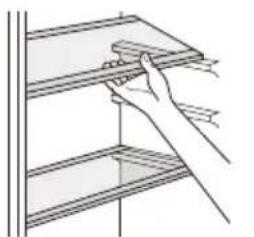
natural_image
Illustration of a hand using a tool to lift or install a shelf (no text or symbols visible)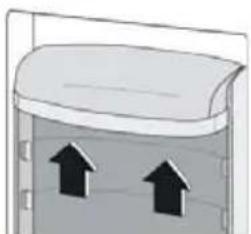
natural_image
Diagram of a container with two upward arrows indicating flow or movement (no text or symbols)

This list provides all Eco-design requirements (following the (EU)2019/2019 Eco-design and (EU)2019/2016 Energy labelling), if the requirement is applicable to your product.
The refrigerating appliance is not intended to be used as a built-in appliance, unless specifically shown as such into its instruction manual.
The drawers, baskets and shelves should be kept in their current position unless otherwise specified in this document.
Doors and lids of the refrigeration appliance should be removed before disposal in the landfill, to avoid children or animals getting trapped inside.
Recommended setting:
Refrigerator compartment: +4°C
Freezer compartment: -18°C
FAST FREEZE
The use of this function is recommended when placing a very high quantity of food to be frozen in the freezer compartment. 24 hours before freezing fresh food, press the Fast Freeze button to activate the Fast Freeze function. When activated, the Fast Freeze indicator turns on. After 24 hours place the food to be frozen in the freezing zone of freezer compartment. The function is automatically disabled after 72 hours, or can be manually disabled by pressing Fast Freeze button.
FAST COOL
Using Fast Cool function it is possible to increase the cooling capacity in the refrigerator compartment. The use of this function is recommended when placing a very high quantity of food in the refrigerator compartment. Press the Fast Cool button to activate Fast Cool function. When activated, the Fast Cool indicator turns on. The function is automatically disabled after 6 hours, or can be manually disabled by pressing Fast Cool button again.
How to store foodstuffs:
To avoid food waste, please refer to the recommended setting and storage times:
Fridge compartment: Different food, especially vegetable and fruit, have different storage temperature. The storage time is 1 to 3 days (temp setting: middle)
Freezer compartment: 1 week (temp setting: Min) and 1 month (temp setting: Max)
To optimize freezing speed and get more storage space, the freezer compartment can be used without the freezer drawers.
The quantity of fresh food that can be frozen in a specific time period is indicated on the rating plate. Load limits are determined by baskets, flaps, drawers, shelves etc. Make sure that these components can still close easily after loading.
To avoid food waste, please refer to the recommended setting and storage times found in the user manual.
The model information can be retrieved using the QR-Code reported in the energy label.
The label also includes the model identifier that can be used to consult the portal of the registry at
https://eprel.ec.europa.eu
This product contains a light source of energy efficiency class G (if present).
Technical Information
| Model | |
| Category | Side by Side |
| Volume of refrigerator compartment (L) | 291 |
| Freezer compartment volume (L) | 151 |
| Actual consumption depends on how the appliance is used and its location | |
| Energy Class based onUE 2019/2016 | E |
| Energy consumption: kWh/ano | 287 |
| Current (V) | 220-240 |
| Frequency (Hz) | 50 |
| Current Value (A) | 1.5 |
| Total Input Power (W) | 150 |
| Defrost Power (W) | 240 |
| Freezing capacity (kg/24h) | 9.5 |
| Climate Class SN,N,ST,T | |
| Dimensions(A x L x P), mm 1770*900*590 | |
| Noise level, db(A) re 1pw | 39 |
| Electric information Check Rating Label | |
| This appliance is intended for use at na ambient temperature between | |
| 10°C and 43°C. | |
| Note: The manufacturer reserves the right to make future changes to the specifications and technical parameters. | |
IMPORTADO POR: MÁRIO MIRANDA DE ALMEIDA, SA APARTADO 1, 3060-752 CORTICEIRO DE CIMA, PORTUGAL
orima
natural_image
3D diagram of a white refrigerator inside a transparent room with a 100mm dimension label (no text or symbols on the device itself)
natural_image
Technical line drawing of a mechanical assembly with two vertical supports and dimension lines (no text or symbols)natural_image
Line drawing of a hand using a tool to clean or store shelves (no text or symbols)natural_image
Simple diagram of a container with two upward arrows inside, no text or symbols presentConsejos útiles
Assistance Technique
natural_image
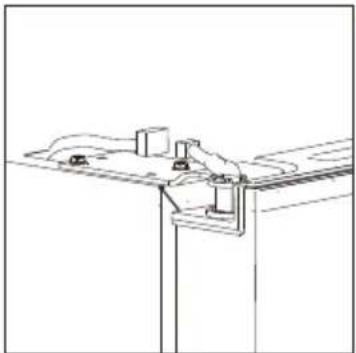
Simple line drawing of a mechanical setup with a suspended component (no text or symbols)- Dégagez le support
natural_image
Pure technical line drawing of a mechanical assembly or mounting bracket (no text or symbols)natural_image
Technical line drawing of a mechanical assembly with mounting brackets and a tool (no text or symbols)Installation
natural_image
Line drawing of a server rack cabinet with doors open, showing internal components and no text or symbolsnatural_image
Simple line drawing of a person climbing an inclined ladder with a horizontal bar and arrow (no text or symbols)natural_image
3D diagram of a rectangular box inside a transparent enclosure, with dimension label '100mm' indicating width (no text or symbols on the box itself)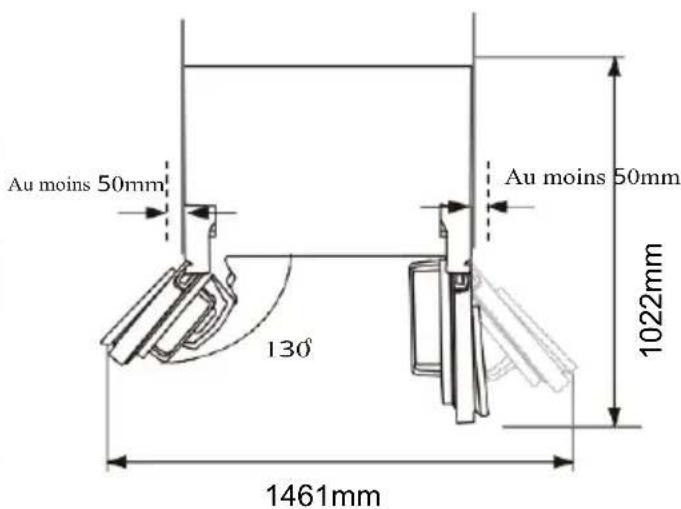
natural_image
Technical line drawing of a mechanical assembly with two rectangular components mounted on a base, no text or symbols present.natural_image
Illustration showing a hand installing or adjusting a shelf panel and a container with upward arrows (no text or symbols)Model placed on the Union market from 01/04/2024.
EPREL registration number: 2176708
Supplier: MARIO MIRANDA DE ALMEIDA, S.A. (Importer)
Customer care service:
Name: MARIO MIRANDA ALMEIDA, SA Website: www.orima.pt
Email: orima@orima.pt Phone: (+351) 231 467 420
Address:
RUA PADRE BASILIO COSTA MORGADO 23/25
3060-752 CORTICEIRO DE CIMA
Portugal

https://eprel.ec.europa.eu/qr/2176708
Website: www.orima.pt
| Product Information SheetCOMMISSION DELEGATED REGULATION (EU) 2019/2016 with regard to energy labelling of refrigerating appliances | |||||
| Supplier's name or trade mark: ORIMA | |||||
| Supplier's address: MARIO MIRANDA ALMEIDA, SA, RUA PADRE BASILIO COSTA MORGADO 23/25, 3060-752CORTICEIRO DE CIMA, PT | |||||
| Model identifier: ORH 554 X | |||||
| Type of refrigerating appliance: | |||||
| Low-noise appliance: No Design type: freestanding | |||||
| Wine storage appliance: No | Other refrigerating appli-ance: | Yes | |||
| General product parameters: | |||||
| Parameter Value Parameter Value | |||||
| Overall dimensions (millimetre) | Height 1 770 | Total volume (dm3 or l) 442 | |||
| Width 900 | |||||
| Depth 590 | |||||
| EEI 100 Energy efficiency class | E | ||||
| Airborne acoustical noise emis-sions (dB(A) re 1 pW) | 39 | Airborne acoustical noise emission class | C | ||
| Annual energy consumption (kWh/a) | 287 | Climate class: | extended temperate, temperate, subtropi-cal, tropical | ||
| Minimum ambient tempera-ture (oC), for which the refrigerating appliance is suitable | 10 | Maximum ambient tem-perature (oC), for which the refrigerating appliance is suitable | 43 | ||
| Winter setting | No | ||||
| Compartment Parameters: | |||||
| Compartment type | Compartment parameters and values | ||||
| Compartment Vol-ume (dm3 or l) | Recommended temperature setting for opti-mised food storage (oC) These set-tings shall not con-tradict the storage conditions set out inAnnex IV, Table 3 | Freezing capacity (kg/24h) | Defrosting type (auto-defrost=A, manual defrost=M) | ||
| Pantry No - - - - | |||||
| Wine storage No - - - - | |||||
| Cellar No - - - - | |||||
| Fresh food Yes 291,0 - - A | |||||
| Chill No - - - - | |||||
| 0-star or ice-making No - - - - | |||||
| 1-star No - - - - | |||||
| 2-star No - - - - | |||||
| 3-star No - - - - | |||||
| 4-star Yes 148,0 | -18 | 11,2 | A | ||
| 2-star section | Yes | 3,0 -12 | - A | ||
| Variable temperature compartment | - | - - - - | |||
| For 4-star compartments | |||||
| Fast freeze facility | Yes | ||||
| Light source parameters: | |||||
| Type of light source | LED | ||||
| Energy efficiency class | G | ||||
| Minimum duration of the guarantee offered by the manufacturer: 36 months | |||||
| Additional information: | |||||
| Weblink to the supplier's website, where the information in point 4 of Annex II of Commission Regulation (EU) 2019/2019 is found: www.orima.pt | |||||
Model placed on the Union market from 01/04/2024.
EPREL registration number: 2176708
https://eprel.ec.europa.eu/qr/2176708
Supplier: MARIO MIRANDA DE ALMEIDA, S.A. (Importer)
Website: www.orima.pt
Customer care service:
Name: MARIO MIRANDA ALMEIDA, SA
Website: www.orima.pt
Email: orima@orima.pt
Phone: (+351) 231 467 420
Address:
RUA PADRE BASILIO COSTA MORGADO 23/25
3060-752 CORTICEIRO DE CIMA
Portugal
Model placed on the Union market from 01/04/2024.
EPREL registration number: 2176708
Supplier: MARIO MIRANDA DE ALMEIDA, S.A. (Importer)
Customer care service:
Name: MARIO MIRANDA ALMEIDA, SA Website: www.orima.pt
Email: orima@orima.pt Phone: (+351) 231 467 420
Address:
RUA PADRE BASILIO COSTA MORGADO 23/25
3060-752 CORTICEIRO DE CIMA
Portugal

https://eprel.ec.europa.eu/qr/2176708
Website: www.orima.pt
Model placed on the Union market from 01/04/2024.
EPREL registration number: 2176708
Supplier: MARIO MIRANDA DE ALMEIDA, S.A. (Importer)
Customer care service:
Name: MARIO MIRANDA ALMEIDA, SA Website: www.orima.pt
Email: orima@orima.pt Phone: (+351) 231 467 420
Address:
RUA PADRE BASILIO COSTA MORGADO 23/25
3060-752 CORTICEIRO DE CIMA
Portugal

https://eprel.ec.europa.eu/qr/2176708
Website: www.orima.pt

- orima
- MANUAL DE INSTRUÇÕES
- SIDE BY SIDE
- Porta Reversível
- Nivelar e fixar o aparelho
- Posicionamento
- Localização
- Posicionamento das prateleiras das portas
- Side By Side Refrigerator
- !
- Using the Control Panel
- LED DISPLAY
- DISPLAY
- BUTTONS
- FRIDGE
- FREEZER
- MODE
- ECO MODE
- Super mode
- Door Open Alarm
- FAST FREEZE
- FAST COOL
- Assistance Technique
- Installation
Brand : Orima
Model : ORH 554 X
Category : Refrigerator