MyChill Plus PAC-35-EU2 - Air-conditioner HOMEDICS - Free user manual and instructions
Find the device manual for free MyChill Plus PAC-35-EU2 HOMEDICS in PDF.


| Product Type | Personal Air Cooler (Evaporative) |
| Brand | HoMedics |
| Model | MyChill Plus PAC-35-EU2 |
| Power Supply | 220-240 V~ via power adapter |
| Temperature Reduction | Up to 6.6°C |
| Cooling Range | Up to 1.8 m |
| Fan Speeds | 2 (Low and High) |
| Control | Touch buttons (on/off, speed, reset) |
| LED Indicators | Low water level, cartridge replacement |
| Cooling Cartridge | Replaceable, model PP-PAC35FLTR, lifespan 540 hours |
| Water Tank | Removable with screw cap |
| Safety | Automatic pump shut-off if water level is low |
| Usage | Indoor only |
| Cleaning | Soft damp cloth, clean tank with white vinegar |
| Maintenance | Rinse cartridge, clean pump filter |
| Included | Power adapter, tank, cooling cartridge |
| Optional Accessories | Replacement cooling cartridge (PP-PAC35FLTR) |
| Warranty | Consult manufacturer |
Frequently Asked Questions - MyChill Plus PAC-35-EU2 HOMEDICS
User questions about MyChill Plus PAC-35-EU2 HOMEDICS
0 question about this device. Answer the ones you know or ask your own.
Ask a new question about this device
Download the instructions for your Air-conditioner in PDF format for free! Find your manual MyChill Plus PAC-35-EU2 - HOMEDICS and take your electronic device back in hand. On this page are published all the documents necessary for the use of your device. MyChill Plus PAC-35-EU2 by HOMEDICS.
USER MANUAL MyChill Plus PAC-35-EU2 HOMEDICS
natural_image
White industrial air conditioner unit with ventilation slots and a logo (no visible text or symbols on body)
mychill plus
PERSONAL
SPACE COOLER _2.0
instruction manual
READ ALL INSTRUCTIONS BEFORE USE. SAVE THESE INSTRUCTIONS FOR FUTURE REFERENCE.
IMPORTANT SAFEGUARDS:
WHEN USING ELECTRICAL PRODUCTS, ESPECIALLY WHEN CHILDREN ARE PRESENT, BASIC SAFETY PRECAUTIONS SHOULD ALWAYS BE FOLLOWED, INCLUDING THE FOLLOWING:
- ALWAYS unplug the appliance from the electrical outlet immediately after using and before cleaning. To disconnect, turn all controls to the 'OFF' position, then remove plug from outlet.
- NEVER leave an appliance unattended when plugged in. Unplug from the mains outlet when not in use and before putting on or taking off parts or attachments.
- This appliance can be used by children aged from 8 years and above and persons with reduced physical, sensory or mental capabilities or lack of experience and knowledge if they have been given supervision or instruction concerning use of the appliance in a safe way and understand the hazards involved. Children shall not play with the appliance. Cleaning and user maintenance shall not be made by children without supervision.
- DO NOT reach for an appliance that has fallen in water or other liquids. Switch off at the mains and unplug it immediately. Keep dry – DO NOT operate in wet or moist conditions.
- NEVER insert pins or other metallic fasteners into the appliance.
- Use this appliance for the intended use as described in this booklet. DO NOT use
attachments not recommended by HoMedics.
- NEVER operate the appliance if it has a damaged cord or plug, if it is not working properly, if it has been dropped or damaged, or dropped into water. Return it to the HoMedics Service Centre for examination and repair.
- Keep cord away from heated surfaces.
- Excessive use could lead to the product's excessive heating and shorter life. Should this occur, discontinue use and allow the unit to cool before operating.
- NEVER drop or insert any object into any opening.
- DO NOT operate where aerosol (spray) products are being used or where oxygen is being administered.
- DO NOT operate under a blanket or pillow. Excessive heating can occur and cause fire, electrocution or injury to persons.
- DO NOT carry this appliance by the cord or use cord as a handle.
- DO NOT use outdoors.
• This product requires a 220-240 V AC power. - DO NOT attempt to repair the appliance. There are no user serviceable parts. For service, send to a HoMedics Service Centre. All servicing of this appliance must be performed by authorised HoMedics service personnel only.
- Never block the air openings of the appliance. Keep air openings free of lint, hair etc.
- Do not place or store appliance where it can fall or be pulled into a bath or sink. Do not place in or drop into water or other liquid.
- Failure to follow the above may result in the risk of fire or injury.
SAFETY CAUTIONS:
PLEASE READ THIS SECTION CAREFULLY BEFORE USING THE APPLIANCE.
- If you have any concerns regarding your health, consult a doctor before using this appliance.
- This appliance should NEVER be used by any individual suffering from any physical ailment that would limit the user's capacity to operate the controls.
- If the product feels excessively hot, switch off at mains and contact the HoMedics Service Centre.
- This appliance is designed for personal, non-professional use only.
- Do not run cord under carpeting. Do not cover cord with throw rugs, runners or similar coverings. Do not route cord under furniture or appliances. Arrange cord away from traffic areas where it can be tripped over.
- Do not tilt or move the personal space cooler while it is in operation. Shut off and remove plug from outlet before moving.
- Always plug the Personal Space Cooler Plus directly into a wall outlet/receptacle. Never use with an extension cord.
MAINTENANCE:
Cleaning
Unplug from the mains and use a soft damp cloth to clean the fabric if required. Never saturate the mat or use harsh chemical cleaners. No other maintenance is required.
Storage
Place the appliance in its box or in a safe, dry, cool place. Avoid contact with sharp edges or pointed objects which might cut or puncture the fabric surface. To avoid breakage, DO NOT wrap the power cord around the appliance. DO NOT hang the unit by the cord.
WEEE explanation
This marking indicates that this product should not be disposed with other household wastes throughout the EU. To prevent possible harm to the environment or human health from uncontrolled waste disposal, recycle it responsibly to promote the sustainable reuse of material resources. To return your used device, please use the return and collection systems or contact the retailer where the product was purchased. They can take this product for environmental safe recycling.
PRODUCT FEATURES:
Indoor Personal Space Cooling
This HoMedics MyChill™ Indoor Personal Space Cooler Plus is designed to reduce the temperature up to 12°F / 6.6°C and has a relaxing cooling effect up to 6 FT / 1.8 M from the front of the unit. The cooling effect increases as the relative humidity decreases. The dryer the surrounding air, the more cooling you get. The higher the relative humidity, the less cooling you get. The personal space cooler is most effective when used in warmer and less humid indoor conditions where the humidity is less than 60%.
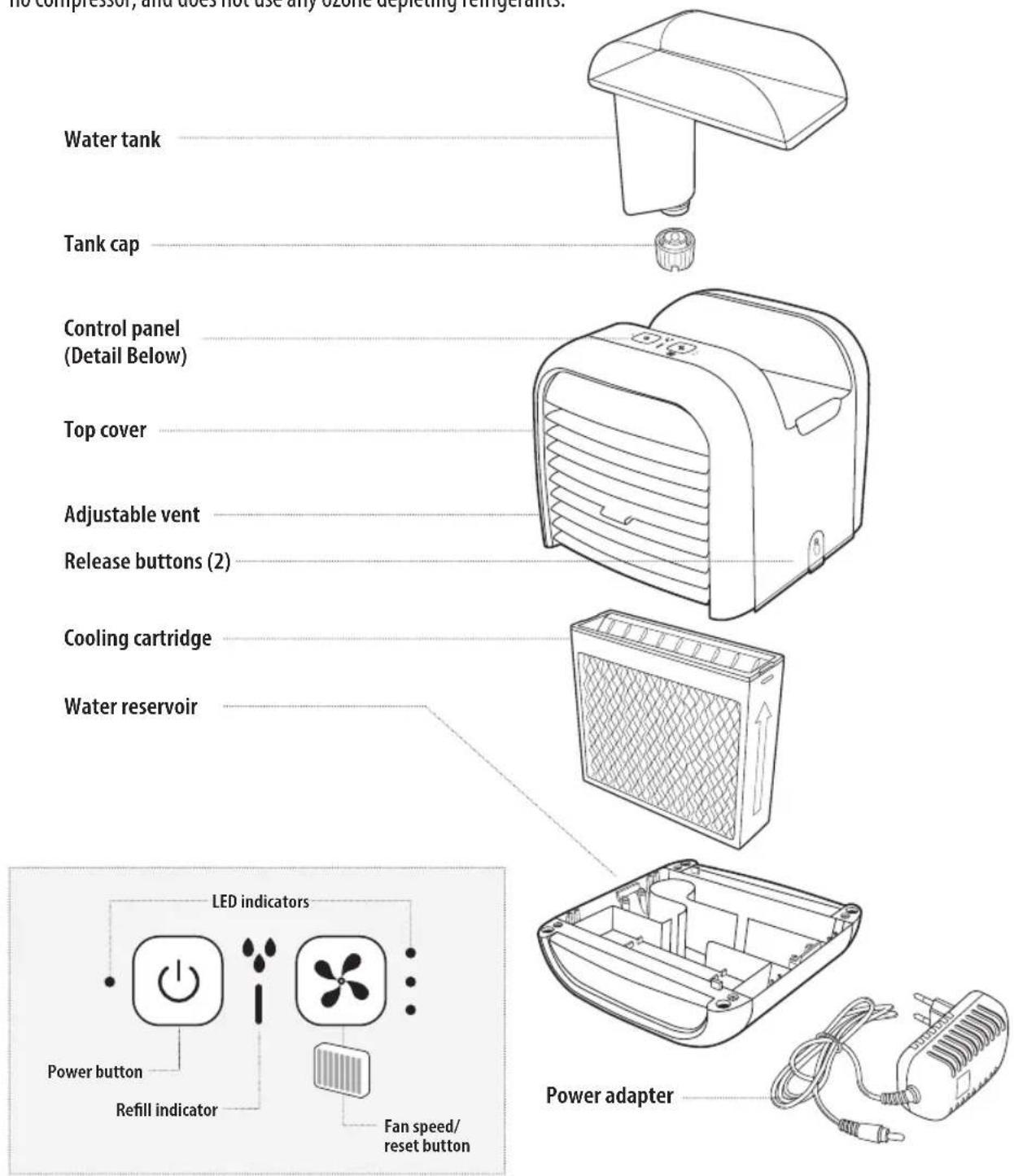
It is designed for use in the office, dorm room, bedside, kitchen, or anywhere you want to cool your indoor personal space. HoMedics MyChill™ Indoor Personal Space Cooler Plus provides natural and efficient cooling, has low power consumption, no compressor, and does not use any ozone depleting refrigerants.
HOW TO FILL:
Caution: Before filling the unit with water, unplug the Power Adapter from the wall and from the unit. Note: Always use two hands to carry the unit.
Personal Space Cooler Location
Place the Personal Space Cooler Plus in the desired location prior to filling with water. The front of the unit should be located within 6 FT / 1.8 M of the desired personal cooling zone. We recommend placing a waterproof pad under the unit.
natural_image
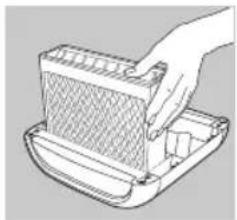
Line drawing of a hand placing a component into a meshed plastic container (no text or symbols)- Be sure the cooling cartridge is positioned with the "V-shaped" vents facing upward. Never operate the unit without the cooling cartridge.
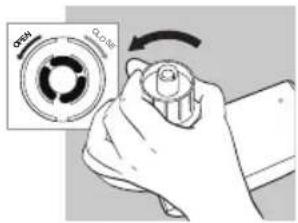
- Remove the water tank and turn the tank upside down – remove the tank cap by turning it counterclockwise.
natural_image
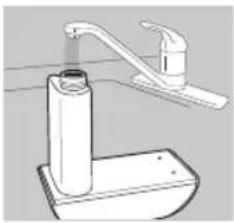
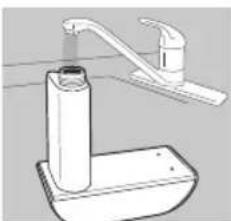
Line drawing of a bathroom sink with faucet and toilet (no text or symbols)- Fill the water tank with clean, cool (not cold) water. We recommend using distilled water if you live in a hard water area. Never use any additive or place essential oils into the water. Even a few drops will damage the unit.
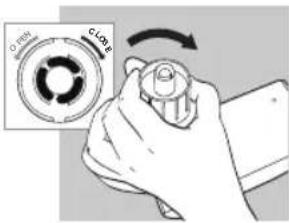
- Replace the tank cap by turning clockwise until tight. Do not overtighten.
natural_image
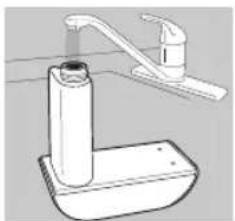
Illustration of hands installing or adjusting a device component (no text or symbols visible)- Place the tank into the MyChill cavity, making sure the tank is firmly seated. Water will begin to transfer into the water reservoir.
natural_image
Illustration of a kitchen sink with a faucet and a cylindrical tube (no text or symbols)- Once the water stops emptying into the water reservoir, remove the water tank and refill following steps 2-5 to fully fill the water tank and reservoir.
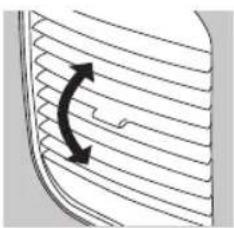
natural_image
Diagram of a curved arrow indicating direction, no text or symbols present- Adjust the front vents up or down to direct the airflow as desired.
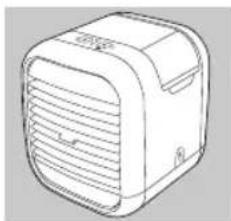
natural_image
Line drawing of a rectangular electronic device with ventilation slots and a handle (no text or symbols)- Your personal space cooler is ready for use.
HOW TO USE:
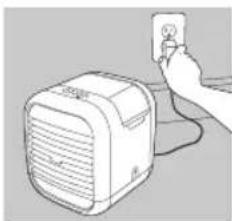
Plug the power adapter into the back of the unit and the other end into a household electrical outlet.
Speed Adjustment
- Power button to control the on/off function. Press once. Fan motor to start at LOW speed, with LED lit.
- Press button once to adjust the fan speed to LOW, press twice for HIGH speed, pressing again to repeat the function.
Low Water Indicator
This unit is equipped with a low water Refill Indicator. It will flash Red indicating the water tank needs to be refilled. The pump will automatically turn off while the fan continues to run. At this time, please turn the unit off and unplug it to refill the tank. Once a full tank is placed in the unit and the unit is turned back on, the low water indicator is reset and the pump is turned on.
The Personal Space Cooler is equipped with a safety device that automatically shuts the unit off when the Top Cover is removed from the water reservoir.
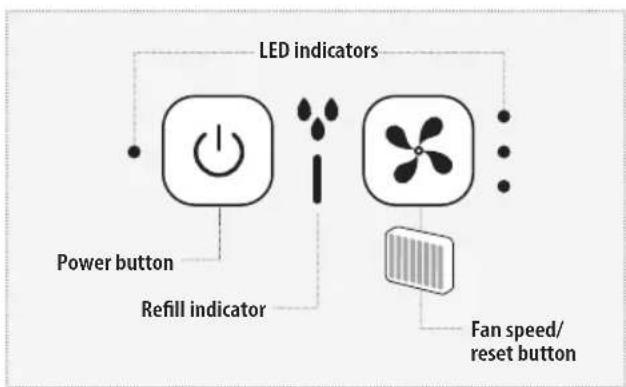
flowchart
graph TD
    A["LED indicators"] --> B["Power button"]
    A --> C["Refill indicator"]
    A --> D["Fan speed/reset button"]
REPLACING THE COOLING CARTRIDGES
Replace the Cooling Cartridge seasonally or after 540 hours of use for optimal performance. The MyChill Personal Space Cooler Plus is equipped with a Replace Cooling Cartridge LED that illuminates Red after 540 hours of use indicating the cooling cartridge needs to be replaced.
To purchase genuine HoMedics replacement cooling cartridge, Model PP-PAC35FLTR, go to your retailer where you purchased your MyChill Personal Space Cooler Plus, or visit www.homedics.com.
NOTE: If you live in an area with hard water, it may need to be replaced more frequently. In these instances, you will notice mineral build-up on the cooling cartridge that over time may restrict air flow.
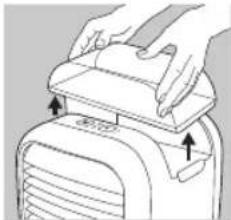
natural_image
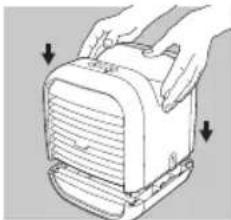
Line drawing of a hand pressing down on a device component (no text or symbols)- Unplug the Power Adaptor from the wall and from the unit. Remove the water tank from the top housing.
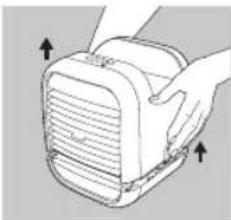
natural_image
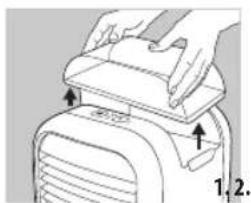
Illustration of a hand holding a device with arrows pointing to the lid (no text or symbols)- Press the release buttons on both sides and slowly lift the top cover, allowing time for the water to drain.
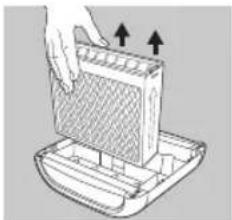
natural_image
Illustration of a hand pressing down on a grid-like object with arrows indicating motion (no text or symbols)- Pour out any excess water remaining in the Water Reservoir, then remove the old Cooling Cartridge and discard.
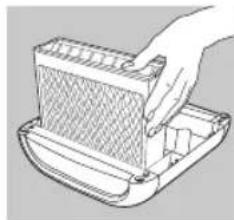
natural_image
Line drawing of a hand holding a meshed rectangular object (no text or symbols)- Set the new Cooling Cartridge in place. Be sure the Cooling Cartridge is positioned with the "V-shaped" vents upward.
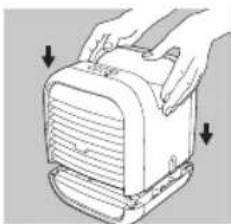
natural_image
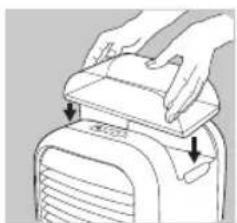
Illustration of hands holding a portable device with ventilation slots and buttons (no text or symbols)- Replace the Top Cover onto the water reservoir.
natural_image
Line drawing of a bathroom sink with faucet and toilet (no text or symbols)- Refill the Water Tank and Reservoir as described in the "How to Fill" section.
natural_image
Line drawing of a hand holding an electrical outlet connected to a portable air conditioner unit (no text or symbols)- Plug the Power Adaptor into the back of the unit and the other end into a household electrical outlet to resume operation.
natural_image
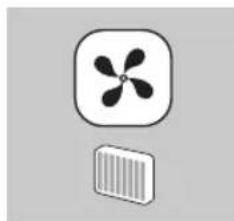
Two abstract icons: a propeller and a rectangular block with vertical stripes (no text or symbols)- Turn the unit on, then press and hold the Cooling Cartridge Reset Button for 5 seconds. The LED will flash to indicate the Replace Cooling Cartridge Timer has been reset.
CLEANING AND CARE
CAUTION: Before cleaning the unit, turn power off and unplug the power adapter from the wall and the unit.
1. To Clean the Tank and Reservoir
Remove the water tank from the personal space cooler by lifting it from the main unit. Unscrew the tank cap and rinse inside the tank with clean water. Empty, rinse and dry the tank, tank cap and water reservoir before refilling. To remove any scale or build up, use a 50/50 mixture of white vinegar and lukewarm water to clean the inside of the tank and reservoir as needed
2. To Clean the Cooling Cartridge
Rinse with clean water
3. To Clean the Pump Filter
Check and clean the pump filter as needed. Remove the pump filter, brush clean with a soft bristle brush (not included) and rinse clean. Dry and re-install.
NOTE: Never run water over the pump filter while it is installed.
4. To Clean the Surface
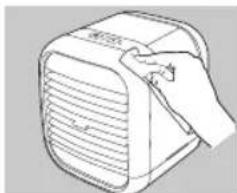
Clean the surface of the unit with a clean damp soft cloth as often as needed. Never use detergents, excess water, treated cloths, harsh cleaning agents or sprays.
natural_image
Illustration of hands installing or adjusting a mechanical component (no text or symbols visible)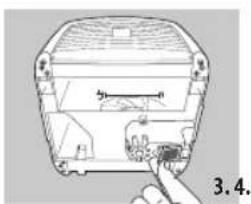
natural_image
Diagram of a device with a button inserted into a housing (no text or symbols visible)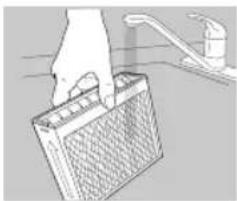
natural_image
Hand placing a grid on a surface next to a faucet (no text or symbols visible)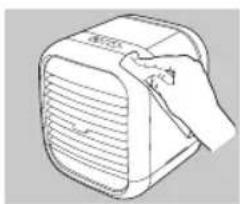
natural_image
Line drawing of a hand holding a small electronic device with ventilation grille (no text or symbols)Storing your personal space cooler: Clean the Tank and Water Reservoir with a 50/50 mixture of white vinegar and water. Wipe the underside of the Top Cover with a soft, damp, cloth. Rinse the Cooling Cartridge with water and allow to air dry. Be sure to rinse thoroughly and let all parts dry completely before packing in the original carton and store in a cool, dry location.
TROUBLESHOOTING
| PROBLEM POSSIBLE CAUSE SOLUTION | ||
| No Power · Unit is not plugged in | · No power at unit· Top cover not seated properly | · Plug unit in· Press the Power Button to turn the unit on· Check circuits and fuses or try a different outlet· Remove top cover and re-seat |
| Peculiar Odor · Cooling cartridge is new | · Unit may have a dirty tank or water reservoir· Water in tank or reservoir may be old | · The cooling cartridge may emit a slight odor which will dissipate after a few days· Follow instructions described in the Cleaning and Care Section |
| Discoloration of water in the reservoir | · New cooling cartridge | · Discoloration will dissipate after a few days of operation |
| Mineral build-up on cooling cartridge | · Hard water used · Use distilled water | |
| Not cooling · Out of water | · Outside of recommended cooling zone· Cool ambient temperature and /or high humidity conditions· Pump filter clogged | · Refill water tank· Use within 4 FT / 1.2 M of the unit's front grill· Use in warmer and / or less humid conditions· Clean pump filter as instructed in the Cleaning and Care Section |
| Replace cooling cartridge LED is illuminated after cooling cartridge replacement | · Cooling cartridge reset button not activated | · Turn the unit on, then press and hold the cooling cartridge reset button for 5-seconds until the LED flashes |
LIRE TOUTES LES INSTRUCTIONS AVANT UTILISATION. LES CONSERVER POUR POUVOIR LES CONSULTER ULTÉRIEUREMENT. PRÉCAUTIONS IMPORTANTES :
LORS DE L'UTILISATION D'APPAREILS ÉLECTRIQUES, PARTICULIÈREMENT EN PRÉSENCE D'ENFANTS, IL EST CONSEILLÉ DE TOUJOURS PRENDRE DES PRÉCAUTIONS DE BASE, NOTAMMENT DE SUIVRE LA PROCÉDURE SUIVANTE :
natural_image
Hand placing a rectangular object into a tray (no text or symbols visible)natural_image
Illustration of a kitchen sink with faucet and toilet (no text or symbols)natural_image
Illustration of hands installing or adjusting a device component (no text or symbols visible)natural_image
Illustration of a kitchen sink with a cylindrical tube and faucet (no text or symbols)natural_image
Diagram of a curved arrow pointing downward on a striped surface, no text or symbols presentnatural_image
Line drawing of a portable air conditioner unit (no text or symbols)natural_image
Illustration of hands installing or adjusting a device component (no text or symbols visible)natural_image
Illustration of a hand holding a rectangular device with heat exchanger (no text or symbols)natural_image
Illustration of a hand pressing down on a grid-like device with arrows indicating motion (no text or symbols)natural_image
Line drawing of a hand using a tool to press or install a grid-like object on a tray (no text or symbols)natural_image
Illustration of hands operating a portable electronic device with ventilation slots (no text or symbols)natural_image
Line drawing of a bathroom sink with faucet and toilet (no text or symbols)natural_image
Simple line drawing of a hand holding an electrical outlet connected to a portable device (no text or symbols)natural_image
Two abstract icons: a propeller with four blades and a rectangular block with striped pattern (no text or symbols)natural_image
Illustration of hands operating a portable device with arrows indicating movement (no text or symbols)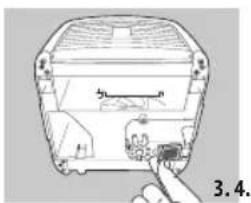
natural_image
Diagram of a device component with a finger pointing to a terminal block (no text or symbols visible)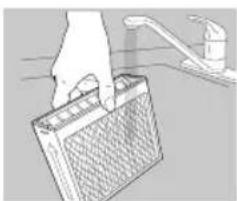
natural_image
Illustration of a hand holding a rectangular object with a drain outlet, no text or symbols present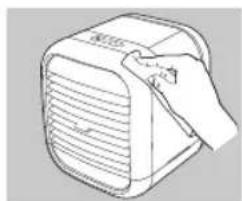
natural_image
Line drawing of a hand holding a small electronic device with ventilation grille (no text or symbols)natural_image
Line drawing of a hand placing a component into a tray (no text or symbols)natural_image
Line drawing of a bathroom sink with faucet and toilet (no text or symbols)natural_image
Illustration of hands installing or adjusting a device component (no text or symbols visible)natural_image
Line drawing of a bathroom sink with faucet and toilet (no text or symbols)natural_image
Diagram of a curved arrow indicating direction, no text or symbols presentnatural_image
Line drawing of a rectangular electronic device with ventilation slots (no text or symbols)natural_image
Illustration of a hand pressing down on a device component (no text or symbols visible)natural_image
Illustration of a hand holding a rectangular device with heat exchanger (no text or symbols)natural_image
Illustration of a hand pressing down on a grid device with arrows indicating upward movement (no text or symbols)natural_image
Line drawing of a hand holding a meshed plastic container (no text or symbols)natural_image
Illustration of hands operating a portable device with ventilation slots and buttons (no text or symbols)natural_image
Line drawing of a bathroom sink with faucet and toilet (no text or symbols)natural_image
Illustration of a hand inserting a small plug into a portable device (no text or symbols visible)natural_image
Simple icon of a propeller with four blades and a rectangular base (no text or symbols)natural_image
Illustration of hands operating a device with arrows indicating motion (no text or symbols)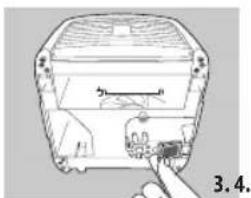
natural_image
Illustration of a device component with a finger pointing to a small electronic component (no text or symbols visible)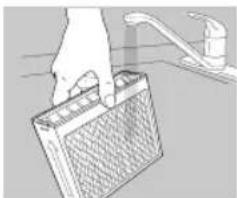
natural_image
Hand cleaning a battery from a sink (no text or symbols visible)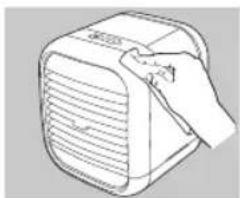
natural_image
Line drawing of a hand holding a small electronic device with ventilation grille (no text or symbols)natural_image
Line drawing of a hand placing a mesh component into a tray (no text or symbols)natural_image
Illustration of a kitchen sink with faucet and toilet (no text or symbols)natural_image
Illustration of hands installing or adjusting a device component (no text or symbols visible)natural_image
Line drawing of a bathroom sink with faucet and toilet (no text or symbols)natural_image
Diagram of airflow or fluid flow through a curved duct with an arrow indicating direction (no text or symbols)natural_image
Line drawing of a portable air conditioner unit (no text or symbols)natural_image
Illustration of a hand pressing down on a device component (no text or symbols visible)natural_image
Illustration of a hand holding a device with arrows indicating direction (no text or symbols)natural_image
Illustration of a hand pressing down on a grid-patterned panel into a container (no text or symbols)natural_image
Line drawing of a hand using a tool to press or install a mesh component into a container (no text or symbols)natural_image
Illustration of hands operating a portable electronic device with ventilation slots (no text or symbols)natural_image
Line drawing of a bathroom sink with faucet and toilet (no text or symbols)natural_image
Illustration of a hand holding a small electrical outlet connected to a portable air conditioner unit (no text or symbols visible)natural_image
Two abstract icons: a propeller and a barcode, both without any text or symbols.natural_image
Illustration of hands installing or adjusting a mechanical component with arrows indicating motion (no text or symbols)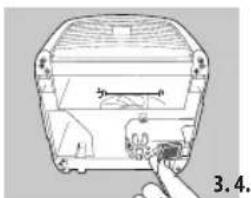
natural_image
Hand inserting a small component into a device housing (no text or symbols visible)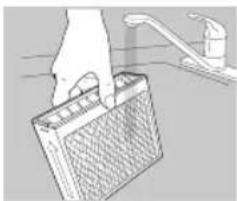
natural_image
Illustration of a hand holding a battery with a drain, no text or symbols present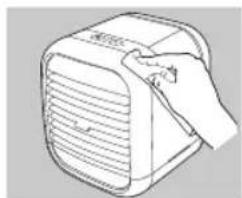
natural_image
Line drawing of a hand holding a small electronic device with ventilation grille (no text or symbols)natural_image
Hand placing a grater into a plastic container (no text or symbols visible)natural_image
Simple line drawing of a faucet and toilet (no text or symbols)natural_image
Illustration of hands installing or adjusting a device component with arrows indicating motion (no text or symbols)natural_image
Simple line drawing of a bathroom sink with faucet and toilet (no text or symbols)natural_image
Diagram showing airflow or fluid flow through a curved channel with directional arrows (no text or symbols)natural_image
Line drawing of a rectangular electronic device with ventilation slots and a lid (no text or symbols)natural_image
Illustration of hands operating a portable device with arrows indicating movement or change (no text or symbols)natural_image
Illustration of a hand holding a device with arrows indicating direction (no text or symbols)natural_image
Illustration of a hand pressing down on a grid-like device with arrows indicating motion (no text or symbols)natural_image
Illustration of a hand using a tool to press or install a meshed plastic tray (no text or symbols visible)natural_image
Illustration of hands operating a portable device with ventilation slots and buttons (no text or symbols)natural_image
Simple line drawing of a bathroom sink with faucet and toilet (no text or symbols)natural_image
Illustration of a hand holding an electrical plug next to a portable air conditioner unit (no text or symbols visible)natural_image
Simple diagram showing a propeller icon above a rectangular panel with striped pattern (no text or symbols)natural_image
Illustration of hands installing or adjusting a device on a machine (no text or symbols visible)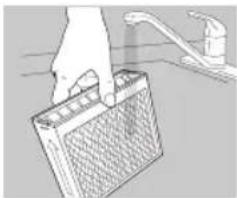
natural_image
Hand placing a grid-patterned battery into a sink (no text or symbols visible)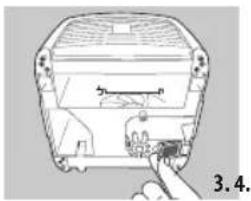
natural_image
Diagram of a device component with a finger pointing to a button (no text or symbols visible)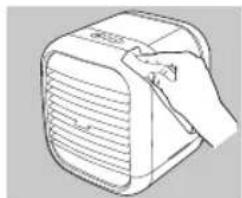
natural_image
Line drawing of a hand holding a small electronic device with ventilation grille (no text or symbols)natural_image
Hand placing a component into a plastic container (no text or symbols visible)natural_image
Illustration of a bathtub with a faucet and sink (no text or symbols)natural_image
Illustration of hands installing or adjusting a device component (no text or symbols visible)natural_image
Line drawing of a kitchen sink with faucet and toilet (no text or symbols)natural_image
Diagram of a car's side profile showing airflow or fluid flow direction (no text or symbols)natural_image
Line drawing of a rectangular electronic device with ventilation slots and a handle (no text or symbols)natural_image
Illustration of a hand pressing down on a device component (no text or symbols visible)natural_image
Illustration of a hand holding a device with arrows indicating direction (no text or symbols)natural_image
Illustration of a hand placing a grid on a device into a rack, with arrows indicating upward movement (no text or symbols)natural_image
Line drawing of a hand placing a component into a gridded container (no text or symbols)natural_image
Illustration of hands operating a portable electronic device with ventilation slots (no text or symbols)natural_image
Line drawing of a faucet and toilet (no text or symbols)natural_image
Line drawing of a hand holding an electrical outlet connected to a portable air conditioner unit (no text or symbols visible)natural_image
Simple icon of a propeller inside a rounded square and a barcode below (no text or symbols)natural_image
Illustration of hands operating a portable air conditioner unit with arrows indicating motion (no text or symbols)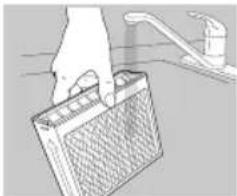
natural_image
Hand holding a battery with a drain outlet nearby (no text or symbols visible)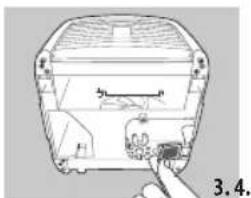
natural_image
Diagram of a device with a finger pointing to a component, labeled '3.4' (no text or symbols on the diagram itself)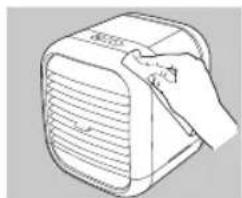
natural_image
Line drawing of a hand inserting a small object into a device (no text or symbols)natural_image
Hand placing a grid on a mechanical component (no text or symbols visible)natural_image
Illustration of a bathroom sink with faucet and toilet (no text or symbols)natural_image
Illustration of hands installing or adjusting a device component (no text or symbols visible)natural_image
Illustration of a bathroom sink with faucet and toilet (no text or symbols)natural_image
Diagram of a car's side profile with a curved arrow indicating direction (no text or symbols)natural_image
Line drawing of a portable air conditioner unit (no text or symbols)Laag water indicator
natural_image
Illustration of a hand pressing down on a device component (no text or symbols visible)natural_image
Diagram of a hand holding a device with arrows indicating direction (no text or symbols present)natural_image
Illustration of a hand pressing down on a grid-like object with arrows indicating motion (no text or symbols)natural_image
Line drawing of a hand placing a textured rectangular object into a container (no text or symbols)natural_image
Illustration of hands operating a portable device with arrows indicating direction (no text or symbols)natural_image
Line drawing of a bathroom sink with faucet and toilet (no text or symbols)natural_image
Illustration of a hand holding a power outlet connected to a portable air conditioner unit (no text or symbols visible)natural_image
Two abstract icons: a propeller and a barcode, both without any text or symbols.natural_image
Illustration of hands operating a portable air conditioner unit (no text or symbols visible)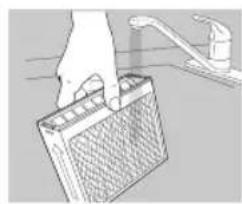
natural_image
Illustration of a hand holding a battery with a faucet in the background (no text or symbols)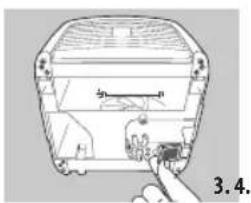
natural_image
Diagram of a device with a finger inserted into a housing, showing internal components and no text or symbols.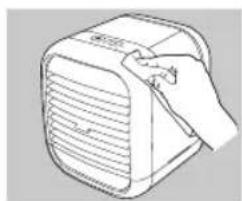
natural_image
Line drawing of a hand holding a small electronic device with ventilation grille (no text or symbols)natural_image
Line drawing of a hand holding a grater inside a container (no text or symbols)natural_image
Illustration of a faucet and a cylindrical water dispenser (no text or symbols)natural_image
Illustration of hands installing or adjusting a device component (no text or symbols visible)natural_image
Illustration of a bathroom sink with a cylindrical tube and faucet (no text or symbols)natural_image
Diagram of a curved arrow indicating direction, no text or symbols presentnatural_image
Line drawing of a portable air conditioner unit (no text or symbols)natural_image
Line drawing of a hand pressing down on a device component (no text or symbols)natural_image
Illustration of a hand holding a device with arrows pointing to the lid (no text or symbols)natural_image
Illustration of a hand pressing down on a grid-like object with arrows indicating motion (no text or symbols)natural_image
Line drawing of a hand holding a meshed rectangular object (no text or symbols)natural_image
Illustration of hands operating a portable device with ventilation slots and buttons (no text or symbols)natural_image
Line drawing of a bathroom sink with faucet and toilet (no text or symbols)natural_image
Line drawing of a hand holding an electrical outlet connected to a portable air conditioner unit (no text or symbols)natural_image
Two abstract icons: a propeller and a rectangular block with vertical stripes (no text or symbols)natural_image
Illustration of hands operating a mechanical device with arrows indicating motion (no text or symbols)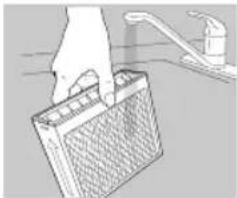
natural_image
Hand cleaning a battery from a sink (no text or symbols visible)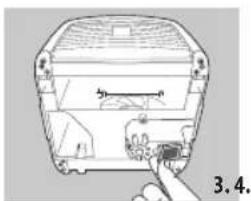
natural_image
Diagram of a device component with a finger inserted, showing internal structure and no visible text or symbols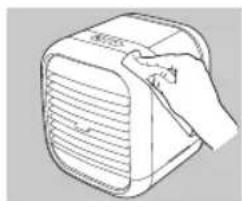
natural_image
Line drawing of a hand holding a small electronic device with ventilation grille (no text or symbols)natural_image
Simple line drawing of a bathroom sink with faucet and toilet (no text or symbols)natural_image
Illustration of hands installing or adjusting a device component (no text or symbols visible)natural_image
Illustration of a kitchen sink with a cylindrical tube and faucet (no text or symbols)natural_image
Diagram showing a curved arrow pointing left through a layered structure (no text or symbols)- Justér de forreste ventiler op eller ned for at lede luften i den ønskede retning.
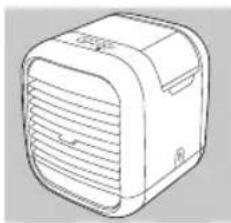
natural_image
Line drawing of a rectangular electronic device with ventilation slots (no text or symbols)natural_image
Line drawing of a hand pressing down on a device component (no text or symbols)natural_image
Illustration of a hand holding a rectangular device with heat exchanger (no text or symbols)natural_image
Illustration of a hand pressing down on a rectangular plate with arrows indicating upward movement (no text or symbols)natural_image
Line drawing of a hand inserting a mesh into a tray (no text or symbols)natural_image
Illustration of hands operating a portable device with arrows indicating motion (no text or symbols)natural_image
Line drawing of a bathroom sink with faucet and toilet (no text or symbols)natural_image
Line drawing of a hand holding an electrical outlet connected to a portable heater (no text or symbols)natural_image
Illustration of hands using a device to lift a component (no text or symbols visible)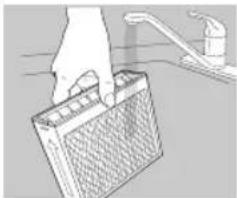
natural_image
Illustration of a hand holding a battery with a drain, no text or symbols present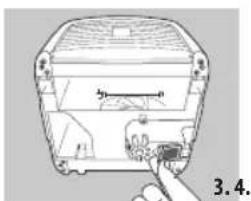
natural_image
Diagram of a device with a hand inserting a component into a housing (no text or symbols visible)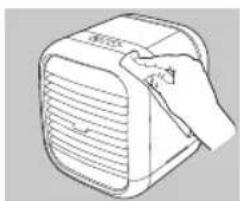
natural_image
Line drawing of a hand holding a portable electronic device with ventilation grille (no text or symbols)natural_image
Line drawing of a hand placing a component into a meshed plastic container (no text or symbols)natural_image
Illustration of a bathroom sink with faucet and toilet (no text or symbols)natural_image
Illustration of hands installing or adjusting a device component (no text or symbols visible)natural_image
Illustration of a bathroom sink with faucet and toilet (no text or symbols)natural_image
Diagram of a car's side profile showing airflow or fluid flow direction (no text or symbols)natural_image
Line drawing of a portable air conditioner unit (no text or symbols)SKIFTE UT KJ∅LEPATRON
natural_image
Illustration of a hand pressing down on a mechanical component (no text or symbols visible)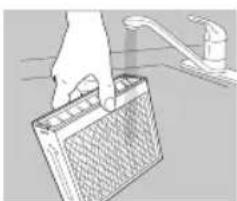
natural_image
Hand holding a textured surface next to a faucet (no text or symbols visible)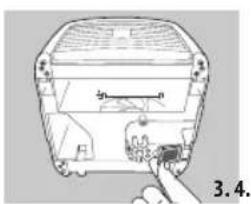
natural_image
Line drawing of a device with a button inserted, showing no text or symbols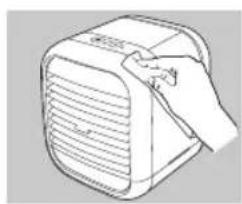
natural_image
Line drawing of a hand holding a small electronic device with ventilation grille (no text or symbols)natural_image
Line drawing of a hand placing a mesh component into a tray (no text or symbols)natural_image
Illustration of a kitchen sink with faucet and toilet (no text or symbols)natural_image
Illustration of hands installing or adjusting a device component (no text or symbols visible)natural_image
Illustration of a bathroom sink with faucet and toilet (no text or symbols)natural_image
Diagram of airflow or fluid flow through a curved channel with directional arrows (no text or symbols)natural_image
Line drawing of a portable air conditioner unit (no text or symbols)natural_image
Illustration of hands operating a device with arrows indicating movement or force (no text or symbols present)natural_image
Illustration of a hand holding a device with arrows indicating direction (no text or symbols)natural_image
Illustration of a hand pressing down on a grid-like object with arrows indicating motion (no text or symbols)natural_image
Line drawing of a hand placing a mesh component into a container (no text or symbols)natural_image
Illustration of hands operating a portable device with ventilation slots (no text or symbols)natural_image
Line drawing of a bathroom sink with faucet and toilet (no text or symbols)natural_image
Illustration of a hand holding an electrical outlet connected to a portable electronic device (no text or symbols visible)natural_image
Two abstract icons: a propeller and a barcode, both without any text or symbols.natural_image
Illustration of hands installing or adjusting a mechanical component (no text or symbols visible)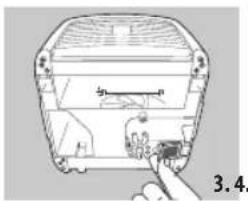
natural_image
Diagram of a device component with a finger pointing to a small electronic component (no text or symbols visible)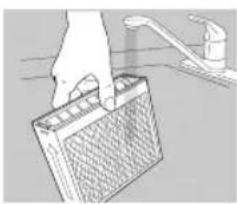
natural_image
Illustration of a hand holding a battery with a drain, no text or symbols present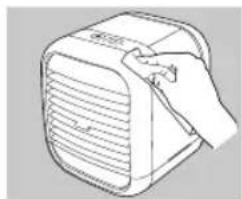
natural_image
Line drawing of a hand holding a small electronic device with ventilation grille (no text or symbols)natural_image
Line drawing of a hand placing a mesh component into a tray (no text or symbols)natural_image
Illustration of a kitchen sink with faucet and toilet (no text or symbols)natural_image
Illustration of hands installing or adjusting a device component with arrows indicating direction (no text or symbols)natural_image
Line drawing of a kitchen sink with faucet and toilet (no text or symbols)natural_image
Diagram of airflow or fluid flow through a curved channel with directional arrows (no text or symbols)natural_image
Line drawing of a portable air conditioner unit (no text or symbols)natural_image
Illustration of a hand pressing down on a device component (no text or symbols visible)natural_image
Illustration of a hand holding a rectangular device with ventilation slots and arrows indicating direction (no text or symbols)natural_image
Illustration of a hand pressing down on a grid-like device with arrows indicating motion (no text or symbols)natural_image
Line drawing of a hand placing a mesh component into a tray (no text or symbols)natural_image
Illustration of hands holding a portable device with ventilation slots and buttons (no text or symbols)natural_image
Simple line drawing of a faucet and toilet (no text or symbols)natural_image
Line drawing of a hand holding a small electrical outlet connected to a portable device (no text or symbols visible)natural_image
Two abstract icons: a propeller and a rectangular block with vertical stripes (no text or symbols)natural_image
Illustration of hands operating a portable air conditioner unit (no text or symbols visible)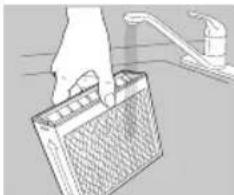
natural_image
Illustration of a hand holding a battery with a drain outlet (no text or symbols)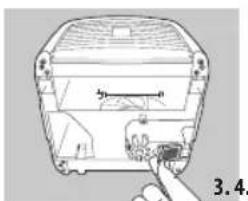
natural_image
Diagram of a device with a handle inserted into a housing, showing internal components and a numbered label (3.4) — no readable text or symbols present.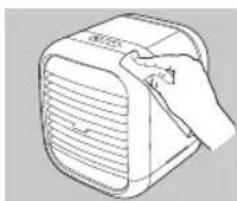
natural_image
Line drawing of a hand holding a portable electronic device with ventilation slots (no text or symbols)natural_image
Hand placing a textured rectangular object into a container (no text or symbols visible)natural_image
Line drawing of a bathroom sink with faucet and toilet (no text or symbols)natural_image
Illustration of hands installing or adjusting a device cover (no text or symbols visible)natural_image
Simple line drawing of a kitchen sink with faucet and base (no text or symbols)natural_image
Diagram showing a curved arrow indicating direction, with horizontal lines and a curved arrow inside a curved boundary (no text or symbols)natural_image
Line drawing of a rectangular device with ventilation slots and a curved handle (no text or symbols)natural_image
Illustration of hands installing or adjusting a device component with arrows indicating assembly (no text or symbols)natural_image
Illustration of a hand holding a device with arrows indicating direction (no text or symbols)natural_image
Illustration of a hand pressing down on a grid device with arrows indicating motion (no text or symbols)natural_image
Line drawing of a hand inserting a filter into a tray (no text or symbols)natural_image
Illustration of hands operating a portable electronic device with ventilation slots (no text or symbols)natural_image
Illustration of a kitchen sink with faucet and toilet (no text or symbols)natural_image
Illustration of a hand holding a small electronic device next to a portable air conditioner unit (no text or symbols visible)natural_image
Simple icon of a propeller with four blades and a barcode below (no text or symbols)natural_image
Illustration of a hand pressing down on a device component (no text or symbols visible)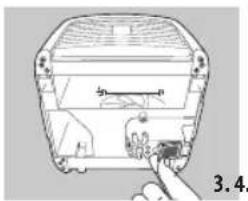
natural_image
Diagram of a device component with a finger pointing to a small electronic component (no text or symbols visible)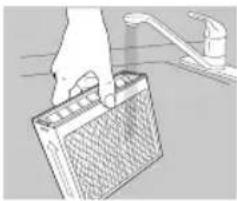
natural_image
Illustration of a hand placing a battery into a sink with a faucet (no text or symbols)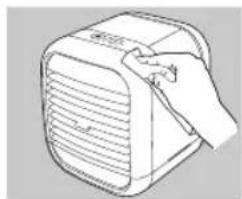
natural_image
Line drawing of a hand holding a small electronic device with ventilation grille (no text or symbols)natural_image
Hand placing a component into a rack inside a container (no text or symbols visible)natural_image
Simple line drawing of a bathroom sink with faucet and toilet (no text or symbols)natural_image
Illustration of hands installing or adjusting a device component (no text or symbols visible)natural_image
Line drawing of a bathroom sink with faucet and toilet (no text or symbols)natural_image
Diagram of airflow or fluid flow through a curved channel with directional arrow (no text or symbols)natural_image
Line drawing of a rectangular device with ventilation slots and a curved top (no text or symbols)natural_image
Illustration of a hand pressing down on a device component with arrows indicating motion (no text or symbols)natural_image
Illustration of a hand holding a device with arrows pointing to the components (no text or symbols present)natural_image
Illustration of a hand pressing down on a grid-like device with arrows indicating motion (no text or symbols)natural_image
Line drawing of a hand pressing down on a gridded plate (no text or symbols)natural_image
Illustration of hands operating a portable device with ventilation slots and buttons (no text or symbols)natural_image
Line drawing of a kitchen sink with faucet and toilet (no text or symbols)natural_image
Line drawing of a hand holding an electrical outlet connected to a portable air conditioner unit (no text or symbols)natural_image
Simple icon of a propeller with four blades and a barcode base (no text or symbols)natural_image
Illustration of a hand using a vacuum cleaner to lift a device (no text or symbols visible)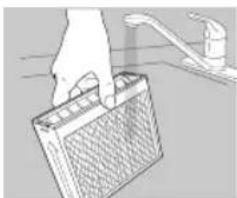
natural_image
Hand holding a battery with a drain outlet nearby (no text or symbols visible)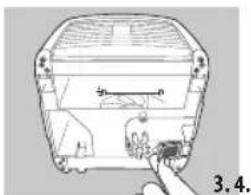
natural_image
Diagram of a device with a hand pointing to a component, labeled '3.4' (no text or symbols on the diagram itself)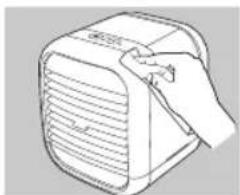
natural_image
Line drawing of a hand holding a small electronic device with ventilation grille (no text or symbols)natural_image
Hand placing a component into a plastic container (no text or symbols visible)natural_image
Illustration of a bathtub with a drain and faucet (no text or symbols)natural_image
Illustration of hands installing or adjusting a device component (no text or symbols visible)natural_image
Line drawing of a bathroom sink with faucet and toilet (no text or symbols)natural_image
Diagram of a curved arrow pointing downward on a striped surface, no text or symbols presentnatural_image
Line drawing of a portable air conditioner unit (no text or symbols)natural_image
Illustration of a hand pressing down on a device component (no text or symbols visible)natural_image
Illustration of a hand holding a device with ventilation slots and arrows indicating direction (no text or symbols)natural_image
Illustration of a hand pressing down on a grid-like object with arrows indicating motion (no text or symbols)natural_image
Line drawing of a hand holding a meshed plastic container (no text or symbols)natural_image
Illustration of hands operating a portable electronic device with ventilation slots (no text or symbols)natural_image
Line drawing of a bathroom sink with faucet and toilet (no text or symbols)natural_image
Illustration of a hand holding an electrical outlet connected to a portable air conditioner unit (no text or symbols visible)natural_image
Two icons: a propeller and a barcode, both without any text or symbols.natural_image
Illustration of hands installing or adjusting a mechanical component with arrows indicating motion (no text or symbols)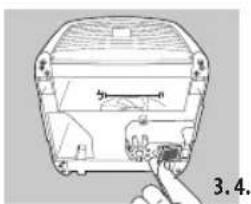
natural_image
Diagram of a device with a button inserted into a housing (no text or symbols visible)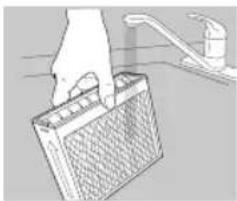
natural_image
Hand placing a grid on a surface next to a kitchen sink (no text or symbols visible)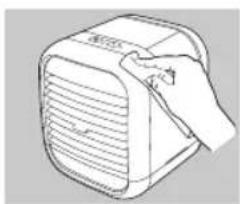
natural_image
Line drawing of a hand holding a small electronic device with ventilation grille (no text or symbols)natural_image
Line drawing of a hand holding a meshed plastic component (no text or symbols)natural_image
Illustration of a faucet and a cylindrical water dispenser (no text or symbols)natural_image
Illustration of hands installing or adjusting a device component with arrows indicating assembly (no text or symbols)natural_image
Illustration of a kitchen sink with a cylindrical tube and faucet (no text or symbols)natural_image
Diagram showing airflow or fluid flow through a curved channel with horizontal lines and an arrow indicating direction (no text or symbols)natural_image
Line drawing of a rectangular electronic device with ventilation slots (no text or symbols)natural_image
Illustration of a hand pressing down on a device component (no text or symbols visible)natural_image
Illustration of a hand holding a rectangular device with ventilation slots and arrows indicating movement (no text or symbols)natural_image
Illustration of a hand pressing down on a grid-like device with arrows indicating motion (no text or symbols)natural_image
Hand placing a mesh component into a tray (no text or symbols visible)natural_image
Illustration of hands operating a portable electronic device with ventilation slots (no text or symbols)natural_image
Line drawing of a kitchen sink with faucet and toilet (no text or symbols)natural_image
Illustration of a hand holding a power outlet connected to a portable electronic device (no text or symbols visible)natural_image
Two icons: a propeller and a rectangular strip, both without any text or symbols.natural_image
Illustration of hands operating a portable air conditioner unit (no text or symbols visible)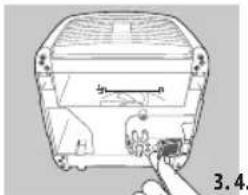
natural_image
Diagram of a device with a hand pointing to a component, labeled '3.4' (no text or symbols on the diagram itself)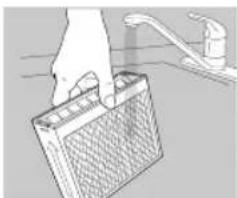
natural_image
Hand placing a rectangular object into a sink, with a faucet visible in the background (no text or symbols)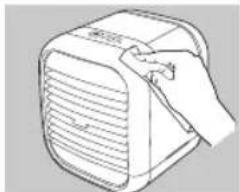
natural_image
Line drawing of a hand holding a pen next to a portable electronic device (no text or symbols)natural_image
Line drawing of a hand holding a grater inside a container (no text or symbols)natural_image
Illustration of a faucet and a cylindrical water dispenser (no text or symbols)natural_image
Illustration of hands installing or adjusting a device component (no text or symbols visible)natural_image
Illustration of a kitchen sink with a cylindrical tube and faucet (no text or symbols)natural_image
Diagram showing a curved arrow indicating direction, with horizontal lines and a curved arrow inside a vehicle (no text or symbols)natural_image
Line drawing of a portable air conditioner unit (no text or symbols)natural_image
Illustration of hands operating a portable device with arrows indicating movement (no text or symbols)natural_image
Illustration of a hand holding a device with arrows indicating direction (no text or symbols)natural_image
Illustration of a hand pressing down on a grid-patterned device into a tray (no text or symbols visible)natural_image
Line drawing of a hand placing a component into a tray (no text or symbols)natural_image
Illustration of hands operating a portable device with arrows indicating motion (no text or symbols)natural_image
Simple line drawing of a bathroom sink with faucet and toilet (no text or symbols)natural_image
Illustration of a hand holding a small electrical plug next to a portable electronic device (no text or symbols visible)natural_image
Two abstract icons: a propeller with four blades and a barcode, both without any text or symbols.natural_image
Illustration of hands operating a portable air conditioner unit with arrows indicating motion (no text or symbols)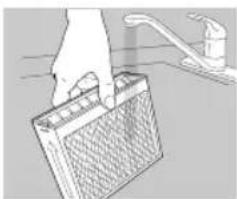
natural_image
Illustration of a hand placing a grid on a sink with a faucet (no text or symbols)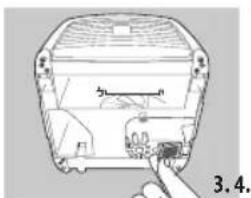
natural_image
Diagram of a device with a finger pointing to a component, labeled '3.4' (no text or symbols on the diagram itself)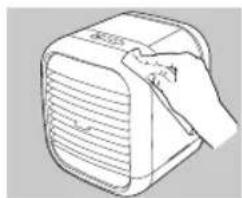
natural_image
Line drawing of a hand holding a small electronic device with ventilation grille (no text or symbols)natural_image
Line drawing of a hand holding a grater inside a container (no text or symbols)natural_image
Illustration of a faucet and a cylindrical water dispenser (no text or symbols)natural_image
Illustration of hands installing or adjusting a device component (no text or symbols visible)natural_image
Illustration of a kitchen sink with a cylindrical tube and faucet (no text or symbols)natural_image
Diagram showing a curved arrow indicating direction, with horizontal lines and a curved arrow inside a vehicle (no text or symbols)natural_image
Line drawing of a portable air conditioner unit (no text or symbols)natural_image
Line drawing of hands installing or adjusting a device on top, with arrows indicating movement (no text or symbols)natural_image
Illustration of a hand holding a portable device with ventilation grilles (no text or symbols)natural_image
Illustration of a hand pressing down on a grid device with arrows indicating motion (no text or symbols)natural_image
Line drawing of a hand using a tool to press or install a grid-patterned object into a tray (no text or symbols)- Vsadte novú chladiacu kazetu. Dbajte na to, aby chladiaca kazeta bola umiestnená prieduchmi tvaru V smerom nahor.
natural_image
Illustration of hands operating a portable electronic device with ventilation slots (no text or symbols)natural_image
Line drawing of a bathroom sink with faucet and toilet (no text or symbols)natural_image
Illustration of a hand holding an electrical outlet connected to a portable device (no text or symbols visible)natural_image
Simple diagram showing a propeller icon above a rectangular bar, both without any text or symbols.natural_image
Illustration of a hand pressing down on a device component (no text or symbols visible)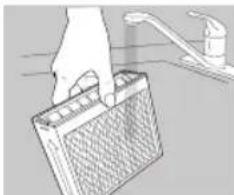
natural_image
Illustration of a hand holding a battery with a drain outlet (no text or symbols)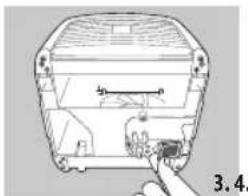
natural_image
Line drawing of a device casing with a finger pointing to a component (no text or symbols)