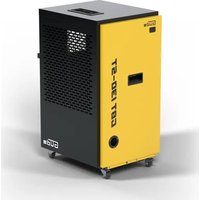
GBT 130-ST - Dehumidifier Güde - Free user manual and instructions
Find the device manual for free GBT 130-ST Güde in PDF.


| Product type | Dehumidifier |
| Brand | Güde |
| Model | GBT 130-ST |
| Order number | 55585 |
| Dehumidification capacity (30°C, 80% RH) | 130 L/day |
| Dehumidification capacity (27°C, 60% RH) | 75 L/day |
| Airflow | 950 m³/h |
| Rated power | 1500 W |
| Rated voltage | 220-240 V ~ 50 Hz |
| Rated / max current | 6.6 A / 7.5 A |
| Refrigerant / Quantity | R 290 / 375 g |
| Protection type | IP 22 |
| Dimensions (L x D x H) | 540 x 440 x 880 mm |
| Weight | 51.5 kg |
| Sound level | 65 dB |
| Operating temperature range | 5 °C to 35 °C |
| Operating modes | Dehumidification, continuous dehumidification, fan |
| Humidity control | Adjustable from 10% to 90% RH in steps of 5% (1% when held) |
| Fan speeds | 2 speeds (selectable) |
| Timer | Yes, adjustable |
| Automatic defrost | Yes |
| Continuous drainage | Possible via hose (end lower than the unit) |
| Temperature display | °C or °F (switchable) |
| Sleep mode | Yes (activated by key combination) |
| Warranty | 24 months for end consumer (12 months in professional use) |
| Maintenance | Clean exterior with damp cloth; Do not spray water; Clean ventilation openings |
| Spare parts | Available at www.guede.com |
| Customer service | Tel: +49 (0) 79 04 / 700-360, Email: support@ts.guede.com |
Frequently Asked Questions - GBT 130-ST Güde
User questions about GBT 130-ST Güde
0 question about this device. Answer the ones you know or ask your own.
Ask a new question about this device
Download the instructions for your Dehumidifier in PDF format for free! Find your manual GBT 130-ST - Güde and take your electronic device back in hand. On this page are published all the documents necessary for the use of your device. GBT 130-ST by Güde.
USER MANUAL GBT 130-ST Güde
natural_image
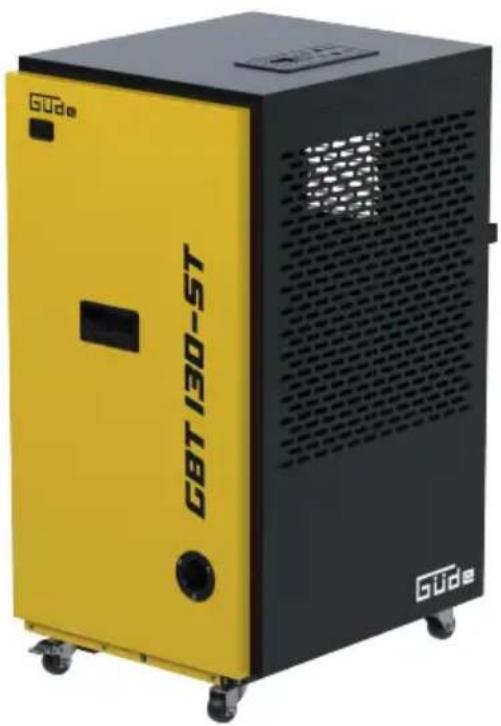
Yellow and black GBT 130-5T industrial vacuum cleaner with visible exhaust grille (no text or symbols on body)GBT 130-ST
55585

ENGLISH Please read the instructions carefully before starting the machine.
English TECHNICAL DATA | SAFETY INSTRUCTIONS | SPECIFIED CONDITIONS OF USE | EMERGENCY PROCEDURE | CHARGING EQUIPMENT | BATTERY | WORK INSTRUCTIONS | SYMBOLS | DISPOSAL | GUARANTEE | SERVICE \_\_\_\_ 15
Français CARACTÉRISTIQUES TECHNIQUES | I NSTRUCTIONS DE SÉCURITÉ | UTILISATION CONFORME À LA DESTINATION | CONDUITE EN CAS D'URGENCE | DISPOSITIF DE CHARGE | BATTERIA | CONSIGNES DE TRAVAIL | SYMBOLES | LIQUIDATION | GARANTIE | SERVICE \_\_\_\_ 19
1
natural_image
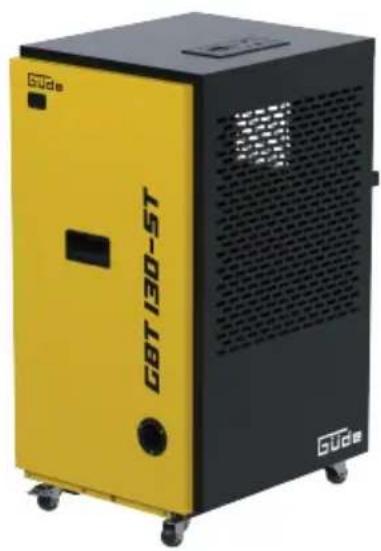
Yellow and black GBT 130-5T industrial vacuum cleaner (no visible text or symbols on body)2
| DE | Montage | PL | Montaž |
| EN | Assembly | ES | Montaje |
| FR | Assemblage | ||
| IT | Montaggio | ||
| NL | Montage | ||
| CZ | Montáž | ||
| SK | Montáž | ||
| HU | Szerelés |
| DE | Inbetriebnahme | PL | Uruchomienie |
| EN | Starting-up the machine | ES | Puesta en servicio |
| FR | mise en service | ||
| IT | Messa in funzione | ||
| NL | Inbedrijfstelling | ||
| CZ | Uvedení do provozu | ||
| SK | Uvedenie do prevádzky | ||
| HU | Üzembe helyezés |
| DE | Betrieb | PL | Eksploatacja |
| EN | Operation | ES | Operación |
| FR | Fonctionnement | ||
| IT | Esercizio | ||
| NL | Gebruik | ||
| CZ | Provoz | ||
| SK | Prevádzka | ||
| HU | Üzemeltetés |
| DE | Reinigung / Wartung | PL | Czyszczenie/konserwacja |
| EN | Cleaning / Maintenance | ES | Limpieza / Mantenimiento |
| FR | Nettoyage / Entretien | ||
| IT | Pulizia / Manutenzione | ||
| NL | Schoonmaken / Onderhoud | ||
| CZ | Čištění / Údržba | ||
| SK | Čistenie / Údrzba | ||
| HU | Tisztítás / Karbantartás |
2


natural_image
Yellow and black GGE 180 industrial vacuum cleaner with ventilation slots (no visible text or symbols on body)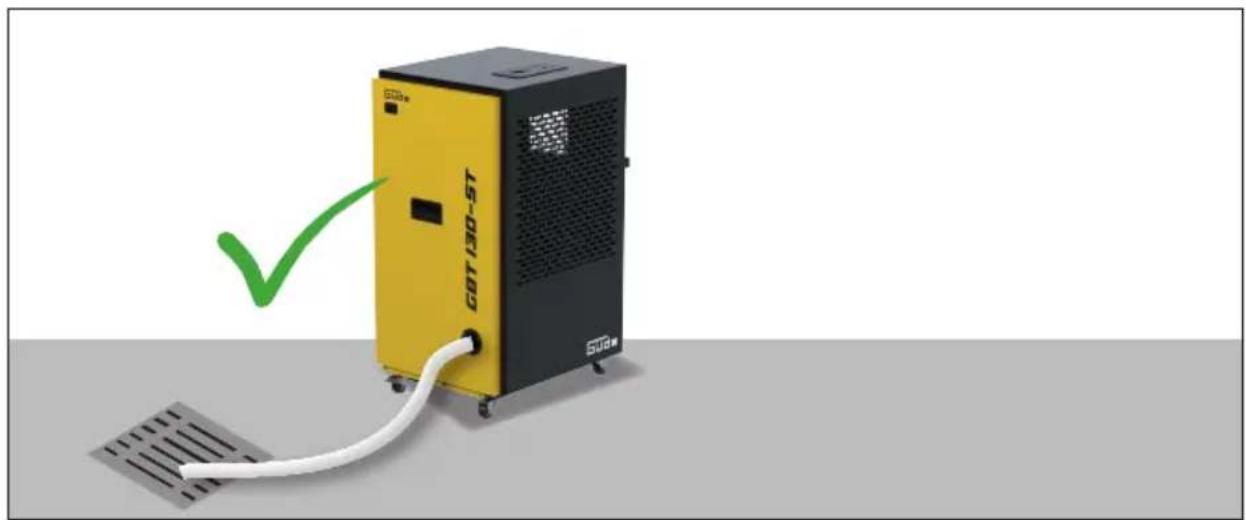
natural_image
Yellow and black industrial device labeled 'GOT190-180' connected to a white cable, with a green checkmark pointing to it (no readable text or symbols on the device itself)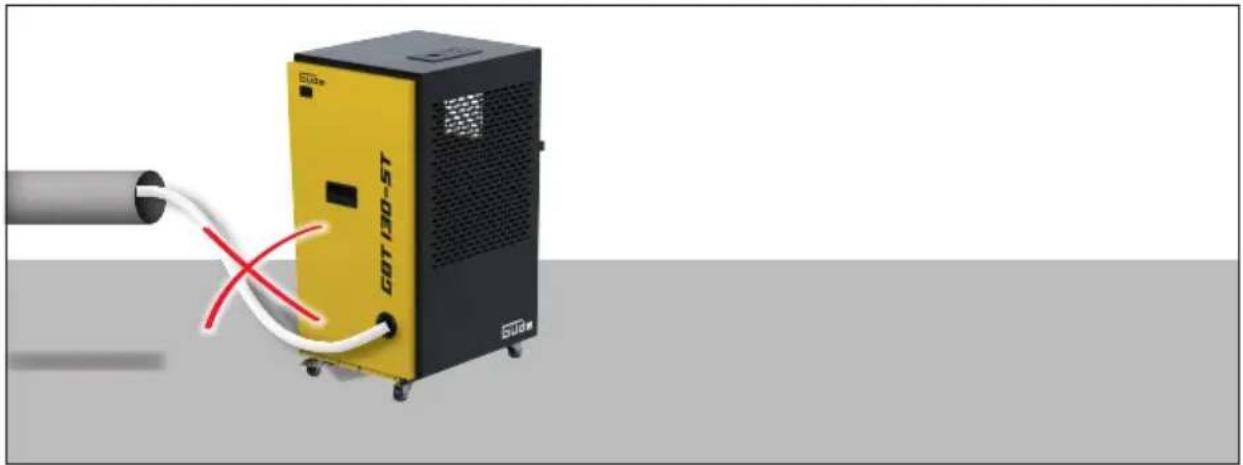
natural_image
Exterior view of a yellow industrial machine labeled 'GOT100-5T' connected to a pipe with white cables (no text or symbols on the device itself)


natural_image
Three interlocking gears with a large number 1 in the center (no text or symbols)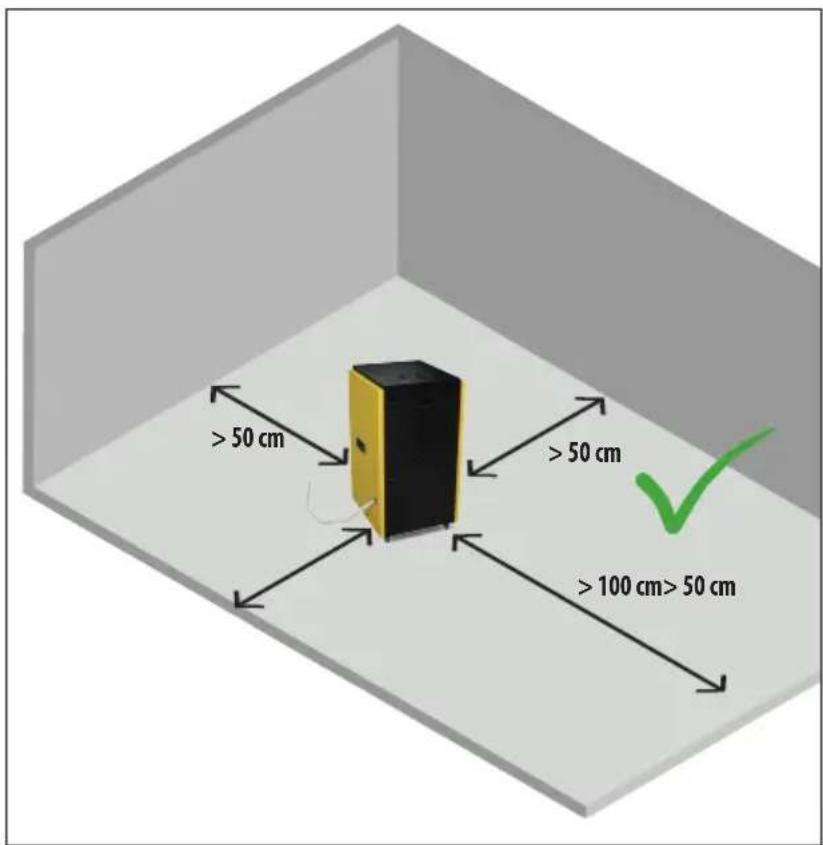
natural_image
Yellow and black industrial machine with red X-shaped warning symbol (no text or symbols on device)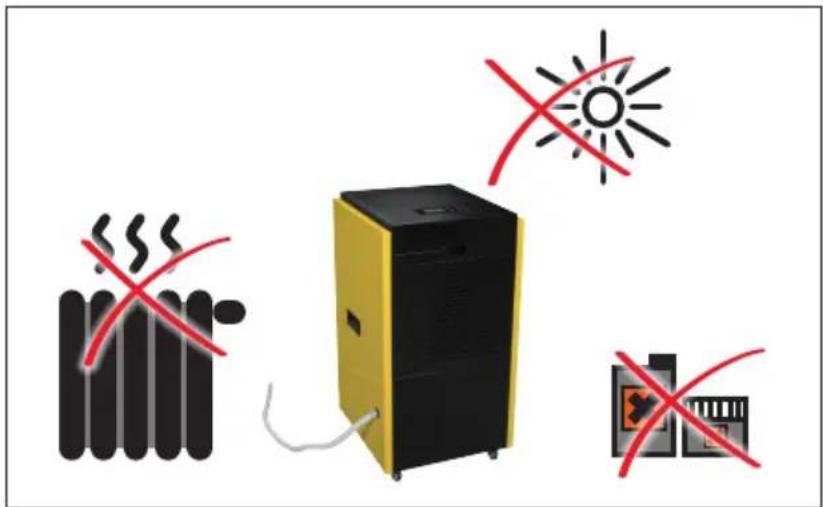
natural_image
Illustration of a yellow industrial water heater next to a red 'X' symbol, with no text or labels present.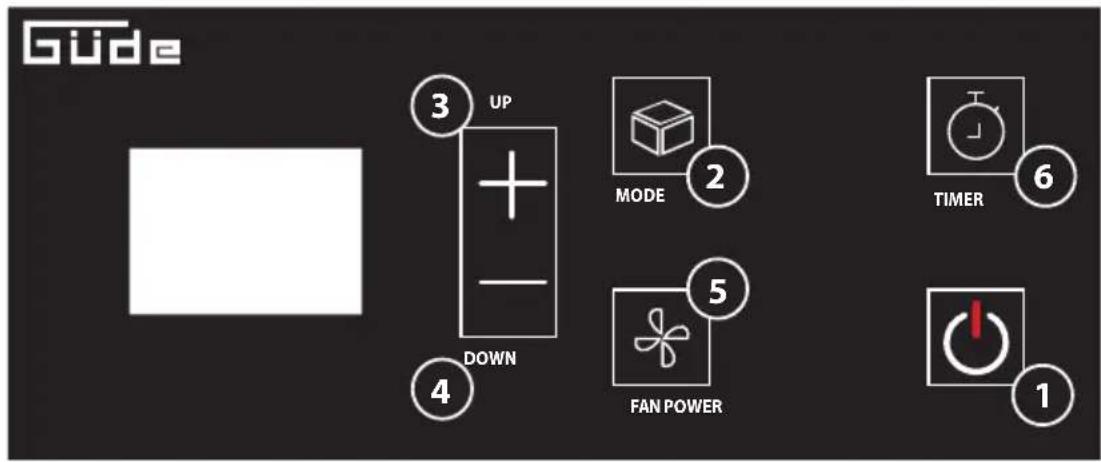
1 POWER - Ein / Ausschalten | EN POWER ON/OFF |
EN MODE - Select operating mode (dehumidification, continuous dehumidification, fan)
EN UP"Button: Press this button once to increase the set humidity (by 5%) or timer duration. Press and hold "UP" button to continuously increase the set humidity (by 1%) or timer duration.
EN DOWN" Button: Press this button once to decrease the set humidity (by 5%) or timer duration. Press and hold "DOWN" button to continuously decrease the set humidity (by 1%) or timer duration|
EN FAN"Button: Press this button once to select the fan speed in turn with the corresponding fan speed light on ventilator) |
EN UP" + "DOWN": Press and hold the buttons for 5 seconds simultaneously to toggle between displaying the temperature in Fahrenheit and Celsius.
EN MODE" + "DOWN": Press and hold the buttons for 5 seconds simultaneously to enter the sleep mode.
natural_image
Yellow and black industrial vacuum cleaner unit labeled 'CBT 190-5T' with visible exhaust pipe (no text beyond label)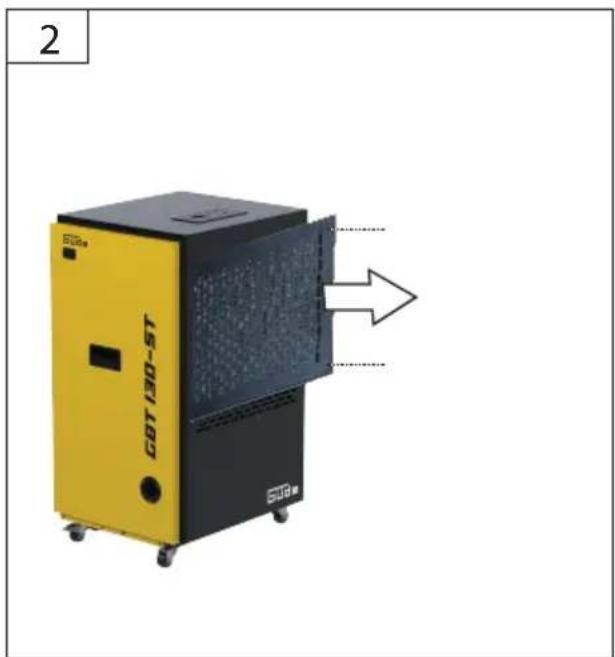

natural_image
Silhouette of a person pushing a yellow industrial machine labeled 'GB/T 130-5T' (no additional text or symbols visible)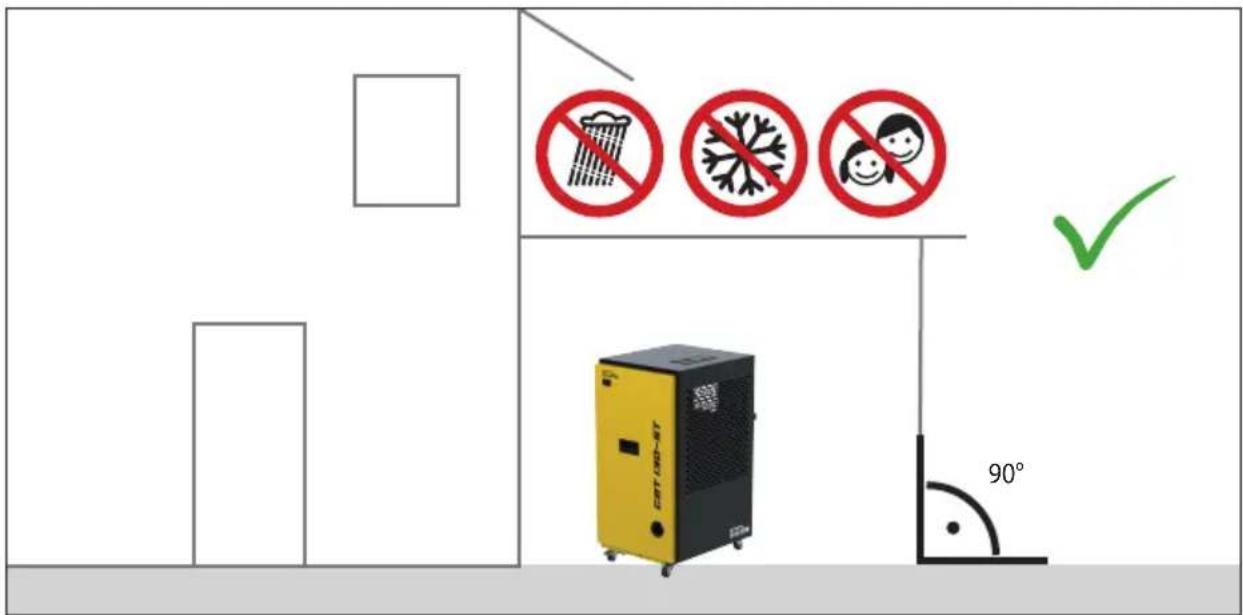
Technische Daten
Read and understand the operating instructions before using the appliance. Familiarise with the
control elements and how to use the appliance properly. Abide by all the safety measures stated in the service manual. Act responsibly toward third parties.
The operator is responsible for accidents or risks to third parties.
In case of any doubts about connection and operation refer please to our customer center
Safety Instructions

WARNING
Read all safety warnings and all instructions. Failure to follow the warnings and instructions may result in electric shock, fire and/or serious injury. Save all warnings and instructions for future reference.
This appliance can be used by children aged from 8 years and above and persons with reduced physical, sensory or mental capabilities or lack of experience and knowledge if they have been given supervision or instruction concerning use of the appliance in a safe way and understand the hazards involved. Children shall not play with the appliance.
Cleaning and user maintenance shall not be made by children without supervision. To avoid danger, a damaged mains supply pipe must be replaced by the manufacturer.

Health hazard!
- The water collected is not suitable for drinking or watering. It poses a health hazard.

Risk of electric shock!
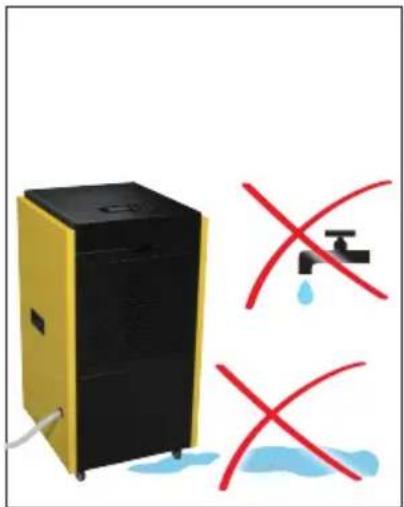
- Do not place the unit in water including in standing water or puddles.
- The unit, connection line and power plug may not be submerged in water or other liquids.
- Protect the unit against dripping or sprayed water.
- Should liquid enter the unit (other than in the water collection vessel), immediately unplug it. Have the unit checked prior to restarting.
- Do not operate the unit while your hands are wet.
- If the unit gets into water, immediately unplug it. Only remove the unit once it has been unplugged.
Specified Conditions Of Use
The unit is only intended for dehumidifying residential, basement and storage spaces. Temperature range: 5°C - 35°C. Suitable for indoor areas only.
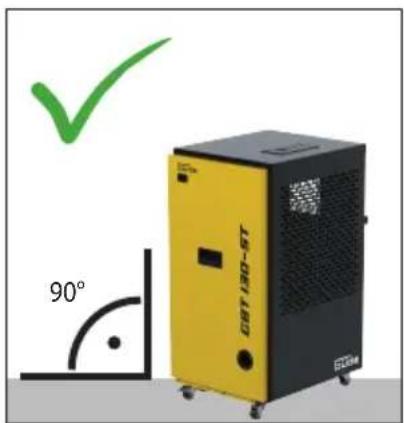
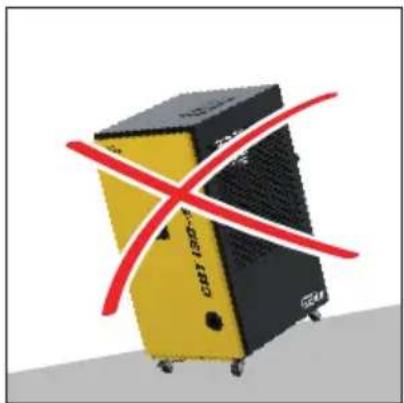
Always place the unit on a firm and flat surface! Please ensure that the machine does not tip over, slide or fall during use.
Do not use the unit at pools, in wash rooms or similar spaces.
Never expose the unit to temperatures of 0^ C or below. Residual water in the lines can freeze and damage the system.
Do not use the unit in a dusty or chlorinated environment. Do not work with the unit in an environment with a risk of explosion where there are flammable liquids, gases or dust.
Do not use this product in any other way as stated for normal use. Not observing general regulations in force and instructions from this manual does not make the manufacturer liable for damages.
Residual risks
Even when the device is used properly and all safety regulations are complied with, there still may be some residual risks.

Hearing damage
A longer stay in the immediate vicinity of the running unit may cause hearing damage. Wear ear protectors!

Risk of electric shock!
The unit, connection line and power plug may not be submerged in water or other liquids. If the unit gets into water, immediately unplug it. Only remove the unit once it has been unplugged.

Risk of explosion!
Do not work with the unit in an environ - ment with a risk of explosion where there are flammable liquids, gases or dust.
Emergency procedure
Conduct a first-aid procedure adequate to the injury and summon qualified medical attendance as quickly as possible. Protect the injured person from further harm and calm them down. If you seek help, state the following pieces of information: 1. Accident site, 2. Accident type, 3. Number of injured persons, 4. Injury type(s)
Operation
The appliance should only be used when in a perfect state. Carry out a visual inspection before switching the appliance on. Check especially the safety equipment, electrical control elements, power lines and screw couplings for any damage and if they are tightened appropriately. Replace any damaged parts before the appliance is put into operation if necessary.
The appliance must not be used if damaged or safety equipment is defective. Replace any worn-out and damaged parts. The ventilation should not be impeded by covering the ventilation openings with items, such as newspapers, table-cloths, curtains, etc.
When draining the hose, ensure that the hose is not blocked and that the open end of the hose is lower than the unit.
Only operate the unit when the water tank has been inserted or a hose installed. The end of the hose must be above a drain.
Humidity control
At start-up, the fan runs for 3 seconds be - fore the compressor starts. When swit- ched off, the fan runs for 3 seconds.
The compressor dehumidifies until the set air humidity value has been reached, and then shuts itself off. The fan continues to run for 1 additional minute. If the relative air humidity increases again, the compressor turns back on again.
Notice
If the humidity is set to a minimum value of 10%, the unit switches to dehumidification mode by default.
After shutting down, the compressor needs 3 minutes before it can be started again.
Automatic defrosting
The unit defrosts automatically so that it does not ice up during continuous operation. In so doing, the dehumidification is adjusted and the fan continues to run.
Mains Connection
Operation is only allowed with a safety switch against stray current (RCD max. stray current of 30mA).
Before putting into operation, a qualified electric - cian must check whether electric safety measures required are in place. Any national regulations in this regard must be complied with.
Electric connection to a socket.
It is necessary to make sure the connecting socket was not near water and humidity and the plug was protected against humidity.
Check the voltage. Technical data given on the type label must correspond with electric network voltage. Only use splash proof extension cables approved for outdoor purposes.
Check the cable and/or socket for damages before the appliance putting into operation.
Never use the charger when the cable, plug or the machine is damaged by external influences. In case damage let repaired in authorized workshop
To avoid danger, a damaged mains supply pipe must be replaced by the manufacturer. Do not under any circumstances attempt any repair yourself.
Cable connections to be separated by pulling the plug only. Pulling the cable could damage both the cable and plug. As a result, electric safety would no longer be guaranteed.
Symbols

WARNING/Caution!

Warning against dangerous electric voltage

Check the voltage. Technical data given on the type label must correspond with electric network voltage.

Read the operating instructions to reduce the risk of injury.

Unplug the machine before any work on it.

AC Current

CE marking

Any damaged or disposed electric or electronic devices must be delivered to appropriate collection centres.
Maintenance

Unplug the machine before any work on it.
Repairs and works specified in these Instructions may only be performed by qualified authorised staff.
This unit contains a refrigerant. Only trained technicians with a refrigerant certificate may fill or emptying refrigerant into or from the unit. Your climate control unit does not need to be refilled with refrigerant if used properly and with an undamaged coolant circuit.
This unit must be properly disposed of in an undamaged condition.
Use only original accessories and original spare parts.
Carry out a visual inspection be - fore switching the appliance on.
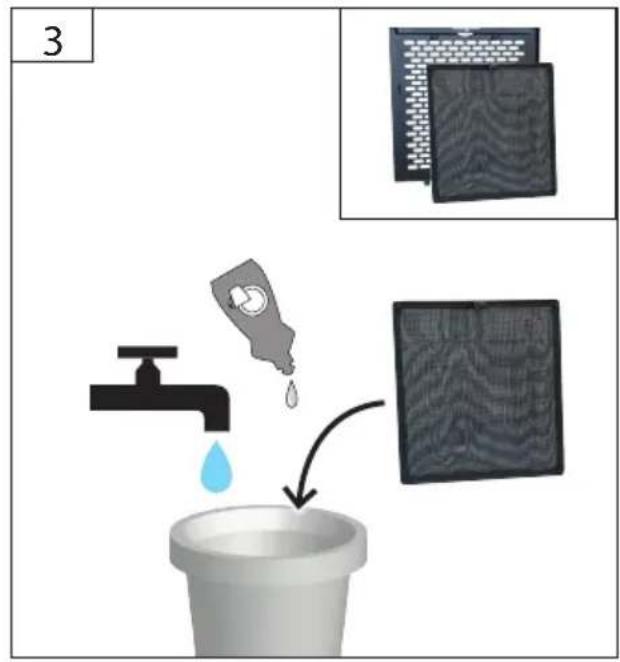
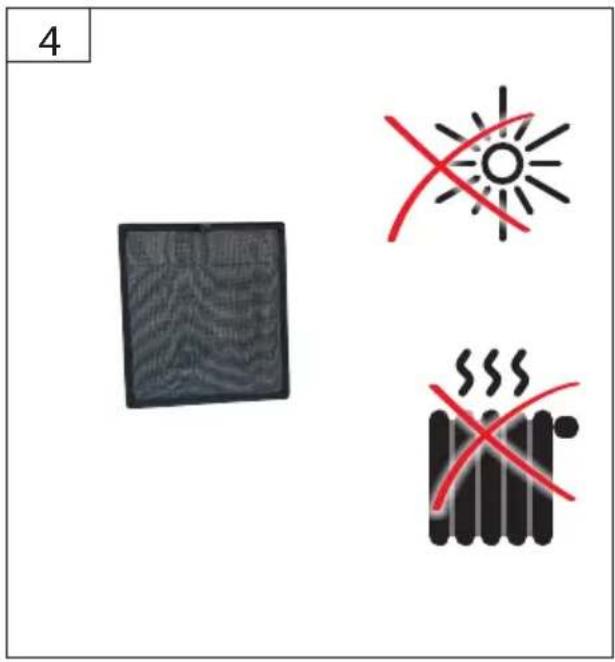
Keep the device, in particular the air vents, clean at all times. Never spray water on the device body! Do not clean the plastics with solvents, flammable or toxic fluids. For cleaning, use a damp cloth only.
Only a regularly maintained and treated appliance can serve as a satisfactory aid. In - sufficient maintenance and care can lead to unforeseen accidents and injuries.
If necessary, a list of spare parts can be found at www.guede.com.
Guarantee
Warranty period of 12 months applies to commercial use and 24 months applies to private use and commences on the day of purchase of the device.
The guarantee solely covers inadequacies caused by material defect or manufacturing defect. Original payment voucher with the sales date needs to be submitted for any claim in the guarantee period.
The guarantee does not cover any unauthorised use such as appliance overloading, use of violence, damage as a result of any unauthorised interference or caused by foreign items. Failing to follow the operating and assembly instructions and common wear are also not included in the guarantee.
Important information for the customer
Please be sure to know that returning the product in or after the warranty period must be made in the original packaging.
Service
Do you have any technical questions? Any claim? Do you need any spare parts or operating instructions? We will quickly help you and without needles bureaucracy at our web pages at www.guede.com in the Servicing part. Please help us be able to help you. In order to identify your device in case of claim we need the serial No., product No. and year of production. All this data can be found on the type label.
Tel.: +49 (0) 79 04 / 700-360
Fax: +49 (0) 79 04 / 700-51999
E-Mail: support@ts.guede.com
Troubleshooting
| Error code | Cause | Solution |
| E1 | Fault with temperature sensor on evaporator | The device is working again, but de-icing is carried out approx. every 20 minutes and takes up to 8 minutes.If the device is currently not carrying out de-icing, briefly disconnect the device from the mains network. If the error persists after restarting, contact customer service. |
| E2 / E3 Error on air humidity | and temperature sensor | The device is working again and dehumidifies on a continuous basis, irrespective of a humidity.Humidity and temperature sensor must be replaced, if required. Contact customer service. |
| EE Leak in the cooling circuit | Briefly disconnect the device from the | mains network.If the error persists after restarting, contact customer service. |
WAARSCHUWING/Opgelet!


- English TECHNICAL DATA | SAFETY INSTRUCTIONS | SPECIFIED CONDITIONS OF USE | EMERGENCY PROCEDURE | CHARGING EQUIPMENT | BATTERY | WORK INSTRUCTIONS | SYMBOLS | DISPOSAL | GUARANTEE | SERVICE \_\_\_\_ 15
- Français CARACTÉRISTIQUES TECHNIQUES | I NSTRUCTIONS DE SÉCURITÉ | UTILISATION CONFORME À LA DESTINATION | CONDUITE EN CAS D'URGENCE | DISPOSITIF DE CHARGE | BATTERIA | CONSIGNES DE TRAVAIL | SYMBOLES | LIQUIDATION | GARANTIE | SERVICE \_\_\_\_ 19
- Safety Instructions
- WARNING
- Health hazard!
- Risk of electric shock!
- Specified Conditions Of Use
- Residual risks
- Hearing damage
- Risk of explosion!
- Emergency procedure
- Operation
- Humidity control
- Automatic defrosting
- Mains Connection
- Symbols
- Maintenance
- Guarantee
- Important information for the customer
- Service
Brand : Güde
Model : GBT 130-ST
Category : Dehumidifier