
H-11906 - Scale Uline - Free user manual and instructions
Find the device manual for free H-11906 Uline in PDF.


User questions about H-11906 Uline
0 question about this device. Answer the ones you know or ask your own.
Ask a new question about this device
Download the instructions for your Scale in PDF format for free! Find your manual H-11906 - Uline and take your electronic device back in hand. On this page are published all the documents necessary for the use of your device. H-11906 by Uline.
USER MANUAL H-11906 Uline
CAUTION! Keep children away from battery.

CAUTION! Do not burn battery.

CAUTION! Corrosion hazard.
-
The load placed on the weighing pan must not exceed the maximum weighing capacity of the scale.
-
Protect the scale from high temperatures.
- Avoid objects impacting the scale. Do not drop loads onto the scale or subject the weighing pan to any strong shock loads.
- Operate or charge the scale in an open area. Do not squeeze the power cord, which may result in the wire overheating and catching on fire.
- The battery's electrolyte is caustic and causes metal, cotton, etc. to corrode.
- Charge battery in a well-ventilated area away from sparks or open flame.
SETUP
- Place the scale on a firm, level surface free from vibrations for accurate weight readings.
- Adjust the four leveling feet (if fitted) to set the scale pan level.
- Avoid operating the scale in direct sunlight or drafts of any kind.
- If possible, avoid connecting the scale to AC power outlet sockets that are adjacent to other appliances to minimize the possibility of interference affecting performance of the scale.
- Remove any weight on the weighing pan before the scale is switched on and avoid leaving weight on the pan for long periods of time.
-
All goods weighed should be placed in the center of the weighing pan for accurate weighing. The overall dimensions of the goods being weighed should not exceed the dimensions of the weighing pan.
-
Once the scale has been powered on, it will go through an LCD display test. Scale is ready for use when the display shows zero.
The scale requires 15-20 minutes to warm up before operation to ensure best accuracy.

NOTE: When the symbol keeps flashing on the screen, the batteries need to be charged.
BATTERY STORAGE
- Scale uses a fully sealed, maintenance-free battery. Customer does not need to replenish electrolyte.
- The scale should be recharged every three months to prevent failure of the internal rechargeable battery.
The battery takes 8-10 hours to fully recharge.
The temperature of battery should not exceed 113^
OVERVIEW OF CONTROLS
CONTROL PANEL
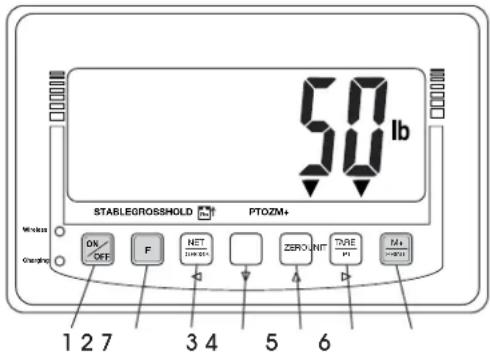
CONTROL PANEL KEYS
| # DESCRIPTION |
| 1 On/Off Key |
| 2 Key Functions Key |
| 3 Net/Gross Weight Key |
| 4 Unit Key |
| 5 Zero Key |
| 6 Tcre/PT Key |
| 7 M+/Print Key |
CONTROL FUNCTIONS
| BUTTON | PRIMARY FUNCTION | SECONDARY FUNCTION |
| ON/OFF | ON/OFFPress the ON/OFF key to switch the indicator on or off. | |
| F | KEY FUNCTIONSUse ZERO or UNIT key to set the F key as "MC", "HR" or "T-TP".(See F key Function Settings in the Configurations section onpage 11). | WHEN SET TO MC:Press F when weight returns to 0 to clear all totalization data.WHEN SET TO HR:Press F to switch to high resolution display for five seconds.WHEN SET TO T-TP:Press F key to display fare or pre-tare value. |
| NETGROSS | NET/GROSS WEIGHTToggles between gross weight and net weight. Display shift is only available after using hare/pre-tare functions. | CLEARActs as a clear key to reset parameters or other functions. |
| UNIT | UNITPress the UNIT key to switch weight units; the display icons will indicate the active units. | |
| ZERO | ZEROThe ZERO key acts as the zero balance function. If the weighing value is within the range of zero balance, it can be re-zeroed and hare cancelled. | |
| TAREPT | TAREPlace container onto scale. When the weight value is stable, press TARE/PT key for zero return and the "NET" indicator is shown on the display. Place the object onto the container and the display shows the net weight value of the object.Remove both object and container, and negative value of the container will show on the display. Press TARE/PT key again to clear hare value. The scale returns to zero and "NET" indicator goes off. | PRE-TAREWhile the scale is unloaded, press TARE/PT key. Use keypad to input pre-tare weight. When the cursor flashes on the rightmost digit, press TARE/PT key again to complete. |
| M+PRINT | M+/PRINTWhen net weight = 0, add new item and press M+/PRINT key to totalize net weight. Scale will display the totalization numbers for one second and display total net weight for one second, and then return to the current weight and print the latest accumulated data. If the previous item is not removed or the new item's weight is less than 20d, totalization is not performed. | CLEAR TOTALIZATION DATAWhen net weight = 0, press M+/PRINT. While displaying totalization numbers, press M+/PRINT again to clear totalization data. RS232 will print out totalization numbers, total net weight, etc. |
LCD DISPLAY
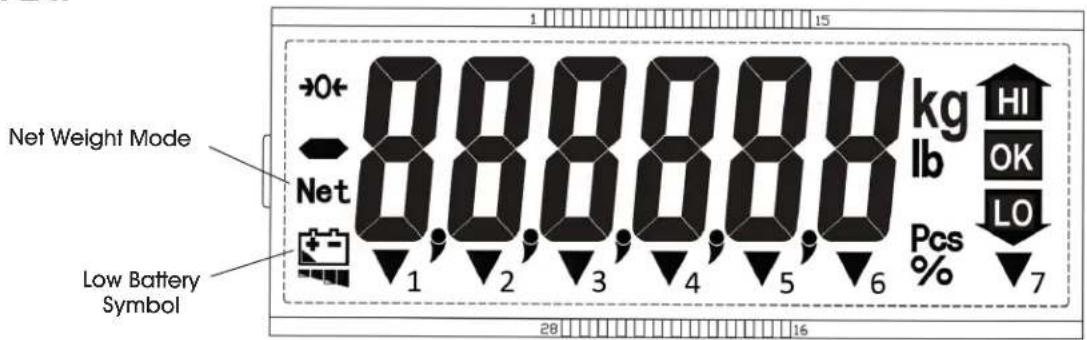
DISPLAY
DISPLAYCHARACTERS
| CHARACTER DISPLAY | |
| →0 Zero Point Indicator | |
| Net Net Weight Indicator | |
| Low Power Indicator | |
| kg Unit "kilogram" | |
| lb Unit "pound" | |
| Pcs Counting Mode Indicator | |
| HI Upper Limit | |
| OK Value Between HI and LO | |
| LO Lower Limit | |
| CHARACTER D | SPLAY |
| 1 Stable | Indicator |
| 2 Gross | Weight Indicator |
| 3 | Unit Weight Insufficient Indicator |
| 4 Pre-tare | Indicator |
| 5 (Hold) | Weight Hold Indicator |
| 6 M+ Indicator | |
| 7 OZ Unit Indicator | |
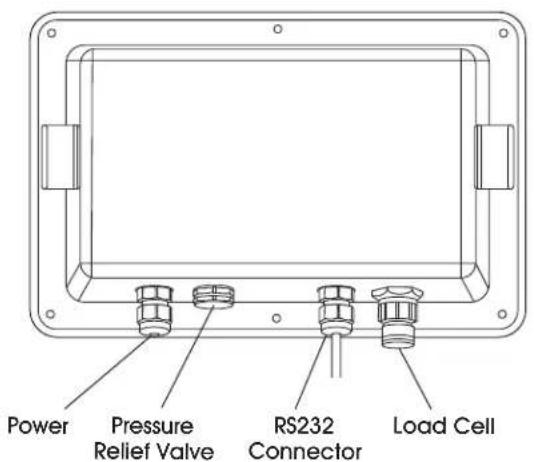
DISPLAY CONNECTORS U-BRACKET INSTALLATION
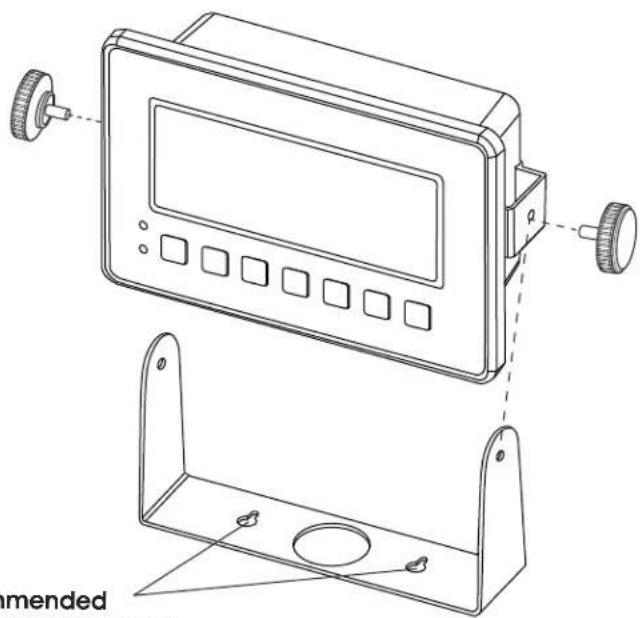

NOTE: Recommended
M8 screws are not included.
OPERATION
ON/OFF KEY
Press the ON/OFF key to switch the indicator on or off.
F KEY
Function key (In F_n I_2 , select F key as "MC", "HR" or "T-TP")
NET/GROSS KEY
In the Tare mode, the screen displays the "Net Weight" icon; press the NET/GROSS key to switch between the "Net value" and the "Gross value". When the "GROSS" arrow appears, the Gross Weight on the screen = Tare weight + Net weight. Keys except the NET/GROSS key have no response.
UNIT KEY
Press the UNIT key to switch weight units. The display icons will indicate the active units.
After scale is powered on, scale uses the last weighing unit.
ZERO KEY
The ZERO key acts as the zero balance function. If the weighing value is within the range of zero balance, it can be re-zeroed and sare cancelled.
Zero Range: OIML&NTEP is + / - 2% full scale
TARE/PT KEY (PRE-TARE KEY)
TO TARE
- Place the container onto the scale. When the weight value is stable, press TARE/PT key for zero return and the "NET" indicator is shown on the display.
- Place the object onto the container and the display shows the net weight value of the object.
- Remove both object and container, and negative value of the container will show on the display.
- Press TARE/PT key again to clear hare value. The scale returns to zero and "NET" indicator goes off.
- Tare can be continuously done until tare value = full load capacity.
-
Continuous Tare - Press TARE/PT key for continuous weight increase/decrease on platter.
-
If there is tare, the pre-tare cannot be done. If there is pre-tare first, and the tare weight is more than pre-tare weight, tare can be done.
- No fare can be done in gross weight display mode.
TO PRE-TARE
- While the scale is unloaded, press TARE/PT key. Use keypad to input pre-tare weight.
- When the cursor flashes on the rightmost digit, press TARE/PT key again to complete.
In pre-tare mode, keypad function as follows:
ZERO-upward key (0-9 digit entry).
- NET/GROSS - move cursor left.
- UNIT - downward key (9 - 0 digit entry).
TARE/PT - move cursor right.
M+/PRINT KEY
- Totalization function. M+/Print function is available when RS232 is on keyboard transmission mode. (rSIO4 output).
- This key is a composite key. While totalization is shown and weight returns to net zero, press M+/PRINT key to erase memory. RS232 will output MC print format (r-SiO3 output).
- If new weight is added on platter, a new item will be added to totalization. If this weight is not taken off, nothing can be added to totalization. Display will show the totalization numbers for one second, then show net weight for one second. The scale then returns to the current weight and prints out the last item for totalization.
To clear totalization data, press M + / PRINT key to let display show totalization numbers, then press the M + / PRINT key again to clear totalization data. RS232 will print out totalization numbers, total weight, etc.

NOTE: Weight must return to net zero if to perform clear function.
SIMPLE COUNTING MODE
Use UNIT key to switch unit to "Pcs" to go into simple counting mode.
- Use NET/GROSS key to select a sample number from "10, 20, 50, 100, or 200". Display will show C 10, C 20, C 50, C 100, C 200 in an sequential order by pressing NET/GROSS key.
- Select a sampling number and put appropriate weight on platter, then press UNIT key. Display will show . The scale will go into counting mode after weight is stable, and display will show the sample number.
- Unit weight insufficient ( ) sample unit weight is less than 0.2d or total sample weight is less than 20d (d=division).
- While sampling, if there is insufficient sample or unit weight insufficient indication ( , the scale is still usable, but there may be slight inaccuracy.
After power-off, the scale automatically memorizes the sampling number, and it is available when "Pcs" unit is selected next time. - If the setting is "automatic average unit weight", if the object on platter is greater than the previous sampling number more than five pieces, and also less than 100% the previous sampling number, the scale will execute unit weight calibration automatically.
SELF-TEST MODE
When power is off, hold NET/GROSS key and press ON/OFF key. Wait until display shows 0/1 RdC to enter self-testmode.
INTERNAL VALUE MODE (0/100)

NOTE: Must hook up full-bridge load cell to test.
- Press TARE/PT key to enter. Display shows internal value.
- Check if the internal value is within normal range. (0 - 400,000) (no load).
- Check whether the backlight is on.
- Press ZERO key to back to the last screen. The display shows O / RdC .
01RdC
KEYPAD TEST MODE (02 HES)
- Press TARE/PT key to enter. Display shows KEY 06.
2.Keypad's internal code:
TARE/PTkey=06
- UNIT key = 05
NET/GROSSkey=04
- M + / PRINT key = 03
- F key = 02
- Press ZERO key to back to the last screen. Display shows 02 H:E.Y.
02 E9
FIRMWARE VERSION DISPLAY MODE (B3 GE#)
- Press TARE/PT key to enter. Display shows the firmware version 02005.
- Press TARE/PT key again. Display shows maintenance number 153 for two seconds.
- Press ZERO key to back to the last screen. Display shows 03 GEr.
03 GE-
Press TARE/PT key to exit self-test mode. The scale will re-power on automatically.
00 ESC
CONFIGURATIONS
- In the weighing mode, press NET/GROSS key and ZERO key at the same time to enter the configuration mode. The LCD shows B / F_N .
01F
- Press ZERO Key.
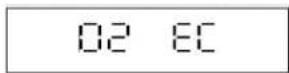
02 EC
- Press ZERO Key.
03-51
- Press ZERO Key.
00 ESC
D/FnC: General Function setting mode
EC:External Weight Calibration
03 rS: RS232 Bi-direction Function setting
DO ESC: Exit the Advanced Function setting mode
Refer to the following sections for the detailed operation procedures of each function setting:
GENERAL FUNCTION SETTING (GfNc)
NAVIGATION
ZERO key: Upward key (0-9 digit entry)
UNIT key: Downward key (0-9 digit entry)
TARE/PT key: Move cursor rightward
NET/GROSS key: Move cursor leftward
01FnC
- Press TARE/PT key.
FNC 00
- Key in the parameter "00-13".
FNC 00
- Key in "00" and press TARE/PT key to return to the advanced function setting menu.
01Foc
Fnc 00: Return to the Advanced Function setting mode menu
FnC 0f: Automatic Backlight Function settings
FnC02:AutomaticPower-offTimer settings
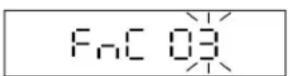
FnC 03: HI/LO/OK settings
FnC 04:Restore the Default settings
FnC OS: Noise Filter settings
FnC 08: Hold Function settings
FnC 07: Auto Unit Weight Averaging setting
FnC 10: Record Last Zero
FnC12:Fkeyfunction settings
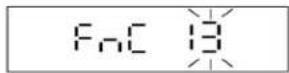
FnC 13: Zero setting
AUTO BACKLIGHT FUNCTION SETTING (FnC 01)
- Select FnC B / in the general function setting mode B / FnC to change the backlight function setting.
FonC0
- Press TARE/PT key. LCD displays the last status.

NOTE: Default setting = off.
BL OFF
CONFIGURATIONS CONTINUED
- Use ZERO or UNIT key to select function "on" or "off".
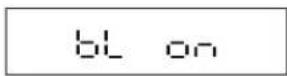
_n = backlight function is on. = backlight function is off.
- Press TARE/PT key to go back to the advanced function setting menu.
AUTO BACKLIGHT FUNCTION
When the weight is over 10d, the display backlight will be on. After the weight is stable for 10 seconds or when the scale returns to zero, the display backlight switches off.
AUTO POWER-OFF TIMER SETTING (Fnc 02)
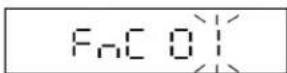
- Select F_nC in the general function setting mode D / F_nC to change the automatic power-off timer setting.
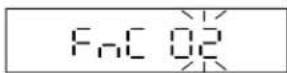
- Press TARE/PT key. LCD displays the last status.

NOTE: Default setting = 0 (no auto power-off).
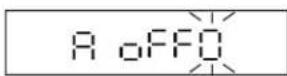
- Use ZERO or UNIT key to key in parameter.
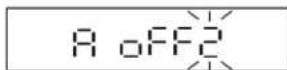
- Press TARE/PT key to go back to the advanced function setting menu.
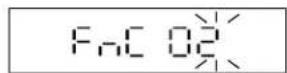
AUTOMATIC POWER-OFF TIMER SETTING
Use ZERO or UNIT key to key in parameter.
D: No auto power-off
: When the scale is idle for one minute, the scale automatically switches off.
2: When the scale is idle for two minutes, the scale automatically switches off.
5: When the scale is idle for nine minutes, the scale automatically switches off.
AUTO POWER-OFF FUNCTION
When the weight on weigh pan is less than 10d or keeps idle for the set time, the scale will automatically switch off.
HI/LO/OK SETTINGS (FnC 03)
- Select F_nC in the general function setting mode D / F_nC to set the HI/LO/OK function.

NOTE: When the high limit and low limit are both set as "0", the HI/LO/OK function is disabled.
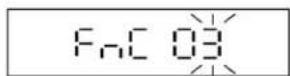
- Press TARE/PT key. LCD displays the last status.
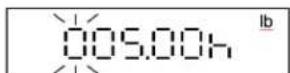
- Key in the desired high limit value.
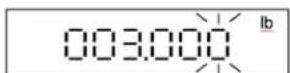
- Press TARE/PT key. LCD displays the last status.
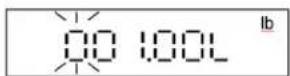
- Key in the desired low limit value.
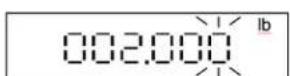
CONFIGURATIONS CONTINUED
- Press TARE/PT key. LCD displays the last status.
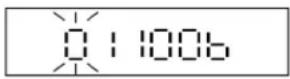
- Key in the parameter setting for alarm.
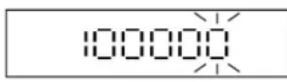
ALARM SETTING
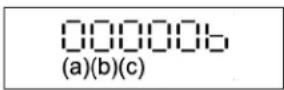
The definition of a, b and c positions:
a. l :beep sound on
beep sound off
b. i: beep sound on when stable
beep sound on when unstable
c. /: beep sound on when the weight is between high and low limits
beep sound on when the weight is not between high and low limits and higher than 10d
- Press TARE/PT key.
RESTORE TO THE DEFAULT SETTINGS
(FnC 04)
- Select F_nC in the general function setting mode C / F_nC to restore to the default settings.
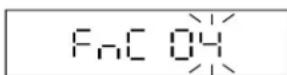
- Press TARE/PT key. Use ZERO or UNIT keys to select "return" or "format".
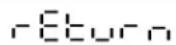
[ rEturn = \text{Return} ] (Cancel the restoration)
[ For\bar{n}Rt = \text{Restore the default setting} ]

- Press TARE/PT key.
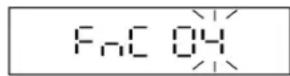
The defaults include the following:
- External weight calibration
- HI/LO/OK setting values
- Noise filter setting (External)
- Sampling settings for the counting function
NOISE FILTER SETTINGS (FnC 05)
- Select F_nC in the general function setting mode to set the noise filter settings.
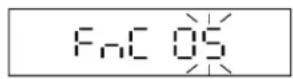
- Press TARE/PT key. LCD displays the last status.
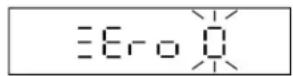
- Use ZERO or UNIT key to key in the parameters.
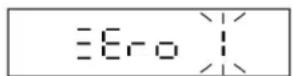
- Use ZERO or UNIT key to key in the parameters or zero point.

NOTE: Default setting = 0.
: no skip
5: skip 5d
: skip 1d
6:skip 6d
2: skip 2d
7: skip 7d
3: skip 3d
B:skip8d
4: skip 4d
9: skip 9d

NOTE: When the weight on the scale is over 1/3 full capacity, the function is on.
- Press TARE/PT key. LCD displays the last parameter setting.
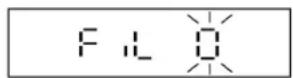
CONFIGURATIONS CONTINUED
- Use ZERO or UNIT keys to key in the parameters.
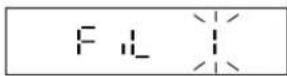

NOTE: Default setting = 0.
Parameter 0-9: the larger the number the more stable the weight.
- Press TARE/PT key. LCD displays the last parameter setting.
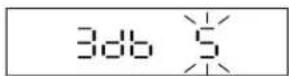
- Use ZERO or UNIT keys to key in the parameters.
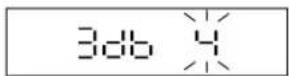

NOTE: Default setting = 5.
Parameter: 0-9.

NOTE: The larger the number is, the faster the filter responds. Fast response can lead to weighing instability.

NOTE: Parameter 9: the AD value is not filtered. Input AD value = Output AD value
- Press TARE/PT key.
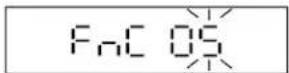
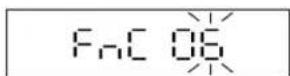
HOLD FUNCTION SETTINGS (FnC 06)
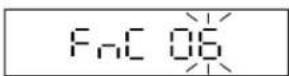
- Press TARE/PT key. LCD displays the last parameter setting.
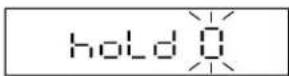
- Use ZERO or UNIT key to key in the parameters.
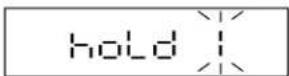

NOTE: Default setting = 0.
: Hold function disabled
: "Peak hold" mode
2: "Stable hold 1" mode
3: "Stable hold 2" mode
4: "Animal scale hold 1" mode
5: "Animal scale hold 2" mode
- Press TARE/PT key.
hold0: Hold function disabled
holdl:"Peak hold"mode
The scale keeps displaying the maximum weight when the weight is continually changing. Press any key to exit this mode.
holdc: "Stable hold 1" mode
- When the weight is stable, the LCD shows the current weight value. Press any key to exit this mode.
hold3:"stable hold 2"mode
- When the weight is stable, the LCD shows the current weight value. When the weight returns to zero (<10d), the hold mode is cancelled automatically.
hold4: "Animal scale hold 1" mode
- With no load, the display shows "---". After the animal or object is on the platter and the weight is stable, the display shows the weight value and hold.
- When the animal or object is off the platter, the display shows "---" and the hold function is off.
If the weight is hardly stable, display shows the average weight in 10 seconds and holds the status, until the weight is less than 10e and display shows "---or press any key to calculate a new weight.
hold5: "Animal scale hold 2" mode
- With no load, the display shows "0.000". After the animal or object is on the platter and the weight is stable, the display shows the weight value and hold.
- When the weight added or removed on the platter is larger than the weight set in hold 5, the hold function release and to calculate a new weight.
If the weight is hardly stable, the display shows the average weight in 10 seconds and holds the status. In this mode, ZERO and TARE/PT keys are useless.
CONFIGURATIONS CONTINUED
HOLD FUNCTION SETTING (ANIMAL SCALE) (hold 4)

- Press TARE/PT key. LCD displays the last parameter setting.

- Use ZERO or UNIT key to key in the parameters. Use ZERO or UNIT keys to key in 4 and press TARE/PT key to enter the hold function setting mode.

- Press TARE/PT key.

- Use ZERO or UNIT key to key in the parameters. (Among 1% - 100% ). Default setting = 10%.

- Press TARE/PT key.

- Use ZERO or UNIT keys to key in the parameters (1, 2, 4, 8, 16, 32, 64). Default setting = 8.

- Press TARE/PT key.
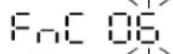
HOLD FUNCTION SETTING (ANIMAL SCALE) (hold S)
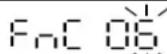
- Press TARE/PT key. LCD displays the last parameter setting.

- Use ZERO or UNIT key to key in the parameters. Use ZERO or UNIT keys to key in 5.
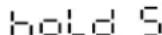
- Press TARE/PT key. LCD displays the last parameter setting.
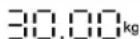
- Use ZERO or UNIT keys to key in the parameters (0-full scale). Default setting = full scale.

- Press TARE/PT key.

CONFIGURATIONS CONTINUED
AUTO UNIT WEIGHT AVERAGING SETTING (FnC 07)
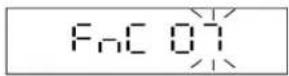
- Press TARE/PT key. LCD displays the last parameter setting.
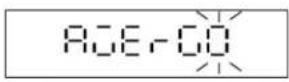
- Use ZERO or UNIT key to key in the parameters

NOTE: Default setting = 0.
= Auto unit weight averaging
I = Non auto unit weight averaging
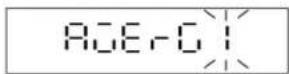
- Press TARE/PT key.
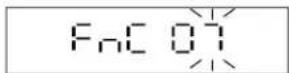
- Use ZERO or UNIT key to key in the parameter. Use ZERO or UNIT key to select the setting.
Default setting = aFF
on = Record the last zero setting
DF = DF No record
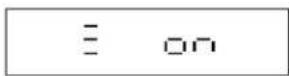
- Press TARE/PT key.
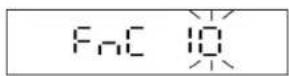
F KEY FUNCTION SETTINGS (FnC12)
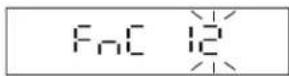
- Press TARE/PT key. F key function represents "MC" function. Display shows parameter from the previous setup.
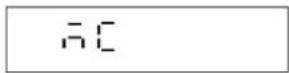
- Use ZERO or UNIT key to select parameter. F key function represents "HR" function.
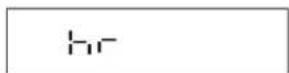

NOTE: F key function represents fare or pre-tare value.
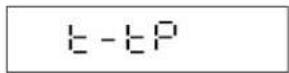
- Press TARE/PT key.
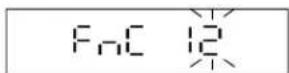
ZERO SETTING (Fnc/3)
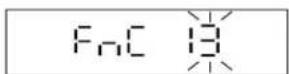
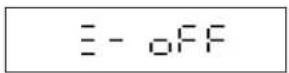
- Press TARE/PT key. Unrestricted zero setting is off. Display shows parameter from the previous setup.
CONFIGURATIONS CONTINUED
- Use ZERO or UNIT key to select parameter. Unrestricted zero setting is on.
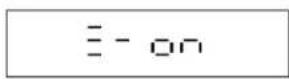
- Press TARE/PT key.
EXTERNAL WEIGHT CALIBRATION (02 EC)
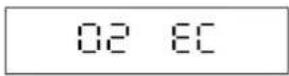
- Press TARE/PT key. The display shows the calibration value. The right digit keeps flashing.
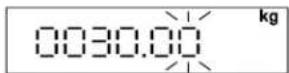
- When the right digit is flashing, press TARE/PT key while there is no load on platter.
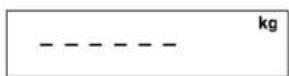
- Reading zero. Once stable, display shows the max weight.
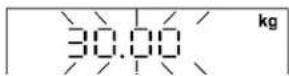
- Put the calibrated weight on platter and press TARE/PT key. After three beep sounds, calibration completes.Remove weight.

NOTE: The calibrated weight value placed on the platter must be over 100e, and the standard deviation of the weight must be within + / - 10% of the factory's calibrated weight.
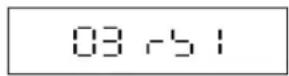
RS232 SERIAL INTERFACE SETTINGS (03 r51)
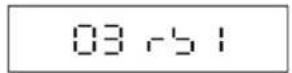
- Press TARE/PT key.
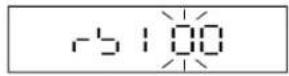
- Key in the parameter 00-08.
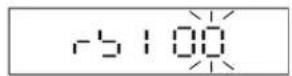
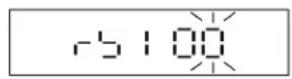
- Key in the parameter "00", then press TARE/PT key to exit.
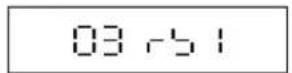
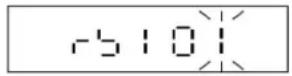
rS100: Exit the RS232 Serial Interface setting mode
rS101: Baud Rate settings
BAUD RATE SETTINGS (r5/01)
- Select rS / 0 in the RS232 serial interface setting mode 03 rS to set the baud rate.
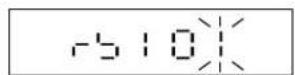
- Press TARE/PT key. LCD displays the last value.

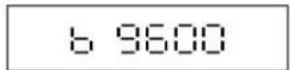
NOTE: The default value is 9,600 bits/second.
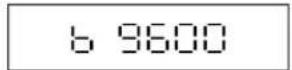
- Use ZERO or UNIT key to select the desired baud rate: 600, 1,200, 2,400, 4,800, 9,600 or 19,200 bits/second.
CONFIGURATIONS CONTINUED
- Press TARE/PT key.
- Press TARE/PT key to exit.
- Key in the parameter "00".
POWER SUPPLY
POWER SUPPLY SELECTION
110/230 V AC +/−15, 60/50 Hz, 10 W (plugged-in)
- 6 V/4 Ah rechargeable battery
POWER CONSUMPTION
- Approximately DC 31 mA (Indicator + Load Cell)
- Approximately DC 65 mA (Indicator + Load Cell + Display backlight)
- Approximately DC 80 mA (Indicator + Load Cell + Wireless 100M)
- Approximately DC 65 mA (Indicator + Load Cell + Wireless 10M)
- Charging Voltage: DC 10 V/1 A
LOW BATTERY WARNING
- When the symbol keeps flashing on the display, the internal battery should be recharged.
- The scale will turn off automatically after a few hours when the low battery warning symbol is displayed. The scale must be fully charged before operating again.
- When the battery status indication is full, the power is about 6.1 V. Each block is about 0.2 V. When the battery warning symbol is displayed, the power is about 5.4 V.
TROUBLESHOOTING
ERROR CODES
| ERROR CODE EXPLANATION | |
| EG | The EEPROM is not working correctly. The EEPROM is not set yet, or the circuit on PCB is broken. |
| EI | Zero is higher than the zero range when switching the indicator on. |
| E2 | Zero is lower than the zero range when switching the indicator on. |
| E4 | A/D value is unstable. |
| oL | The weight of the object is over nine divisions of the maximum capacity. |
| - oL | The weight of the object is under -1/6 maximum capacity. |
| oF | ADIC value is over the maximum range. |
| EIO | The scale is not in level status. NOTE: Only available with level detector equipped. |
SEGURIDAD

SOURCE D'ALIMENTATION
CHOIX DE LA SOURCE D'ALIMENTATION
110/230 V c.a., +/- 15, 60/50 Hz, 10 W (branche)
- Batteries rechargeable 6 V/4 Ah


