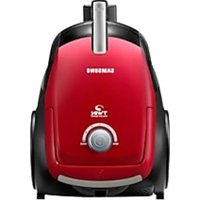
VC08QVNDCRD/EG - Vacuum Cleaner SAMSUNG - Free user manual and instructions
Find the device manual for free VC08QVNDCRD/EG SAMSUNG in PDF.


| Brand | Samsung |
| Model | VC08QVNDCRD/EG |
| Product type | Standard vacuum cleaner with bag |
| Energy efficiency class | B |
| Annual energy consumption | 34 kWh/year |
| Carpet cleaning performance | Class E |
| Hard floor cleaning performance | Class A |
| Dust emission | Class B |
| Noise level | 78 dBA |
| Nominal input power | 750 W |
| Vacuum type | Standard |
| Power supply | Mains 220-240 V |
| Power cord length | Approx. 6 m |
| Filtration system | Output filter and washable filter pack |
| Dust bin capacity | 1.5 L (approx.) |
| Main brush | 2-position brush (hard floor/carpet) |
| Included accessories | Telescopic tube, crevice tool, dusting brush, Eco hard floor brush |
| Options | Pet hair brush, upholstery brush |
| Control | On the handle (infrared) and on the device |
| Remote control batteries | 2 AA batteries (not included) |
| Filter maintenance | Wash with water, dry for at least 12 hours |
| Dimensions (L x W x H) | Approximately 40 x 30 x 30 cm |
| Weight | Approximately 5.5 kg |
| Housing material | Plastic |
Frequently Asked Questions - VC08QVNDCRD/EG SAMSUNG
User questions about VC08QVNDCRD/EG SAMSUNG
0 question about this device. Answer the ones you know or ask your own.
Ask a new question about this device
Download the instructions for your Vacuum Cleaner in PDF format for free! Find your manual VC08QVNDCRD/EG - SAMSUNG and take your electronic device back in hand. On this page are published all the documents necessary for the use of your device. VC08QVNDCRD/EG by SAMSUNG.
USER MANUAL VC08QVNDCRD/EG SAMSUNG
Vacuum Cleaner user manual
* Before operating this unit, please read the instructions carefully.
* For indoor use only.
English
imagine the possibilities
Thank you for purchasing a Samsung product.
safety information
SAFETY INFORMATION

- Before operating the appliance, please read this manual thoroughly and retain it for your reference.

- Because these following operating instructions cover various models, the characteristics of your vacuum cleaner may differ slightly from those described in this manual.
CAUTION/WARNING SYMBOLS USED
 V V | Indicates that a danger of death or serious injury exists. |
 C C | Indicates that a risk of personal injury or material damage exists. |
OTHER SYMBOLS USED
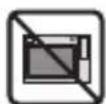
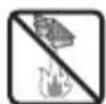
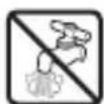
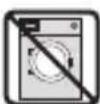
 | Represents something you must NOT do. |
 | Represents something you must follow. |
 | Indicates that you must disconnect the power plug from the socket. |
Notes on the energy label
- Declared energy efficiency and cleaning performance class on carpet can be met with the enclosed 2-Step Brush.
- When the hard floor has joints and gaps, please use the enclosed "Eco Hard Floor" brush which is designed to meet the energy efficiency and cleaning performance class on hard floor with joints and gaps.
- The values provided on the energy label have been determined according to the prescribed measuring process (in accordance with EN60312 - 1).
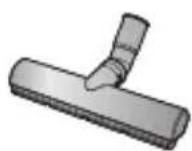
Eco Hard Floor
IMPORTANT SAFEGUARDS
- Read all instructions carefully. Before switching on, make sure that the voltage of your electricity supply is the same as that indicated on the rating plate on the bottom of the cleaner.
- WARNING : Do not use the vacuum cleaner when rug or floor is wet.
Do not use to suck up water. - Do not use the vacuum cleaner without a dust bin.
Empty the dust bin before it is full in order to maintain the best efficiency. - Slide to the Stop(or Min)position before inserting a plug into the electrical outlet.
- Do not use the vacuum cleaner to pick up matches, live ashes or cigarette butts.
Keep the vacuum cleaner away from stoves and other heat sources. Heat can deform and discolour the plastic parts of the unit. - Avoid picking up hard, sharp objects with the vacuum cleaner as they may damage the cleaner parts. Do not stand on the hose assembly. Do not put weight on the hose.
Do not block the suction or the exhaust port. - Switch the vacuum cleaner off on the body of the
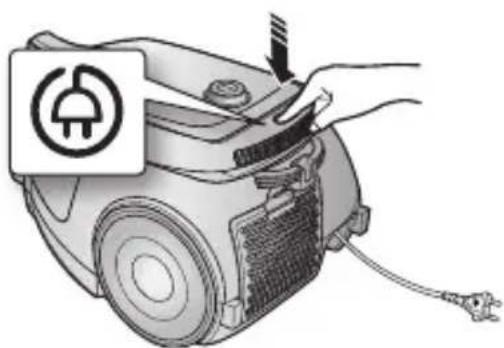
machine before unplugging from the electrical outlet. Disconnect the plug from the electrical outlet before changing the dust bag or dust container. To avoid damage, please remove the plug by grasping the plug itself, not by pulling on the cord.
- This appliance can be used by children aged from 8 years and above and persons with reduced physical, sensory or mental capabilities or lack of experience and knowledge if they have been given supervision or instruction concerning use of the appliance in a safe way and understand the hazards involved.
- Children shall not play with the appliance. Cleaning and user maintenance shall not be made by children without supervision.
- The plug must be removed from the socket outlet before cleaning or maintaining the appliance.
- The use of an extension cord is not recommended.
- If your vacuum cleaner is not operating correctly, switch off the power supply and consult an authorized service agent.
- If the supply cord is damaged, it must be replaced by the manufacturer or its service agent or a similarly qualified person in order to avoid a hazard.
- Don't carry the vacuum cleaner by holding the hose. Use the handle on the vacuum cleaner set.
- Unplug the cleaner when not in use. Turn off the power switch before unplugging.
ASSEMBLING THE CLEANER

MAINTAIN TOOLS AND FILTER

09 Using accessory
10 Maintain floor tools
11 Emptying the dust bin
12 When to clean the dust pack
13 Cleaning the dust pack
14 Cleaning the outlet filter
14 Change the battery (option)
TROUBLESHOOTING

assembling the cleaner

- Please do not press the button of dust bin handle when carrying machine.
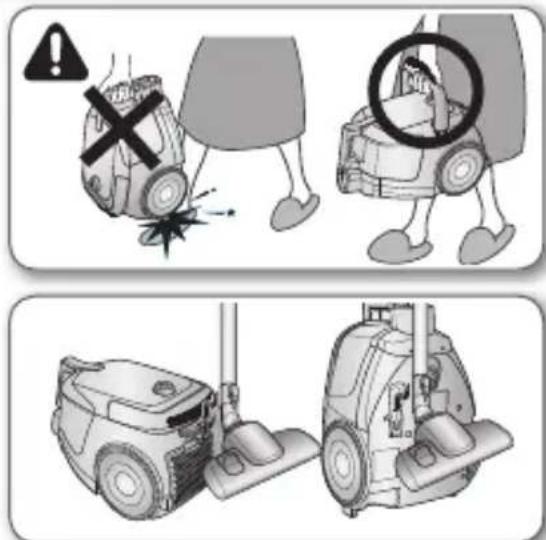

- For storage, park the floor nozzle.
operating the cleaner
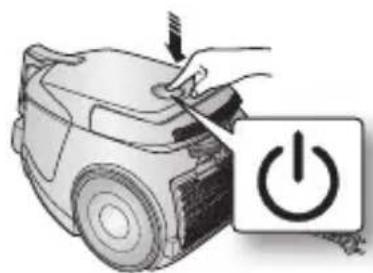
ON/OFF SWITCH
1) BODY CONTROL TYPE 2) HANDLE CONTROL TYPE
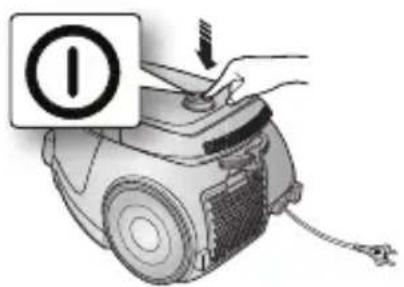
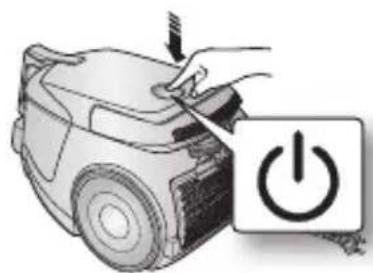
natural_image
Illustration of a car being cleaned with a power button (no text or symbols)
- When removing the plug from the electrical outlet, grasp the plug, not the cord.

natural_image
Hand holding a power plug inserted into an electrical outlet (no text or symbols visible)POWER CORD
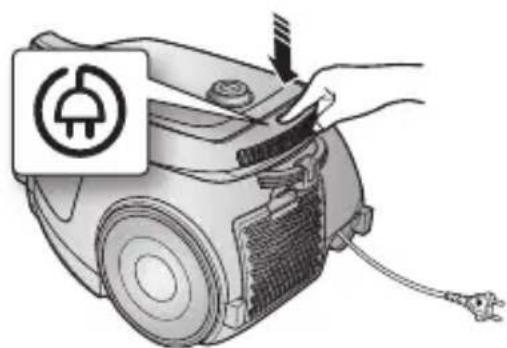
natural_image
Illustration of a hand using a power plug to adjust or install an electric vacuum cleaner's air vent (no text or symbols present)BODY-CONTROL TYPE / ON/OFF TYPE
• HOSE
To reduce suction for cleaning draperies, small rugs, and other light fabrics, pull the tap air until the hole is open.
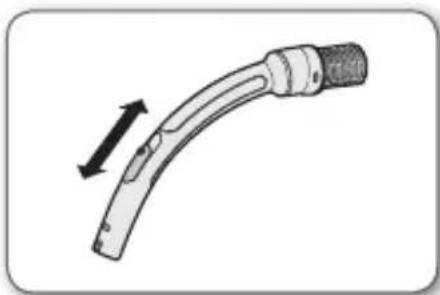
natural_image
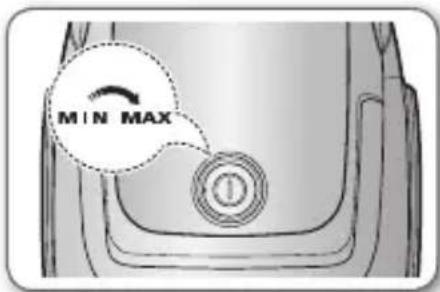
Diagram of a curved mechanical component with a black arrow indicating direction (no text or symbols)• BODY (BODY-CONTROL TYPE ONLY)
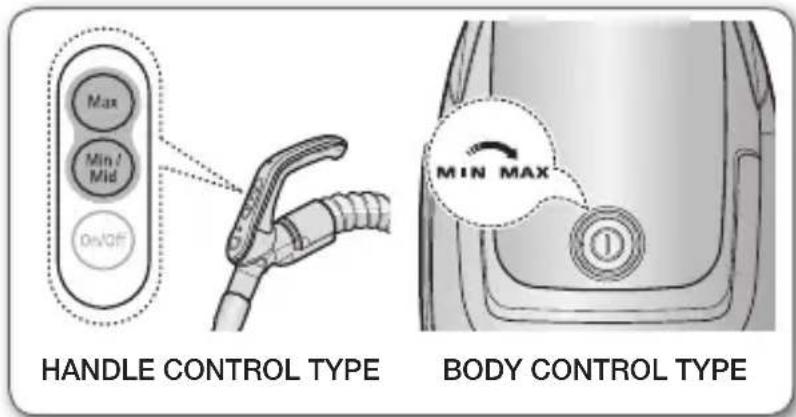
MIN = For delicate surface e.g. net curtains.
MAX = For hard floors and heavily soiled carpets.
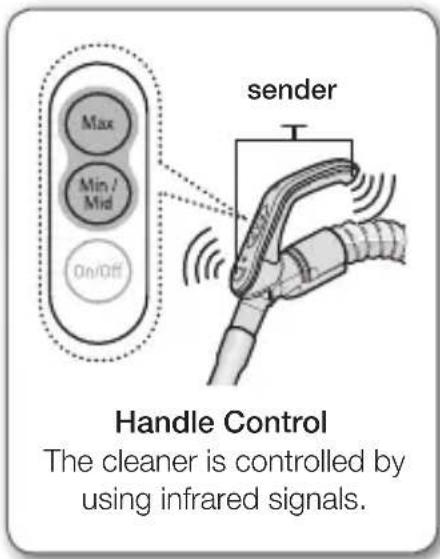
HANDLE CONTROL TYPE
• HOSE
Vacuum cleaner MODE (MIN/MID, MAX)
Press the MODE button repeatedly to select the correct mode.
(ON) MIN → MID → MAX
maintain tools and filter
USING ACCESSORY
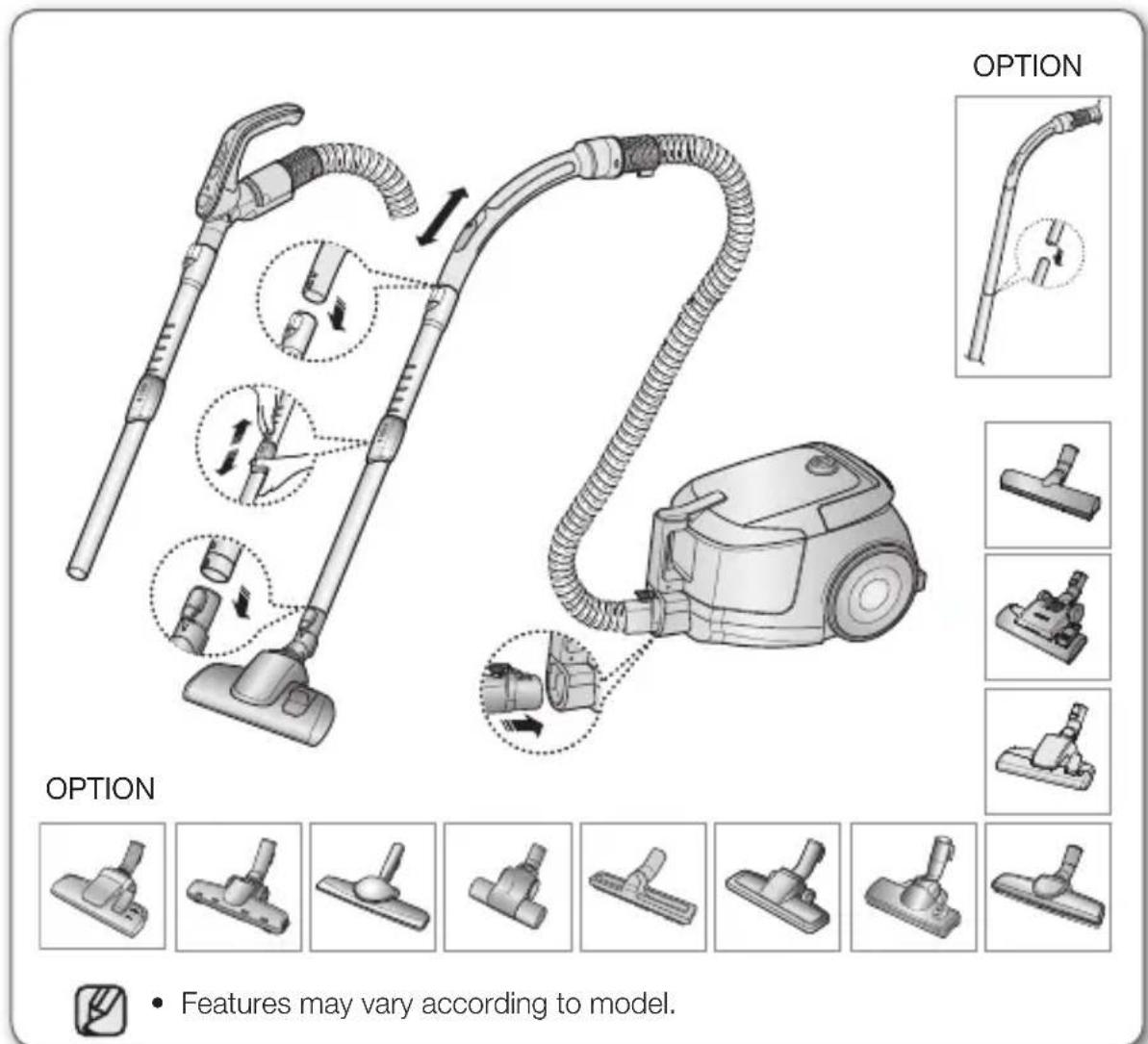
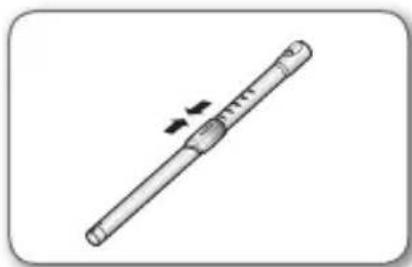
Pipe (Option)
- Adjust the length of the telescopic pipe by sliding the length control button located in the center of the telescopic pipe back and forth.
natural_image
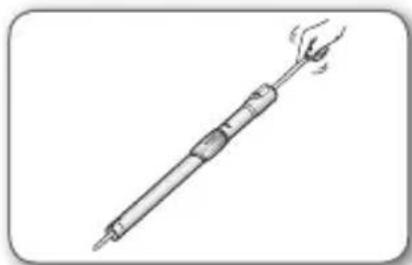
Simple line drawing of a cylindrical object with a double-headed arrow indicating compression or force (no text or symbols)- To check for blockages, separate the telescopic pipe and adjust to shorten. This allows for easier removal of waste clogging the tube.
natural_image
Line drawing of a soldering iron with a handle and tip, emitting steam (no text or symbols)Accessory
- Dusting brush for furniture. shelves, books, etc.
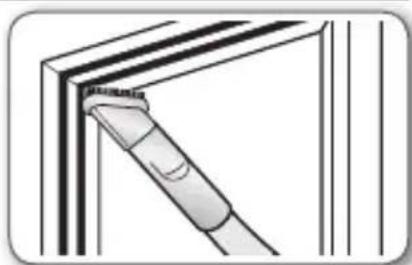
natural_image
Diagram of a mechanical component or tool inserted into a corner panel (no text or symbols visible)- Crevice tool for radiators, crevices, corners, between cushions.
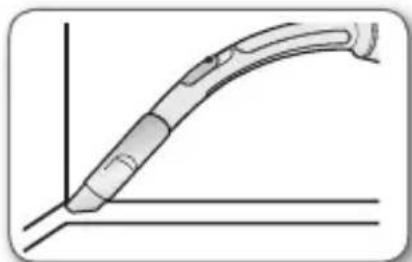
natural_image
Pure technical line drawing of a curved mechanical component without any text or symbols2-Step Brush (Option)
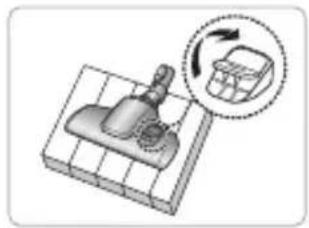
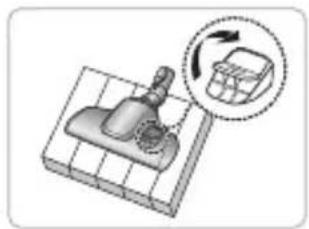
- Adjust the inlet lever according to the floor surface.
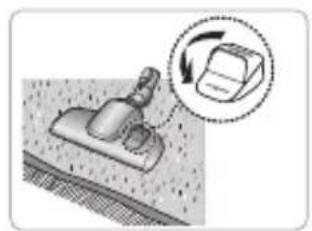
natural_image
Diagram showing a mechanical component with a magnified inset indicating rotational motion (no text or symbols)Carpet Cleaning
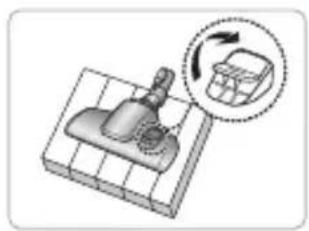
natural_image
Illustration of a mechanical component with a magnified inset showing rotational motion (no text or symbols)Floor Cleaning
- Remove waste matter completely if the inlet is blocked.
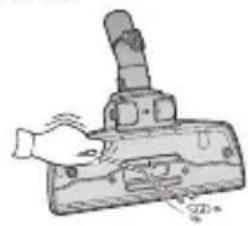
natural_image
Illustration of a hand using a handheld device to press or install a component (no text or symbols visible)Pet Brush (Option)
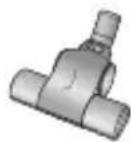
For improved pick-up of pet hair and fibre on carpets.
Frequent vacuuming of hair or pet fur may cause a falling-off of the rotation due to matters tangled around the drum. In this case, clean the drum with care.

natural_image
Sequence of five mechanical assembly diagrams showing a turning tool and a tool holder (no text or symbols)Blanket brush (Option)
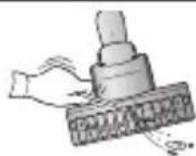
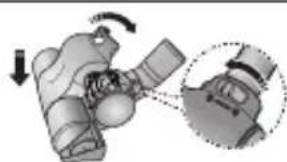
Clogs on turbine keep brush from turning, thus need to be unclogged as follows. For picking up pet hair and fibre on upholstery and bed linen.
Remove waste matter completely when inlet is blocked.
Turn the lock button to 'UNLOCK', and remove waste matter.
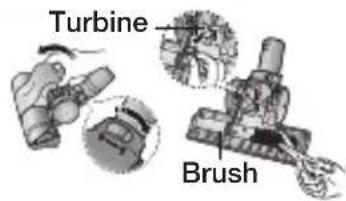
To reassemble, align the cover to the front of the main body and close. After closing the cover, ensure that the lock button is turned to the 'LOCK' position.
natural_image
Mechanical assembly diagram showing a hand holding a device with a magnified inset view (no text or symbols)
10_ maintain
Use for bedclothes only. Be cautious not to damage brush during unclogging.
maintain tools and filter
EMPTYING THE DUST BIN
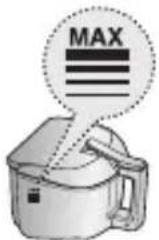
- Once dust reaches the dust full mark, or sution is noticeably reduced during cleaning, empty the dust bin.
natural_image
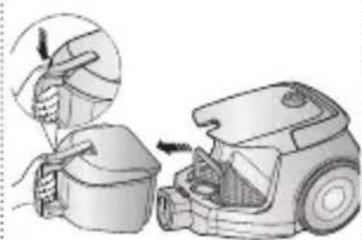
Illustration of a hand using a brush to clean or install a small container, next to an open vacuum cleaner (no text or symbols present)- Take the dust bin out by pressing the button.
natural_image
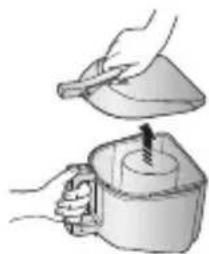
Illustration of a hand pouring liquid into a container with a tool (no text or symbols)- Separate the dust bin cover.
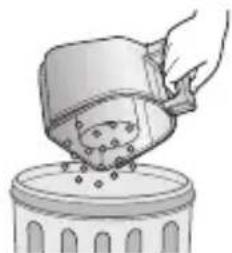
natural_image
Illustration of a hand pouring liquid into a container with granular material (no text or symbols)- Throw away dust into the bin.
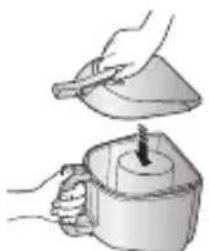
natural_image
Illustration of hands using a tool to lift a cup (no text or symbols present)- Close the dust bin cover.
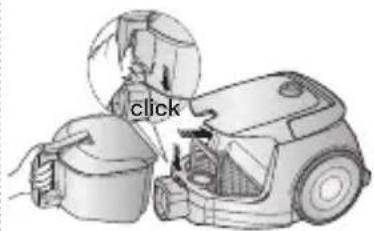
- Before use, push the dust bin into the main body of the vacuum cleaner until you hear the "click" sound.
- Empty into a plastic bag (recommended for asthma/allergy sufferers)
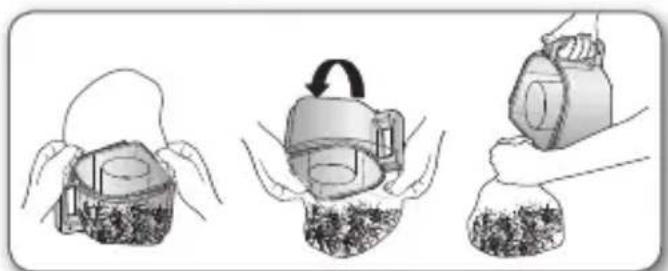
natural_image
Illustration of three steps of a mechanical device: opening a component, rotating the component, and pouring liquid into a bag (no text or symbols)
You may rinse the dust bin with cold water.
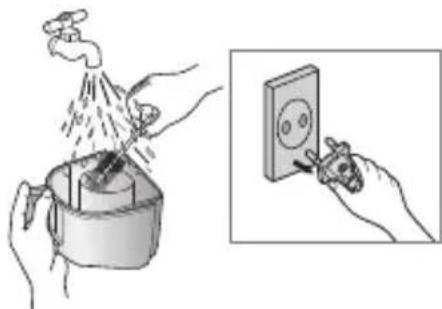
natural_image
Illustration showing hands using a water tap to clean a cup, with an inset showing the same hand using a power switch (no text or symbols present)maintain _11
WHEN TO CLEAN THE DUST PACK
- If suction is noticeably reduced during cleaning, please check the dust pack as indicated below.
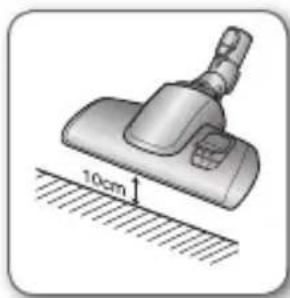
Turn the vacuum power to 'MAX'.
If suction is noticeably reduced with the inlet floating 10cm above flat floor, clean it.
natural_image
Illustration of a hairdryer with 10cm measurement annotation (no text or symbols on the diagram itself)
When suction is noticeably reduced continuously, please cleaning the Dust Pack as shown in the following illustration.
- Remove the dust bin and dust pack as shown.
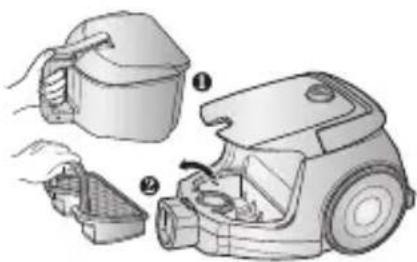
natural_image
Illustration of a vacuum cleaner's internal components, showing parts being handled and assembled (no text or symbols present)- Remove the sponge and filter from the dust pack.
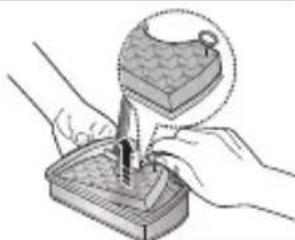
natural_image
Illustration of hands using a tool to apply material to a sample (no text or symbols present)- Wash the sponge and the filter of the dust pack with water.

natural_image
Illustration of hands using a faucet to lift water (no text or symbols)- Let the sponge and filter dry in the shade for more than 12 hours.
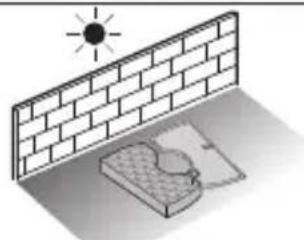
natural_image
Isometric illustration of a sun shining on a brick wall and a small water tank (no text or symbols)- Put the sponge and filter into the dust pack.
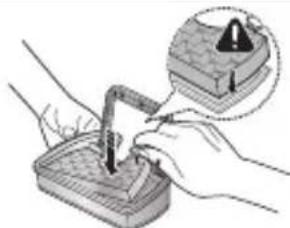
natural_image
Illustration of hands using a tool to apply a component, with an inset showing a warning icon (no text or symbols present)- Put the assembled dust pack into the main body.
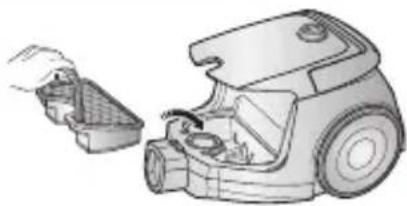
natural_image
Illustration of a hand holding a small container next to a vacuum cleaner (no text or symbols visible)
Make sure the filter is completely dry before putting it back into the vacuum cleaner. Allow 12 hours for it to dry.
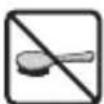
maintain tools and filter
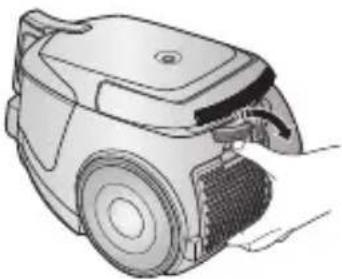
CLEANING THE OUTLET FILTER
natural_image
Illustration of a hand holding a vacuum cleaner's car, showing internal components and mounting bracket (no text or symbols)Press the fixed frame part at the back of the main body to remove.
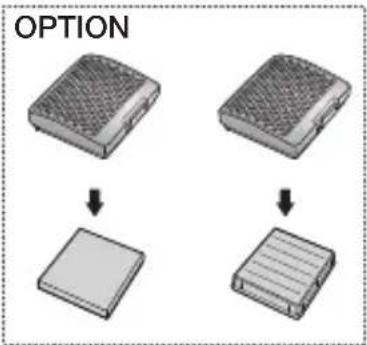
OPTION - MICRO FILTER
natural_image
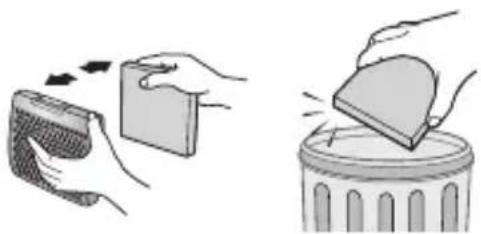
Illustration showing hands removing a device into a trash can (no text or symbols present)Remove and replace the blocked outlet filter.

Replacement filters are available at your local Samsung distributor.
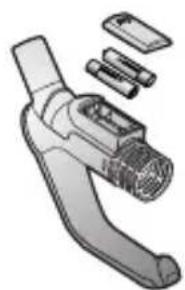
CHANGE THE BATTERY (OPTION)

-
When the vacuum cleaner dows not work, replace the batteries. If the problem persists, please contact our authorized dealer.
-
Use 2 batteries of size AA.

- Never disassemble or recharge the batteries.
- Never heat up the batteries or throw them into fire.
- Do not reverse (+), (-) poles
- Dispose of the batteries property.
natural_image
Illustration of a handheld device with exploded view showing internal components (no text or symbols)BATTERY TYPE : AA
Size

troubleshooting
| PROBLEM SOLUTION | |
| Motor dows not start. | Check cable, pulg and socket.Leave to cool. |
| Suction force is gradually decreasing. | Check for blockage and remove. |
| Cord does not rewind fully. | Pull the cord out 2-3m and push down the cord rewind button. |
| Vacuum cleaner dows not pick up dirt. | Check hose and replace if required. |
| Low or decreasing suction | Please check filter and, if required, clean as illustrated in the instructions. if filters are out of condition change them to new ones. |
| Body overheating | Please check filters, If required clean as illustrated in the instruction. |
| Static electricity discharge • Please decrease power suction. | |
This Vacuum cleaner is approved the following.
EMC Directive : 2004/108/EEC
Low Voltage Directive : 2006/95/EC
product fiche
[English]
According to Commission Regulation (EU) No 665/2013 and No 666/2013
| A Supplier Samsung Electronics., Co. Ltd | ||
| B Model VCDC08QV VCDC15QV | ||
| C Energy Efficiency Class B E | ||
| D Annual Energy Consumption (kWh/yr) 34 52 | ||
| E Carpet Cleaning Performance Class E C | ||
| F Hardfloor Cleaning Performance Class A C | ||
| G Dust Re-Emission Class B D | ||
| H Sound Power Level (dBA) 78 82 | ||
| I Rated Input Power (W) | 750 | 1300 |
| J Type | General purpose vacuum cleaner | |
1) Indicative annual energy consumption (kWh per year), based on 50 cleaning tasks. Actual annual energy consumption will depend on how the appliance is used.
2) Measurements for power consumption and performance are based on methods in EN 60312-1 and EN 60704.
memo

If you have any questions or comments relating to Samsung products, please contact the SAMSUNG customer care center.
| Country | Customer Care Center 📞 | Web Site |
| SWITZERLAND | 0800-7267864 http://www.samsung.com/ch |

![SAMSUNG VC08QVNDCRD/EG - [English] - 3](/content/2026/04/740430/images/552764a1d0e0f70c7f0dc8f4dc5aa67ab49be3d244bed920447276adace3e840.jpg)
natural_image
Illustration of a hand using a power switch to press a button labeled 'Power' (no text or symbols on the diagram itself)![SAMSUNG VC08QVNDCRD/EG - [English] - 4](/content/2026/04/740430/images/80832840cf03983fefdb133ae4885e915d91b2f560cef0170f35b533c1eb1e32.jpg)
natural_image
Hand using a power tool to switch an electrical outlet (no text or symbols visible)NETZKABEL
natural_image
Diagram of a curved mechanical component with a black arrow indicating direction (no text or symbols)natural_image
Simple line drawing of a cylindrical object with a double-headed arrow indicating compression or force (no text or symbols)natural_image
Line drawing of a soldering iron with a handle and tip, emitting steam (no text or symbols)Saugaufsätze
natural_image
Diagram of a mechanical component or tool inserted into a corner panel (no text or symbols visible)natural_image
Diagram of a curved mechanical component with two parallel lines, no text or symbols presentnatural_image
Illustration of a mechanical component with a magnified inset showing rotational motion (no text or symbols)Teppichreinigung
natural_image
Illustration of a cleaning tool on a grid base with a magnified inset showing the tool's rotation (no text or symbols)Bodenreinigung
natural_image
Illustration of a hand using a handheld device to press or install a component (no text or symbols visible)Haustierbürste (optional)
natural_image
Sequence of five mechanical assembly diagrams showing a lever mechanism with tool manipulation (no text or labels)Polsterbürste (optional)
natural_image
Mechanical assembly diagram showing a hand holding a device with a magnified inset view (no text or symbols)
10_pflegen
natural_image
Illustration of a hand using a brush to clean or install a small container, next to a vacuum cleaner (no text or symbols present)natural_image
Illustration of a hand pouring liquid into a container with a tool (no text or symbols)natural_image
Illustration of a hand pouring liquid into a container with granular contents (no text or symbols)natural_image
Illustration of hands using a tool to lift a cup (no text or symbols present)natural_image
Illustration of a vacuum cleaner with open lid and internal components, showing mechanical assembly (no text or symbols)natural_image
Illustration of three steps of a mechanical device: opening a component, lifting a weight, and pouring liquid into a bag (no text or symbols)
natural_image
Illustration showing hands using a tool to clean or install a wall-mounted electrical socket (no text or symbols present)natural_image
Illustration of a mechanical clamp or fixture with a 10cm scale indicator (no text or symbols present)
natural_image
Illustration of a vacuum cleaner's internal components, showing parts being handled and assembled (no text or symbols present)natural_image
Illustration of hands using a tool to apply material to a sample (no text or symbols present)natural_image
Illustration of hands using a faucet to lift water (no text or symbols)natural_image
Isometric illustration of a sun shining on a brick wall and a small object under shadow (no text or symbols)natural_image
Illustration of hands using a tool to apply a component, with an inset showing a warning icon (no text or symbols present)natural_image
Illustration of a hand inserting a plastic bag into a vacuum cleaner (no text or symbols present)
natural_image
Illustration of a robotic vacuum cleaner with handle and mesh cover (no text or symbols)natural_image
Illustration showing two hand gestures: one moving a small object, the other placing a lid onto a trash can (no text or symbols)natural_image
Illustration of a handheld device with exploded view showing internal components (no text or symbols)BATTERIETYP: Größe
AA

Fehlersuche

MISE SOUS/HORS TENSION
1) TYPE COMMANDE SUR L'APPAREIL
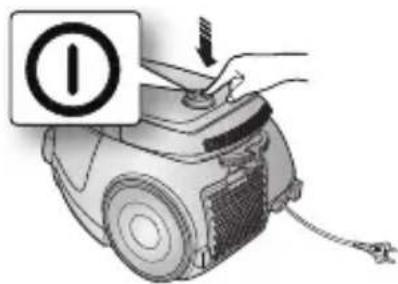
2) TYPE COMMANDE SUR LA POIGNÉE
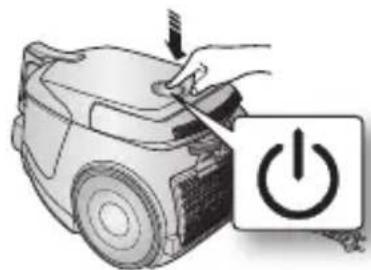
natural_image
Illustration of a hand using a power switch to press a car, with a power button symbol nearby (no text or labels)
natural_image
Hand holding a tool near an electrical outlet with a circular diagram on the wall (no text or symbols)CORDON D'ALIMENTATION
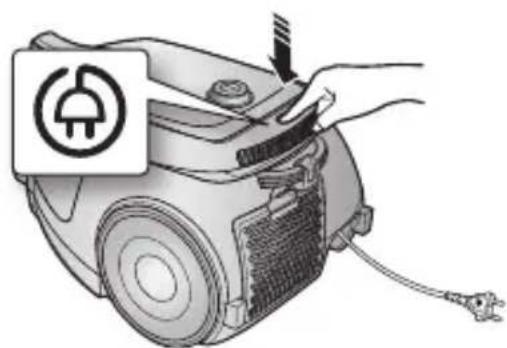
natural_image
Illustration of a hand using a power plug to adjust or install an electric vacuum cleaner's air vent (no text or symbols present)CONTRÔLE DE LA PUISSANCE
TYPE COMMANDE SUR L'APPAREIL / MARCHE/ARRÊT
• TUYAU
natural_image
Diagram of a curved mechanical component with directional arrows indicating movement (no text or symbols)• CORPS DE L'APPAREIL (TYPE COMMANDE SUR L'APPAREIL UNIQUEMENT)
(ON) MIN → MID → MAX
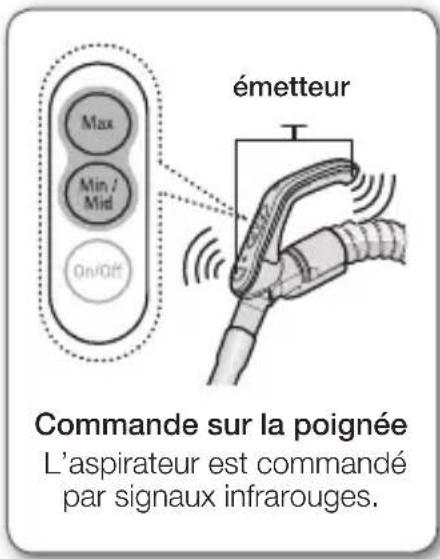
natural_image
Simple line drawing of a cylindrical object with a double-headed arrow indicating compression or force (no text or symbols)natural_image
Line drawing of a soldering iron with a handle and tip, emitting steam (no text or symbols)Accessoires
natural_image
Diagram of a mechanical component or tool inserted into a corner panel (no text or symbols visible)natural_image
Pure technical line drawing of a curved mechanical component without any text or symbolsBrosse 2 positions (en option)
natural_image
Diagram showing a mechanical component with a magnified inset indicating rotation or change (no text or symbols present)natural_image
Diagram of a mechanical component with a magnified inset showing rotation and assembly (no text or symbols)natural_image
Illustration of a hand using a handheld tool to press or install a mechanical component (no text or symbols visible)natural_image
Sequence of five mechanical assembly diagrams showing progressive assembly steps (no text or labels)natural_image
Illustration of a robotic arm with motion arrows indicating movement (no text or symbols)
natural_image
Illustration of a robotic vacuum cleaner performing maintenance with a hand inserting a fan into the air gap (no text or symbols present)natural_image
Illustration of a hand using a tool to lift a cup into a container (no text or symbols)natural_image
Illustration of a hand pouring liquid into a container with granular contents (no text or symbols)natural_image
Illustration of a hand pouring liquid into a cup (no text or symbols)natural_image
Illustration of three steps of a mechanical device with hands and a bag, showing a step-by-step assembly (no text or symbols present)
natural_image
Illustration showing hands using a showerhead to clean water and an electrical outlet with a screwdriver (no text or symbols)entretien _11
QUAND NETTOYER LE GROUPE FILTRANT
natural_image
Illustration of a vacuum cleaner with 10cm height measurement on a surface (no text or symbols)
natural_image
Illustration of a vacuum cleaner's internal components, showing parts being handled and assembled (no text or symbols present)natural_image
Illustration of hands using a tool to apply material to a sample (no text or symbols present)natural_image
Illustration of hands using a faucet to lift water (no text or symbols)natural_image
Isometric illustration of a sun shining on a brick wall and a small water tank (no text or symbols)natural_image
Illustration of hands using a tool to apply a component, with an inset showing a warning icon (no text or symbols present)natural_image
Illustration of a hand inserting a plastic bag into a vacuum cleaner (no text or symbols present)
natural_image
Illustration of a robotic vacuum cleaner with handle and mesh cover (no text or symbols)natural_image
Illustration showing hands exchanging a wallet and a lid placed on a trash can (no text or symbols)REEMPLACEMENT DES PILES (EN OPTION)

natural_image
Illustration of a handheld device with exploded view showing internal components (no text or symbols)TYPE DE PIIE : type
AA

dépannage

natural_image
Illustration of a car being cleaned with a power button (no text or symbols)
natural_image
Hand holding a power plug inserted into an electrical outlet socket (no text or symbols visible)natural_image
Illustration of a hand using a power plug to adjust or install an electric vacuum cleaner's air vent (no text or symbols present)CONTROLLO ASPIRAZIONE / ON/OFF
• TUBO
natural_image
Diagram of a curved mechanical component with a black arrow indicating direction (no text or symbols)natural_image
Simple line drawing of a cylindrical object with a double-headed arrow indicating compression or force (no text or symbols)natural_image
Line drawing of a soldering iron with a handle and tip, emitting steam (no text or symbols)Accessori
natural_image
Diagram of a mechanical component or tool inserted into a corner panel (no text or symbols visible)natural_image
Pure technical line drawing of a curved mechanical component without any text or symbolsnatural_image
Illustration of a mechanical component with a magnified inset showing rotational motion (no text or symbols)Pulizia tappeti
natural_image
Illustration of a mechanical component with a magnified inset showing rotational motion (no text or symbols)Pulizia pavimenti
natural_image
Illustration of a hand using a handheld device to press or install a component (no text or symbols visible)natural_image
Sequence of five mechanical assembly diagrams showing progressive assembly steps (no text or labels)natural_image
Mechanical assembly diagram showing a hand operating a device with a magnified inset view (no text or symbols)
natural_image
Illustration of a hand turning a small fan into a container, with no visible text or symbolsnatural_image
Illustration of a hand pouring liquid into a container with a tool (no text or symbols)natural_image
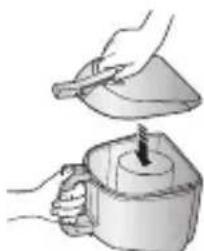
Illustration of a hand pouring liquid into a container with small objects (no text or symbols)- Eliminare la polvere accumulatasi.
natural_image
Illustration of hands using a tool to lift a cup (no text or symbols visible)natural_image
Illustration of three steps of a mechanical device: opening a component, rotating the component, and pouring into a bag (no text or symbols)
natural_image
Illustration showing hands using a water tap to clean a cup, with an inset showing the same hand using a power switch (no text or symbols present)manutenzione _11
QUANDO EFFETTUARE LA PULIZIA DELL'UNITÀ FILTRO
natural_image
Illustration of a vacuum cleaner with 10cm height measurement on a surface (no text or symbols)
natural_image
Illustration of a vacuum cleaner's internal components, showing parts being handled and assembled (no text or symbols present)natural_image
Illustration of hands using a tool to apply material to a sample (no text or symbols present)natural_image
Illustration of hands using a faucet to lift water (no text or symbols)natural_image
Isometric illustration of a sun shining on a brick wall and a small water tank (no text or symbols)natural_image
Illustration of hands using a tool to apply material to a sample holder, with an inset showing a warning symbol (no text or labels present)natural_image
Illustration of a hand inserting a plastic bag into a vacuum cleaner (no text or symbols present)