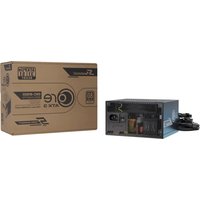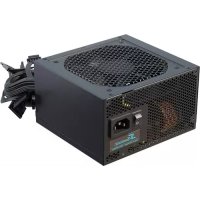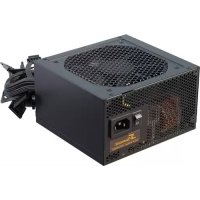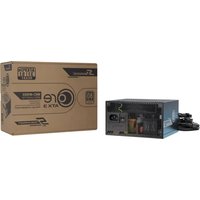
CORE BC ATX 3.1 - Power Supply SEASONIC - Free user manual and instructions
Find the device manual for free CORE BC ATX 3.1 SEASONIC in PDF.


User questions about CORE BC ATX 3.1 SEASONIC
0 question about this device. Answer the ones you know or ask your own.
Ask a new question about this device
Download the instructions for your Power Supply in PDF format for free! Find your manual CORE BC ATX 3.1 - SEASONIC and take your electronic device back in hand. On this page are published all the documents necessary for the use of your device. CORE BC ATX 3.1 by SEASONIC.
USER MANUAL CORE BC ATX 3.1 SEASONIC
POWER SUPPLY INSTALLATION GUIDE
WARNING! IMPORTANT SAFETY INFORMATION
- NEVER, under any circumstances, open the power supply unit. High voltage inside. WARRANTY IS VOID once the cover is removed.
- DO NOT insert any object into the fan grill or the ventilation area of the power supply unit.
- DO NOT place any object in front of the fan or the ventilation area of the power supply unit that may obstruct or restrict airflow.
- USE ONLY the Seasonic AC power cord and modular cables provided with the power supply unit.
- MAKE SURE the AC source, such as a wall outlet or an extension cord, is properly grounded for safe operations. Not properly grounded power supply can lead to potential operational hazards.
- Keep the power supply unit in a dry environment, away from humidity.
- The power supply unit is for integration into a computer system and not intended for external or outdoor usage.
Warning!
This device complies with Part 15 of the FCC Rules. Operation is subject to the following two conditions:
(1) this device may not cause harmful interference, and (2) this device must accept any interfer ence received, including interference that may cause undesired operation.
• Product: Switching Power Supply
- Model name: Please refer to the rating label on the product.
- Contact: www.seasonic.com/contact-us
1. Remove your old PSU (power supply unit)
natural_image
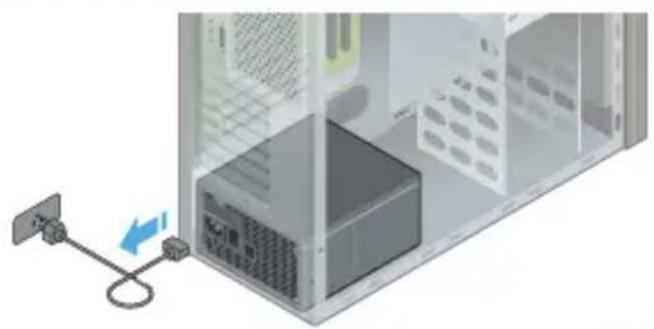
Illustration of a server rack with an attached cable and indicator lights, showing no text or symbols.1.1. Disconnect your AC power cord from the wall socket and the back of the power supply.
natural_image
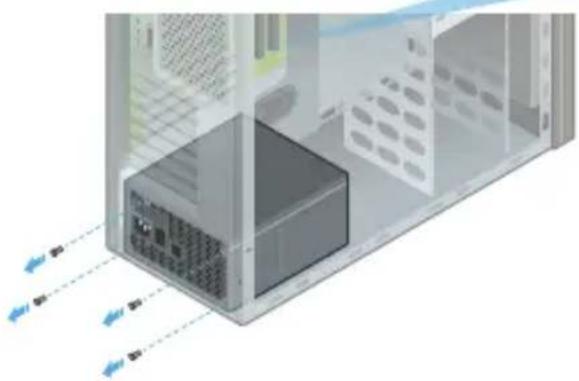
3D diagram of a server rack with internal components and directional arrows indicating data flow (no text or symbols)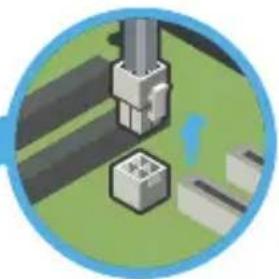
natural_image
Illustration of a robotic arm interacting with a mechanical component (no text or symbols visible)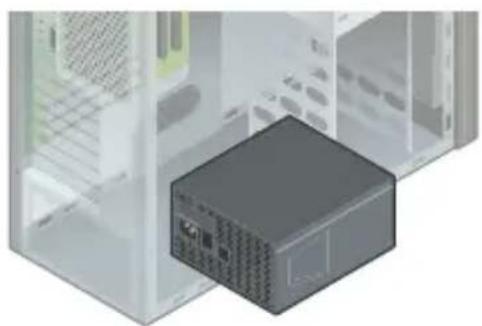
natural_image
3D illustration of a server rack unit with a highlighted internal component (no text or symbols visible)1.2. Disconnect all DC cable connectors.
1.3. Remove all 4 mounting screws.
1.4. Remove your old PSU.
natural_image
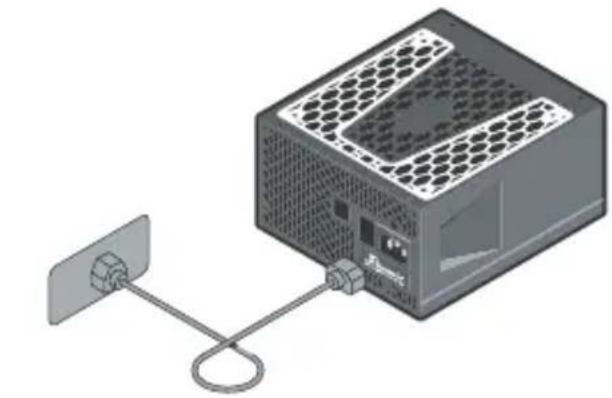
Illustration of a computer power adapter connected to a wall-mounted cable (no text or symbols visible)2.1. Plug the AC power cord into the PSU. Make sure that the AC power is coming directly from the wall outlet.
It is recommended to use a high quality surge protector to protect the PSU and the system.
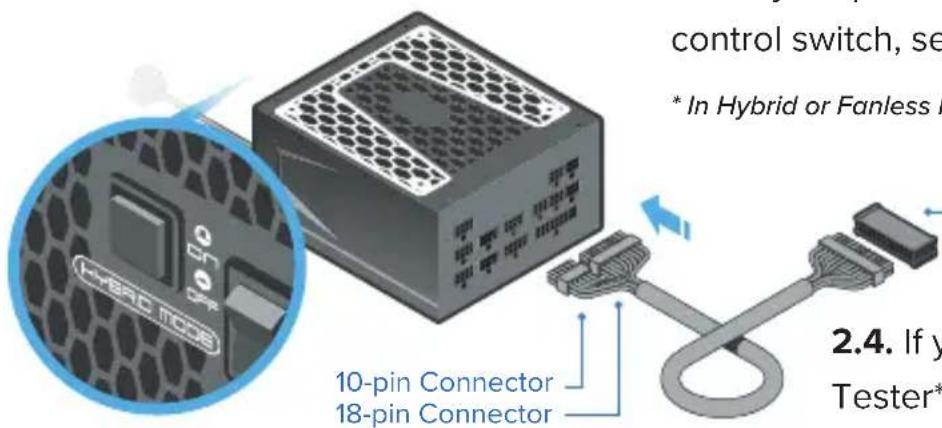
2.2. Connect both the 18-pin and 10-pin connectors of the motherboard cable to the PSU.
2.3. If your power supply features a fan control switch, set it to "Normal" Mode*.
* In Hybrid or Fanless Mode (S ^3 FC) the fan will not turn.
text_image
control switch, se * In Hybrid or Fanless I 10-pin Connector 18-pin Connector 2.4. If y Tester*Power Supply Tester
2.4. If you have a Power Supply Tester**, attach it to the 24-pin motherboard connector. There is a notch on the Tester that helps to make a perfect fit with the 24-pin connector.
** If you do not have a power supply tester, refer to the paper clip method described below.
text_image
Diagram showing a computer tower connected to an Ethernet cable, with a magnified inset highlighting the internal structure of the tower.2.5. (Optional) For testing a Fanless PSU or a PSU without the fan control switch, attach an external fan or LED light using a Molex cable to the PSU.
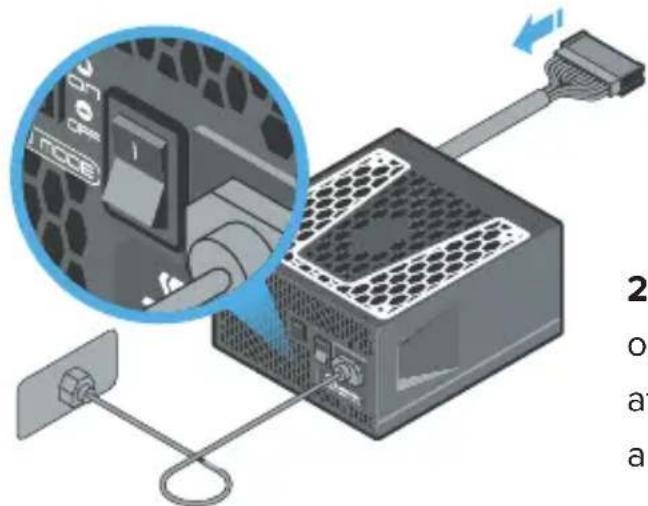
2.6. Turn on the power supply by setting the I/O switch to the "I" (ON) position.
If the power supply fan starts spinning (or the externally attached LED light turns on), then your PSU is working.
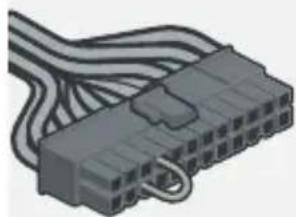
Paper clip method
natural_image
3D illustration of a black plastic connector with multiple wires (no text or symbols visible)Use a paper clip or a piece of wire to create a short circuit on the 24-pin motherboard connector by connecting the pins shown on the illustration.
3.1. Bottom of the case
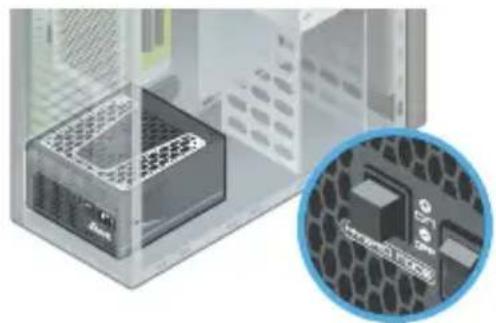
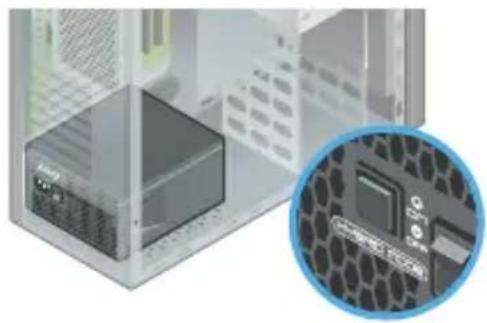
The fan control setting determines the optimal PSU placement.
natural_image
Exterior view of a transparent enclosure containing a small grid-patterned device, with an inset close-up showing a microchip (no text or symbols visible)In "Hybrid" mode
Seasonic recommends to install your PSU with ventilation top cover facing UPWARD, towards the direction of the motherboard. This will ensure natural heat dissipation.
Fanless PSU
The PSU must be mounted into the computer case with the ventilation top cover facing UPWARD.
natural_image
Illustration of a server rack with an inset close-up showing internal components (no text or symbols)In "Normal" mode
Although the direction of mounting is optional, it is not recommended to install the PSU with the ventilation top cover facing downward if there are no ventilation holes on the bottom of the case. There should always be enough clearance left between the PSU and the bottom case panel.
To learn about the ventilation of your computer case, please refer to the case manufacturer's instruction manual.
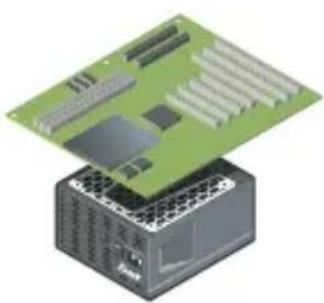
3.2. Flat Desktop-, SFX- or ITX systems
natural_image
Illustration of a green circuit board placed on a power supply unit (no text or symbols visible)In general, it is recommended to mount the PSU with the ventilation top cover facing the motherboard. Due to the different varieties of case layouts, however, please also consult the case manufacturer's instruction manual for more information.
3.3. Top of the case
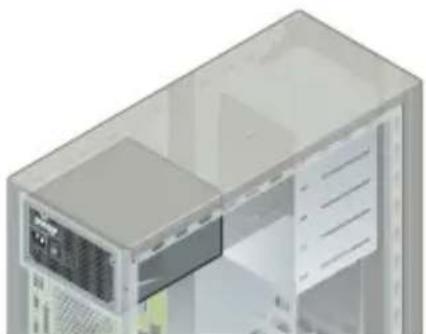
natural_image
3D rendering of a computer tower case with visible internal components (no text or symbols)Seasonic recommends the PSU to be mounted with its ventilation top cover facing DOWNWARD.
3.3. Top of the case
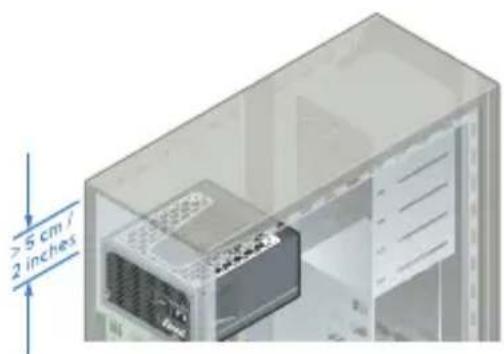
natural_image
3D diagram of a computer chassis showing internal components and dimensions (no text or symbols)Mount the power supply with the ventilation top cover facing UPWARD only if there is enough space (at least 5 cm / 2 inches) available between the PSU ventilation top cover and the metal plate of the case, and only if the case has a ventilation panel on top.
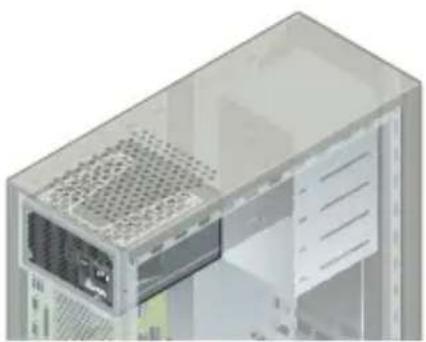
natural_image
3D rendering of a computer tower internal structure showing ventilation slots and drive bays (no text or symbols visible)4. Install your Seasonic PSU
4.1. Secure all 4 mounting screws.
4.2. Make sure the PSU power switch is in the "O" (OFF) position.
4.3. Select the fan control type if your PSU has this option.
Note: First power OFF the PSU before changing the fan control to take effect.

natural_image
Illustration of a server rack with internal components and a magnified inset showing a close-up of the internal structure (no text or symbols)Hybrid Mode
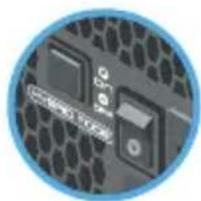
natural_image
Close-up of a computer motherboard with hexagonal pattern and control buttons (no readable text or symbols)Normal Mode
natural_image
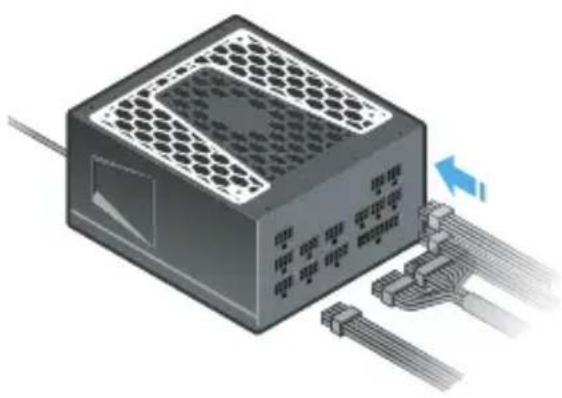
3D illustration of a power connector with cooling fins and connected cables (no text or symbols)4.4. Connect all the necessary system DC cables (Motherboard, CPU, VGA, HDD, Optical Drivers, etc). The connectors should click to lock in.
ATTENTION! Use only cables provided by Seasonic! Should you require additional cables, please contact Seasonic.
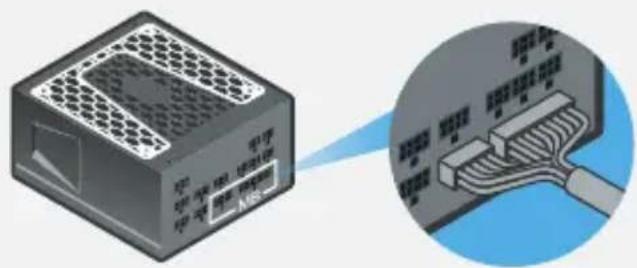
Motherboard Cable
Please make sure both connectors on the power supply side are properly connected.
CPU and PCIe Cables (8-pin connectors)

natural_image
Icon of a stack of 3D blocks labeled 'PSU' on a blue circular background (no additional text or symbols)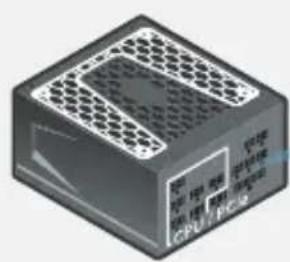
natural_image
3D rendering of a rectangular electronic device with ventilation grille and labeled ports (no readable text or symbols beyond branding)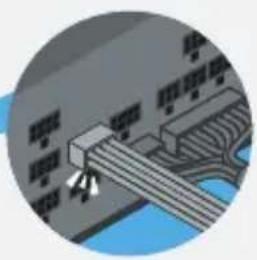
natural_image
Circular diagram showing a mechanical or electronic component with no visible text, numbers, or symbols.Peripheral Cables (6-pin connectors)

natural_image
Illustration of a USB drive with 'PSU' label, no other text or symbols present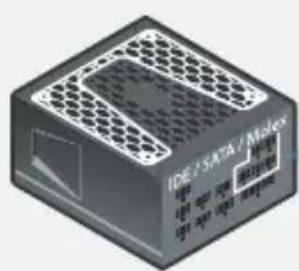
natural_image
3D rendering of a black rectangular electronic device with hexagonal top and side panels (no visible text or symbols)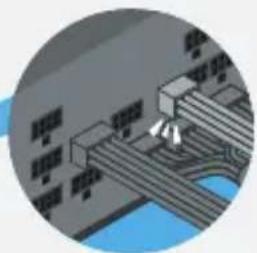
natural_image
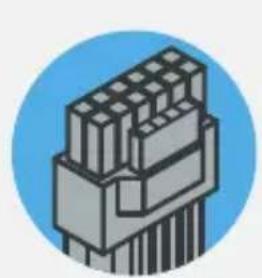
Circular cropped image showing a road intersection with vehicles and water, no visible text or symbolsATX 3 Compatible 12V-2x6 Cable (16-pin connector)
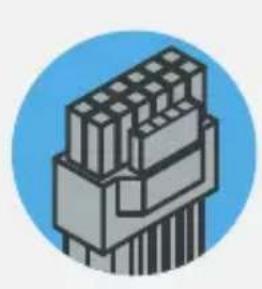
natural_image
Illustration of a 3-pin connector with no visible text or symbols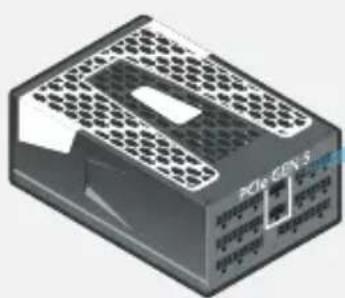
natural_image
3D rendering of a rectangular electronic device with hexagonal top panel and internal ports (no visible text or symbols)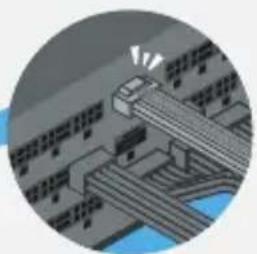
natural_image
Illustration of a train on tracks with motion lines indicating speed (no text or symbols)High powered graphics cards are usually outfitted with two or three PCIe power connector slots. Seasonic prefers the use of two or three separate PCIe cables to connect these cards to your power supply.
Recommendations
Two PCIe power connector slots
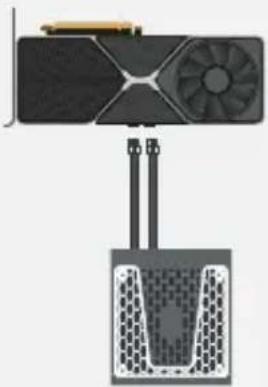
natural_image
Diagram of a device with a fan and cooling tower, no text or symbols presentThree PCIe power connector slots
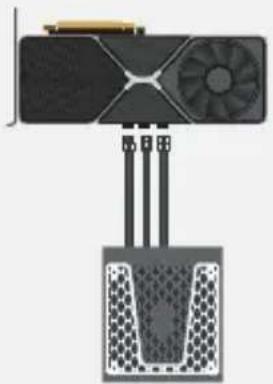
natural_image
Diagram of a device with fan and three connected components, no visible text or symbolsATTENTION! The intended use of the PSU is to power PC systems. For mining usage, please contact Seasonic for special cables.
natural_image
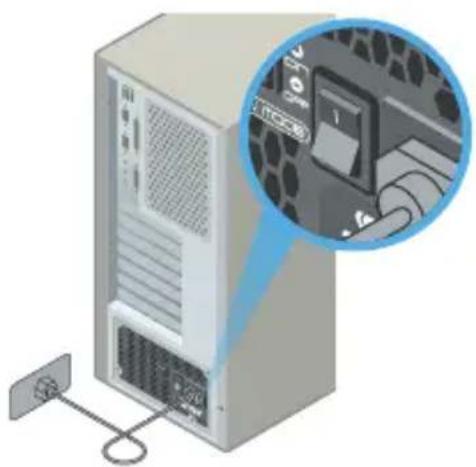
Isometric illustration of a server tower connected to a wall-mounted cable, with an inset showing a close-up of a device (no text or symbols visible)4.5. Connect the AC power cord to the PSU. Plug the AC power cord into the wall socket.
4.6. Click the AC ON/OFF switch to the "I" (ON) position.
User Manual

seasonic.com/user-manual
Product Registration

seasonic.com/
product-registration

Headquarters
Sea Sonic Electronics Co., Ltd.

American Office
Seasonic Electronics, Inc.
16025 Arrow Hwy Suite A/B,
Irwindale, CA, 91706, USA
Sea Sonic Europe B.V.
Rietveld 7, NL - 5258 ED
Berlicum, The Netherlands
European Office

Seasonic seasonal seasonal

Xseasonic

Tech Support Online Chat on SEASONIC.COM
FR
natural_image
Illustration of a server rack with an attached cable and indicator lights, showing no text or symbols.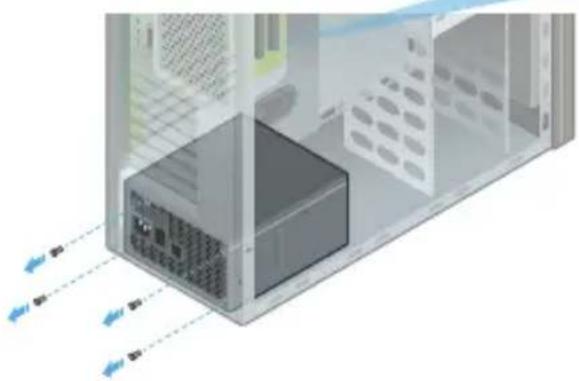
natural_image
3D diagram of a server rack with internal components and directional arrows indicating data flow (no text or symbols)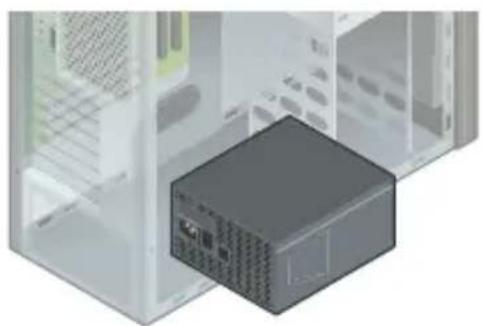
natural_image
3D illustration of a computer tower unit with an attached black drive case (no text or symbols visible)natural_image
Illustration of a robotic arm connecting a mechanical component to a green lab or factory (no text or symbols visible)natural_image
Illustration of a computer power adapter connected to a wall-mounted cable (no text or symbols visible)natural_image
3D illustration of a black plastic connector with multiple gray wires (no text or symbols)natural_image
Illustration of a server rack unit inside a transparent enclosure, with an inset close-up showing its hexagonal grid structure (no text or symbols visible)Im "Hybrid"-Modus
natural_image
Illustration of a server rack with an inset close-up showing internal components (no text or symbols visible)Im "Normal"-Modus
natural_image
Illustration of a green circuit board mounted on a power supply unit (no text or symbols visible)natural_image
3D rendering of a computer tower case with visible internal components (no text or symbols)natural_image
3D rendering of a computer tower case with an internal power connector and a 2-inch height dimension annotation (no text or symbols on the diagram itself)natural_image
3D cutaway view of a desktop computer tower showing internal ventilation and drive casing (no text or labels)natural_image
Illustration of a server rack with heat exchangers and a close-up view of the internal components (no text or symbols)natural_image
Close-up of a circuit board with hexagonal pattern and control buttons (no readable text or symbols)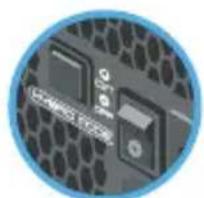
natural_image
Close-up of a computer motherboard with hexagonal pattern and circuit board (no visible text or symbols)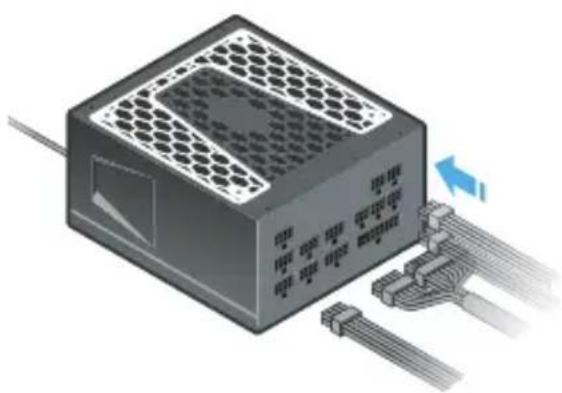
natural_image
3D illustration of a computer drive with hexagonal top panel and connected cables (no text or symbols)natural_image
Icon of a stack of 3D blocks labeled 'PSU' on a blue circular background (no additional text or symbols)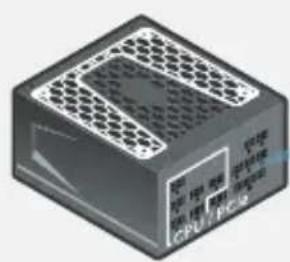
natural_image
3D rendering of a rectangular electronic device with ventilation grille and labeled ports (no readable text or symbols beyond branding)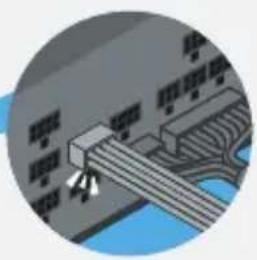
natural_image
Circular diagram showing a mechanical or electronic component with no visible text, numbers, or symbols.Peripheriekabel (6-polige Stecker)

natural_image
Illustration of a USB drive with 'PSU' label, no other text or symbols present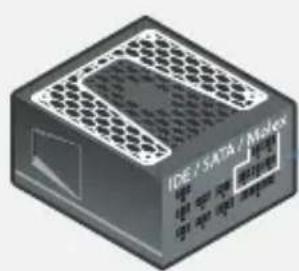
natural_image
3D rendering of a black rectangular electronic device with hexagonal top and side panels (no visible text or symbols)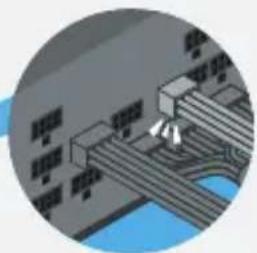
natural_image
Circular cropped image showing a road intersection with vehicles and water (no visible text or symbols)ATX 3 kompatibles 12V-2x6 Kabel (16-poliger Stecker)
natural_image
Illustration of a mechanical component with stacked cylindrical parts, enclosed in a blue circular frame (no text or symbols)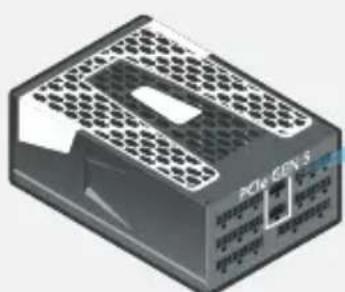
natural_image
3D rendering of a black rectangular electronic device with hexagonal top panel and internal ports (no visible text or symbols)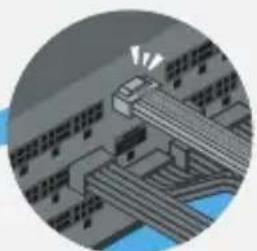
natural_image
Circular illustration of a bridge over water with traffic lights (no text or symbols)natural_image
Diagram of a device with fan and cooling unit (no text or symbols)natural_image
Diagram of a device with a fan and three connected ports, no visible text or symbolsnatural_image
Illustration of a server tower connected to a power outlet, with an inset showing a close-up of the device (no text or symbols visible)
seasonic.com/user-manual

seasonic.com/
product-registration

Headquarters
Sea Sonic Electronics Co., Ltd.

American Office
Seasonic Electronics, Inc.
16025 Arrow Hwy Suite A/B,
Irwindale, CA, 91706, USA
European Office
Sea Sonic Europe B.V.
Rietveld 7, NL - 5258 ED
Berlicum, The Netherlands

Seasonic seasonal seasonal

Xseasonic

Tech Support Online Chat on SEASONIC.COM
Erinnerung
natural_image
Illustration of a server rack with an attached cable and indicator lights, showing internal components without any text or symbols.natural_image
3D diagram of a computer tower internal structure with ventilation ducts and ports, no text or symbols present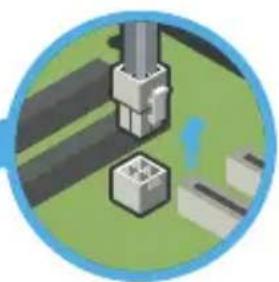
natural_image
Illustration of a robotic arm connecting a small mechanical component to a green surface (no text or symbols)natural_image
3D illustration of a computer tower unit with an internal drive module (no text or symbols visible)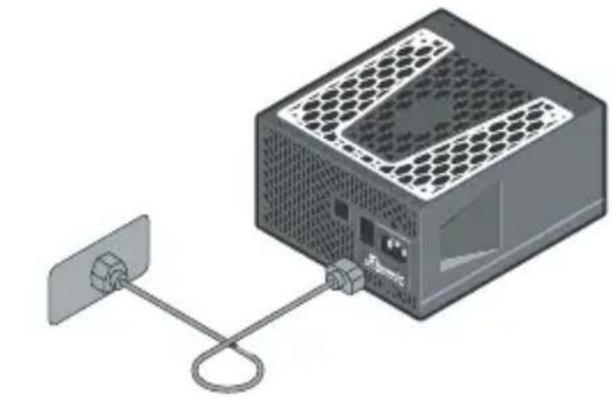
natural_image
Illustration of a computer power adapter connected to a wall-mounted cable (no text or symbols visible)natural_image
3D illustration of a gray connector with multiple wires (no text or symbols)natural_image
Illustration of a server rack unit inside a transparent enclosure, with an inset close-up showing its hexagonal grid structure (no text or symbols visible)En mode "Hybride"
natural_image
Illustration of a server rack with an inset close-up showing internal components (no text or symbols visible)En mode "Normal"
natural_image
Illustration of a green circuit board mounted on a power supply unit (no text or symbols visible)natural_image
3D rendering of a computer tower case with visible internal components (no text or symbols)natural_image
3D rendering of a computer tower case with an internal power connector and a 2-inch height dimension annotation (no text or symbols on the diagram itself)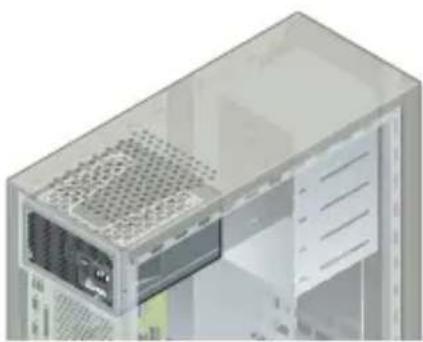
natural_image
3D cutaway view of a computer tower showing internal components like ventilation grilles and drive bays (no text or labels)natural_image
Illustration of a server rack with heat exchangers and a magnified inset showing internal components (no text or symbols)natural_image
Close-up of a computer motherboard with hexagonal pattern and a CD-ROM drive (no readable text or symbols)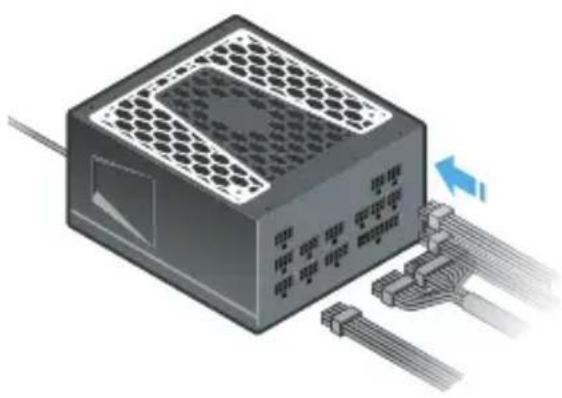
natural_image
3D illustration of a power connector with cooling fins and connected cables (no text or symbols)natural_image
Icon of a stack of 3D blocks labeled 'PSU' on a blue circular background (no additional text or symbols)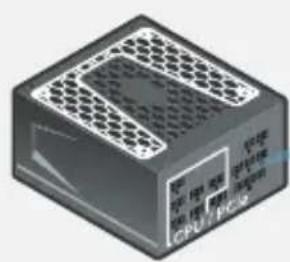
natural_image
3D rendering of a computer processor unit with ventilation grilles and CPU/PCI branding (no readable text or symbols beyond branding)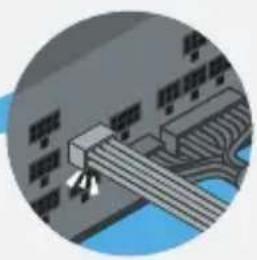
natural_image
Circular diagram showing a mechanical or architectural component with no visible text or symbolsnatural_image
Illustration of a stack of 3D blocks labeled 'PSU' on a blue circular background (no additional text or symbols)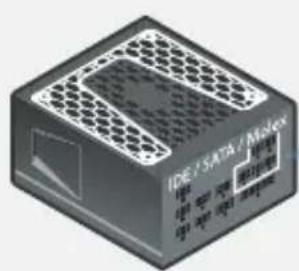
natural_image
3D rendering of a black rectangular electronic device with hexagonal top and side panels (no visible text or symbols)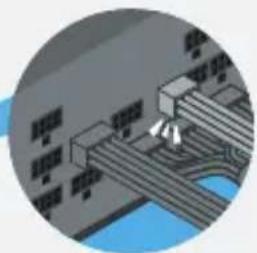
natural_image
Circular diagram showing a road intersection with buildings and waterways (no text or symbols)natural_image
Illustration of a multi-pin connector with no visible text or symbols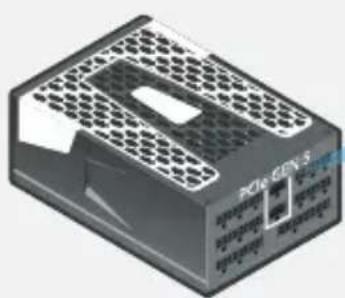
natural_image
3D rendering of a black rectangular electronic device with hexagonal top panel and internal ports (no visible text or symbols)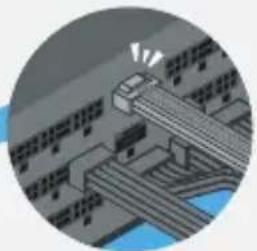
natural_image
Illustration of a train on a bridge with motion lines indicating speed (no text or symbols)natural_image
Diagram of a device with a fan and two connected cables, no visible text or symbols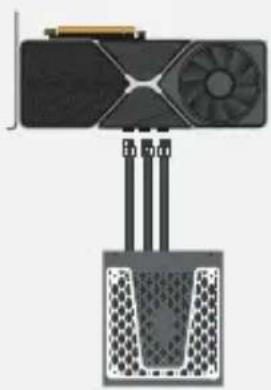
natural_image
Diagram of a device with a fan and three connected ports, no visible text or symbolsnatural_image
Illustration of a desktop computer tower with an inset close-up showing internal components (no text or symbols)
seasonic.com/user-manual

seasonic.com/
product-registration

Headquarters
Sea Sonic Electronics Co., Ltd.

American Office
Seasonic Electronics, Inc.
16025 Arrow Hwy Suite A/B,
Irwindale, CA, 91706, USA
European Office
Sea Sonic Europe B.V.
Rietveld 7, NL - 5258 ED
Berlicum, The Netherlands

Seasonic seasonal seasonal

Xseasonic

Tech Support Online Chat on SEASONIC.COM