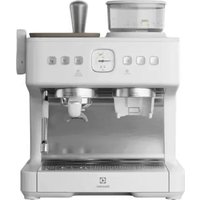
E8EC1-8SW - Coffee machine ELECTROLUX - Free user manual and instructions
Find the device manual for free E8EC1-8SW ELECTROLUX in PDF.


| Product type | Automatic espresso machine with built-in grinder |
| Brand | Electrolux |
| Model | E8EC1-8SW |
| Power supply | 220-240 V, 50 Hz |
| Standby power consumption | 0.3 W |
| Water tank capacity | 3 liters |
| Extraction pressure | Pressure gauge graduated from 0 to 12 bar (ideal extraction between 6 and 12 bar) |
| Grind adjustment | 30 levels (0 to 30) |
| Temperature adjustment | 90, 92, 94, 96 °C |
| Cup volume adjustment | 1 cup: 20-125 ml, 2 cups: 20-200 ml |
| Coffee grinder | Anti-static conical burrs |
| Portafilter | PRO 58 mm, metal |
| Functions | Espresso (1 or 2 cups), cappuccino, latte, milk frother, hot water, steam |
| Automatic shut-off | After 15 minutes of inactivity |
| Included accessories | Portafilter, 2 filter baskets (1 and 2 cups), 360 ml milk jug, tamper, cleaning brush, cleaning needle, accessory tray |
| Maintenance | Descaling recommended every 4 to 6 months depending on water hardness; filter basket and milk jug dishwasher safe |
| Safety | Automatic shut-off, burn protection (hot steam, hot surfaces) |
| Repairability | Spare parts available from Electrolux after-sales service. Have model number, PNC, and serial number ready |
Frequently Asked Questions - E8EC1-8SW ELECTROLUX
User questions about E8EC1-8SW ELECTROLUX
0 question about this device. Answer the ones you know or ask your own.
Ask a new question about this device
Download the instructions for your Coffee machine in PDF format for free! Find your manual E8EC1-8SW - ELECTROLUX and take your electronic device back in hand. On this page are published all the documents necessary for the use of your device. E8EC1-8SW by ELECTROLUX.
USER MANUAL E8EC1-8SW ELECTROLUX
Instruction Book 2-31
SWEDISH THINKING, BETTER LIVING
With our Swedish heritage and care for homelife, we are passionate about creating effortless, sustainable homelife experiences that matter for you and our common future.
We want to make it more inspiring and effortless to eat healthily and sustainably and have set an ambitious goal for ourselves. Read more about our 2030 goals here:

Visit our website to:

Get usage advice, brochures, trouble shooter, service information: www.electrolux.com

Register your product for better service: www.electrolux.com/productregistration

Buy accessories and consumables for your appliance: www.electrolux.com/shop
CUSTOMER CARE AND SERVICE
When contacting Service, ensure that you have the following data available:
- Model number
- PNC number
- Serial number
The information can be found on the rating plate.
Contents
Safety instructions ....4
Introduction......6
Product overview....6
Placement and function overview....7
Control panel overview....8
Pressure gauge and espresso extraction....9
Preparations before first use 10
To prepare and install all parts ....10
To switch on the product 12
Daily operation....13
To make an espresso coffee....13
To froth milk....16
To make latte or cappuccino....17
Coffee styles....18
Pre-ground coffee....18
Settings and adjustments 19
To adjust the coffee grind 19
To customize the amount of coffee grounds......19
To customize the espresso cup volumes....19
To customize the coffee extraction temperature....19
To restore to factory settings....20
Cleaning and care - Espresso machine...21
Every time before use....21
Every time after use....21
Weekly....21
Every 2-3 months....22
When needed....23
Cleaning and care - Coffee grinder ...... 24
Weekly or at least once every two weeks....24
Every 1-2 months....24
Every 2-3 months....25
Descaling....26
Descaling reminder 26
To do a descaling procedure....26
To prepare a descaling solution....27
Troubleshooting 29
Storage 31
Environment Concerns......31
Accessories 31
Safety instructions
Read the following instructions carefully before using the appliance for the first time.
- This appliance can be used by children aged from 8 years and above and persons with reduced physical, sensory or mental capabilities or lack of experience and knowledge if they have been given supervision or instruction concerning use of the appliance in a safe way and understand the hazards involved.
• Children must not play with the appliance. - Cleaning and user maintenance must not be done by children unless they are aged from 8 years and above and supervised.
- Keep the appliance and its supply cord out of reach of children aged less than 8 years.
- The appliance must only be connected to a power supply whose voltage and frequency comply with the specifications on the rating plate.
- Never use or pick up the appliance if
- the supply cord is damaged,
- the housing is damaged
- The appliance must only be connected to an earthed socket. If necessary, an extension cable suitable for 10 A can be used.
- If the appliance or the supply cord is damaged, it must be replaced by the manufacturer, its service agent or similarly qualified person, in order to avoid hazard.
• Always place the appliance on a flat, level surface. - Always disconnect the appliance from the power supply if it is left unattended and before assembling, disassembling or cleaning.
- The temperature for operating or storing the appliance must be higher than 0 °C.
- Do not operate the appliance at an environment with high temperature, strong magnetic field and moist air.
- The appliance and accessories become hot during operation. Use only designated handles and knobs. Allow to cool down before cleaning or storage.
- The supply cord must not come into contact with any hot parts of the appliance.
- Do not remove the water tank during the brewing process. If you want to add more water, press the ON/OFF button to switch off the appliance. All lights go off which means that the appliance is powered off.
- Do not remove the portafilter during the brewing process or when there is steam or hot water escaping from the portafilter as the appliance is pressurized. DANGER! There is a risk of scalding.
• Warning: Avoid steam burn. -
When the steam function is used, hot water can drip from the brewing head. DANGER! The water is hot, there is a risk of scalding.
-
When you turn the steam & hot water dial, a shot of hot water comes out. Be careful and open the steam valve slowly. DANGER! The water is hot, there is a risk of scalding.
- Do not immerse the appliance in water or any other liquid.
- Do not exceed the maximum filling volume as indicated on the appliance.
- Fill the water tank only with cold fresh water, never with milk or other liquids.
- Do not use the appliance if the water tank is empty.
- Do not use the appliance without the drip tray or drip grid, unless a higher cup or mug is in use.
- Do not use or place the appliance on a hot surface or near a source of heat.
• WARNING: Avoid spillage on the connector. - This appliance is intended for domestic use only. The manufacturer cannot accept any liability for possible damage caused by improper or incorrect use.
• WARNING: Potential injury can be caused from misuse. - WARNING: Do not place the appliance in a cabinet when in use.
- This appliance is not intended to be operated by means of an external timer or separate remote control system.
- This appliance is intended to be used in household and similar applications such as:
- staff kitchen areas in shops, offices and other working environments;
- farm houses;
- by clients in hotels, motels and other residential type environments;
- bed and breakfast type environments.
• Power consumption in off mode: 0.3W - Maximum time needed for the equipment to reach automatically the applicable low power mode: 20Min
Introduction
Product overview
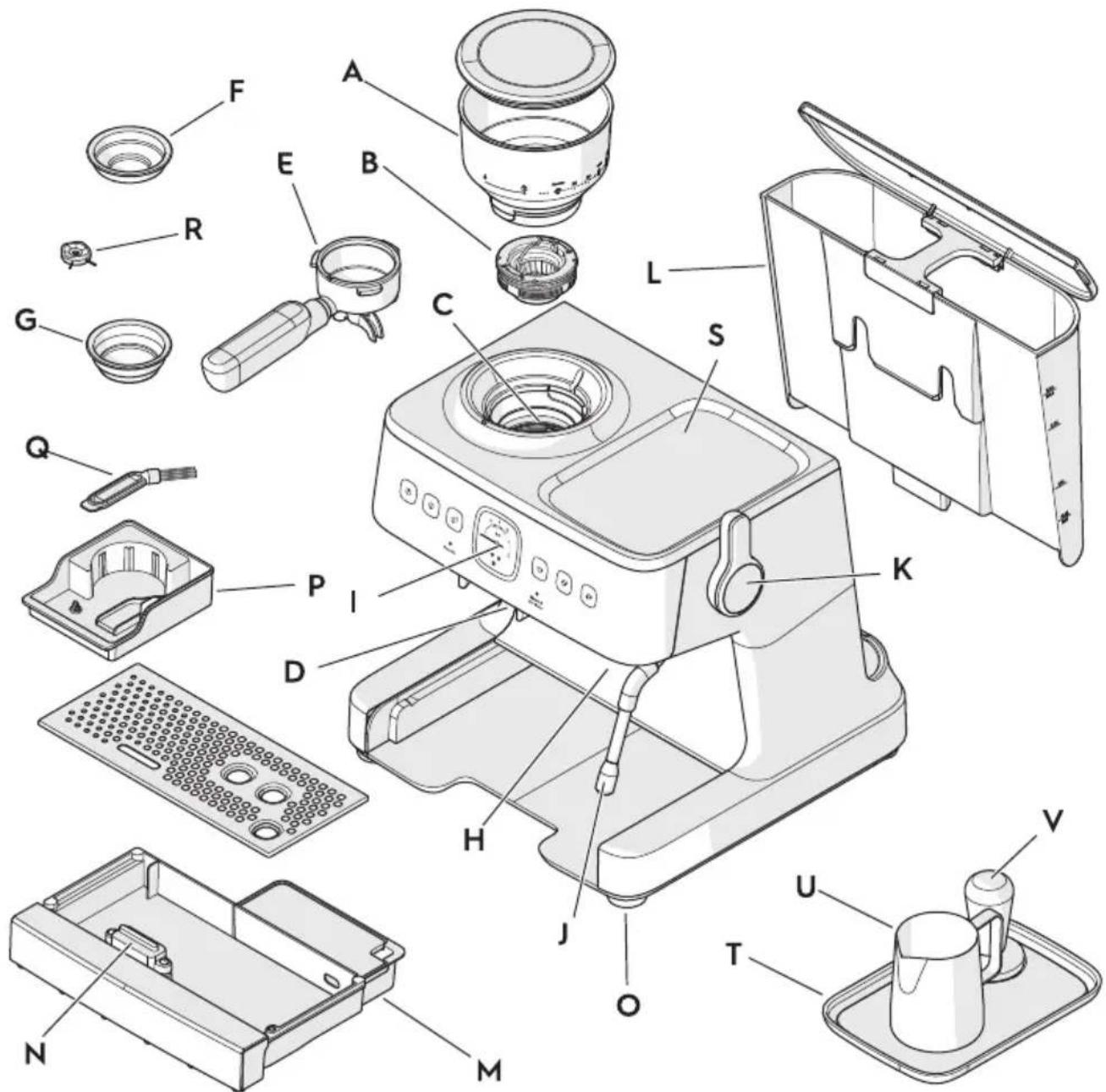
A. Removable bean hopper
B. Removable top burr
C. Static-free coffee grinder
D. 58 mm PRO grinding cradle
E. 58 mm PRO portafilter
F. 58 mm PRO one cup filter basket
G. 58 mm PRO two cup filter basket
H. 58 mm PRO brewing head
I. Pressure gauge
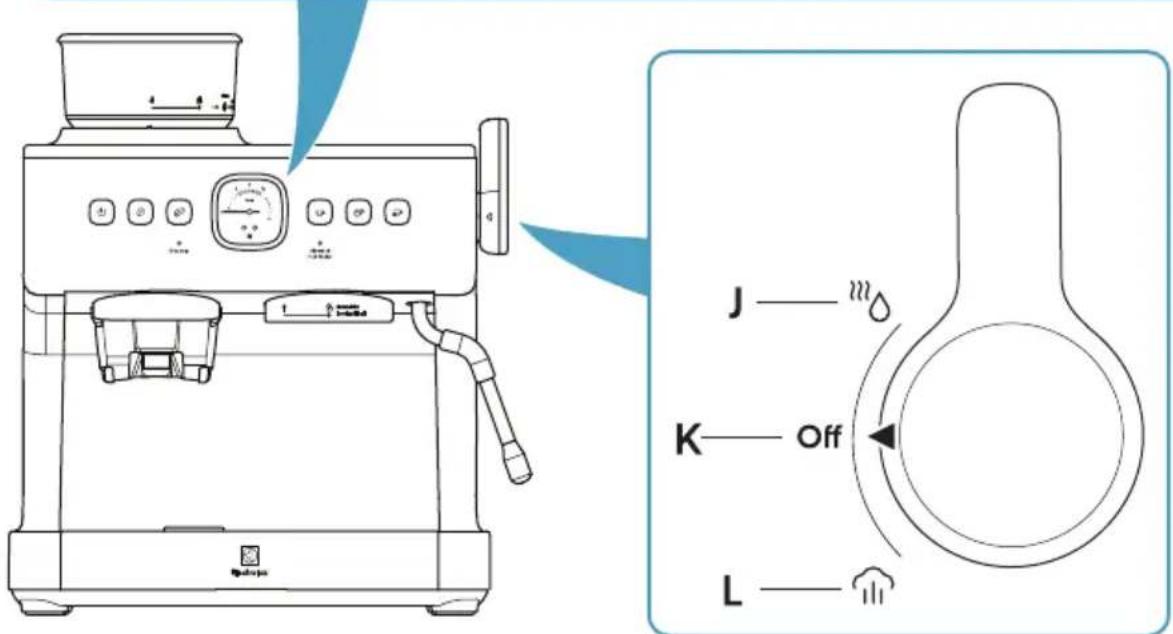
J. Steam & hot water wand
K. Steam & hot water dial
L. Removable water tank
M. Removable drip tray with grid
N. Drip tray float/water level indicator
O. Non-slip feet
P. Tool kit
Q. Cleaning brush
R. Cleaning pin
S. Cup warmer
T. Accessory tray
U. 360 ml milk jug
V. 58 mm PRO tamper
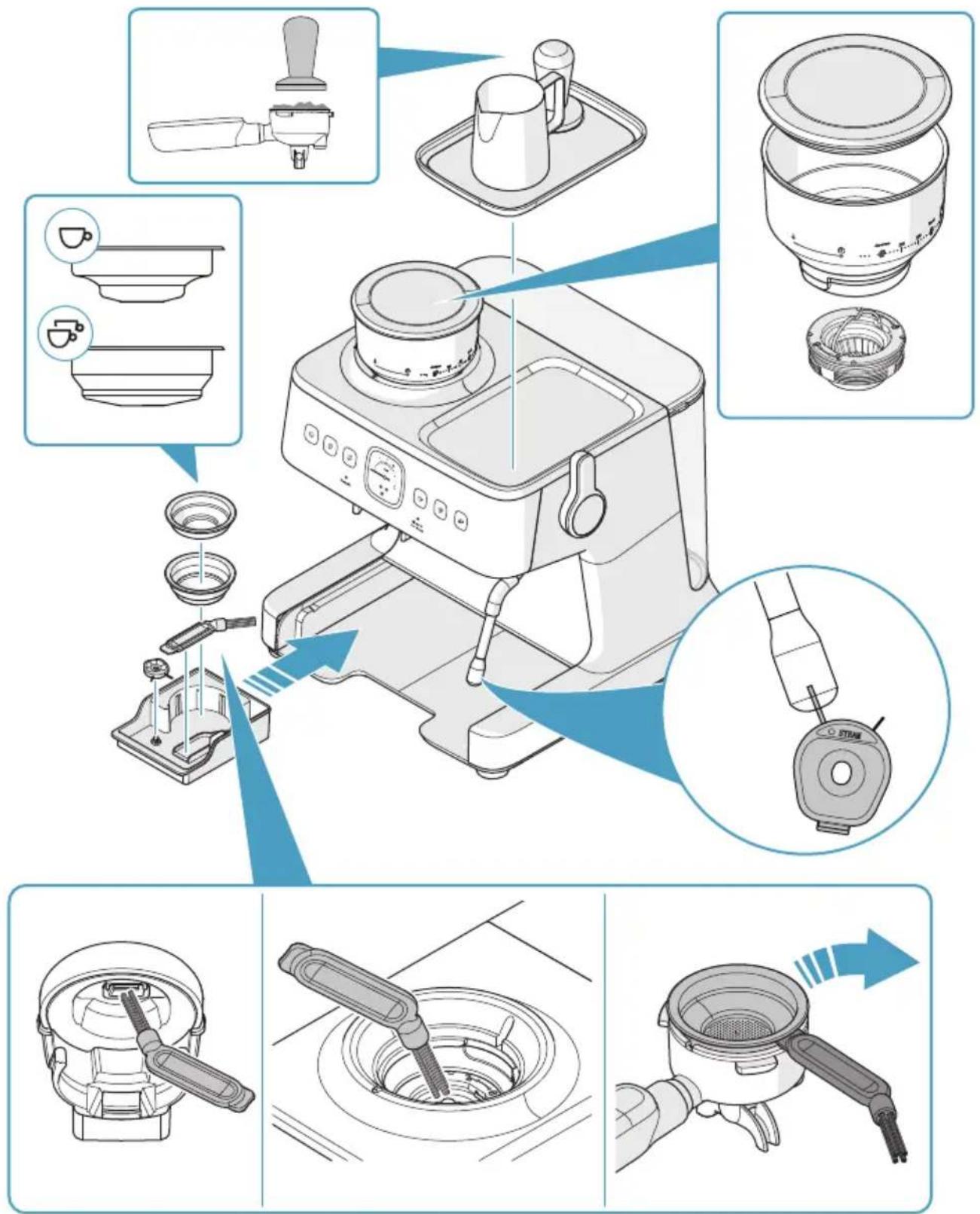
Placement and function overview
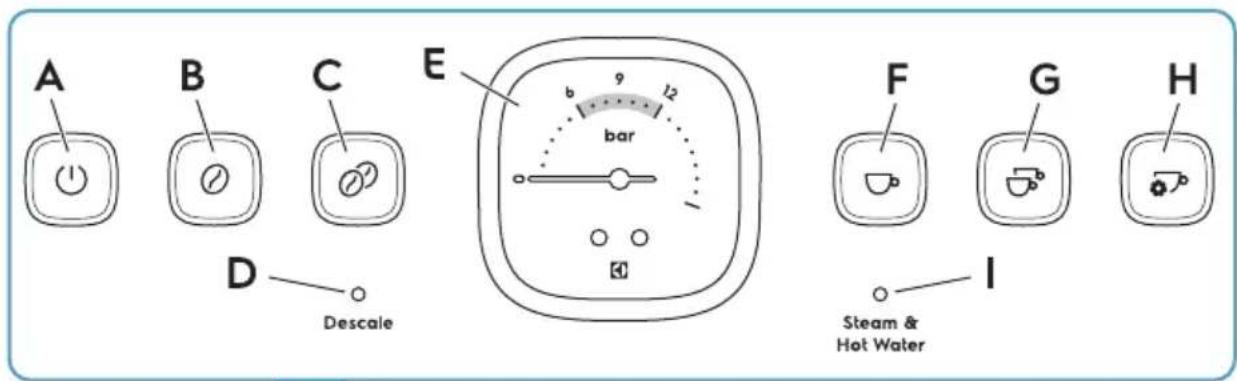
Control panel overview

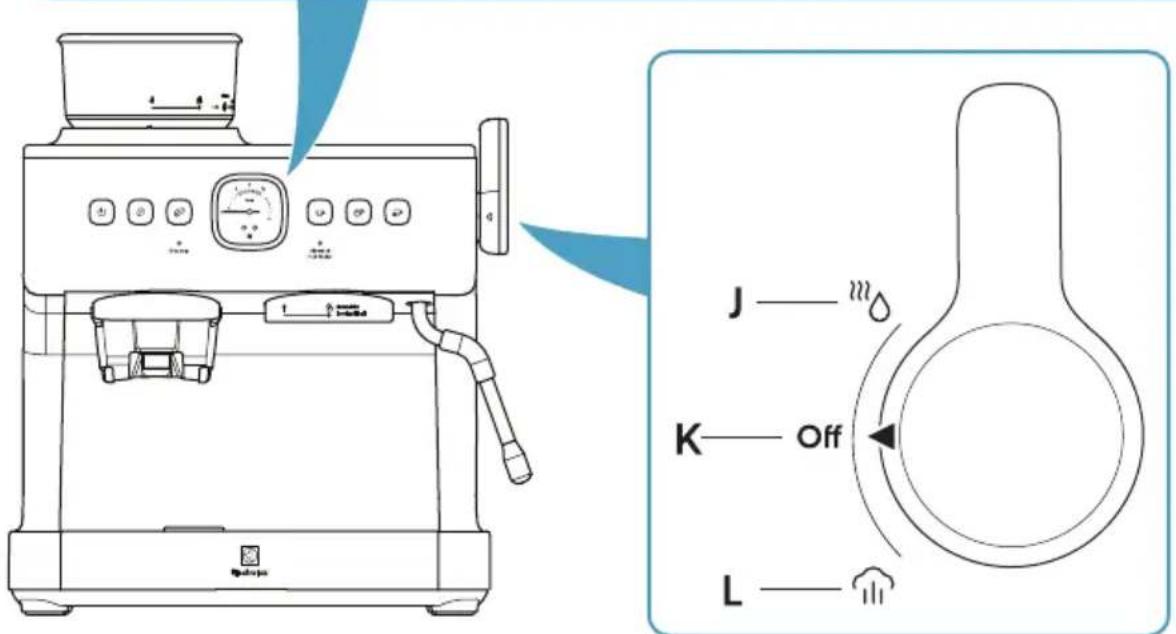
A. ON/OFF button
B. One cup grind button
C. Two cup grind button
D. Descale light
E. Pressure gauge
F. One cup espresso button
G. Two cup espresso button
H. Manual cup espresso/program button
I. Steam & hot water light
J. Hot water
K. OFF
L. Steam
Pressure gauge and espresso extraction
Ideal espresso extraction
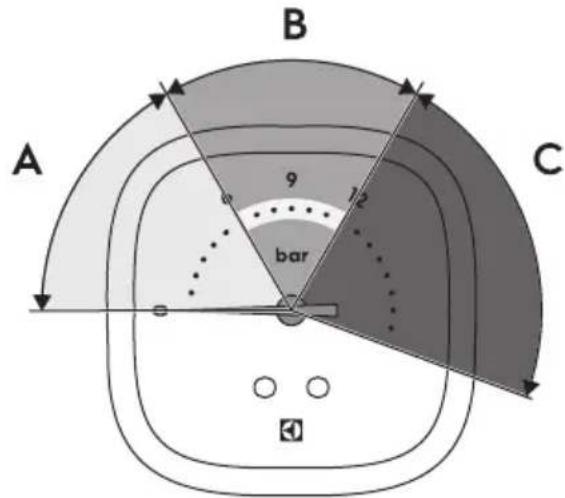
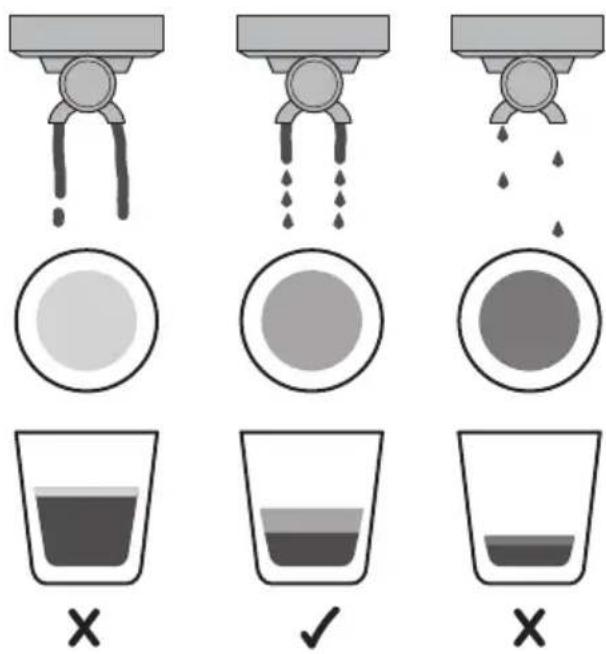
A good quality espresso flows steadily from the portafilter with a consistency similar to warm honey. The ideal brewing pressure is between 6 and 12 on the pressure gauge (B). The top layer, the crema, has a caramel color.
Under extraction
If the pressure is lower than 6 on the pressure gauge (A), the espresso flows too fast and becomes sour, acidic and watery. The reasons can be that the coffee grounds are too coarse, the amount of coffee grounds is not sufficient, the coffee beans are old or the coffee grounds are not pressed hard enough with the tamper.
Over extraction
If the pressure is higher than 12 on the pressure gauge (C), the espresso flows too slowly and becomes bitter. The reasons can be that the coffee grounds are too fine, the amount of coffee grounds is too much or the coffee grounds are pressed at too high force with the tamper.
If you use the correct settings and tamper force but the espresso quality remains poor, refer to "Troubleshooting" on page 29.
Preparations before first use
Before you use the product to make espresso, it is necessary to clean and install all parts and do the brewing process one time with water only.
To prepare and install all parts
- Remove the product from the packaging and make sure that all packing material is removed.
- Put the product on a flat surface.
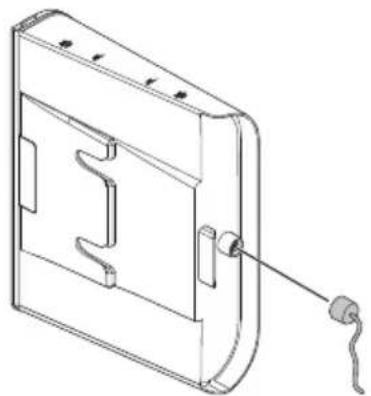
- Remove and discard the red plug at the base of the water tank.
natural_image
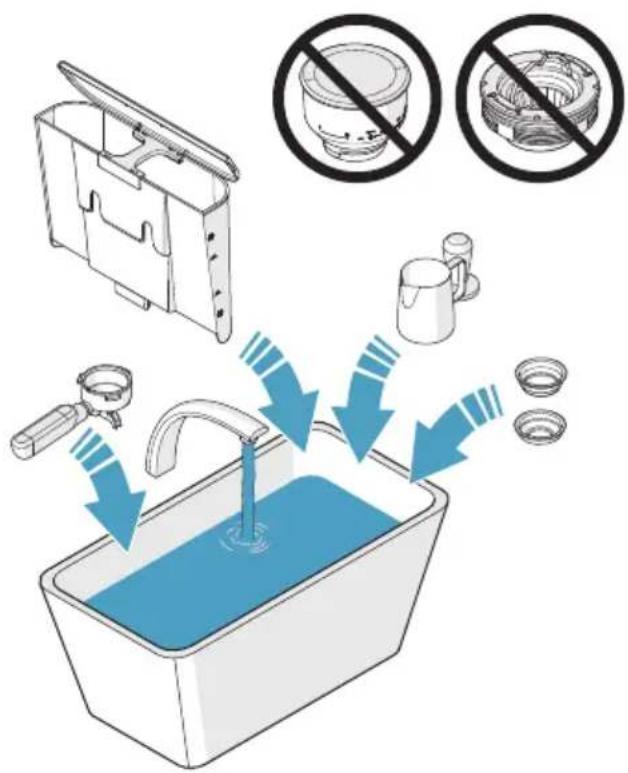
Technical line drawing of a rectangular device with internal compartments and a cable inserted into one end (no text or symbols)- Clean the milk jug, tamper, filter baskets, portafilter, and water tank with warm water and a mild detergent:
- Clean the top burr and the bean hopper with the cleaning brush.
CAUTION: Do not clean the top burr or the bean hopper with water. - Hold the top burr at the handle and insert it in the grinder collar. Make sure that the top burr (A) aligns with the surface of the grinder collar (B).
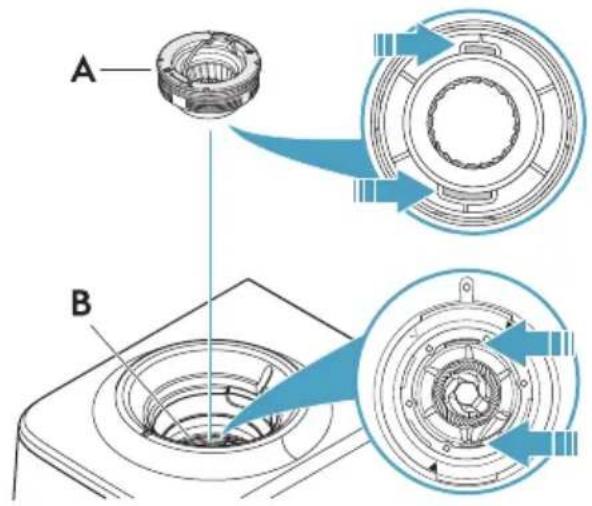
- Turn the top burr clockwise to lock it, and lower the handle.
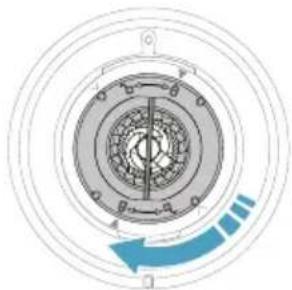
natural_image
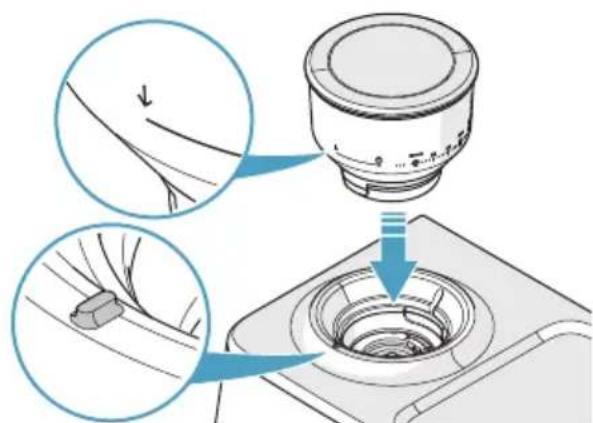
Circular mechanical component diagram with concentric rings and internal gears, no visible text or symbols- Align the DOWN arrow on the bean hopper with the marking at the front edge of the coffee grinder.
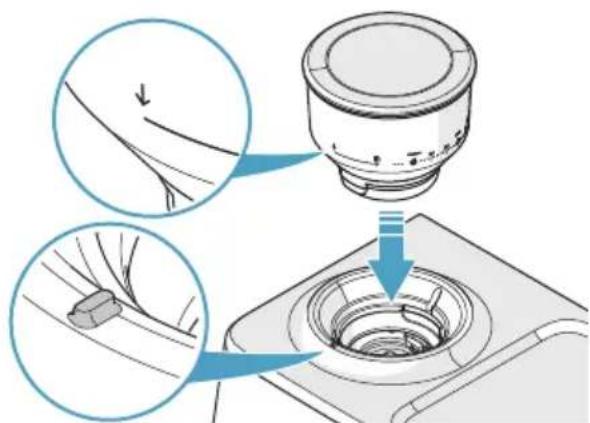
- Press the bean hopper carefully down and turn it clockwise to the lock position.
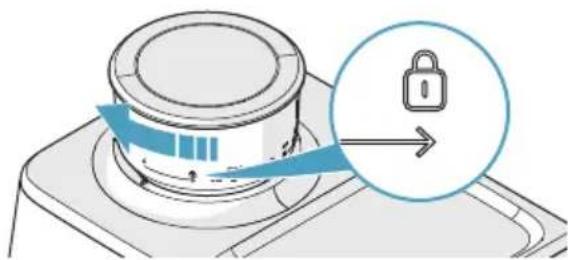
natural_image
Illustration of a mechanical component with a lock icon and directional arrow (no text or symbols)-
Make sure that the water tank is clean.
-
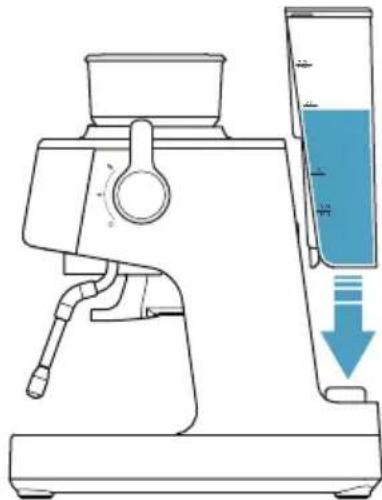
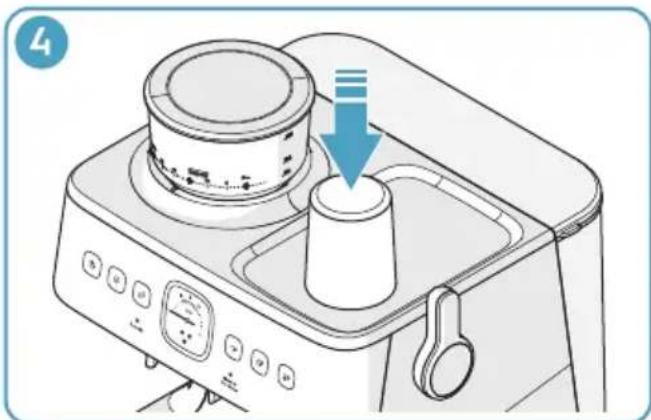
Fill the water tank with cold pure water and install it.
natural_image
Line drawing of a coffee maker with a blue liquid-filled beaker and arrow indicating downward motion (no text or symbols)-
If it is necessary, put a water filter in the water tank.
-
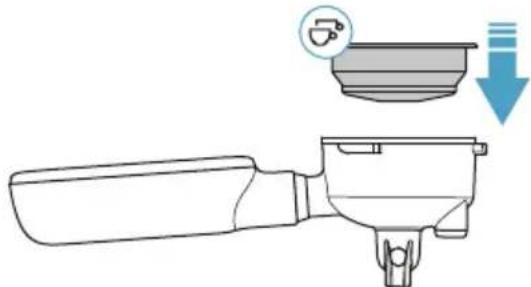
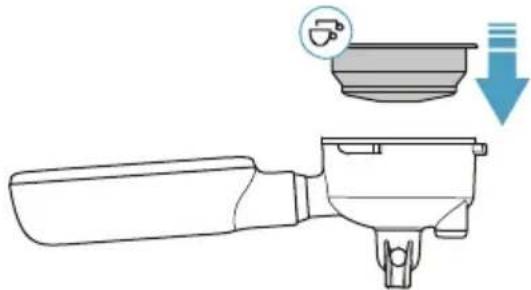
Insert the two cup filter basket in the portafilter.
natural_image
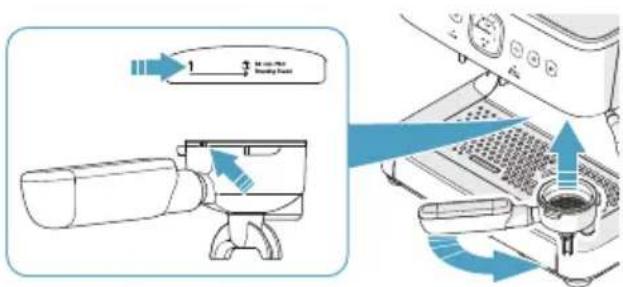
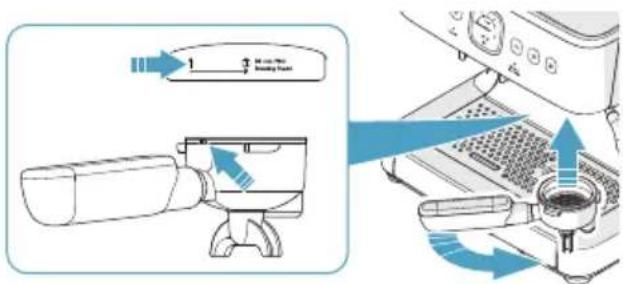
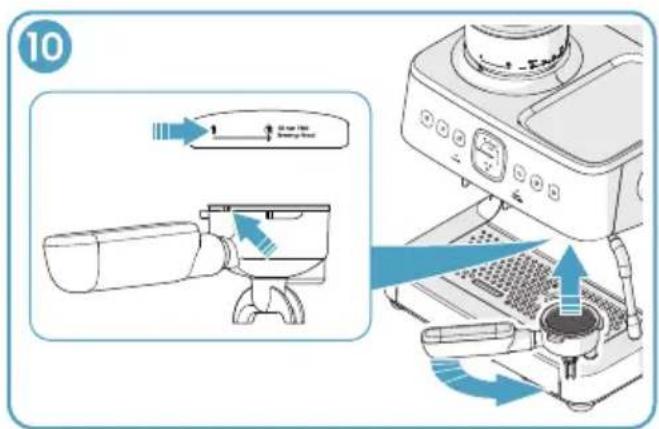
Line drawing of a coffee maker with a bowl and handle, showing a drop in the cup (no text or symbols)- Align the portafilter with the UP arrow on the brewing head.
-
Insert the portafilter flat against the brewing head.
-
Turn the handle of the portafilter right to the center lock position.
Note: The first few times the portafilter is inserted, there can be some resistance when you turn the handle.
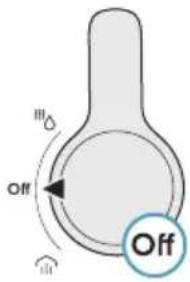
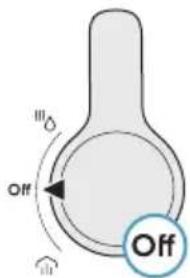
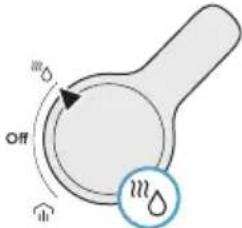
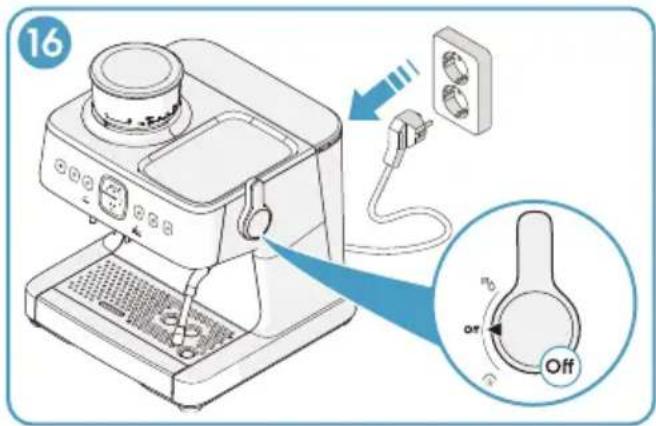
- Make sure that the steam & hot water dial is in the OFF position.
-
Connect the product to the power supply.
-
Press the ON/OFF button.
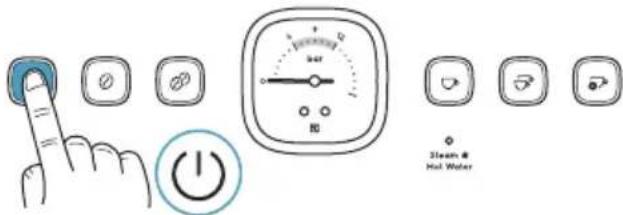
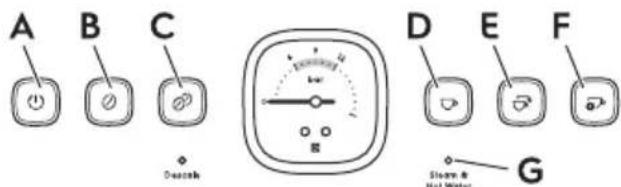
- During the start-up, the buttons (A-C) illuminate and the steam & hot water light (G) flashes. Wait until all buttons (A-F) and the steam & hot water light (G) are on with a steady light.
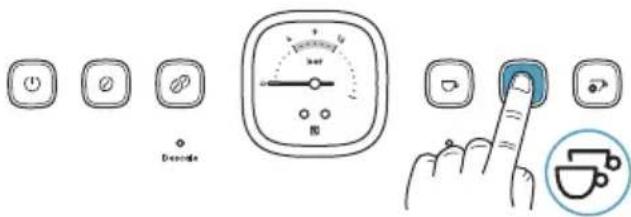
- Press the two cup espresso button. Water runs from the brewing head, through the filter basket and portafilter.
- Wait until the water flow stops.
Note: The first time that water runs through the product, air that releases from the product can cause a loud noise. The noise stops after approximately 20 seconds and it is not an indication of an error.
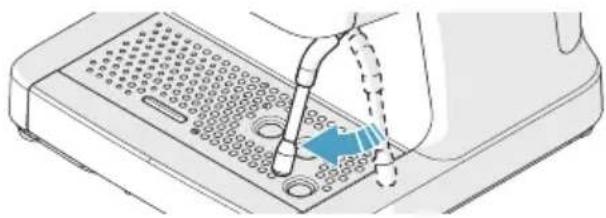
- Turn the steam wand until the nozzle is above the drip tray.
natural_image
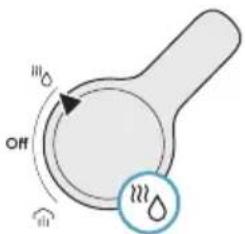
Illustration of a handheld device with a blue arrow pointing to a screen (no text or symbols visible)- Turn the steam & hot water dial to the hot water position. The steam & hot water light flashes and hot water comes out of the nozzle.
-
Let the water run for 20 seconds.
-
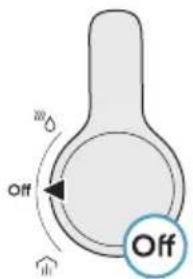
Turn the steam & hot water dial to OFF.
-
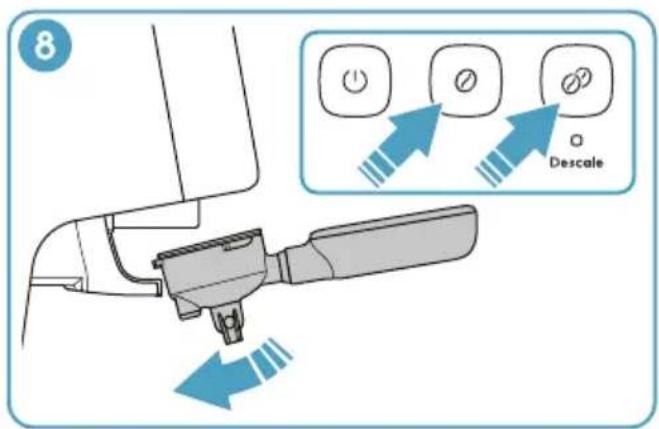
Clean the portafilter and the filter basket in warm water and let them become dry before you make coffee.
-
To switch off the product, press the ON/OFF button. All lights on the control panel go off.
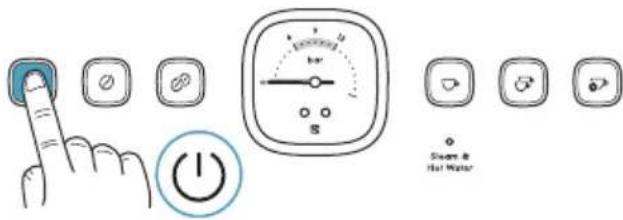
Note: The product switches off automatically after 15 minutes of no operation.
To switch on the product
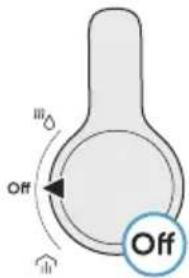
- Make sure that the steam & hot water dial is in the OFF position.
-
Connect the product to the power supply.
-
Press the ON/OFF button.
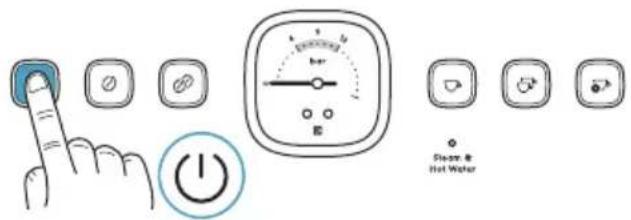
- During the start-up, the buttons (A-C) illuminate and the steam & hot water light (G) flashes. Wait until the buttons (D-F) illuminate and the steam & hot water light (G) is on with a steady light.
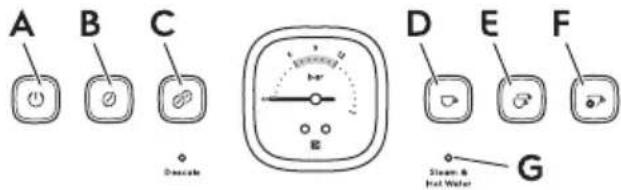
When all buttons (A-F) and the steam & hot water light (G) are on with a steady light, the product is prepared for operation.
Daily operation
To make an espresso coffee
natural_image
Illustration of a kitchen blender with a lid and control panel, showing a drop in the cup (no text or symbols)-
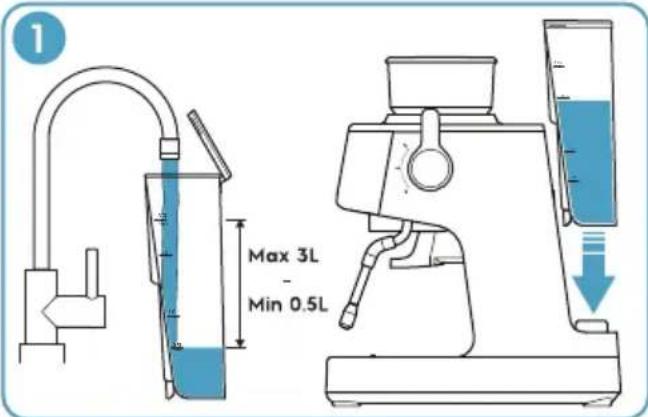
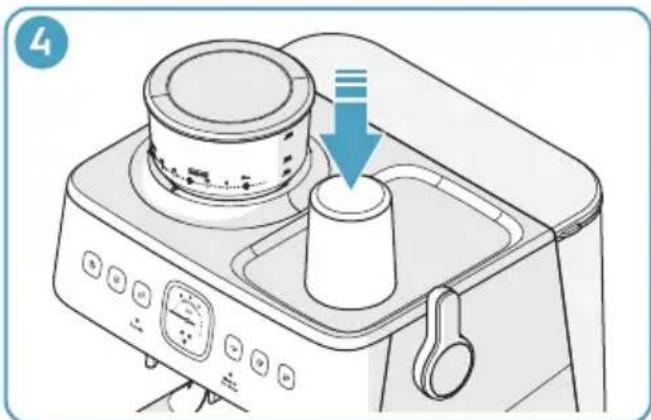
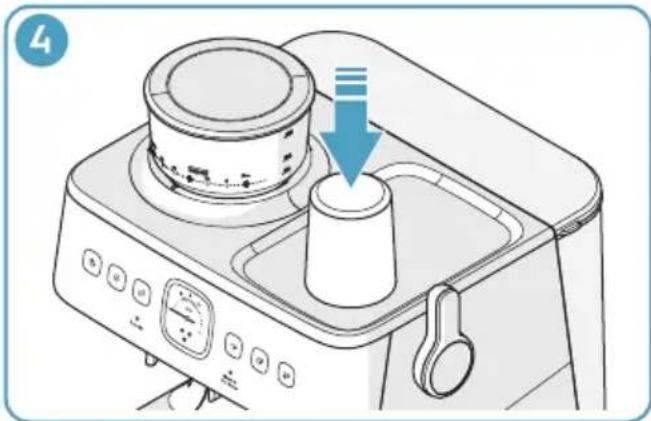
Fill the water tank with cold pure water. Make sure that the water level is not above the 3L mark. Install the water tank.
-
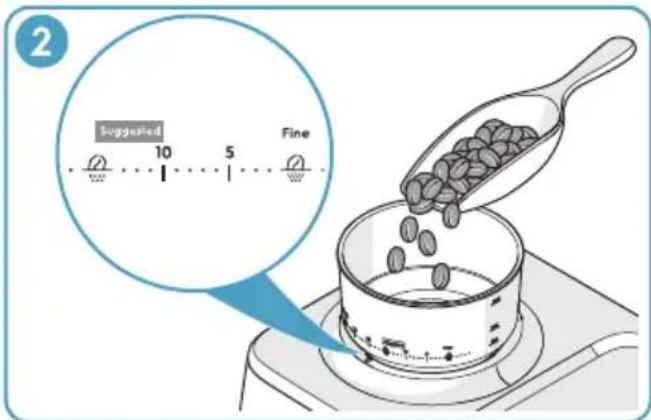
Fill freshly roasted coffee beans in the bean hopper and install the lid. Turn the bean hopper clockwise until the marking at the front edge of the coffee grinder is between the 10 and 15 marking on the bean hopper.
CAUTION: Do not fill too much coffee beans. Coffee beans that stay in the bean hopper for a long time can become moist which affects the grinding and the taste.
Note: Between the 10 and 15 marking is the suggested starting point for espresso. If adjustments are necessary, refer to "To adjust the coffee grind" on page 19.
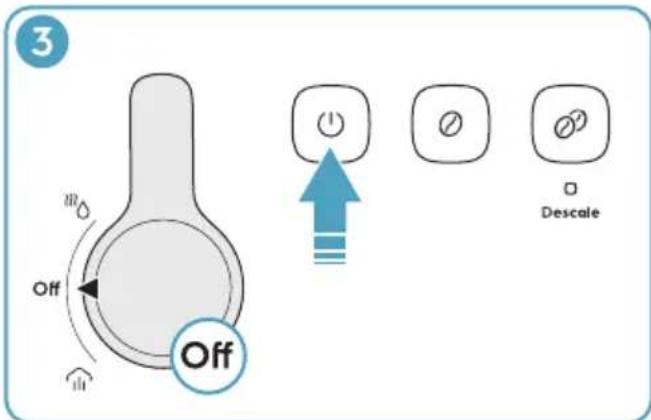
- Switch on the product.
a. Make sure that the steam & hot water dial is in the OFF position.
b. Press the ON/OFF button.
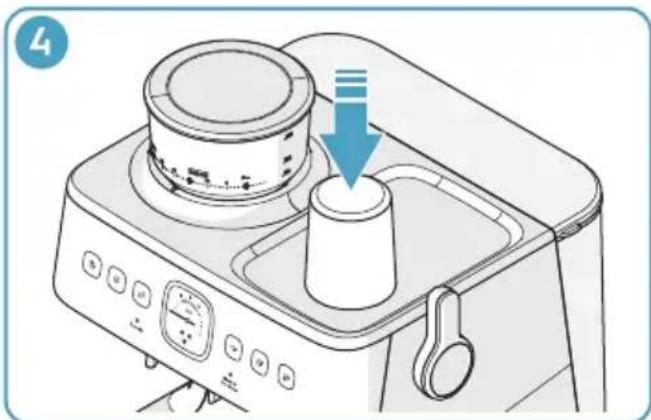
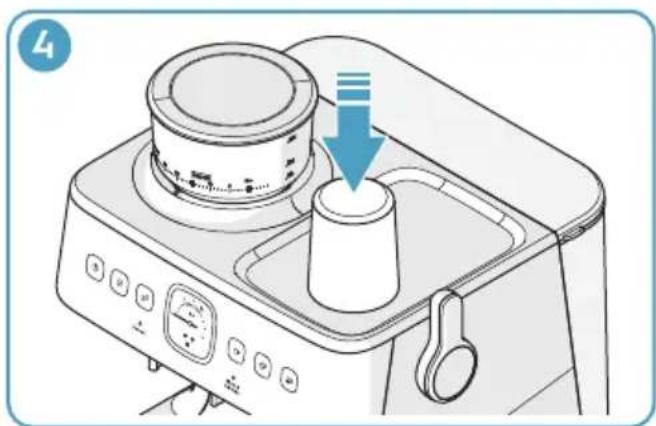
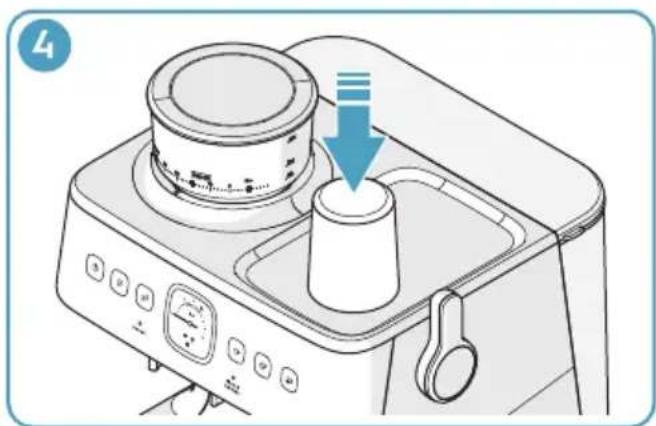
- To warm the coffee cup on the cup warmer, remove the tray and put the coffee cup on the cup warmer.
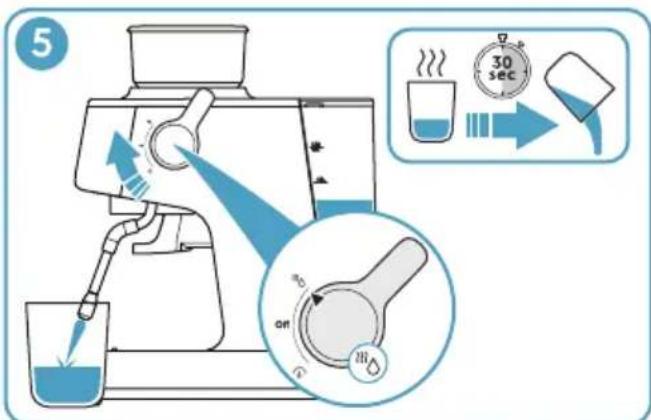
- To warm the cup with hot water, do these steps:
a. Put the coffee cup below the steam wand.
b. Turn the steam & hot water dial to the hot water position, fill the coffee cup by 14 and turn the dial to OFF.
c. Wait 30 seconds and then empty the coffee cup.
natural_image
Illustration of a cooking pot with two bowls and a handle, showing a step to process (no text or symbols)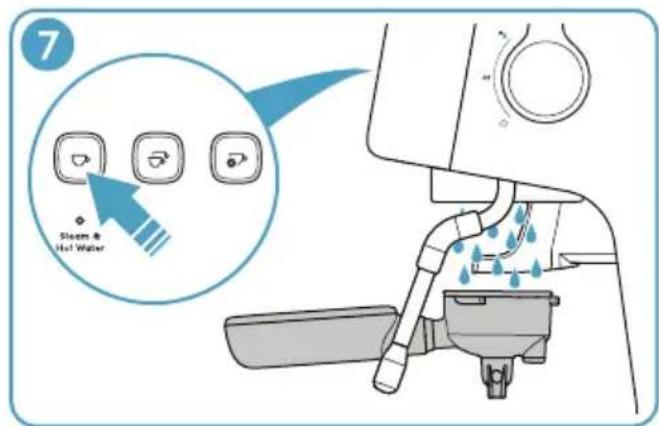
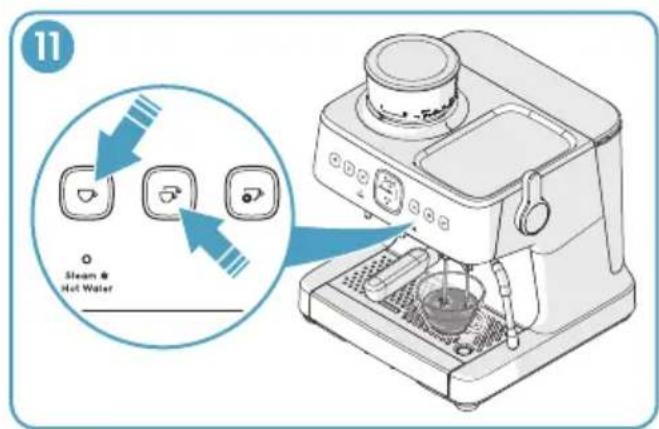
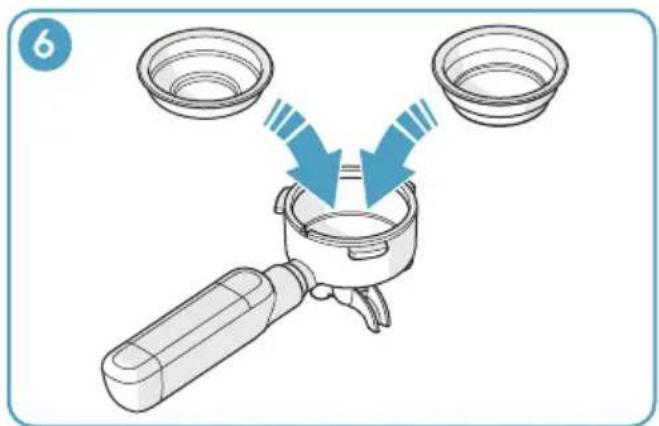
- Insert the one cup or two cup filter basket in the portafilter.
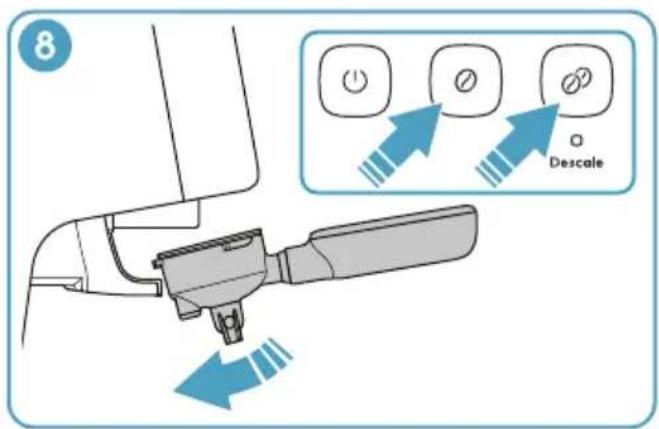
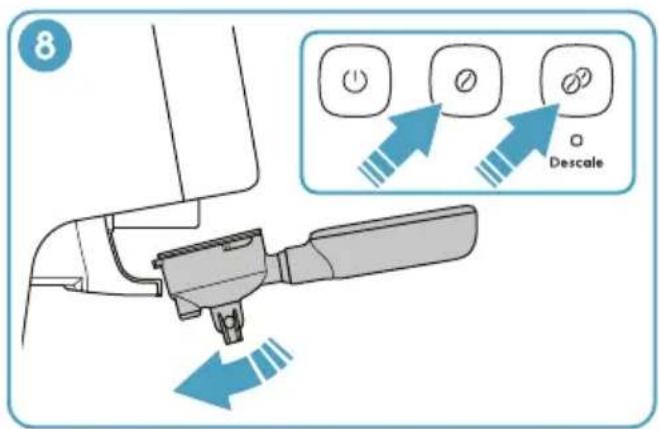
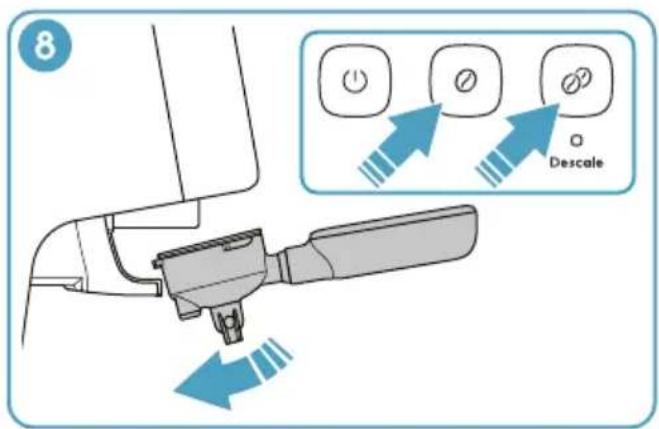
- Hold the portafilter below the brewing head and press the one cup espresso button. When the water flow stops, dry the filter basket with a cloth.
- Install the portafilter in the grinding cradle. Press the one cup or the two cup grind button. The pressed button flashes and the filter basket fill with coffee grounds. Lift the portafilter from the grinding cradle.
Note: To stop the grinding process before it stops automatically, press the grind button again.
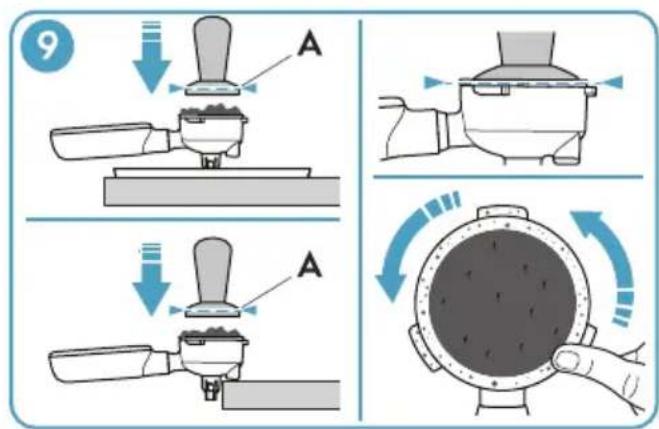
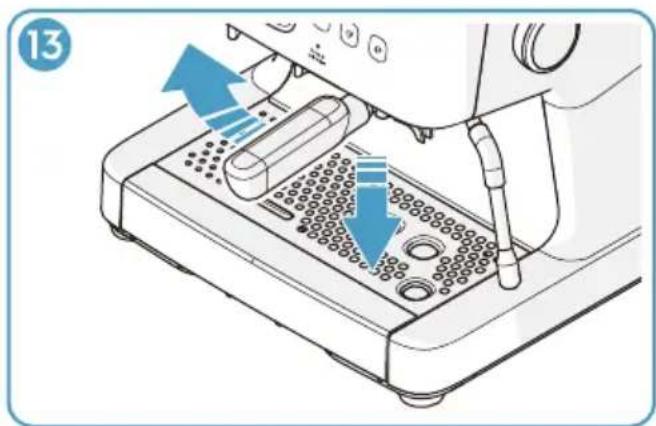
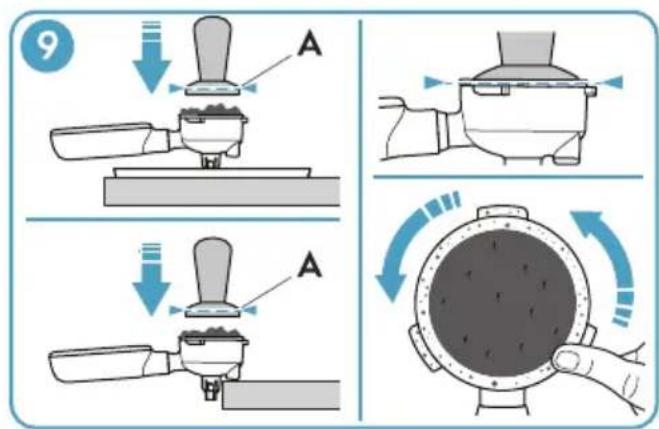
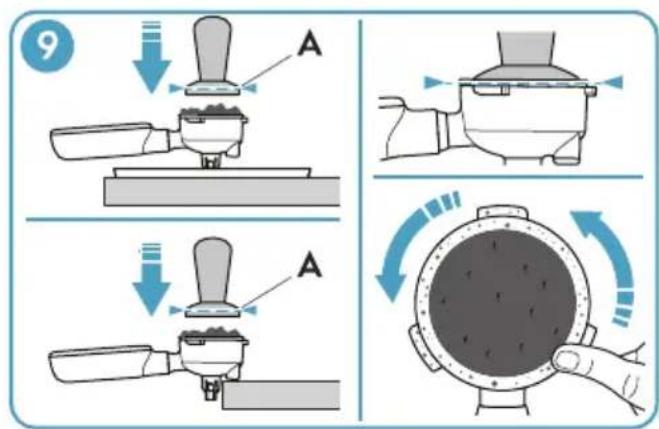
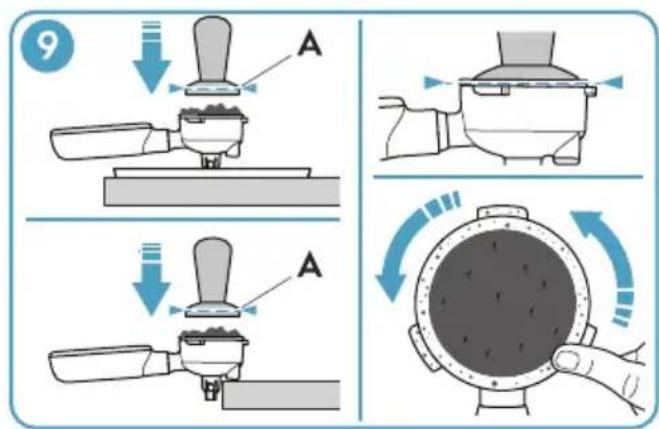
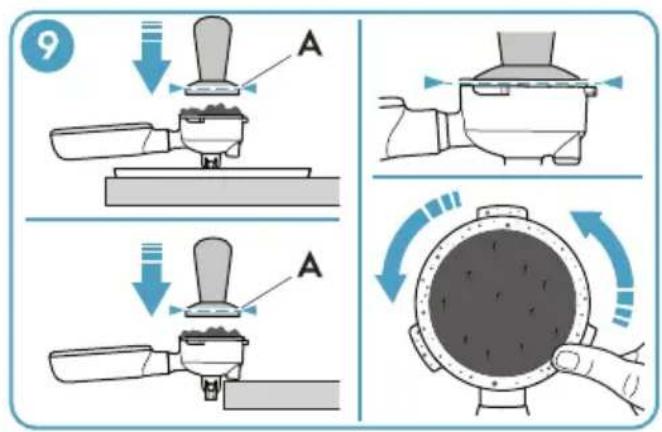
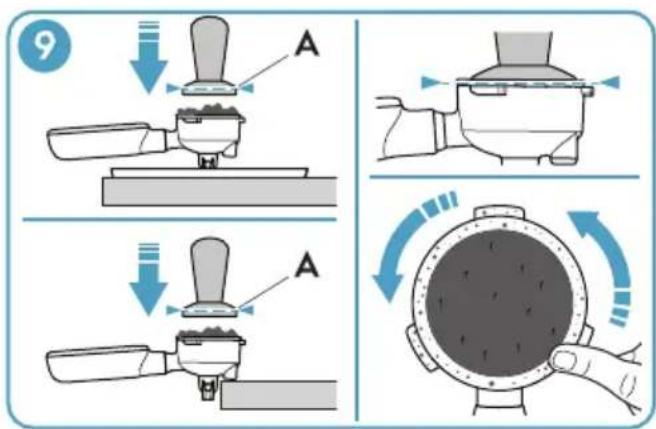
- Hold the portafilter with the bottom against the accessory tray or put the rubber part at the edge of the portafilter against a benchtop edge. Press the
coffee grounds with the tamper until the top edge (A) of the tamper aligns with the edge of the portafilter. Remove excess coffee grounds from the edge of the filter basket.
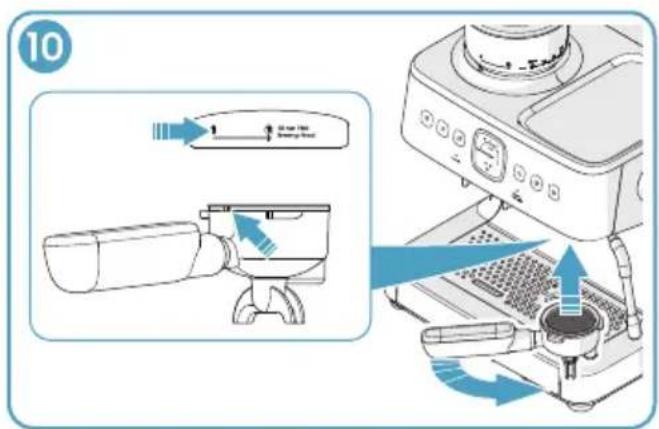
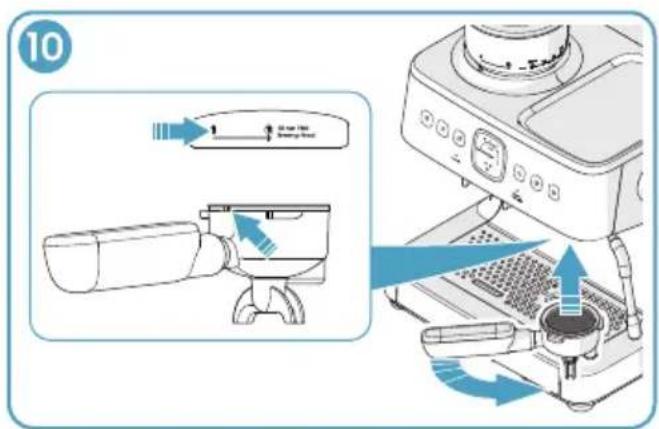
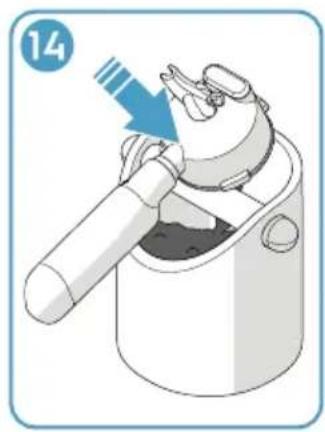
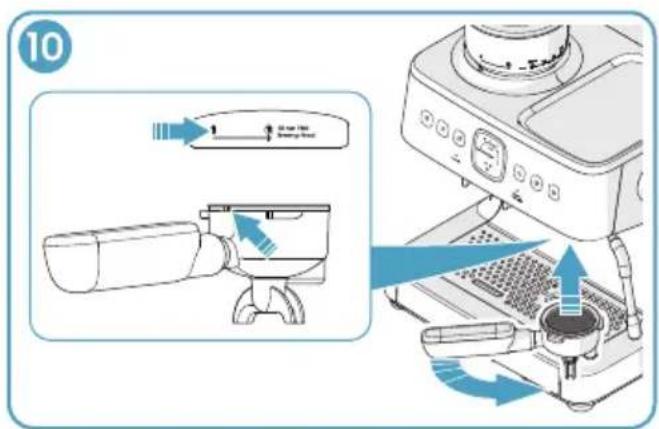
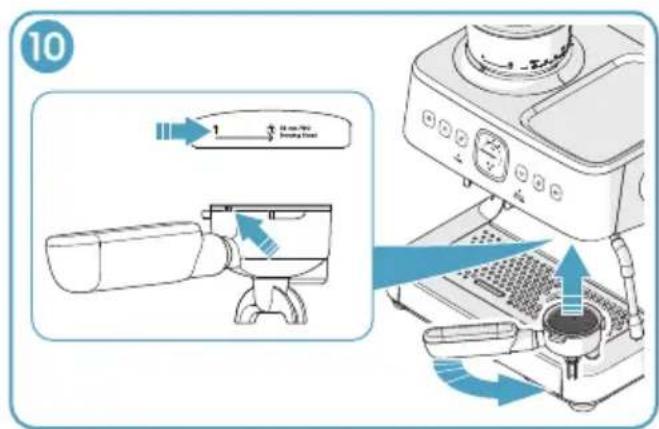
- Align the handle of the portafilter with the UP arrow on the brewing head. Press the portafilter up into the brewing head and turn the handle right to the center lock position.
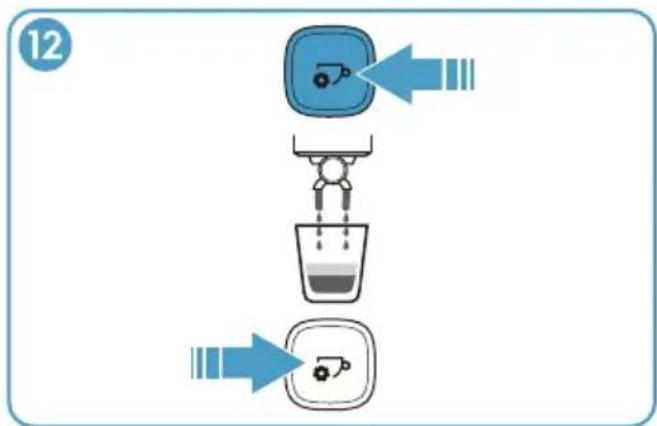
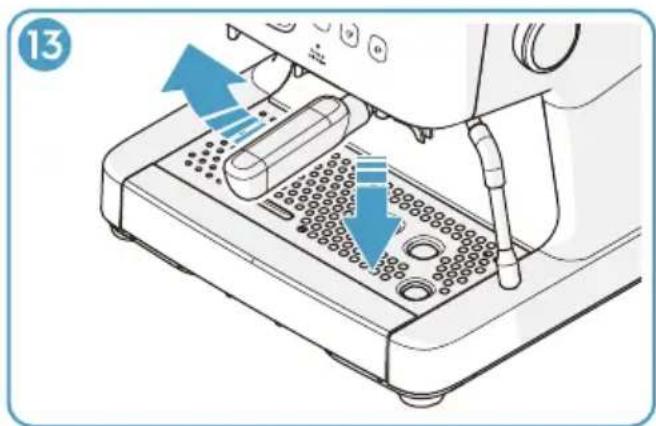
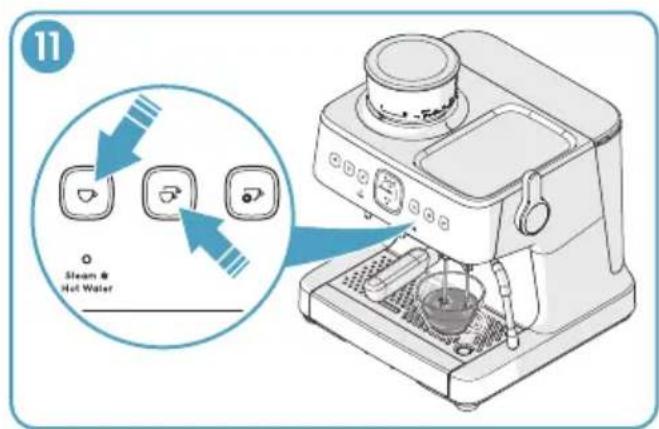
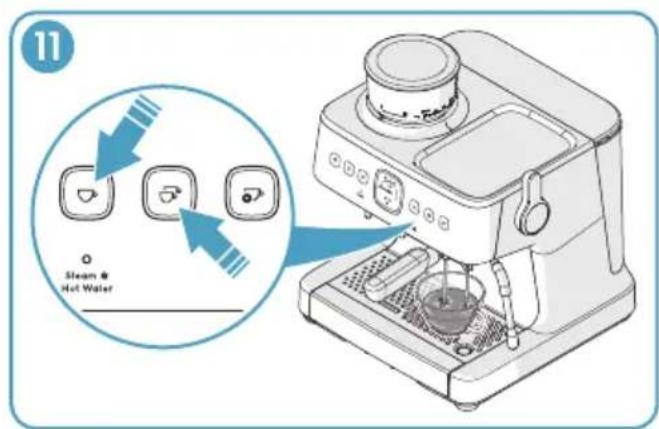
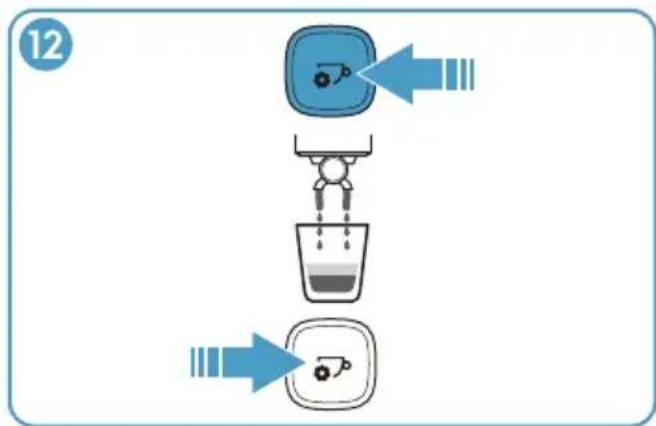
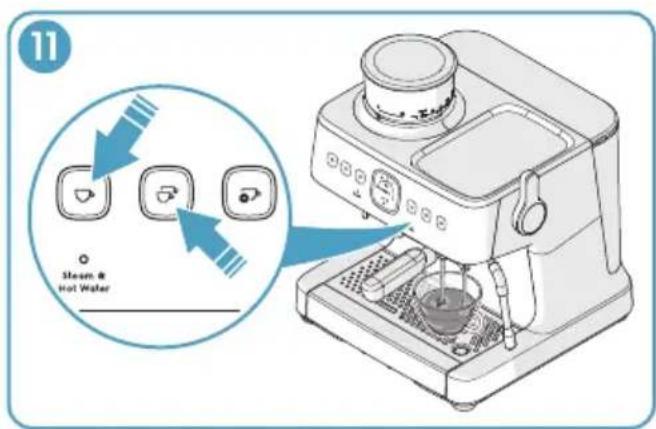
- Put the coffee cup on the drip tray, below the portafilter. To make a one cup or two cup espresso, press the one cup or two cup espresso button. The pressed button flashes and the preset volume of coffee flows into the coffee cup.
flowchart
graph TD
    A["Initial Setup"] --> B["Intermediate Processing"]
    B --> C["Final Output"]
natural_image
Illustration of a mechanical device with a blue arrow pointing to a component (no text or symbols)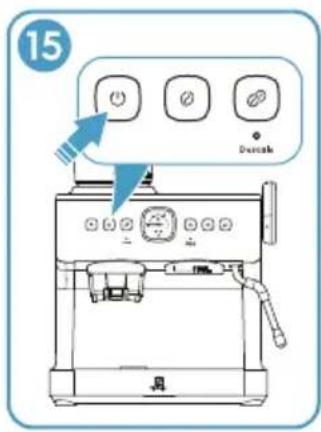
Note: The default setting for a one cup espresso is 40 ml. The default setting for a two cup espresso is 80 ml. Refer to "To customize the espresso cup volumes" on page 19 for information on how to change the default settings.
Note: The actual extraction volume depends on the type of coffee beans and the size of the coffee grounds.
- To make an espresso with manually selected volume, press the manual cup espresso/program button. The button flashes and coffee flows into the coffee cup until you press the button again.
Note: If you do not press the button again, the process stops automatically when the volume is 250 ml.
-
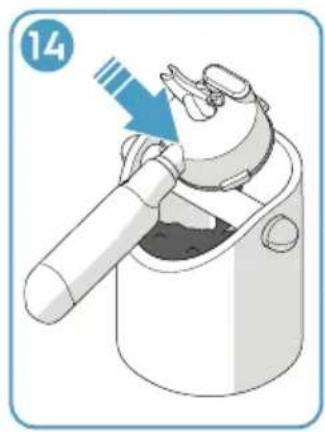
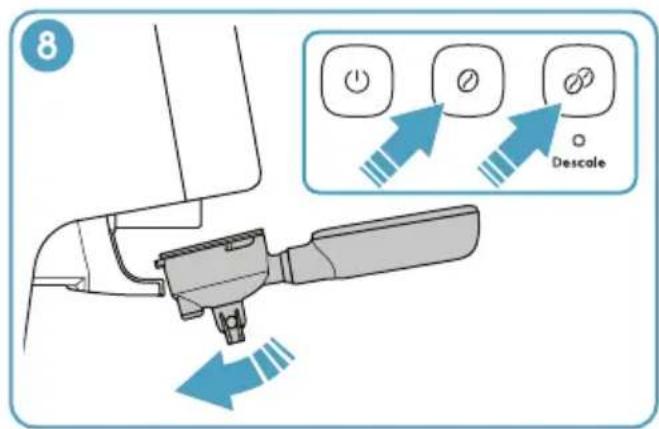
Turn the handle of the portafilter to the left and then lower the portafilter.
-
Remove the used coffee grounds from the filter basket.
-
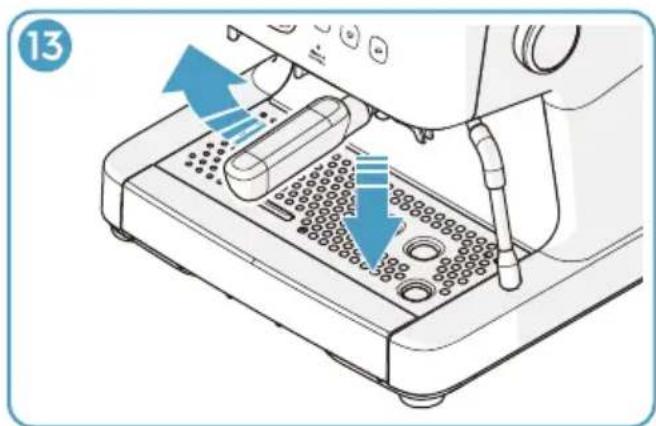
To switch off the product, press the ON/OFF button. All lights on the control panel go off.
Note: The product switches off automatically after 15 minutes of no operation.
-
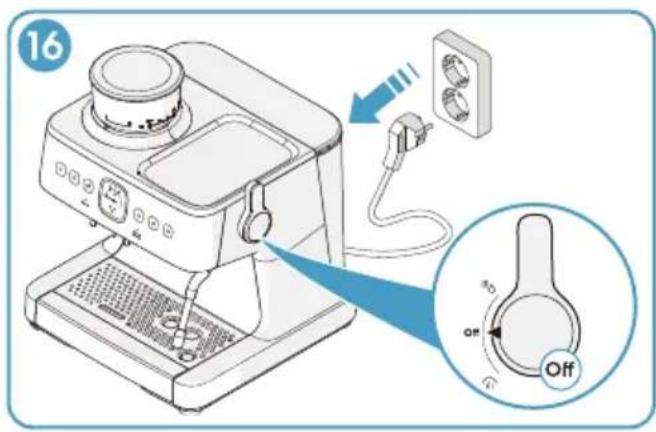
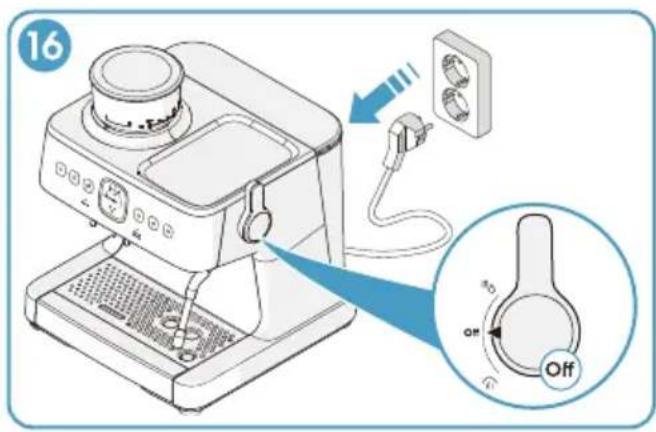
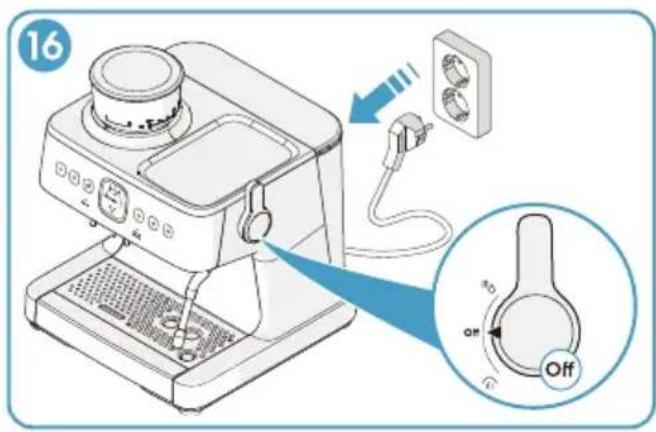
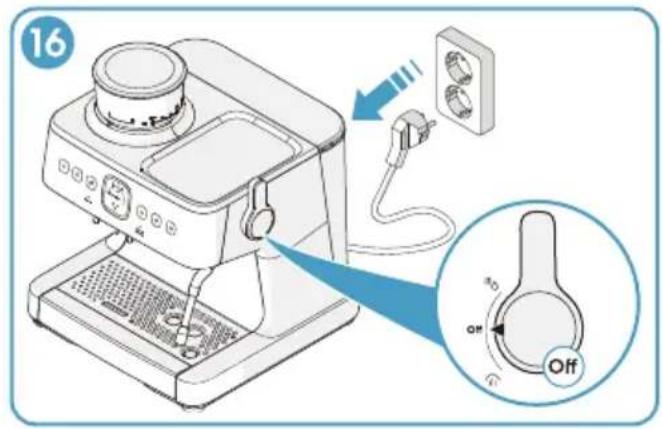
Make sure that the steam & hot water dial is in the OFF position. Disconnect the power plug.
-
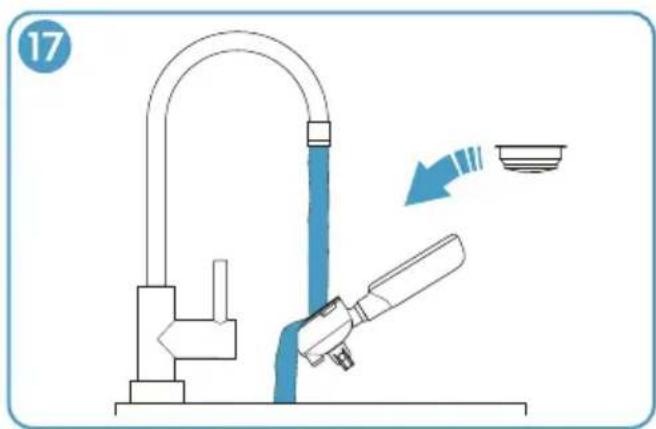
Clean the filter basket and the portafilter. Refer to "Every time after use" on page 21.
To froth milk
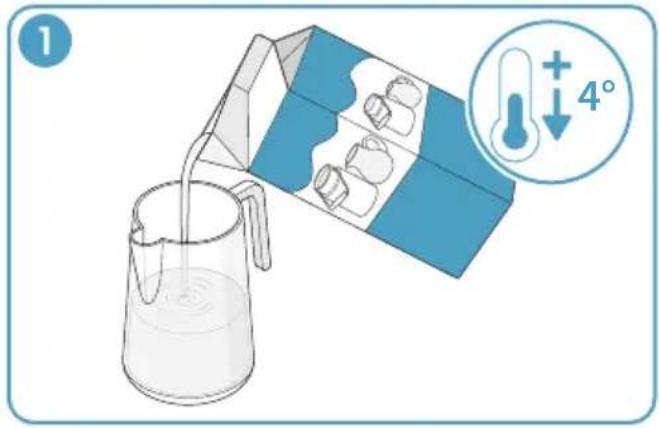
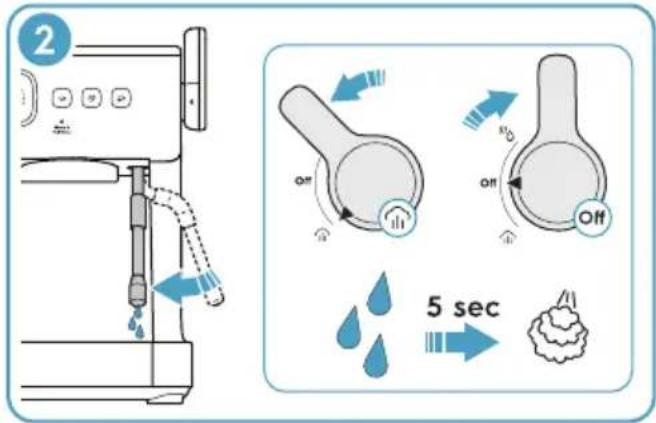
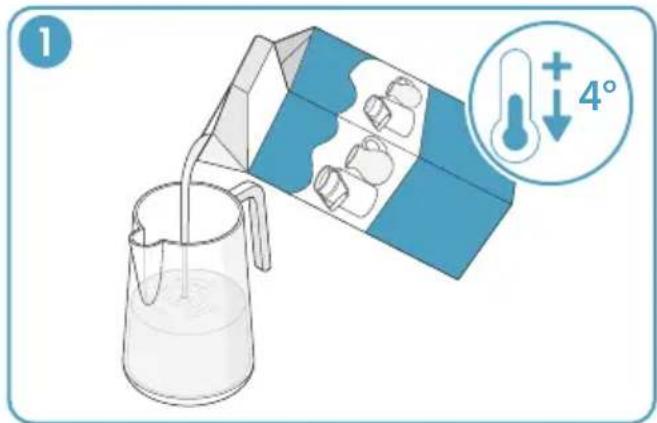
- Fill the milk jug with refrigerated full milk. Suggested amount of milk is 100 ml for cappuccino and 160 ml for latte.
- Prepare the steam wand.
a. Switch on the product and move the steam wand until it is above the drip tray.
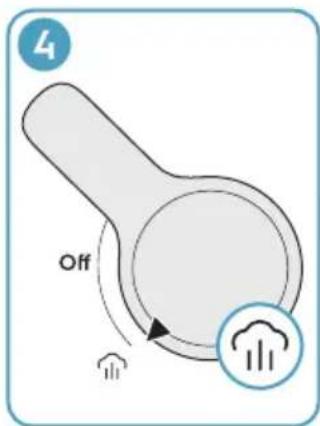
b. Turn the steam & hot water dial to the steam position. The steam & hot water light flashes. Release steam for approximately 5 seconds until no water comes out of the steam wand nozzle.
c. Turn the steam & hot water dial to OFF.
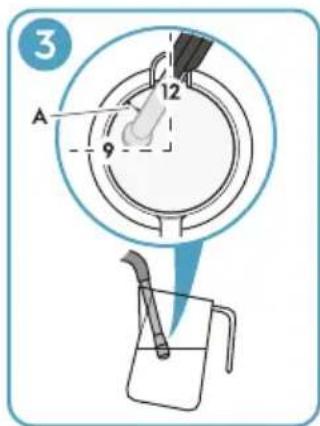
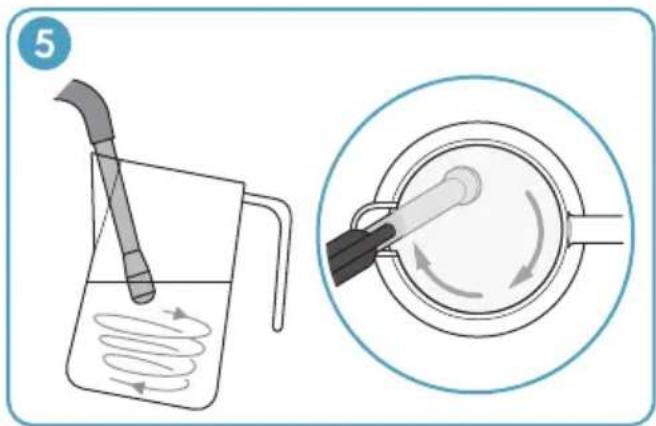
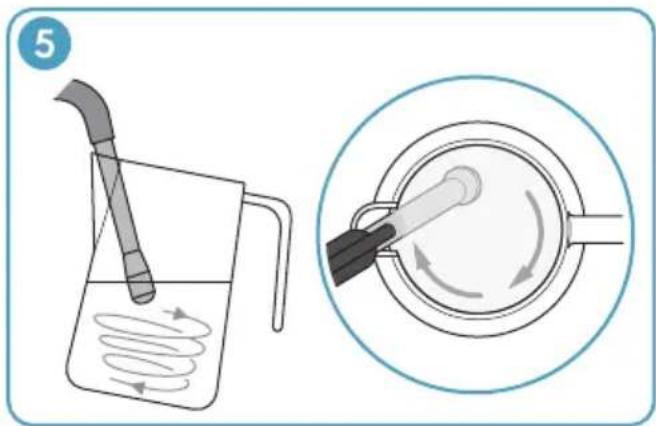
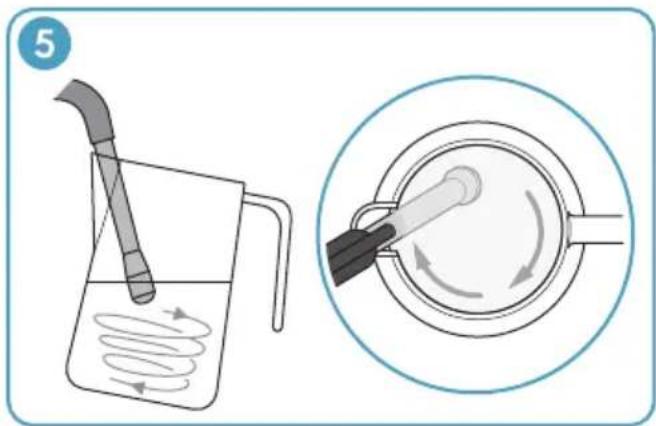
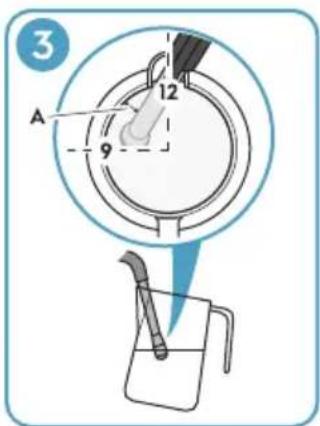
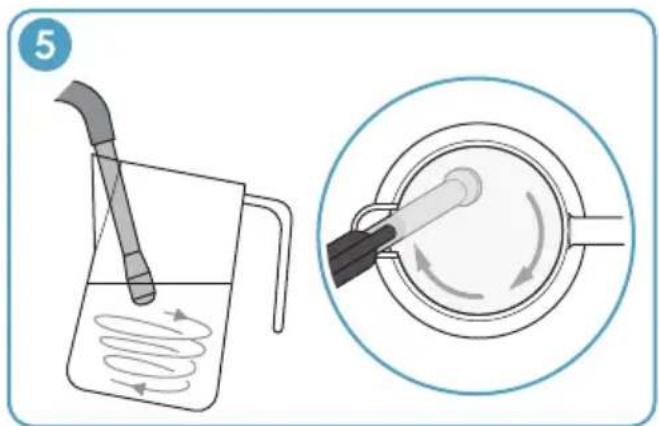
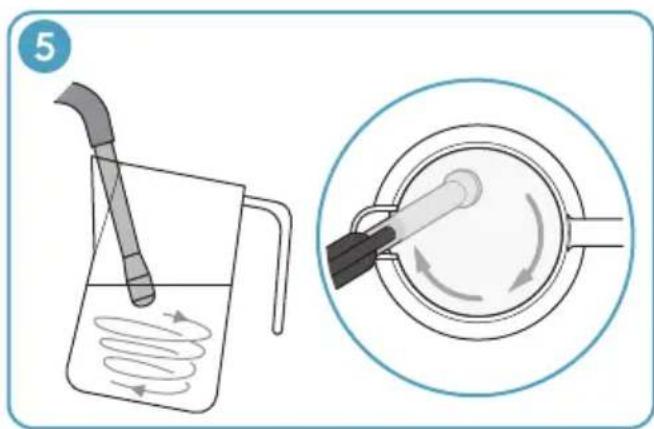
- Put the steam wand in the milk jug.
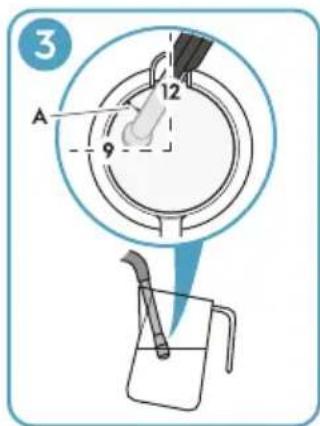
a. Put the nozzle just below the surface of the milk.
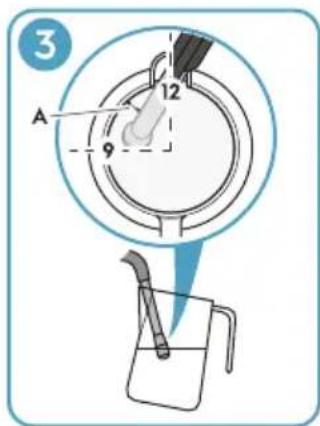
Hold the milk jug spout against the steam wand in a 12 o'clock position.
b. Tilt the milk jug in a 9 o'clock direction until the nozzle is at a finger width (A) from the edge.
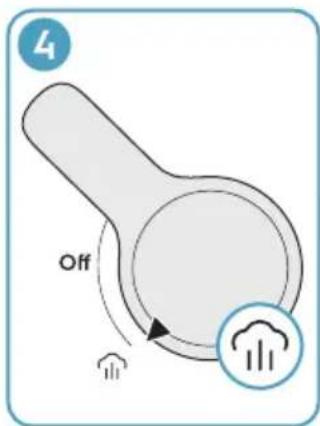
-
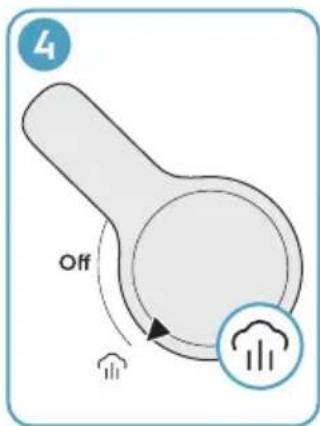
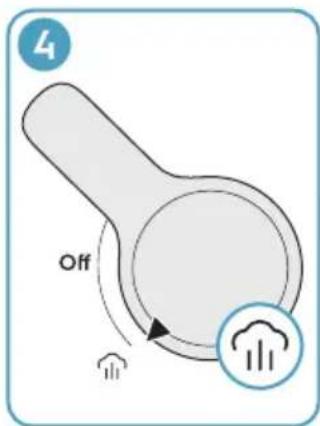
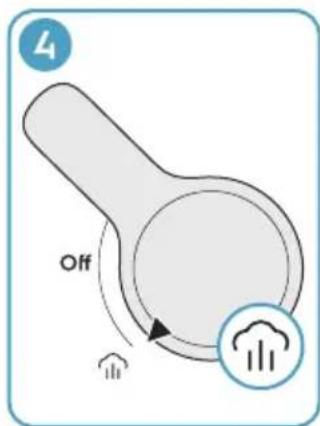
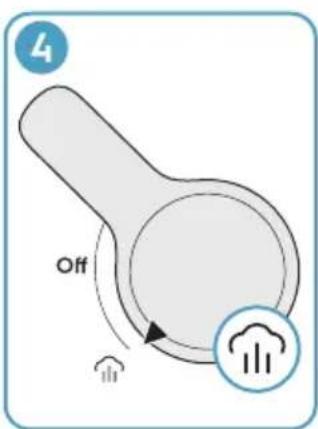
Turn the steam & hot water dial to the steam position. The steam & hot water light flashes and the frothing starts.
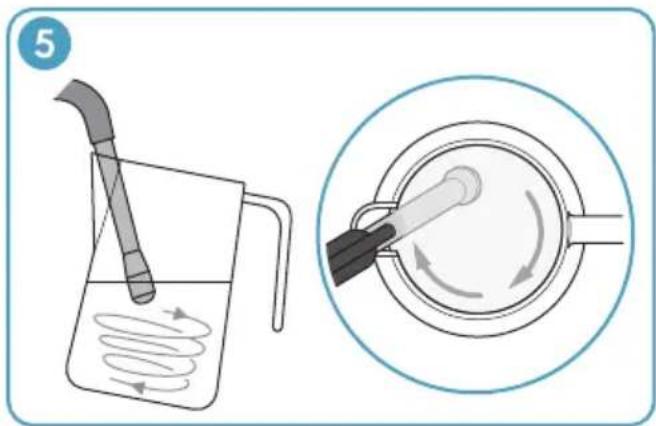
-
Make sure that the steam wand is in a position that makes the milk rotate in one direction from the top to the bottom.
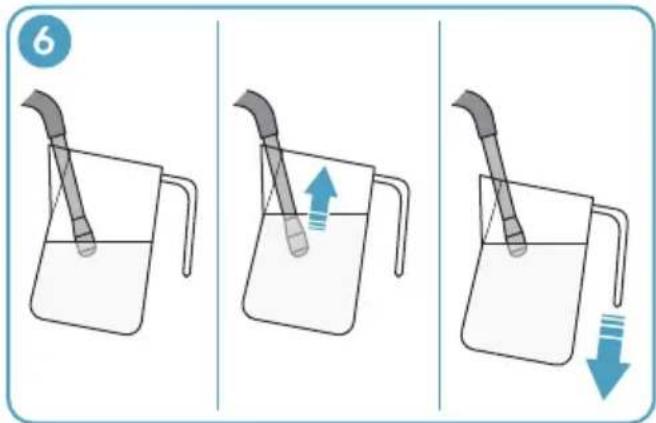
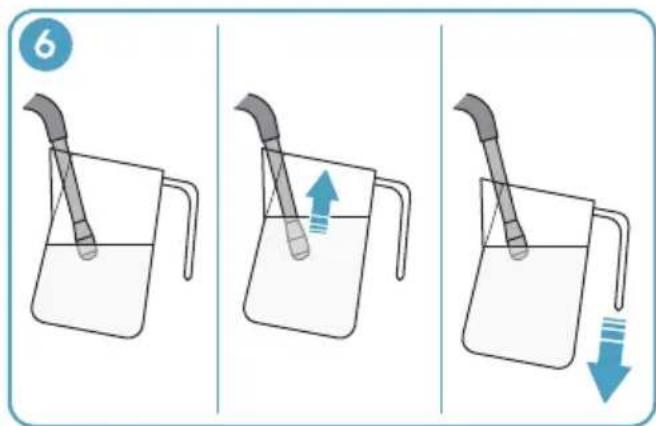
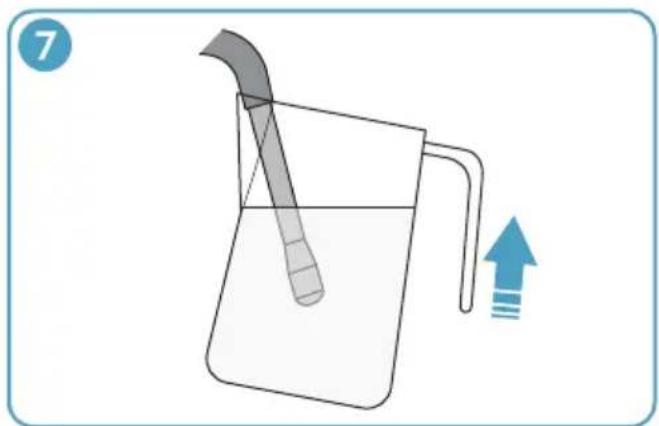
- As the milk level rises, lower the milk jug to keep the steam nozzle just below the surface of the milk.
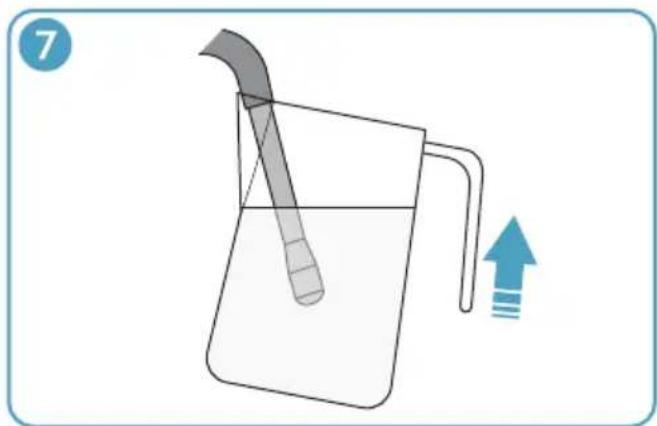
- When the amount of milk foam is sufficient, lower the steam nozzle half way to the bottom.
- When the bottom of the milk jug is too hot to touch, turn the steam & hot water dial to OFF.
natural_image
Illustration of a beaker with a tool inside, showing liquid and an upward arrow (no text or symbols)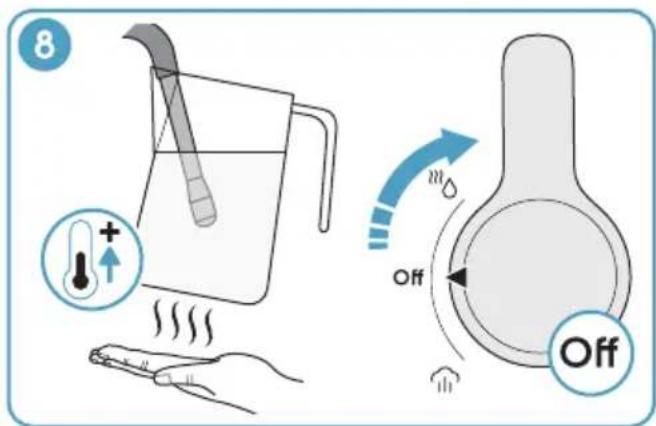
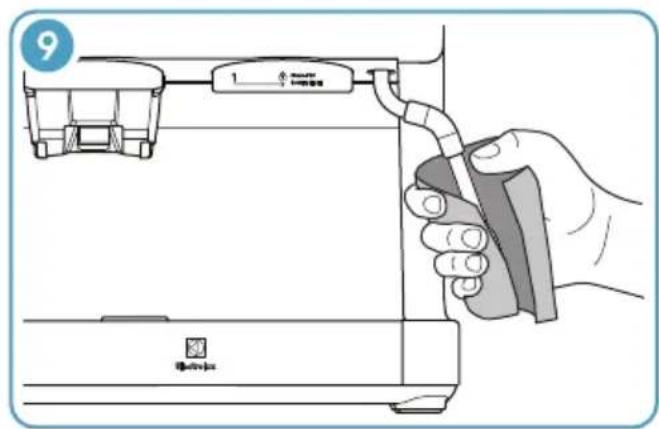
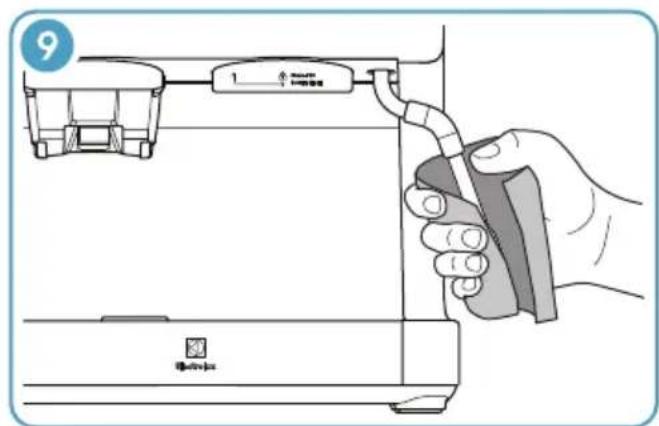
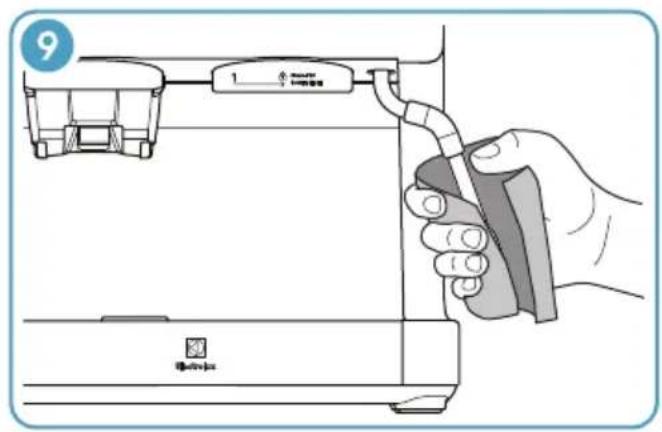
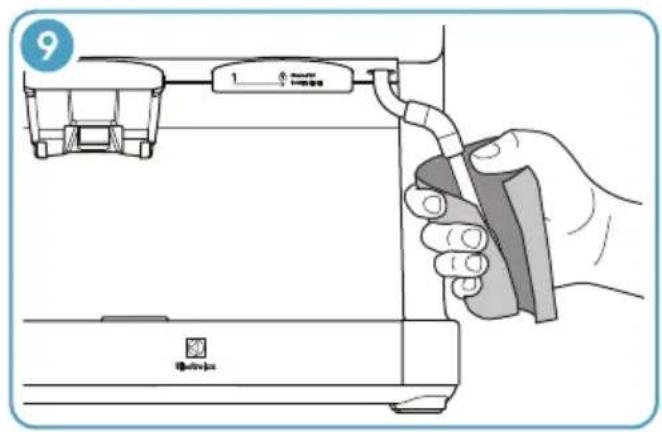
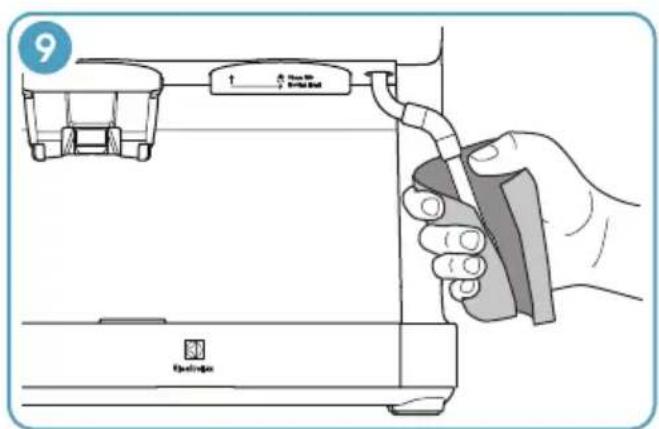
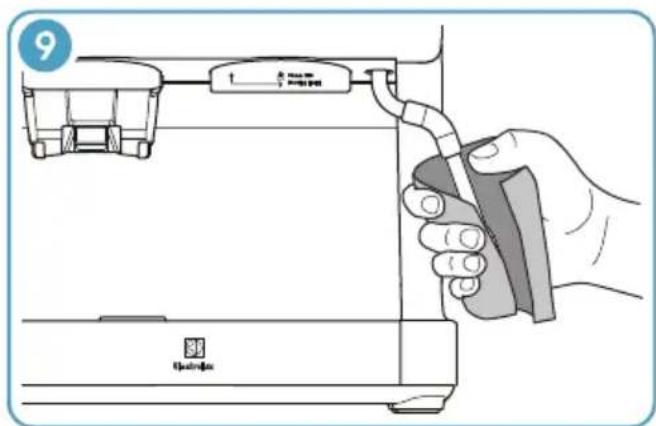
- Remove the milk jug from the steam wand and clean the steam wand and nozzle immediately with a damp sponge or cloth.
WARNING: Do not let your skin touch the steam wand or nozzle. There is a risk of burn injury.
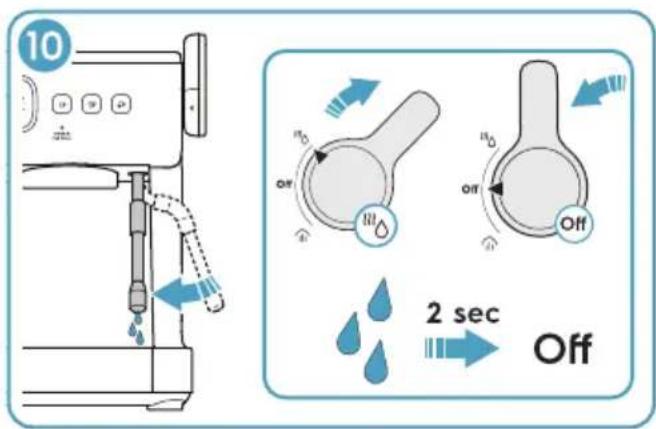
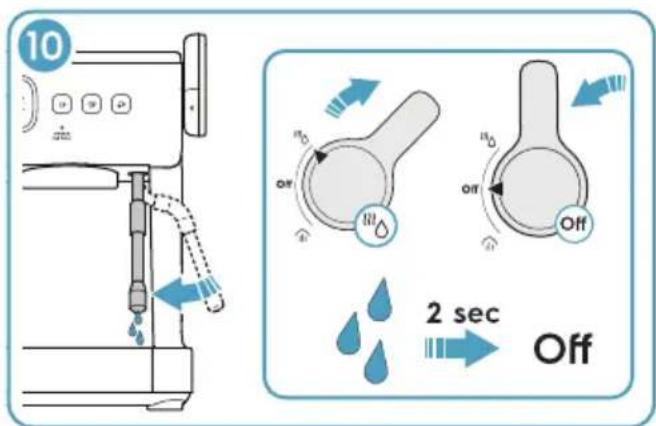
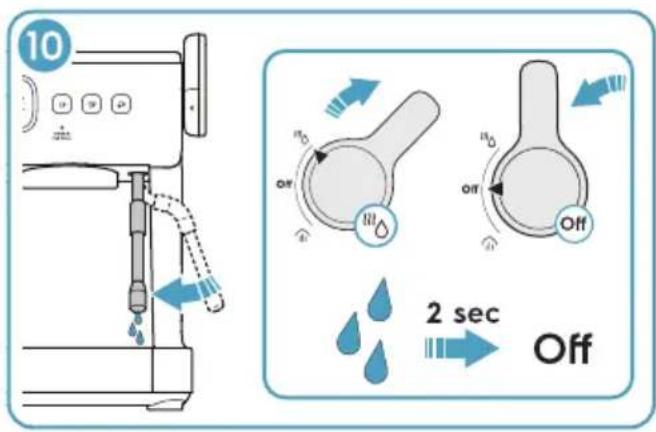
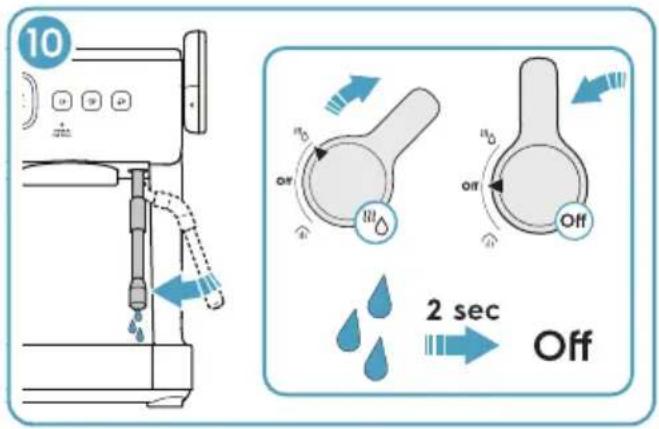
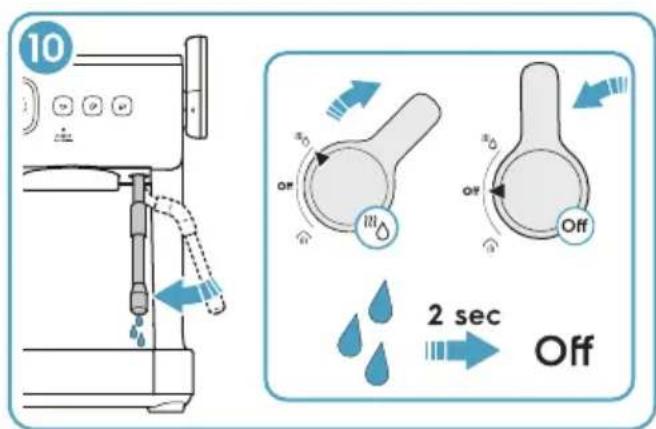
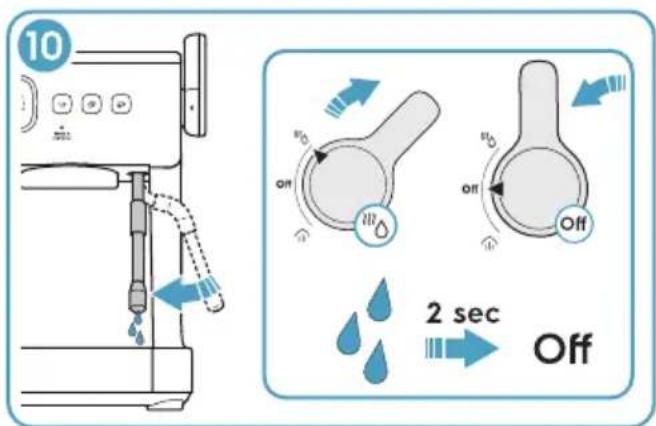
- Move the steam wand until it is above the drip tray. Turn the steam & hot water dial to the hot water position and wait 2 seconds to remove milk that has gone into the steam wand. Turn the steam & hot water dial to OFF.
To make latte or cappuccino
natural_image
Illustration of a hand holding a beaker containing liquid with bubbles, with an arrow indicating upward motion (no text or symbols)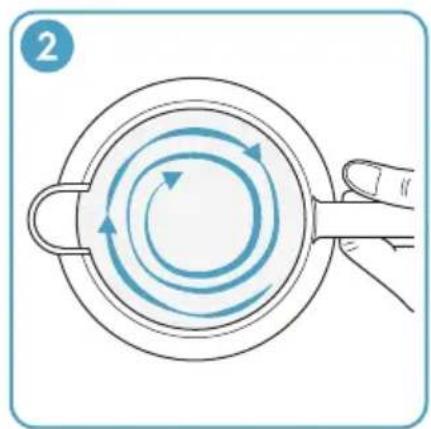
natural_image
Illustration of a hand holding a circular object with blue arrows indicating rotational flow (no text or symbols)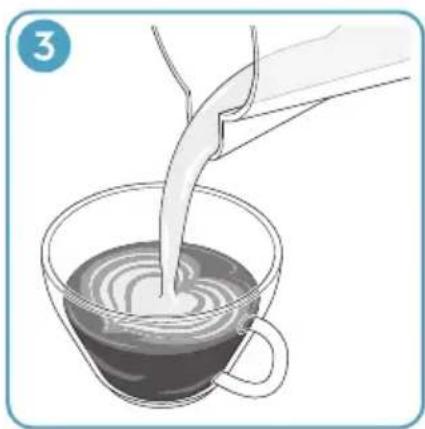
natural_image
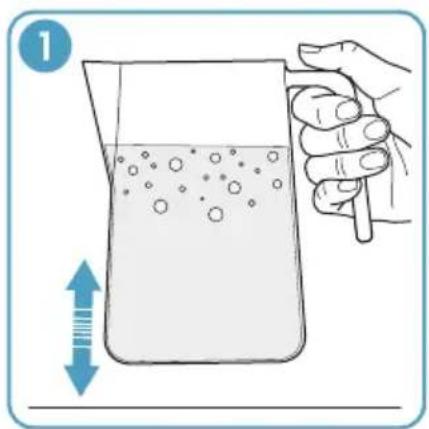
Illustration of a hand pouring liquid from a glass cup into a dark liquid, with no text or symbols present.- Tap the bottom of the milk jug against the benchtop to release larger air bubbles.
- Swirl the milk jug to mix the milk and make the texture silky.
- Pour the milk into the prepared espresso in one steady movement.
Coffee styles
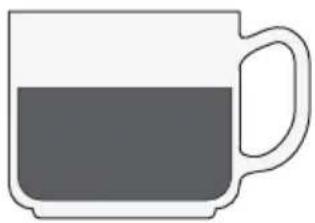
natural_image
Simple line drawing of a mug filled with liquid, no text or symbols presentEspresso
Espresso is a concentrated, full-bodied coffee with a stable layer of crema on top. Select one cup or two cup espresso.
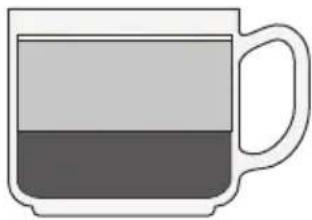
natural_image
Simple line drawing of a mug filled with liquid, no text or symbols presentFlat white
A one cup or two cup espresso with 2/3 frothed milk and a thin layer of milk foam on top.
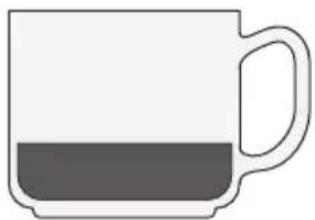
natural_image
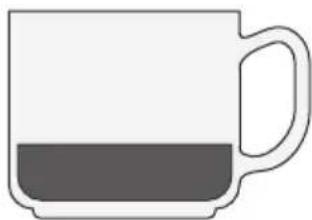
Simple line drawing of a mug with a handle and liquid inside (no text or symbols)Ristretto
A ristretto is a half one cup espresso with intense flavour and aftertaste and a thin crema on top.
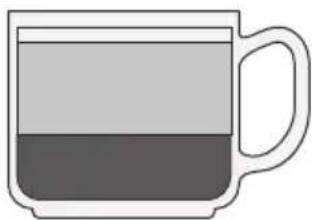
natural_image
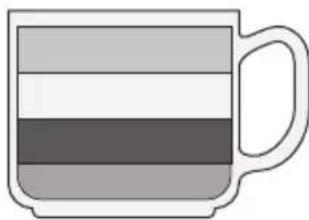
Simple line drawing of a mug filled with liquid, no text or symbols presentLatte
A one cup or two cup espresso with 3/4 frothed milk and a finger width layer of milk foam on top.
natural_image
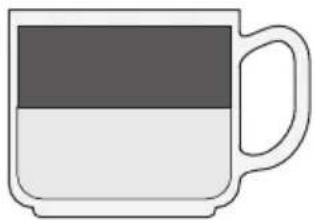
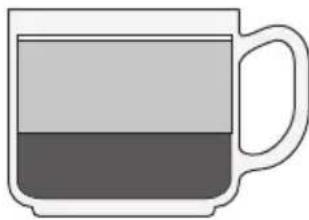
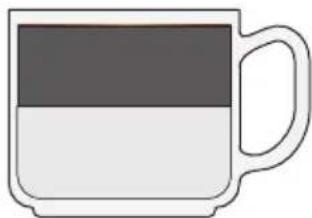
Simple line drawing of a mug with two shades of gray covering the rim (no text or symbols)Americano
A one cup or two cup espresso with hot water. Add the hot water first to keep the crema on top.
natural_image
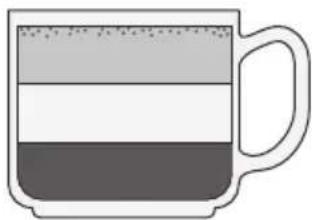
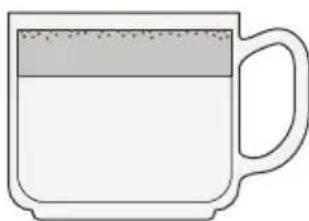
Simple line drawing of a mug filled with liquid, no text or symbols presentCappuccino
A one cup or two cup espresso with 1/3 frothed milk and 1/3 milk foam on top. Add chocolate powder on top.
natural_image
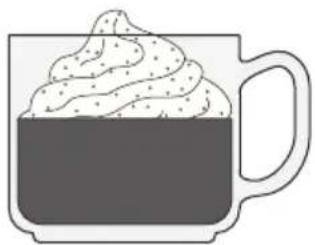
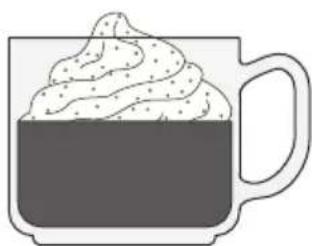
Line drawing of a mug filled with whipped cream and sprinkles (no text or symbols)Con panna
A one cup or two cup espresso topped with lightly whipped cream. Add cinnamon powder or chocolate powder on top.
natural_image
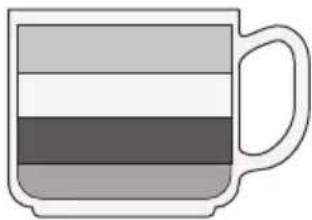
Simple line drawing of a mug with horizontal stripes (no text or symbols)Mocha
A one cup or two cup espresso mixed with drinking chocolate and with 1/3 frothed milk and 1/3 milk foam on top.
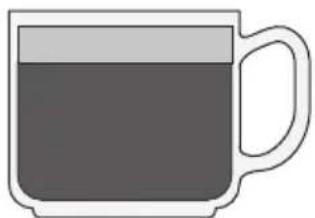
natural_image
Simple line drawing of a mug filled with dark liquid, no text or symbols presentMacchiato
A one cup or two cup espresso topped with a small amount of cold or frothed milk and a small dollop of milk foam.
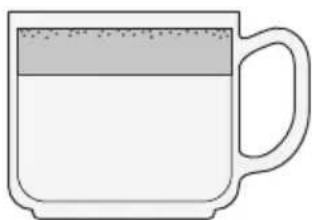
natural_image
Simple line drawing of a mug filled with liquid, no text or symbols presentBabyccino
No espresso, only frothed milk and milk foam on top. Add chocolate powder on top.
Pre-ground coffee
If you use pre-ground coffee, the coffee should be freshly ground and subjected to deep roasting. You may need to use French or espresso roasted coffee grounds for espresso coffee. Pre-ground coffee can only keep the aroma for 7-8 days unless it is stored in a sealed container in a cool place. Do not store coffee in the refrigerator or freezer. In general, it is not recommended to use pre-ground coffee. Freshly ground coffee keeps the aroma of the coffee better and gives a higher coffee quality.
Settings and adjustments
To adjust the coffee grind
When the coffee grind is adjusted correctly, the coffee grounds have the same granularity as salt. For freshly roasted coffee beans the recommended setting is 10-15 but the type and quality of coffee beans can make adjustments necessary.
Turn the bean hopper clockwise or counterclockwise to the wanted setting between 0-30. A lower number gives a finer grind. A higher number gives a coarser grind.
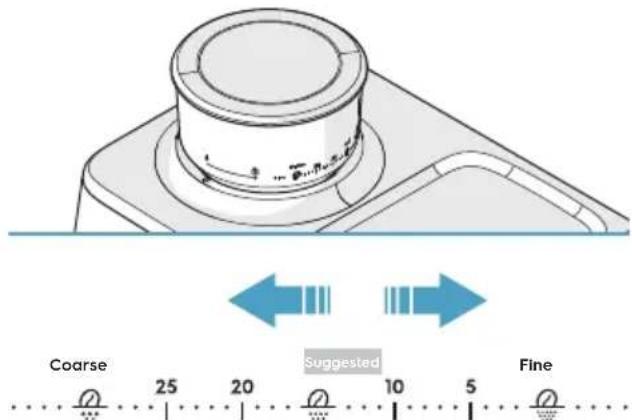
If the coffee grounds become too fine or too coarse, adjust again.
To customize the amount of coffee grounds
These are the default settings for coffee grounds:
• One cup espresso: approximately 13 g coffee grounds.
- Two cup espresso: approximately 19 g coffee grounds.
Note: The amount of coffee grounds depends on the type of coffee beans and the size of the coffee grounds.
- Install the portafilter with the one cup or two cup filter basket in the grinding cradle.
- Press and hold the one cup or two cup grind button. After 3 seconds, the light of the other grind button goes off and the grinding starts.

- When the amount of coffee grounds is satisfactory, release the grind button. There is a beep sound and the new amount of coffee grounds is saved.
To customize the espresso cup volumes
These are the default settings for espresso cups:
• One cup espresso: approximately 40 ml.
- Two cup espresso: approximately 80 ml.
These are the allowed volumes:
Note: The extraction volume depends on the type of coffee beans and the size of the coffee grounds.
- Press and hold the one cup or two cup espresso button. After 3 seconds the light on the other espresso button goes off and the water flow starts.
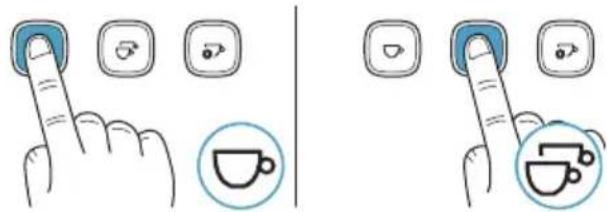
- When the volume is satisfactory, release the espresso button. There is a beep sound and the new espresso cup volume is saved.
To customize the coffee extraction temperature
The default coffee extraction temperature is 92 °C. The temperature can be adjusted between 90-96 °C in 2 °C increments.
- Switch on the product.
- Press and hold the manual cup espresso/program button until there is a beep sound. The light of the ON/OFF button goes off and the lights of the other buttons are on or flash.
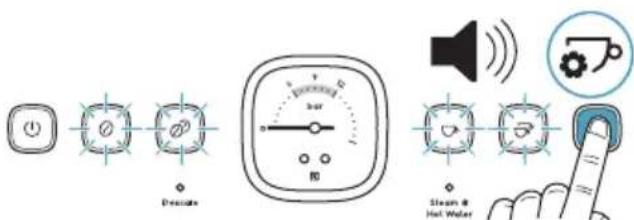
- Set the wanted temperature by pressing the applicable button. The pressed button comes on with a flashing light.
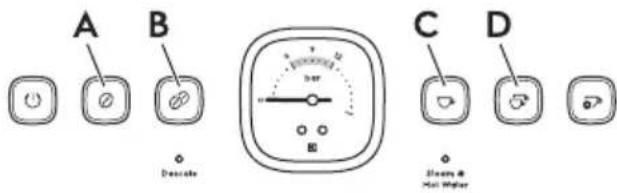
a. Press the one cup grind button (A) to set the temperature to 90 °C.
b. Press the two cup grind button (B) to set the temperature to 92 °C.
c. Press the one cup espresso button (C) to set the temperature to 94 °C.
d. Press the two cup espresso button (D) to set the temperature to 96 °C.
Note: Higher temperatures increase bitterness and decrease acidity. Lower temperatures decrease bitterness and increase acidity.
- Press the manual cup espresso button. There is a beep and the product is set to standard operation mode.
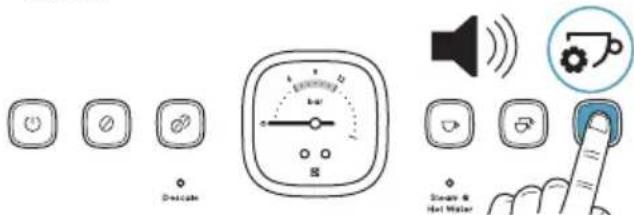
Note: If you do not press a button, the product automatically goes back to standard operation mode after 10 seconds.
To restore to factory settings
- Press and hold the one cup and two cup grind button at the same time to enter factory default setting mode. All buttons start to flash.
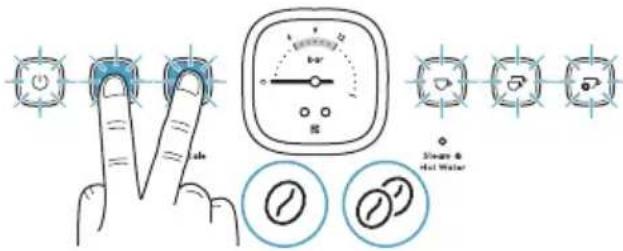
-
When there is a beep sound, release the grind buttons.
-
To restore to the default setting for the one cup grind button (A) or the two cup grind button (B), do these steps:
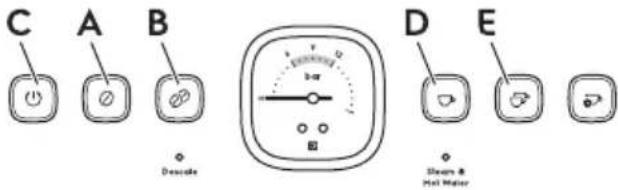
a. Press and hold the grind button (A) or (B) for 3 seconds until the lights of all buttons go off, except for the pressed grind button with a steady light after 3 quick blinks.
b. When there is a beep sound, release the pressed button. All buttons start to flash.
c. Press the ON/OFF button (C). The setting is reset to default and the product is set to standard operation mode.
- To restore to the default setting for the one cup espresso button (D) or the two cup espresso button (E), do these steps:
a. Press and hold the espresso button (D) or (E) for 3 seconds until the light of all buttons go off, except for the pressed espresso button with a steady light after 3 quick blinks.
b. When there is a beep sound, release the pressed button. All buttons start to flash.
c. Press the ON/OFF button (C). The setting is reset to default and the product is set to standard operation mode.
- To restore all default settings, do these steps:
a. Press and hold the ON/OFF button (C). The lights of all other buttons go off.
b. When there is a beep sound, release the ON/OFF button. All settings are reset to default and the product is set to standard operation mode.
Note: If you do not press a button, the product automatically goes back to standard operation mode after 10 seconds.
Cleaning and care - Espresso machine
The espresso making process involves extracting oils out of coffee grounds. Deposits of coffee grounds and oils build up over time, affecting the coffee taste and operation of the espresso machine.
Running water through the brewing head and steam wand, before and after making each coffee, is the easiest way to keep your espresso machine clean.
Every time before use
- Run water through the brewing head. Refer to "To make an espresso coffee" on page 13.
Every time after use
-
After frothing milk, immediately purge the steam wand by turning the dial to hot water for 1-2 seconds and then clean it with a damp sponge or cloth. Refer to "To froth milk" on page 16.
-
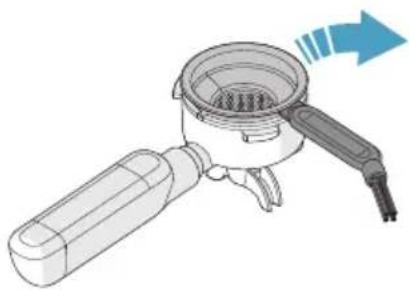
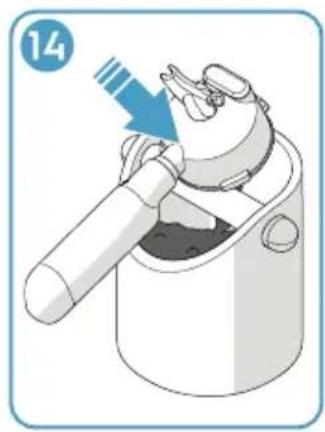
Remove the filter basket from the portafilter with the end of the cleaning brush.
natural_image
Illustration of a mechanical device with a handle and internal component, showing motion direction (no text or symbols)- Clean the filter basket, portafilter and milk jug with warm water.
CAUTION: Only the filter baskets and the milk jug are dishwasher safe.
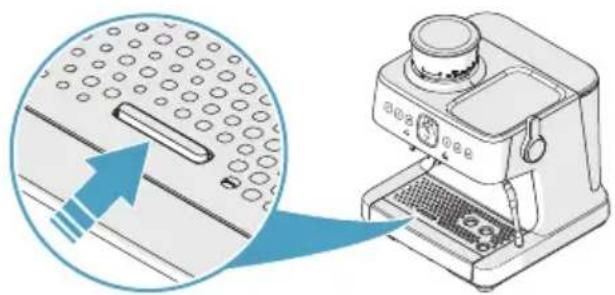
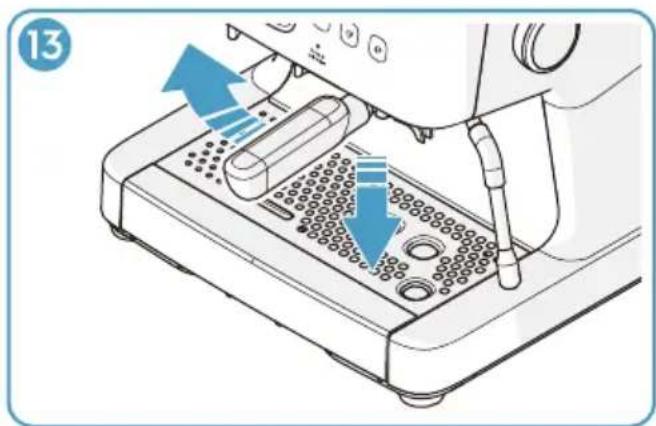
- Examine the drip tray float. If it is higher than the surface of the drip tray, it is necessary to empty the drip tray.
natural_image
Illustration of a vintage typewriter with a magnified inset showing the keyboard and mode dial (no text or symbols)a. Remove the drip tray.
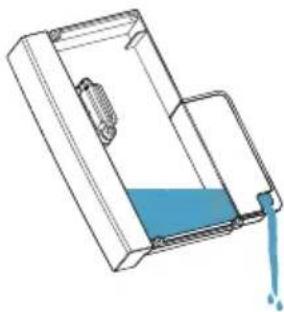
b. Empty the drip tray.
natural_image
Technical line drawing of a mechanical component with a blue highlighted section (no text or symbols)c. Clean the drip tray and grid with warm water.
- Examine the water tank. Clean it with warm water if necessary.
Weekly
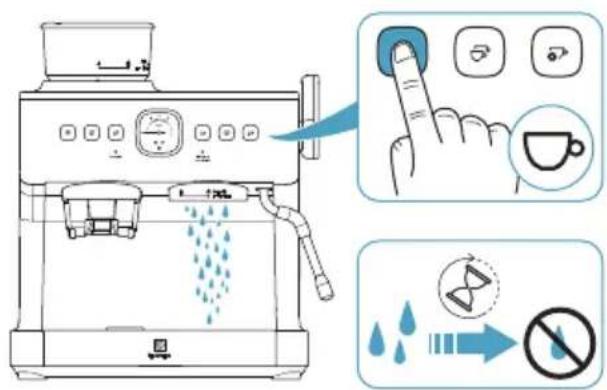
Purge and clean the brewing head
- Press the one cup espresso button and wait until the water flow stops.
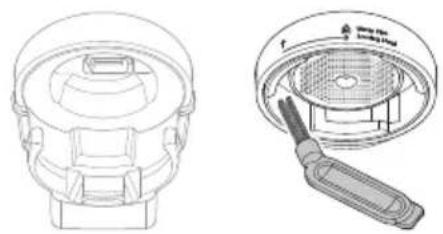
- Remove coffee grounds from the inner surface and the silicone seal with the cleaning brush.
natural_image
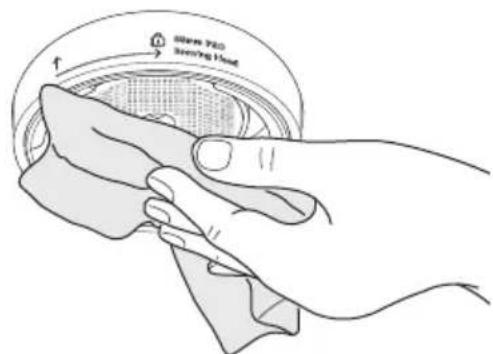
Technical line drawings of a helmet and a device component (no text or symbols)- Clean the shower head with a damp cloth.
Every 2-3 months
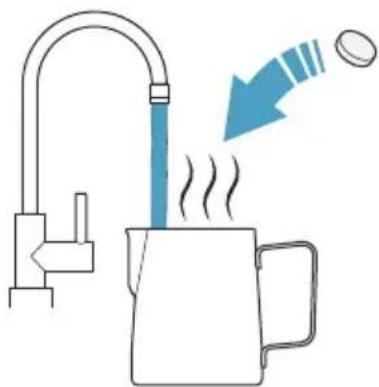
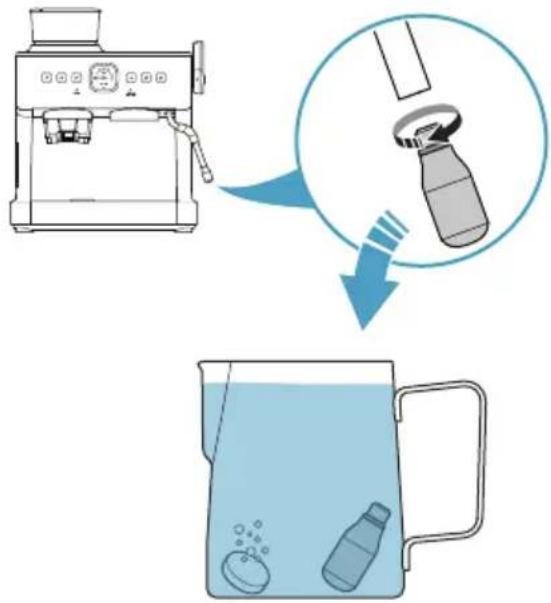
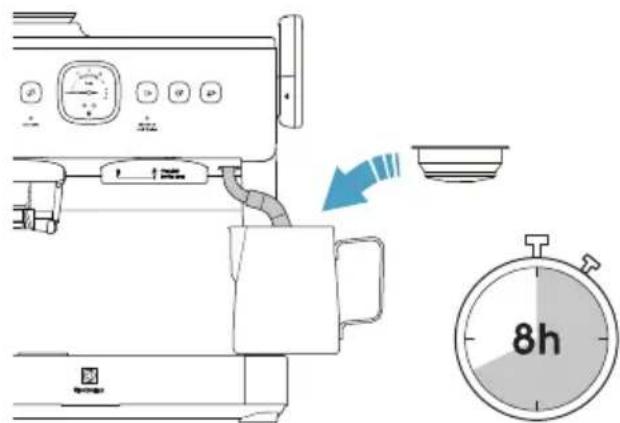
Use descaling solution (refer to Page 27) to clean up the steam wand & filter baskets.
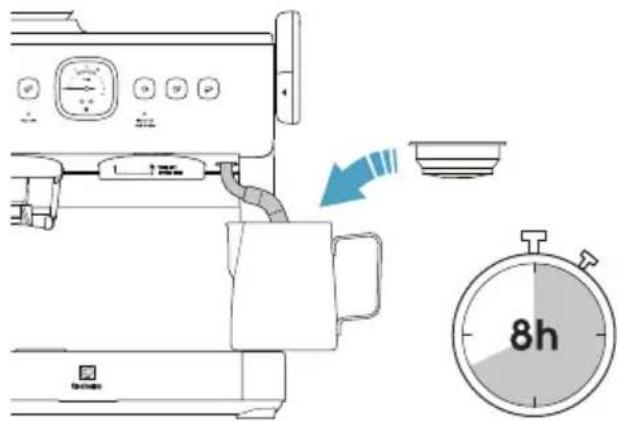
- Fill the milk jug with warm water and descaling solution.
natural_image
Illustration of a kitchen sink with a steaming cup and a water drop (no text or symbols)- Put the filter baskets in the milk jug.
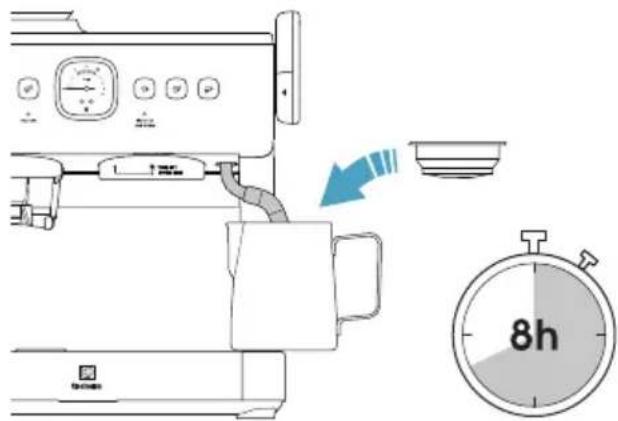
- Put the steam wand in the milk jug and put the milk jug on the drip tray.
- Wait 8 hours.
- Remove and empty the milk jug. Clean the milk jug until all remaining particles from the descaling solution are removed.
- Clean the steam wand with a wet sponge or cloth until all remaining particles from the descaling solution are removed.
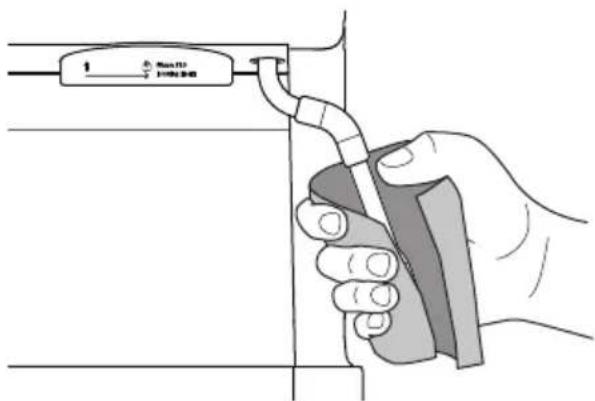
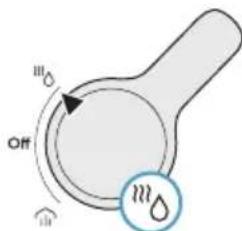
- Turn the steam & hot water dial to the hot water position and let water run through the steam wand for 40 seconds.
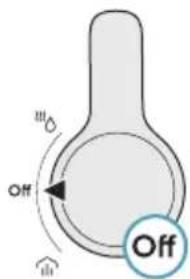
- Turn the steam & hot water dial to OFF.
- Install the one cup filter basket into the portafilter and install the portafilter in the brewing head.
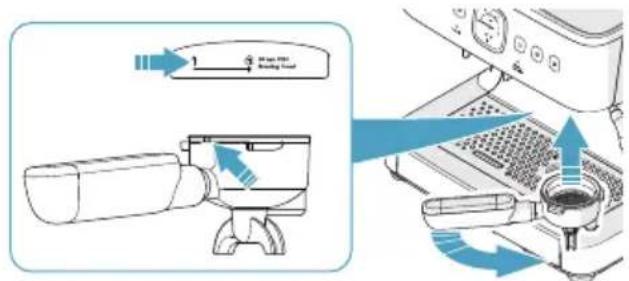
- Press the one cup espresso button to let water run through the filter basket.
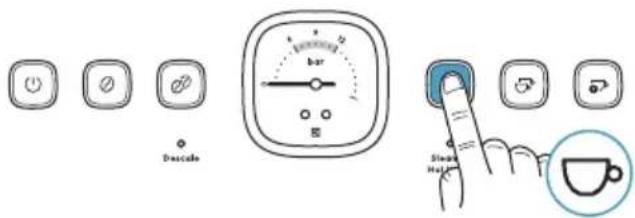
- When the water flow stops, remove the portafilter and to the same procedure with the two cup filter basket.
When needed
- Switch off the product and disconnect the power supply.
- Let the product become cool before you clean it.
- Clean the outer surfaces with a damp cloth.
- Clean the water tank, the bean hopper, the drip tray and grid regularly.
CAUTION: Never use caustic or abrasive cleaners, and never immerse the product in liquid.
CAUTION: Only the filter baskets and the milk jug are dishwasher safe.
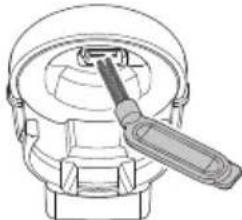
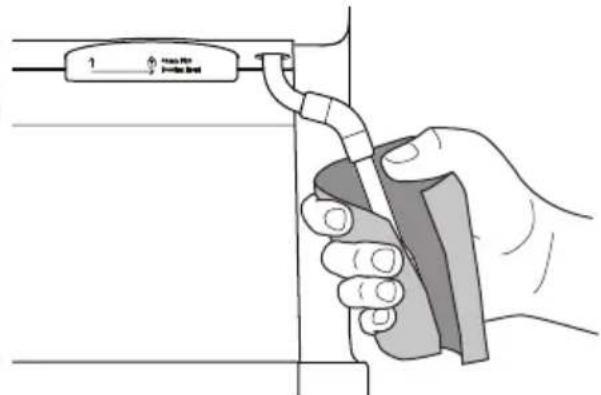
- Insert the thicker cleaning pin through the hole in the steam wand nozzle.
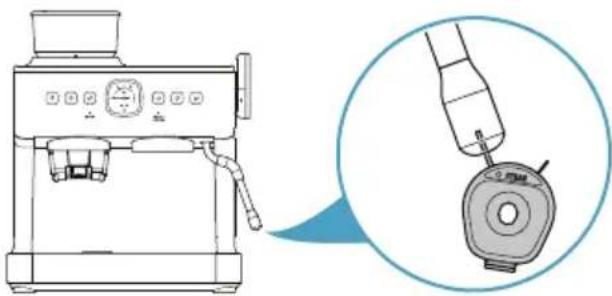
natural_image
Line drawing of a coffee machine with a close-up inset showing its internal components (no text or symbols)- Turn the steam & hot water dial to the hot water position and let water run through the steam wand for 40 seconds.
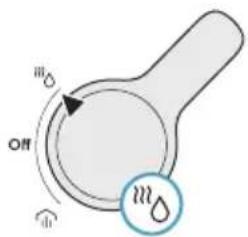
- Turn the steam & hot water dial to OFF.
- If the blockage continues, remove the steam wand nozzle and clean it with descaling solution (refer to page 27).
Cleaning and care - Coffee grinder
Conical burrs are used to grind coffee beans to a suitable grind size for espresso extraction.
Static-free system is equipped to prevent coffee grinds from ejecting outside of the filter basket during grinding.
Deposits of coffee grounds and oils build up over time, affecting the coffee taste and operation of the integrated grinder.
Weekly or at least once every two weeks
- Remove remaining coffee grounds from the grinding cradle and the grind outlet with the cleaning brush.
natural_image
Line drawing of a mechanical component with a handle and central hub (no text or symbols)- Clean the grinding cradle and the grind outlet with a damp sponge or cloth and then with a dry cloth.
Every 1-2 months
If the grinder is used daily, the burrs need to be cleaned to ensure best performance of the integrated grinder. Regular cleaning helps the burrs achieve consistent grinding results, which is especially important when grinding coffee beans for espresso.
CAUTION: Never use caustic or abrasive cleaners, and never immerse the product in liquid.
- Make a note of the current grind setting. This is to make sure that you get the same setting after cleaning.
- Turn the bean hopper fully counterclockwise to unlock it.
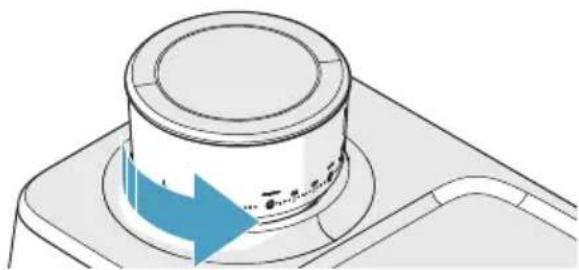
natural_image
3D diagram of a cylindrical component with a blue arrow indicating direction, mounted on a base (no text or symbols)- Remove the bean hopper and put remaining coffee beans in an airtight container.
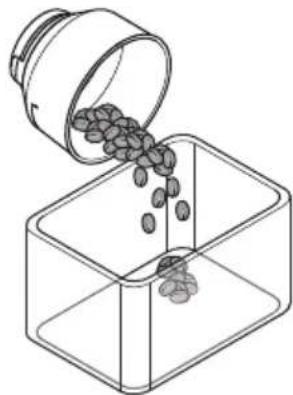
natural_image
Illustration of a container pouring liquid into a container with a small object inside (no text or symbols)- Clean the bean hopper with the cleaning brush.
- Remove remaining coffee beans from the top burr.
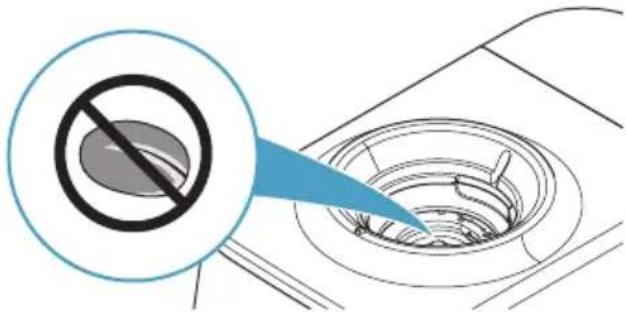
- Install the empty bean hopper and press the one cup or two cup grind button. If no coffee grounds come out, the top burr is empty.
Note: When the bean hopper is not installed, the one cup and two cup grind buttons flash and the grinder cannot start.
- Switch off the product and disconnect the power supply.
- Remove the bean hopper.
- Lift the handle on the top burr.
- Turn the top burr counterclockwise and lift it out from the grinder collar.
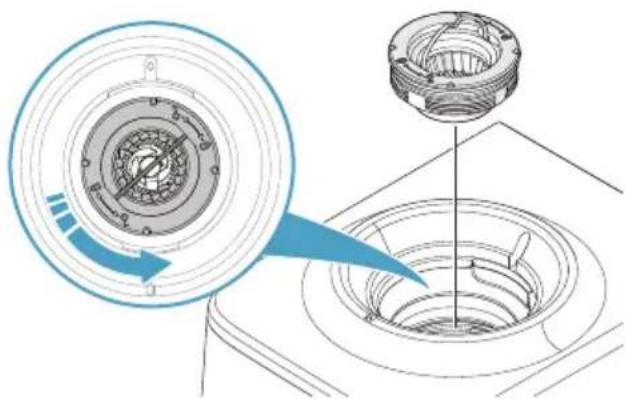
natural_image
Technical diagram showing a mechanical component with a magnified inset highlighting a circular feature (no text or symbols present)CAUTION: Do not clean the top burr with water.
- Clean the parts and surfaces in the grind chamber and the grind collar with the cleaning brush.
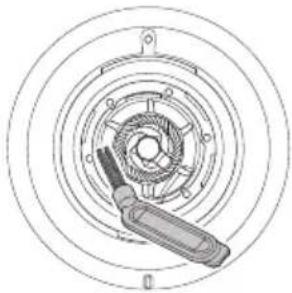
natural_image
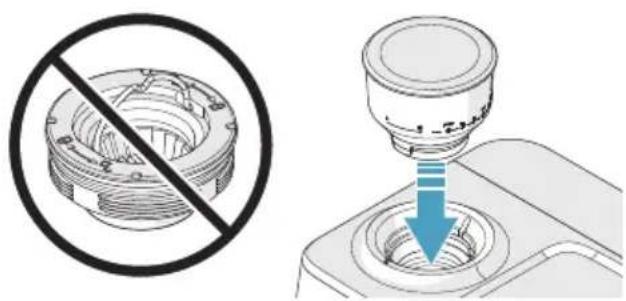
Technical line drawing of a mechanical component with concentric rings and a central tool (no text or symbols)- Do not install the top burr, but install the empty bean hopper.
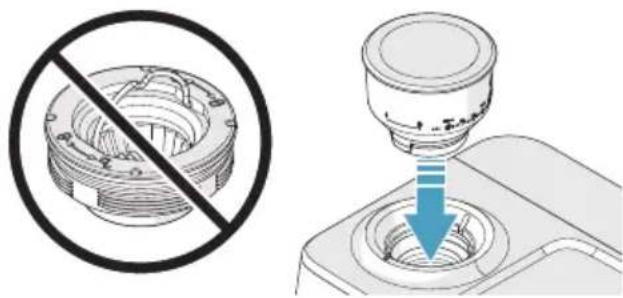
natural_image
Technical illustration showing a mechanical component with a prohibition symbol and a downward arrow indicating a disassembly or disassembly process (no text or symbols present)-
Connect the power supply and switch on the product.
-
Press the one cup or two cup grind button.
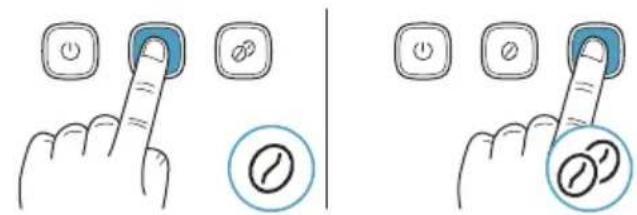
If coffee grounds appear in the grinder, remove them with the cleaning brush. Repeat until no coffee grounds come out when you press a grind button.
CAUTION: Do not pour water or any other liquid into the grind chamber.
-
Switch off the product and disconnect the power supply.
-
Remove remaining coffee grounds from the grinding cradle and the grind outlet with the cleaning brush.
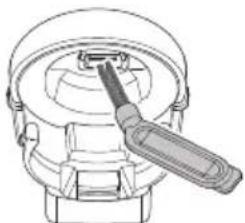
natural_image
Line drawing of a mechanical device with a handle and central component (no text or symbols)-
Clean the grinding cradle and the grind outlet with a damp sponge or cloth and then with a dry cloth.
-
Remove the bean hopper and install the top burr. Make sure that the top burr aligns with the surface of the grinder collar.
CAUTION: If the top burr is not installed correctly, the grinder produces coarse coffee grounds.
- Install the bean hopper.
Note: When the bean hopper is not installed, the one cup and two cup grind buttons flash and the grinder cannot start.
- Turn the bean hopper to the grind setting that you made a note of.
Note: After cleaning, the optimum grind setting may have changed. To find the optimum grind setting, refer to "To adjust the coffee grind" on page 19.
Every 2-3 months
If the grinder is used daily, the bean hopper needs to be cleaned to ensure best performance.
Note: When the bean hopper is not installed, the one cup and two cup grind buttons flash and the grinder cannot start.
- Clean the inner surfaces of the grinder from below with the cleaning brush.
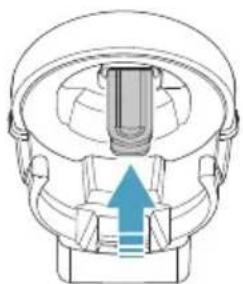
natural_image
Diagram of a mechanical component with a blue upward arrow indicating motion or force (no text or symbols)- Clean the burrs, grinder collar, grind chamber and grind outlet. Refer to "Every 1-2 months" on page 24.
Descaling
After continued use, your espresso machine may develop a build-up of mineral deposits and therefore require occasional descaling.
We recommend descaling your espresso machine every 4-6 months, although this period will depend on the hardness of water and frequency of use.
Descaling reminder
When the product senses that the water consumption is at 15 liters, the descale light comes on. The descale light stays on until the descaling procedure is completed. You can stop the descaling reminder and restart the water consumption monitor by restoring all factory settings. Refer to "To restore to factory settings" on page 20.
Note: If the descaling procedure is not fully completed or stopped at any of the steps, it is necessary to restart the procedure from the beginning.
To do a descaling procedure
- Prepare a descaling solution. Refer to "To prepare a descaling solution" on page 27.
- Fill the water tank with the descaling solution and install the water tank.
- Put a 1 liter container below the brewing head.
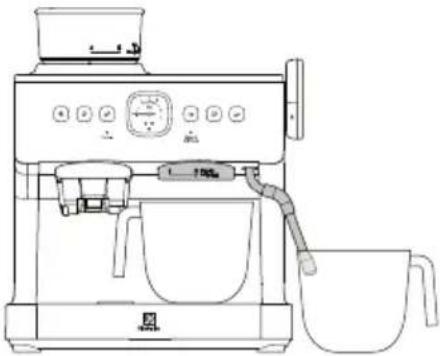
natural_image
Line drawing of a modern coffee maker with control panel and side arm (no text or symbols)- Put another 1 liter container below the steam wand.
- Switch on the product.
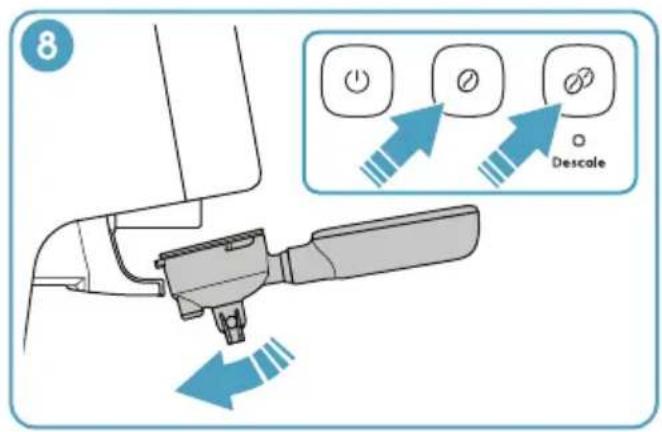
- Press and hold the one cup, two cup and the manual cup espresso buttons at the same time.
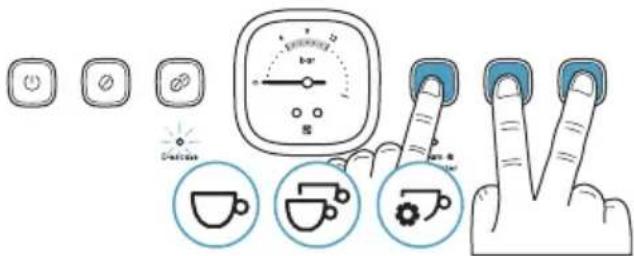
- Wait until the descale light flashes, the ON/OFF button and the steam & hot water light are on with a steady light and all other buttons are off. There is a beep sound and then the product is in descaling mode.
Note: If the descaling procedure is not started in 1 minute, the product goes back to standard operation mode.
Note: The descaling procedure can be cancelled at any time with the ON/OFF button. However, if the descaling procedure is not fully completed, the descale light will stay on.
- Turn the steam & hot water dial to the steam position. The ON/OFF button and the steam & hot water light start to flash.
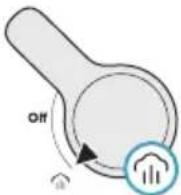
- Wait 2 minutes while the pump operates. Hot descaling solution flows from the brewing head and the steam wand, and the pump makes different noises.
Note: If the procedure is not continued within 5 minutes after the pump stops, the product goes back to standard operation mode, except that the steam & hot water light flashes because the dial is in steam position.
- When the product beeps and the ON/OFF button is on with a steady light, turn the steam & hot water dial to OFF. The steam & hot water light comes on with a steady light.
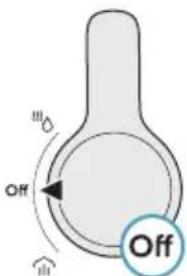
- Remove the water tank and clean it fully in warm running water until all remaining descaling solution is removed.
- Fill the water tank with pure water.
- Empty and clean the 1 liter containers and put them back below the brewing head and the steam wand.
- Turn the steam & hot water dial to the hot water position. The ON/OFF button and the steam & hot water light start to flash.
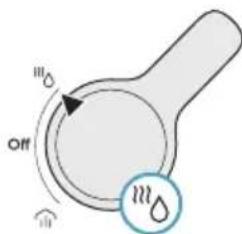
- Wait 2 minutes while the pump operates. Hot water flows from the brewing head and the steam wand, and the pump makes different noises.
Note: If the procedure is not continued within 5 minutes after the pump stops, the product goes back to standard operation mode, except that the steam & hot water light flashes because the dial is in hot water position.
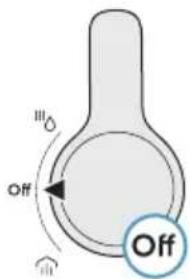
- When the product beeps, the descale light goes off and the ON/OFF button is on with a steady light, turn the steam & hot water dial to OFF. The descaling procedure is completed and the product is set to standard operation mode.
To prepare a descaling solution
There are 3 different descaling solutions to select from:
• Coffee cleaning tablet dissolved in water.
- Coffee descaler.
- A mixture of white vinegar or citric acid and warm water.
-
Prepare the descaling solution in a 1 liter container.
-
For cleaning tablets, do these steps:
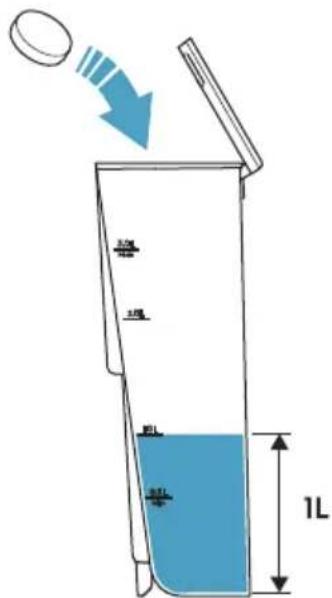
a. Fill the container with 1 liter of warm water.
b. Add 1 cleaning tablet and wait until it is fully dissolved (please follow the instructions of selected cleaning product).
- For coffee descaler, do these steps:
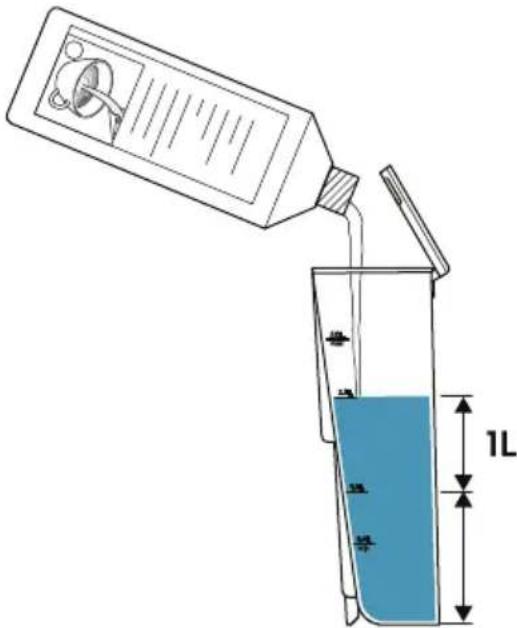
a. Fill the container with 1 liter of warm water.
b. Add coffee descaler and let the solution mix.
(Please follow the instructions of selected cleaning product)
- For white vinegar or citric acid solution, do these steps.
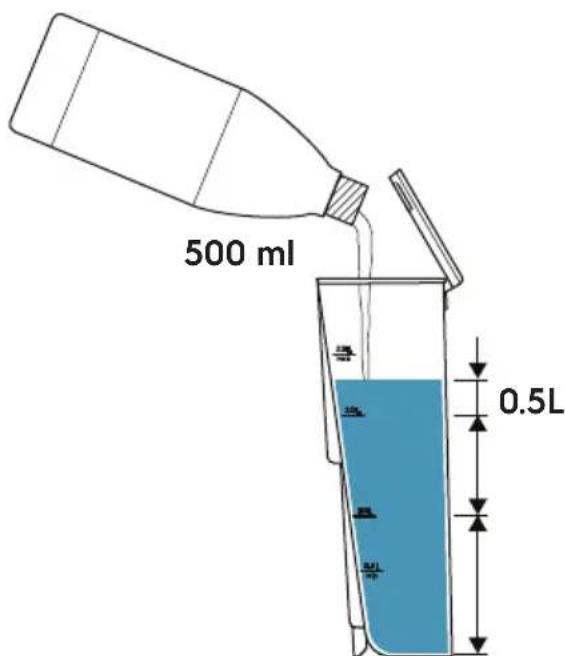
a. Fill the container with 500 ml of warm water and 500 ml of white vinegar or 1 liter of warm water and 50 g of citric acid.
b. Let the solution mix.
A Special Descaling Procedure
Symptom:
The coffee machine brews normally, but the pressure gauge does not move or only shows minimal movement, even when using a fine grind. This typically indicates that the coffee grind may still be too coarse to create sufficient resistance. Even with a decent dose in the filter cup, a lack of pressure buildup suggests either the grind is not fine enough, the filling is insufficient or was not compressed enough.
Possible Cause:
Scale buildup may be blocking the valve core, preventing the pressure gauge from functioning properly.
Recommended Action:
Perform a descaling procedure as following setps to eliminate scale-related blockages
Step 1: Prepare the descaling solution
- Add the recommended descaling agent to the water tank and ensure the solution is fully dissolved. Refer to "To prepare a descaling solution" on page 27.
Step 2: Initiate descaling cycle
- Set the grinder to the finest setting.
- Grind 19g of coffee and load it into the machine.
- Press the Double Cup button to start brewing.
• After 10 seconds, turn off the machine.
Important:
- Do not remove the portafilter.
- Allow the machine to remain pressurized.
- Let it sit for 24 hours to allow the descaling solution to dissolve internal scale.
Step 3: Complete the standard descaling
- After 24 hours, follow the standard descaling procedure as outlined in the user manual to flush and clean the system. Refer to "To do a descaling procedure" on page 26.
Troubleshooting
| Problem Cause Solution | ||
| No lights on the control panel are on. | The power plug is not connected. Connect the power plug to the power supply. | |
| Continuous beep sounds come from the product. | The steam & hot water dial is not in the OFF position when you switch on the product. | Turn the steam & hot water dial to the OFF position. |
| The steam or hot water function is used for too long. | ||
| There is a ticking sound when the product starts and a hissing sound when the brewing process is finished. | The pressure control valve is in operation. | No action is necessary. |
| The one cup grind button and the two cup grind button flash quickly at the same time. If you press a grind button, there are 3 beep sounds. | The bean hopper is not installed. Install the bean hopper. | |
| The one cup grind button and the two cup grind button flash quickly one at a time. If you press a grind button, there are 3 beep sounds. | The grinder was used more than 3 minutes within the last 6 minutes. | Wait 6 minutes. |
| The one cup grind button and the two cup grind button flash quickly 3 times. If you press a grind button, there are 3 beep sounds. | There is blockage in the grinder. Clean the grinder. Refer to “Every 2-3 months” on page 25. If cleaning the grinder was not the solution to the problem, speak to an Electrolux service center. | |
| The motor stopped because the current is unusually high. | ||
| The grinder operates but no coffee grounds come out. | There is blockage in the grinder or there are coffee grounds in the grinder instead of coffee beans. | Clean the grinder. Refer to “Every 2-3 months” on page 25. |
| Coffee grounds eject from the filter basket during grinding. | There is blockage in the grinder. Clean the grinder. Refer to “Every 2-3 months” on page 25. | |
| The amount of coffee grounds in the filter basket after grinding is incorrect. | There is blockage in the grinder. Clean the grinder. Refer to “Every 2-3 months” on page 25. | |
| There are 5 beep sounds and all buttons flash. | The water tank is empty. Fill the water tank and wait 1 minute. | |
| Water cannot go through the filter basket because there are too much coffee grounds, the coffee grounds are too fine or the coffee grounds were pressed too hard with the tamper. | Use a smaller amount of coffee grounds. Adjust the grind setting to a coarser grind. Use lighter force when you press the coffee grounds with the tamper. | |
| No espresso comes out of the portafilter or the flow of espresso is not smooth. | There are too much coffee grounds, the coffee grounds are too fine or the coffee grounds were pressed too hard with the tamper. | Use a smaller amount of coffee grounds. Adjust the grind setting to a coarser grind. Use lighter force when you press the coffee grounds with the tamper. |
| The portafilter cannot be correctly installed in the brewing head. | There are too much coffee grounds. Use a smaller amount of coffee grounds. | |
| There is no crema on top of the espresso | The coffee beans are damp. Use fresh y roasted coffee beans. | |
| The coffee grounds are too coarse. Set a finer coffee grind. | ||
| Steam does not come out when you turn the steam & hot water dial to the steam position. | The start-up of the product is not completed. | Wait until the steam & hot water light is on with a steady light. |
| There is blockage in the steam wand. | Clean the steam wand nozzle. | |
| The descale light is on. The product senses that the water consumption is at 15 liters and it is necessary to do a descaling procedure. | Do a descaling procedure. Refer to “To do a descaling procedure” on page 26.You can also stop the descaling reminder and restart the water consumption monitor by restoring all factory settings. Refer to “To restore to factory settings” on page 20. | |
| There is water on the benchtop surface where the product is installed. | The drip tray is full. Empty the drip dray. | |
| There is a leakage from the water tank. | Install the water tank correctly.If correct installation was not the solution to the problem, speak to an Electrolux service center. | |
| There is a leakage from the drip tray. | Install the drip tray correctly.If correct installation was not the solution to the problem, speak to an Electrolux service center. | |
| There is a water leakage at the edge of the portafilter. | There are coffee grounds on the edge of the portafilter when it is installed in the brewing head. | Remove all coffee grounds from the edge of the portafilter. |
| Watery espresso leaks from around the portafilter or the portafilter is loose. | The silicone seal in the brewing head is damaged. | Let an Electrolux service center replace the silicone seal in the brewing head. |
| Pressure Gauge Not Responding. Scale buildup may be blocking the valve core, preventing the pressure gauge from functioning properly. | Recommended Action:Perform a descaling procedure to eliminate scale-related blockages.Refer to “A Special Descaling Procedure”. | |
Storage
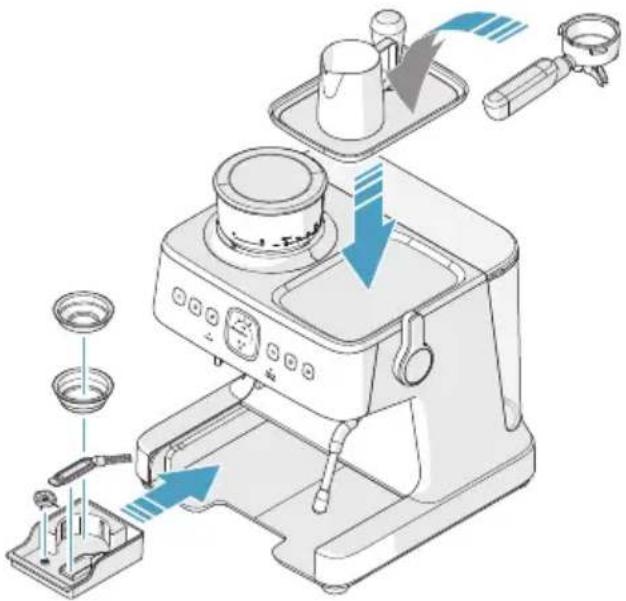
- Put the filter baskets, the cleaning brush and the cleaning pin in the tool kit behind the drip tray.
- Put the tray on top of the cup warmer.
- Put the tamper, the milk jug and the portafilter on the tray.
CAUTION: Do not keep the portafilter installed in the brewing head when you do not use the product. The silicone seal inside the brewing head can become damaged.
Environment Concerns
Recycle materials with the symbol. Put the packaging in relevant containers to recycle it. Help protect the environment and human health by recycling waste of electrical and electronic appliances.
Do not dispose appliances marked with the symbol 📄 with the household waste. Return the product to your local recycling facility or contact your municipal office.
For Switzerland:
Where should you take your old equipment? Any where that sells new equipment or hand it in to official SENS collection points or official SENS recycling firms. The list of official SENS collection points can be found at www.erecycling.chseconds
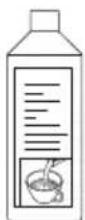
Accessories

www.shop.electrolux.com
EPD2
900 923 820/6
Premium
Coffee Descale
*Accessories are subject to country availability.
ŠVÉDSKÉ MYŠLENÍ, LEPŠÍ ŽIVOT
Ovládací panel
natural_image
Technical line drawing of a rectangular device with internal compartments and a hanging cable (no text or symbols)natural_image
Circular mechanical component diagram with concentric rings and central shaft (no text or symbols)natural_image
Diagram of a mechanical component with a lock icon and directional arrow, no text or symbols presentnatural_image
Line drawing of a coffee maker with a blue liquid-filled container, showing mechanical components and a downward arrow (no text or symbols)natural_image
Diagram of a coffee maker with a cup and downward arrow indicating process (no text or symbols)natural_image
Illustration of a hand using a tool to press or install a component on a device (no text or symbols visible)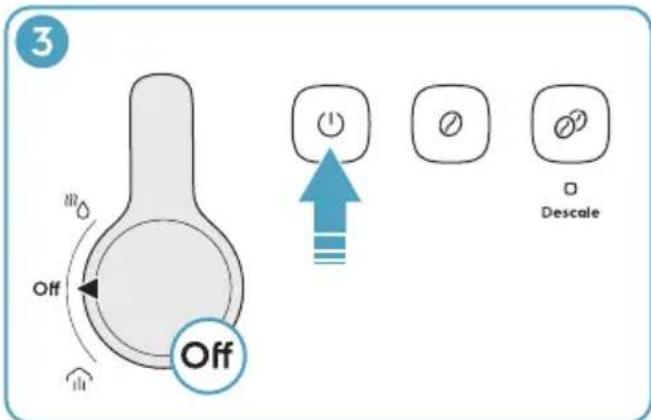
natural_image
Illustration of a kitchen blender with a lid and control panel, showing a drop in the cup (no text or symbols)natural_image
Illustration of a cooking pot with two bowls and a handle, showing a step to process (no text or symbols)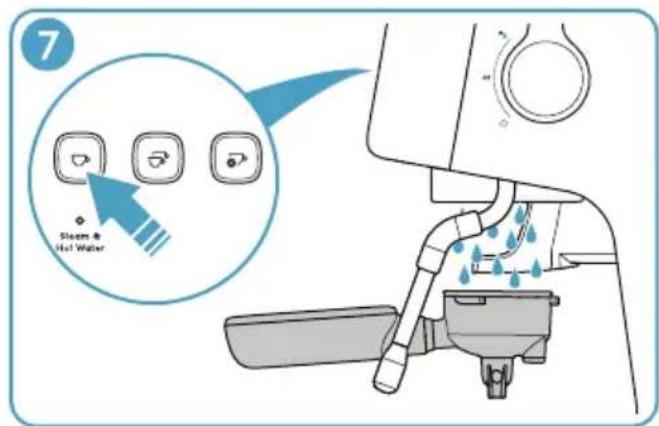

flowchart
graph TD
    A["Initial Setup"] --> B["Intermediate Processing"]
    B --> C["Final Output"]
natural_image
Illustration of a mechanical device with a blue arrow pointing to a component (no text or symbols)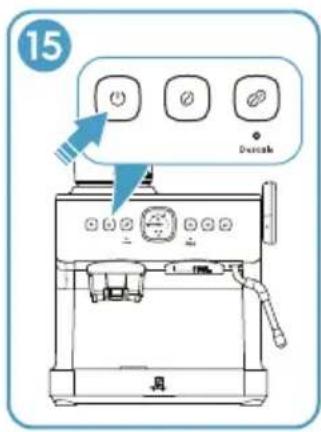
natural_image
Diagram of a kitchen sink with a blue pipe and tool, showing fluid flow direction (no text or symbols)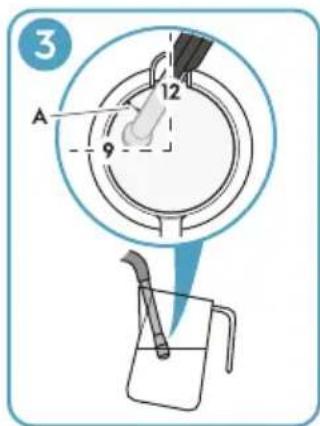
natural_image
Illustration of a beaker with a tool inside, showing liquid and an upward arrow (no text or symbols)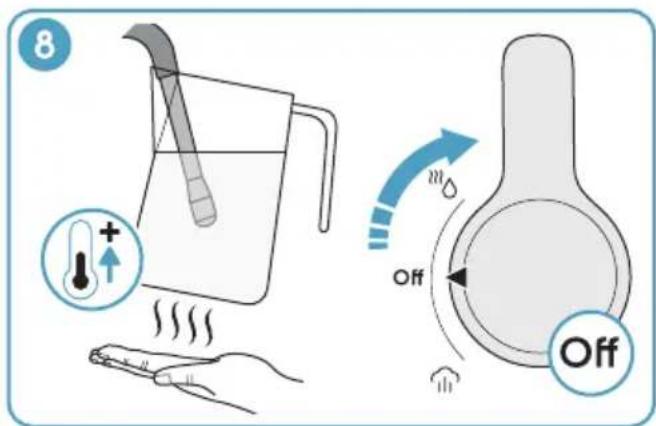
natural_image
Illustration of a beaker with bubbles and liquid, held by a hand holding a stand, with an upward arrow indicating motion (no text or symbols)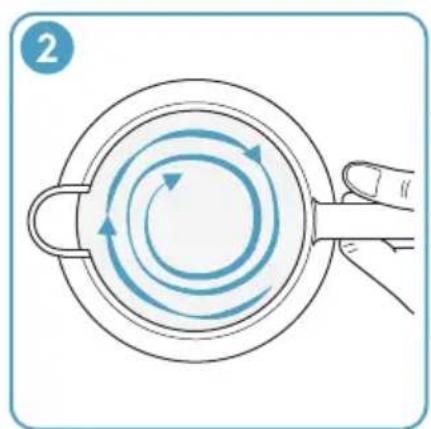
natural_image
Illustration of a hand holding a circular object with concentric rings and arrows indicating rotational flow (no text or symbols)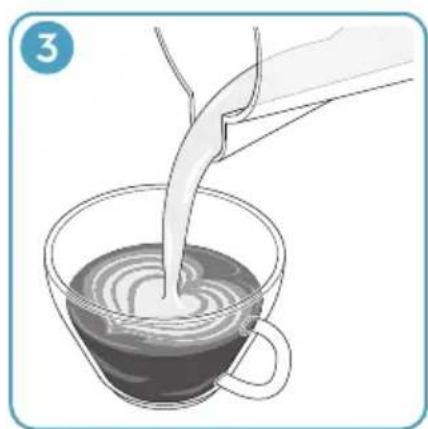
natural_image
Illustration of a hand pouring liquid into a cup of dark liquid (no text or symbols)natural_image
Simple line drawing of a mug filled with liquid, no text or symbols presentEspresso
natural_image
Simple line drawing of a mug filled with liquid, no text or symbols presentFlat white
natural_image
Simple line drawing of a mug with handle and cup (no text or symbols)Ristretto
natural_image
Simple line drawing of a mug filled with liquid, no text or symbols presentCaffè latte
natural_image
Simple line drawing of a mug with two shades of gray (no text or symbols)Americano
natural_image
Simple line drawing of a mug filled with liquid, no text or symbols presentCappuccino
natural_image
Line drawing of a mug filled with whipped cream and sprinkles (no text or symbols)Espresso con panna
natural_image
Simple line drawing of a mug with horizontal stripes (no text or symbols)Mocha
natural_image
Simple line drawing of a mug filled with dark liquid, no text or symbols presentEspresso macchiato
natural_image
Simple line drawing of a mug filled with liquid, no text or symbols presentBabyccino
natural_image
Illustration of a microwave oven with a handle and outlet, emitting heat (no text or symbols)natural_image
Illustration of a microwave oven with a paper filter and control panel, showing a blue arrow pointing to the screen (no text or symbols present)natural_image
Technical line drawing of a mechanical device with a blue component and a gray handle (no text or symbols)natural_image
Technical line drawings of a mechanical component and its internal structure (no text or symbols)Každé 2–3 měsíce
natural_image
Illustration of a kitchen sink with a steaming cup and a water drop (no text or symbols)natural_image
Line drawing of a coffee machine with a close-up inset showing its internal components (no text or symbols)natural_image
Technical line drawing of a mechanical component with a handle and central hub (no text or symbols)natural_image
3D diagram of a cylindrical component with a blue arrow pointing downward, mounted on a base (no text or symbols)natural_image
Illustration of a container with seeds being poured into it, no text or symbols presentnatural_image
Technical line drawing of a mechanical component with concentric circles and a central tool (no text or symbols)natural_image
Technical illustration showing a mechanical component with a prohibition symbol and a downward arrow indicating a disassembly or disassembly process (no text or symbols present)natural_image
Line drawing of a mechanical device with a handle and central component (no text or symbols)natural_image
Diagram of a mechanical component with a blue upward arrow indicating motion or force (no text or symbols)natural_image
Line drawing of a modern coffee maker with control panel and side arm (no text or symbols)www.shop.electrolux.com
EPD2
900 923 820/6
Premium
Coffee Descale
ROOTSLASE MOODI MÕELDES PAREM ELU
natural_image
Technical line drawing of a mechanical housing or enclosure with a cable inserted into one corner (no text or symbols)natural_image
Circular mechanical component diagram with concentric rings and internal gear-like structure, no visible text or symbolsnatural_image
Diagram of a mechanical component with a lock icon and directional arrow, no text or symbols presentnatural_image
Line drawing of a coffee maker with a blue liquid-filled container, showing mechanical components and a downward arrow (no text or symbols)-
Vajadusel pange veepaaki veefilter.
-
Pange kahe tassi filtrikorv portafiltrisse.
natural_image
Line drawing of a coffee maker with a bowl and handle, showing a drop in the cup (no text or symbols)- Joondage portafilter keetmiskambri peal oleva noole ÜLES suhtes.
natural_image
Illustration of a handheld electronic device with a blue component inserted, showing no text or symbols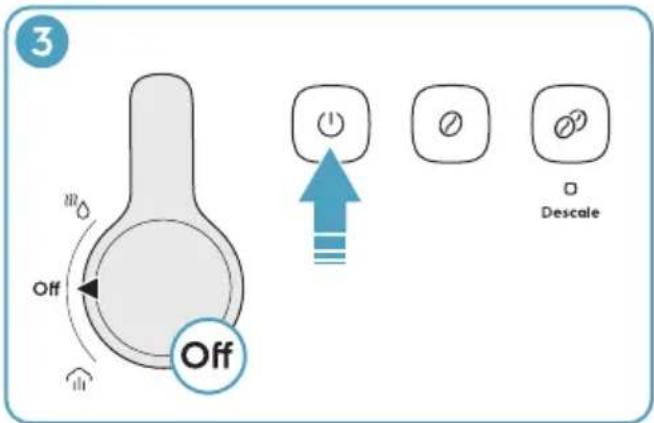
natural_image
Illustration of a kitchen toaster with a cup and lid, showing a drop in the cup (no text or symbols)natural_image
Illustration of a cooking pot with two bowls and a handle, showing a step to process (no text or symbols)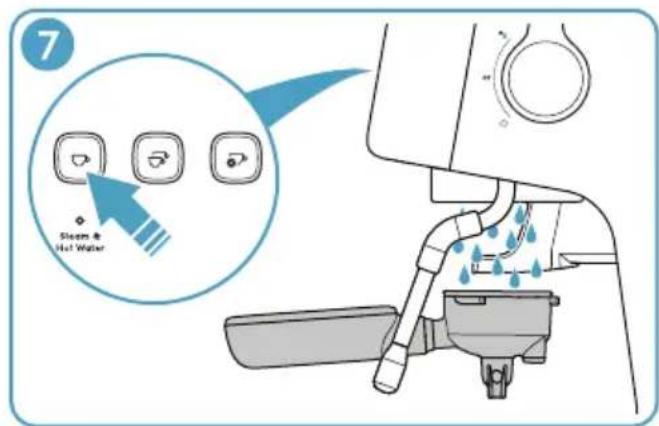
flowchart
graph TD
    A["Initial Setup"] --> B["Intermediate Processing"]
    B --> C["Final Output"]
natural_image
Illustration of a mechanical device with a blue arrow pointing to a component (no text or symbols)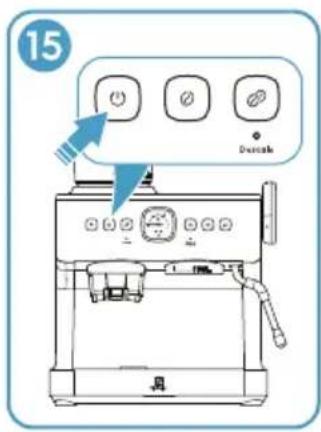
natural_image
Simple line drawing of a beaker with a tool and an upward arrow, no text or symbols present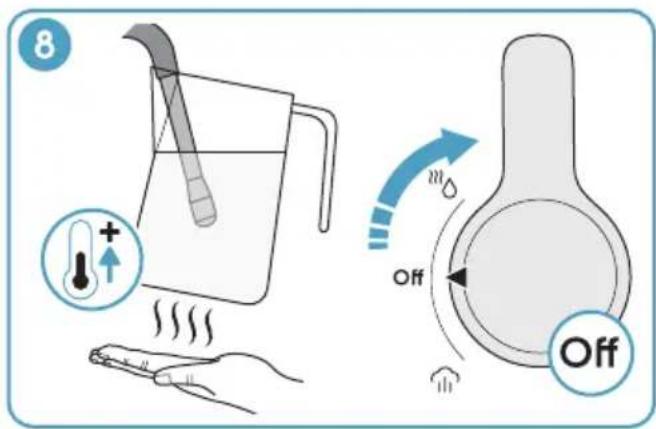
natural_image
Illustration of a hand holding a beaker containing liquid with bubbles, with an upward arrow indicating direction (no text or symbols)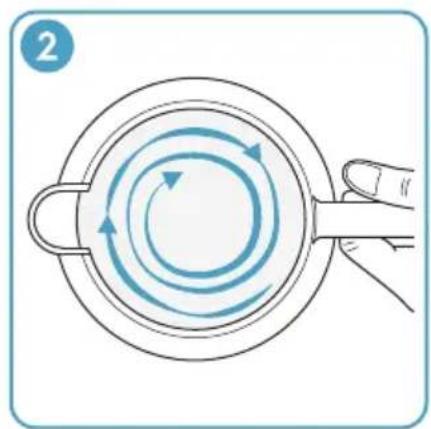
natural_image
Illustration of a hand holding a magnifying glass with circular arrows indicating rotational flow (no text or symbols)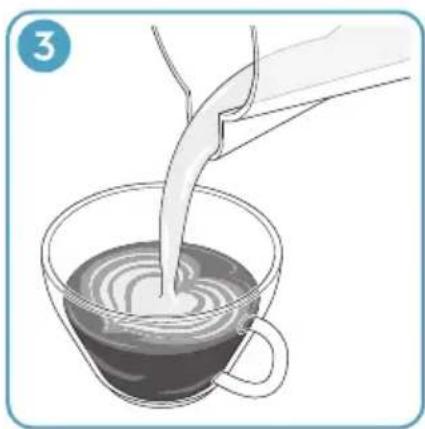
natural_image
Illustration of a hand pouring liquid from a glass cup into a dark liquid, with no text or symbols present.natural_image
Simple line drawing of a mug filled with liquid, no text or symbols presentEspresso
natural_image
Simple line drawing of a mug filled with liquid, no text or symbols presentFlat white
natural_image
Simple line drawing of a mug with handle and cup (no text or symbols)Ristretto
natural_image
Simple line drawing of a mug filled with liquid, no text or symbols presentLatte
natural_image
Simple line drawing of a mug with two shades of gray (no text or symbols)Americano
natural_image
Simple line drawing of a mug filled with liquid, no text or symbols presentCappuccino
natural_image
Line drawing of a mug filled with whipped cream and sprinkles (no text or symbols)Con panna
natural_image
Simple line drawing of a mug with horizontal stripes (no text or symbols)Mocha
natural_image
Simple line drawing of a mug filled with dark liquid, no text or symbols presentMacchiato
natural_image
Simple line drawing of a mug filled with liquid, no text or symbols presentBabyccino
natural_image
Illustration of a coffee maker with a handle and spool, emitting a blue arrow (no text or symbols)natural_image
Illustration of a desktop computer with a mouse and keyboard, showing a blue arrow pointing to the screen (no text or symbols present)natural_image
Technical line drawing of a mechanical device with a blue component and a gray housing (no text or symbols)natural_image
Technical line drawings of a mechanical component, one showing a top view and the other a cross-sectional view with internal components (no text or symbols)- Puhastage dušipihusti niiske lapiga.

Iga 2-3 kuu järel
natural_image
Illustration of a kitchen sink with a steaming cup and a blue arrow indicating heating or cooling process (no text or symbols)- Pange filtrikorv piimakannu sisse.
natural_image
Line drawing of a coffee maker with a magnified inset showing the internal components (no text or symbols)natural_image
Line drawing of a mechanical component with a handle and central shaft (no text or symbols)natural_image
3D diagram of a cylindrical component with a blue arrow indicating direction, mounted on a base (no text or symbols)natural_image
Illustration of a container with granular material being poured into it (no text or symbols)natural_image
Technical line drawing of a mechanical component with concentric rings and a central tool (no text or symbols)natural_image
Mechanical assembly diagram showing a dislocation of material into a component with a blue arrow indicating downward motion (no text or symbols present)natural_image
Line drawing of a mechanical device with a handle and central component (no text or symbols)natural_image
Diagram of a mechanical component with a blue arrow indicating upward motion (no text or symbols)natural_image
Line drawing of a modern coffee maker with control panel and side arm (no text or symbols)Jäätmekäitlus
www.shop.electrolux.com
EPD2
900 923 820/6
Premium
Coffee Descale
A. Bouton ON/OFF (ACTIVÉ/DÉSACTIVÉ)
natural_image
Technical line drawing of a rectangular device with internal compartments and a cable inserted (no text or symbols)natural_image
Circular mechanical component diagram with concentric rings and internal gears, no visible text or symbolsnatural_image
Diagram of a mechanical component with a lock icon and directional arrow, no text or symbols presentnatural_image
Line drawing of a coffee maker with a blue liquid-filled container, showing mechanical components and a downward arrow (no text or symbols)natural_image
Diagram of a coffee maker with a bowl and downward arrow indicating compression or reduction (no text or symbols)natural_image
Illustration of a hand using a tool to press or install a device on a keyboard (no text or symbols visible)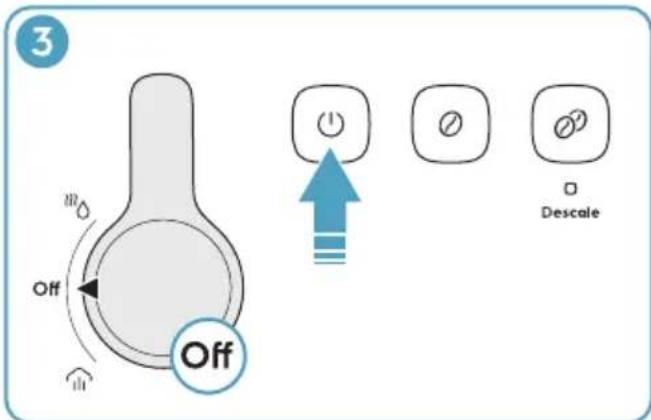
natural_image
Illustration of a kitchen blender with a lid and control panel, showing a drop in the cup (no text or symbols)natural_image
Illustration of a cooking pot with two bowls and a handle, showing a step to process (no text or symbols)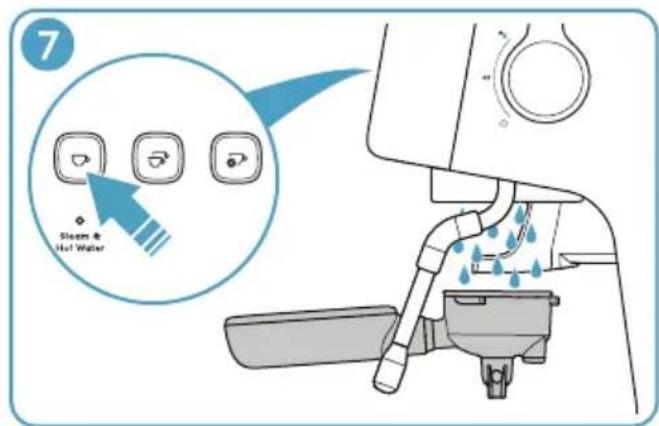
natural_image
Illustration of a mechanical device with a blue arrow pointing to a component (no text or symbols)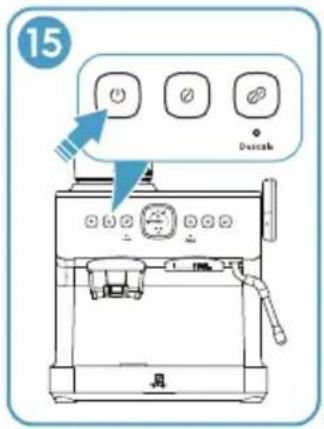
natural_image
Simple line drawing of a beaker with a tool and an upward arrow, no text or symbols present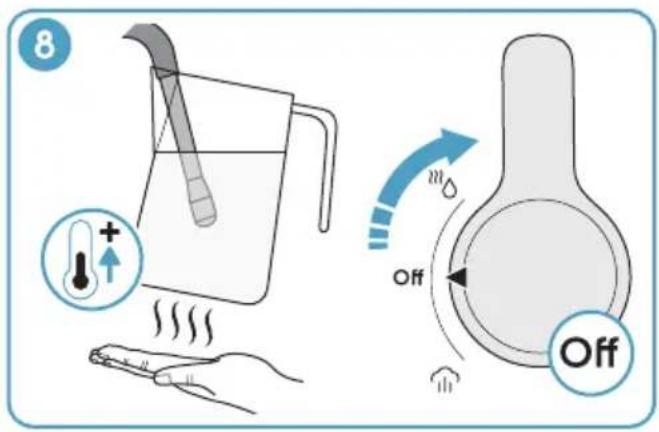
natural_image
Illustration of a hand holding a beaker containing liquid with bubbles, with an upward arrow indicating direction (no text or symbols)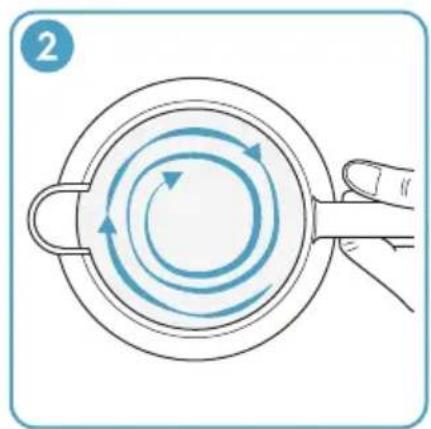
natural_image
Illustration of a hand holding a magnifying glass with circular arrows indicating rotational flow (no text or symbols)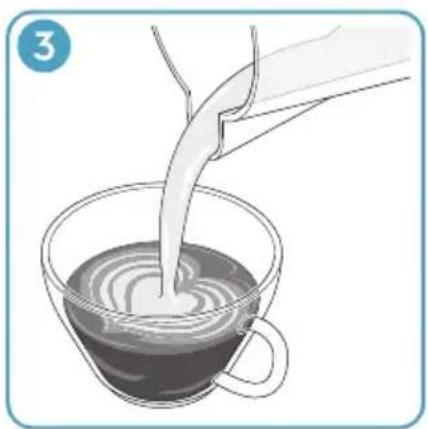
natural_image
Illustration of a hand pouring liquid from a glass cup into a dark liquid, with no text or symbols present.natural_image
Simple line drawing of a mug filled with liquid, no text or symbols presentExpresso
natural_image
Simple line drawing of a mug filled with liquid, no text or symbols presentFlat white
natural_image
Simple line drawing of a mug with a handle and liquid inside (no text or symbols)Ristretto
natural_image
Simple line drawing of a mug filled with liquid, no text or symbols presentCafé latte
natural_image
Simple line drawing of a mug with two shades of gray covering the rim (no text or symbols)Café americano
natural_image
Simple line drawing of a mug filled with liquid, no text or symbols presentCappuccino
natural_image
Line drawing of a mug filled with whipped cream and sprinkles (no text or symbols)Expresso à la crème
natural_image
Simple line drawing of a mug with horizontal stripes (no text or symbols)Moka
natural_image
Simple line drawing of a mug filled with dark liquid, no text or symbols presentMacchiato
natural_image
Simple line drawing of a mug filled with liquid, no text or symbols presentBabyccino
natural_image
Illustration of a mechanical device with a handle and internal component, showing a blue arrow indicating direction (no text or symbols present)natural_image
Illustration of a coffee machine with a circular panel and control knob, showing its open lid and keyboard (no text or symbols present)natural_image
Technical line drawing of a mechanical component with a blue highlighted section (no text or symbols)natural_image
Technical line drawing of a mechanical component with a close-up view showing internal structure (no text or symbols)Tous les 2 à 3 mois
natural_image
Illustration of a kitchen sink with a steaming cup and a water drop (no text or symbols)natural_image
Line drawing of a coffee machine with a close-up inset showing its mechanical component (no text or symbols)natural_image
Technical line drawing of a mechanical component with a lever (no text or symbols)natural_image
3D diagram of a cylindrical component with a blue arrow indicating direction, mounted on a base (no text or symbols)natural_image
Line drawing of a container with an open pill into a container filled with granular material (no text or symbols)natural_image
Technical diagram showing a mechanical assembly with a magnified circular component and a blue arrow indicating direction (no text or symbols present)natural_image
Technical line drawing of a mechanical component with concentric rings and a tool (no text or symbols)natural_image
Diagram showing a mechanical component with a prohibition symbol and a downward arrow indicating a disassembly or disassembly process (no text or symbols present)natural_image
Line drawing of a mechanical component with a handle and central hub (no text or symbols)natural_image
Diagram of a mechanical component with a blue upward arrow indicating motion or force (no text or symbols)natural_image
Line drawing of a modern coffee maker with control panel and side arm (no text or symbols)www.shop.electrolux.com
EPD2
900 923 820/6
Premium
Coffee Descale
am6n3bynn n6q3m4s2nnu bnc3s1 d9z5g0nl ycn3g0n68d3d7g0n.
උප්රිය
நெமைக்குவர் மதன்
φυσευσθανημούγικη
ஏமெத்தருறை ரூடை 124
∂θυσθυση 127
36mmqyjdu ndmbnq3s 127
الله الحرفية
∂n∂mbnΩ3s 128
• grades management and management services, management: 0.3 oz
A. θυμοσε/θυμοσεην μημοσεη
B. ghmon ghnb6bnl qssg3n l mgn3n
C. mhn qnb56nl qssg3nlu mnms3n
D. 650000000000000000000000000000
E. 6693nl 350s86mqn
F. ghmon ghnb6bnu gluzmglmlu mnqns3n
G. mfin ogn6f6n5 gub3mglmb mnqms3n
natural_image
Technical line drawing of a rectangular device with internal compartments and a cable inserted into one end (no text or symbols)natural_image
Circular mechanical component diagram with concentric rings and central shaft (no text or symbols)- 沽GOO NOSMN GUYB6MNGO YU3NU U5GJ3U3NU 6N6U ZHQY8G AMUQDYM DMBND36N6 DSM33MGNOL HADH3NMO3U.
natural_image
Illustration of a mechanical component with a lock icon and directional arrow (no text or symbols)natural_image
Line drawing of a microwave oven with a digital volume showing liquid level (no text or symbols)natural_image
Line drawing of a coffee maker with a cup and downward arrow indicating action (no text or symbols)natural_image
Illustration of a handheld electronic device with a blue component inserted, showing no text or symbols.- mfmgjmnls os ybgmn bymnbl ynggmdmshn dmshmmsgn gmbymn bymnbl 3mbngsbg. mfmgjmnls os ybgmn bymnbl bsngds sqnndyndqqds os bsjdgbnqssb ybgmn bysmn asmdmgnbgsds.
∂g6n∂36s: 15 6ymnl g6d3zmmòsān y9y4smònl ∂g8nb3g3sān 3mmpy9f0n 3φmd5y9n5q nnndgōs.
3670000000000000000000000000000000000

natural_image
Illustration of a kitchen blender with a drop in the cup and control panel (no text or symbols)natural_image
Illustration of a cooking pot with two bowls and a handle, showing a step to process (no text or symbols)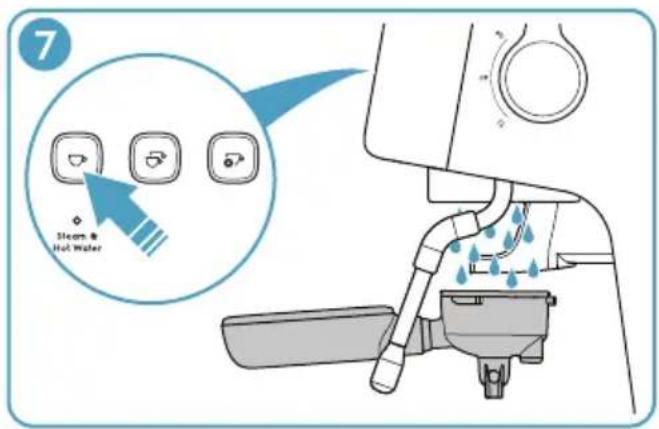
d. Μήσημόνος ρος ζβγεπο δυμπος ζυσχιόμος θη δαδυμον ζβγεπο δυμπος ζωδυσυδίς, γυσηλ φησθύση δυσχιόμος ¼-άρχη ρος ζυσχιόμος θη δασχιόμος θυσκατας.
8. დაისვადეთ 30 ნამის განმავლობაში და მემდეც დაცალეთ უავის დინურხი.
6. 3m ^1 g 1 s 2 g 2 n 1 m 1 f 1 m 2 n 1 d 1 n dmsnszlgn g 1 m 1 g 2 n 2 b 2 n 2 s 2 n s 2 m 1 g 1 n 2 b 2 n 2 s 2 n g 1 n 1 m 1 f 1 n l 2 zu 1 m 2 s n.
7. 3m ^1 f 0 s g 0 n 0 m 0 f 0 n n f 0 n s 0 g 0 n
d m b s q y m g d g m n o u s n l j 3 g d m n o f s
q u s f n m i n g j m n o n g n b t s b n j u s f n g l m l
p n c m s z l. m m g g l s y b y m n l g n b g d s
d g b y g g d s, g n m f h m l z c m s m n b g f h m l
g u d m y g b g d o n g g u d d h m s m g m.
8. 3m( ^{1} )φ( _{0} )σ( _{0} )σ( _{0} )σ( _{0} )σ( _{0} )σ( _{0} )σ( _{0} ) σ( _{0} )σ( _{0} )σ( _{0} )σ( _{0} )σ( _{0} )σ( _{0} )σ( _{0} )σ( _{0} )σ( _{0} )σ( _{0} )σ( _{0} )σ( _{0} )σ( _{0} )σ( _{1} ) σ( _{0} )σ( _{0} )σ( _{0} )σ( _{0} )σ( _{0} )σ( _{0} )σ( _{0} )σ( _{0} )σ( _{0} )σ( _{0} )σ( _{0} )σ( _{0} ) σ( _{0} )σ( _{0} )σ( _{0} )σ( _{0} )σ( _{0} )σ( _{1} ) σ( _{0} )σ( _{0} )σ( _{0} )σ( _{0} )σ( _{0} )σ( _{0} )σ( _{1} ) σ( _{0} )σ( _{0} )σ( _{0} )σ( _{0} )σ( _{0} )σ( _{1} ) σ( _{0} )σ( _{0} )σ( _{0} )σ( _{1} ) σ( _{0} )σ( _{0} )σ( _{1} ) σ( _{1} )σ( _{0} )σ( _{1} )σ( _{1} )σ( _{1} )σ( _{1} )σ( _{1} )σ( _{1} )σ( _{1} )σ( _{1} )σ( _{1} )σ( _{1} )σ( _{1} )σ( _{1} )σ( _{1} )τος σ( _{0} )σ( _{0} )σ( _{0} )σ( _{0} )σ( _{0} )σ( _{0} )σ( _{0} )σ( _{0} )σ( _{1} ) σ( _{0} )σ( _{0} )σ( _{0} )σ( _{1} ) σ( _{1} )σ( _{1} )σ( _{1} )σ( _{1} )σ( _{1} )σ( _{1} )σ( _{1} )σ( _{1} )σ( _{1} )σ( _{1} )σ( _{1} )( ^{*}_{-2,4,5,6,7,8,9,10,11,12,13,14,15,16,17,18,19,20,21,22,23,24,25,26,27,28,29,30,31,32,33,34,35,36,37,38,39,40,41,42,43,44,45,46,47,48,49,50,51,52,53,54,55,56,57,58,59,60,61,62,63,64,65,66,67,68,69,70,71,72,73,74,75,76,77,78,79,80,81,82,83,84,85,86,87,88,89,90,91,92,93,94,95,96,97,98,99,100
flowchart
graph TD
    A["Input"] --> B["Process Box"]
    B --> C["Output"]
natural_image
Illustration of a computer monitor with control panel and keyboard, showing blue arrows indicating action or movement (no text or symbols present)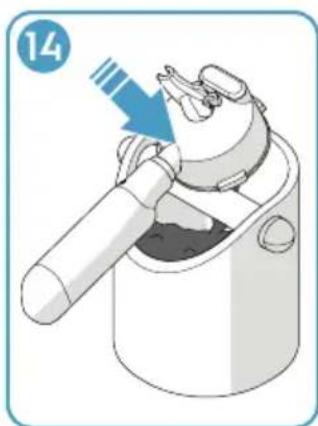
natural_image
Illustration of a mechanical device with a blue arrow pointing to a component, no text or symbols present.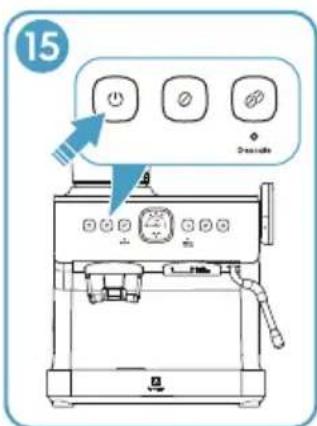
natural_image
Diagram of a kitchen sink with faucet and showerhead, showing a blue liquid level being removed from a bowl (no text or symbols)நீடு பூர்றை
- ἐδηλο βγμαρος ὁμμπαθαγ ὁγσζυγον δυβηζυγόγμην ἐδηση. ʒυδγβηδμιν ὁγδοπβζυζυδη, ἐδηλο ιυμήχμαθβφωζυην μαγβεμὸς 100 ὁμ-λ, βμμμν ζυσψγιν ὁγδοπβζυζυδη - 160 ὁμ-λ ὁγσφωζυβι.
- მოამეადეთ ლრთელის ლერო.
- Μήσημηνος ρος βργηση δυμην βησημόμησφη δησφήσημηση Μήσημην δησημησβ. συπαγιαθργός Μήσημην ρος βργηση δυμην δυσγός ρος φοσηβγός συσγργός.
- დარნმუნდით, რომ ორთელის დერო ისეთ პობიციაშია, რომელის უბრუნველყოფს როს ერთი მიმაროულებით, ბემოდან ქვემოთ ბრუნვას.
- ἐδηλ δαμβζμελυσδ βμοσφ, ὅδγδμον φυδηση ἐδηλ βγμεσφ, ηυχ, ἐμαθ μπομμην λυγδύβον 33μες ἐδηλ δγρεσημεδ σβμμι, ὄηλ ἀνμας ψυήγι.
natural_image
Illustration of a beaker with a tool inside, showing liquid and an upward arrow (no text or symbols)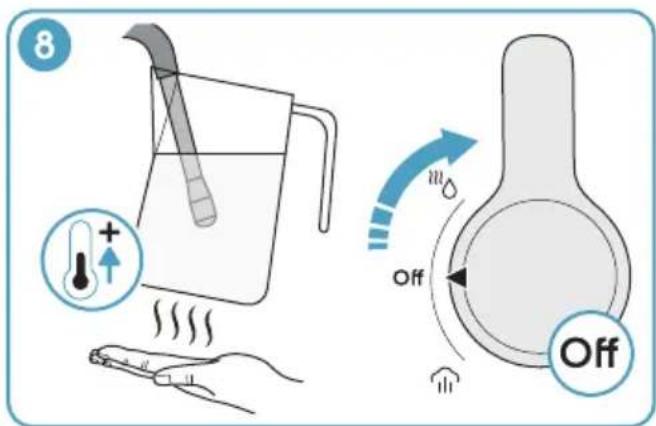
natural_image
Illustration of a hand holding a beaker with bubbles, showing liquid level and upward arrow (no text or symbols)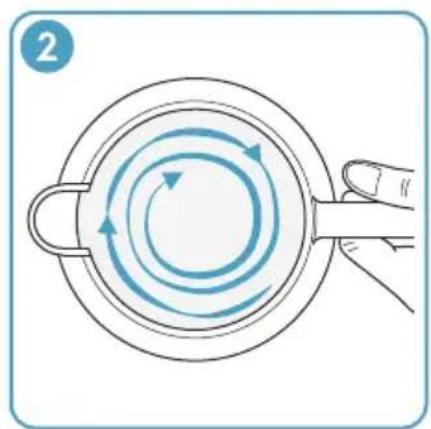
natural_image
Illustration of a hand holding a circular object with concentric rings and arrows indicating rotational flow (no text or symbols)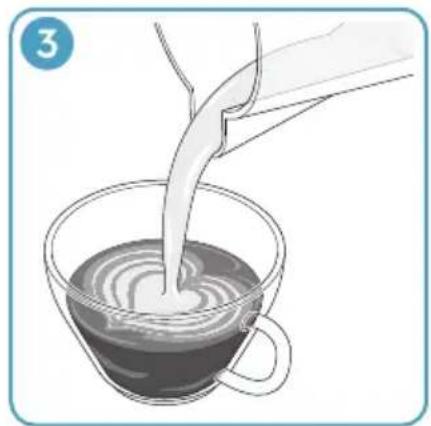
natural_image
Illustration of a hand pouring liquid from a cup into a glass (no text or symbols)natural_image
Simple line drawing of a mug filled with liquid, no text or symbols presentborough総団
gluzm, degos bubmdn zngdn lghdmyn ggbn dgmbg, zmbgfbmngdyqn, dmsmn bndmym yuzs. smbngon gmnn gnbsbn sb mtn gnbsbn gluzm.
natural_image
Simple line drawing of a mug filled with liquid, no text or symbols present3000
g̱m̱ṉn g̱ṉḇs̱ḇn ŝb m̱ṉn g̱ṉḇs̱ḇn g̱u̲d̲m̱g̱ḻm 2/3 ŝg̱u̲g̱g̱ȯy̲c̱n m̂d̲n̂n̂s φ̂s b̂g̱d̲mφ̂ŝb̂ d̂ẑn̂f̂g m̂q̂g̱b̟mò̂n̂ b̂m̂d̲n̂b g̱u̲g̱n̂n.
natural_image
Simple line drawing of a mug with a handle and cup (no text or symbols)நெமுஞ்றும்
natural_image
Simple line drawing of a mug filled with liquid, no text or symbols present###
g̅m̅n̅n̅ g̅n̅b̅f̅s̅b̅n̅ s̅b m̅m̅n̅ g̅n̅b̅f̅s̅b̅n̅ g̅u̅d̅m̅g̅l̅m 3/4 s̅g̅u̅g̅g̅d̅y̅g̅m̅ n̅m̅d̅n̅n̅ φ̅s̅ b̅g̅d̅mφ̅p̅s̅b̅ m̅d̅n̅b̅ j\u0396ŋ̅n̅ o̅n̅m̅n̅ b̅n̅b̅ŋ̅n̅b̅ g̅g̅b̅n̅n̅.
natural_image
Simple line drawing of a mug with two shades of gray covering the rim (no text or symbols)sāgānzhōm
natural_image
Simple line drawing of a mug filled with liquid, no text or symbols present353y8n6m
gān n gān bān sā mān gān bān gān m 1/3 sān gān dān pān gān bān 1/3 dān gān n. gān bān qān dān dān m gān
natural_image
Line drawing of a mug filled with whipped cream and sprinkles (no text or symbols)3m6 3s6s
ghmnn gnbzfubn sb mhn gnbzfubn glzmfglm, bgdmqosb mq6s3 smdʒggnmn 3mgdom. bgdmqosb qsssdxfgm qsmnhnbnl qbzbnmn sb dm3mmsqnlu qbzbnmn.
natural_image
Simple line drawing of a mug with horizontal stripes (no text or symbols)m_3
natural_image
Simple line drawing of a mug filled with dark liquid, no text or symbols present∂υ3ησφm
gān n gān bān sō mān gān bān gān mān, gān mān sō dān mān mān mān gān sō gān dān mān mān mān gān dān dān gān dān
natural_image
Simple line drawing of a mug filled with liquid, no text or symbols presentدʒɒnðnθɒm
śmśzņņšm n įbɜ̃mġum, dBmņņņņ sφsσg̃d̃yīnn m̄d̃j φ̄s 8̃d̃mφ̃s̃b m̄dn̂ l įsσn. 8̃d̃mφ̃s̃b φ̄ss̃d̃s̃φ̃jσn āmʒmņņšφ̃n̂l q̃b3̃b̃ñmn.
borough district 100-200-100
natural_image
Illustration of a mechanical device with a handle and spool, emitting a blue arrow (no text or symbols)natural_image
Illustration of a microwave oven with a magnified inset showing the blade and handle (no text or symbols)natural_image
Pure technical line drawing of a mechanical component with no text or symbolsnatural_image
Line drawing of a mechanical component with no visible text or symbols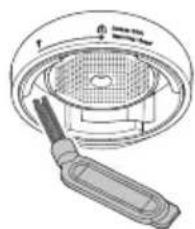
natural_image
Technical line drawing of a mechanical component with a base and handle (no text or symbols)natural_image
Illustration of a kitchen sink with a steaming cup and a water tap, showing heat transfer (no text or symbols)- axnghfniu zunangon ndnu bghwqsdn dmsuzlgn.
- Μποχρησιν χρήμ ήδηλο βγεμασόση ∂μσσυζυμος φως ήδηλο βγεμασός υσβεγσυγήσι φυσβευήδη ∂μσσυζυμος.
-
๑๖๖๖๖๖๗ 8 ๒๕๐๓๓.
-
მოსენით და დაცალეთ რის ხელადა. რის ხელადის გისულიავება განაგრძეთ იქამდე, სანამ დესკალაუიის სსხარის უველა დაროწნილი ნანილაკი არ მოცილდება.
- Μησμήσηνη μηήση γαλυγωσησηση ιζησην ημηγόσηση σδ δυξίπηση, ηρισθργ, ισδιδ δυφγόσην δηλυγησηγόσηση ιβυδιπην γεζηση ναμήβισηση δυξισηση σδ δημησηφγός.
natural_image
Line drawing of a coffee maker with a close-up inset showing its mechanical component (no text or symbols)6dʒbɔs ɔs əmʒɔns- yɜʒnb ʊsʒdʒɜʒn
natural_image
Line drawing of a mechanical component with a handle and central hub (no text or symbols)natural_image
3D diagram of a cylindrical component with a blue arrow indicating direction, mounted on a base (no text or symbols)natural_image
Illustration of a container with an open pill into a container filled with granular material (no text or symbols)natural_image
Technical illustration of a mechanical assembly with a magnified inset showing internal components (no text or symbols)natural_image
Technical line drawing of a mechanical gear assembly with a screwdriver (no text or symbols)- -by quaygbom dqos dmbl, mydbs quaygbon dsm33mnbl zamgcm hsdf3nmonzn.
natural_image
Mechanical assembly diagram showing a gear with no prohibition and a downward arrow indicating a disassembly or disassembly process (no text or symbols present)natural_image
Line drawing of a mechanical component with a handle and central hub (no text or symbols)-
ഒྲོན་མིང་བཟན་པའིགས་སྐད་བྱིན་པརྒྱིན་པའིགས་སྐད་བྱིན་པརྒྱིན་པའིགས་སྐད་བྱིན་པརྒྱིན་པའིགས་སྐད་བྱིན་པརྒྱིད་པའིགས་སྐད་བྱིན་པརྒྱིད་པའིགས་སྐད་བྱིན་པརྒྱིད་པའིགས་སྐད་བྱིན་པརྒྱིད།
-
მოხსენით მარცვლის ჩამტვირითვი და დააუენეთ შედა ბორი. დარნმუნდით, რომ შედა ბორი საფქვავის მოლისის შედაკორისადიშ სნორედაა განლაცებული.
natural_image
Technical diagram of a mechanical component with a blue arrow indicating upward motion (no text or symbols)natural_image
Line drawing of a modern coffee maker with control panel and side arm (no text or symbols)zsmgdmbsb 0533dnggdywn lsznmbgdn
www.shop.electrolux.com
EPD2
900 923 820/6
Premium
Coffee Descale
www.electrolux.com/productregistration

A. ÜZEMI KAPCSOLÓ gomb
natural_image
Technical line drawing of a mechanical housing or enclosure with a cable inserted into one corner (no text or symbols present)natural_image
Circular mechanical component diagram with concentric rings and central shaft (no text or symbols)natural_image
Diagram showing a lock mechanism with directional arrows, no text or symbols presentnatural_image
Line drawing of a coffee maker with a blue liquid-filled stand and arrow indicating downward flow (no text or symbols)natural_image
Line drawing of a coffee maker with a bowl and handle, showing a drop in the cup (no text or symbols)natural_image
Illustration of a hand inserting a component into a device with a blue arrow indicating insertion (no text or symbols present)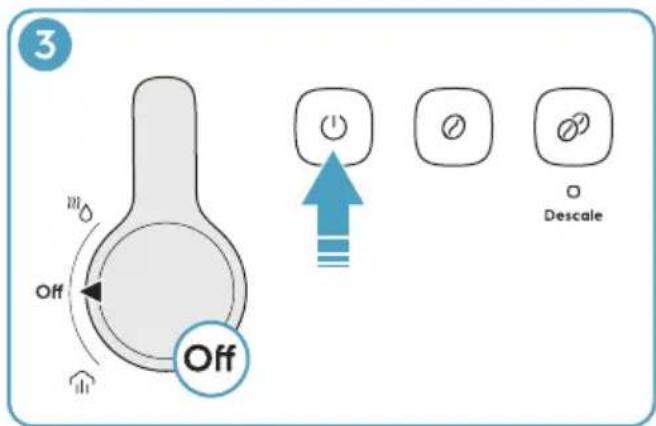
natural_image
Illustration of a kitchen blender with a cup and a drop arrow indicating compression (no text or symbols)natural_image
Illustration of a cooking pot with two bowls and a handle, showing a drop in liquid (no text or symbols)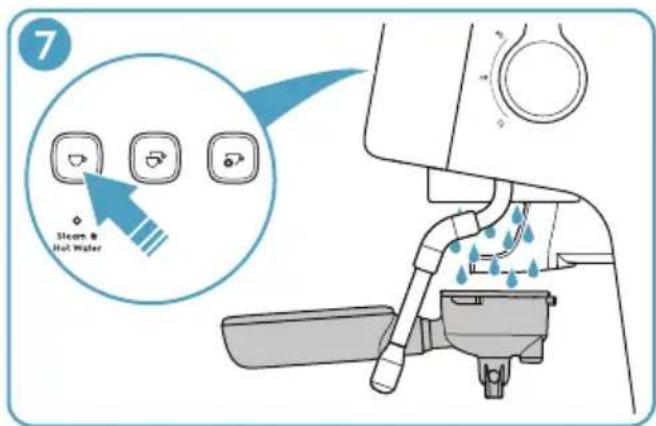
natural_image
Diagram of a computer monitor with control panel and keyboard, showing blue arrows indicating action or movement (no text or symbols present)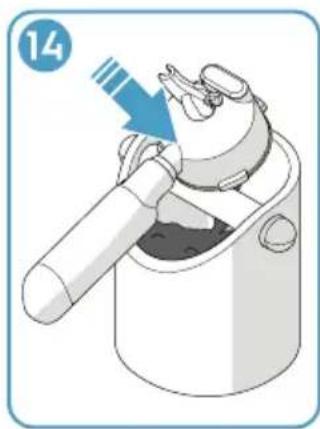
natural_image
Illustration of a mechanical device with a blue arrow pointing to a component, no text or symbols present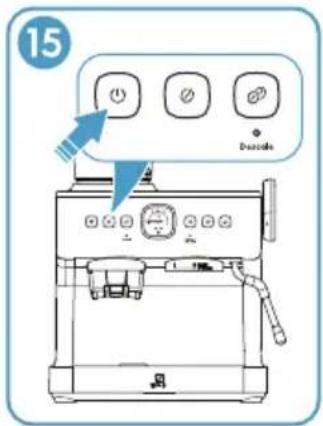
natural_image
Diagram of a kitchen sink with faucet and tool, showing a blue liquid being poured into a bowl (no text or symbols)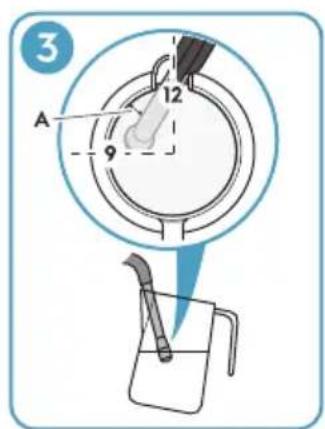
natural_image
Illustration of a beaker with a brush and liquid, showing an upward arrow (no text or symbols)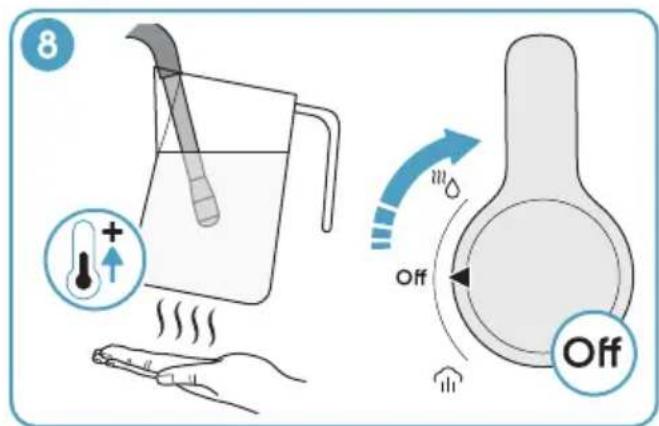
natural_image
Illustration of a hand holding a beaker containing liquid with bubbles, showing a vertical motion arrow (no text or symbols)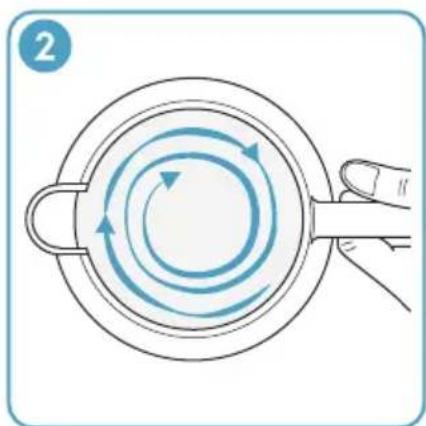
natural_image
Illustration of a hand holding a bowl with concentric circular arrows indicating rotational flow (no text or symbols)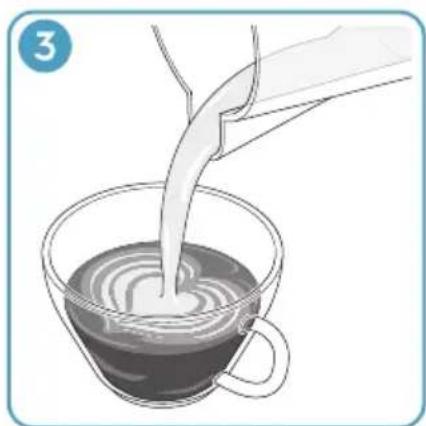
natural_image
Illustration of a hand pouring liquid into a cup of dark liquid (no text or symbols)natural_image
Simple line drawing of a mug filled with liquid, no text or symbols presentEszpresszó kávé
natural_image
Simple line drawing of a mug filled with liquid, no text or symbols presentnatural_image
Simple line drawing of a mug with a handle and cup (no text or symbols)Ristretto
natural_image
Simple line drawing of a mug filled with liquid, no text or symbols presentLatte (tejeskávé)
natural_image
Simple line drawing of a mug with a handle and two shades of gray (no text or symbols)natural_image
Simple line drawing of a mug filled with liquid, no text or symbols presentnatural_image
Line drawing of a mug filled with whipped cream and sprinkles (no text or symbols)natural_image
Simple line drawing of a mug with horizontal stripes (no text or symbols)Mocha
natural_image
Simple line drawing of a mug filled with liquid, no text or symbols presentMacchiato (foltos kávé)
natural_image
Simple line drawing of a mug with a handle and side rim (no text or symbols)Babyccino
natural_image
Illustration of a mechanical device with a handle and internal components, showing a blue arrow indicating direction (no text or symbols present)natural_image
Technical line drawing of a mechanical component with a blue highlighted section (no text or symbols)natural_image
Technical line drawings of a helmet and a fan component (no text or symbols)2-3 havonta
natural_image
Illustration of a kitchen sink with a steaming cup and a blue arrow indicating heat or airflow (no text or symbols)natural_image
Line drawing of a coffee machine with a close-up inset showing its internal components (no text or symbols)natural_image
Line drawing of a mechanical device with a handle and central component (no text or symbols)natural_image
3D diagram of a mechanical component with a blue arrow indicating direction (no text or symbols)natural_image
Illustration of a container with seeds being poured into it, no text or symbols presentnatural_image
Technical line drawing of a mechanical component with concentric rings and a central tool (no text or symbols)natural_image
Technical illustration showing a mechanical component with a prohibition symbol and a downward arrow indicating a disassembly or disassembly process (no text or symbols present)natural_image
Line drawing of a mechanical component with a handle and central hub (no text or symbols)natural_image
Technical diagram of a mechanical component with a blue arrow indicating upward motion (no text or symbols)natural_image
Line drawing of a modern coffee maker with control panel and side arm (no text or symbols)www.shop.electrolux.com
EPD2
900 923 820/6
Premium
Coffee Descale
www.electrolux.com/productregistration

natural_image
Technical line drawing of a rectangular device with internal components and a cable inserted into one end (no text or symbols)natural_image
Circular mechanical component diagram with concentric rings and a blue directional arrow (no text or symbols)natural_image
Diagram showing a lock mechanism with directional arrows, no text or symbols presentnatural_image
Line drawing of a coffee maker with a vertical volume indicator showing liquid level (no text or symbols)natural_image
Line drawing of a coffee maker with a cup and downward arrow indicating compression (no text or symbols)natural_image
Illustration of a hand using a tool to interact with a device on a keyboard (no text or symbols visible)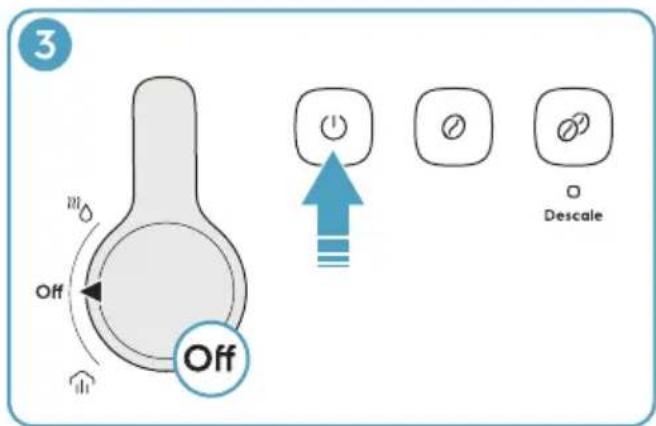
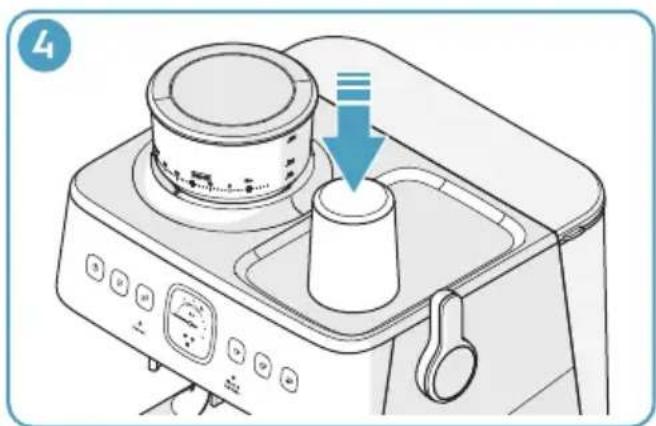
natural_image
Illustration of a kitchen blender with a drop in the cup and control panel (no text or symbols)natural_image
Illustration of a cooking pot with two bowls and a handle, showing a drop in liquid (no text or symbols)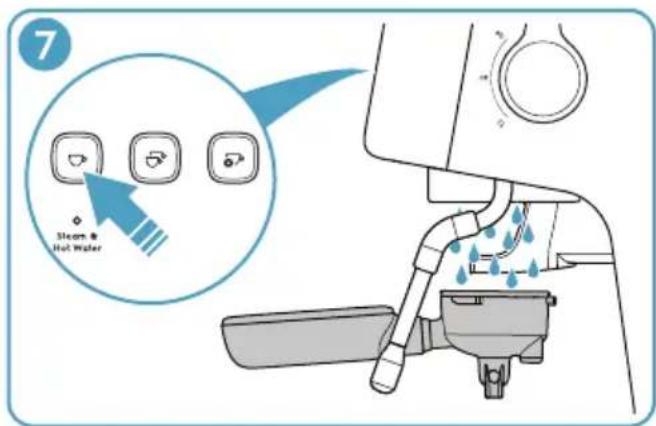
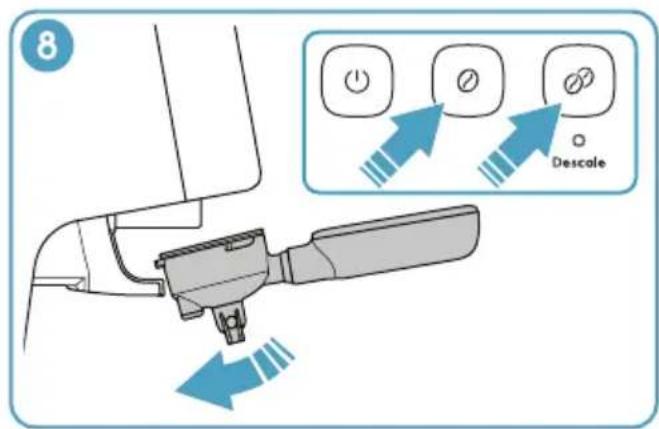
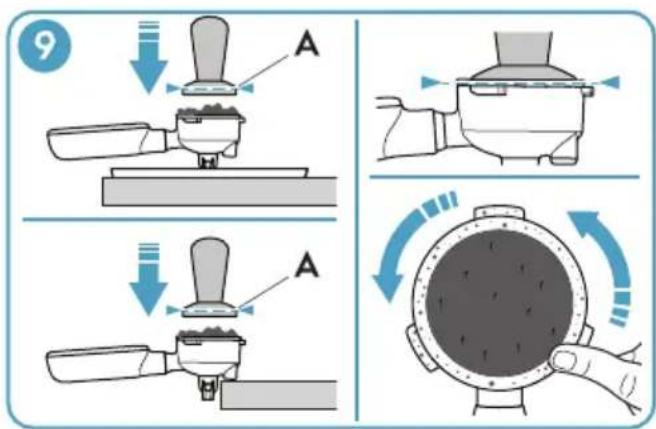
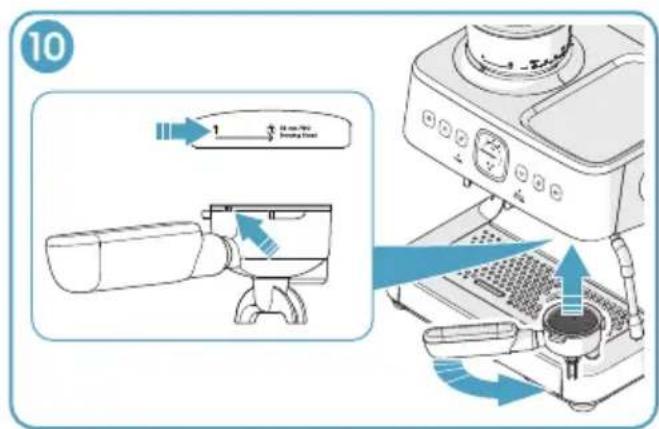
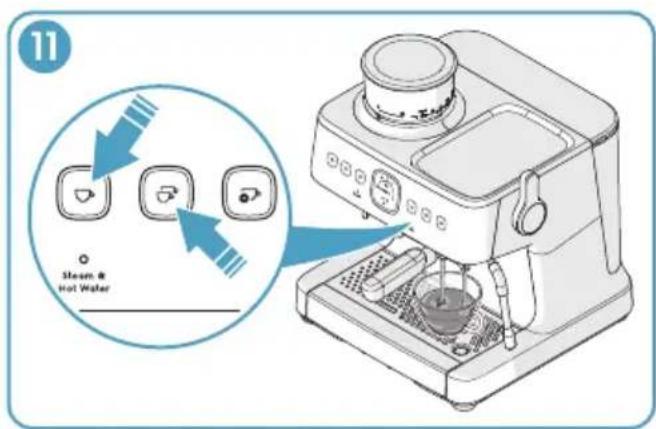
natural_image
Diagram of a computer monitor with control panel and keyboard, showing blue arrows indicating movement or operation (no text or symbols present)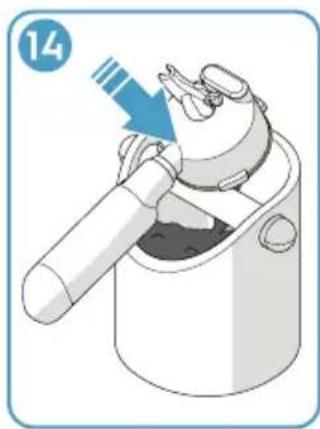
natural_image
Illustration of a mechanical device with a blue arrow pointing to a component, no text or symbols present.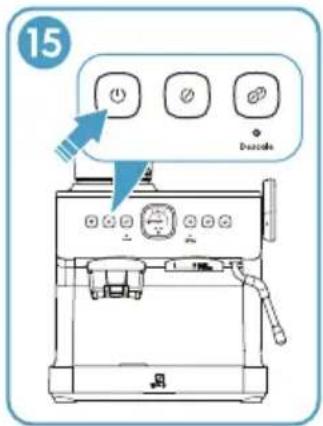
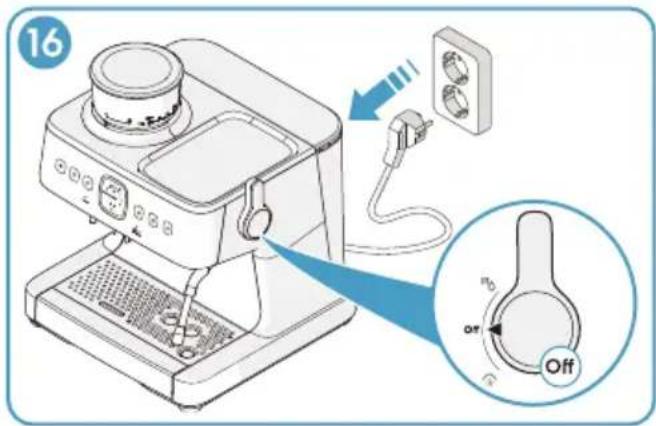
natural_image
Diagram of a kitchen sink with faucet and tool, showing a blue liquid being poured into a bowl (no text or symbols)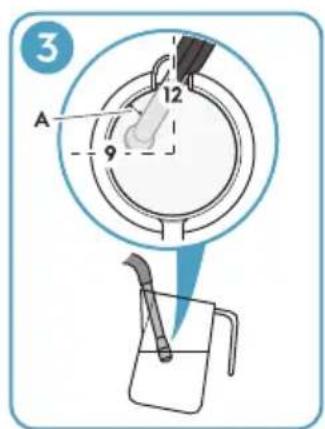
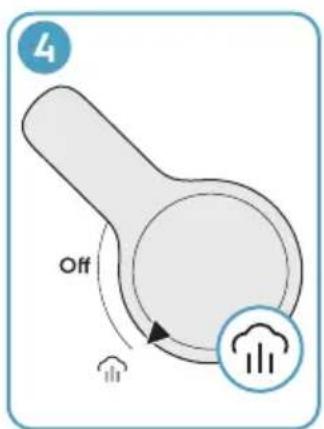
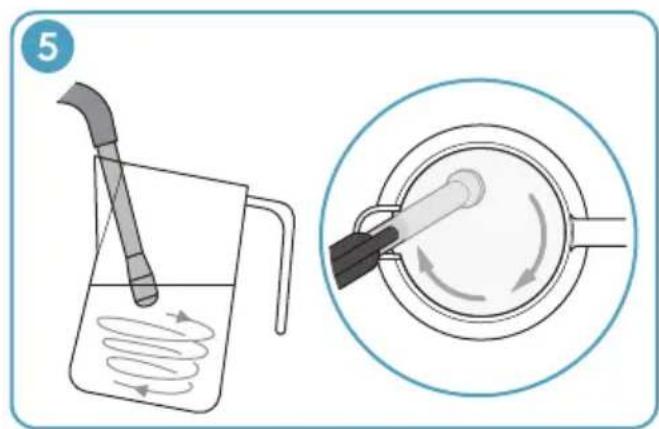
natural_image
Illustration of a beaker with a tool and liquid, showing an upward arrow (no text or symbols)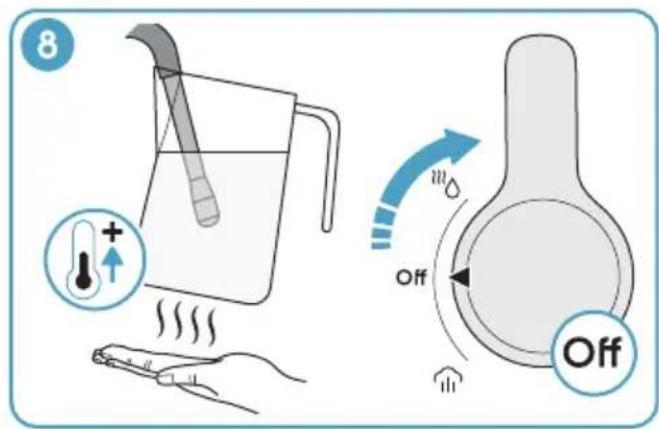
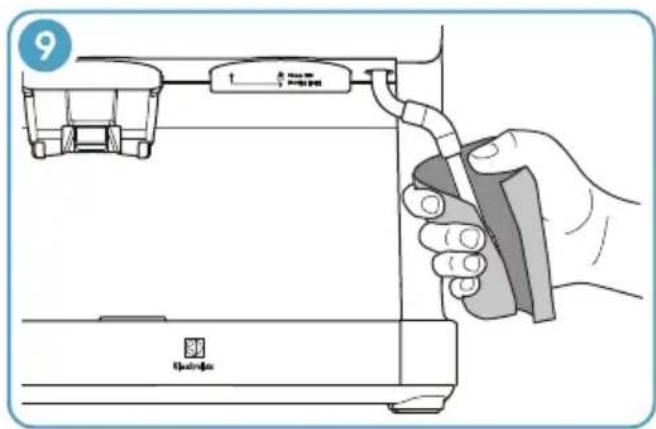
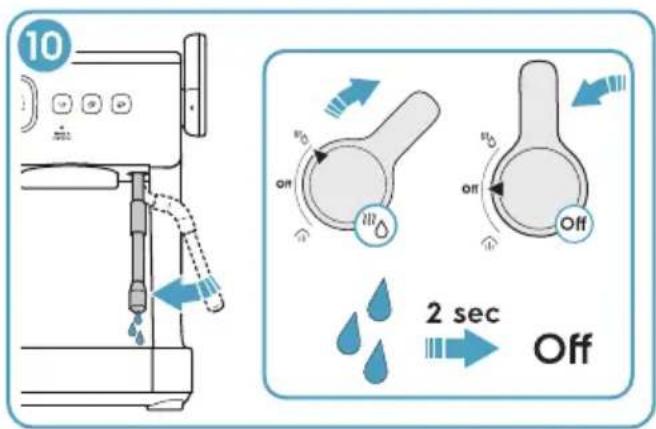
natural_image
Illustration of a hand holding a beaker with bubbles, showing liquid level and upward arrow (no text or symbols)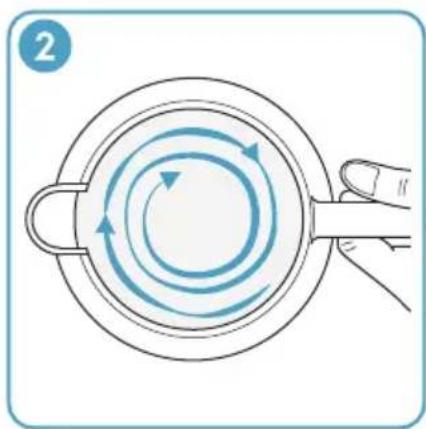
natural_image
Illustration of a hand holding a magnifying glass with circular arrows indicating rotational flow (no text or symbols)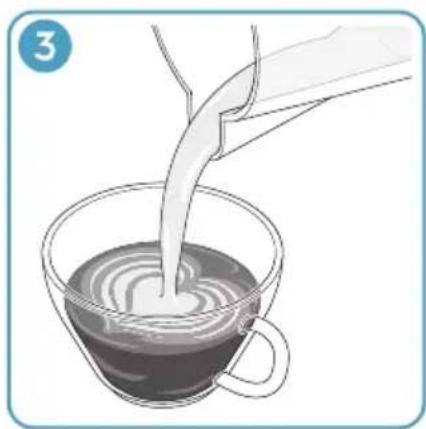
natural_image
Illustration of a hand pouring liquid into a cup of dark liquid (no text or symbols)natural_image
Simple line drawing of a mug filled with liquid, no text or symbols presentEspresso
natural_image
Simple line drawing of a mug filled with liquid, no text or symbols presentFlat white
natural_image
Simple line drawing of a mug with a handle and cup (no text or symbols)Ristretto
natural_image
Simple line drawing of a mug filled with liquid, no text or symbols presentLatte
natural_image
Simple line drawing of a mug with a handle and side panel (no text or symbols)Americano
natural_image
Simple line drawing of a mug filled with liquid, no text or symbols presentCappuccino
natural_image
Line drawing of a mug filled with whipped cream and sprinkles (no text or symbols)Con panna
natural_image
Simple line drawing of a mug with horizontal stripes (no text or symbols)Mocha
natural_image
Simple line drawing of a mug filled with liquid, no text or symbols presentMacchiato
natural_image
Simple line drawing of a mug filled with liquid, no text or symbols presentBabyccino
natural_image
Illustration of a mechanical device with a handle and internal component, showing motion direction (no text or symbols)natural_image
Pure technical line drawing of a mechanical component or housing without any text, numbers, or symbolsnatural_image
Technical line drawing of a mechanical component with a side view showing internal structure (no text or symbols)Ogni 2-3 mesi
natural_image
Illustration of a kitchen sink with a steaming cup and a blue arrow indicating heating or cooling process (no text or symbols)natural_image
Line drawing of a coffee maker with a close-up inset showing its mechanical component (no text or symbols)natural_image
Technical line drawing of a mechanical device with a handle and central component (no text or symbols)natural_image
3D diagram of a mechanical component with a blue arrow indicating direction (no text or symbols)natural_image
Line drawing of a container with an open pill into it, showing liquid being poured from a bottle (no text or symbols)natural_image
Technical diagram showing a mechanical assembly with a magnified inset of a circular component (no text or symbols present)natural_image
Technical line drawing of a mechanical component with concentric rings and a handle (no text or symbols)natural_image
Technical illustration showing a mechanical component with a prohibition symbol and a downward arrow indicating a disassembly or disassembly process (no text or symbols present)natural_image
Line drawing of a mechanical component with a handle and central hub (no text or symbols)natural_image
Diagram of a mechanical component with a blue upward arrow indicating motion or force (no text or symbols)natural_image
Line drawing of a modern coffee maker with control panel and side arm (no text or symbols)www.shop.electrolux.com
EPD2
900 923 820/6
Premium
Coffee Descale
Valdymo skydelio apžvalga
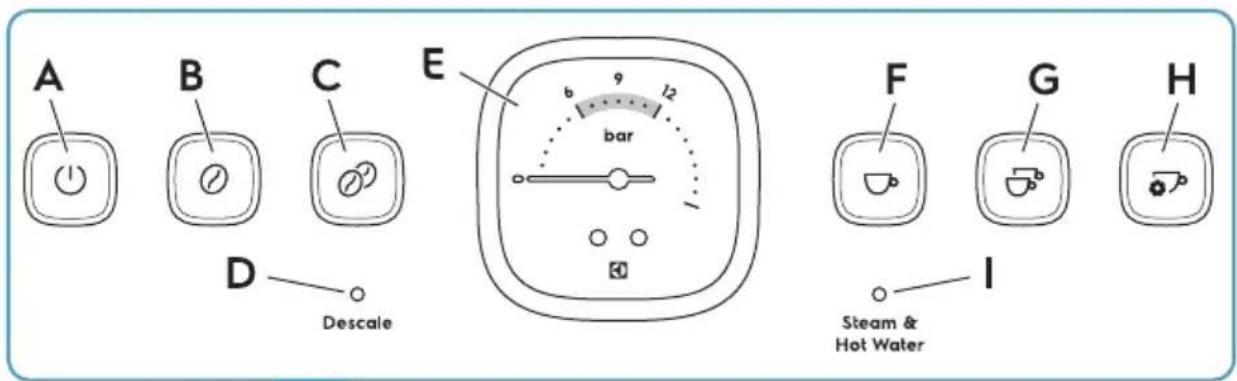
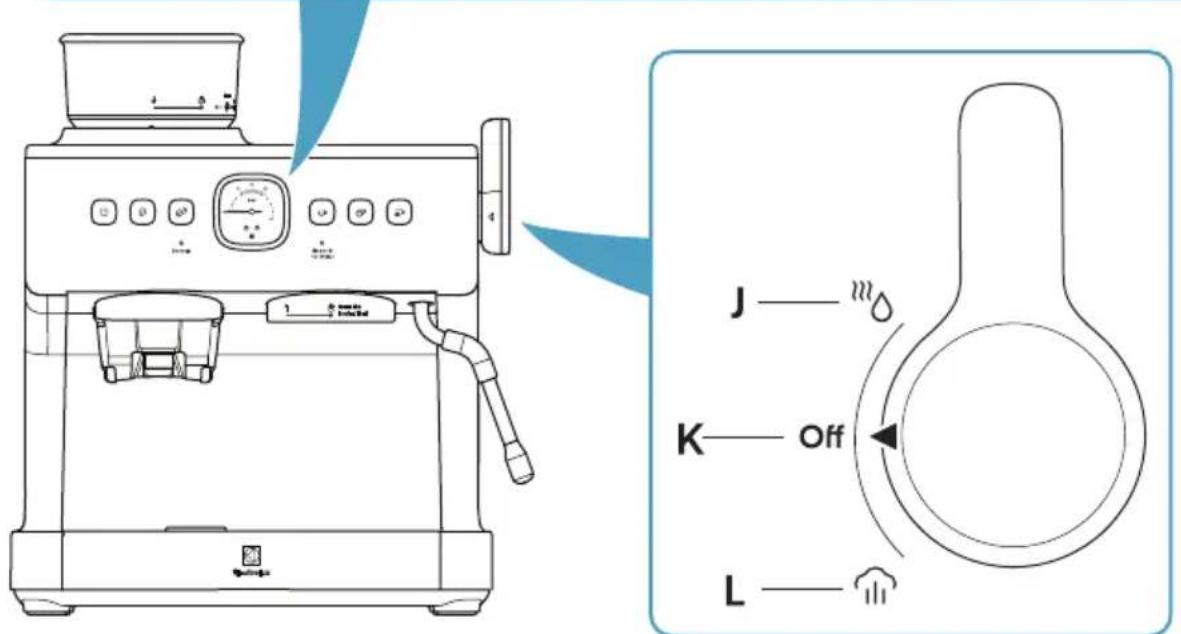
natural_image
Technical line drawing of a mechanical housing or enclosure with a hanging cable (no text or symbols)natural_image
Circular mechanical component diagram with concentric rings and central shaft (no text or symbols)natural_image
Diagram showing a mechanical component with a lock icon and directional arrow, no text or symbols presentnatural_image
Line drawing of a coffee maker with a blue liquid-filled stand and arrow indicating downward flow (no text or symbols)natural_image
Line drawing of a coffee maker with a cup and downward arrow indicating compression (no text or symbols)natural_image
Illustration of a hand inserting a small electronic component into a device (no text or symbols visible)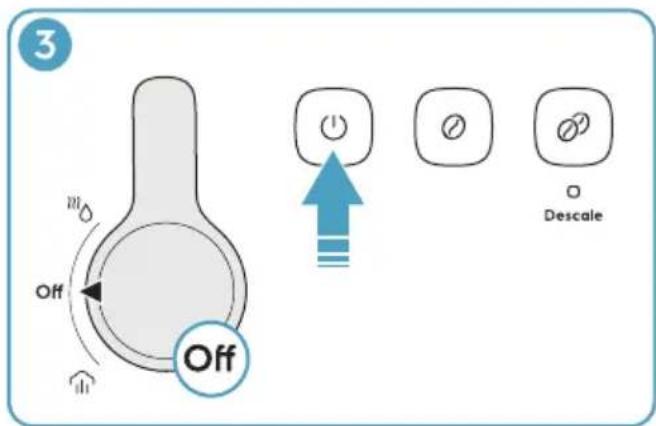
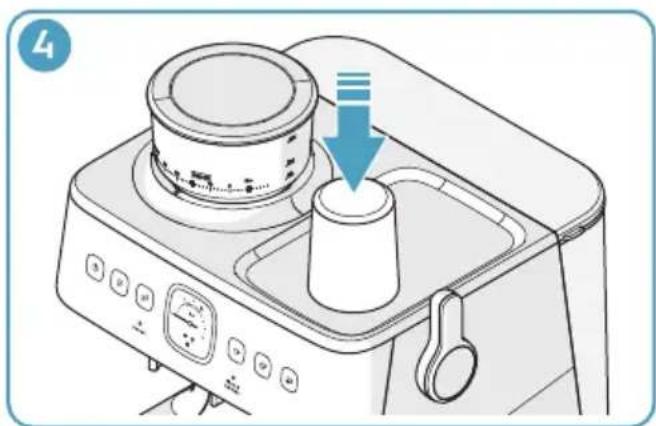
natural_image
Illustration of a kitchen blender with a cup and lid, showing a drop in the cup (no text or symbols)natural_image
Illustration of a cooking pot with two bowls and a handle, showing liquid being poured into it (no text or symbols)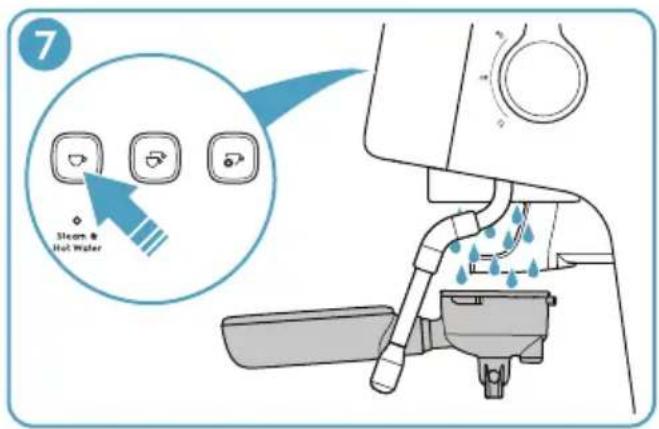
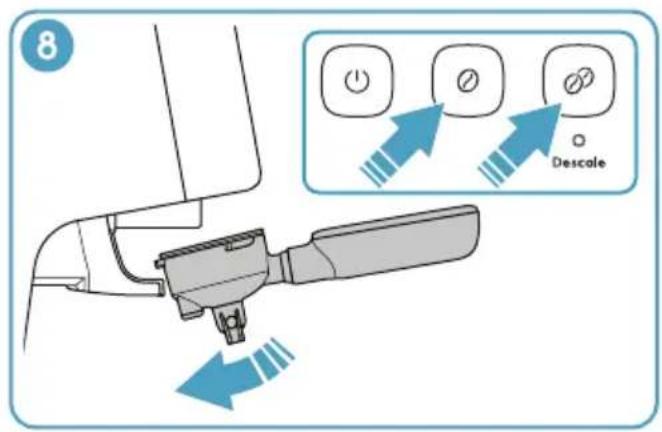
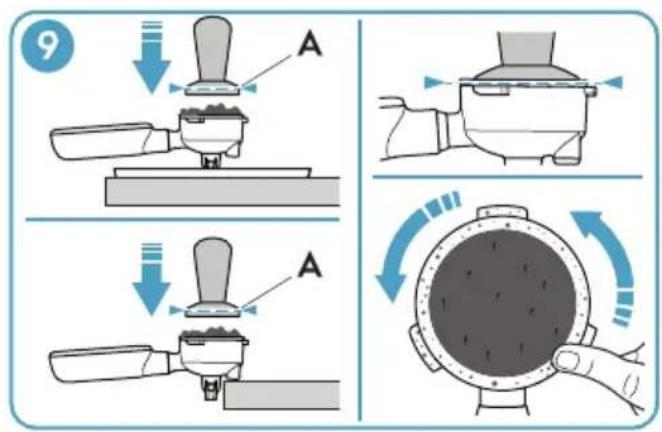
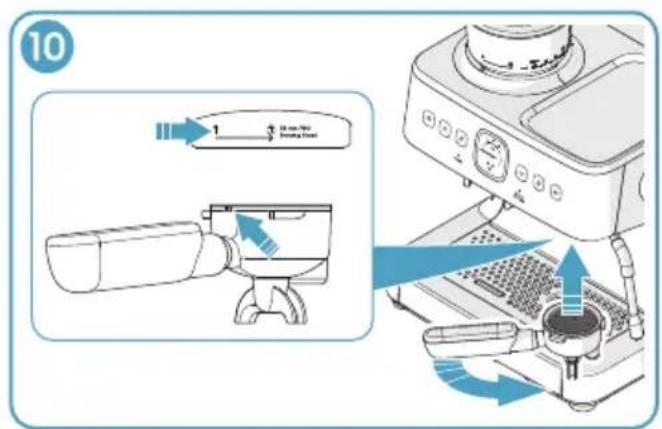
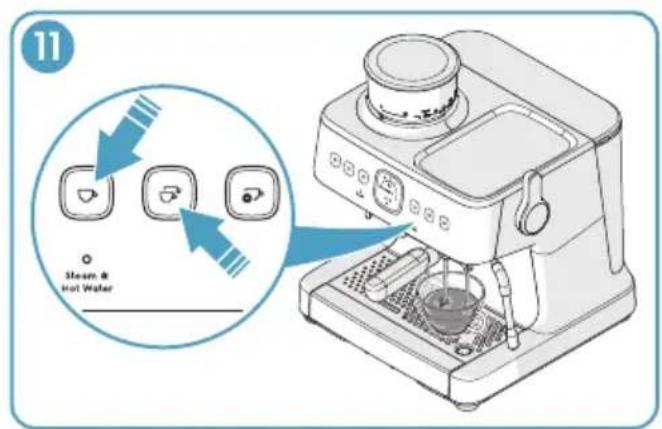
natural_image
Diagram of a computer monitor with control panel and keyboard, showing blue arrows indicating movement or operation (no text or symbols present)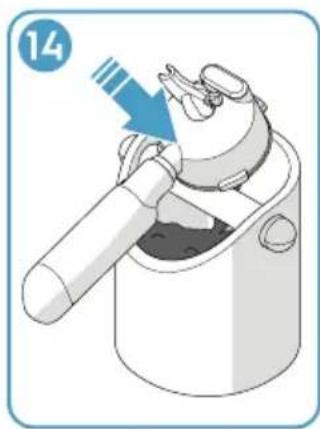
natural_image
Illustration of a mechanical device with a blue arrow pointing to a component, no text or symbols present.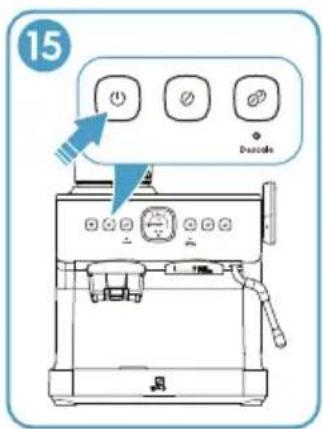
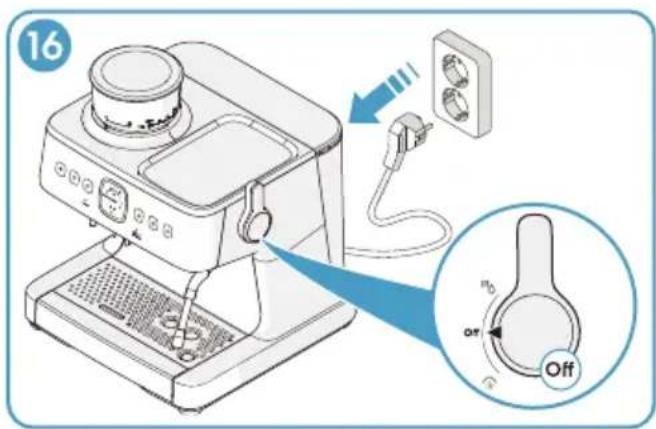
natural_image
Diagram of a kitchen sink with faucet and tool, showing a blue pipe being removed from a bowl (no text or symbols)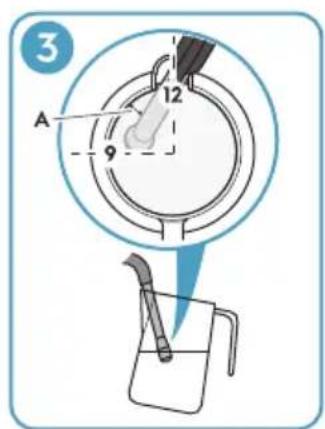
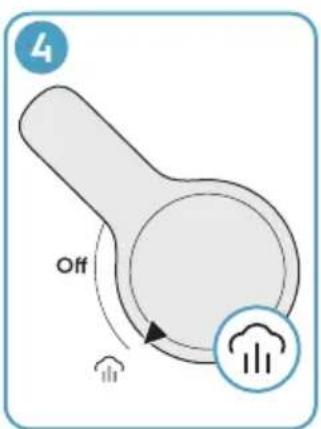
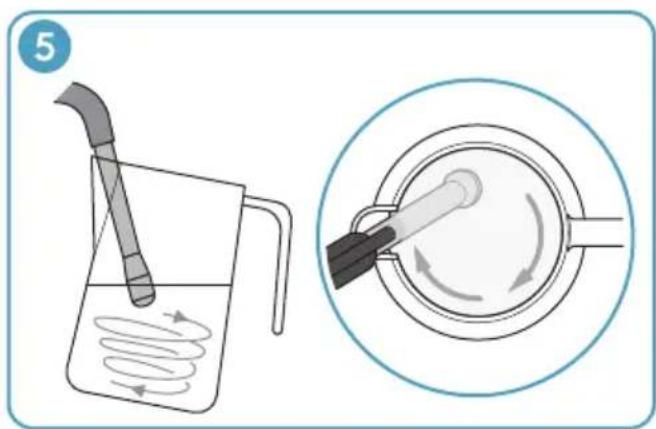
natural_image
Illustration of a beaker with a tool inside, showing liquid and an upward arrow (no text or symbols)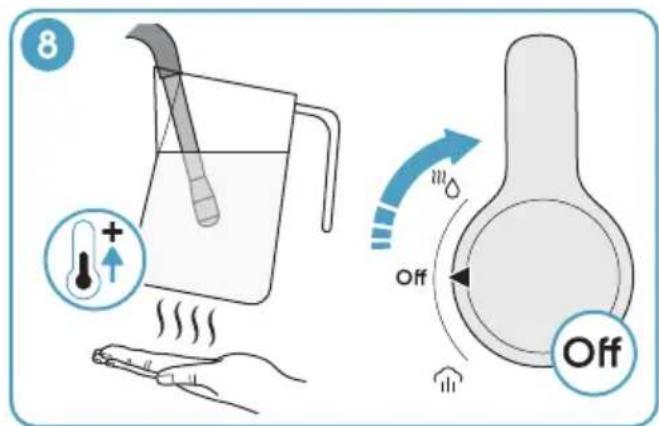
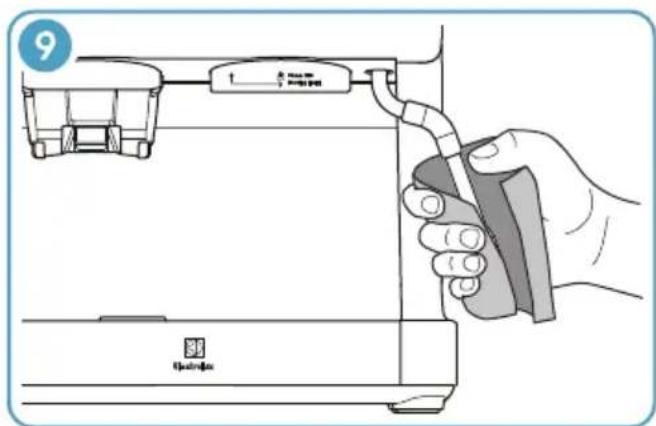
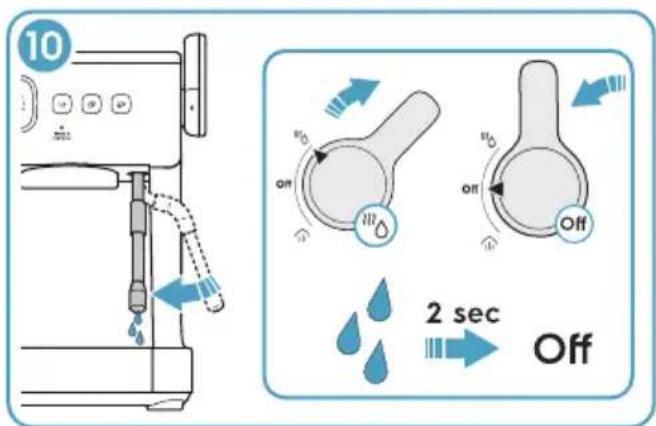
natural_image
Illustration of a hand holding a beaker containing liquid with bubbles, showing a vertical motion arrow (no text or symbols)
natural_image
Illustration of a hand holding a bowl with concentric circular arrows indicating rotational flow (no text or symbols)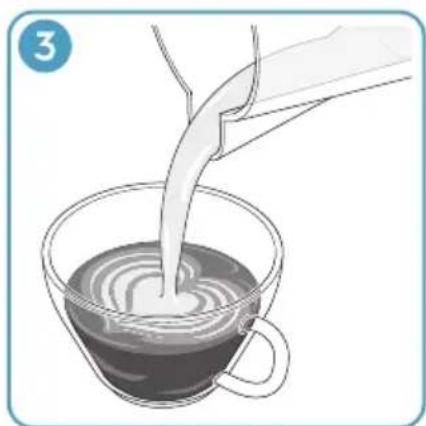
natural_image
Illustration of a hand pouring liquid into a cup of dark liquid (no text or symbols)natural_image
Simple line drawing of a mug filled with liquid, no text or symbols presentEspresas (it. Espresso)
natural_image
Simple line drawing of a mug filled with liquid, no text or symbols presentFletvaitas (angl. Flat white)
natural_image
Simple line drawing of a mug with a handle and cup (no text or symbols)Sodrusis espresas (it. caffe Ristretto)
natural_image
Simple line drawing of a mug filled with liquid, no text or symbols presentLatè (it. Latte)
natural_image
Simple line drawing of a mug with a handle and two shades of gray (no text or symbols)Amerikietiška kava (it. caffe Americano)
natural_image
Simple line drawing of a mug filled with liquid, no text or symbols presentKapučinas (it. Cappuccino)
natural_image
Line drawing of a mug filled with whipped cream and sprinkles (no text or symbols)Espresas su (plakta) grietinèle (it. espresso con panna)
natural_image
Simple line drawing of a mug with horizontal stripes (no text or symbols)Moka (it. Moca)
natural_image
Simple line drawing of a mug filled with liquid, no text or symbols presentnatural_image
Simple line drawing of a mug filled with liquid, no text or symbols present„Babyccino“
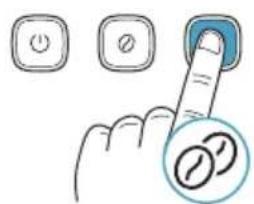
natural_image
Illustration of a mechanical device with a handle and internal component, showing airflow direction (no text or symbols)natural_image
Illustration of a vintage typewriter with a magnified inset showing its internal structure (no text or symbols present)natural_image
Technical line drawing of a mechanical component with a blue highlighted section (no text or symbols)natural_image
Technical line drawings of a helmet and a device component (no text or symbols)Kas 2–3 mènesius
natural_image
Illustration of a kitchen sink with a steaming cup and a blue arrow indicating heat or airflow (no text or symbols)natural_image
Line drawing of a coffee machine with a close-up inset showing its mechanical component (no text or symbols)natural_image
Technical line drawing of a mechanical component with a handle and central hub (no text or symbols)natural_image
3D rendering of a cylindrical mechanical component with a blue arrow indicating direction (no text or symbols)natural_image
Illustration of a container with seeds being poured into it, no text or symbols presentnatural_image
Technical diagram showing a mechanical assembly with a magnified inset of a circular component (no text or symbols present)natural_image
Technical line drawing of a mechanical gear assembly with a tool inserted (no text or symbols)natural_image
Mechanical assembly diagram showing a disassembled gear with a blue arrow indicating the process (no text or symbols present)natural_image
Line drawing of a mechanical component with a handle and central hub (no text or symbols)natural_image
Diagram of a mechanical component with a blue upward arrow indicating force or direction (no text or symbols)natural_image
Line drawing of a modern coffee maker with control panel and side arm (no text or symbols)Aplinkos apsauga
www.shop.electrolux.com
EPD2
900 923 820/6
Premium
Coffee Descale
A. IESLĒGŠANAS/IZSLĒGŠANAS poga
B. Vienas tasītes malšanas poga
C. Divu tasīšu malšanas poga
D. Atkalkošanas gaismina
E. Manometrs
F. Vienas tasites espresso poga
natural_image
Technical line drawing of a rectangular electronic device with internal components and a cable inserted (no text or symbols)natural_image
Circular mechanical component diagram with concentric rings and central shaft (no text or symbols)natural_image
Diagram showing a lock mechanism with directional arrows, no text or symbols presentnatural_image
Line drawing of a manual mixer with a digital volume showing liquid level (no text or symbols)natural_image
Line drawing of a coffee maker with a cup and downward arrow indicating compression (no text or symbols)natural_image
Illustration of a hand inserting a component into a device with a blue arrow indicating insertion (no text or symbols present)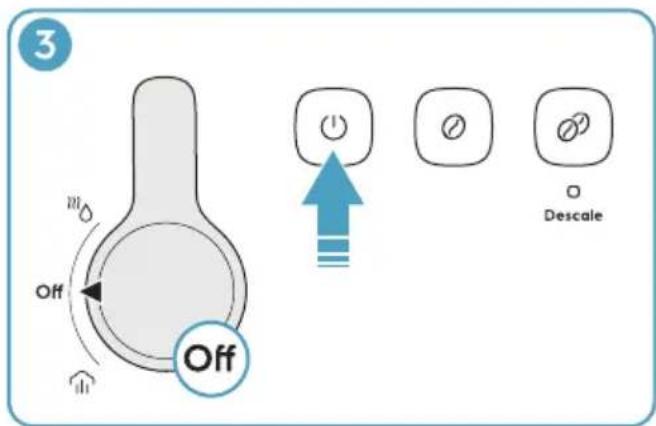
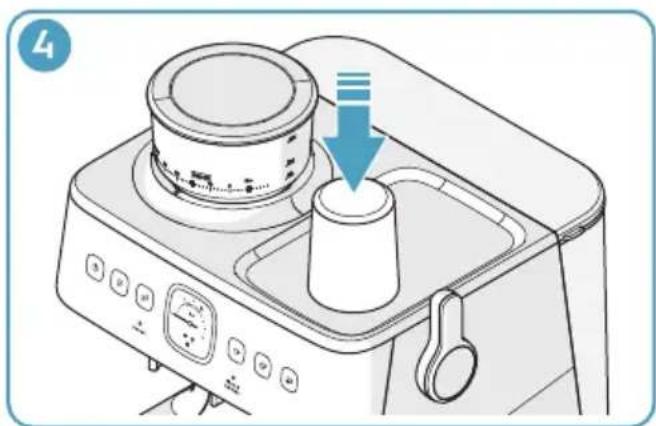
natural_image
Illustration of a kitchen blender with a cup and a drop arrow indicating compression (no text or symbols)natural_image
Illustration of a cooking pot with two bowls and a handle, showing liquid being poured into it (no text or symbols)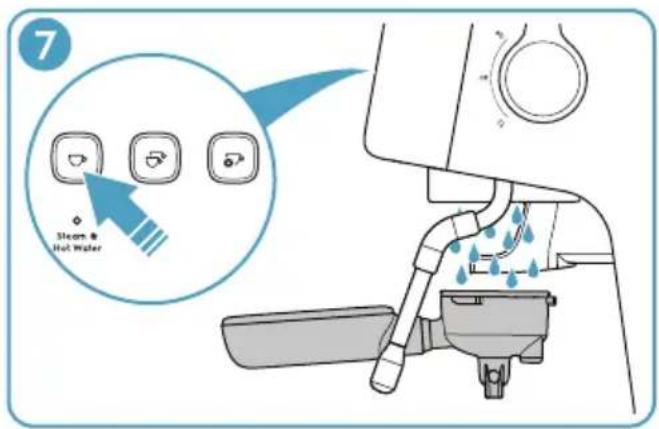
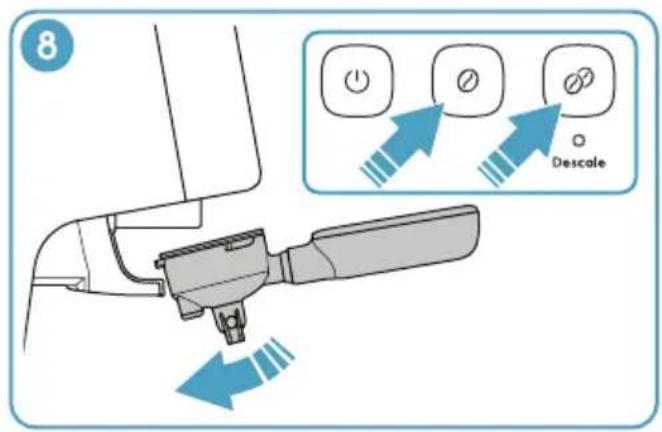
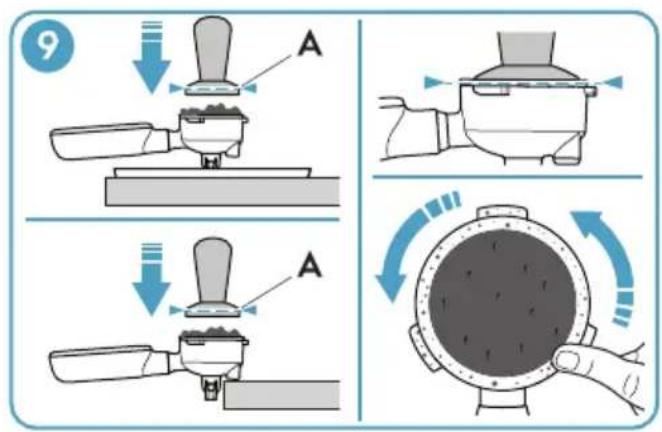
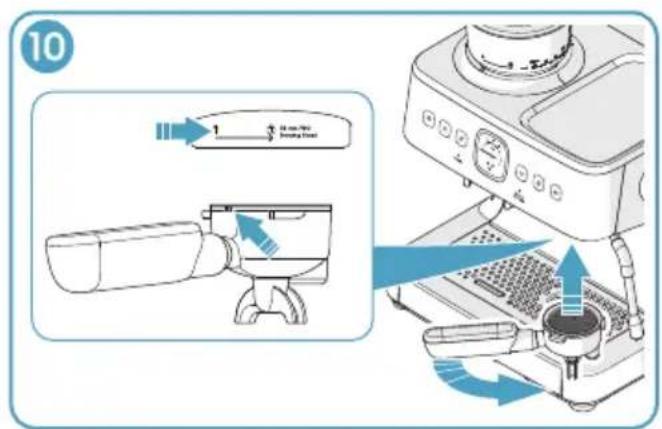
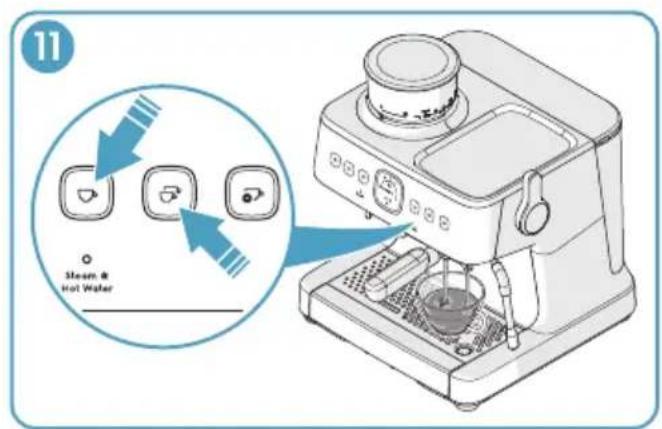
natural_image
Diagram of a computer monitor with control panel and keyboard, showing blue arrows indicating movement or operation (no text or symbols present)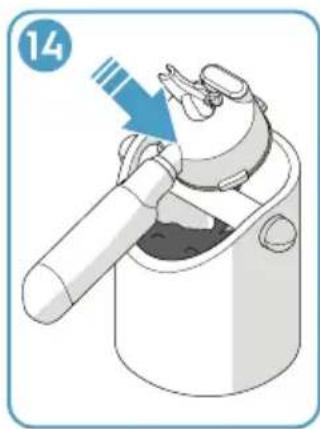
natural_image
Illustration of a mechanical device with a blue arrow pointing to a component, no text or symbols present.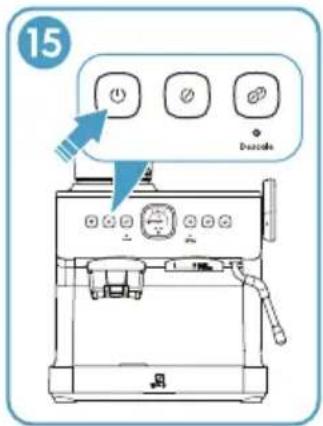
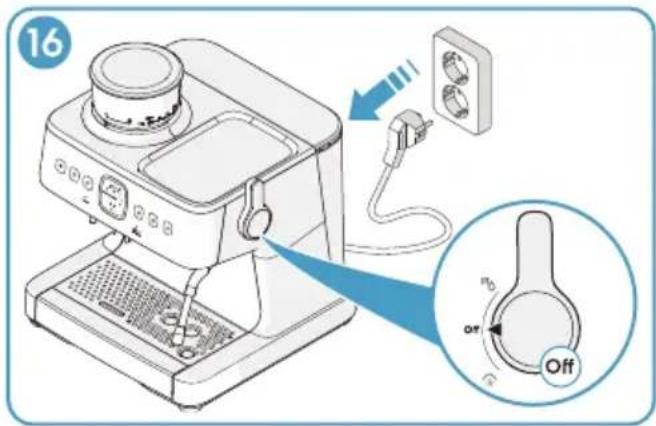
natural_image
Diagram of a kitchen sink with faucet and tool, showing a blue liquid pipe being removed from a bowl (no text or symbols)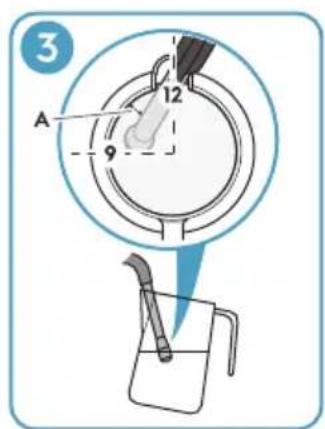
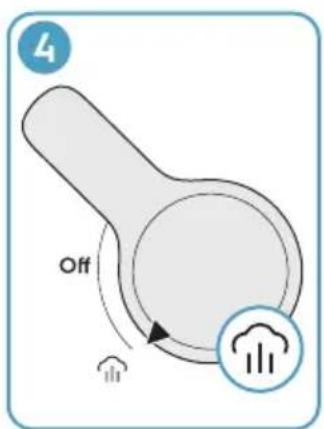
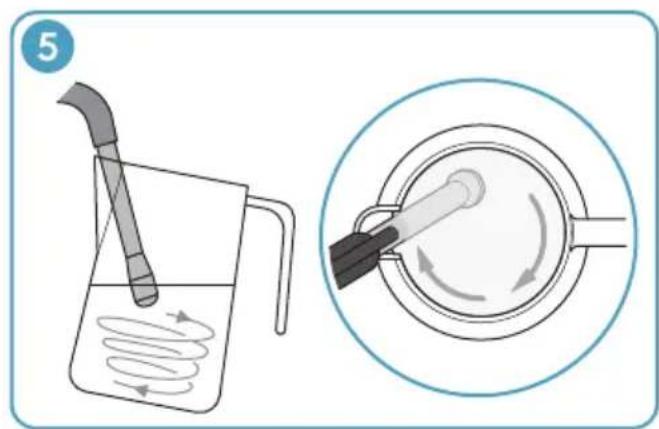
natural_image
Illustration of a beaker with a tool and liquid, showing an upward arrow (no text or symbols)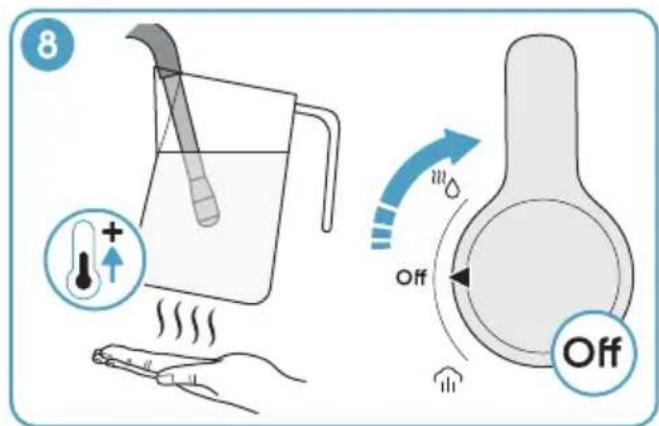
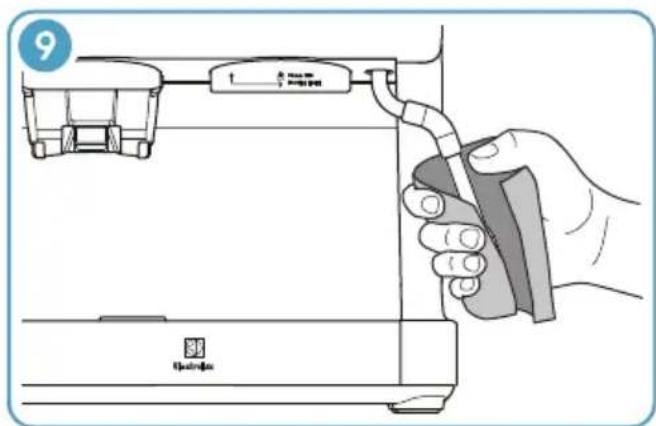
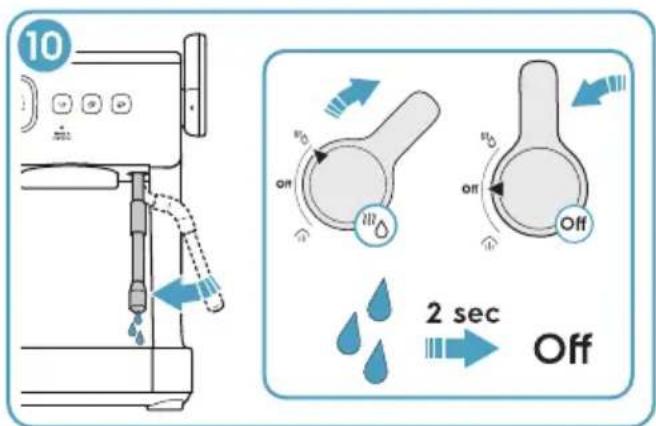
natural_image
Illustration of a hand holding a beaker with bubbles, showing liquid level and upward arrow (no text or symbols)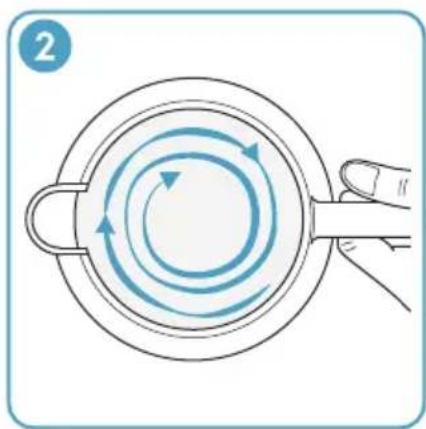
natural_image
Illustration of a hand holding a magnifying glass with concentric circular arrows indicating rotational flow (no text or symbols)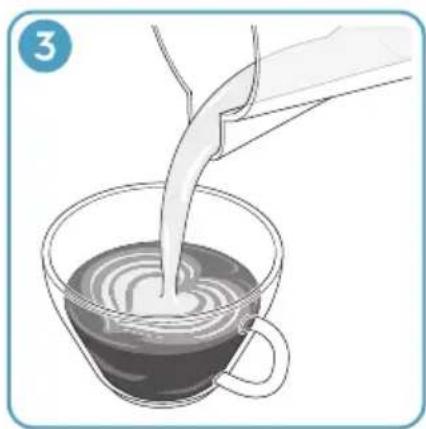
natural_image
Illustration of a hand pouring liquid into a cup of dark liquid (no text or symbols)natural_image
Simple line drawing of a mug filled with liquid, no text or symbols presentEspresso
natural_image
Simple line drawing of a mug filled with liquid, no text or symbols presentFlat white
natural_image
Simple line drawing of a mug with a handle and cup (no text or symbols)Ristretto
natural_image
Simple line drawing of a mug filled with liquid, no text or symbols presentLatte
Vienas tasītes vai divu tasīšu espresso ar 3/4 putota piena un pirksta platuma piena putu slāni virspusē.
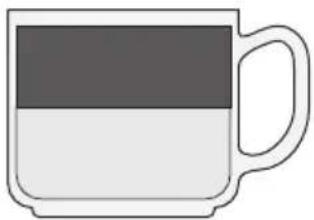
natural_image
Simple line drawing of a mug with two shades of gray covering the rim (no text or symbols)Americano
natural_image
Simple line drawing of a mug filled with liquid, no text or symbols presentKapučino
natural_image
Line drawing of a mug filled with whipped cream and sprinkles (no text or symbols)Con panna
natural_image
Simple line drawing of a mug with horizontal stripes (no text or symbols)Moka
Vienas tasītes vai divu tasīšu espresso sajaukts ar kakao un ar 1/3 putota piena un 1/3 piena putu virspusē.
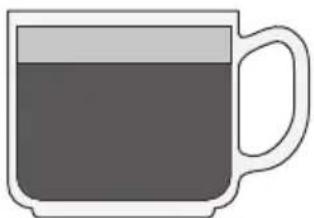
natural_image
Simple line drawing of a mug filled with dark liquid, no text or symbols presentMacchiato
Vienas tasītes vai divu tasīšu espresso, kam pieliets neliels daudzums auksta vai saputota piena un maza karotīte piena putu.
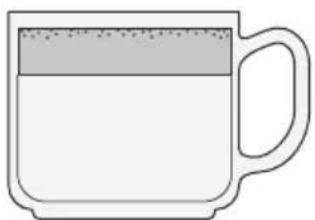
natural_image
Simple line drawing of a mug filled with liquid, no text or symbols presentBeibičino
Bez espresso, tikai putots piens un piena putas virspusë. Pa virsu uzkaisiet šokolādes pulveri.
Malta kafija
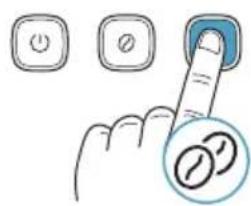
natural_image
Illustration of a mechanical device with a handle and internal component, showing a blue arrow indicating direction (no text or symbols present)natural_image
Illustration of a vintage typewriter with a magnified inset showing its circuit board and control panel (no text or symbols)a. Nonemiet pilienu paplāti.
natural_image
Pure technical line drawing of a mechanical component or housing without any text, numbers, or symbolsnatural_image
Technical line drawing of a mechanical component with a side view showing internal structure (no text or symbols)Reizi 2-3 mēnešos
natural_image
Illustration of a kitchen sink with a steaming cup and a blue arrow indicating heating or cooling process (no text or symbols)natural_image
Line drawing of a coffee machine with a close-up inset showing its internal components (no text or symbols)natural_image
Technical line drawing of a mechanical component with a handle and central hub (no text or symbols)natural_image
3D diagram of a cylindrical component with a blue arrow indicating direction, mounted on a base (no text or symbols)natural_image
Illustration of a container with an open pill into a container filled with seeds (no text or symbols)natural_image
Technical line drawing of a mechanical gear assembly with a tool inserted (no text or symbols)natural_image
Mechanical assembly diagram showing a dissection of a mechanical component (no text or symbols present)natural_image
Line drawing of a mechanical component with a handle and central hub (no text or symbols)natural_image
Technical diagram of a mechanical component with a blue upward arrow indicating force or direction (no text or symbols)natural_image
Line drawing of a modern coffee maker with control panel and side arm (no text or symbols)www.shop.electrolux.com
EPD2
900 923 820/6
Premium Coffee Descale
www.electrolux.com/productregistration

natural_image
Technical line drawing of a rectangular device with internal components and a cable inserted (no text or symbols)natural_image
Circular mechanical component diagram with concentric rings and a blue directional arrow indicating rotation (no text or symbols)natural_image
Diagram of a mechanical component with an arrow indicating rotation and a lock icon (no text or symbols)natural_image
Line drawing of a coffee maker with a vertical volume indicator showing liquid level (no text or symbols)natural_image
Line drawing of a coffee maker with a cup and downward arrow indicating compression (no text or symbols)natural_image
Illustration of a hand inserting a component into a device with a blue arrow indicating insertion (no text or symbols present)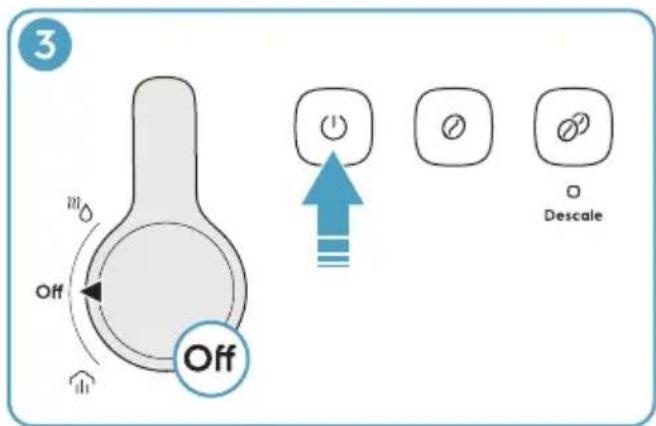
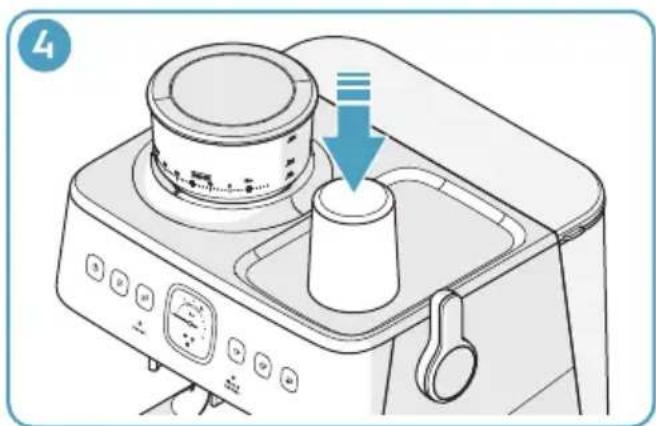
natural_image
Illustration of a kitchen blender with a cup and a drop arrow indicating compression (no text or symbols)natural_image
Illustration of a cooking pot with two bowls and a handle, showing liquid being poured into it (no text or symbols)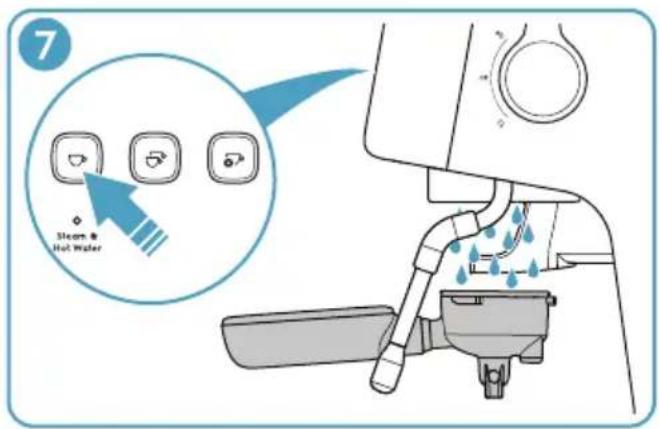
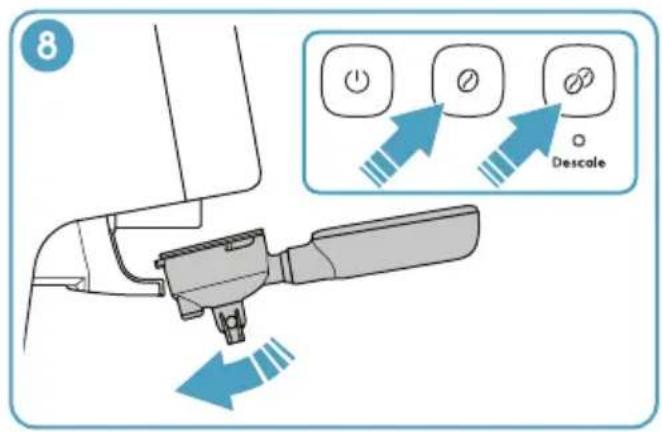
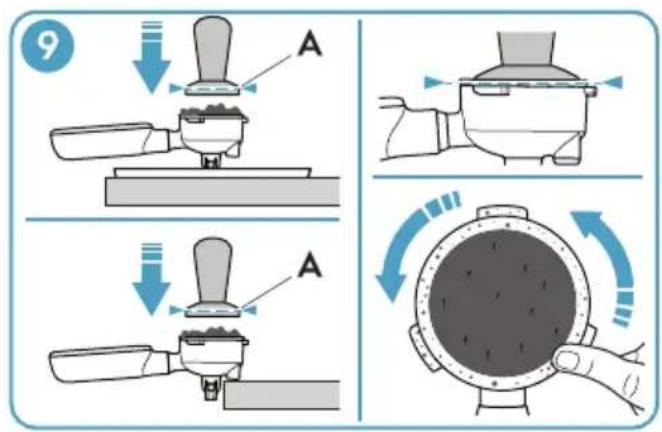
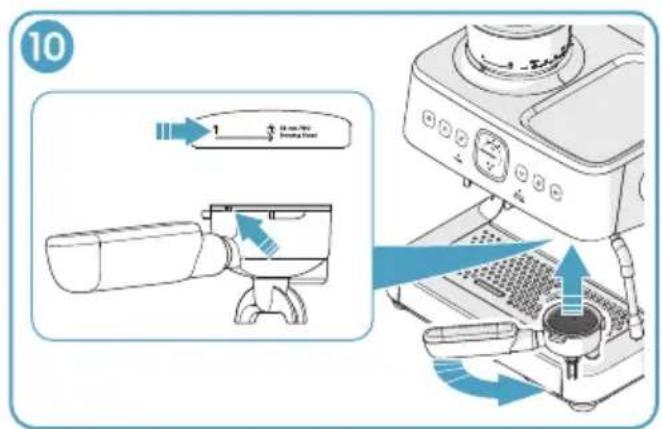
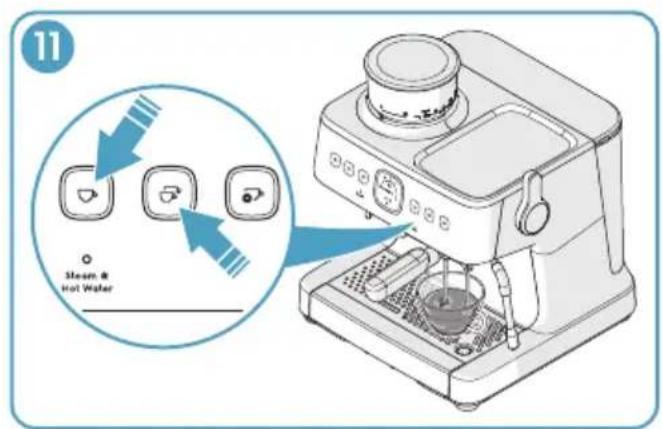
natural_image
Diagram of a computer monitor with control panel and keyboard, showing blue arrows indicating movement or operation (no text or symbols present)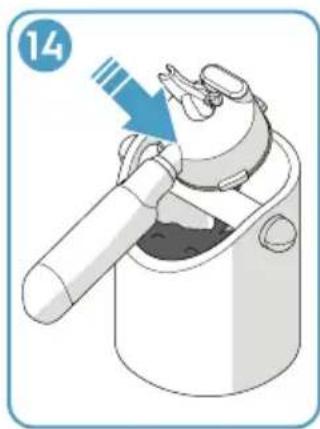
natural_image
Illustration of a mechanical device with a blue arrow pointing to a component (no text or symbols)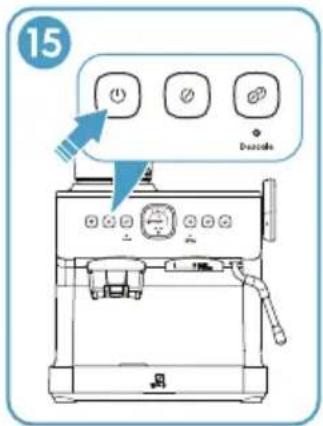
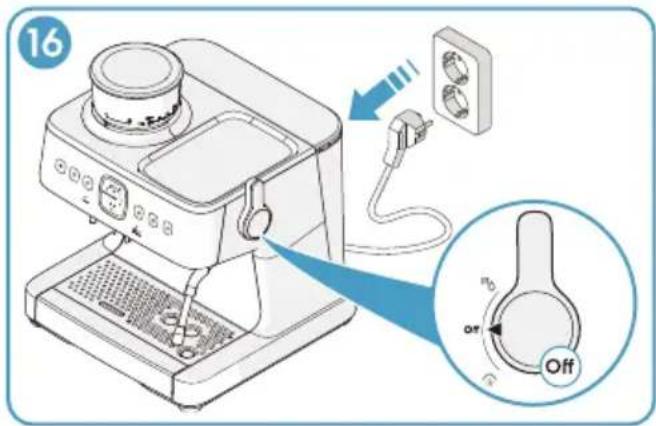
natural_image
Diagram of a kitchen sink with faucet and tool, showing a blue liquid pipe being removed from a bowl (no text or symbols)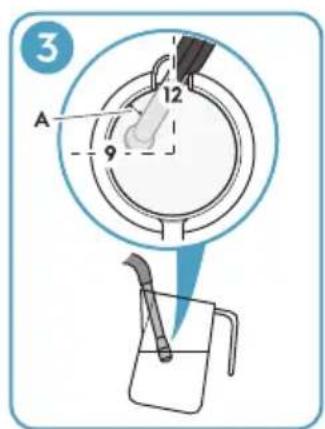
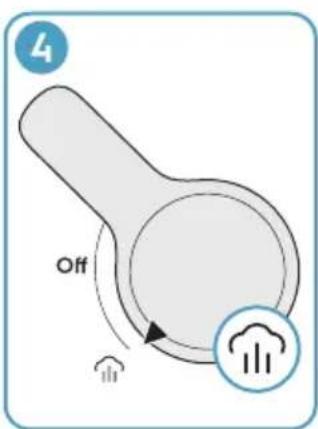
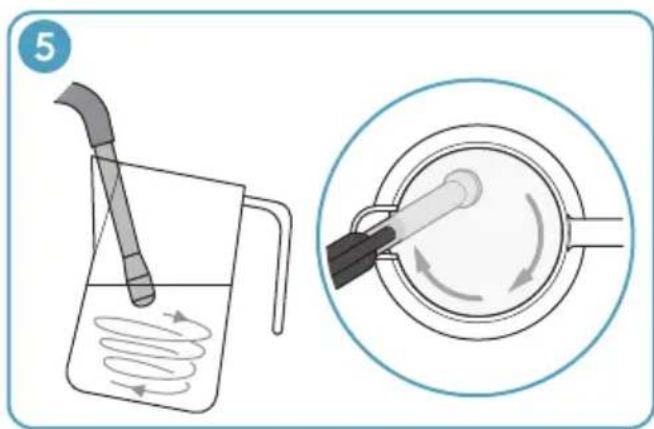
natural_image
Illustration of a beaker with a brush and liquid, showing an upward arrow (no text or symbols)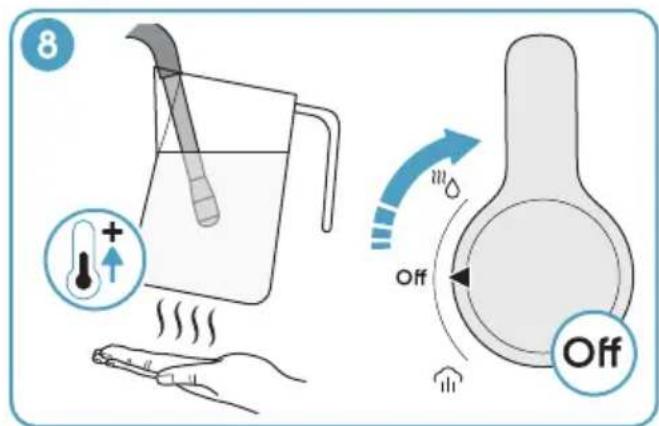

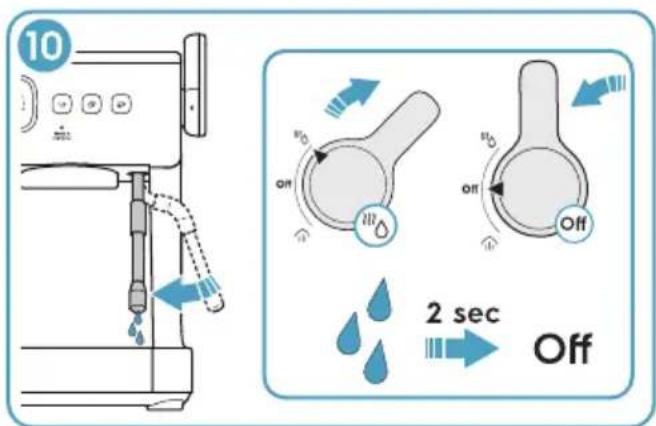
natural_image
Illustration of a hand holding a beaker with bubbles, showing liquid level and upward arrow (no text or symbols)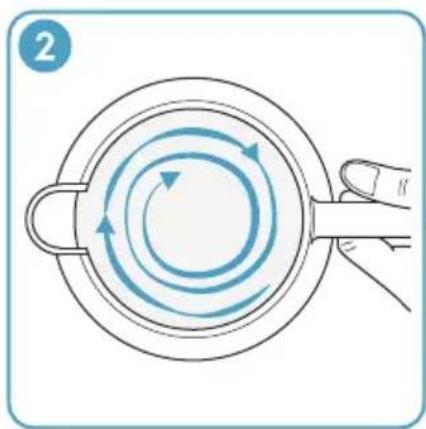
natural_image
Illustration of a hand holding a magnifying glass with circular arrows indicating rotational flow (no text or symbols)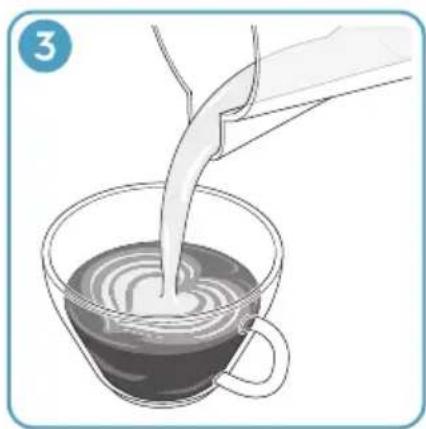
natural_image
Illustration of a hand pouring liquid into a cup of dark liquid (no text or symbols)natural_image
Simple line drawing of a mug filled with liquid, no text or symbols presentEspresso
natural_image
Simple line drawing of a mug filled with liquid, no text or symbols presentFlat white
natural_image
Simple line drawing of a mug with a handle and cup (no text or symbols)Ristretto
natural_image
Simple line drawing of a mug filled with liquid, no text or symbols presentLatte
natural_image
Simple line drawing of a mug with a handle and two shades of gray (no text or symbols)Americano
natural_image
Simple line drawing of a mug filled with liquid, no text or symbols presentCappuccino
natural_image
Line drawing of a mug filled with whipped cream and sprinkles (no text or symbols)Con panna
natural_image
Simple line drawing of a mug with horizontal stripes (no text or symbols)Mocha
natural_image
Simple line drawing of a mug filled with liquid, no text or symbols presentMacchiato
natural_image
Simple line drawing of a mug filled with liquid, no text or symbols presentBabyccino
natural_image
Illustration of a mechanical device with a handle and internal components, showing motion direction (no text or symbols)natural_image
Pure technical line drawing of a mechanical component or housing without any text, numbers, or symbolsnatural_image
Technical line drawing of a mechanical component with a side view showing internal structure (no text or symbols)Co 2–3 miesiące
natural_image
Illustration of a kitchen sink with a steaming cup and a blue arrow indicating heat or airflow (no text or symbols)natural_image
Line drawing of a coffee machine with a magnified inset showing the internal components (no text or symbols)natural_image
Technical line drawing of a mechanical component with a handle and central shaft (no text or symbols)natural_image
3D diagram of a cylindrical component with a blue arrow indicating direction, mounted on a base (no text or symbols)natural_image
Illustration of a container with seeds being poured into it, no text or symbols presentnatural_image
Technical diagram showing a mechanical component with a magnified inset highlighting a circular feature (no text or symbols present)natural_image
Technical line drawing of a mechanical component with concentric rings and a handle (no text or symbols)natural_image
Mechanical assembly diagram showing a dissection of a mechanical component (no text or symbols present)natural_image
Line drawing of a mechanical component with a handle and central hub (no text or symbols)natural_image
Technical diagram of a mechanical component with a blue arrow indicating upward motion (no text or symbols)natural_image
Line drawing of a modern coffee maker with control panel and side arm (no text or symbols)Ochrona środowiska
www.shop.electrolux.com
EPD2
900 923 820/6
Premium
Coffee Descale
natural_image
Technical line drawing of a rectangular electronic device with a cable inserted into the housing (no text or symbols)natural_image
Circular mechanical component diagram with concentric rings and central shaft (no text or symbols)natural_image
Diagram showing a mechanical component with an arrow and a lock icon, no text or symbols presentnatural_image
Line drawing of a coffee maker with a vertical volume indicator showing liquid level (no text or symbols)-
Ak je to potrebné, vložte do nádrže na vodu filter.
-
Do portafiltra vložte filtračný košík pre dve šálky.
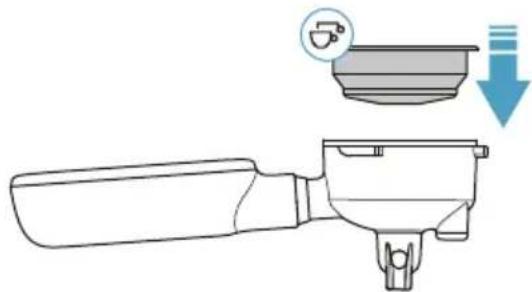
natural_image
Diagram of a coffee maker with a cup and downward arrow indicating compression (no text or symbols)natural_image
Illustration of a handheld electronic device with a blue indicator light interacting with the screen (no text or symbols visible)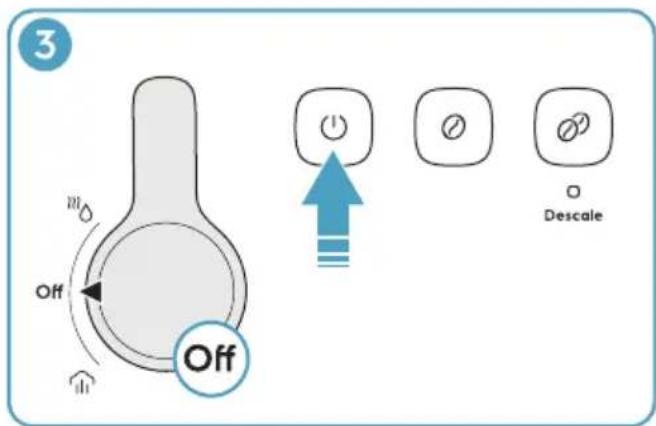
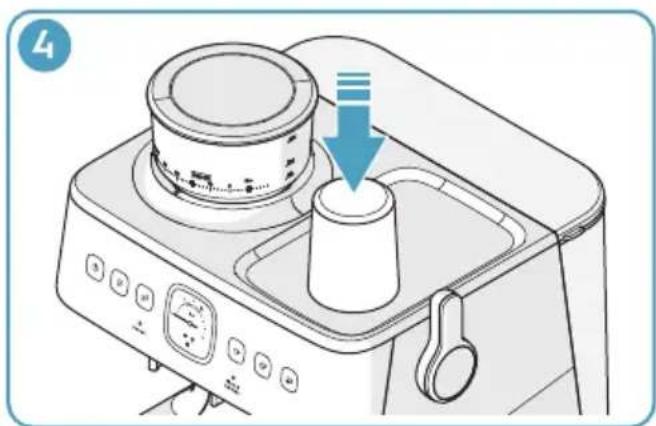
natural_image
Illustration of a kitchen blender with a cup and a drop arrow indicating compression (no text or symbols)natural_image
Illustration of a cooking pot with two bowls and a handle, showing a drop in liquid (no text or symbols)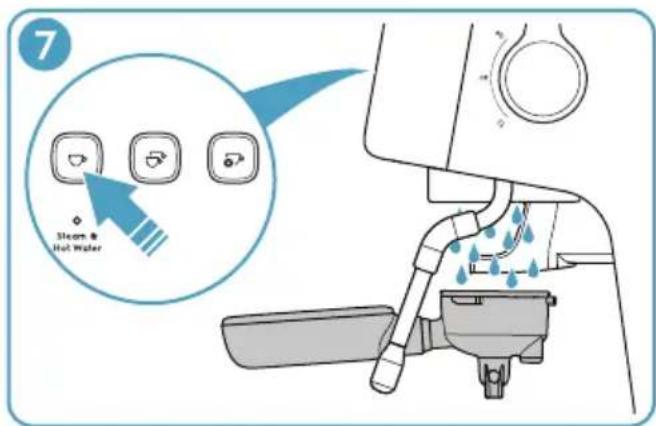
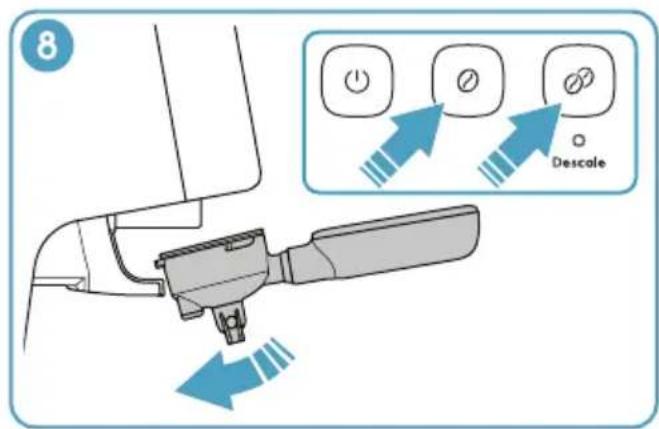
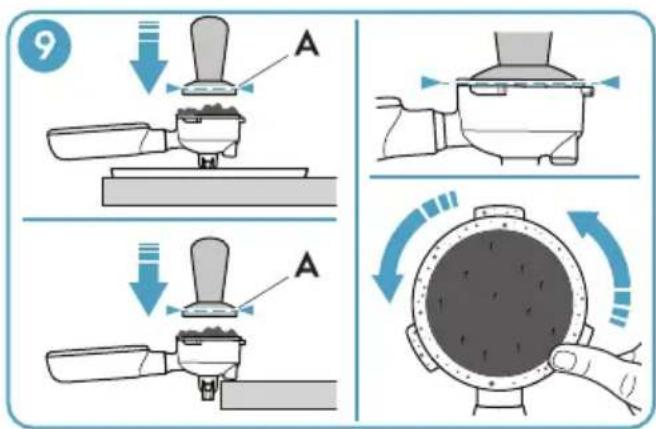
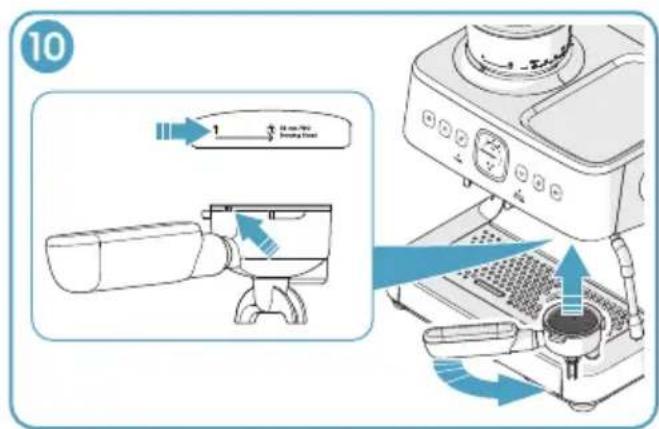
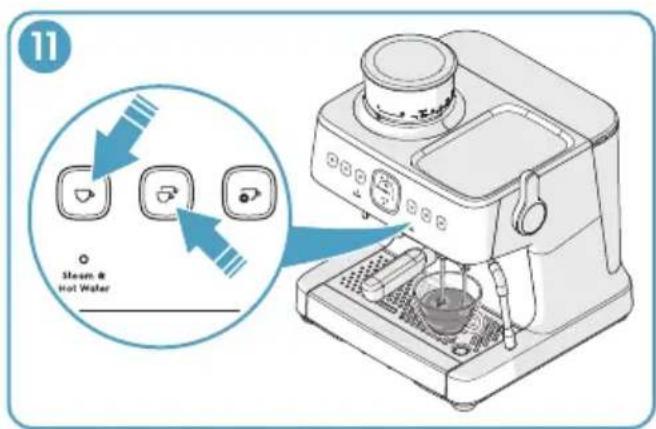
natural_image
Diagram of a computer monitor with control panel and keyboard, showing blue arrows indicating movement or operation (no text or symbols present)
natural_image
Illustration of a mechanical device with a blue arrow pointing to a component, no text or symbols present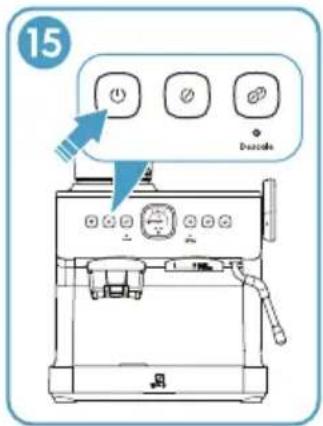
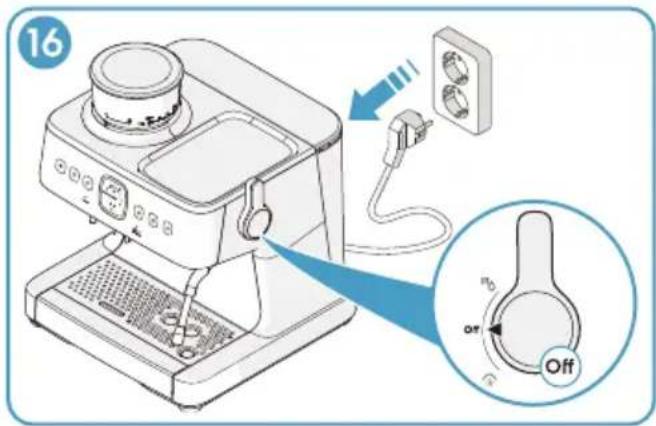
natural_image
Diagram of a kitchen sink with faucet and tool, showing a blue liquid being poured into a bowl (no text or symbols)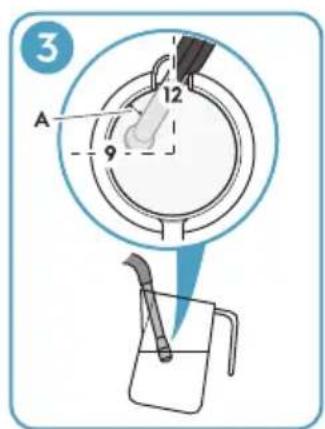
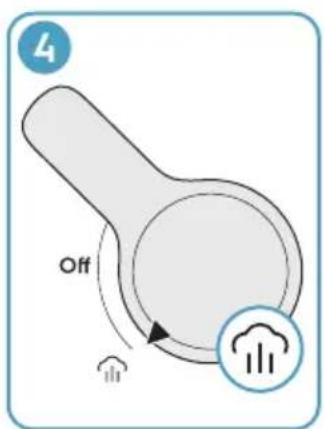
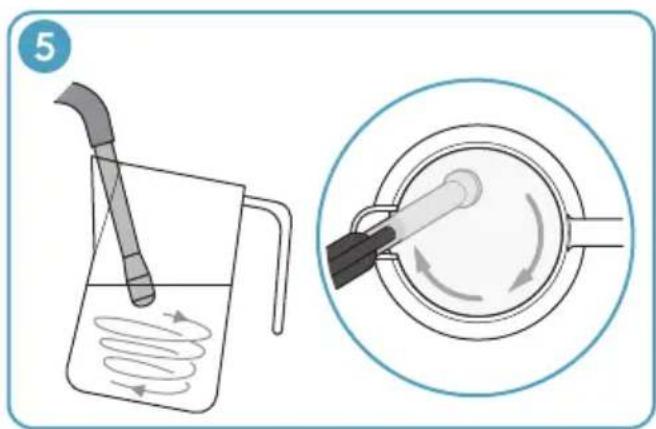
natural_image
Illustration of a beaker with a tool inside, showing liquid and an upward arrow (no text or symbols)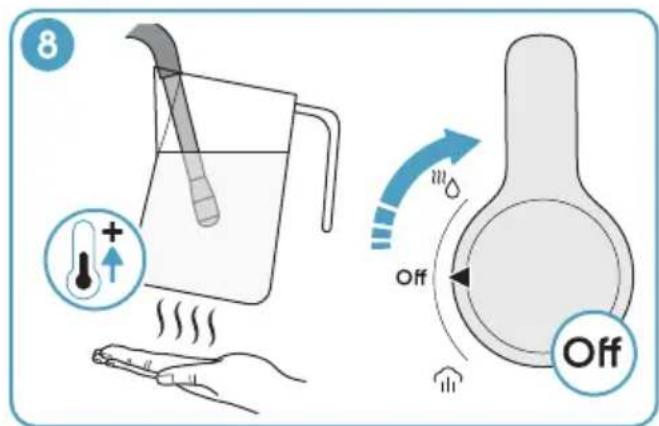
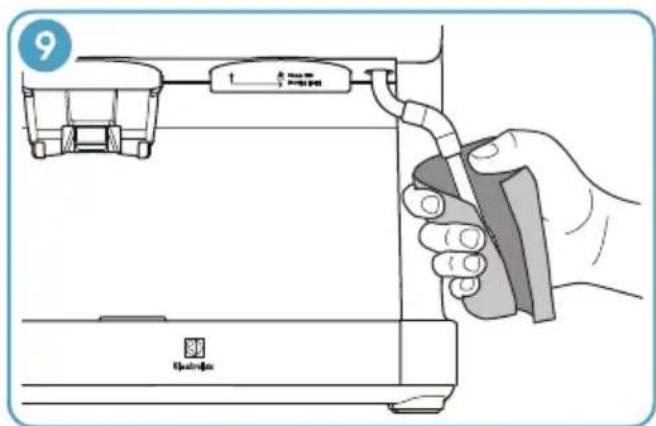
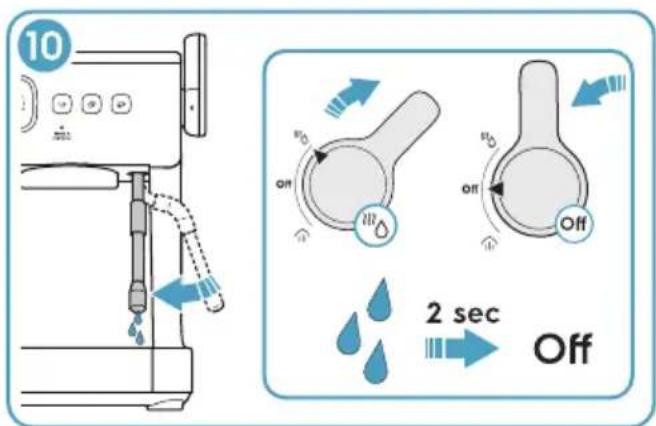
natural_image
Illustration of a hand holding a beaker with bubbles, showing liquid level and upward arrow (no text or symbols)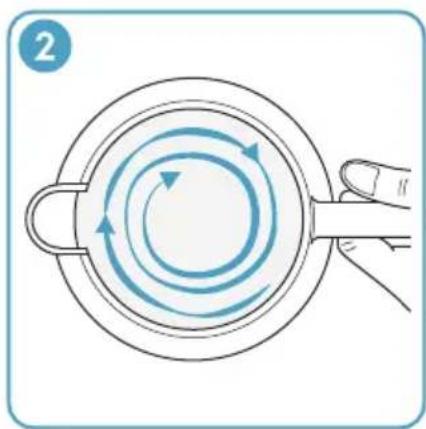
natural_image
Illustration of a hand holding a magnifying glass with circular arrows indicating rotational flow (no text or symbols)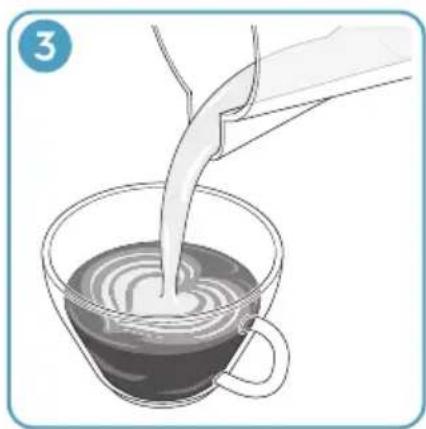
natural_image
Illustration of a hand pouring liquid into a glass cup (no text or symbols)natural_image
Simple line drawing of a mug filled with liquid, no text or symbols presentEspresso
Espresso je koncentrovaná, plná káva so stabilnou vrstvou peny na povrchu. Vyberte jednu alebo dve šálky espressa.
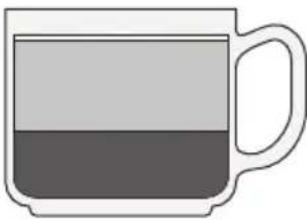
natural_image
Simple line drawing of a mug filled with liquid, no text or symbols presentFlat white
natural_image
Simple line drawing of a mug with a handle and cup (no text or symbols)Ristretto
natural_image
Simple line drawing of a mug filled with liquid, no text or symbols presentLatte
natural_image
Simple line drawing of a mug with two shades of gray covering the rim (no text or symbols)Americano
natural_image
Simple line drawing of a mug filled with liquid, no text or symbols presentCappuccino
natural_image
Line drawing of a mug filled with whipped cream and sprinkles (no text or symbols)Con panna
natural_image
Simple line drawing of a mug with horizontal stripes (no text or symbols)Mocha
natural_image
Simple line drawing of a mug filled with liquid, no text or symbols presentMacchiato
natural_image
Simple line drawing of a mug with a handle and side rim (no text or symbols)Babyccino
-
Ked'sa ozve pípnutie, uvol'nite tlačidlá na mletie.
-
Ak chcete obnovit predvolené nastavenie pre tlačidlo na mletie pre jednu šálku (A) alebo tlačidlo na mletie pre dve šálky (B), vykonajte tieto kroky:
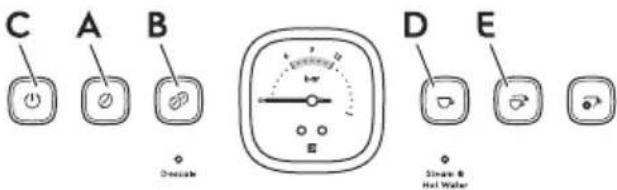
natural_image
Illustration of a mechanical device with a handle and spool, emitting motion arrows (no text or symbols)- Vyčistite filtračný košík, portafilter a kanvičku na mlieko teplou vodou.
natural_image
Illustration of a desktop computer with an open control panel and a close-up of its keyboard (no text or symbols visible)natural_image
Pure technical line drawing of a mechanical component with no text or symbolsc. Vyčistite misku na odkvapkávanie a mriežku teplou vodou.
natural_image
Technical line drawings of a mechanical component and its internal structure (no text or symbols)- Varnú hlavu vyčistite vlhkou handričkou.
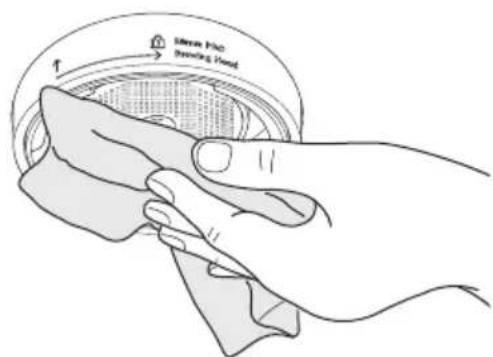
natural_image
Illustration of a kitchen sink with a steaming cup and a blue arrow indicating heating or cooling process (no text or symbols)natural_image
Line drawing of a coffee maker with a close-up inset showing its mechanical component (no text or symbols)natural_image
Technical line drawing of a mechanical component with a handle and central hub (no text or symbols)natural_image
3D diagram of a mechanical component with a blue arrow indicating direction (no text or symbols)natural_image
Illustration of a container with seeds being poured into it, no text or symbols presentPOZOR: Horný drvič nečistite vodou.
natural_image
Technical line drawing of a mechanical component with concentric rings and a handle (no text or symbols)natural_image
Mechanical assembly diagram showing a dissection of a mechanical component (no text or symbols present)Ak sa v mlynčeku objaví pomletá káva, odstráňte ju pomocou kefky na čistenie. Opakujte, kým po stlačení tlačidla na mletie nevypadne žiadna pomletá káva.
natural_image
Line drawing of a mechanical component with a handle and central hub (no text or symbols)natural_image
Diagram of a mechanical component with a blue arrow indicating upward motion (no text or symbols)natural_image
Line drawing of a modern coffee maker with control panel and side arm (no text or symbols)www.shop.electrolux.com
EPD2
900 923 820/6
Premium Coffee Descale
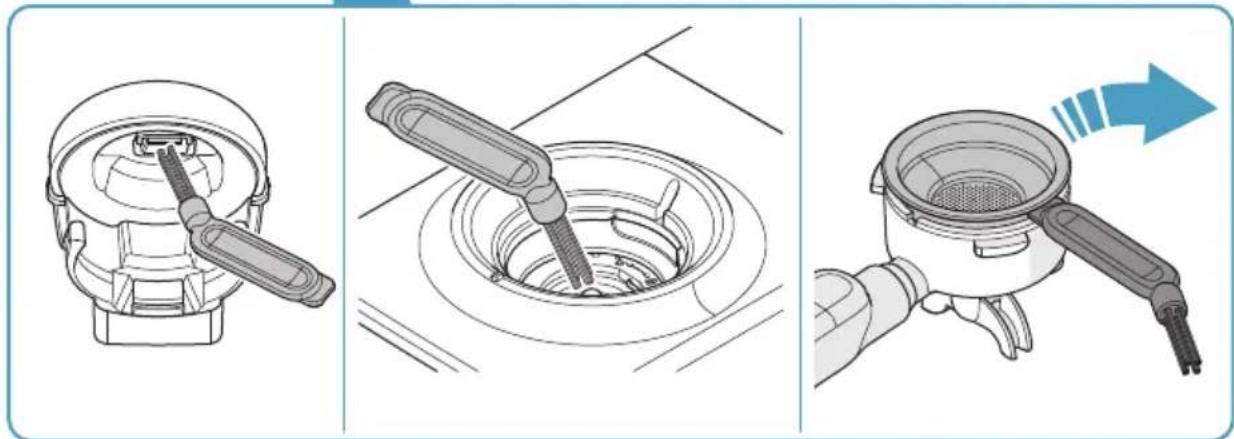
natural_image
Three-step diagram showing a mechanical device with a handle, a circular component with a brush, and a filter or grater with a brush (no text or symbols)natural_image
Technical line drawing of a mechanical housing or enclosure with a cable inserted into one corner (no text or symbols present)natural_image
Circular mechanical component diagram with concentric rings and a blue directional arrow indicating rotation (no text or symbols)natural_image
Diagram showing a lock mechanism with a blue arrow and magnified view of the lock icon (no text or symbols present)natural_image
Line drawing of a coffee maker with a blue liquid level indicator (no text or symbols)natural_image
Line drawing of a coffee maker with a cup and downward arrow indicating compression (no text or symbols)natural_image
Illustration of a handheld electronic device with a blue indicator light interacting with the screen (no text or symbols visible)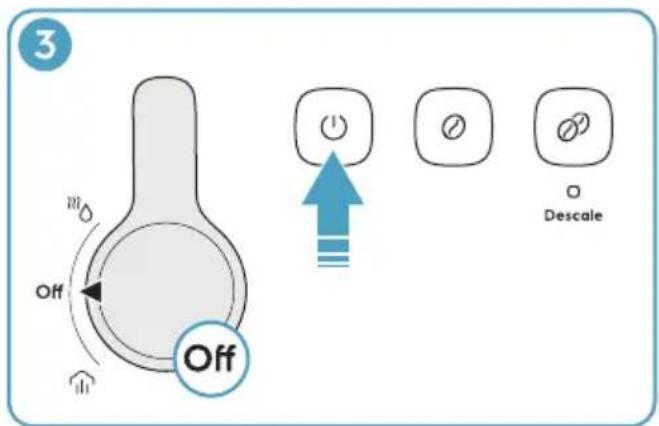
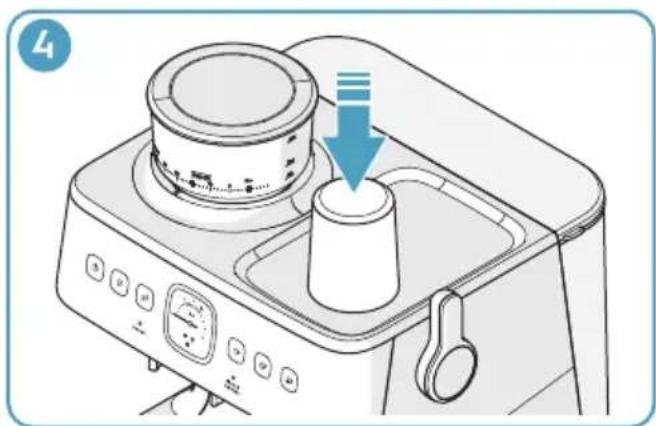
natural_image
Illustration of a kitchen blender with a cup and a drop arrow indicating compression (no text or symbols)natural_image
Illustration of a cooking pot with two bowls and a handle, showing a step to process (no text or symbols)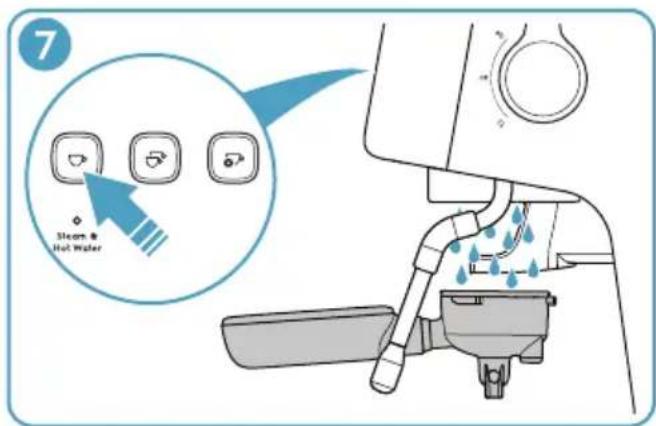
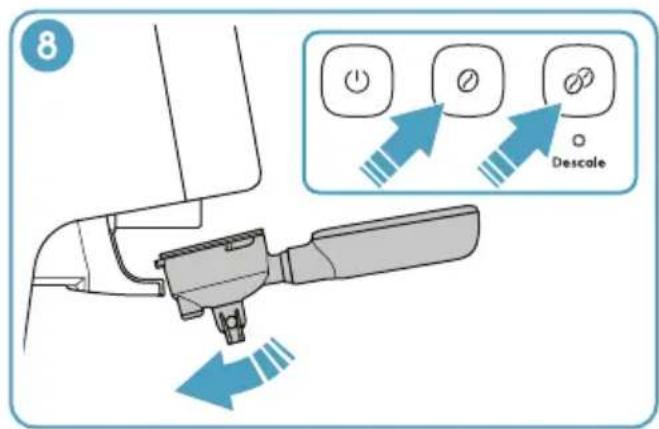
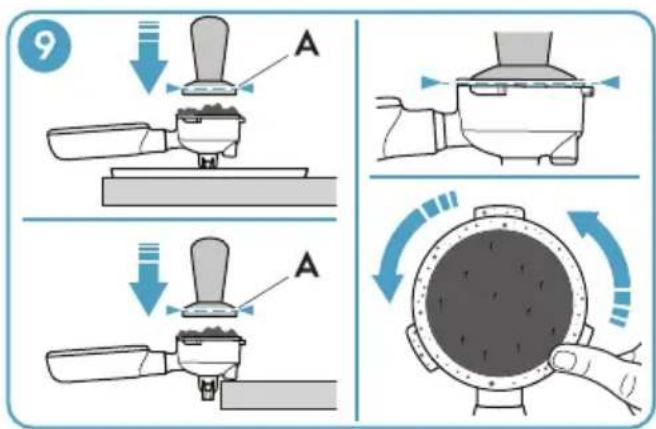
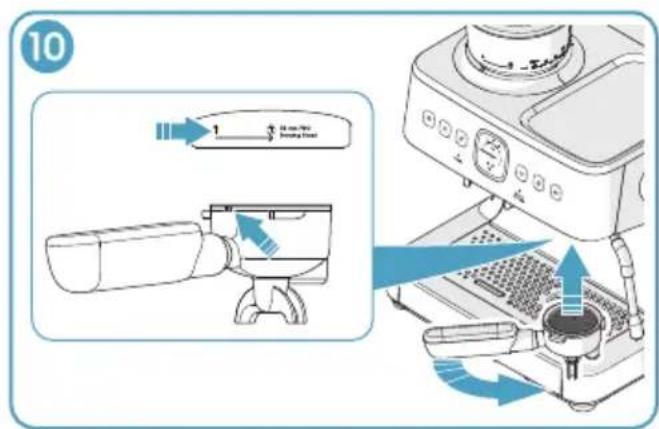

natural_image
Diagram of a computer monitor with control panel and keyboard, showing blue arrows indicating movement or operation (no text or symbols present)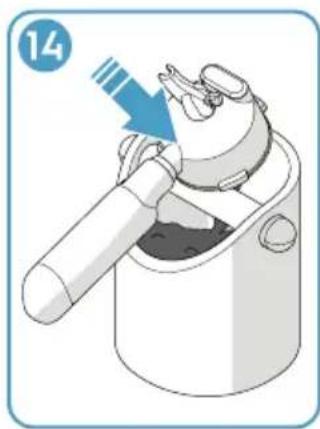
natural_image
Illustration of a mechanical device with a blue arrow pointing to a component, no text or symbols present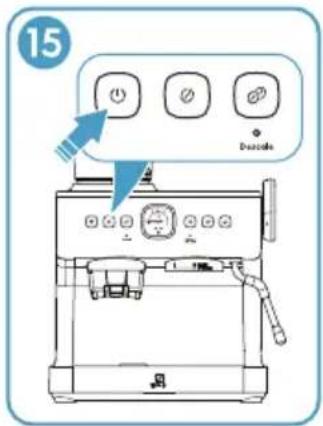
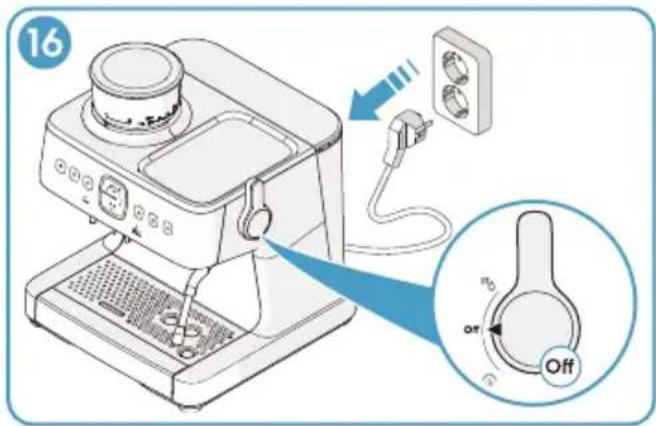
natural_image
Diagram of a kitchen sink with faucet and tool, showing a blue liquid being poured into a bowl (no text or symbols)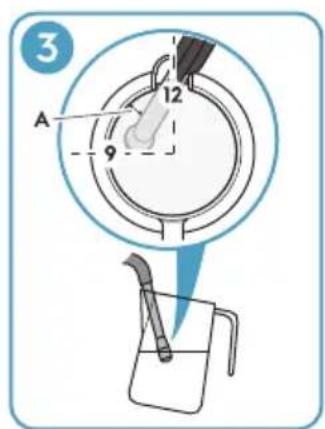
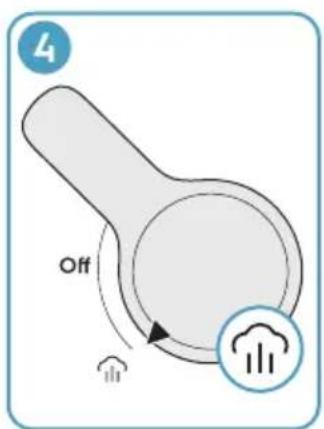
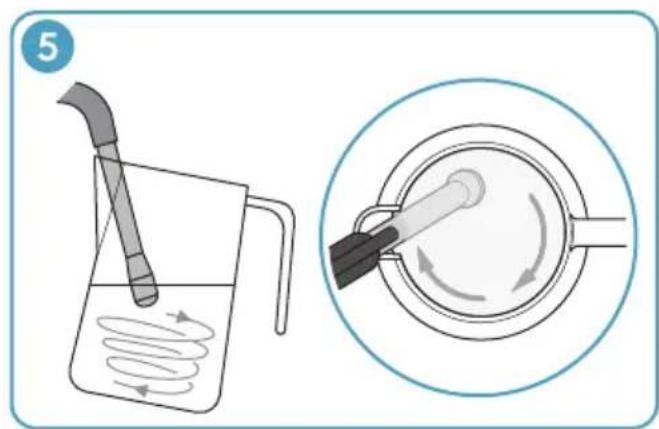
natural_image
Illustration of a beaker with a tool inside, showing liquid and an upward arrow (no text or symbols)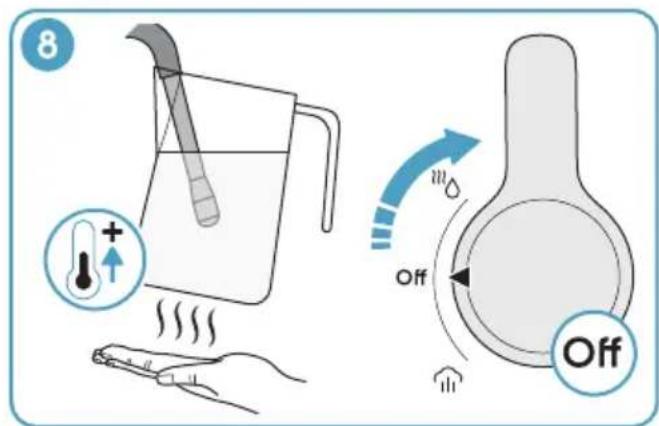
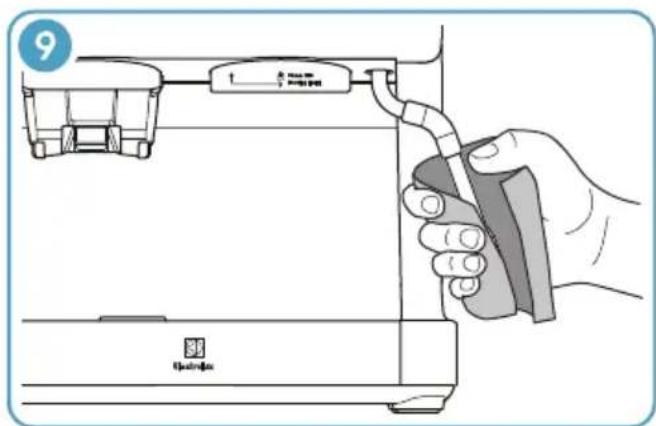
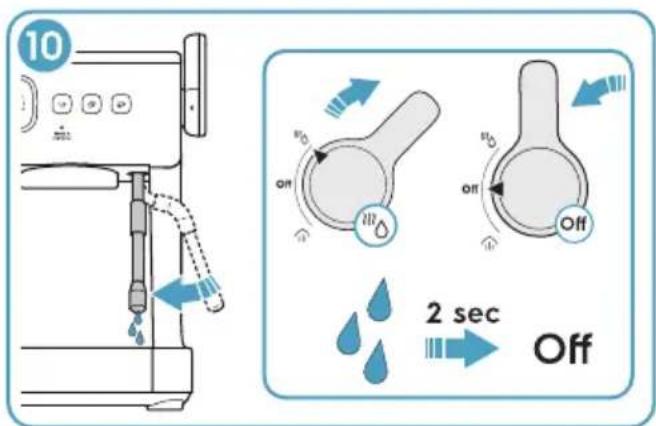
natural_image
Illustration of a hand holding a beaker with bubbles, showing liquid level and upward arrow (no text or symbols)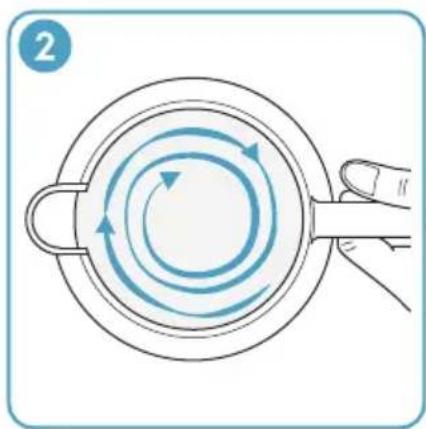
natural_image
Illustration of a hand holding a magnifying glass with circular arrows indicating rotational flow (no text or symbols)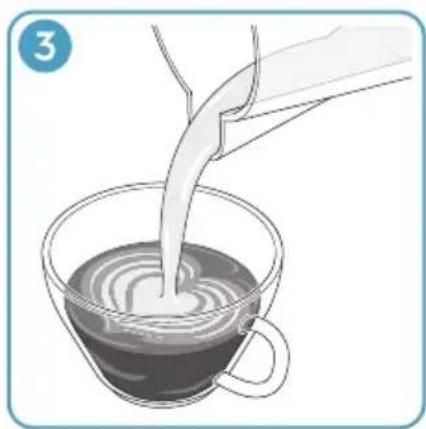
natural_image
Illustration of a hand pouring liquid into a glass cup (no text or symbols)natural_image
Simple line drawing of a mug filled with liquid, no text or symbols presentЕспресо
natural_image
Simple line drawing of a mug filled with liquid, no text or symbols presentФлет-вайт
natural_image
Simple line drawing of a mug with handle and cup (no text or symbols)Рістретто
natural_image
Simple line drawing of a mug filled with liquid, no text or symbols presentЛатте
natural_image
Simple line drawing of a mug with a handle and two shades of gray (no text or symbols)Американо
natural_image
Simple line drawing of a mug filled with liquid, no text or symbols presentКапучіно
natural_image
Line drawing of a mug filled with whipped cream and sprinkles (no text or symbols)Кон-панна
natural_image
Simple line drawing of a mug with horizontal stripes (no text or symbols)Мокко
natural_image
Simple line drawing of a mug filled with liquid, no text or symbols presentМаккіато
natural_image
Simple line drawing of a mug filled with liquid, no text or symbols presentБейбічіно
natural_image
Illustration of a mechanical device with a handle and internal components, showing a blue arrow indicating direction (no text or symbols present)natural_image
Illustration of a vintage espresso machine with a circular panel and control knob, showing its mechanical components (no text or symbols present)natural_image
Pure technical line drawing of a mechanical component or housing without any text, numbers, or symbolsnatural_image
Technical line drawings of a mechanical component and its internal structure (no text or symbols)Кожні 2-3 місяці
natural_image
Illustration of a kitchen sink with a steaming cup and a blue arrow indicating heat or airflow (no text or symbols)natural_image
Line drawing of a coffee maker with a magnified inset showing the tool interacting with the base (no text or symbols present)natural_image
Technical line drawing of a mechanical component with a handle and central hub (no text or symbols)natural_image
3D diagram of a cylindrical component with a blue arrow indicating direction, mounted on a base (no text or symbols)natural_image
Illustration of a container with seeds being poured into it, no text or symbols presentnatural_image
Technical line drawing of a mechanical component with concentric circular layers and a central tool (no text or symbols)natural_image
Diagram showing a mechanical component with a prohibition symbol and a downward arrow indicating a process or operation (no text or labels present)natural_image
Line drawing of a mechanical component with a handle and central hub (no text or symbols)natural_image
Diagram of a mechanical component with a blue upward arrow indicating force or direction (no text or symbols)natural_image
Line drawing of a modern coffee maker with control panel and side arm (no text or symbols)Охорона довкілля
www.shop.electrolux.com
EPD2
900 923 820/6
Premium Coffee Descale
A. Skidljivi lijevak za zrna
B. Skidljivi gornji disk za mljevenje
C. Mlinac za kavu bez statičkog elektriciteta
D. 58 mm PRO držač za mljevenje
E. 58 mm PRO portafiltar
F. 58 mm PRO košarica filtra za jednu šalicu
G. 58 mm PRO košarica filtra za dvije šalice
H. 58 mm PRO glava za kuhanje
I. Mjerač tlaka
J. Ručica za paru i toplu vodu
K. Regulator za paru i toplu vodu
L. Skidljivi spremnik za vodu
M. Skidljiva posuda za sakupljanje tekućine s rešetkom
N. Plovak posude za sakupljanje tekućine / indikator razine vode
O. Protuklizne nožice
P. Komplet alata
Q. Četka za čišćenje
R. Igla za čišćenje
S. Grijač šalice
T. Dodatna plitica
U. 360 ml vrč za mlijeko
V. 58 mm PRO nabijač
Raspored i pregled funkcija
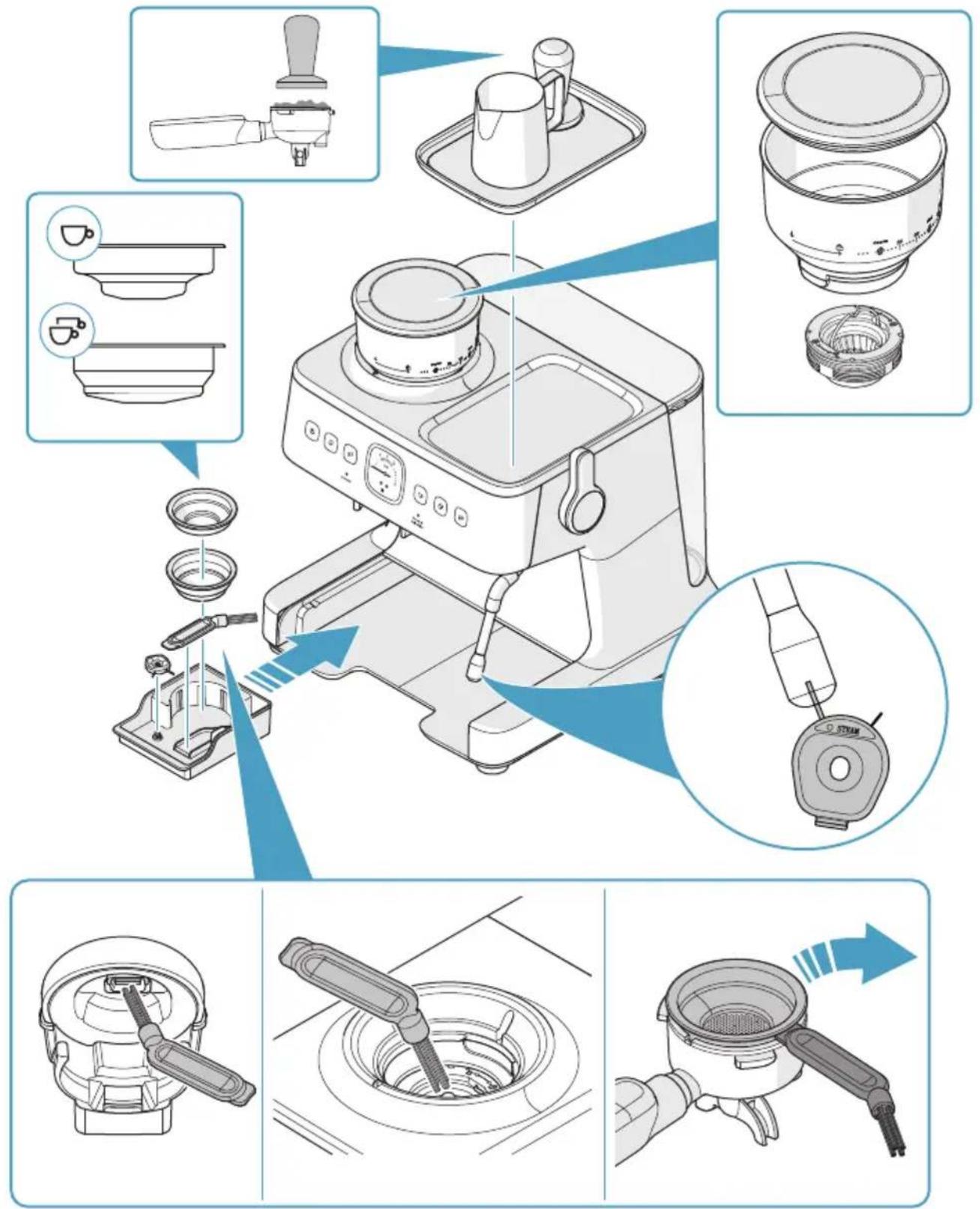
Pripreme prije prve upotrebe
Prije upotrebe uređaja za pripremu espressa, potrebno je očistiti i ugraditi sve dijelove i jednom provesti postupak kuhanja samo s vodom.
natural_image
Technical line drawing of a rectangular electronic device with a cable inserted into the housing (no text or symbols)- Očistite vrč za mlijeko, nabijač, košarice filtra, portafiltar i spremnik za vodu toplom vodom i blagim deterdžentom:
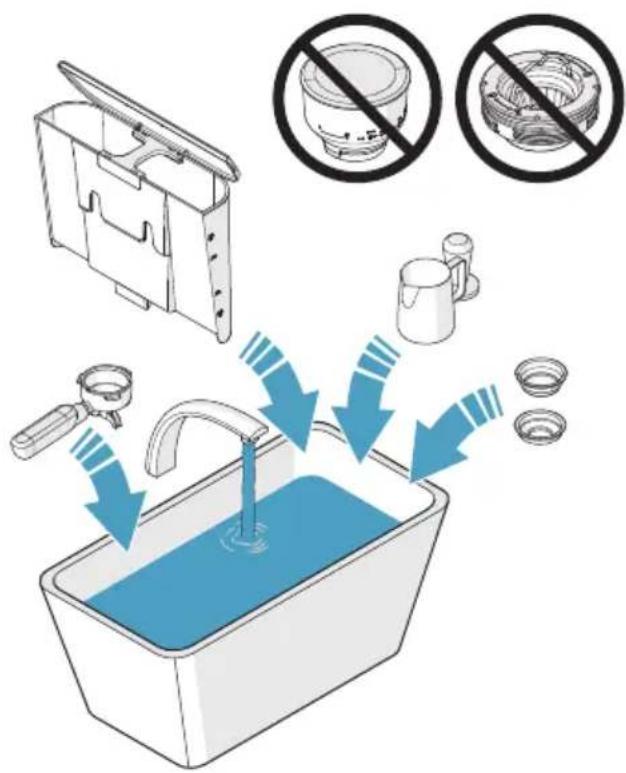
natural_image
Technical diagram of a mechanical component with concentric rings and a blue arrow indicating rotation (no text or symbols)natural_image
Diagram of a mechanical component with a blue arrow indicating rotation and an open padlock icon pointing right (no text or symbols)natural_image
Line drawing of a coffee maker with a blue liquid-filled container and arrow indicating downward flow (no text or symbols)-
Ako je potrebno, stavite filtar za vodu u spremnik za vodu.
-
Umetnite košaricu filtra za dvije šalice u portafiltar.
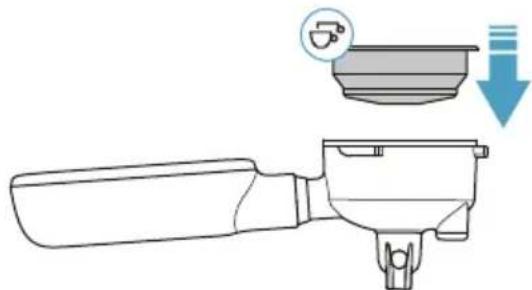
natural_image
Line drawing of a coffee maker with a bowl and handle, showing a drop in the cup (no text or symbols)- Poravnajte portafiltar sa strelicom GORE na glavi za kuhanje.
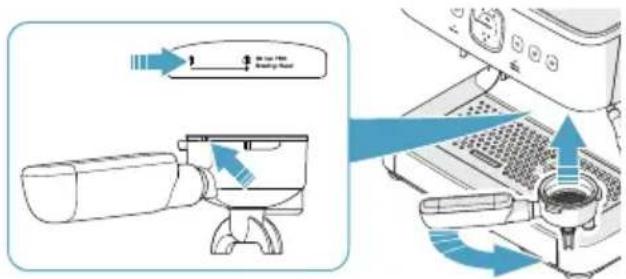
-
Umetnite portafiltar ravno uz glavu za kuhanje.
-
Okrenite ručku portafiltra udesno u središnji položaj za zaključavanje.
Napomena: Prilikom prvih nekoliko umetanja portafiltra možete osjetiti otpora pri okretanju ručke.
- Provjerite je li regulator paru i toplu vode u ISKLJUČENOM položaju.
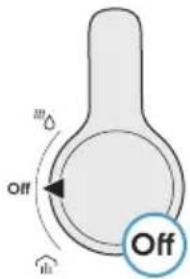
-
Spojite uređaj na izvor napajanja.
-
Pritisnite gumb za UKLJUČIVANJE/ISKLJUČIVANJE.
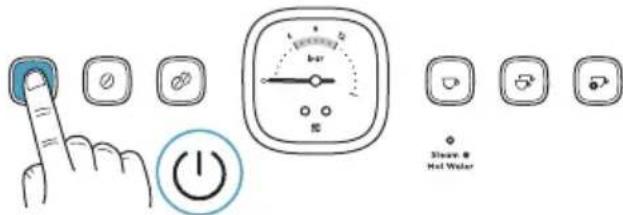
- Pritisnite gumb za dvije šalice espressa. Voda teče iz glave za kuhanje, kroz košaricu filtra i portafiltar.
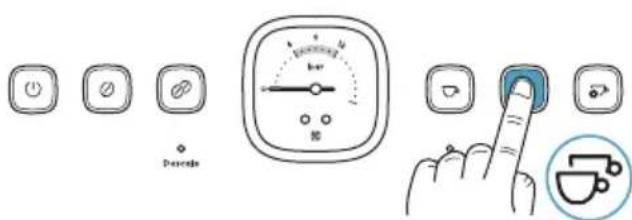
- Pričekajte da voda prestane teći.
Napomena: Pri prvom prolasku vode kroz uređaj, zrak koji iz njega izlazi može stvarati glasnu buku. Zvuk prestaje nakon približno 20 sekundi i nije znak neke pogreške.
natural_image
Illustration of a hand inserting a component into a device with a blue arrow indicating insertion (no text or symbols present)- Okrenite regulator za paru i toplu vodu u položaj za toplu vodu. Svjetlo za paru i toplu vodu trepće, a iz mlaznice izlazi topla voda.
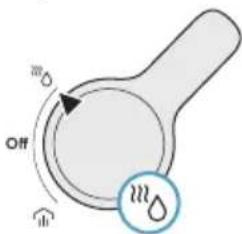
-
Ostavite vodu da teče 20 sekundi.
-
Okrenite regulator za paru i toplu vodu u ISKLJUČEN položaj.
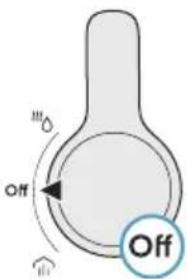
Napomena: Uređaj se automatski isključuje nakon 15 minuta neaktivnosti.
Kada svi gumbi (A – F) i svjetlo za paru i toplu vodu (G) neprekidno svijetle, uređaj je spreman za upotrebu.
Svakodnevna upotreba
Izrada espresso kave
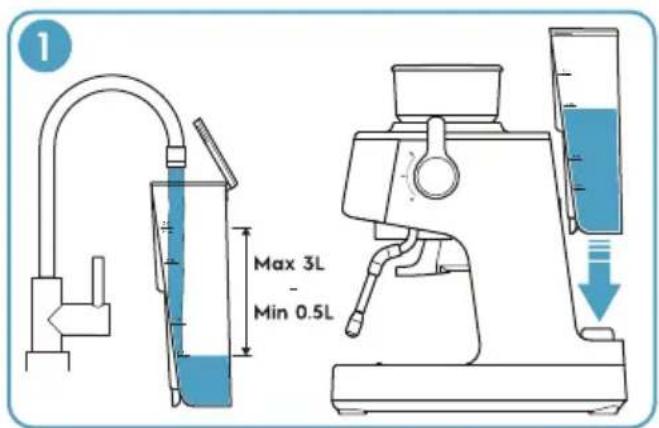
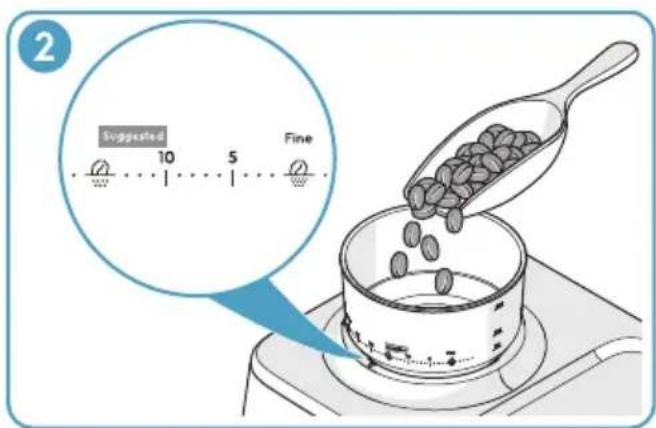
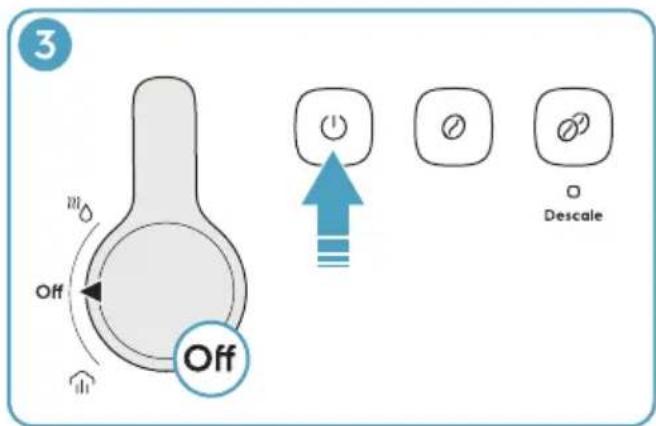
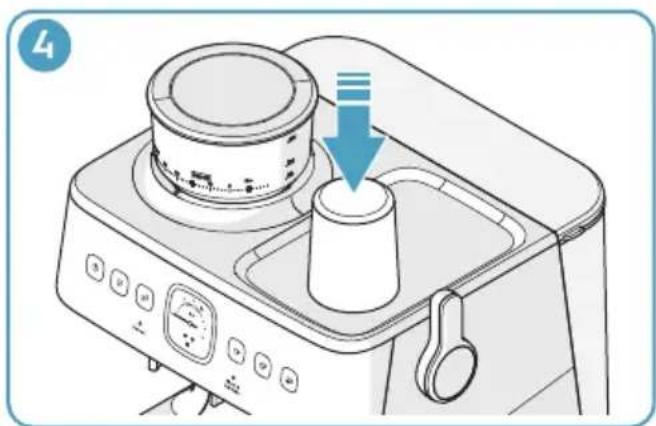
natural_image
Illustration of a kitchen blender with a drop in the cup and control panel (no text or symbols)natural_image
Illustration of a cooking pot with two bowls and a handle, showing a step to process (no text or symbols)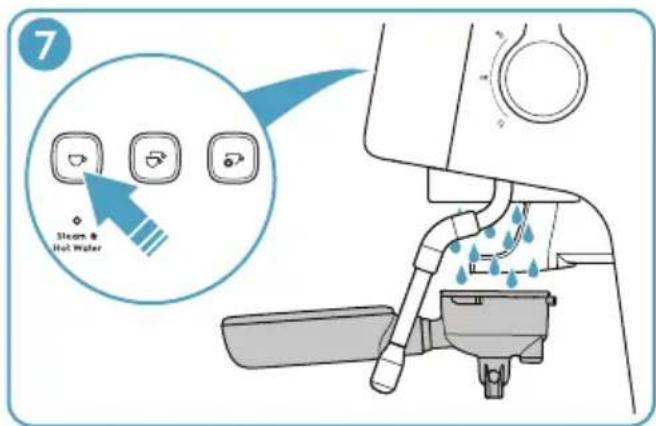
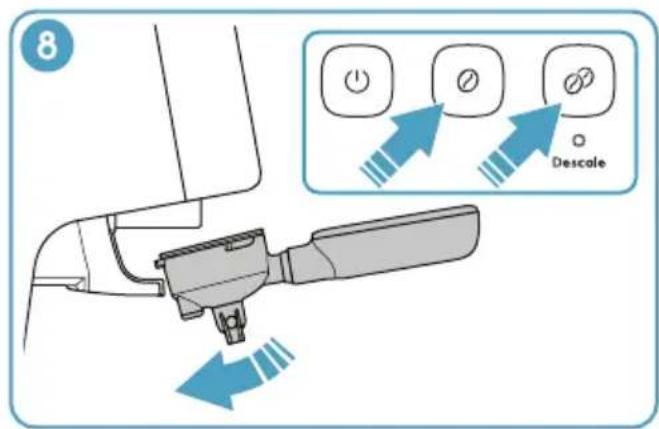
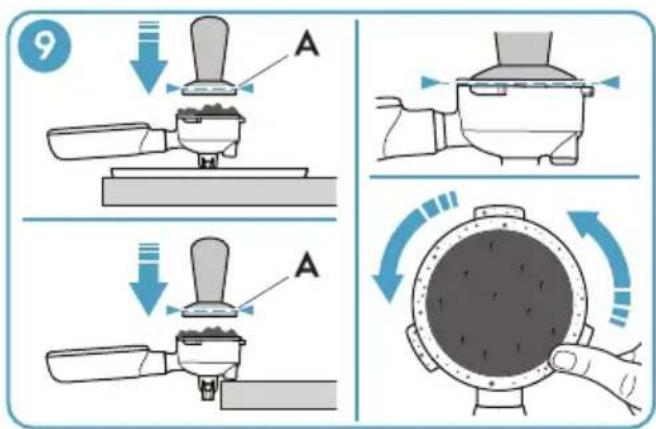
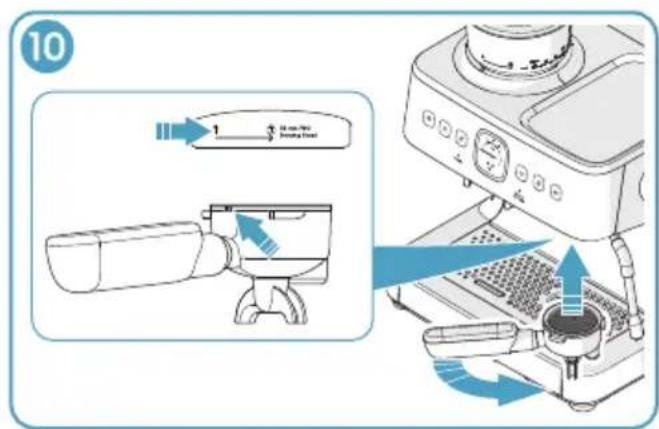
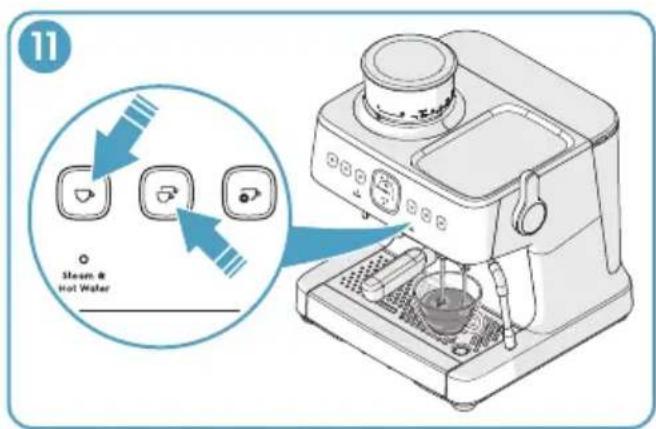
- Umetnite košaricu filtra za jednu ili dvije šalice u portafiltar.
- Držite portafiltar ispod glave za kuhanje i pritisnite gumb za jednu šalicu espressa. Kad voda prestane teći, osušite košaricu filtra krpom.
- Postavite portafiltar u držač za mljevenje. Pritisnite gumb za mljevenje količine za jednu ili dvije šalice. Pritisnuti gumb trepće i košarica filtra se puni mljevenom kavom. Podignite portafiltar iz držača za mljevenje.
Napomena: Želite li zaustaviti postupak mljevenja prije nego se automatski zaustavi, ponovno pritisnite gumb za mljevenje.
- Portafiltar držite tako da je njegovo dno postavljeno uz dodatnu pliticu ili postavite gumeni dio na rubu portafiltra uz rub stola. Pritišćite mljevenu kavu nabijačem dok se gornji rub (A) nabijača ne poravna s rubom portafiltra. Uklonite višak mljevene kave s ruba košarice filtra.
- Poravnajte ručku portafiltra sa strelicom GORE na glavi za kuhanje. Pritisnite portafiltar prema gore u glavu za kuhanje i okrenite ručicu udesno u središnji zaključani položaj.
- Postavite šalicu za kavu na posudu za sakupljanje tekućine ispod portafiltra. Želite li pripremiti jednu ili dvije šalice espressa, pritisnite gumb za jednu ili dvije šalice espressa. Pritisnuti gumb trepće, a unaprijed postavljena količina kave izlijeva se u šalicu za kavu.
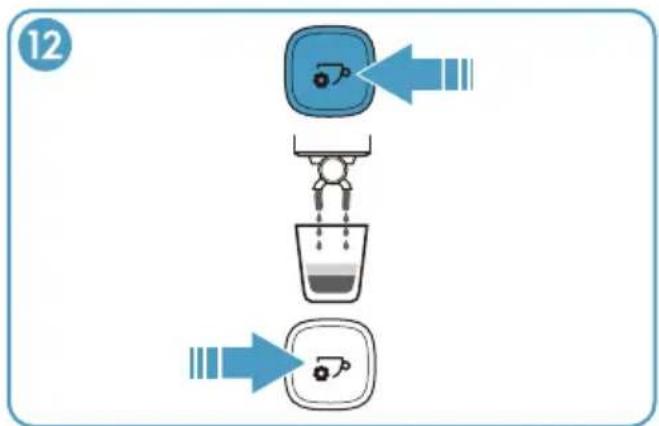
flowchart
graph TD
    A["Initial Setup"] --> B["Mechanical Press"]
    B --> C["Final Output"]
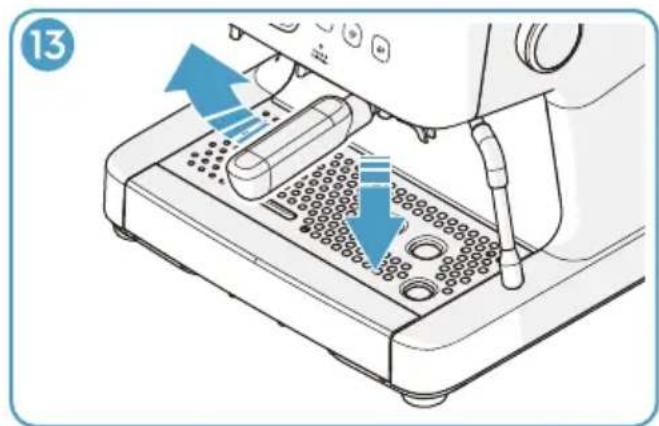
natural_image
Diagram of a computer monitor with control panel and keyboard, showing blue arrows indicating movement or operation (no text or symbols present)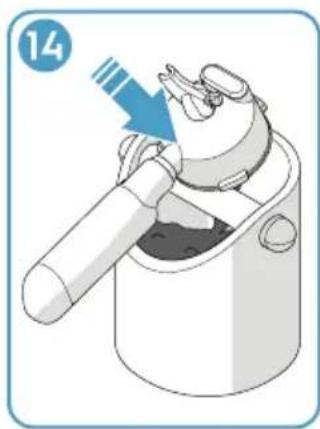
natural_image
Illustration of a mechanical device with a blue arrow pointing to a component, no text or symbols present.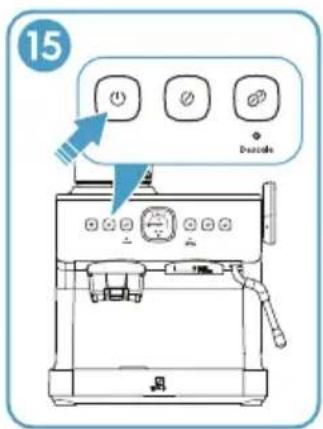
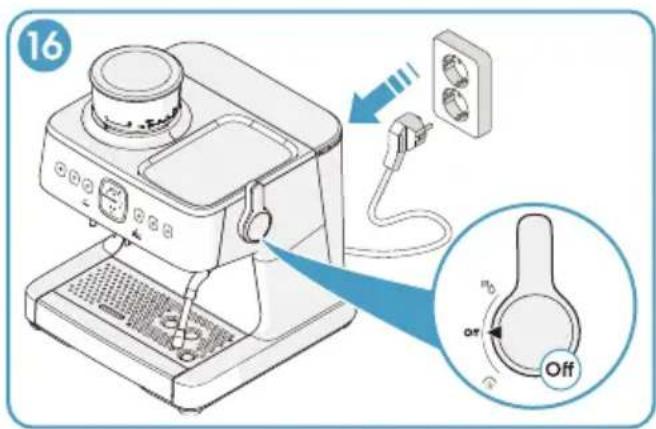
Napomena: Zadana postavka za jednu šalicu espressa je 40 ml. Zadana postavka za dvije šalice espressa je 80 ml. Pogledajte odjeljak „Prilagodba volumena šalice za espresso“ na 384. stranici ako vam trebaju informacije o tome kako promijeniti zadane postavke.
Napomena: Stvarni volumen izdvajanja ovisi o vrsti zrna kave i veličini zrna mljevene kave.
natural_image
Diagram of a kitchen sink with faucet and tool, showing a blue liquid being poured into a bowl (no text or symbols)Napomena: Uređaj se automatski isključuje nakon 15 minuta neaktivnosti.
-
Provjerite je li regulator paru i toplu vodu u ISKLJUČENOM položaju. Odspojite utikač za napajanje.
-
Očistite košaricu filtra i portafiltar. Pogledajte odjeljak „Nakon svake upotrebe“ na 386. stranici.
Pjenjenje mlijeka
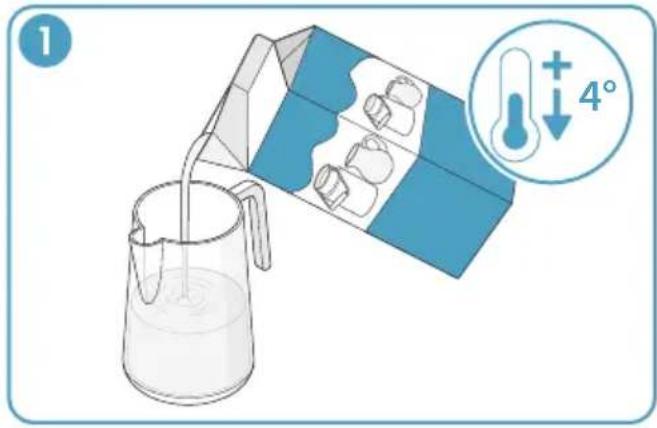
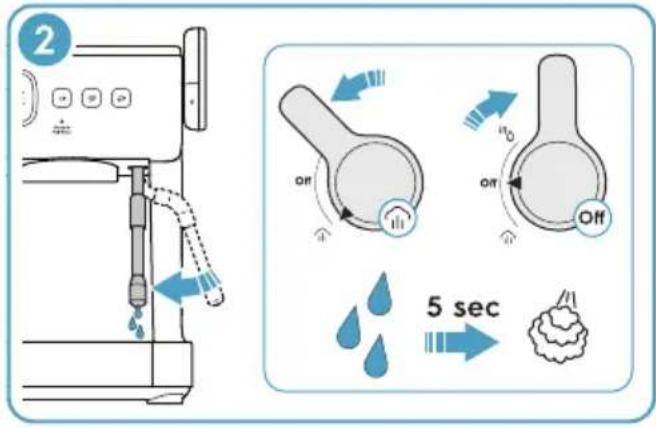
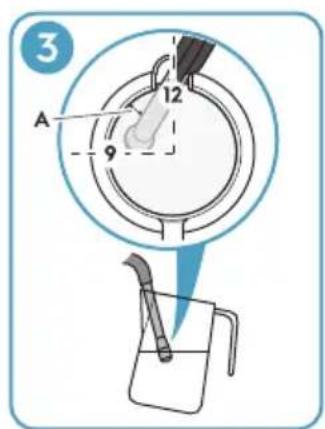
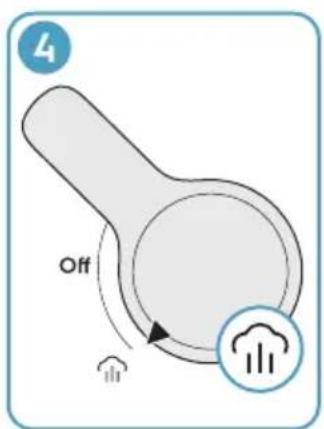
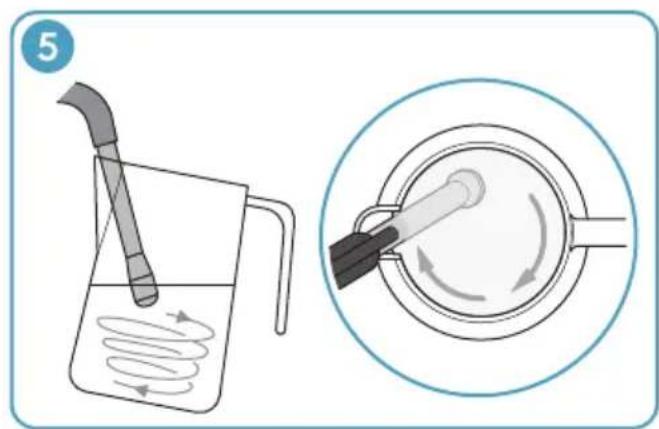
natural_image
Illustration of a beaker with a brush and liquid, showing an upward arrow (no text or symbols)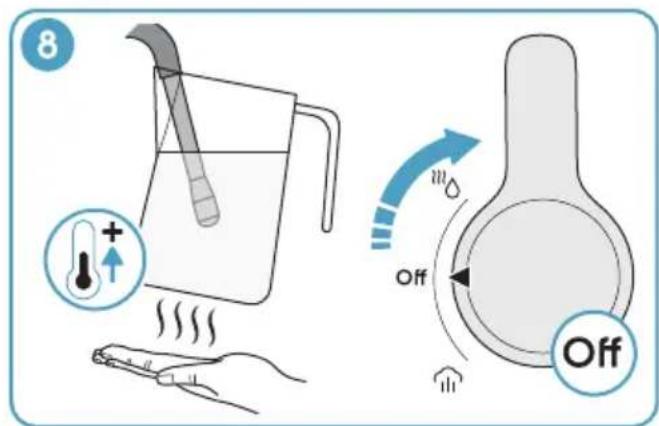

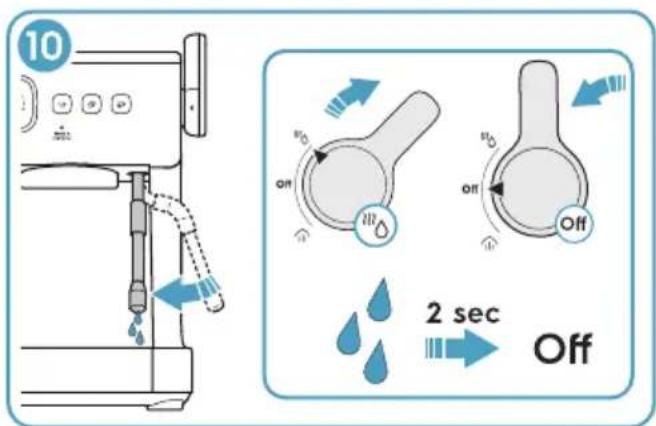
- Uklonite vrč za mlijeko s ručice za paru i odmah očistite ručicu i mlaznicu za paru vlažnom spužvom ili krpom.
UPOZORENJE: Vaša koža ne smije dodirivati ručicu za paru ili mlaznicu. Postoji mogućnost opeklina.
- Pomičite ručicu za paru dok ne bude iznad posude za sakupljanje tekućine. Okrenite regulator za paru i toplu vodu u položaj za toplu vodu i pričekajte 2 sekunde pa uklonite mlijeko koje je ušlo u ručicu za paru. Okrenite regulator za paru i toplu vodu u ISKLJUČEN položaj.
natural_image
Illustration of a hand holding a beaker containing liquid with bubbles, showing a vertical motion arrow (no text or symbols)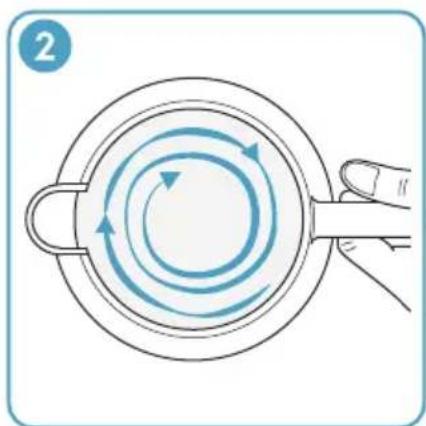
natural_image
Illustration of a hand holding a bowl with concentric circular arrows indicating rotational flow (no text or symbols)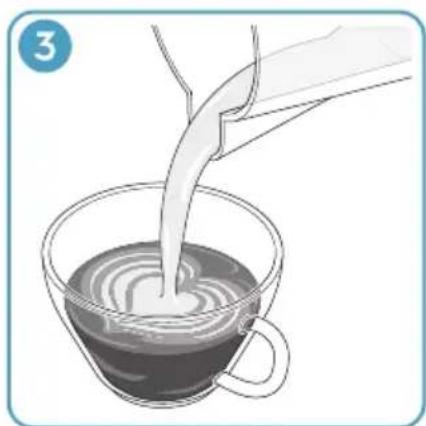
natural_image
Illustration of a hand pouring liquid into a cup of dark liquid (no text or symbols)natural_image
Simple line drawing of a mug filled with liquid, no text or symbols presentEspresso
natural_image
Simple line drawing of a mug filled with liquid, no text or symbols presentFlat white
natural_image
Simple line drawing of a mug with a handle and cup (no text or symbols)Ristretto
Ristretto je polovična doza espressa intenzivnog okusa i prepoznatljivog naknadnog okusa s tankom pjenom na vrhu.
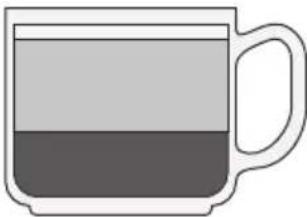
natural_image
Simple line drawing of a mug filled with liquid, no text or symbols presentKava s mlijekom
natural_image
Simple line drawing of a mug with a handle and two shades of gray (no text or symbols)Americano
natural_image
Simple line drawing of a mug filled with liquid, no text or symbols presentCappuccino
natural_image
Line drawing of a mug filled with whipped cream and sprinkles (no text or symbols)Con panna
Jedna ili dvije šalice espressa na čijem je vrhu lagani šlag. Dodajte cimet ili čokoladu u prahu na vrh.
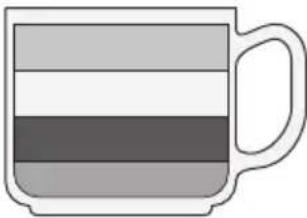
natural_image
Simple line drawing of a mug with horizontal stripes (no text or symbols)Mocha
Jedna ili dvije šalice espressa pomiješana s tekućom čokoladom i jednom trećinom zapjenjenog mlijeka te jednom trećinom pjene na vrhu.
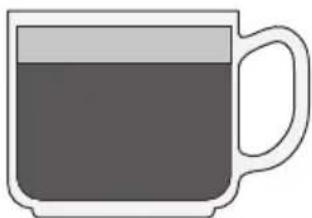
natural_image
Simple line drawing of a mug filled with liquid, no text or symbols presentMacchiato
natural_image
Simple line drawing of a mug filled with liquid, no text or symbols presentBabyccino
Ako mljevena kava postane presitna ili prekrupna, ponovno izvršite podešavanje.
Prilagodba količine mljevene kave
Slijede zadane postavke za mljevenu kavu:
- Jedna šalica espressa: približno 13 g mljevene kave.
- Dvije šalice espressa: približno 19 g mljevene kave.
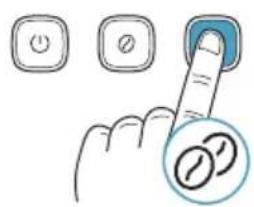
- Kada je količina mljevene kave zadovoljavajuća, otpustite gumb za mljevenje. Kad se oglasi zvučni signal, to je znak da je nova količina mljevene kave spremljena.
Prilagodba volumena šalice za espresso
a. Pritisnite gumb za mljevenje količine za jednu šalicu (A) kako biste postavili temperaturu na 90 °C.
-
Kada se oglasi zvučni signal, otpustite gumbe za mljevenje.
-
Za vraćanje na zadanu postavku gumba za mljevenje količine za jednu šalicu (A) ili gumba za mljevenje količine za dvije šalice (B), učinite sljedeće:
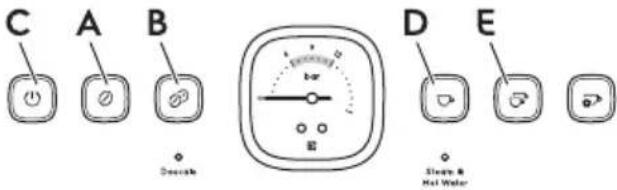
natural_image
Illustration of a mechanical device with a handle and internal component, emitting motion arrows (no text or symbols)- Očistite košaricu filtra, portafiltar i vrč za mlijeko toplom vodom.
natural_image
Technical line drawing of a mechanical component with a blue highlighted section (no text or symbols)c. Očistite posudu za sakupljanje tekućine i rešetku toplom vodom.
- Uklonite mljevenu kavu s unutarnje površine i silikonsku brtvu služeći se četkom za čišćenje.
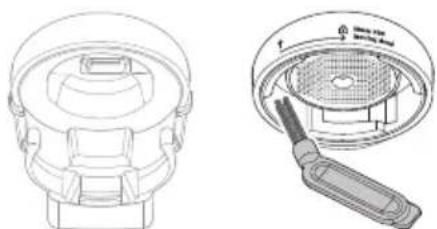
natural_image
Technical line drawings of a helmet and a device component (no text or symbols)- Očistite glavu tuša vlažnom krpom.
Svaka 2 – 3 mjeseca
natural_image
Illustration of a kitchen sink with a steaming cup and a blue arrow indicating heat or airflow (no text or symbols)- Pritisnite gumb za jednu šalicu espressa kako bi voda prošla kroz košaricu filtra.
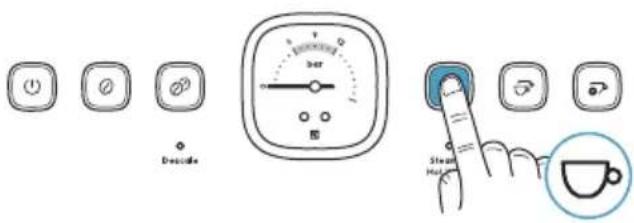
- Kada voda prestane teći, uklonite portafiltar na isti način kao košaricu filtra za dvije šalice.
Po potrebi
- Isključite uređaj i odvojite napajanje.
- Pričekajte da se uređaj ohladi prije nego ga očistite.
- Očistite vanjske površine vlažnom krpom.
- Redovito čistite spremnik za vodu, lijevak za zrna, posudu za sakupljanje tekućine i rešetku.
OPREZ: Nemojte koristiti jetka ili abrazivna sredstva za čišćenje i ne uranjajte proizvod u tekućinu.
natural_image
Line drawing of a coffee machine with a close-up inset showing its mechanical component (no text or symbols)- Okrenite regulator za paru i toplu vodu u položaj za toplu vodu i pustite da voda teče kroz ručicu za paru 40 sekundi.
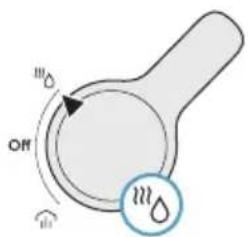
- Okrenite regulator za paru i toplu vodu u ISKLJUČEN položaj.
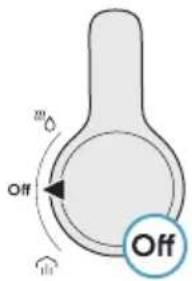
natural_image
Technical line drawing of a mechanical component with a handle and central hub (no text or symbols)- Očistite držač za mljevenje i izlazni otvor za mljevenu kavu vlažnom spužvom ili krpom, a zatim suhom krpom.
Svaka 1 – 2 mjeseca
natural_image
3D rendering of a mechanical component with a blue arrow indicating direction (no text or symbols)- Uklonite lijevak za zrna i stavite preostala zrna kave u hermetički zatvorenu posudu.
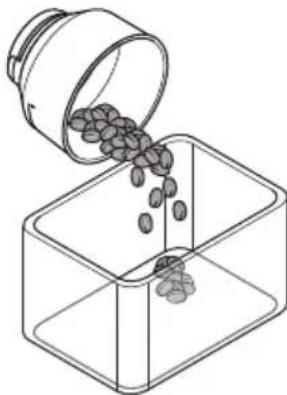
natural_image
Illustration of a container with seeds being poured into it, no text or symbols presentOPREZ: Gornji disk za mljevenje nemojte čistiti vodom.
natural_image
Technical line drawing of a mechanical gear assembly with concentric rings and a central tool (no text or symbols)- Nemojte postavljati gornji disk za mljevenje, već postavite prazan lijevak za zrna.
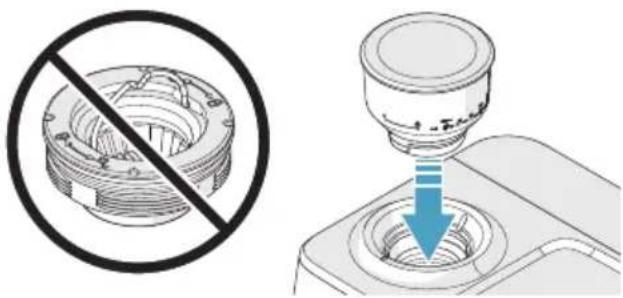
natural_image
Mechanical assembly diagram showing a dissection of a mechanical component (no text or symbols present)Ako se u mlincu pojave ostaci mljevene kave, uklonite ih četkom za čišćenje. Ponavljajte sve dok mljevena kava ne prestane izlaziti nakon pritiska gumba za mljevenje.
natural_image
Line drawing of a mechanical device with a handle and lever (no text or symbols)natural_image
Diagram of a mechanical component with a blue arrow indicating upward motion (no text or symbols)natural_image
Line drawing of a modern coffee maker with control panel and side arm (no text or symbols)- Postavite drugu posudu od 1 litre ispod ručice za paru.
- Uključite proizvod.
- Istovremeno pritisnite i zadržite gumbe za jednu šalicu, dvije šalice i ručnu pripremu šalice espressa.
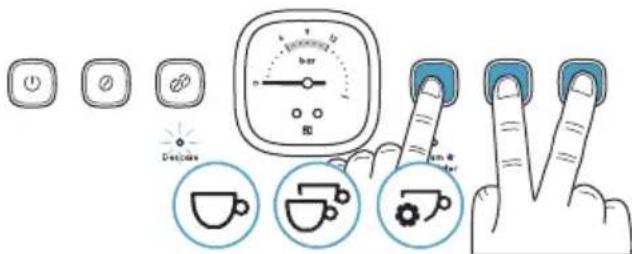
Briga za okoliš
Reciklirajte materijale sa simbolom . Ambalažu za recikliranje odložite u prikladne spremnike. Pomozite u zaštiti okoliša i ljudskog zdravlja, kao i u recikliranju otpada od električnih i elektroničkih uređaja.
www.shop.electrolux.com
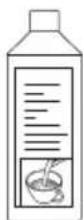
EPD2
900 923 820/6
Premium
Coffee Descale
*Dodaci nisu dostupni u svim državama.
GÂNDIRE SUEDEZĂ, O VIAȚĂ MAI BUNĂ
natural_image
Technical line drawing of a rectangular device with internal components and a hanging cable (no text or symbols)natural_image
Circular mechanical component diagram with concentric rings and central shaft (no text or symbols)natural_image
Diagram showing a lock mechanism with directional arrows, no text or symbols presentnatural_image
Line drawing of a manual mixer with liquid level indicator (no text or symbols)natural_image
Line drawing of a coffee maker with a bowl and handle, showing a drop in the cup (no text or symbols)natural_image
Illustration of a hand using a tool to interact with a device on a keyboard (no text or symbols visible)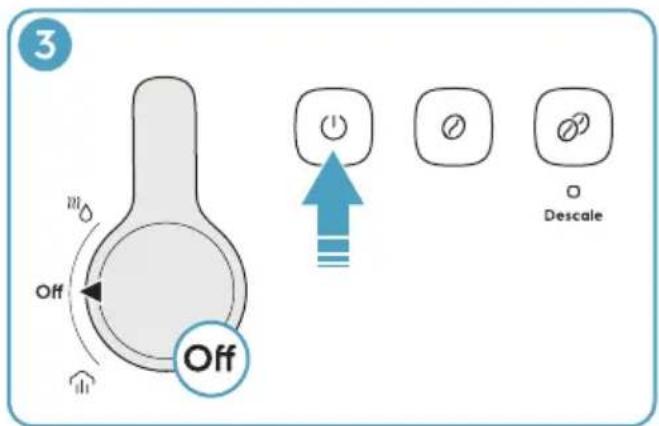
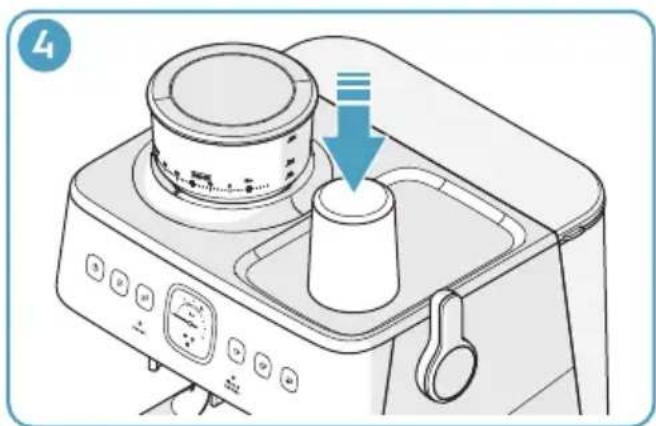
natural_image
Illustration of a kitchen blender with a cup and a drop arrow indicating compression (no text or symbols)natural_image
Illustration of a cooking pot with two bowls and a handle, showing liquid being poured into it (no text or symbols)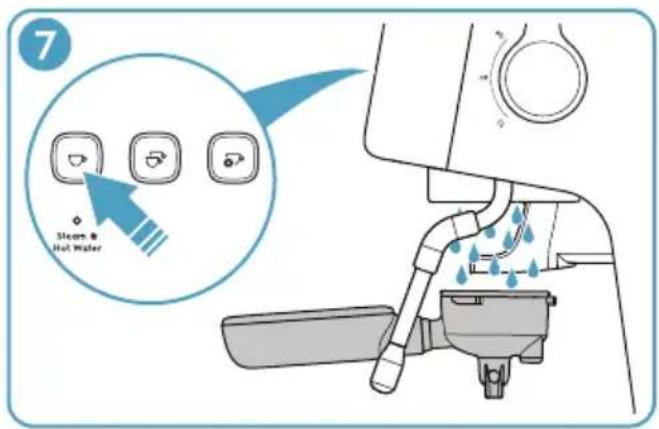
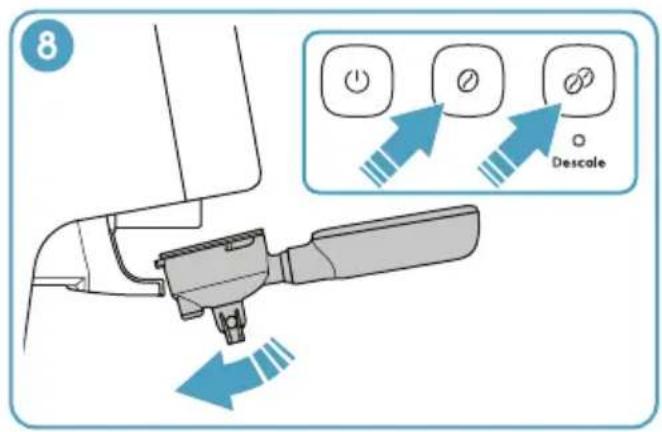
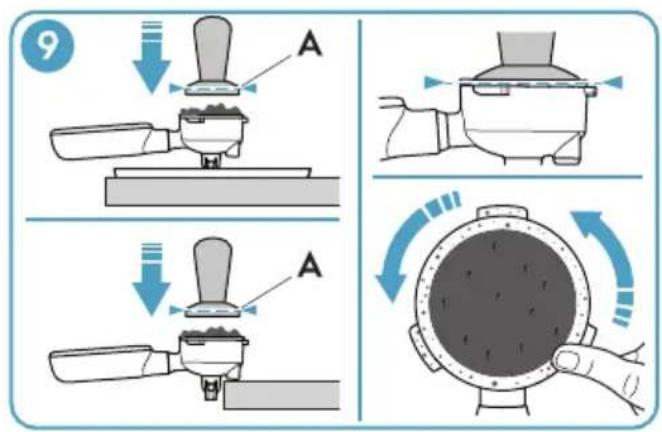
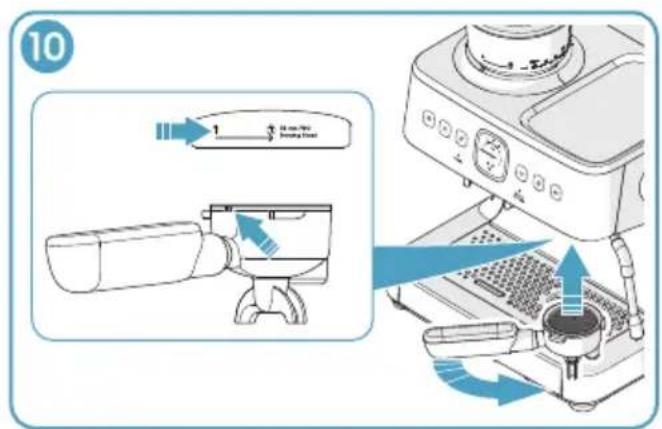
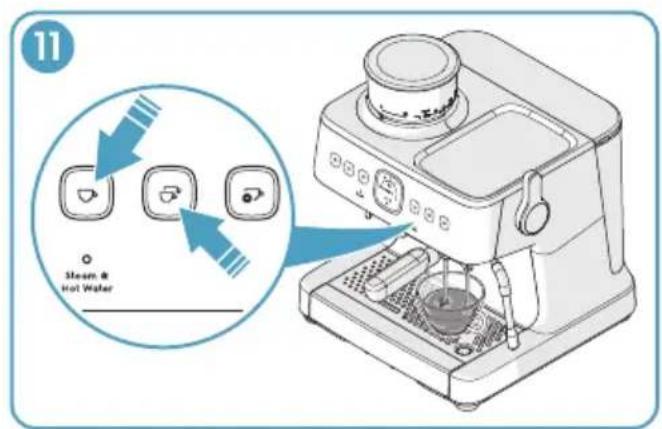
flowchart
graph TD
    A["Initial Setup"] --> B["Mach"]
    B --> C["Pressure Gauge"]
    C --> D["Final Output"]
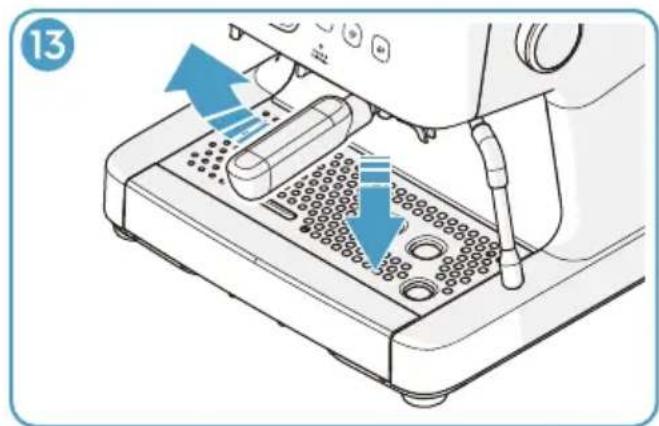
natural_image
Diagram of a computer monitor with control panel and keyboard, showing blue arrows indicating movement or operation (no text or symbols present)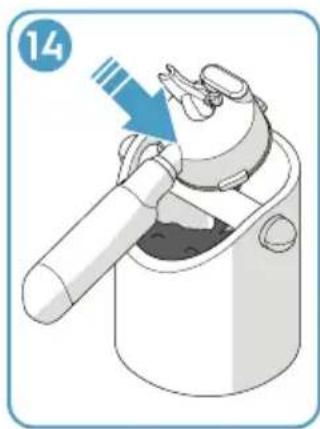
natural_image
Illustration of a mechanical device with a blue arrow pointing to a component, no text or symbols present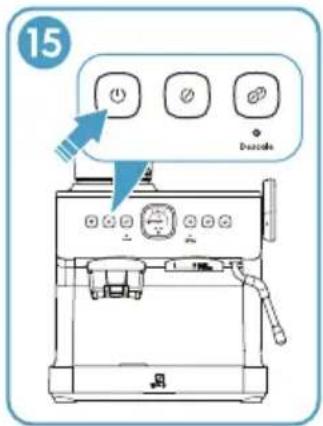
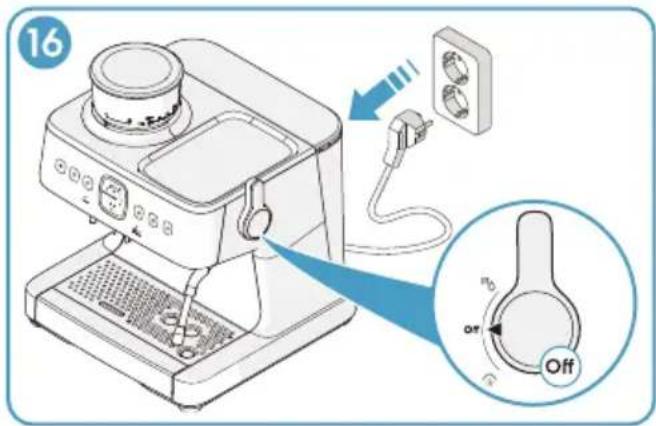
natural_image
Diagram of a kitchen sink with faucet and tool, showing a blue liquid being poured into a bowl (no text or symbols)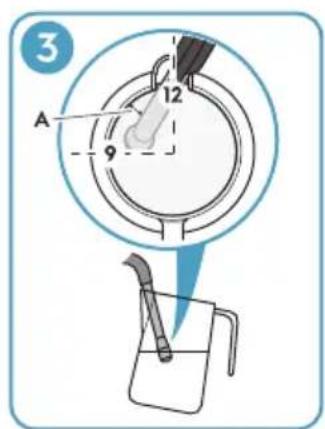
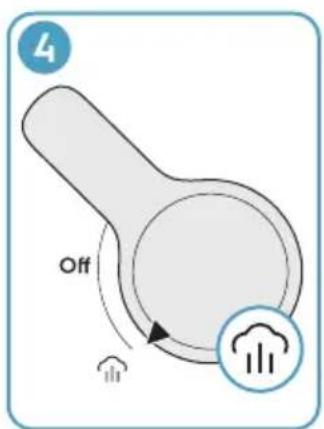
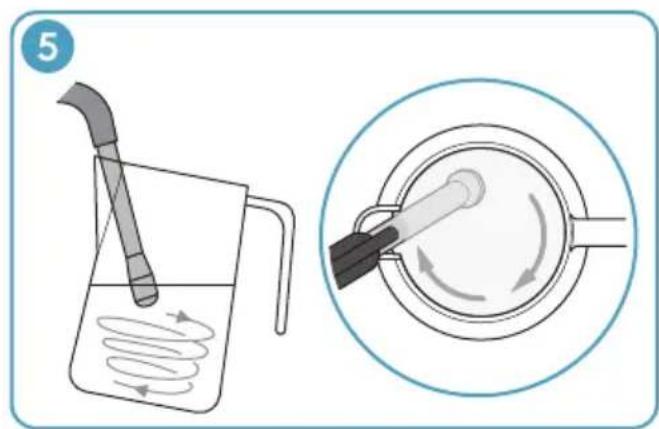
natural_image
Illustration of a beaker with a tool and liquid, showing an upward arrow (no text or symbols)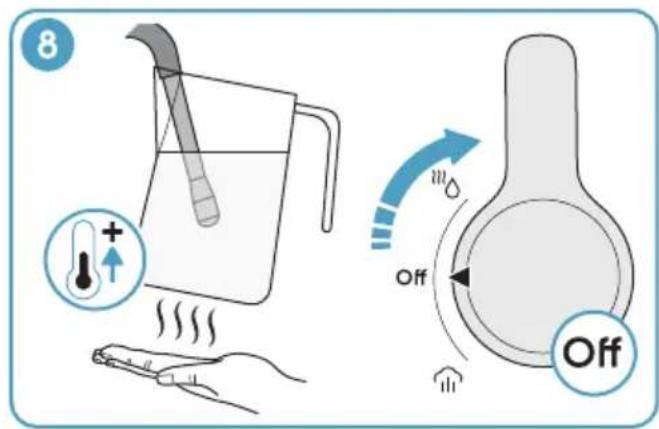
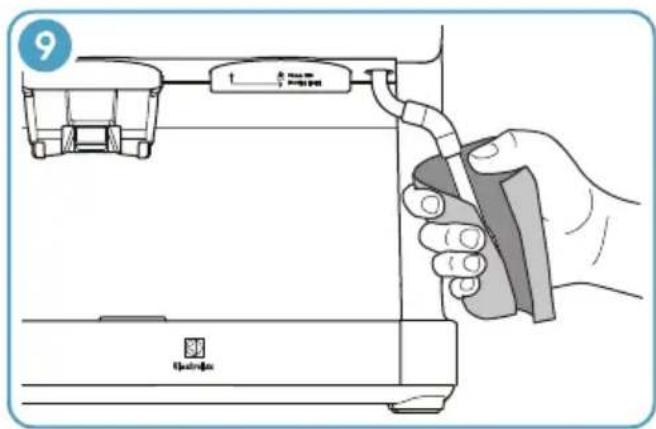
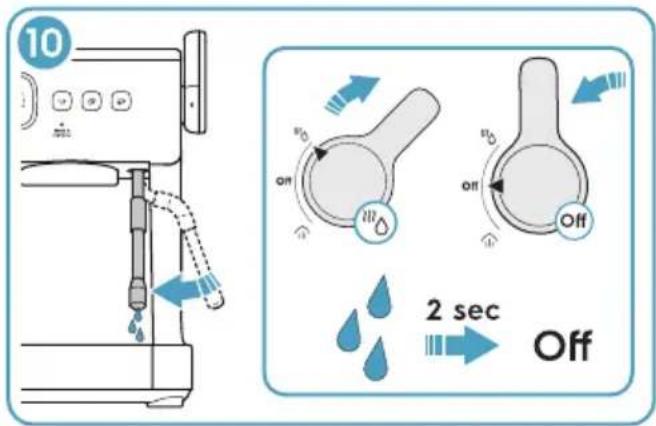
natural_image
Illustration of a hand holding a beaker with bubbles, showing liquid level and upward arrow (no text or symbols)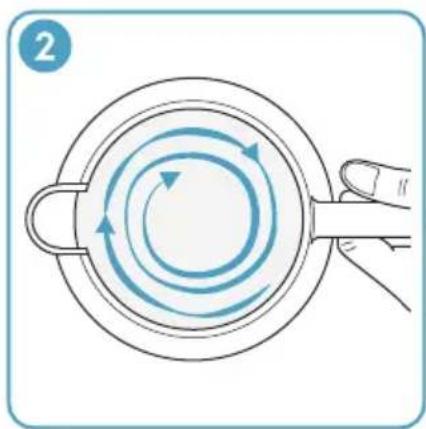
natural_image
Illustration of a hand holding a magnifying glass with circular arrows indicating rotational flow (no text or symbols)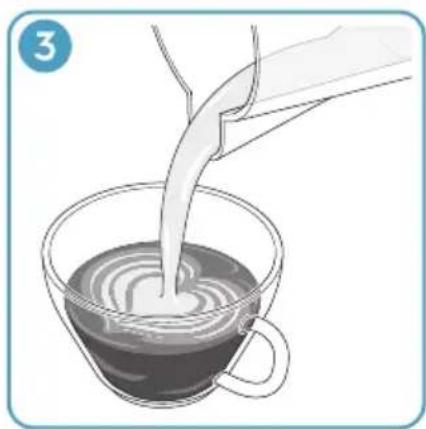
natural_image
Illustration of a hand pouring liquid into a cup of dark liquid (no text or symbols)natural_image
Simple line drawing of a mug filled with liquid, no text or symbols presentEspresso
natural_image
Simple line drawing of a mug filled with liquid, no text or symbols presentFlat white
natural_image
Simple line drawing of a mug with a handle and cup (no text or symbols)Ristretto
natural_image
Simple line drawing of a mug filled with liquid, no text or symbols presentLatte
natural_image
Simple line drawing of a mug with two shades of gray covering the rim (no text or symbols)Americano
natural_image
Simple line drawing of a mug filled with liquid, no text or symbols presentCappuccino
natural_image
Line drawing of a mug filled with whipped cream and sprinkles (no text or symbols)Con panna
natural_image
Simple line drawing of a mug with horizontal stripes (no text or symbols)Mocha
natural_image
Simple line drawing of a mug filled with liquid, no text or symbols presentMacchiato
natural_image
Simple line drawing of a mug with handle and side rim (no text or symbols)Babyccino
natural_image
Illustration of a mechanical device with a handle and internal components, showing a blue arrow indicating direction (no text or symbols present)natural_image
Pure technical line drawing of a mechanical component with no text or symbolsnatural_image
Technical line drawings of a helmet and a fan device (no text or symbols)La fiecare 2-3 luni
natural_image
Illustration of a kitchen sink with a steaming cup and a blue arrow indicating heating or cooling process (no text or symbols)natural_image
Line drawing of a coffee maker with a magnified inset showing the mechanical component (no text or symbols)natural_image
Technical line drawing of a mechanical component with a lever and base (no text or symbols)natural_image
3D rendering of a mechanical component with a blue arrow indicating direction (no text or symbols)natural_image
Illustration of a container with seeds being poured into it, no text or symbols presentnatural_image
Technical line drawing of a mechanical component with concentric rings and a handle (no text or symbols)natural_image
Mechanical assembly diagram showing a disassembled gear with a blue arrow indicating downward motion (no text or symbols present)natural_image
Line drawing of a mechanical component with a handle and central hub (no text or symbols)natural_image
Technical diagram of a mechanical component with a blue arrow indicating upward motion (no text or symbols)natural_image
Line drawing of a modern coffee maker with control panel and side arm (no text or symbols)www.shop.electrolux.com
EPD2
900 923 820/6
Premium
Coffee Descale
natural_image
Technical line drawing of a mechanical housing or enclosure with a hanging rod and internal components (no text or symbols)natural_image
Circular mechanical component diagram with concentric rings and central shaft (no text or symbols)natural_image
Diagram of a mechanical component with a lock icon and directional arrow, no text or symbols presentnatural_image
Diagram of a coffee maker with a blue liquid level indicator and arrow, no text or symbols presentnatural_image
Line drawing of a coffee maker with a cup and downward arrow indicating compression (no text or symbols)natural_image
Illustration of a handheld electronic device with a blue indicator light interacting with the screen (no text or symbols visible)
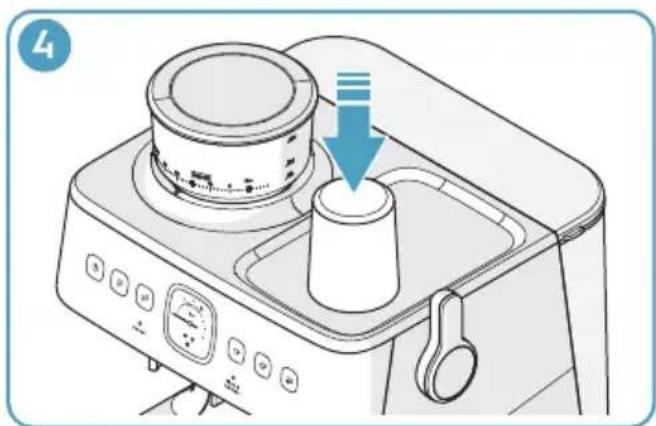
natural_image
Illustration of a kitchen blender with a cup and a drop arrow indicating compression (no text or symbols)natural_image
Illustration of a cooking pot with two bowls and a handle, showing liquid being poured into it (no text or symbols)
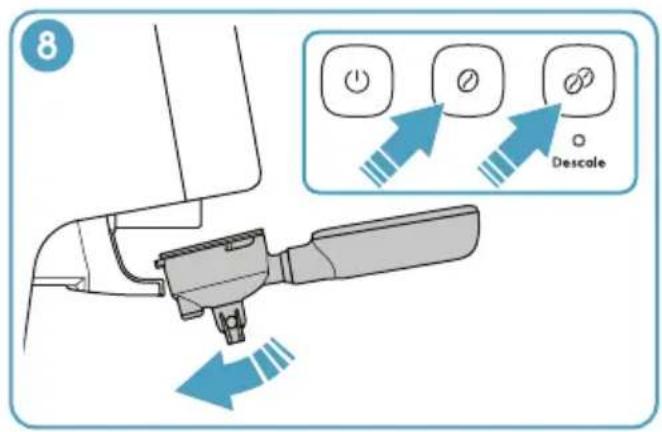
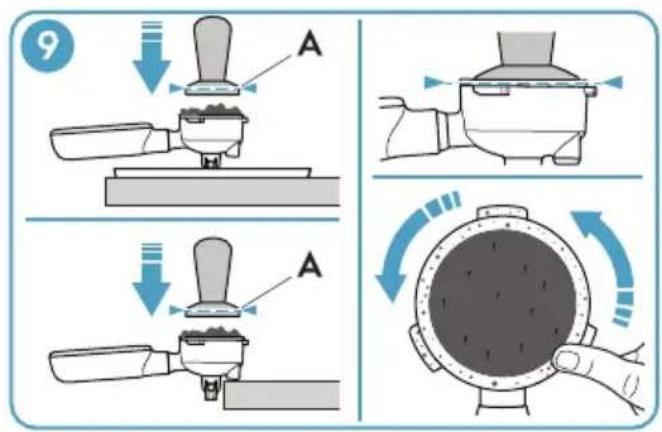
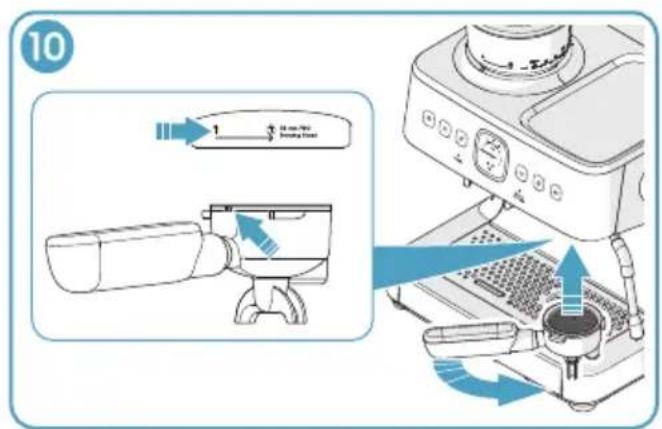
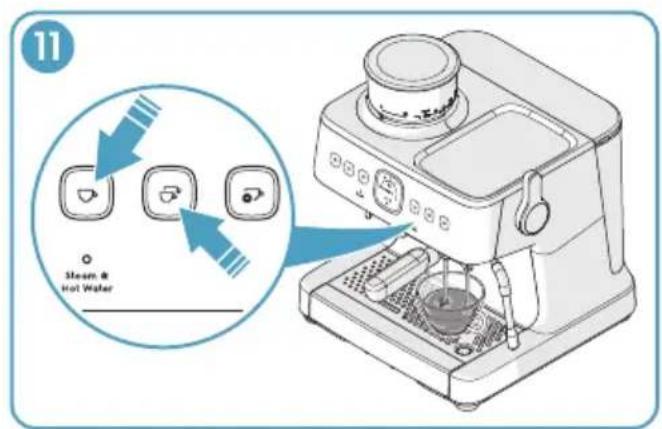
flowchart
graph TD
    A["Initial Setup"] --> B["Mechanical Press"]
    B --> C["Final Output"]

natural_image
Diagram of a computer monitor with control panel and keyboard, showing blue arrows indicating movement or operation (no text or symbols present)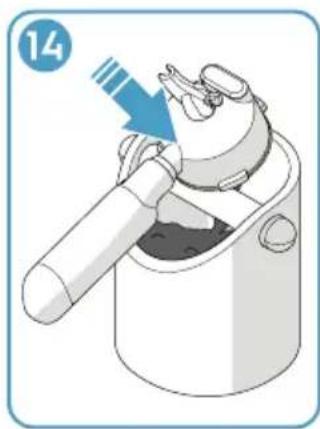
natural_image
Illustration of a mechanical device with a blue arrow pointing to a component, no text or symbols present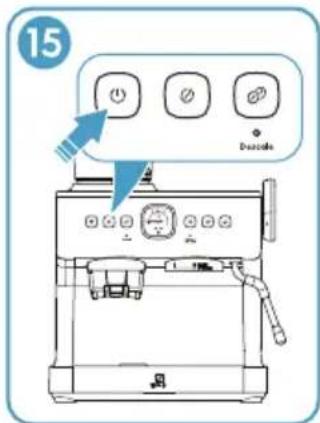
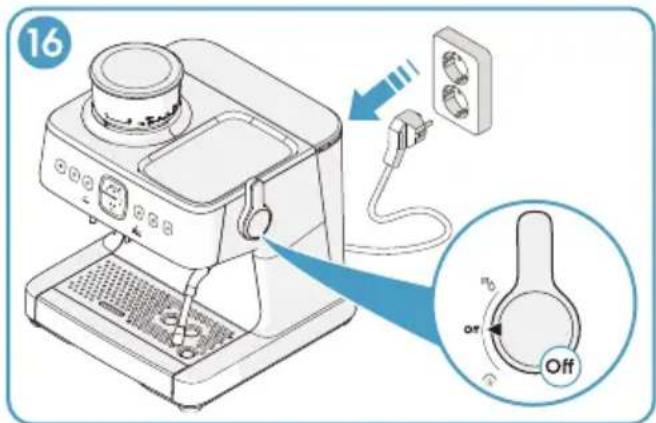
natural_image
Diagram of a kitchen sink with faucet and tool, showing a blue liquid pipe being removed from a bowl (no text or symbols)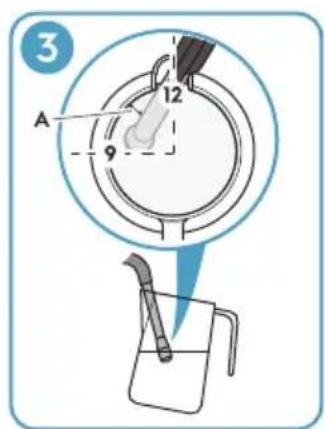
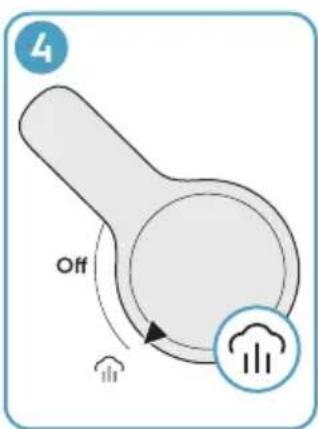
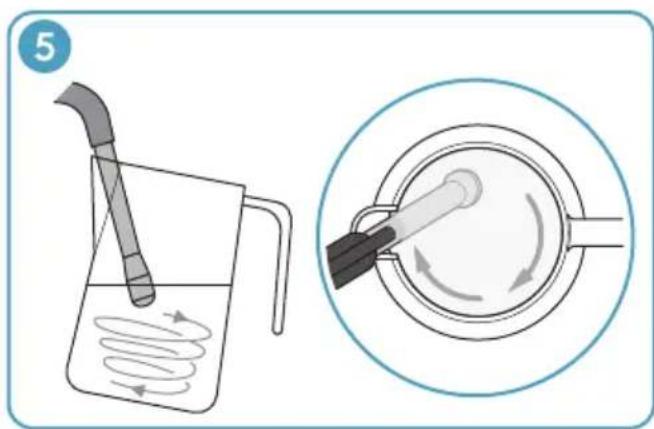
natural_image
Illustration of a beaker with a brush and liquid, showing an upward arrow (no text or symbols)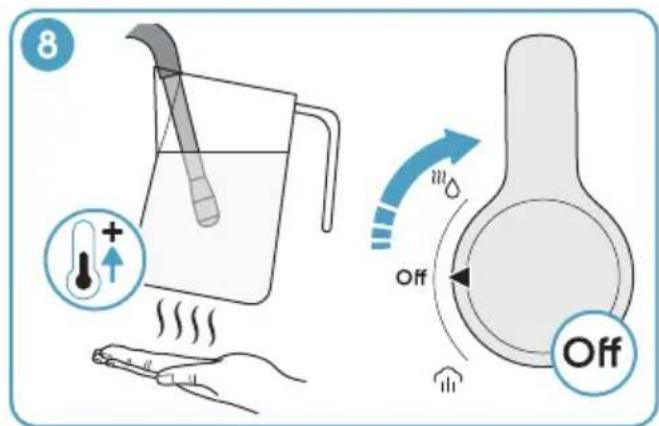
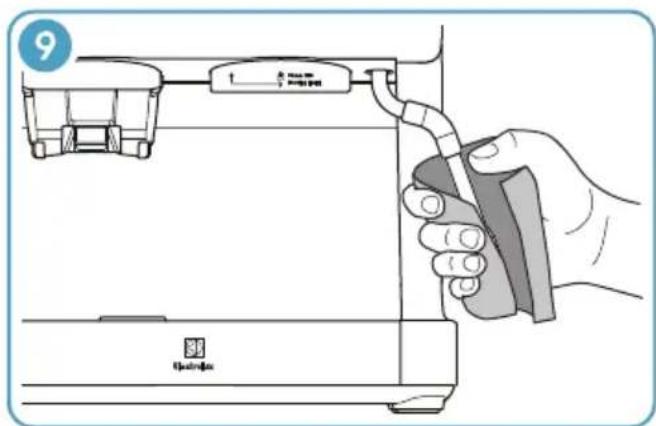
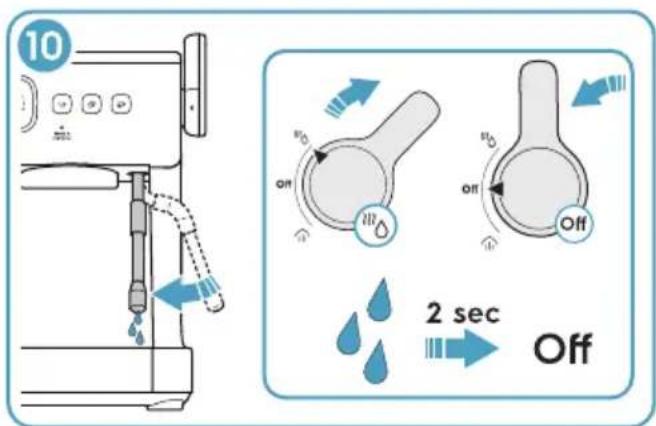
natural_image
Illustration of a hand holding a beaker with bubbles, showing liquid level and upward arrow (no text or symbols)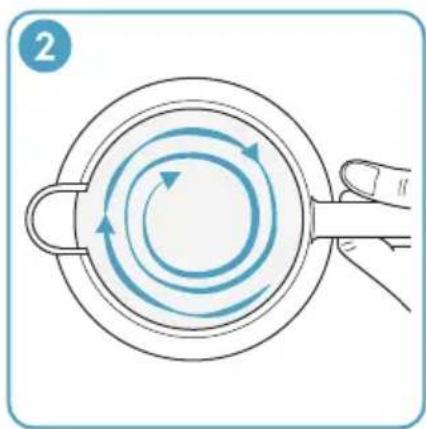
natural_image
Illustration of a hand holding a magnifying glass with circular arrows indicating rotational flow (no text or symbols)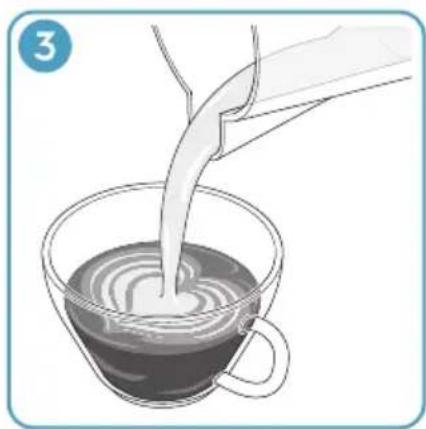
natural_image
Illustration of a hand pouring liquid into a glass cup (no text or symbols)natural_image
Simple line drawing of a mug filled with liquid, no text or symbols presentEspresso
natural_image
Simple line drawing of a mug filled with liquid, no text or symbols presentFlat white
natural_image
Simple line drawing of a mug with a handle and cup (no text or symbols)Ristretto
natural_image
Simple line drawing of a mug filled with liquid, no text or symbols presentLatte
natural_image
Simple line drawing of a mug with a handle and two shades of gray (no text or symbols)Americano
natural_image
Simple line drawing of a mug filled with liquid, no text or symbols presentCappuccino
natural_image
Line drawing of a mug filled with whipped cream and sprinkles (no text or symbols)Con panna
natural_image
Simple line drawing of a mug with horizontal stripes (no text or symbols)Mocha
natural_image
Simple line drawing of a mug filled with liquid, no text or symbols presentMacchiato
natural_image
Line drawing of a mug filled with liquid, no text or symbols presentBabyccino
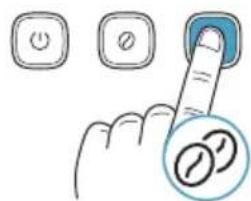
natural_image
Illustration of a mechanical device with a handle and internal component, showing airflow direction (no text or symbols)natural_image
Illustration of a vintage typewriter with a grid-patterned paper device and an open circuit board, showing no text or symbols.natural_image
Pure technical line drawing of a mechanical component or housing without any text, numbers, or symbolsnatural_image
Technical line drawing of a helmet and fan assembly (no text or symbols)natural_image
Illustration of a kitchen sink with a steaming cup and a blue arrow indicating heat or airflow (no text or symbols)natural_image
Line drawing of a coffee maker with a magnified inset showing the mechanical component (no text or symbols)natural_image
Technical line drawing of a mechanical device with a handle and central component (no text or symbols)natural_image
3D rendering of a cylindrical mechanical component with a blue arrow indicating direction (no text or symbols)natural_image
Illustration of a container with seeds being poured into it, no text or symbols presentnatural_image
Technical diagram showing a mechanical assembly with a magnified inset of a circular component (no text or symbols present)natural_image
Technical line drawing of a mechanical gear assembly with a tool inserted (no text or symbols)natural_image
Technical illustration showing a mechanical component with a prohibition symbol and a downward arrow indicating a disassembly or disassembly process (no text or symbols present)natural_image
Line drawing of a mechanical device with a handle and central component (no text or symbols)natural_image
Technical diagram of a mechanical component with a blue upward arrow indicating motion or force (no text or symbols present)natural_image
Line drawing of a modern coffee maker with control panel and side arm (no text or symbols)www.shop.electrolux.com
EPD2
900 923 820/6
Premium Coffee Descale
ELECTROLUX APPLIANCES AB
BUSINESS SECTOR EMA-EMEA (SEE)
ST GÖRANSGATAN 143
SE-105 45 STOCKHOLM
SWEDEN
TEL: +46 (8) 738 60 00
FAX: +46 (8) 738 63 35
www.electrolux.com
ithalatci:
Electrolux Dayanıklı Tüketim
Mamulleri San. ve Tic. AŞ.
TR-34435 Taksim-Beyoğlu-İstanbul