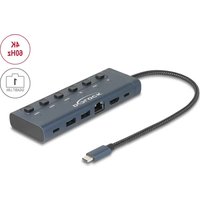
92000 - USB Docking Station DeLOCK - Free user manual and instructions
Find the device manual for free 92000 DeLOCK in PDF.


| Product Type | USB-C Docking Station |
| Brand | DeLOCK |
| Model | 92000 |
| Dimensions (L x W x H) | Approx. 120 x 60 x 25 mm |
| Weight | Approx. 150 g |
| Power | USB-C Power Delivery (PD) up to 100 W |
| USB-A Ports | 2 x USB-A 3.0 (5 Gbit/s) |
| USB-C Port | 1 x USB-C (data and PD charging) |
| Video Output | 1 x HDMI 2.0 (up to 4K@60 Hz) |
| Network Port | 1 x Gigabit Ethernet (RJ45) |
| Main Functions | Multiport connection, PC/mobile charging, screen output, wired network |
| System Compatibility | Windows 10/11, macOS 14.2.1+, Chrome OS, Android 14+, Linux Kernel 6.2+, iPadOS 14+, iOS 17+ |
| Housing Material | Aluminum and plastic |
| Care and Cleaning | Wipe with a soft dry cloth; do not use abrasive products |
| Safety | Surge protection, use away from moisture and direct sunlight |
| Spare Parts and Repairability | Not user-repairable; contact DeLOCK customer service in case of failure |
| General Information | Built-in USB-C cable approx. 30 cm; compatible with Thunderbolt 3/4 |
Frequently Asked Questions - 92000 DeLOCK
User questions about 92000 DeLOCK
0 question about this device. Answer the ones you know or ask your own.
Ask a new question about this device
Download the instructions for your USB Docking Station in PDF format for free! Find your manual 92000 - DeLOCK and take your electronic device back in hand. On this page are published all the documents necessary for the use of your device. 92000 by DeLOCK.
USER MANUAL 92000 DeLOCK
USB Type-C™ Docking Station with HDMI / USB / Gigabit LAN
natural_image
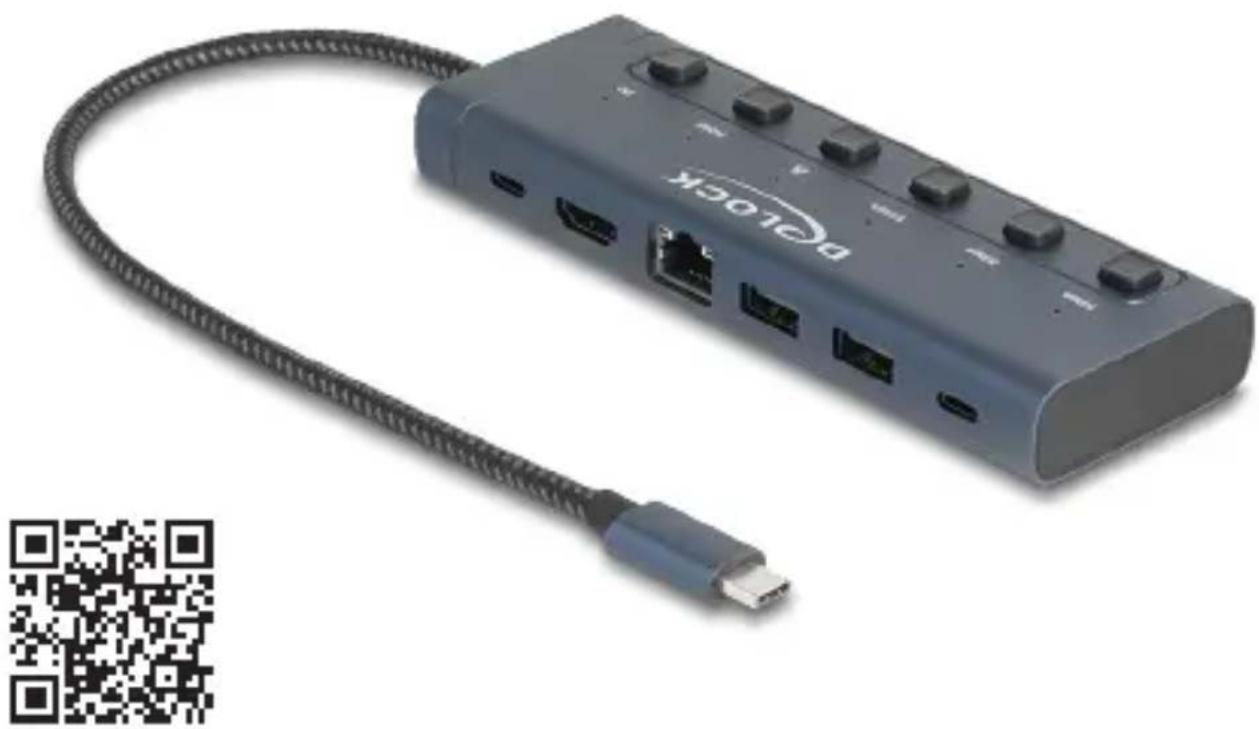
Exterior view of a BOC10C device with USB cable and port ports, no visible text or symbols on the device itself.


Product-No: 92000
User manual no: 92000-a
www.delock.com
Description
This docking station by Delock can be connected to a computer with a USB-C™ DP Alt Mode or Thunderbolt™ 3 or Thunderbolt™ 4 port and provides a variety of interfaces. A monitor can be operated at the HDMI output port by a maximum resolution up to 4K. Two built-in USB Type-A and one USB-C™ port allow the use of peripherals.
Technical details
- Connectors:
1 x USB Type-C ^TM male
2 x USB 5 Gbps Type-A female
1 x USB 5 Gbps USB Type-C™ female
1 x HDMI female
1 x Gigabit LAN 10/100/1000 Mbps RJ45 jack
1 x USB Type-C™ PD female (power supply) - Resolution up to 3840 x 2160 @ 60 Hz (depending on the system and the connected hardware)
• Transmission of audio and video signals
• Supports HDCP 1.4 and 2.2
• Supports HDR - Input power PD port: 100 W, 10 W are used for the docking station
- Output power for host: max. 90 W
- 6 x LED indicator
- 6 x switch
- Metal housing
• Cable length without connectors: ca. 28 cm
• Colour: midnight blue - Dimensions (LxWxH): ca. 139 x 50 x 17 mm
System requirements
- Android 14.0 or above
- Chrome OS
• Linux Kernel 6.2 or above
• Mac OS 14.2.1 or above - Windows 10/10-64/11
- iPad Air (4th Generation) or above
- iPad Pro (3rd Generation) or above
- iPhone 15 Pro or above
- Surface Pro 7
- Device with a free USB Type-C™ port and DisplayPort alternate mode or with a free Thunderbolt™ 3 or Thunderbolt™ 4 port
Package content
- USB-C™ docking station
- User manual
Safety instructions
- Protect the product against moisture
- Protect the product against direct sunlight
Operation
-
Connect the USB-C™ cable of the docking station to the computer or mobile device. Note: A free USB Type-C™ port with DisplayPort alternate mode or with a Thunderbolt™ 3 / Thunderbolt™ 4 port is required.
-
Connect USB devices to the USB Type-A ports or the USB-C ^TM port.
-
Connect an HDMI monitor to the docking station.
-
Use an Ethernet cable to connect the Gigabit Ethernet port to a network.
-
Connect a power supply to the USB Type-C™ charging port, to charge your laptop or mobile device during operation.
Support Delock
If you have further questions, please contact our customer support support@delock.de
You can find current product information on our homepage:
www.delock.com
Final clause
Information and data contained in this manual are subject to change without notice in advance. Errors and misprints excepted.
Copyright
No part of this user manual may be reproduced, or transmitted for any purpose, regardless in which way or by any means, electronically or mechanically, without explicit written approval of Delock.
Edition: 12/2024
Declaration of conformity
Products with a CE symbol fulfill the EMC directive (2014/30/EU) and RoHS directive (2011/65/EU+2015/863+2017/2102), which were released by the EU-comission.
The declaration of conformity can be downloaded here: https://www.delock.de/produkte/G_92000/merkmale.html
WEEE-notice
The WEEE (Waste Electrical and Electronic Equipment)-directive, which became effective as European law on February 13th 2003, resulted in an all out change in the disposal of disused electro devices. The primarily purpose of this directive is the avoidance of electrical waste (WEEE) and at the same time the support of recycling and other forms of recycling in order to reduce waste. The WEEE-logo on the device and the package indicates that the device should not be disposed in the normal household garbage. You are responsible for taking the disused electrical and electronic devices to a respective collecting point. A separated collection and reasonable recycling of your electrical waste helps handling the natural resources more economical. Furthermore recycling of electrical waste is a contribution to keep the environment and thus also the health of men. Further information about disposal of electrical and electronic waste, recycling and the collection points are available in local organizations, waste management enterprises, in specialized trade and the producer of the device.

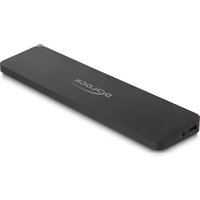
Brand : DeLOCK
Model : 92000
Category : USB Docking Station