
BR10-A - Baby swing Vevor - Free user manual and instructions
Find the device manual for free BR10-A Vevor in PDF.
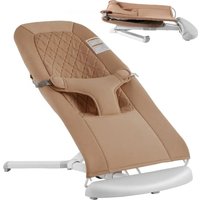


| Product Type | Baby Swing |
| Brand | Vevor |
| Model | BR10-A (BR10A-1 / BR10A-2) |
| Dimensions (approx.) | 65 x 45 x 55 cm |
| Weight (approx.) | 3.5 kg |
| Maximum user weight | 9 kg (20 lb) |
| Power supply | None (manual device) |
| Frame material | Metal with coating |
| Seat material | Washable fabric |
| Main functions | Spring rocking, height adjustment (2 positions), removable toy bar, foldable for storage |
| Restraint system | 3-point harness with adjustable buckles |
| Safety standards | CE, ASTM F2167-22 |
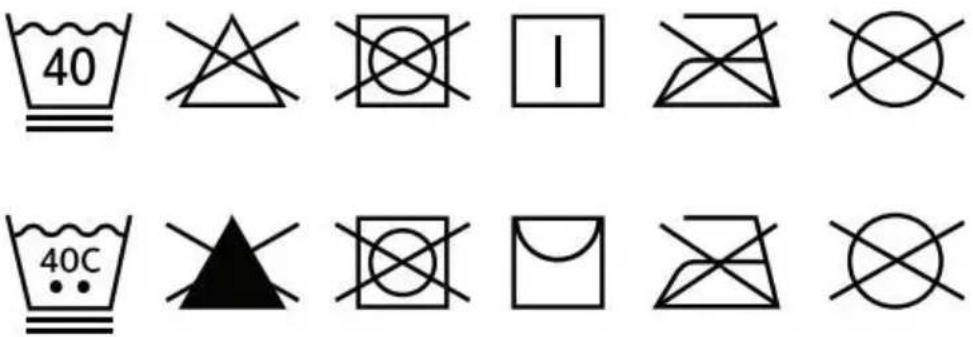
| Fabric cleaning | Machine wash at 40°C, air dry, do not iron, do not dry clean |
| Frame cleaning | Damp cloth with mild detergent, avoid abrasive products |
| Anti-slip strips maintenance | Wipe regularly with a damp cloth |
| Assembly | By an adult, unfold until click |
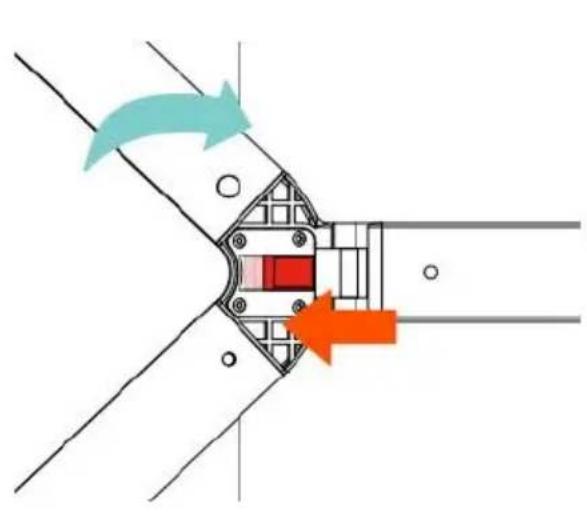
| Storage | Foldable, red button to unlock and fold |
| Spare parts | Contact manufacturer (www.vevor.com/support) |
| Warranty | Electronic warranty certificate available online |
| Intended use | For babies from 0 to 9 kg, do not use for sleep |
Frequently Asked Questions - BR10-A Vevor
User questions about BR10-A Vevor
0 question about this device. Answer the ones you know or ask your own.
Ask a new question about this device
Download the instructions for your Baby swing in PDF format for free! Find your manual BR10-A - Vevor and take your electronic device back in hand. On this page are published all the documents necessary for the use of your device. BR10-A by Vevor.
USER MANUAL BR10-A Vevor
Technical Support and E-Warranty Certificate www.vevor.com/support
BABY BOUNCER
Model: BR10A-1 / BR10A-2
We continue to be committed to provide you with tools at competitive prices. "Save Half", "Half Price" or any other similar expressions used by us only represent an estimate of savings you might benefit from buying certain tools with us compared to major top brands and does not necessarily mean to cover all categories of tools. You are kindly reminded to verify carefully when you are placing an order whether you are actually saving half in comparison with the top major brands.
Model: BR10A-1 / BR10A-2
NEED HELP? CONTACT US!
Have product questions? Need technical support? Please feel free to contact us:
Technical Support and E-Warranty Certificate www.vevor.com/support
This is the original instruction. Please read all manual instructions before operating. VEVOR reserves a clear interpretation of our user manual. The appearance of the product shall be subject to the product you receive. Please forgive us that we won't inform you again if there are any updates on our product.
 | Warning-To reduce the risk of injury, user must read instruct manual carefully. |
 | Compliance is a EC security certification. |
Thank you for using this product. Please read all of the instructions before use. The information will help you achieve the best possible results.
WARNING:
Please read this manual carefully before using the product. Failure to do so may result in serious injury.
WARNING:
NEVER leave the child unattended.
STOP using the product when the child starts trying to sit up.
STOP using the product when the child starts to stand up.
NEVER use this product on an elevated surface (e.g., a table).
ALWAYS use the restraint system.
NEVER use the toy bar to carry the product. Do not move or lift this product with the baby inside it. Do not leave flexible carrying handles inside the product.
NEVER let the child sleep in this product. This product does not replace a cot or crib. Should the child fall asleep, then it should be placed in a suitable cot or crib.
Do not use the bouncer if any part is broken or missing.
Do not use accessories or replacement parts other than those approved by the manufacturer.
Product complies with
Safety
Never place the bouncer on a soft surface (bed, sofa, cushion), as it may tip over and be dangerous for the baby.
Do not use near an open fire or any other kind of heater.
Keep the plastic bags of the packaging out of reach of babies and young children to avoid any risk of suffocation.
Never add any pillow, blanket, or padding to the bouncer.
Do not put objects with strings around the neck of your baby, do not hang anything from the bouncer, and do not attach strings to toys.
This could lead to strangulation. Do not put the bouncer close to a window where strings of blinds or curtains could lead to strangulation.
Do not allow your baby to play with the bouncer folded up.
Do not attach other toys than those supplied.
WARNING:
Not intended for infant sleep and should never be used for this purpose.
FALL HAZARD: Babies have suffered skull fractures falling while in and from bouncers.
Use bouncer ONLY on floor.
ALWAYS use restraints. Adjust to fit snugly.
NEVER lift or carry baby in bouncer.
TO PREVENT FALLS AND SUFFOCATION:
ALWAYS use restraints. Adjust to fit snugly.
STOP using bouncer when baby starts trying to sit up or has reached 20 lb whichever comes first.
Toy bar is NOT designed to be used as a carry handle.
NEVER use on any elevated surface.
NEVER leave baby unattended.
NEVER allow your bouncer to be used as a toy.
NEVER move bouncer with the child inside.
NEVER substitute parts.
Bouncer is NOT intended for use as a carrier.
Check your bouncer for loose screws, worn parts, torn material or stitching on a regular basis. Replace or repair parts as needed.
Discontinue use of the bouncer should it malfunction or become damaged.
IMPORTANT: Adult assembly required. Care should be taken in unpacking and assembly. Examine product frequently for damage, missing or loose parts. DO NOT use if any parts are missing, damaged or broken.
Product complies with ASTM F2167-22.
Suffocation HAZARD:
Babies have suffocated when bouncers flipped over on soft surfaces and/or bouncers have been used as a sleep product.
NEVER use on a bed, sofa, cushion, or other soft surface.
Stay near and watch baby during use. This product is not safe for sleep or unsupervised use. If baby falls asleep, remove baby as soon as possible and place baby on a firm, flat sleep surface such as a crib or bassinet.
SAVE THESE INSTRUCTIONS
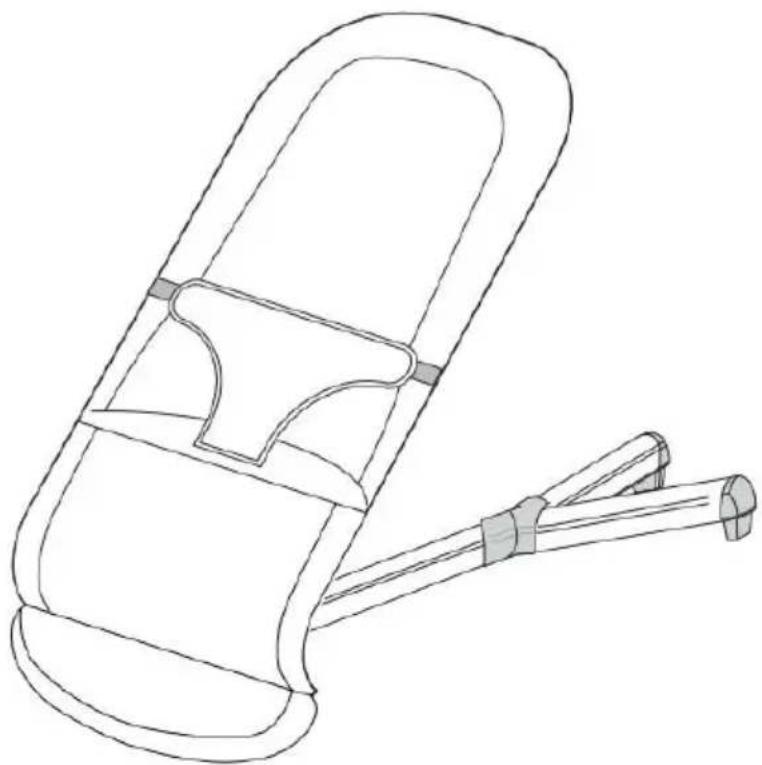
Parts List
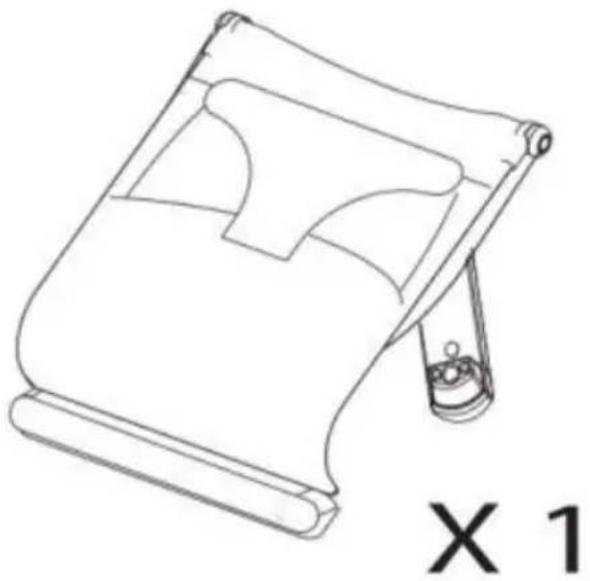
Assembly
- Unfold the stand by lifting it up until hearing a "click" sound.
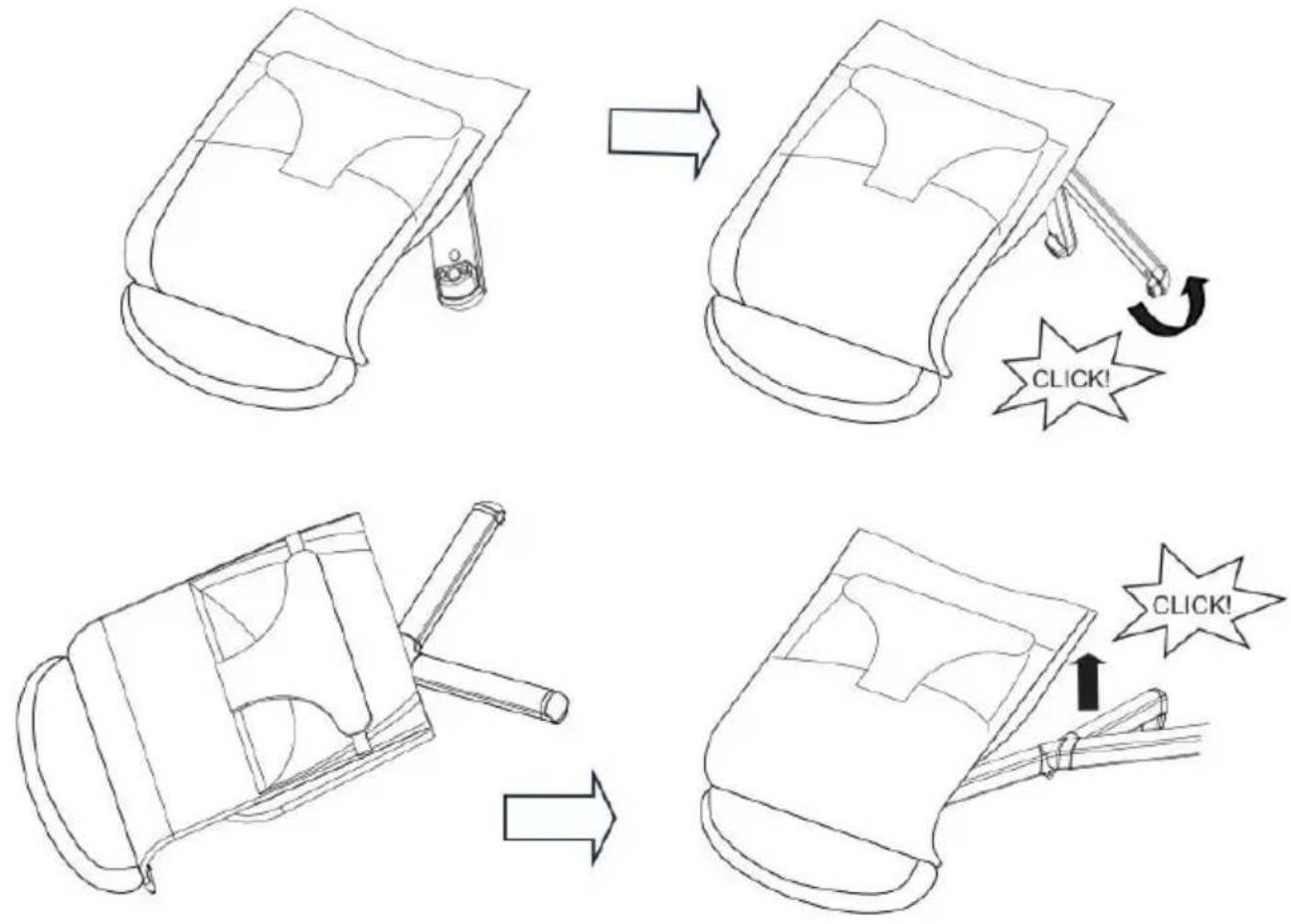
- Unfold the seat until you hear a "click" sound.
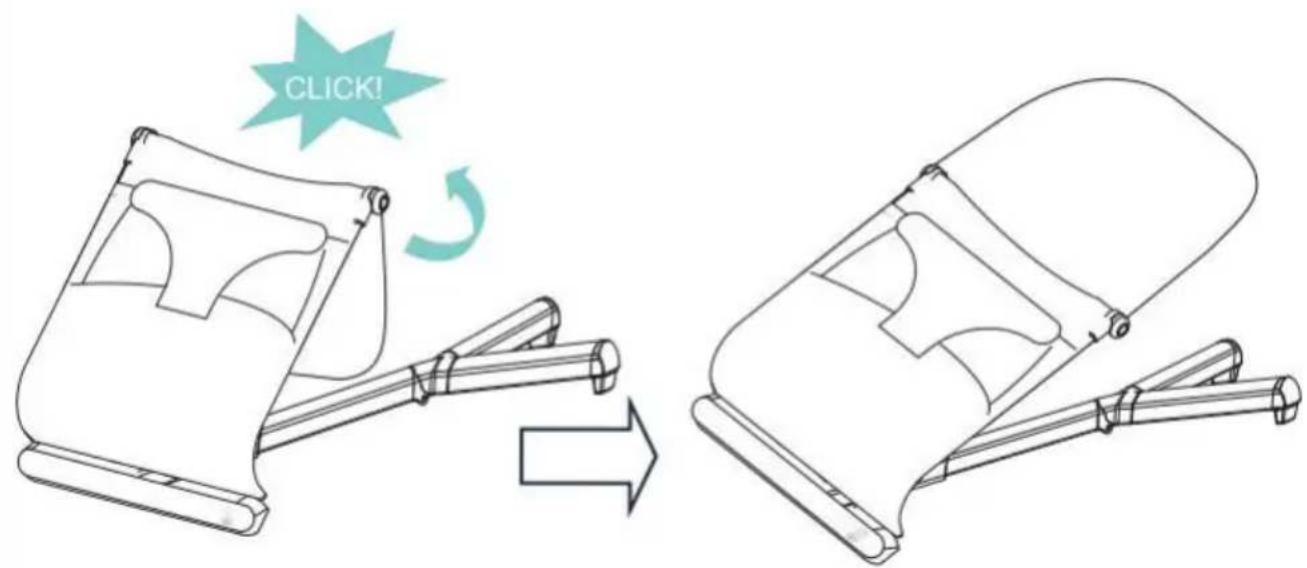
WARNING!
THIS BACKREST IS NOT ADJUSTABLE!
THIS BUTTON CAN ONLY BE USED TO FOLD THE PRODUCT
FOR STORAGE PURPOSE!
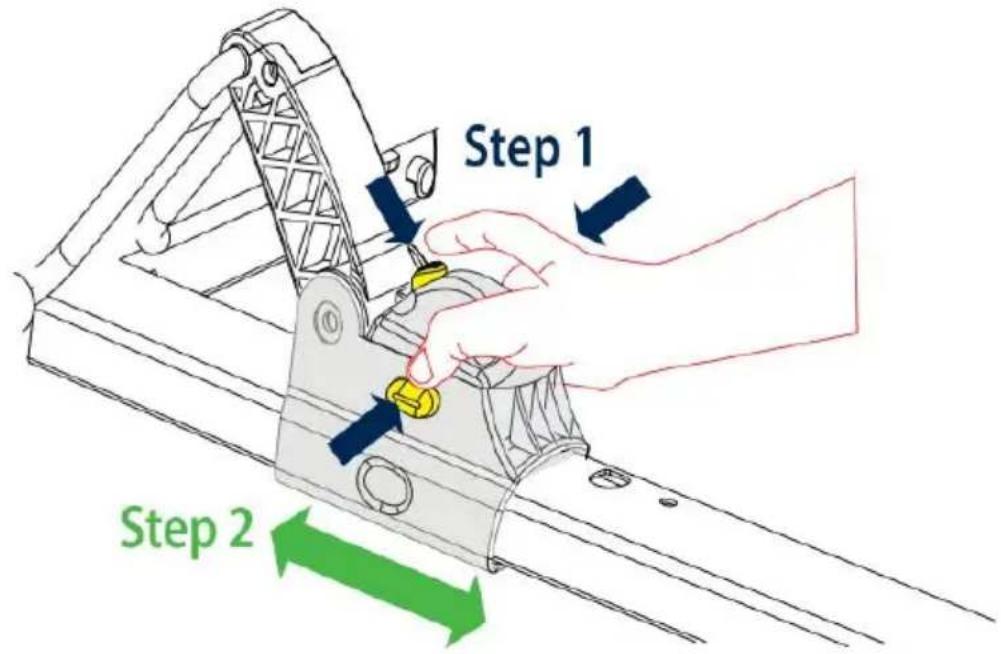
3. Adjust the seat height. There are two height positions.
Step 1: Press and hold the middle and side buttons.
Step 2: Slide along the stand to the desired position.
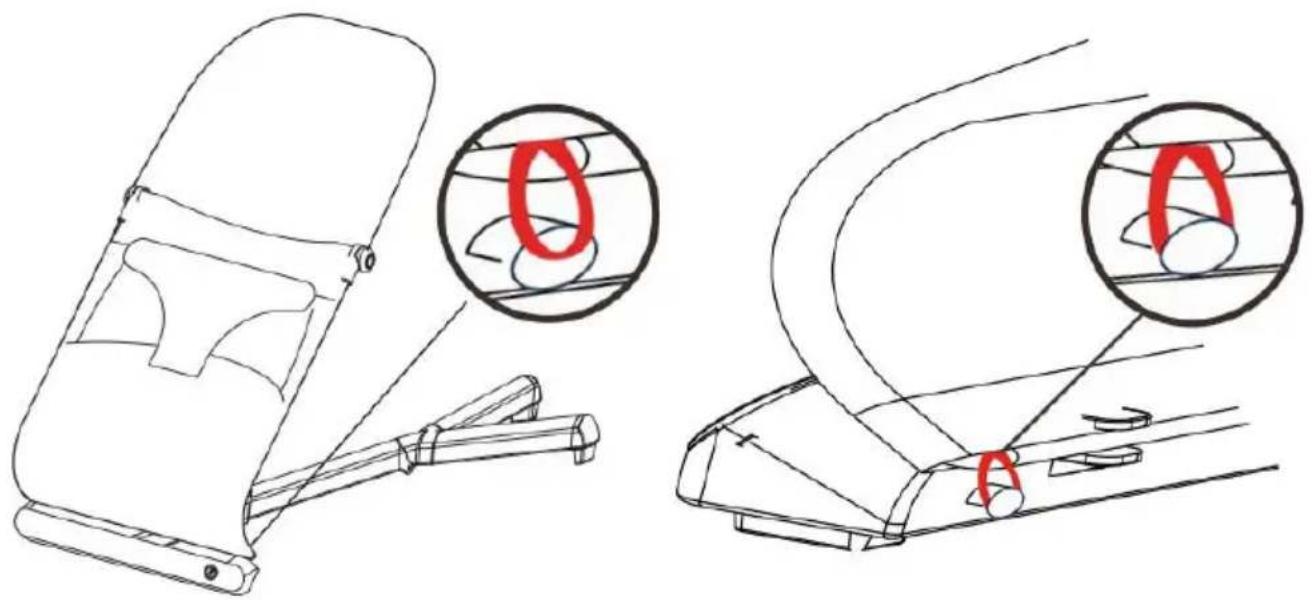
4. Fasten the fabric seat again with the two elastic loops at the bottom.
Storage
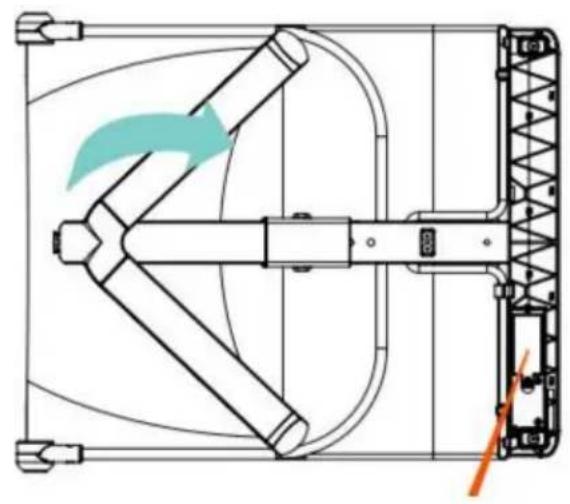
- Press the side buttons at the same time to fold the backrest.
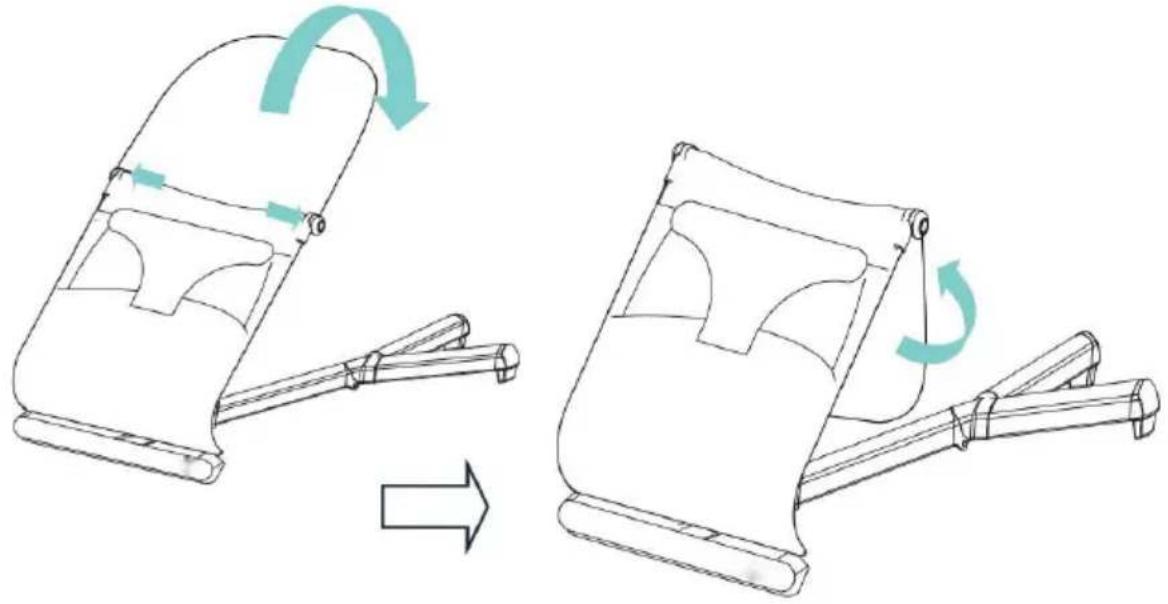
- Fold down the seat.
Step 1: Press and hold the middle button and side buttons.
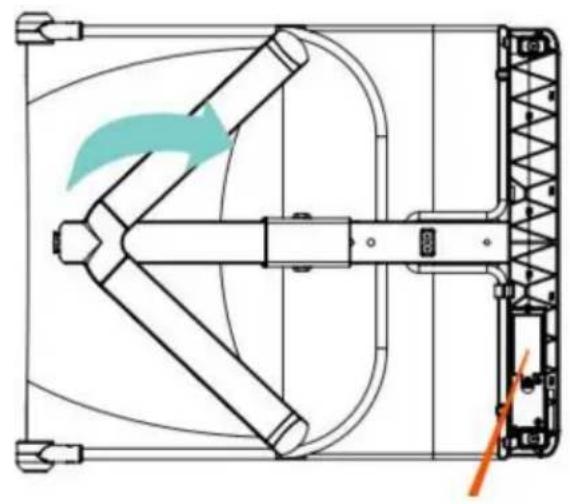
Step 2: Press down the stopper (red button) and further slide the lock toward the Y-shaped leg.
Step 3: Slide the lock back to the end.
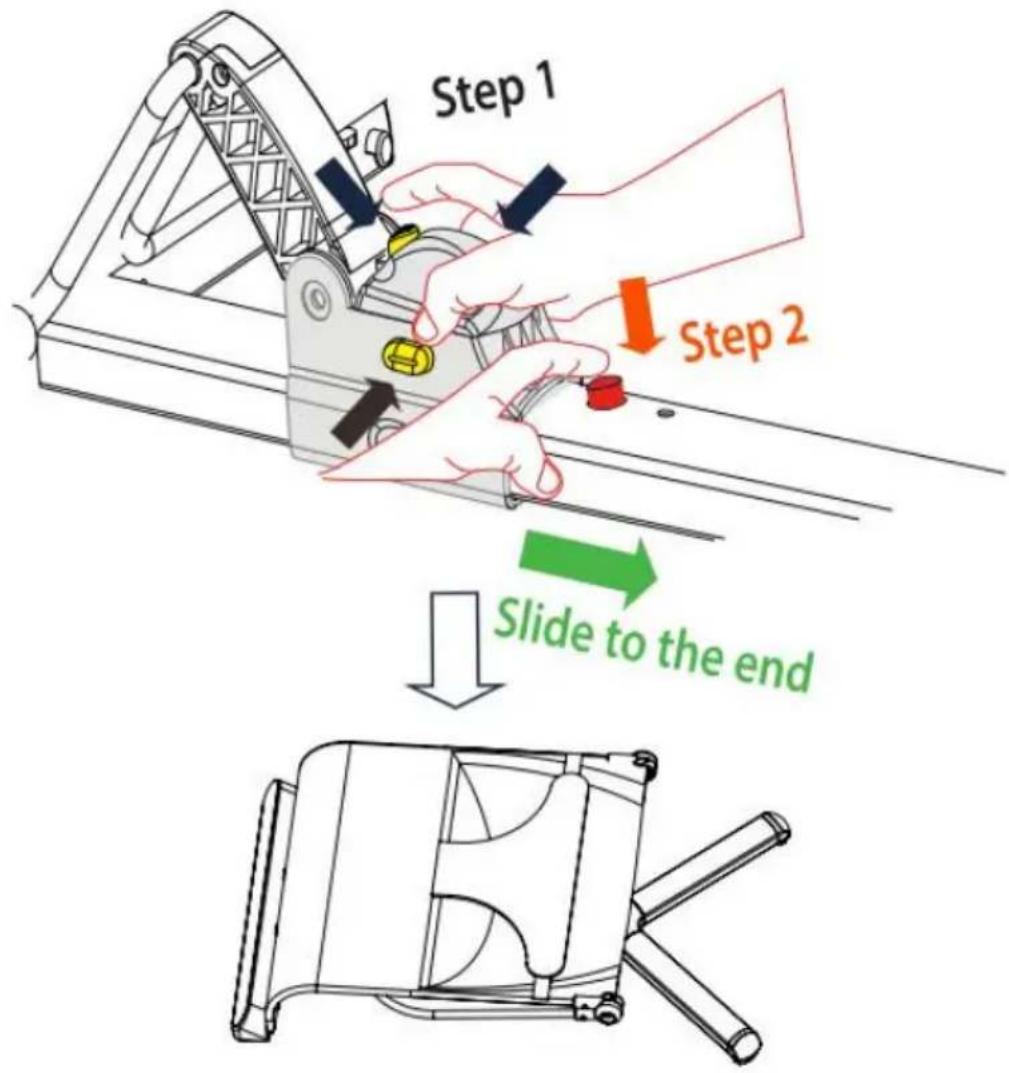
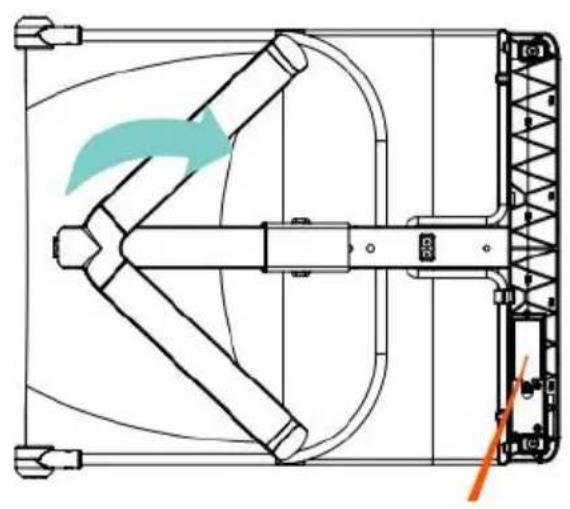
- Slide the button UNDER the stand to fold up the Y-shape leg
Harness
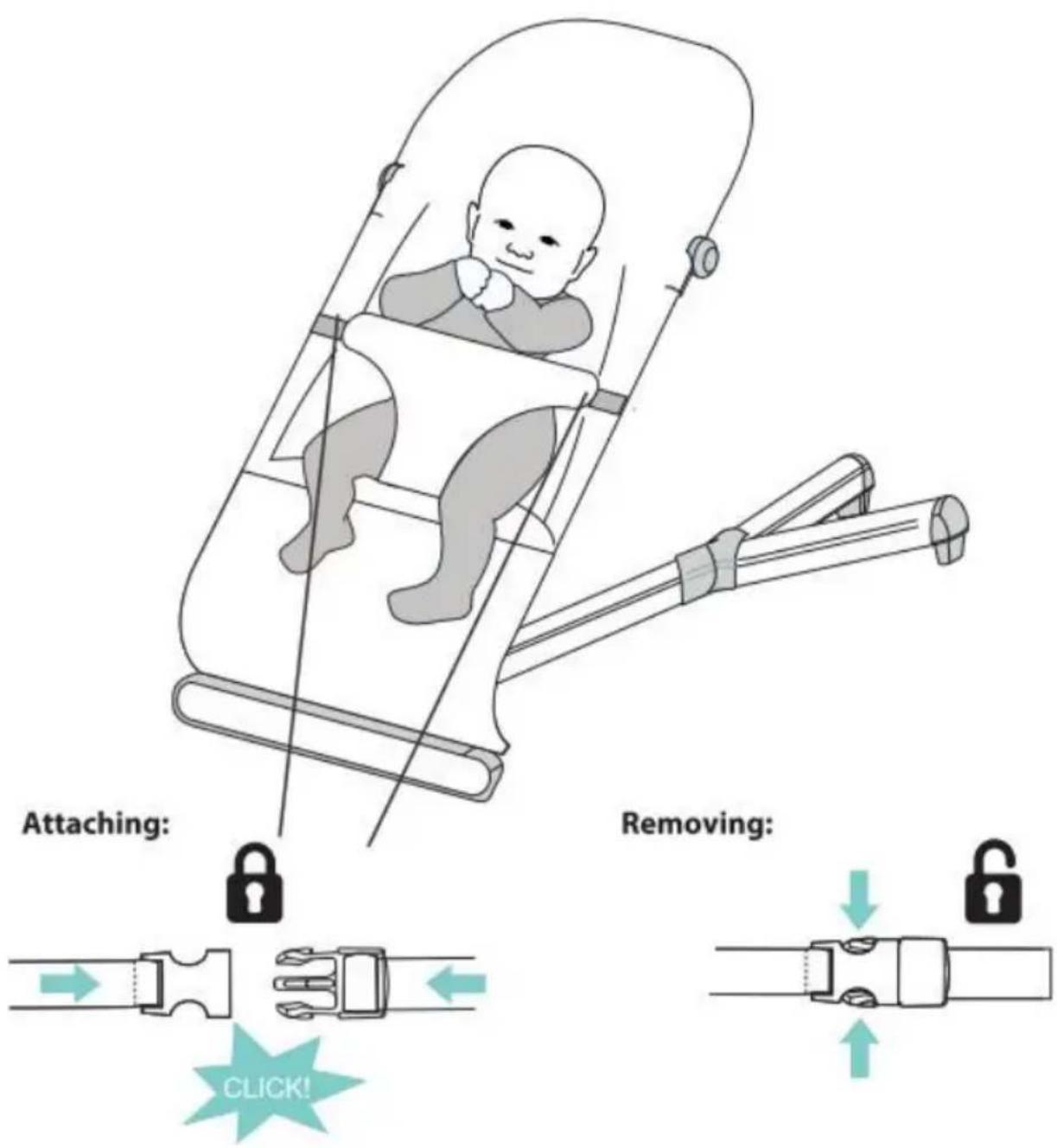
Place baby in the bouncer with the crotch strap positioned between their legs. Fasten the buckles on both sides of the restraint. A "click" will signal that the buckle is secure.
Adjust the sliders on both straps to achieve a snug, comfortable fit. To release, press the clips on the buckles and remove the harness strap. WARNING! ALWAYS use the restraint system.
Care and Maintenance
Wipe the rubber strips underneath the bouncer with a damp cloth from time to time, in order to guarantee that it is fixed as firmly as possible to the floor. To Wash the Fabric
To wash the fabric seat, loosen the two elastic loops at the bottom and pull from the frame. Wash separately, warm/40°C.
Do not tumble-dry.
Do not use accessories or replacement parts other than those approved by the manufacturer.
All assembly fittings are to be tightened properly.
Inspect regularly and re-tighten as necessary.
The fabric cover is removable for easier cleaning.
Do not wash the fabric cover. Spot clean only using soft sponge with diluted detergent or water. Do not rub. Dry in shade.
Do not iron.
Do not dry clean.
Clean metal or plastic components with mild detergent and warm water.
Never use abrasive, ammonia based, bleach based or spirit type cleaners.
Ensure the product is fully dry before use or storage.
Store product in a dry location away from any heat sources, and not in the
Assembly 1.
Storage
- Fold down the seat
Harness
www.vevor.com/support
Assembly 1.
Storage
Harness
Care and maintenance
Assembly 1.
Storage
- Lower the seat
Harness
Care and maintenance
www.vevor.com/support
Assembly 1.
Storage
Take advantage
NEED HELP? CONTACT US!
Assembly 1.
Storage
- Fold down the seat
Harness
NEED HELP? CONTACT US!
www.vevor.com/support
Assembly 1.
Storage
- Fold down the seat
Harness
NEED HELP? CONTACT US!
TO PREVENT FALLS AND CHOKING:
Assembly 1.
Storage
- Fold down the seat
Sele
- BABY BOUNCER
- MODEL: BR10A-1 / BR10A
- NEED HELP? CONTACT US
- WARNING
- PRODUCT COMPLIES WITH
- SAFETY
- SUFFOCATION HAZARD
- SAVE THESE INSTRUCTIONS
- PARTS LIST
- ASSEMBLY
- ADJUST THE SEAT HEIGHT. THERE ARE TWO HEIGHT POSITIONS
- FASTEN THE FABRIC SEAT AGAIN WITH THE TWO ELASTIC LOOPS AT THE BOTTOM
- STORAGE
- HARNESS
- CARE AND MAINTENANCE
- TAKE ADVANTAGE
- SELE
Brand : Vevor
Model : BR10-A
Category : Baby swing