
KD-8802 - Machine Tool Vevor - Free user manual and instructions
Find the device manual for free KD-8802 Vevor in PDF.
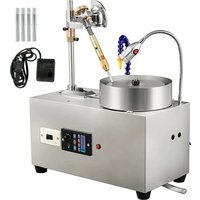


| Product Type | Gem Shaping Machine |
| Brand | Vevor |
| Model | KD-8802 |
| Power Supply | AC 220-240 V / 50 Hz |
| Power | 180 W |
| Rotation Speed | 0 - 2980 rpm (variable) |
| Lighting | Integrated LED |
| Cooling System | Water tank with pump and drainage hose |
| Manipulator | Adjustable height and angle |
| Control Lever | Precise control of gem angle |
| Indexing | Index pin with 96-position scale |
| Frequency Converter | Yes (for speed variation) |
| Switch | On/Off and separate LED lighting switch |
| Tube Material | Bamboo |
| Safety | Mandatory grounding; wearing gloves and goggles recommended |
| Maintenance and Cleaning | Clean the water tank and grinding disk regularly; check electrical connections; lubricate moving parts according to instructions |
| Spare Parts and Repairability | Contact Vevor support via www.vevor.com/support for spare parts and repairs |
| General Information | CE certified; compliant with WEEE Directive 2012/19/EU; online technical support |
Frequently Asked Questions - KD-8802 Vevor
User questions about KD-8802 Vevor
0 question about this device. Answer the ones you know or ask your own.
Ask a new question about this device
Download the instructions for your Machine Tool in PDF format for free! Find your manual KD-8802 - Vevor and take your electronic device back in hand. On this page are published all the documents necessary for the use of your device. KD-8802 by Vevor.
USER MANUAL KD-8802 Vevor
Technical Support and E-Warranty Certificate
www.vevor.com/support
GEM FACETING MACHINE
MODEL: KD-8802
We continue to be committed to providing you with tools at competitive prices. "Save Half", "Half Price", or any other similar expressions used by us only represent the savings you might benefit from buying certain tools with us compared to top brands, and does not necessarily mean to cover all categories of tools offered. We kindly remind you to verify carefully when placing an order with us to ensure you are actually saving half in comparison with the top major brands.
VEVOR®
TOUGH TOOLS, HALF PRICE
GEM FACETING MACHINE
KD-8802
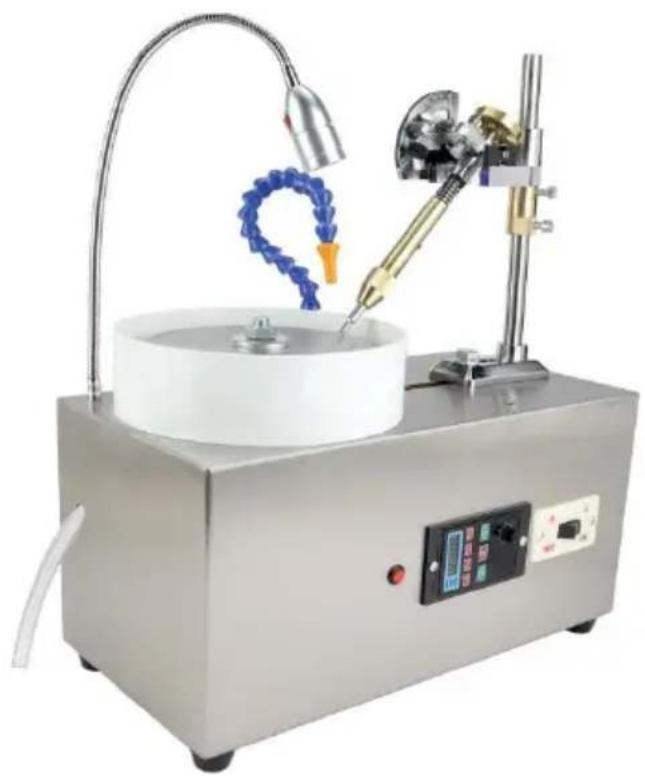
NEED HELP? CONTACT US!
Have product questions? Need technical support? Please feel free to contact us:
Technical Support and E-Warranty Certificate www.vevor.com/support
This is the original instruction. Please read all manual instructions carefully before operating. VEVOR reserves the right to interpret the user manual. The appearance of the product shall be subject to the product you received. Please forgive us that we won't inform you of any technology or software updates on our product.
GENERAL SAFETY RULES
| Symbol | Symbol Description |
 | Warning - To reduce the risk of injury, user must re instructions manual carefully. |
 | This symbol, placed before a safety comment, indicate kind of precaution, warning, or danger. Ignoring this v may lead to an accident. To reduce the risk of injure electrocution, please always follow the recommendation shown below. |
 | Warning- Be sure to wear gloves when using this pro |
 | Warning- Be sure to wear eye protectors when using this |
 | Disposal information:This product is subject to the provision of European Directi 2012/19/EC. The symbol showing a wheelie bin crossed thr indicates that the product requires separate refuse collection European Union. This applies to the product and all access marked with this symbol. Products marked as such may no discarded with normal domestic waste, but must be taken t collection point for recycling electrical and electronic devices |
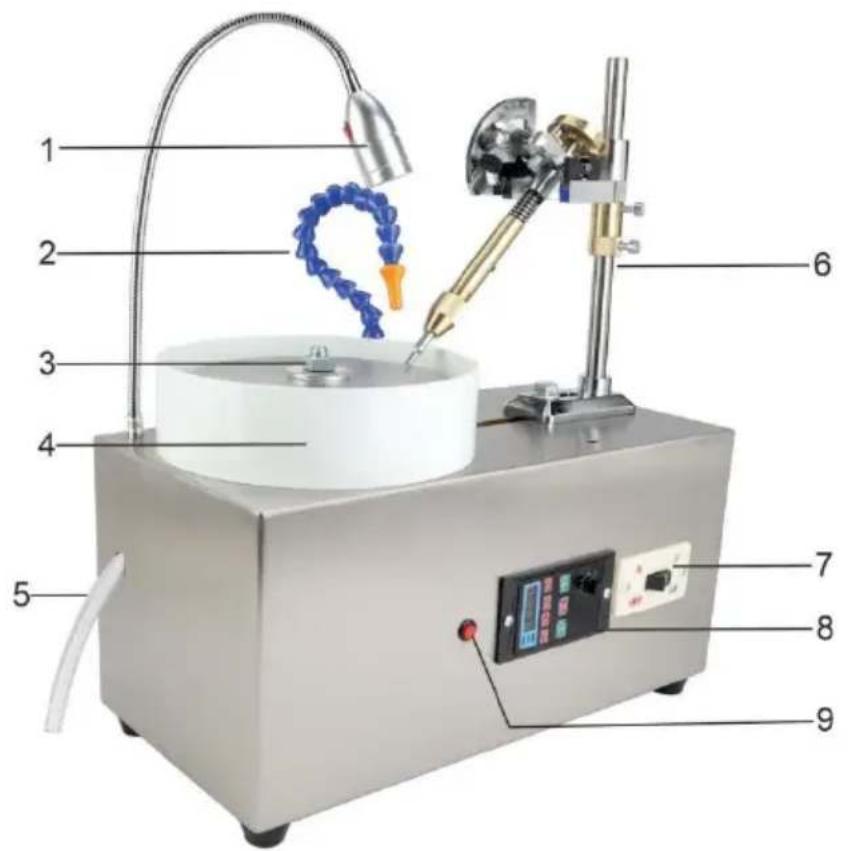
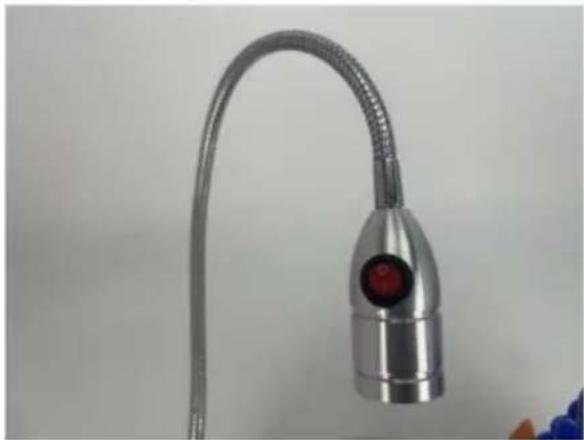
- LED light
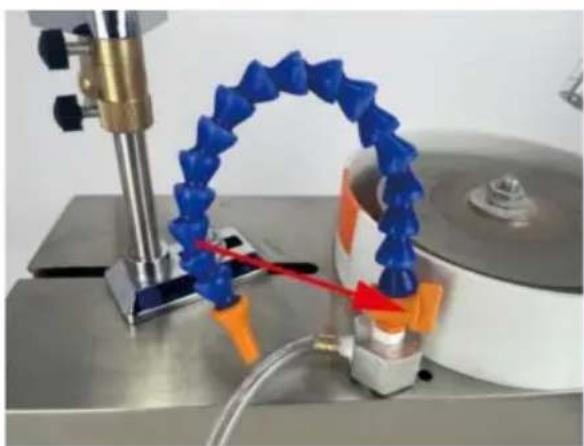
- Bamboo pipe
- Secure the millstone
- Water tray
- Drainage pipes
- Manipulator
- Switch
- Frequency converter
- LED light switch
GENERAL SAFETY RULES
WARNING: Do not attempt to operate the machine until you have read thoroughly and understood completely all instructions, rules, etc. contained in this manual. Failure to comply may result in accidents involving fire, electric shock, or serious personal injury. Keep this owner's manual and review frequently for continuous safe operation.
- Know your machine. For your own safety, read the owner's manual carefully. Learn its application and limitations, as well as specific potential hazards pertaining
to this machine.
- Make sure all tools are properly earthed.
- Keep guards in place and in working order. If a guard must be removed for maintenance or cleaning, make sure it is properly replaced before using the machine again.
- Keep your work area clean. Cluttered areas and workbenches increase the chance of an accident.
- Do not use in dangerous environments. Do not use power tools in damp locations, or expose them to rain. Keep work areas well illuminated.
- Keep children away. All visitors should be kept a safe distance from the area.
- Do not force the machine. It will do the job better and be safer at the speed for which it is designed.
- Use the right tools. Do not force the machine or attachments to do a job for which they are not designed. Contact the manufacturer or distributor if there is any question about the machine's suitability for a particular task.
- Wear proper apparel. Avoid loose clothing, gloves, ties, rings, bracelets, and jewelry which could get caught in moving parts. Non-slip footwear is recommended. Wear protective hair covering to contain long hair.
- Do not over-reach. Keep proper footing and balance at all times.
- Maintain the machine in good condition. Keep the machine clean for best and safest performance. Follow instructions for lubrication and changing accessories.
- Disconnect the machine from power source before servicing and when changing the blade.
- Never leave the machine running unattended. Turn the power off. Do not leave the machine until it comes to a complete stop.
- Do not use any power tools while under the effects of drugs, alcohol or medication.
- Always wear a face or dust mask if operation creates a lot of dust and always operate the tool in a well ventilated area and provide for proper dust removal. Use a suitable dust extractor.
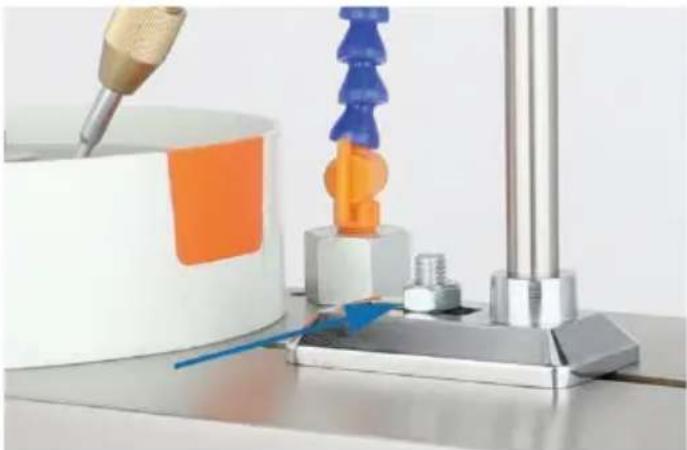
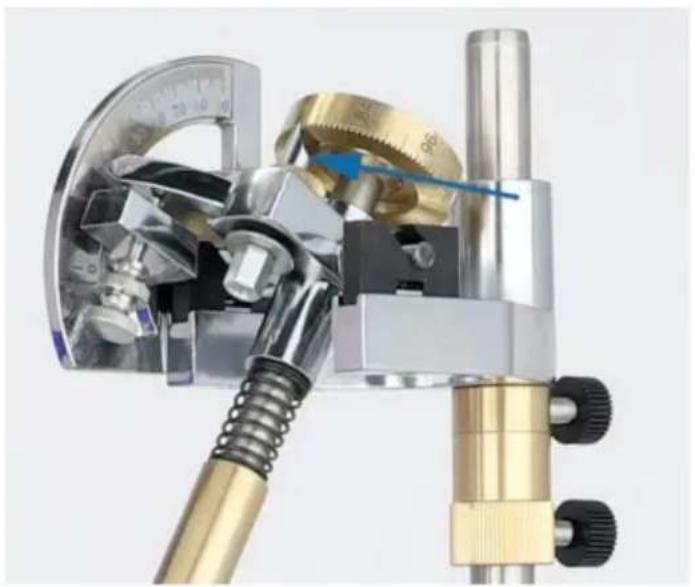
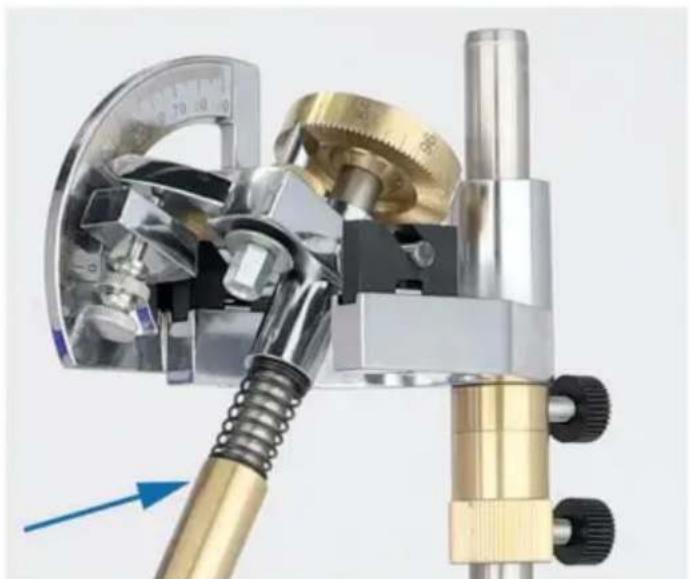
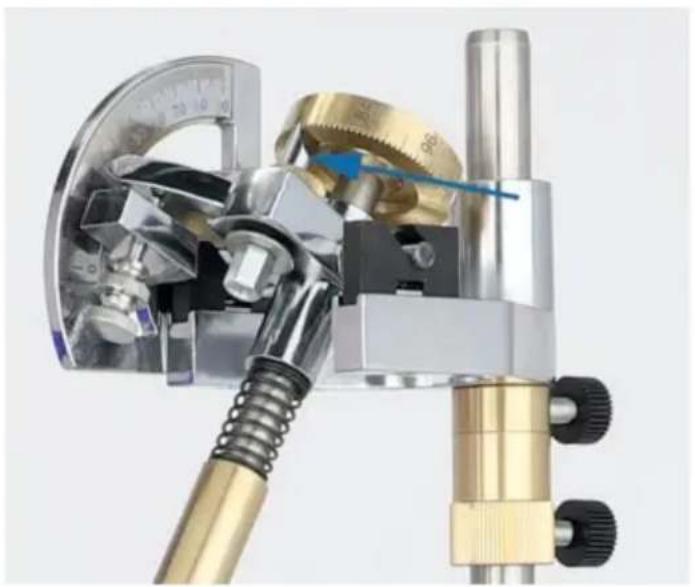
To fix the screws of the manipulator, the manipulator can move forward and backward.
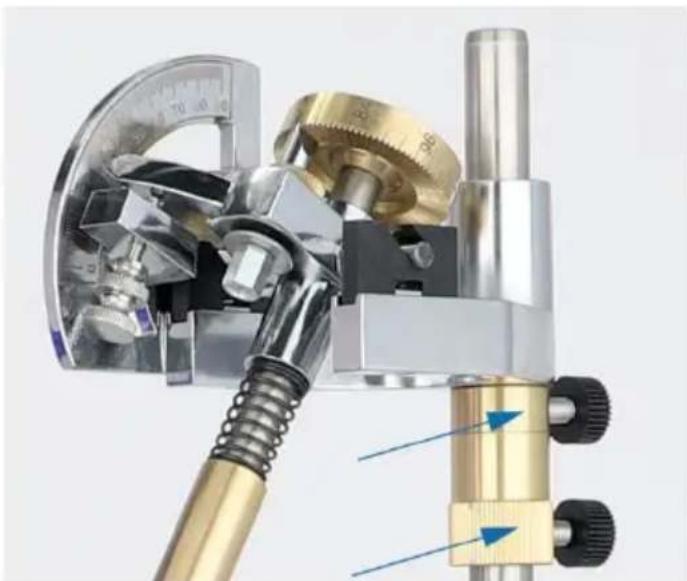
Height adjuster, used to adjust the angle between the operator and the grind disc, that is, the angle of the workpiece. Unilateral rotation for fine adjustment.
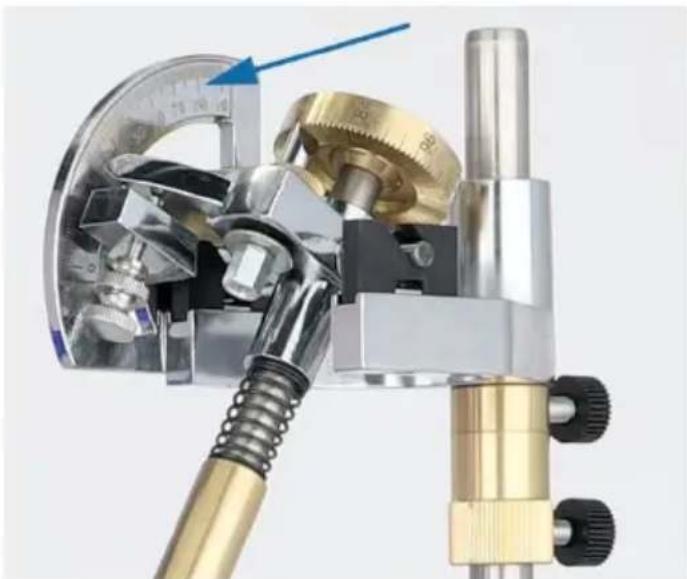
Fan angle card.
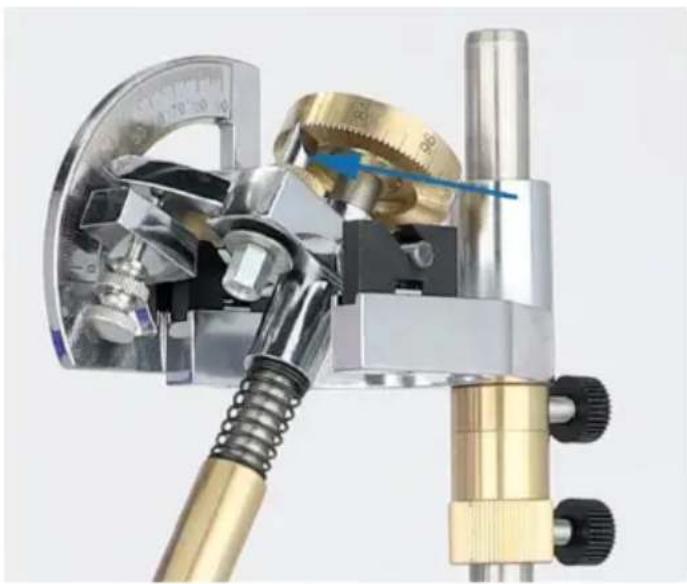
Dial indexing pin.
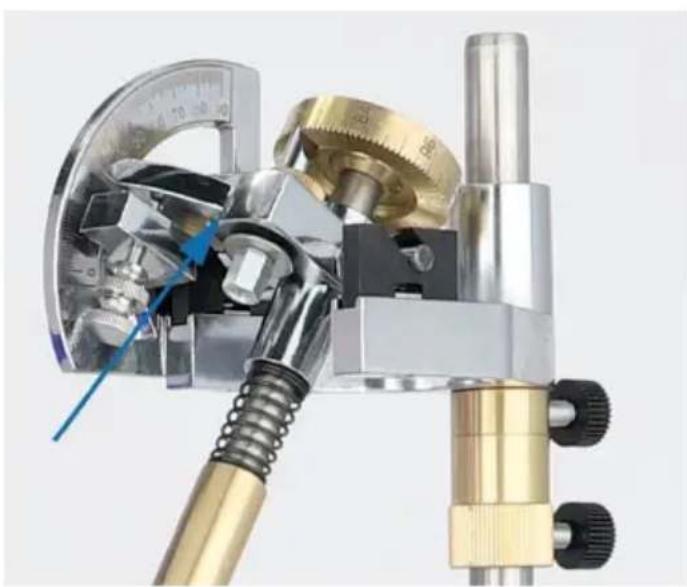
Hand control lever controls gem angle
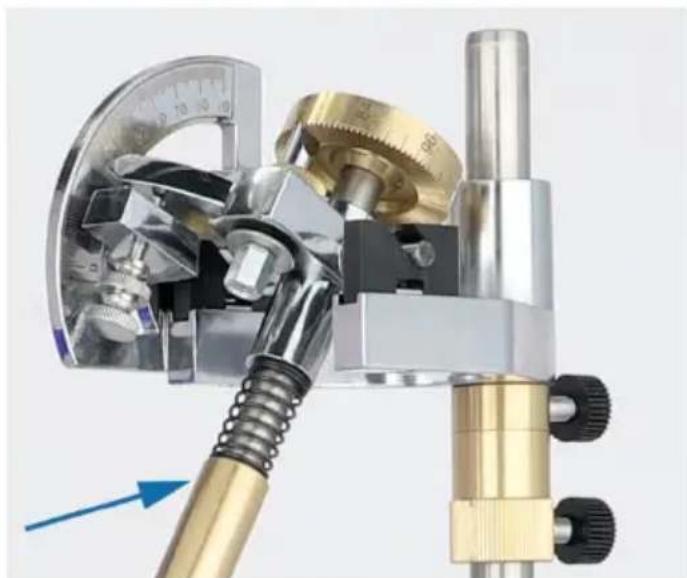
The manual control lever can be disassembled to adjust the angle and disassemble the gem.
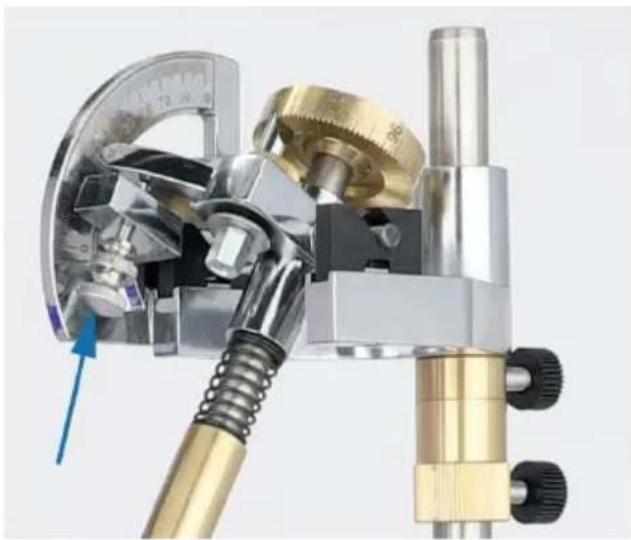
Screw control 90 degree fine tuning angle
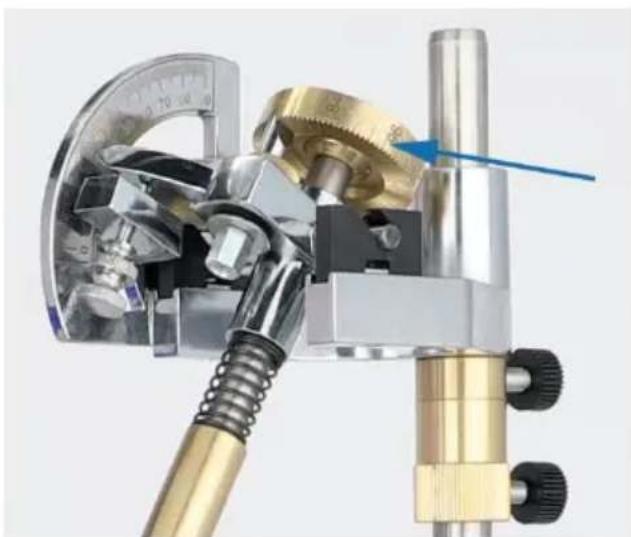
With the positioning rotation of 96 scale, can accurately control the gem angle
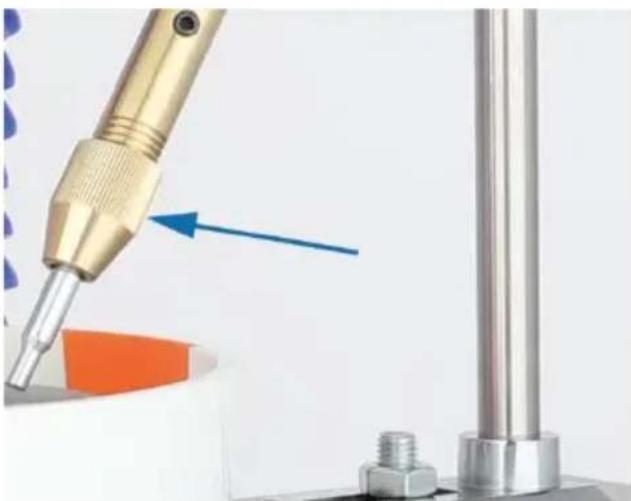
Rotate and fix the slime stick
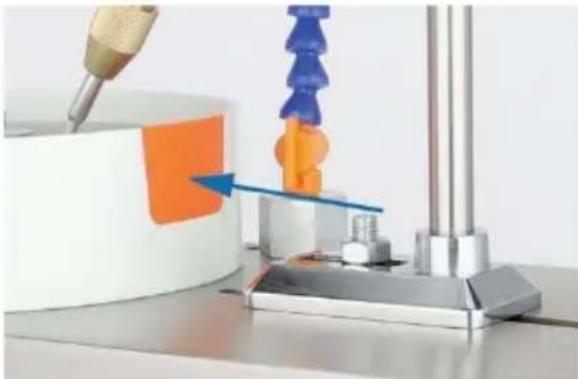
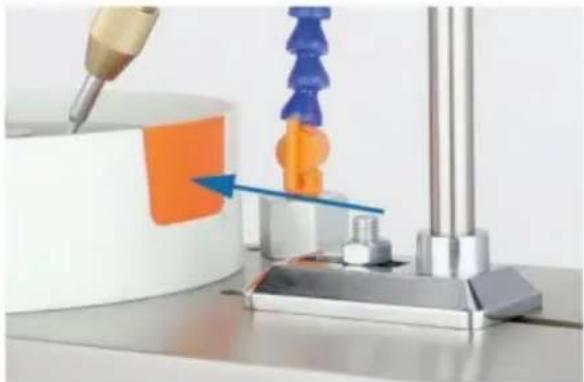
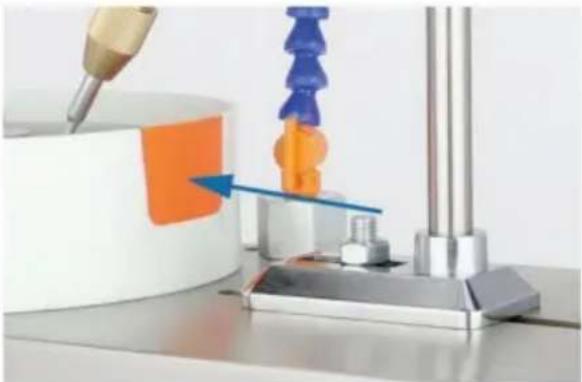
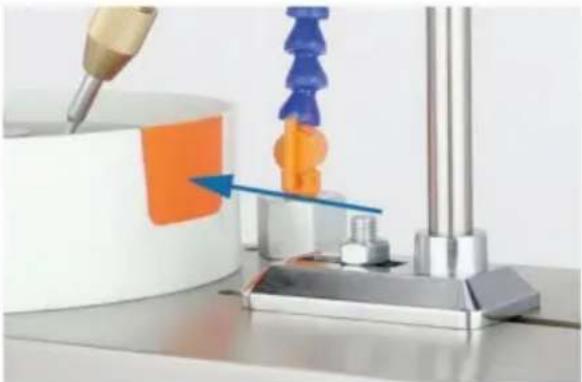
Remove the orange baffle on the water baffle plate, which can give the stone surface grinding
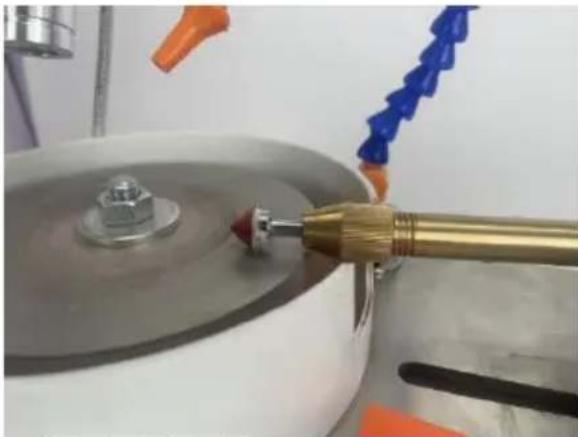
Gem surface grinding
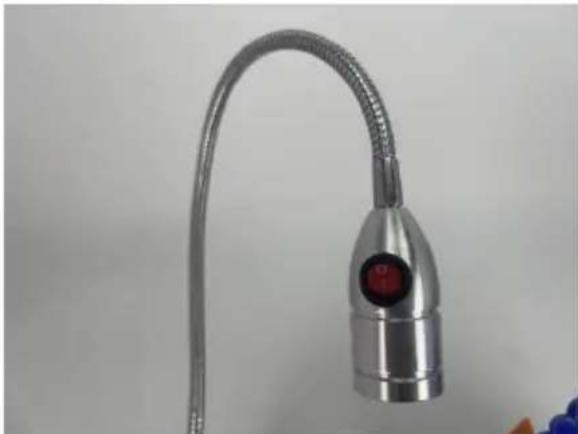
LED light switch
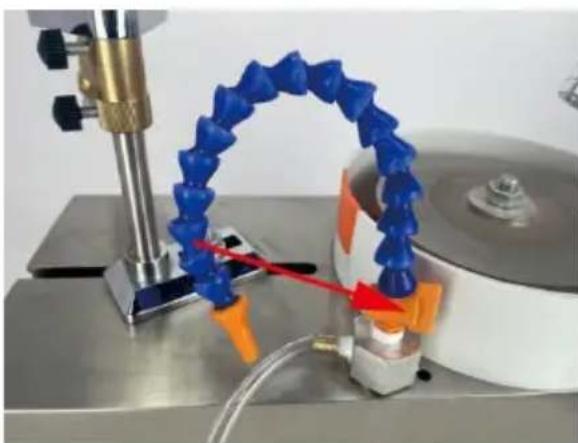
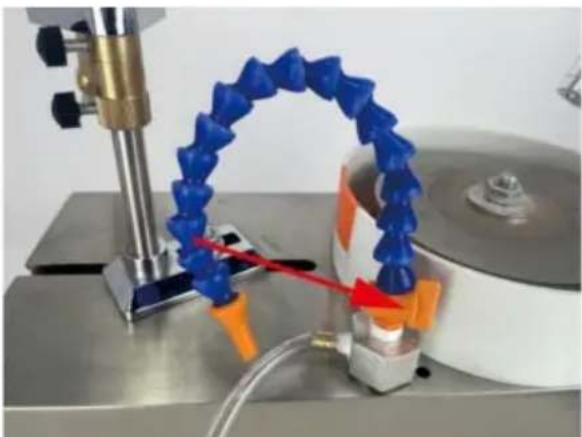
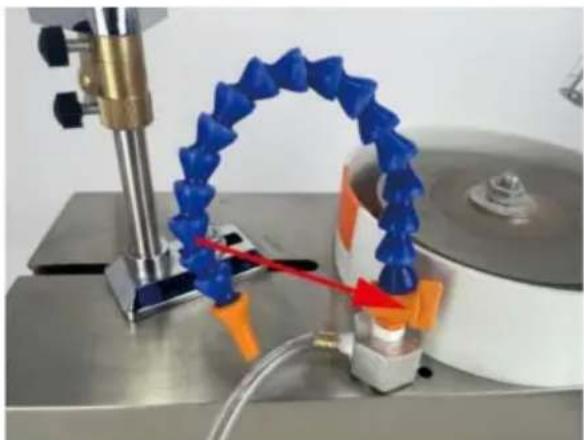
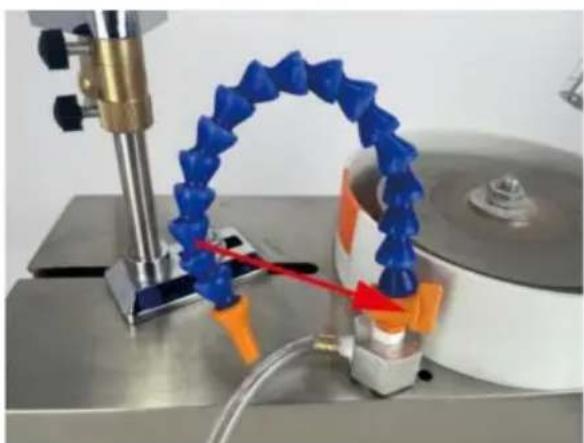
Tap switch, can control the water outlet
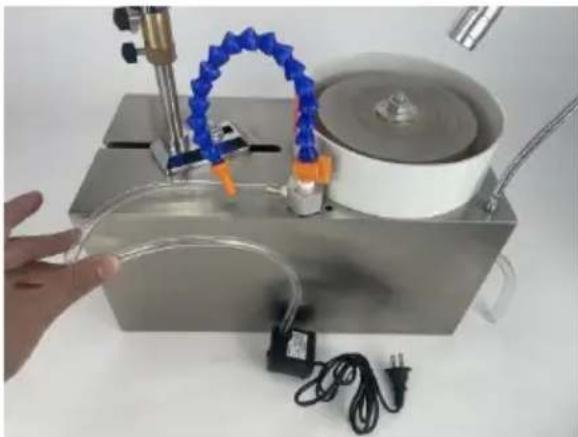
The faucet is connected to the water pump
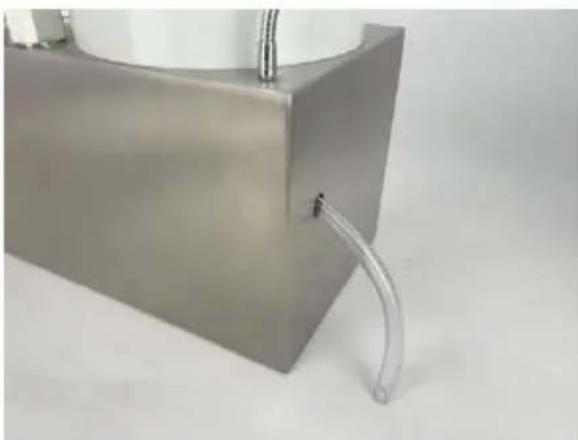
Drain pipe
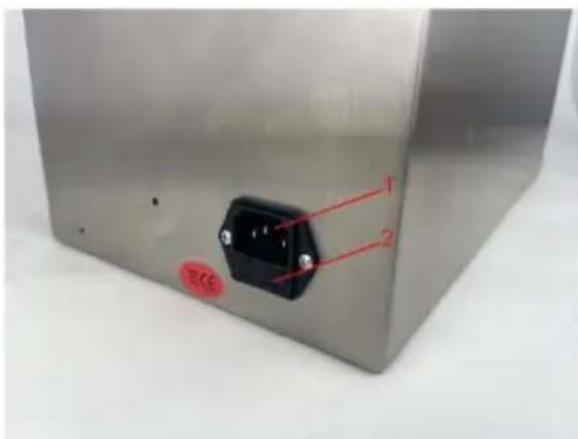
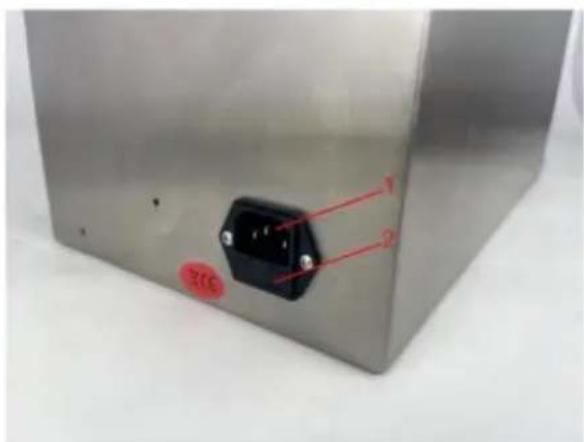
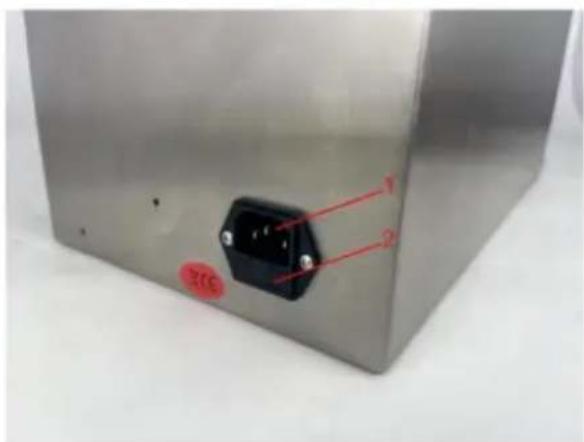
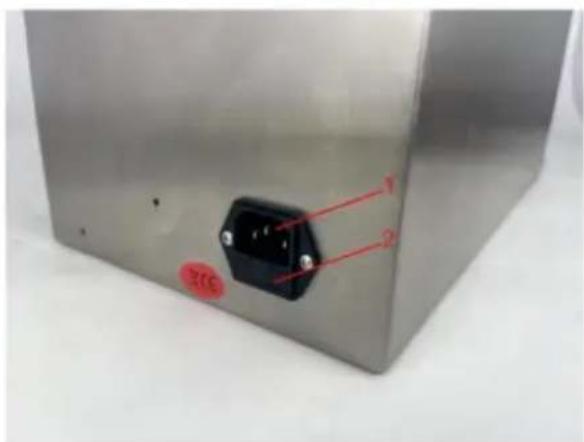
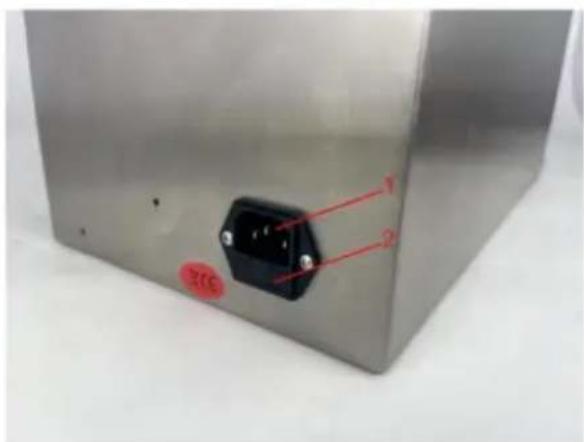
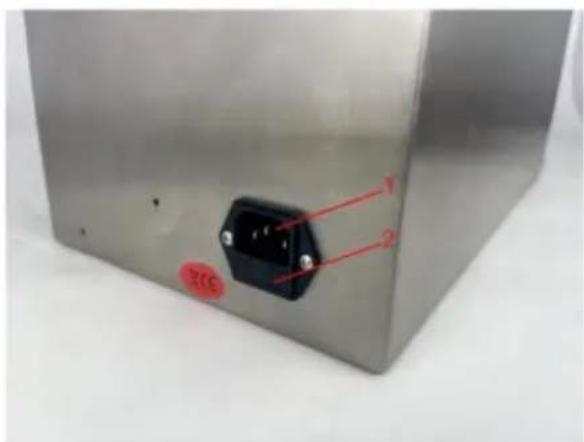
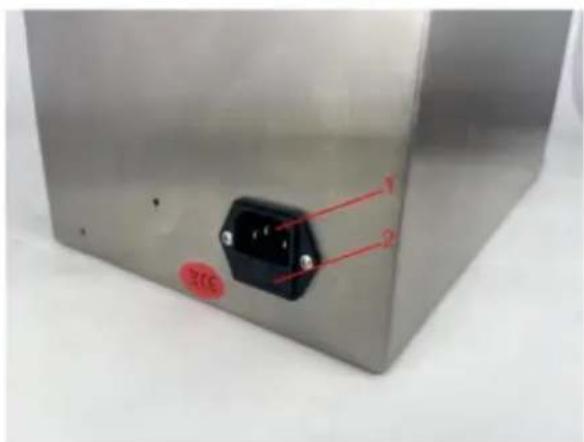
- Power socket. 2. If any indicator light is off, please check the fuse
WARNING!
This manual provides critical safety instructions on the proper setup, operation, maintenance, and service of this machine/tool. Save this document, refer to it often, and use it to instruct other operators. Failure to read, understand, and follow the instructions in this manual may result in fire or serious personal injury—including amputation, electrocution, or death.
The owner of this machine/tool is solely responsible for its safe use. This
Responsibility includes but is not limited to proper installation in a safe environment, personnel training and usage authorization, proper inspection and maintenance, manual availability and comprehension, application of safety devices, sanding/grinding tool integrity, and the usage of personal protective equipment. The manufacturer will not be held liable for injury or property damage from negligence, improper training, machine modifications or misuse.
WARNING!
Some dust created by power sanding, sawing, grinding, contains chemicals known to the State of California to cause cancer, birth defects or other reproductive harm. Some examples of these chemicals are:
- Lead from lead-based paints.
- Crystalline silica from bricks, cement and other masonry products.
- Arsenic and chromium from chemically-treated lumber.
Your risk from these exposures varies, depending on how often you do this work. To reduce your exposure to these chemicals: Work in a well ventilated area and work with approved safety equipment, such as those dust masks that are specially designed to filter out microscopic particles.
| Items | Description | |
| 1 | Area | Europe |
| 2 | Name | GEM FACETING MACHINE |
| 3 | Model | KD-8802 |
| 4 | Parameter | AC220-240V/50Hz, 180W, Variable speed: 0-2980rpm |
VEVOR®
TOUGH TOOLS, HALF PRICE
Technical Support and E-Warranty Certificate
www.vevor.com/support
VEVOR®
TOUGH TOOLS, HALF PRICE
Bamboo tube
Drain pipe
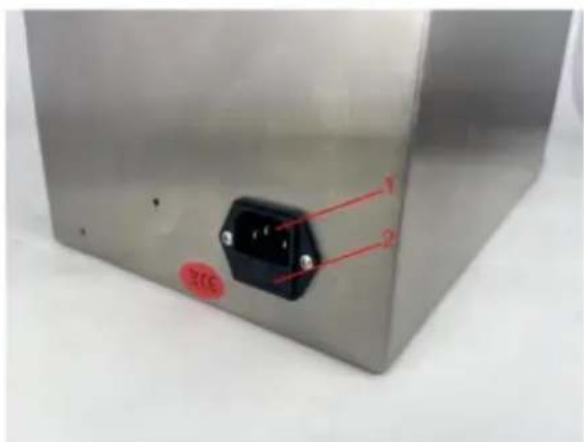
- LED light 2.
Bamboo tube
Drain pipe
- LED light 2.
Bamboo tube
LED light switch
Drain pipe
NEED HELP? CONTACT US!
- LED light 2.
Bamboo pipe
Fan angle card
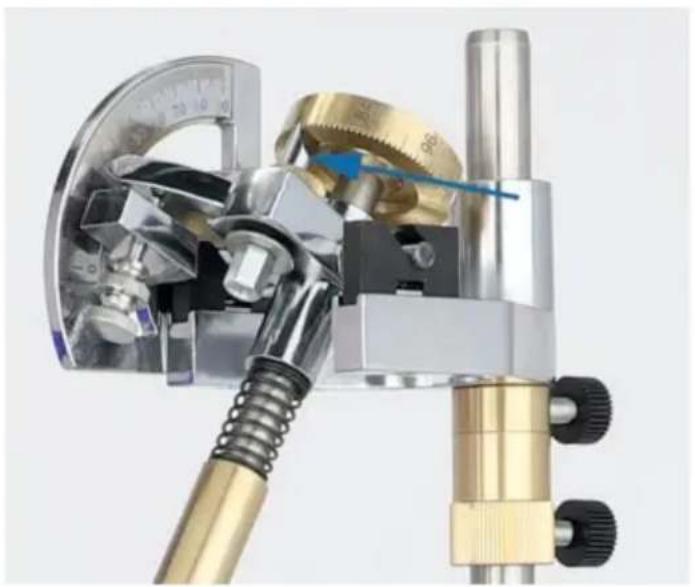
Indexing pin
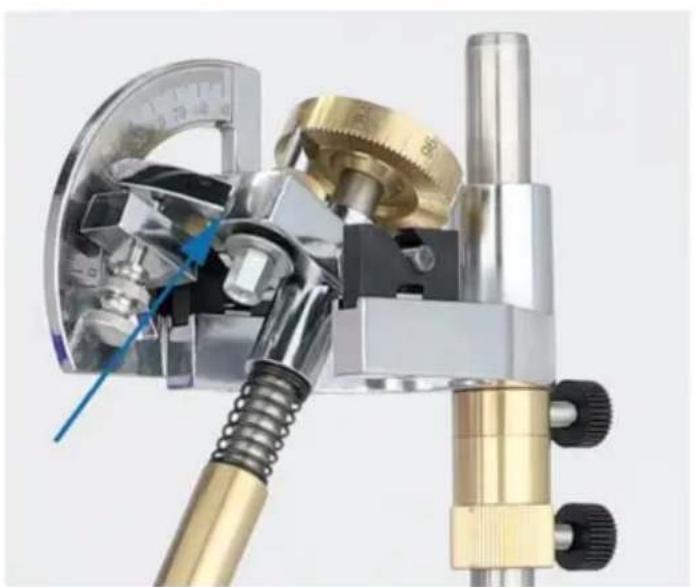
Hand control lever controls the jewel angle
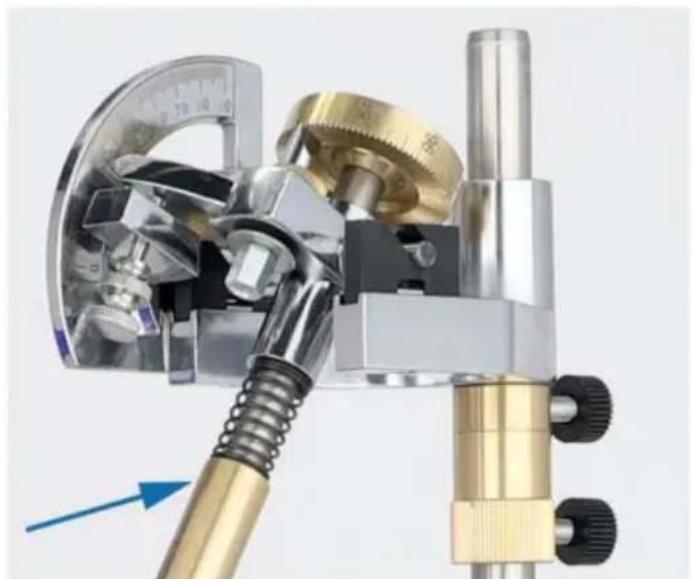
Screw control 90 degree fine adjustment angle

Gem polishing
LED light switch
Drain pipe
www.vevor.com/support
VEVOR®
TOUGH TOOLS, HALF PRICE
Technical support and e-warranty certificate www.vevor.com/support
GEM FACETING MACHINE
MODEL: KD-8802
NEED HELP? CONTACT US!
- LED lamp 2.
Bamboo pipe
- Secure the millstone
- Water tank 5.
Drain pipes 6.
Manipulator
Fan angle chart
Manual control lever adjusts gemstone angle
LED light switch
Drain pipe
Warranty certificate www.vevor.com/support
VEVOR®
TOUGH TOOLS, HALF PRICE
NEED HELP? CONTACT US!
Drain hose
Fan angle card
LED light switch
Drain pipe
www.vevor.com/support
Brand : Vevor
Model : KD-8802
Category : Machine Tool