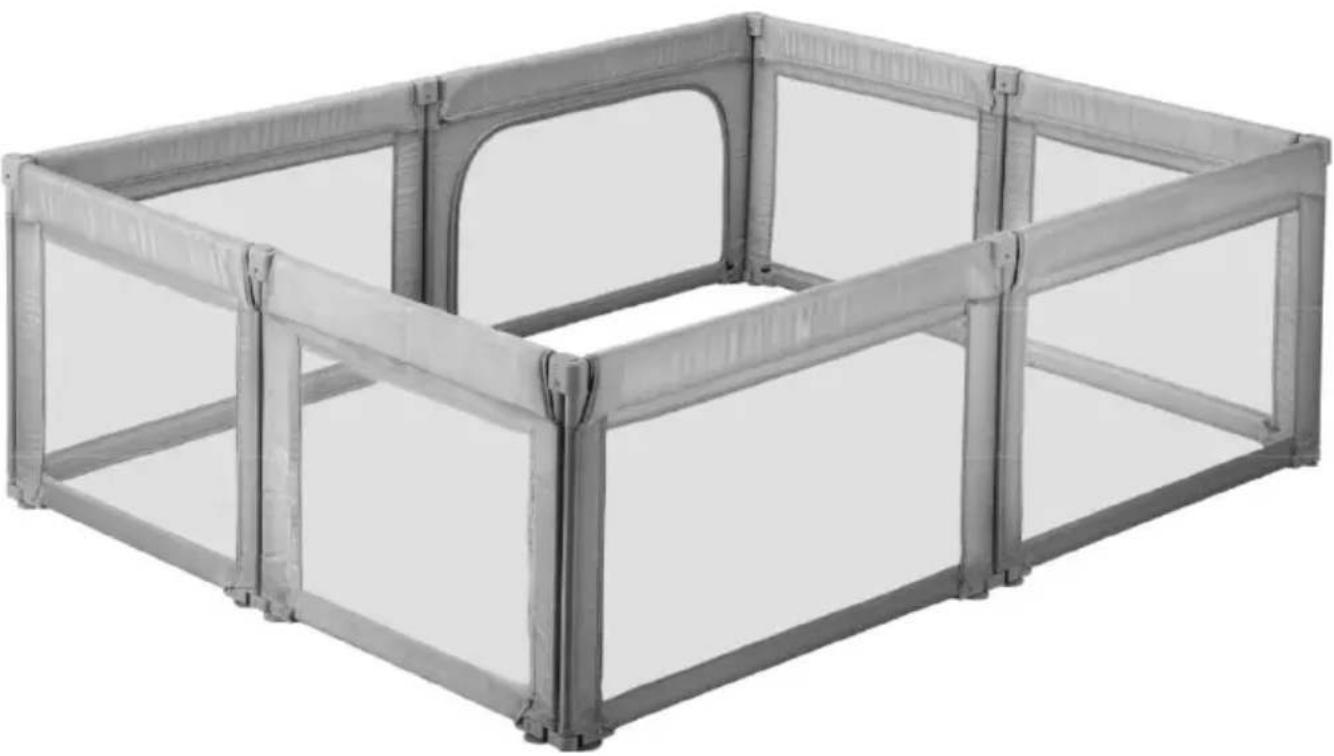
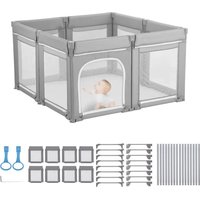
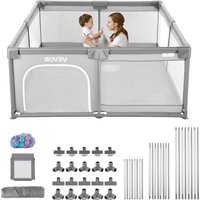
Vevor P2001-3 - Baby products

P2001-3 - Baby products Vevor - Free user manual and instructions

Find the device manual for free P2001-3 Vevor in PDF.
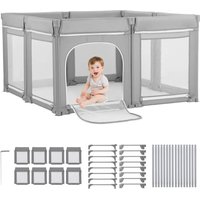
📄 95 pages English EN Download 💬 AI Question
Notice Vevor P2001-3 - page 2
Pick your language and provide your email: we'll send you a specifically translated version.

User questions about P2001-3 Vevor

0 question about this device. Answer the ones you know or ask your own.

Ask a new question about this device

The email remains private: it is only used to notify you if someone responds to your question.

No questions yet. Be the first to ask one.

Download the instructions for your Baby products in PDF format for free! Find your manual P2001-3 - Vevor and take your electronic device back in hand. On this page are published all the documents necessary for the use of your device. P2001-3 by Vevor.

USER MANUAL P2001-3 Vevor

Affordable. Reliable. Home Improvement.

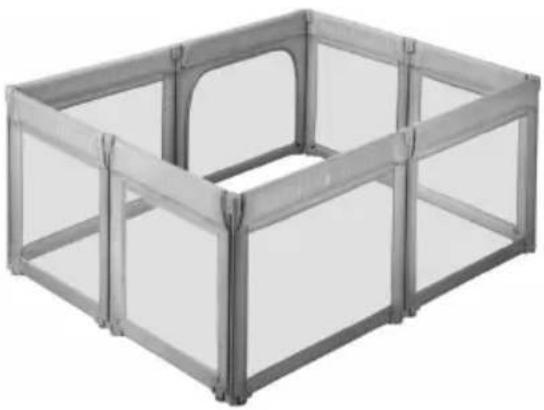
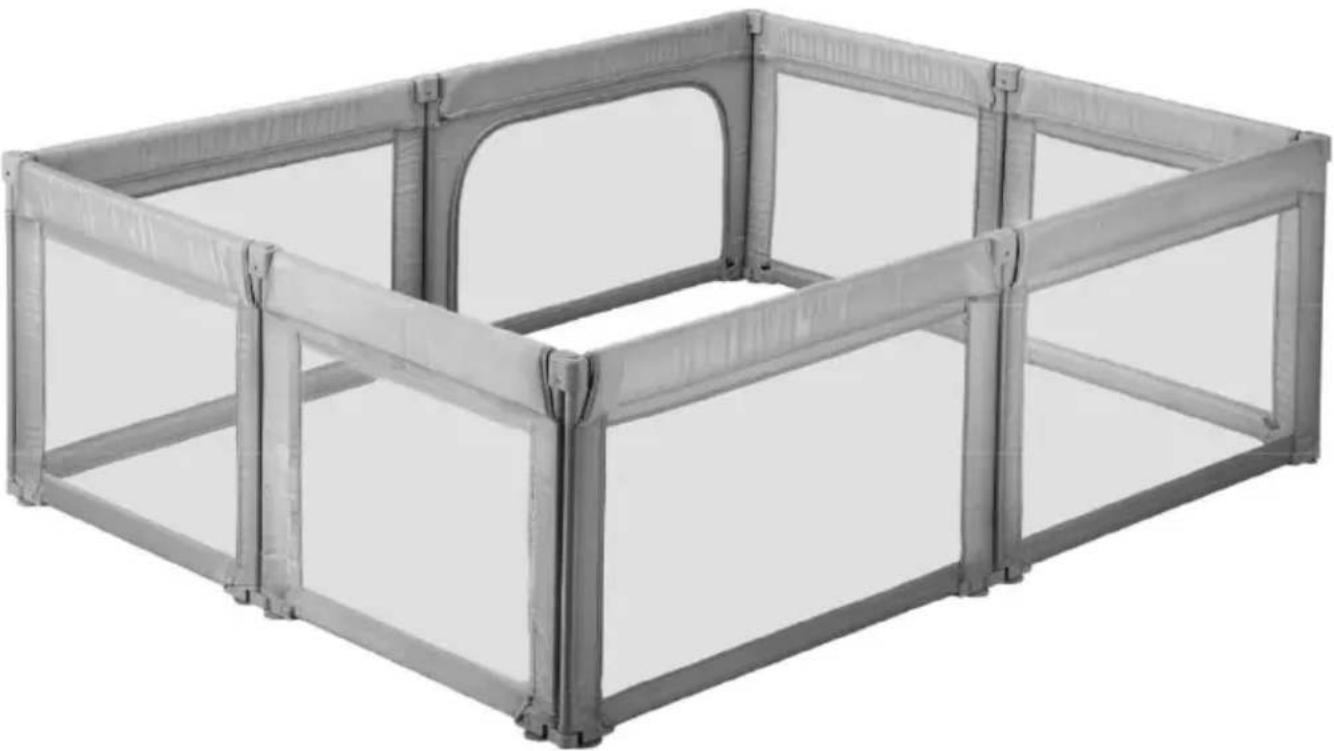
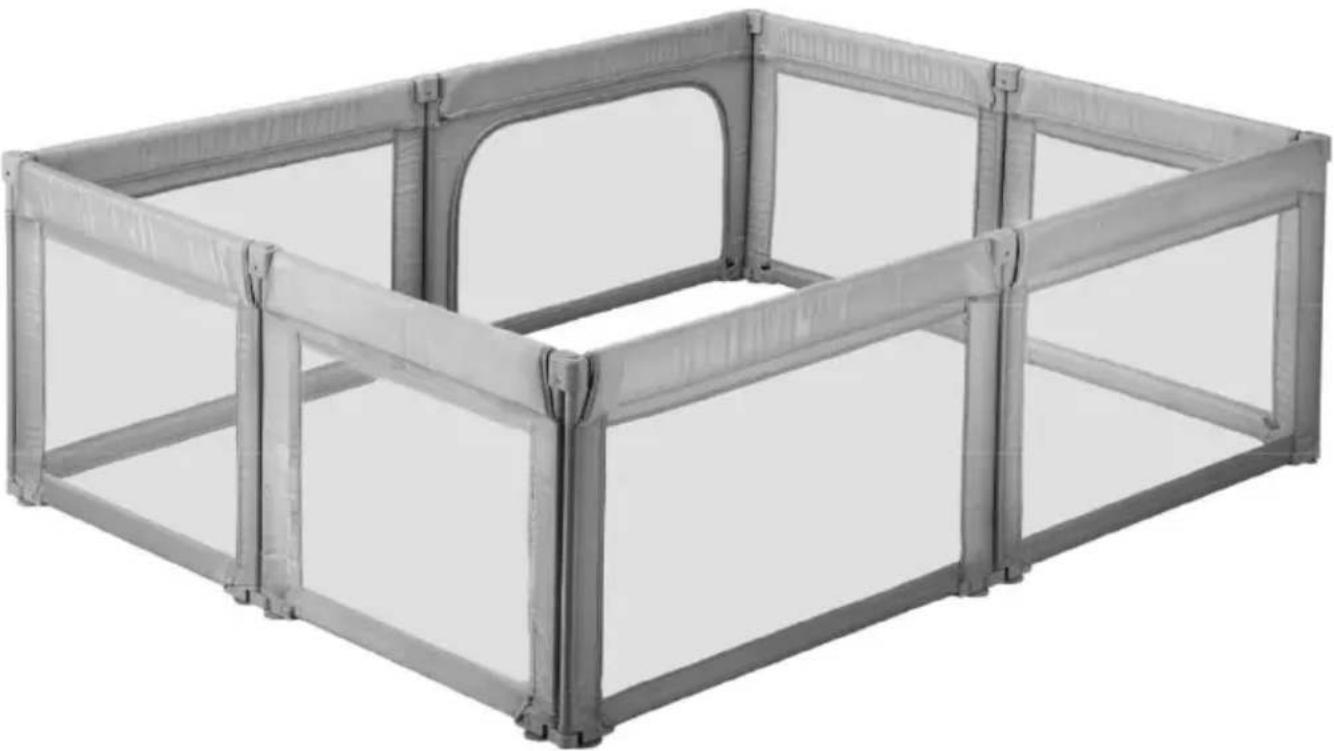
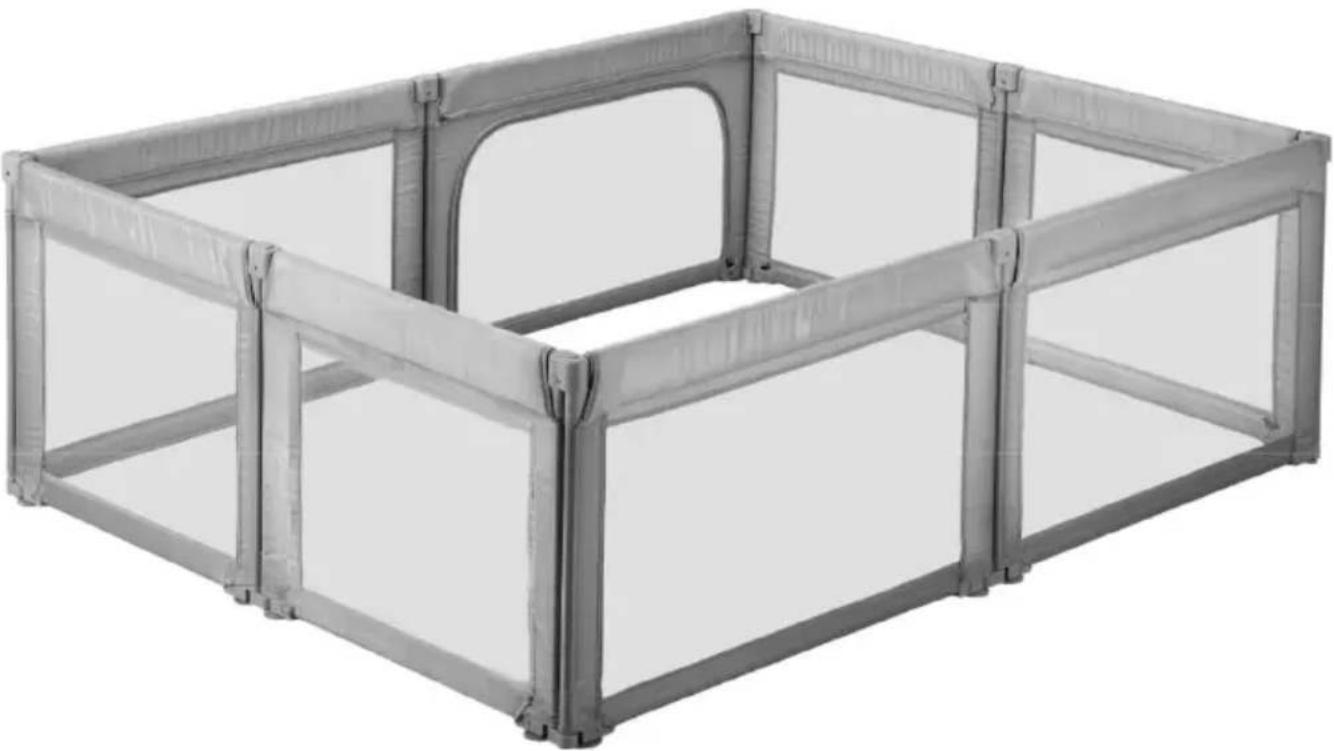
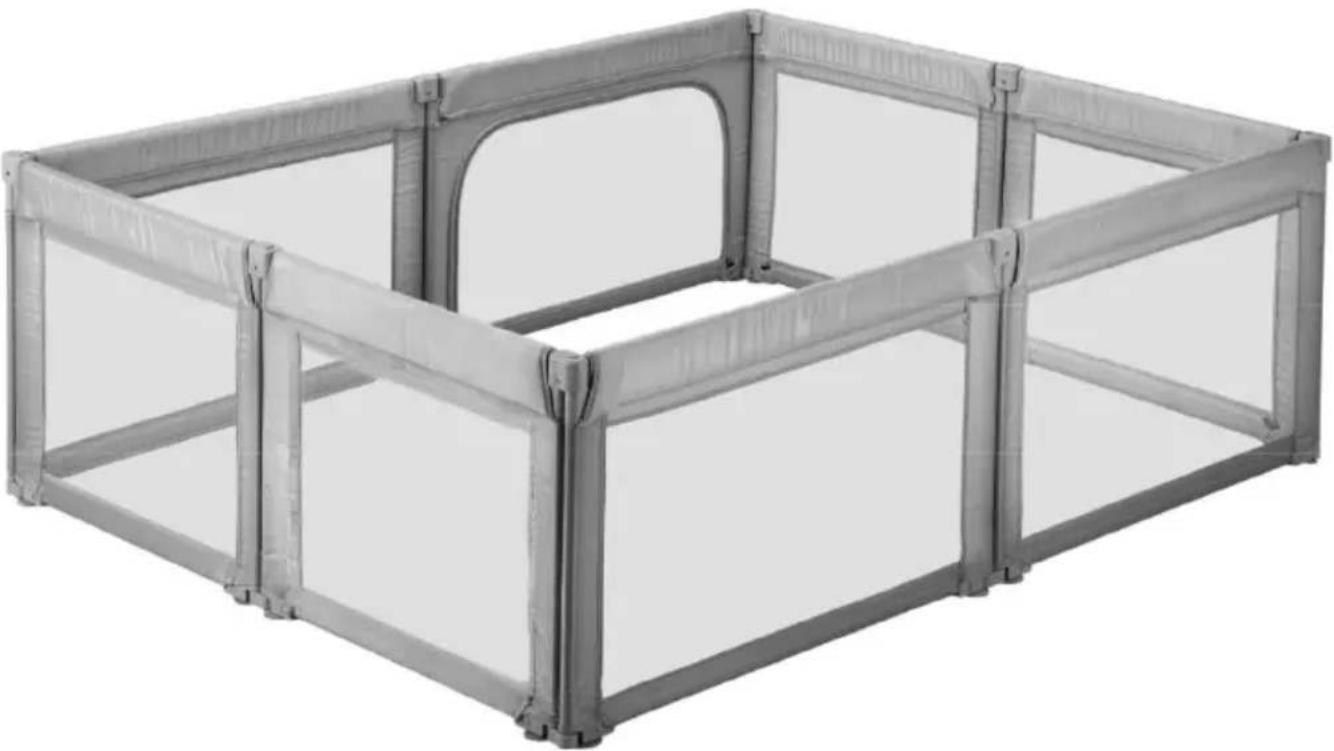
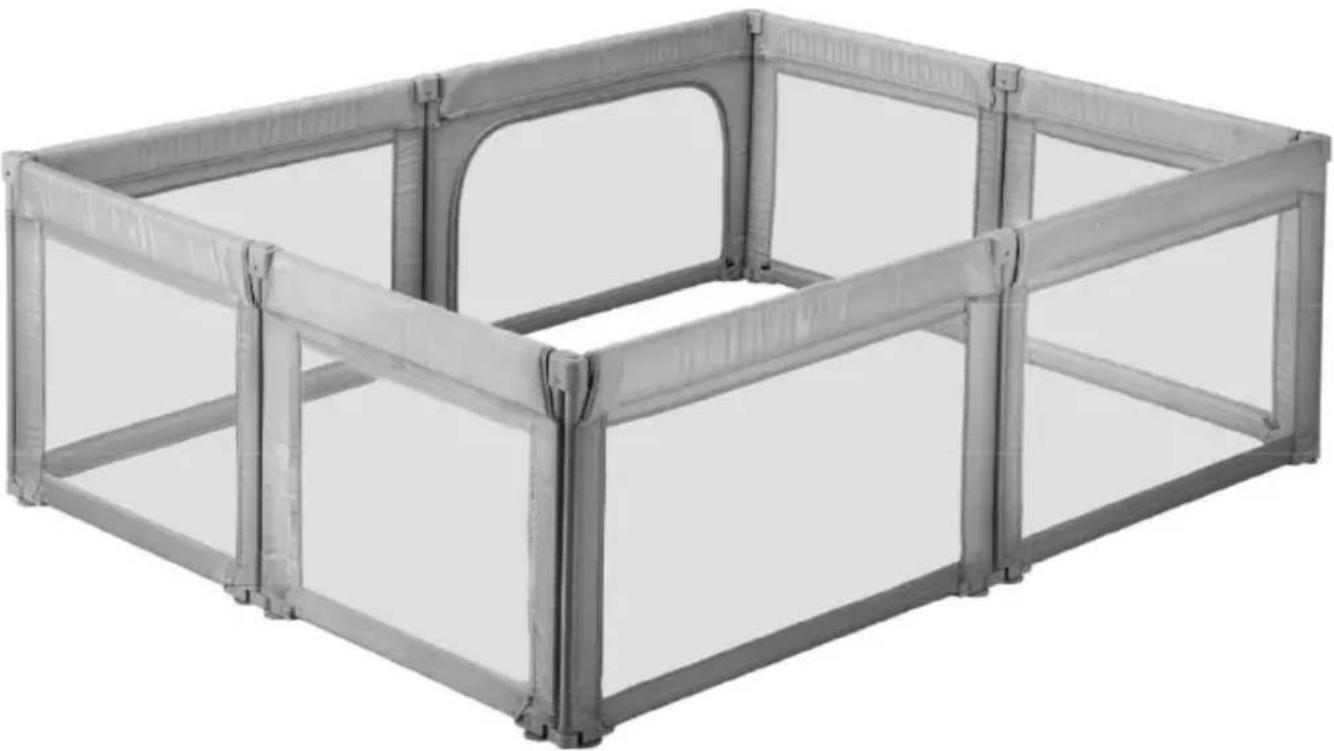
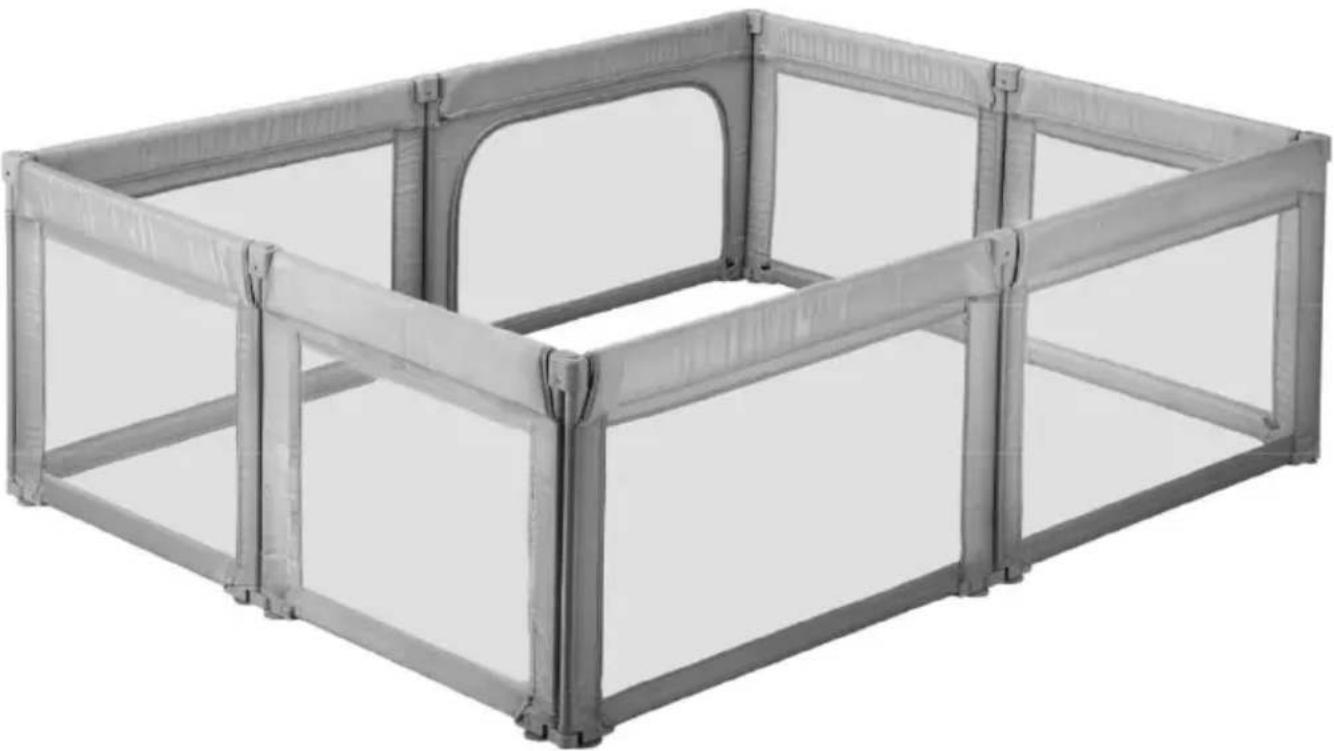
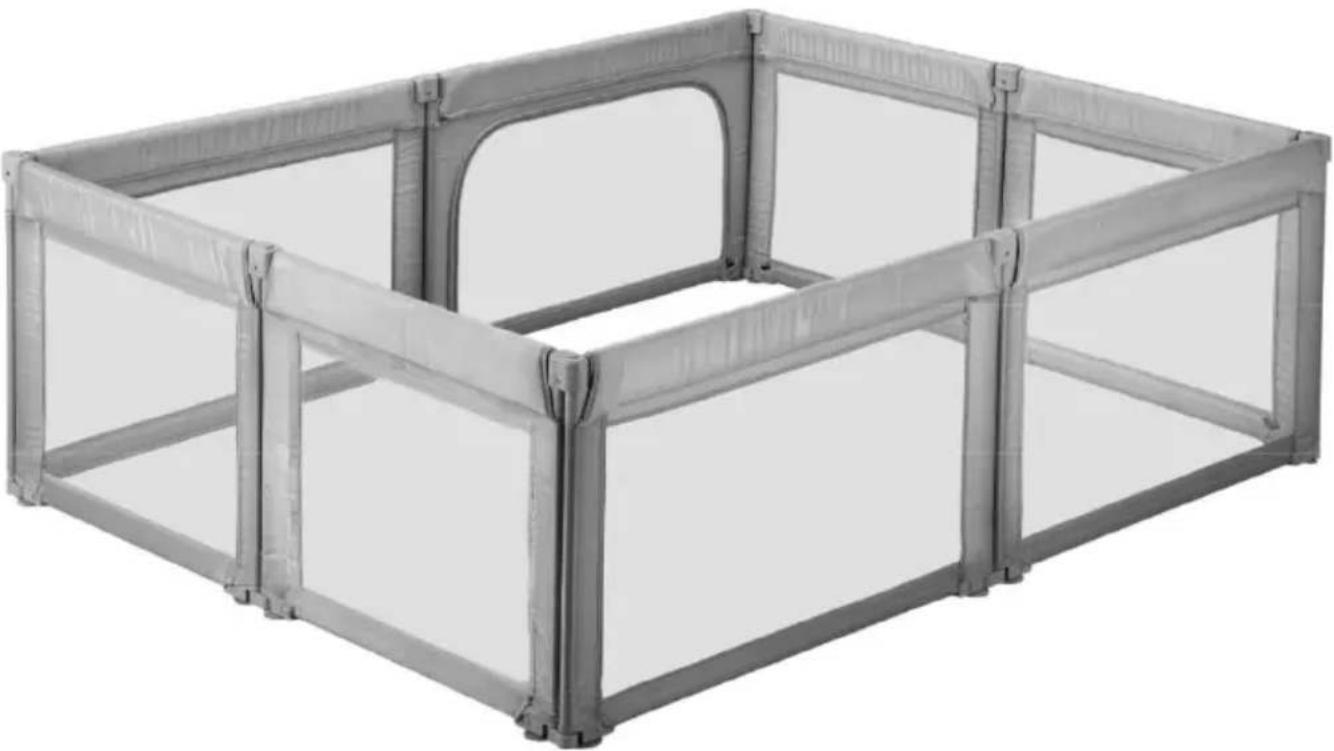
BABY PLAYPEN

MODEL: P2001-3

MODEL:P2001-3 81.5*72.83*27.36 inch\2070*1850*695 mm

Vevor P2001-3 - 1

natural_image Exterior view of a modern office building (no signage)

This is the original instruction, please read all manual instructions care before operating. VEVOR reserves a clear interpretation of our user manual. The appearance of the product shall be subject to the product received. Please forgive us that we won't inform you again if there are technology or software updates on our product.

Vevor P2001-3 - 2

Warning-To reduce the risk of injury, user must read instructions manual carefully.

Vevor P2001-3 - 3

WARNING

  1. Read all instructions BEFORE assembly and USE of product .KEEP INSTRUCTIONS FOR FUTURE USE.
  2. Failure to follow these warnings and the instructions could result in serious injury or death.
  3. This product is suitable for children aged 6 months to 24 months.
  4. The product, including side rails, must be fully erected prior to use.
  5. Top support member must be installed prior to use. Failure to install result in child falling out of product.
  6. Strings can cause strangulation! Never place items with a string arour child's neck such as hood strings or pacifier cords. Never suspend st over product or attach strings to toys.
  7. Discontinue use of the product when child is able to climb out or re the height of 35 in.(890 mm).
  8. Child can become entrapped and die when improvised netting or c are placed on top of product.
  9. Never add such items to confine child in product.
  10. when child is able to pull to standing position, remove bumper pack large toys, and other objects that could serve as steps for climbing c
  11. Never place product near a window where cords from blinds or can strangle a child.
  12. Always provide the supervision necessary for the continued safety your child.when used for playing,never leave child unattended.
  13. To reduce the risk of SLDS, pediatricians recommend healthy infant placed on their back to sleep, unless otherwise advised by your physic
  14. Never use plastic shipping bag or other plastic film as mattress cc not sold and intended for that purpose. They can cause suffocation.
  15. Never use a water mattress with this product.
  16. Before installation, please make sure to clean the floor thoroughly ensure a tight connection between the suction cup and the floor. During installation, apply force firmly on the column with the suction cup to enter a secure connection between the suction cup and the floor.

  17. Maintenance instruction: If the suction cup becomes contaminated after repeated use, it can be cleaned with water. After cleaning, the suction of the suction cup can be enhanced.

INSTALLATION NOTE

1. Parts for Baby Playpen

NameSide TubeLong Upper TubeShort Upper TubeLong Bottom TubeShort Bottom TubeLong Fabric sheetShort Fabric sheet
Qty1 X 161 X 41 X 41 X 41 X 41 X 41 X 4
ImageVevor P2001-3 - Parts for Baby Playpen - 1Vevor P2001-3 - Parts for Baby Playpen - 2Vevor P2001-3 - Parts for Baby Playpen - 3Vevor P2001-3 - Parts for Baby Playpen - 4Vevor P2001-3 - Parts for Baby Playpen - 5Vevor P2001-3 - Parts for Baby Playpen - 6Vevor P2001-3 - Parts for Baby Playpen - 7

Noted: In the subsequent assembly, the length of the iron pipe must correspond one-to-one with the size of the cloth sleeve to avoid the situation where the iron pipe cannot fit into the cloth sleeve.

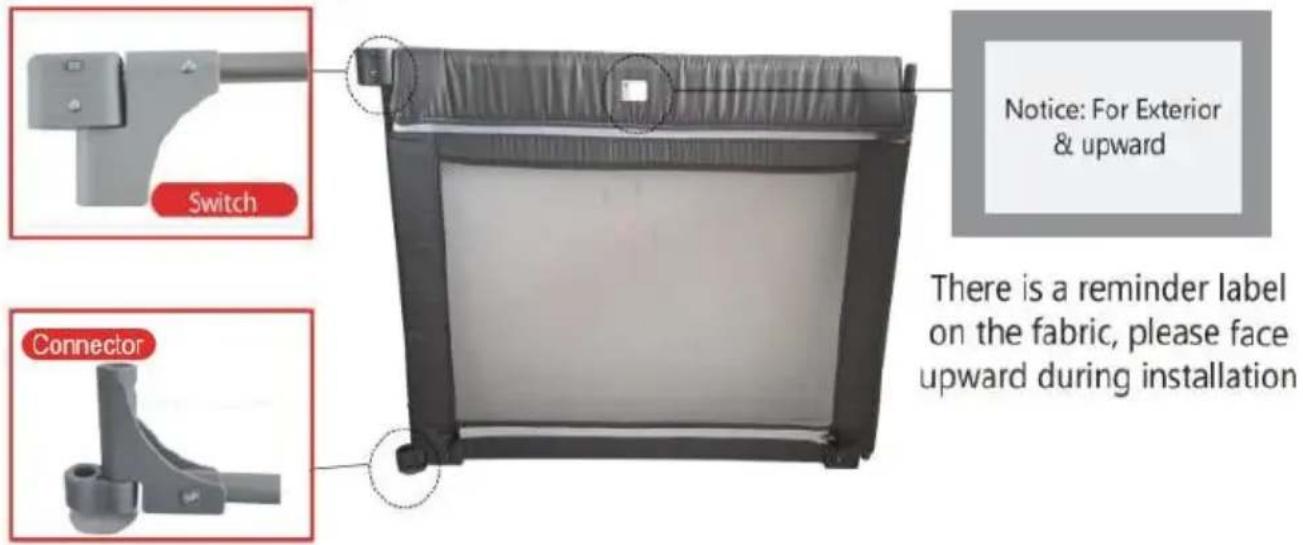
1.1.Details for single Panel

Vevor P2001-3 - 1.1.Details for single Panel - 1

text_image Switch Notice: For Exterior & upward There is a reminder label on the fabric, please face upward during installation Connector

Noted: The switch of the upper tube and the connector of the lower must be placed on the same side (this means hinges should stick on the same side), otherwise the panels cannot be connected with each

1.2. Installation Step for Single Panel

Vevor P2001-3 - Installation Step for Single Panel - 1

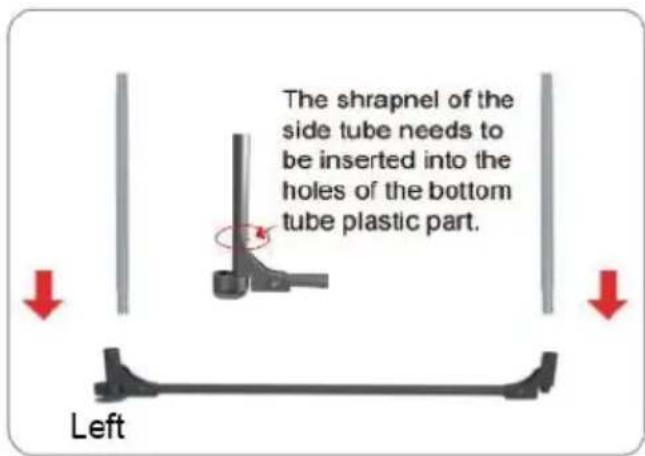
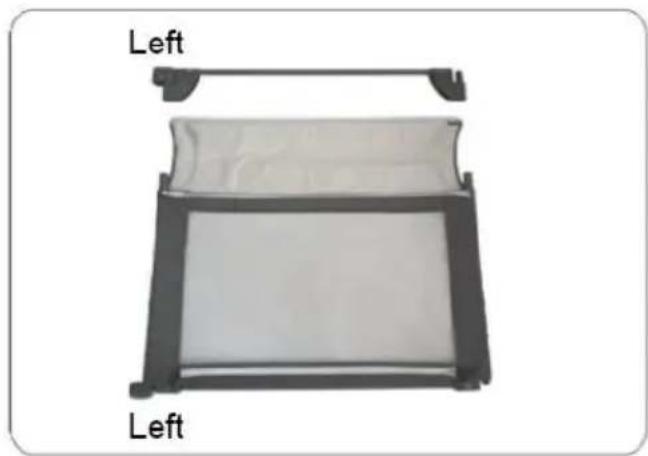
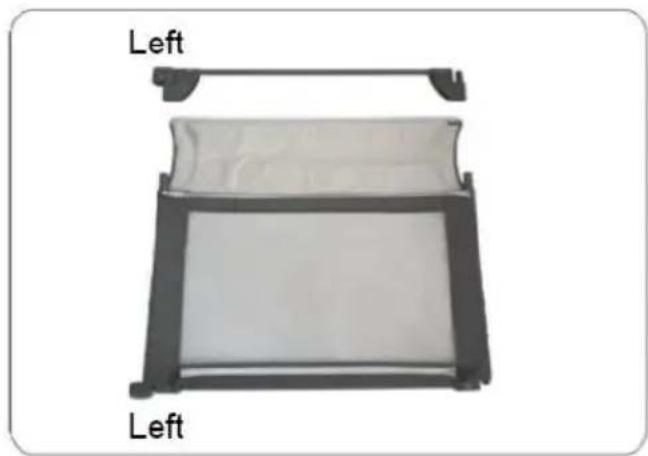
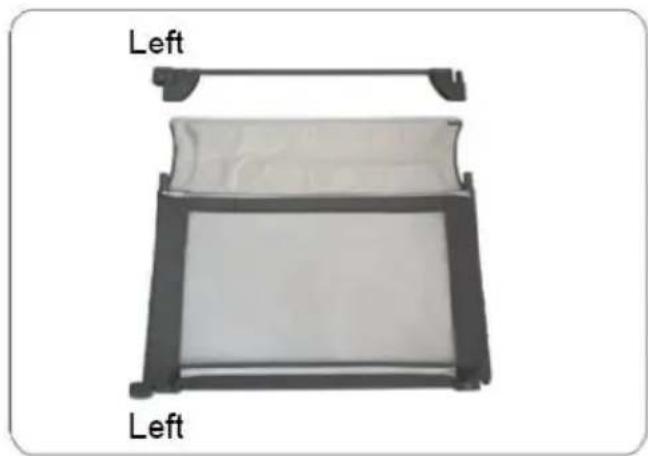
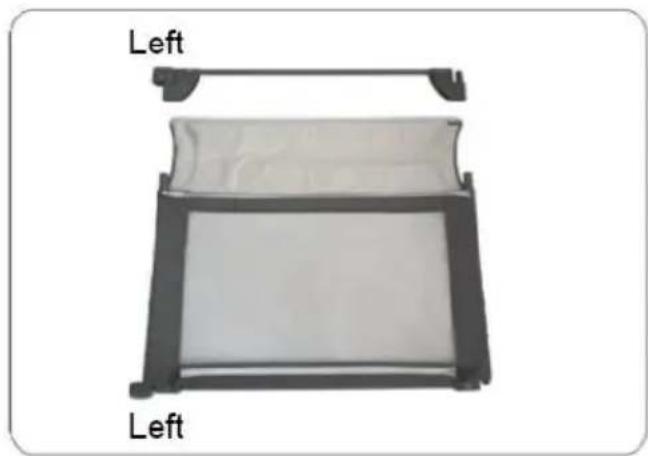
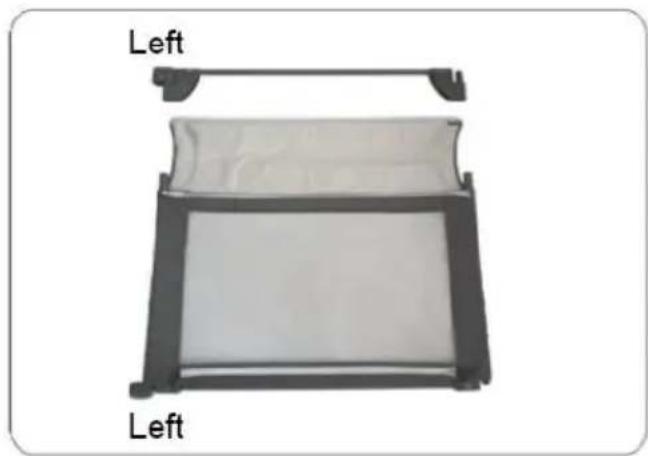
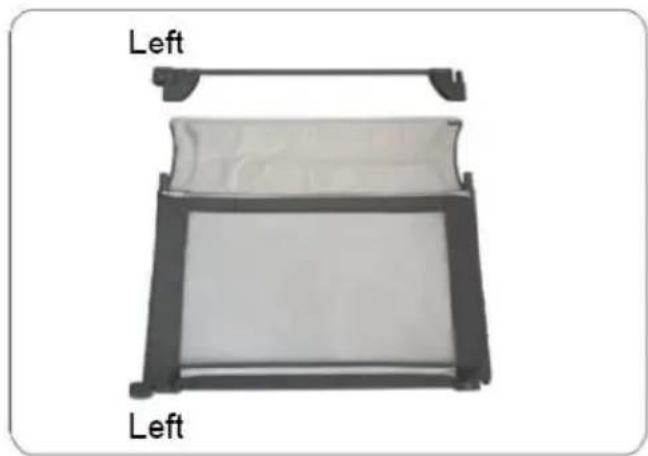
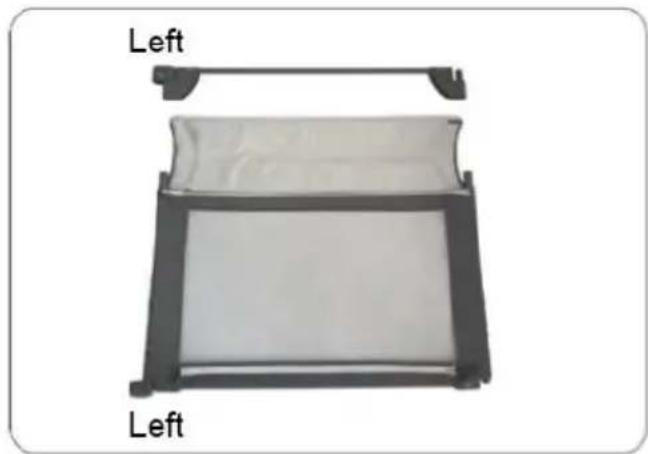
text_image The shrapnel of the side tube needs to be inserted into the holes of the bottom tube plastic part. Left

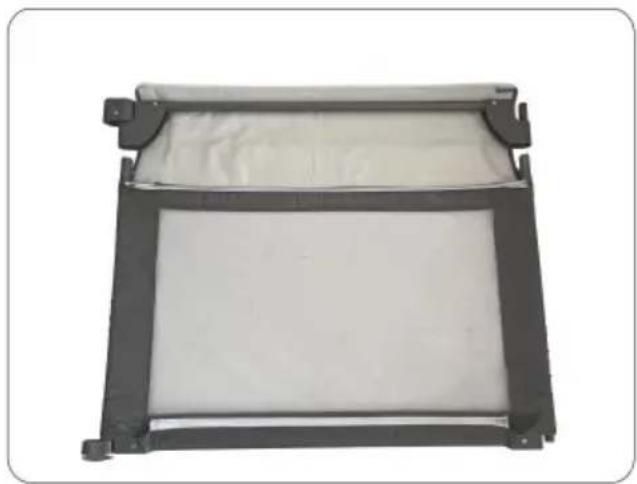
1). Connect the side tube the bottom tube.

Vevor P2001-3 - Installation Step for Single Panel - 2

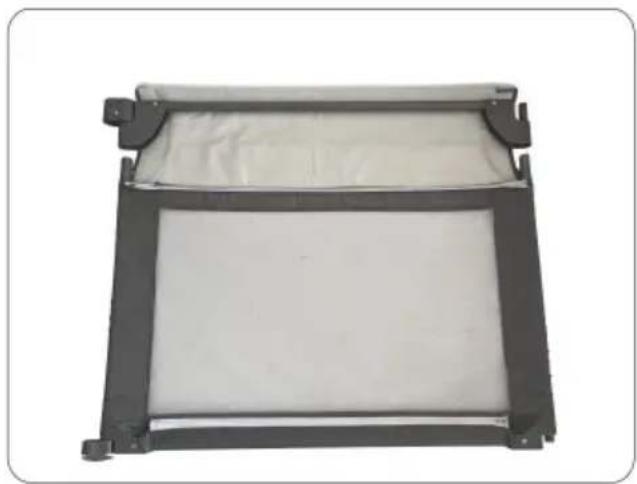
natural_image Diagram of a left-side rectangular device with a flat panel and handle, labeled 'Left' (no text or symbols on the device itself)

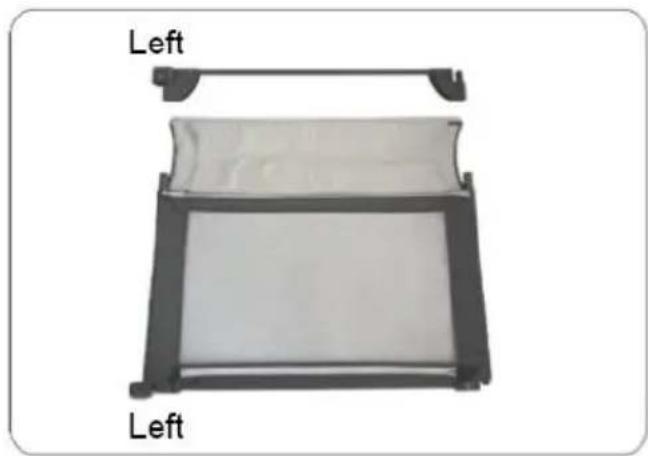
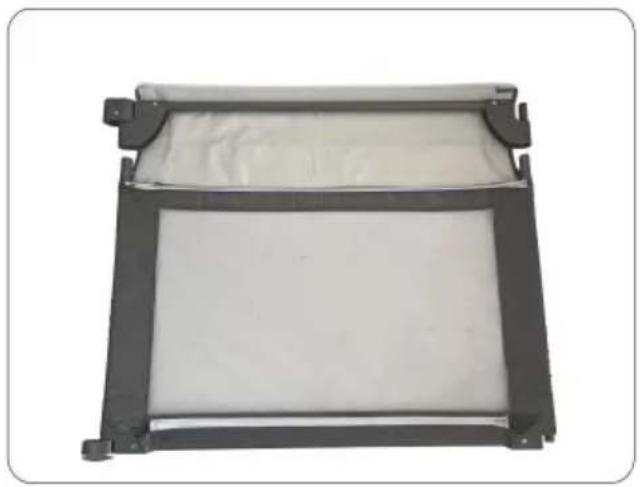
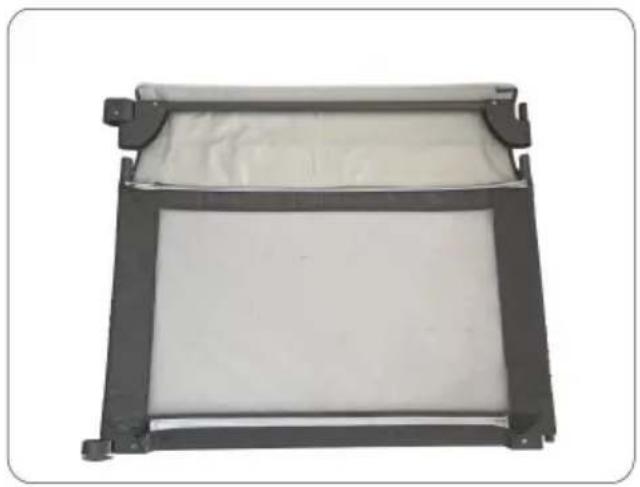
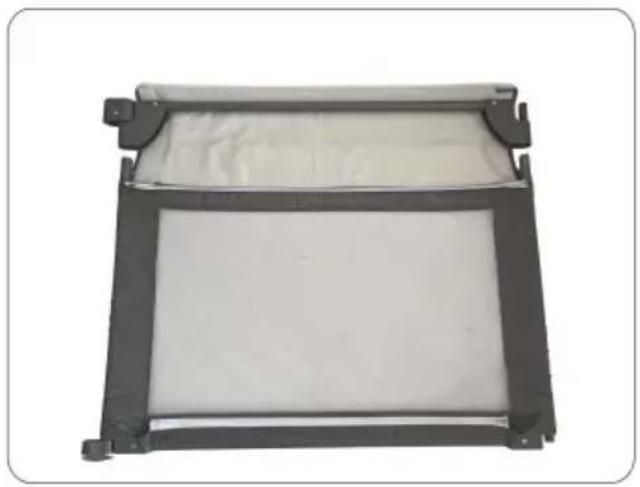
2). Insert the corresponding fabric cover into the side tu

Vevor P2001-3 - Installation Step for Single Panel - 3

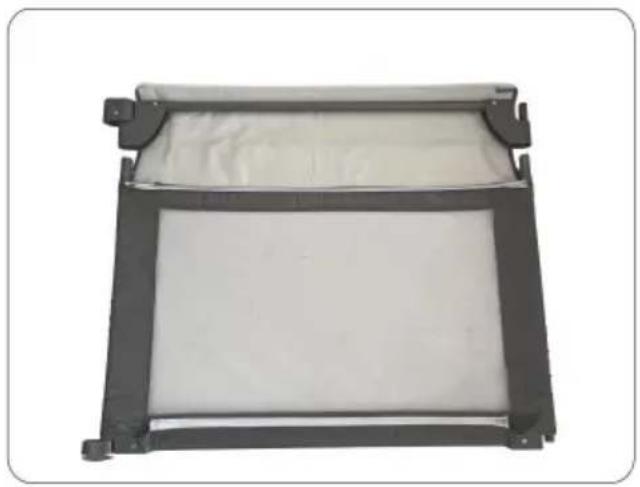
natural_image Exterior view of a rectangular metal frame with a white cushioned panel and black connectors (no text or symbols)

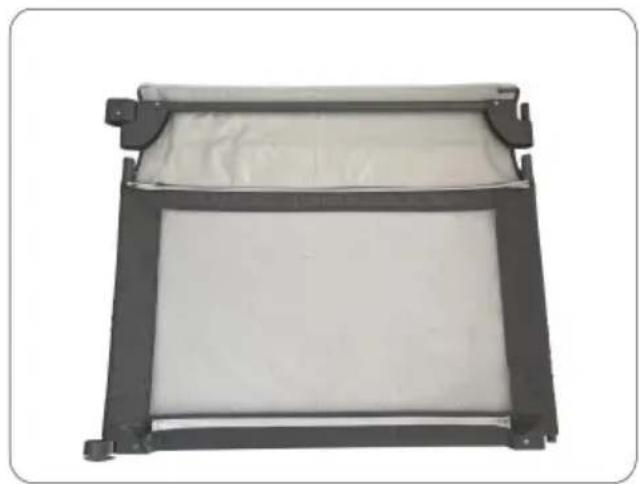
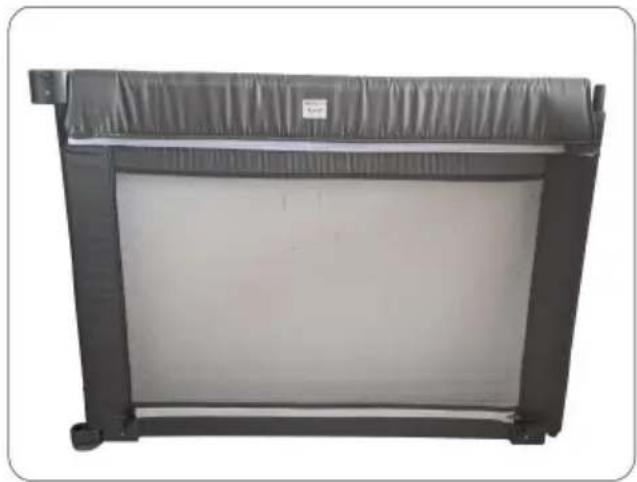
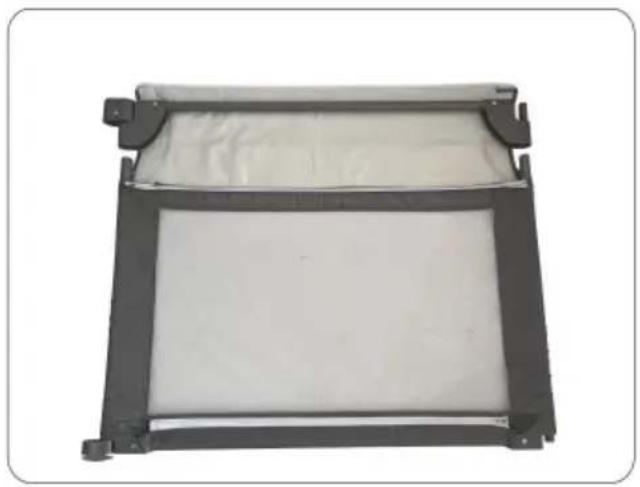
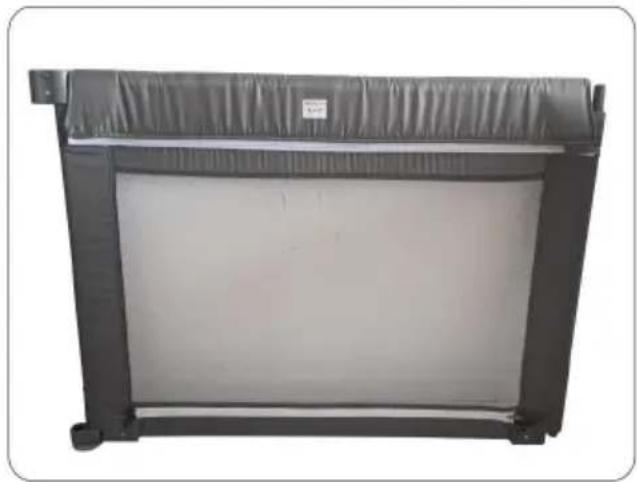
3). Match the suitable upper tube to the side tube.
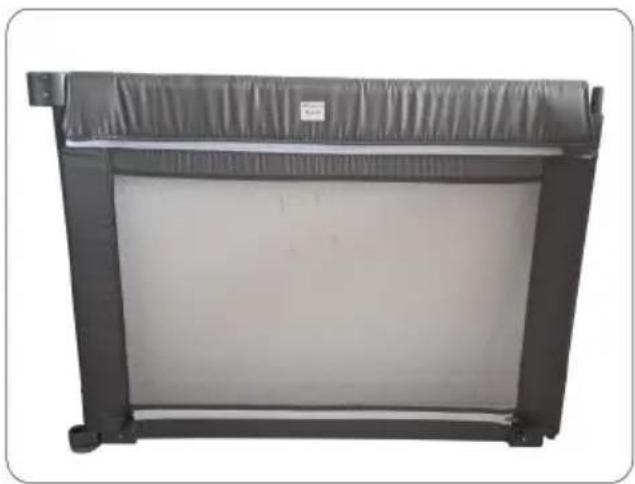
Vevor P2001-3 - Installation Step for Single Panel - 4

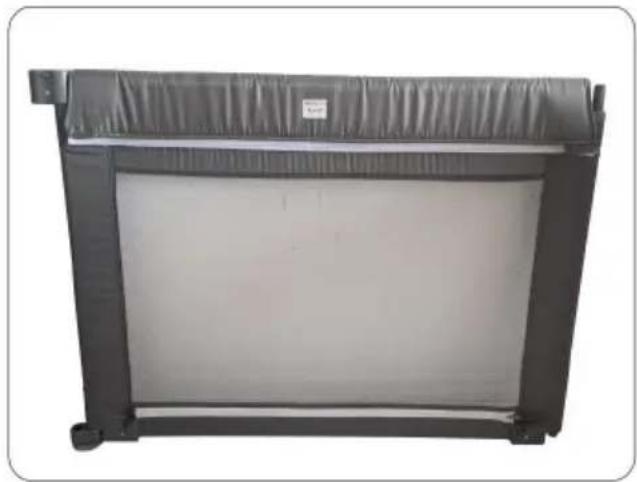
natural_image Black rectangular electronic device with a flat top and side frame, no visible text or symbols

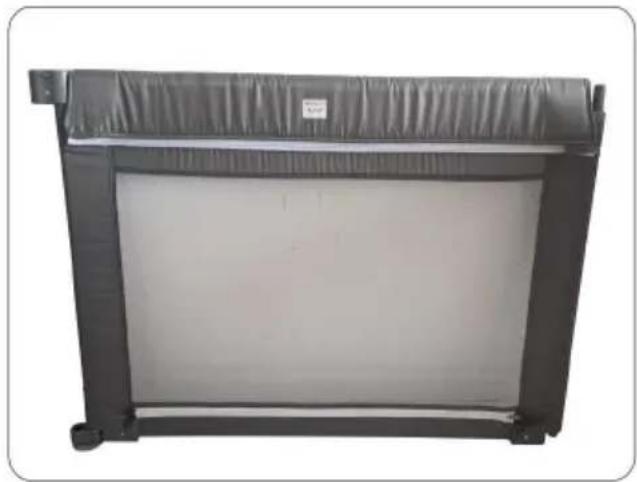
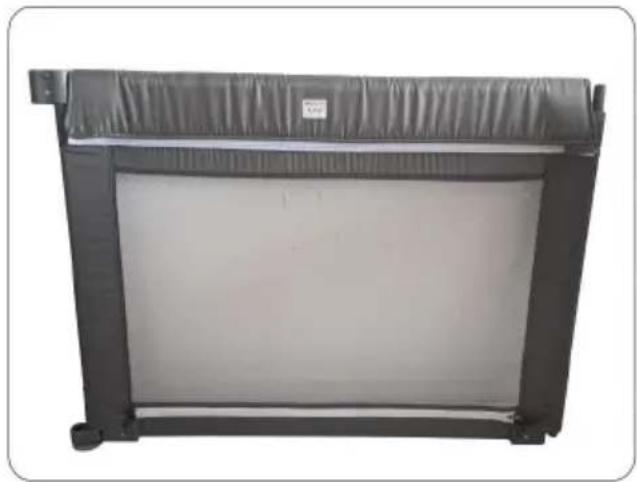
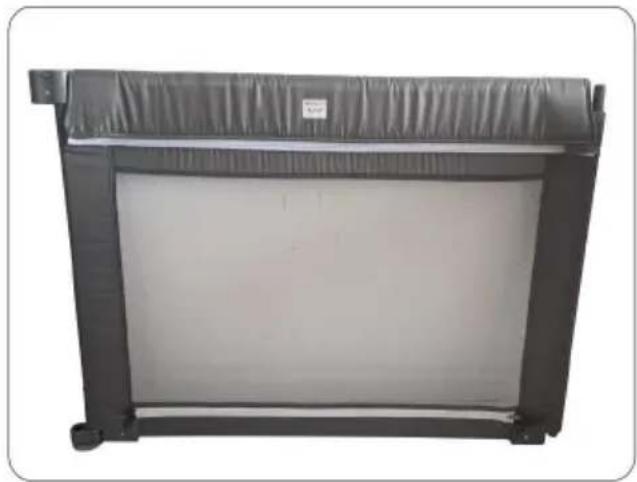
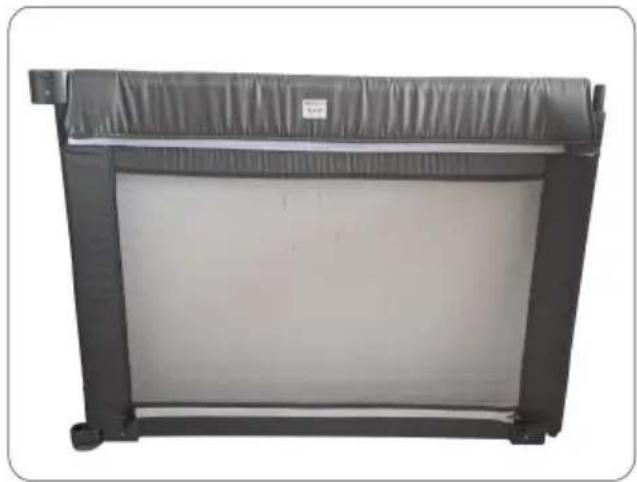
4). Close both zippers around the tubes.

Noted:

  1. After installing single pieces, please carefully check whether the zipp properly closed and the corresponding steel tubes are aligned.
  2. For the sake of safety, please make sure that all single pieces are installed correctly according to the instructions before connecting them together.

2. Accessories description

NameQTYImageInstallation Image Panel
Panel4pcs long sideVevor P2001-3 - Accessories description - 1Vevor P2001-3 - Accessories description - 2
4pcs short side

2.1. Details for Single Panel

Vevor P2001-3 - Details for Single Panel - 1

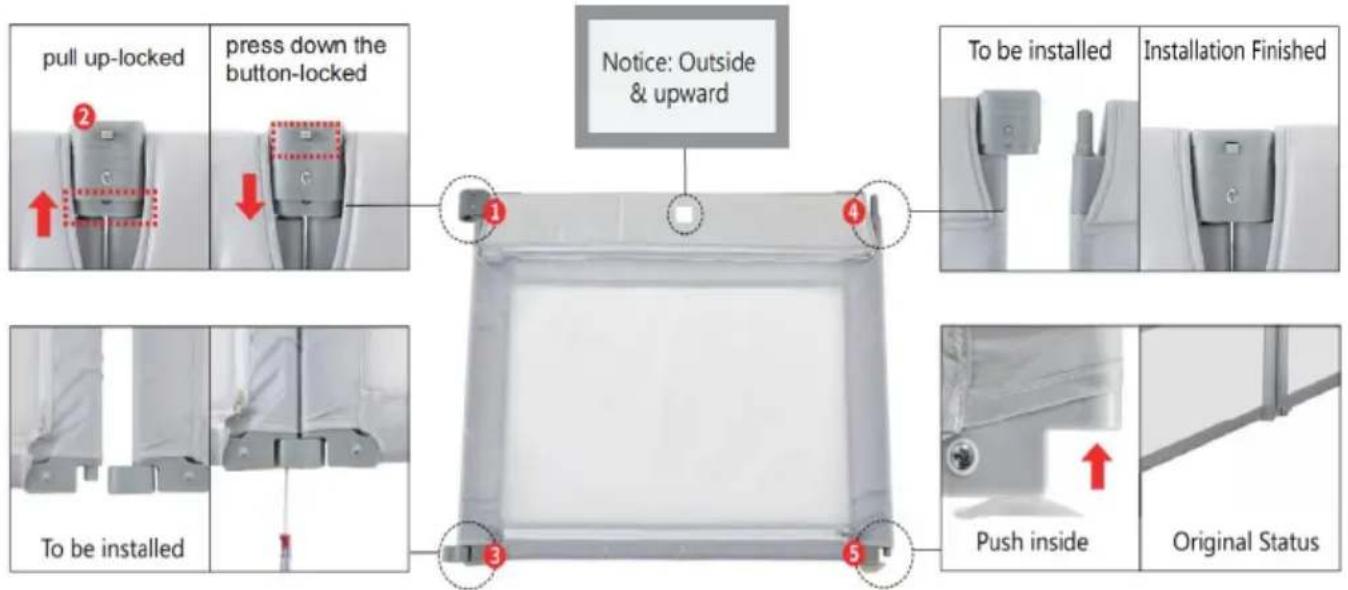
text_image pull up-locked press down the button-locked Notice: Outside & upward To be installed Installation Finished Push inside Original Status

Fixed switch Button Connector Solid pole Retractable pole

Noted:

  1. The floor where the products are placed and the product suction cut need to be cleaned thoroughly before pressing.
  2. The suction cup can be cleaned with clean water.

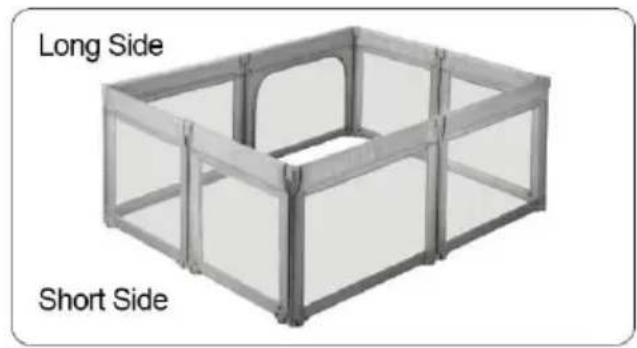
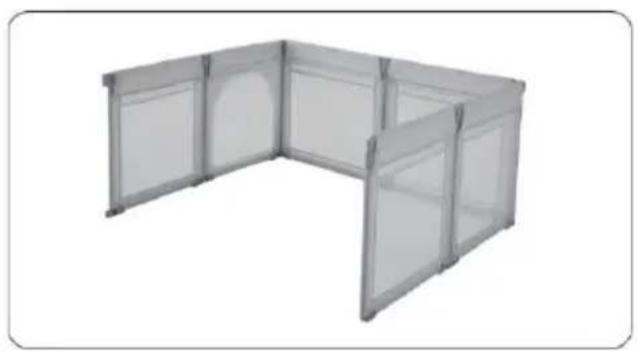
2.2. Installation Step for fence

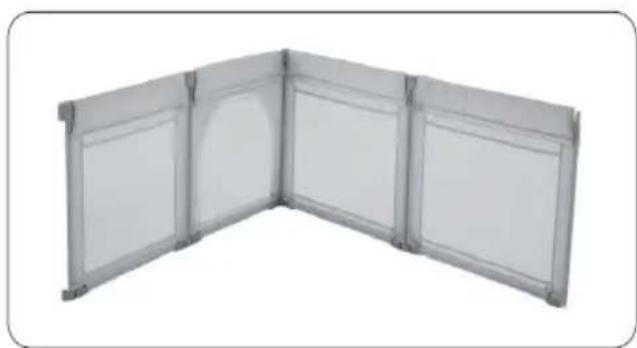
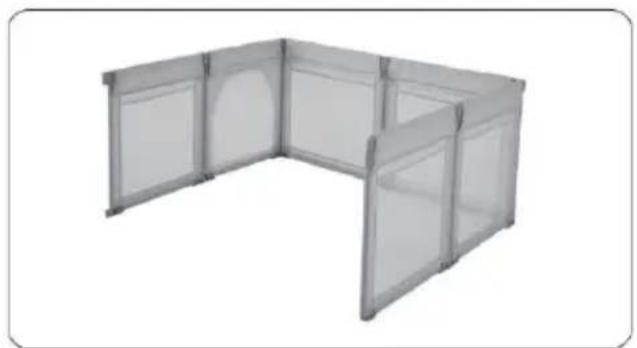
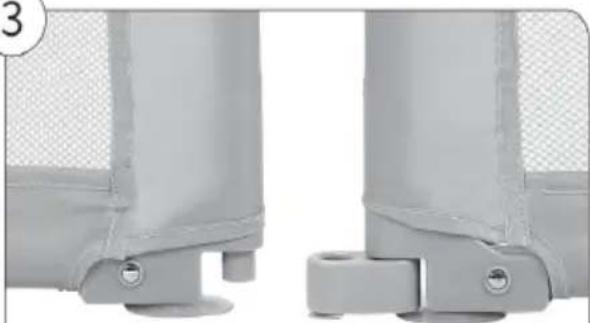
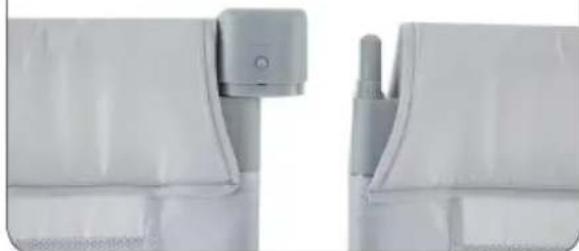
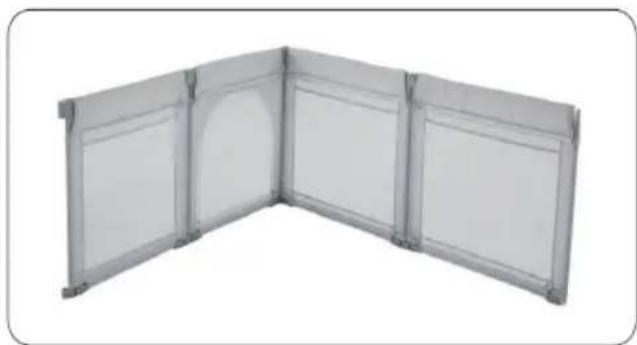
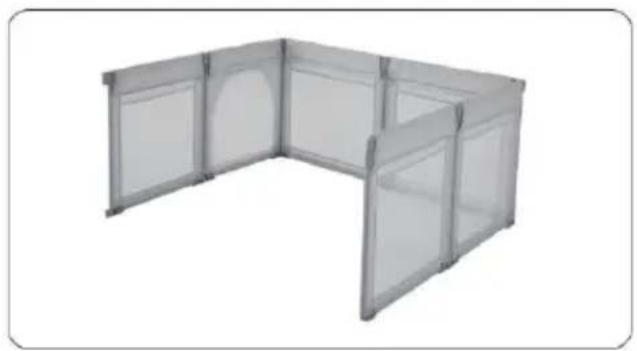
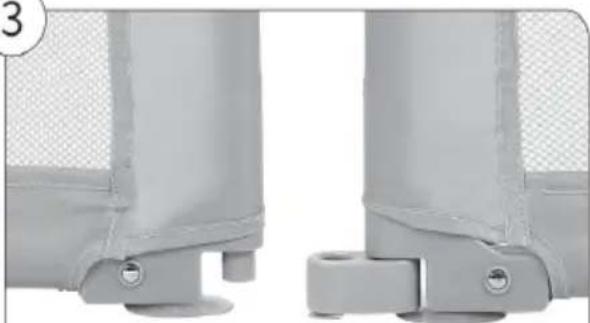
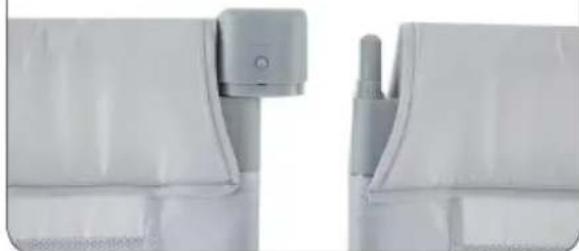
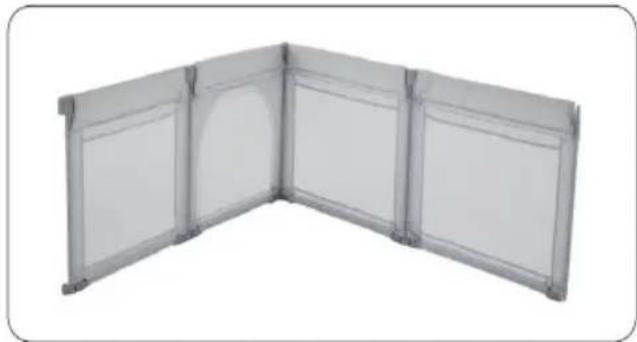
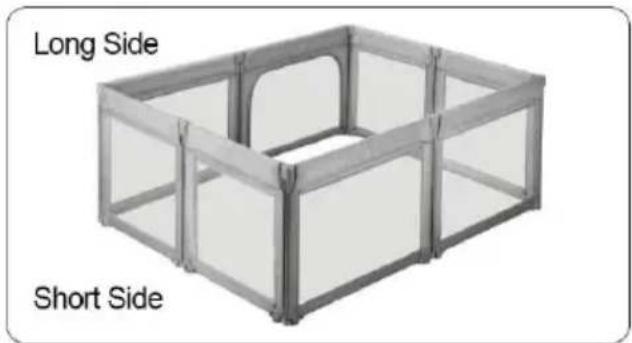
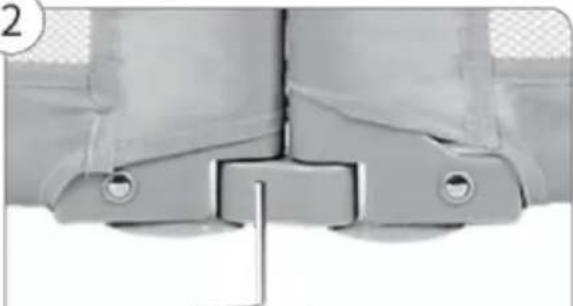
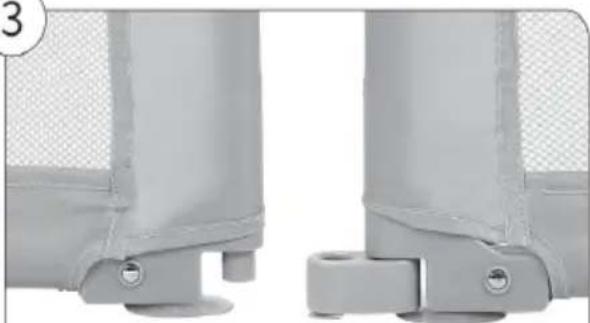
Note: The pieces need to be connected based on following procedure connect the top hinge first and then insert the retractable pole into the bottom connector, push it upward and connect together.

Vevor P2001-3 - Installation Step for fence - 1

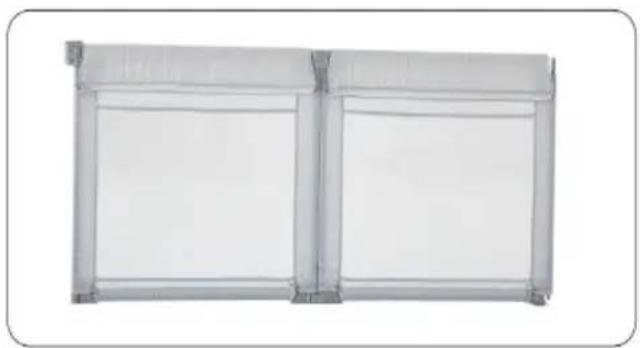
natural_image Exterior view of a white modular space unit with vertical panels and a central vertical structure (no text or symbols visible)

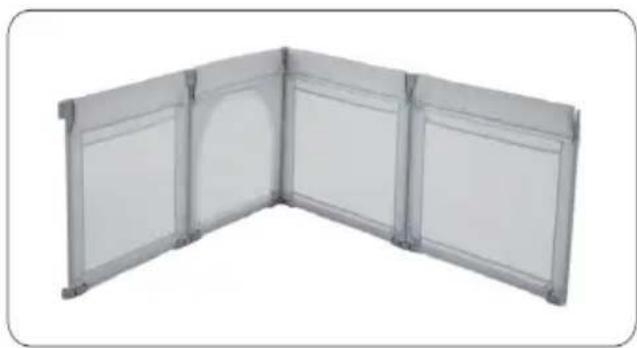
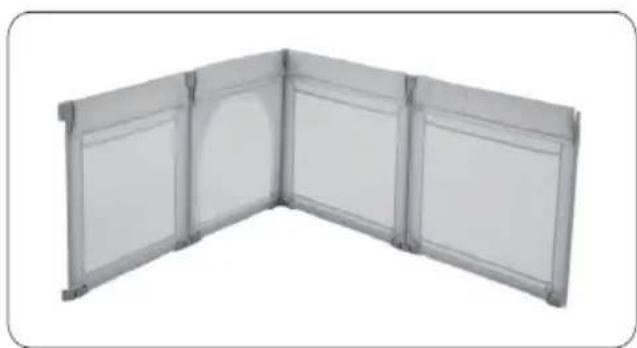
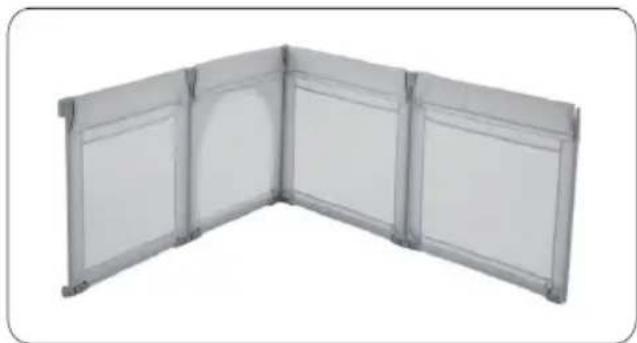
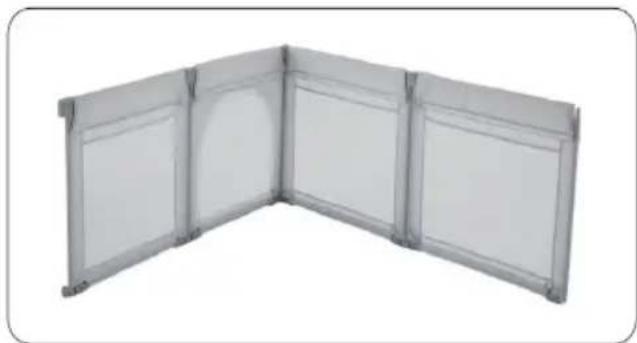
1). Connect two panels for one

Vevor P2001-3 - Installation Step for fence - 2

natural_image L-shaped metal panel or enclosure structure with six panels, no text or symbols visible

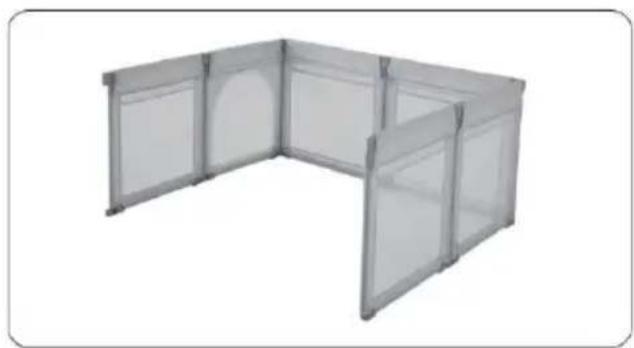
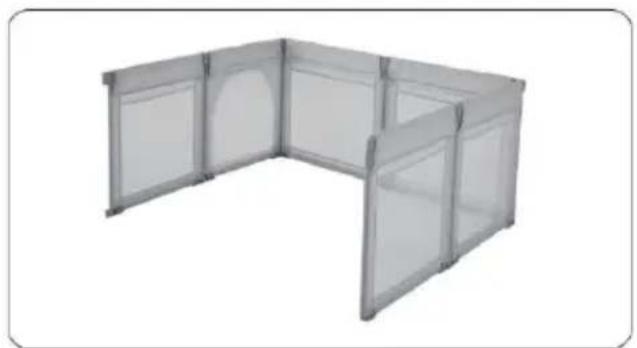
2).Connect another 2 panels for the second side.

Vevor P2001-3 - Installation Step for fence - 3

natural_image Exterior view of a modern office building (no signage)

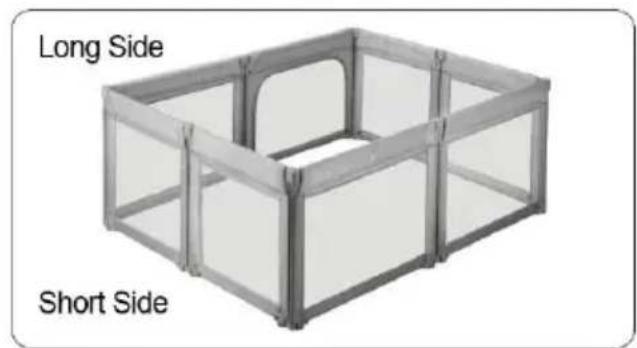
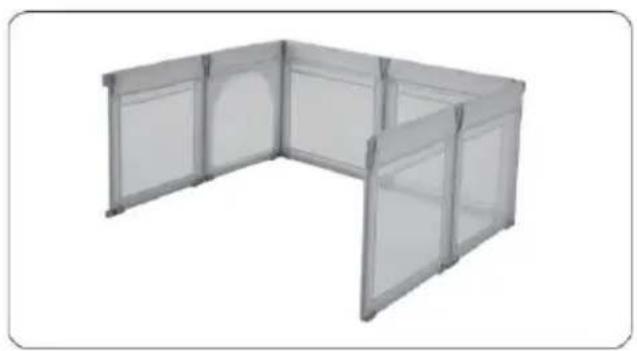
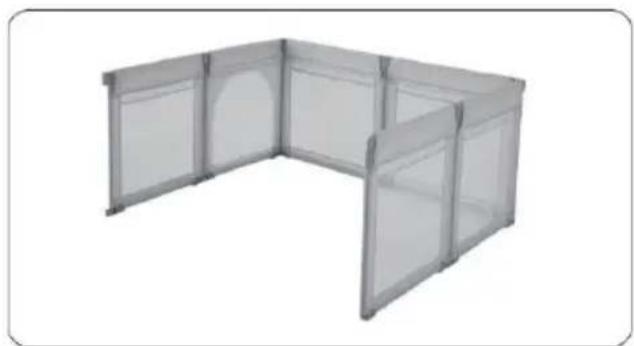
3). Repeat, connect the third sid

Vevor P2001-3 - Installation Step for fence - 4

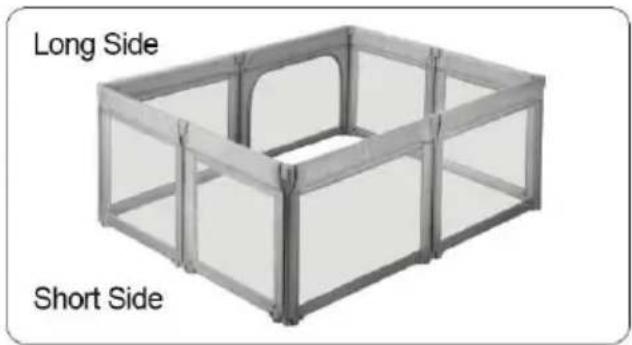
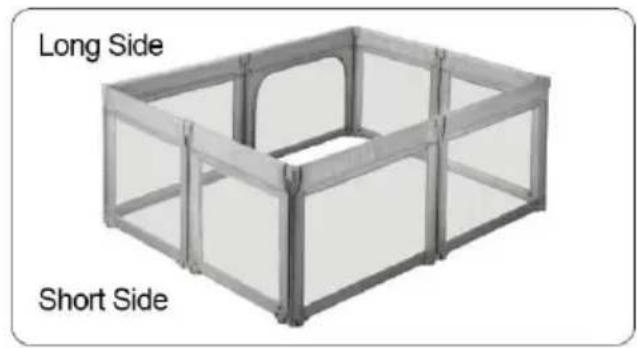
text_image Long Side Short Side

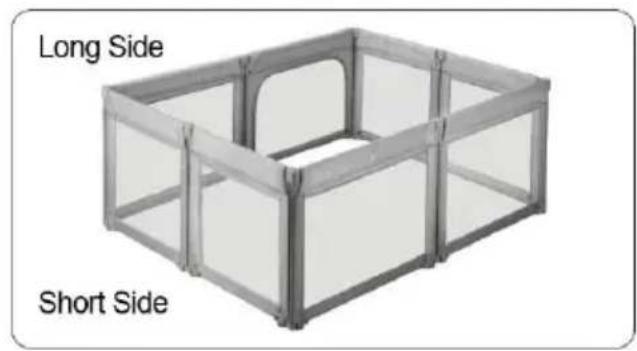
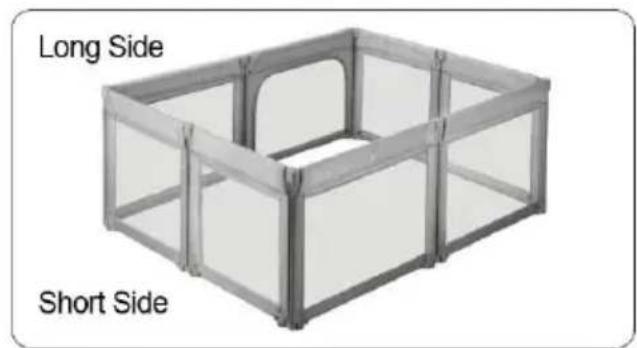
4).Connect the last side

Note: You can change it's dimension or the shape by adding or rem some panels

2.3.Wrong Installation Step

Vevor P2001-3 - 2.3.Wrong Installation Step - 1

natural_image Exterior view of a modern office building (no signage)

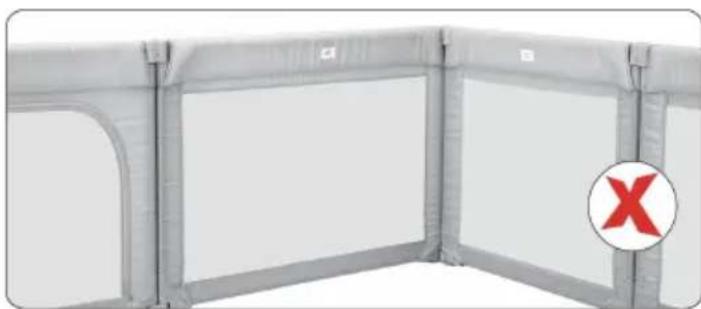
Do not install the reminder label side inside, all zippers should be put outside.

Caution:

  1. After installation, pls check and make sure all switches are locked use.

  2. For safety reasons, make sure that the baby playpen is installed according to the installation instructions.

  3. To avoid danger of choking, do not place any small items which cause choking inside.

  4. Before using, please check the playpen carefully, If there is any damage, please stop using.

STORAGE INSTRUCTION

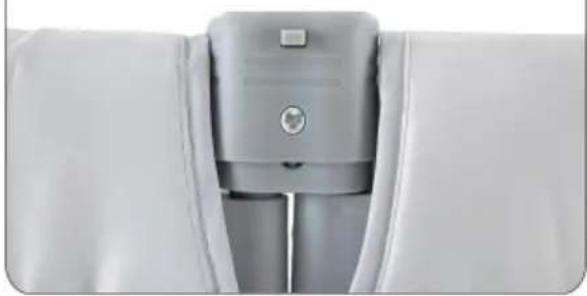
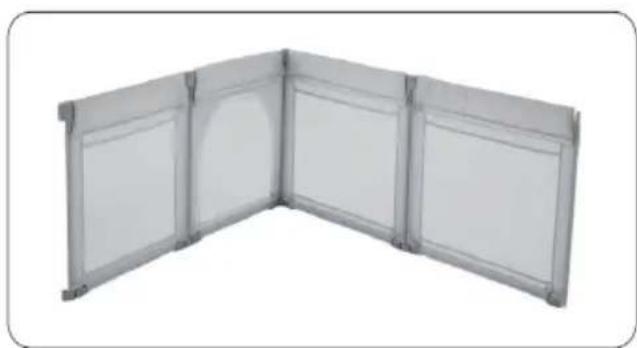
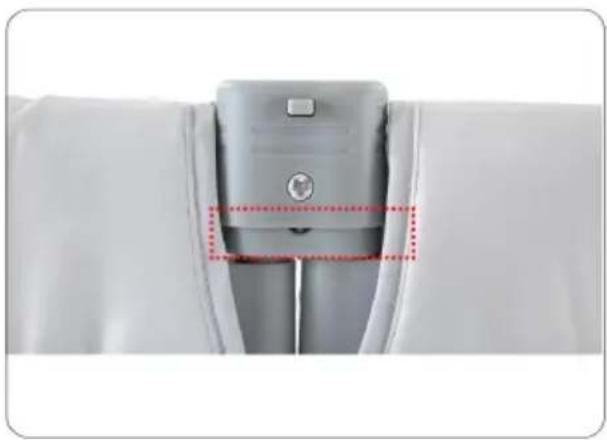
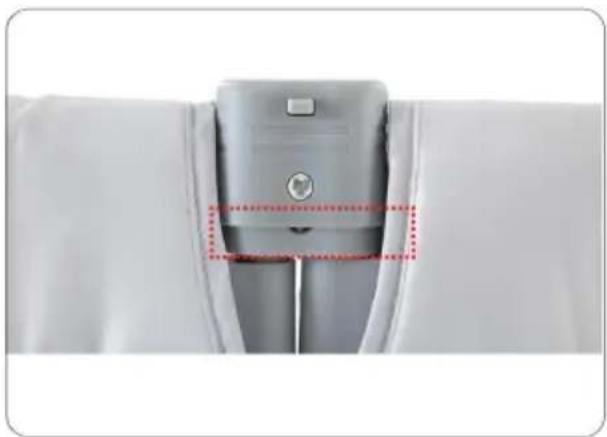
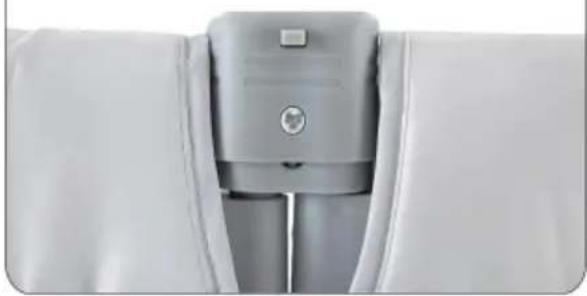
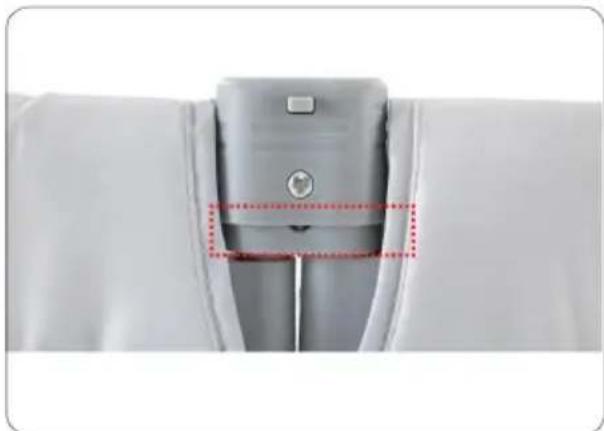
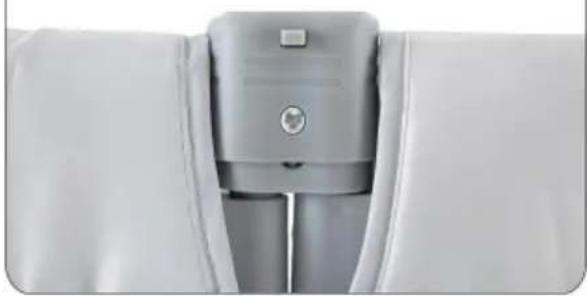
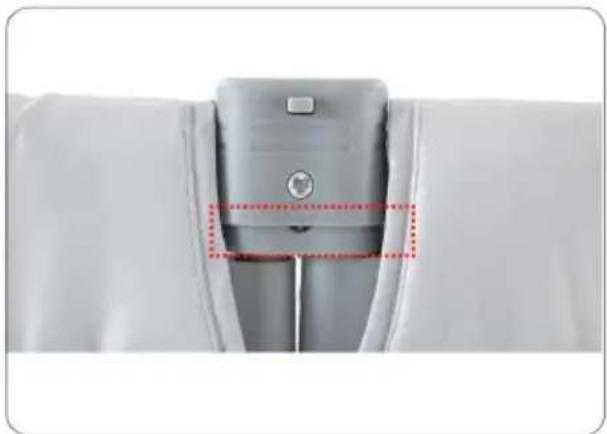
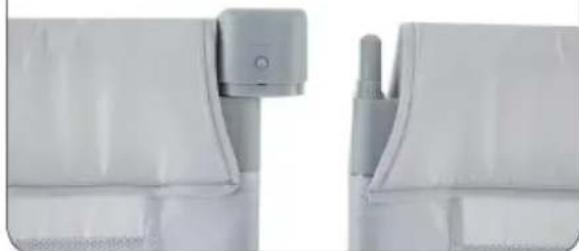
Note: Before storing, please pull up the switch to make it unlocked. Method A
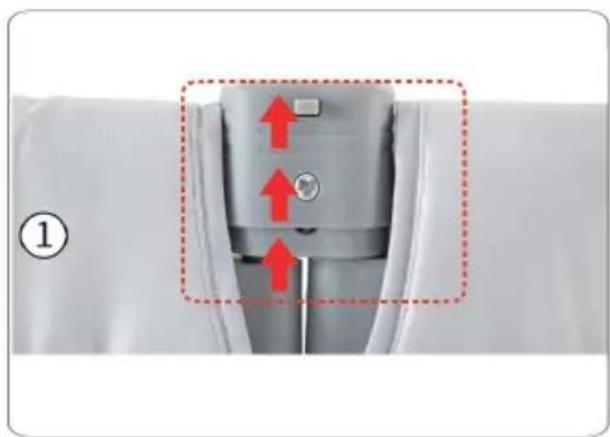
Vevor P2001-3 - STORAGE INSTRUCTION - 1

natural_image Close-up of a mechanical component with red arrows indicating upward motion, no visible text or symbols

Step 1: Lift up the switch mal unlocked.

Vevor P2001-3 - STORAGE INSTRUCTION - 2

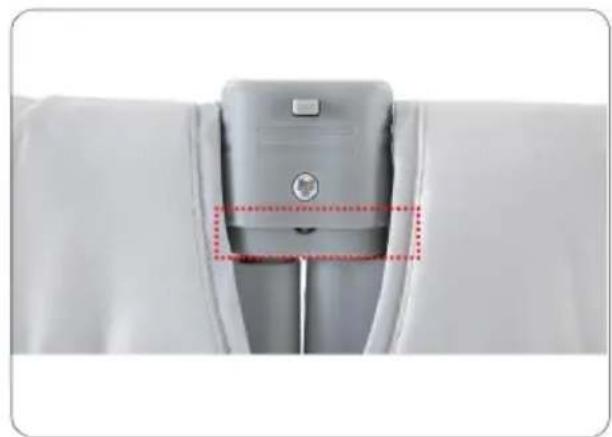
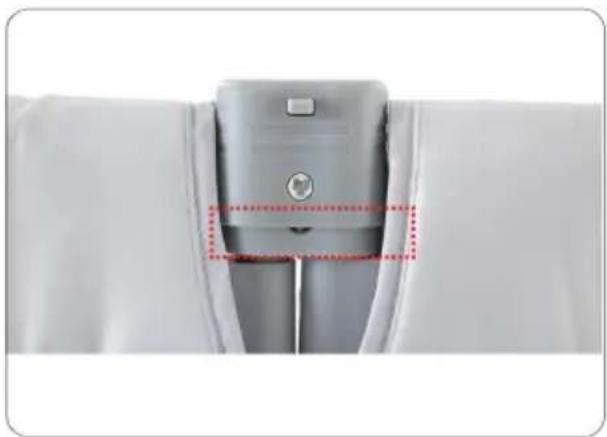
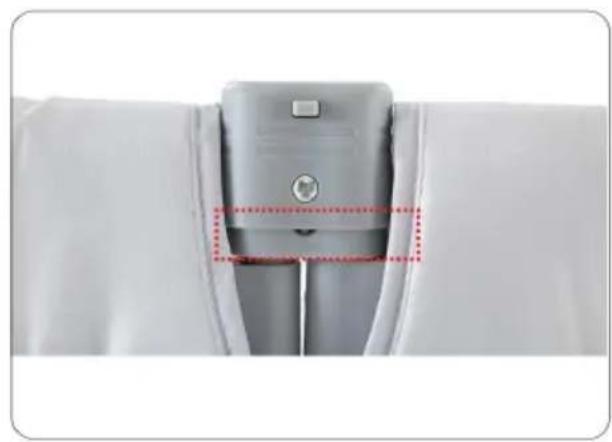
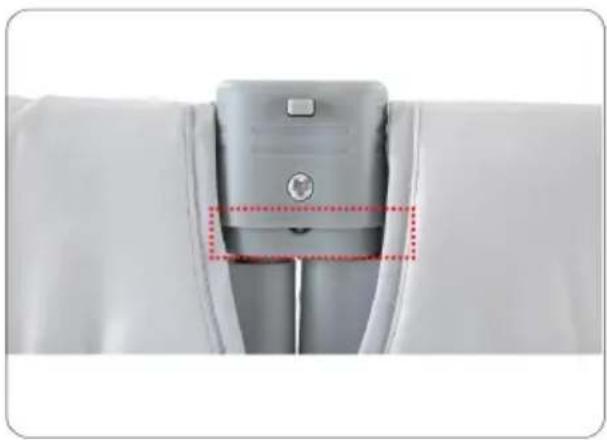
natural_image Close-up of a gray mechanical component with red dotted lines highlighting a section (no text or symbols visible)

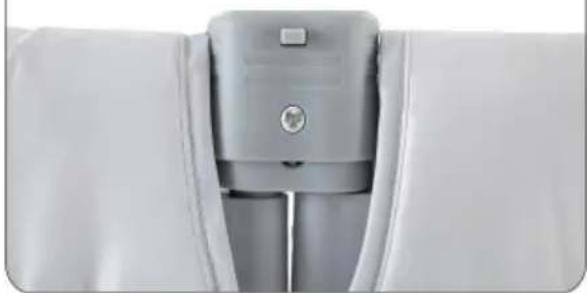
The switch is in active status.

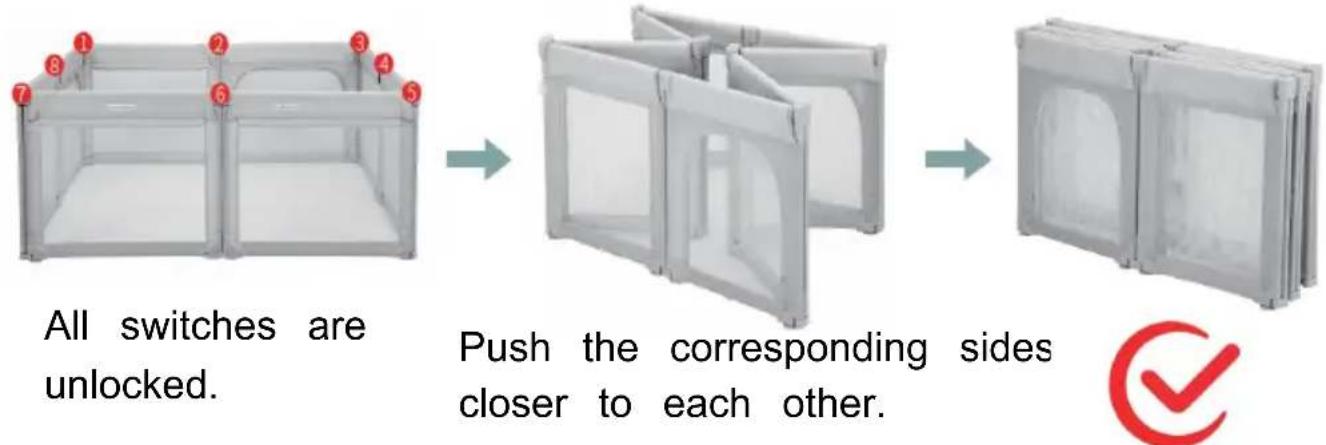
Step 2: According to step I, turn off all switches, make them active

Vevor P2001-3 - STORAGE INSTRUCTION - 3

text_image All switches are unlocked. Push the corresponding sides closer to each other.

Method B

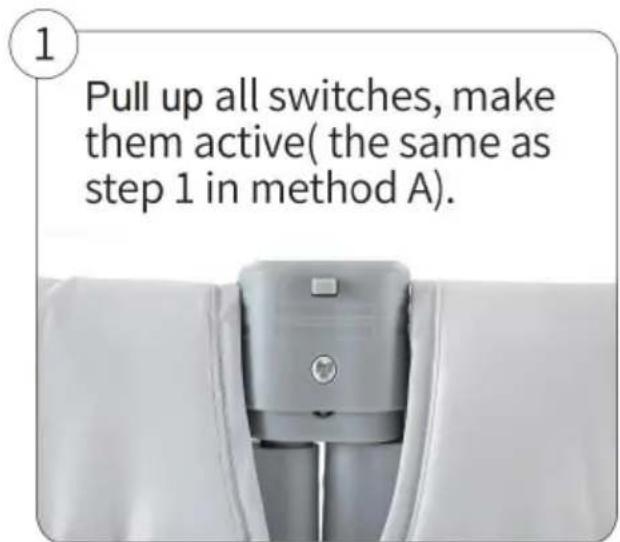
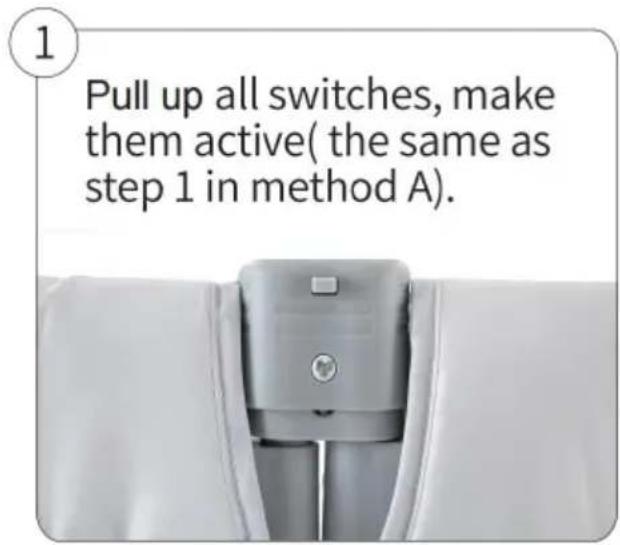
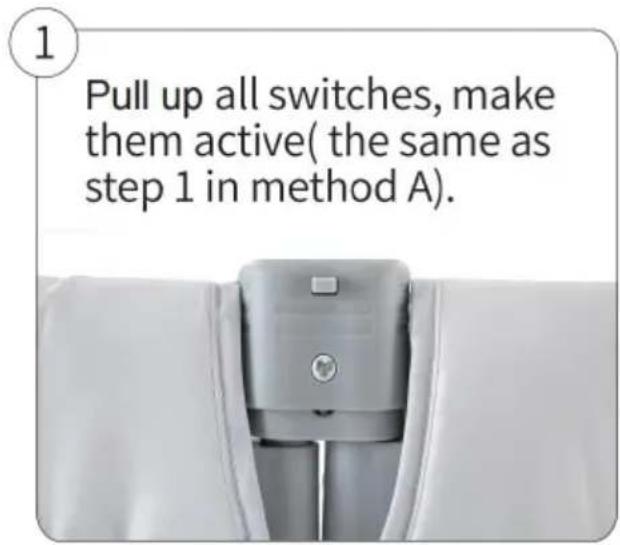
1

Pull up all switches, make them active( the same as step 1 in method A).

Vevor P2001-3 - 1 - 1

natural_image Close-up of a white garment with a gray plastic zipper and metal clip (no text or symbols visible)

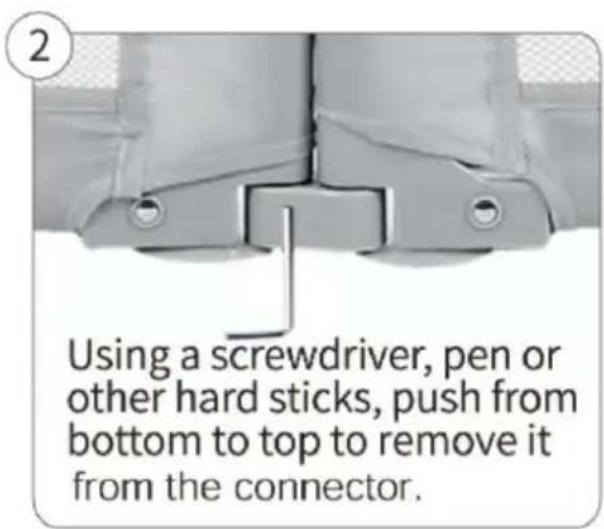
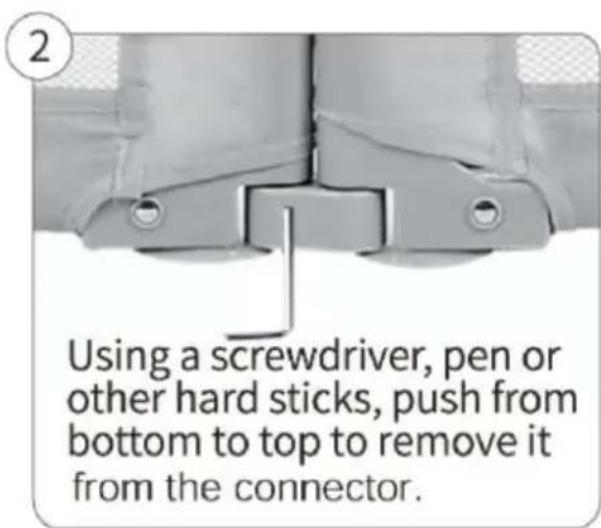
2

Vevor P2001-3 - 2 - 1

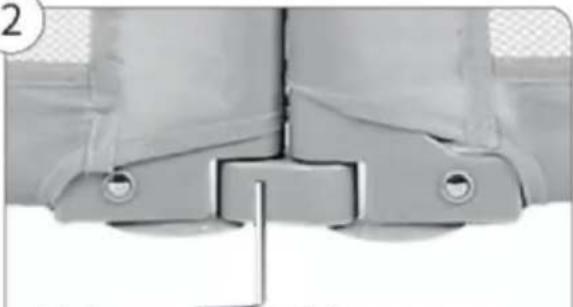
natural_image Close-up of a mechanical component with mounting holes and a vertical rod (no visible text or symbols)

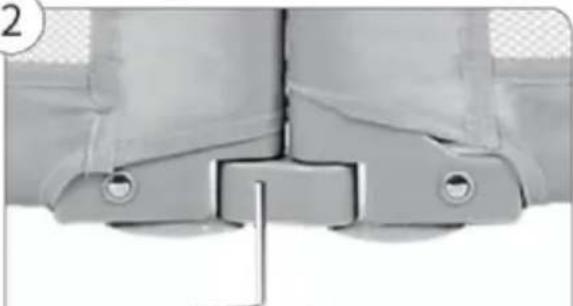
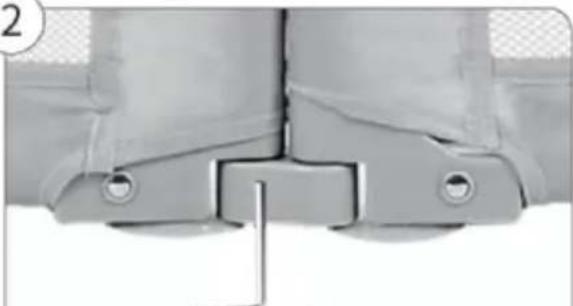
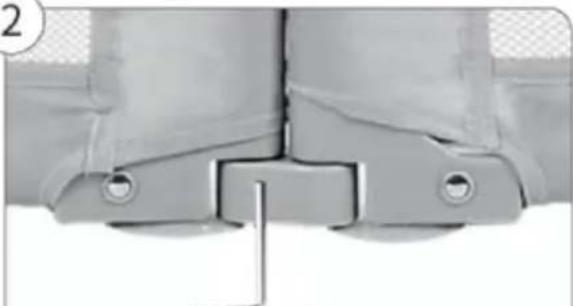
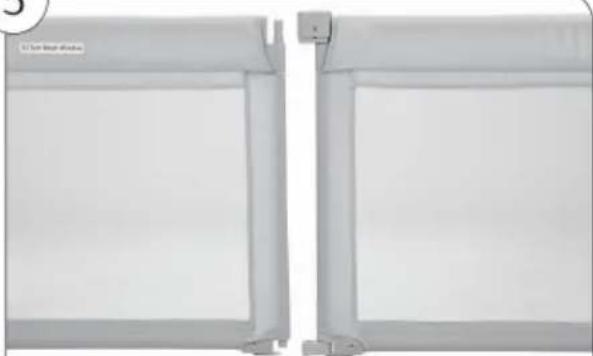
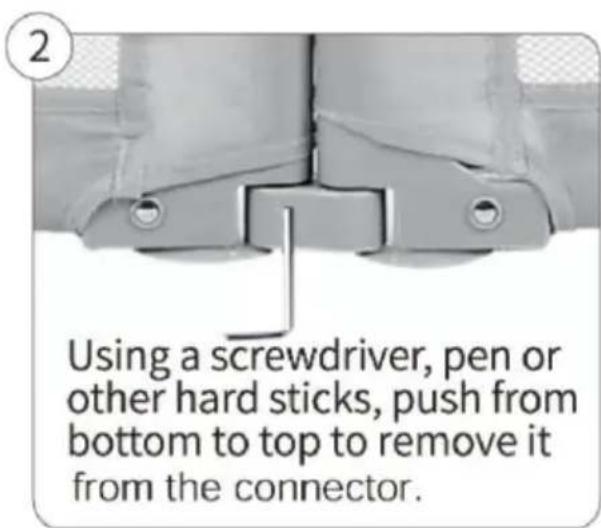
Using a screwdriver, pen or other hard sticks, push from bottom to top to remove it from the connector.

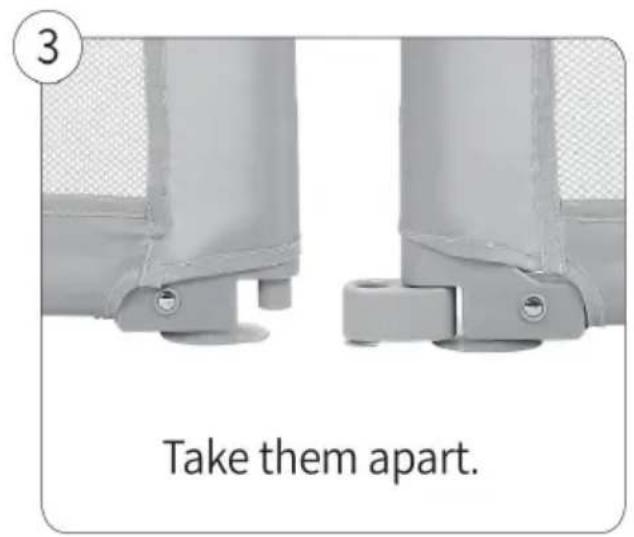
3
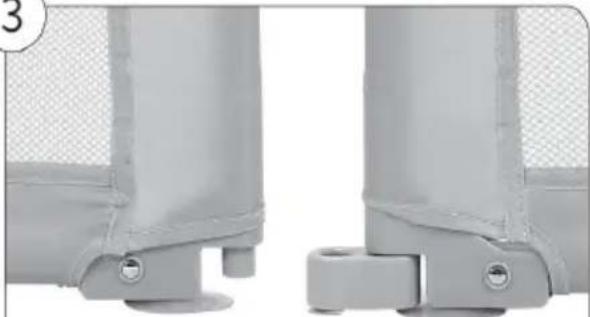
Vevor P2001-3 - 3 - 1

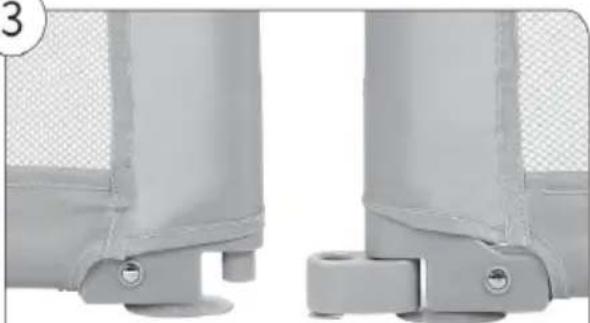
natural_image Close-up of two gray mechanical components with mounting holes and a mesh panel (no text or symbols visible)

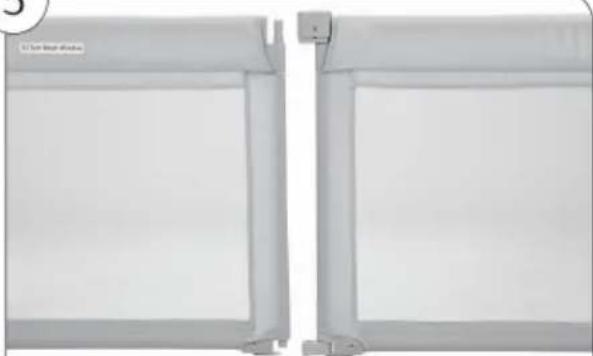
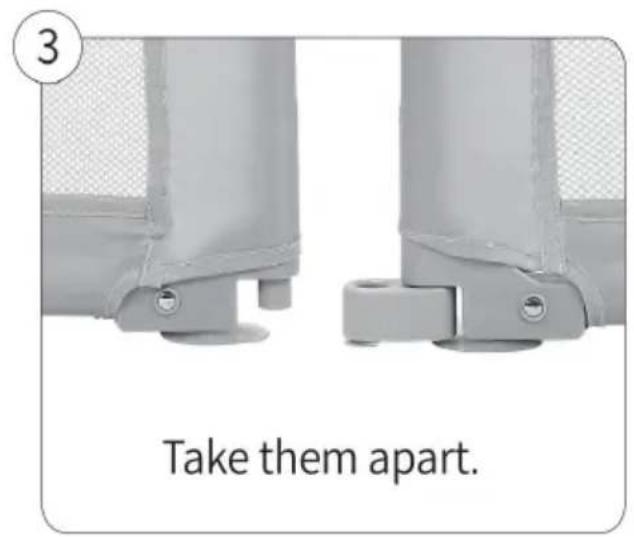
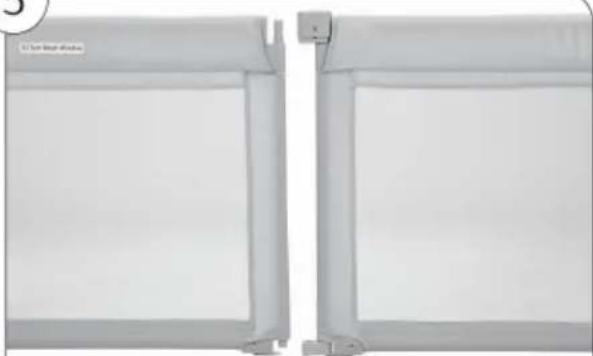
Take them apart.

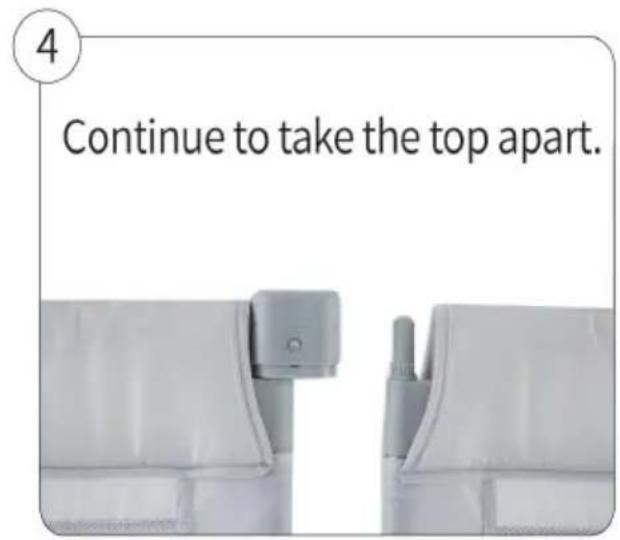
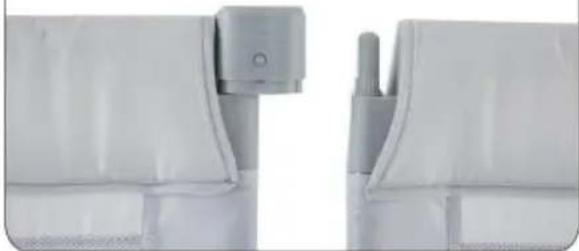
4

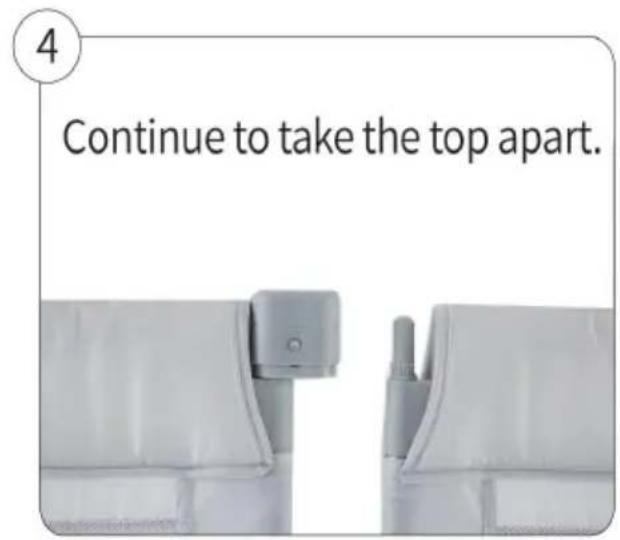
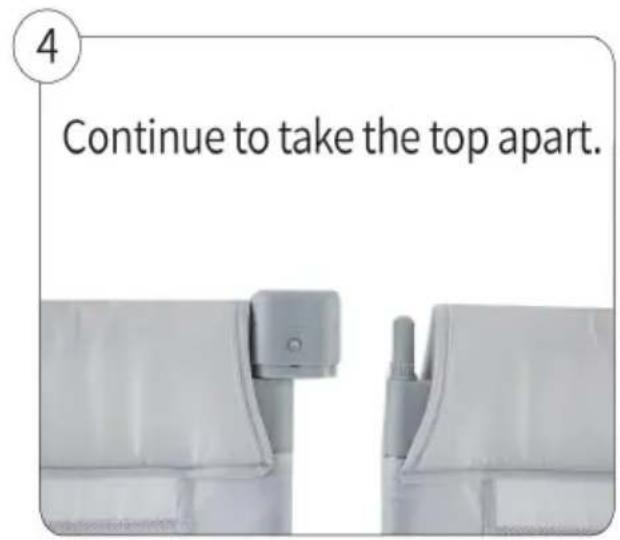
Continue to take the top apart.
Vevor P2001-3 - 4 - 1

natural_image Close-up of white plastic mechanical components with a small circular component inserted (no visible text or symbols)

5

Vevor P2001-3 - 5 - 1

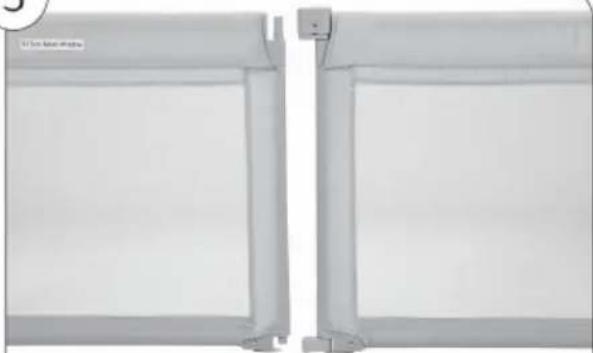
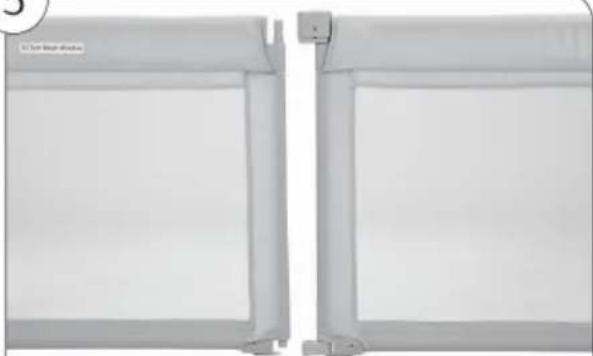
natural_image Two white rectangular panels with vertical supports, one showing a small mechanical component attached to the top panel (no text or symbols visible)

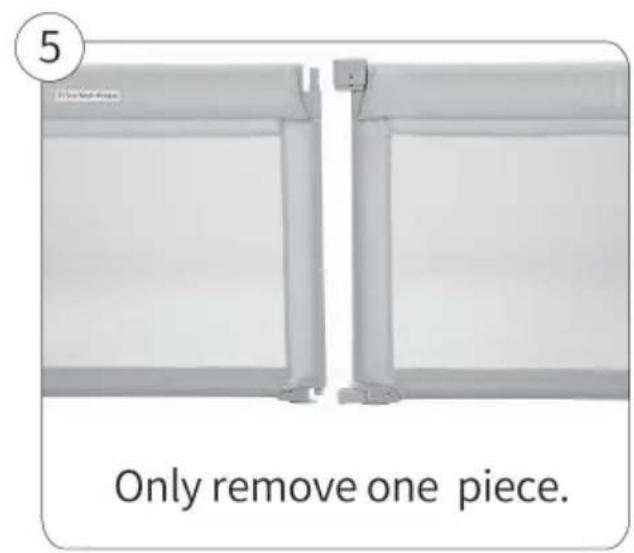
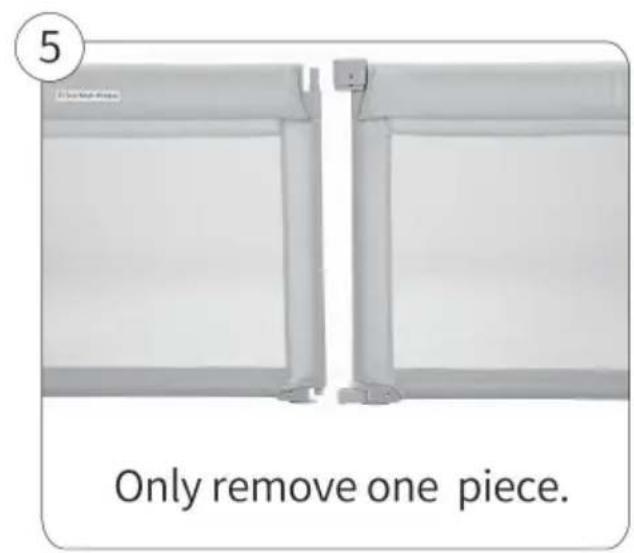
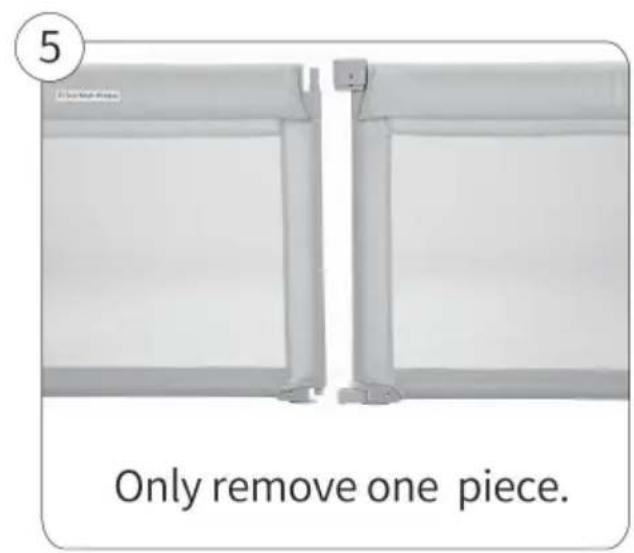
Only remove one piece.

6

Vevor P2001-3 - 6 - 1

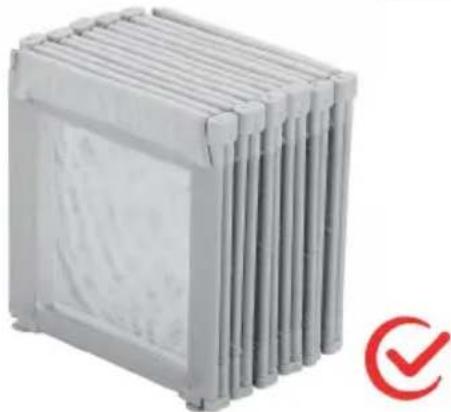
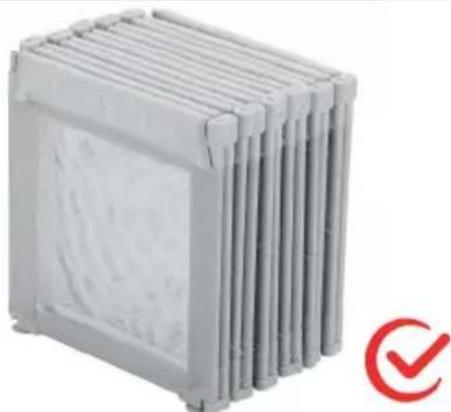
natural_image Stacked cylindrical storage unit with a red checkmark icon (no text or symbols on the unit itself)

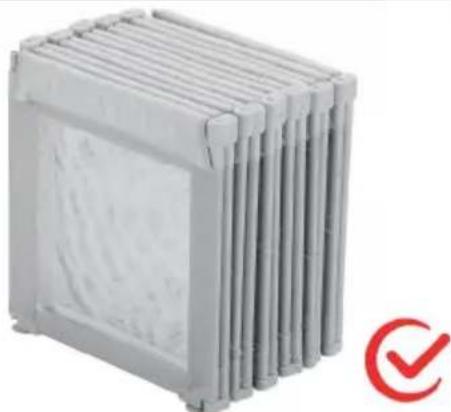
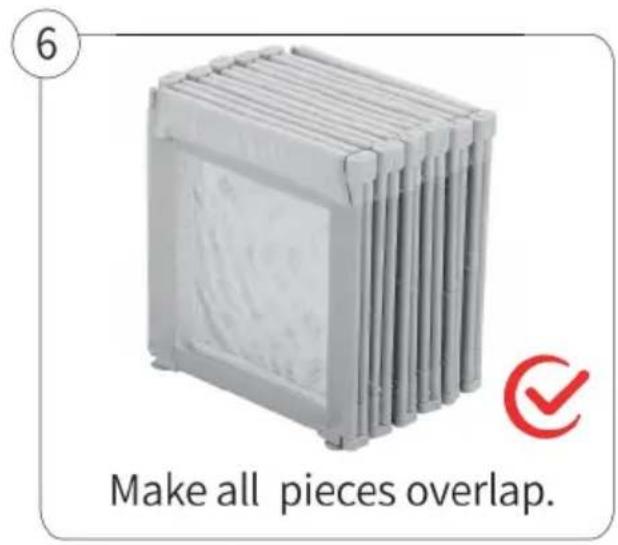
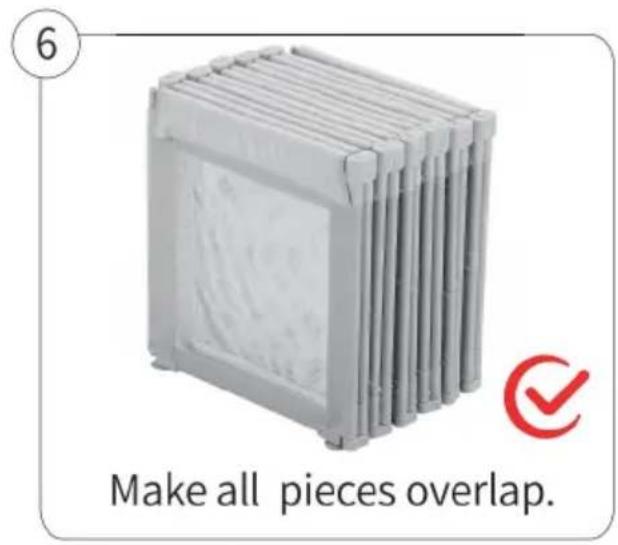
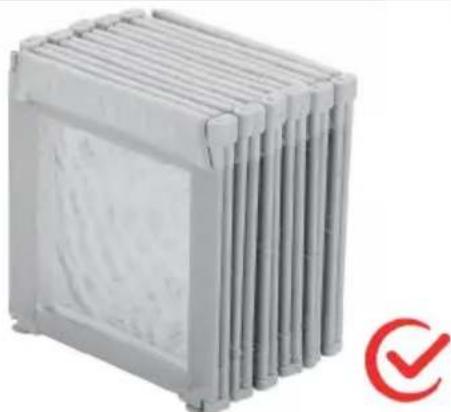
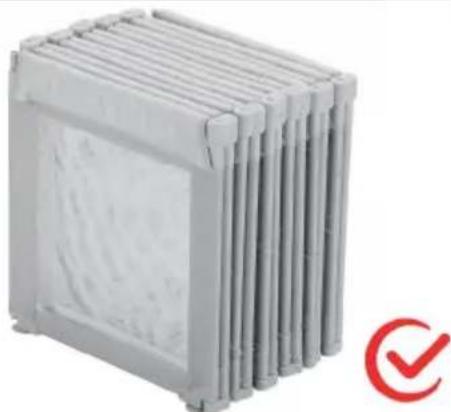
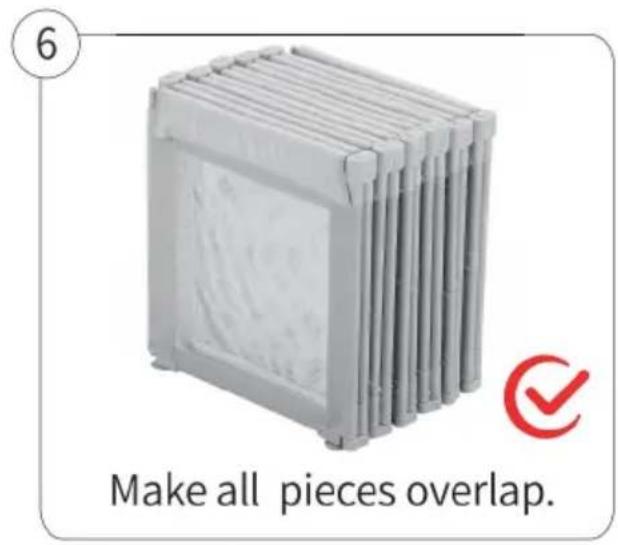
Make all pieces overlap.

Manufacturer: Shanghaimuxinmuyeyouxiangongsi

Address: Shuangchenglu 803nong11hao1602A-1609shi, baoshanqu, shanghai 200000 CN.

Imported to AUS: SIHAO PTY LTD. 1 ROKEVA STREETEASTWOOD NSW 2122 Australia

Imported to USA: Sanven Technology Ltd. Suite 250, 9166 Anaheim Place, Rancho Cucamonga, CA 91730

UKREP

YH CONSULTING LIMITED. C/O YH Consultin Limited Office 147, Centurion House, London Road, Staines-upon-Thames, Surrey, TW18 4A>

ECREP

Affordable. Reliable. Home Improvement.

PARC POUR BÉBÉ

MODÈLE: P2001-3

MODÈLE : P2001- 3 81,5 * 72,83 * 27,36 pouces\2 070 * 1 850 *

Vevor P2001-3 - 6 - 2

natural_image Exterior view of a rectangular metal enclosure with internal partitions (no text or symbols)
text_image Switch Notice: For Exterior & upward There is a reminder label on the fabric, please face upward during installation Connector
text_image The shrapnel of the side tube needs to be inserted into the holes of the bottom tube plastic part. Left

1). Connect the side tube the bottom tube.

Vevor P2001-3 - 6 - 3

natural_image Black rectangular frame with a white cushion and a black top, labeled 'Left' (no other text or symbols)

2). Insert the corresponding fabric cover into the side tu

Vevor P2001-3 - 6 - 4

natural_image Exterior view of a rectangular metal frame with a white cushion and black connectors (no text or symbols)

Vevor P2001-3 - 6 - 5

natural_image Black rectangular electronic device with a flat top and side connectors (no visible text or symbols)

3). Match the suitable uppe 4). Close both zippers around tube to the side tube. the tubes.

Noté:

text_image pull up-locked press down the button-locked Notice: Outside & upward To be installed Installation Finished To be installed Push inside Original Status
natural_image Exterior view of a modern office building (no signage)

Vevor P2001-3 - Noté: - 1

natural_image L-shaped metal panel structure with four panes, no text or symbols visible

1). Connect two panels for one

6 2).Connect another 2 panels for the second side.
Vevor P2001-3 - Noté: - 2

natural_image 3D rendering of a U-shaped metal enclosure or folding unit (no text or symbols visible)

Vevor P2001-3 - Noté: - 3

text_image Long Side Short Side

3). Repeat, connect the third sid 4). Connect the last side

natural_image Exterior view of a modern office building (no signage)

Do not install the reminder label side inside, all zippers should be put outside.

Prudence:

natural_image Close-up of a mechanical buckle with red arrows indicating movement or force, no visible text or symbols

Step 1: Lift up the switch mal unlocked.

Vevor P2001-3 - Prudence: - 1

natural_image Close-up of a gray mechanical component with a red dotted rectangle highlighting a section (no text or symbols visible)

The switch is in active status.

text_image All switches are unlocked. Push the corresponding sides closer to each other.

Méthode B

1

Pull up all switches, make them active( the same as step 1 in method A).

Vevor P2001-3 - 1 - 1

natural_image Close-up of a white mechanical component with a central knob and side slots (no visible text or symbols)

2

Vevor P2001-3 - 2 - 1

natural_image Close-up of a mechanical component with mounting holes and a central bracket (no visible text or symbols)

Using a screwdriver, pen or other hard sticks, push from bottom to top to remove it from the connector.

3

Vevor P2001-3 - 3 - 1

natural_image Close-up of two gray mechanical components with mounting holes and mesh patterns (no text or symbols visible)

Take them apart.

4

Continue to take the top apart.

Vevor P2001-3 - 4 - 1

natural_image Close-up of a white plastic bag with a handle and mounting bracket (no text or symbols visible)

5

Vevor P2001-3 - 5 - 1

natural_image Two white rectangular panels with a small bracket and label '12 Sun High Window' on the left (no other text or symbols visible)

Only remove one piece.

6

Vevor P2001-3 - 6 - 1

natural_image Stacked cylindrical storage unit with a red checkmark icon (no text or symbols on the unit itself)

Make all pieces overlap.

Fabricant : Shanghaimuxinmuyeyouxiangongsi

Adresse : Shuangchenglu 803nong11hao1602A-1609shi, baoshanqu, Shanghai 200 000 CN.

Importé en Australie : SIHAO PTY LTD. 1 ROKEVA STREET, ASTV NSW 2122 Australie

Lieu, Rancho Cucamonga, CA 91730

UKREP

YH CONSULTING LIMITED. C/O YH Consultin Limited Office 147, Centurion House, London Road, Staines-upon-Thames, Surrey, TW18 4A>

ECREP

Affordable. Reliable. Home Improvement.

BABY-LAUFSTALL

MODELL: P2001- 3

MODELL: P2001-3 81,5 *72,83*27,36 Zoll \ 2070*1850*695 mm

Vevor P2001-3 - 6 - 2

natural_image Exterior view of a rectangular metal enclosure with internal partitions (no text or symbols)
text_image Switch Notice: For Exterior & upward There is a reminder label on the fabric, please face upward during installation Connector
text_image The shrapnel of the side tube needs to be inserted into the holes of the bottom tube plastic part. Left

1). Connect the side tube the bottom tube.

Vevor P2001-3 - 6 - 3

natural_image Black rectangular frame with a white cushion and a black top, labeled 'Left' (no other text or symbols)

2). Insert the corresponding fabric cover into the side tu

Vevor P2001-3 - 6 - 4

natural_image Black rectangular frame with a white cushioned panel, no visible text or symbols

Vevor P2001-3 - 6 - 5

natural_image Black rectangular electronic device with a flat top and side connectors (no visible text or symbols)

3). Match the suitable upp(4). Close both zippers aroun tube to the side tube. the tubes.

Hinweis:

text_image pull up-locked press down the button-locked Notice: Outside & upward To be installed Installation Finished To be installed Push inside Original Status
natural_image Exterior view of a modern office building (no signage)

Vevor P2001-3 - Hinweis: - 1

natural_image L-shaped metal panel structure with four panes, no text or symbols visible

1). Connect two panels for one

6 2).Connect another 2 panels for the second side.
Vevor P2001-3 - Hinweis: - 2

natural_image 3D rendering of a U-shaped metal enclosure or folding unit (no text or symbols visible)

Vevor P2001-3 - Hinweis: - 3

text_image Long Side Short Side

3). Repeat, connect the third sid 4). Connect the last side

natural_image Exterior view of a modern office building (no signage)

Do not install the reminder label side inside, all zippers should be put outside.

Vorsicht:

natural_image Close-up of a mechanical component with red arrows indicating upward movement, no visible text or symbols

Step 1: Lift up the switch mal unlocked.

Vevor P2001-3 - Vorsicht: - 1

natural_image Close-up of a gray mechanical component with a red dotted rectangle highlighting a section (no text or symbols visible)

The switch is in active status.

text_image All switches are unlocked. Push the corresponding sides closer to each other.

Methode B

Vevor P2001-3 - Vorsicht: - 2

text_image 1 Pull up all switches, make them active( the same as step 1 in method A).

Vevor P2001-3 - Vorsicht: - 3

text_image Using a screwdriver, pen or other hard sticks, push from bottom to top to remove it from the connector.

Vevor P2001-3 - Vorsicht: - 4

text_image 3 Take them apart.

Vevor P2001-3 - Vorsicht: - 5

text_image 4 Continue to take the top apart.

Vevor P2001-3 - Vorsicht: - 6

text_image 5 Only remove one piece.

Vevor P2001-3 - Vorsicht: - 7

text_image 6 Make all pieces overlap.

Hersteller: Shanghaimuxinmuyeyouxiangongsi

Adresse: Shuangchenglu 803nong11hao1602A-1609shi, baoshanqu, Shanghai 200.000 CN.

YH CONSULTING LIMITED. C/O YH Consultin Limited Office 147, Centurion House, London Road, Staines-upon-Thames, Surrey, TW18 4A>

ECREP

Affordable. Reliable. Home Improvement.

BOX PER BAMBINI

MODELLO: P2001- 3

MODELLO: P2001- 3 81,5*72,83*27,36 pollici\2070*1850*695 mm

Vevor P2001-3 - Vorsicht: - 8

natural_image Exterior view of a rectangular metal enclosure with internal partitions (no text or symbols)
text_image Switch Notice: For Exterior & upward There is a reminder label on the fabric, please face upward during installation Connector
text_image The shrapnel of the side tube needs to be inserted into the holes of the bottom tube plastic part. Left

1). Connect the side tube the bottom tube.

Vevor P2001-3 - Vorsicht: - 9

natural_image Black rectangular frame with a white cushion and a black top, labeled 'Left' (no other text or symbols)

2). Insert the corresponding fabric cover into the side tu

Vevor P2001-3 - Vorsicht: - 10

natural_image Exterior view of a rectangular metal frame with a white cushion and black connectors (no text or symbols)

Vevor P2001-3 - Vorsicht: - 11

natural_image Exterior view of a modern office building (no signage)

3). Match the suitable uppe 4). Close both zippers around tube to the side tube. the tubes.

Notato:

text_image pull up-locked press down the button-locked Notice: Outside & upward To be installed Installation Finished To be installed Push inside Original Status
natural_image Exterior view of a modern office building (no signage)

Vevor P2001-3 - Notato: - 1

natural_image L-shaped metal panel structure with four panes, no text or symbols visible

1). Connect two panels for one

6 2).Connect another 2 panels for the second side.

Vevor P2001-3 - Notato: - 2

natural_image 3D rendering of a U-shaped metal enclosure or folding unit (no text or symbols visible)

Vevor P2001-3 - Notato: - 3

text_image Long Side Short Side

3). Repeat, connect the third sid 4). Connect the last side

natural_image Exterior view of a modern office building (no signage)

Do not install the reminder label side inside, all zippers should be put outside.

Attenzione:

natural_image Close-up of a mechanical component with red arrows indicating upward motion, no visible text or symbols

Step 1: Lift up the switch mal unlocked.

Vevor P2001-3 - Attenzione: - 1

natural_image Close-up of a gray mechanical component with a red dotted rectangle highlighting a section (no text or symbols visible)

The switch is in active status.

text_image All switches are unlocked. Push the corresponding sides closer to each other.

Metodo B

Vevor P2001-3 - Metodo B - 1

text_image 1 Pull up all switches, make them active( the same as step 1 in method A).

Vevor P2001-3 - Metodo B - 2

text_image Using a screwdriver, pen or other hard sticks, push from bottom to top to remove it from the connector.

Vevor P2001-3 - Metodo B - 3

text_image 3 Take them apart.

Vevor P2001-3 - Metodo B - 4

text_image 4 Continue to take the top apart.

Vevor P2001-3 - Metodo B - 5

text_image 5 Only remove one piece.

Vevor P2001-3 - Metodo B - 6

text_image 6 Make all pieces overlap.

YH CONSULTING LIMITED. C/O YH Consultin Limited Office 147, Centurion House, London Road, Staines-upon-Thames, Surrey, TW18 4A>

ECREP

Affordable. Reliable. Home Improvement.

PARQUE PARA BEBÉS

MODELO: P2001-3

MODELO: P2001-3 81,5 x 72,83 x 27,36 pulgadas\2070 x 1850 x 69

Vevor P2001-3 - PARQUE PARA BEBÉS - 1

natural_image Exterior view of a rectangular metal enclosure with internal partitions (no text or symbols)
text_image Switch Notice: For Exterior & upward There is a reminder label on the fabric, please face upward during installation Connector
text_image The shrapnel of the side tube needs to be inserted into the holes of the bottom tube plastic part. Left

1). Connect the side tube the bottom tube.

Vevor P2001-3 - PARQUE PARA BEBÉS - 2

natural_image Black rectangular frame with a white cushion and a black top, labeled 'Left' (no other text or symbols)

2). Insert the corresponding fabric cover into the side tu

Vevor P2001-3 - PARQUE PARA BEBÉS - 3

natural_image Exterior view of a rectangular metal frame with a white cushion and black connectors (no text or symbols)

Vevor P2001-3 - PARQUE PARA BEBÉS - 4

natural_image Black rectangular tray with a white back cover and a gray top cover, no visible text or symbols.

3). Match the suitable uppe 4). Close both zippers around tube to the side tube. the tubes.

Anotado:

text_image pull up-locked press down the button-locked Notice: Outside & upward To be installed Installation Finished To be installed Push inside Original Status
natural_image Exterior view of a white rectangular enclosure with two vertical panels and a side tab (no text or symbols visible)

1). Connect two panels for one

Vevor P2001-3 - Anotado: - 1

natural_image L-shaped metal panel or shelf structure with four panes, no text or symbols visible

2). Connect another 2 panels for the second side.

Vevor P2001-3 - Anotado: - 2

natural_image Exterior view of a modern office building (no signage)

Vevor P2001-3 - Anotado: - 3

text_image Long Side Short Side

3). Repeat, connect the third sid 4). Connect the last side

natural_image Exterior view of a modern office building (no signage)

Do not install the reminder label side inside, all zippers should be put outside.

Precaución:

natural_image Close-up of a mechanical buckle with red arrows indicating movement or force, no visible text or symbols

Step 1: Lift up the switch mal unlocked.

Vevor P2001-3 - Precaución: - 1

natural_image Close-up of a gray mechanical component with a red dotted rectangle highlighting a section (no text or symbols visible)

The switch is in active status.

text_image All switches are unlocked. Push the corresponding sides closer to each other.

Método B

1

Pull up all switches, make them active( the same as step 1 in method A).

Vevor P2001-3 - 1 - 1

natural_image Close-up of a white mechanical component with a central knob and side slots (no visible text or symbols)

2

Vevor P2001-3 - 2 - 1

natural_image Close-up of a mechanical component with mounting holes and a central bracket (no visible text or symbols)

Using a screwdriver, pen or other hard sticks, push from bottom to top to remove it from the connector.

3
Vevor P2001-3 - 3 - 1

natural_image Close-up of two gray mechanical components with mounting holes and mesh patterns (no text or symbols visible)

Take them apart.

4

Continue to take the top apart.
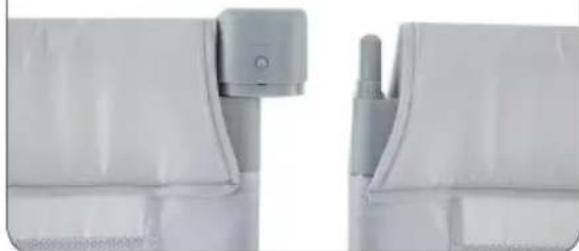
Vevor P2001-3 - 4 - 1

natural_image Close-up of a white plastic bag with a handle and mounting bracket (no text or symbols visible)

5

Vevor P2001-3 - 5 - 1

natural_image Two white rectangular panels with a small bracket and label '12 Sun High Window' on the left (no other text or symbols visible)

Only remove one piece.

6

Vevor P2001-3 - 6 - 1

natural_image Stacked cylindrical storage unit with a red checkmark icon (no text or symbols on the unit itself)

Make all pieces overlap.

Fabricante: Shanghaimuxinmuyeyouxiangongsi

YH CONSULTING LIMITED. C/O YH Consultin Limited Office 147, Centurion House, London Road, Staines-upon-Thames, Surrey, TW18 4A>

ECREP

Affordable. Reliable. Home Improvement.

KOJEC DLA NIEMOWLĄT

MODEL: P2001-3

MODEL: P2001-3 81,5 *72,83*27,36 cala\2070*1850*695 mm

Vevor P2001-3 - KOJEC DLA NIEMOWLĄT - 1

natural_image Exterior view of a rectangular metal enclosure with internal partitions (no text or symbols)
text_image Switch Notice: For Exterior & upward There is a reminder label on the fabric, please face upward during installation Connector
text_image The shrapnel of the side tube needs to be inserted into the holes of the bottom tube plastic part. Left

1). Connect the side tube the bottom tube.

Vevor P2001-3 - KOJEC DLA NIEMOWLĄT - 2

natural_image Black rectangular frame with a white cushion and a black top, labeled 'Left' (no other text or symbols)

2). Insert the corresponding fabric cover into the side tu

Vevor P2001-3 - KOJEC DLA NIEMOWLĄT - 3

natural_image Exterior view of a rectangular metal frame with a white cushion and black connectors (no text or symbols)

Vevor P2001-3 - KOJEC DLA NIEMOWLĄT - 4

natural_image Exterior view of a modern office building (no signage)

3). Match the suitable up (4). Close both zippers around tube to the side tube. the tubes.

Znakomity:

text_image pull up-locked press down the button-locked Notice: Outside & upward To be installed Installation Finished To be installed Push inside Original Status
natural_image Exterior view of a white modular space unit with vertical panels and mounting feet (no text or symbols visible)

1). Connect two panels for one

Vevor P2001-3 - Znakomity: - 1

natural_image L-shaped metal panel or shelf structure with six panels, no visible text or symbols

2).Connect another 2 panels 6 for the second side.

Vevor P2001-3 - Znakomity: - 2

natural_image 3D rendering of a U-shaped metal enclosure or folding cabinet (no text or symbols visible)

Vevor P2001-3 - Znakomity: - 3

text_image Long Side Short Side

3). Repeat, connect the third sid 4). Connect the last side

natural_image Exterior view of a modern office building (no signage)

Do not install the reminder label side inside, all zippers should be put outside.

Ostrożność:

natural_image Close-up of a mechanical component with red arrows indicating upward movement, no visible text or symbols

Step 1: Lift up the switch mal unlocked.

Vevor P2001-3 - Ostrożność: - 1

natural_image Close-up of a gray mechanical component with a red dotted rectangle highlighting a section (no text or symbols visible)

The switch is in active status.

text_image All switches are unlocked. Push the corresponding sides closer to each other.

Metoda B

1

Pull up all switches, make them active( the same as step 1 in method A).

Vevor P2001-3 - 1 - 1

natural_image Close-up of a white mechanical component with a central knob and side slots (no visible text or symbols)

2

Vevor P2001-3 - 2 - 1

natural_image Close-up of a mechanical component with mounting holes and a central bracket (no visible text or symbols)

Using a screwdriver, pen or other hard sticks, push from bottom to top to remove it from the connector.

3

Vevor P2001-3 - 3 - 1

natural_image Close-up of two gray mechanical components with mounting holes and mesh patterns (no text or symbols visible)

Take them apart.

4

Continue to take the top apart.

Vevor P2001-3 - 4 - 1

natural_image Close-up of a white plastic bag with a handle and mounting bracket (no text or symbols visible)

5

Vevor P2001-3 - 5 - 1

natural_image Two white rectangular panels with a small bracket and label '12 Sun High Window' on the left (no other text or symbols visible)

Only remove one piece.

6

Vevor P2001-3 - 6 - 1

natural_image Stacked cylindrical storage unit with a red checkmark icon (no text or symbols on the unit itself)

Make all pieces overlap.

Producent: Shanghaimuxinmuyeyouxiangongsi

Adres: Shuangchenglu 803nong11hao1602A-1609shi, baoshanqu, szanghaj 200000 CN.

Importowane do AUS: SIHAO PTY LTD. 1 ROKEVA

STREETEASTWOOD

NSW 2122 Australia

YH CONSULTING LIMITED. C/O YH Consultin Limited Office 147, Centurion House, London Road, Staines-upon-Thames, Surrey, TW18 4A>

ECREP

Affordable. Reliable. Home Improvement.

BABY BOX

MODEL: P2001-3

MODEL: P2001-3 81,5 *72,83*27,36 inch\2070*1850*695 mm

Vevor P2001-3 - 6 - 2

natural_image Exterior view of a rectangular metal enclosure with internal partitions (no text or symbols)
text_image Switch Notice: For Exterior & upward There is a reminder label on the fabric, please face upward during installation Connector
text_image The shrapnel of the side tube needs to be inserted into the holes of the bottom tube plastic part. Left

1). Connect the side tube the bottom tube.

Vevor P2001-3 - 6 - 3

natural_image Black rectangular frame with a white cushion and a black top, labeled 'Left' (no other text or symbols)

2). Insert the corresponding fabric cover into the side tu

Vevor P2001-3 - 6 - 4

natural_image Black rectangular frame with a white cushioned panel, no visible text or symbols

Vevor P2001-3 - 6 - 5

natural_image Black rectangular electronic device with a flat top and side connectors (no visible text or symbols)

3). Match the suitable upp(4). Close both zippers aroun tube to the side tube. the tubes.

Opgemerkt:

text_image pull up-locked press down the button-locked Notice: Outside & upward To be installed Installation Finished To be installed Push inside Original Status
natural_image Exterior view of a modern office building (no signage)

1). Connect two panels for one

Vevor P2001-3 - Opgemerkt: - 1

natural_image L-shaped metal panel structure with six panes, no text or symbols visible

2).Connect another 2 panels for the second side.
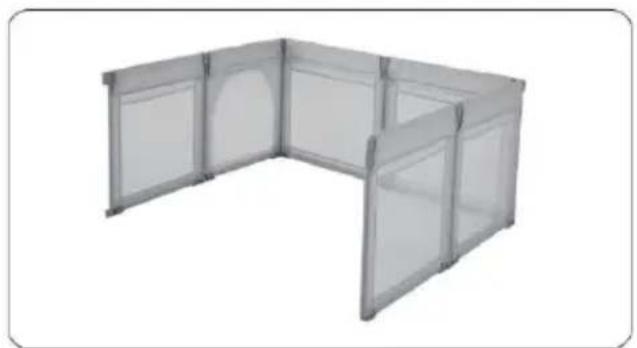
Vevor P2001-3 - Opgemerkt: - 2

natural_image 3D rendering of a U-shaped metal enclosure or cabinet structure with multiple panes and doors (no text or symbols visible)

Vevor P2001-3 - Opgemerkt: - 3

text_image Long Side Short Side

3). Repeat, connect the third sid 4). Connect the last side

natural_image Exterior view of a modern office building (no signage)

Do not install the reminder label side inside, all zippers should be put outside.

Voorzichtigheid:

natural_image Close-up of a mechanical component with red arrows indicating direction, no visible text or symbols

Step 1: Lift up the switch mal unlocked.

Vevor P2001-3 - Voorzichtigheid: - 1

natural_image Close-up of a gray mechanical component with a red dotted rectangle highlighting a section (no text or symbols visible)

The switch is in active status.

text_image All switches are unlocked. Push the corresponding sides closer to each other.

Methode B

1

Pull up all switches, make them active( the same as step 1 in method A).

Vevor P2001-3 - 1 - 1

natural_image Close-up of a white mechanical component with a central knob and side slots (no visible text or symbols)

2

Vevor P2001-3 - 2 - 1

natural_image Close-up of a mechanical component with mounting holes and a central bracket (no visible text or symbols)

Using a screwdriver, pen or other hard sticks, push from bottom to top to remove it from the connector.

3

Vevor P2001-3 - 3 - 1

natural_image Close-up of two gray mechanical components with mounting holes and mesh patterns (no text or symbols visible)

Take them apart.

4

Continue to take the top apart.

Vevor P2001-3 - 4 - 1

natural_image Close-up of a white plastic bag with a handle and mounting bracket (no text or symbols visible)

5

Vevor P2001-3 - 5 - 1

natural_image Two white rectangular panels with a small bracket and label '12 Sun High Window' on the left (no other text or symbols visible)

Only remove one piece.

6

Vevor P2001-3 - 6 - 1

natural_image Stacked cylindrical storage unit with a red checkmark icon (no text or symbols on the unit itself)

Make all pieces overlap.

Fabrikant: Shanghaimuxinmuyeyouxiangongsi

Adres: Shuangchenglu 803nong11hao1602A-1609shi, baoshanqu, shanghai 200000 CN.

YH CONSULTING LIMITED. C/O YH Consultin Limited Office 147, Centurion House, London Road, Staines-upon-Thames, Surrey, TW18 4A>

ECREP

Affordable. Reliable. Home Improvement.

BABYLEKHAGE

MODELL: P2001-3

MODELL: P2001-3 81,5 *72,83*27,36 tum\2070*1850*695 mm

Vevor P2001-3 - 6 - 2

natural_image Exterior view of a rectangular metal enclosure with internal partitions (no text or symbols)
text_image Switch Notice: For Exterior & upward There is a reminder label on the fabric, please face upward during installation Connector
text_image The shrapnel of the side tube needs to be inserted into the holes of the bottom tube plastic part. Left

1). Connect the side tube the bottom tube.

Vevor P2001-3 - 6 - 3

natural_image Black rectangular frame with a white cushion and a black top, labeled 'Left' (no other text or symbols)

2). Insert the corresponding fabric cover into the side tu

Vevor P2001-3 - 6 - 4

natural_image Exterior view of a rectangular metal frame with a white cushion and black connectors (no text or symbols)

Vevor P2001-3 - 6 - 5

natural_image Black rectangular foam tray with a white panel and a gray top cover, no visible text or symbols.

3). Match the suitable upp(4). Close both zippers aroun tube to the side tube. the tubes.

Noterat:

text_image pull up-locked press down the button-locked Notice: Outside & upward To be installed Installation Finished To be installed Push inside Original Status
natural_image Exterior view of a modern office building (no signage)

1). Connect two panels for one

Vevor P2001-3 - Noterat: - 1

natural_image L-shaped metal panel or shelf structure with four panes, no text or symbols visible

2). Connect another 2 panels for the second side.
Vevor P2001-3 - Noterat: - 2

natural_image Exterior view of a modern office building (no signage)

Vevor P2001-3 - Noterat: - 3

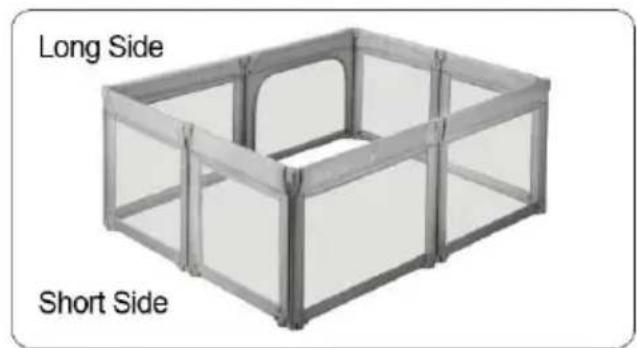
text_image Long Side Short Side

3). Repeat, connect the third sid 4). Connect the last side

natural_image Exterior view of a modern office building (no signage)

Do not install the reminder label side inside, all zippers should be put outside.

Försiktighet:

natural_image Close-up of a mechanical component with red arrows indicating upward motion, no visible text or symbols

Step 1: Lift up the switch mal unlocked.

Vevor P2001-3 - Försiktighet: - 1

natural_image Close-up of a gray mechanical component with a red dotted rectangle highlighting a section (no text or symbols visible)

The switch is in active status.

flowchart
graph LR
    A["3D Module with numbered switches"] --> B["3D Panel with open doors"]
    B --> C["3D Storage Unit with closed doors"]
    C --> D["Final Storage Unit with checkmark icon"]

Metod B

Vevor P2001-3 - Metod B - 1

text_image 1 Pull up all switches, make them active( the same as step 1 in method A).

Vevor P2001-3 - Metod B - 2

text_image Using a screwdriver, pen or other hard sticks, push from bottom to top to remove it from the connector.

Vevor P2001-3 - Metod B - 3

text_image 3 Take them apart.

Vevor P2001-3 - Metod B - 4

text_image 4 Continue to take the top apart.

Vevor P2001-3 - Metod B - 5

text_image 5 Only remove one piece.

Vevor P2001-3 - Metod B - 6

text_image 6 Make all pieces overlap.

Tillverkare: Shanghaimuxinmuyeyouxiangongsi

Adress: Shuangchenglu 803nong11hao1602A-1609shi, baoshanqu, Shanghai 200 000 kanadensiska republiken.

Importerad till Australien: SIHAO PTY LTD. 1 ROKEVA

STREETEASTWOOD

NSW 2122 Australien

Importerad till USA: Sanven Technology Ltd. Suite 250, 9166 Anaheim Plats, Rancho Cucamonga, Kalifornien 91730

UKREP

YH CONSULTING LIMITED. C/O YH Consultin Limited Office 147, Centurion House, London Road, Staines-upon-Thames, Surrey, TW18 4A>

ECREP
Manual assistant
Powered by Anthropic
Waiting for your message
Product information

Brand : Vevor

Model : P2001-3

Category : Baby products