
HZ2024 - Manicure table Vevor - Free user manual and instructions
Find the device manual for free HZ2024 Vevor in PDF.



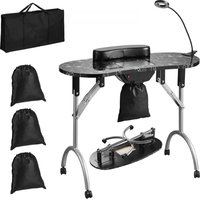
| Product Type | Manicure Table |
| Brand | Vevor |
| Model | HZ2024 |
| Dimensions (L x W x H) | 80 x 40 x 75 cm |
| Weight | 15 kg |
| Maximum Load Capacity | 50 kg |
| Main Material | Composite wood panel and tempered glass |
| Color | White |
| Main Functions | Glass top, storage with hinged door, adjustable shelves, PVC pads for cleaning |
| Power Supply | None (non-motorized table) |
| Intended Use | Indoor only, professional or domestic use |
| Assembly | Required, two people recommended, tools needed (rubber mallet and Phillips screwdriver not included) |
| Maintenance and Cleaning | Wipe with a soft dry cloth; do not use abrasive cleaners or water |
| Safety | Do not place very hot or cold objects on the glass; do not sit or stand on the table; keep children and pets away |
| Spare Parts | Spare parts included (screws, dowels, etc.); refer to the parts list in the manual |
| Reparability | Regularly grease the door hinge with industrial grease to reduce noise and extend lifespan |
| General Information | Manufacturer: Shanghaimuxinmuyeyouxiangongsi; imported to USA, Australia, Europe; technical support via www.vevor.com/support |
Frequently Asked Questions - HZ2024 Vevor
User questions about HZ2024 Vevor
0 question about this device. Answer the ones you know or ask your own.
Ask a new question about this device
Download the instructions for your Manicure table in PDF format for free! Find your manual HZ2024 - Vevor and take your electronic device back in hand. On this page are published all the documents necessary for the use of your device. HZ2024 by Vevor.
USER MANUAL HZ2024 Vevor
Technical Support and E-Warranty Certificate www.vevor.com/support
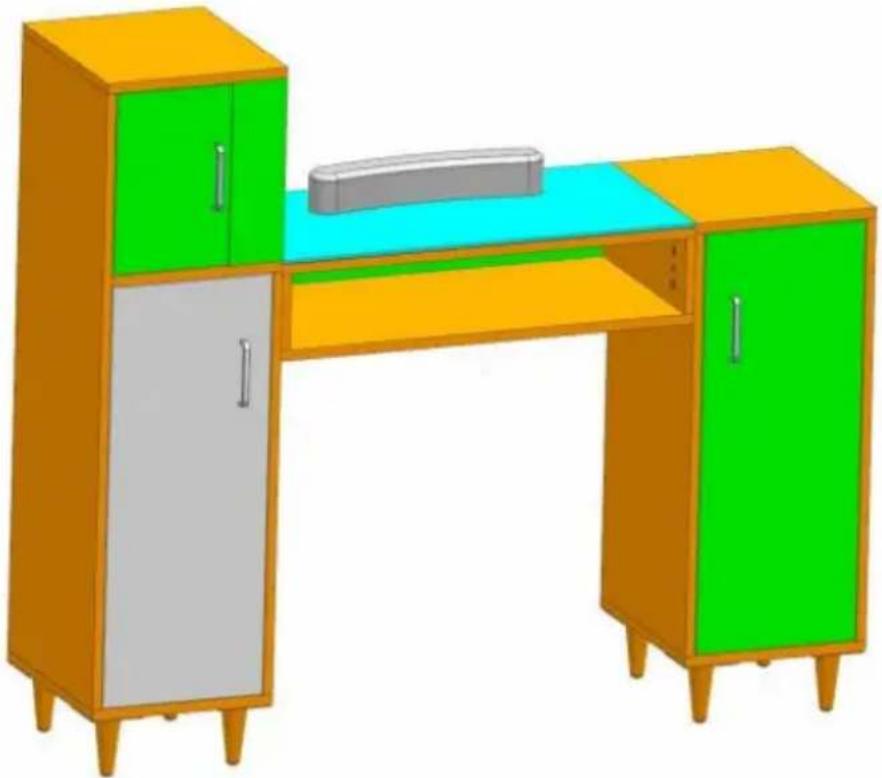
MANICURE TABLE
MODEL: HZ2024
We continue to be committed to providing you with tools at competitive prices. "Save Half", "Half Price", or any other similar expressions used by us only represent an estimate of savings you might benefit from buying certain tools with us compared to top brands, and does not necessarily mean to cover all categories of tools offered. We kindly remind you to verify carefully when placing an order with us whether you are actually saving half in comparison with the top major brands.
MODEL: HZ2024
NEED HELP? CONTACT US!
Have product questions? Need technical support? Please feel free to contact us:
Technical Support and E-Warranty Certificate www.vevor.com/support
This is the original instruction. Please read all manual instructions carefully before operating. VEVOR reserves a clear interpretation of the user manual. The appearance of the product shall be subject to the product you received. Please forgive us that we won't inform you of any technology or software updates on our product.
 | Warning-To reduce the risk of injury, user must read instructi manual carefully. |
  | Wear eye protection.Wear protective gloves |
Safety Warnings and Precautions
Thank you for using this product. In order to make sure that you can operate the machine correctly, read this instruction carefully before operation and keep it properly for future reference. Please be sure to read the precautions and safety rules on this page to ensure your safe use. This manual will outline safety and precautions, operating, maintenance, and cleaning. The warnings and instructions reviewed in this manual cannot cover all possible conditions and situations that may occur. Caution and common sense are not built into this product, since we believe that the users will comply with these codes.
Please read ALL the instructions before using your machine.
- Assembly needs to follow these instructions. Incorrect assembly can be a hazard.
- Wear safety goggles and heavy-duty work gloves during assembly.
- Do not assemble when tired or when under the influence of alcohol, drugs, or medication.
- Weight and other product properties only apply to correctly and completely assembled products.
- Keep the assembly area clean and well-lit.
- Keep bystanders out of the area during assembly.
- This product is not a toy. Do not allow children and pets to play with this item.
- Use as intended only. Do not sit or stand on the product.
- Inspect before every use. Do not use it if parts are loose or damaged.
- For indoor use only.
- Do not exceed the listed weight capacity. Tighten all knobs securely before applying load. Be aware of dynamic loading! The sudden load movement may briefly create an excess load, causing product failure.
- Do not apply this unit to any other purposes than the indicated usage.
- Do not use it outdoors or for commercial purposes. INDOOR USE ONLY
- DO NOT CLEAN IT WITH ANY ABRASIVE MATERIAL.
- Never leave it unattended while in use.
- Pay attention to hand injuries caused by door pinching!
- Do not place the product on or near hot air, electric burners, or heaters.
- Do not place in a damp environment.
- The product should be placed on a flat surface.
⚠ WARNING: Placing items that are too hot or too cold on the glass can cause it to burst. Note that glass will burst upon impact!
- This appliance is not intended for use by young or infirm persons without supervision by a responsible person to ensure that they can use the appliance safely. Young children should be supervised to ensure that they do not play with the product. Children and pets should stay away from the product.
Assembly precautions
- Please dispose of all plastic bags carefully and keep them away from children and pets.
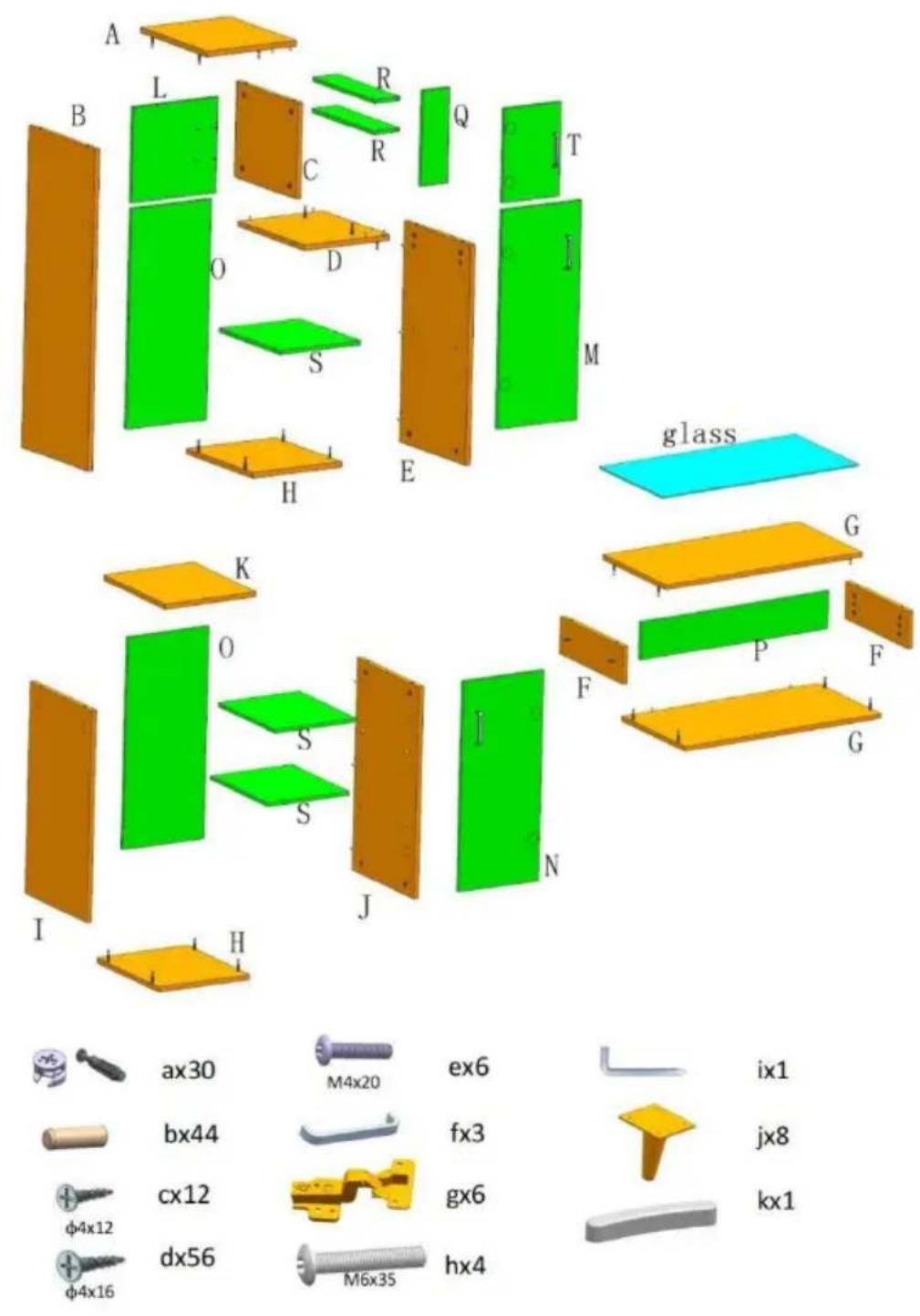
- Check all components provided according to the list in this manual. Make sure you have all of the parts listed.
- Although particular attention is paid when manufacturing this product, you should be careful during the assembly process to avoid being scratched by sharp edges.
- Wear eye-protective goggles and protective gloves during assembly and use.
- The product should be placed on a flat surface.
- The product requires two people to assemble.
- The product requires the use of a rubber hammer and a Phillips screwdriver (rubber hammer and cross screwdriver need to be purchased by oneself).
- If uneven product gaps are found, they can be disassembled and adjusted.
Part list

WARNING: Be careful when handling glass!
Note: the quantity of parts shown in the manual is the actual use of the unused parts are spare parts.
2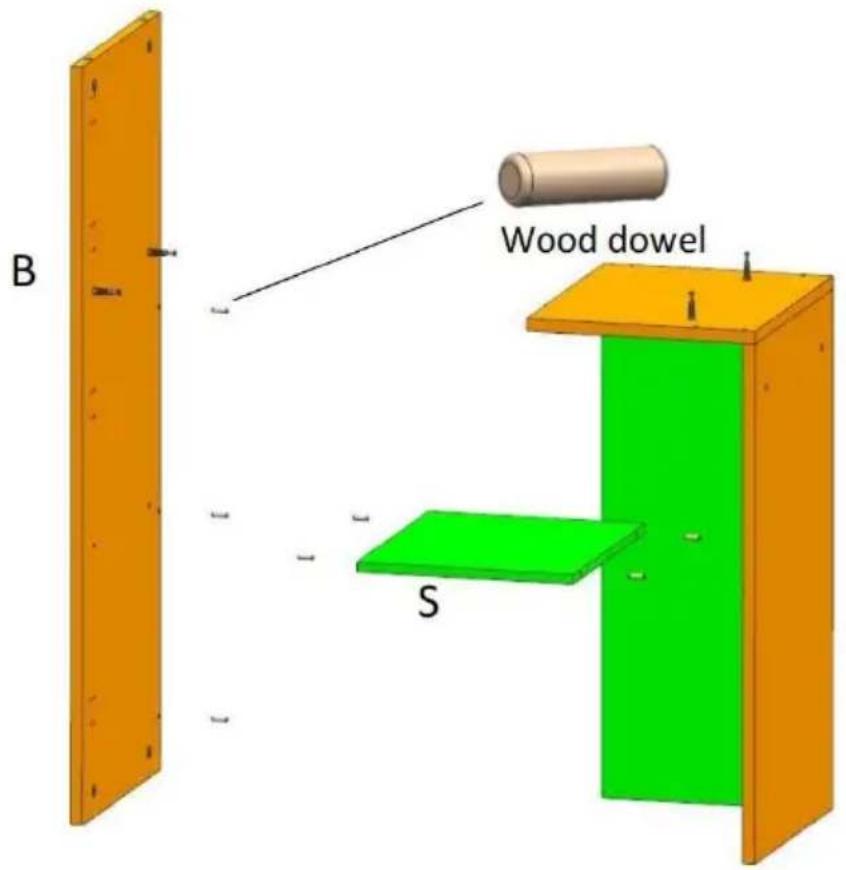
3
6
7
8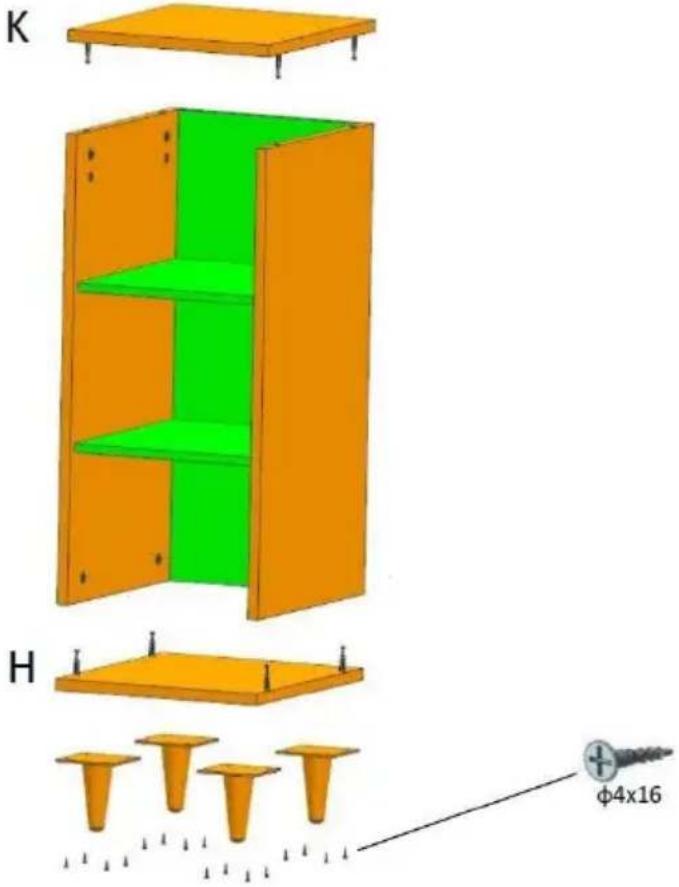
9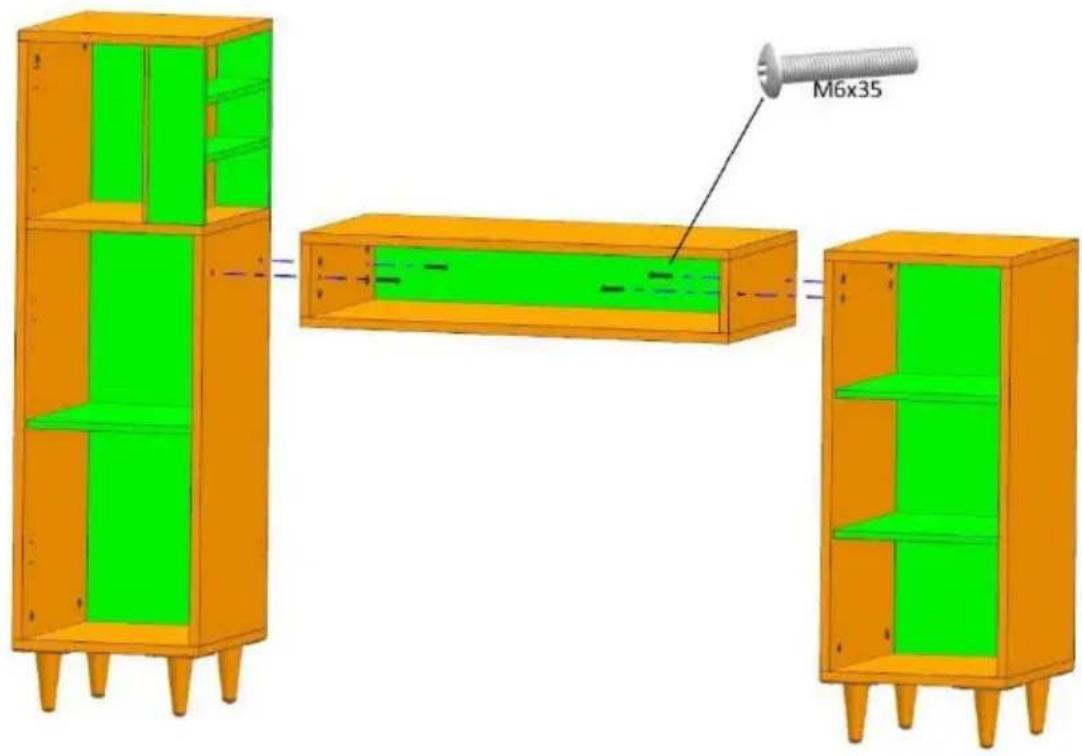
10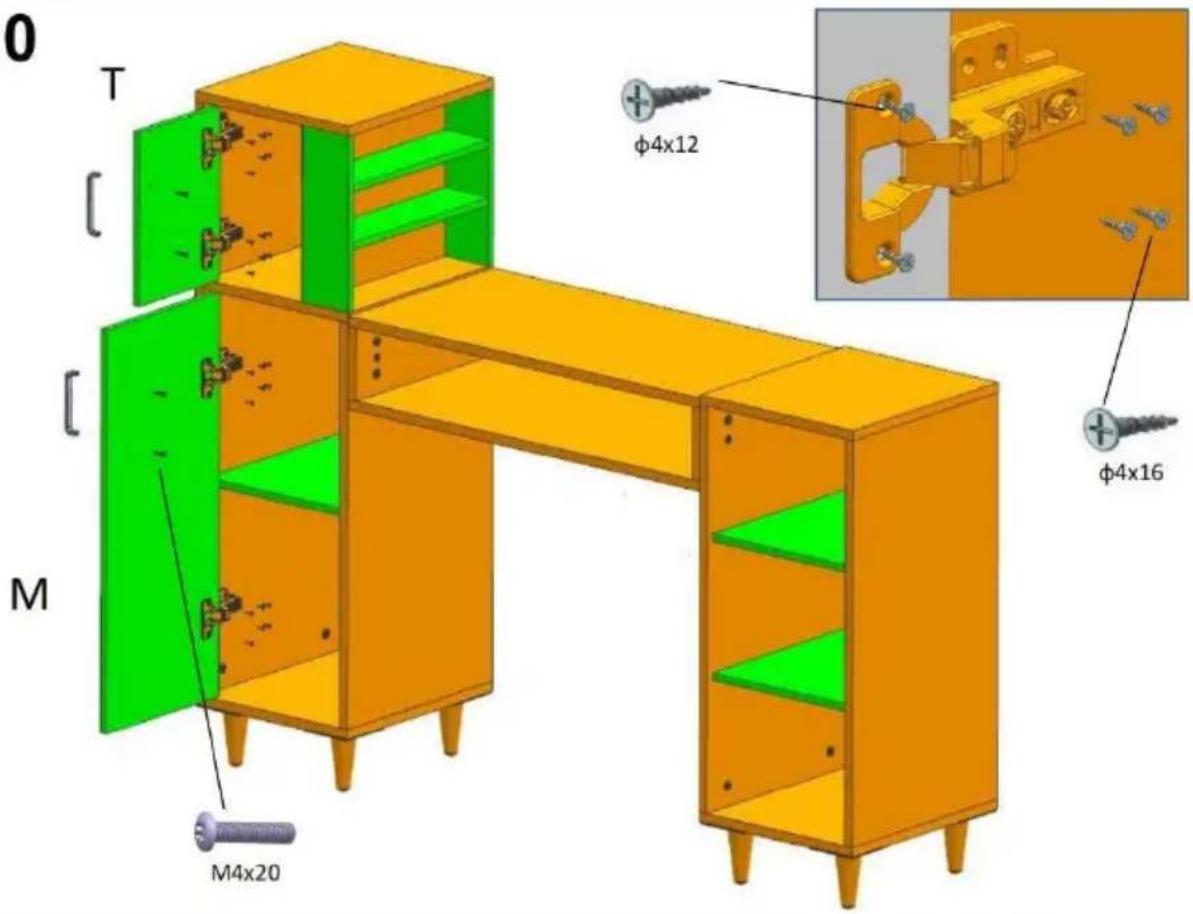
11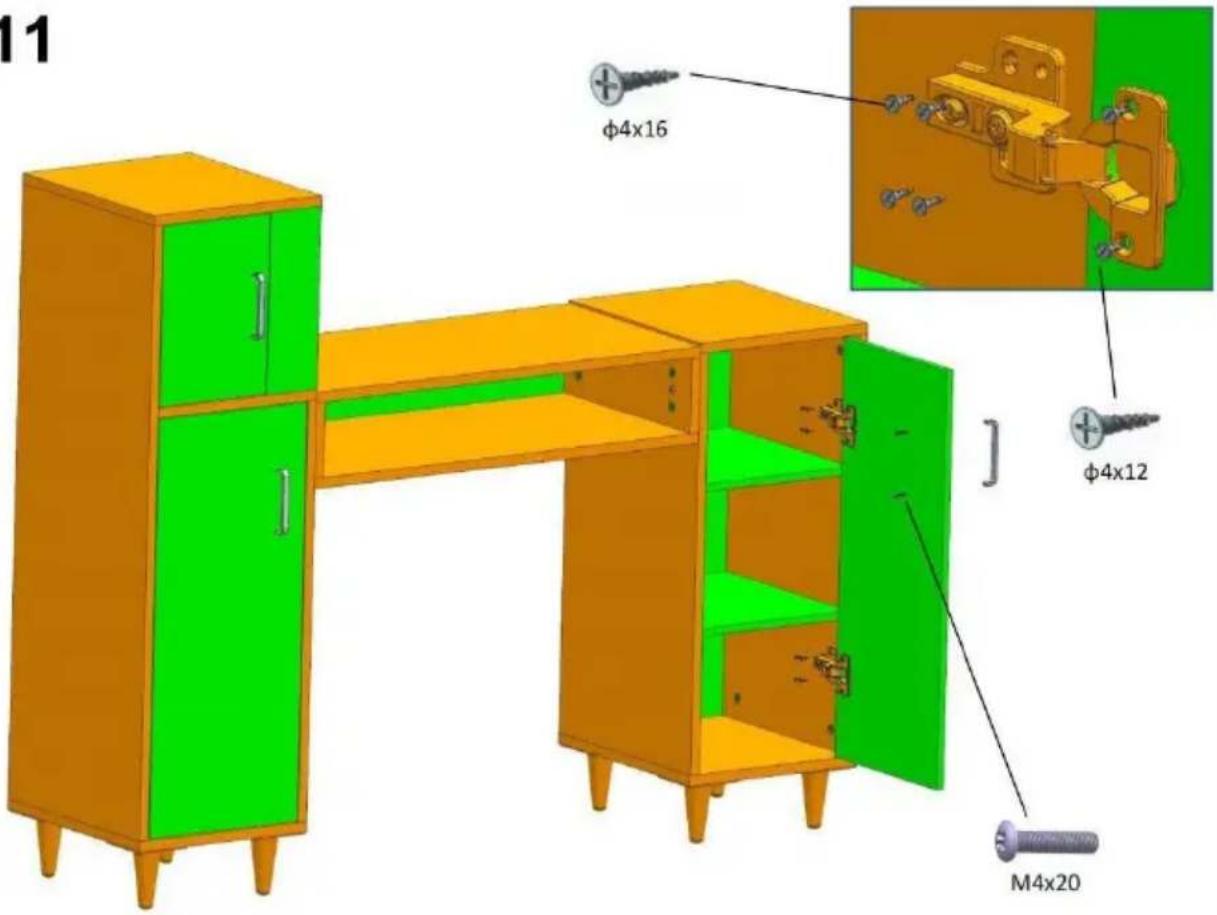
12
WARNING: Placing items that are too hot or too cold on glass can cause it to burst. Note that glass will burst upon
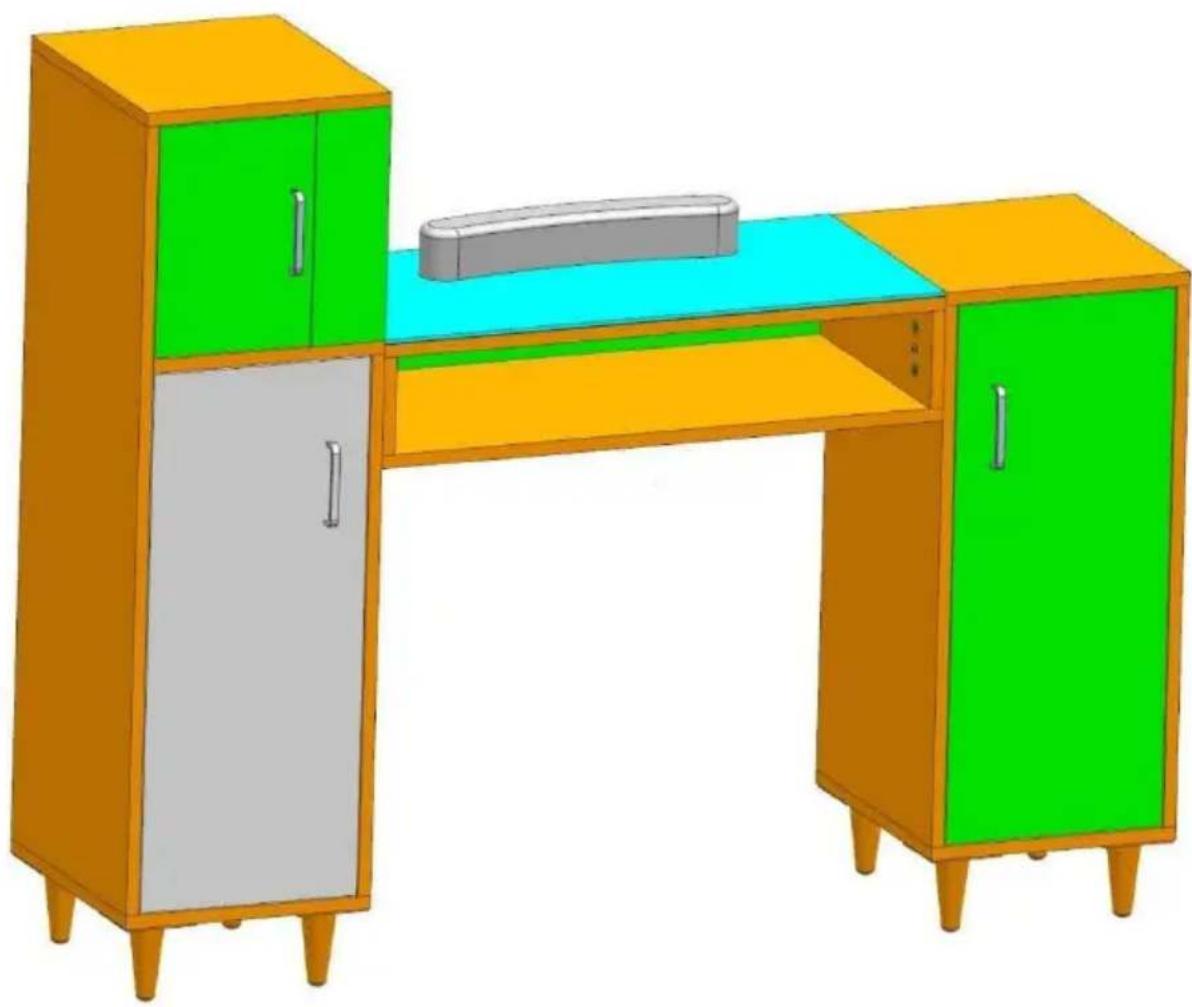
Notice: Please adjust the height of the laminate according to usage needs.
CLEANING AND STORAGE
- Wipe with a soft, dry cloth. Never use an abrasive cleanser or harsh pad clean with water or other liquids.
- Be sure to keep the product dry
- Children are not allowed to wipe the product to avoid tipping and falling
- Regularly adding industrial grease to the door spindle can reduce noise and extend service life.
TIPS:
- Adding PVC pads for easy cleaning.
Manufacturer: Shanghai Muxin Wood Industry Co., Ltd.
Address: Room 1602A-1609, No. 11, Lane 803, Shuangcheng Road, Baoshan District, Shanghai 200000, CN.
Imported to AUS: SIHAO PTY LTD. 1 ROKEVA STREET, EASTWOOD NSW 2122, Australia
Imported to USA: Sanven Technology Ltd. Suite 250, 9166 Anaheim Place, Rancho Cucamonga, CA 91730
| UK | REP |
YH CONSULTING LIMITED.
C/O YH Consulting Limited Office 147,
Centurion House, London Road,
Staines-upon-Thames, Surrey, TW18 4AX
| EC | REP |
E-CrossStu GmbH
Mainzer Landstr. 69,
60329 Frankfurt am Main.
VEVOR®
TOUGH TOOLS, HALF PRICE
Technical Support and E-Warranty Certificate
www.vevor.com/support
VEVOR®
TOUGH TOOLS, HALF PRICE
NEED HELP? CONTACT US!
Installation instruction
| Installation Method for Connecting boards | Example: | ||
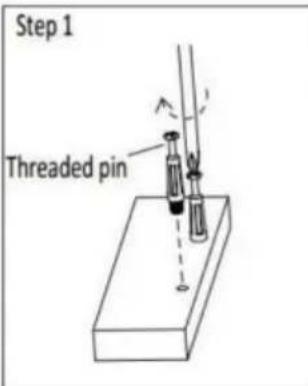 | 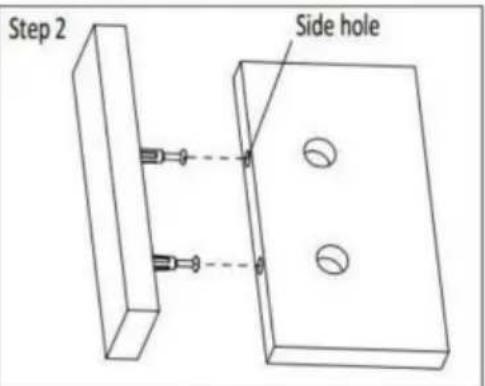 | ||
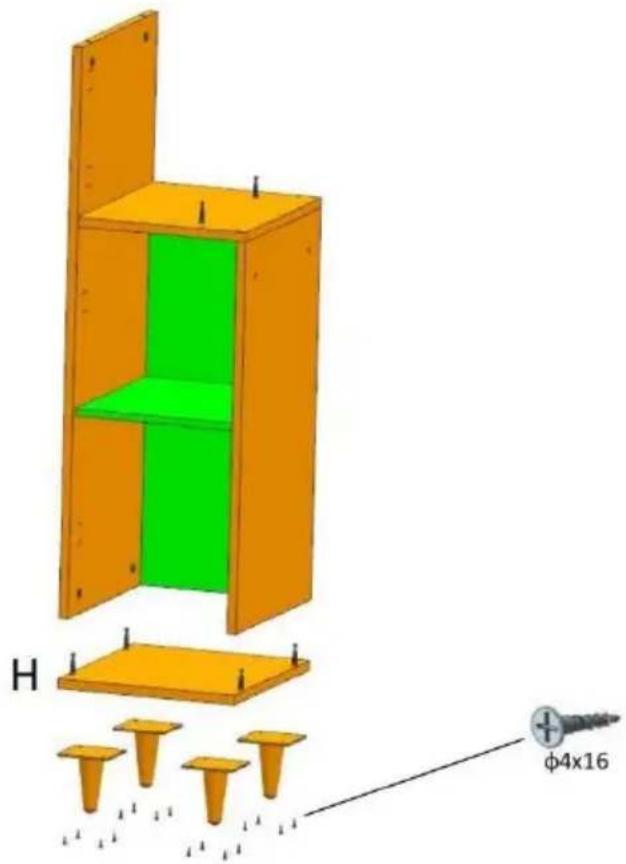
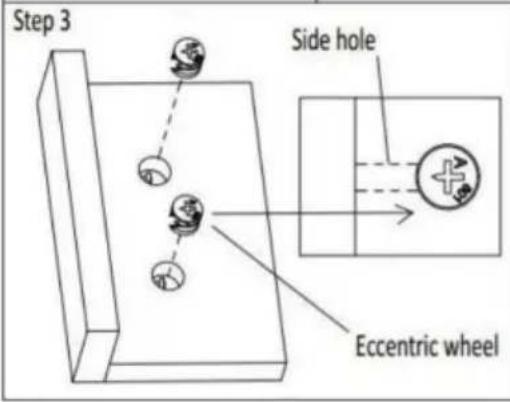
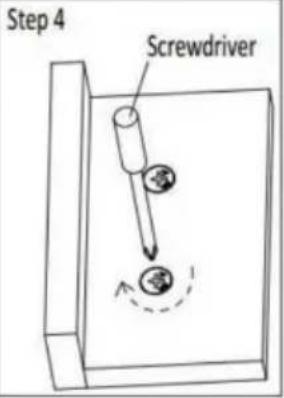
| Step 1 . Install threaded pins into the reserved plastic thread holes by screwdriver .Step 2 .Insert the installed threaded pins into the side holes one to one .Step 3 .Install Eccentric wheels into the larger holes of the board ,The arrow groove on the surface of the eccentric wheel must point to the side hole .Step 4 . tighten them by cross-head screwdriver Please follow up the Example beside. | 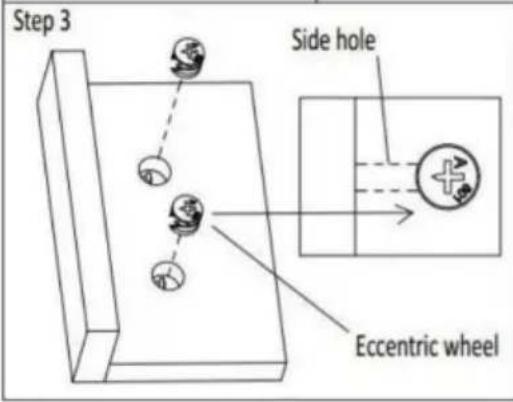 | 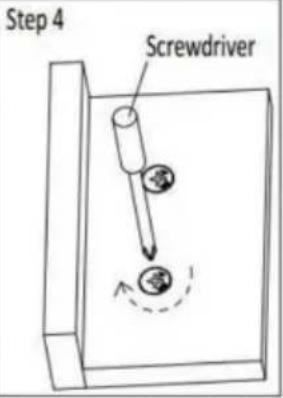 | |
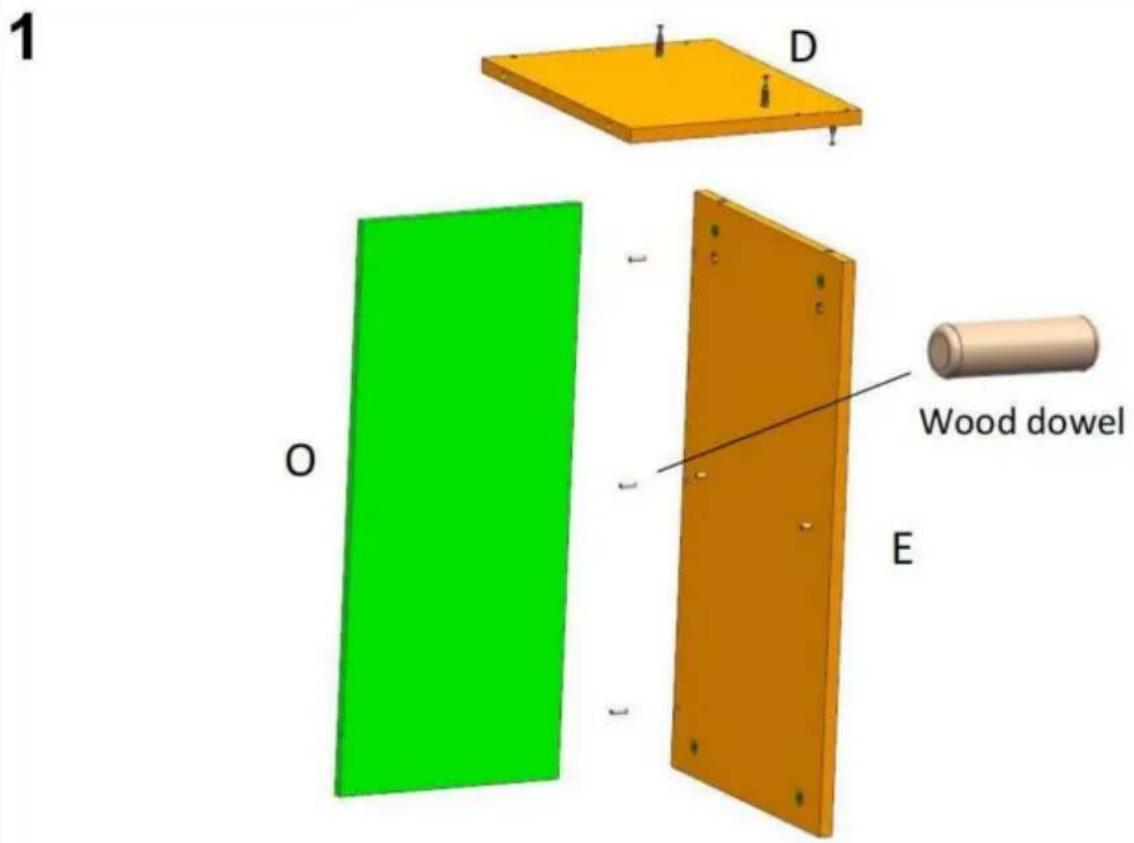
2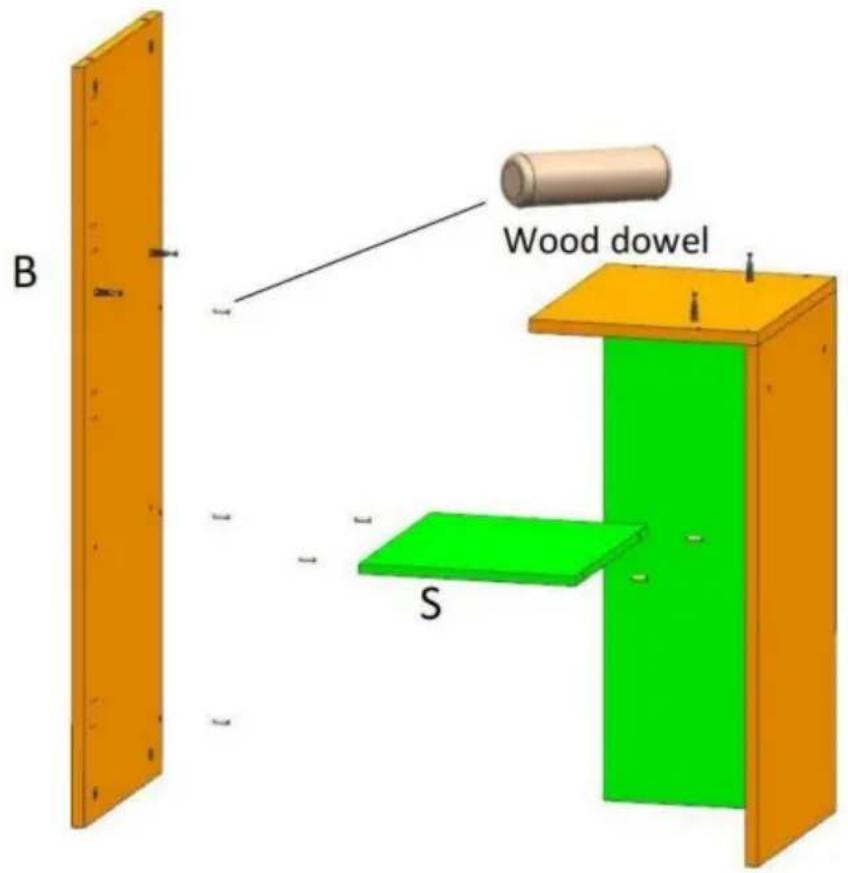
3
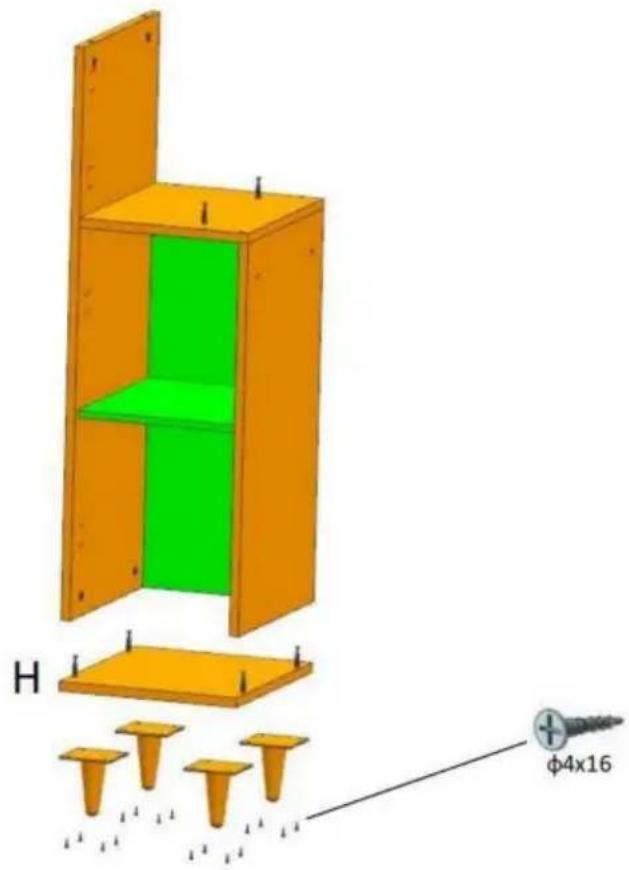
6
7
8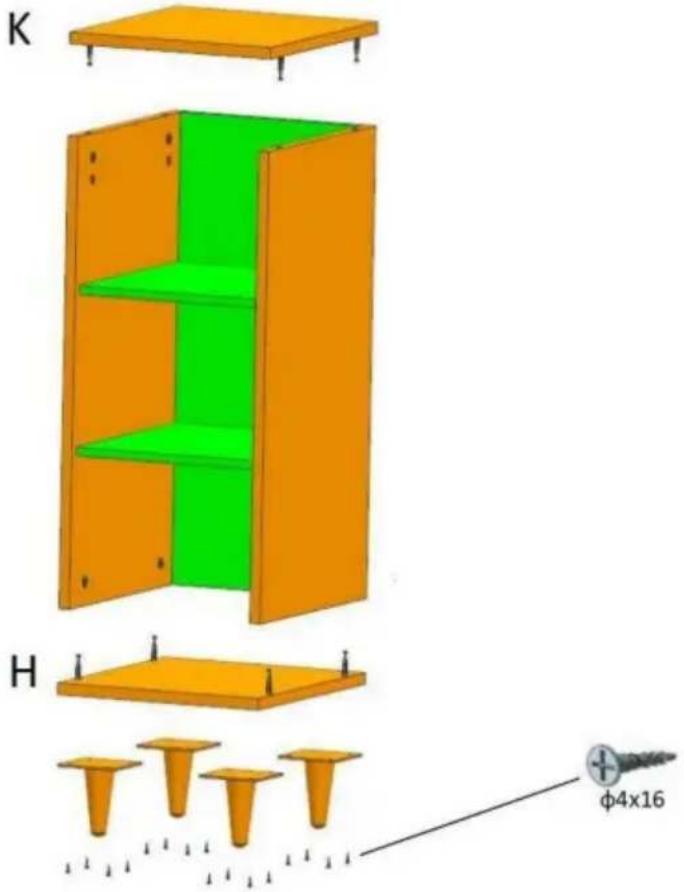
9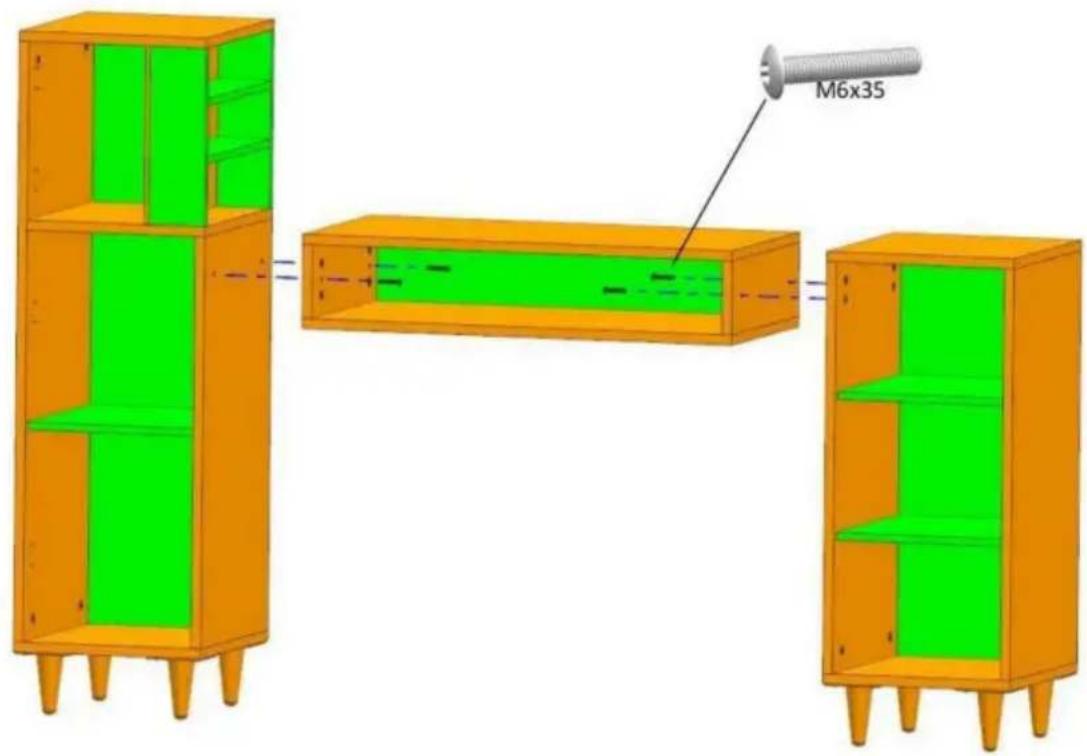
10![0 T [ ] M M4x20 φ4x12 φ4x16](/content/2026/04/735798/images/7373bfc3c33f1b9a8a696f2e49b705b6956f83cc951017a0018a1fdb16a856b0.jpg)
11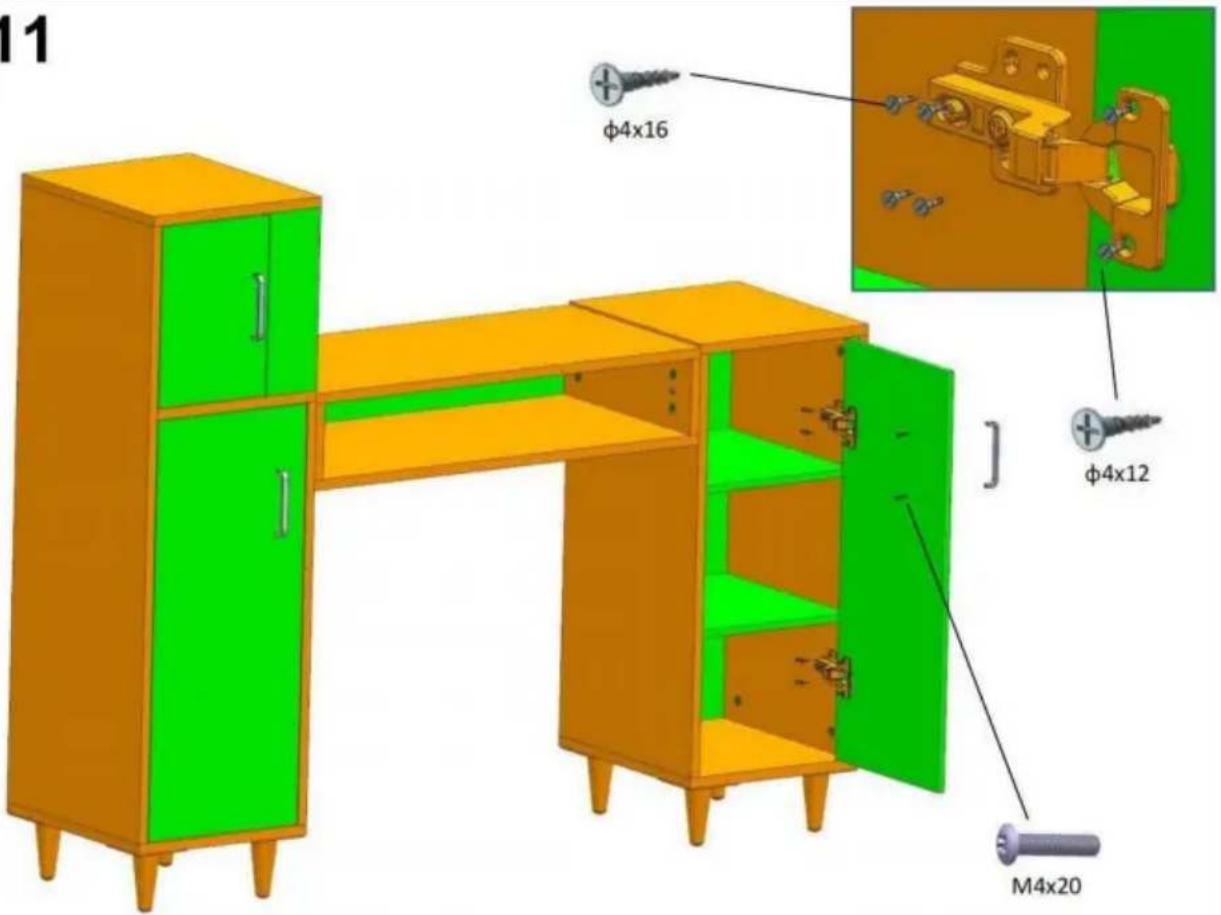
12
C/O YH Consulting Limited Bureau 147,
Maison Centurion, London Road,
Staines-upon-Thames, Surrey, TW18 4AX
E-CrossStu GmbH
Mainzer Landstr.69,
Installation instruction
| Installation Method for Connecting boards | Example: | ||
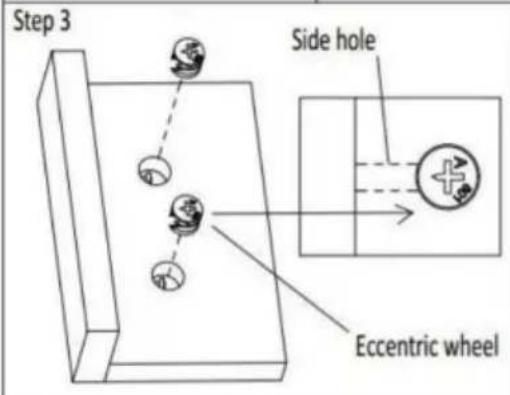
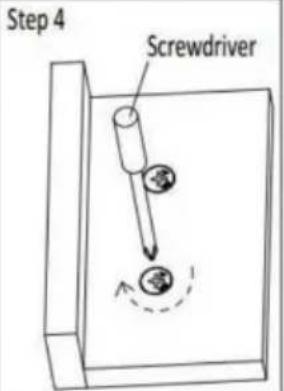
| Step 1 . Install threaded pins into the reserved plastic thread holes by screwdriver .Step 2 .Insert the installed threaded pins into the side holes one to one .Step 3 .Install Eccentric wheels into the larger holes of the board ,The arrow groove on the surface of the eccentric wheel must point to the side hole .Step 4 . tighten them by cross-head screwdriver Please follow up the Example beside. |  | 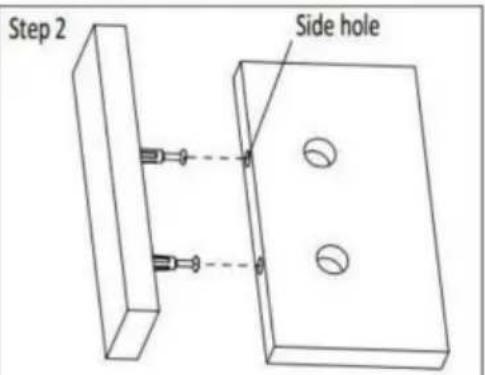 | |
 |  | ||
2
3
6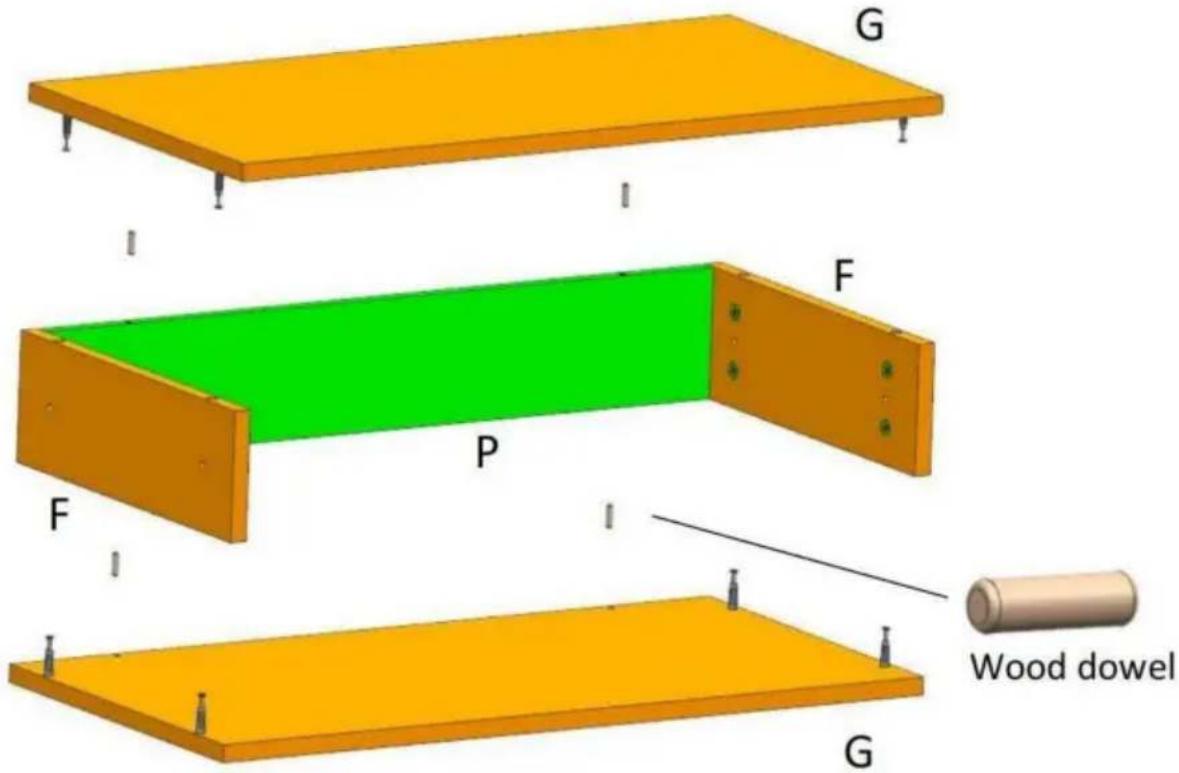
7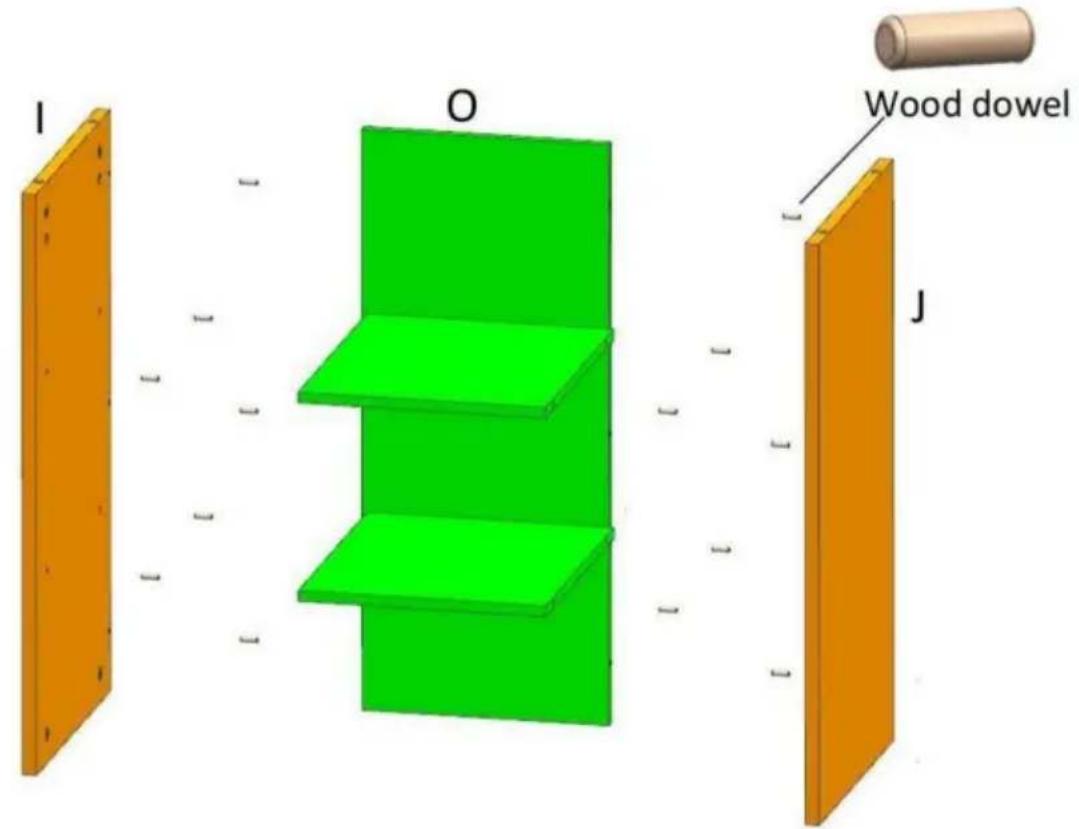
8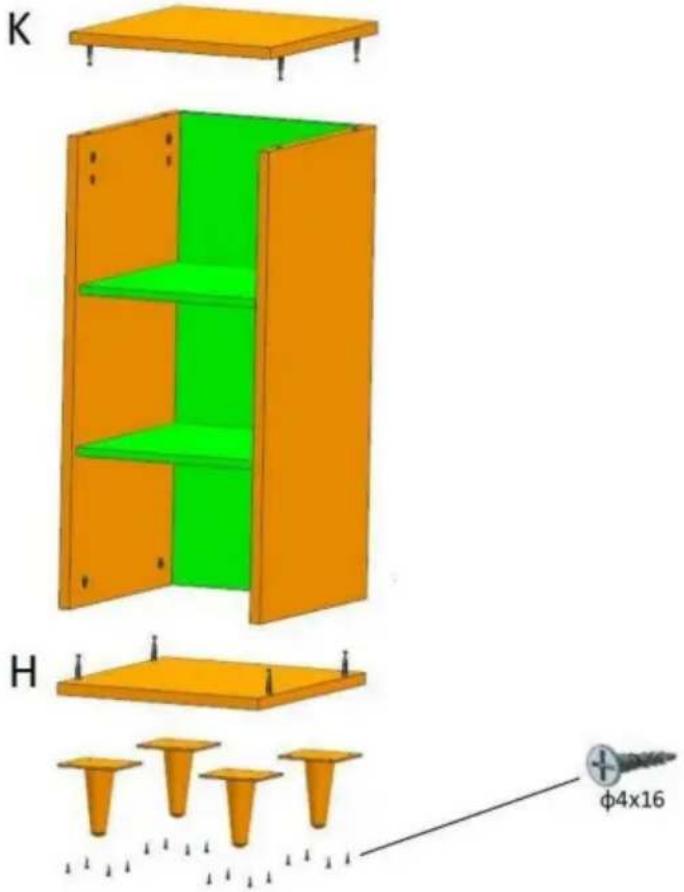
9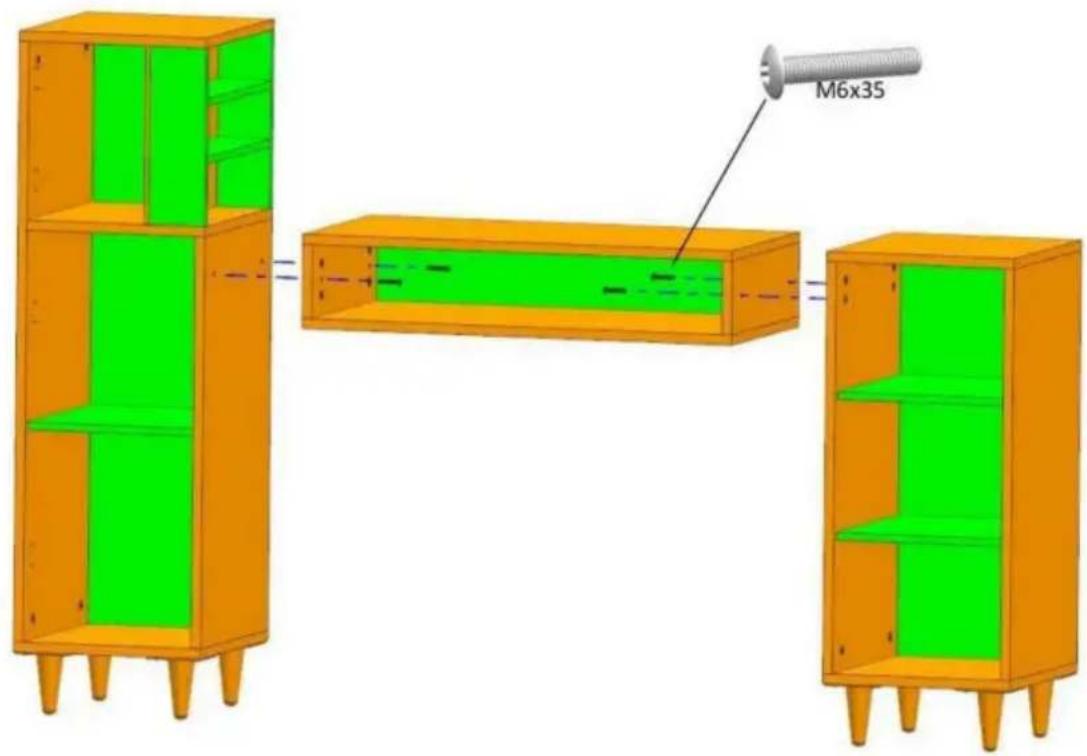
10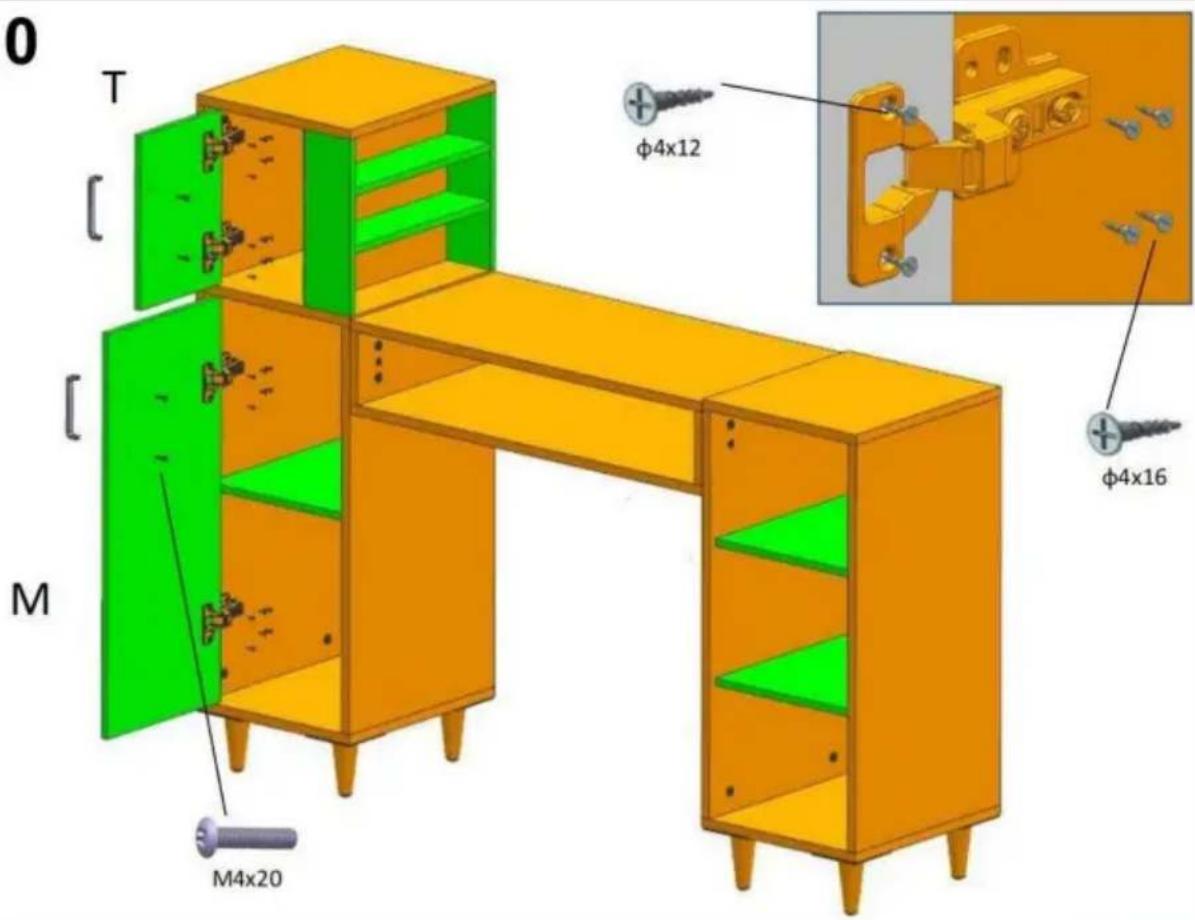
11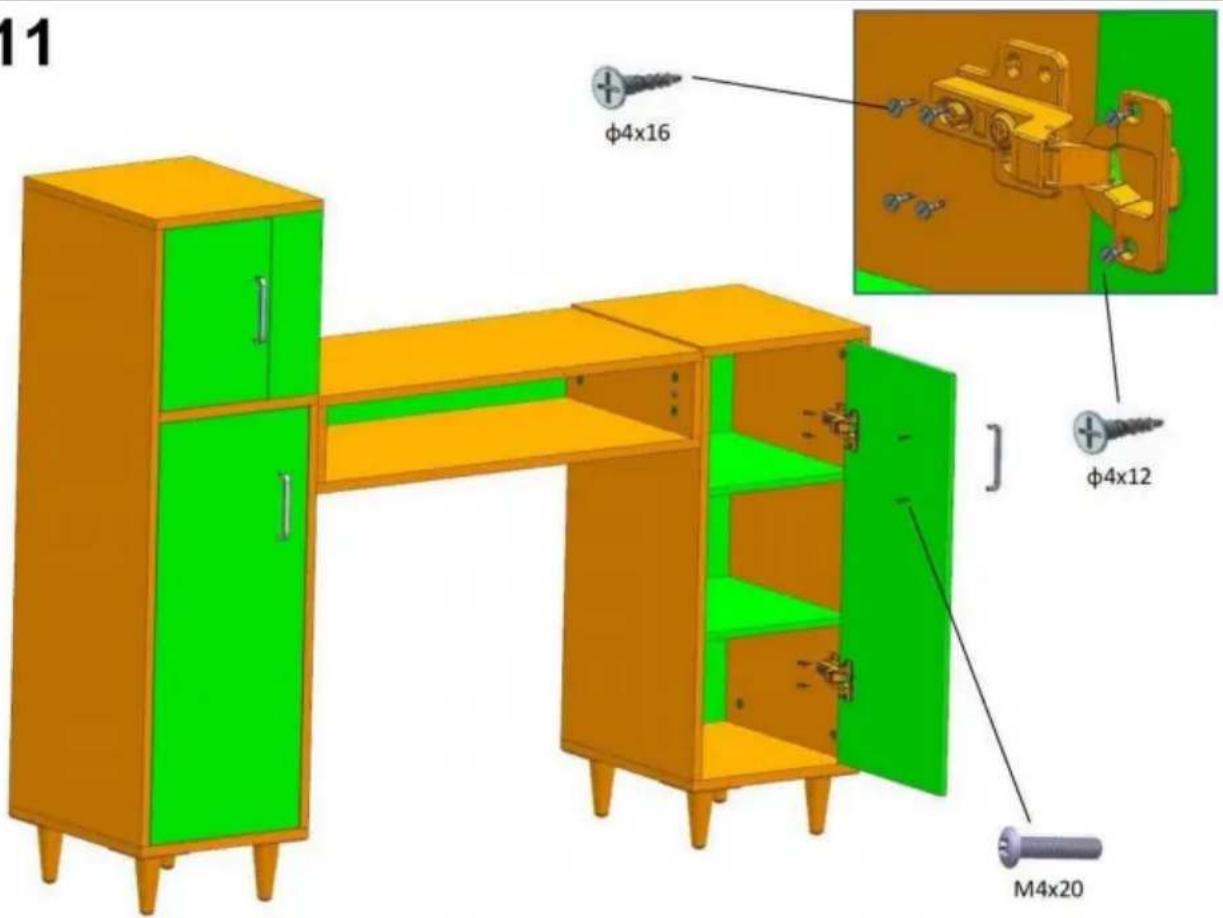
12

C/O YH Consulting Limited Office 147,
Centurion House, London Road,
Staines-upon-Thames, Surrey, TW18 4AX
www.vevor.com/support
VEVOR®
TOUGH TOOLS, HALF PRICE
NEED HELP? CONTACT US!
Installation instruction
| Installation Method for Connecting boards | Example: | |
| Step 1 . Install threaded pins into the reserved plastic thread holes by screwdriver .Step 2 .Insert the installed threaded pins into the side holes one to one .Step 3 .Install Eccentric wheels into the larger holes of the board ,The arrow groove on the surface of the eccentric wheel must point to the side hole .Step 4 . tighten them by cross-head screwdriver Please follow up the Example beside. | | |
 |  | |
2
3
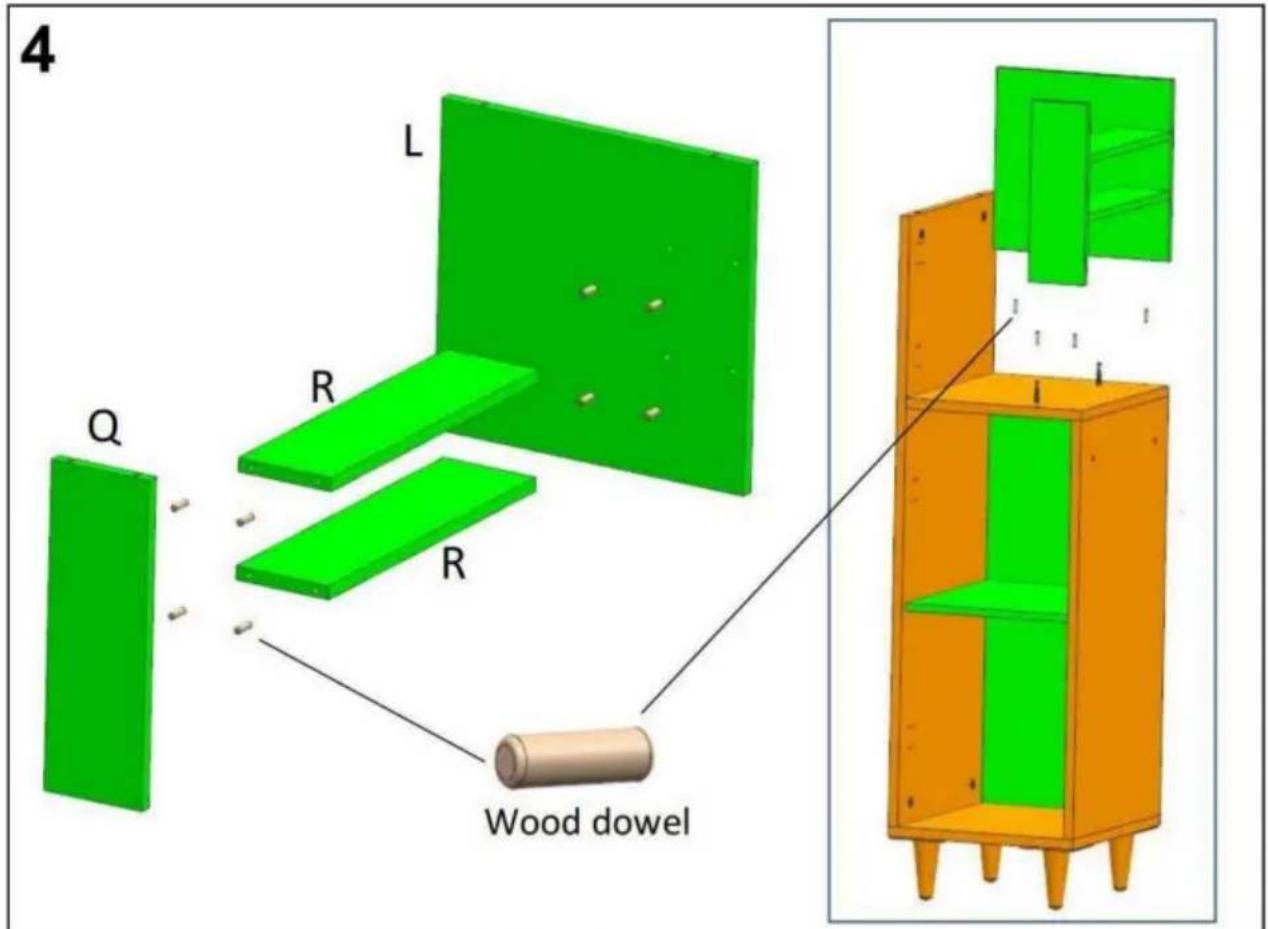
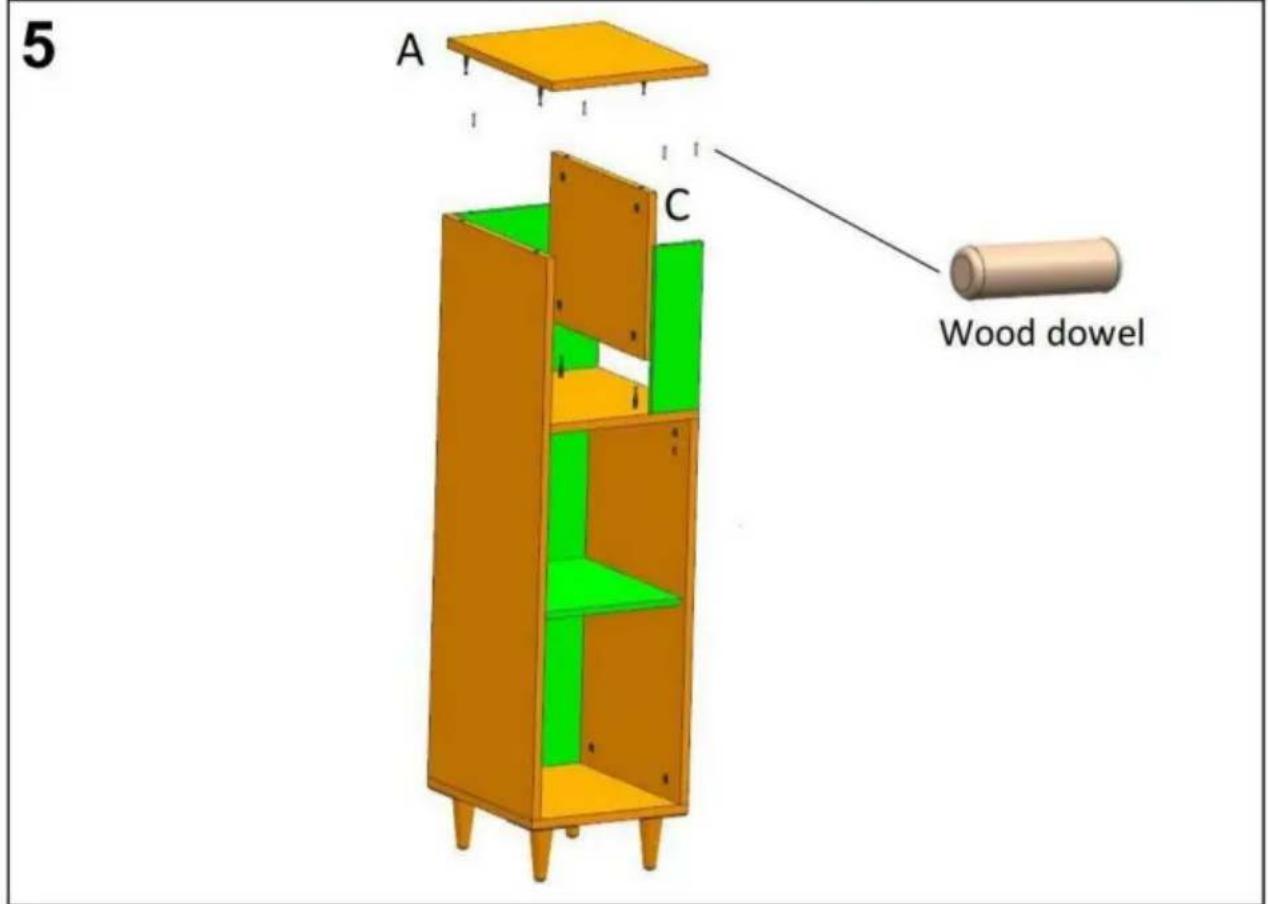
6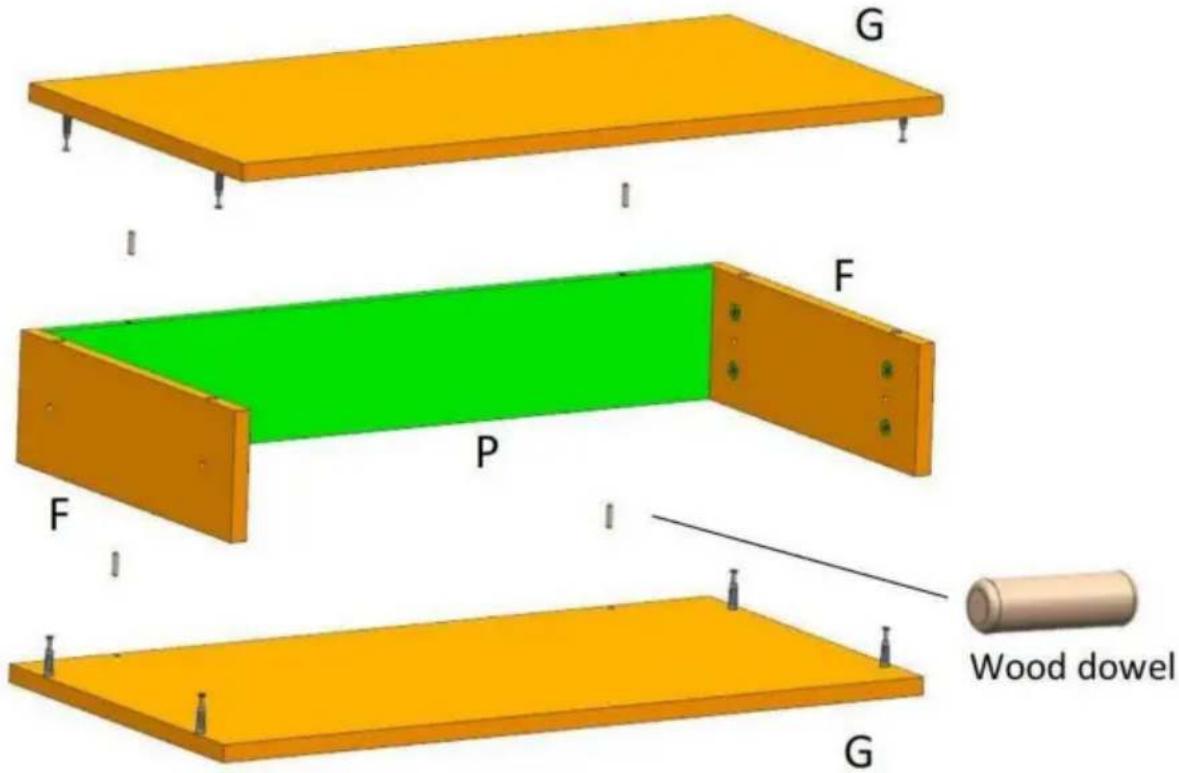
7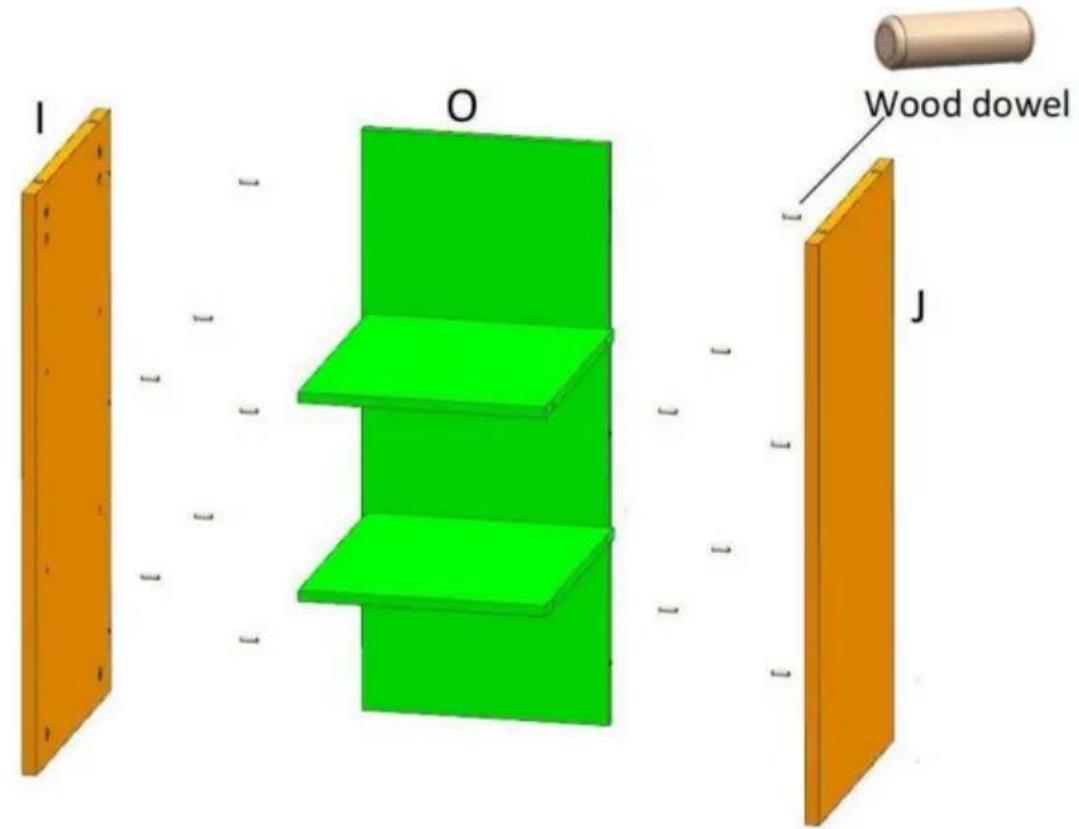
8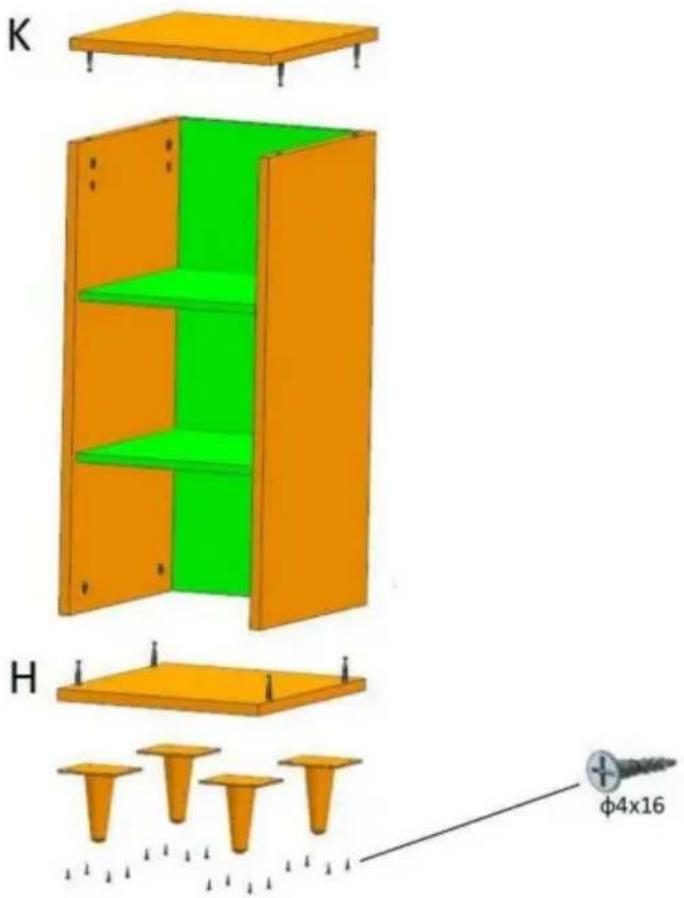
9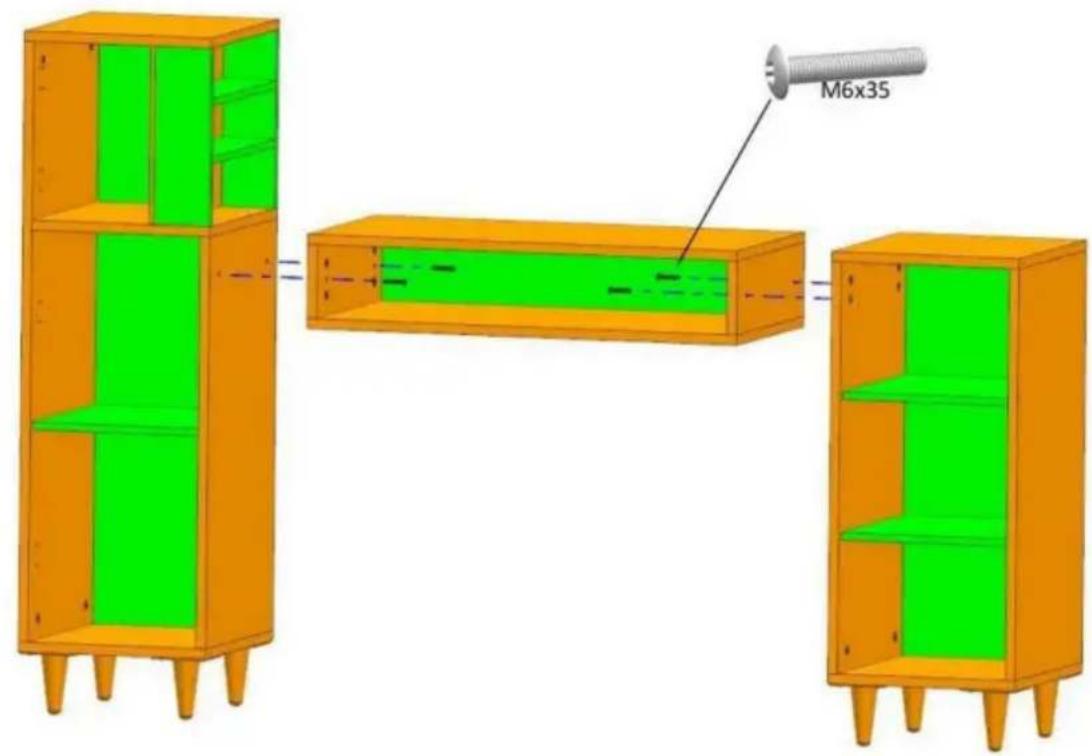
10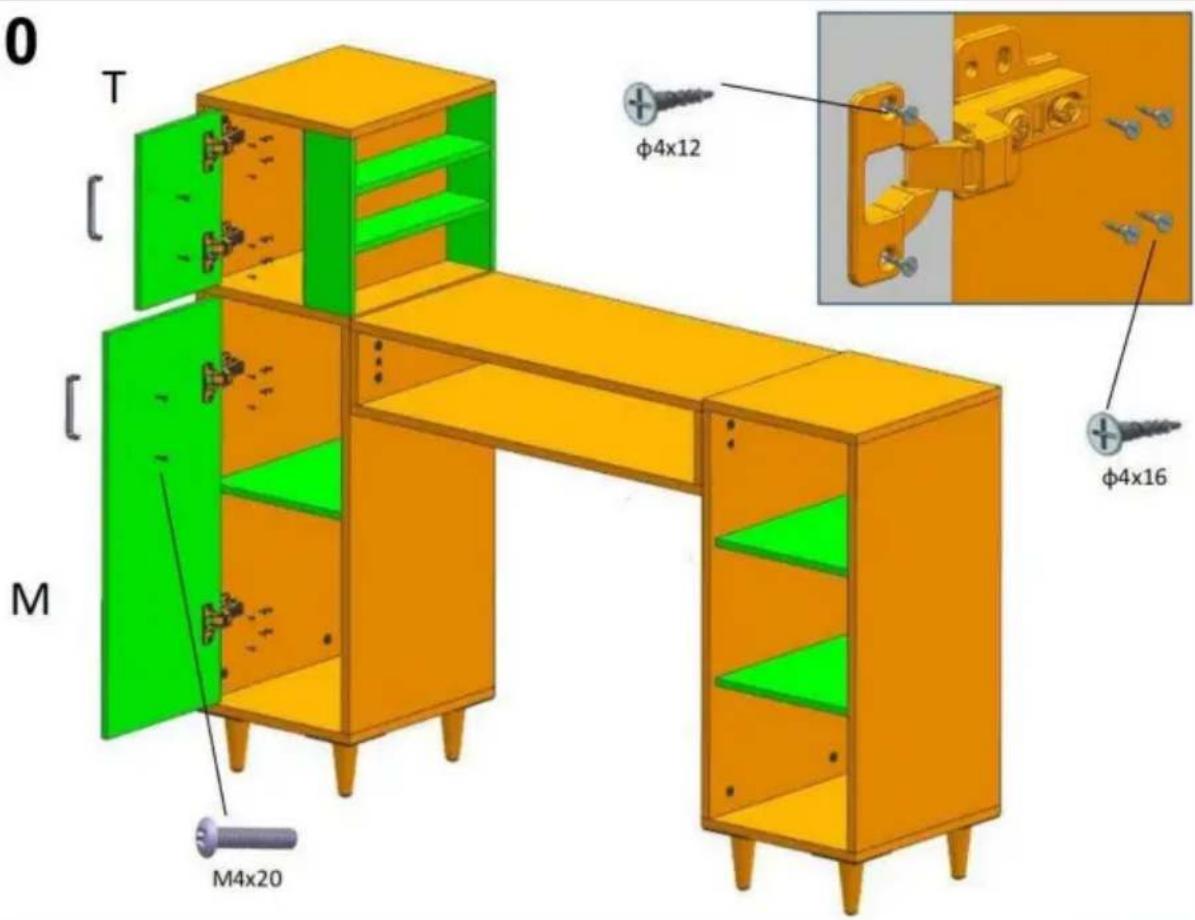
11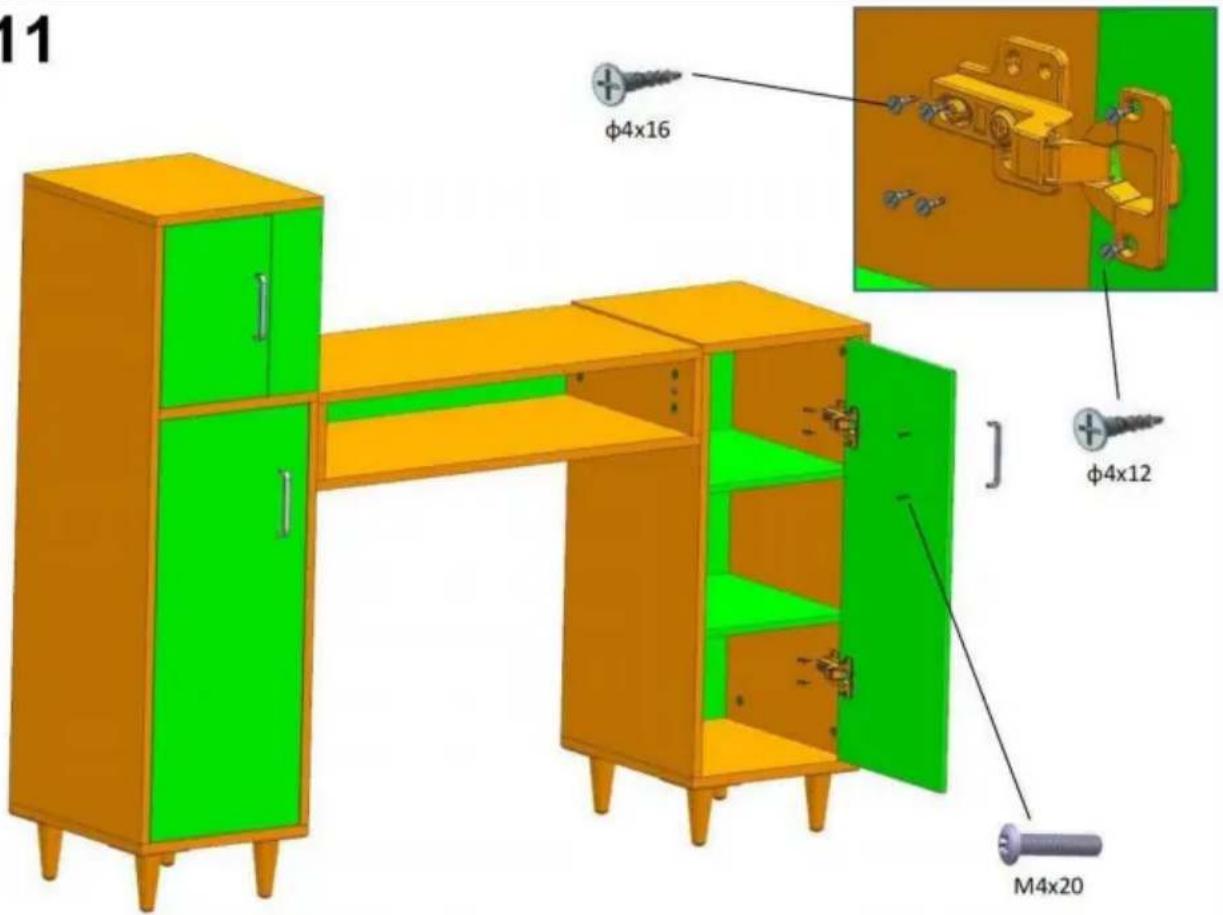
12
Imported into Australia: SIHAO PTY LTD. 1 ROKEVA STREET EASTWOOD NSW 2122 Australia
C/O YH Consulting Limited Office 147,
Casa del Centurione, London Road,
Staines-upon-Thames, Surrey, TW18 4AX
| REP.CE |
E-CrossStu GmbH
Mainzer Landstr.69,
electronics www.vevor.com/support
VEVOR®
TOUGH TOOLS, HALF PRICE
Installation instruction
| Installation Method for Connecting boards | Example: | ||
| Step 1 . Install threaded pins into the reserved plastic thread holes by screwdriver .Step 2 .Insert the installed threaded pins into the side holes one to one .Step 3 .Install Eccentric wheels into the larger holes of the board ,The arrow groove on the surface of the eccentric wheel must point to the side hole .Step 4 . tighten them by cross-head screwdriver Please follow up the Example beside. | | | |
| | ||
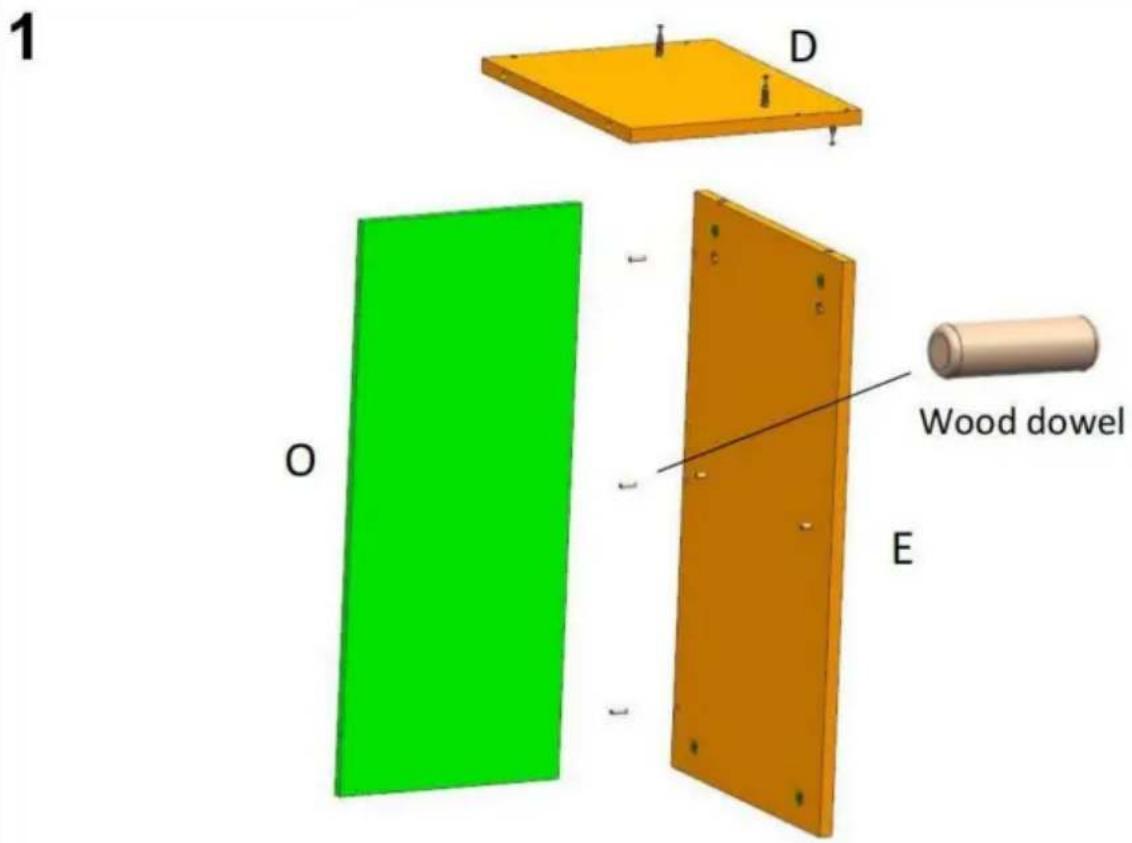
2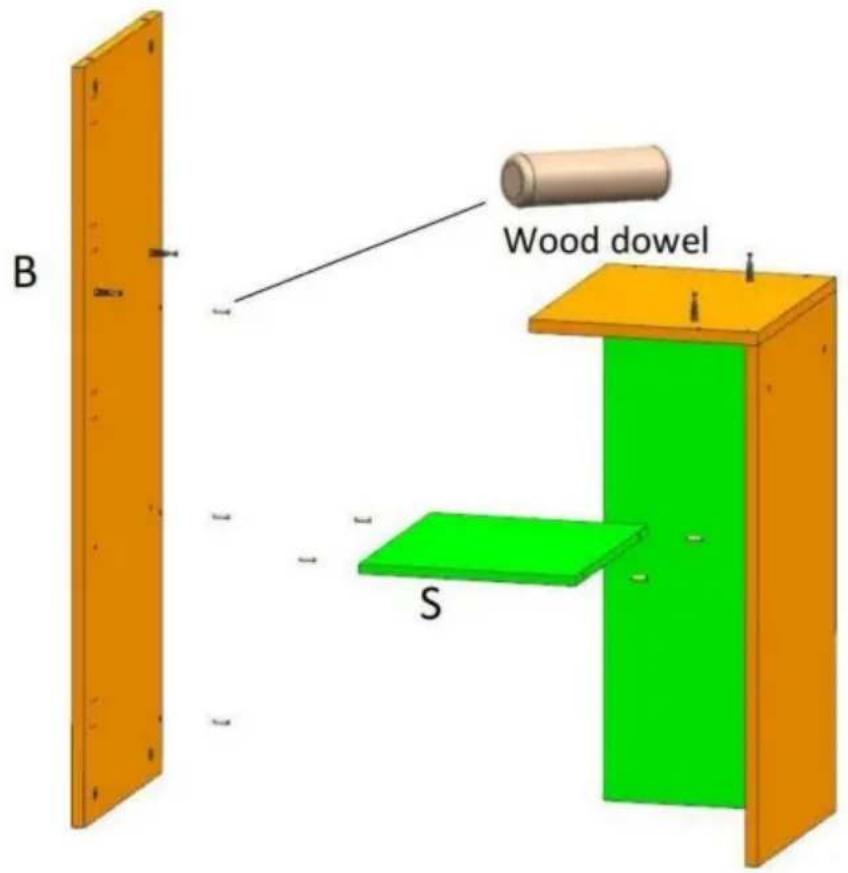
3
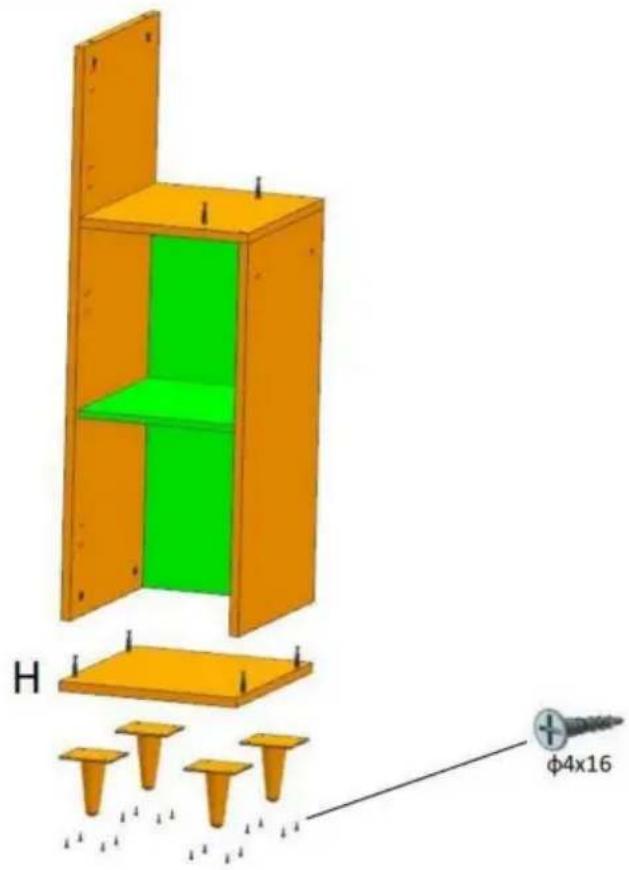
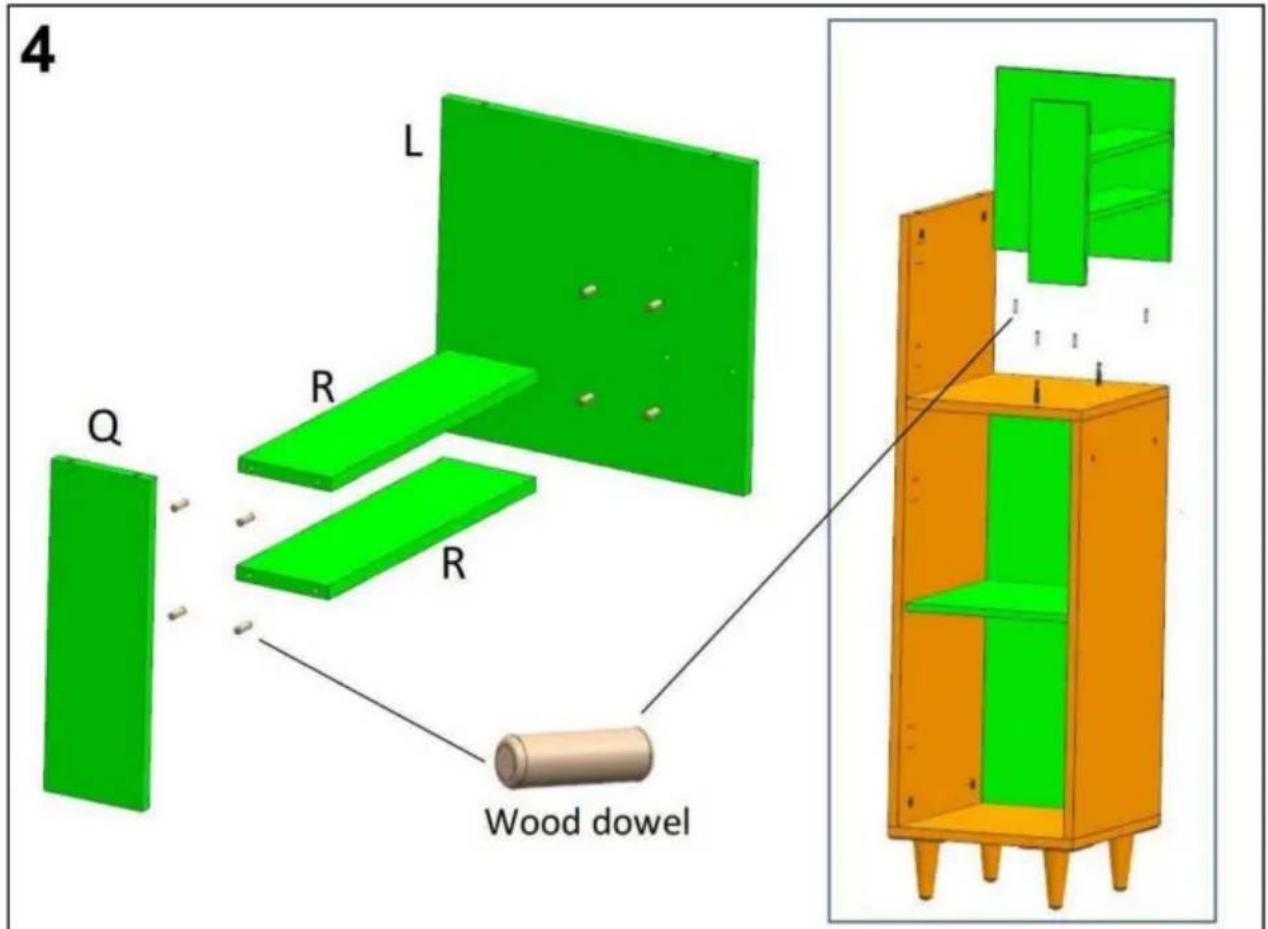
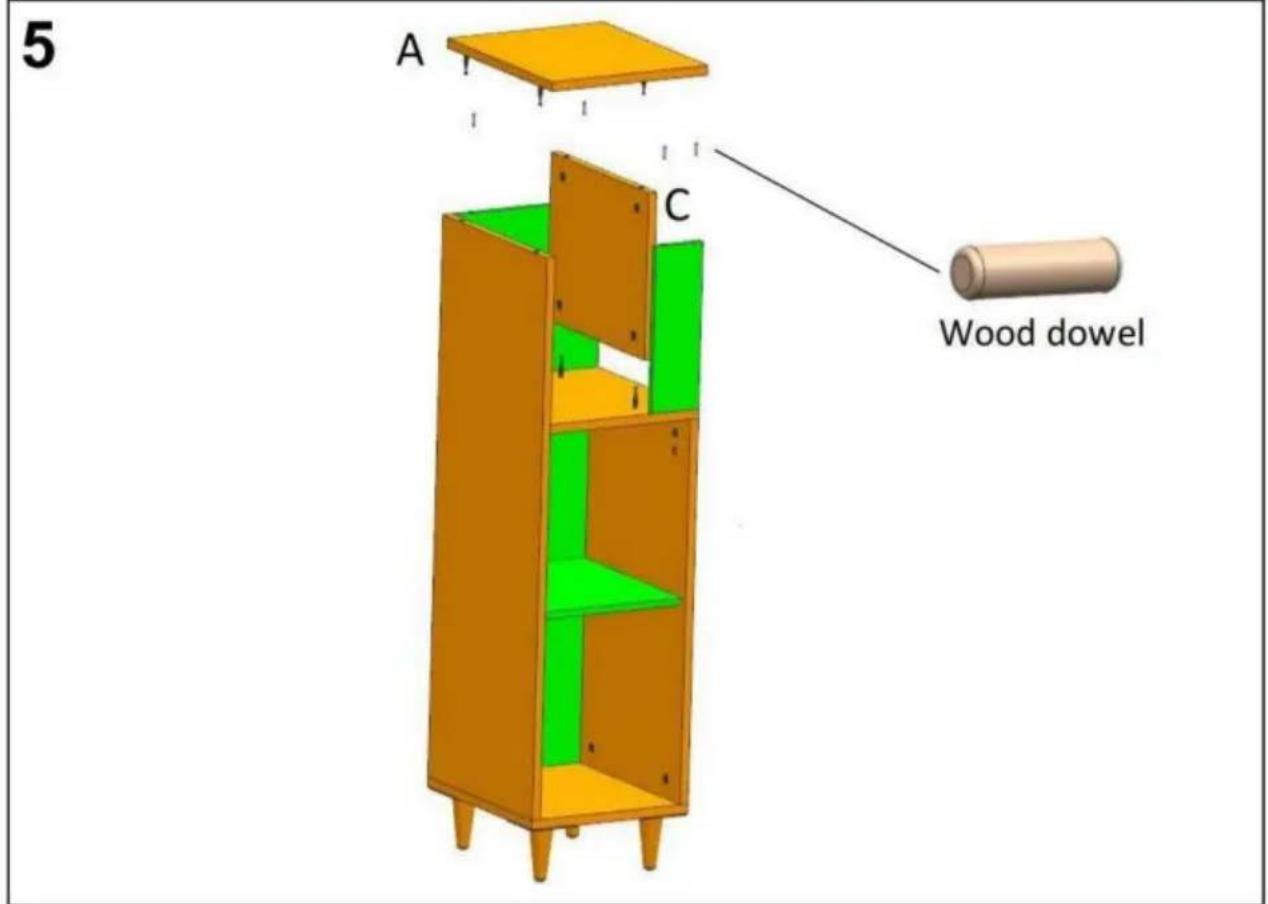
6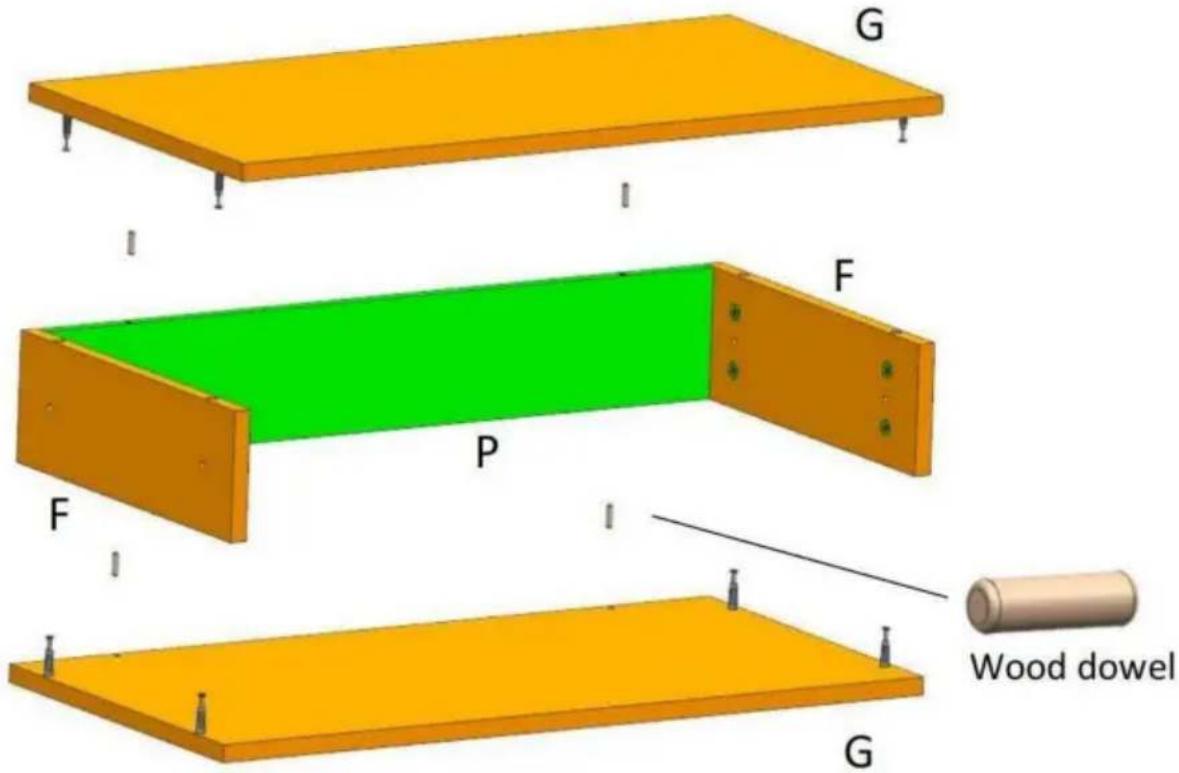
7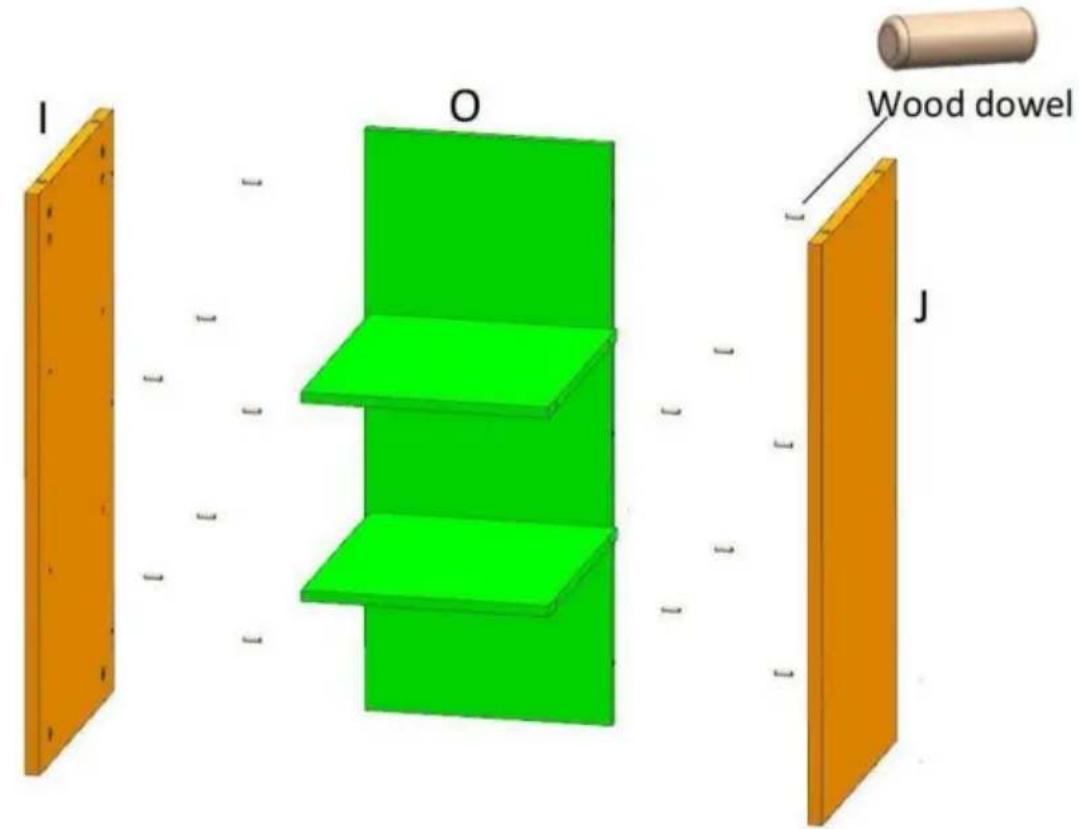
8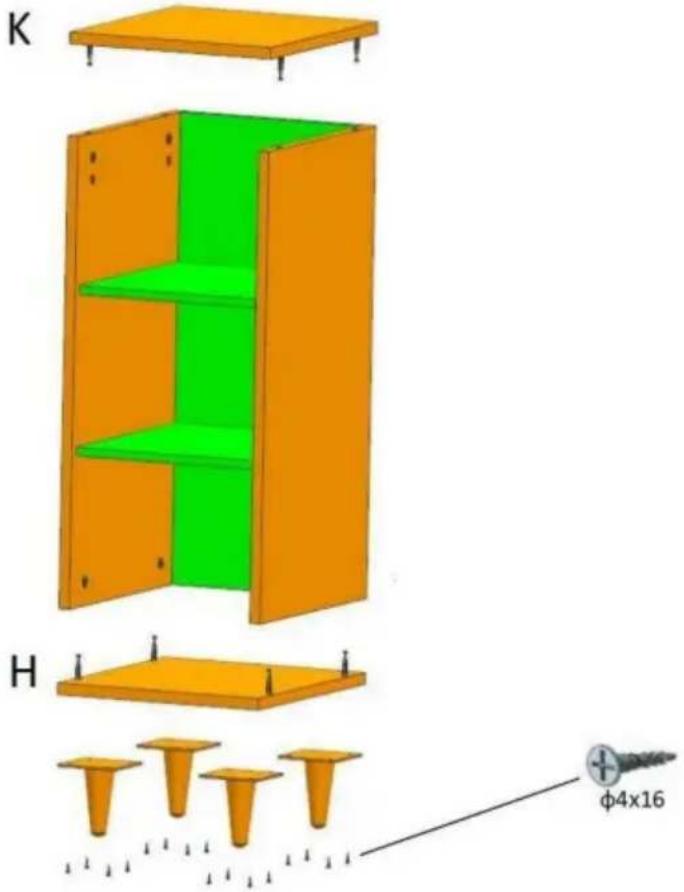
9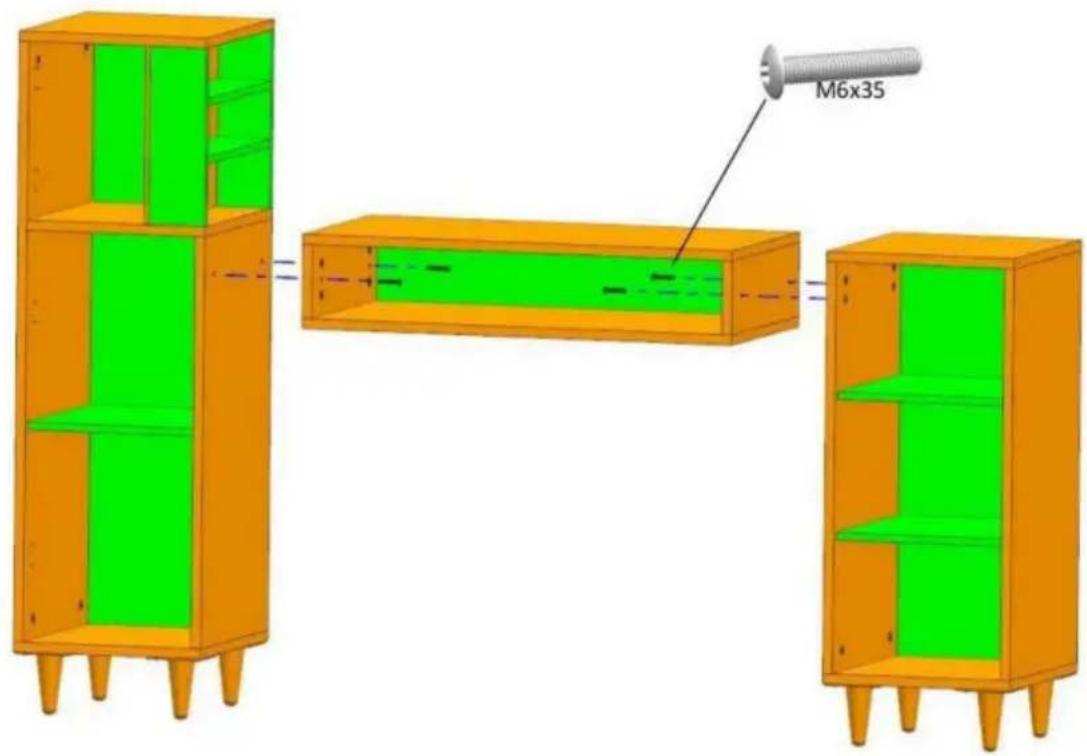
10![0 T [ ] M M4x20 φ4x12 φ4x16](/content/2026/04/735798/images/265f4591e0d19bc655cfad361c2273d13cccaac3371b70ab0171261b5961efc6.jpg)
11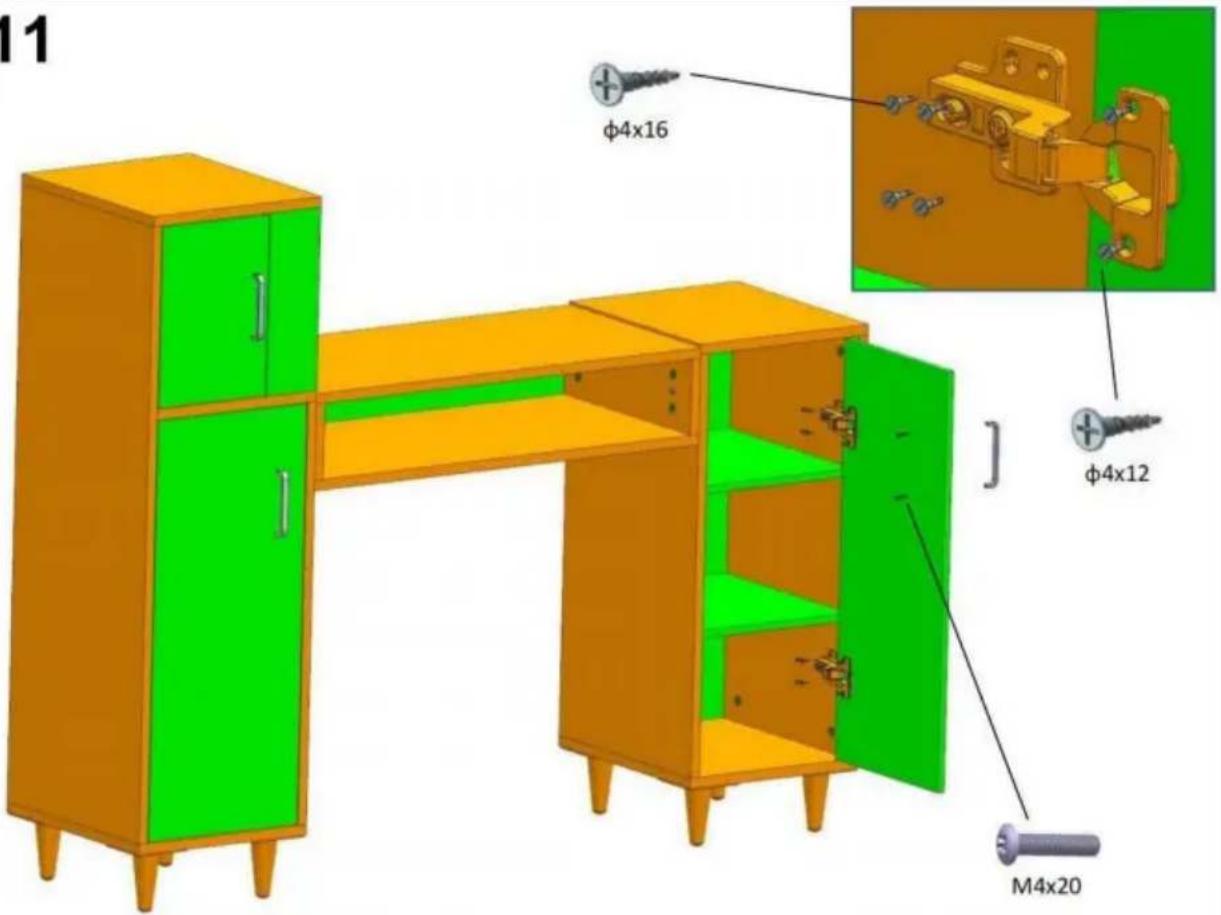
12

Casa Centurión, London Road,
Staines upon Thames, Surrey, TW18 4AX
E-CrossStu GmbH
Mainzer Landstr.69,
NEED HELP? CONTACT US!
Installation instruction
| Installation Method for Connecting boards | Example: | ||
| Step 1 . Install threaded pins into the reserved plastic thread holes by screwdriver .Step 2 .Insert the installed threaded pins into the side holes one to one .Step 3 .Install Eccentric wheels into the larger holes of the board ,The arrow groove on the surface of the eccentric wheel must point to the side hole .Step 4 . tighten them by cross-head screwdriver Please follow up the Example beside. | | | |
| | ||
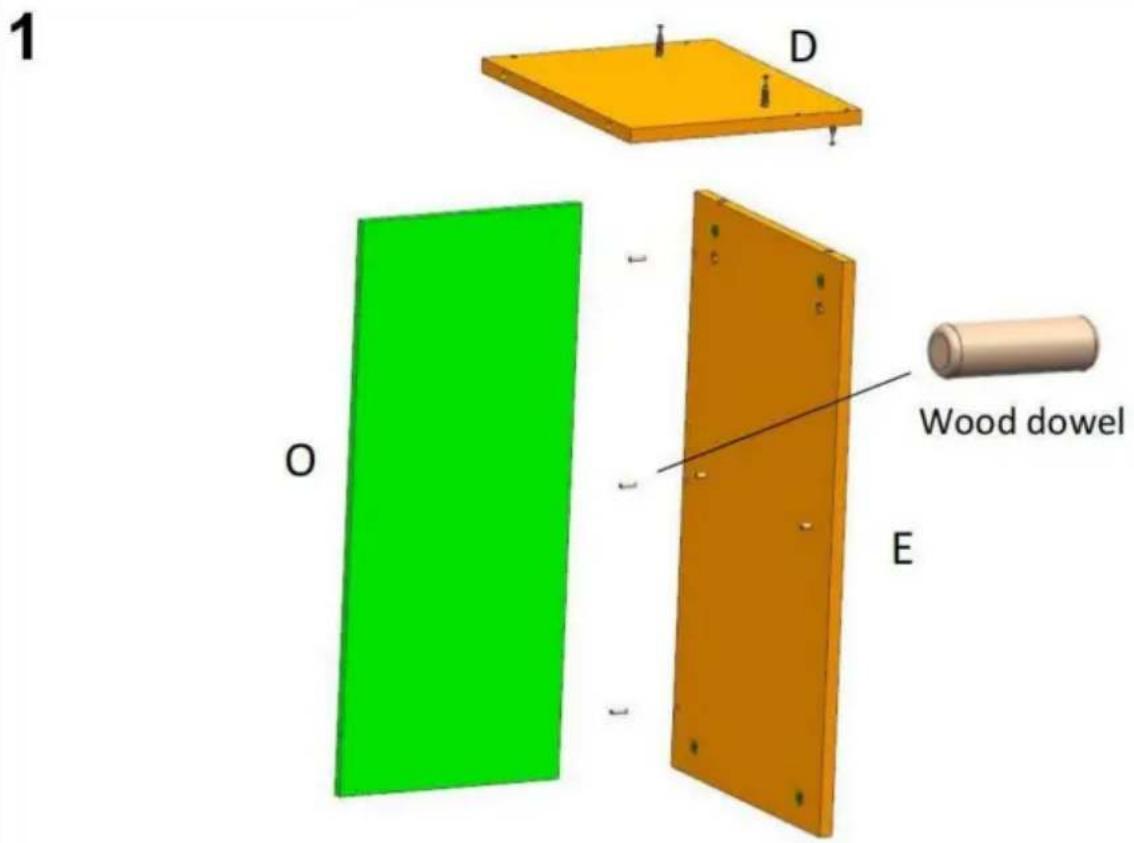
2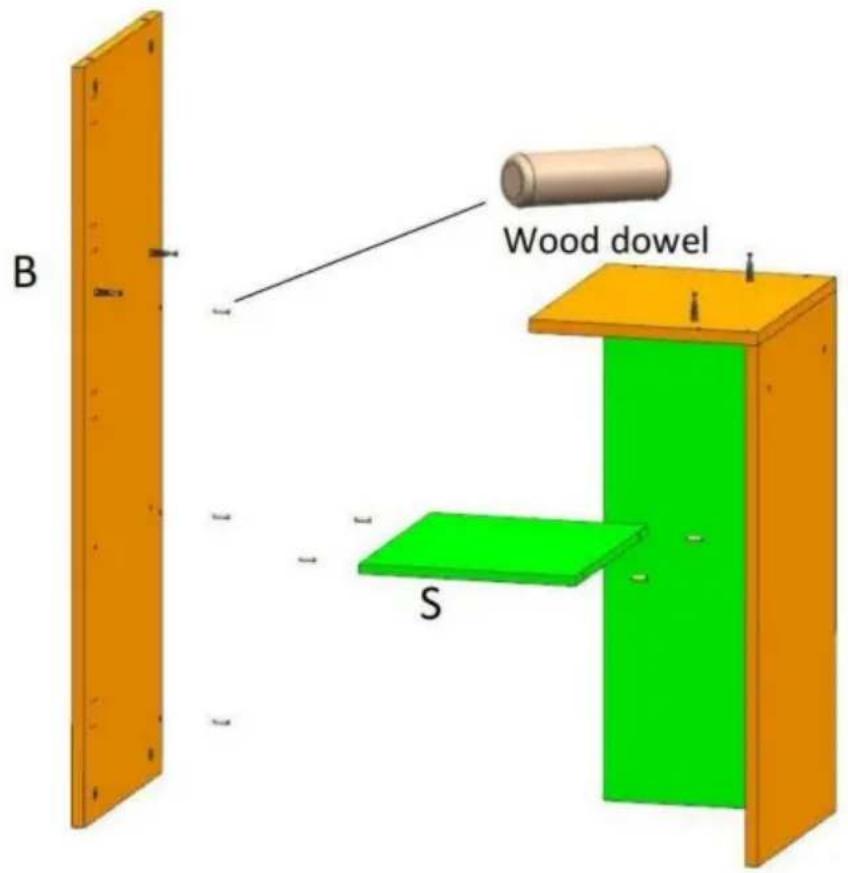
3
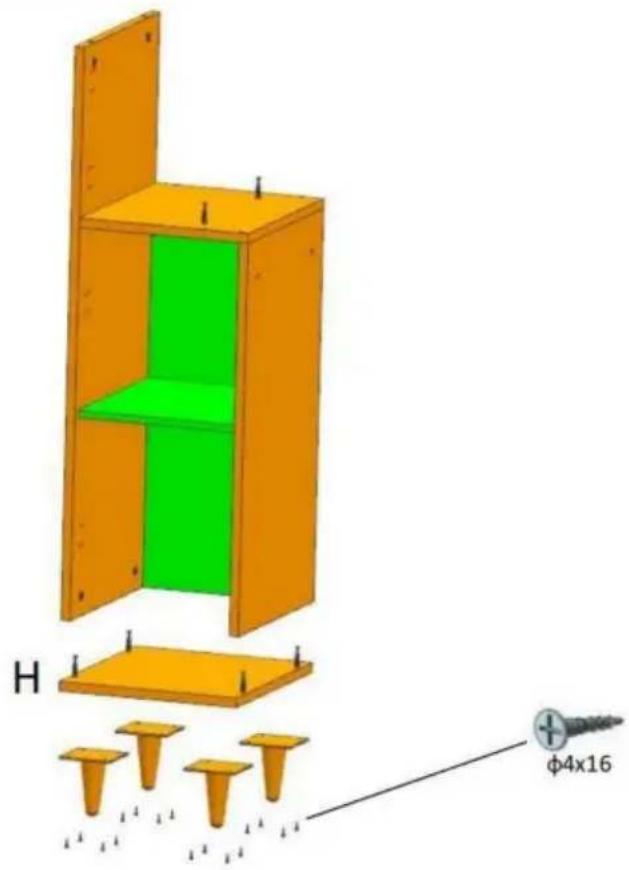
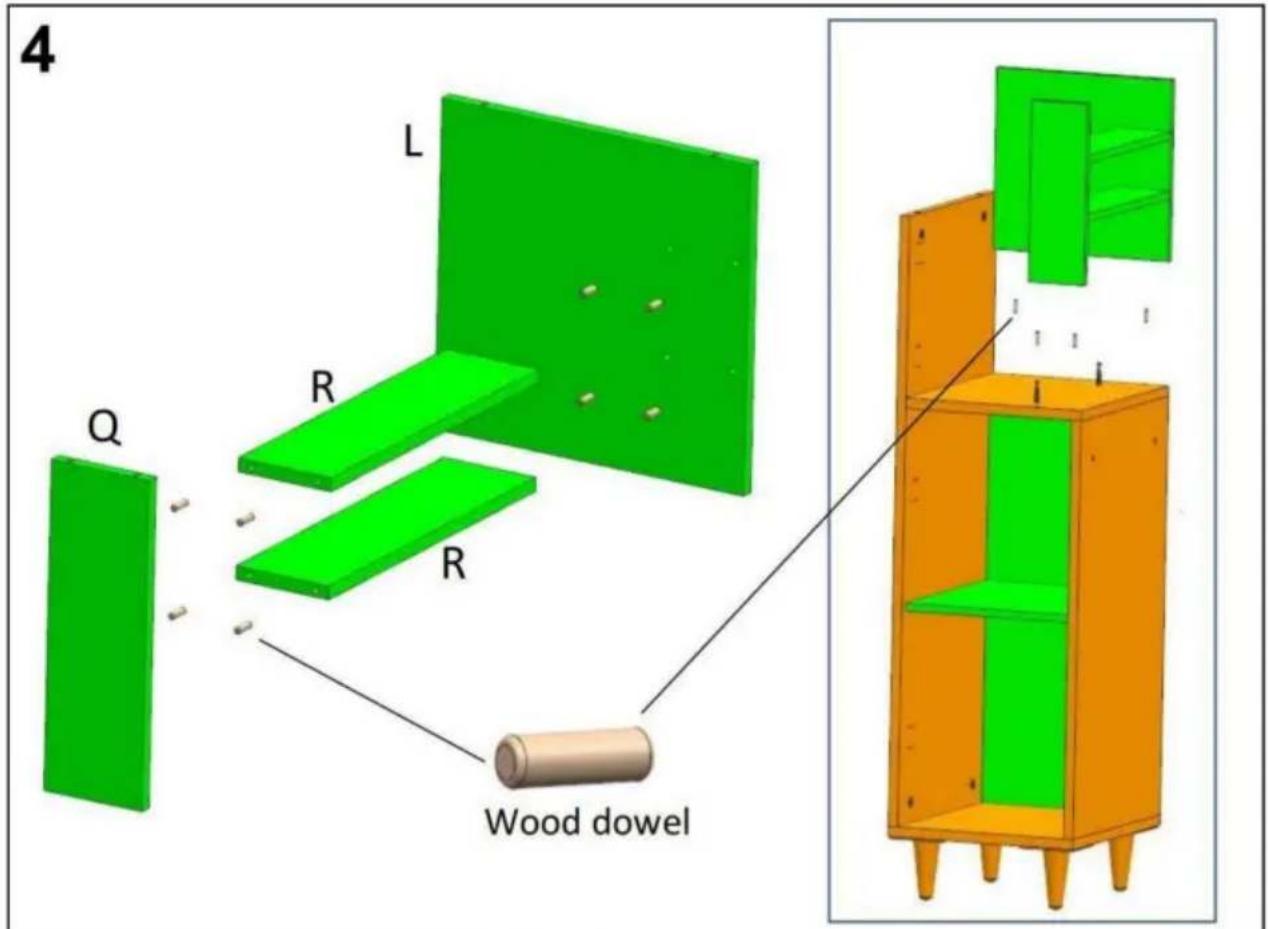
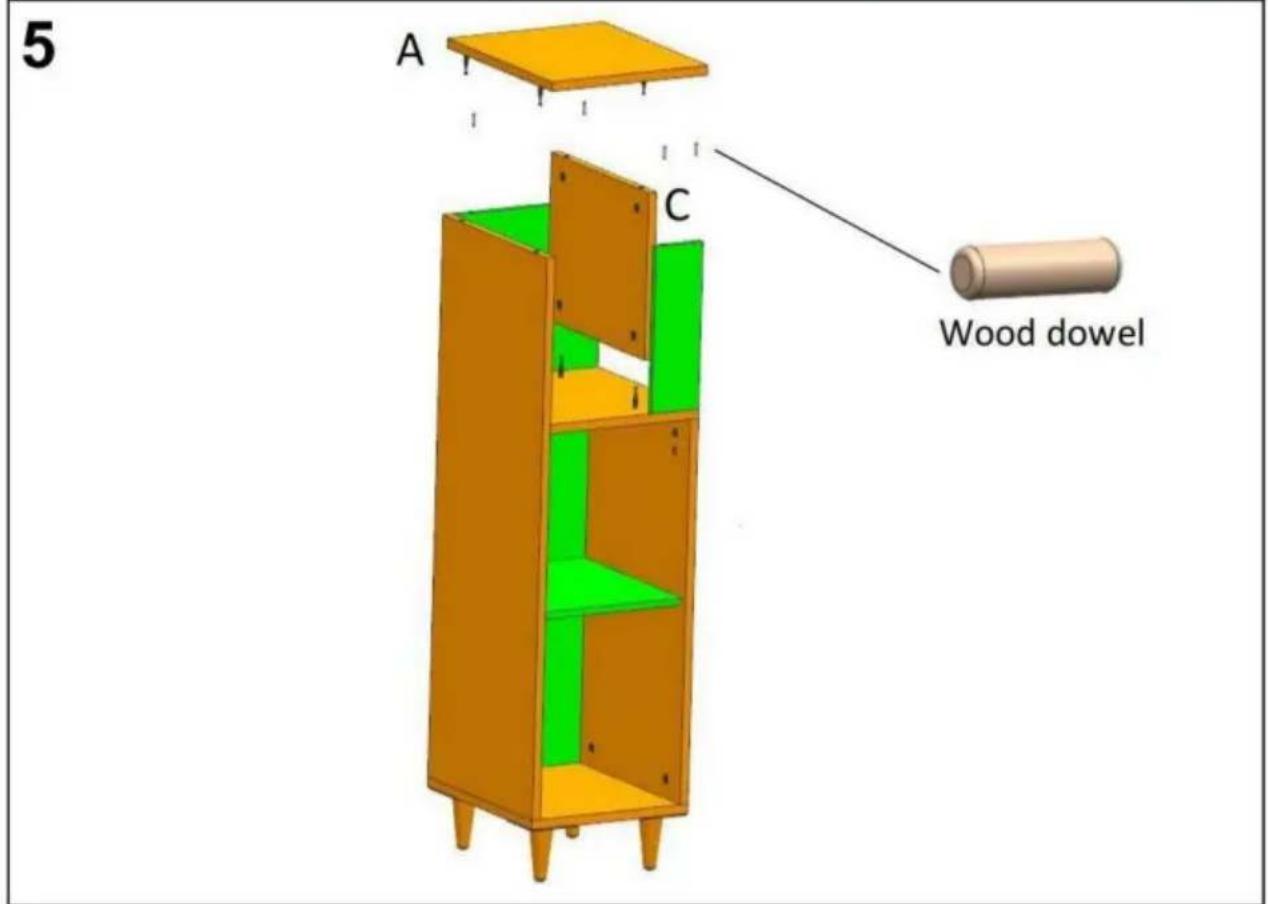
6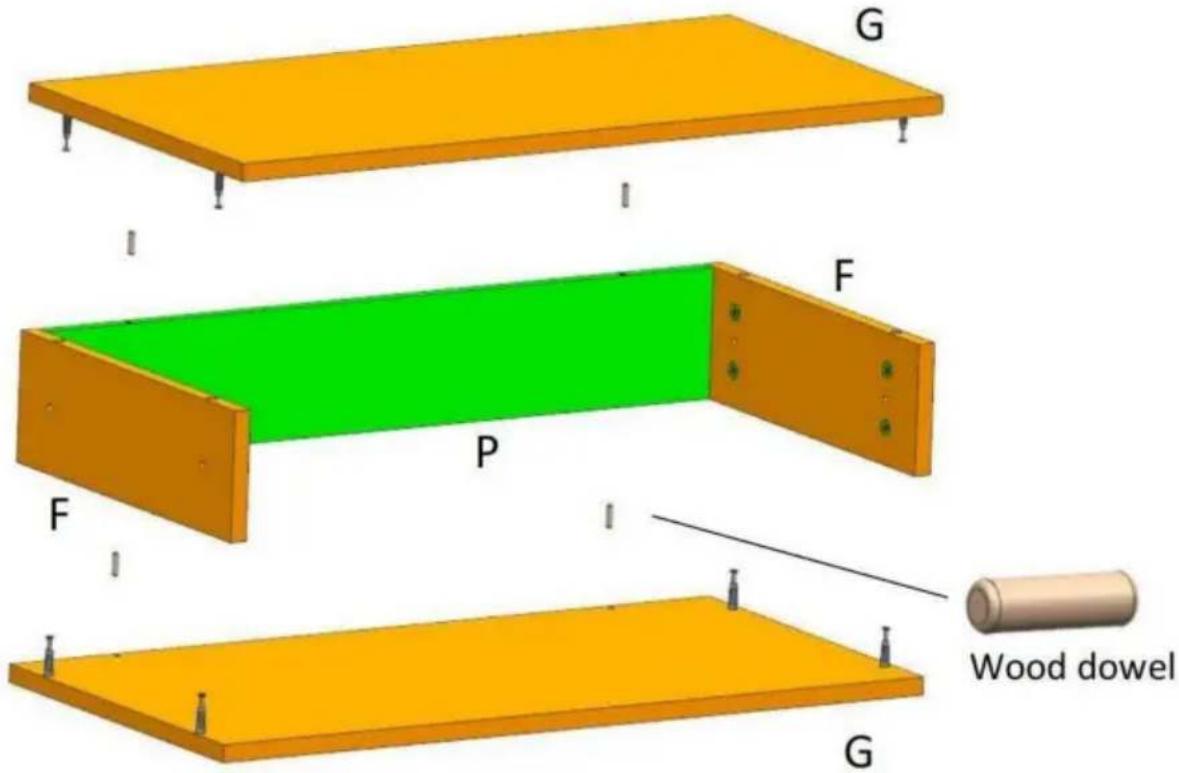
7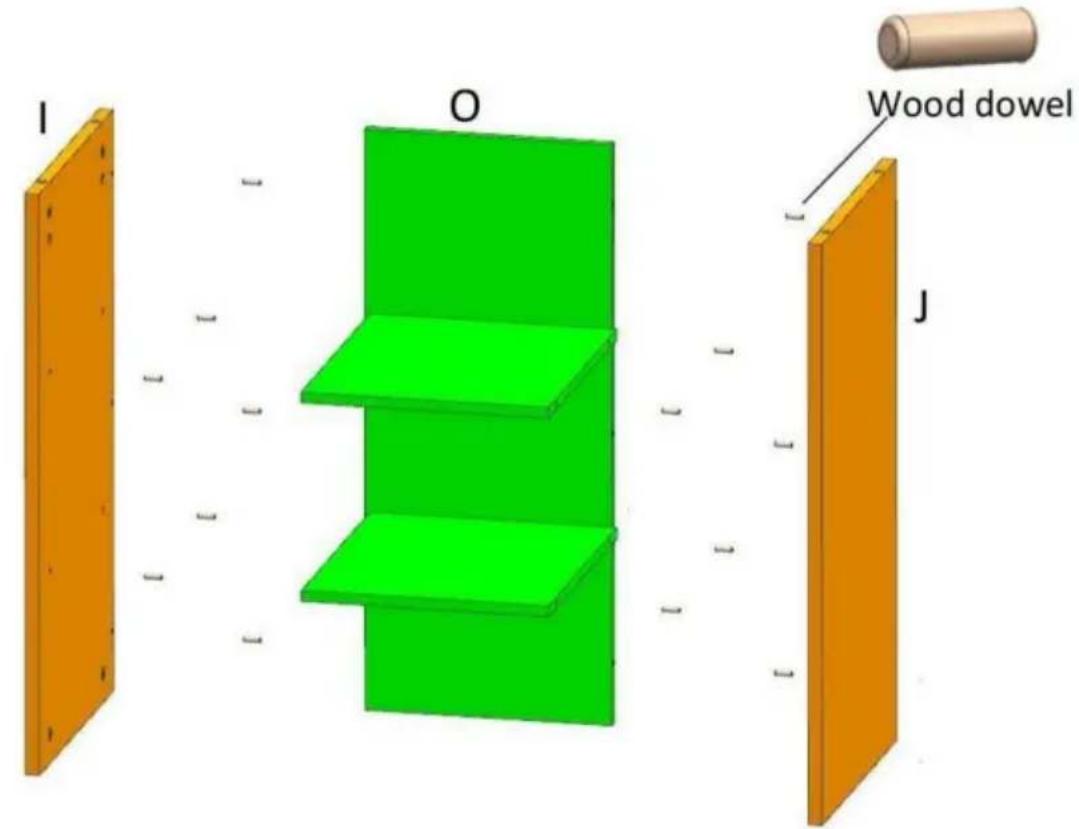
8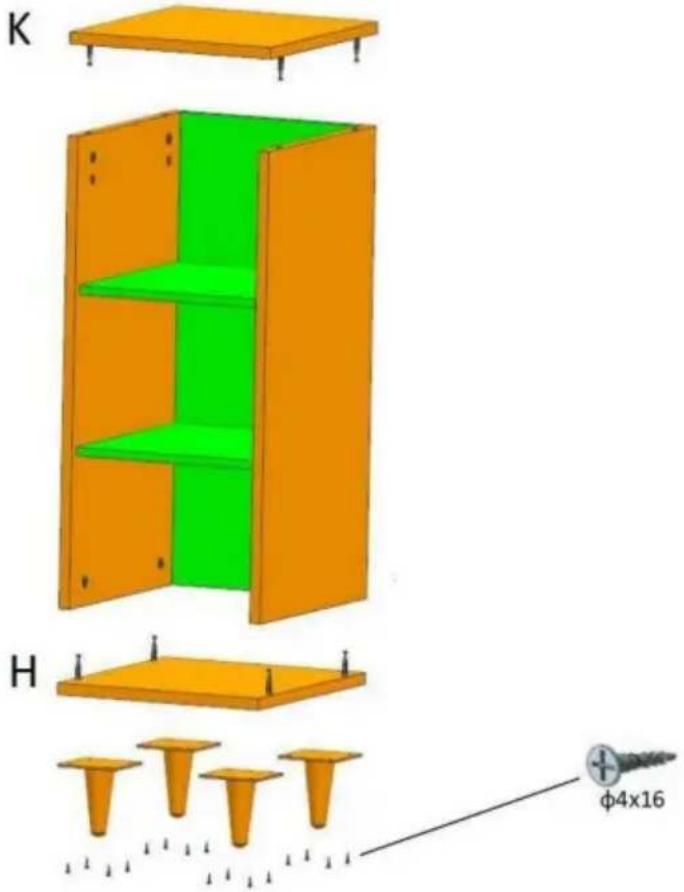
9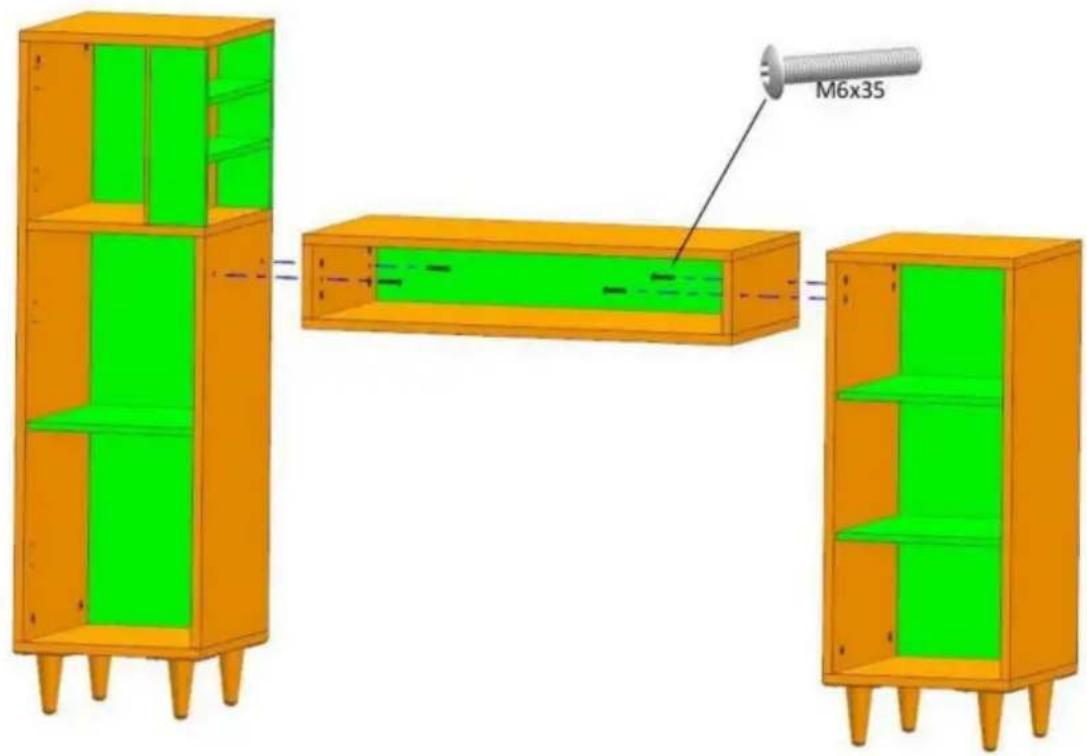
10![0 T [ ] M M4x20 φ4x12 φ4x16](/content/2026/04/735798/images/72c88be9360fd2f9c38951844b0f66ca19f6ddbb2972979e039966cbaa7d977c.jpg)
11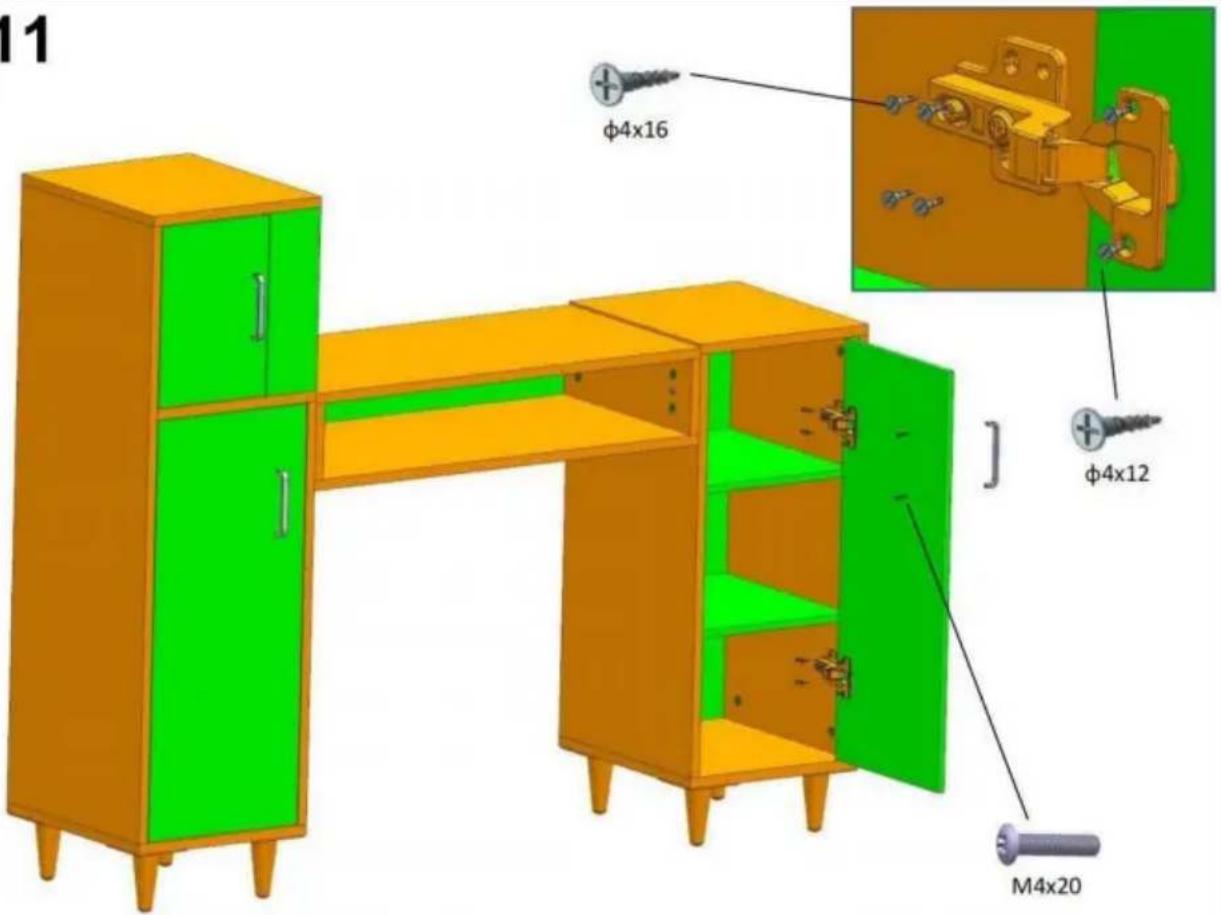
12
C/O YH Consulting Limited, Office 147,
Centurion House, London Road,
Staines-upon-Thames, Surrey, TW18 4AX
| REPREZENT KE |
E-CrossStu GmbH
Mainzer Landstr. 69,
60329 Frankfurt am Main.
VEVOR®
TOUGH TOOLS, HALF PRICE
www.vevor.com/support
VEVOR®
TOUGH TOOLS, HALF PRICE
Technical support and e-warranty certificate www.vevor.com/support
MANICURE TABLE
MODEL: HZ2024
NEED HELP? CONTACT US!
Installation instruction
| Installation Method for Connecting boards | Example: | ||
| Step 1 . Install threaded pins into the reserved plastic thread holes by screwdriver .Step 2 .Insert the installed threaded pins into the side holes one to one .Step 3 .Install Eccentric wheels into the larger holes of the board ,The arrow groove on the surface of the eccentric wheel must point to the side hole .Step 4 . tighten them by cross-head screwdriver Please follow up the Example beside. | | | |
| | ||
2
3
6
7
8
9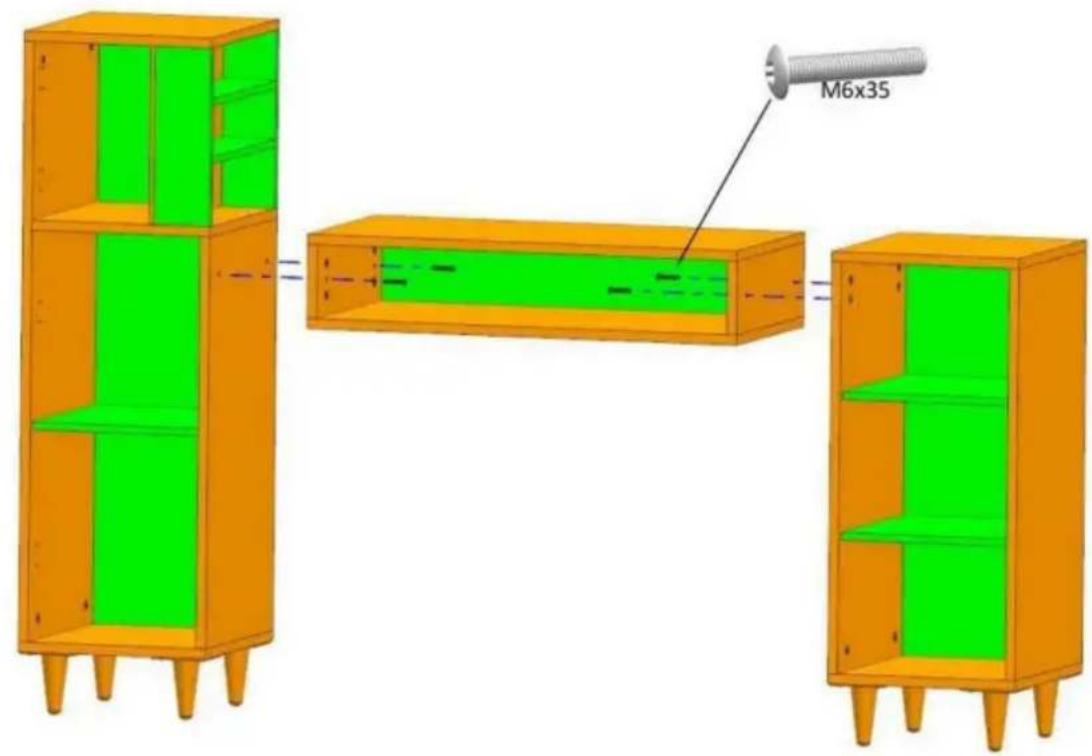
10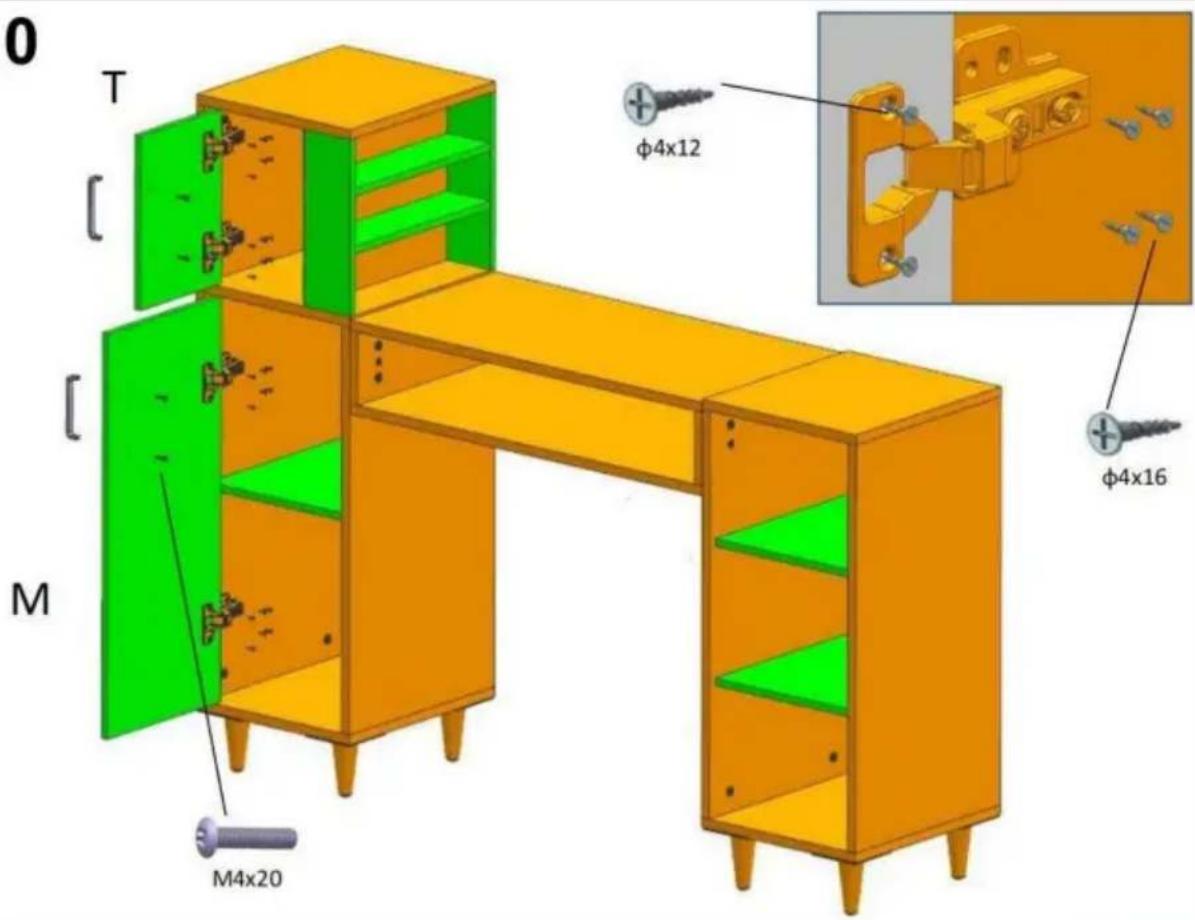
11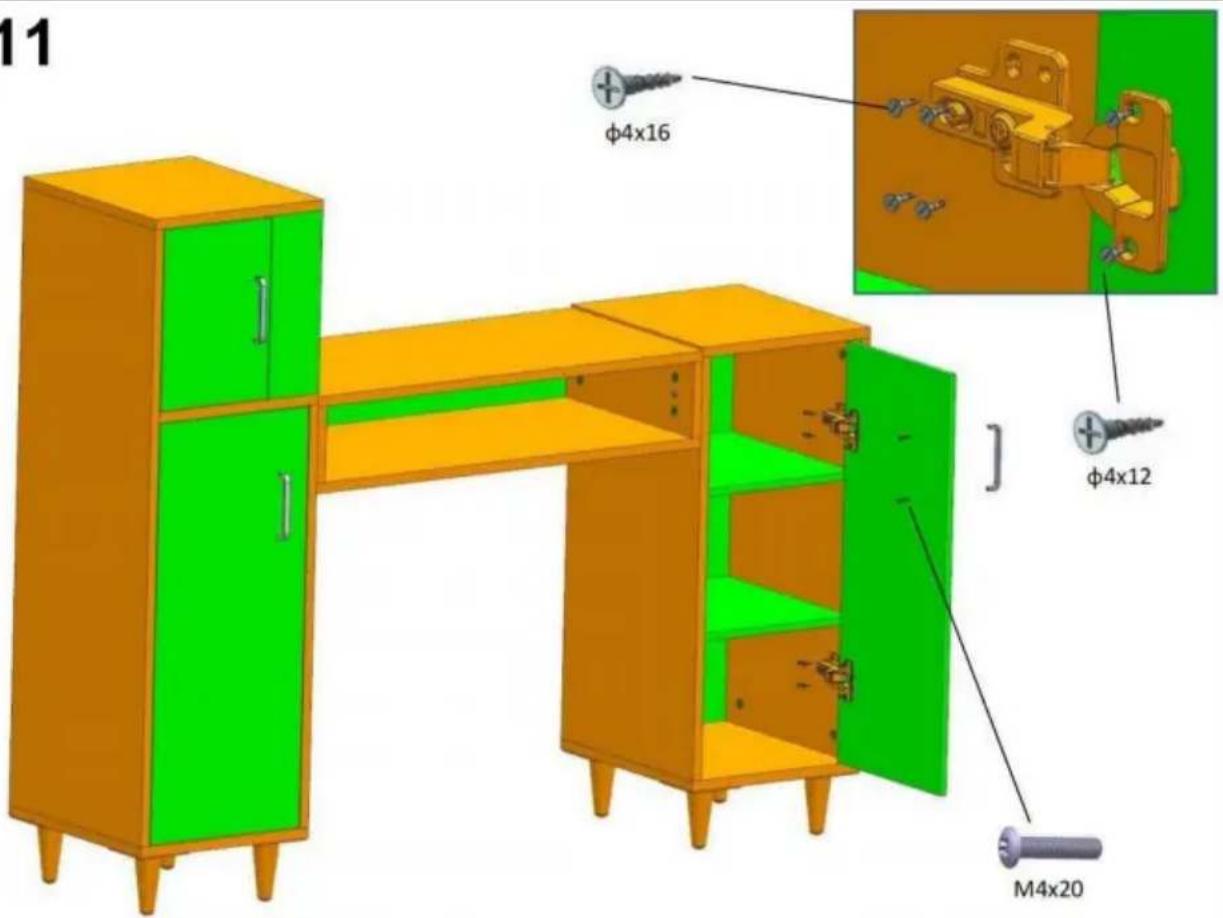
12
C/O YH Consulting Limited Kantoor 147,
Centurion House, Londen Road,
Staines-upon-Thames, Surrey, TW18 4AX
E-CrossStu GmbH
Mainzer Landstr.69,
60329 Frankfurt am Main.
VEVOR®
TOUGH TOOLS, HALF PRICE
warranty certificate www.vevor.com/support
VEVOR®
TOUGH TOOLS, HALF PRICE
NEED HELP? CONTACT US!
Installation instruction
| Installation Method for Connecting boards | Example: | ||
| Step 1 . Install threaded pins into the reserved plastic thread holes by screwdriver .Step 2 .Insert the installed threaded pins into the side holes one to one .Step 3 .Install Eccentric wheels into the larger holes of the board ,The arrow groove on the surface of the eccentric wheel must point to the side hole .Step 4 . tighten them by cross-head screwdriver Please follow up the Example beside. | | | |
| | ||
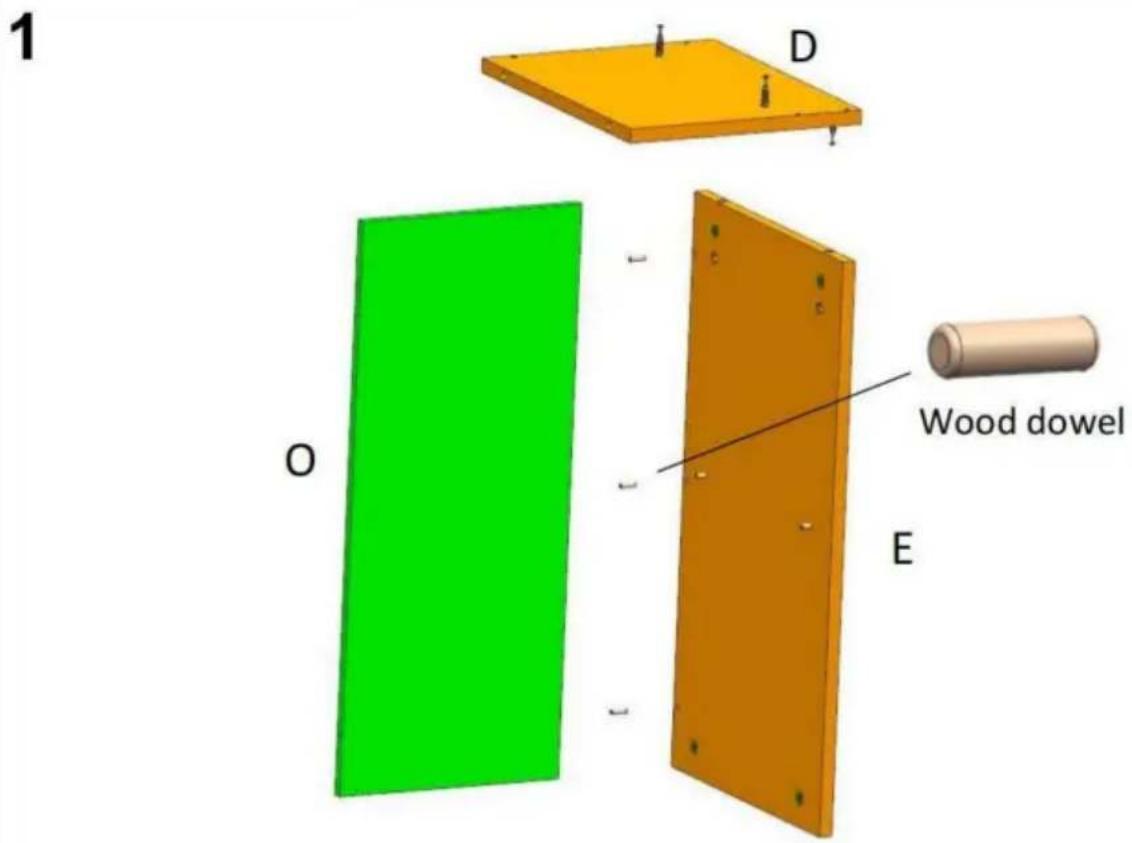
2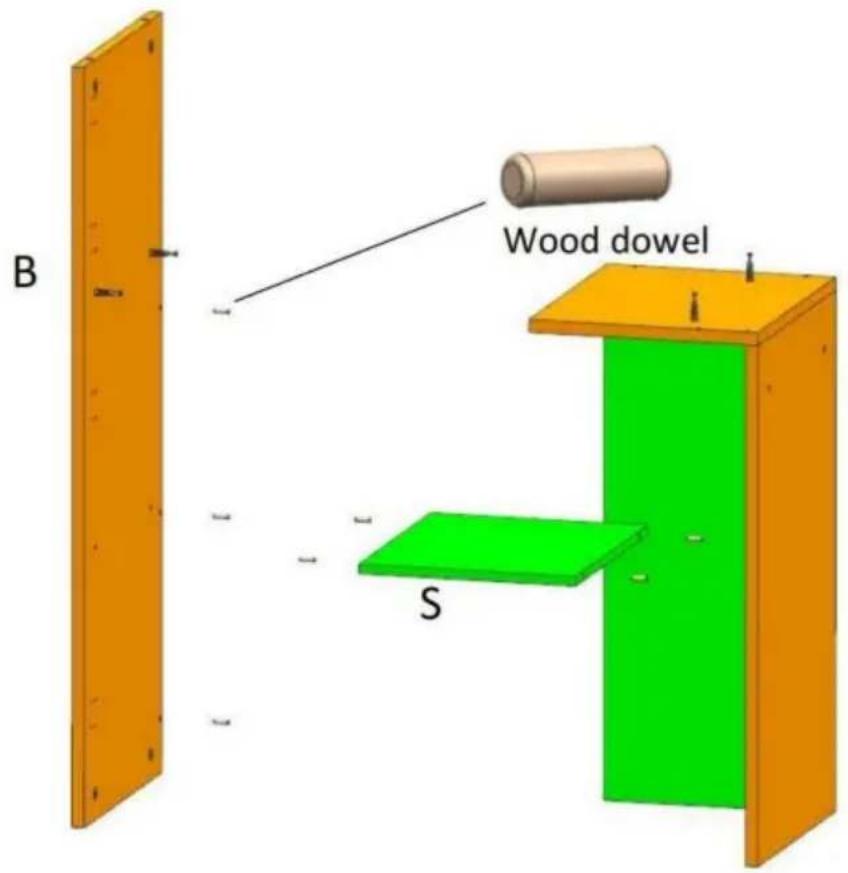
3
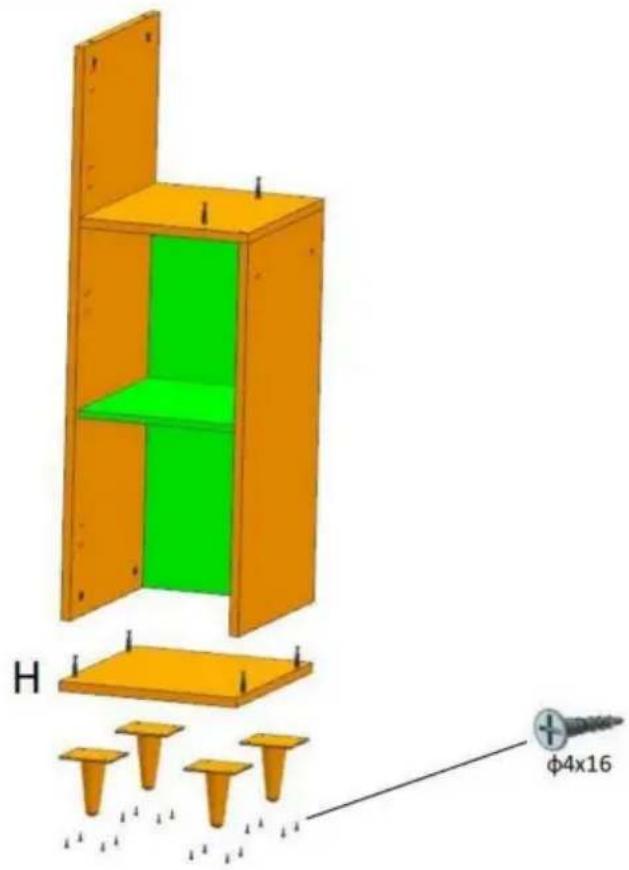
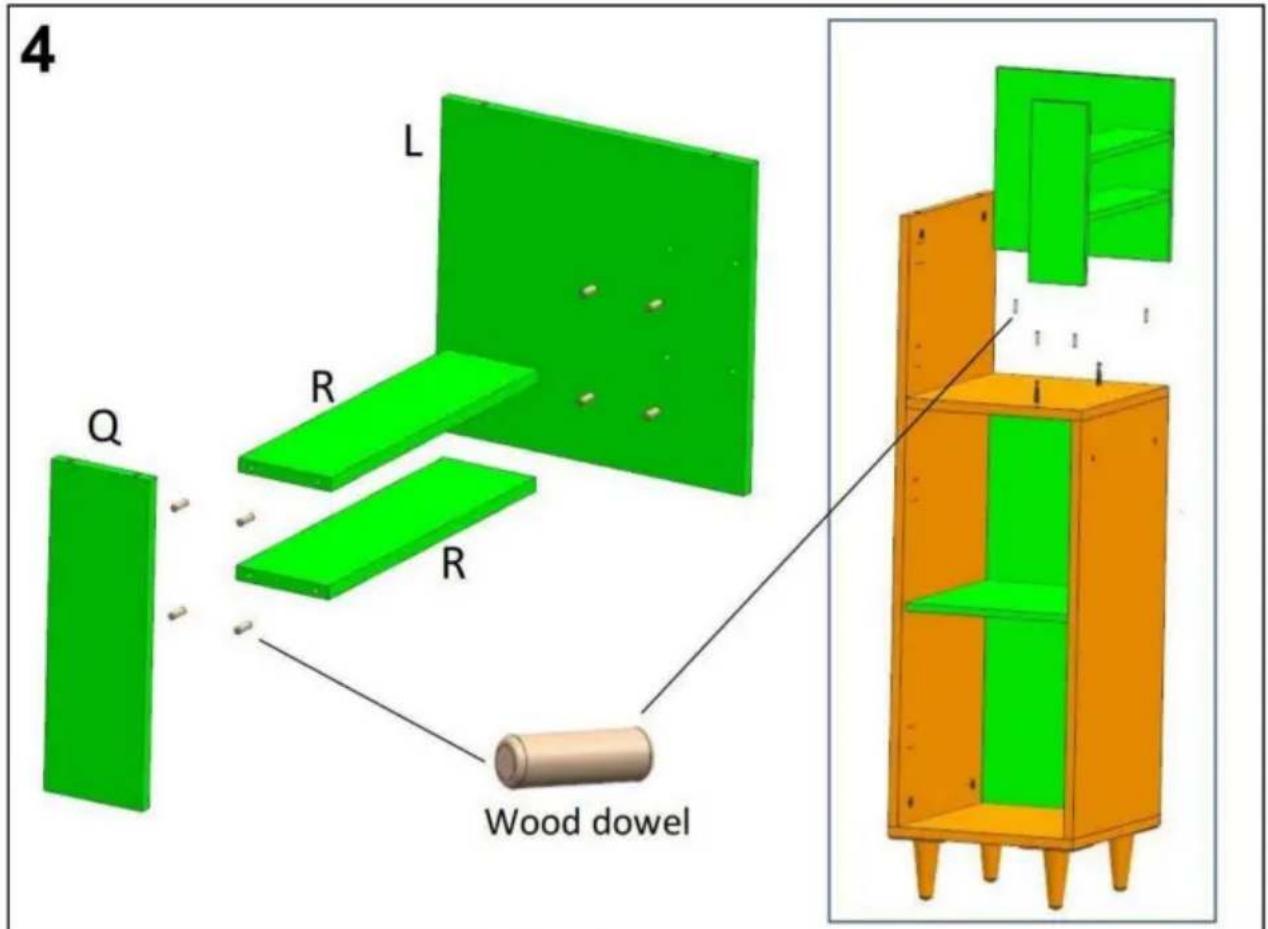
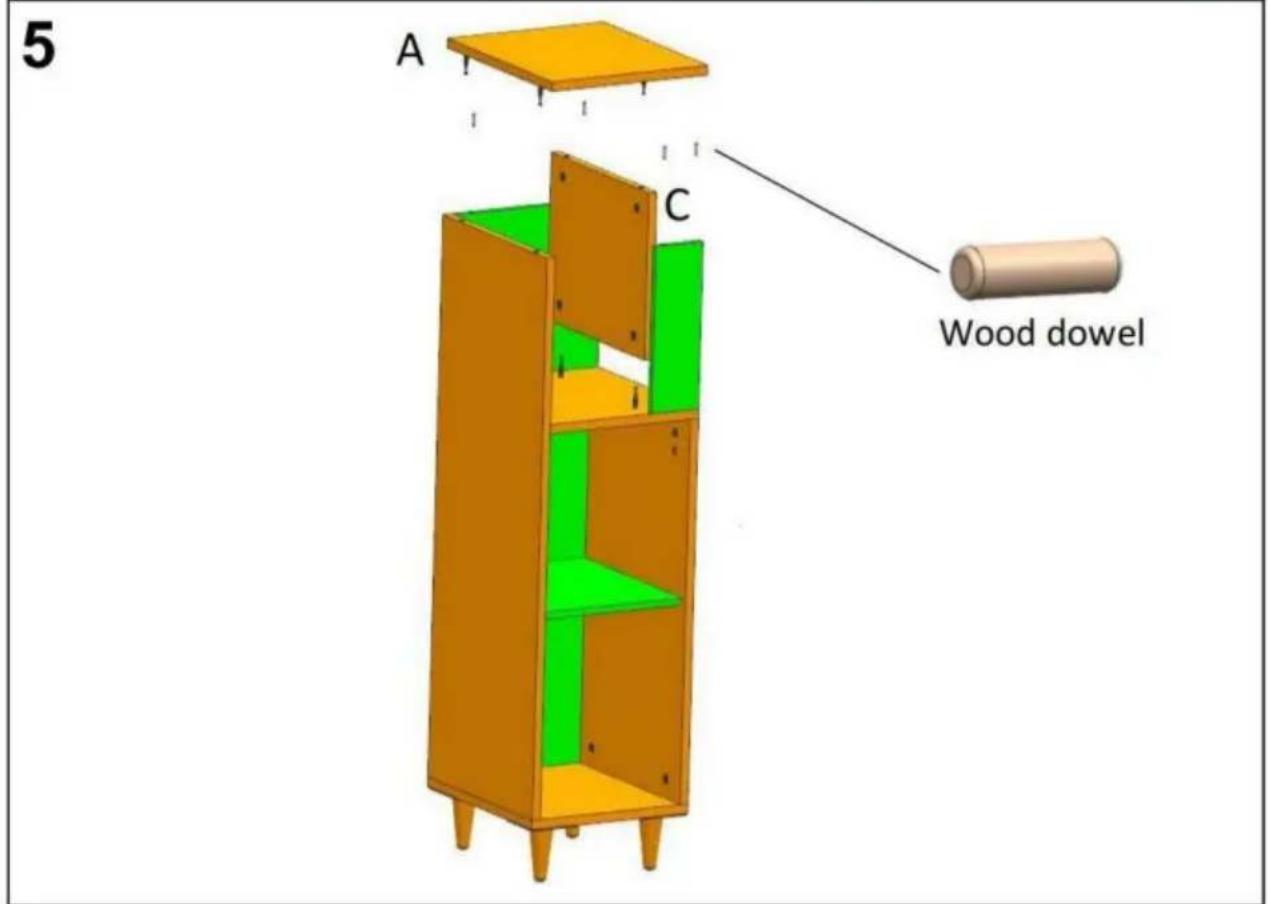
6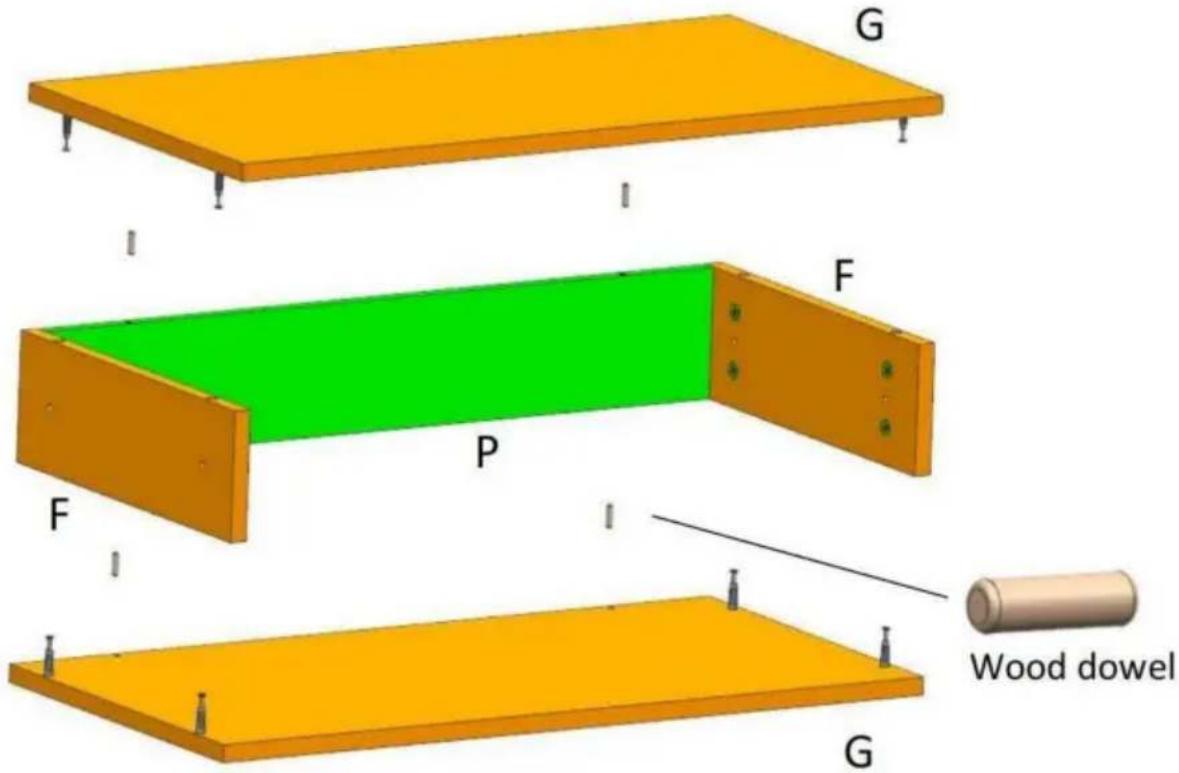
7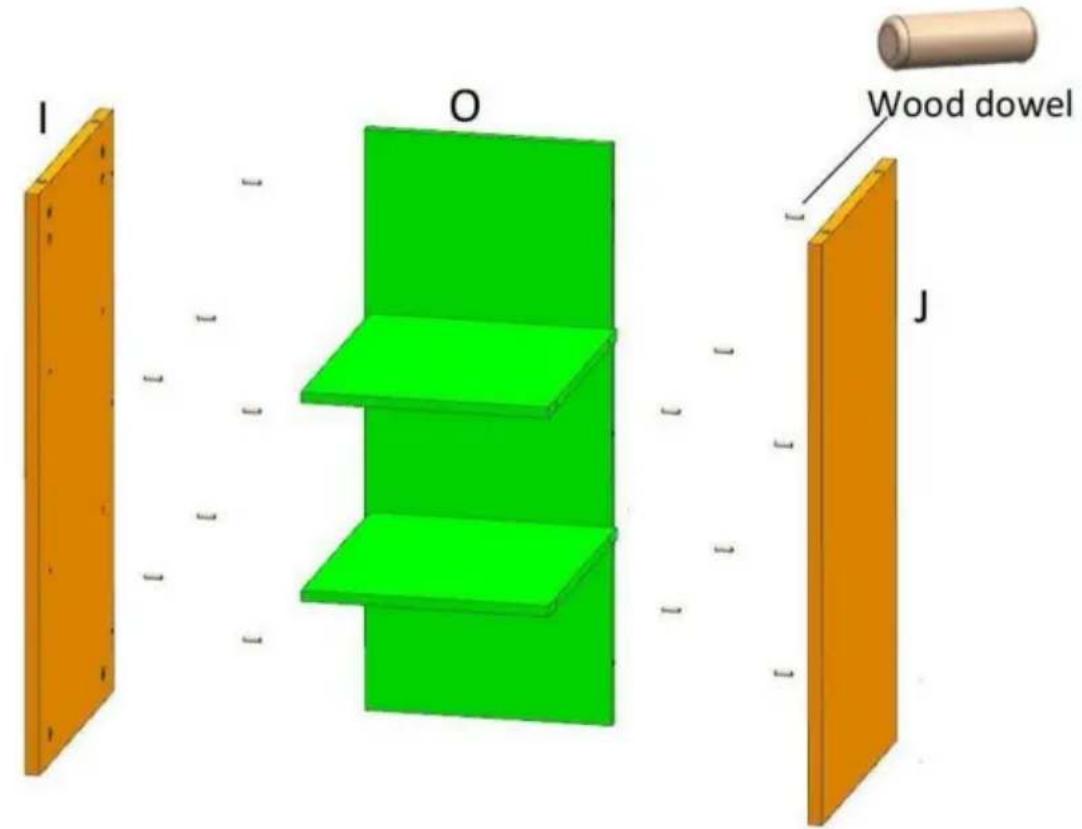
8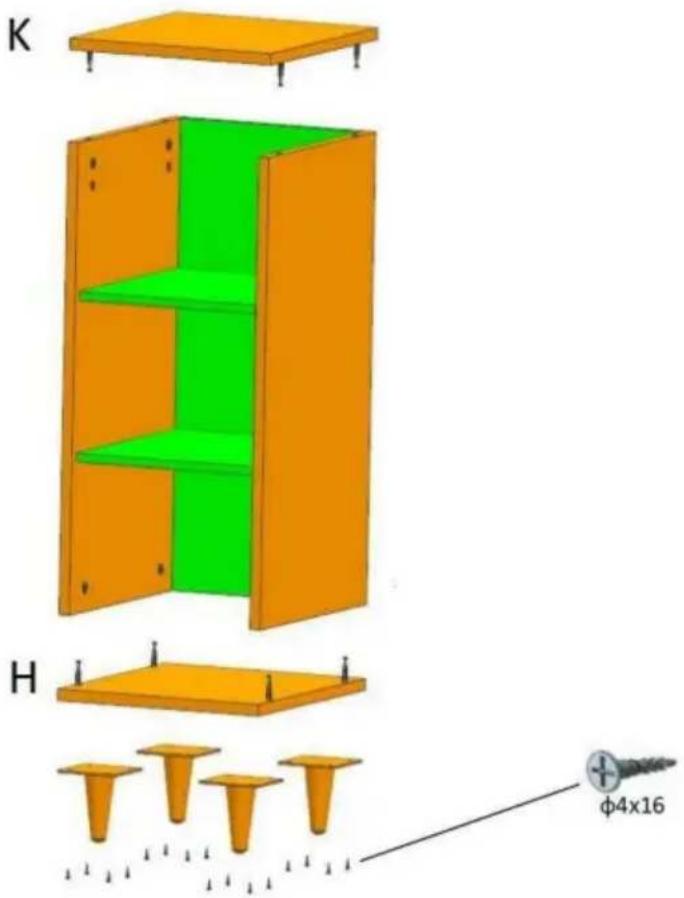
9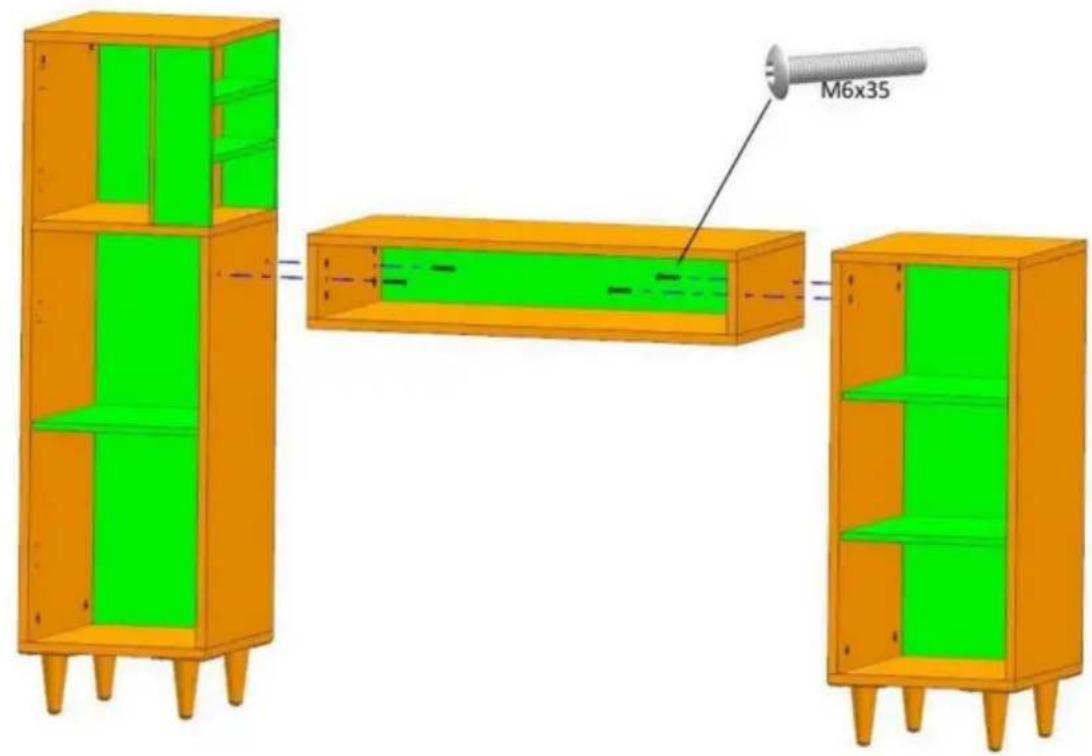
10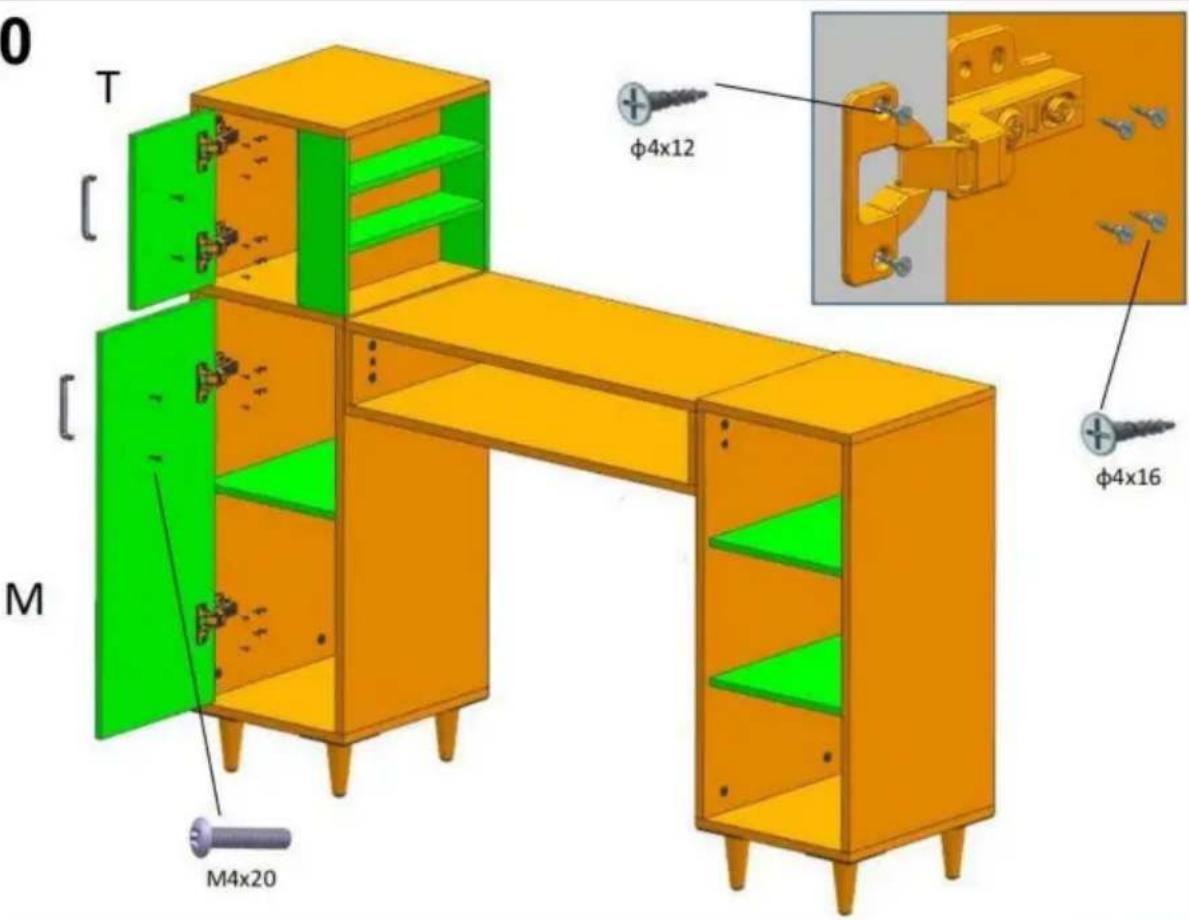
11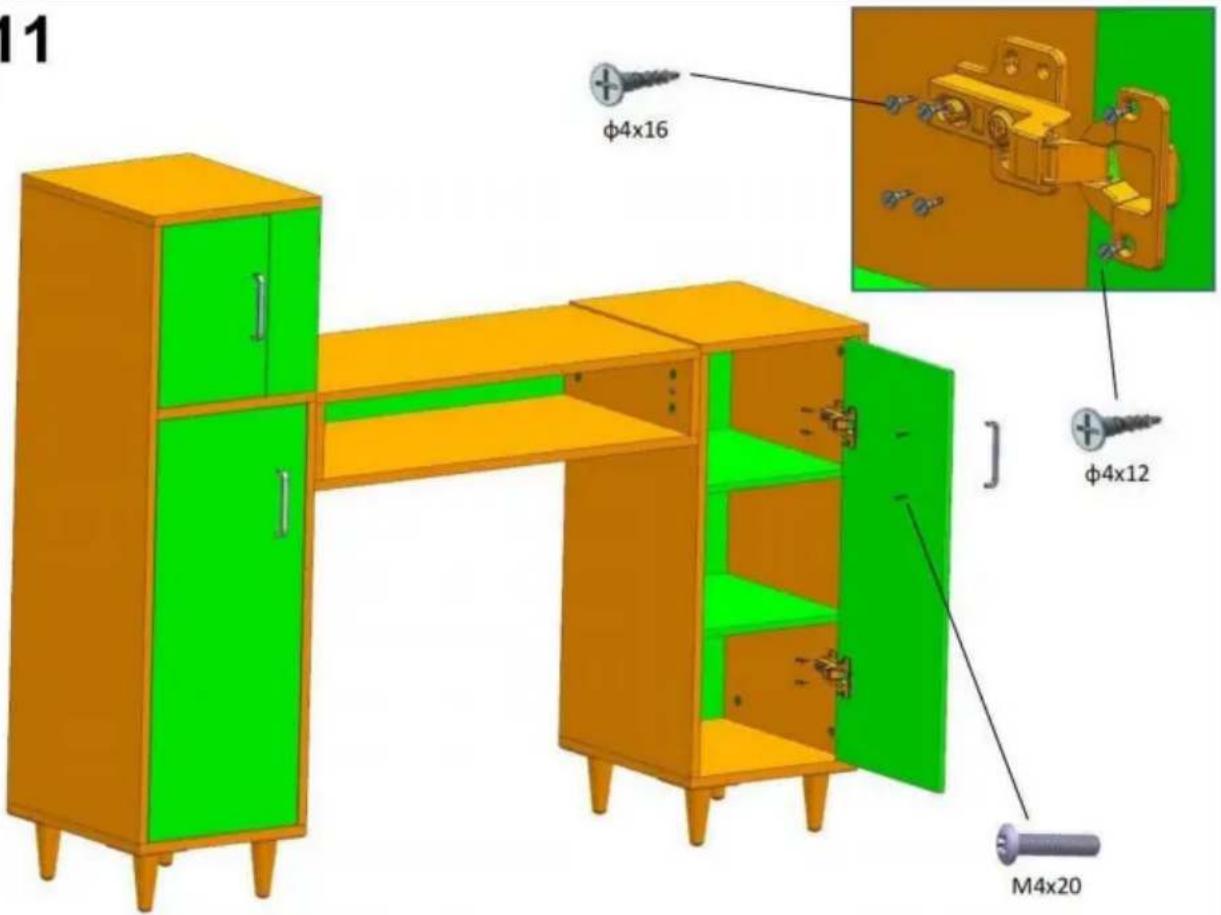
12
C/O YH Consulting Limited Office 147,
Centurion House, London Road,
Staines-upon-Thames, Surrey, TW18 4AX
| EC | REP |
E-CrossStu GmbH
Mainzer Landstr. 69,
60329 Frankfurt am Main.
VEVOR®
TOUGH TOOLS, HALF PRICE
www.vevor.com/support
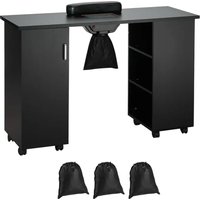
Brand : Vevor
Model : HZ2024
Category : Manicure table