
JP2305 - Baby products Vevor - Free user manual and instructions
Find the device manual for free JP2305 Vevor in PDF.
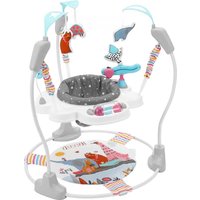


| Product type | Stationary activity center for baby |
| Brand | Vevor |
| Model | JP2305 |
| Recommended age | From 6 months (child must hold head up unaided) |
| Maximum child weight | 12 kg (26.5 lb) |
| Maximum child height | 81.2 cm (32 in) |
| Materials | Plastic, fabric for seat |
| Power supply | None (mechanical product) |
| Main functions | Play station with suspended seat, allows child to jump and play safely |
| Maintenance and cleaning | Fabric seat machine washable in cold water, gentle cycle, air dry. Plastic parts wipe with damp cloth and mild soap. Do not immerse. |
| Safety | Do not use near stairs, on elevated surface, or after child starts walking. Always supervise child. Regularly check for loose or damaged parts. |
| Spare parts and repairability | Do not replace parts; contact manufacturer via www.vevor.com/support for assistance. |
| General information | Complies with FCC Part 15. Adult assembly required. Keep instructions for future reference. |
Frequently Asked Questions - JP2305 Vevor
User questions about JP2305 Vevor
0 question about this device. Answer the ones you know or ask your own.
Ask a new question about this device
Download the instructions for your Baby products in PDF format for free! Find your manual JP2305 - Vevor and take your electronic device back in hand. On this page are published all the documents necessary for the use of your device. JP2305 by Vevor.
USER MANUAL JP2305 Vevor
Baby Stationary Activity Centers MODEL: JP2305
We continue to be committed to providing you with tools at competitive prices. "Save Half", "Half Price", or any other similar expressions used by us only represent an estimate of savings you might benefit from buying certain tools with us compared to top brands, and does not necessarily mean to cover all categories of tools offered. We kindly remind you to verify carefully when placing an order with us whether you are actually saving half in comparison with the top major brands.
Model: JP2305
NEED HELP? CONTACT US!
Have product questions? Need technical support? Please feel free to contact us:
This is the original instruction. Please read all manual instructions carefully before operating. VEVOR reserves a clear interpretation of the user manual. The appearance of the product shall be subject to the product you received. Please forgive us that we won't inform you of any technology or software updates on our product.
Thank you very much for choosing this Baby Stationary Activity Center.
- Please read all of the instructions before using it. The information will help achieve the best possible results.
Product Care and Maintenance
- Read all instructions before assembly and use of the stationary activity jumper. Keep instructions for future use. Do not use the stationary activity jumper if it is damaged or broken.
IMPORTANT SAFETY INFORMATION
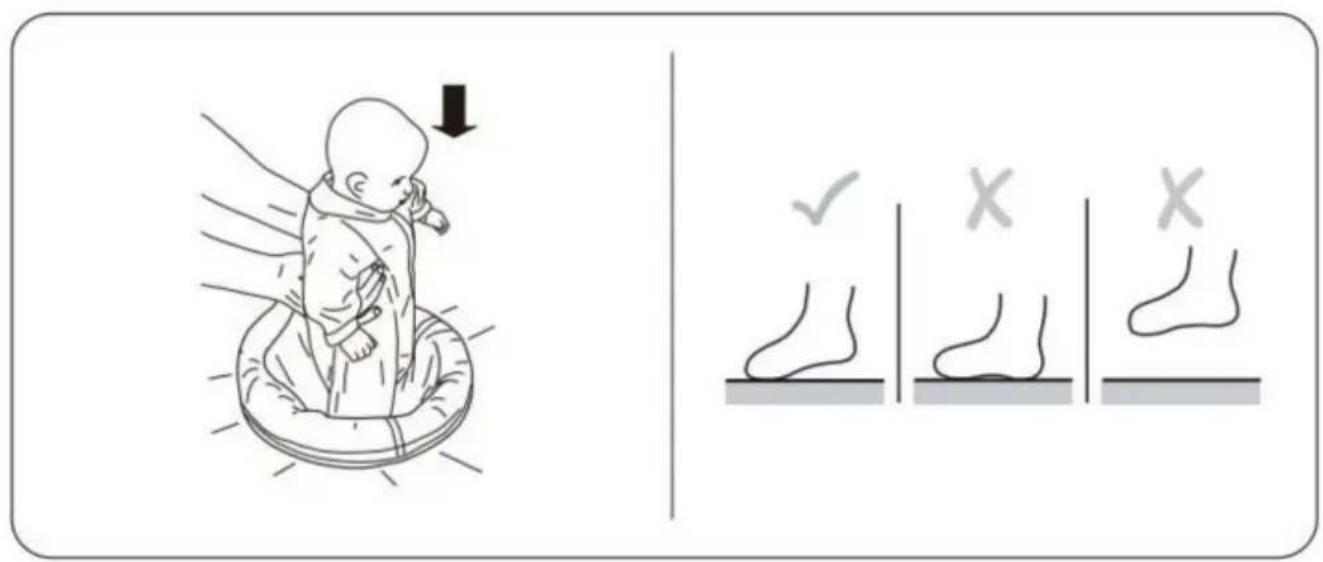
- Use the activity jumper ONLY if the child meets ALL of the requirements below:
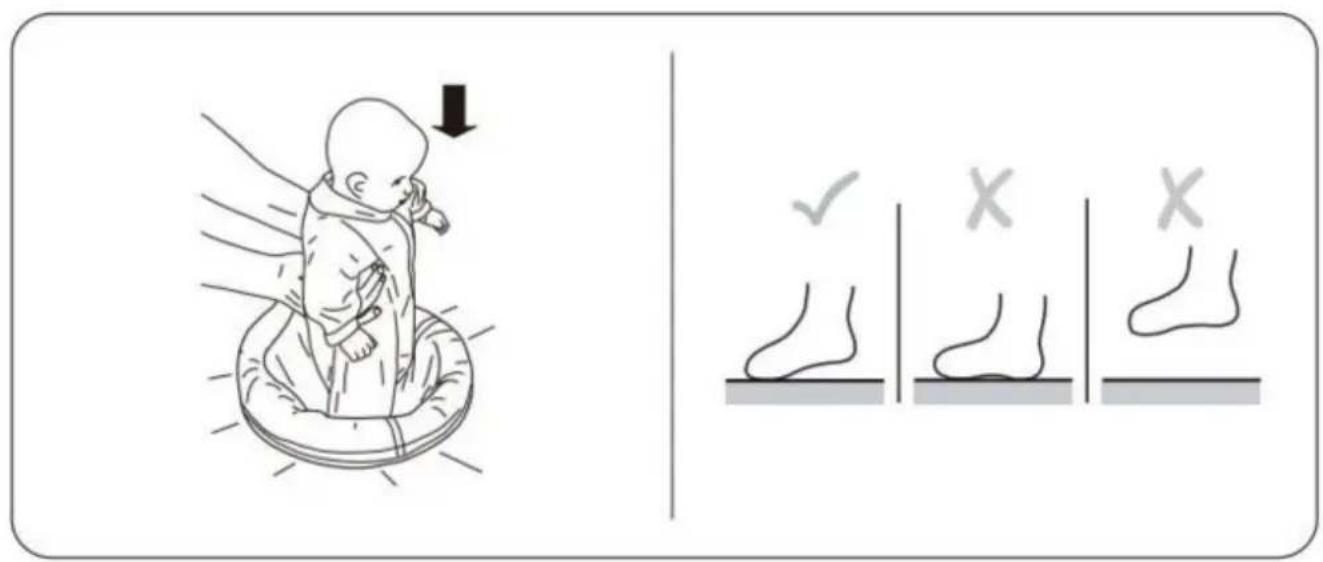
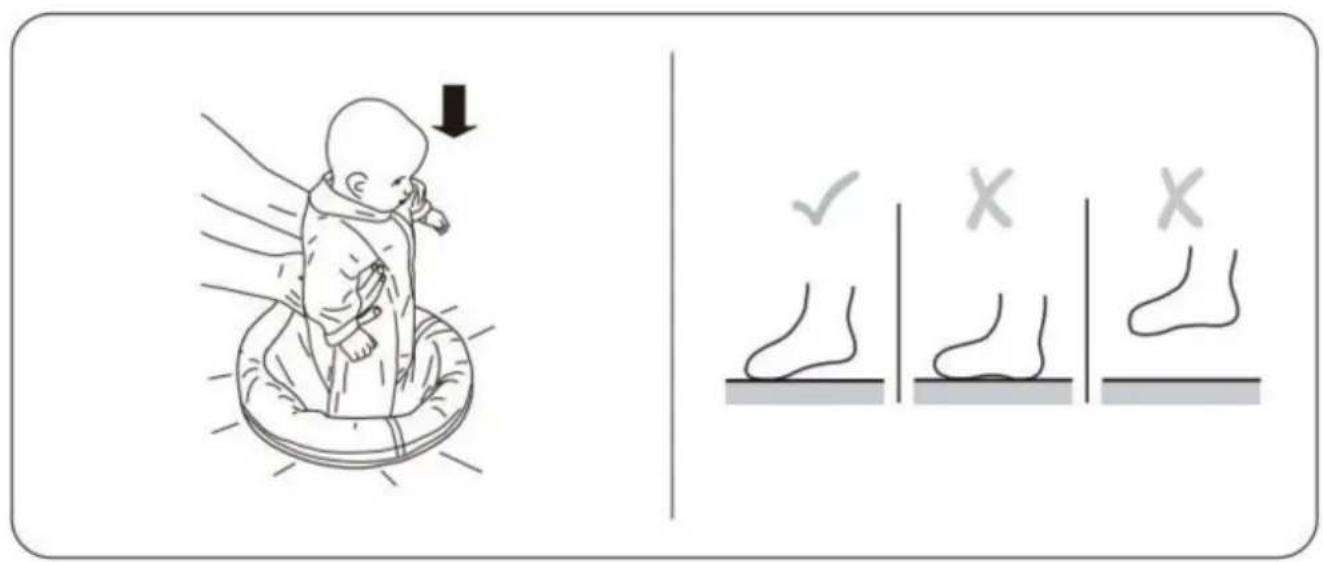
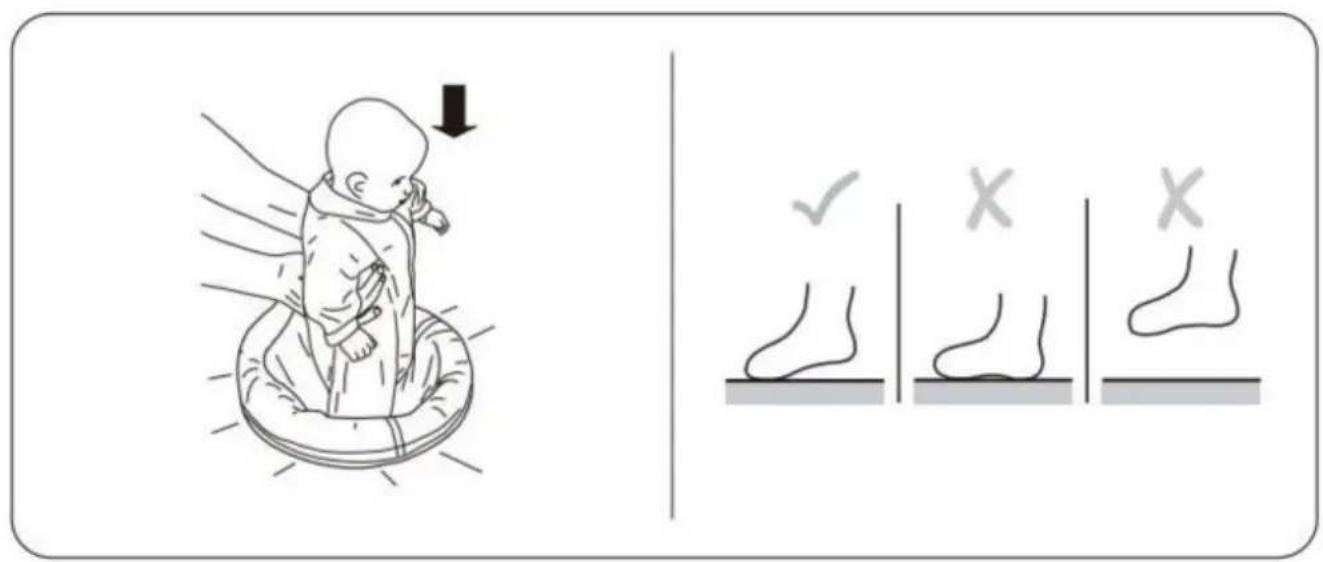
- Only for use by infants at least 6 months old and who can hold the head up unassisted.
- Is less than 32" tall (81.2cm).
- Weighs less than 26.5 lbs (12kg).
FALL HAZARD!
- Babies can FALL from product resulting in head injuries. Never leave child unattended. Always keep child in view while in product. Never use near stairs. To avoid tip over, place the activity jumper on a flat, level surface.
- Discontinue use of this product if child can climb out or begins to STRANGULATION HAZARD!
- Strings can cause STRANGULATION.
- DO NOT place items with a string around child's neck, such as hood strings or pacifier cords. DO NOT suspend strings over product or attach strings to toys. DO NOT place the activity jumper on an elevated surface, as child's movement can slide the activity jumper.
- DO NOT allow children who can stand or walk on their own to sit in the activity jumper. Never move the activity jumper while the child is in the suit. DO NOT swing or spin child in activity jumper. DO NOT use any hardware or parts other than that supplied. Examine product frequently for damaged, missing, or loose parts. DO NOT use activity jumper if damaged or broken. This product contains small parts. Requires an adult for assembly.
- CARE AND CLEANING
- Fabric Seat - Machine wash the fabric seat in cold water. Use a gentle wash cycle with no bleach. Air or line dry. Plastic Parts - Wipe clean with damp cloth and mild soap. Air dry. DO NOT immerse in water.
- IMPORTANT! To ensure safe operation of your product, please follow these instructions carefully. Please keep these instructions for future reference.
- IMPORTANT! Before assembly and each use, inspect this product for damage, hardware, loose joints, missing parts or sharp edges. NEVER use if any part is missing or broken.
- IMPORTANT! Adult assembly is required. Keep child away during unpacking and assembly.
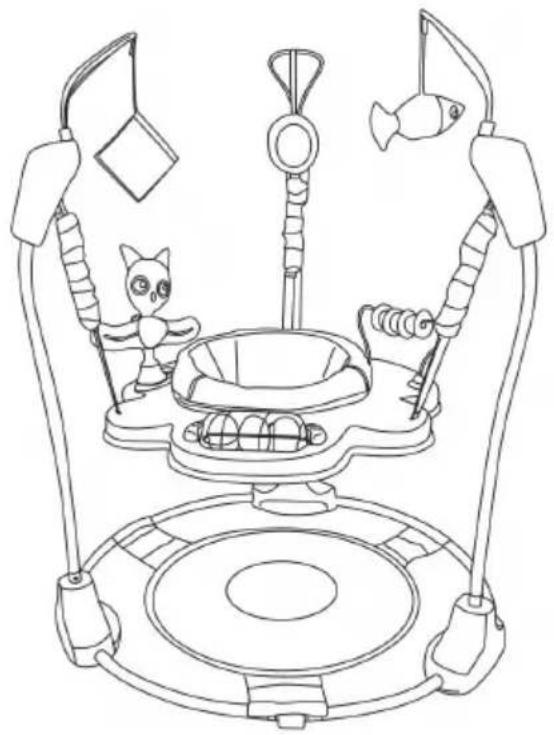
Part List
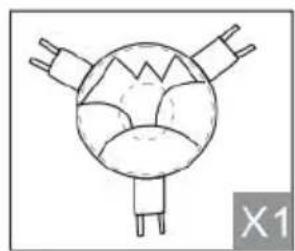
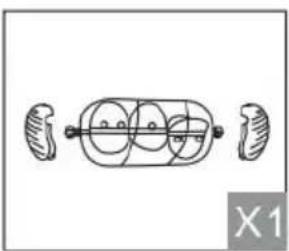
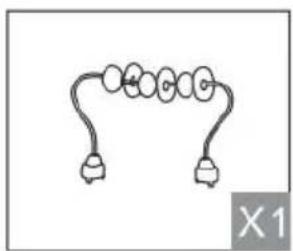
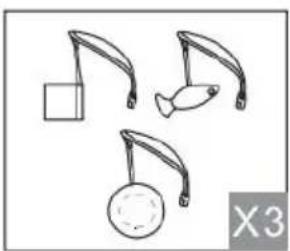
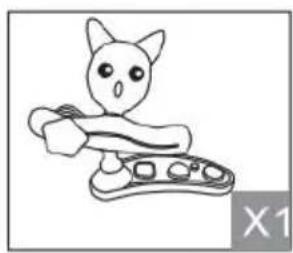
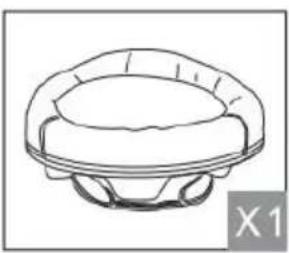
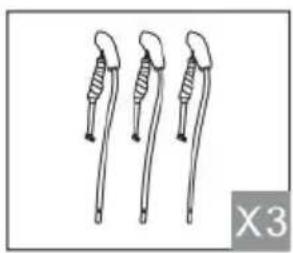
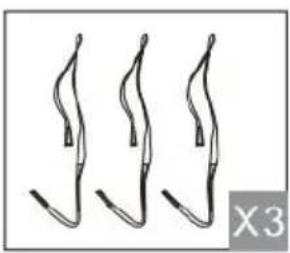
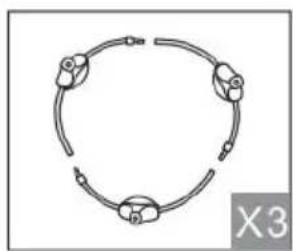
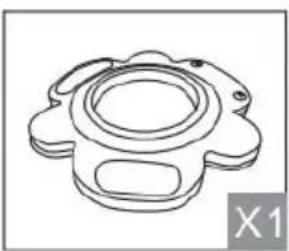
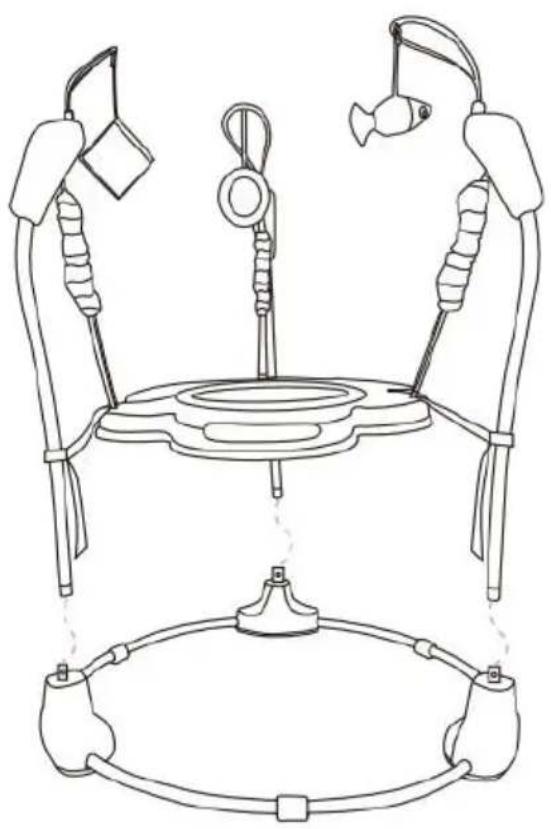
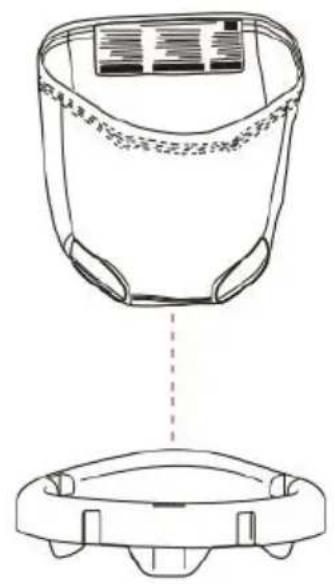
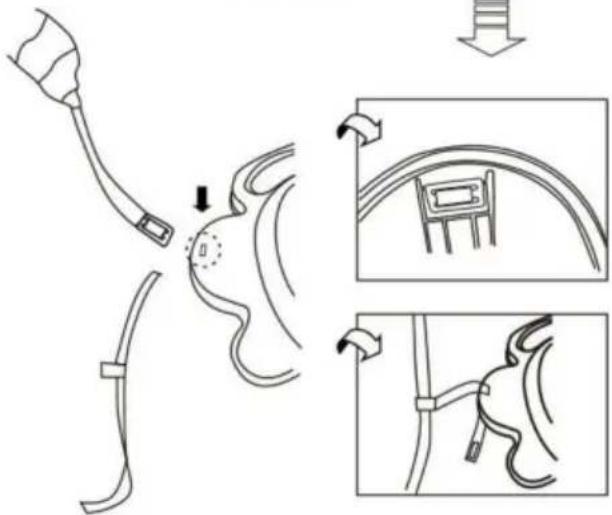
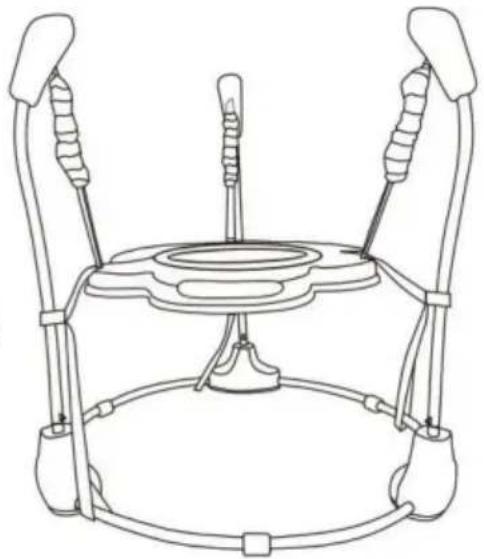
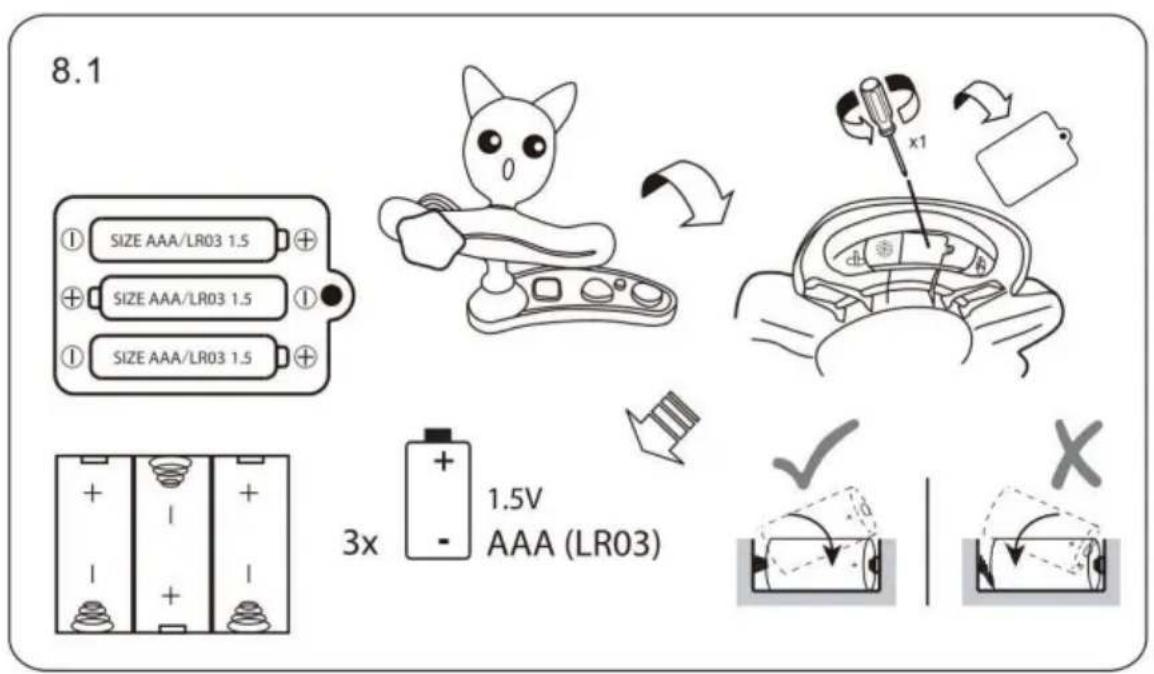
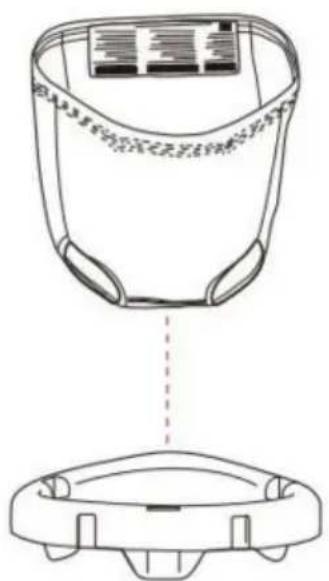
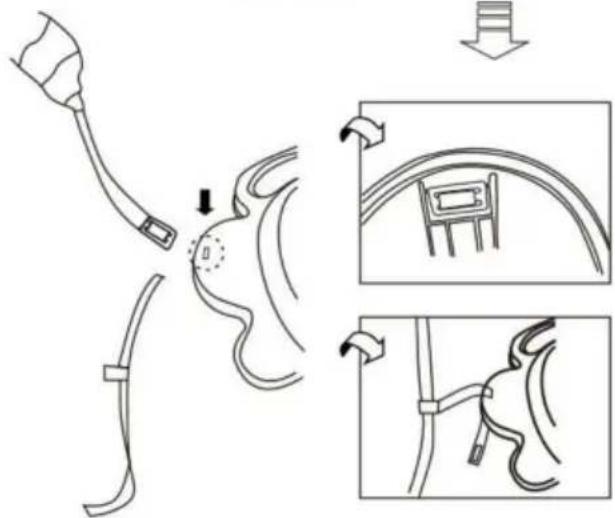
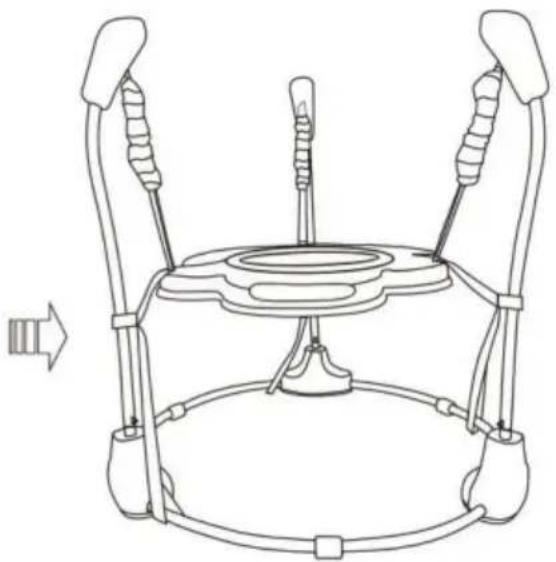
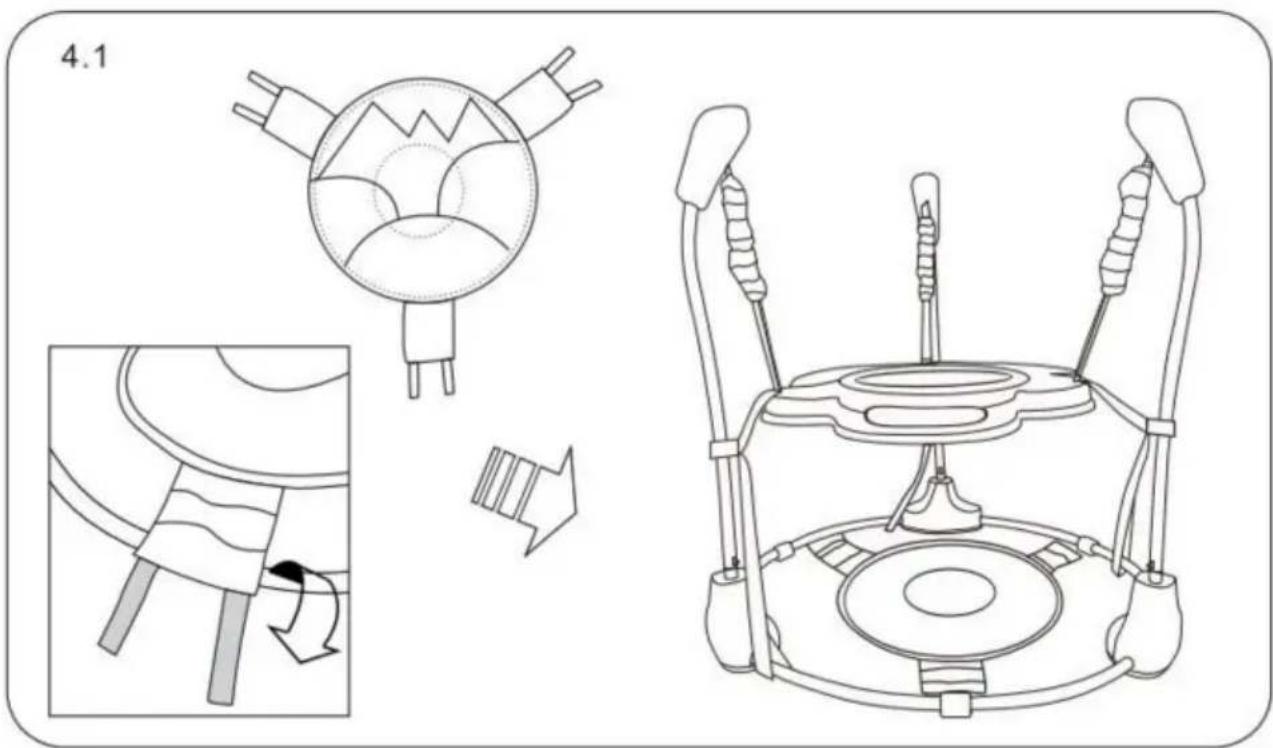
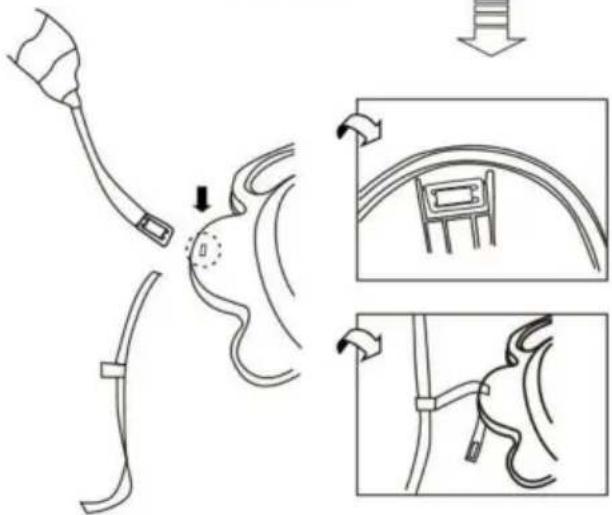
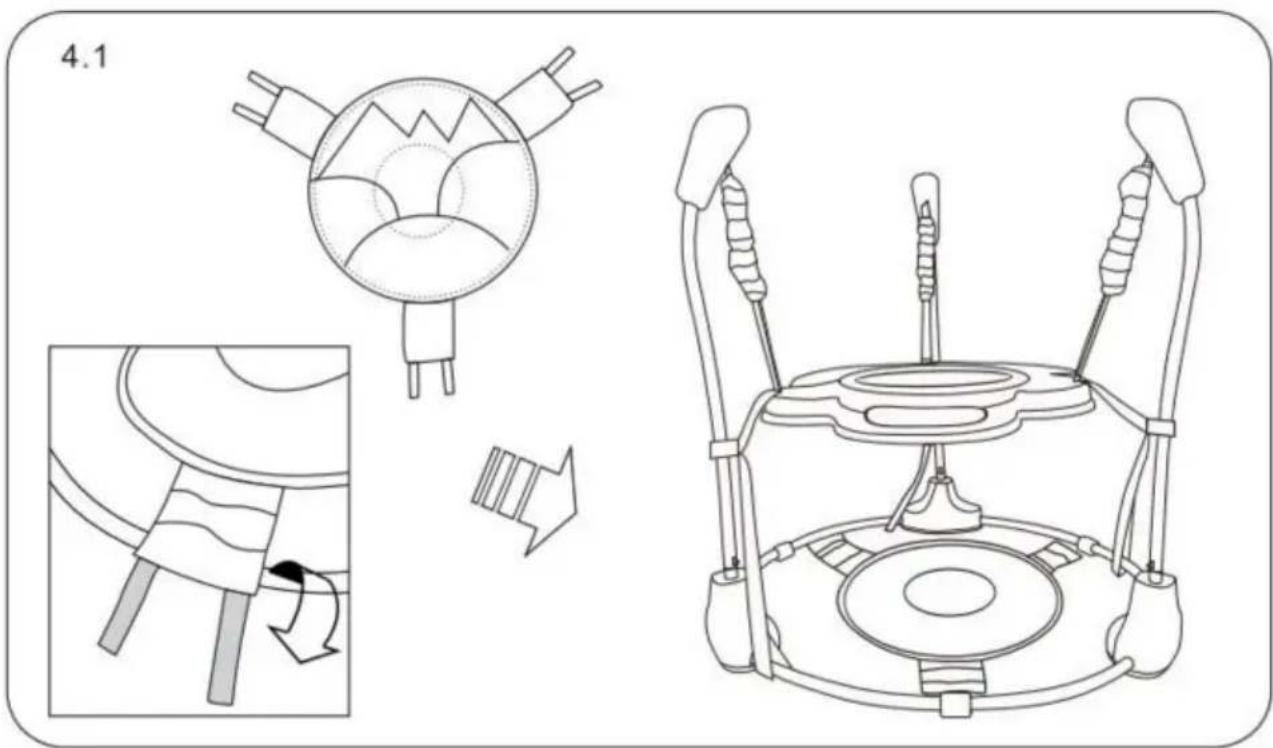
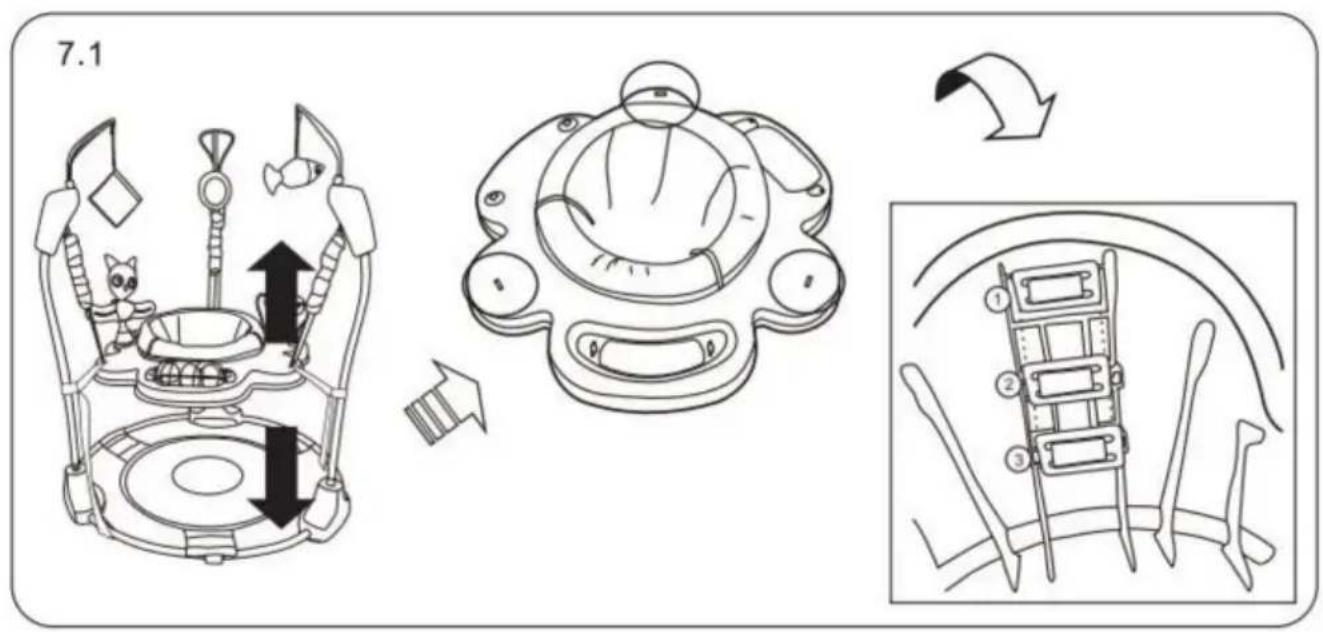
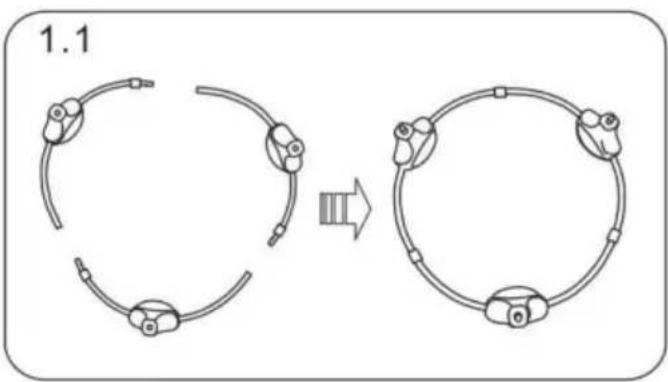
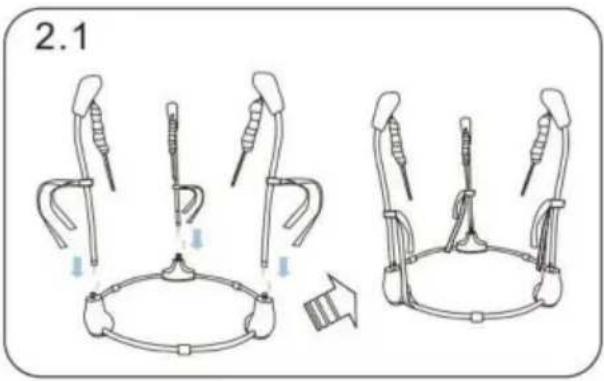
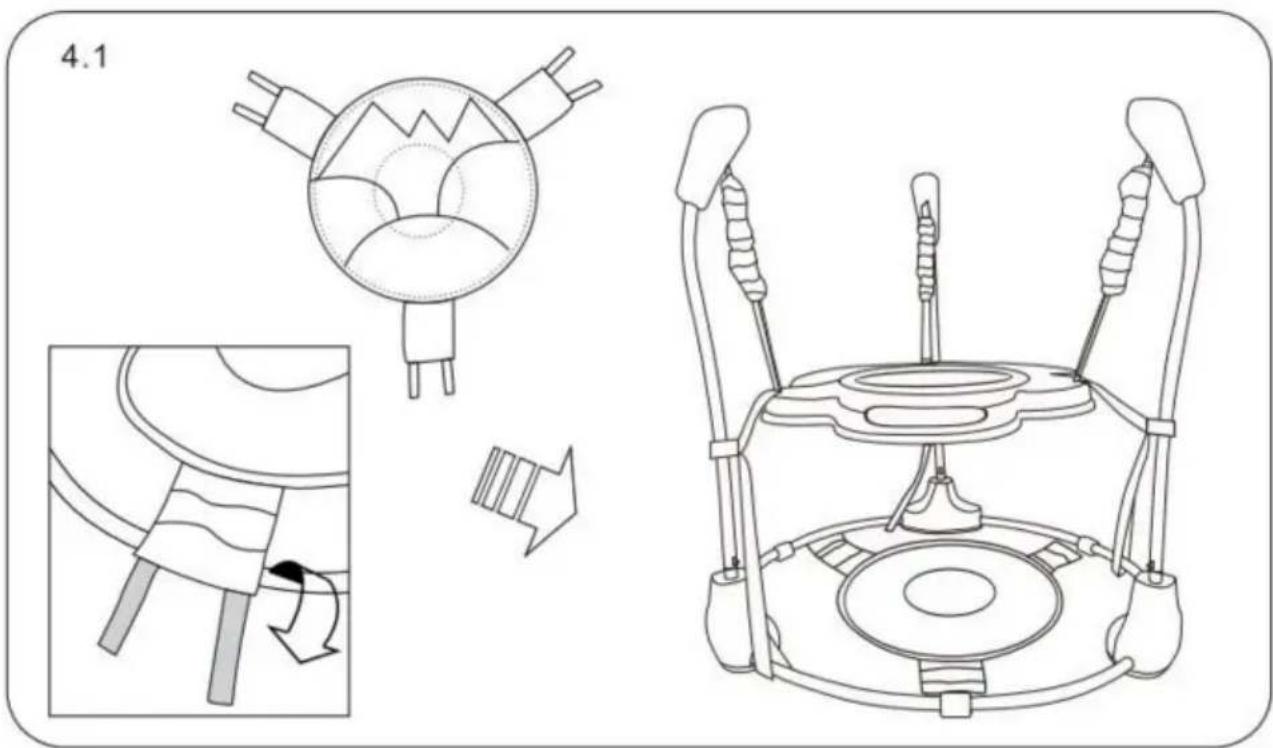
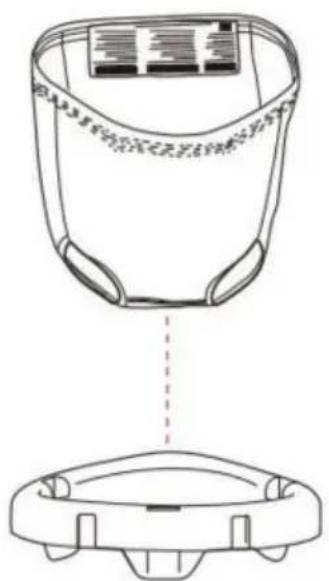
Assemble
1.1![graph TD A["Raw Material"] --> B["Reformation"] B --> C["Final Product"]](/content/2026/04/735705/images/35907d534cd22323dc00608c2b07f44eef01999fdf404043e324005a62b9a17d.jpg)
2.1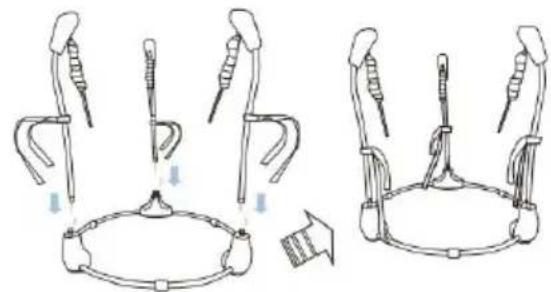
3.1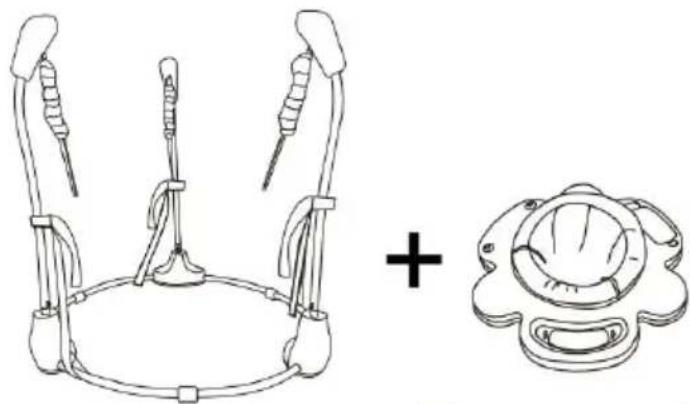
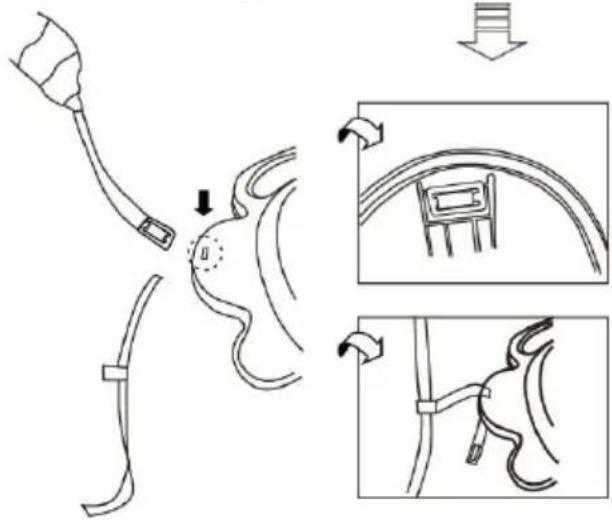
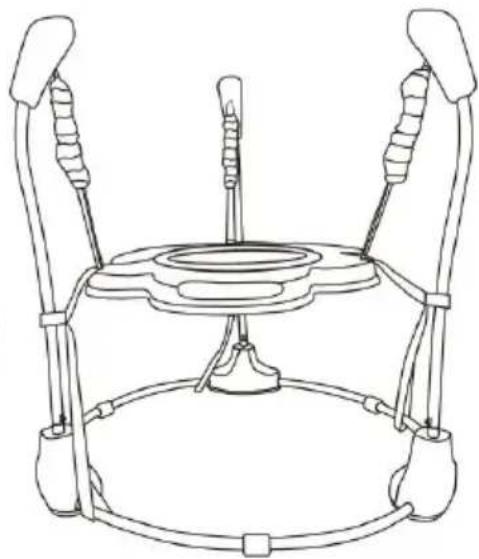
→
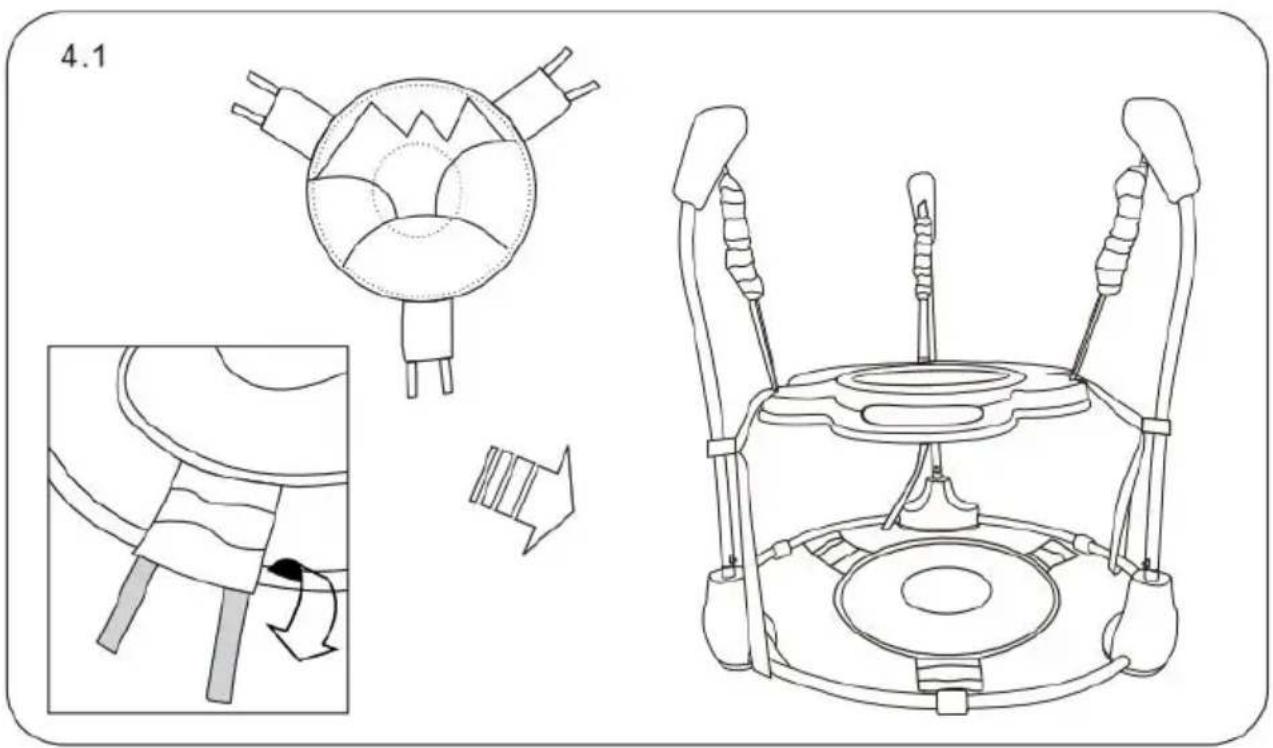
![graph TD A["Cat: Dog-like object"] --> B["Robot: Robot inside cockpit"] B --> C["Device: Computer with circular head"]](/content/2026/04/735705/images/0c9f110f44321103d29392ad5462b18da54d9ecc166c553fd3dad0e6a2cb2a44.jpg)
5.1.2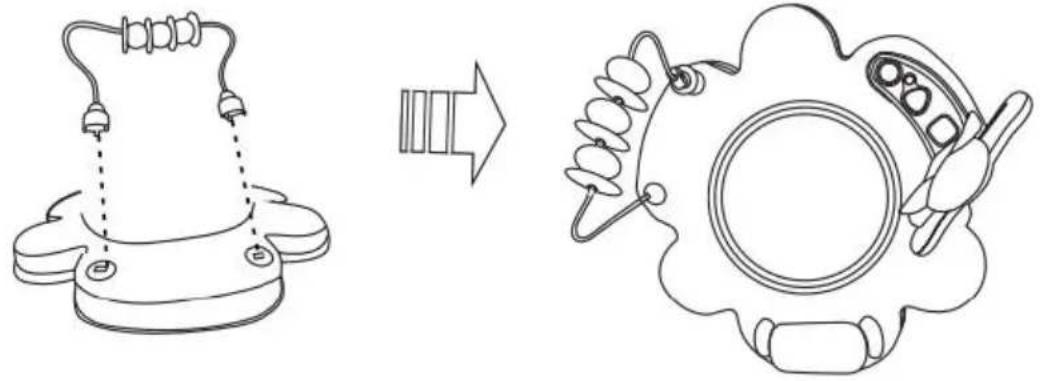
5.1.3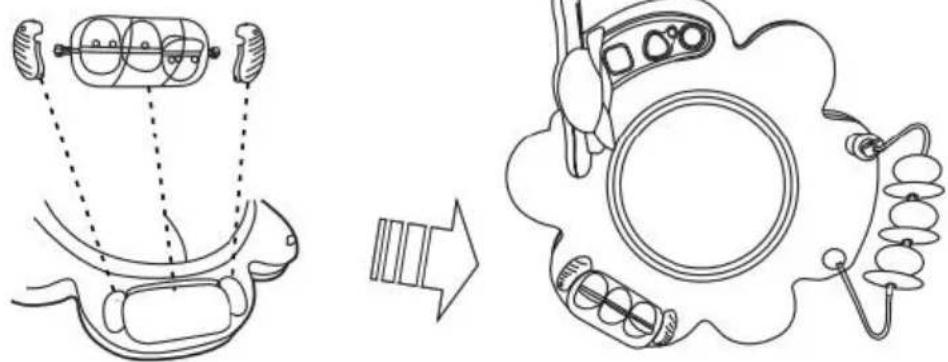
6.1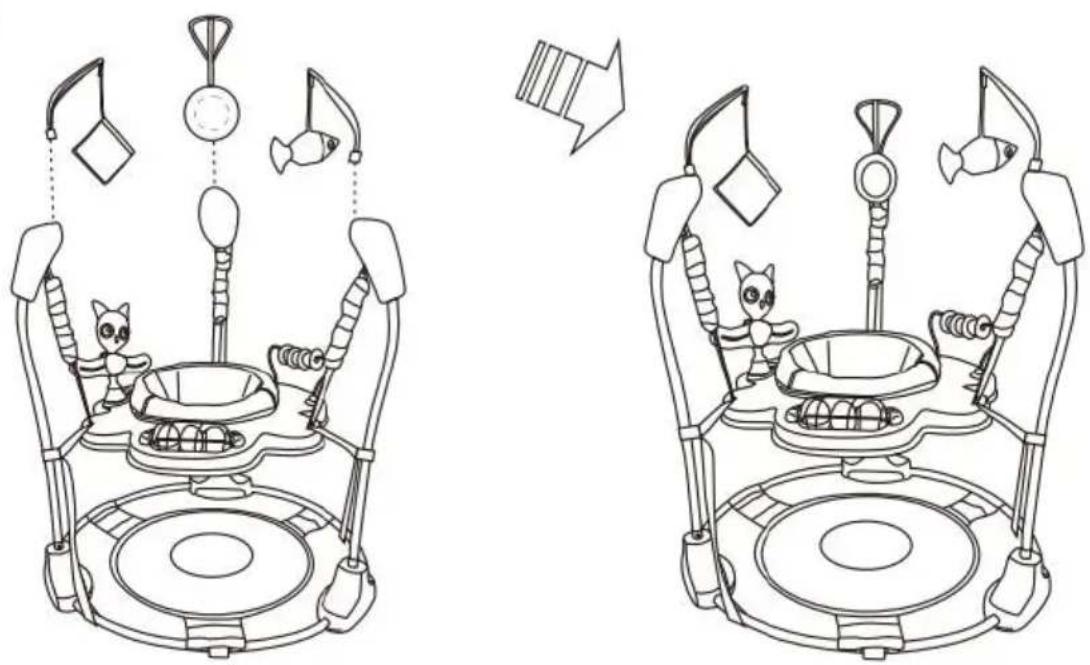
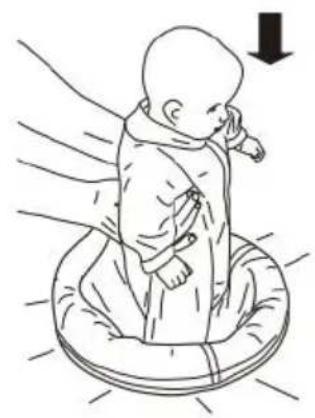
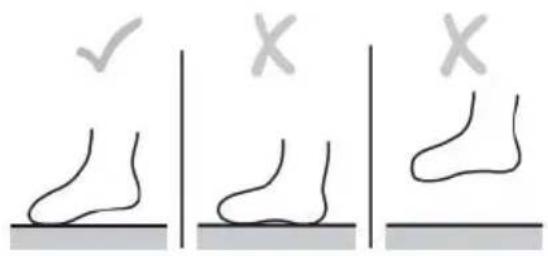
7.1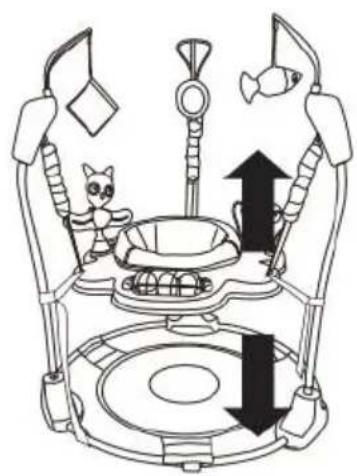
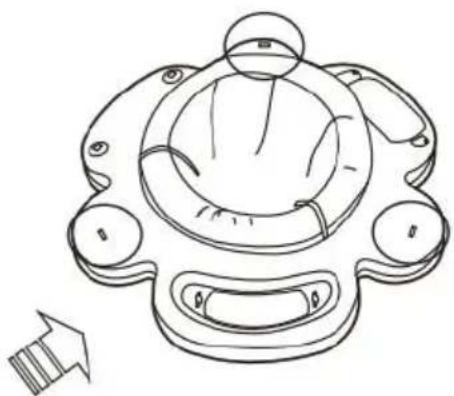
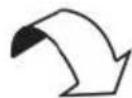
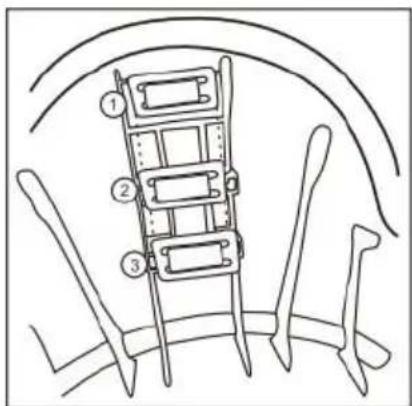
To Remove the Seat Cover for Cleaning
①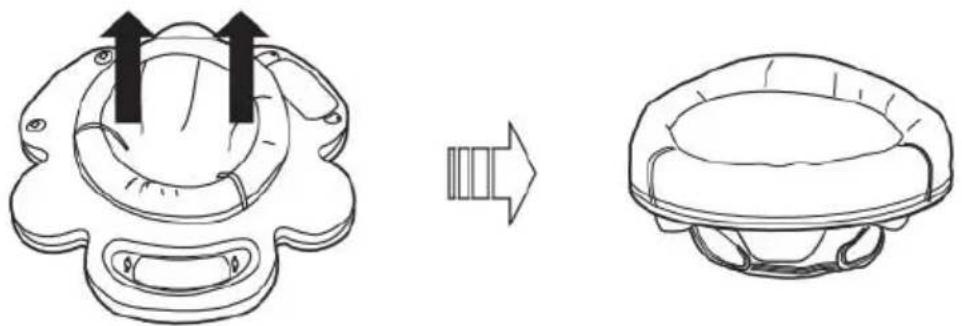
②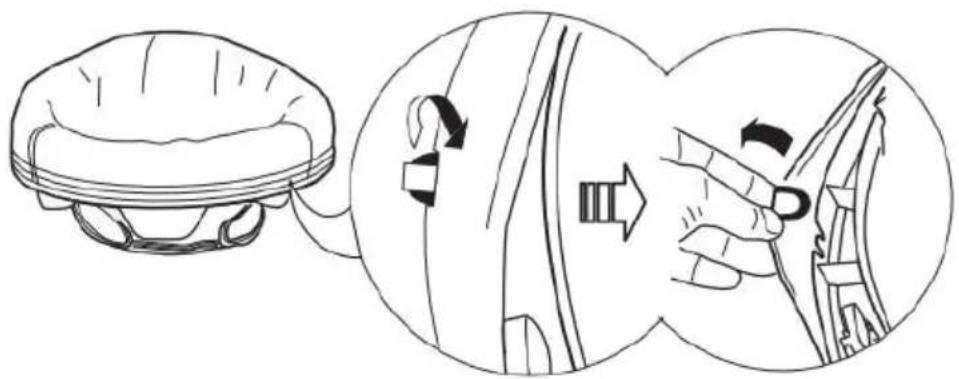
③![graph TD A["Initial Implant"] --> B["Assembly"] B --> C["Product Packaging"] C --> D["Final Packaging"]](/content/2026/04/735705/images/238e3d84bf79bd7fdd3994a4f7f79299c9c04a14927af4ba67ace08f455fc558.jpg)
DO NOT MACHINE WASH.
For metal and plastic parts, use only lukewarm water and mild soap.
Maintenance and Cleaning
Check this product regularly before using it, and do not use it if any parts are loose or missing or if there are any signs of damage. Do not substitute parts. Contact the manufacturer if replacement parts or additional instructions are needed.
FCC Statement
This device complies with Part 15 of the FCC rules. Operation is subject to the following two conditions: 1. This device may not cause harmful interference, and 2. This device must accept any interference received, including interference that may cause undesired operation.
WARNING: Changes or modifications to this unit not expressly approved by the party responsible for compliance could void the user's authority to operate the equipment.
NOTE: This equipment has been tested and found to comply with the limits for a Class B digital device, pursuant to Part 15 of the FCC Rules. These limits are designed to provide reasonable protection against harmful interference in a residential installation. This equipment generates, uses and can radiate radio frequency energy and, if not installed and used in accordance with the instructions, may cause harmful interference to radio communications.
However, there is no guarantee that interference will not occur in a particular installation. If this equipment does cause harmful interference to radio or television reception, which can be determined by turning the equipment off and on, the user is encouraged to try to correct the interference by one or more of the following measures:
Reorient or relocate the receiving antenna. Increase the separation between the equipment and receiver. Connect the equipment into an outlet on a circuit different from that to which the receiver is connected. Consult the dealer or an experienced radio/TV technician for help.
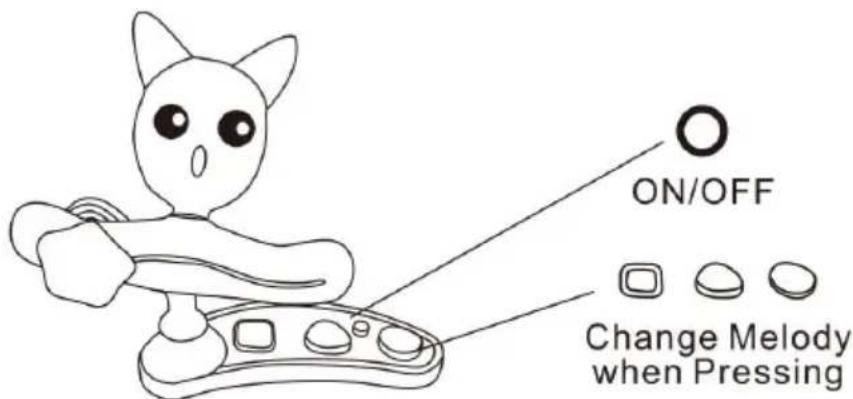
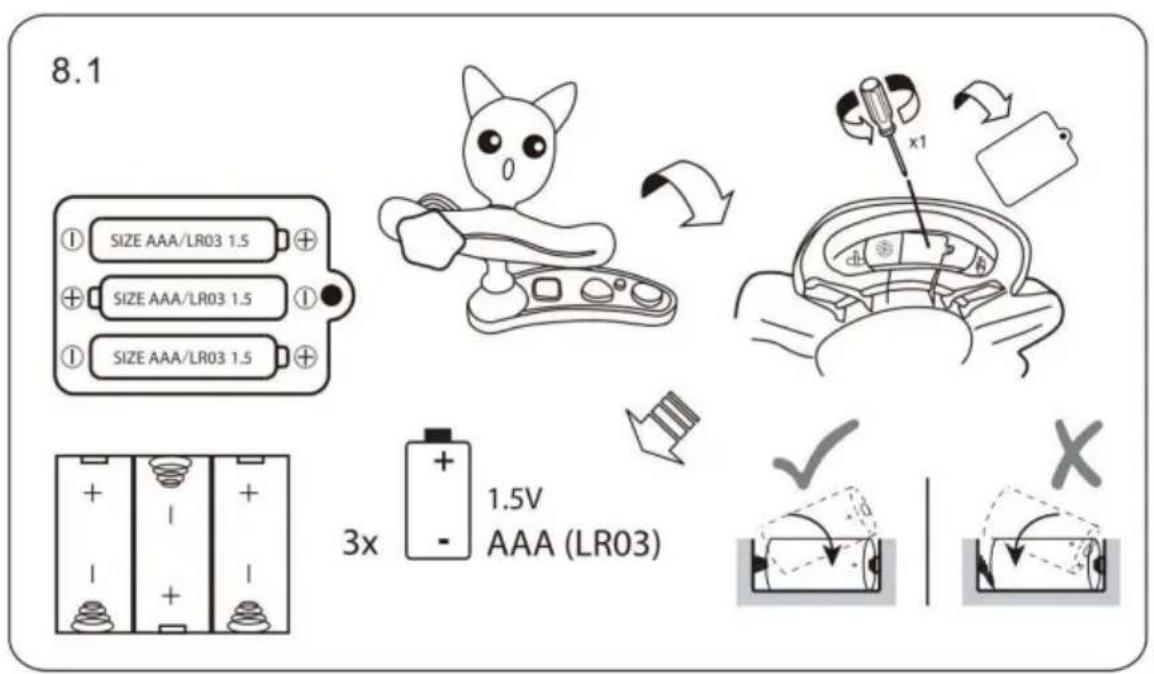
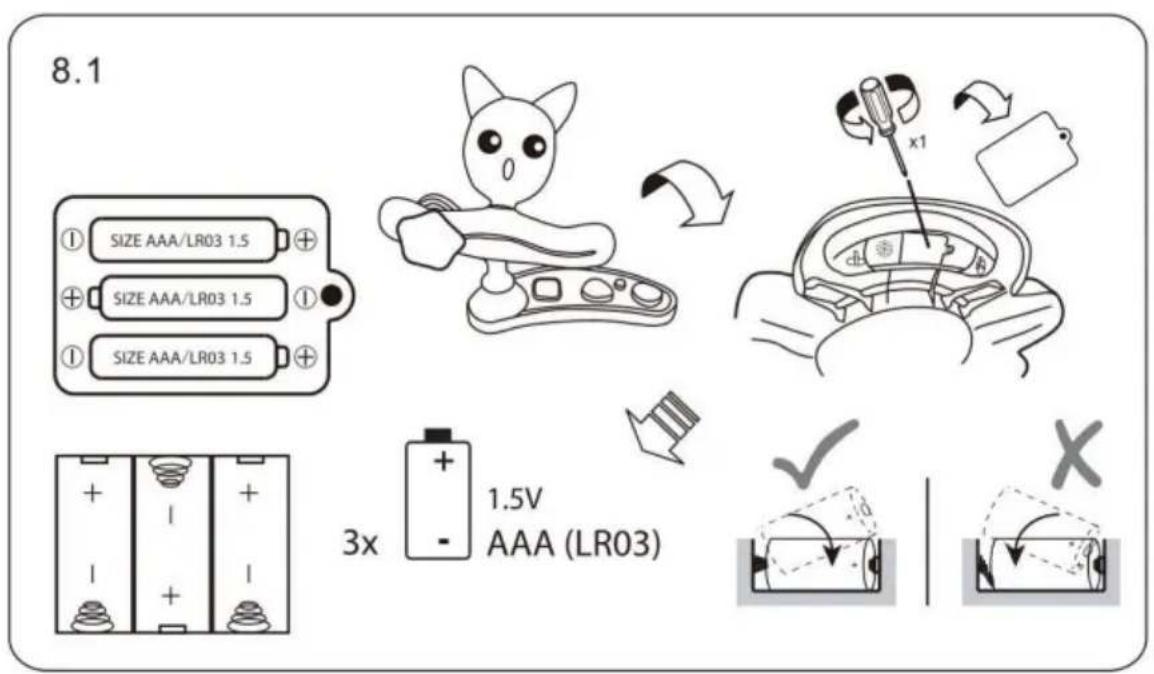
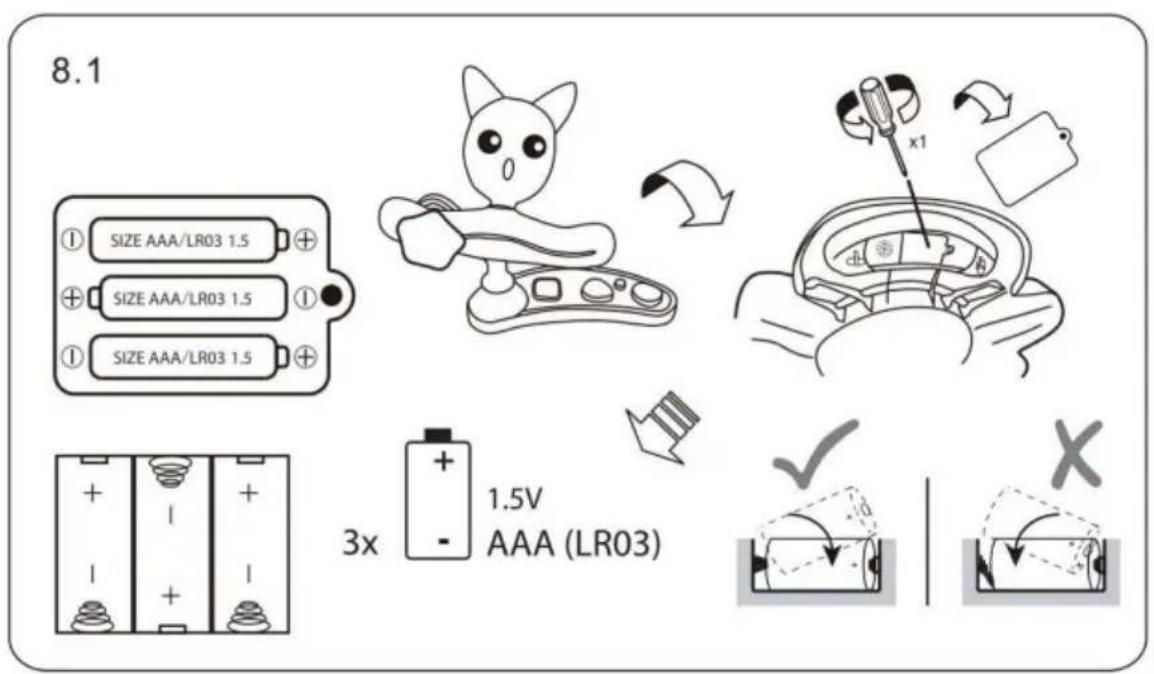
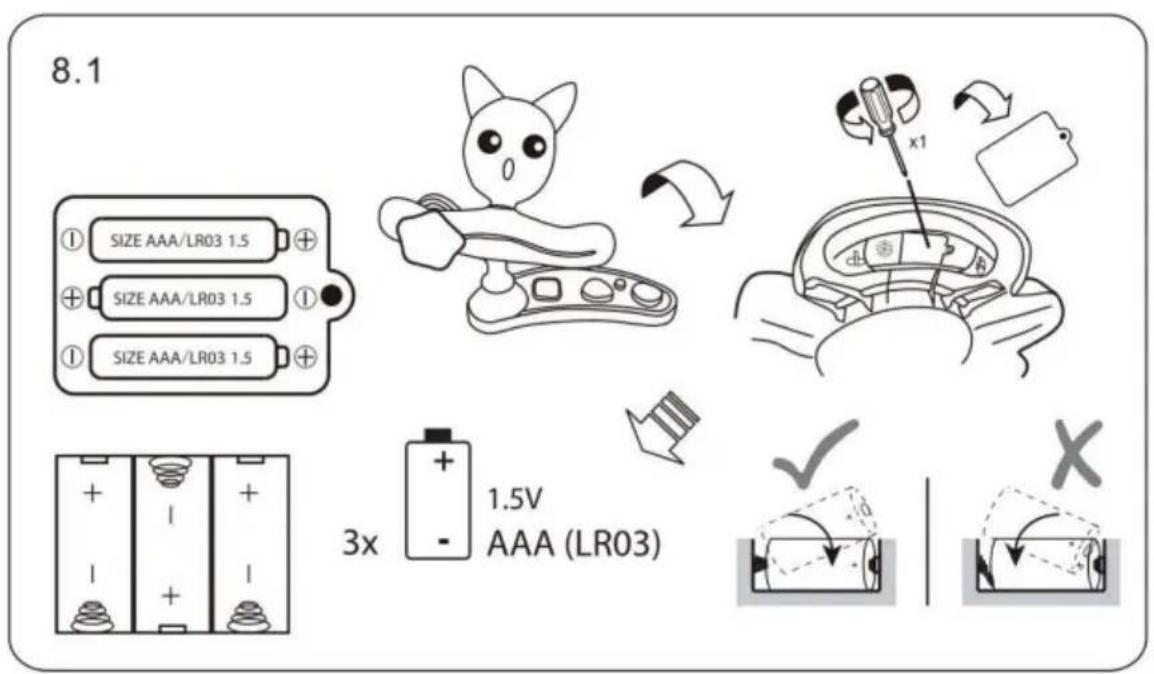
Auto Switch off after 45 minutes
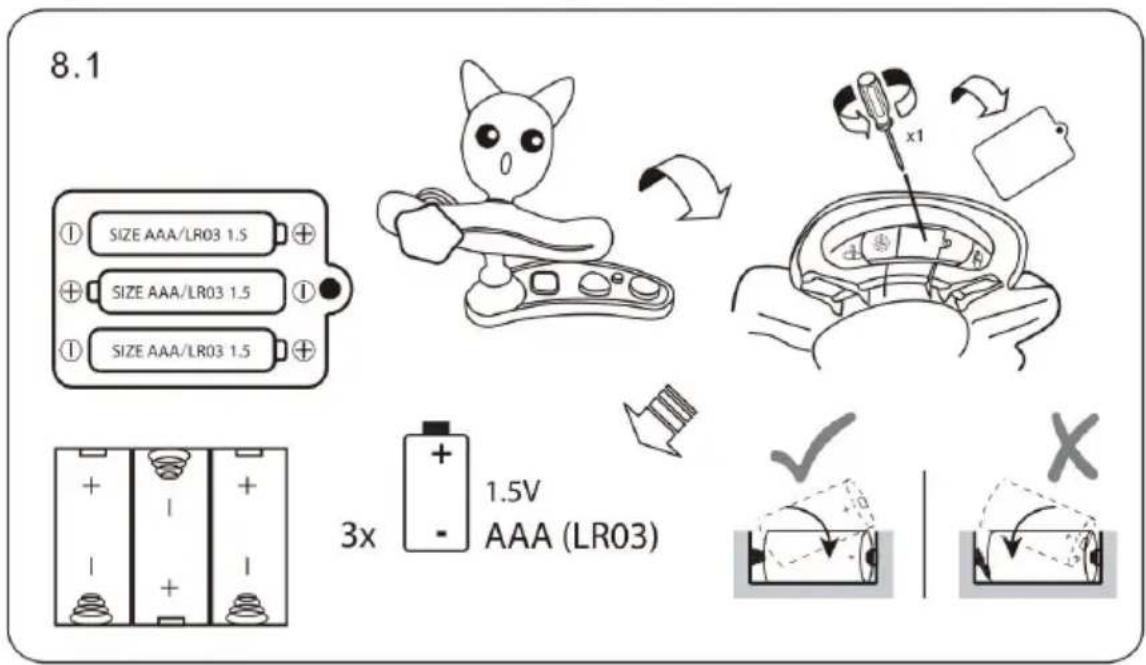
VEVOR®
TOUGH TOOLS, HALF PRICE
Technical Support and E-Warranty Certificate www.vevor.com/support
VEVOR®
TOUGH TOOLS, HALF PRICE
NEED HELP? CONTACT US!
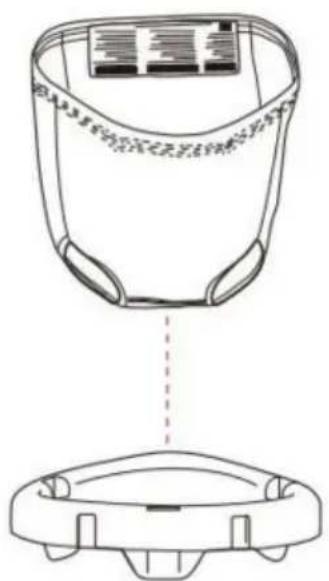
Assemble

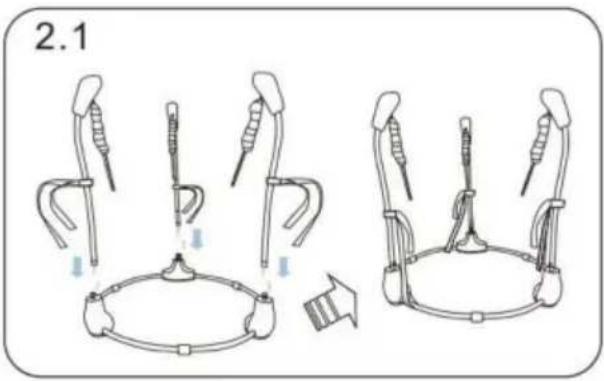
![graph TD A["3.1"] --> B["+"] B --> C["↓"] C --> D["←"] D --> E["→"] style A fill:#f9f,stroke:#333 style B fill:#ccf,stroke:#333 style C fill:#cfc,stroke:#333 style D fill:#fcc,stroke:#333 style E fill:#ffc,stroke:#333](/content/2026/04/735705/images/54b454f2c52818e51ec97d3e3f45a8071f8f7cf43586cf37f4abec17921a80e4.jpg)
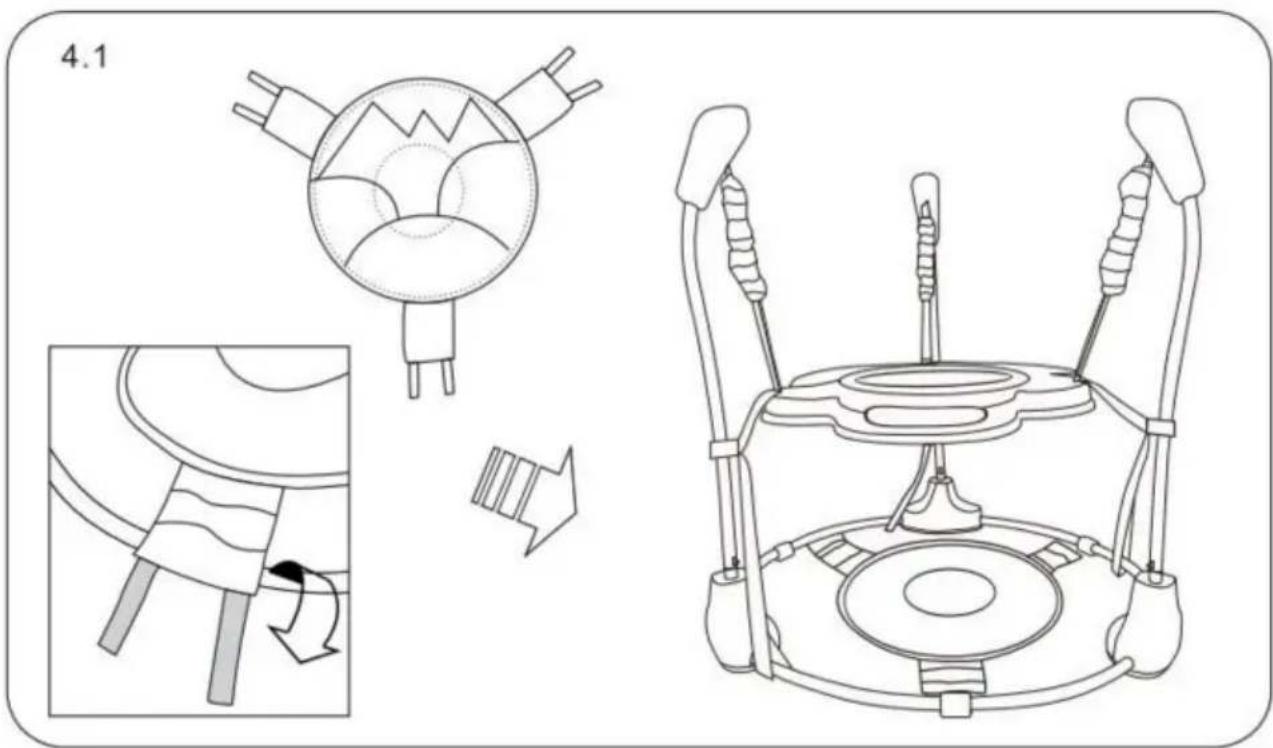
![graph TD A["5.1.1"] --> B["Robot"] B --> C["Space Robot"] C --> D["Drain Aircraft"]](/content/2026/04/735705/images/d9e0ee7aba4d841e1e2ed5e6c5fb2a6fb77f2a98b22689f5e3d89b6b23e49a36.jpg)
5.1.2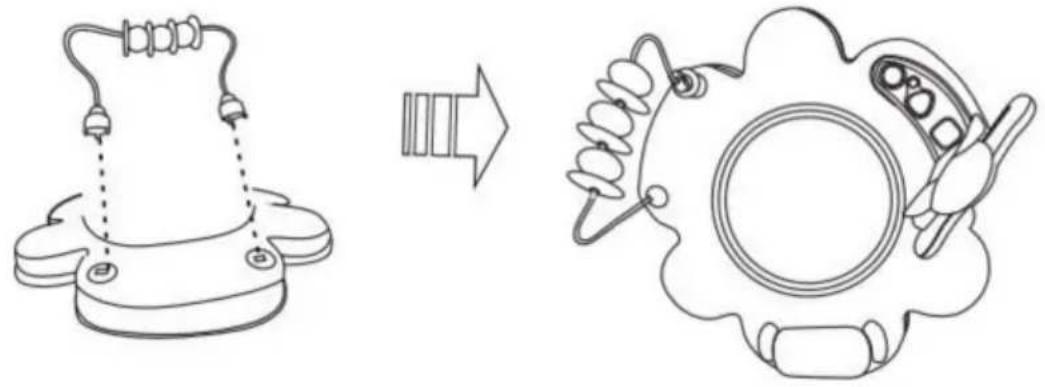
5.1.3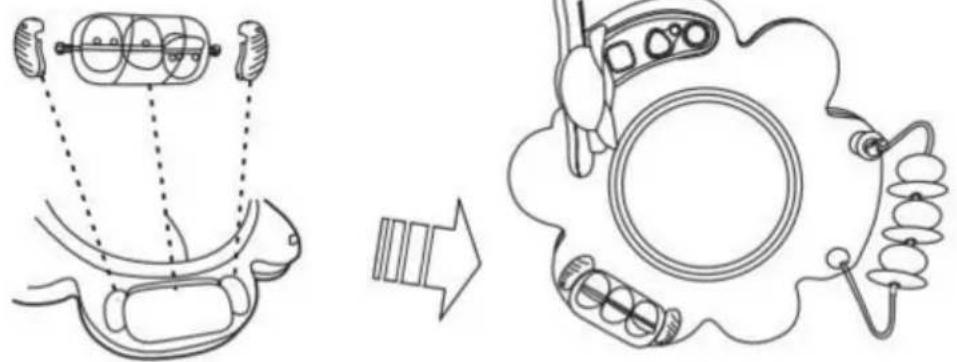
6.1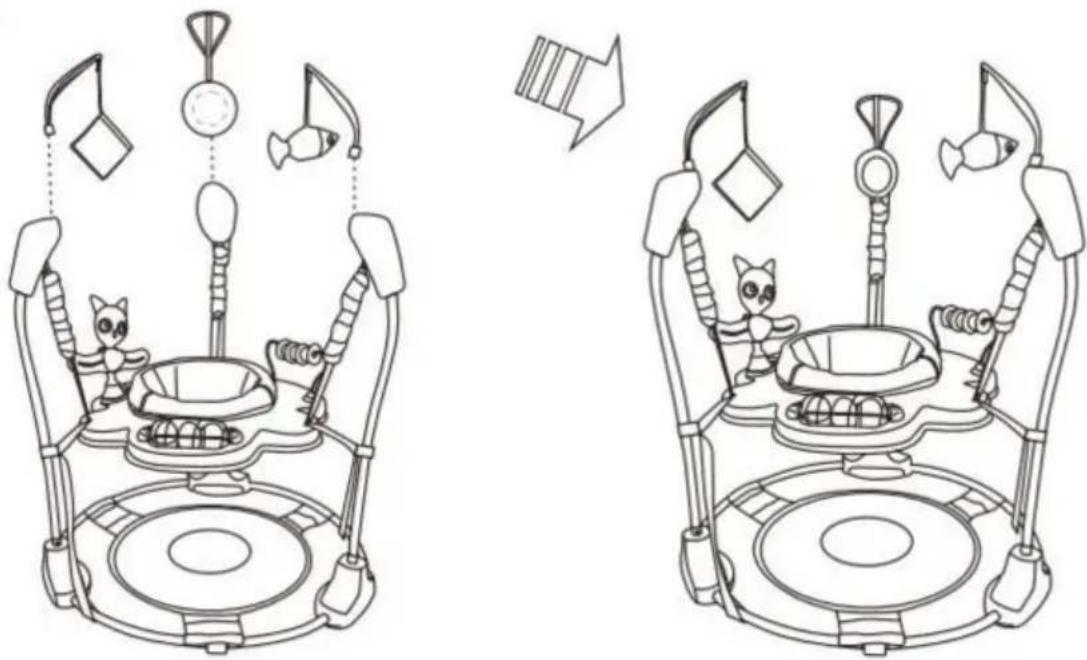
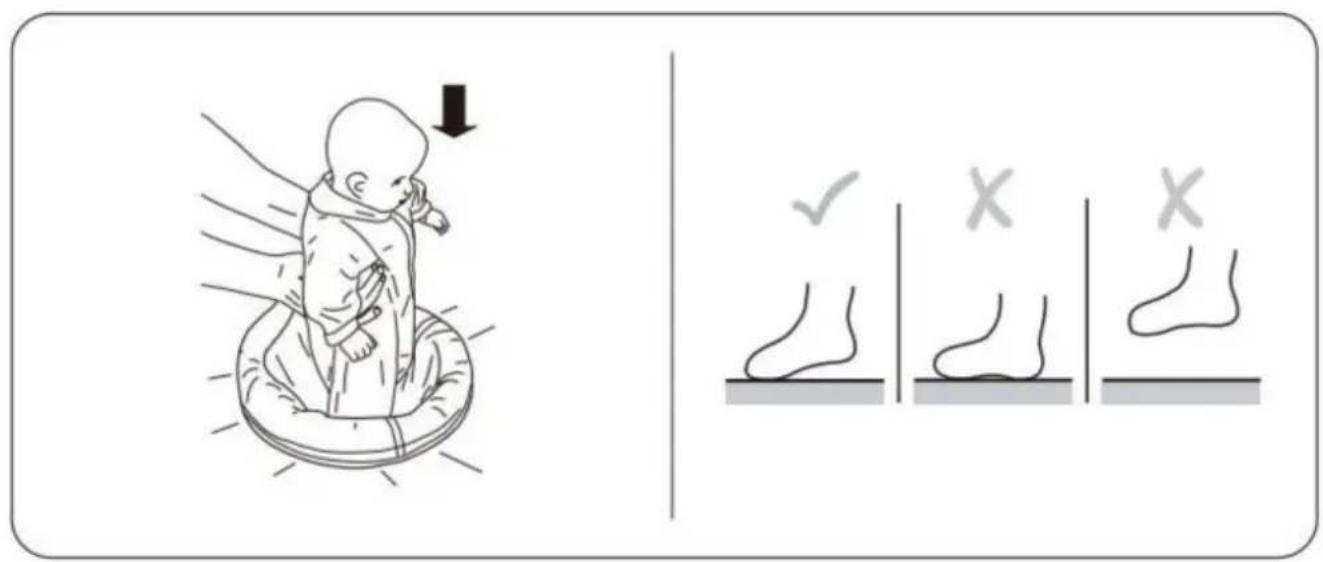
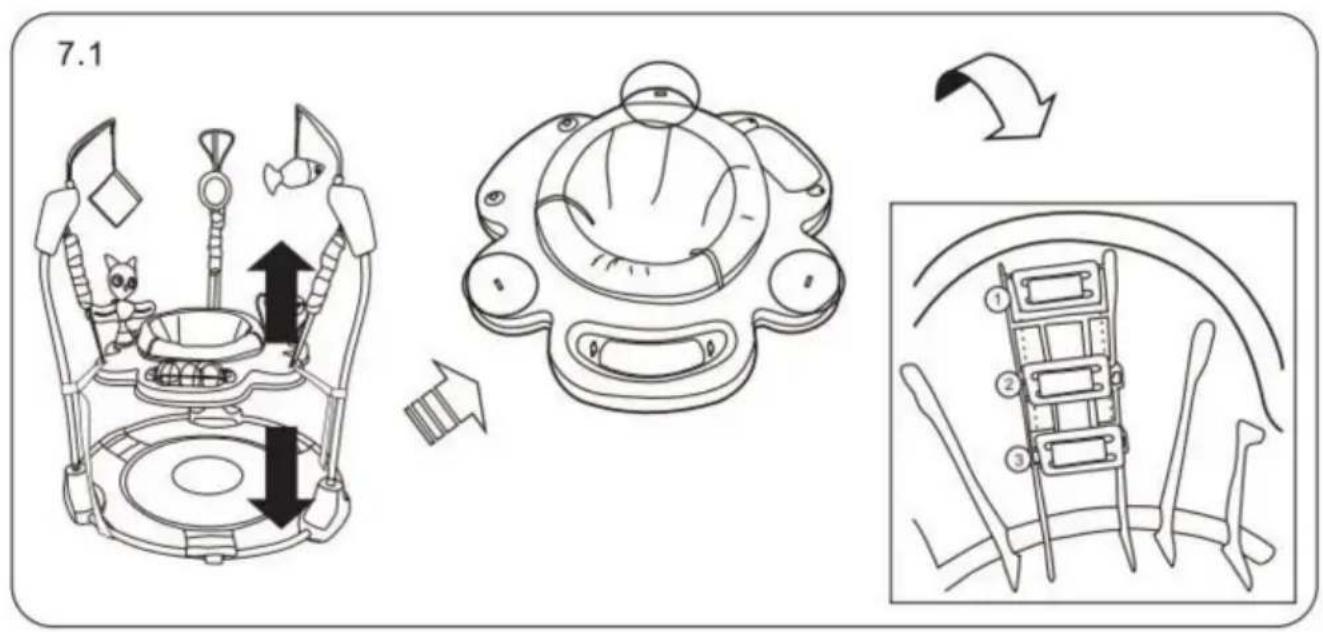
To Remove the Seat Cover for Cleaning
①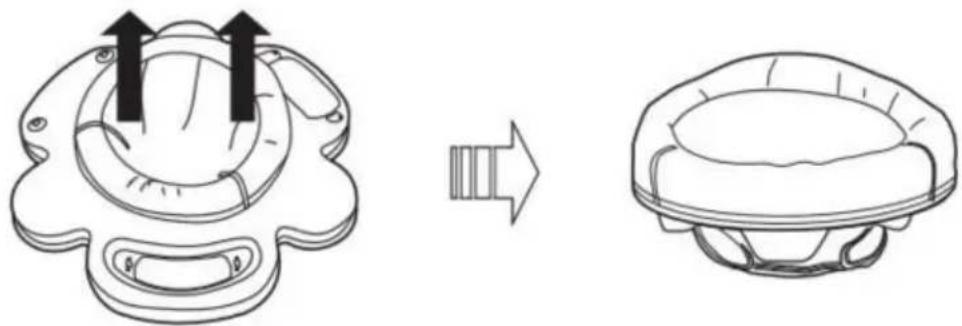
②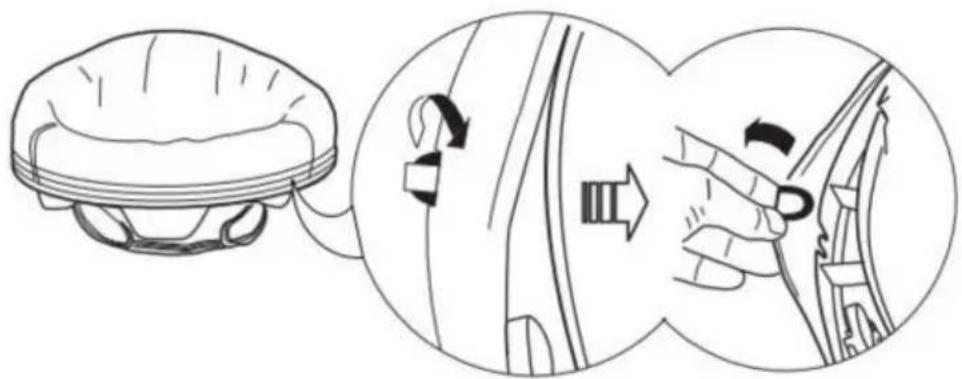
③![graph TD A["Top-Down View"] --> B["Assembly Step"] B --> C["Top-Left View"] C --> D["Assembly Step"] D --> E["Final Assembly View"]](/content/2026/04/735705/images/22f624e5bea7fd0767a21ea4c861d8bb974ab04f05304b6275b9eeb5ded7921b.jpg)
DO NOT MACHINE WASH.
For metal and plastic parts, use only lukewarm water and mild soap.
Auto Switch off after 45 minutes
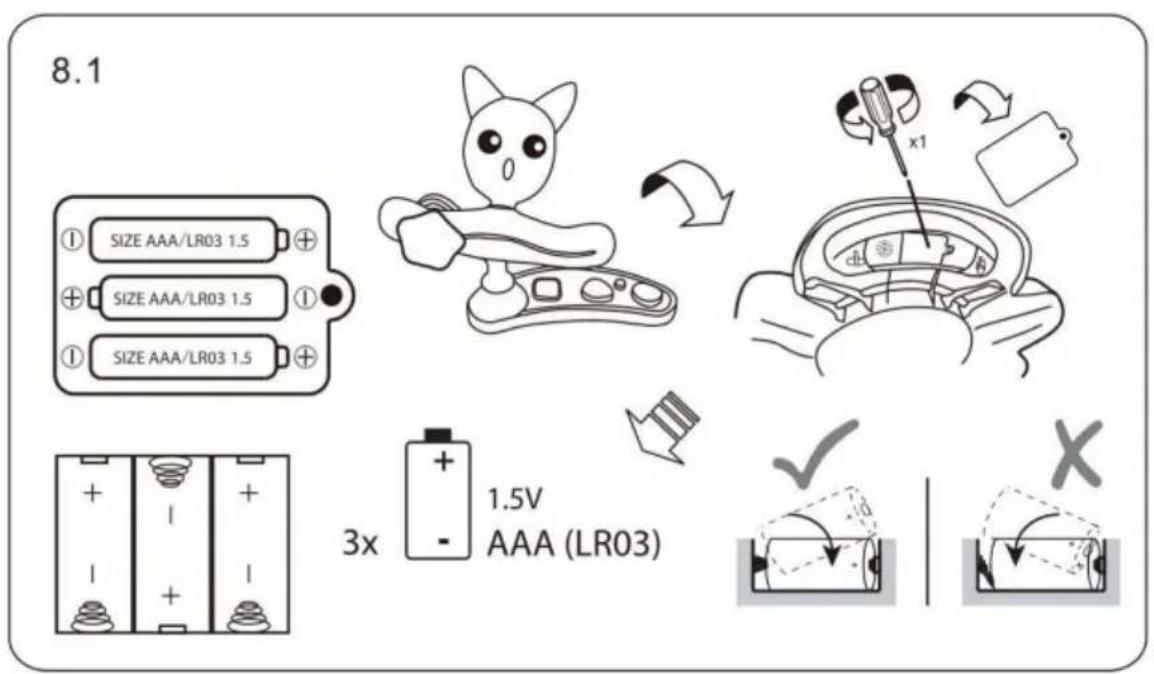
VEVOR®
TOUGH TOOLS, HALF PRICE
STRANGULATION HAZARD!
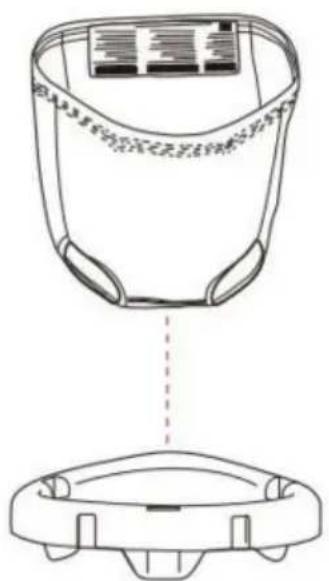
Mounting
1.1![graph TD A["Initial state with circular components"] --> B["Reformation change"] B --> C["Final state with circular components"]](/content/2026/04/735705/images/f383e5c82c491f4f4fe20cf7c17c16340d427d217b523d53df07669748e038b8.jpg)
2.1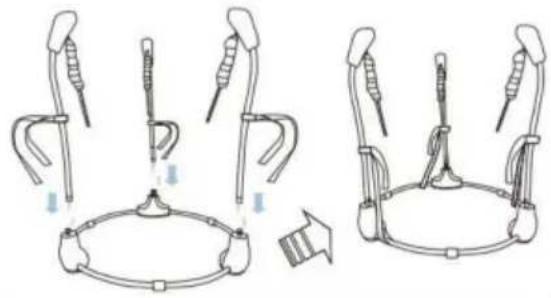
3.1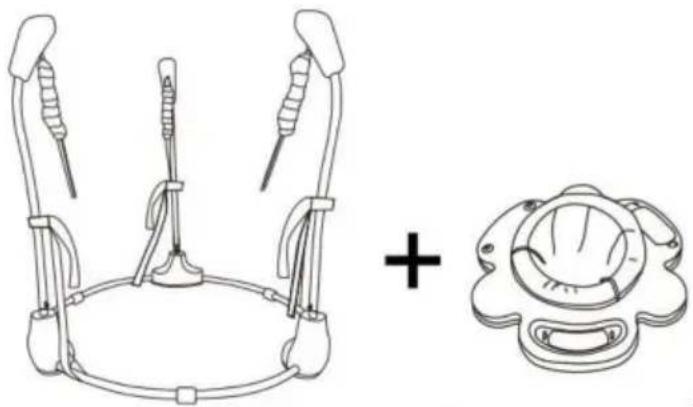
→
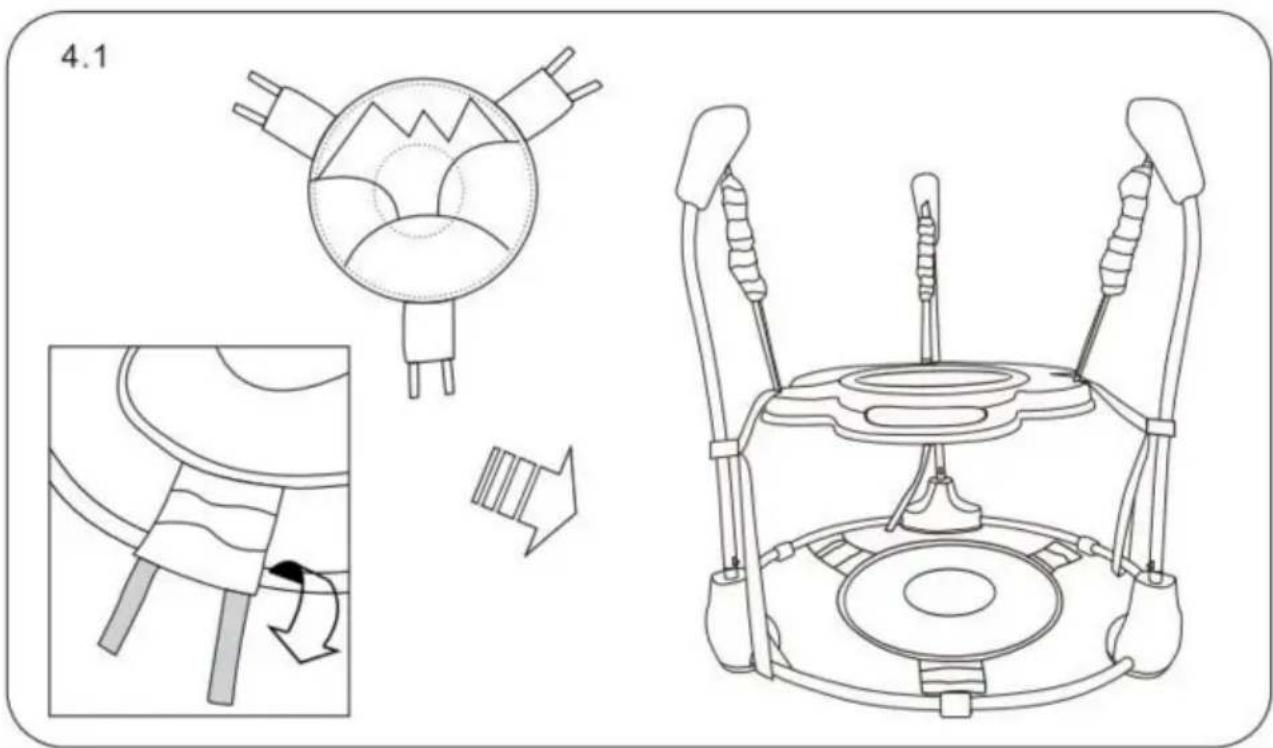
![graph TD A["5.1.1"] --> B["Robot"] B --> C["Space Robot"] C --> D["Drain Aircraft"]](/content/2026/04/735705/images/3158e557812e791b3f5fb2a3d2700074a6db36983dce71d3bd72ac67a600dff2.jpg)
5.1.2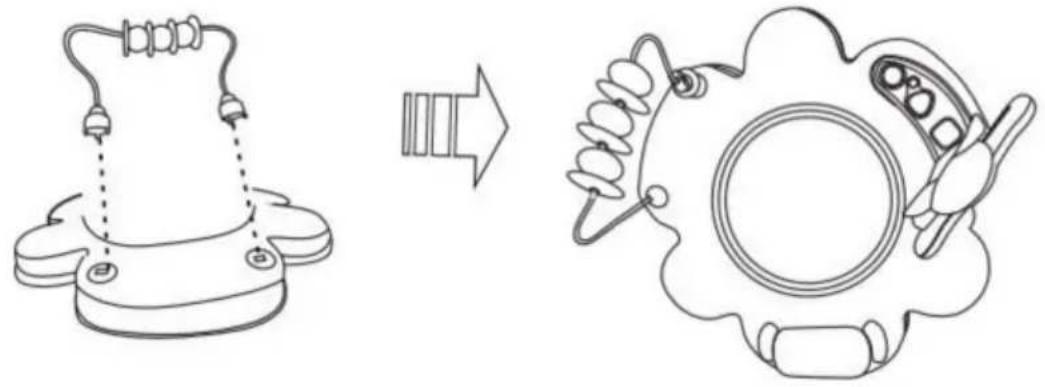
5.1.3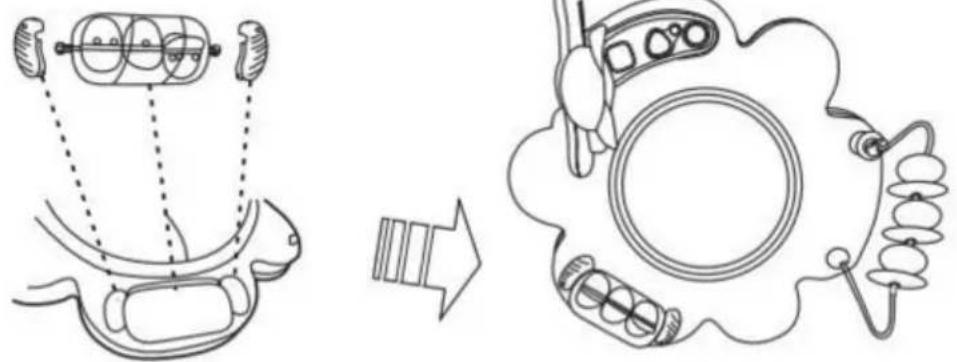
6.1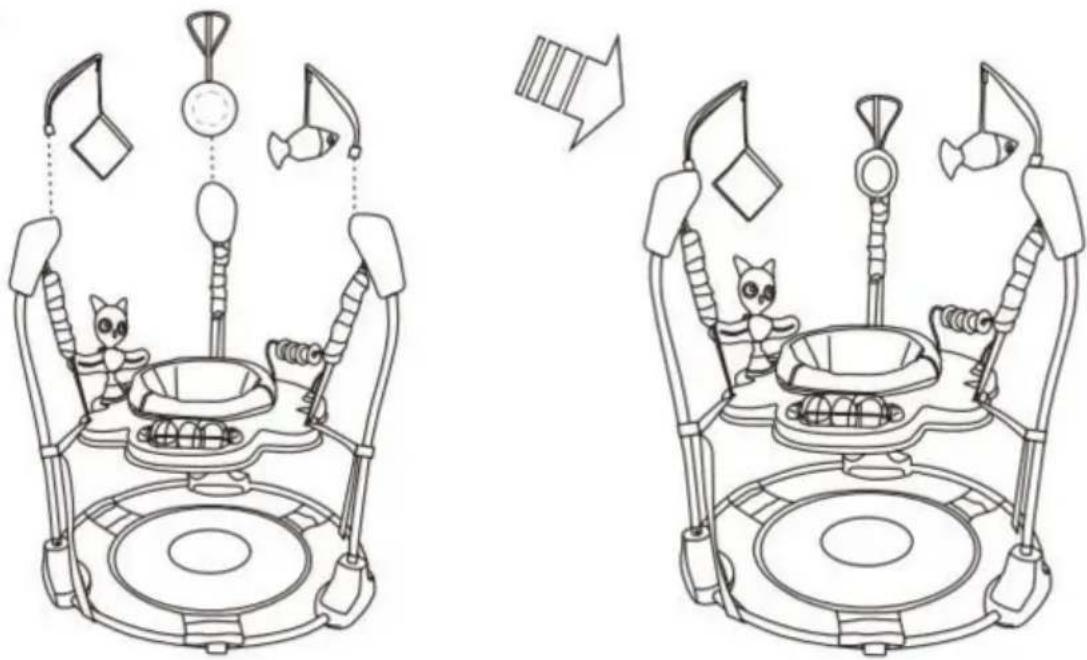
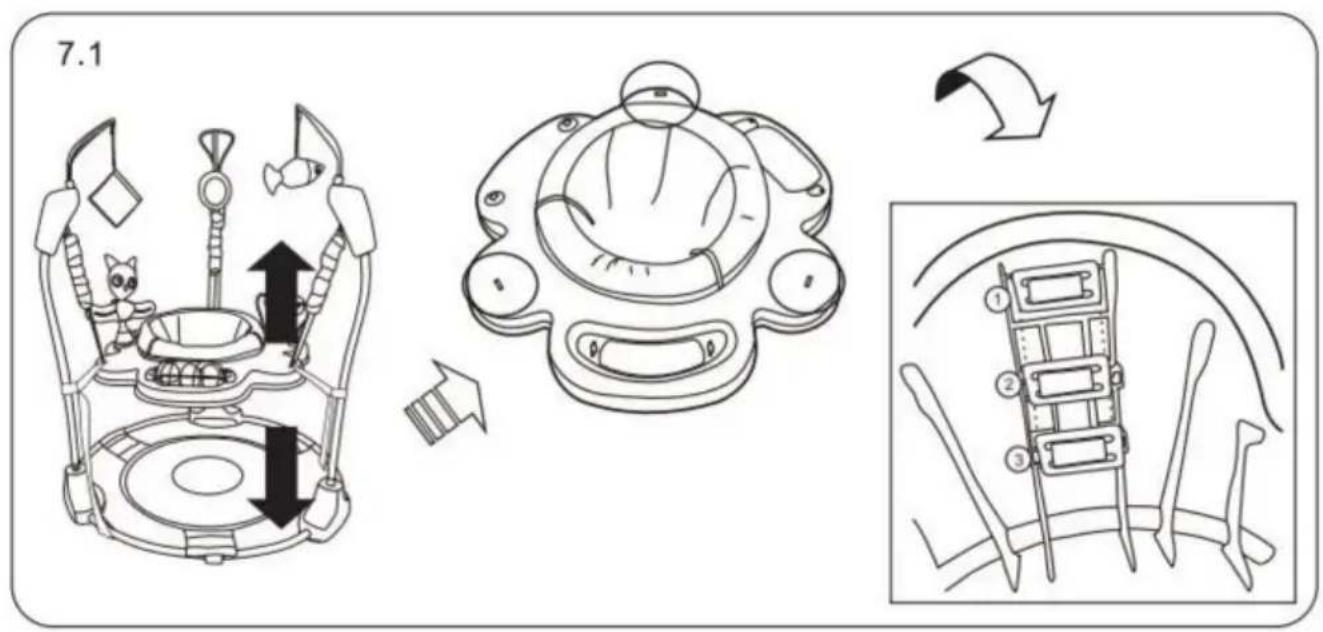
To Remove the Seat Cover for Cleaning
①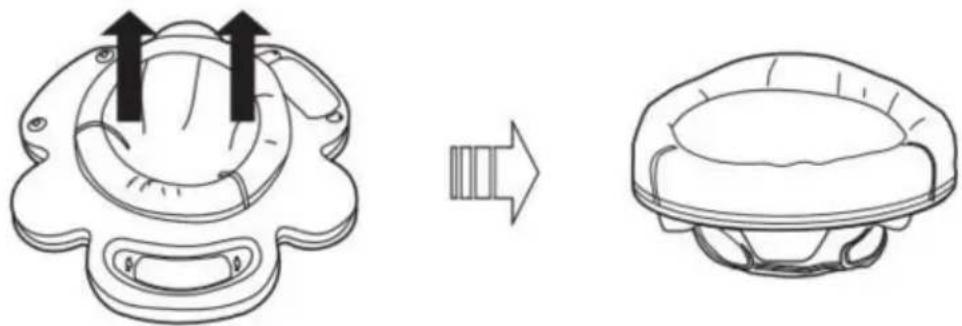
②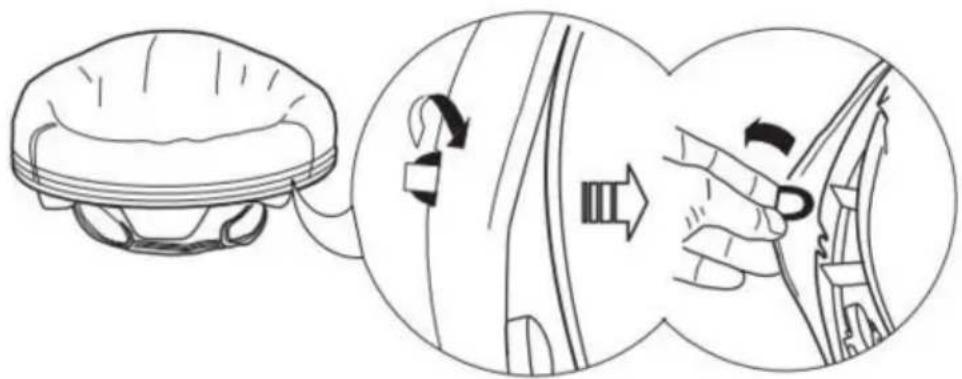
③![graph TD A["Top-Down View"] --> B["Assembly Step"] B --> C["Top-Left View"] C --> D["Assembly Step"] D --> E["Final Assembly View"]](/content/2026/04/735705/images/f38dd3a58c831343aeae46b31789b1222b45c73a5fdf9e74bb772182e05fdd4c.jpg)
DO NOT MACHINE WASH.
For metal and plastic parts, use only lukewarm water and mild soap.
Auto Switch off after 45 minutes
VEVOR®
TOUGH TOOLS, HALF PRICE
www.vevor.com/support
VEVOR®
TOUGH TOOLS, HALF PRICE
assemble
1.1![graph TD A["Start"] --> B["Reformation"] B --> C["Arrow to Next Step"] C --> D["End"]](/content/2026/04/735705/images/492db6a1d2c6b524fadf274cb0aed6dd3751c5761977b5a855560ef8ef3eb7b7.jpg)
2.1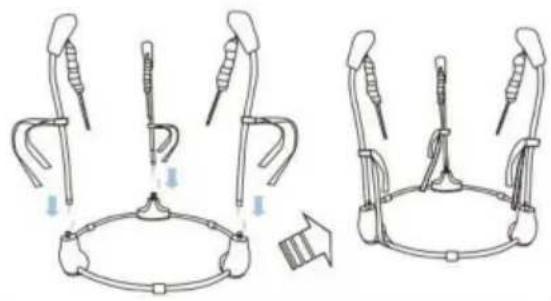
3.1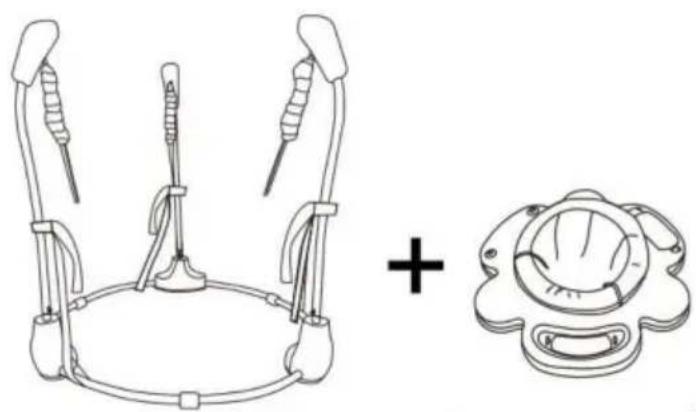
![graph TD A["5.1.1"] --> B["Robot"] B --> C["Space Robot"] C --> D["Drain Aircraft"]](/content/2026/04/735705/images/67a6518c04af5ebc637075aab6e35ecdffed2b8f14b9ccb9e298fd7d7b6e3e94.jpg)
5.1.2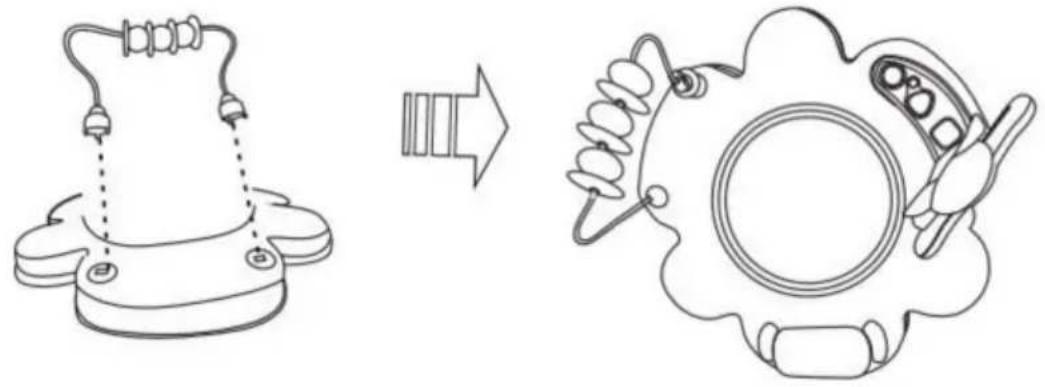
5.1.3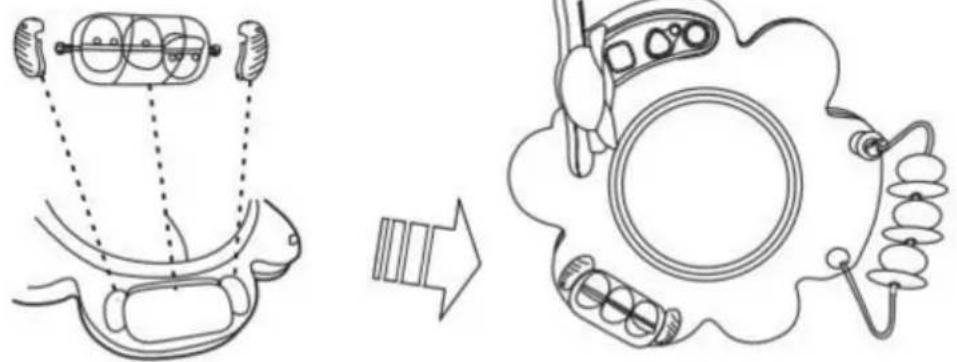
6.1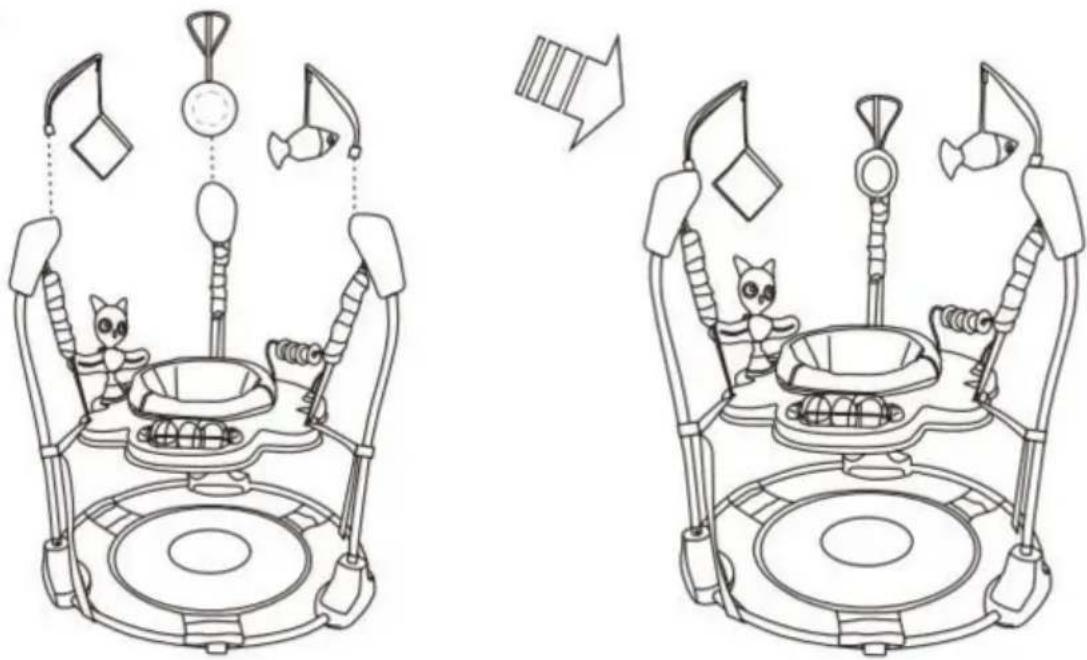
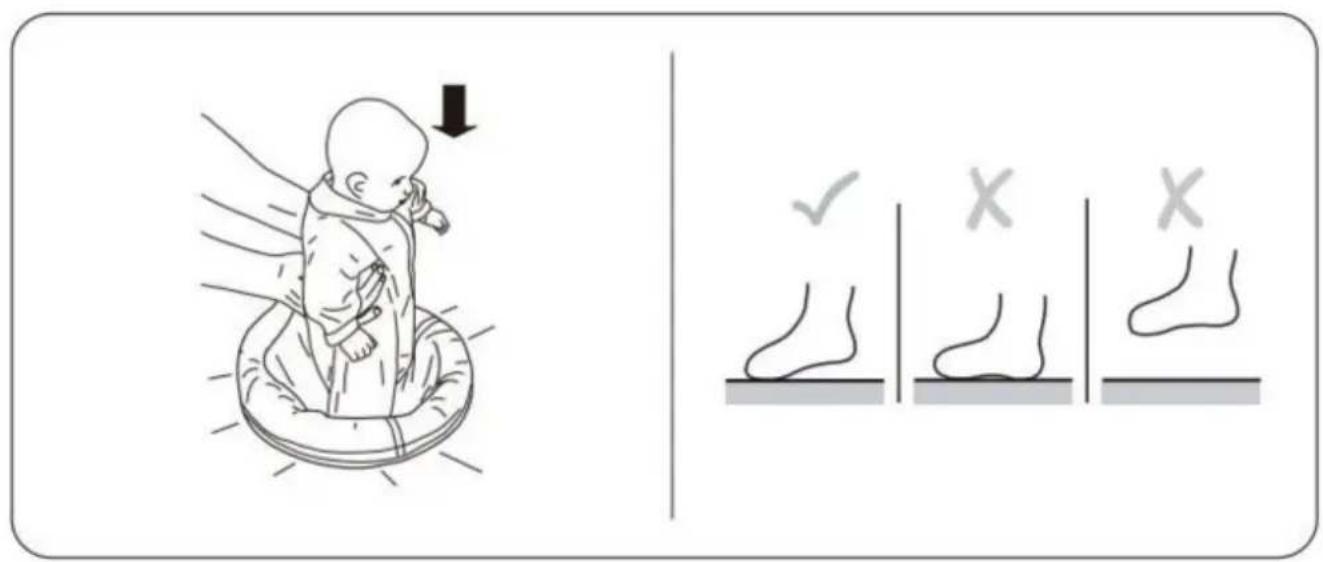
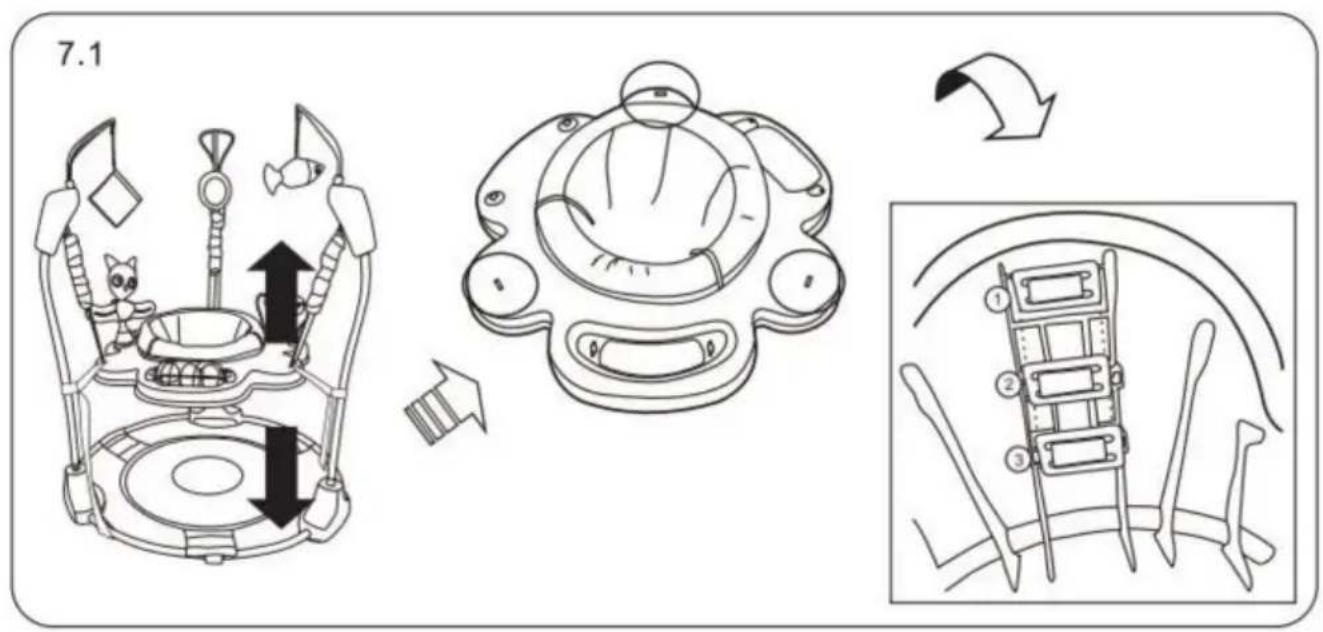
To Remove the Seat Cover for Cleaning
①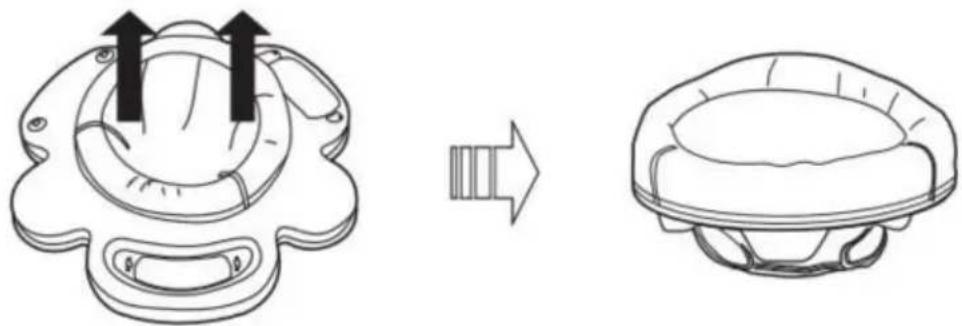
②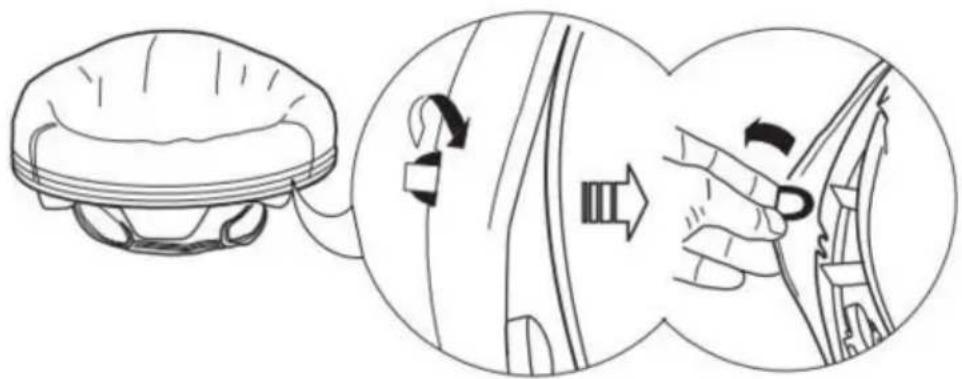
DO NOT MACHINE WASH.
For metal and plastic parts, use only lukewarm water and mild soap.
Auto Switch off after 45 minutes
VEVOR®
TOUGH TOOLS, HALF PRICE
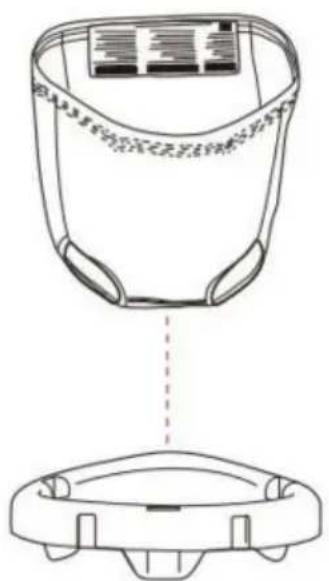
![graph TD A["5.1.1"] --> B["Cat"] B --> C["Space Robot"] C --> D["Robot"] D --> E["Robot with Mouse Icon"] E --> F["Robot with Robot Icon"] F --> G["Robot with Robot Icon"]](/content/2026/04/735705/images/c039a4e4421b477bc177586d39670c48f52f3d747cf7e0010cb0646406a57be3.jpg)
To Remove the Seat Cover for Cleaning
①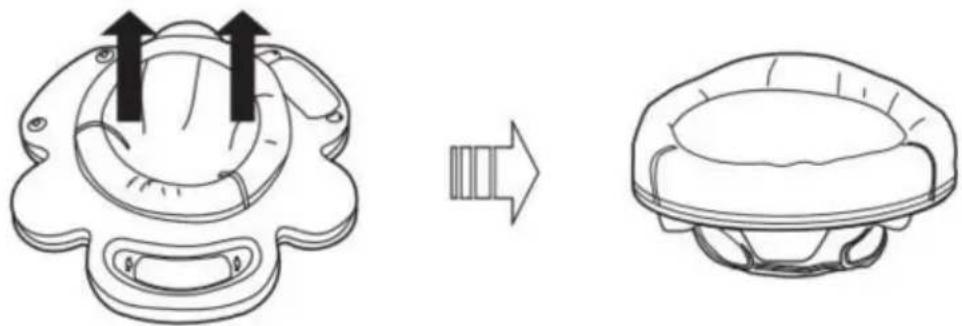
②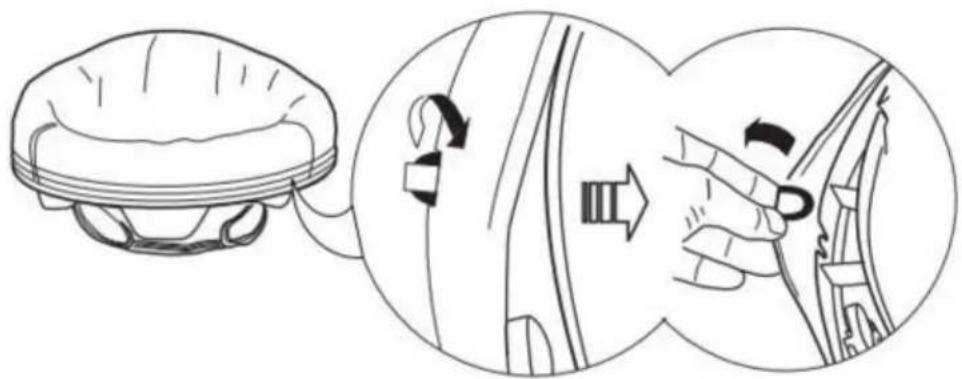
③![graph TD A["Top-Down View"] --> B["Assembly Step"] B --> C["Top-Left View"] C --> D["Assembly Step"] D --> E["Final Assembly View"]](/content/2026/04/735705/images/0044e231845251c37de8a8ba4c2e58c4d623df4aa05f6b7382bba0fe96d8b8c2.jpg)
DO NOT MACHINE WASH.
For metal and plastic parts, use only lukewarm water and mild soap.
Auto Switch off after 45 minutes
VEVOR®
TOUGH TOOLS, HALF PRICE
NEED HELP? CONTACT US!
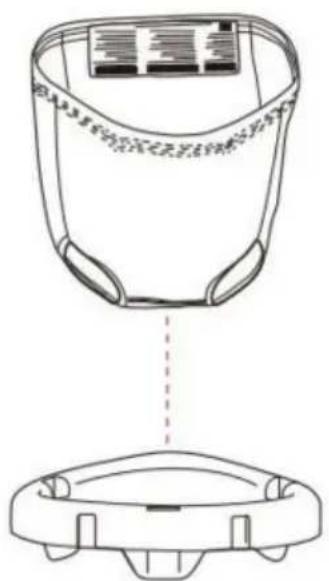
Gather
![graph TD A["3.1"] --> B["+"] B --> C["↓"] C --> D["End"] style A fill:#f9f,stroke:#333 style B fill:#ccf,stroke:#333 style C fill:#cfc,stroke:#333 style D fill:#fcc,stroke:#333](/content/2026/04/735705/images/aa2baf2636e24c5676ee896edf89778876b2c04d378e346d390b69ae41114f98.jpg)
![graph TD A["5.1.1"] --> B["Robot"] B --> C["Space Robot"] C --> D["Interior Space Robot"] D --> E["Bottom Space Robot"] style A fill:#f9f,stroke:#333 style B fill:#ccf,stroke:#333 style C fill:#cfc,stroke:#333 style D fill:#fcc,stroke:#333](/content/2026/04/735705/images/a4843529bae58898d4c5655a3d4d51eac2dd9ca4c9df5601b48b4dfc91981a6e.jpg)
5.1.2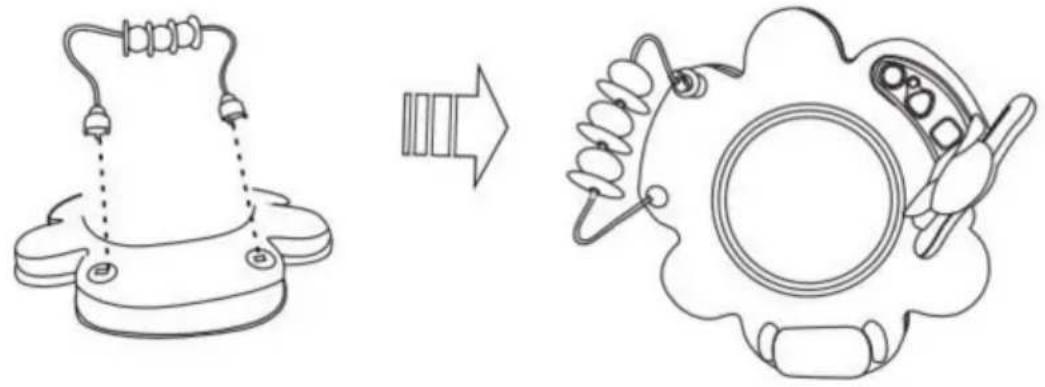
5.1.3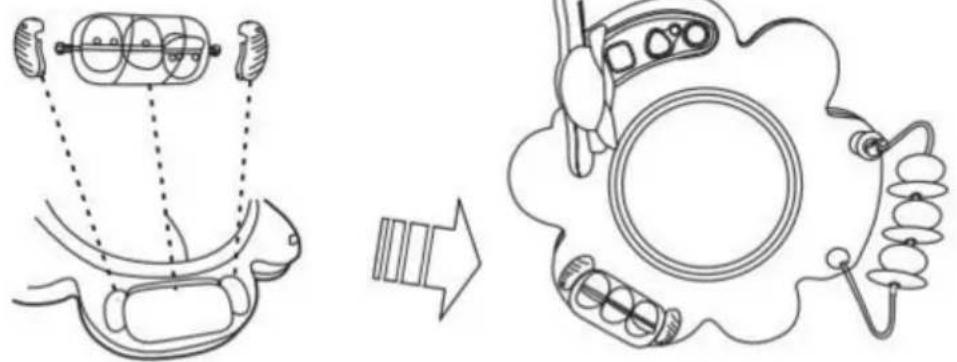
6.1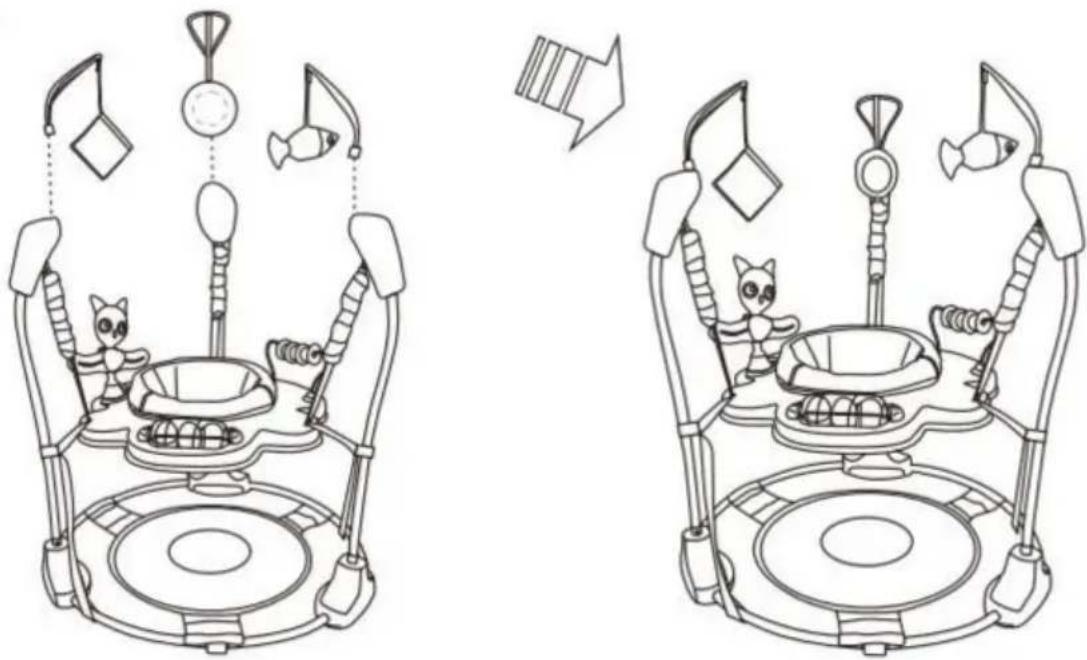
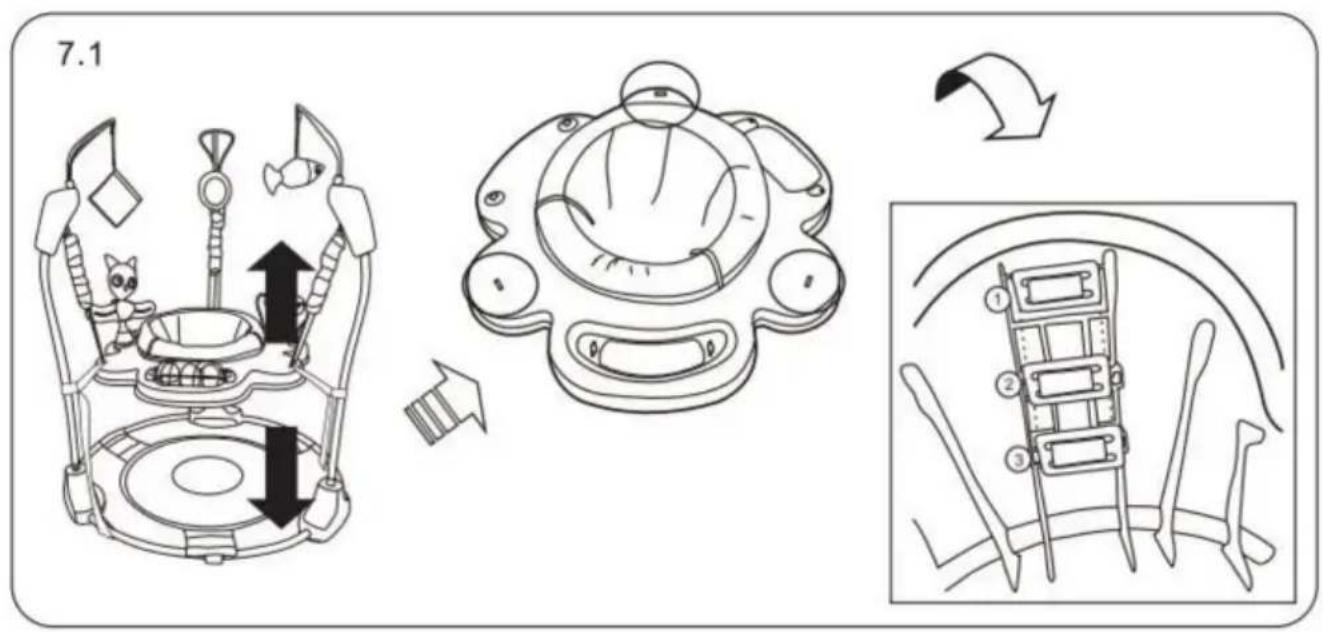
To Remove the Seat Cover for Cleaning
①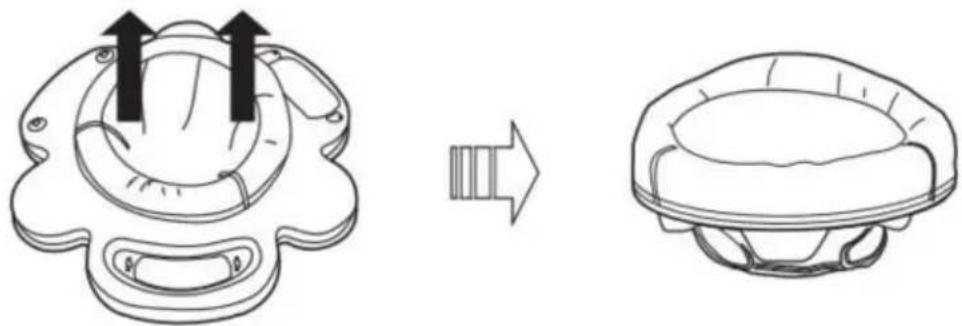
②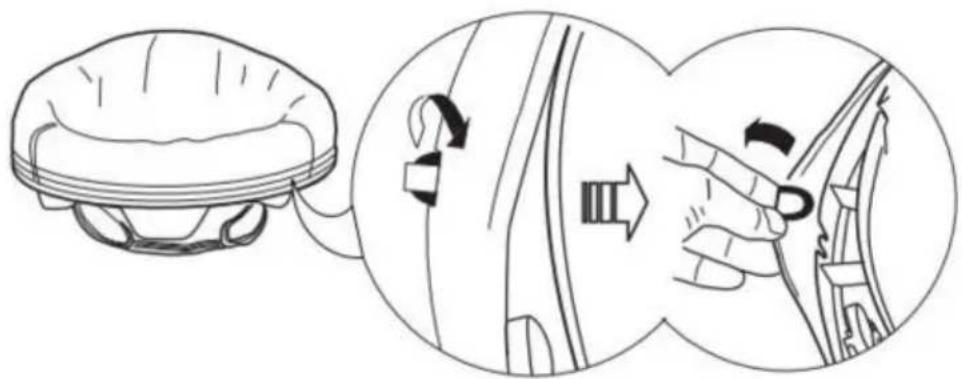
③![graph TD A["Top-Down View"] --> B["Assembly Step"] B --> C["Top-Left View"] C --> D["Assembly Step"] D --> E["Final Assembly View"]](/content/2026/04/735705/images/da5f9c53a0dc41b8188ca2ab28f54c39bd095ab49d6d715c8bf4ddf35182d0a9.jpg)
DO NOT MACHINE WASH.
For metal and plastic parts, use only lukewarm water and mild soap.
Auto Switch off after 45 minutes
VEVOR®
TOUGH TOOLS, HALF PRICE
HULP NODIG? NEEM CONTACT MET ONS OP!
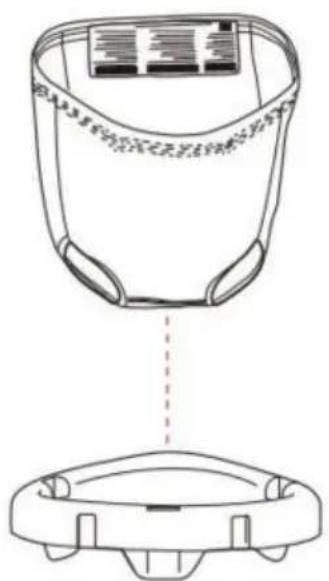
Monteren
1.1![graph TD A["Initial state with circular components"] --> B["Reformation change"] B --> C["Final state with circular components"]](/content/2026/04/735705/images/f3951169ce5cc9166fa6df738d706b02de9a3be57bf11c130c2f3ac30aaa2212.jpg)
2.1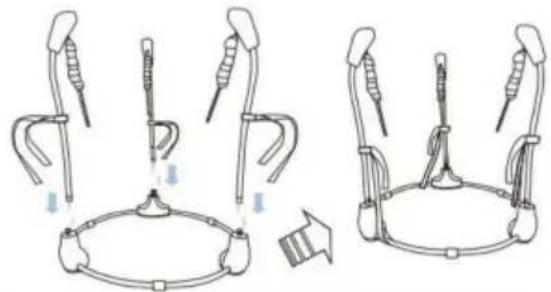
3.1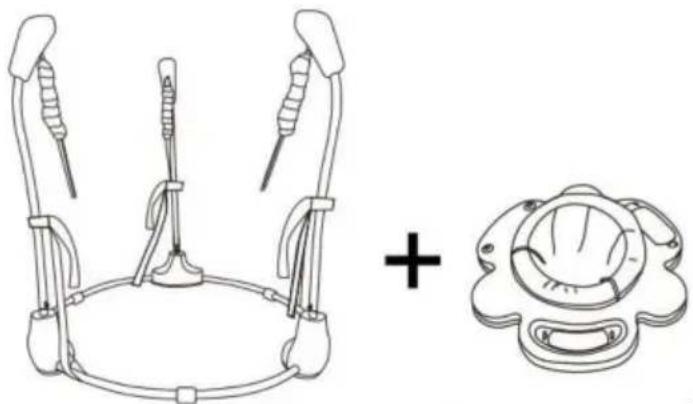
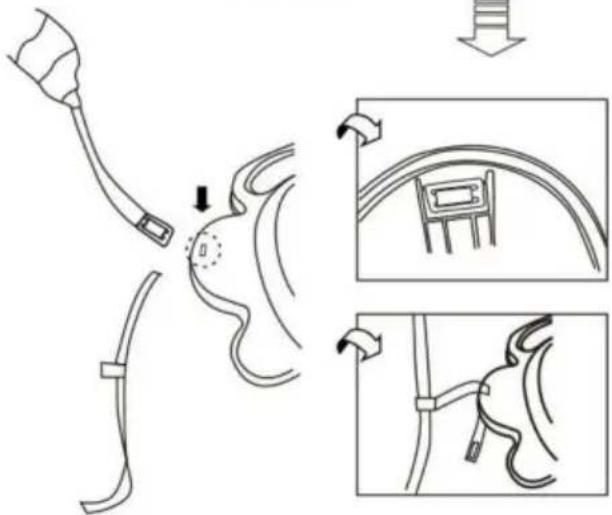
[Non-Text]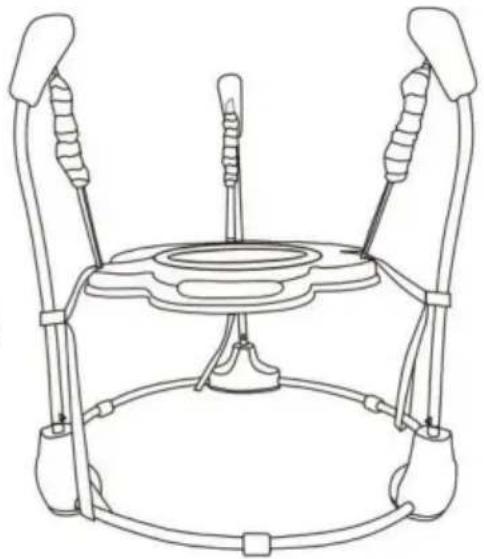
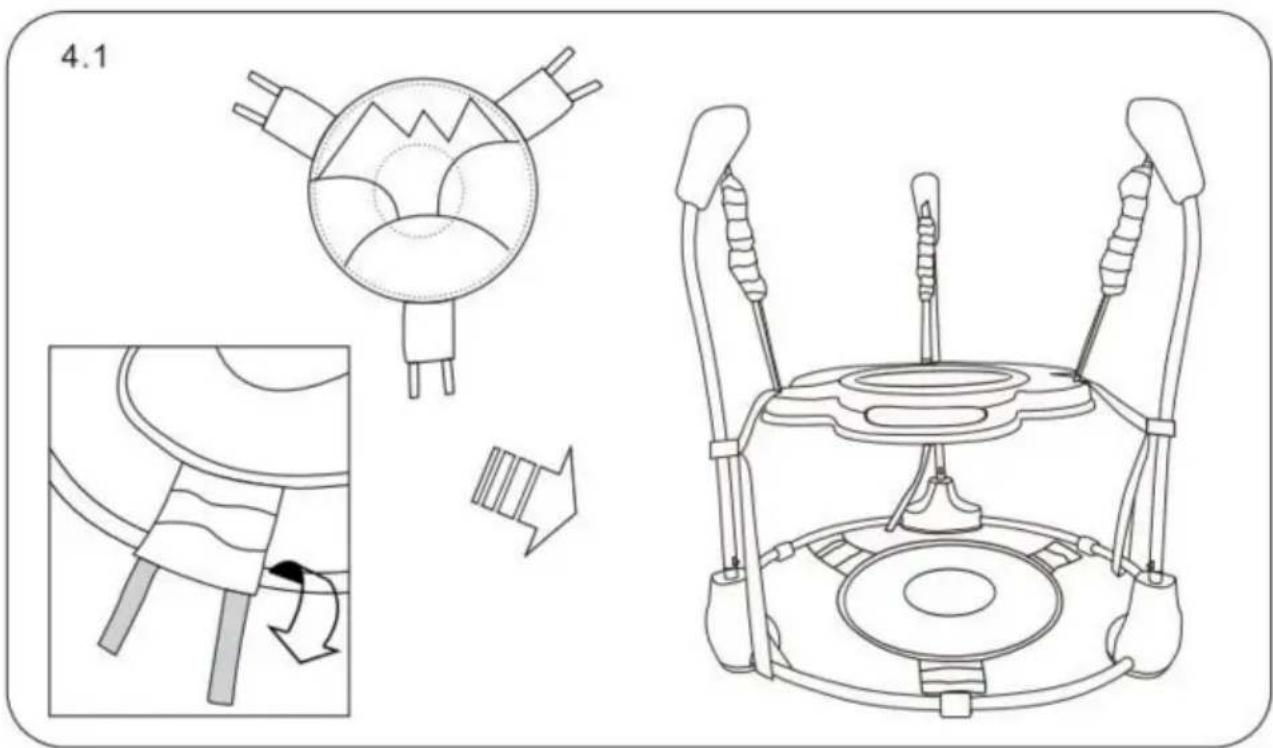
![graph TD A["5.1.1"] --> B["Robot"] B --> C["Space Robot"] C --> D["Drain Aircraft"]](/content/2026/04/735705/images/5bb244db9da940dd7ec5a39fb0c3e4523d253f757587f5025a5370c6b8e5ed73.jpg)
5.1.2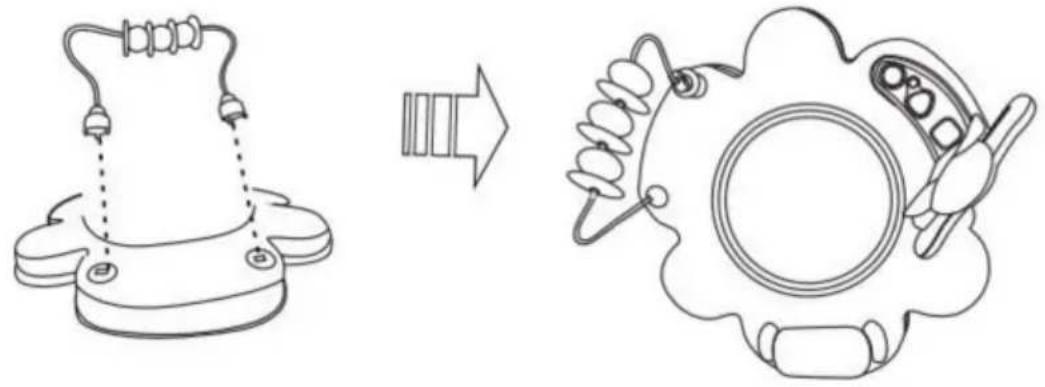
5.1.3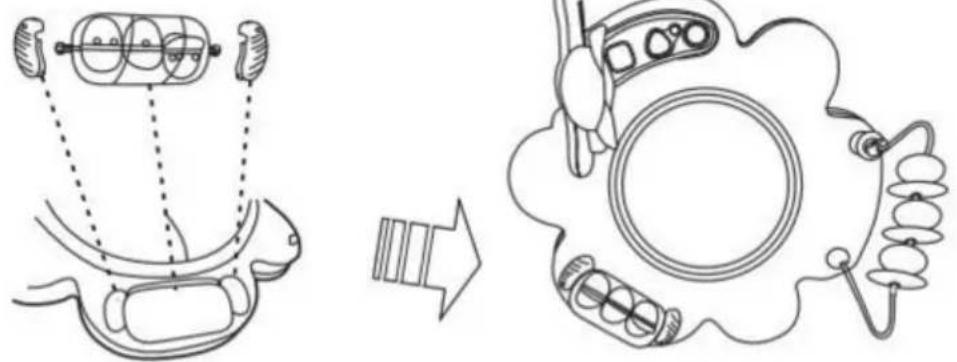
6.1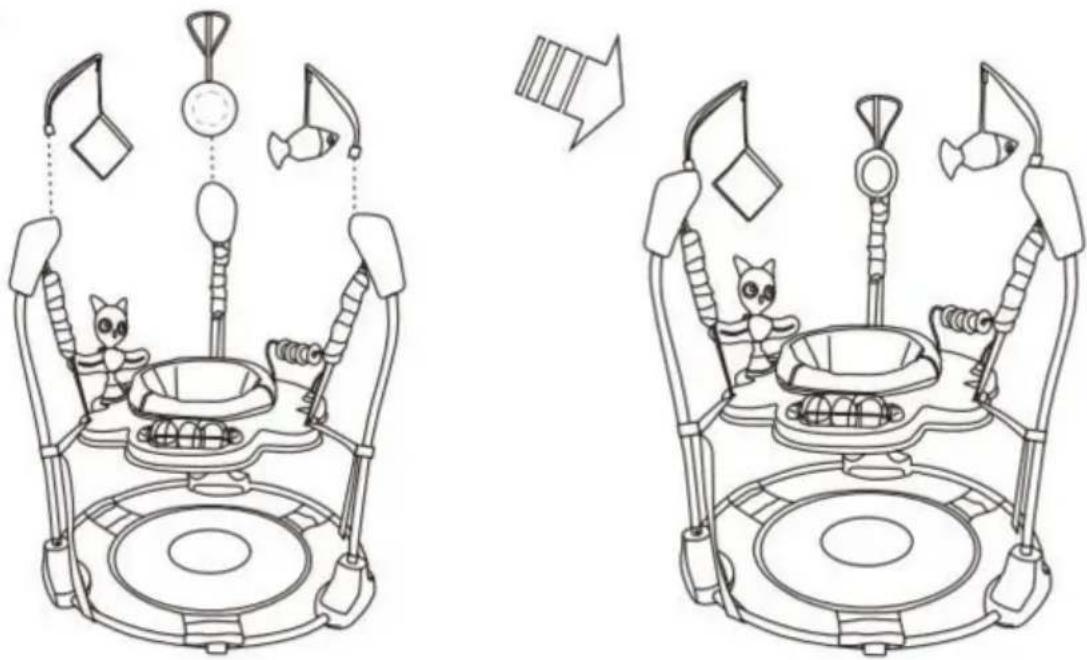
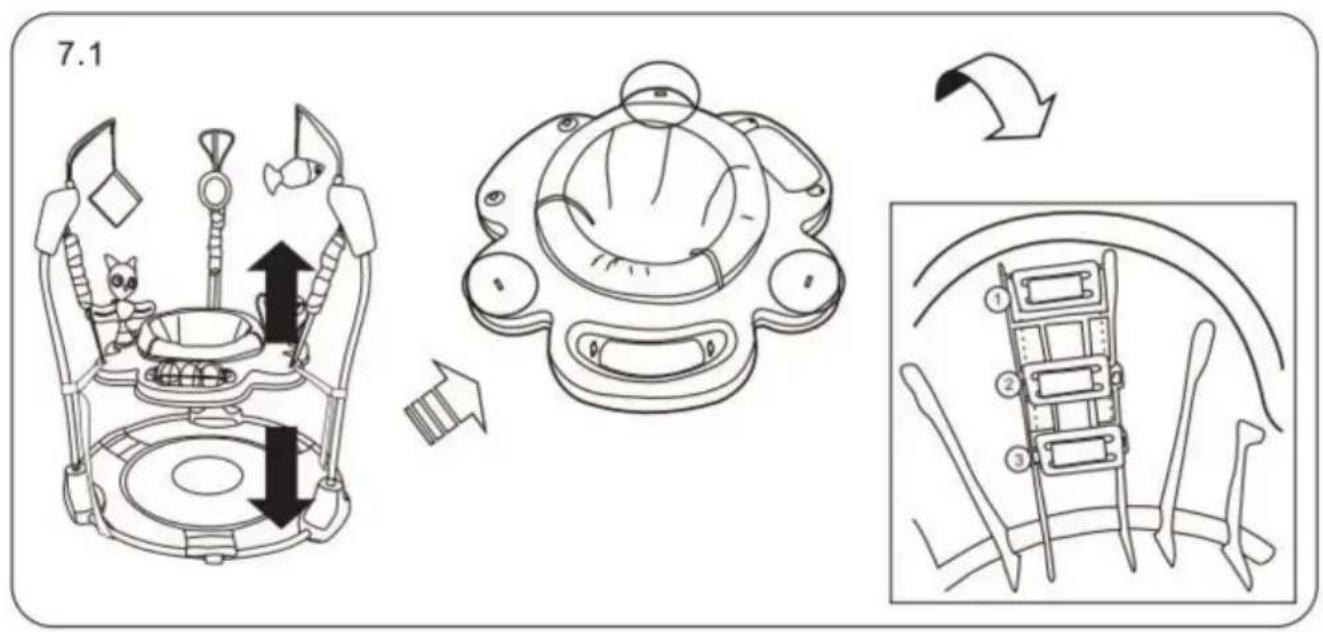
To Remove the Seat Cover for Cleaning
①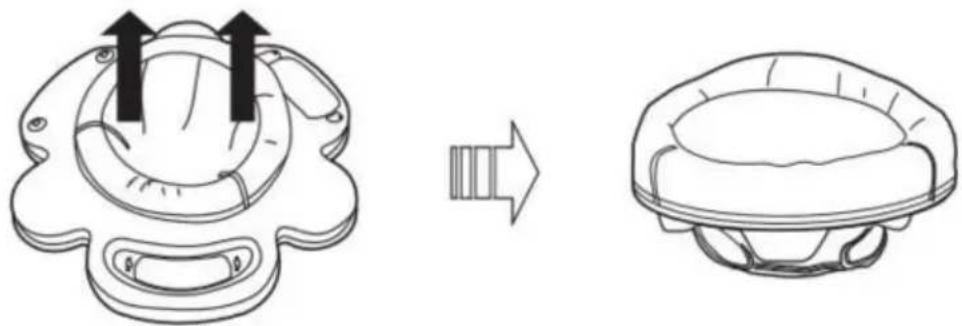
②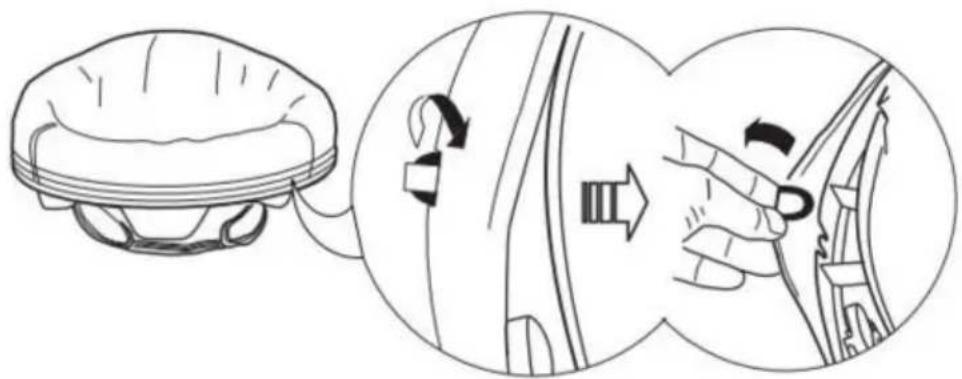
③![graph TD A["Top-Down View"] --> B["Assembly Step"] B --> C["Top-Left View"] C --> D["Assembly Step"] D --> E["Final Assembly View"]](/content/2026/04/735705/images/9c9d85dd62b35751cdfeedd7877c7762c6561a3625e027654feed7219174eb4f.jpg)
DO NOT MACHINE WASH.
For metal and plastic parts, use only lukewarm water and mild soap.
Auto Switch off after 45 minutes
VEVOR®
TOUGH TOOLS, HALF PRICE
Technical support and e-warranty certificate www.vevor.com/support
VEVOR®
TOUGH TOOLS, HALF PRICE
Baby Stationary Activity Centers
MODEL: JP2305
NEED HELP? CONTACT US!
Mount
1.1![graph TD A["Conductor with two connectors"] --> B["Arrow pointing to the rectangle"] B --> C["Rectangular loop with four connectors"]](/content/2026/04/735705/images/03dee9af32faa2b6d8662e8c614a6a9863e2c376a09c9064f2bd42b7a2444e52.jpg)
2.1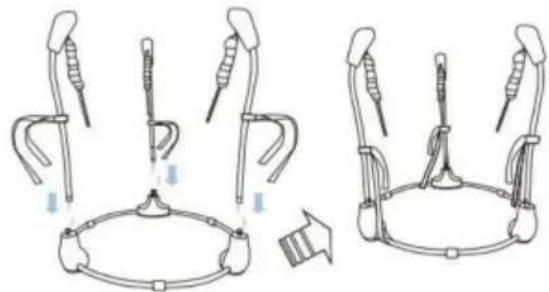
3.1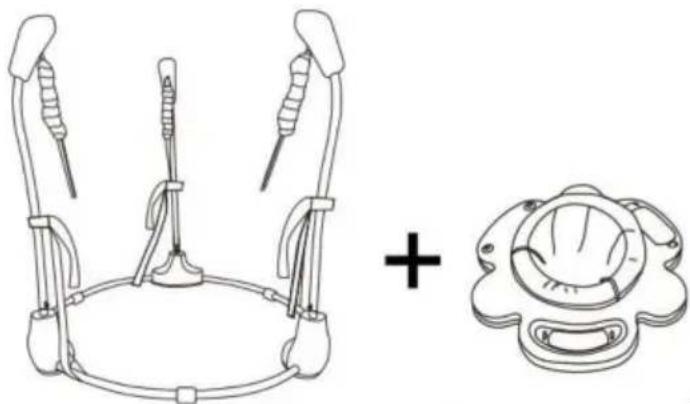
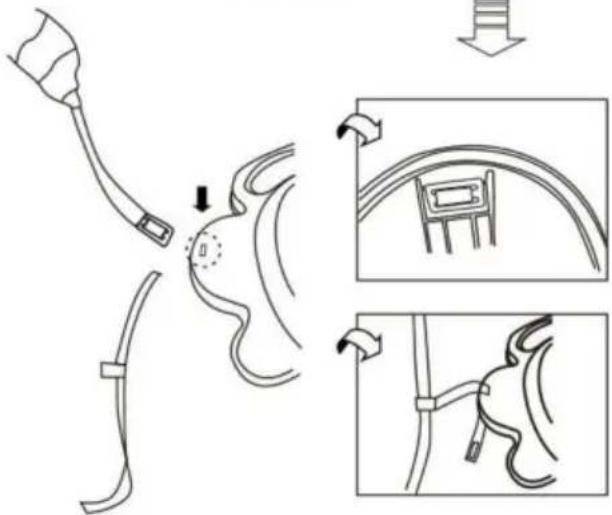
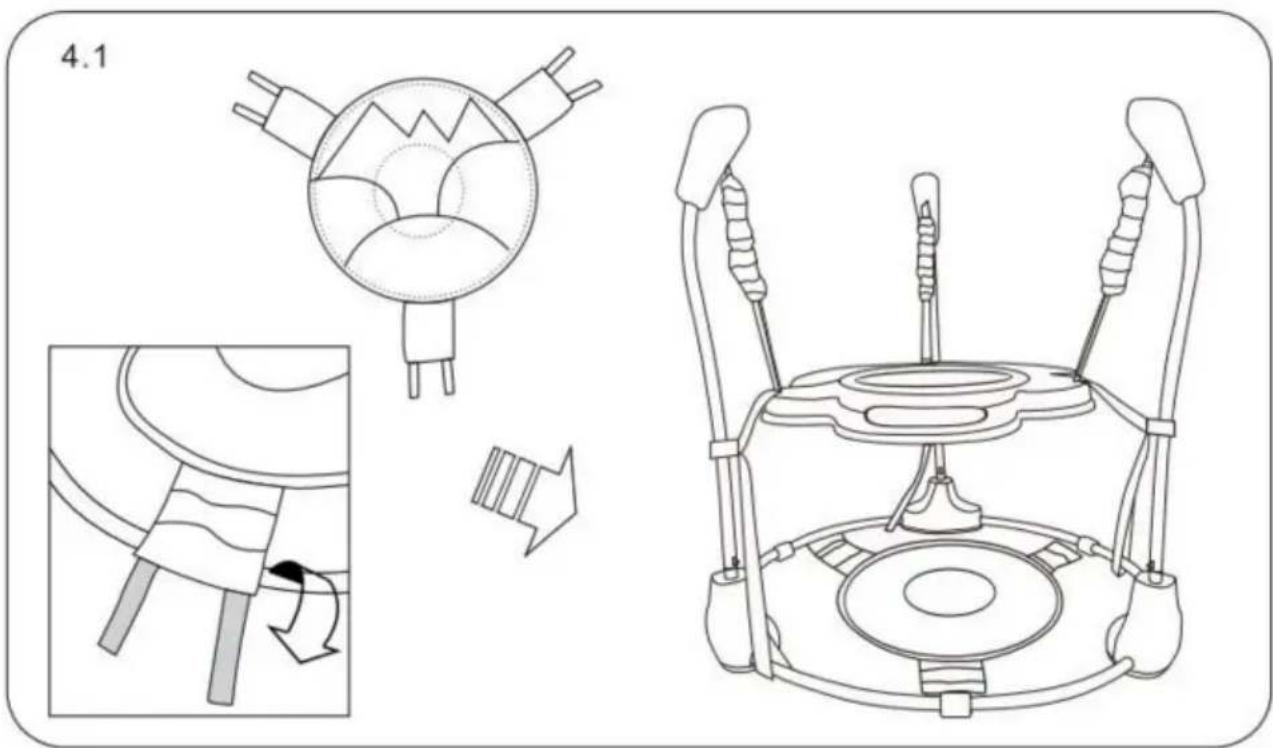
![graph TD A["5.1.1"] --> B["Robot"] B --> C["Space Robot"] C --> D["Interior Space Robot"] D --> E["Bottom Space Robot"] style A fill:#f9f,stroke:#333 style B fill:#ccf,stroke:#333 style C fill:#cfc,stroke:#333 style D fill:#fcc,stroke:#333](/content/2026/04/735705/images/e1319e71584c2bf687be9b2c070b98e39183a3b992fbe3d443995da367ebf255.jpg)
5.1.2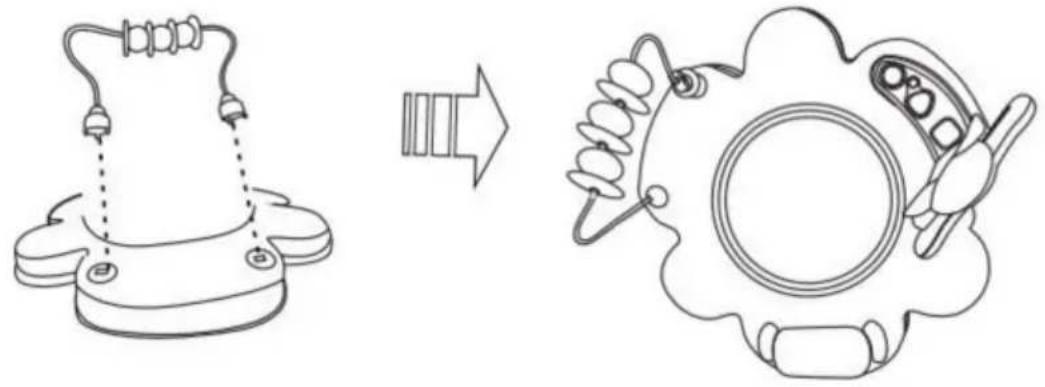
5.1.3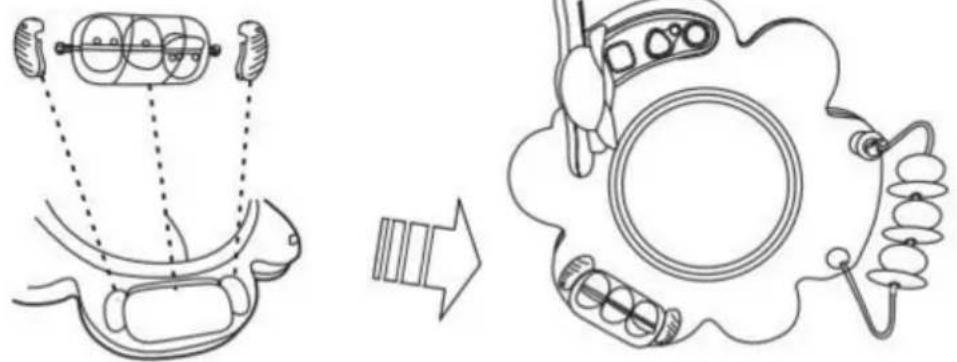
6.1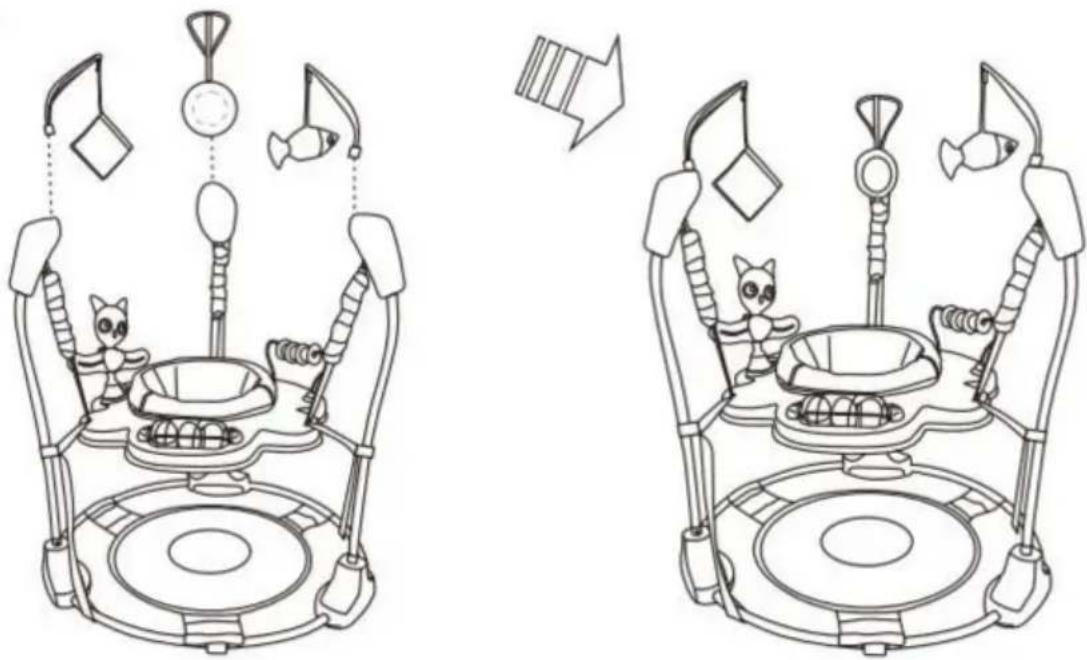
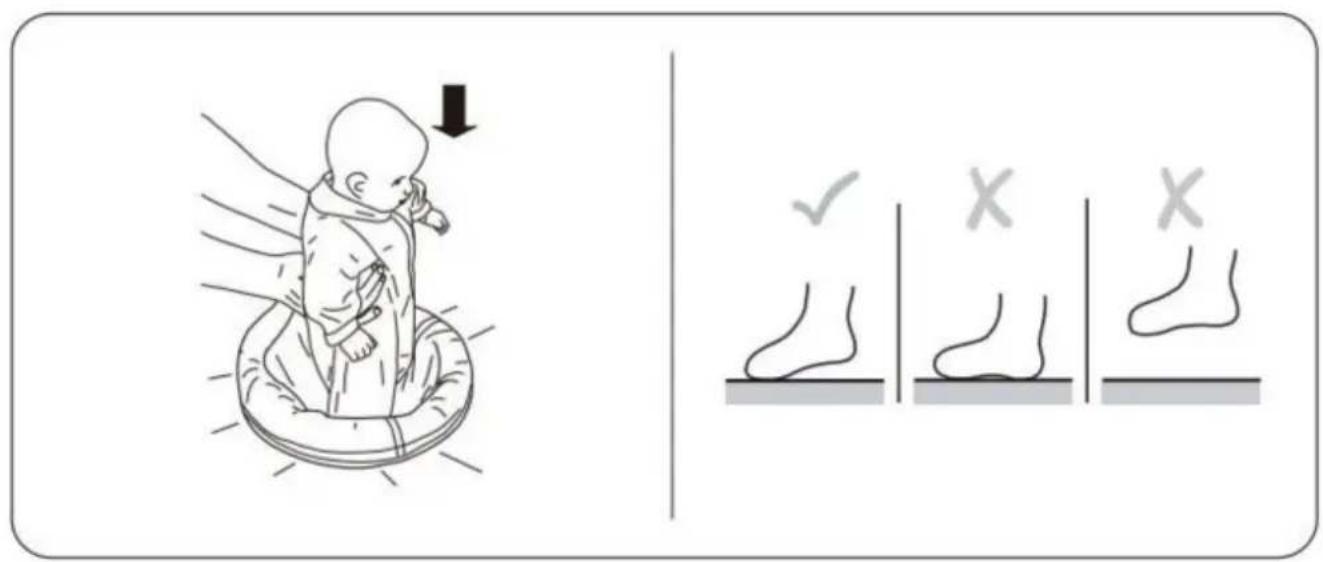
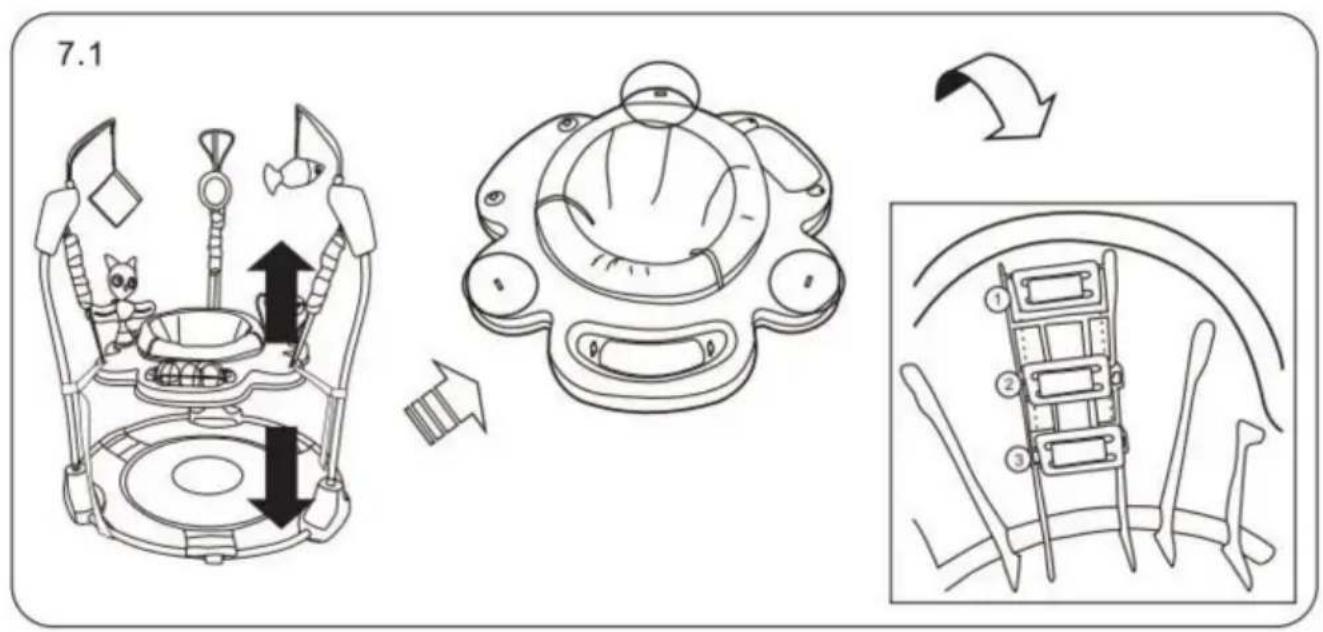
To Remove the Seat Cover for Cleaning
①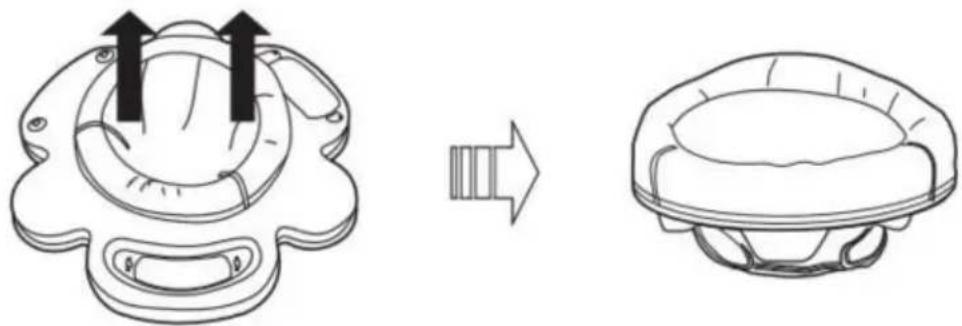
②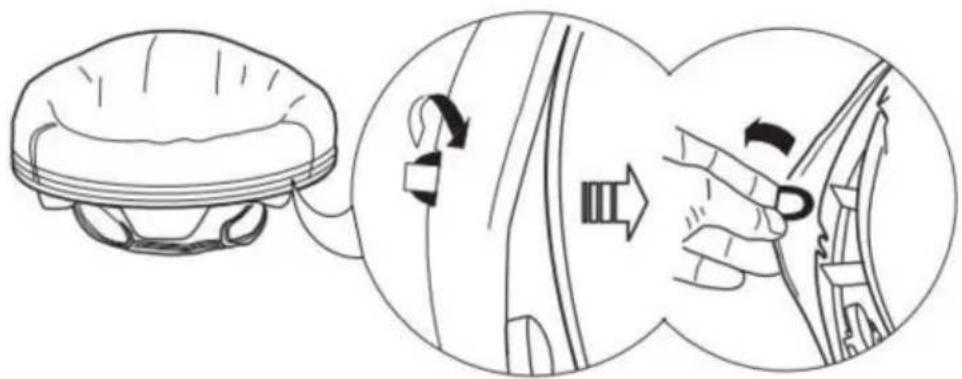
③![graph TD A["Top-Down View"] --> B["Assembly Step"] B --> C["Top-Left View"] C --> D["Assembly Step"] D --> E["Final Assembly View"]](/content/2026/04/735705/images/56cd1671cf899bf01217e3494cf49d924925736e45f57c2e7219285070e7f82a.jpg)
DO NOT MACHINE WASH.
For metal and plastic parts, use only lukewarm water and mild soap.
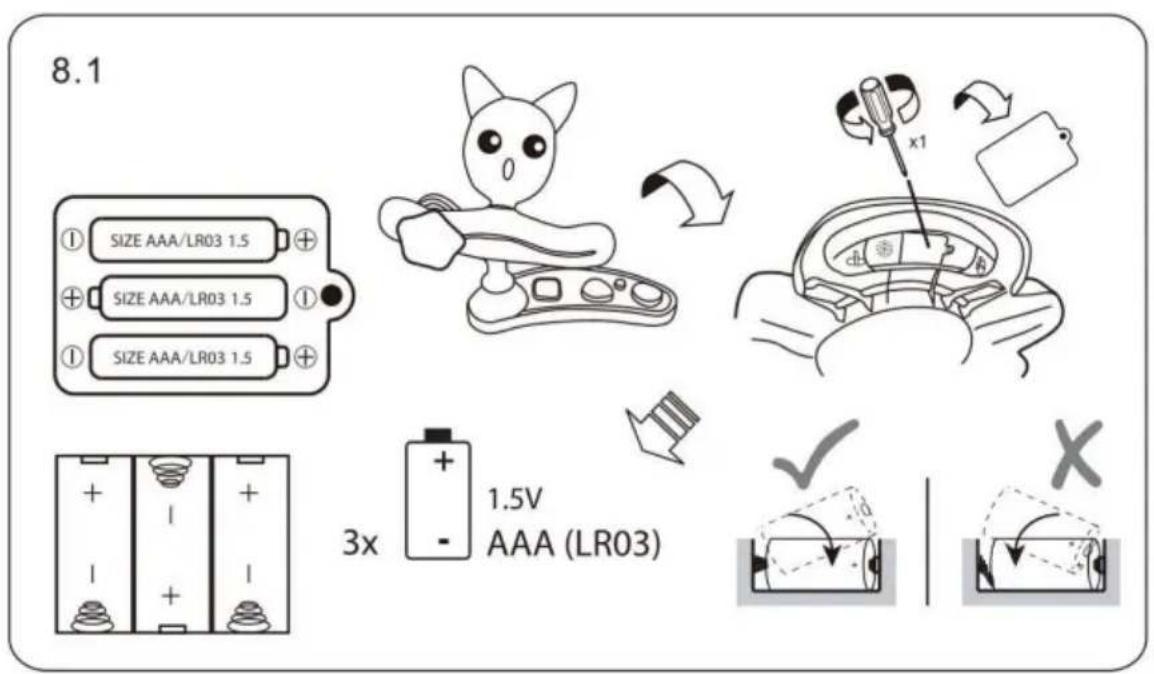
Auto Switch off after 45 minutes
VEVOR®
TOUGH TOOLS, HALF PRICE
www.vevor.com/support
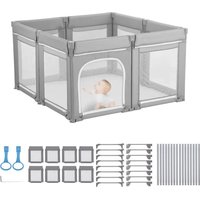
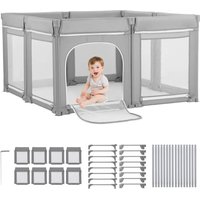

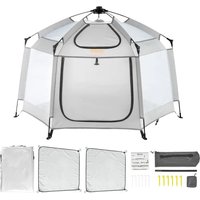
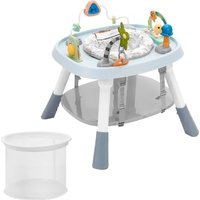
- BABY STATIONARY ACTIVITY CENTERS MODEL: JP
- NEED HELP? CONTACT US
- THANK YOU VERY MUCH FOR CHOOSING THIS BABY STATIONARY ACTIVITY CENTER
- PRODUCT CARE AND MAINTENANCE
- IMPORTANT SAFETY INFORMATION
- FALL HAZARD
- PART LIST
- ASSEMBLE
- TO REMOVE THE SEAT COVER FOR CLEANING
- DO NOT MACHINE WASH
- MAINTENANCE AND CLEANING
- FCC STATEMENT
- VEVOR®
- TOUGH TOOLS, HALF PRICE
- MOUNTING
- GATHER
- HULP NODIG? NEEM CONTACT MET ONS OP
- MONTEREN
- BABY STATIONARY ACTIVITY CENTERS
- MODEL: JP
- MOUNT
Brand : Vevor
Model : JP2305
Category : Baby products