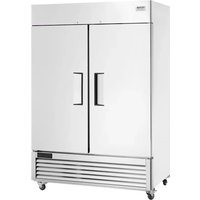
GNF1314L2 - Ice machine Vevor - Free user manual and instructions
Find the device manual for free GNF1314L2 Vevor in PDF.


User questions about GNF1314L2 Vevor
0 question about this device. Answer the ones you know or ask your own.
Ask a new question about this device
Download the instructions for your Ice machine in PDF format for free! Find your manual GNF1314L2 - Vevor and take your electronic device back in hand. On this page are published all the documents necessary for the use of your device. GNF1314L2 by Vevor.
USER MANUAL GNF1314L2 Vevor
Technical Support and E-Warranty Certificate www.vevor.com/support
COMMERCIAL REFRIGERATOR
MODEL: GNR730L1/GNF730L1/GNR1314L2/GNF1314L2
We continue to be committed to provide you tools with competitive price. "Save Half", "Half Price" or any other similar expressions used by us only represent of savings you might benefit from buying certain tools with us compared major top brands and doses not necessarily mean to cover all categories of tools. You are kindly reminded to verify carefully when you are placing an order v are actually saving half in comparison with the top major brands.
MODEL: GNR730L1/GNF730L1/GNR1314L2/GNF1314L2
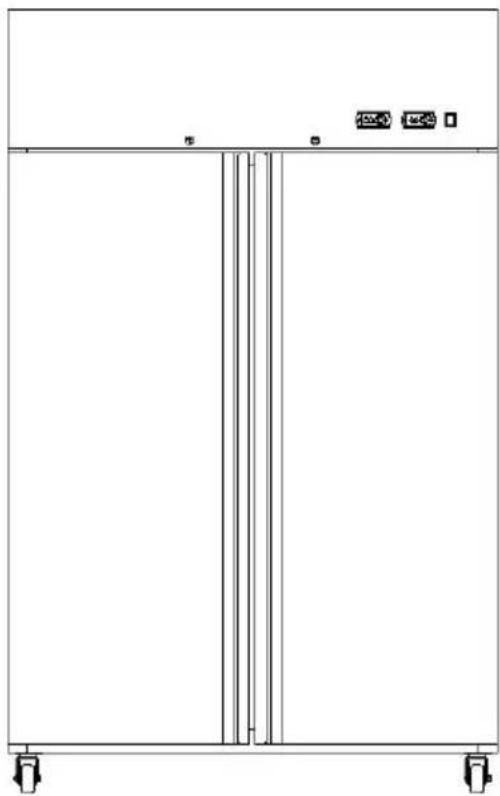
natural_image
Front view of a vertical control panel with mounting feet and control buttons (no text or symbols)NEED HELP? CONTACT US!
Have product questions? Need technical support? Please feel fr contact us:
Technical Support and E-Warranty Certificate www.vevor.com/support
This is the original instruction, please read all manual instruction carefully before operating. VEVOR reserves a clear interpretation user manual. The appearance of the product shall be subject to product you received. Please forgive us that we won't inform your data on your product.
 | Warning-To reduce the risk of injury, user must re instructions manual carefully. |
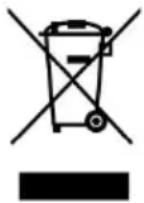 | CORRECT DISPOSALThis product is subject to the provision of European D 2012/19/EC. The symbol showing a wheelie bin cros through indicates that the product requires separate re collection in the European Union. This applies to the and all accessories marked with this symbol. Products as such may not be discarded with normal domestic but must be taken to a collection point for recycling and electronic devices |
Welcome and thank you to buy refrigerator of our company! In order, make sure you can use our product correctly, please read this manual carefully before you use the refrigerator.
Contents
- Products Specifications
- Safety Instructions
- Environment For Installation
- Product Brief
- Preparation Before Usage
- Clean
- Notice during usage
- Maintenance
Product Specifications
| Model | Rated Voltage (V) | Freq (Hz) | Refrigerant | Dimension (L×D×H mm) | Net Valume (L) |
| GNR730 L1 | 220-240 | 50 | R290 | 730*850*2110 | 570 |
| GNF730 L1 | 220-240 | 50 | R290 | 730*850*2110 | 570 |
| GNR1314L2 | 220-240 | 50 | R290 | 1314*850*2110 | 1100 |
| GNF1314L2 | 220-240 | 50 | R290 | 1314*850*2110 | 1100 |
Above specifications are tested under ambient temperature 32
Safety Instructions

Warning-To reduce the risk of injury, user must re instructions manual carefully.
1. Electrical safety
-You must use a dedicated outlet that is properly grounded.
-Power plug should be connected tightly to the outlet..
-If the power cord or plug is damaged, have it immediately replaced qualified technician..
-Do not insert or remove the power plug if there is any indication of flammable gases present.
-Do not constantly cycle the power button. This can lead to electric s or a short circuit of the unit.
-This appliance is not intended for use by persons (including children) reduced physical, sensory or mental capabilities, or lack of experience knowledge, unless they have been given supervision or instruction concerning use of the appliance by a person responsible for their saf
-Children should be supervised to ensure that they do not play with appliance.
2. Other
-Do not store flammable, explosive or corrosive items in the unit.
-Do not store items on the top of the unit.
-Do not expose the unit to water or place in a wet location.
-Be careful not to touch hot surfaces when cleaning the condenser.
-Please unplug the power cord during cleaning or power interruption.
-Wait at least 5 minutes before plugging the power cord back in to possible compressor damage.
-Note: This appliance contains flammable refrigerant R290 and foaming agent cyclopentane.
Please avoid contact fire when you transport and use it.
Please ask professional for servicing when the machine broke down.
Please send it to your local appointed disposal station when you disc

-During using, service and disposal the appliance, please pay attention to symbol similar as left side, which is located on rear of appliance (rear panel or compressor) and with yellow or orange color. risk of fire warning symbol. There are flammable materials in refrigera pipes and compressor. Please be far away fire source during using, service and disposal.
Environment for installation
1. Put on stable ground
- Refrigerator should be placed on flat and stable ground, if need block also need to choose flat, hard inflammable block. You also can rotate stainless steel leg clockwise or counter clockwise to increase or decrease the height of the refrigerator.
2. Keep far away from hot source
- Refrigerator should be kept away from hot source and not under d sunshine in case of effecting refrigeration ability.
3. Ventilation Condition
- should be put on the aeration place, there should be at least 3 c behind and around refrigerator.
4. Outside condition
- do not put refrigerator in a place where the temperature is too low (5 degree) also do not place it outdoor or in the rain.
Product Briet
Parts Name
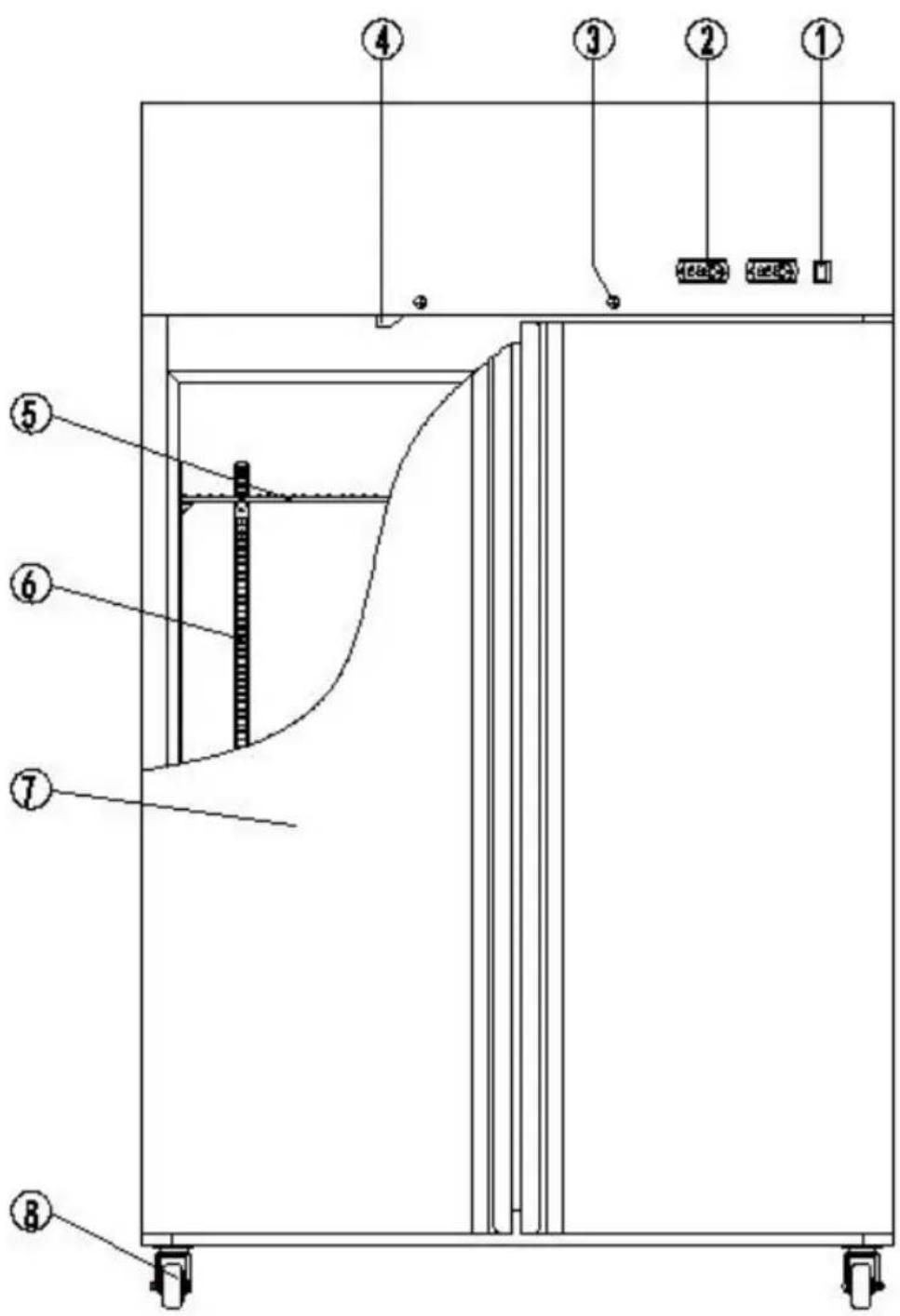
text_image
Technical diagram of a mechanical or electrical device with numbered components and labeled parts in Chinese.- Power Switch
- Thermostat
3.lock
4.Light and fan switch
5.Food Shelf
6.Pilaster - Door
8.Wheel
Preparation before usage
1. Remove all the package
-Remove the package and bag before usage.
2. Check the parts and document
-Please check item in the refrigerator, any problem ask distributor.
-
Put refrigerator at suitable place.
-
Clean the refrigerator before usage and open the door.
5.Put aside
-Put aside the refrigerator more than 30 minutes to ensure the correct use.
Clean
1. Clean inside and outside
-Please use cloth with neutral cleaning agent, then use clean cloth.
-Please do not use corrosive cleaning agent.
2. Clean condenser fins.
-Please clean fin of the condenser every month, if the fin is blocked will affect the refrigeration ability.
-The power should be off when clean, using brush to clean the dust. Please not brush horizontally in case damage the fin and affect refrigeration.
-Door gasket need to be washed frequently to keep tightness
4. Check after clean
-Check again the refrigerator to make sure every part installed correct and is safe.
Notice during usage
1.Storage
-Please do not put more than 100kg food on the rail.
-Please store food suit the above temperature range, and there should enough space, item should not block air outlet(70% is the upper limit) make sure normal circuit of cold air.
-The hot food should be cooled first and then put into the refrigerator otherwise will affect other stored food around.
-Please put in packed food only.
text_image
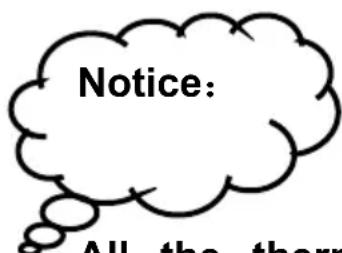
Notice: All the thermAll the thermostat parameters have been set before delivery please don't change, to ensure correct working.
Maintenance
If you think there is a problem, please check follow the below table, is still a problem, please contact service center to solve the problem. People who is not professional service man does not conduct the maintenance.
Problem analysis:
| Problem | Reason | Solution |
| No refrigeration | Power plug is loosenUse multi-socketPower switch button isIs defrosting | Insert plug wellUse special socketTurn on the buttonWait for end of defros |
| Slow cooling | Too much food, no channel for cold airDirect sunlight, near ho sourceToo much dust on condenserDoor open and close frequentlyTemperature controller i not set suitableHot food in the cabine | Reset the position of Choose another place placeClean condenser(must turn off power)Decrease times of ope and close doorRotate the controller to much more cold position clock wisePut the food into refrigerator after cooling. |
| Big noise | The ground is not stable and flatThe leg is not set well, of them is not stable | Make ground stable and flatAdjust the leg |
VEVOR®
TOUGH TOOLS, HALF PRICE
Technical Support and E-Warranty Certificate
www.vevor.com/support
Made In China
VEVOR®
TOUGH TOOLS, HALF PRICE
natural_image
Front view of a rectangular industrial or laboratory enclosure with vertical supports and control buttons (no text or symbols)BESOIN D'AIDE? CONTACTEZ-NOUS!
text_image
Technical diagram of a door or enclosure with numbered components and labeled parts in Chinese- Interrupteur
d'alimentation 2.
Thermostat 3. Serrure 4.
Interrupteur
d'éclairage et
de
natural_image
Front view of a rectangular industrial or laboratory enclosure with vertical supports and control buttons (no text or symbols)text_image
Technical diagram of a door or enclosure with numbered components and labeled parts in Chinese- Netzschalter 2.
Thermostat 3.
Schloss
www.vevor.com/support
natural_image
Front view of a rectangular industrial or laboratory enclosure with vertical supports and control buttons (no text or symbols)text_image
Technical diagram of a door or enclosure with numbered components and labeled parts in Chinesewww.vevor.com/support Made
In China
VEVOR®
TOUGH TOOLS, HALF PRICE
natural_image
Front view of a rectangular industrial or laboratory enclosure with vertical supports and control buttons (no text or symbols)text_image
Technical diagram of a door or enclosure with numbered components and labeled parts in Chinesenatural_image
Front view of a rectangular industrial or laboratory enclosure with vertical supports and control buttons (no text or symbols)POTRZEBUJESZ POMOCY? SKONTAKTUJ SIĘ Z NAMI!
text_image
Technical diagram of a mechanical or electrical enclosure with numbered components and labeled partswww.vevor.com/support
natural_image
Front view of a rectangular industrial or laboratory enclosure with vertical supports and control buttons (no text or symbols)HULP NODIG? NEEM CONTACT MET ONS OP!
text_image
Technical diagram of a mechanical or electrical enclosure with numbered components and labeled partswww.vevor.com/support Made
In China
VEVOR®
TOUGH TOOLS, HALF PRICE
natural_image
Pure technical line drawing of a rectangular enclosure or enclosure with vertical internal structure and mounting feet (no text or symbols)BEHÖVER HJÄLP? KONTAKTA OSS!
text_image
Technical diagram of a mechanical or electrical enclosure with numbered components and labeled parts- Strömbrytare 2.
Termostat 3. Lås
4.