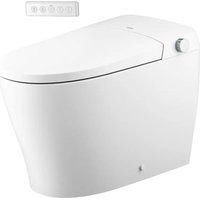
ET1100 - Toilet Moen - Free user manual and instructions
Find the device manual for free ET1100 Moen in PDF.


| Product Type | Electronic toilet with integrated bidet |
| Gross Weight | 22.7 kg (50.11 lb) |
| Rated Power | 1050 W |
| Power Supply | 120 V, 60 Hz, grounded outlet |
| Power Cord Length | 1.21 m (4.0 ft) |
| Nozzle Flow Rate (front and rear) | ≈ 20.29 oz/min |
| Water Temperature | From ambient to 39 °C (102.2 °F), 4 settings |
| Heated Seat Temperature | From ambient to 39 °C (102.2 °F), 4 settings |
| Warm Air Dryer | Temperature: 55 °C (131 °F), air volume: ≈ 0.25 m³/min |
| Required Water Pressure | 0.08 MPa to 0.75 MPa |
| Operating Ambient Temperature | From 5 °C to 40 °C (from 41 °F to 104 °F) |
| Maximum Capacity | 350 G |
| Cleaning Functions | Dual front/rear nozzle, oscillating or pulsating spray, 5 nozzle positions, aerated jet, hot/cold water massage, adjustable pressure and temperature, pre-spray |
| Additional Functions | Self-cleaning nozzle (90 s), 4 min drying, UV sterilization, automatic night light, deodorizer, automatic flush, remote flush, energy saver, slow-close seat and lid |
| Control | Side button on unit and wireless remote control |
| Safety | Grounding, residual current device (RCD), seat occupancy sensor, automatic shut-off |
| Maintenance and Cleaning | Regular cleaning with soft damp cloth; manual nozzle cleaning via remote control; charcoal pre-filter and steel mesh filter |
| Warranty | 3 years for residential use (parts and finishes) |
Frequently Asked Questions - ET1100 Moen
User questions about ET1100 Moen
0 question about this device. Answer the ones you know or ask your own.
Ask a new question about this device
Download the instructions for your Toilet in PDF format for free! Find your manual ET1100 - Moen and take your electronic device back in hand. On this page are published all the documents necessary for the use of your device. ET1100 by Moen.
USER MANUAL ET1100 Moen
natural_image
White modern toilet with a curved lid and control panel, no visible text or symbols on the toilet itself.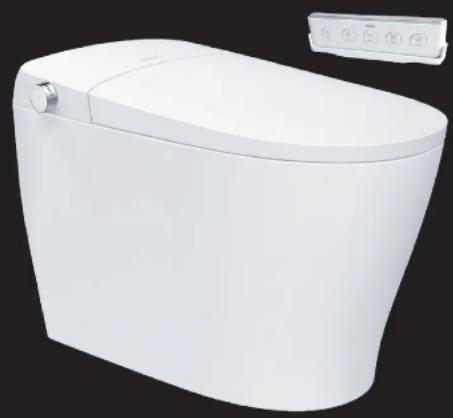
natural_image
White modern toilet with a side panel showing control buttons (no text or symbols visible)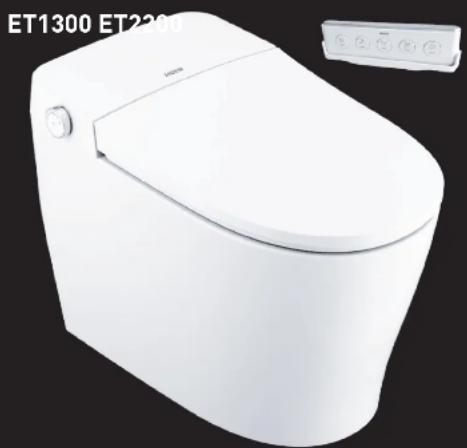
natural_image
White modern toilet with a white lid and control panel, no visible text or symbols on the toilet itself.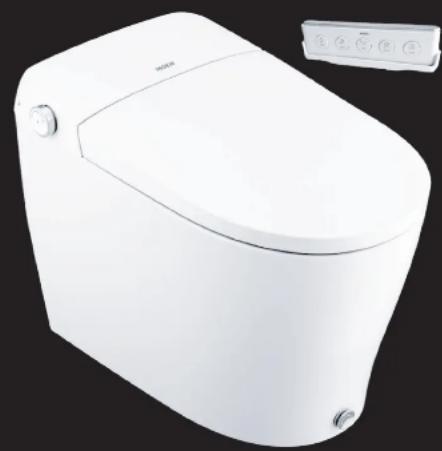
natural_image
White modern water dispenser toilet with control panel (no visible text or symbols)Thank you for purchasing our eToilet. This owners manual reviews the safety measures of this product, discusses the details, functions and features of each model along with some troubleshooting scenarios.
PLEASE CONTACT MOEN FIRST FOR INSTALLATION HELP, MISSING OR REPLACEMENT PARTS
[USA] 1-800-BUY-MOEN (1-800-289-6636) WWW.MOEN.COM
(Canada) 1-800-465-6130 www.moen.ca
IMPORTANT SAFEGUARDS
READ ALL INSTRUCTIONS BEFORE USING.
When using electrical products, especially when children are present, basic safety precautions should always be followed, including the following:

WARNING: To reduce the risk of burns, electrocution, fire, or injuries to persons follow the below recommendations.
-
Close supervision is necessary when this product is used by, on, or near children or invalids.
-
Use this product only for its intended use as described in this instruction guide. Do not use attachments not recommended by the manufacturer.
-
Never operate this product if it has a damaged cord or plug, if it is not working properly, if it has been dropped or damaged, or dropped into water.
return the product to a service center for examination and repair.
-
Keep the cord away from heated surfaces.
-
Never block the air openings of the product. Keep the air openings free of lint, hair, and the like.
-
Never use while sleeping or drowsy.
-
Never drop or insert any object into any opening or hose.
-
Do not use outdoors or operate when aerosol (spray) products are being used or where oxygen is being administered.
-
For household use only, connect this product to a properly grounded outlet only. See Grounding Instructions below.
VE THESE INSTRUCTIONS.
GROUNDING INSTRUCTIONS
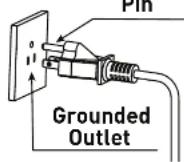
This product should be grounded. In the event of an electrical short circuit, grounding reduces the risk of electric shock by providing an escape wire for the electric current. This product is equipped with a cord having a grounding wire with a grounding plug. The plug MUST BE plugged into an outlet that is properly installed and grounded.
NOTE: If you are not familiar with electrical power and procedures, call a qualified electrician.
WARNING: Improper connection of the equipment-grounding conductor can result in a risk of electric shock. Check with a qualified electrician or serviceman if you are in doubt as to whether the appliance is properly grounded. If it will not fit the outlet, have a proper outlet installed by a qualified electrician.
DANGER: Improper use of the grounding plug can result in a risk of electric shock. If repairing or replacing the cord or plug is necessary, DO NOT connect the grounding wire to either flat blade terminal. The wire with insulation having an outer surface that is green with or without yellow stripes is the grounding wire.
Check with a qualified electrician or serviceman if the grounding instructions are not completely understood, or if in doubt as to whether the product is properly grounded. This product is factory equipped with a specific electric cord and plug to permit connection to a proper electric circuit. Make sure that the product is connected to an outlet having the same configuration as the plug. No adapter should be used with this product. DO NOT modify the plug provided - if it will not fit the outlet, have the proper outlet installed by a qualified electrician. If the product must be reconnected for use on a different type of electric circuit, the reconnection should be made by a qualified service personnel.
This product is for use on a normal 120V circuit, and has a grounding plug that looks like the plug as shown.
If it is necessary to use an extension cord, use only a three wire extension cord that has a three-blade grounding plug, and a three-slot receptacle that will accept the plug on the product. Replace or repair a damaged cord.
Grounding Pin
EXPLANATION OF TERMS AND SYMBOLS
Warning
Indicates possible injury resulting from improper usage due to disregarding this message.

When used with the above "Warning" and "Attention" signs, indicates a strict request to follow noted precautions.

Prohibits any individual from dismantling product.

Keep product away from any wet environments, including, but is not limited to, humid environments, close proximities to baths, showers or sinks.

Keep away from any extreme heat or fire.

Unplug the unit from power.
Attention

Indicates human injury or property loss that may result from improper usage due to disregarding this message.

Prohibits any individual from performing any action with this symbol.
Do not touch.

Do not touch with a wet hand.

Operate only as instructed.

Protective grounding.
WARNINGS

Do not touch, insert or pull out the power plug with a wet hand. *Risk of electric shock.

Do not pull, damage, bend, twist, stretch, roll, bundle, clamp or squeeze the power cable. Do not place anything on power cable. *Risk of fire and/or electric shock.

This product is not a toy. Advise children not to play with product. *Risk of injury.

If the power cord is damaged, to prevent any injuries or accidents, it should be replaced by a professional. *Risk of fire and/or electric shock.

Do not place lit or burning objects onto the unit. *Risk of fire.

Do not use during thunderstorms (pull out the power plug during storms). *Failure in doing so may lead to injury or fault in the product.

When the seat or lid is damaged, to avoid any harm, be sure to unplug the unit from power, close the water source and contact our Moen call center [see page 2]. *Risk of fire or electric shock.

Regularly unplug the unit from power and wipe off any dust on the plug using a dry cloth. *Risk of fire.

Any person with a disability, the elderly, and children, should be using this product with the supervision of another individual. *Be advised that sitting on the heated seal for an extended amount of time may result in burns.

Do not tamper with or modify parts that are not intended to be serviced, refer to product's parts pages found on Moon.com. *Risk of fire, electric shock, and/or other accident that may lead to injury.
WARNINGS AND SAFETY
\*PLEASE READ THOROUGHLY
Thank you for your purchase. To ensure proper and safe use of this product, carefully read this section prior to any usage.
Afterwards, store this manual for future reference.
The hazards and warnings listed herein are important to our user's safety. Significant consequences may result from failure to heed warnings.
The company will not be held liable for any injuries to the user and damages to the product due to improper usage and/or failure to heed safety warnings.
PROPER BATTERY USAGE:
Read the following for proper remote control battery maintenance.
- Properly install the batteries according to its correct polarity.
- Remove the batteries during long periods without use.
- Replace the batteries before it reaches the end of its usage. Failure to do so may result in interrupted control signals.
- Send used alkaline and zinc carbon batteries to battery recyclers or check with your local or state solid waste authority prior to disposing.
- Place the batteries out of children and infant reach.
*If battery is swallowed, contact a doctor immediately.
- If battery fluid leaks onto user, quickly rinse off area using water OR if battery fluid gets into eyes, do not rub your eyes. Quickly rinse it with water and consult a doctor immediately.
*May result in vision impairment or blindness.
DO NOT DO THE FOLLOWING WITH THE BATTERIES:
- Do not hold or store with metal objects (such as a necklace or a watch).
- Do not mix new and old batteries.
- Do not pull apart battery or throw it into water and/or fire. Battery fluids may cause a fire.
WARNINGS

For cleaning or maintenance of plastic parts, do not use any harsh cleaning agents. (These include, but are not limited to products such as: concentrated sulfuric acid, concentrated nitric acid, glacial acetic acid, carbon tetrachloride, chloroform, acetone, butanone, benzene, methylethylbenzene, phenol, methylphenol, dimethylformamide, methyl ether, soybean oil, acetate, 40% nitric acid, thick salt acid, 95% alcohol, kerosene, gasoline, or brake oil, etc.) *Risk of damage parts that can lead to accidents and injuries.

Do not add water or detergent into the unit or onto the wireless remote. Do not soak the product with water or cleaner. *Risk of fire and/or electric shock.

Do not install product in a humid environment or a soak room. Do not spray or soak this product with any form of liquid to prevent any damage to the product. *Risk of fire and/or electric shock.

Do not use with water that is microbiologically unsafe or of unknown quality without adequate disinfection. *Risk of urocystitis or dermatitis. Untreated water may also cause corrode inner workings of unit and may cause electrical shock or a fire.

Do not place your hand or any other object into the dryer trap, and do not cover the dryer and dryer trap during product use. *Risk of fire, electric shock, and/or other accident that may lead to injury.

Do not spray urine at the dryer trap. *Risk of electric shock.

Do not apply any force to the unit's seat and lid. Do not stand on the lid or open or close the lid and the seat forcefully. *This may result in product damage and/or user injury.
ATTENTION

Do not use the heated seat or warm air dryer for an extended amount of time. *Extended use may result in burns.

While using this product, make sure that the skin is in contact with the seat sensor area. Otherwise, product may not operate correctly. *Children and smaller individuals may have trouble staying in contact with sensor area.

Do not spray urine in the direction of the washing nozzle. *Doing so may result in blockage to the washing nozzles and cleaning area.

Do not use old supply hose to connect to seal elbow. Use the one provided with your product. Anything else connected to the older hose may need replaced. *Risk of water leakage and/or property loss/damage.

In case of sudden power failure, remove the power plug and close the angle valve to prevent water leakage. *Risk of water leakage and/or property loss/damage.

Avoid direct sunlight or heat. *Risk of product discoloration.

Do not supply electricity with an outlet on a switch. *Run the risk of issues caused by improperly resetting the thermal breaker.

When the filter is being replaced, be sure to close the water supply angle valve. When the filter is being installed, be sure to fasten it with force. *Risk of water leak.

Unplug the unit from power when the product is in disuse for an extended amount of time. Make sure to shut off the water and remove the water inside the product. *Risk of fire, leaks, and product damage.

When storing or transporting in cold climate, make sure to remove all water from the unit. Product may crack and other damages may occur due to freezing water. *Risk of fire, leaks, and product damage.
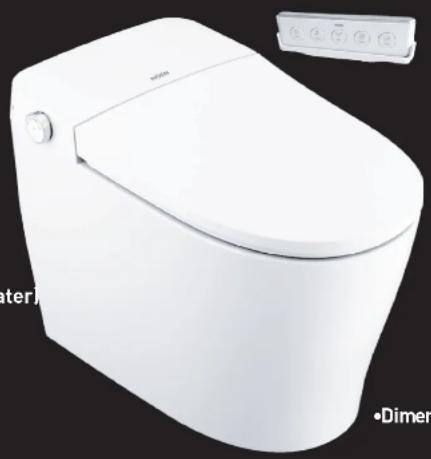
MODEL ET900 FEATURES AND DETAILS :
PRODUCT FEATURES:
- Auto-clean wash cycle, oscillates nozzle for 90 seconds; Air Dryer for 4 minutes
• Auto-flush and remote flush options
• Autosensing Nightlight
• Endless, instantaneous, warm water (inline water heater)
• Pre-wets bowl for added cleanliness - Self-cleaning options with replaceable nozzles
- Dual nozzles offer front and rear cleansing
• Pulsating and oscillating cleanse - Nozzle positions adjustable with 5 positions
• Hot & Cold Massage option for additional relief
• Water pressure and temperature adjustability
• Aerated spray to provide a total clean
• Water Temperature, 4 levels: Cold, Warm, Hot, Off - Warm air dryer with temperature control
• Hygienic and heated seat with temperature control and sensor - Seat Temperature, 4 levels: Cold, Warm, Hot, Off
• Manual side knob and remotecontrol
• Pressure assisted flush - Auto energy saver
- On/off button
- Soft-close lid and seat
natural_image
White modern toilet with a control panel and indicator lights (no visible text or symbols on the toilet itself)PRODUCT DETAILS:
- Dimensions: 27" (686mm) x 15-3/4" (400mm) x 18-1/2" (470mm)
• Gross Weight: 50.11 lb.
• Rated Power Usage: 1050W
• Length of Power Cord: 4.0 ft.
• Nozzle Flow Rates (Rear & Front): ≈20.29oz/min
• Water Temperature: from Ambient to 102.2°F
- Heated Seat Temperature: from Ambient to 102.2°F
• Dryer: Air Temperature: 131°F
- Dryer: Air Volume: ≈ 0.25m^3/min
• Water Supply Pressure: 0.08MPA to 0.75MPA
• Water Supply Temperature: 41°F to 104°F
• Ambient Temperature: 41°F to 104°F
• Maximum Performance Rating: 350G
QSG00036 - 12/21
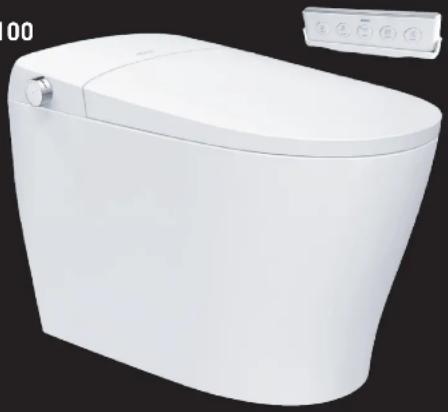
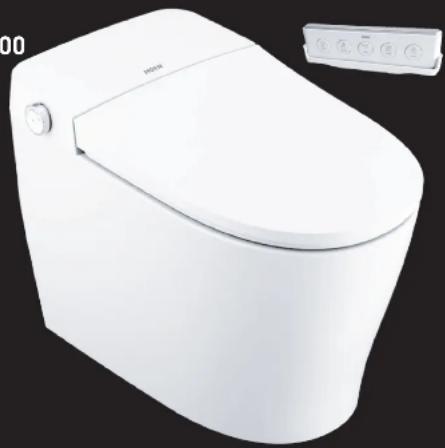
MODEL ET1100 AND ET1300 FEATURES AND DETAILS :
PRODUCT FEATURES:
•Auto-clean wash cycle, oscillates nozzle for 90 seconds and air dryer for 4 minutes
• Auto-flush and remote flush options
• UV Technology for enhanced cleanliness
• Autosensing Nightlight
- Endless, instantaneous, warm water (inline water heater)
• Pre-wets bowl for added cleanliness
• Self-cleaning options with replaceable nozzles
• Dual nozzles offer front and rear cleansing
• Pulsating and oscillating cleanse
- Nozzle positions adjustable with 5 positions
• Hot & Cold Massage option for additional relief
• Water pressure and temperature adjustability
• Aerated spray to provide a total clean
• Water Temperature, 4 levels: Cold, Warm, Hot, Off
- Warm air dryer with temperature control with Flash Drying
• Air Deodorizer helps reduce odors
• Hygienic and heated seat with temperature control and sensor
- Seat Temperature, 4 levels: Cold, Warm, Hot, Off
- Manual side knob and remote control
- Remote control activation including remote opening / closing of seat and lid (ET1300)
• Pressure assisted flush
• Auto energy saver
- On/off button
- Soft-close lid and seat
ET1100
natural_image
White modern toilet with a small water dispenser on top (no text or symbols visible)ET1300
natural_image
White modern toilet with a curved lid and control panel (no visible text or symbols)PRODUCT DETAILS:
- Dimensions: 27" (686mm) x 15-3/4" (400mm) x 18-1/2" (470mm)
• Gross Weight: 50.11 lb.
• Rated Power Usage: 1050W
• Length of Power Cord: 4.0 ft.
- Nozzle Flow Rates (Rear & Front): ≈20.29oz/min
• Water Temperature: from Ambient to 102.2°F
- Heated Seat Temperature: from Ambient to 102.2°F
• Dryer: Air Temperature: 131°F
- Dryer: Air Volume: ≈ 0.25m^3/min
• Water Supply Pressure: 0.08MPA to 0.75MPA
• Water Supply Temperature: 41°F to 104°F
• Ambient Temperature: 41°F to 104°F
• Maximum Performance Rating: 350G
MODEL ET2200 FEATURES AND DETAILS :
PRODUCT FEATURES:
• Auto-clean wash cycle, oscillates nozzle for 90 seconds; Air Dryer for 4 minutes
• Auto-flush and remote flush options
• UV Technology for enhanced cleanliness
• Automatic open/close of seat and lid
- Foot-touch open / close seat and lid with foot-touch flush
• Autosensing Nightlight
- Endless, instantaneous, warm water (inline water heater)
• Pre-wets bowl for added cleanliness
• Self-cleaning options with replaceable nozzles
- Dual nozzles offer front and rear cleansing
• Pulsating and oscillating cleanse
- Nozzle positions adjustable with 5 positions
• Hot & Cold Massage option for additional relief
• Water pressure and temperature adjustability
• Aerated spray to provide a total clean
• Water Temperature, 4 levels: Cold, Warm, Hot, Off
- Warm air dryer with temperature control with Flash Drying
• Air Deodorizer helps reduce odors
• Hygienic and heated seat with temperature control and sensor
- Seat Temperature, 4 levels: Cold, Warm, Hot, Off
- Manual side knob and remote control
- Remote control activation including remote opening / closing of seat and lid
• Pressure assisted flush
• Auto energy saver
- On/off button
- Soft-close lid and seat
- Back-up battery pack for continued flushing capability during power outage
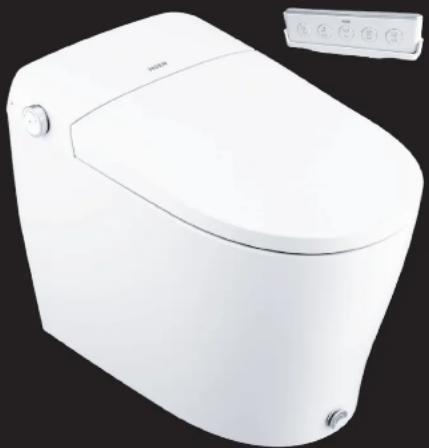
natural_image
White white water dispenser toilet with control panel (no visible text or symbols)PRODUCT DETAILS:
- Dimensions: 27" (686mm) x 15-3/4" (400mm) x 18-1/2" (470mm)
• Gross Weight: 50.11 lb.
• Rated Power Usage: 1050W
• Length of Power Cord: 4.0 ft.
• Nozzle Flow Rates (Rear & Front): ≈20.29oz/min
• Water Temperature: from Ambient to 102.2°F
- Heated Seat Temperature: from Ambient to 102.2°F
• Dryer: Air Temperature: 131°F
• Dryer: Air Volume: ≈0.25m³/min
• Water Supply Pressure: 0.08MPA to 0.75MPA
• Water Supply Temperature: 41°F to 104°F
• Ambient Temperature: 41°F to 104°F
• Maximum Performance Rating: 350G
QSG00036 - 12/21
REMOTE CONTROL FUNCTIONS:
Wash and dry functions will only work when the user is seated on the e-toilet seat. There is no sound of a beep when the user sits on the seat.
To turn on the seat sound: Press the "Flush" button on the remote for 3 seconds. A single beep will sound to confirm that the seat sound is activated.
Repeat above step to turn off the function. A double beep will sound to confirm the seat sound function is off.
Light Temperature Indicators
| Red | Hot |
| Pink | Warm |
| Blue | Cold |
| No Light | None |
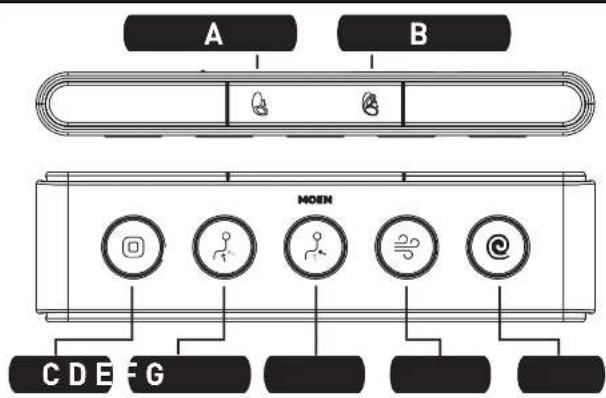
flowchart
graph TD
    A["Component A"] --> M["MOHN"]
    B["Component B"] --> M
    M --> C["Function icon"]
    M --> D["Function icon"]
    M --> E["Function icon"]
    M --> F["Function icon"]
    M --> G["Function icon"]
    M --> H["Function icon"]
A. OPEN/CLOSE SEAT COVER
B. OPEN/CLOSE SEAT RING
C. STOP
Turn product off to stop an operating function.
D. FRONT
Front wash.
E. REAR
Rear Wash.
F. DRYER
Activate dryer function.
G. FLUSH
Flushing after toilet use.
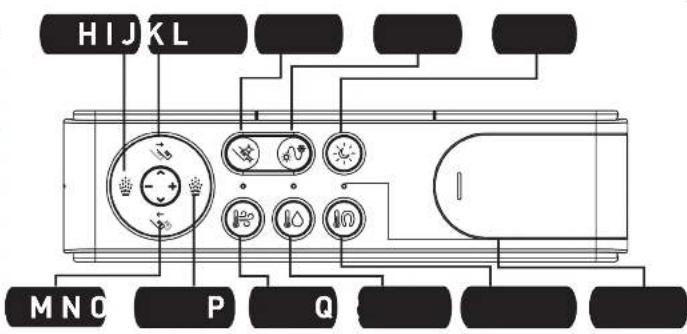
H. WATER PRESSURE
Adjust intensity (reduce) of front and rear wash.
I. NOZZLE FORWARD
Nozzle position can be positioned
5 different ways.
J. NOZZLE CLEAN
Extend nozzle for manual cleaning.
K. H/C MASSAGE
Alternate water temperature of spray between
cold and hot water during wash.
L. Night Light
Turn night light on/off.
M. NOZZLE BACKWARD
Nozzle position can be positioned
5 different ways.
N. WATER PRESSURE
Adjust intensity (increase) of
front and rear wash.
O. DRYER TEMPERATURE
Adjust dryer temperature
P. WATER TEMPERATURE
Adjust water temperature
Q. SEAT TEMPERATURE
Adjust seat temperature
R. TEMPERATURE INDICATOR LIGHTS
Colored lights based on
water temperature.
ADJUSTABLE DIAL FUNCTIONS:
| FUNCTION OF PRODUCT ACTIVITY | LIGHT TEMPERATURE INDICATORS |
| No functions operating; no one sitting on the toilet seat. | White |
| No functions operating; user sitting on the toilet seat. | Green |
| Rear washing activating. Blue | |
| Front washing activating. Pink | |
| Flushing mode activated. Aqua Blue | |
| Drying mode activated. Yellow | |
| UV Activation for Enhance Cleanliness Purple |
Briefly press the adjustable dial once to execute a flushing command. Knob light color : lake blue
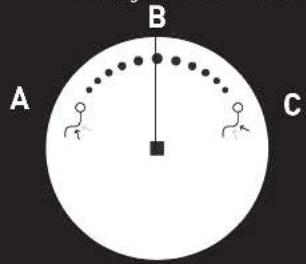
A. FRONT WASH
Must be seated on toilet for operation to work. Rotate the adjustable dial counterclockwise or backward 45 degrees to start the front wash mode which starts cleaning. Wash for 1.5 minutes, drying for 4 minutes followed by flush.
During the front wash, turn the control knob counterclockwise to fast forward to warm drying mode. During the drying mode, continue turn the control knob counterclockwise to adjust the air speed.
(This function is limited to ET1100 ET1300 ET2200) Knob light color : pink
B. POWER/STOP
Press and hold for 3 seconds to turn on/off the power. When the rear wash, front wash or drying mode is running, press once to stop.
C. REAR WASH
Must be seated on toilet for operation to work. Rotate the adjustable dial clockwise or forward 45 degrees to start the rear wash mode which starts cleaning. Wash for 1.5 minutes, drying for 4 minutes followed by flush.
During the rear wash, turn the control knob clockwise to fast forward to warm drying mode. During the drying mode, continue turn the control knob clockwise to adjust the air speed.
(This function is limited to ET1100 ET1300 ET2200) Knob light color : blue
QSG00036-12/21
EXPLANATION OF TOILET FUNCTIONS:
| FUNCTION: | EXPLANATION |
| AUTO FLUSH | Once the user stands up the toilet will automatically flush.* If the seat time is longer than 5 seconds and there is no flushing after cleansing cycle while seated, it will flush 6 seconds after leaving the seat. |
| UV ACTIVATION | Operates automatically when leaving the seat. The cleaning nozzle will move back to home position, and the UV function will be activated after 10 seconds and remain working for 3 minutes.The light of the adjustable dial becomes purple. Once seated, the UV function will stop and the dial indicator will go out.*When the nozzle UV function is running, press the "Stop" button on the remote controller or short press the knob of the product to immediately stop the function.*Ultraviolet lamp device is installed on smart toilet. |
| DRYER | Press the button to start drying. Press the button again to adjust the speed of air. There are 3 settings: low, medium and high. This function is limited to ET1100 ET1300 ET22001.Press stop button to stop drying function. The function of warm air dryer automatically stops in 4 minutes. After cleaning, please use toilet paper to gently wipe off water droplets. |
| SOFT CLOSING SEAT/LID | The product has a damping function to make the seat/cover rise and fall smoothly. |
| PRE-FILTER | Equipped with dedicated carbon, pre-filter and steel mesh filter to purify the water supply to ensure a hygienic cleaning for users. |
| MEMORY MODE | After power failure, water temperature, water pressure, seat temperature, and wand position are all restored to mid-point setting.Night light is turned on by default after power failure. |
| KICK FLUSH | Tap the "Kick Button" with your foot for easy, manual flushing. When seated, tap the "Kick Button" to start an automatic posterior wash cycle. The cycle will run posterior wash for 1.5 minutes,followed by 4 minutes of drying followed by a flush. During flushing, the wash operations cannot be used. Do not use excessive force to operate the button.This function is only available on ET2200 models. |
| KICK CONTROLLED SEAT/LID | Tap the "Kick Button" with your foot to raise your toilet seat/lid. Tap the kick button once and the lid will open. Tap the kick button twice and the seat will rise.Tap the kick button three times and the seat and lid will close and the toilet flushes. This function is only available on ET2200 models. |
| LIGHT SENSOR | Operating based on the brightness of the environment. The light will be activated based on the brightness of the environment to turn on and off.The light will be switched off automatically once the environment becomes bright. The light will be switched on automatically once the environment becomes dark. |
| PRESENCE SENSOR OPERATION | From about 3 feet from the product, the toilet seat will open automatically.To turn off: When not seated, press the "Nozzle Clean" and "H/C Massage" buttons on the remote and control for 3 seconds.A single beep will sound, indicating that the sensor function has turned off. *Repeat steps to turn sensor function back on.When the product cannot detect a user, the toilet seat and cover will close automatically.This function is only available on ET2200 models. |
RESTORE FACTORY SETTINGS
To restore the product to the original factory settings, pull the plug from the wall, wait 1 minute and then reconnect the plug. The Water Temp, Seat Temp, Dryer Temp, Spray Strength, and Nozzle Position will restore to the original Middle level settings.
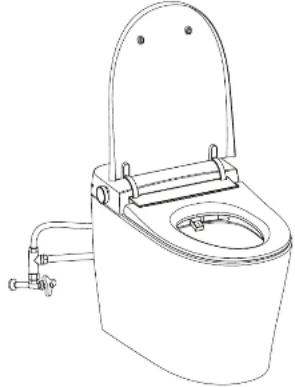
natural_image
Line drawing of a standard open toilet with faucet and sink (no text or symbols)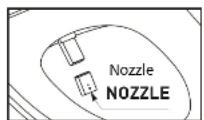
MAINTENANCE OF PRODUCT SURFACE AND CERAMICS
Wipe dust or stains with a soft wet cloth.
A wet soft brush, cloth or sponge may be used to clean the cereamic area.
DO NOT use abrasive cleaning solutions such as alcohol, bleach, paint thinner, cresol, benzene, gasoline, etc.
MAINTENANCE OF THE NOZZLE
When powered on and not seated, press the "Nozzle Clean" button on the remote controller and the washer will automatically extend. You may gently hold the steel pipe with one hand and pull out the front end of the nozzle outward with the other hand. If there is dirt in the nozzle orifice, please clean it with a toothbrush. After cleaning, insert the front end of the nozzle into the steel pipe. CAUTION: DO NOT HANDLE NOZZLE WITH FORCE. When the nozzle is clogged, it is recommended to replace with a brand new one.
MAINTENANCE & CLEANING
Regular maintenance is required to ensure proper performance.
TURN OFF POWER AND WATER before doing maintenance.
DO NOT spray water or detergents on the toilet, remote control, or on the power cord. Doing so may cause electric shock or fire.
MAINTENANCE DURING THE WINTER SEASON:
During the winter season, the water inside may freeze after long period of storage and non-usage. Please take measurers to prevent.
Before connecting the product to the water supply and electrical outlet, allow time to defrost for up to 30 minutes in a warm indoor environment.
In case of extreme cold/freezing/nozzle stuck in place, wrap the water input line with a warm towel. Never pour hot water or use a hot dryer directly on the toilet.
QSG00036 - 12/21
TROUBLESHOOTING
Experiencing issues with your product? If the user should run into any issues, please consult the troubleshooting guide below. If problem persists, please contact Moen customer service for assistance.
| POWER BUTTON | FAULT DIAGNOSES SOLUTIONS | |
| TOILET DOES NOT TURN ON. | CHECK IF THE POWER CORD IS LOOSE OR NOT. | ENSURE POWER CORD IS FIRMLY PLUGGED INTO OUTLET. |
| CHECK IF THE POWER IS SWITCHED OFF (POWER LIGHT OFF). | PRESS ADJUSTABLE DIAL FOR 3 SECONDS, THE POWER LIGHT SHOULD TURN ON. | |
| CHECK IF GROUND FAULT CIRCUIT INTERRUPTER (GFCI) IS TRIPPED. | UNPLUG POWER CORD FROM ELECTRICAL OUTLET.PRESS THE RESET BUTTON ON THE GFCI UNIT UNTIL CLICK IS HEARD. PLUG POWER CORD INTO ELECTRICAL OUTLET AND VERIFY OPERATION. | |
| DRYER | FAULT DIAGNOSES SOLUTIONS | |
| THE DRYER BLOWS COLD AIR. | CHECK WHETHER OR NOT THE DRYER IS SWITCHED OFF. | ADJUST THE TEMPERATURE OF DRYER ACCORDING TO THE INSTRUCTION GUIDE. |
| CHECK WHETHER OR NOT THE HEATING ELEMENT OF DRYER IS DAMAGED. | PLEASE CONTACT MOEN FOR ASSISTANCE. | |
| HEATED SEAT | FAULT DIAGNOSES SOLUTIONS | |
| THE SEAT TEMPERATURE IS TOO LOW OR HOT. | CHECK WHETHER OR NOT THE TEMPERATURE OF SEAT IS ON THE “OFF” POSITION. | REGULATE THE TEMPERATURE OF SEAT ACCORDING TO THE INSTRUCTION GUIDE. |
| REMOTE CONTROL | FAULT DIAGNOSES SOLUTIONS | |
| THE BLUE LIGHT OF WATER TEMPERATURE IS FLICKERING. | LOW BATTERY. PLEASE REPLACE WITH | NEW BATTERIES. |
| REMOTE CONTROL IS NOT WORKING. | CHECK WHETHER OR NOT THERE IS WATER ON THE REMOTE CONTROL. | WIPE OFF WATER WITH A DRY TOWEL. ALLOW REMOTE TO DRY BEFORE USE. |
| TOILET UNIT | FAULT DIAGNOSES SOLUTIONS | |
| THE PRODUCT DOES NOT FLUSH. | NO POWER SUPPLY. | ENSURE TOILET IS PLUGGED IN AND OUTLET IS FUNCTIONING PROPERLY. |
| WATER BOWL IS EMPTY AND NO SOUND OF FLUSHING. | ENSURE WATER SUPPLY IS FULLY ON. CONTACT MOEN FOR ASSISTANCE. | |
| FLUSH VALVE IS HEARD, BUT WATER IS NOT FLOWING. | 1. CHECK THE WATER SUPPLY LINES FOR A KINK.2. ENSURE SUPPLY VALVE IS FULLY OPEN.3. IF PROBLEM PERSISTS; CONTACT MOEN FOR ASSISTANCE | |
| CONTINUOUS FLOW OF WATER SUPPLY. | 1. TRY FACTORY RESET OF TOILET BY UNPLUGGING POWER CORD, WAITING 1 MINUTE AND PLUGGING BACK IN. FOLLOW START UP PROCEDURE.2. IF PROBLEM PERSISTS; COTACT MOEN FOR ASSISTANCE. | |
| SOFT-CLOSING FEATURE | FAULT DIAGNOSES SOLUTIONS | |
| FOOT TOUCH SENSOR DOES NOT WORK. | SOFT-CLOSED FEATURE DAMAGED. | 1. TRY FACTORY RESET OF TOILET BY UNPLUGGING POWER CORD, WAITING 1 MINUTE AND PLUGGING BACK IN. FOLLOW START UP PROCEDURE.2. IF PROBLEM PERSISTS; COTACT MOEN FOR ASSISTANCE.QSG00036 - 12/21 |
| WASH FUNCTIONS | FAULT DIAGNOSES SOLUTIONS | |
| NO WATER FROM THE NOZZLE. | CHECK WATER SUPPLY TO SEE IF IT'S OFF. TURN WATER SUPPLY ON. | |
| WATER SUPPLY VALVE IS CLOSED. OPEN WATER SUPPLY VALVE. | ||
| CHECK WHETHER OR NOT THE WATER FILTER IS BLOCKED. | CLEAN OR CHANGE THE WATER FILTER IN THE T-FITTING IF EQUIPPED. | |
| CHECK WHETHER OR NOT THE SUPPLY HOSE IS KINKED. | UN-KINK THE SUPPLY LINE. | |
| THE NOZZLE AND / OR DRYER FUNCTIONS ARE NOT WORKING. | USER MUST BE SEATED ON THE TOILET AND THE SEAT SENSOR MUST BE TOUCHED. | |
| WEAK WATER PRESSURE DURING CLEANING. | CHECK WHETHER OR NOT THE WATER PRESSURE OF CLEANING SWITCH TO LOW LEVEL OR NOT. | REGULATE THE WATER PRESSURE ACCORDING TO THE INSTRUCTION GUIDE. |
| CHECK WHETHER OR NOT THE INLET FILTER IS BLOCKED. | IF EQUIPPED, CLEAN THE FILTER IN THE T-FITTING. | |
| UNUSUAL WATER FLOW FROM THE NOZZLE. | ABNORMAL OPERATION. | 1. CLEAN THE BIDET NOZZLE.2. UNPLUG THE TOILET AND PLUG BACK IN, FOLLOWING RESET PROCEDURE. |
| WATER TEMPERATURE IS NOT WARM ENOUGH. | CHECK THE TEMPERATURE SETTING. CHANGE THE WATER TEMPERATURE USING THE REMOTE CONTROL. | |
| THE CLEANING NOZZLE IS ALWAYS LEAKING. | THE SOLENOID VALVE MAY BE STUCK OPEN. | 1. ACTIVATE EITHER FRONT OR REAR WASH TO TRY AND RESET VALVE.2. PLEASE CONTACT MOEN FOR ASSISTANCE. |
| THE CLEANING FUNCTION IS NOT WORKING NORMALLY. | SEAT SENSOR DOES NOT WORK. PLEASE CONTACT MOEN FOR ASSISTANCE. | |
MOEN 3 YEAR LIMITED WARRANTY
Moen® products have been manufactured under the highest standards of quality and workmanship. Moen warrants to the original consumer purchaser, for residential use, that these products (eBidet or eToilet) will be leak-free and drip-free during normal use and all parts and finishes of these products will be free from defects in material and manufacturing workmanship during normal use, for three [3] years from the date of original consumer purchase for residential use (the "Warranty Period" for homeowners). All other purchasers (including purchasers for industrial, commercial and business use) are warranted for a period of one [1] year from the original date of purchase (the "Warranty Period" for non-homeowners).
If this eBidet or eToilet should ever develop a leak or drip during the Warranty Period, Moen will FREE OF CHARGE provide the parts necessary to put the product back in good working condition and will replace FREE OF CHARGE any part or finish that proves defective in material and manufacturing workmanship, under normal installation, use and service. Replacement parts may be obtained by calling 1-800-289-6636 (in Canada, 1-800-465-6130), or by writing to Moen Incorporated, 25300 Al Moen Drive, North Olmsted, OH 44070-8022 (In Canada, Moen, 2816 Bristol Circle, Oakville, Ontario L6H557, Canada). Proof of purchase (original sales receipt) from the original consumer purchaser must accompany all warranty claims. Defects or damage caused by the use of other than genuine Moen parts is not covered by this warranty. This warranty is applicable only to products purchased after December, 1995 and shall be effective from the date of purchase as shown on purchaser's receipt.
This warranty is extensive in that it covers replacement of all defective parts and finishes. However, damage due to installation error, product abuse, product misuse, or use of cleaners containing abrasives, alcohol or other organic solvents, whether performed by a contractor, service company, or yourself, are excluded from this warranty. Moen will not be responsible for labor charges and/or damage incurred in installation, repair or replacement, nor for any indirect, incidental or consequential damages, losses, injury or costs of any nature relating to these products. Except as provided by law, this warranty is in lieu of and excludes all other warranties, conditions and guarantees, whether expressed or implied, statutory or otherwise, including without restriction those of merchantability or of fitness for use.
Some states, provinces and nations do not allow the exclusion or limitation of incidental or consequential damages, so the above limitations or exclusions may not apply to you. This warranty gives you specific legal rights and you may also have other rights which vary from state to state, province to province, nation to nation. Moen will advise you of the procedure to follow in making warranty claims. Simply write to Moen at the applicable address set forth above. Explain the defect and include proof of purchase and your name, address, area code and telephone number.
Moen Incorporated
25300 Al Moen Drive
North Olmsted, Ohio 44070-8022
U.S.A.
QSG00036 - 12/21
©2023 MOEN INCORPORATED
MOEN®
MANUAL DEL PROPIETARIO
INODORO ELECTRÓNICO
QSG00036 - 12/21
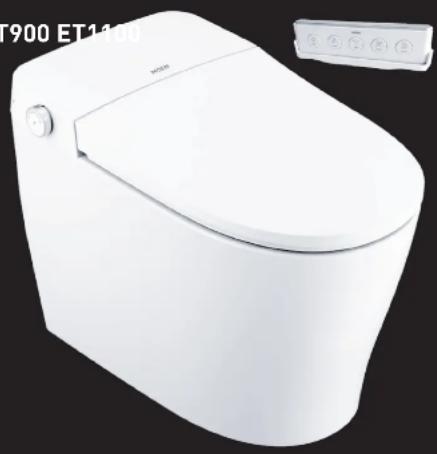
ET900 ET1100
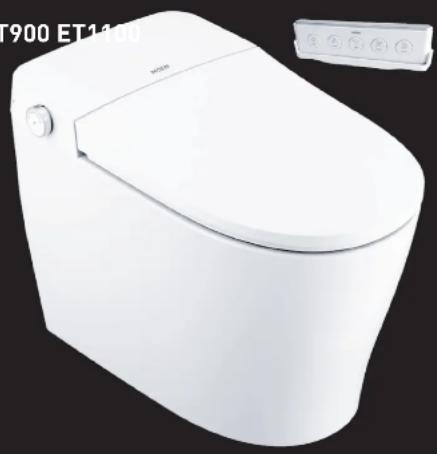
natural_image
White modern toilet with a curved lid and control panel, shown against a black background (no text or symbols on the toilet itself)ET1300 ET220
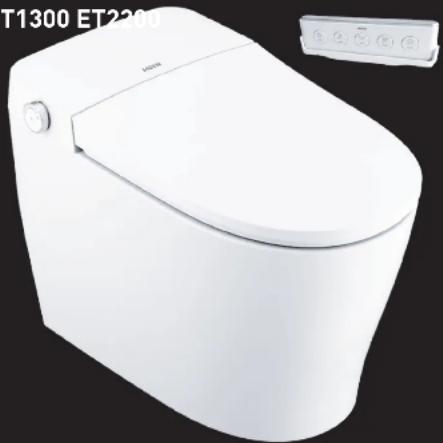
natural_image
White modern toilet with a small control panel on the right (no visible text or symbols)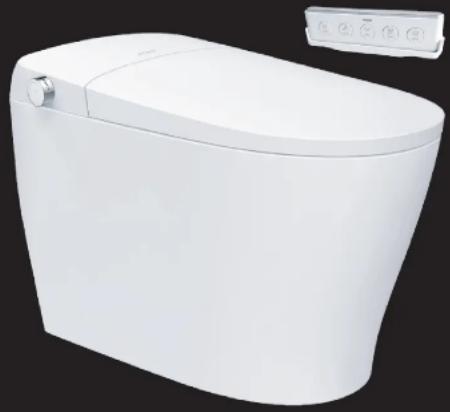
natural_image
White modern water dispenser toilet with control panel (no text or symbols visible)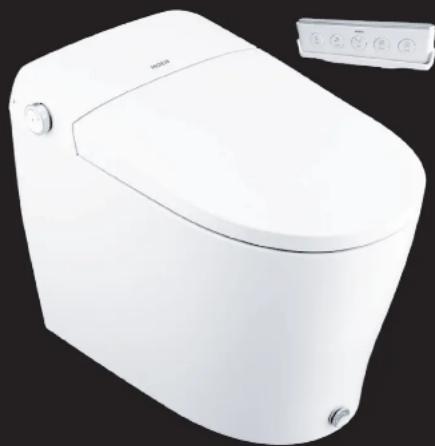
natural_image
White modern toilet with control panel and buttons (no visible text or symbols)natural_image
White modern toilet with a closed lid and control panel (no visible text or symbols)DETALLES DEL PRODUCTO:
•Dimensiones: 27" (686 mm) x 15-3/4" (400 mm) x 18-1/2" (470 mm)
•Peso bruto: 50.11 lb. (22.7
•Uso de potencia nominal: 1,05
natural_image
White modern water toilet with a small handle and control panel (no text or symbols visible)ET1300
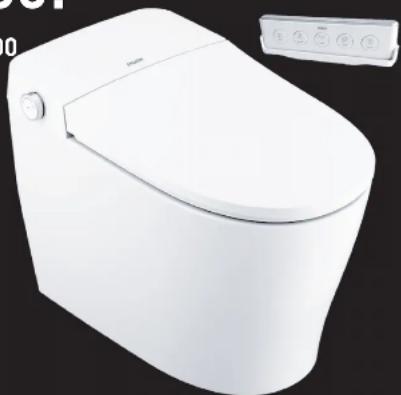
natural_image
White ceramic toilet with a curved lid and control panel (no visible text or symbols)DETALLES DEL PRODUCTO:
•Dimensiones: 27" (686 mm) x 15-3/4" (400 mm) x 18-1/2" (470 mm)
•Peso bruto: 50.11 lb. (22.7 kg)
•Uso de potencia nominal: 1,050 W
natural_image
White water dispenser toilet with control panel (no visible text or symbols)DETALLES DEL PRODUCTO:
•Dimensiones: 27" (686 mm) x 15-3/4" (400 mm) x 18-1/2" (470 mm)
•Peso bruto: 50.11 lb. (22.7 kg)
•Uso de potencia nominal: 1,050 W
flowchart
graph TD
    A["A"] --> M["MOEN"]
    B["B"] --> M
    M --> CDEFG["G"]
    M --> D["User Icon"]
    M --> E["Robot Icon"]
    M --> F["User Icon"]
    M --> G["Message Icon"]
    M --> H["@ Icon"]
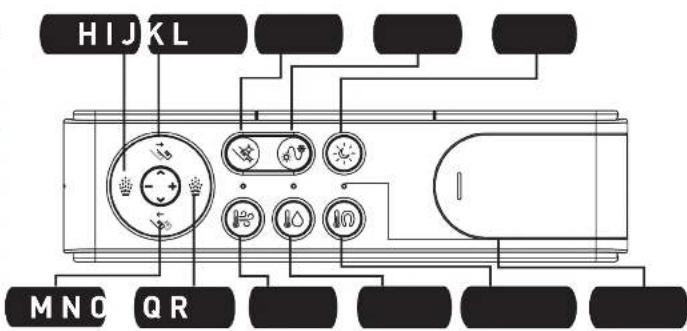
A. ABRIR/CERRAR LA TAPA DEL ASIENTO
B. ABRIR/CERRAR DEL ASIENTO
C. DETENER
natural_image
Line drawing of a standard open water toilet with handle and side arm (no text or symbols)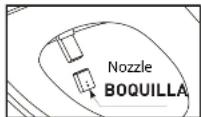
MANTENIMIENTO DE LA SUPERFICIE DEL PRODUCTO Y DE LA CERÁMICA
©2023 MOEN INCORPORATED
MOEN®
GUIDE D'INSTALLATION
TOILETTE ÉLECTRONIQUE
QSG00036 - 12/21
ET900 ET1100
natural_image
White modern toilet with a curved lid and control panel, shown against a black background (no text or symbols on the toilet itself)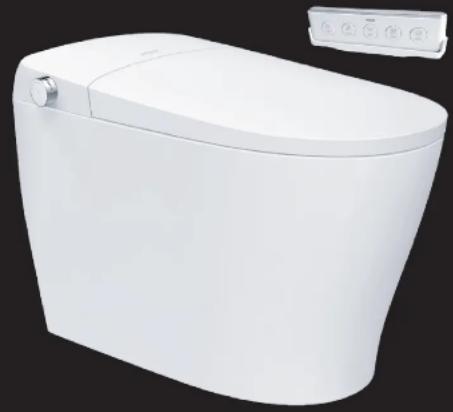
natural_image
White modern water toilet with a side panel showing control buttons (no text or symbols visible)ET1300 ET220
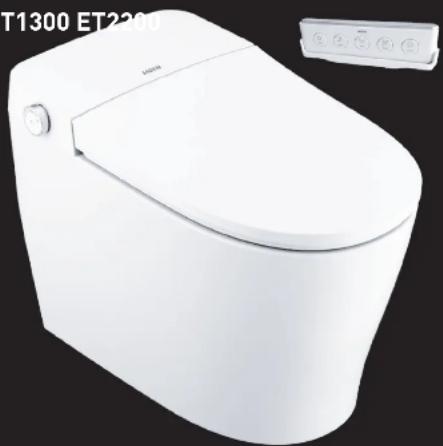
natural_image
White modern toilet with a small inset showing its front panel (no text or symbols on the toilet itself)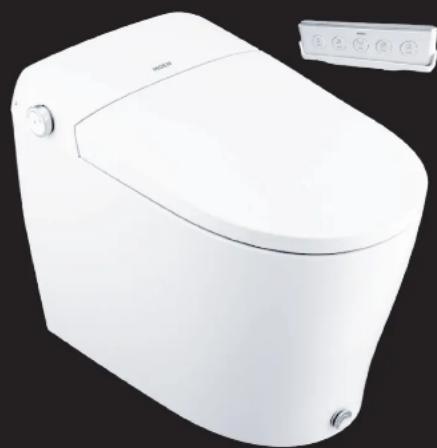
natural_image
White modern water dispenser toilet with control panel (no visible text or symbols)natural_image
White modern toilet with a side panel showing control buttons (no text or symbols visible)RENSEIGNEMENTS SUR LE PRODUIT :
•Dimensions : 686 mm (27 po) x 400 mm (15 3/4 po) x 470 mm (18 1/2 po)
natural_image
White modern water toilet with a small side panel and control buttons (no visible text or symbols)ET1300
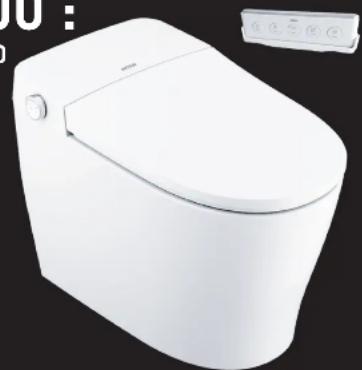
natural_image
White modern toilet with a control panel on the right side (no visible text or symbols)RENSEIGNEMENTS SUR LE PRODUIT :
ntaire•Dimensions : 686 mm (27 po) x 400 mm (15 3/4 po) x 470 mm (18 1/2 po)
natural_image
White modern toilet with a small control panel on the right (no visible text or symbols)RENSEIGNEMENTS SUR LE PRODUIT :
•Dimensions : 686 mm (27 po) x 400 mm (15 3/4 po) x 470 mm (18 1/2 po)
natural_image
Line drawing of a toilet with faucet and water inlet (no text or symbols)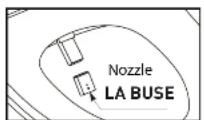
L'ENTRETIEN DE LA SURFACE ET DE LA PARTIE EN CÉRAMIQUE DU PRODUIT
©2023 MOEN INCORPORATED
MOEN®


- PLEASE CONTACT MOEN FIRST FOR INSTALLATION HELP, MISSING OR REPLACEMENT PARTS
- IMPORTANT SAFEGUARDS
- READ ALL INSTRUCTIONS BEFORE USING.
- VE THESE INSTRUCTIONS.
- GROUNDING INSTRUCTIONS
- EXPLANATION OF TERMS AND SYMBOLS
- Warning
- Attention
- WARNINGS
- WARNINGS AND SAFETY
- \*PLEASE READ THOROUGHLY
- PROPER BATTERY USAGE:
- DO NOT DO THE FOLLOWING WITH THE BATTERIES:
- MODEL ET900 FEATURES AND DETAILS :
- PRODUCT FEATURES:
- PRODUCT DETAILS:
- MODEL ET1100 AND ET1300 FEATURES AND DETAILS :
- MODEL ET2200 FEATURES AND DETAILS :
- REMOTE CONTROL FUNCTIONS:
- ADJUSTABLE DIAL FUNCTIONS:
- RESTORE FACTORY SETTINGS
- MAINTENANCE OF PRODUCT SURFACE AND CERAMICS
- MAINTENANCE OF THE NOZZLE
- MAINTENANCE & CLEANING
- MAINTENANCE DURING THE WINTER SEASON:
- TROUBLESHOOTING
- MOEN 3 YEAR LIMITED WARRANTY
- MOEN®
- DETALLES DEL PRODUCTO:
- MANTENIMIENTO DE LA SUPERFICIE DEL PRODUCTO Y DE LA CERÁMICA
- RENSEIGNEMENTS SUR LE PRODUIT :
- L'ENTRETIEN DE LA SURFACE ET DE LA PARTIE EN CÉRAMIQUE DU PRODUIT
Brand : Moen
Model : ET1100
Category : Toilet