
Supremo FM6 1000W - PC Power Supply ENDORFY - Free user manual and instructions
Find the device manual for free Supremo FM6 1000W ENDORFY in PDF.


User questions about Supremo FM6 1000W ENDORFY
0 question about this device. Answer the ones you know or ask your own.
Ask a new question about this device
Download the instructions for your PC Power Supply in PDF format for free! Find your manual Supremo FM6 1000W - ENDORFY and take your electronic device back in hand. On this page are published all the documents necessary for the use of your device. Supremo FM6 1000W by ENDORFY.
USER MANUAL Supremo FM6 1000W ENDORFY
natural_image
Exterior view of a black CPU socket with ventilation fan and cooling fins (no text or symbols visible)EY7A011

More at
www.endorfy.com
Designed by ENDORFY
COOLING SP.Z.O.O.
UL.SOKOŁOWSKA 24
05-806 SOKOŁÓW, POLSKA
TEL.+48222920130





MADE IN CHINA
We are all technology heroes
ENDORFY.COM/KNOWLEDGE-BASE

natural_image
Icon depicting a document with a gear symbol, no text or symbols present
text_image
SCANSCAN THE QR CODE

text_image
QR code image containing encoded data, no visible human-readable textCONNECTING THE PSU
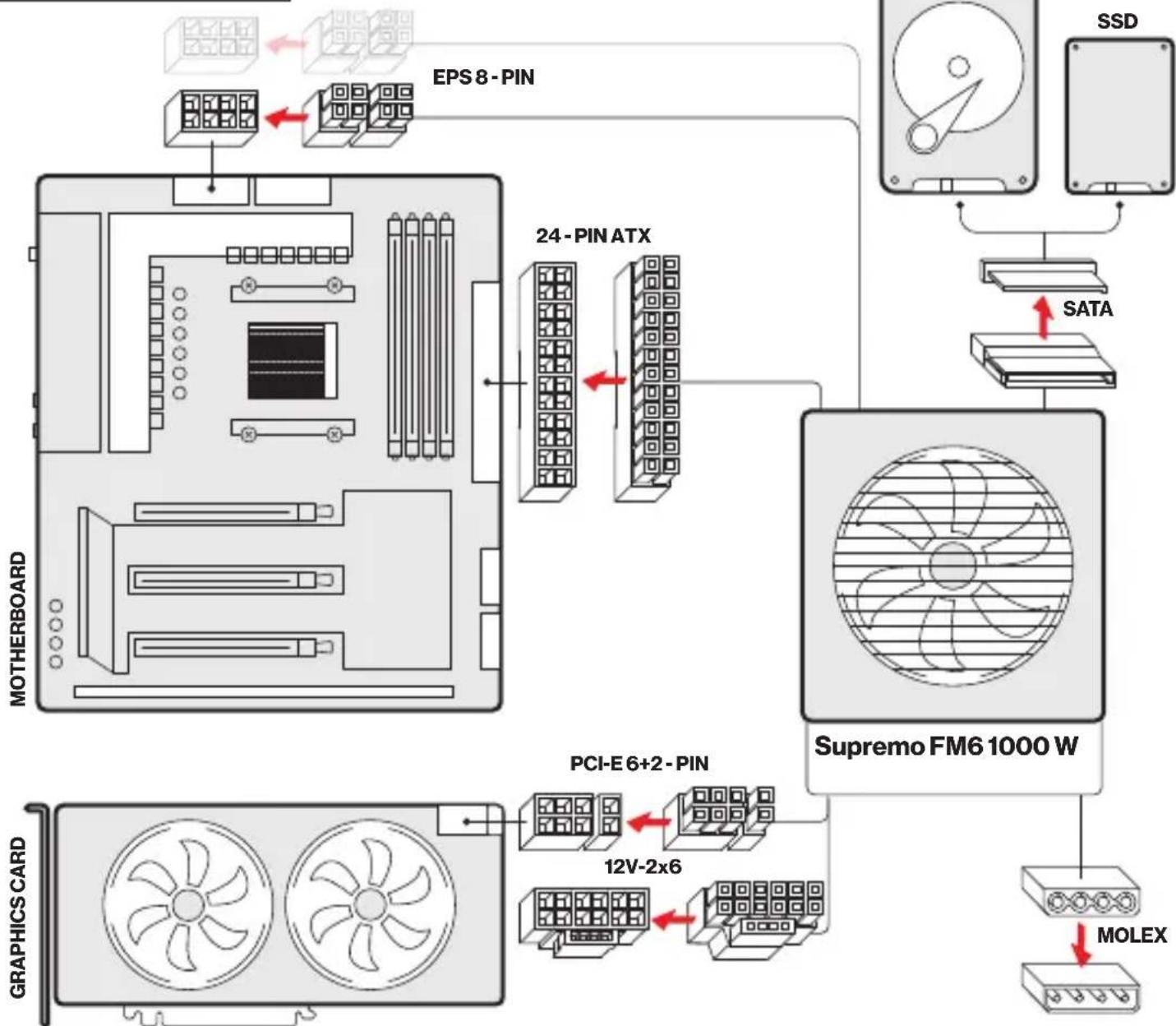
flowchart
graph TD
    A["MOTHERBOARD"] --> B["24-PIN ATX"]
    B --> C["Supremo FM6 1000 W"]
    C --> D["MOLEX"]
    D --> E["SATA"]
    E --> F["SSD"]
    F --> G["EPS 8-PIN"]
    G --> H["12V-2x6"]
    H --> I["PCI-E 6+2-PIN"]
    I --> J["GRAPHICS CARD"]
    style A fill:#f9f,stroke:#333
    style B fill:#ccf,stroke:#333
    style C fill:#cfc,stroke:#333
    style D fill:#fcc,stroke:#333
    style E fill:#ffc,stroke:#333
    style F fill:#fcc,stroke:#333
    style G fill:#fff,stroke:#333
    style H fill:#fff,stroke:#333
    style I fill:#fff,stroke:#333
    style J fill:#fff,stroke:#333
POWER OUTPUT
AC input 100-240 VAC, 13.0-6.5 A, 50-60 Hz
| DC output | +12 V | +3.3 V | +5 V | -12 V | +5 VSB |
| Max current | 83 A | 20 A | 20 A | 0.3 A | 3 A |
| Max combined power | 996 W | 100 W | 3.6 W | 15 W | |
| 1000 W | |||||
ErP Lot 6 Ready. Low power C6/C7 sleep state compatible. Active PFC.
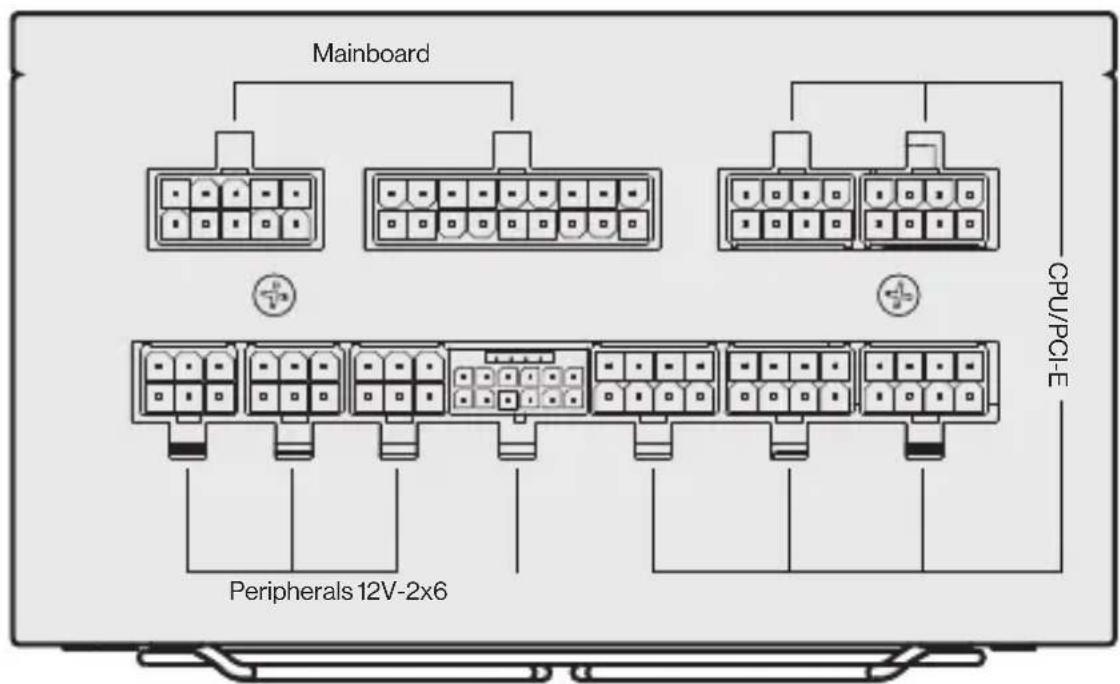
MODULAR INTERFACE
text_image
Mainboard CPU/PCI-E Peripherals 12V-2x6Supremo FM6 1000 W
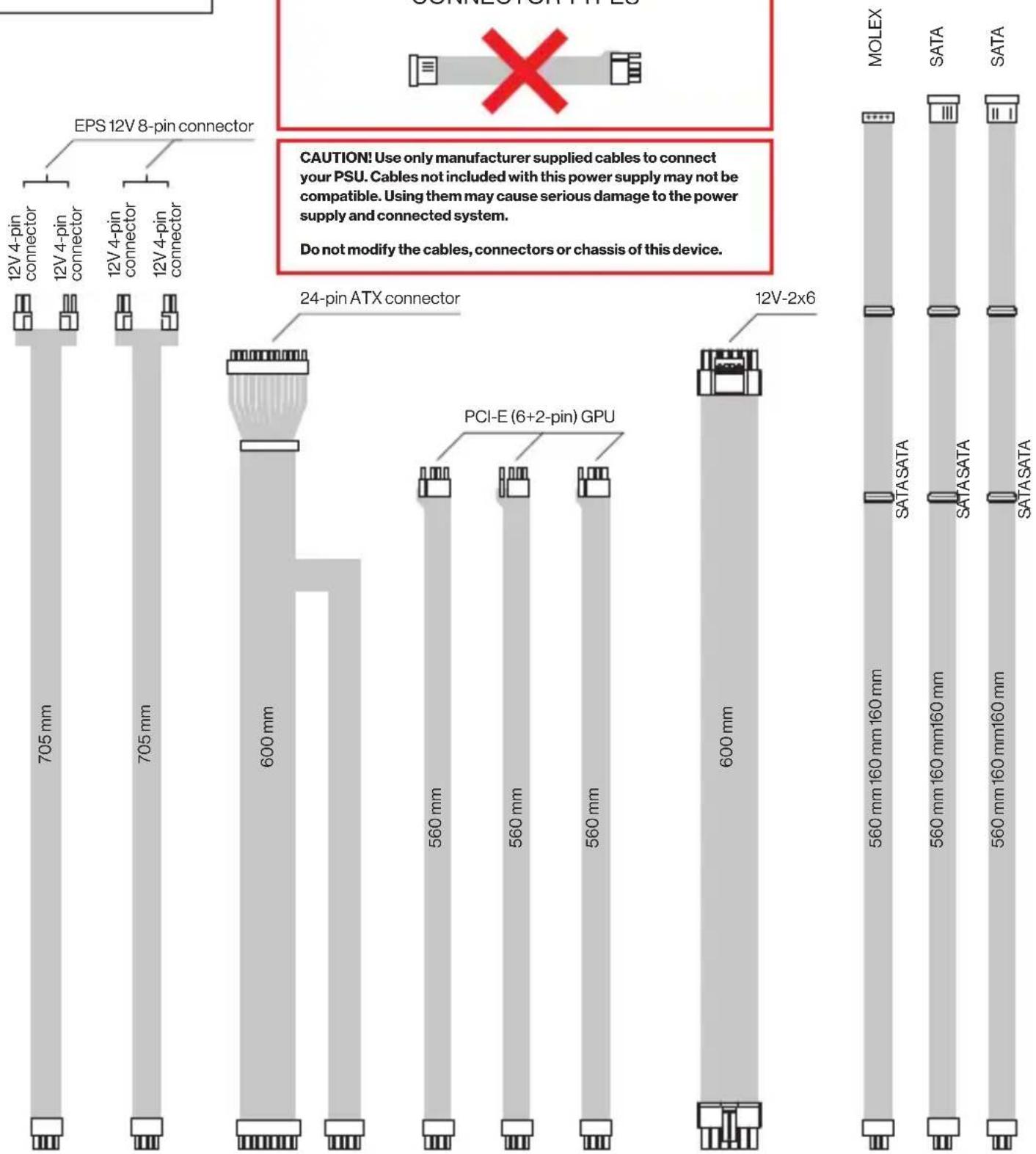
INCLUDED CABLING
text_image
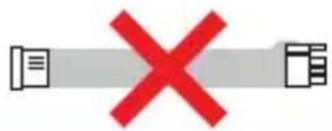
EPS 12V 8-pin connector 705 mm 705 mm 600 mm 24-pin ATX connector PCI-E (6+2-pin) GPU 560 mm 560 mm 560 mm 600 mm 12V-2x6 MOLEX SATA SATA SATA SATA 560 mm 160 mm 160 mm 560 mm 160 mm 160 mm 560 mm 160 mm 160 mm CO-MEOSO'SHPTES CAUTION! Use only manufacturer supplied cables to connect your PSU. Cables not included with this power supply may not be compatible. Using them may cause serious damage to the power supply and connected system. Do not modify the cables, connectors or chassis of this device.DO NOT USE ADAPTERS TO OTHER CONNECTOR TYPES
text_image
Diagram showing a red 'X' symbol crossed by two document icons, indicating cancellation or error.CAUTION! Use only manufacturer supplied cables to connect your PSU. Cables not included with this power supply may not be compatible. Using them may cause serious damage to the power supply and connected system.
Do not modify the cables, connectors or chassis of this device.
AUX 12V-2x6 POWER CONNECTION
natural_image
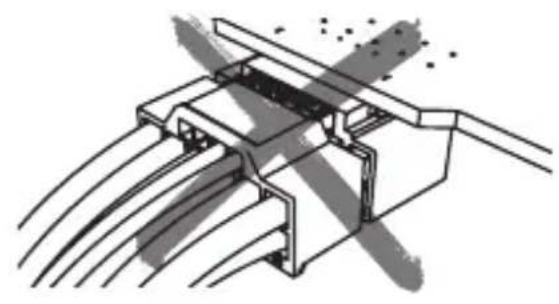
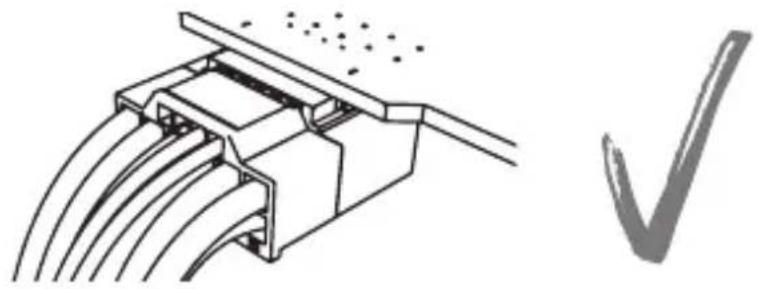
Technical line drawing of a mechanical assembly with no visible text or symbolsFaces of the plug and the receptacle must meet.Plug in the video
natural_image
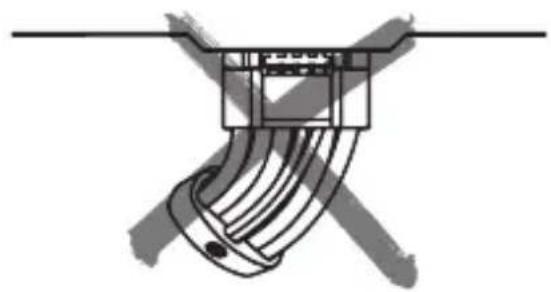
Technical illustration of a mechanical connector with multiple wires and a checkmark symbol (no text or labels)Do not bend the cable horizontally:
natural_image
Pure mechanical component diagram without any text, numbers, or symbols
natural_image
Pure electrical connector diagram without any text, numbers, or symbolsMake sure to plug all the connectors all the way in, until the outer surfaces meet.
Do not bend the cable in tight radius.
Included cable ties can be moved along the cable.
This cable is configured to advertise 600 W available power to the video card. Actual power available is limited by the capabilities of the connected power supply. You must follow the video card manufacturer's recommendations for power supply capacity.
- The product should be used as intended. Incorrect use may damage the product and be dangerous to your health.
- Make sure that the product is in good working order before using it.
- The warranty does not cover mechanical damage to the product.
- This device is intended for indoor use, under normal humidity conditions. Do not use it outdoors.
- Do not install and use the device within reach of children.
- To prevent damage from condensation, allow the device to warm up to ambient temperature before use.
- Clean only with a dry, clean cloth. Do not handle with wet hands.
- No user-serviceable components inside. Return to authorized service center for repairs.
- Opening the device or modifying it will void the warranty.
- Do not use the product near liquids or in places where it may be directly exposed to liquids. If the device comes into contact with any liquids, immediately disconnect it from the power source.
- In the event of a malfunction, disconnect it from the power source immediately and contact ENDORFY Technical Support.
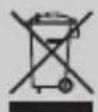
- Do not discard electrical and electronic equipment together with other household waste.
- The end user is responsible for correct disposal of unnecessary or faulty electrical equipment by returning it to the collection point or to the seller. Contact local authorities or the store where you purchased the product for additional information.
- CAUTION! Use only manufacturer supplied cables to connect your PSU. Cables not included with this power supply may not be compatible. Using them may cause serious damage to the power supply and connected system.
- Do not open the power supply case. Hazardous voltage levels inside may be present even after disconnecting the power supply from its power source.
- Do not modify the cables, connectors or chassis of this device.
- This device requires adequate ventilation. Do not cover ventilation openings. Do not insert objects into openings
- Do not install this device near heating devices.
- Do not install or remove the power supply unit while it is connected to the mains.
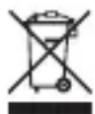
The above symbol means that, according to applicable regulations, this product and its battery (if included) should not be disposed of with other household waste. At the end of its life, the product should be taken to a special collection point designated by the relevant local authorities. The separate collection and recycling of products and batteries helps to save natural resources and ensures that the recycling process is safe for human health and the environment.