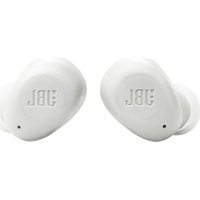
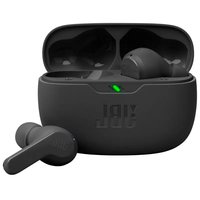
USER MANUAL Vibe Buds 2 JBL
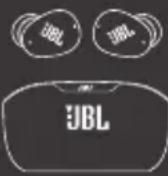
WHAT'S IN THE BOX



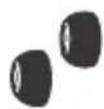
S/M/L
APP


JBL HEADPHONES

GET IT ON
Google Play

Download on the App Store
Get even more control and personalization of your listening experience with this free app.

HOW TO WEAR
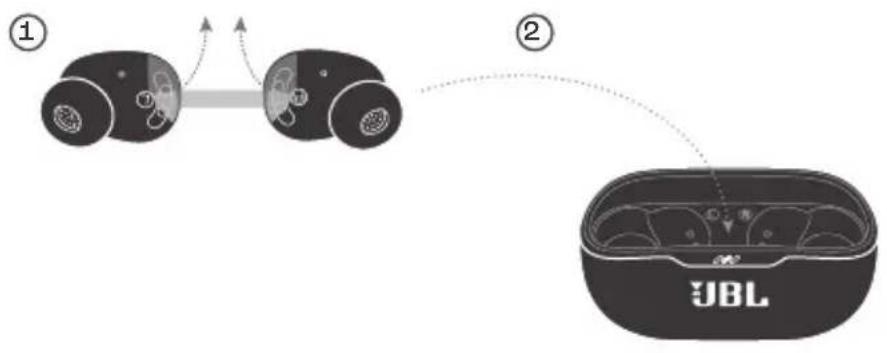
① Try different sizes for a perfect fit and audio performance.

S/M/L
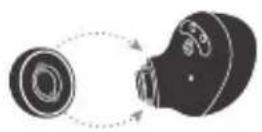
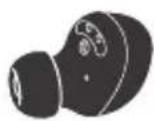
②
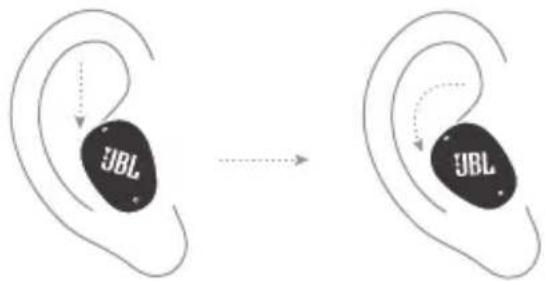
FIRST TIME USE

POWER ON & CONNECT
![graph TD A["1"] --> B["2"] B --> C["ON"] C --> D["Fast Pair"] D --> E["Others"] E --> F["Bluetooth / JBL Vibe Buds 2 Connected"] F --> G["Choose "JBL Vibe Buds 2" to connect."] H["Windows 10 v1803+"] --> I["Bluetooth / New JBL Vibe Buds 2 found if this is your device, connect to it."] I --…](/content/2026/04/728552/images/c4b310e966bc1248eb410797b0077d2bef7163ae76fd0de0a422eae4ce682fd7.jpg)
DUAL CONNECT

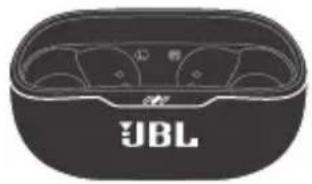

L

R
Stereo mode Mono mode
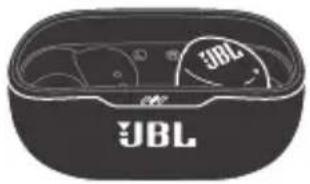

L/R
MULTI-POINT CONNECTION

![graph LR A["ON"] --> B[" ear "] B --> C[" L/R "] C --> D[" ON "] B --> E[" (Maximum 2 devices) "] style B fill:#000,stroke:#fff,color:#fff](/content/2026/04/728552/images/93e741928111c8f880ede54a6af34a868dcdb782d8a377913d54800eb0b3d381.jpg)
Hold (5s) Tap × 1
CONTROLS

![graph TD A["JBL"] --> B["AnC ANC*"] B --> C["Ambient Aware*"] C --> D["TalkThru*"] D --> E["Bixby/Sin®/Others"] F["R"] --> G["Angi"] G --> H["Bixby/Sin®/Others"] style A fill:#f9f,stroke:#333 style F fill:#f9f,stroke:#333 style G fill:#f9f,stroke:#333](/content/2026/04/728552/images/1d31295e9abff291406245e8eb2829400e99ff567ca43340b704738b6f34291b.jpg)
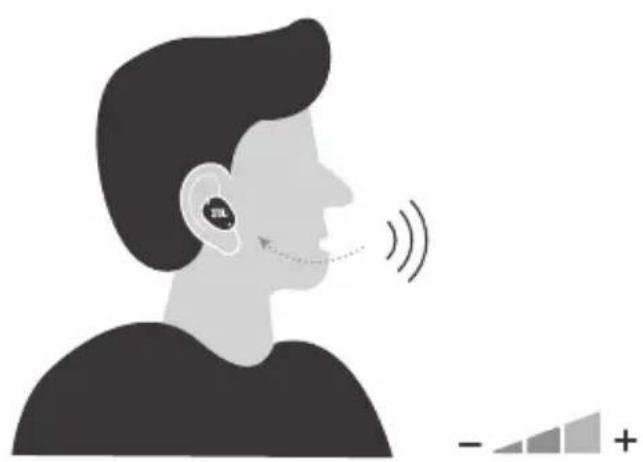
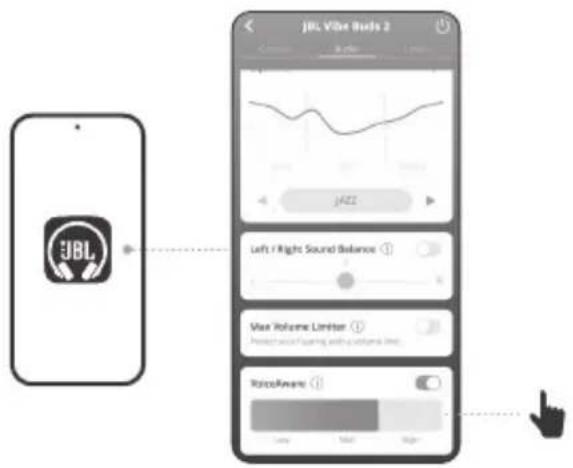
VOICEAWARE
POWER OFF
I
![graph TD A["JBBL"] --> B["JUBL"] C["JBBL"] --> B B --> D["JBBL"]](/content/2026/04/728552/images/a19bf469ee1c8b09f1839de353a2fc13a49cce36500a6debd08cc818def0a4ef.jpg)
FACTORY RESET
![graph LR A["Input Signal"] --> B["L/R"] B --> C["Signal Transduction"] C --> D["Load"] D --> E["Output Tap × 2"]](/content/2026/04/728552/images/51288cd3686b9aabf77f48678d9d0ae259e44752a4f1d650488c994cbec429c5.jpg)
DO MORE WITH THE APP
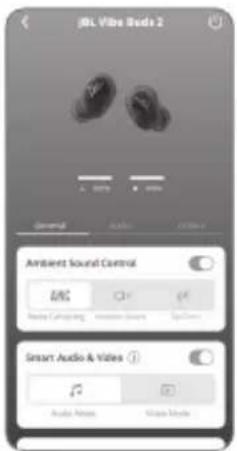
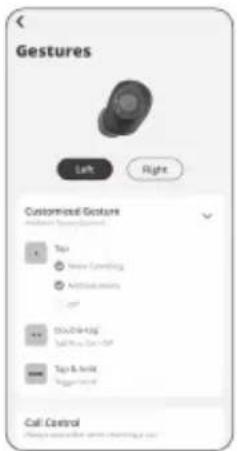
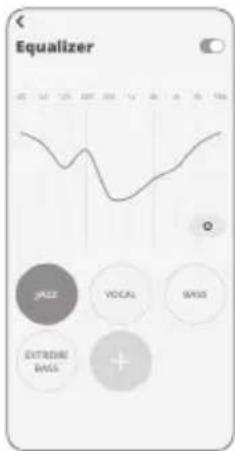
CHARGING
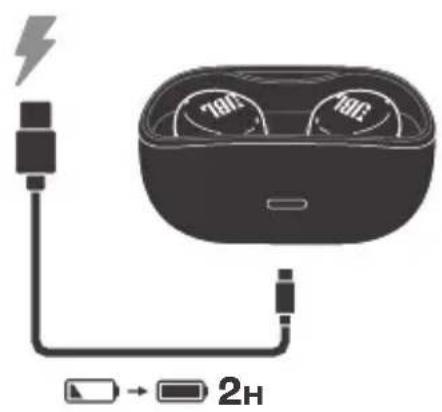
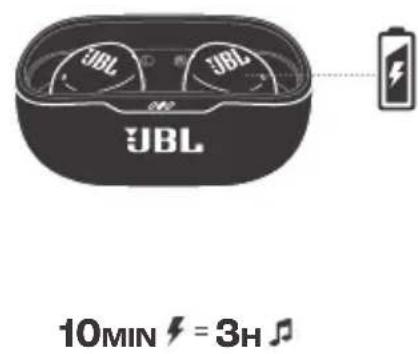
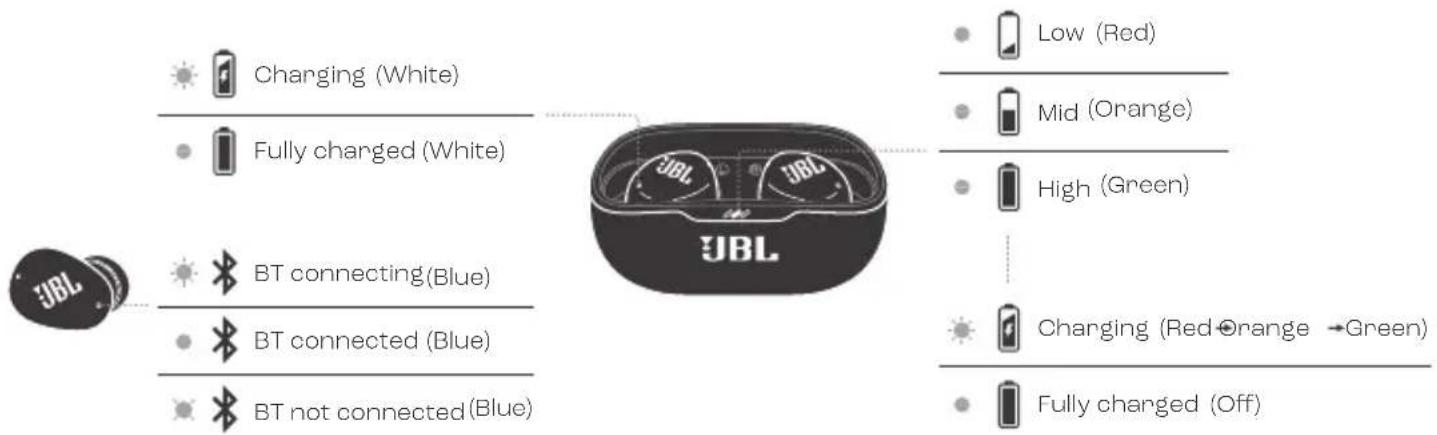
LED BEHAVIORS

TECH SPEC
Model: VIBE BUDS 2
Driver size: 8.0 mm/ 0.32" Dynamic Driver
Power supply: 5V
1A
Earbud: 4.5 g per pc (9 g combined)
0.01 lbs per pc (0.02 lbs combined)
Charging case: 35 g/ 0.077 lbs
Earbud battery type: Lithium-ion battery (49 mAh/ 3.85 V)
Charging case battery type: Lithium-ion battery (550 mAh/ 3.8 V)
Charging time: 2 hrs from empty
Music playtime with BT on and
ANC off: Up to 10 hrs
Music playtime with BT on and
ANC on: Up to 8 hrs
Talk time with ANC off: Up to 6 hrs
Talk time with ANC on: Up to 5.5 hrs
Frequency response: 20 Hz - 20 kHz
Impedance: 16 ohm
Sensitivity: 110 dB SPL@1 kHz
Maximum SPL: 95 dB
Microphone sensitivity: -38 dBV/Pa@1 kHz
Bluetooth version: 5.3
Bluetooth profile version: A2DP V1.4, AVRCP V1.6.2, HFP V1.8
Bluetooth transmitter frequency range: 2.4 GHz – 2.4835 GHz
Bluetooth transmitter power: <13 dBm (EIRP)
Bluetooth transmitter modulation: GFSK, π/4-DQPSK, 8DPSK
Bluetooth transmitter modulation: GFSK, π/4-DQPSK, 8DPSK
IP54
IPX2
FRD
FRD
BOX CONTENTS
TalkThru (Conversation)*
Bixby/Siri®/Others
Tap x 1 | Tap x 2 |
Tap x 3 | Press (2 s)
WHAT'S IN THE BOX
THE APP
Bluetooth transmission modulation:
A2DP V1.4, AVRCP V1.6.2, HFP V1.8
2.4 GHz - 2.4835 GHz
<13 dBm (EIRP)
GFSK, π/4-DQPSK, 8DPSK
45 ℃
DE
PACKAGE CONTENTS
APP
ANC (Active Noise Cancelling)*
Ambient Aware
(Environment awareness)*
TalkThru*
Bixby/Siri®/Others
1 × tap | 2 × tap | 3 × tap |
Ambient Aware (environment)
TalkThru*
Bixby/Siri*/Others
A2DP V1.4, AVRCP V1.6.2, HFP V1.8
2.4 GHz - 2.4835 GHz
<13 dBm (EIRP)
GFSK, π/4-DQPSK, 8DPSK
GFSK, π/4-DQPSK, 8DPSK
45°C

BOX CONTENTS
APPLICATION
LED INDICATOR FUNCTIONS
Charging (white)
A2DP V1.4, AVRCP V1.6.2, HFP V1.8
2.4 GHz - 2.4835 GHz
<13 dBm (EIRP)
GFSK, π/4-DQPSK, 8DPSK
NO
WHAT'S IN THE BOX
APP
Tap × 1 | Tap × 2 |
Tap × 3 | Hold (2 s)
* Activate advanced controls
Ambient Aware (Ambient Awareness)
Ambient Awareness
A2DP V1.4, AVRCP V1.6.2, HFP V1.8
Bluetooth transmitter frequency range: 2.4 GHz - 2.4835 GHz
Bluetooth transmitter power:
<13 dBm (EIRP)
OTHER APP USES
CHARGING
LED PATTERN
Components
App
Use the free app to listen
Control and personalize your experience more effectively
and customize
있습니다
착용방법
완벽한 착용감과 오디오
성능을 위해 다양한 사이즈를
시도해보세요.
처음사용
전원켜기&연결
기타
한쪽 0.01lbs(양쪽 0.02lbs)
충전케이스:35g/0.077lbs
이어버드 배터리 유형:
충전케이스 배터리 유형:
충전 시간:
A2DP V1.4, AVRCP V1.6.2, HFP V1.8
Bluetooth 송신기 주파수
Range: 2.4GHz~2.4835GHz
Bluetooth transmitter output:
Bluetooth transmitter modulation:
Maximum operating temperature: 45
<13dBm (EIRP)
GFSK, 74-DQPSK, 8DPSK
°C
mm
* amplitude: 6 amagnetic
Android
c: 1
Bixby/Siri®/32 [aɔ:]
o enclosed herein | enclosed herein
A2DP V1.4i AVRCP V1.6.2i HFP V1.8
Bluetooth ωροδος
2.4 GHz - 2.4835 GHz
acceleration: 100% clearance
*ANC
Ambient Awar
TalkThru*
VIBE BUDS 2
5V=1A
To protect battery lifespan, fully charge at least once every 3 months. Battery life will vary due to usage patterns and environmental conditions.
FR To protect battery life, charge it fully at least once every 3 months. Battery life varies depending on usage patterns and environmental conditions. DA To optimize battery life, charge fully at least once every quarter. Battery life depends on usage patterns and environment. DE To protect the battery, charge it fully at least once every 3 months. Battery life may vary due to usage behavior and environmental conditions. EL To protect battery life, charge it fully at least once every 3 months. Battery life varies depending on usage and environmental conditions. ES To protect battery life, charge it fully at least once every 3 months. Battery life depends on usage patterns and environmental conditions. FI To ensure battery lifespan, charge fully at least once every 3 months. Battery life varies with usage patterns and environmental conditions.
HU To protect battery life, fully charge it at least once every 3 months. Battery life depends on usage and environmental conditions. IT To preserve battery life, perform a full charge at least once every 3 months. Battery life varies depending on usage and environmental conditions. NL For optimal battery life, fully charge the battery at least every 3 months. Battery life depends on usage patterns and environmental conditions. NO To protect battery life, it must be fully charged at least once every 3 months. Battery life will vary with usage patterns and environmental conditions. PL To maintain battery life, charge it at least once every three months. Battery life depends on usage and environmental conditions. PT-BR To ensure battery durability, charge it fully at least once every three months. Battery life depends on usage patterns and environmental conditions. SV To improve battery life, charge it fully at least once every three months. Battery life varies depending on usage and environmental conditions. TR To extend battery life, charge fully at least every 3 months. Battery life may vary depending on usage and environmental conditions. RU To extend battery life, fully charge it at least once every 3 months. Battery life depends on usage patterns and environmental conditions.
The power delivered by the charger must be between min 2.5 Watts required by the radio equipment, and max 5 Watts in order to achieve the maximum charging speed.
FR The power delivered by the charger must be between 2.5 watts minimum required by the radio equipment and 5 watts maximum in order to achieve the maximum charging speed. DA The power delivered by the charger must be between at least 2.5 watts, which is required by the radio equipment, and at most 5 watts to achieve the maximum charging speed. DE The power delivered by the charger must be between at least 2.5 watts, which the radio device requires, and a maximum of 5 watts to achieve the maximum charging speed.
EL The power supplied by the charger must be between at least 2.5 watts required by the radio equipment and at most 5 watts, in order to achieve the maximum charging speed. ES The power supplied by the charger must be between a minimum of 2.5 W required by the radio equipment and a maximum of 5 W to achieve the maximum charging speed. FI The power supplied by the charger must be between at least 2.5 watts and at most 5 watts to achieve the maximum possible charging speed. HU The power delivered by the charger must be between the min. 2.5 watts required by the radio equipment and max. 5 watts to achieve the maximum charging speed. IT The power delivered by the charger must be between min 2.5 watts required by the radio equipment and max 5 watts to achieve the maximum charging speed. NL The power delivered by the charger must be between the minimum of 2.5 watts required by the radio equipment and a maximum of 5 watts to achieve the maximum charging speed. NO To achieve maximum charging speed, the power from the charger must be between min. 2.5 watts required by the radio equipment and 5 watts.
PL The power supplied to the charger must be in the range from the minimum of 2.5 W required by the radio equipment and a maximum of 5 W to achieve the maximum charging speed. SV The power delivered by the charger must be between min 2.5 watts required for the radio equipment and max 5 watts to achieve maximum charging speed. TR To achieve maximum charging speed, the power provided by the charger must be between the minimum 2.5 watts required by the radio equipment and the maximum 5 watts.
This equipment complies with FCC/ISED radiation exposure limits set forth for an uncontrolled environment. End user must follow the specific operating instructions for satisfying RF exposure compliance. This transmitter must not be co-located or operating in conjunction with any other antenna or transmitter.
The portable device is designed to meet the requirements for exposure to radio waves established by the Federal Communications Commission (USA)/ISED. These requirements set a SAR limit of 1.6 W/kg averaged over one gram of tissue. The highest SAR value reported under this standard during product certification for use when properly worn on the head.
DO NOT ATTEMPT TO OPEN, SERVICE, OR DISASSEMBLE THE BATTERY | DO NOT SHORT CIRCUIT | MAY EXPLODE IF DISPOSED OF IN FIRE | RISK OF EXPLOSION IF BATTERY IS REPLACED BY AN INCORRECT TYPE | DISPOSE OR RECYCLE USED BATTERIES ACCORDING TO THE INSTRUCTIONS


The Bluetooth® word mark and logos are registered trademarks owned by Bluetooth SIG, Inc. and any use of such marks by HARMAN International Industries, Incorporated is under license. Other trademarks and trade names are those of their respective owners.
Google, Android and Google Play are trademarks of Google LLC.
Product specifications and app screens are subject to change without notice.