
OR300 - Earphones JBL - Free user manual and instructions
Find the device manual for free OR300 JBL in PDF.


| Type of Product | Wired In-Ear Earphones |
| Brand | JBL |
| Model | OR300 |
| Dimensions (Earbud) | Approx. 1.2 x 0.8 x 0.6 in (30 x 20 x 15 mm) |
| Weight (without cable) | Approx. 0.5 oz (14 g) |
| Driver Unit | 9 mm dynamic driver |
| Frequency Response | 20 Hz – 20 kHz |
| Impedance | 32 Ω ± 15% |
| Sensitivity | 100 dB SPL @ 1 kHz, 1 mW |
| Cable Length | 1.2 m (47 in) |
| Connector | 3.5 mm gold-plated stereo plug |
| Microphone | Yes, inline with remote control |
| Controls | Volume up/down, play/pause, answer/end call, track skip |
| Power Source | Passive (no battery required) |
| Main Functions | Audio playback, hands-free calling, voice assistant support |
| Maintenance | Clean with a soft dry cloth; do not use liquids |
| Safety | Do not use at high volume for prolonged periods to prevent hearing damage |
| Spare Parts | Silicone ear tips in S, M, L sizes; cable clip |
| Repairability | Cable and ear tips user-replaceable; earphone body not serviceable |
| General Information | Compatible with most devices with a 3.5 mm headphone jack; includes a carrying pouch |
Frequently Asked Questions - OR300 JBL
User questions about OR300 JBL
0 question about this device. Answer the ones you know or ask your own.
Ask a new question about this device
Download the instructions for your Earphones in PDF format for free! Find your manual OR300 - JBL and take your electronic device back in hand. On this page are published all the documents necessary for the use of your device. OR300 by JBL.
USER MANUAL OR300 JBL
OR300
Quick Start Guide
x1
Warranty card, Warning card, QSG

x1
OR300
A. To attach the audio arm
- Locate the screw on the inside of the strap that is used to attach the OR300 headphone.

- Place the head of the audio arm into the screw and hold it in place.

OR300
- Insert the audio tool* into the slot of the screw.

- Turn the audio tool clockwise (to the right) to tighten the screw until it is secure.

*Note: The Audio Tool is a small black tool included in the Oculus Rift accessories box. A flathead screwdriver can also be used instead.
B. How to adjust
- Adjust by sliding up and down.

OR300
- Adjust by moving the headphone on its axes.

- Adjust by moving it right and left.

C. To remove the audio arm
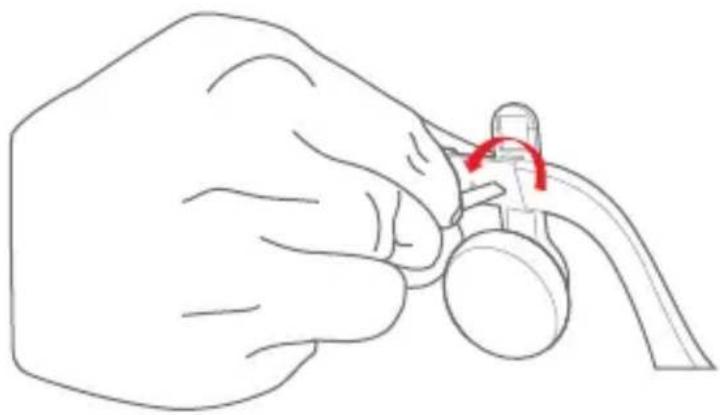
- Insert the audio tool* into the slot of the screw.

OR300
Quick Start Guide
- Turn the audio tool counter clockwise (to the left) to loosen the screw.
FR
Installation
A. Fixation de la tige audio
.הכלההוּרָהוּרָהוּרָהוּרָהוּרָהוּרָהוּרָהוּרָהוּרָהוּרָהוּרָהוּרָהוּרָהוּרָהוּרָה
- Driver:40mm dynamic driver
- Impedance: 32Ω
• Sensitivity:99dbSPL @1kHz 1mW
• Frequency response:10-20kHz
FR


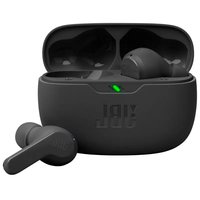


Brand : JBL
Model : OR300
Category : Earphones