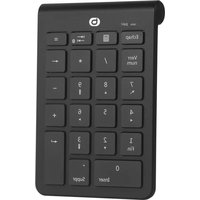
NK-10-SF - Keyboard Essentiel B - Free user manual and instructions
Find the device manual for free NK-10-SF Essentiel B in PDF.


| Product type | Wireless numeric keypad |
| Brand | Essentiel B |
| Model | NK-10-SF |
| Dimensions | 132 x 90 x 17 mm |
| Weight | 93 g |
| Power supply | 1 AAA battery (included) |
| Connectivity | Bluetooth 5.1 |
| Frequency band | 2402 - 2480 MHz |
| Transmission power | < 1 mW EIRP |
| Wireless range | 8 meters |
| Number of keys | 22 keys |
| Indicator light | Yes (red/green): battery, pairing, Num Lock |
| Automatic sleep mode | Yes |
| On/Off button | Yes |
| Minimum system requirements | Windows XP/Vista/7/8/10 |
| Box contents | Numeric keypad, AAA battery, user manual |
| Care and cleaning | Wipe with a soft cloth and a mild cleaning product. Do not use solvents. |
| Safety | Do not disassemble, avoid water and shocks, do not use near flammable gases or in hospitals/airplanes. |
| Battery recycling | Do not throw away with household waste. Follow local regulations. |
| Warranty | Warranty valid from purchase date, does not cover damage due to misuse. |
Frequently Asked Questions - NK-10-SF Essentiel B
User questions about NK-10-SF Essentiel B
0 question about this device. Answer the ones you know or ask your own.
Ask a new question about this device
Download the instructions for your Keyboard in PDF format for free! Find your manual NK-10-SF - Essentiel B and take your electronic device back in hand. On this page are published all the documents necessary for the use of your device. NK-10-SF by Essentiel B.
USER MANUAL NK-10-SF Essentiel B
To help you get the best out of your purchase
natural_image
Simple line drawing of a device casing with an arrow indicating upward motion (no text or symbols)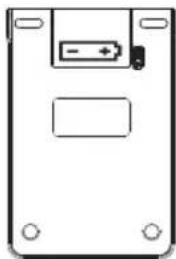
natural_image
Simple line drawing of a rectangular electronic device with a battery symbol and mounting holes (no text or labels)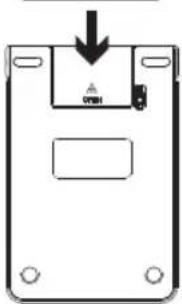
natural_image
Simple line drawing of a rectangular device with a downward arrow and a small inset component (no text or symbols)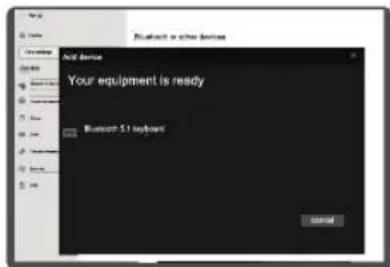
instructions for use
BEFORE USING THE DEVICE FOR THE FIRST TIME, PLEASE READ THESE SAFETY INSTRUCTIONS CAREFULLY AND KEEP THEM FOR FUTURE REFERENCE.
Warnings
- Never disassemble the numeric keypad yourself.
- Do not place the keypad near to a window where it will be exposed to direct sunlight.
- Do not place it in any area that could be subjected to splashes of water.
- Never put heavy objects on top of the keypad.
- Protect the keypad against any impact or excessive vibration.
- Clean the outer surface of the keypad by wiping with a mild cleaning product.
- To clean, do not use solvents such as petrol or alcohol, or any abrasive product or sponge.
- Prevent any liquids from penetrating the keypad.
- Your device transmits and receives radio frequencies of around 2.4 Ghz. These emissions can interfere with the operation of many electronic devices. To prevent accidents, turn off the numeric keypad when you are in the following locations:
- where flammable gas is present, in a hospital, train, plane or petrol station,
- near automatic doors or fire alarms.
- If you have a pacemaker or other prosthesis, ask your doctor for advice.
- The keypad operates within a radius of about 8 meters. The communication range may vary depending on obstacles (person, metal, wall, etc.) or the electromagnetic environment.
Battery recycling
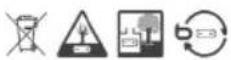
- Do not throw the battery away with household waste. In order to protect the environment, the batteries must be disposed of according to current regulations.
- Do not recharge the batteries, do not disassemble them, do not throw them into a fire.
- Do not expose it to high temperatures or direct sunlight.
- Do not burn it.
Ergonomics
Repetitive movements, especially those involving the same sets of muscles and joints may cause musculoskeletal injury. Typical symptoms include pain in the fingers, elbow or back of the neck. As a preventative measure, we suggest:
- That your workstation is laid out in an ergonomic way.
- The keyboard and mouse should be positioned in such a way that your arms and wrists lie at right angles to your body, and that they are extended.
• Take short breaks, if necessary accompanied by stretching exercises. - Change your body position often.
your product
Contents of the box
• 1 wireless numeric keypad
• 1 AAA LR03 battery
- 1 user manual
Minimum configuration required
- Windows® XP, Windows® Vista, Windows®* 7, Windows®* 8, Windows®* 10
Technical features
- Bluetooth®* 5.1
• Frequency range : 2402-2480 MHz
• Power : < 1 mW EIRP - Battery, pairing and keypad light on
- 22-key keypad
• Automatic standby mode - ON / OFF button
• Works with 1 AAA battery provided - Range: 8 m
• Dimensions: 132 x 90 x 17 mm
• Weight: 93 g
*This Essentiel b product is compatible with the brands listed (belonging to third parties with no links to Sourcing & Création).
Description of the numeric keypad
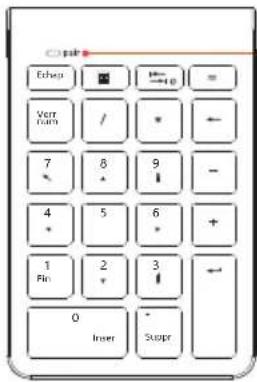
Indicator light
• Solid red light: numeric keypad in operation
- Flashing green light: pairing mode
• Solid green light: paired keypad
• Flashing red light: battery low
• Light off: keypad off or Num Lock function on
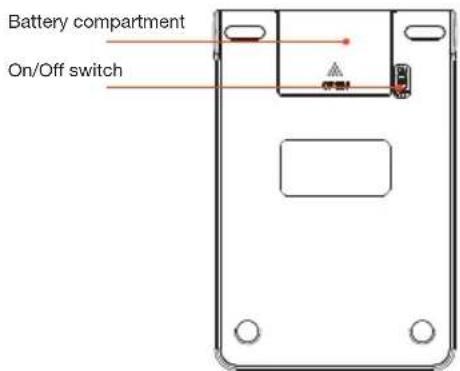
installation of the numeric keypad
Insertion of the battery
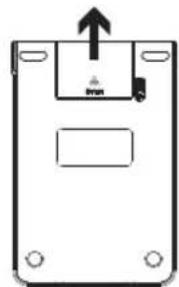
- Open the battery compartment located on the underside of the numeric keypad.
- Insert the AAA battery provided into the battery compartment ensuring the correct polarity.
- Put the compartment cover back.
natural_image
Simple line drawing of a rectangular device with a central component and an upward arrow, no text or symbols present.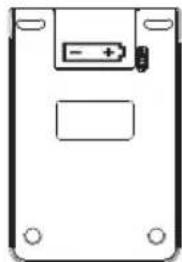
natural_image
Simple line drawing of a rectangular device with a battery symbol and mounting holes (no text or labels)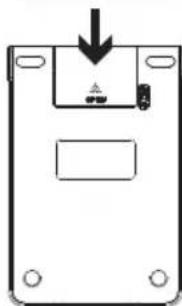
natural_image
Simple line drawing of a device casing with a downward arrow and mounting holes (no text or symbols)Installation and pairing
- Place the numeric keypad near to the PC to which you want to pair it.
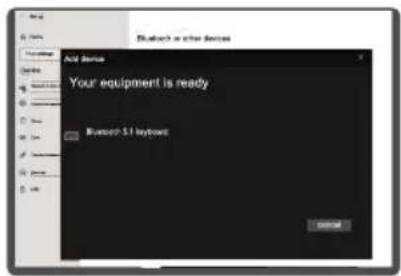
- Go to the Settings menu of your PC. In Settings > Bluetooth & other devices, activate the Bluetooth®* functionality.
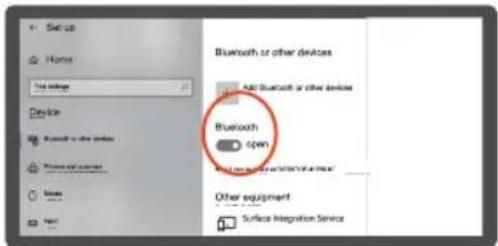
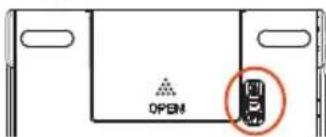
- Turn the switch at the back of the numeric keypad "ON". The red light on the front of the keypad remains on for three seconds.
-
Press on the TAB key of the keypad for three seconds. The green light flashes indicating that the device is in pairing mode.
-
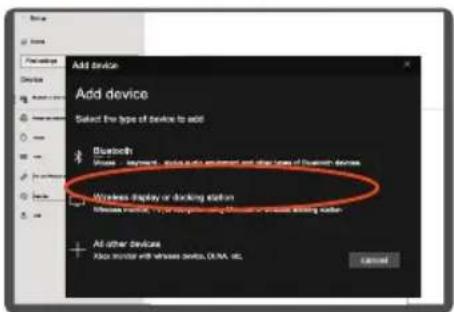
In the Settings menu of your PC, click on Add Bluetooth or other device. Select Bluetooth.
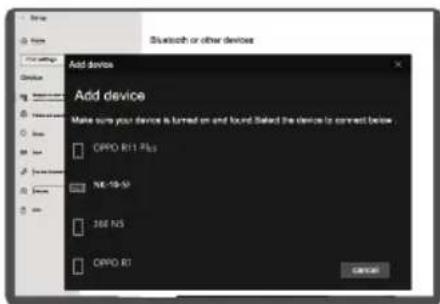
- From the list of available devices, select NK-10-SF. The installation starts automatically.
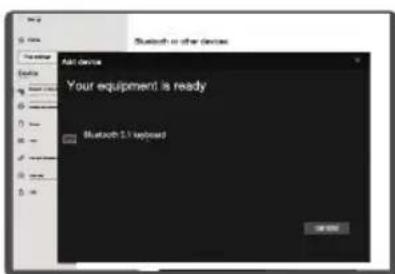
Note: once the pairing has been successfully completed, your PC will automatically recognise the numeric keypad while being used in the following ways (subject to activation of the Bluetooth®* functionality). You will just need to turn it on to use it.
declaration of conformity
The undersigned, Sourcing & Création hereby declares that the Essentiel b NK-10-SF wireless numeric keypad complies with directive 2014/53/EU.
The full text of the EU declaration of conformity is available from the following Internet address:
natural_image
Simple line drawing of a device casing with an upward arrow and mounting holes (no text or symbols)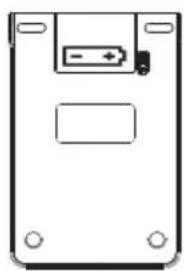
natural_image
Simple line drawing of a rectangular device with a battery symbol on top and four corner holes (no text or labels)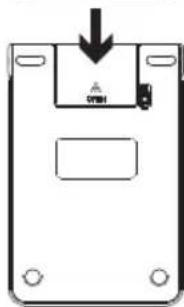
natural_image
Simple line drawing of a rectangular device with an upward arrow and mounting holes (no text or symbols)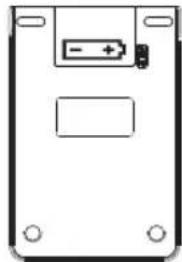
natural_image
Simple line drawing of a rectangular device with a battery symbol and mounting holes (no text or labels)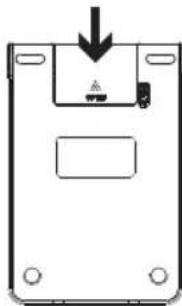
natural_image
Simple line drawing of a device casing with a downward arrow and internal components (no text or symbols)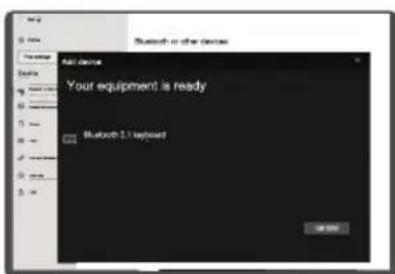
Minimale systeemeisen
- Windows® XP, Windows® Vista, Windows®* 7, Windows®* 8, Windows®* 10
natural_image
Simple line drawing of a device casing with an upward arrow and mounting holes (no text or symbols)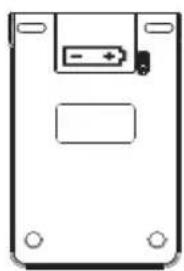
natural_image
Simple line drawing of a rectangular device with a battery symbol and mounting holes (no text or labels)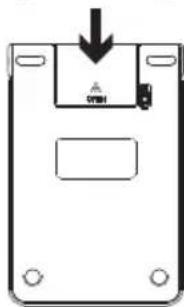
natural_image
Diagram of a floppy disk with a central slot and an arrow indicating compression (no text or symbols)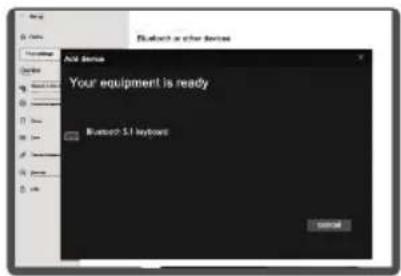
All information, designs, drawings and pictures in this document are the property of SOURCING & CREATION. SOURCING & CREATION reserves all rights to its brands, designs and information. Any copy and reproduction through any means shall be deemed and considered as counterfeiting.
Protection of the environment
This symbol attached to the product means that it is an appliance whose disposal is subject to the directive on waste from electrical and electronic equipment (WEEE). This appliance may not in any way be treated as household waste and must be subject to a specific type of removal for this type of waste. Recycling and recovery systems are available in your area (waste removal) and by distributors. By taking your appliance at its end of life to a recycling facility, you will contribute to environmental conservation and prevent any harm to your health.
Please behave responsibly towards the environment. Recycle this product at the end of its life.
Sea un ciudadano responsable con el medio ambiente. Recicle este producto al final de su vida útil. Zeigen Sie Umwaltbewusstsein: Recycein Sie dieses Produkt am Ende seiner Lebensdauer.
Tested in our laboratories
Warranty valid from the date of purchase (receipt as proof of purchase). This warranty does not cover defects or damage caused by improper set up, incorrect use, or normal wear and tear of this product.