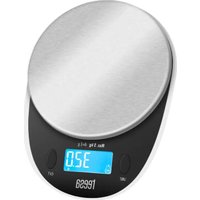
TSA0808 - Kitchen scales Teesa - Free user manual and instructions
Find the device manual for free TSA0808 Teesa in PDF.


| Product Type | Kitchen Scale |
| Brand | Teesa |
| Model | TSA0808 |
| Maximum Capacity | 5 kg |
| Minimum Capacity | 3 g |
| Accuracy | 1 g |
| Measurement Units | g, ml, fl.oz, lb:oz |
| Display | LCD display with backlight |
| Power Supply | 3 AAA batteries (not included) |
| Functions | Weighing, tare, water and milk volume measurement, unit change |
| Auto-off | After 2 minutes of inactivity |
| Overload Indication | Display "Err" |
| Low Battery Indication | Display "Lo" |
| Material | Plastic and glass (weighing surface) |
| Maintenance | Clean with a soft damp cloth, do not immerse |
| Safety Instructions | Use on a flat and stable surface, avoid moisture and drops |
| Repairability | Do not disassemble or repair yourself, contact a professional |
| Intended Use | Indoor, household use only |
| Accessories Included | None (batteries not included) |
| Warranty | Not specified in the manual |
Frequently Asked Questions - TSA0808 Teesa
User questions about TSA0808 Teesa
0 question about this device. Answer the ones you know or ask your own.
Ask a new question about this device
Download the instructions for your Kitchen scales in PDF format for free! Find your manual TSA0808 - Teesa and take your electronic device back in hand. On this page are published all the documents necessary for the use of your device. TSA0808 by Teesa.
USER MANUAL TSA0808 Teesa
natural_image
Black-and-white still life of fresh cherries in a bowl, placed on a table with decorative leaves (no text or symbols visible)TSA0808
Návod k obsluze
Bedienungsanleitung
Owner's manual
1.Vážicí povrch
4.Displej
2.Kryt baterie
natural_image
Simple line drawing of a rounded rectangular plate with four circular holes and a labeled point '2' on top (no text or symbols beyond the number)- Display
- Taste EIN/TARA (ON/TARE)
BEDIENUNG
Symbole am Display
Thank you for purchasing TEESA appliance. Read the entire instruction manual before start installation and assembly and keep it for future reference. Producer does not take responsibility for damages caused by inappropriate handling and use of the product.
SAFETY INSTRUCTIONS
Follow basic safety rules when operating the device, and follow instructions below:
- Read the entire instruction manual before you start installation and assembly and keep it for future reference.
- Place the device on a flat and stable surface.
- The device is not waterproof. Do not place the device in water or any liquid. Pr the scale from moisture.
- Device is intended for indoor use only.
- This device is intended for household use; it cannot be used for medical or commercial usage.
- The device is not a toy. Keep the device away from children.
- Protect the device from moisture, heatsources, direct sunlight and extreme temperatures.
- Protect the device from heavy pressure.
- Do not use the device if it has been water damaged or malfunctions.
- Protect this device from falling.
- Protect this device from strong magnetic environment. Storing and using in such environment may cause inaccurate readings.
- Do not overload the device.
- Do not use this device immediately after moving it from cold to warm temperature. Condensation will lead to moisture, which can damage the device. Before use, measure that the device reaches room temperature.
- Pay attention to correct battery polarization.
- Take out the batteries, if the device is not going to be used for a long time.
- Keep the batteries away from children.
- Both batteries should be replaced. Do not mix old and new batteries.
- Do not attempt to repair this device yourself. Only authorized and qualified person may repair this device. Never disassemble this device.
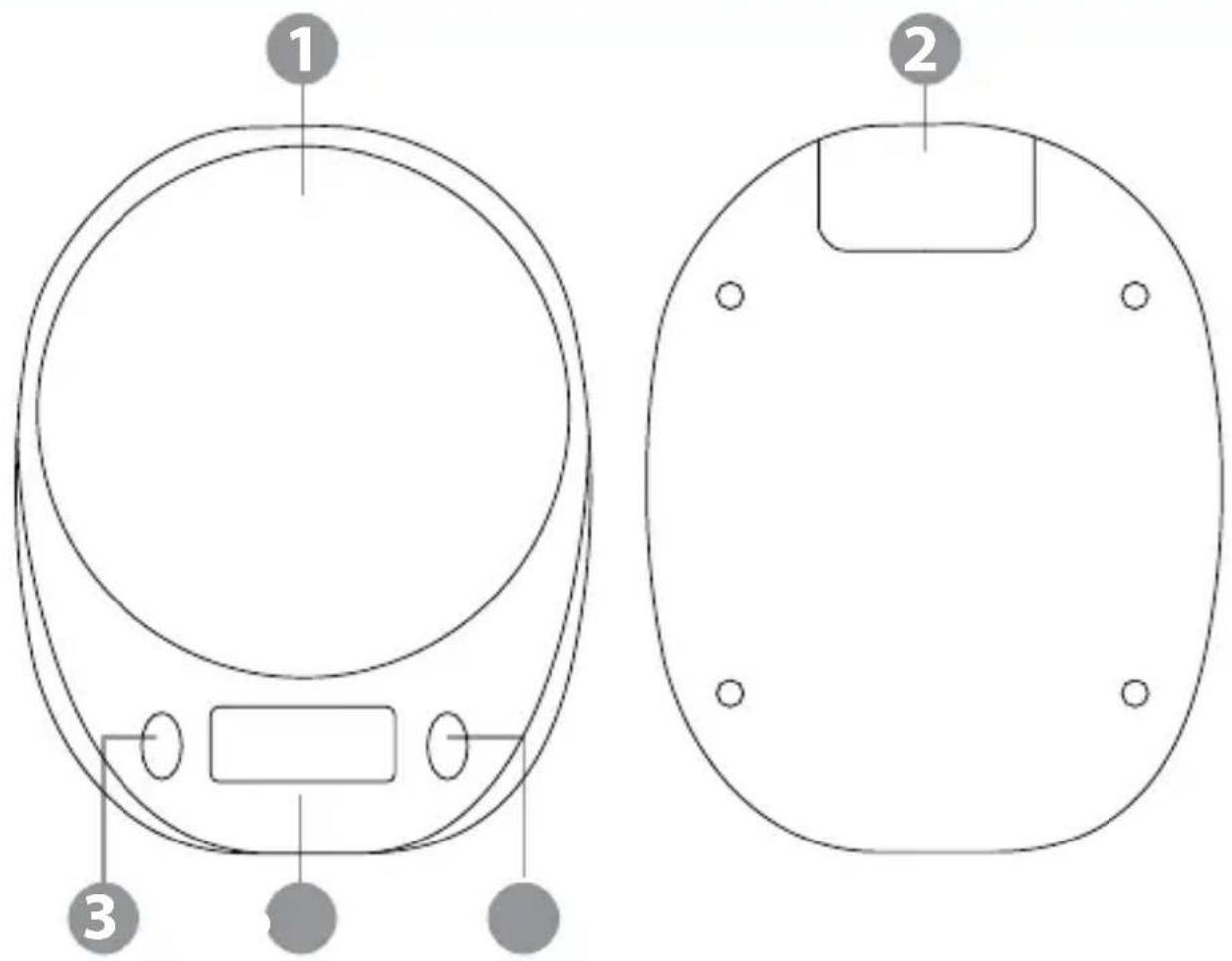
PRODUCT DESCRIPTION
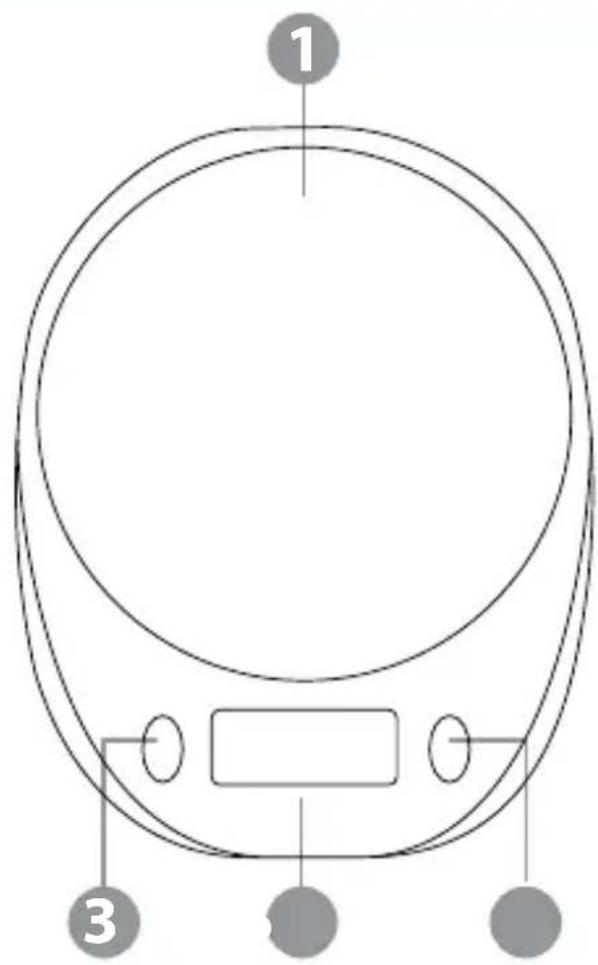
- Weighing surface
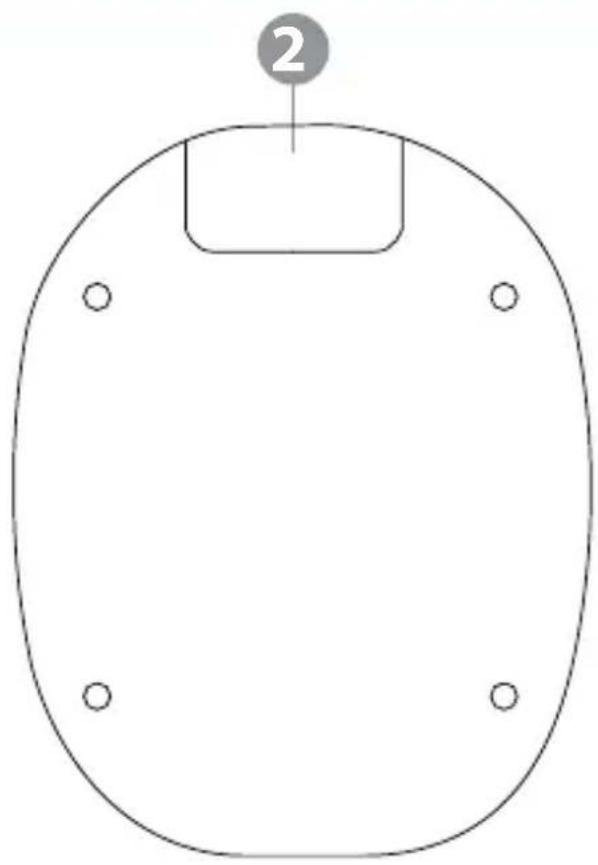
2.Battery compartment cover - UNIT button (change unit)
natural_image
Simple line drawing of a rounded rectangular plate with four circular holes and a labeled point '2' on top (no text or symbols beyond the number)- Display
5.Turn on/tare button
OPERATION
Symbols on the display
- Weighing

• Measuring water volume
• Measuring milk volume
- Tare symbol T

Attention: before first use, remove the rubber stands securing the weighing platform
Weighing
- Place the device on a flat and stable surface.
- Press the turn on/tare button. The display will show all elements for 3 seconds. T display will show value 0. If another value appears, press the turn on/tare button.
- Note: if the ambient temperature changes more than 5^ C, wait 30 minutes.
- Press the UNIT button to change the unit. Press and hold the UNIT button to switch between metric and imperial units.
- Place the object on the weighing surface. The weight will appear on the display.
- If the object exceeds the weighing range, the display shows "Err".
- To turn off the scale, press and hold the turn on/tare button. The scale will turn automatically after two minutes of idle.
Measuring volume of water/milk
- Turn on the scale and select the measuring water/milk mode. Wait until the display stabilizes. Place the measuring container on the weighing surface.
- Press the turn on/tare button. The display will show value 0.
- Press the UNIT button to change the unit. Press and hold the UNIT button to switch between metric and imperial units.
- Pour the water or milk to the measuring container. The volume of the liquid in the measuring container will be displayed.
- Keep in mind that the measuring container includes in weighing capacity of the s We recommend using as light a measuring container as possible
Tare function
- Turn on the scale and place an empty measuring container. Wait until the display stabilizes.
- Press the turn on/tare button. The T icon will appear on the display.
- Place the object you wish to weigh in the measuring container. The weight of the object in the measuring container will be displayed.
- Keep in mind that the measuring container includes in weighing capacity of the s We recommend using as light a measuring container as possible.
BATTERY REPLACEMENT
- If the display shows "Lo", replace the batteries.
- Remove the battery compartment cover.
• Take out old batteries and insert new ones, according to polarity. - Close the battery compartment cover.
CLEANING
- Do not use any chemical agents to clean this device.
- Do not place the device on water or any liquid.
- Do not apply too much pressure on the device while cleaning.
- To clean the device, use only clean, soft cloth. To remove stains, use slightly dam cloth. You may use a little soap.
SPECIFICATION
• Maximum load: 5 kg
• Minimum load: 3 g
- Division: 1 g
- Units: g, ml, fl.oz, lb:oz
• Function keys (UNIT, tare/power)
• LCD display (with backlight)
• Power supply: 3x AAA battery
English Correct Disposal of This Product (Waste Electrical & Electronic Equipment)

(Applicable in the European Union and other European countries with separate collection systems) This marking shown on the product or its literature, indicates that should not be disposed with other household wastes at the end of its working life. prevent possible harm to the environment or human health from uncontrolled waste disposal, please separate this from other types of wastes and recycle it responsibly to promote the sustainable reuse of material resources. Household users should contact either the retailer where they purchased this product, or their local government officer for details of where and how they can take this item for environmentally safe recycle. Business users should contact their supplier and check the terms and conditions of the purchase contract. This product should not be mixed with other commercial wastes for disposal.
Made in China for LECHPOL ELECTRONICS Sp. z o.o. Sp.k., ul. Garwolińska 1, 08-400
1.Επιφάνεια ζύγισης
4.0θόνη
- Mérőfelület
4.Kijelző
2.Elemtartó fedél
PRODUCT BESCHRIJVING
natural_image
Simple line drawing of a rounded rectangular plate with four circular holes and a numbered label '2' on top (no text or symbols within the shape)măsură)
4.Ecran
5. Buton pornire/tarare
FUNCTIONARE
1.Vážiaca plocha
4.Displej
2.Kryt batérií
5.Tlačidlo zapnutia/nulovania
3.TlačidloUNIT(zmenajednotkyhmotnosti)
POUŽÍVANIE
Symboly na displeji
- Meranie objemu vody
- Symbol nulovania T
SK