H32K85FFX - TV HAIER - Free user manual and instructions
Find the device manual for free H32K85FFX HAIER in PDF.


User questions about H32K85FFX HAIER
0 question about this device. Answer the ones you know or ask your own.
Ask a new question about this device
Download the instructions for your TV in PDF format for free! Find your manual H32K85FFX - HAIER and take your electronic device back in hand. On this page are published all the documents necessary for the use of your device. H32K85FFX by HAIER.
USER MANUAL H32K85FFX HAIER
natural_image
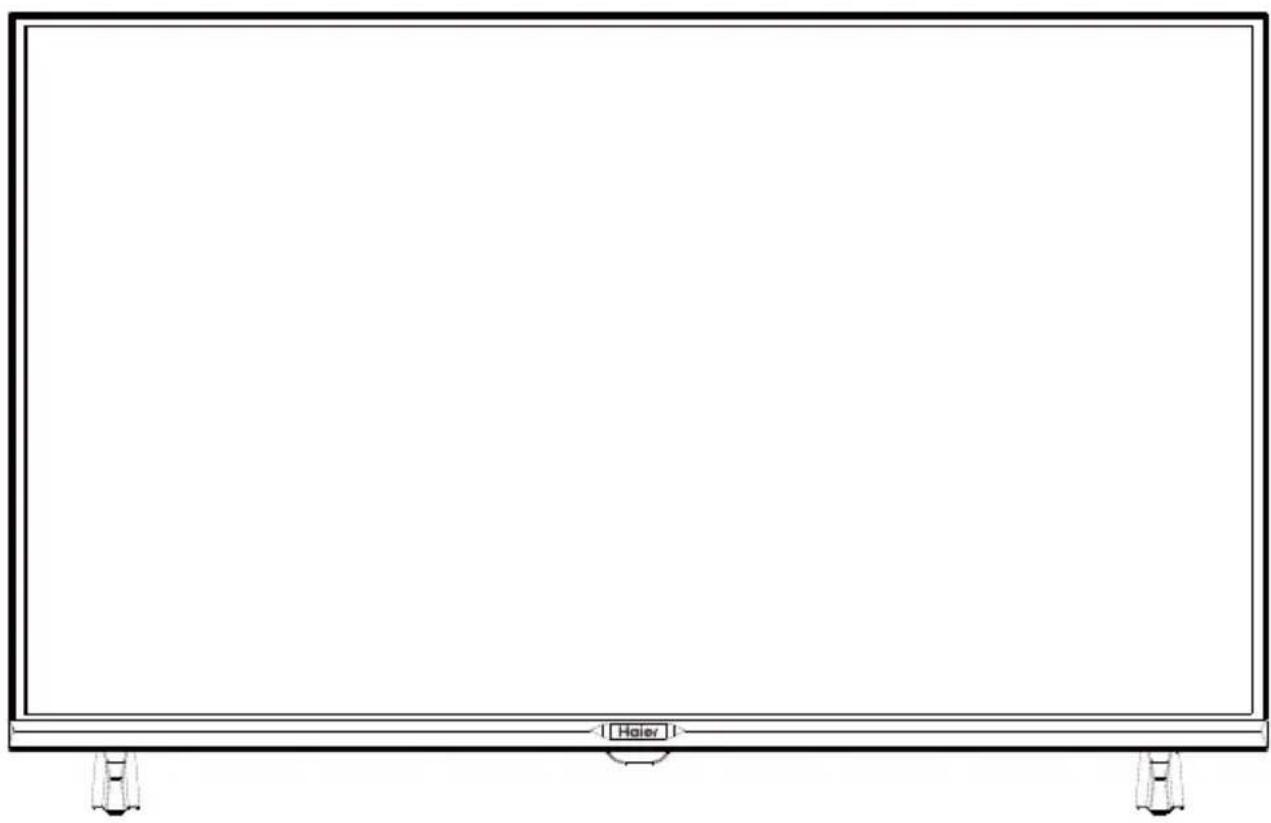
Line drawing of a blank rectangular TV screen with no text, numbers, or symbols on the screen area.Illustration in this guide are provided for reference only and may differ from actual product appearance.
Product design and specification may be changed without notice.
1) Read these instructions.
2) Keep these instructions.
3) Heed all warnings.
4) Follow all instructions.
5) Do not use this product near water.
6) Clean only with dry cloth.
7) Do not block any ventilation openings, install in accordance with the instructions.
8) Do not install near any heat sources such as radiations, heat registers, stoves, or other apparatus (including amplifiers) that produce heat.
9) If the provided plug does not fit into your outlet, consult an electrician for replacement of the obsolete outlet.
10) Protected the power cord from being walked on or pinched particularly at plugs, convenience receptacles, and the point where they exit from the apparatus.
11) Only use attachments/accessories specified by the manufacturer.
12) Unplug this apparatus during lighting storms or when unused for long periods of time.
13) Refer all servicing to qualified service personnel. Servicing is required when the apparatus has been damaged in any way, such as power-supply cord or plug is damaged, liquid has been spilled or objects have fallen into the apparatus, the apparatus has been exposed to rain or moisture, does not operate normally, or has been dropped.
14) Mains plug is used as the disconnect device, the disconnect device shall remain readily operable.
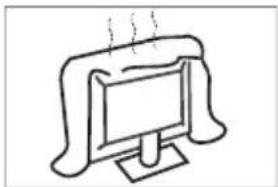
15) The ventilation should not be impeded by covering the ventilation openings with items, such as newspapers, table-cloth, curtains, etc.
16) No naked flame sources, such as lighted candles, should be placed on the apparatus.
17) Attention should be drawn to the environmental aspects of battery disposal.
18) The use of apparatus in moderate climate.
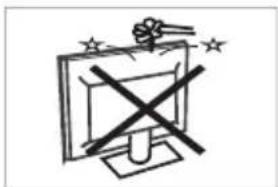
19) The apparatus shall not be exposed to dripping or splashing and that no objects filled with liquids, such as vases, shall be placed on the apparatus.
20) Warning: To avoid any injury caused by lean of the product, please always ensure the whole product was placed within the table surface in horizontal.

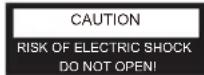

CAUTION
TO REDUCE THE RISK OF ELECTRIC SHOCK, DO NOT REMOVE COVER (OR BACK). NO USER SERVICEABLE PARTS INSIDE. REFER SERVICING TO QUALIFIED SERVICE PERSONNEL.

The symbol indicates that dangerous voltages constituting a risk of electric shock are present within this unit.

The symbol indicates that there are important operating and maintenance instructions provided in the user manual given with this unit.
WARNING:
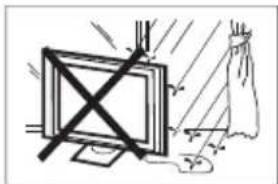
To reduce the risk of fire or electric shock, do not expose this apparatus to rain or moisture.
WARNING:
The batteries shall not be exposed to excessive heat such as radiators, fire or the like.

This symbol indicates AC voltage.
This symbol indicates DC voltage.
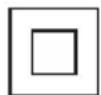
This symbol indicates that this product incorporates double insulation between hazardous mains voltage and user accessible parts. When servicing use only identical replacement parts.
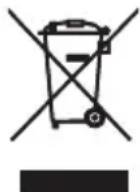
This marking indicates that this product should not be disposed with other household wastes. To prevent possible harm to the environment or human health from uncontrolled waste disposal, recycle it responsibly to promote the sustainable reuse of material resources. To return your used device, please use the return and collection systems or contact the retailer where the product was purchased. They can take this product for environmental safe recycling.
EU Battery Regulation

This symbol on the battery(ies) or on the packaging indicates that the battery(ies) provided with this product shall not be treated as household waste. Instead, please separate battery(ies) from other types of waste and recycle it(them) through your local recycling system to protect environment and health.
The chemical symbol for lead (Pb) is added under this symbol if the battery(ies) contains more than 0.004 % lead. For more detailed information about recycling of this battery(ies), please contact your local authority or the shop where you purchased the product or battery(ies).
Caution:
A display may fall, causing serious personal injury or death. Many injuries, particularly to children, can be avoided by taking simple precautions such as:
• ALWAYS use cabinets or stands or mounting methods recommended by the manufacturer of the television set.
• ALWAYS use furniture that can safely support the television set.
- ALWAYS ensure the television is not overhanging the edge of the supporting furniture.
• ALWAYS educate children about the dangers of climbing on furniture to reach the television or its controls.
• ALWAYS route cords and cables connected to your television so they cannot be tripped over, pulled or grabbed.
- NEVER place the television set in an unstable location.
- NEVER place the television set on tall furniture (for example, cupboards or bookcases) without anchoring both the furniture and the display to a suitable support.
- NEVER place the television set on cloth or other materials that may be located between the television set and supporting furniture.
- NEVER place items that might tempt children to climb, such as toys and remote controls, on the top of the television set or furniture on which the television set is placed.
If the existing television set is going to be retained and relocated, the same considerations as above should be applied.
Dolby Audio
Manufactured under license from Dolby Laboratories. Dolby, Dolby Audio, and the double-D symbol are trademarks of Dolby Laboratories Licensing Corporation.

The terms HDMI, HDMI High-Definition Multimedia Interface, HDMI Trade dress and the HDMI Logos are trademarks or registered trademarks of HDMI Licensing Administrator, Inc.
H32K85FFX
European Energy Label EPREL registration number: 2265315
https://eprel.ec.europa.eu/qr/2265315
natural_image
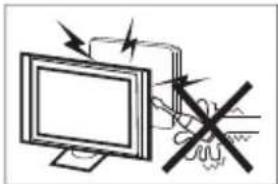
Illustration of a computer monitor with an explosion symbol and a crossed-out hand (no text or labels)High voltages are used in the operation of this television receiver. Do not remove the cabinet back from your set. Refer servicing to qualified service personnel.
natural_image
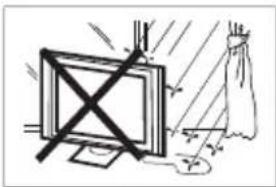
Simple line drawing of a monitor with a cross symbol crossed out, and a rope tied to a cloth (no text or symbols)To prevent fire or electrical shock hazard, do not expose the television receiver to rain or moisture.
natural_image
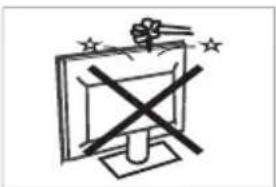
Simple line drawing of a computer monitor with a cross symbol and stars (no text or labels)Do not drop or push objects into the television cabinet slots or openings. Never spill any kind of liquid on the television receiver.
natural_image
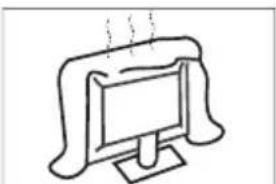
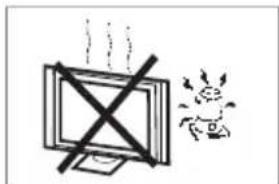
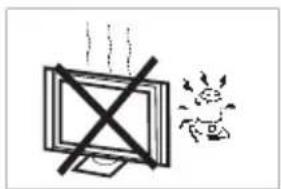
Simple line drawing of a computer monitor with a curved top and base, emitting exhaust smoke (no text or symbols)Do not block the ventilation holes in the back cover. Adequate ventilation is essential to prevent failure of electrical components.
natural_image
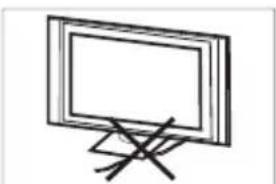
Simple line drawing of a flat-screen monitor on a stand with a cross mark (no text or symbols)Do not trap the power supply cord under the television receiver.
natural_image
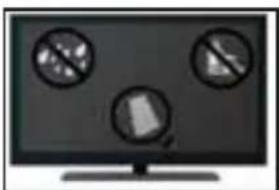
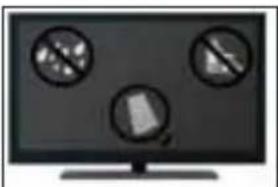
Computer monitor displaying three prohibition symbols (no text or labels visible)If you are going to clean the product, unplug the TV, use soft fabric, no water, never chemicals.
natural_image
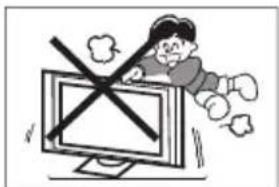
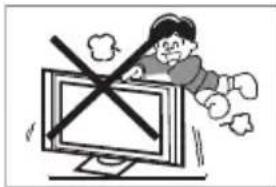
Cartoon illustration of a person running away from a computer monitor with a crossed-out X symbol (no text or numbers present)Never stand on, lean on, or suddenly push the television or its stand. You should pay special attention to children. Serious injury may result if it falls.
natural_image
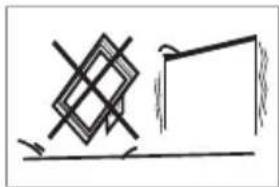
Simple line drawing of a geometric shape with intersecting lines and a vertical line (no text or symbols)Do not place your television on an unstable cart, stand, shelf or table. Serious injury to an individual, and damage to the television, may result if it falls.
natural_image
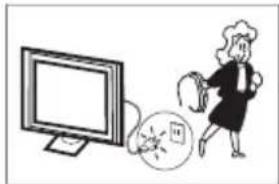
Illustration of a woman running away from a computer screen next to a broken circular object (no text or symbols)When the television receiver is not used for an extended period of time, it is advisable to disconnect the AC power cord from the AC outlet.
natural_image
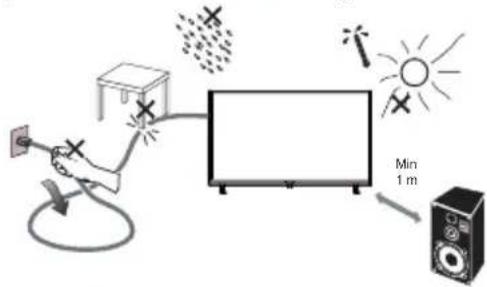
Simple line drawing of a monitor with a cross symbol and a small sun icon (no text or symbols)Avoid exposing the television receiver to direct sunlight and other sources of heat. Do not stand the television receiver directly on other products which give off heat, e.g. video cassette players and audio amplifiers. Do not place naked flame sources, such as lighted candles on the television.
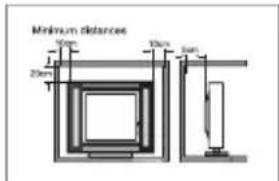
If the television is to be built into a compartment or similar enclosure, the minimum distances must be maintained. Heat build-up can reduce the service life of your television, and can also be dangerous.
Note: the use of apparatus in moderate climates.
Note: This product uses a panel consisting of sub pixels which require sophisticated technology to produce. However, there may by a few bright or dark pixels on the screen. These pixels will have no impact on the performance of the product.
IMPORTANT: Do not apply pressure to the screen display area which may compromise the integrity of the display. The manufacturer's warranty does not cover user abuse or improper installations.
ATTACHING THE STAND
IMPORTANT: The stand of the TV must be assembled prior to usage.
-
Place the TV unit face down on a soft and flat surface (blanket, foam, cloth, etc.) to prevent any damage to the TV.
-
Fix the stands to the bottom of the TV with 4 screws.

natural_image
Technical line drawing of a computer chassis with ventilation slots and connectors (no text or symbols)PREPARING YOUR LED TV FOR WALL MOUNTING
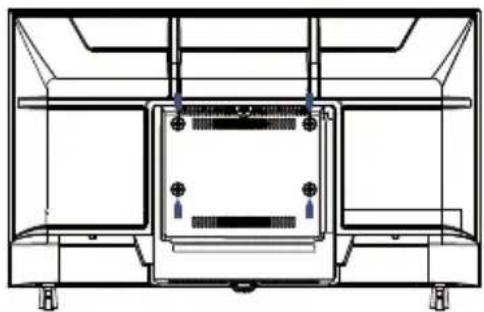
We suggest that you keep your TV at least 2.36 inches (60 mm) from the wall to prevent cable interference. Before mounting your TV on the wall, you need to remove the stantand.
For your safety, please use only with a UL listed wall mount bracket with minimum weight of the TV without stand.
To attach a wall mount bracket to your TV:
- Remove the screws holding your TV to the stand.
- Remove the stand from your TV.
- Secure the wall mount bracket to the back of your TV using four screws. Follow the instructions of the user manual that came with the wall mount bracket to install.
natural_image
Technical line drawing of a mechanical or electrical enclosure with mounting feet and internal components (no text or symbols)
NOTE
The wall mount bracket are not included.
- Fix the wall mount screws (M6 x 10mm/4pcs) into the rear side of the LED TV, using the torque of 8kgf,cm.
TURNNING ON THE TV
- Install the stand and place the TV on a solid surface.

NOTE
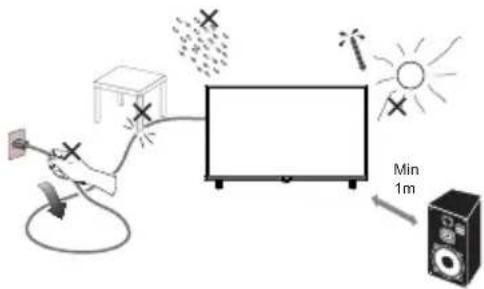
- Ensure that the TV is placed in a position to allow free flow of air. Do not cover the ventilation openings on the back cover.
• To prevent any unsafe situations, no naked flame sources, such as lighted candles, should be placed on or in the vicinity. -
Avoid heat, direct sunlight and exposure to rain or water.
The equipment shall not be exposed to dripping or splashing. -
Connect the antenna cable or cable TV cable to the ANT IN aerial socket on the back of the TV set.
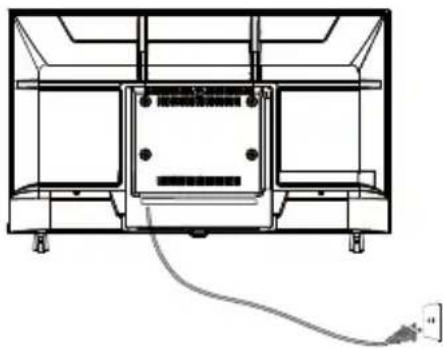
- Power: Plug the cord into a working power outlet.
natural_image
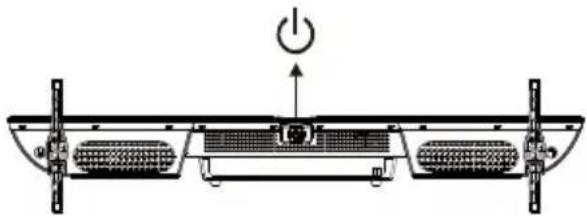
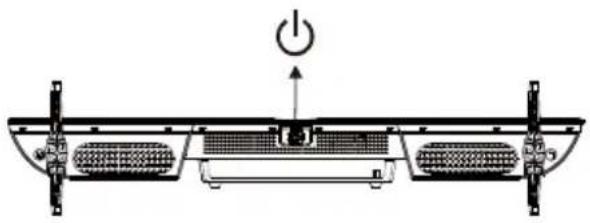
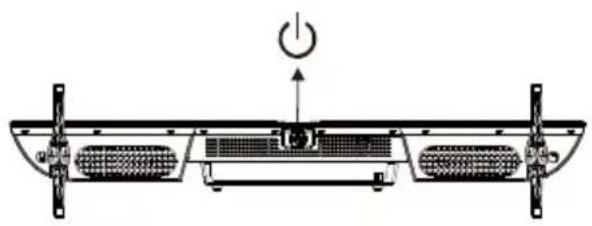
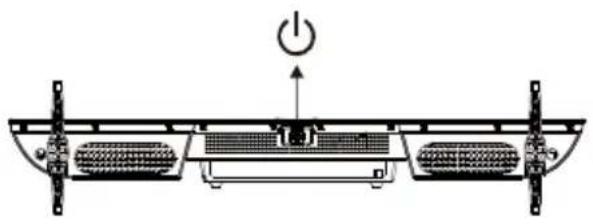
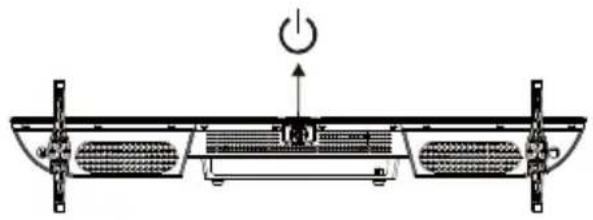
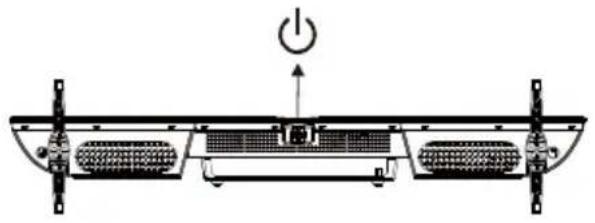
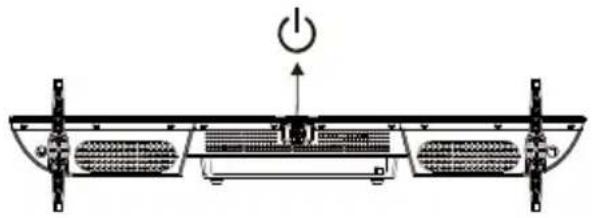
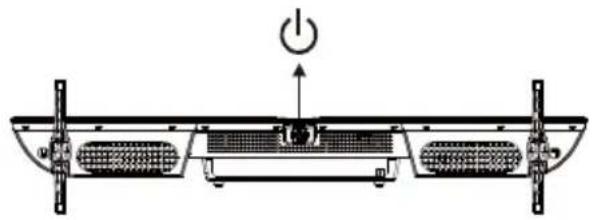
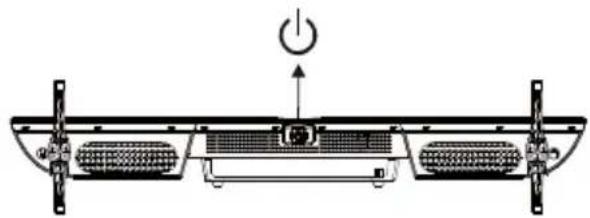
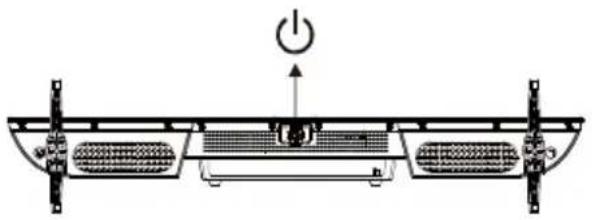
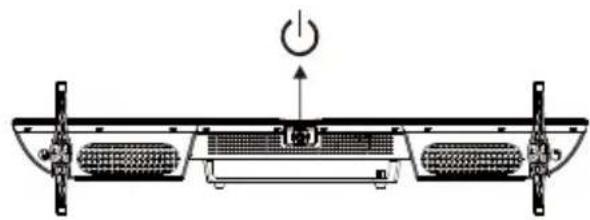
Technical line drawing of a mechanical or electrical enclosure with internal components and wiring (no text or symbols)- Turn the TV on: Press ⏻ on the remote control or POWER button at the bottom of the TV.
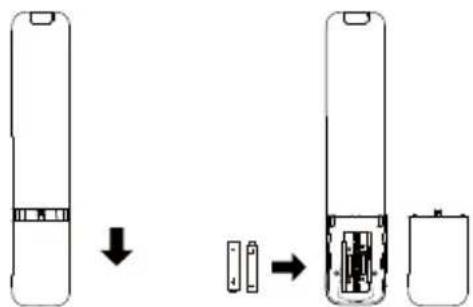
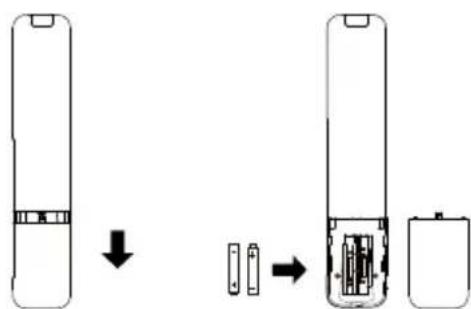
- Battery Remove the cover of the battery compartment. Insert the 2 batteries (Type AAA 1.5V).
BUTTON CONTROL
natural_image
Technical diagram of a mechanical or electrical component with no visible text, numbers, or symbols.ACCESSORIES
Remote Control - 1 pcs
User's Manual - 1 pcs
Stands - 2 pcs
Screws - 4 pcs
Warranty Card - 1 pcs
CE Leaflet - 1 pcs
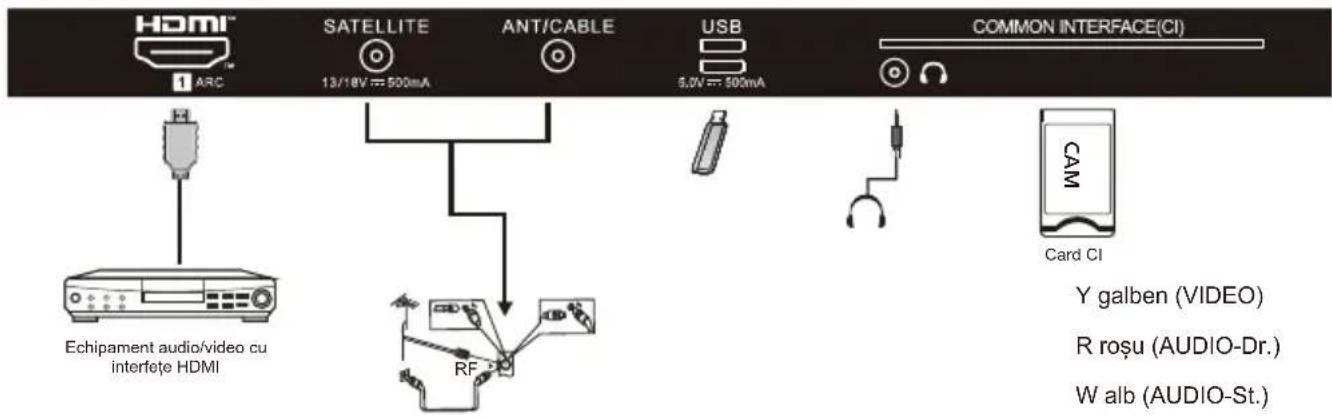
REAR AV Connections(SIDE)

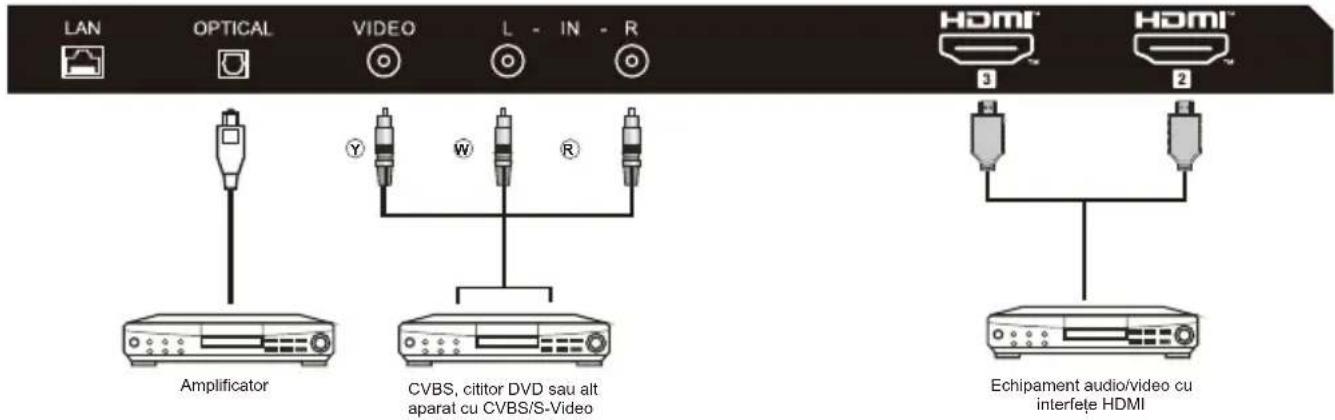
All the terminals are(from left to right):
HDMI1(ARC), SATELLITE, ANT IN(ANTENNA/CABLE), USB, HEADPHONE, COMMON INTERFACE(CI).
REAR AV Connections

All the terminals are(from left to right):
LAN, OPTICAL, AV IN adapter, HDMI3, HDMI2.
AV EQUIPMENT
This TV provides one group of AV for convenient connection to VCR, DVD or other video equipment.
Please refer to the owner's manual of the equipment to be connected as well.
You can use the input terminals on TV set rear as follows.
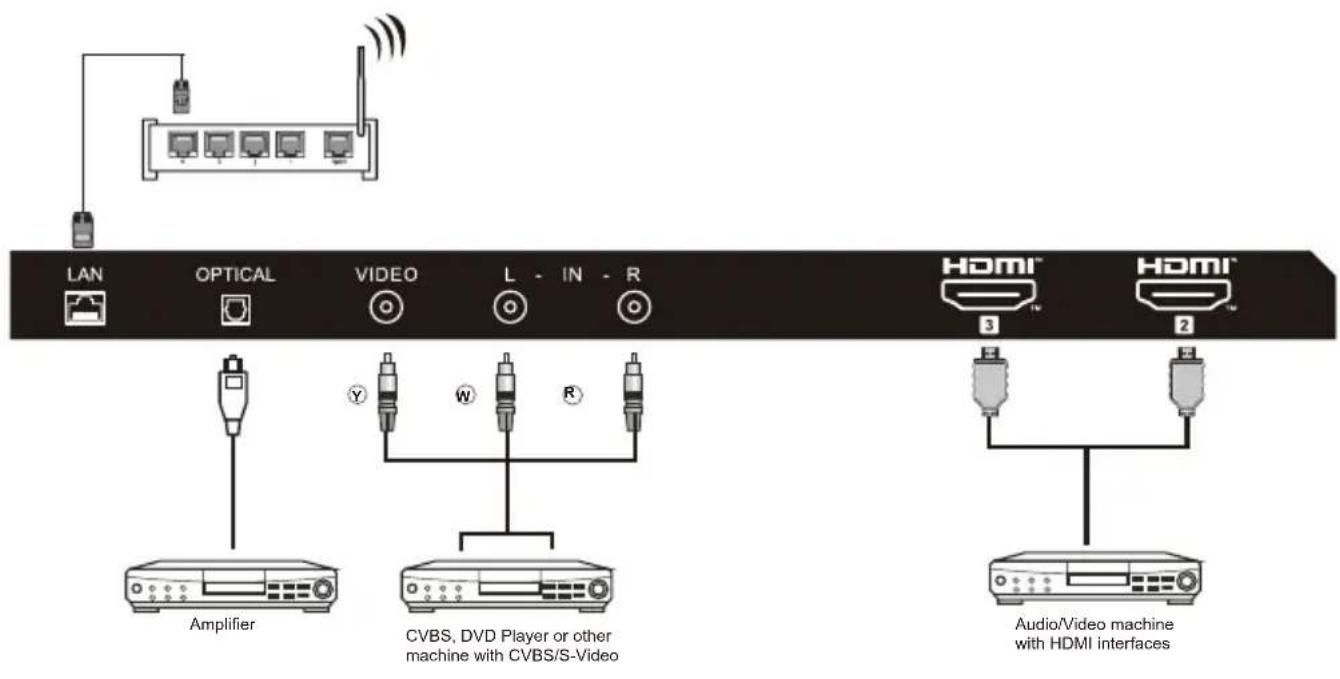
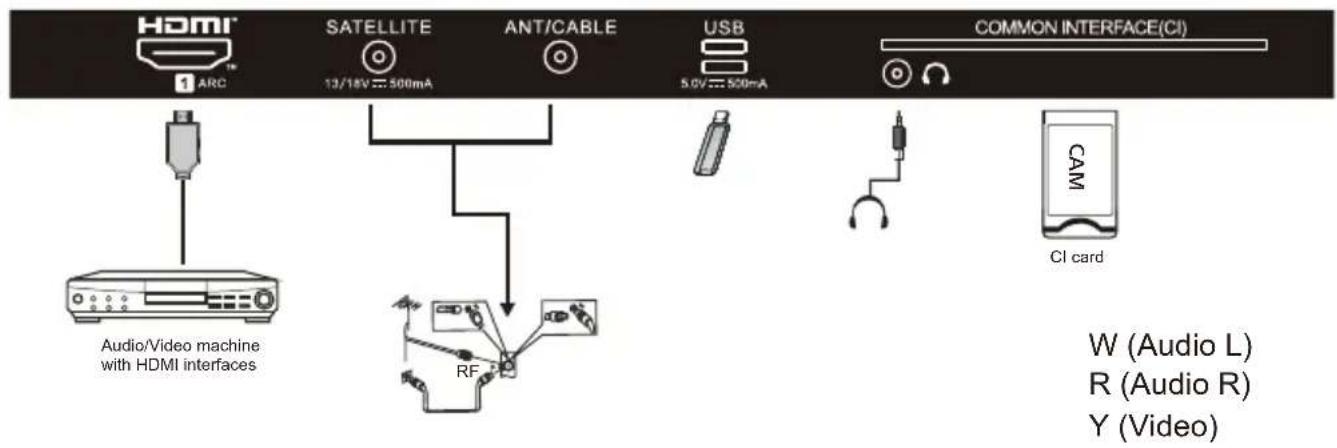
It can be connected to the following appliances: VCR, multi disc player, DVD, camcorder, video game or stereo system, etc
Note:
Sometimes it will not support in different device because the device supplies nonstandard signal.

| # | Item | Descriptions |
| 1 | Power | Press to turn the TV on or off. When your TV is off, power still flows through it. To completely disconnect power, unplug the power cord. |
| 2 | Press to open the input source list. | |
| 3 | ●●●● | Press to open Soft Keyboard. |
| 4 | 0~9 number | Press to enter a TV channel number. |
| 5 | It is used to enter channel numbers with various digit counts, e.g. 1 – 11 – 111. | |
| 6 | Press to open the Google Assistant. | |
| 7 | Press to open user account page. | |
| 8 | OK | Enter the selected option or perform the selected operation. |
| # | Item | Descriptions |
| 9 | ▲▼◀▶ | Press to navigate the on-screen menu. |
| 10 | ← | Return to the previous menu. |
| 11 | Press to open the Home Page. | |
| 12 | MENU≡ | Press to open or close the on-screen menu. |
| 13 | VOL+/VOL- | Press VOL+ or VOL- to adjust volume level. |
| 14 | TEXT | Press to select the teletext mode. |
| 15 | SUBTITLE | Open or close subtitle. |
| 16 | Press to reverse playback in multimedia & Timeshift mode. | |
| 17 | Switch to the previous file when the audio or video is playing. | |
| 18 | II (Pause) | Press to pause in multimedia mode&Timeshift mode. |
| 19 | ●(REC) | Press to record the TV program you are watching in DTV mode. |
| 20 | NETFLIX | Press to open the NETFLIX. |
| 21 | prime video | Press to prime video for viewing online TV shows and films(internet connection required). |
| 22 | YouTube | Press to open the YouTube. |
| 23 | Coloured buttons | Implement the relevant operations according to the prompt at the botton of the menu in the text. |
| 24 | Press to open the mute. | |
| 25 | MEDIA | Press to open multimedia player. |
| 26 | INFO | Press to display the channel information. |
| 27 | Press to open the settings menu. | |
| 28 | Press to display electronic programme guide in TV mode. | |
| 29 | CH-/CH- | Press CH^ or CH▼ to change TV channels. |
| 30 | EXIT | Exit menu or operation. |
| 31 | AUDIO | Press to select Mono, Nicam, Stereo for ATV channel, Audio language for DTV channels. |
| 32 | ▶▶(forward) | Press to fast forward in multimedia &Timeshift mode. |
| 33 | ▶(play) | Press to play in multimedia mode &Timeshift mode. |
| 34 | Switch to the next file when the audio or video is playing. | |
| 35 | FAV | Quickly add the current channel to the favorite Show list or remove it from the favorite list under ATV and DTV. |
| 36 | Press to stop multimedia playback, REC & Timeshift mode. | |
| 37 | Press to open the Live TV. | |
| 38 | Press to open the app list. | |
| 39 | YouTube Music | Press to open the YouTube Music. |
INITIAL SETUP
The first time you turn on your TV, the setup wizard will guide you through setting up basic settings. Please according to the Text Tip to First Time Setup.
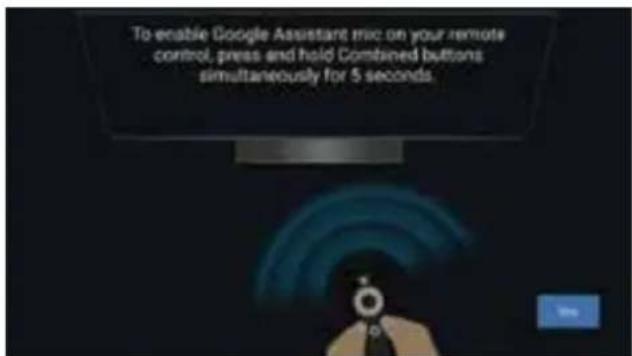
This function is used for the remote control pair code. After the code is successful, you can use the Bluetooth remote control to operate the TV.
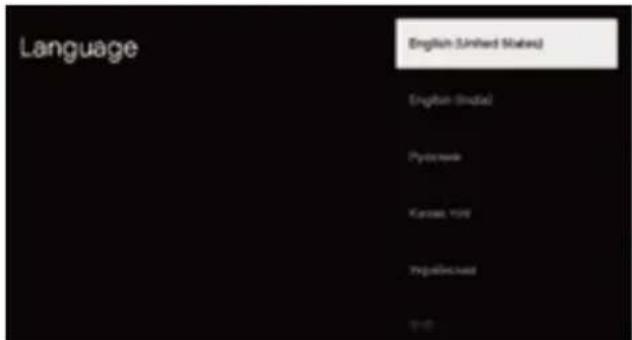
Press ▲/▼ to select the system language and press OK to confirm the language.
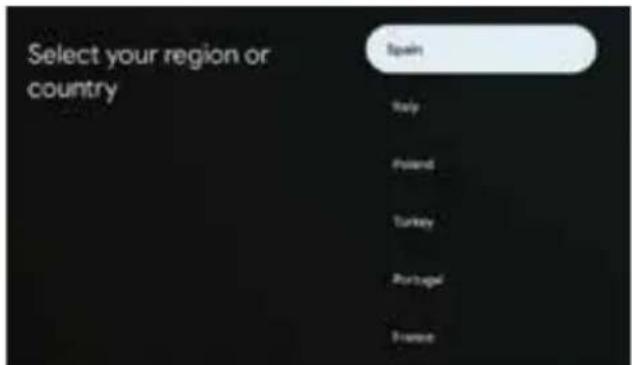
Press ▲/▼ to select the region/country of your device and press OK to confirm.
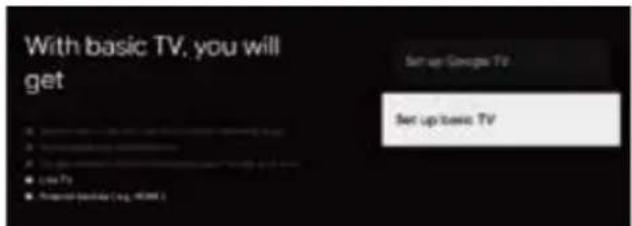
Press ▲/▼ to select the "Set up basic TV" of your device and press OK to complete the setup.
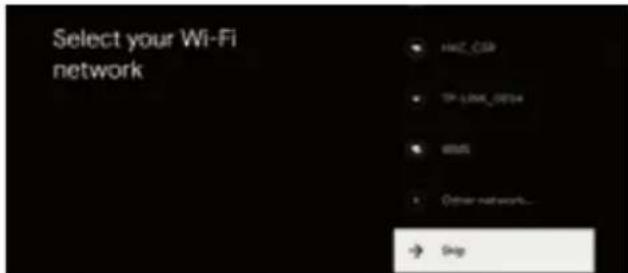
Press ▲/▼ to select the wifi to connect, press OK and enter the password to confirm the connection is successful.
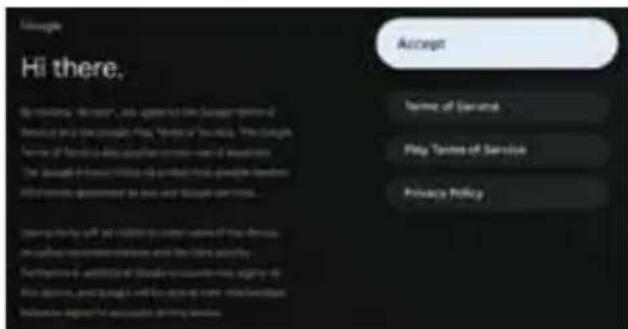
By accepting the Google Terms of Service to improve the product experience, select "Accept" to accept this condition.

Used to set your device's password to ensure security and privacy.
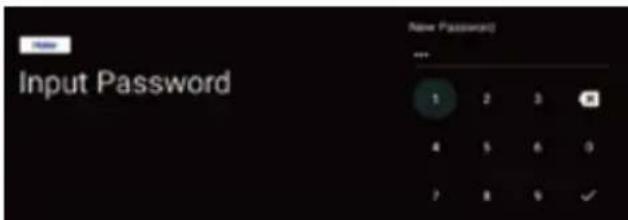
Use the remote control/soft keyboard to enter the 4-digit password auto-matically jump to the next interface.
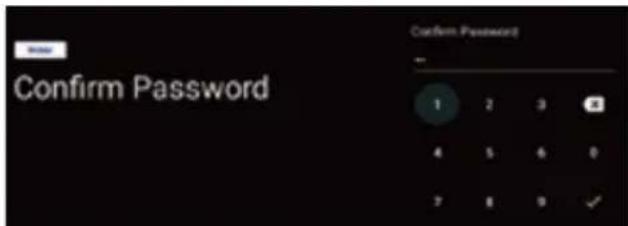
Confirm the password again and keep it consistent. Use the remote control /soft keyboard to enter the password andcomplete the password.
OPERATING INSTRUCTIONS
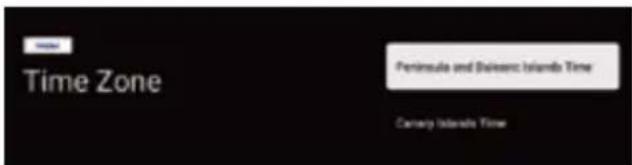
Press ▲/▼ key to select the correct time zone and press OK to confirm.

For selecting the mode, press ▲/▼ key to select Home mode and press OK.
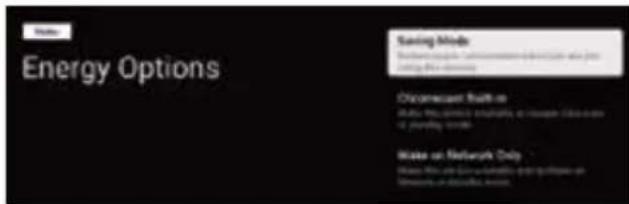
Select "Saving Mode" and proceed to the next step.
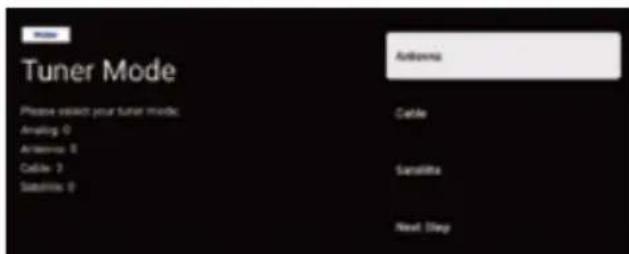
Select the Tuner mode for searching, press ▲/▼ to select and press OK to confirm.
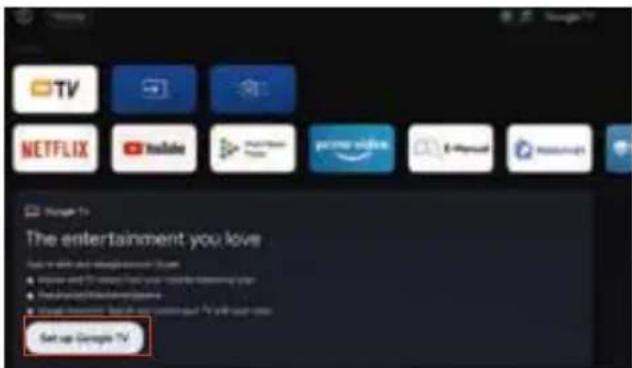
- Once in the user interface, you can switch from basic TV to Google TV settings
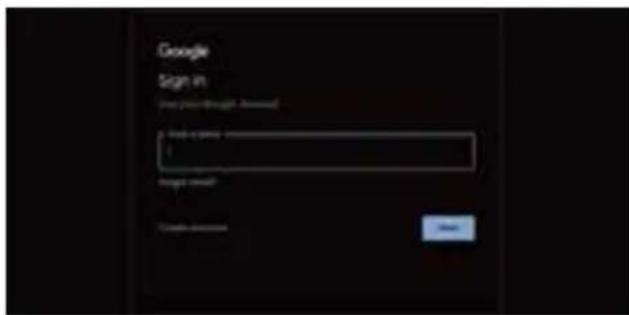
Use your Google Account Sign in. Follow the Google Guide.
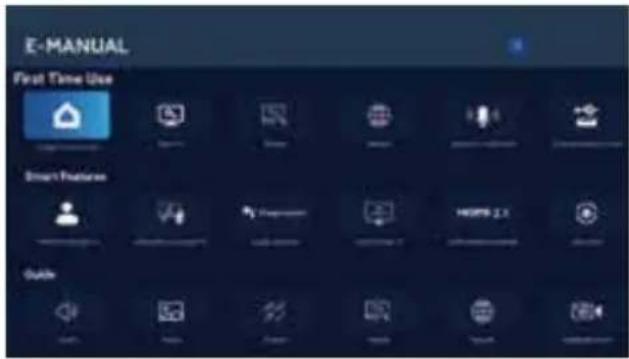
E-Manual
E-Manual is built into your TV and can be displayed on the screen. To learn more about your TV features, access your E-Manual by referring to the following. E-Manual may be available depending on the region or model.
- Press HOME button to access the home page.
- Press UP/DONW/LEFT/RIGHT and OK button to select and enter "E-Manual" in "Apps".
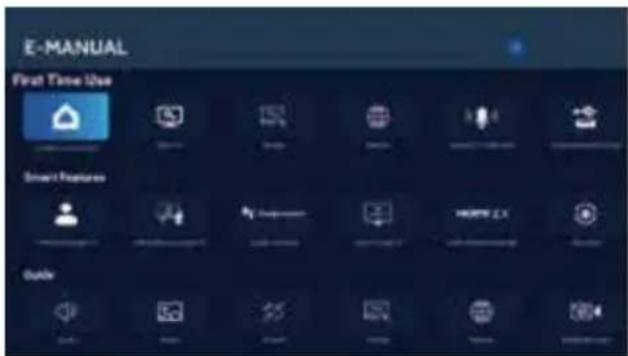
Note: The picture is only for reference.
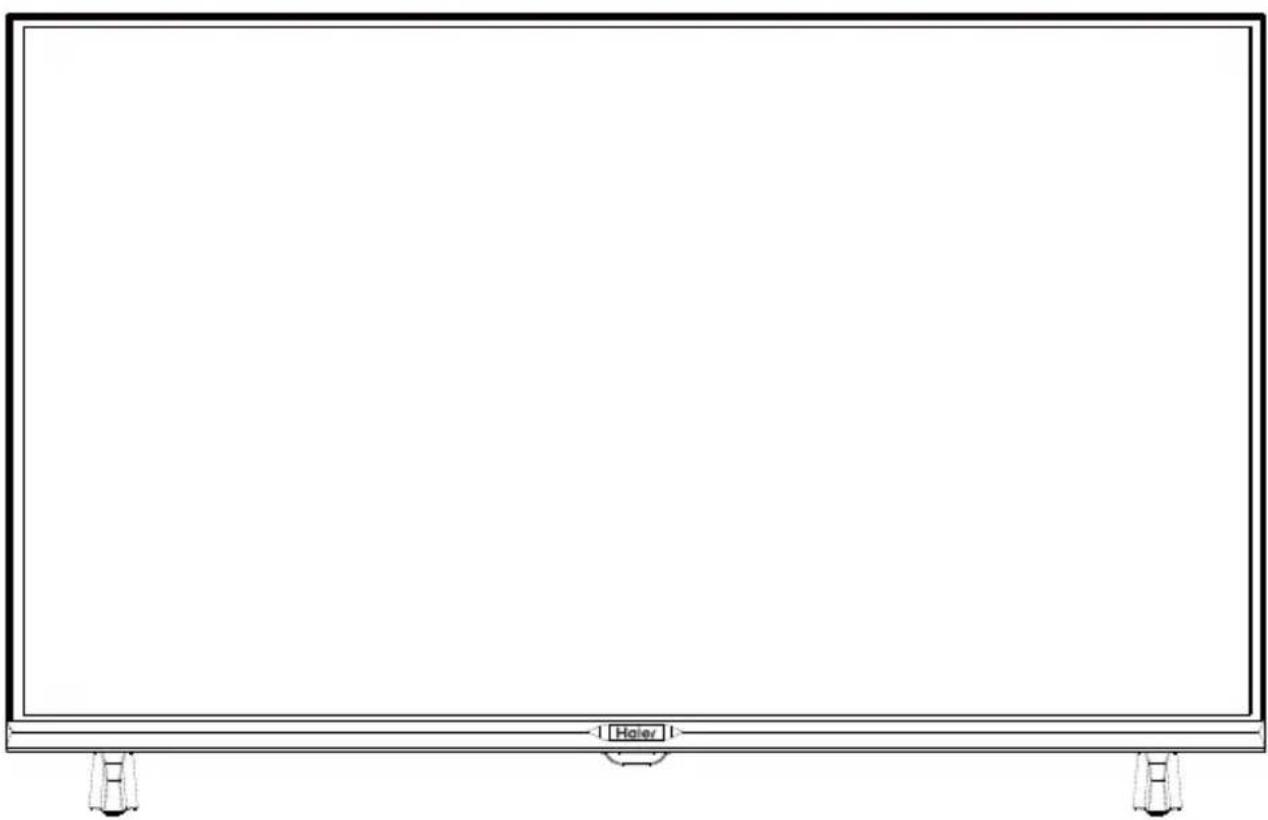
natural_image
Front view of a blank rectangular screen with control buttons at the bottom (no text or symbols on the screen)natural_image
Illustration of a computer monitor with an explosion symbol and a crossed-out hand (no text or labels)natural_image
Simple line drawing of a monitor with a cross symbol crossed out, and a rope tied to a cloth (no text or symbols)natural_image
Simple line drawing of a computer monitor with a cross symbol and stars (no text or labels)natural_image
Simple line drawing of a computer monitor with a curved top and base, emitting exhaust smoke (no text or symbols)natural_image
Simple line drawing of a flat-screen monitor on a stand with a cross mark (no text or symbols)natural_image
Computer monitor displaying three prohibition symbols (no text or labels visible)natural_image
Cartoon illustration of a person holding a crossed-out monitor with a 'X' symbol, surrounded by boxing gloves (no text or symbols present)natural_image
Simple line drawing of a geometric shape with intersecting lines and a vertical line, no text or symbols present.natural_image
Illustration of a woman running away from a computer screen next to a broken circular object (no text or symbols)natural_image
Simple line drawing of a monitor with a cross symbol and a small sun icon (no text or symbols)natural_image
Technical line drawing of a flat-panel electronic device with ventilation grilles and connectors (no text or symbols)PREPARAR EL TELEVISOR LED PARA INSTALAR- LO EN LA PARED
natural_image
Technical line drawing of a mechanical or electrical enclosure with no visible text, numbers, or symbols.
NOTA

NOTA
natural_image
Technical line drawing of a mechanical assembly with no visible text or symbolsnatural_image
Technical line drawing of a mechanical or electrical component with no visible text or symbolsACCESORIOS
natural_image
Front view of a blank rectangular screen with a 'Haier' label and control buttons at the bottom (no text or symbols on the screen itself)natural_image
Illustration of a computer monitor with an explosion symbol and a crossed-out hand (no text or labels)natural_image
Simple line drawing of a monitor with a cross symbol crossed out, and a rope tied to a cloth (no text or symbols)natural_image
Simple line drawing of a computer monitor with a cross symbol and stars (no text or labels)natural_image
Simple line drawing of a computer monitor with a curved top and base, emitting exhaust smoke (no text or symbols)natural_image
Simple line drawing of a flat-screen monitor mounted on a stand with a cross mark (no text or symbols)natural_image
Computer monitor displaying three prohibition symbols (no text or labels visible)natural_image
Cartoon illustration of a person holding a crossed-out monitor with a 'X' symbol, surrounded by boxing gloves (no text or symbols present)natural_image
Simple line drawing of a geometric shape with intersecting lines and a vertical line (no text or symbols)natural_image
Illustration of a woman running away from a computer screen next to a broken circular object (no text or symbols)natural_image
Simple line drawing of a monitor with a cross symbol and a small sun icon (no text or symbols)natural_image
Technical line drawing of a computer chassis with ventilation grilles and connectors (no text or symbols)PREPARAR A TV LED PARA MONTAGEM NA PAREDE
natural_image
Technical line drawing of a mechanical or electrical enclosure with no visible text, numbers, or symbols.
NOTA
NOTA
natural_image
Technical line drawing of a mechanical or electrical enclosure with internal components and wiring (no text or symbols)CONTROLO DE BOTÕES
natural_image
Technical diagram of a mechanical or electrical component with no visible text, numbers, or symbolsACESSÓRIOS
Controlo remoto - 1 unid.
natural_image
Front view of a blank rectangular screen with control buttons at the bottom (no text or symbols on the screen)natural_image
Illustration of a computer monitor with arrows indicating light and a crossed-out hand symbol (no text or labels)natural_image
Simple line drawing of a monitor with a cross mark and a rope tied to it, no text or symbols present.natural_image
Simple line drawing of a computer monitor with a cross symbol crossed out, no text or symbols present.natural_image
Simple line drawing of a computer monitor with steam rising from its top (no text or symbols)natural_image
Simple line drawing of a flat-screen monitor mounted on a stand (no text or symbols)natural_image
Computer monitor displaying three circular icons with prohibition symbols (no text or labels)natural_image
Cartoon illustration of a person on a computer screen with a crossed-out 'X' symbol, no text or symbols presentnatural_image
Simple line drawing of a geometric shape with intersecting lines and a vertical line, no text or symbols present.natural_image
Illustration of a person running away from a computer screen next to a broken circular object (no text or symbols present)natural_image
Technical line drawing of a device casing with internal components and connectors (no text or symbols)
ΣΗΜΕΙΩΣΗ
natural_image
Technical line drawing of a mechanical or electrical enclosure with mounting feet and internal components (no text or symbols)
ΣΗΜΕΙΩΣΗ
natural_image
Technical line drawing of a mechanical enclosure with internal components and wiring (no text or symbols)ΛΕΙΤΟΥΡΓΙΑ ΠΛΗΚΤΡΩΝ
natural_image
Technical line drawing of a mechanical or electrical component with two side-mounted fans and a power button (no text or symbols)E3APTHMATA
natural_image
Line drawing of a blank rectangular screen with a 'Haley' label at the bottom (no other text or symbols)natural_image
Illustration of a computer monitor with an electrical circuit diagram and a crossed-out cable (no text or symbols)natural_image
Simple line drawing of a monitor with a cross symbol crossed out, and a rope tied to a cloth (no text or symbols)natural_image
Simple line drawing of a computer monitor with a cross symbol crossed out, no text or symbols present.natural_image
Simple line drawing of a computer monitor with a curved top and base, emitting exhaust smoke (no text or symbols)natural_image
Simple line drawing of a flat-screen monitor mounted on a stand (no text or symbols)natural_image
Computer monitor displaying three prohibition symbols (no text or labels visible)natural_image
Cartoon illustration of a person running away from a computer monitor with a crossed-out X symbol (no text or numbers present)natural_image
Simple line drawing of a geometric object with intersecting lines and a rectangular block, no text or symbols present.natural_image
Illustration of a woman running away from a computer screen next to a broken circular object (no text or symbols)natural_image
Technical line drawing of a device chassis with connectors and ventilation slots (no text or symbols)PREPARAZIONE DEL TELEVISORE A LED PER IL MONTAGGIO A PARETE
natural_image
Technical line drawing of a mechanical or electrical enclosure with mounting feet and internal components (no text or symbols)
NOTA

NOTA
natural_image
Technical line drawing of a mechanical or electrical enclosure with internal components and wiring (no text or symbols)CONTROLLO TASTO
natural_image
Technical diagram of a mechanical or electrical component with two parallel plates and a power button (no text or symbols)ACCESSORI
Telecomando - 1 pz.
Manuale - 1 pz.
Supporto - 2 pz.
Viti - 4 pz.
natural_image
Line drawing of a blank rectangular panel with a 'Haier' label at the bottom (no other text or symbols)natural_image
Illustration of a computer monitor with an explosion symbol and a crossed-out hand (no text or labels)natural_image
Simple line drawing of a monitor with a cross symbol crossed out, and a rope tied to a cloth (no text or symbols)natural_image
Simple line drawing of a computer monitor with a cross symbol and stars (no text or labels)natural_image
Simple line drawing of a computer monitor with a curved top and base, emitting exhaust smoke (no text or symbols)natural_image
Simple line drawing of a flat-screen monitor mounted on a stand (no text or symbols)natural_image
Computer monitor displaying three prohibition symbols (no text or labels visible)natural_image
Cartoon illustration of a person running away from a computer monitor with a crossed-out X symbol (no text or numbers present)natural_image
Simple line drawing of a geometric shape with intersecting lines and a rectangular block, no text or symbols present.natural_image
Illustration of a woman running away from a computer screen next to a broken circular object (no text or symbols)natural_image
Simple line drawing of a monitor with a cross symbol and a small sun icon (no text or symbols)natural_image
Technical line drawing of a flat electronic device with ventilation grilles and connectors (no text or symbols)PRÉPARER VOTRE TÉLÉVISEUR LED POUR INSTALLATION MURALE
natural_image
Technical line drawing of a mechanical or electrical enclosure with mounting brackets and internal components (no text or symbols)
REMARQUE
REMARQUE
natural_image
Technical line drawing of a mechanical assembly with no visible text or symbolsBOUTON DE CONTRÔLE
natural_image
Technical diagram of a mechanical or electrical component with no visible text, numbers, or symbols.ACCESSOIRES
natural_image
Front view of a blank rectangular screen with a 'Haier' button at the bottom (no text or symbols on the screen itself)natural_image
Illustration of a computer monitor with an explosion symbol and a crossed-out hand (no text or labels)natural_image
Simple line drawing of a monitor with a cross symbol crossed out, and a rope tied to a cloth (no text or symbols)natural_image
Simple line drawing of a computer monitor with a cross symbol crossed out, no text or symbols present.natural_image
Simple line drawing of a computer monitor with a curved top and base, emitting exhaust smoke (no text or symbols)natural_image
Simple line drawing of a flat-screen monitor mounted on a stand (no text or symbols)natural_image
Computer monitor displaying three prohibition symbols (no text or labels visible)natural_image
Cartoon illustration of a person running away from a computer monitor with a crossed-out X symbol (no text or numbers present)natural_image
Simple line drawing of a geometric shape with intersecting lines and a vertical line (no text or symbols)natural_image
Illustration of a person running away from a computer screen and a broken phone to the left (no text or symbols present)natural_image
Technical line drawing of a device chassis with connectors and ventilation slots (no text or symbols)natural_image
Technical line drawing of a mechanical or electrical enclosure with no visible text, numbers, or symbols.
HINWEIS

HINWEIS
natural_image
Technical line drawing of a mechanical assembly with no visible text or symbolsTASTENSTEUERUNG
natural_image
Technical diagram of a mechanical or electrical component with no visible text, numbers, or symbols.ZUBEHÖR
natural_image
Front view of a blank rectangular TV screen with no visible text, symbols, or labels.natural_image
Illustration of a computer monitor with an explosion symbol and a crossed-out hand (no text or labels)natural_image
Simple line drawing of a monitor with a cross symbol crossed out, and a rope tied to a cloth (no text or symbols)natural_image
Simple line drawing of a computer monitor with a cross symbol crossed out, no text or symbols present.natural_image
Simple line drawing of a computer monitor with a curved top and base, emitting exhaust smoke (no text or symbols)natural_image
Simple line drawing of a flat-screen monitor mounted on a stand (no text or symbols)natural_image
Computer monitor displaying three prohibition symbols (no text or labels visible)natural_image
Cartoon illustration of a person running away from a computer monitor with a crossed-out X symbol (no text or numbers present)natural_image
Simple line drawing of a geometric shape with intersecting lines and a vertical line, no text or symbols present.natural_image
Illustration of a woman running away from a computer screen next to a broken circular object (no text or symbols)natural_image
Technical line drawing of a flat-panel electronic device with ventilation grilles and connectors (no text or symbols)natural_image
Technical line drawing of a mechanical or electrical enclosure with no visible text or symbols
ЗАБЕЛЕЖКА
natural_image
Technical line drawing of a mechanical or electrical enclosure with internal components and wiring (no text or symbols)УПРАВЛЕНИЕ С БУТОНИ
natural_image
Technical diagram of a mechanical or electrical component with no visible text, numbers, or symbols.АКСЕСОАРИ
natural_image
Front view of a blank whiteboard with a metal frame and corner clips (no text or symbols)natural_image
Simple line drawing of a monitor with a cross mark and a curtain beside it (no text or symbols)natural_image
Simple line drawing of a computer monitor with a crossed X symbol and stars (no text or labels)natural_image
Simple line drawing of a computer monitor with a fan, emitting steam (no text or symbols)natural_image
Simple line drawing of a flat-screen monitor mounted on a stand (no text or symbols)natural_image
Computer monitor displaying three prohibition symbols (no text or labels visible)natural_image
Cartoon illustration of a person on a computer monitor with a crossed-out X symbol (no text or symbols present)natural_image
Simple line drawing of a geometric object with crosshairs and a rectangular block, no text or symbols present.natural_image
Illustration of a person running away from a computer monitor and holding a bag, with a circular object nearby (no text or symbols)natural_image
Technical line drawing of a flat electronic device with ventilation grilles and connectors (no text or symbols)
NOT
natural_image
Technical line drawing of a mechanical assembly with mounting brackets and central component (no text or symbols)
NOT
natural_image
Technical line drawing of a mechanical or electrical enclosure with internal components and wiring (no text or symbols)- TV'yi açın:
TUŞ KONTROLÜ
natural_image
Technical diagram of a mechanical or electrical component with two side-mounted units and a power button (no text or symbols)AKSESUARLAR
Uzaktan Kumanda - 1 adet
Kılavuzu - 1 adet
natural_image
Front view of a blank rectangular monitor with hover buttons at the bottom (no text or symbols on the screen)Ilustracije u ovom vodiču navedene su samo kao referenca i mogu da se razlikuju u odnosu na stvarni izgled proizvoda.
Dizajn i specifikacije proizvoda mogu biti promenjene bez prethodne najave.
natural_image
Illustration of a computer monitor with an antenna and a crossed-out cable, no text or symbols presentOvaj TV prijemnik koristi visoki napon pri radu. Ne uklanjajte leđa sa televizora. Servisiranje prepustite kvalifikovanim serviserima.
natural_image
Simple line drawing of a monitor with a cross mark and a rope tied to a curtain (no text or symbols)Da biste smanjili rizik od požara ili strujnog udara, ne izlažite TV kiši ili vlazi.
natural_image
Simple line drawing of a computer monitor with a cross symbol and stars (no text or labels)Ne ispuštajte i ne gurajte predmete u proreze i otvore na leđima TV-a. Ne prosipajte tečnost na televizor.
natural_image
Simple line drawing of a computer monitor with a curved top and base, emitting exhaust smoke (no text or symbols)natural_image
Simple line drawing of a flat-screen monitor mounted on a stand with a diagonal line crossing (no text or symbols)Nemojte da uštinete kabl za napajanje televizorom.
natural_image
Computer monitor displaying three circular icons with prohibition symbols (no text or labels)Ako želite da očistite proizvod, isključite ga iz struje i koristite meku tkaninu. Ne koristite vodu i hemikalije.
natural_image
Cartoon illustration of a person running away from a computer monitor with a crossed-out X symbol (no text or symbols present)natural_image
Simple line drawing of a geometric object with intersecting lines and a rectangular block, no text or symbols present.natural_image
Illustration of a woman running away from a computer screen with a broken clock nearby (no text or symbols)Ako nećete koristiti televizor duže vreme, preporučujemo da mu izvučete utikač iz napajanja.
natural_image
Technical line drawing of a computer chassis with ventilation grilles and connectors (no text or symbols)PRIPREMA TV-a ZA MONTAŽU NA ZID
Preporučujemo da TV bude udaljen bar 2,36 inča (60 mm) od zida, da bi se izbegle smetnje u kablovima. Pre montaže TV-a na zid, uklonite stalak.
natural_image
Technical line drawing of a mechanical assembly with no visible text or symbols
NAPOMENA
Zidni nosač se ne isporučuje uz TV.
- Fiksirajte zavrtnje zidnog nosača (M6 x 10 mm / 4 kom) na u leđa TV-a momentom pritezanja od 8 kgf,cm.
UKLJUČIVANJE TV-a
- Montirajte stalak i stavite TV na stabilnu površinu.
NAPOMENA
- Uverite se da je TV u položaju koji omogućava nesmetan tok vazduha. Ne prekrivajte ventilacione otvore na leđima.
natural_image
Technical line drawing of a mechanical assembly with no visible text or symbols-
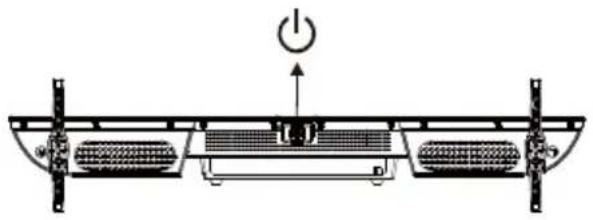
Uključite televizor: Pritisnite 📍na daljinskom upravljaču ili taster POWER na bočnoj kontrolnoj tabli TV-a.
-
Daljinski upravljač: Uklonite poklopac odeljka za baterije. Umetnite 2 baterije (tip AAA 1,5 V).
UPRAVLJANJE PREKO TASTERA
natural_image
Technical diagram of a mechanical or electrical component with no visible text, numbers, or symbols.DODATNI PRIBOR
natural_image
Diagram of a network device with four Ethernet ports and a wireless signal line (no text or labels)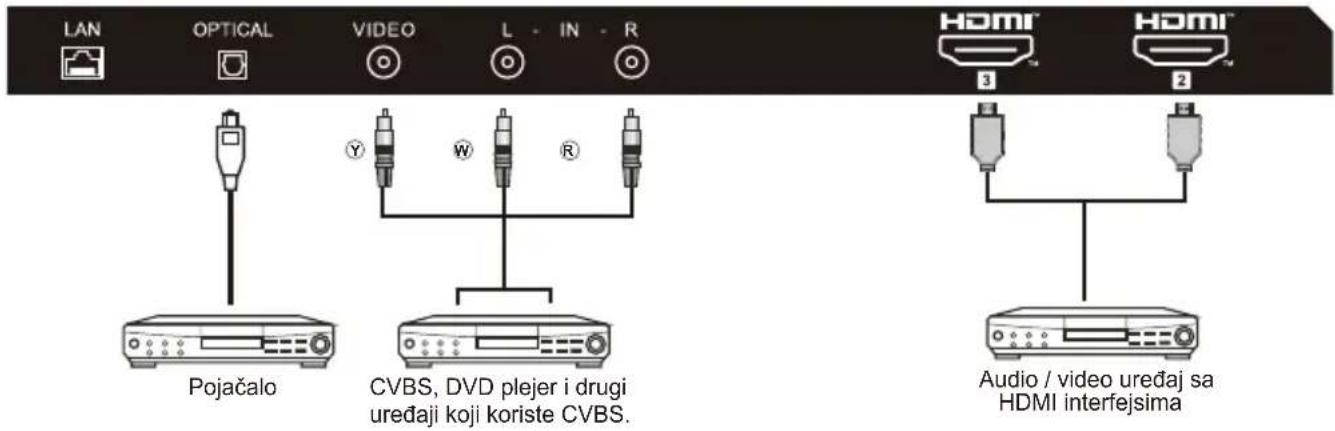
Ova funkcija se koristi za kôd za uparivanje daljinskog upravljača. Kad se kôd unese, možete da koristite Bluetooth daljinski upravljač za upravljanje TV-om.
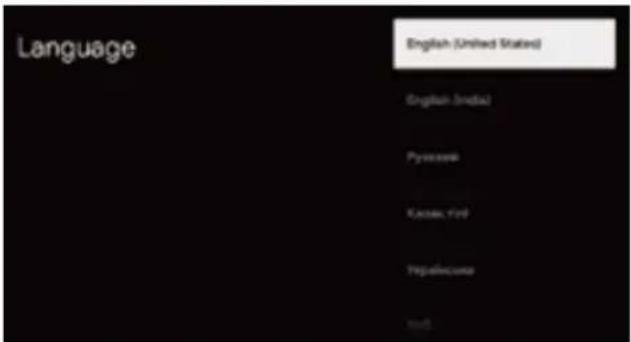
Pritiskanjem dugmadi ▲/▼ odaberite jezik sistema, pa pritisnite OK da potvrdite.
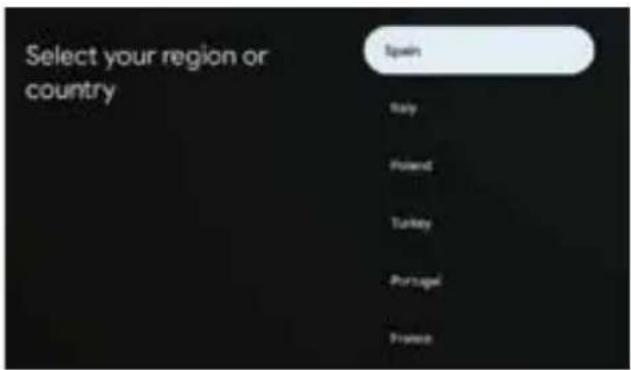
Pritisnite ▲/▼ da biste odabrali zemlju ili region uređaja i pritisnite OK da biste potvrdili.
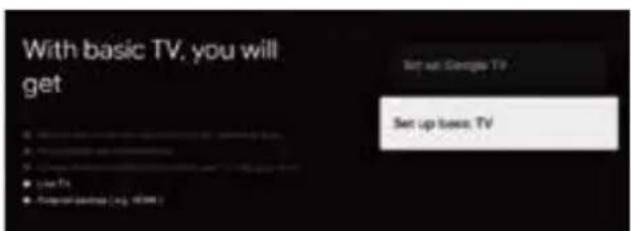
Pritisnite ▲/▼ da biste izabrali „Set up basic TV“ (Podešavanje osnovnog TV programa) na uređaju i pritisnite OK da biste završili podešavanje.
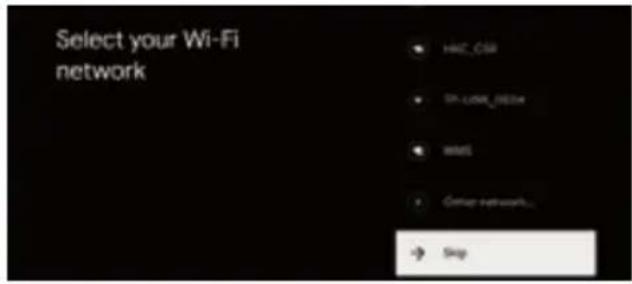
Pritisnite ▲/▼ da biste izabrali bežičnu mrežu za povezivanje, pritisnite OK i unesite lozinku da biste potvrdili da je povezivanje uspelo.
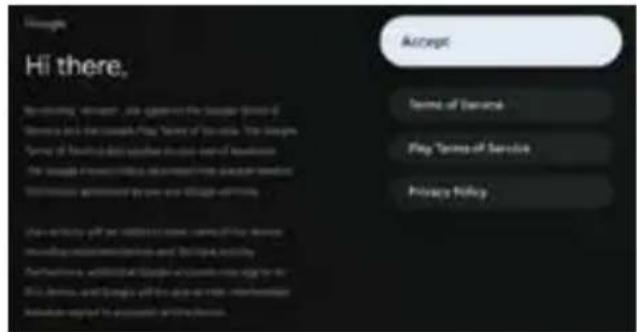
Ponovo unesite lozinku i potvrdite je. Unesite i potvrdite lozinku preko daljinskog upravljača ili softverske tastature.
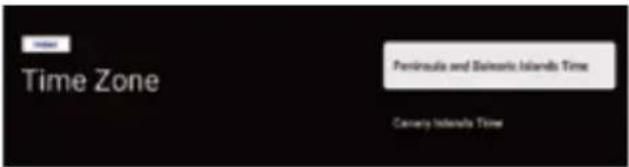
Pritisnite ▲/▼ da biste odabrali vremensku zonu i pritisnite OK da biste potvrdili.
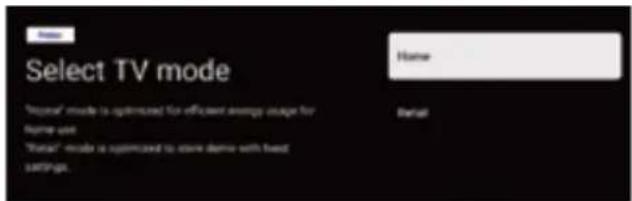
Za izbor režima pritisnite taster ▲/▼ da biste izabrali režim Home (Početak) i pritisnite OK.
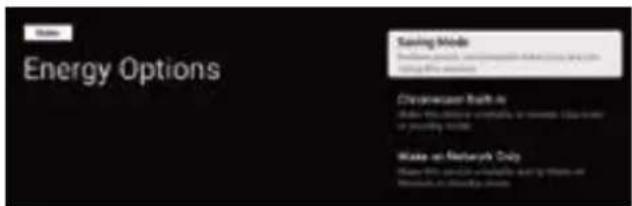
Izaberite režim „Saving“ (Čuvanje) i nastavite na sledeći korak.
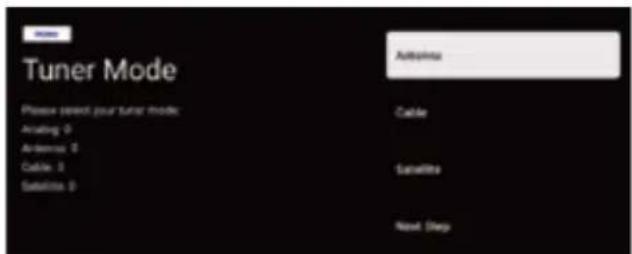
Izaberite režim Tuner (Pretraga) za pretragu, pritisnite ▲/▼ da biste izabrali i pritisnite OK da potvrdite.
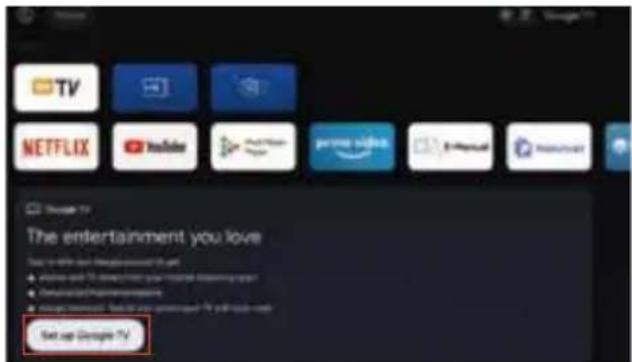
- Kada uđete u korisnički interfejs, možete da predete sa osnovnih podešavanja TV-a na Google TV.
Prijavite se pomoću svog Google naloga. Pratite Google vodič.
E-priručnik
E-priručnik je ugrađen u TV i može da se prikaže na ekranu. Da biste saznali više o funkcijama vašeg TV-a, otvorite e-priručnik na sledeći način. E-priručnik je dostupan zavisno od regiona i modela.
- Pritisnite taster POČETNA da biste otvorili početnu stranicu.
- Pritisnite GORE / DOLE / LEVO / DESNO i taster biste izabrali i otvorili „E-Manual“ (e-priručnik) u meniju „Apps“ (Aplikacije).
Napomena: Slika služi samo kao referenca.
natural_image
Line drawing of a blank rectangular panel with a label 'Haler' at the bottom (no other text or symbols)natural_image
Illustration of a computer monitor with an 'X' symbol crossed out, indicating no text or symbols present.natural_image
Simple line drawing of a window frame with a diagonal X mark and a hanging curtain (no text or symbols)natural_image
Simple line drawing of a computer monitor with a crossed X symbol and stars (no text or labels)natural_image
Simple line drawing of a computer monitor with a fan, emitting steam (no text or symbols)natural_image
Simple line drawing of a flat-screen TV with a stand (no text or symbols)natural_image
Computer monitor displaying three circular icons with prohibition symbols (no text or labels)natural_image
Cartoon illustration of a person on a computer monitor with a crossed-out X symbol (no text or symbols present)natural_image
Simple line drawing of a geometric shape with intersecting lines and a rectangular block, no text or symbols present.natural_image
Illustration of a person running away from a computer screen next to a broken phone with a small icon (no text or symbols)natural_image
Technical line drawing of a computer chassis with ventilation slots and connectors (no text or symbols)PRZYGOTOWANIE TELEWIZORA DO MONTAŻU NA ŚCIANIE
natural_image
Technical line drawing of a mechanical or electrical enclosure with mounting feet (no text or symbols)
UWAGA

UWAGA
natural_image
Technical line drawing of a mechanical assembly with no visible text or symbolsSTEROWANIE PRZYCISKAMI
natural_image
Technical diagram of a mechanical or electrical component with no visible text, numbers, or symbols.AKCESORIA
natural_image
Diagram of a network device with four Ethernet ports and a wireless router (no text or labels)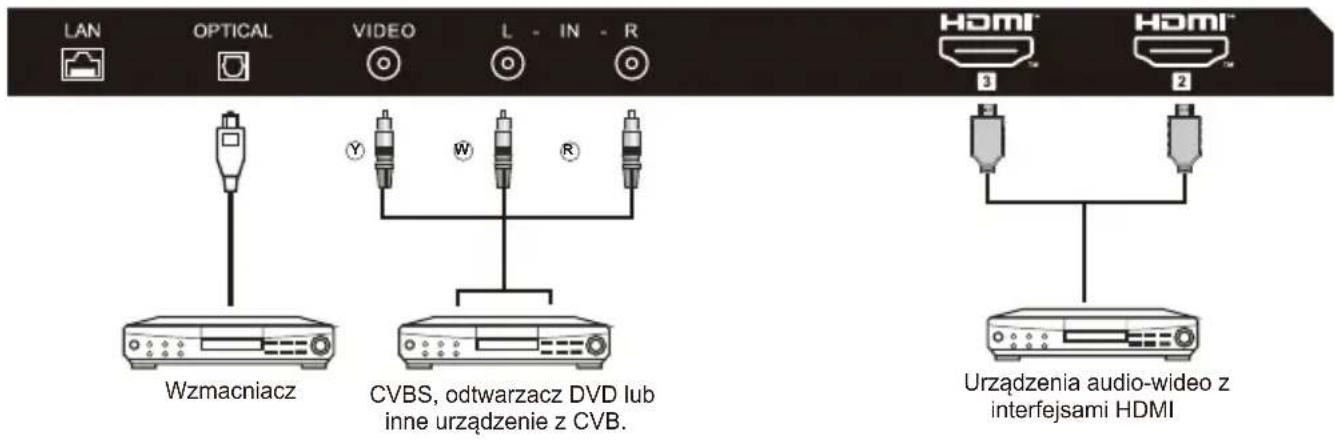
natural_image
Front view of a rectangular display panel with no visible text or symbols on the screen facenatural_image
Illustration of a computer monitor with an explosion symbol and a crossed-out hand (no text or labels)natural_image
Simple line drawing of a monitor with a cross symbol crossed out, and a rope tied to a cloth (no text or symbols)natural_image
Simple line drawing of a computer monitor with a cross symbol crossed out, no text or symbols present.natural_image
Simple line drawing of a computer monitor with a curved top and base, emitting exhaust smoke (no text or symbols)natural_image
Simple line drawing of a flat-screen monitor mounted on a stand (no text or symbols)natural_image
Computer monitor displaying three prohibition symbols (no text or labels visible)natural_image
Cartoon illustration of a person holding a crossed-out monitor with a 'X' symbol, surrounded by boxing gloves (no text or symbols present)natural_image
Simple line drawing of a geometric shape with intersecting lines and a vertical line, no text or symbols present.natural_image
Illustration of a woman running away from a computer screen next to a broken circular object (no text or symbols)natural_image
Technical line drawing of a computer chassis with ventilation slots and connectors (no text or symbols)natural_image
Technical line drawing of a mechanical or electrical enclosure with no visible text, numbers, or symbols.
ПРИМИТКА
NOTE
natural_image
Technical line drawing of a mechanical or electrical enclosure with a cable and power outlet (no text or symbols)КНОПКА КОНТРОЛЮ
natural_image
Technical diagram of a mechanical or electrical component with no visible text, numbers, or symbols.АКСЕСУАРИ:
natural_image
Line drawing of a flat-screen monitor with 'Haier' branding and mounting feet at the base (no text or symbols on screen)natural_image
Illustration of a computer monitor with an explosion symbol and a crossed-out hand (no text or labels)natural_image
Simple line drawing of a monitor with a cross symbol crossed out, and a rope tied to a cloth (no text or symbols)natural_image
Simple line drawing of a computer monitor with a cross symbol crossed out, no text or symbols present.natural_image
Simple line drawing of a computer monitor with a curved top and base, emitting exhaust smoke (no text or symbols)natural_image
Simple line drawing of a flat-screen monitor mounted on a stand (no text or symbols)natural_image
Computer monitor displaying three prohibition symbols (no text or labels visible)natural_image
Cartoon illustration of a person running away from a computer monitor with a crossed-out X symbol (no text or numbers present)natural_image
Simple line drawing of a geometric shape with intersecting lines and a vertical line, no text or symbols present.natural_image
Illustration of a woman running away from a computer screen next to a circular object with a flag (no text or symbols)natural_image
Simple line drawing of a monitor with a cross symbol and a small sun icon (no text or symbols)natural_image
Technical line drawing of a computer chassis with ventilation grilles and connectors (no text or symbols)natural_image
Technical line drawing of a mechanical assembly with no visible text or symbols
ПРИМЕЧАНИЕ
natural_image
Technical line drawing of a mechanical or electrical enclosure with internal components and wiring (no text or symbols)natural_image
Technical diagram of a mechanical or electrical component with two side-mounted fans and a power button (no text or symbols)ПРИНАДЛЕЖНОСТИ
natural_image
Diagram of a network device with five ports and an antenna, showing signal waves (no text or labels)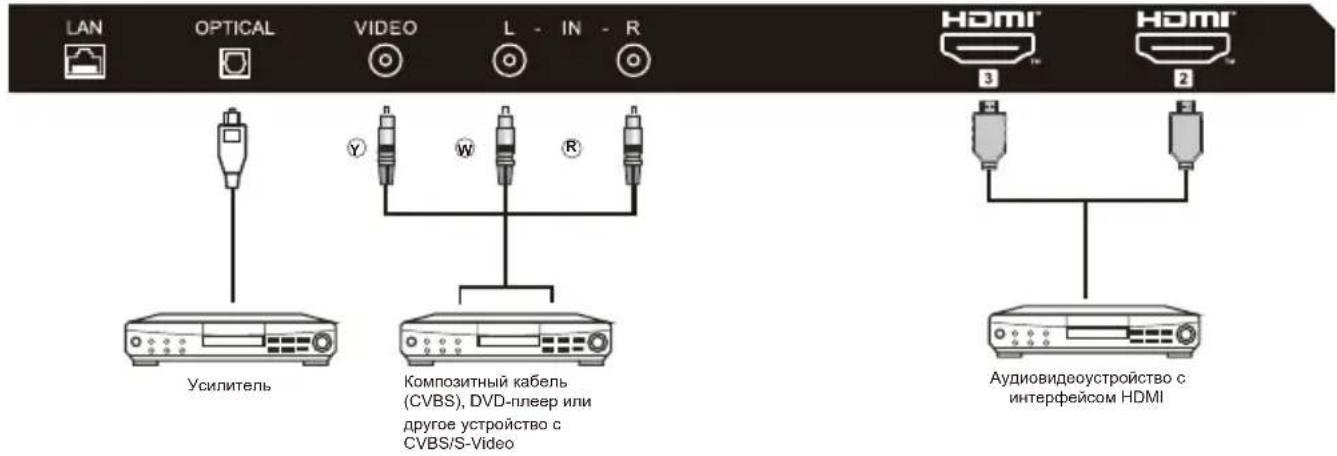
natural_image
Line drawing of a blank rectangular monitor with no text, numbers, or symbols on the screen or frame.natural_image
Illustration of a computer monitor with an explosion symbol and a crossed-out hand (no text or labels)natural_image
Simple line drawing of a monitor with a cross symbol crossed out, and a rope tied to a cloth (no text or symbols)natural_image
Simple line drawing of a computer monitor with a cross symbol crossed out, no text or symbols present.natural_image
Simple line drawing of a computer monitor with a curved top and base, emitting exhaust smoke (no text or symbols)natural_image
Simple line drawing of a flat-screen monitor mounted on a stand (no text or symbols)natural_image
Computer monitor displaying three circular icons with prohibition symbols (no text or labels)natural_image
Cartoon illustration of a person running away from a computer monitor with a crossed-out X symbol (no text or numbers present)natural_image
Simple line drawing of a geometric shape with intersecting lines and a vertical line, no text or symbols present.natural_image
Illustration of a person running away from a computer screen and a broken phone to the left (no text or symbols present)natural_image
Technical line drawing of a flat-panel electronic device with ventilation grilles and mounting brackets (no text or symbols)PREGĂTIREA TELEVIZORULUI LED PENTRU MONTAREA PE PERETE
natural_image
Technical line drawing of a mechanical assembly with no visible text or symbols
NOTĂ

NOTA
natural_image
Technical line drawing of a mechanical or electrical enclosure with internal components and wiring (no text or symbols)- Porniti televizorul:
CONTROL BUTON
natural_image
Technical diagram of a mechanical or electrical component with no visible text, numbers, or symbolsACCESORII
Telecomandă - 1 buc
Manual - 1 buc
natural_image
Diagram of a network device with five ports and a wireless signal line (no text or labels)