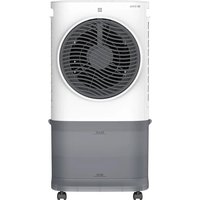
BC6ACP2501W - Air Conditioning Be Cool - Free user manual and instructions
Find the device manual for free BC6ACP2501W Be Cool in PDF.


| Product type | Air cooler (air conditioning) |
| Brand | Be Cool |
| Model | BC6ACP2501W |
| Dimensions (W×D×H) | 280 × 569 × 230 mm |
| Net weight | 4.0 kg |
| Power supply | 220-240 V~, 50 Hz |
| Rated power | 50 W |
| Water tank capacity | 6.5 L |
| Speed levels | 3 (low, medium, high) |
| Airflow | 340 m³/h |
| Control | Touch panel + remote control + Tuya app (WiFi 2.4 GHz) |
| Functions | Cooling, humidification, fan, oscillation, timer (1-8 h), sleep mode, natural mode, WiFi |
| Remote control battery type | CR2032 (included) |
| Supplied accessories | Remote control, 2 ice packs, 4 casters, power cable |
| Cleaning | Clean the filter every month; use a soft cloth with warm water and mild detergent; no harsh chemicals |
| Maintenance | Empty and dry the tank completely before long-term storage; dry air function to remove residual moisture |
| Safety | Automatic shut-off when water is low; child safety (8+ years); unplug before cleaning |
| Warranty | 2 years (valid in Austria); subject to conditions |
| Repairability | Spare parts available via authorized after-sales service; do not disassemble yourself |
| General information | Indoor household use only; CE compliance; WEEE recycling |
Frequently Asked Questions - BC6ACP2501W Be Cool
User questions about BC6ACP2501W Be Cool
0 question about this device. Answer the ones you know or ask your own.
Ask a new question about this device
Download the instructions for your Air Conditioning in PDF format for free! Find your manual BC6ACP2501W - Be Cool and take your electronic device back in hand. On this page are published all the documents necessary for the use of your device. BC6ACP2501W by Be Cool.
USER MANUAL BC6ACP2501W Be Cool
Please take out the pump when using and put it back after use.
6
Please clean the water tank after using.
7
6. "Schwenkfungtion/Oszillation / Display Aus"
Reset the device first.
Power on the device and confirm that the indicator is blinking rapidly. Note: please complete the network distribution within 3 minutes after resetting the device.
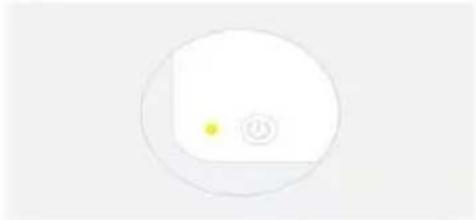
Perform net pairing as prompted.
Confirm the indicator is blinking rapidly.
Ensure that the device is powered on.
01:58
Gerät wird gesucht
BE COOL
10:32AM
书
Done
Added successfully

Skyscraper Ice Smart Device added successfully
Please take out the pump when using and put it back after use.
6
Please clean the water tank after using.
BE COOL
7
Skyscraper Ice Smart Device added successfully
Schuss Home Electronic
A-1140 Vienne, Scheringgasse 3
Tél: +43 (0)1/970 21
Please take out the pump when using and put it back after use.
6
Please clean the water tank after using.
7
BE COOL
Skyscraper Ice Smart Device added successfully
Schuss Home Electronic
A-1140 Vienna, Scheringgasse 3
Tel: +43 (0)1/ 970 21
BESCHRIJVING VAN HET APPARAAT
Please take out the pump when using and put it back after use.
6
Please clean the water tank after using.
7
BE COOL
Reset the device first.
Power on the device and confirm that the indicator is blinking rapidly. Note: please complete the network distribution within 3 minutes after resetting the device.
Perform net pairing as prompted.
Confirm the indicator is blinking rapidly.
Ensure that the device is powered on.

01:58

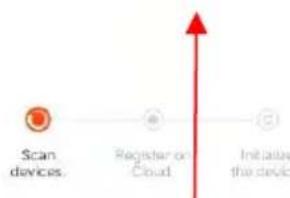
Scan devices
Register on Cloud
Initialize the device.
Apparaat gezocht
BE COOL
10:32AM
书
Done
Added successfully

Skyscraper Ice Smart Device added successfully
Schuss Home Electronic
A-1140 Wenen, Scheringgasse 3
Tel: +43 (0)1/ 970 21
Typeaanduiding:
Serienummer:
Please take out the pump when using and put it back after use.
6
Please clean the water tank after using.
7
Reset the device first.
Power on the device and confirm that the indicator is blinking rapidly. Note: please complete the network distribution within 3 minutes after resetting the device.
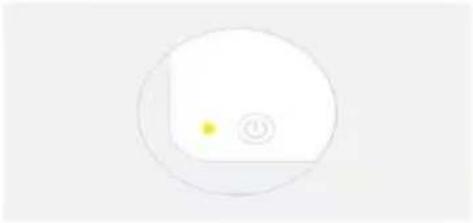
Perform net pairing as prompted.
Confirm the indicator is blinking rapidly.
Ensure that the device is powered on.

01:58
Dispositivo deseado
BE COOL
10:32AM
书
Done
Added successfully

Skyscraper Ice Smart Device added successfully
Schuss Home Electronic
A-1140 Viena, Scheringgasse 3
Please take out the pump when using and put it back after use.
6
Please clean the water tank after using.
7
Skyscraper Ice Smart Device added successfully
Schuss Home Electronic
A-1140 Viden, Scheringgasse 3
Tel: +43 (0)1/ 970 21
Typové označeni:
Seriove cisl0:
DÔLEŽITÉ INFORMÁCIE O
BEZPEČNOSTI, UMIESTNENÍA
ELEKTRICKOM PRIPOJENI


Aby ste predišli riziku prevalzkovych chyb a lepsie vyuzili spotrebič, prečitajte si pred použitím námod na obsluhu.
Please take out the pump when using and put it back after use.
6
Please clean the water tank after using.
7
BE COOL
Reset the device first.
Power on the device and confirm that the indicator is blinking rapidly. Note: please complete the network distribution within 3 minutes after resetting the device.
Perform net pairing as prompted.
Confirm the indicator is blinking rapidly.
Ensure that the device is powered on.
01:58

Scan devices
Registor on Cloud
initiation the device
Hladane zariadenie
BE COOL
10:32AM
书
Done
Added successfully

Skyscraper Ice Smart Device added successfully
Schuss Home Electronic
A-1140 Vieden, Scheringgasse 3
Tel: +43 (0)1/970 21
Typové označenie:
Seriove cisl0:
Tento záručné list je potrebné odovzdat' autorizovanému servisu spolu so spotrebicm v pripadre reklamácie.
BE COOL
INSTRUCTIONS DE UTILIZARE
Răcitor de aer BC6ACP2501W
FELICITÄRI!
VAMULTUMIMPENTRUCAATIALESUNPRODUSDELA BECOOL.
BE COOL

Please take out the pump when using and put it back after use.
6
Please clean the water tank after using.
7
Reset the device first.
Power on the device and confirm that the indicator is blinking rapidly. Note: please complete the network distribution within 3 minutes after resetting the device.
Perform net pairing as prompted.
Confirm the indicator is blinking rapidly.
Ensure that the device is powered on.

01:58

Scan devices
Registration Cloud
Initialize the device.
Dispositiv dorit
BE COOL
10:32AM
书
Done
Added successfully

Skyscraper Ice Smart Device added successfully
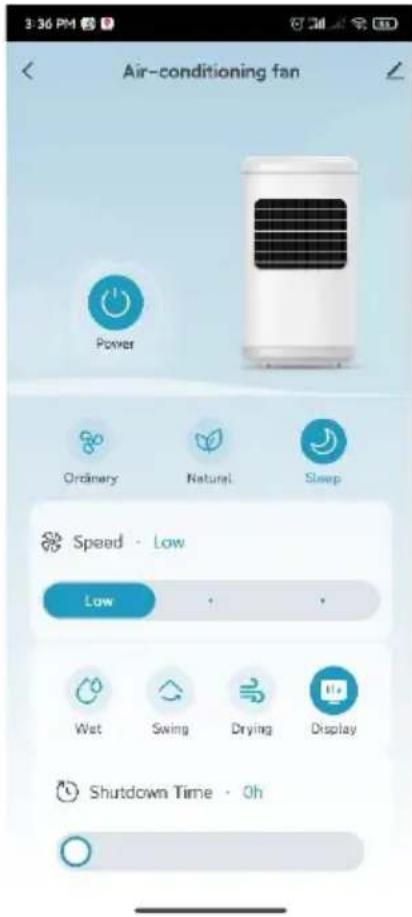
Odata ce imperecherea este completa, puteti apela interfata principala si puteti controla disposizitivul prin intermediul aplicatiei.
BE COOL
Schuss Home Electronic
A-1140 Viena, Scheringgasse 3
Please take out the pump when using and put it back after use.
6
Please clean the water tank after using.
7
Reset the device first.
Power on the device and confirm that the indicator is blinking rapidly. Note: please complete the network distribution within 3 minutes after resetting the device.
Perform net pairing as prompted.
Confirm the indicator is blinking rapidly.
Ensure that the device is powered on.

01:58
Skyscraper Ice Smart Device added successfully
Schuss Home Electronic
A-1140 Wieden, Scheringgasse 3
Tel: +43 (0)1/ 970 21
Oznaczenia typu:
Numer seryjny:
Please take out the pump when using and put it back after use.
6
Please clean the water tank after using.
7
Skyscraper Ice Smart Device added successfully
Schuss Home Electronic
A-1140 Dunaj, Scheringgasse 3
Tel: +43 (0)1/970 21
Oznaka tipa:
Serijska stevilka:
Please take out the pump when using and put it back after use.
6
Otključajte pumpu i spustite je na dno spremnika za vodu. Nakon korištenja hladnjaka zraka, vratite pumpu uPoklopac i dobro ga zaključajte.

Please clean the water tank after using.
7
Reset the device first.
Power on the device and confirm that the indicator is blinking rapidly. Note: please complete the network distribution within 3 minutes after resetting the device.

Perform net pairing as prompted.
Confirm the indicator is blinking rapidly.
Provjerite treperi li indicatorska lampica.
Cancel
Adding device...
Ensure that the device is powered on.

01:58
Skyscraper Ice Smart Device added successfully
Schuss Home Electronic
A-1140 Beč, Scheringgasse 3
CONGRATULATIONS!
THANK YOU FOR CHOOSING A PRODUCT FROM BE COOL.
BE COOL


Current operating instructions and other languages
Download the latest operating instructions in various languages via the link www.becool.at/downloads or scan the QR code shown. Follow the instructions on the website.

PLEASE READ THE OPERATING INSTRUCTIONS
CAREFULLY BEFORE STARTING INSTALLATION,
OPERATION OR MAINTENANCE. PROTECT
YOURSELF AND OTHERS BY FOLLOWING THE
SAFETY INSTRUCTIONS. FAILURE TO FOLLOW
INSTRUCTIONS COULD RESULT IN PERSONAL
INJURY AND/OR PROPERTY DAMAGE AND/OR VOID
THE WARRANTY!
IMPORTANT INFORMATION ON SAFETY, LOCATION AND ELECTRICAL CONNECTION
To avoid the risk of operating errors and to make better use of the appliance, please read the operating instructions before use.
BE COOL
- The appliance is intended for household and indoor use only.
- When using this appliance, you must use a qualified power outlet that has been tested and meets the requirements. Please check the voltage used when moving the appliance.
- This appliance is not intended for use by persons (including children) with reduced physical, sensory or mental capabilities, or lack of experience and knowledge, unless they have been given supervision or instruction concerning use of the appliance by a person responsible for their safety. Children should be supervised to ensure that they do not play with the appliance.
- This appliance can be used by children aged from 8 years and above and persons with reduced physical, sensory or mental capabilities or lack of experience and knowledge if they have been given supervision or instruction concerning use of the appliance in a safe way and understand the hazards involved. Children must not play with the appliance. Cleaning and maintenance work must not be carried out by children without supervision.
- If the mains cable is damaged, it must be replaced by the manufacturer, its customer service department or similarly qualified persons in order to avoid a hazard.
- Disconnect the mains plug during filling and cleaning.
- Do not touch the power cable plug with wet hands as there is a risk of electric shock.
- Do not pull on the cable when disconnecting the
BE COOL
mains cable.
- Do not fold the mains cable and do not place any heavy objects on it.
- It is strictly forbidden to insert foreign objects such as wooden or metal sticks into the air inlet and outlet, as this can lead to leaks, short circuits and possible product damage.
- Do not spray pesticides and flammable sprays near the product, as these can damage the product.
- Avoid pointing the air outlet of the appliance directly at children for long periods of time, as this may make them ill or affect their health.
- When using the device, make sure that the mains cable plug is free of foreign objects and that the plug is fully inserted.
- Unusual handling. If the product emits a strange odor and unusual noises during use, please stop using it immediately and unplug it from the mains.
- If you have filled the appliance with water, do not tip or bump it when setting it up or moving it to avoid splashes. If the product has been tipped out and there is water in the appliance, unplug it immediately and wait 24 hours for it to dry before switching it on again.
- The water level in the water tank should not exceed the maximum water level line.
- If the appliance's water tank is full of water, do not grab the handle to lift the entire machine, otherwise the water in the water tank will overflow. You can only press the handle to move the appliance and only when it is confirmed that there is no or very little
BE COOL
water in the water tank can you grab the handle to move the appliance. Lift the entire machine.
- When humidifying the air, it is strictly forbidden to dismantle and assemble the air filter net and the holder of the humid curtain, otherwise water droplets will spray out of the air outlet.
- If you leave the appliance or do not use it for a longer period of time, you must switch it off and disconnect the mains plug from the socket.
- If the product is defective, please send it to the repair shop or notify customer service and do not disassemble or replace the parts without authorization. Arbitrary disassembly or modification will impair the safety of the product.
- WARNING: Risk of burns from chemicals. Keep batteries away from children.
- Do not swallow the battery, risk of chemical burns.
- This product contains a button cell battery. If the button cell battery is swallowed, it can cause severe internal burns within just 2 hours.
- If the battery compartment cannot be closed securely, stop using the product and keep it away from children.
- If you think that batteries may have been swallowed or have penetrated any part of your body, seek medical advice immediately.
- The batteries contain environmentally hazardous substances; they must be removed from the appliance and disposed of safely before scrapping.
- Note that high humidity can promote the growth of biological organisms in the environment.
BE COOL
- Ensure that the area around the humidifier does not become damp or wet. If the output of the humidifier cannot be reduced, use the humidifier intermittently. Make sure that no absorbent materials such as carpets, curtains, drapes or tablecloths become damp.
- Never leave water in the container when the appliance is not in use.
- Empty and clean the humidifier before storage. Clean the humidifier before the next use.
- When adding water from the top, the whole machine is in the off state. It is required to unplug the power cord. When adding water, water cannot overflow from the surface of the water adding box, otherwise there may be electric shock or short circuit, which may burn the whole machine and fail to start.
BE COOL
Recycling, disposal, declaration of conformity
| RECYCLING The packaging materials can be recycled. It is therefore recommended to dispose of them in sorted waste | |
| DISPOSAL The "crossed-out dustbin" symbol requires the separate disposal of waste electrical and electronic equipment (WEEE). Electrical and electronic equipment may contain hazardous and environmentally harmful substances. Therefore, do not dispose of them in unsorted residual waste, but at a designated collection point for waste electrical and electronic equipment. This will help to protect resources and the environment. For further information, please contact your dealer or the local authorities. Directive 2012/19/EU | |
| BATTERY DISPOSAL In accordance with current legislation on batteries, accumulators and related waste, the crossed-out wheeled garbage can symbol on the battery indicates that it is prohibited to dispose of used batteries in household waste. Batteries and accumulators contain highly polluting substances. The user is obliged to dispose of used batteries at the collection points in the municipality or in the appropriate containers. The service is free of charge. In this way, the legal requirements are complied with and the environment is protected. This model is equipped with batteries of type: CR2032. | |
| CE | DECLARATION OF CONFORMITY We hereby confirm that this product complies with the essential requirements, regulations and directives of the EU. You can view the detailed declaration of conformity at any time under the following link: https://www.schuss-home.at/downloads |
Errors and technical changes excepted.
BE COOL
SCOPE OF DELIVERY
The BE COOL cooler is supplied with:
- 1 × air cooler
- 1 × remote control
- 1 × operating instructions
- 2 × ice packs
- 4 × castors
- Mains cable
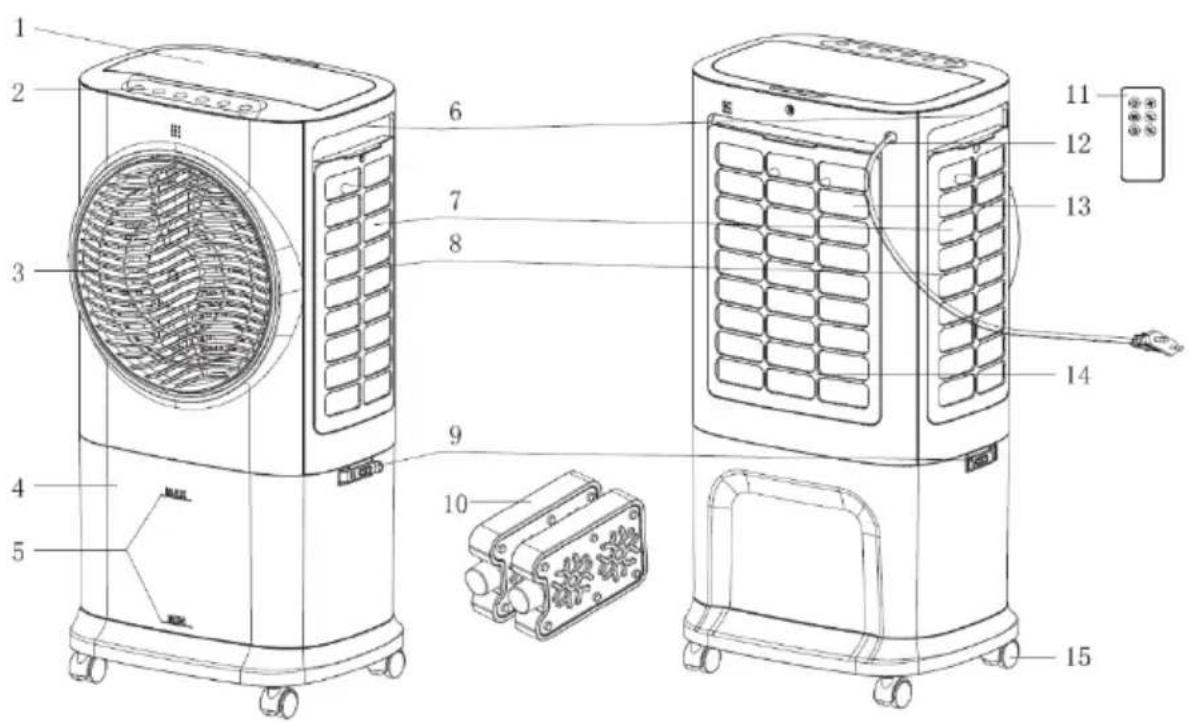
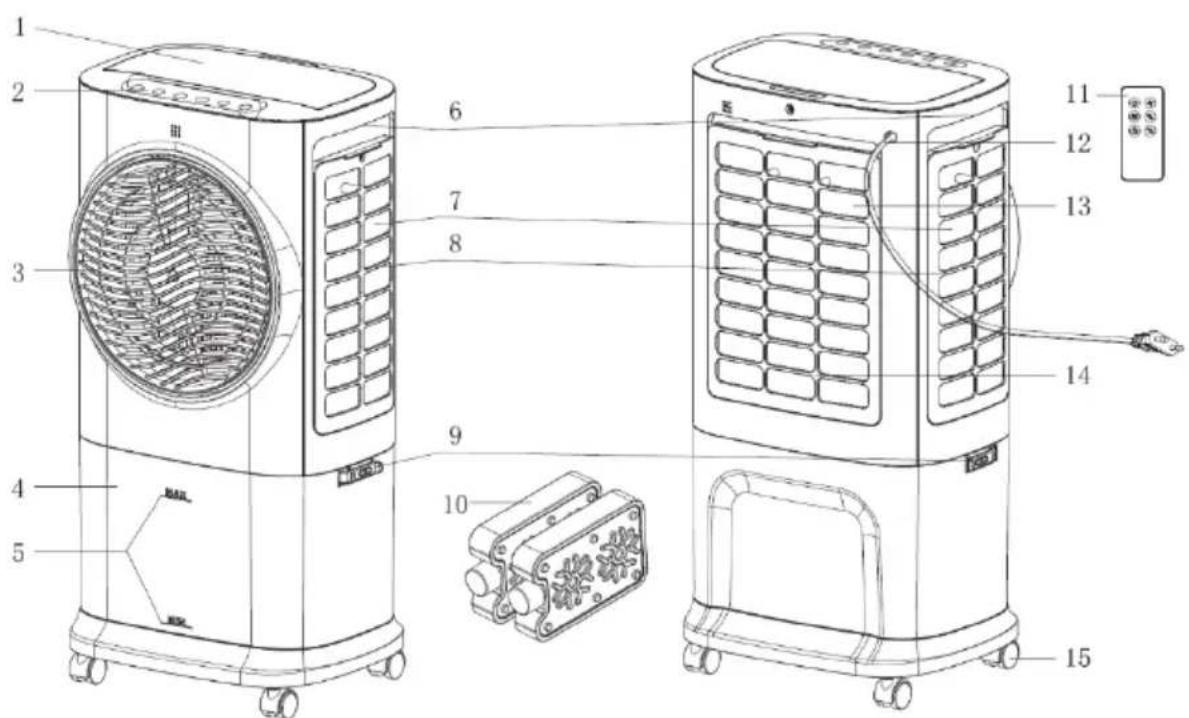
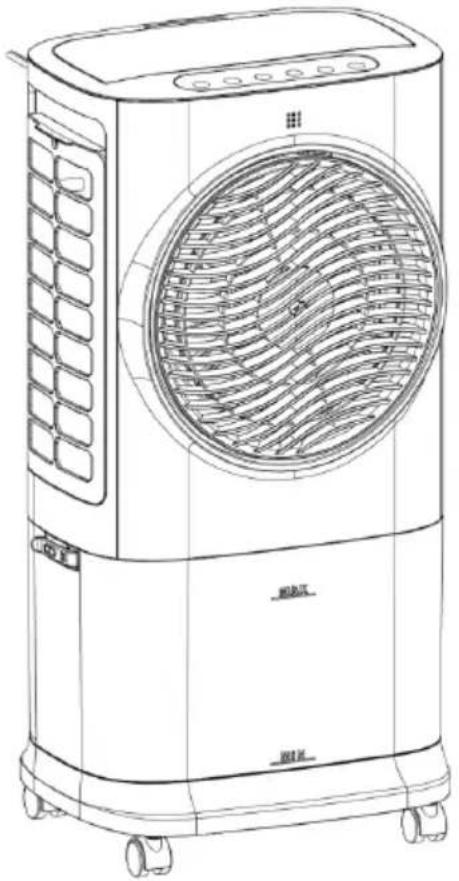
DESCRIPTION OF THE DEVICE
1) Water filling opening
4) Water tank
7) Lateral cooling pad
10) Cool pack
13) Rear cooling pad
2) Control panel
5) Water level indicator
8) Side filter
11) Remote control
14) Rear filter
Indicators and control elements
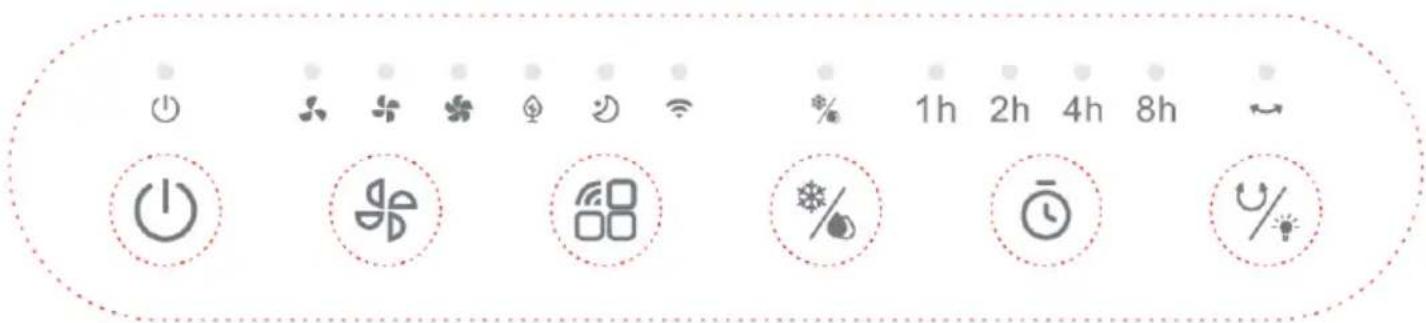
| On/Off | Speed |
| Mode/WIFI | Cooler/humidifier |
| Timer | Swivel mode/display off |
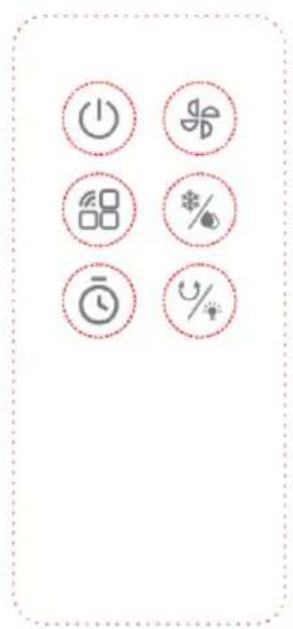
Remote control
Preparing the remote control - Inserting or replacing the battery
Please note the following instructions:
Initial operation:
To use the remote control for the first time, pull the plastic cover out of the battery compartment on the back of the remote control.
Change the battery:
- Pull out the battery holder on the back of the remote control and remove the old battery from the holder:
BE COOL

- Now insert a new CR2032 battery and always pay attention to the polarity markings (+/-) on the battery and the battery holder.
- Then push the battery holder all the way back into the remote control.
Correct use of the remote control
Point the remote control directly at the front of the appliance and ensure that there are no obstacles between the remote control and the appliance
Commissioning
Before initial commissioning
Unpacking the device
- Open the box and remove the appliance.
- Remove the packaging completely from the device.
- Unwind the power cable completely, taking care not to damage it.
Installation
After unpacking the product, fit the castors.
Unlock the water pump from the water tank according to the instructions and place the appliance lid on the water tank. As soon as the two fastening buckles are engaged, the appliance is ready for use.
BE COOL
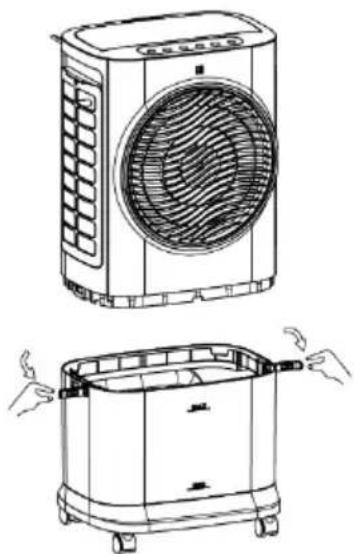
Installing the water pump and filling the water tank:
Filling up the water
If you want to activate the cooling and humidification function, please fill water into the water tank. There are two ways to add water:
Variant 1:
First open the water filling opening and slowly fill the water tank with water (see figure 1 and figure 2). After filling, close the water filling opening again.
BE COOL
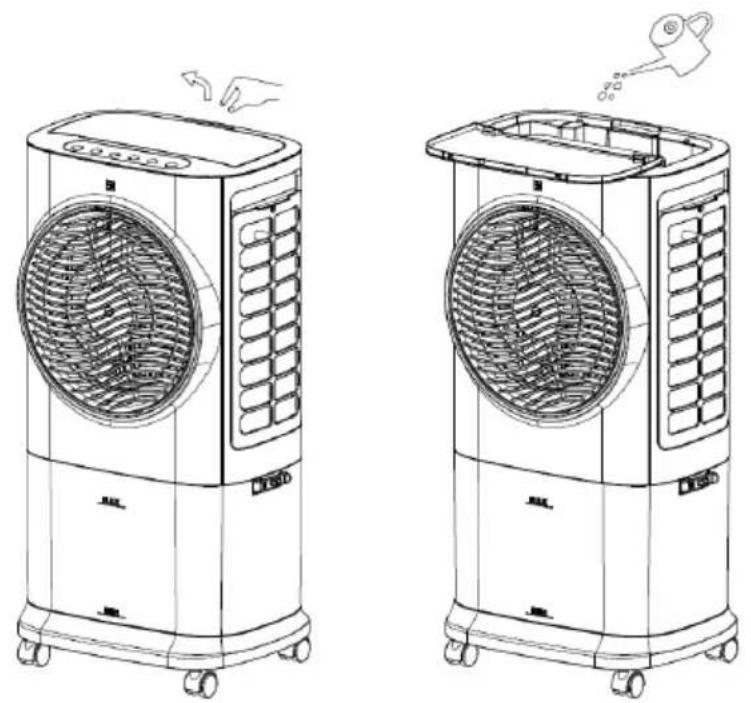
Variant 2:
First open the two fastening buckles of the water tank to separate the appliance from the water tank. Then slowly fill the water tank with water (see figure 3 and figure 4). Once you have added the water, reassemble the appliance and the water tank and secure the fastening buckles.
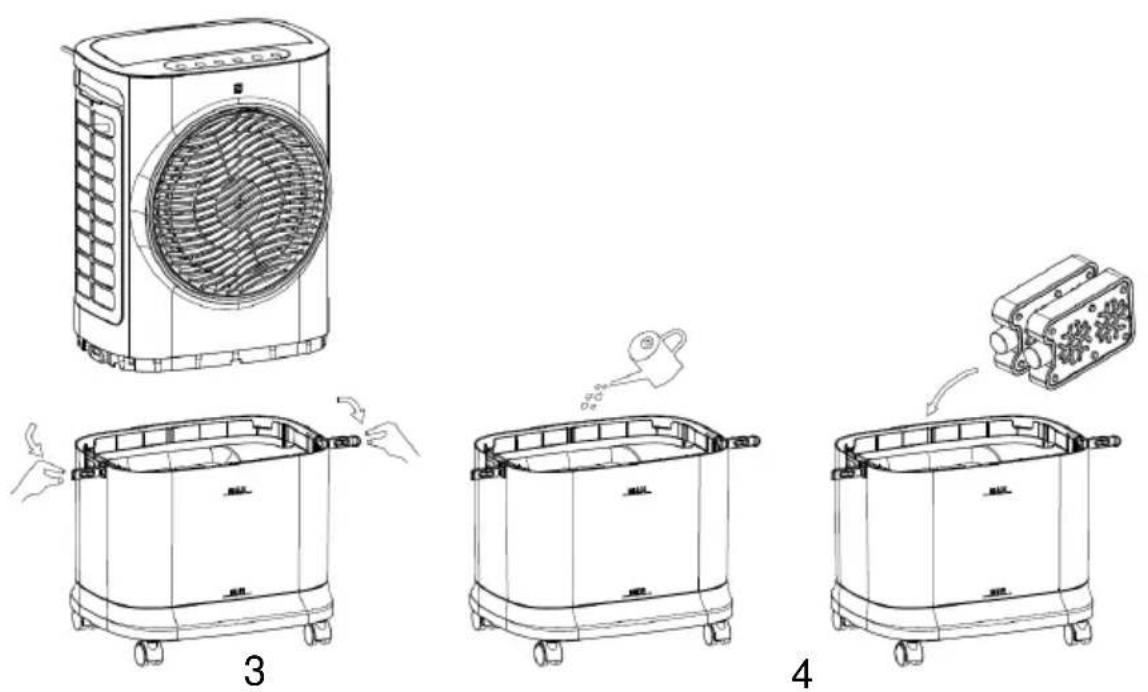
BE COOL
5
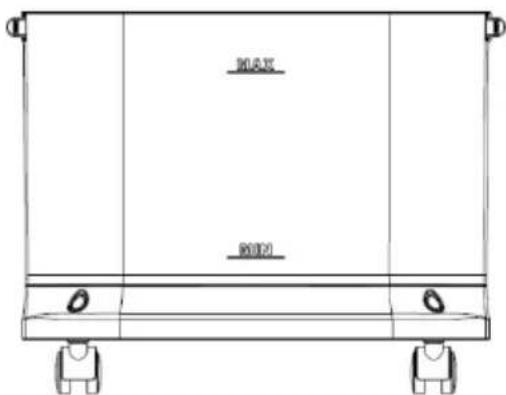
When filling the water tank, pay attention to the water level indicator on the front of the water tank (see figure 5).
- Make sure that the maximum water level is not exceeded.
Always use clean tap water. - Friendly note: If the appliance is used for the first time and the water in the water tank has a slight discoloration or a slight odor, this is a normal phenomenon. It is non-toxic, harmless and does not affect your health.
Use of the water pump:
BE COOL
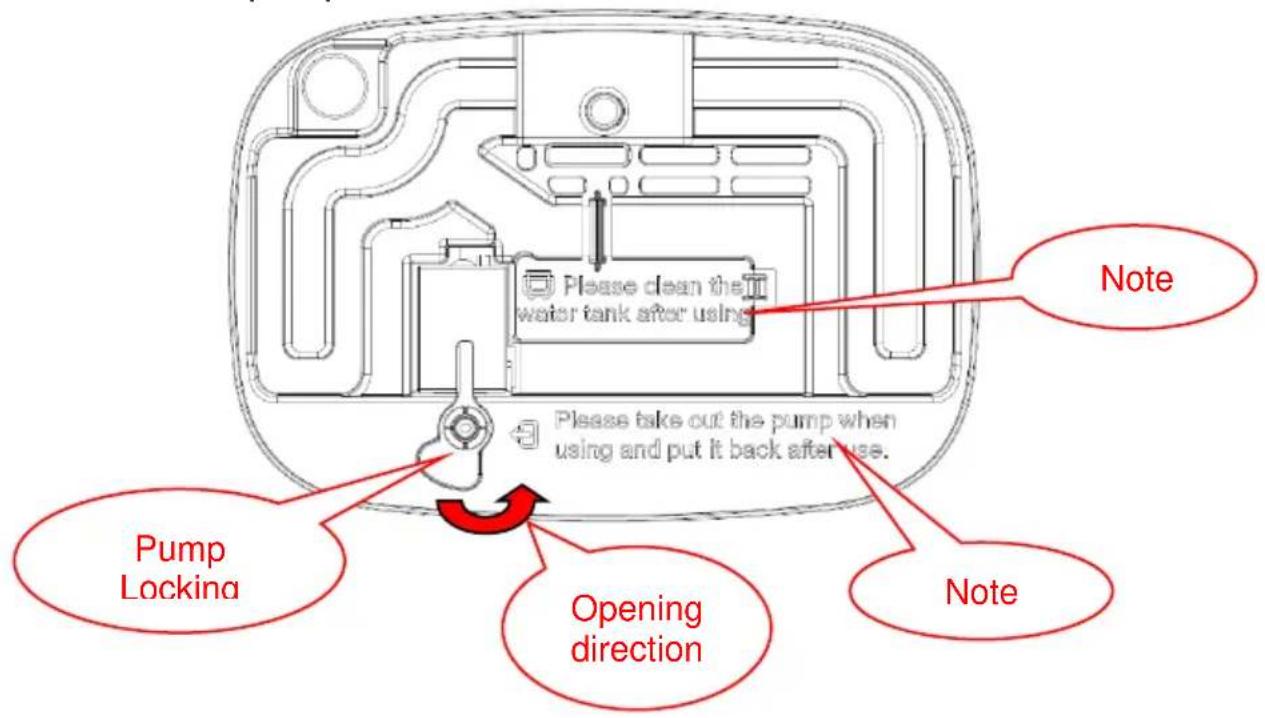
After you have removed the housing, please make sure to check the note on the bottom (see Figure 6 and Figure 7)

Please take out the pump when using and put it back after use.
6
Unlock the pump and lower it to the bottom of the water tank. After using the air cooler, replace the pump in the lid and lock it securely.

Please clean the water tank after using.
7
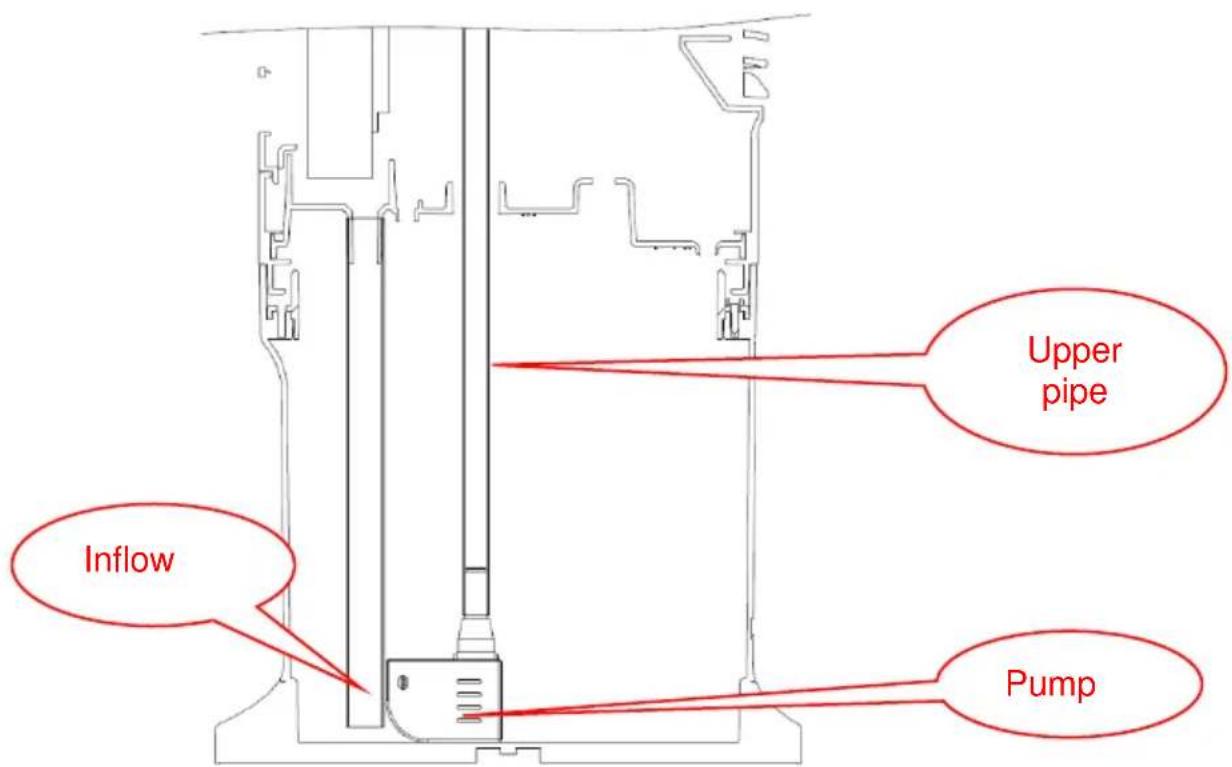
Turn the water pump lock anticlockwise and remove the water pump and the water pipe from the water tank (the water pipe is secured with two locks). This allows the water pump to sink to the bottom of the water by itself.
BE COOL
Use of the cool packs:
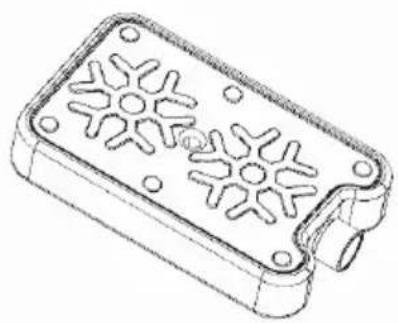
Cooling packs have cold and heat storage properties that can absorb the heat in the water, keeping the water temperature in the water tank lower than the ambient temperature for several hours and making the air flow of the cooling fan cooler.
- Place the cool pack in the freezer until it is completely frozen.
- Place the frozen cool pack in the water tank. After about 10 minutes, the water temperature in the tank will be lower than the ambient temperature.
- Do not open the lid of the ice container and do not swallow its contents.
BE COOL
Operation:
When the mains cable is plugged in, the device switches to standby mode and all functions are activated.
Displays are switched off. With the exception of the ON/OFF button, it is not possible to press any other buttons.
1. " ( 1 \ 0 ) ON/OFF:
After the device is connected to the power supply, it emits a beep and switches to standby mode. All function indicator lights are off and, apart from the on/off button, pressing other buttons has no effect.
- In standby mode after switching on: Press the " " on/off button once to turn on the device. The default state is as follows:
a. Fan: Low wind speed, the LED is on. (After switching on for the first time, the device runs at medium wind speed for 3 seconds and then switches to low wind speed. If the device is switched on again in standby mode after shutdown, it also runs at medium wind speed for 3 seconds and then switches to low wind speed).
b. Cooling: Off, the LED is off.
c. Wind mode: Normal wind speed.
d. Timer: No timer active, the LEDs for 1-8 hours are off.
e. Left/right swivel function: Off, the LED is off.
f. Power indicator: On, the LED is on.
- In operating mode: Press the " " button to switch off all functions. The device switches to standby mode.
As soon as the appliance is switched on, the last operating status used is retained, with the exception of the timer, sleep mode and dry air functions.
To switch the appliance back on, simply press the "On/Off" button in standby mode.
BE COOL
2. " Wind speed
1) When the device is switched on, press the " " wind speed button to adjust the wind speed. The cycle runs as follows: Low wind speed medium wind speed high wind speed low wind speed... and so on. Indicator light: Press the button to cycle through the display sequence: "1" "2" "3" "1"...
2) Dry air function
The dry air function is used to remove any moisture remaining in the appliance and to dry the air in the appliance to prevent mold growth or unpleasant odors. This function is particularly useful after using the cooling or humidifying function, as moisture can remain in the appliance due to the constant evaporation of water. By activating the dry air function, the air is blown through the appliance at high speed for a defined period of time to dry any damp areas inside and extend the appliance's service life.
- When the appliance is switched on, press and hold the "CD" wind speed button for 3 seconds to activate the dry air function. The default speed is high wind speed, which remains active for 20 minutes and then switches to standby mode. In dry air mode, the wind speed display flashes to remind you and the digital display and other displays are switched off.
- During the dry air function, all other function buttons except the
"On/Off" button are deactivated. (Press and hold the " " button for 3 seconds to end the dry air function).
3." "Timer
When the appliance is switched on, you can activate the switch-off timer
using the " " timer button. This allows you to set the device to switch off after
1-8 hours (time accumulation) hours is switched off automatically. This is how the display works: If the timer is set to 2 hours, after 1 hour the 2-hour indicator goes out and the 1-hour indicator lights up to show the remaining time. As soon as all timer displays have gone out, the appliance
BE COOL
switches off automatically and goes into standby mode.
4. "Wind modes and display
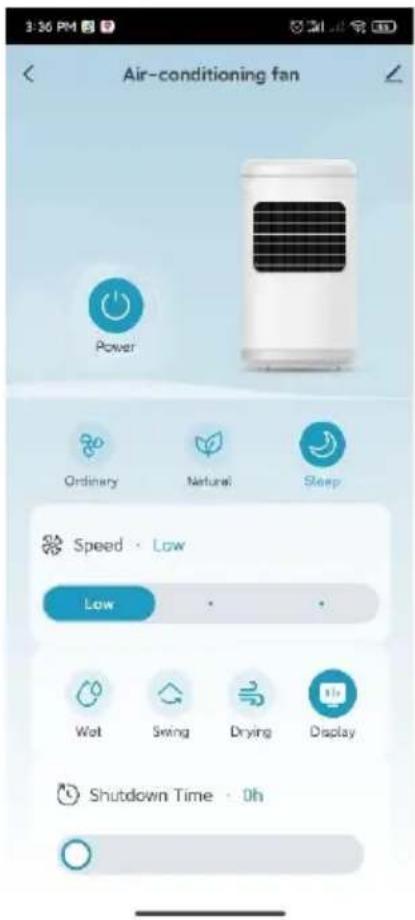
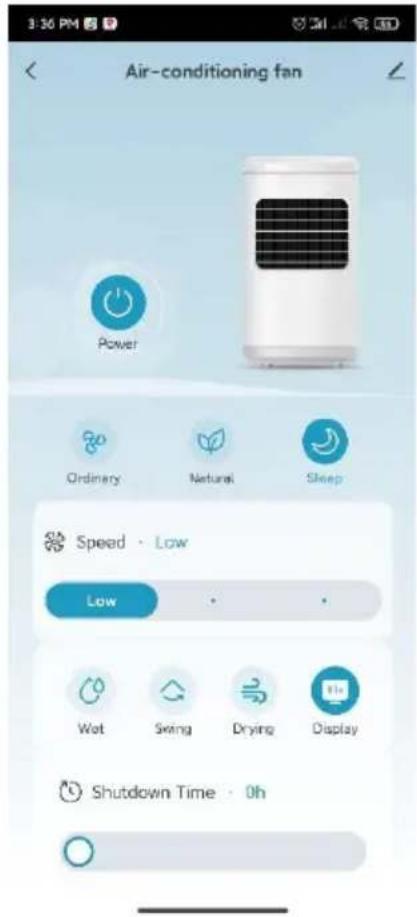
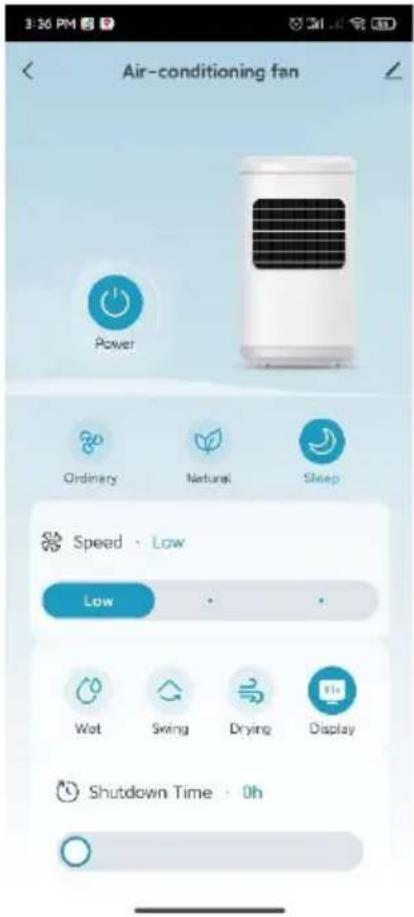
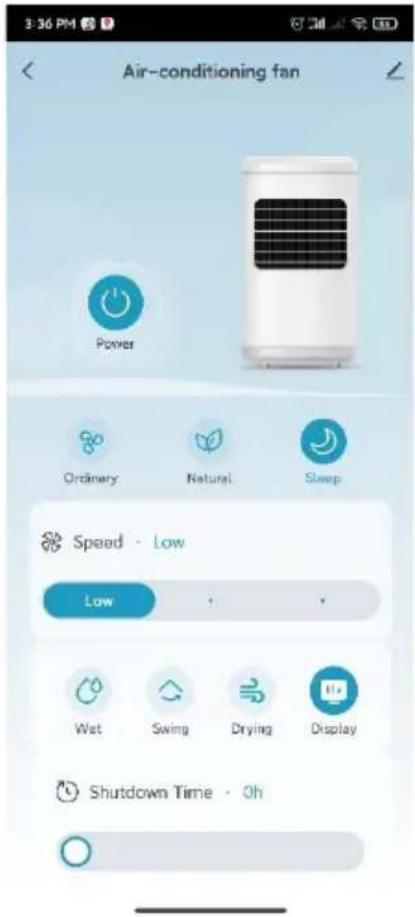
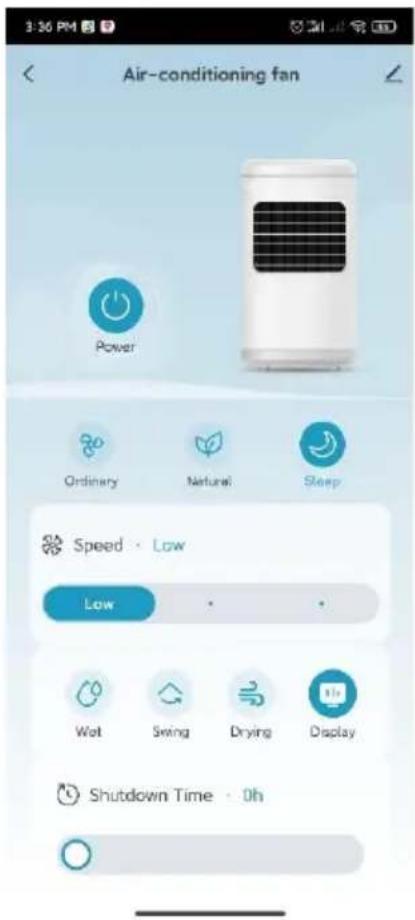
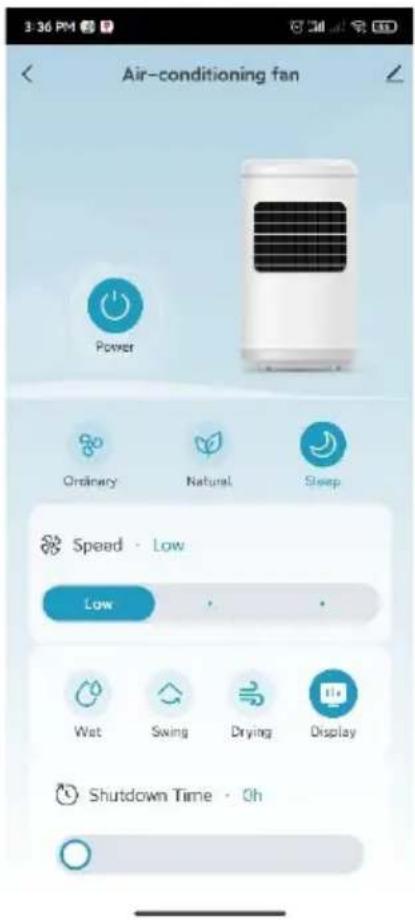
When the device is switched on for the first time, it runs in normal wind mode. Press the "wind mode button to change the wind mode. The switching sequence is: Normal wind Natural wind Sleep wind Normal wind... and the corresponding indicators on the control panel show the active mode.
- Normal wind: The device operates at the wind speed set by the user. There are three levels: high, medium and low, and the speed remains constant.
- Natural wind: The appliance also operates at the wind speed set by the user, but the operation automatically adapts to the preset program rules. The mode automatically switches between high, medium and low speed. This mode imitates the natural wind and ensures a softer and more pleasant air flow.
The specific program curve for natural wind mode is defined as follows:



BE COOL
Sleep mode:
The device automatically reduces the wind speed based on the set level and a programmed time sequence.
Sleeping wind at high speed: The appliance switches from high speed to medium speed and then to low speed after 30 minutes.
Sleeping wind at medium speed: After 30 minutes at medium speed, the appliance switches to low speed.
Sleeping wind at low speed: The appliance remains constant at low speed.
During sleep mode, the wind speed adjusts automatically and the wind speed display changes accordingly. For example, if the device starts at medium speed in sleep mode, it switches to low speed after 30 minutes and the display changes from "2" to "1".
5. " " Cooler/humidifier
When the appliance is switched on, press the " " cooler/humidifier button to switch the cooler/humidifier function on or off.
Cooler/humidifier function switched on: The water pump is working and the indicator light is illuminated.
- Cooler/humidifier function switched off: The water pump stops and the indicator light goes out.
Note: If the cooling function is switched on and the water pump is running for 45 seconds, the pump will stop automatically if a water shortage is detected within 5 seconds. The buzzer emits an alarm signal for 10 times and the cooling/humidification function is switched off. (The cooling indicator flashes on for 0.5 seconds and off for 0.5 seconds until the cooling button is pressed again to switch it off).
BE COOL
6. " "Swivel function / oscillation / display off"
When the device is switched on, press the " " button to switch the swivel function on or off:
- Swivel on: The swivel function is active and the indicator light is illuminated.
- Swivel off: The swivel function stops and the indicator light goes out.
Switch off the screen: Press and hold
the " " button for 3 seconds to turn off the screen and all displays. Press any button to restore normal brightness without executing a function.
7. "WiFi function
When switched on, press and
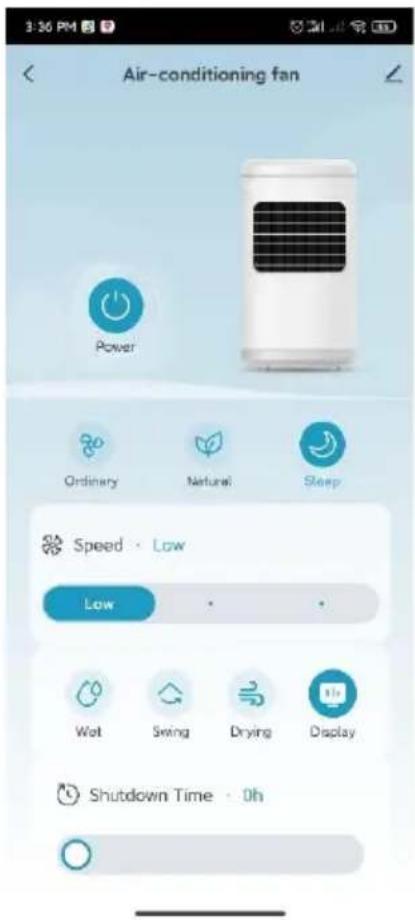
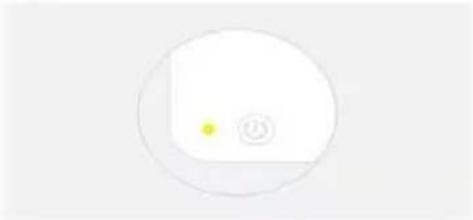
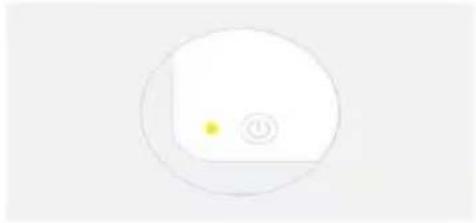
hold the wind mode button "for 5 seconds. After the signal tone, the WiFi indicator starts flashing about 5 seconds later and you can configure the network in the standard mode of the app. If no connection is established within 3 minutes, the WiFi indicator goes out. To reconnect, press and hold the wind mode button again for 5 seconds. After the signal tone, the WiFi module is reset. About 5 seconds later, the WiFi indicator flashes again and you can configure the network in the app's standard mode. If the WiFi indicator flashes at short intervals, press and hold the wind mode button again for 5 seconds. After the signal tone, the WiFi indicator flashes more slowly and the network can be configured in the compatible mode of the app.
BE COOL
Remarks:
- If the device is switched off 10 seconds after being switched on, the WiFi display returns to its previous state. If the device is switched off and restarted after 10 seconds, the WiFi indicator remains off and the device switches to energy-saving mode. To restart, press and hold the settings button for 5 seconds.
- During the pairing process, the WiFi indicator goes out if no network configuration takes place within 3 minutes. Press and hold the setting button for 5 seconds to restart the pairing process.
- When pairing is complete and the router is switched off, the WiFi indicator goes out. As soon as the router is back in operation, the connection is automatically re-paired.
IMPORTANT
Please note that only 2.4 GHz networks are supported! Transmission power: max. 100mW
Installing the app
Go to the relevant app store (Google Play or Apple App Store) and search for "Tuya". Alternatively, you can scan the QR code below to download the app directly and register.

BE COOL
Register account, log in, recover password:
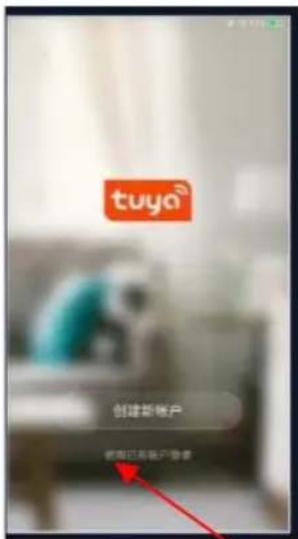
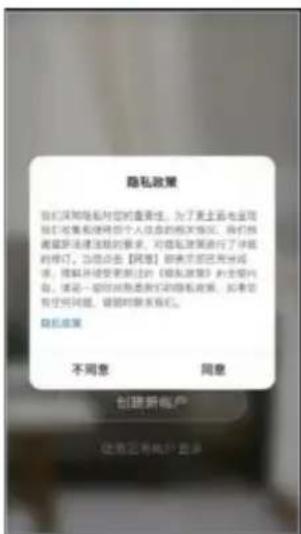
Tap on "Agree" to go to the registration page.
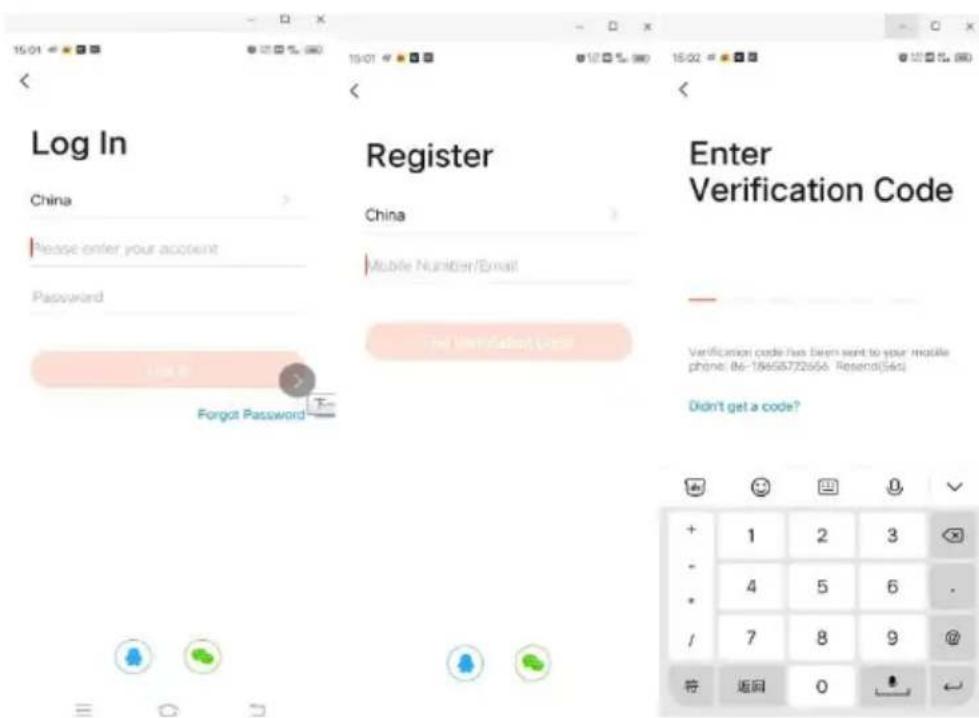
BE COOL
For new users: Click on "Create new account" to register.
- For existing users: If you already have a Tuya account, simply log in with your access data.
The procedure for linking the Tuya app
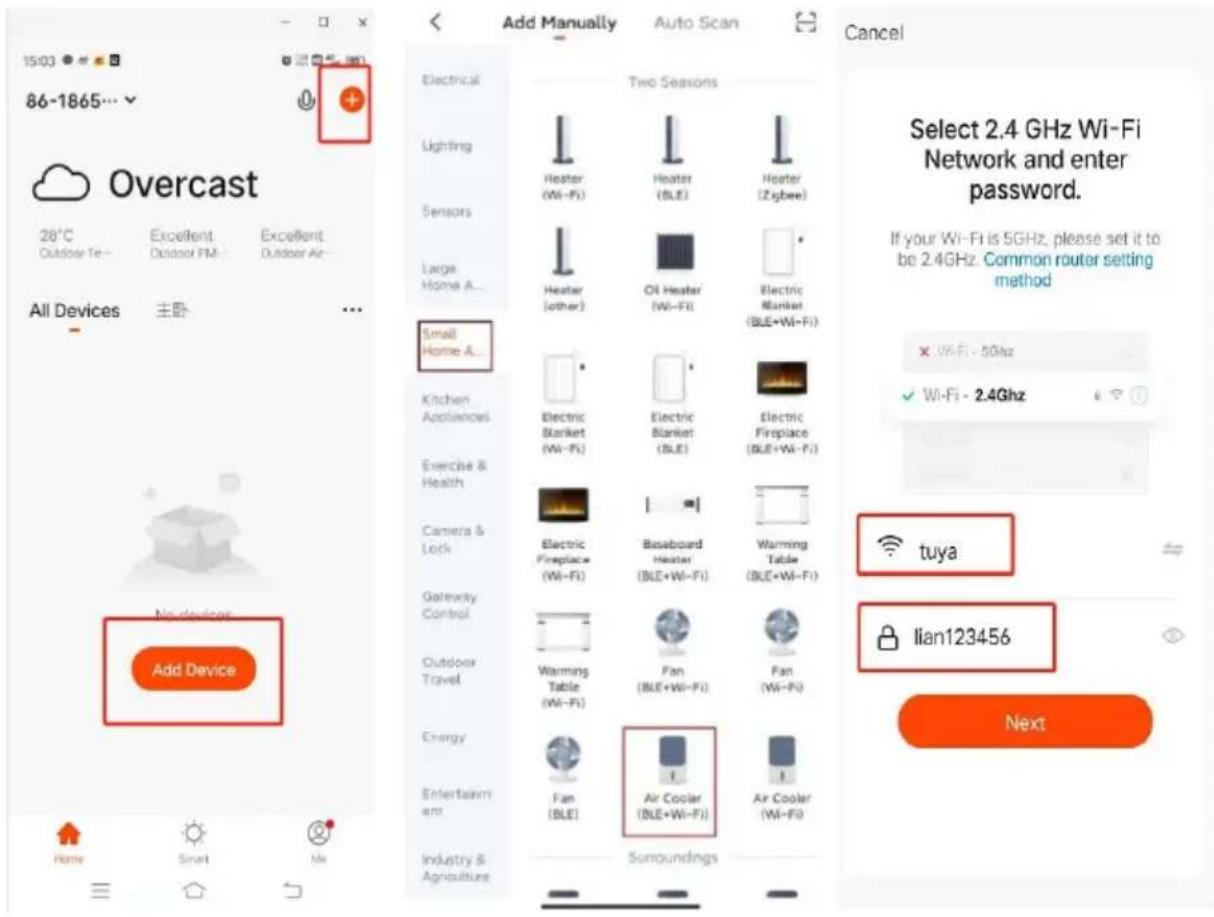
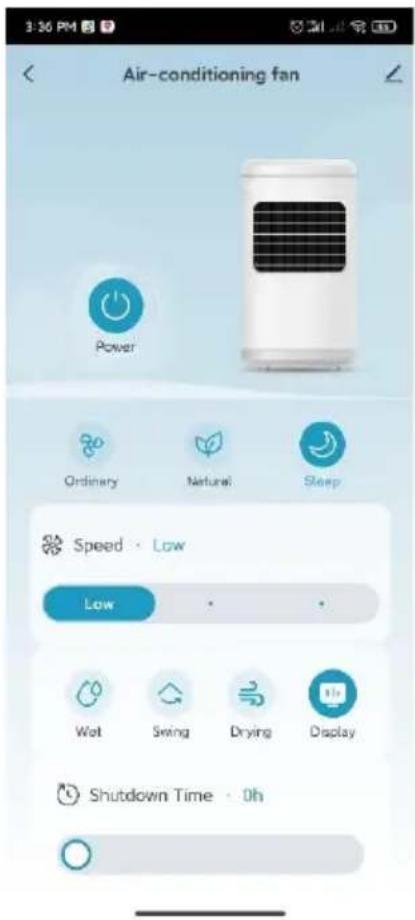
Log in to your account and open the app. Click on "Add device" or the "+" symbol in the top right corner to start the connection. Select "Small appliance air cooler (WIFI)" and enter the Wi-Fi password of the network to which your smartphone is connected.
BE COOL
Cancel
EZ Mode
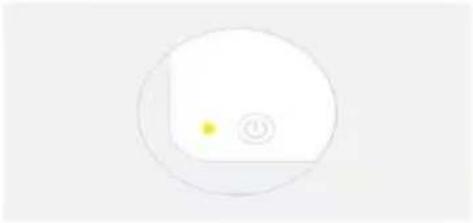
Reset the device first.
Power on the device and confirm that the indicator is blinking rapidly. Note: please complete the network distribution within 3 minutes after resetting the device.
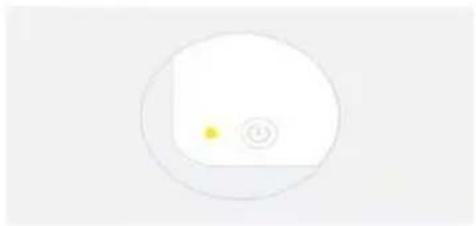
Perform net pairing as prompted.
Confirm the indicator is blinking rapidly.
Confirm that the indicator light is flashing.
Cancel
Adding device...
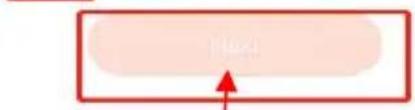
Ensure that the device is powered on.

01:58

devices
Regardart
C01
续表
H1112
Device wanted
BE COOL
10:32AM
书
Done
Added successfully

Skyscraper Ice Smart Device added successfully
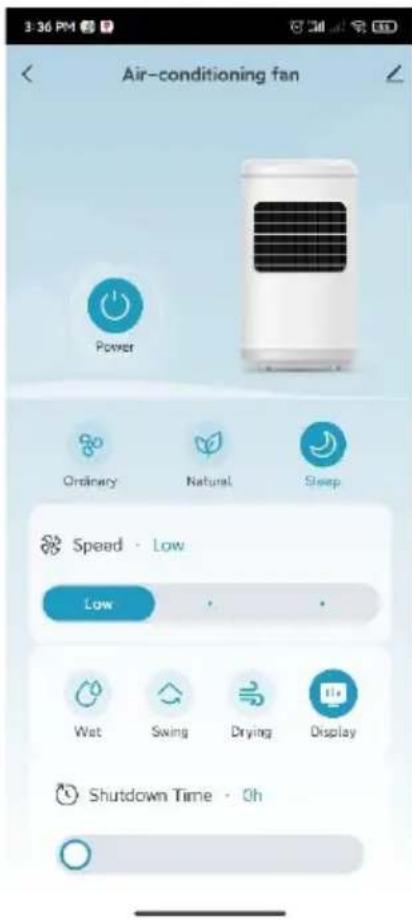
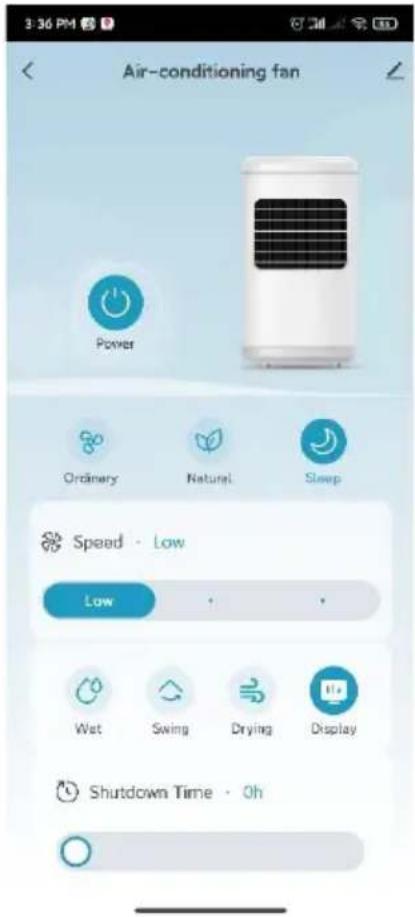
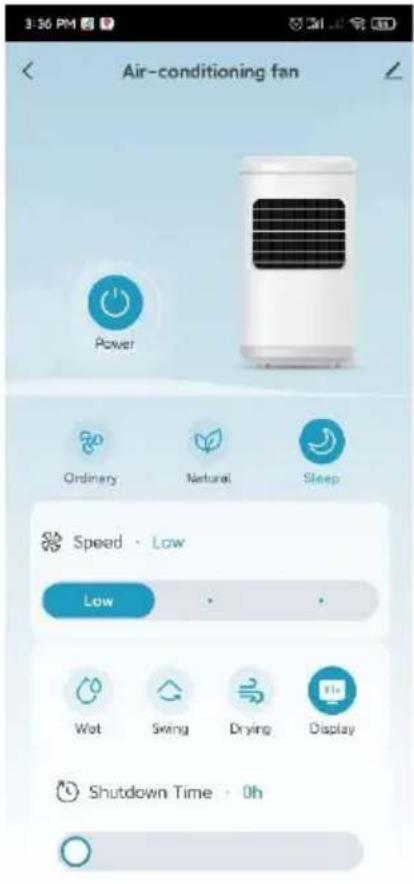
Once pairing is complete, you can call up the main interface and control the device via the app.
BE COOL
Cleaning instructions

Do not use any chemicals when cleaning.
Cleaning the air filter and humidification unit
If too many foreign objects accumulate on the air filter, this can impair the air outlet performance. You should therefore clean it at least once a month.
- Pull out the mains plug.
- Loosen the fastening screws on the side grilles (see illustration below).
- Pull the handle of the rear net and the filter insert upwards to remove the humidification unit (see illustration below).
- Soak the humidification unit in cleaning agent for a few minutes, then wash and dry it.

BE COOL
Switch off the power supply and disconnect the mains plug.
Please ensure that the power cable is disconnected from the mains before cleaning, otherwise there is a risk of electric shock.
Clean the outer surface:
- If the surface is dusty, wipe it with a soft cloth. If it is very dirty, use lukewarm water (below 50^ ) and a mild detergent. Then wipe dry with a soft cloth.
- Do not use aggressive cleaning agents such as benzine or thinner, as these can damage the surface.
Clean the water tank:
- Pull out the mains plug and turn the locking knob to remove the water tank.
- Clean the tank with a cloth and some cleaning agent, rinse it out with water and pour away the waste water.
Clean the housing surface:
- Wipe the housing with a damp cloth, but never rinse it directly with water.
- Do not use any aggressive cleaning agents or solvents.
- Make sure that the mains plug is disconnected before cleaning the appliance to avoid electric shock.
After cleaning:
- Reassemble all parts, such as the water tank and the cooling mats, correctly.
- Connect the device and check that it is working properly.
Maintenance:
- If you are not going to use the appliance for a long time, unplug it from the mains, pack it away and protect it from dust.
- Make sure that all parts, especially the cooling mat and the water tank, are dry before storing the appliance.
BE COOL
Technical data
| Technical information | |
| Nominal voltage | 220 - 240 V~ |
| Frequency | 50 Hz |
| Nominal input power | 50 W |
| Water tank capacity | 6,5 L |
| Speed levels | 3 |
| WIFI transmission frequency: | 2.4 GHz |
| Transmission power: | max. 100 mW |
| Air circulation | 340 m³/h |
| Product dimensions | 280×569×230 mm |
| Net weight | 4.0 kg |
| Contact addresses for further information and service line: | Schuss Home Electronic GmbH Scheringgasse 3, A-1140 Vienna Tel: +43 (1) 97 0 21 - 0 www.becool.at FB-No.: 23697 4 t / FB-Court: Vienna |
BE COOL
WARRANTY
With this quality product from BE COOL, you have made a decision for innovation, durability and reliability.
For this BE COOL appliance we grant a warranty period of 2 years from the date of purchase valid in Austria! If, contrary to expectations, service work is required on your appliance during this period, we hereby guarantee to repair it free of charge (spare parts and labor) or (at Schuss's discretion) to replace the product. If neither repair nor replacement is possible for economic reasons, we reserve the right to issue a current value credit note.
In the case of air conditioners, please always contact the customer hotline as a first step (see sticker on the appliance or front page of the operating instructions); in the case of fans, please contact your specialist dealer or us directly. We would like to point out that any repair work not carried out by an authorized workshop in Austria will immediately invalidate this guarantee.
This guarantee does not cover
We do not accept any liability for consequential damage in the event of improper use
Repair or replacement of parts due to normal wear and tear
- Damage due to non-compliance with the operating instructions
Devices that are used - even partially - for commercial purposes
- devices mechanically damaged by external influences (fall, impact, breakage, improper use, etc.) as well as signs of wear and tear of an aesthetic nature.
Devices that have been handled improperly
Devices that have not been opened by our authorized service workshop.
- Damage caused by improperly closed condensation drain valves on air conditioning units or incorrectly inserted water tanks.
Unfulfilled consumer expectations.
- Damage caused by force majeure, water, lightning, overvoltage.
Devices where the type designation and/or serial number on the device has been changed, deleted, made illegible or removed.
services outside our authorized workshops, the transport costs to an authorized workshop or to us and back, as well as the associated risks.
We would like to emphasize that within the warranty period, a lump sum of € 60,- (indexed based on CPI 2010, June 2015) will be charged for operating errors or if no error was detected.
The provision of a warranty service (repair or replacement of the device) does not extend the absolute warranty period of 2 years from the date of purchase.
The 2-year guarantee is only valid on presentation of the proof of purchase (must include the name and address of the dealer and the full name of the appliance) and the corresponding guarantee certificate, on which the appliance type and the serial number (visible on the box and on the back or bottom of the appliance) must be noted! Without the warranty certificate, only the statutory warranty applies!
We expressly point out that the statutory warranty rights are not affected by this guarantee and remain unaffected. Schuss Home Electronic GmbH and its vicarious agents shall only be liable for damages in the event of gross negligence or intent. Liability for loss of profit, expected but unrealized savings, consequential damages and damages from third party claims is excluded. Damage to or for recorded data is always excluded from the liability for damages.
Congratulations on your choice. We hope you enjoy using your BE COOL appliance!
ADDRESS
Schuss Home Electronic
A-1140 Vienna, Scheringgasse 3
Tel.: +43 (0)1/ 970 21
Type designation:
Serial number:
This warranty certificate must be handed over to the authorized service workshop together with the appliance in the event of a warranty claim.
BE COOL
This declaration of conformity is issued under the sole responsibility of the manufacturer.
Schuss Home Electronic GmbH
Scheringgasse 3
1140 Wien, AUSTRIA
Declares, that the product
Manufacturer
Hersteller
SCHUSS HOME ELECTRONIC
GmbH
Designation
Bezeichnung
Luftkühler
Aircooler
Model No.:
Modelnumber
BC6ACP2501W
is conformity with following directives, norms and/or regulations:
DIRECTIVE 2014/53/EU OF THE EUROPEAN PARLIAMENT AND OF THE COUNCIL of April 16, 2014 on the harmonization of the laws of the Member States regarding the making available on the market of radio equipment and repealing Directive 1999/5/EC Official Journal of the EU L 153/62 May 22, 2014
Article 3.1(a) Health:
EN IEC 62311:2020
Article 3.1(b) EMC:
ETSI EN 301 489-1 V2.2.3 (2019-11)
ETSI EN 301 489-17 V3.2.4 (2020-09)
Article 3.2 Radio:
EMC Directive (EMC): 2014/30/EU Directive of the European Parliament and of the Council of 26 February 2014 on the harmonisation of the laws of the Member States relating to electromagnetic compatibility; Official Journal of the EU L96, 29/03/2014, p. 79-106
EN IEC 55014-1:2021
EN IEC 55014-2:2021
ENIEC61000-3-2:2019+A1:2021
EN 61000-3-3:2013 + A1:2019 + A2:2021
Low Voltage Directive (LVD):2014/35/EU Directive of the European Parliament and of the Council of 26 February 2014 on the harmonisation of the laws of the Member States relating to the making available on the market of electrical equipment designed for use within certain voltage limits; Official Journal of the EU L96, 29/03/2014, p. 357-374
EN 60335-1:2012 + A11:2014 + A13:2017 + A1:2019 + A2:2019 + A14:2019 + A15:2021 + A16:2023
EN 60335-2-80:2003 + A1:2004 + A2:2009
EN 60335-2-98:2003 + A1:2005 + A2:2008 + A11:2019
EN 62233:2008
RoHS Directive: 2011/65/EU Directive of the European Parliament and of the Council of 8 June 2011 on the restriction of the use of certain hazardous substances in electrical and electronic equipment; Official Journal of the EU L174, 1/07/2011, p. 88-110
BE COOL
Reach SVHC(EC)NO. 1907/2006 Schuss Home Electronic GmbH hereby confirms that in the products we supply, there are no substances of very high concern (SVHC) in the candidate list (last ECHA update from June 14, 2023, 235 substances) above 0.1% in accordance with Article 33 of the REACH Regulation (EC) No .1907/2006 are included.
Place and date of issue:
Vienna, 2024-12-10
Declaration reference:
SCHUSS HOME ELECTRONIC GMBH
Scheringgasse 3, 1140 Wien, AUSTRIA
- "Schwenkfungtion/Oszillation / Display Aus"
- Reset the device first.
- BE COOL
- Added successfully
- INSTRUCTIONS DE UTILIZARE
- Răcitor de aer BC6ACP2501W
- Current operating instructions and other languages
- SCOPE OF DELIVERY
- Indicators and control elements
- Remote control
- Preparing the remote control - Inserting or replacing the battery
- Initial operation:
- Change the battery:
- Correct use of the remote control
- Commissioning
- Before initial commissioning
- Unpacking the device
- Installation
- Installing the water pump and filling the water tank:
- Filling up the water
- Variant 1:
- Variant 2:
- Operation:
- " ( matrix 1 \ 0 matrix) ON/OFF:
- " Wind speed
- 2) Dry air function
- 3." "Timer
- "Wind modes and display
- Sleep mode:
- " " Cooler/humidifier
- " "Swivel function / oscillation / display off"
- Switch off the screen: Press and hold
- "WiFi function
- Remarks:
- IMPORTANT
- Installing the app
- The procedure for linking the Tuya app
- Adding device...
- Cleaning instructions
- Cleaning the air filter and humidification unit
- Switch off the power supply and disconnect the mains plug.
- Clean the outer surface:
- Clean the water tank:
- Clean the housing surface:
- After cleaning:
- Maintenance:
- WARRANTY
- This guarantee does not cover
- ADDRESS
- Schuss Home Electronic GmbH
- Article 3.1(a) Health:
Brand : Be Cool
Model : BC6ACP2501W
Category : Air Conditioning