TKEE MID - Tablet TCL - Free user manual and instructions
Find the device manual for free TKEE MID TCL in PDF.


| Product type | Touchscreen tablet |
| Brand | TCL |
| Model | TKEE MID |
| Dimensions | 245 mm x 165 mm x 8 mm (estimated) |
| Weight | Approximately 520 g (estimated) |
| Display | 10.1 inches (estimated) |
| Screen resolution | 1280 x 800 pixels (estimated) |
| Operating system | Android |
| Power supply | Rechargeable lithium-ion battery |
| Connectivity | Wi-Fi 802.11 b/g/n, Bluetooth, 4G LTE (via SIM card) |
| Ports and connections | USB Type-C, 3.5 mm headphone jack, microSD and SIM card slot |
| Camera | Front camera |
| Main functions | Internet browsing, multimedia playback, educational apps (TCL Kids), games |
| Maintenance and cleaning | Clean with a soft, dry cloth. Avoid water and abrasive products. |
| Security | PIN code lock, built-in parental controls (TCL Kids) |
| Spare parts and repairability | Available from TCL after-sales service. Refer to warranty. |
| General information | User manual available at notice-facile.com |
Frequently Asked Questions - TKEE MID TCL
User questions about TKEE MID TCL
0 question about this device. Answer the ones you know or ask your own.
Ask a new question about this device
Download the instructions for your Tablet in PDF format for free! Find your manual TKEE MID - TCL and take your electronic device back in hand. On this page are published all the documents necessary for the use of your device. TKEE MID by TCL.
USER MANUAL TKEE MID TCL
| Number Function | |
| 1 | Power key: Hold down until the tablet powers on. Hold down until options appear, then select power off. |
| 2 | Volume key |
| 3 | Headset |
| 4 | USB type-C port |
| 5 | Speaker |
| 6 | Microphone |
| 7 | Front Camera |
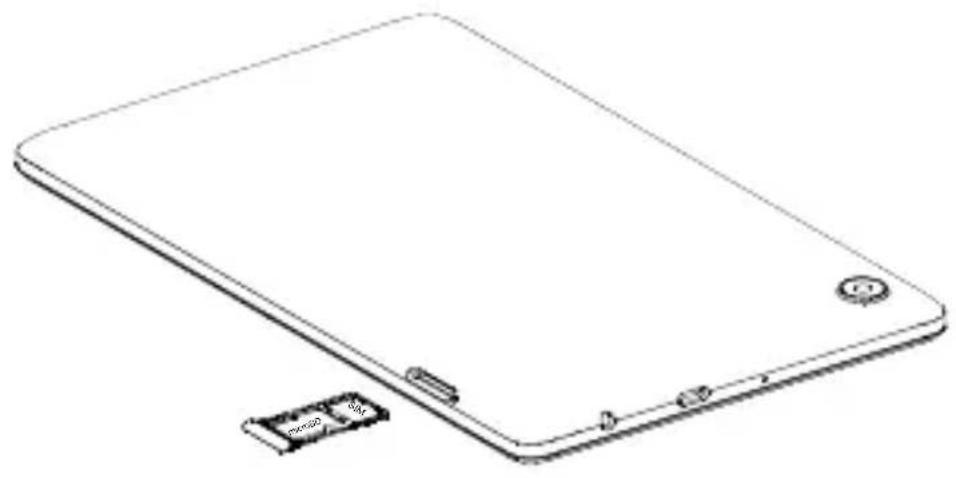
2 Insert microSD and SIM cards
natural_image
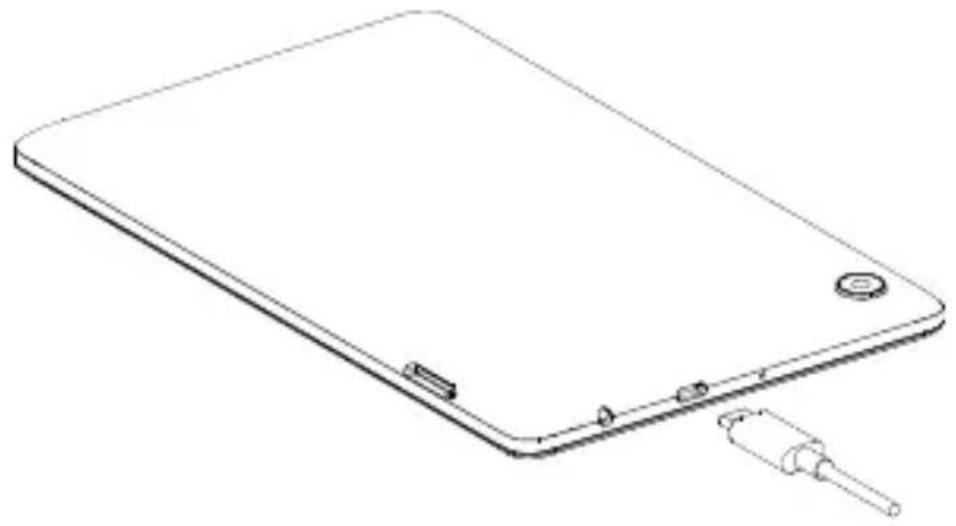
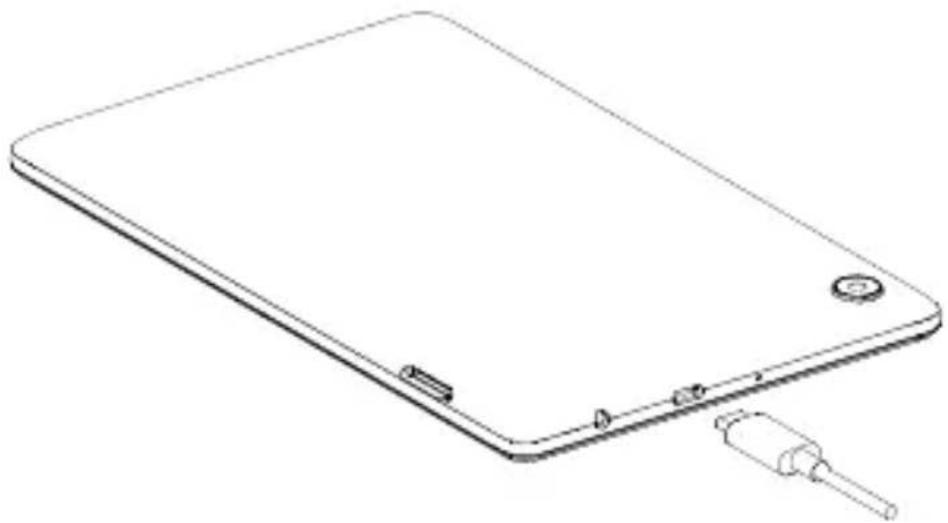
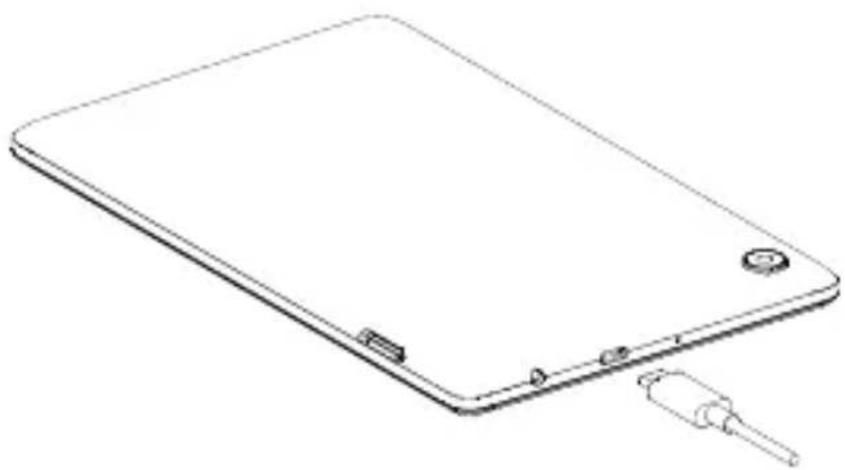
Line drawing of a tablet device with a small battery module attached (no text or symbols)3 Charging
natural_image
Line drawing of a flat electronic device with a small battery and a plug inserted (no text or symbols)4 Home screen
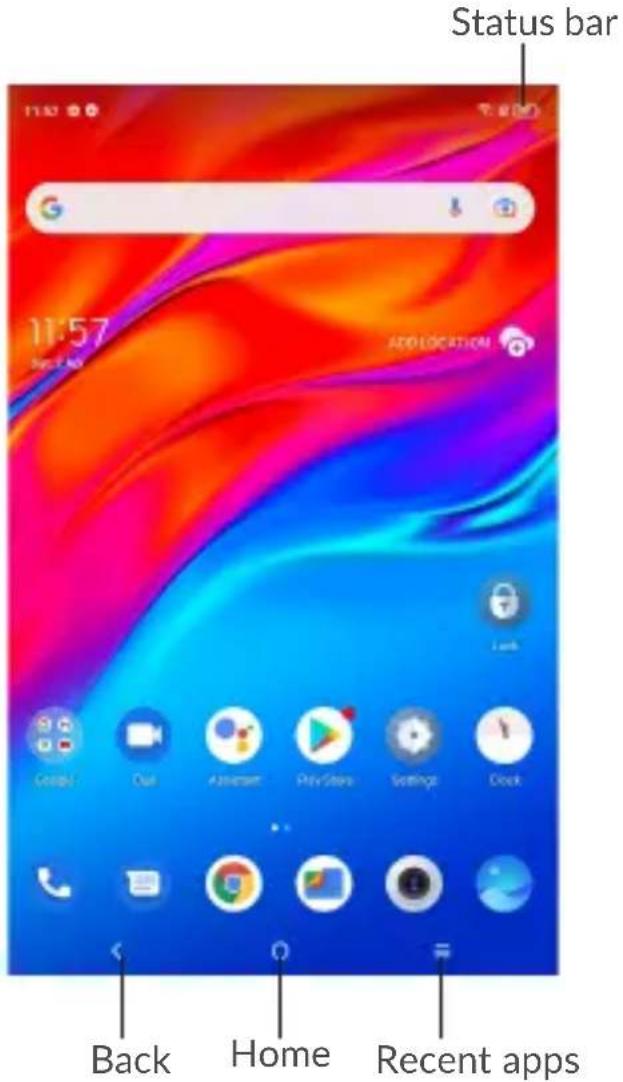
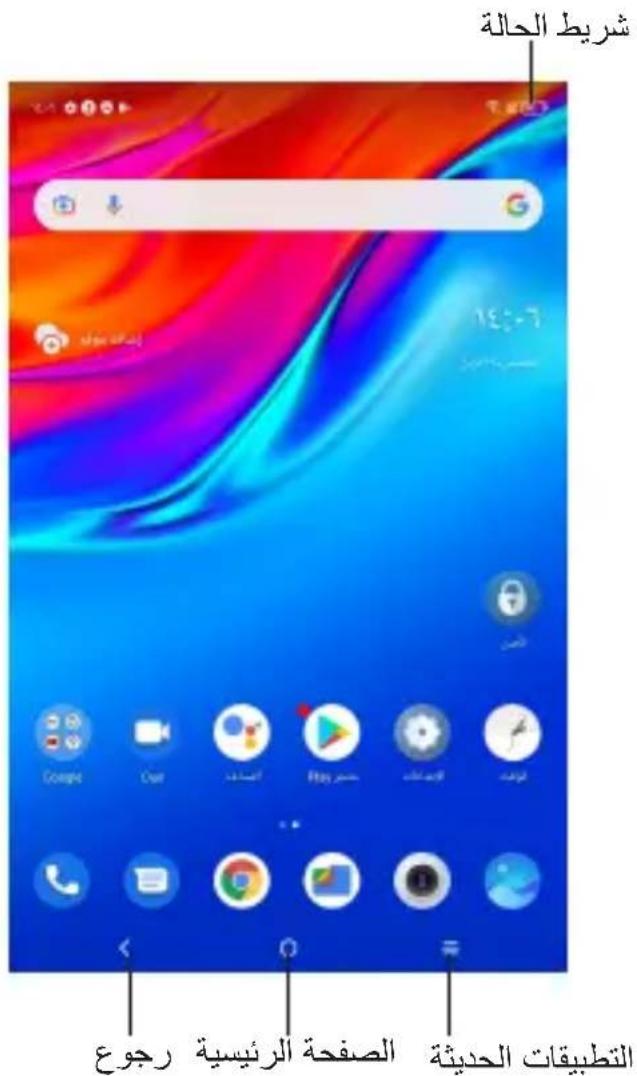
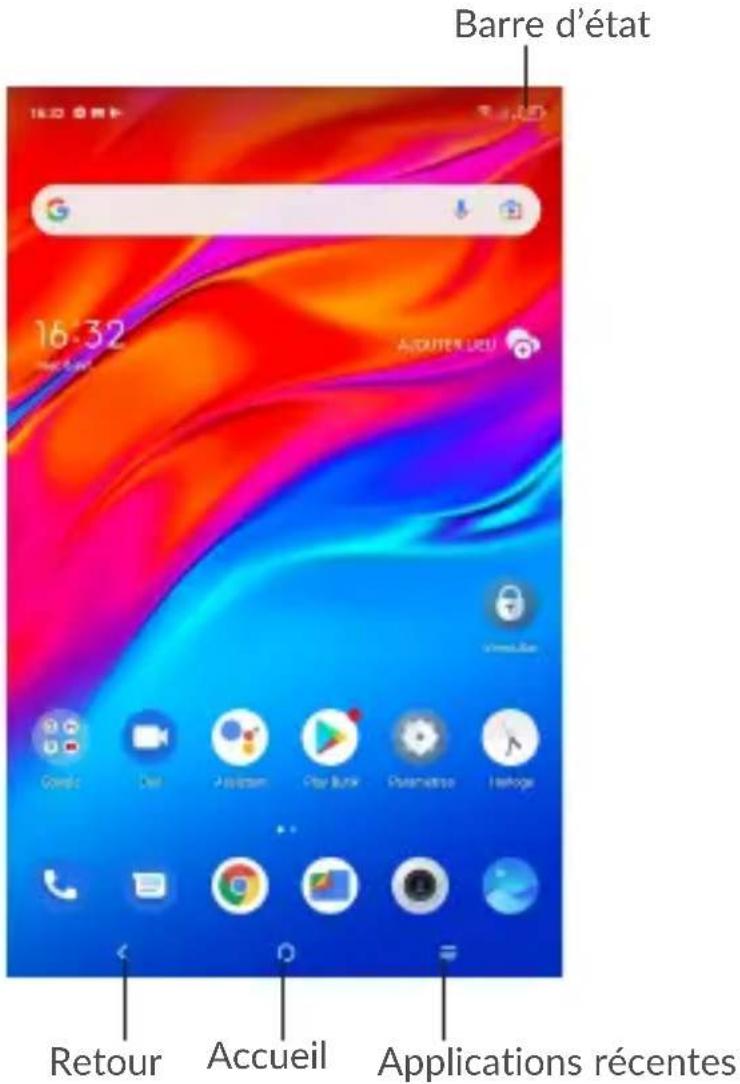
| Name Function | |
| Back Touch to go back to last screen. | |
| Home | Touch to return to the Home screen.Long press to enter Google Assistant. |
| Recent apps | Touch to view recent apps. |
| All apps | Swipe upward from the Home screen to view the app list. |
| Status bar | Swipe down to open the Notification panel and quick settings panel. |
5 Getting connected
To connect to the Internet with this device, you will need to have an internet connection via Mobile Data provider or via Wi-Fi.
5.1 Connecting to the Internet
5.1.1 Mobile Data
The first time you turn on your tablet with your SIM card inserted, it will automatically configure your network service: 2G, 3G, 4G.
To check the network connection you are using, touch Settings > SIM card & cellular network > Cellular network > Access Point Names. Your network service connection is also displayed on the Status bar.
5.1.2 Wi-Fi
To turn Wi-Fi on and connect to a Wi-Fi network.
- Go to Settings > Wi-Fi.
- Touch a Wi-Fi network to connect. If the network you selected is a secured network, you will need to enter a password or other credentials then touch CONNECT.
6
TCL Kids
TCL kids is an edutainment app for kids aged 3-15 years old. Kids can enjoy watching cartoons, reading storybooks, listening audio-stories, learning STEM ^1 lessons, playing puzzle games in TCL kids. Parents can control the Apps and Websites through Parent Control to sure safe and healthy content in it.
Getting started with TCL kids
- Touch TCL kids icon get start.

follow the instructions to
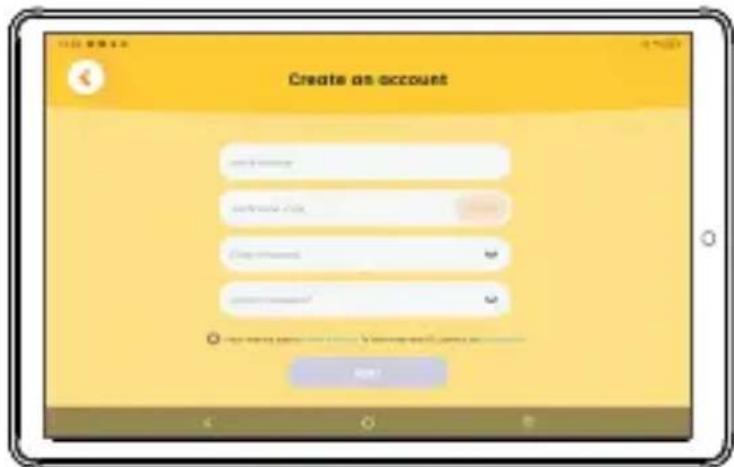
- For the first use, you need to create an account, add your child's profile and select interest tags then set a PIN code which allows you access to parent control and child profile.
- Then enter the following screen:
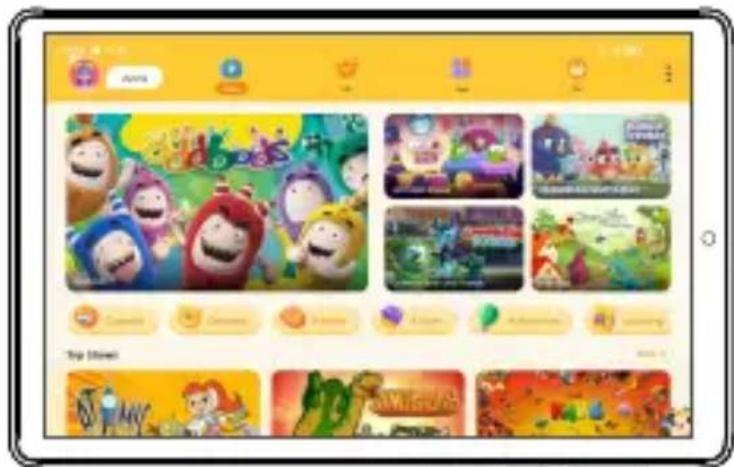
Touch Video tab, you can see a lot of videos including comedy, cartoon, animal, action, adventure, language, game and music, etc. Touch the corresponding video to play it.
Touch VIP tab, this Tab will be displayed only when you are a VIP user, and you can use the exchange code to redeem VIP.
Touch App tab, you need to touch the corresponding App icon to install it before use.
Touch Me tab, you can make the app or website to be available or unavailable for your child.
Parent Control
Touch : > Parent control, and enter the PIN code then the parent control screen will appear as shown below:
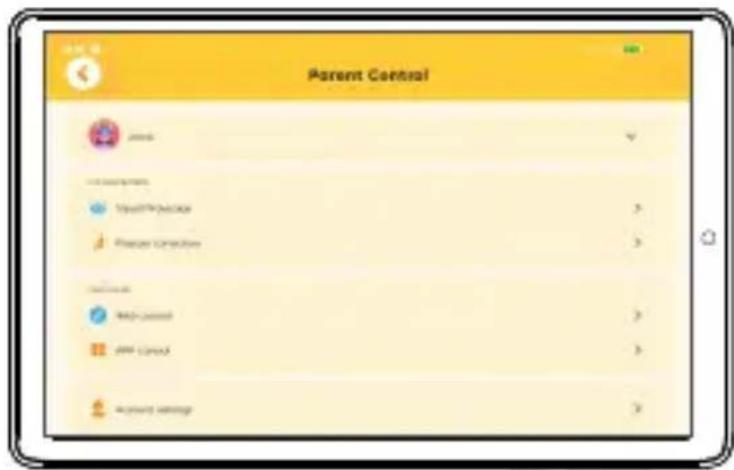
- Touch the profile photo, you can edit your child role.
- In Eye Care Settings, you can set visual protection and posture correction.
- In Parent Center, you can manage the app and website, then your child can access the added websites and the enabled apps. Touch Account settings, you can sign out, modify email, change password and PIN. You also can use the exchange code to redeem then become a VIP user, and enjoy the videos in VIP tab.
- In Other Settings, you can enable "Do Not Disturb" mode. Enable "Charge Protection", you will be prompted with a tip when your tablet is being charged.
To exit the TCL kids
Touch: > Exit, and enter PIN code to exit the TCL kids.
NOTE: Software is constantly evolving, the screen images and icons you see here are for reference only.
TCL TKEEMID
natural_image
Line drawing of a tablet device with a small electronic component attached (no text or symbols)3 Chargement
natural_image
Line drawing of a tablet device with a stylus and connector (no text or symbols)4
Écran d'accueil
natural_image
Line drawing of a tablet device with a small electronic component attached (no text or symbols)الشحن
natural_image
Line drawing of a tablet device with a stylus and connector (no text or symbols)الشاشة الرئيسية