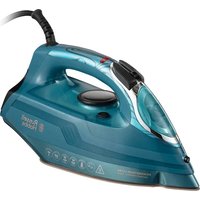
Powersteam Ultra 26340-56 - Iron RUSSELL HOBBS - Free user manual and instructions
Find the device manual for free Powersteam Ultra 26340-56 RUSSELL HOBBS in PDF.


| Product type | Iron |
| Brand | Russell Hobbs |
| Model | Powersteam Ultra 26340-56 |
| Power | 2400 W (estimated) |
| Tank capacity | 300 ml (estimated) |
| Soleplate type | Smooth soleplate with non-stick coating |
| Functions | Dry and steam ironing, spray, steam shot, vertical steam, auto shut-off, anti-scale, self-cleaning |
| Temperature setting | Thermostat with settings for different fabrics (●, ●●, ●●●/max) |
| Cord length | 2 m (estimated) |
| Weight | 1.5 kg (estimated) |
| Power supply | 220-240 V, 50 Hz |
| Safety | Auto shut-off (30 seconds on soleplate, 8 minutes on heel), overheat protection |
| Maintenance and cleaning | Self-cleaning function for descaling, do not use anti-scale liquid |
| Usage | Household use only |
Frequently Asked Questions - Powersteam Ultra 26340-56 RUSSELL HOBBS
User questions about Powersteam Ultra 26340-56 RUSSELL HOBBS
0 question about this device. Answer the ones you know or ask your own.
Ask a new question about this device
Download the instructions for your Iron in PDF format for free! Find your manual Powersteam Ultra 26340-56 - RUSSELL HOBBS and take your electronic device back in hand. On this page are published all the documents necessary for the use of your device. Powersteam Ultra 26340-56 by RUSSELL HOBBS.
USER MANUAL Powersteam Ultra 26340-56 RUSSELL HOBBS
natural_image
Exterior view of a power steam iron with visible branding and warning icons (no text-heavy elements)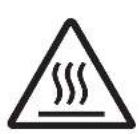
IMPORTANT SAFEGUARDS
Follow basic safety precautions, including:
This appliance can be used by children aged from 8 years and above and persons with reduced physical, sensory or mental capabilities or lack of experience and knowledge if they have been supervised/instructed and understand the hazards involved. Children shall not play with the appliance.
Cleaning and user maintenance shall not be done by children unless they are older than 8 and supervised. Use and store the appliance out of reach of children under 8 years.
Keep the iron and its cord out of reach of children less than 8 years of age when it is plugged in or cooling down.
Use the iron, or set it on its heel, on a stable, level, heat-resistant surface, preferably an ironing board.
Don't leave the iron unattended while plugged in, or while it's standing on the ironing board.
Unplug the iron before filling, before cleaning, and after use.
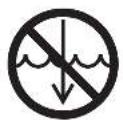
Do not immerse in any liquid.
Don't operate the appliance if it's dropped or damaged, or if it malfunctions or leaks.
If the cable is damaged, return the iron, to avoid hazard.
The surfaces of the appliance will get hot during use.
- Don't iron clothing while it's being worn – you'll injure the wearer.
- Don't use the appliance for any purpose other than those described in these instructions.
- Don't scratch the soleplate – avoid buttons, zips, etc.
- The appliance has a protective thermal fuse, which will blow if it overheats. If this happens, the appliance will stop working, and must be returned for repair.
HOUSEHOLD USE ONLY
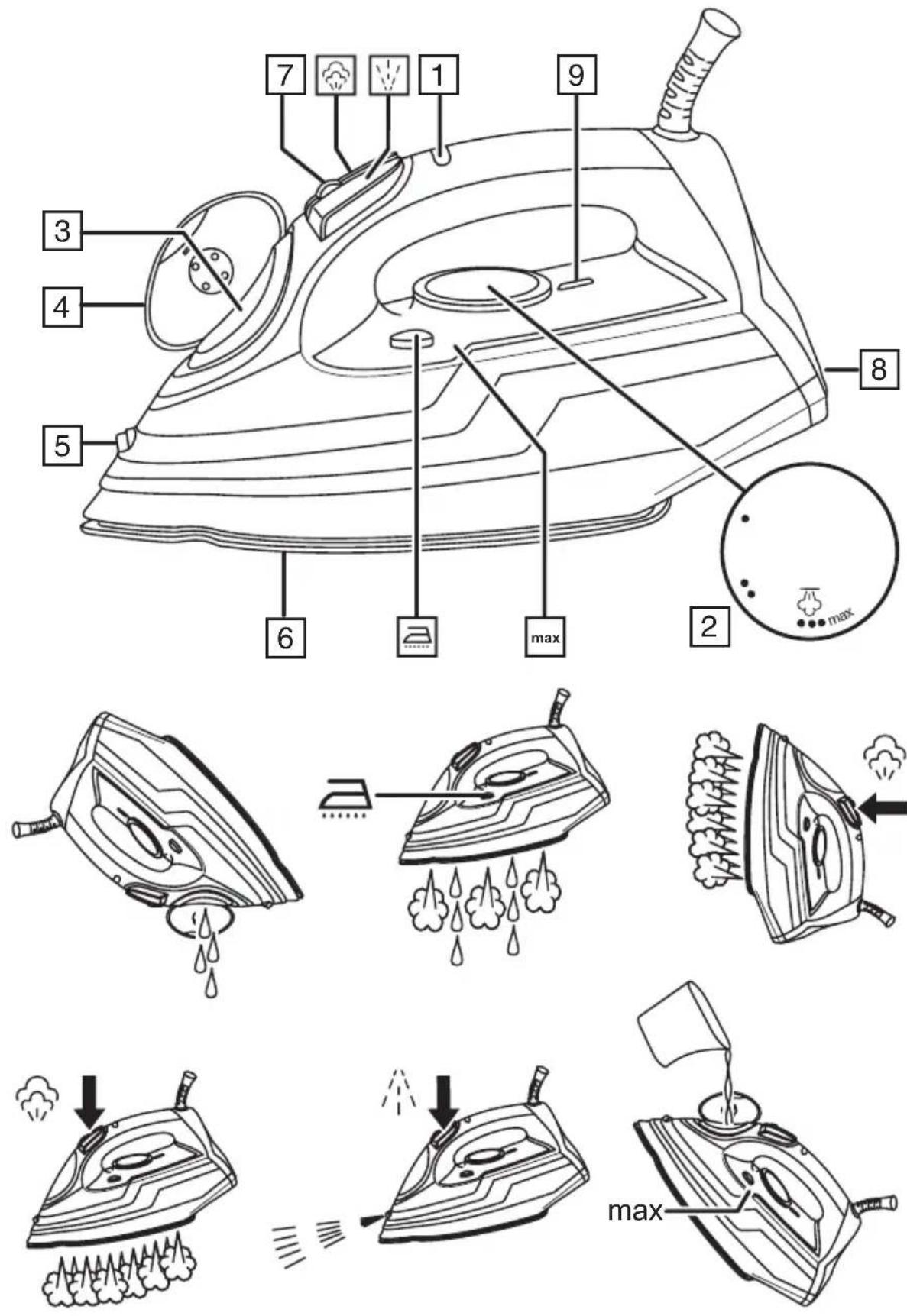
PARTS
-
Light
-
Temperature control
-
Water inlet
-
Cover
-
Spray nozzle
BEFORE USING FOR THE FIRST TIME
- Remove labels, stickers and packaging from the iron and soleplate.
- Don't worry if the iron smokes a bit at first, it'll stop as the element cures.
- Iron an old piece of cotton fabric, to clean the soleplate.
PREPARATION
- Check for textile care symbols (☒ ☐ ☐ ☐).
- Iron fabrics needing low temperatures 📄 first, then those that need medium temperatures 📄, and finish with those needing high temperatures 📄.
FILLING
You may use the iron with tap-water, but if you live in a hard water area, you should use distilled water (not chemically descaled or softened water).
If you buy distilled water, check that it's suitable for use in irons.
- Unplug the iron.
- Set the temperature control to ●. Set the steam control to ✉.
- Open the cover.
- Pour slowly, to let the air in the reservoir escape, otherwise you'll cause an air lock and the water will overflow.
- Don't fill past max, or water will escape in use.
- Wipe up any spillage.
SWITCH ON
- Set the temperature control to ●. Set the steam control to ✗.
- Sit the iron on its heel.
- Put the plug into the power socket (switch the socket on, if it's switchable).
- Turn the temperature control to bring the setting you want next to the mark. The light will come on.
- When the iron reaches the temperature you set, the light will go off. It'll then cycle on and off as the thermostat operates to maintain the temperature.
TEMPERATURE SETTING GUIDE
| Label marking Dot setting | |
| [k8TT] cool – nylon, acrylics, polyester | ● |
| [25BY] warm – wool, polyester mixtures | ●● |
 hot – cotton, linen hot – cotton, linen | ●●●/max |
 do not iron do not iron | - |
If the instructions on the fabric label differ from this guide, follow the instructions on the label.
STEAM IRONING
- If you intend to use steam, the temperature setting must be 🌐 or higher.
- Set the steam control to the setting you want (☒ = no steam, ☑ = high).
- Wait till the light goes off, then start ironing.
SPRAY
Water spotting affects some fabrics. Test this out on a hidden part of the fabric.
- Lift the iron off the fabric.
- Aim the spray nozzle at the fabric.
- Press the 🎨 button – you may have to press it 2 or 3 times to pump water through the system.
SHOT OF STEAM
If you intend to use steam the temperature control must be at ☐ or higher.
- Lift the iron off the fabric.
- Press the 📄 button.
- Leave 4 seconds between shots, to let the temperature build up.
DRY IRONING
If you're going to be dry ironing for 20 minutes or more, empty the reservoir first, to avoid spontaneous bursts of steam.
- Set the steam control to ✗.
- Wait till the light goes off, then start ironing.
VERTICAL STEAMING
Remove wrinkles from hanging clothes, hanging curtains, and furnishing fabrics.
- Check that there's adequate ventilation behind the fabric, otherwise moisture may build up, causing mildew.
- Check that there's nothing behind the fabric that may be damaged by the steam.
- Check that pockets, turn-ups, and cuffs are empty.
-
Check that there's water in the reservoir.
-
Set the temperature control to max. Set the steam control to ✗.
-
Hold the iron close to (but not touching) the fabric.
-
Press the 📋 button (you're using the "shot of steam" function vertically).
-
Leave 4 seconds between shots, to let the temperature build up.
AUTO SHUT-OFF
If the iron is motionless, it will switch off after about 30 seconds lying down, or about 8 minutes if it's upright.
The iron will beep and the light will flash continuously until you move the iron.
To switch on again, lift it up, tilt it forward, then sit it upright to return to operating temperature. No settings are lost during auto shut-off.
AFTER USE
- Set the temperature control to ●. Set the steam control to ✗.
- Unplug the iron.
- Open the cover.
- Hold it over a sink, turn it upside down, and drain the water from the reservoir, via the water inlet.
- Close the cover.
- Sit the iron on its heel.
- Leave it to cool down completely.
- When it's cold, wipe off any moisture, and wind the cable round the heel.
- Store the iron on its heel, to avoid corrosion and damage to the soleplate.
SELF CLEAN
To avoid scale build up, use the self clean function at least monthly in normal water areas, more often in hard water areas.
Products returned under guarantee with faults due to scale will be subject to a repair charge.
You'll need a basin or a large bowl to catch the water coming out of the soleplate.
-
Fill the reservoir to the max mark.
-
Set the temperature control to max. Set the steam control to ✗.
- Sit the iron on its heel.
- Put the plug into the power socket and wait till the light goes out.
- Hold the iron over the basin or bowl with the soleplate down.
- Press the ⚡, and hold it down.
- Gently move the iron to and fro, over the basin or bowl.
- Water and steam will wash scale and dust through the soleplate, and into the sink.
- When the reservoir is empty, release the 📐 button.
ANTI-SCALE
The anti-scale agent incorporated in the iron helps prevent the build-up of scale. Don't use a descaling solution, or you'll destroy the anti-scale.
RECYCLING
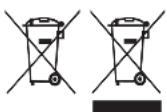
To avoid environmental and health problems due to hazardous substances, appliances and rechargeable and non-rechargeable batteries marked with one of these symbols must not be disposed of with unsorted municipal waste. Always dispose of electrical and electronic products and, where applicable, rechargeable and non-rechargeable batteries, at an appropriate official recycling/collection point.