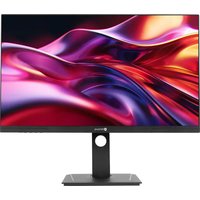
DW2702 - Monitor AG Neovo - Free user manual and instructions
Find the device manual for free DW2702 AG Neovo in PDF.


User questions about DW2702 AG Neovo
0 question about this device. Answer the ones you know or ask your own.
Ask a new question about this device
Download the instructions for your Monitor in PDF format for free! Find your manual DW2702 - AG Neovo and take your electronic device back in hand. On this page are published all the documents necessary for the use of your device. DW2702 by AG Neovo.
USER MANUAL DW2702 AG Neovo
Federal Communications Commission (FCC) Notice (U.S. Only)

This equipment has been tested and found to comply with the limits for a Class B digital device, pursuant to part 15 of the FCC Rules. These limits are designed to provide reasonable protection against harmful interference in a residential installation. This equipment generates, uses and can radiate radio frequency energy and, if not installed and used in accordance with the instructions, may cause harmful interference to radio communications. However, there is no guarantee that interference will not occur in a particular installation. If this equipment does cause harmful interference to radio or television reception, which can be determined by turning the equipment off and on, the user is encouraged to try to correct the interference by one or more of the following measures:
- Reorient or relocate the receiving antenna.
- Increase the separation between the equipment and receiver.
- Connect the equipment into an outlet on a circuit different from that to which the receiver is connected.
- Consult the dealer or an experienced radio/TV technician for help.
WEEE
Disposal of Waste Equipment by Users in Private Household in the European Union.
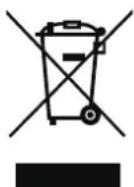
This symbol on the product or on its packaging indicates that this product must not be disposed of with your other household waste. Instead, it is your responsibility to dispose of your waste equipment by handing it over to a designated collection point for the recycling of waste electrical and electronic equipment. The separate collection and recycling of your waste equipment at the time of disposal will help to conserve natural resources and ensure that it is recycled in a manner that protects human health and the environment. For more information about where you can drop off your waste equipment for recycling, please contact your local city office, your household waste disposal service or the shop where you purchased the product.
For Private Households in the European Union. To help conserve natural resources and ensure the product is recycled in a manner that protects human health and the environment, we would like to bring your attention to the following:
- The crossed-out dustbin on the device or outer packaging indicates the product is compliant with European WEEE (Waste Electrical and Electronic Equipment) Directive
• Always dispose of the old devices separately from household waste - Batteries should be removed beforehand and disposed separately to the right collection system
- You are responsible with regard to the deletion of personal data on old devices before disposal
- Private households can hand in their old devices free of charge
- For more information about where you can drop off your waste equipment for recycling, please contact your local city office, your household waste disposal service or the shop where you purchased the product
SAFETY INFORMATION
Turkey RoHS
Symbols used in this manual
This icon indicates the existence of a potential hazard that could result in personal injury or damage to the product.

This icon indicates important operating and servicing information.
Notice
- Read this User Manual carefully before using the LCD monitor and keep it for future reference.
- The products specifications and other information provided in this UserManual are for reference only. All information is subject to change without notice. Updated content can be downloaded from our web site at www.agneovo.com.
- To protect your rights as a consumer, do not remove any stickers from the LCD monitor. Doing so may affect the determination of the warranty period.
Cautions When Setting Up

Do not place the LCD monitor near heat sources, such as a heater, exhaust vent, or in direct sunlight.

Do not cover or block the ventilation holes in the housing.

Place the LCD monitor on a stable area. Do not place the LCD monitor where it may subject to vibration or shock.

Place the LCD monitor in a well-ventilated area.

Do not place the LCD monitor outdoors.

Do not place the LCD monitor in a dusty or humid environment.

Do not spill liquid or insert sharp objects into the LCD monitor through the ventilation holes. Doing so may cause accidental fire, electric shock or damage the LCD monitor.
Cautions When Using
| Use only the power cord supplied with the LCD monitor. | |
| The power outlet should be installed near the LCD monitor and be easily accessible. | |
| If an extension cord is used with the LCD monitor, ensure that the total current consumption plugged into the power outlet does not exceed the ampere rating. | |
| Do not allow anything to rest on the power cord. Do not place the LCD monitor where the power cord may be stepped on. | |
| If the LCD monitor will not be used for an indefinite period of time, unplug the power cord from the power outlet. | |
| To disconnect the power cord, grasp and pull by the plug head. Do not tug on the cord; doing so may cause fire or electric shock. | |
| Do not unplug or touch the power cord with wet hands. |



WARNING:
Unplug the power cord from the power outlet and refer to qualified service personnel under the following conditions:
- When the power cord is damaged.
- If the LCD monitor has been dropped or the housing has been damaged.
- If the LCD monitor emits smoke or a distinct odor.


Ceiling mount or mount on any other horizontal surface overhead are not advisable.
Cleaning and Maintenance

Do not attempt to service the LCD monitor yourself, refer to qualified service personnel.
Opening or removing the covers may expose you to dangerous voltage or other risks.
Notice for the LCD Monitor
In order to maintain the stable luminous performance, it is recommended to use low brightness setting.
Due to the lifespan of the lamp, it is normal that the brightness quality of the LCD monitor may decrease with time.
When static images are displayed for long periods of time, the image may cause an imprint on the LCD monitor. This is called image retention or burn-in.
To prevent image retention, do any of the following:
- Set the LCD monitor to turn off after a few minutes of being idle.
- Use a screen saver that has moving graphics or a blank white image.
- Switch desktop backgrounds regularly.
- Adjust the LCD monitor to low brightness settings.
- Turn off the LCD monitor when the system is not in use.
Things to do when the LCD monitor shows image retention:
- Turn off the LCD monitor for extended periods of time. It can be several hours or several days.
- Use a screen saver and run it for extended periods of time.
- Use a black and white image and run it for extended periods of time.
There are millions of micro transistors inside the LCD monitor. It is normal for a few transistors to be damaged and to produce spots. This is acceptable and is not considered a failure.
CHAPITRE 1 : DESCRIPTION DU PRODUIT
natural_image
Front view of a blank whiteboard with a small logo at the bottom (no text or symbols on the board)text_image
Technical diagram showing assembly steps of a mechanical device, including disassembly and mounting process with magnified views.natural_image
Technical illustration showing a mechanical assembly with a bracket and mounting base, before and after assembly (no text or symbols present)natural_image
Illustration of a hand using a screwdriver to adjust a component inside a device casing (no text or symbols visible)natural_image
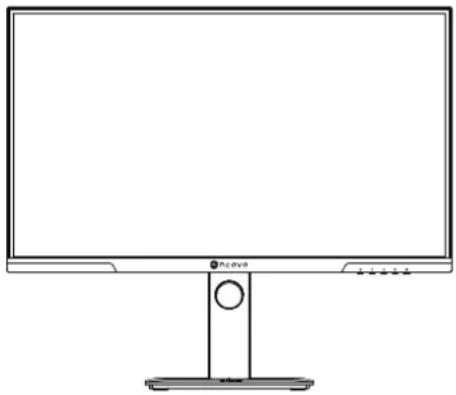
Technical diagram of a mechanical assembly with a tool and bracket (no text or symbols)1.3 Vue d'ensemble
1.3.1 Vue avant
natural_image
Line drawing of a flat-screen computer monitor with a stand (no text or symbols)Company Address: 5F-1, No. 3-1, Park Street, Nangang District, Taipei, 11503, Taiwan.
Copyright © 2024 AG Neovo. All rights reserved.
DW2702 Eprel registration number: 2080502
DW2702_UM_V010