
RO6 M5G5YTB - Oven ROSIERES - Free user manual and instructions
Find the device manual for free RO6 M5G5YTB ROSIERES in PDF.


| Product type | Built-in oven |
| Brand | Rosieres |
| Model | RO6 M5G5YTB |
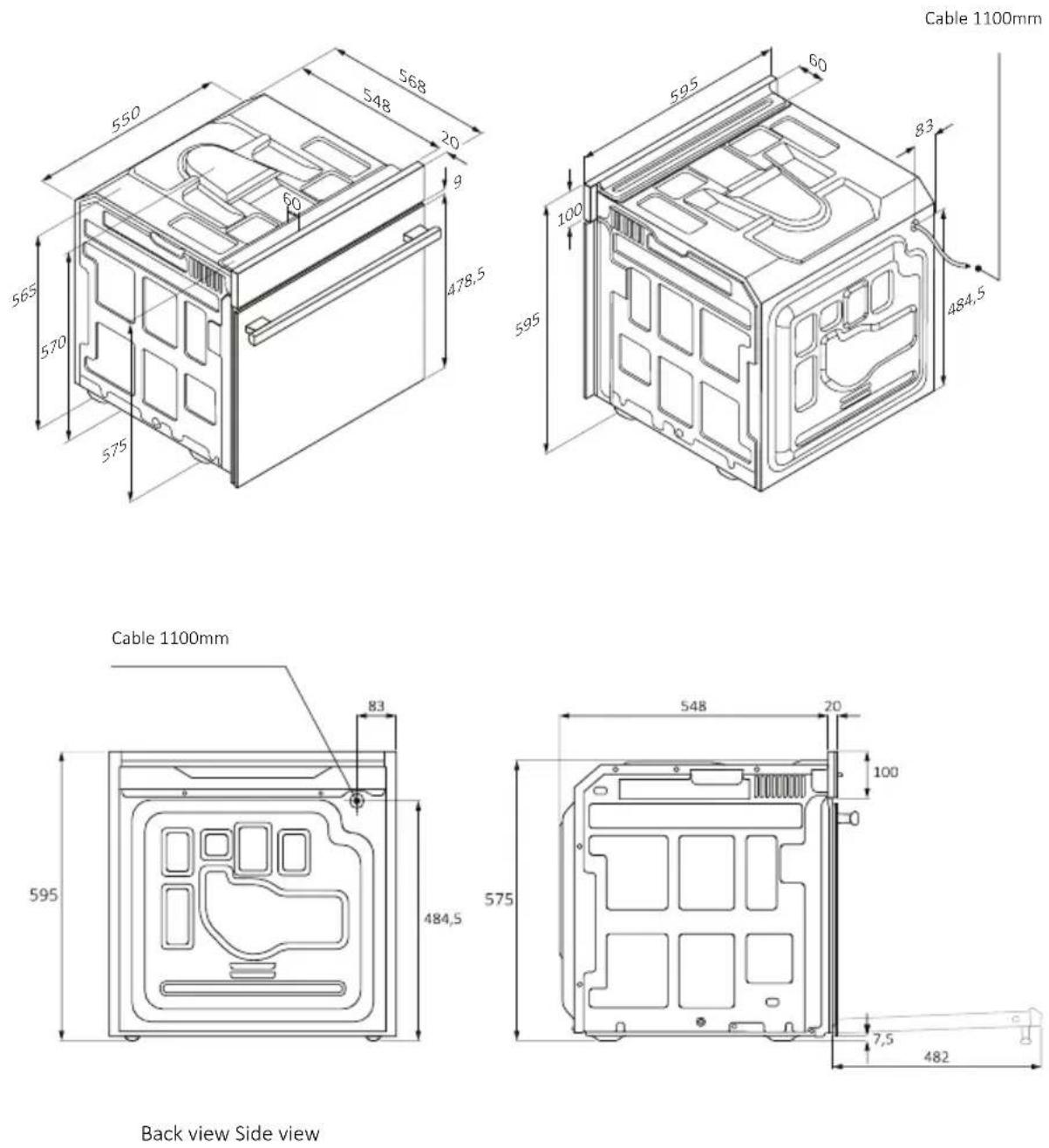
| Dimensions (W x H x D) | 595 x 595 x 548 mm |
| Net weight | 35 kg (approx) |
| Power supply | 220-240 V, 16 A (max 3.5 kW) |
| Cooking functions | Natural convection, Convection + fan, Multi-level, Bottom heat, Bottom heat + fan, Grill, Supergrill, Gratin, Multi-level+, ECO, Air fry |
| Cleaning modes | Pyrolysis (self-cleaning) and Hydroeasy (steam) |
| Capacity | 70 L (approx) |
| Number of levels | 6 levels |
| Connectivity | Wi-Fi (IEEE 802.11 b/g/n), Bluetooth v4.2, hOn app |
| Safety | Child safety, door lock during pyrolysis, automatic stop when door opens (grill) |
| Accessories included | Wire racks, baking trays, deep tray, side racks, rotisserie (depending on model), Heat Feel probe (depending on model), air fry tray (depending on model) |
| Lighting | Interior bulb, class G |
| Repairability | Spare parts available from customer service, bulb replacement possible by user |
| Warranty | Refer to the warranty conditions provided with the appliance |
Frequently Asked Questions - RO6 M5G5YTB ROSIERES
User questions about RO6 M5G5YTB ROSIERES
0 question about this device. Answer the ones you know or ask your own.
Ask a new question about this device
Download the instructions for your Oven in PDF format for free! Find your manual RO6 M5G5YTB - ROSIERES and take your electronic device back in hand. On this page are published all the documents necessary for the use of your device. RO6 M5G5YTB by ROSIERES.
USER MANUAL RO6 M5G5YTB ROSIERES
natural_image
Empty white square with a thin black border (no text or symbols)
natural_image
Empty white square with a thin black border (no text or symbols)
natural_image
Simple line drawing of a room layout with rectangles and circles (no text or symbols)
natural_image
Simple black rounded rectangle outline on white background (no text or symbols)
natural_image
Simple line drawing of a microwave oven with a blank lid (no text or symbols)
natural_image
Line drawing of a kitchen oven with handles and a double-line grille (no text or symbols)www.hoover-home.com
English
Deutsch
Français
Italiano
Español
Ελληνικά
Nederlands
Português
Slovenčina
Slovenščina
Српски
Polski
Čeština
Dansk
Suomi
Norsk
Svenska
Каза
K
Русский
Українська
Български
Hrvatski
Română
Türkçe
العربيya
中文
Magyar
תָרִי
Lietuvių
Eesti
Latviešu
WELCOME
Thank you for choosing our product. To ensure your safety and get the best results, please read this manual carefully, including the safety instructions, and keep it for future reference.
Before installing the oven note the serial number, which you might need for repairs. Check for any damage during transportation and consult a technician if you're unsure before using it. Keep packaging materials away from children.
NOTE: Please note that the oven's features and accessories may vary depending on the model you purchased.
SUMMARY
1. SAFETY INFORMATION
2. PRODUCT INTRODUCTION
2.1. Overview of the product
2.2. Accessories
2.3. Control panel
2.4. Connectivity
3. BEFORE STARTING
3.1. Information to start
3.2. First usage
3.3. Preliminary cleanin
4. OPERATION OF PRODUCT
4.1. How the product works
4.2. Cooking functions
4.2.1. Standard functions
5. COOKING GUIDELINES
5.1. General Cooking tables
5.2. Everyday Cooking tables
6. CARE & CLEANING
6.1. General recommendations
6.2. Cleaning the oven
6.2.1. Inside the oven: cleaning functions
6.2.2. Outside the oven: removal and cleaning the glass door
6.3. Cleaning of accessories
6.4. Maintenance
7. TROUBLESHOOTING
8. ENVIRONMENTAL PROTECTION & DISPOSAL
8.1. Appliance disposal
8.2. Saving and respecting the environment
9. INSTALLATION
GENERAL WARNINGS
- Do not use a steam cleaner for cleaning operations.
- CAUTION: in order to avoid a hazard due to inadvertent resetting of the thermal cut-out, this appliance must not be supplied through an external switching device, such as a timer, or connected to a circuit that is regularly switched on and off by the utility
- During use the appliance become hot. Care should be taken to avoid touching heating elements inside the oven.
Use in accordance with attendend use
- Only use the oven for its intended purpose, that is only for the cooking of foods: any other use, for example as a heat source, is considered improper and therefore dangerous. The manufacturer cannot be held responsible for any damage resulting from improper, incorrect or unreasonable usage.
Use limitations
- The appliance can be used by children aged from 8 years and above and persons with reduced physical, sensory or mental capabilities or lack of experience and knowledge if they have been given supervision or instruction concerning use of the appliance in a safe way and understand the hazards involved. Children shall not play with the appliance. Cleaning and maintenance shall not be made by children without supervision.
- This appliance is not intended to be used by persons (including children) with reduced physical, sensory or mental capabilities, or lack of experience and knowledge, unless they have been given supervision or instruction concerning use of the appliance by a person responsible for their safety.
- Children should be supervised to ensure that they do not play with the appliance.
- WARNING: the appliance and its accessible parts become hot during use. Care should be taken to avoid touching heating elements. Children less than 8 years of age shall be kept at away unless continuously supervised.
- WARNING: Accessible parts may become hot during use. Young children should be kept away.
INSTALLATION WARNINGS
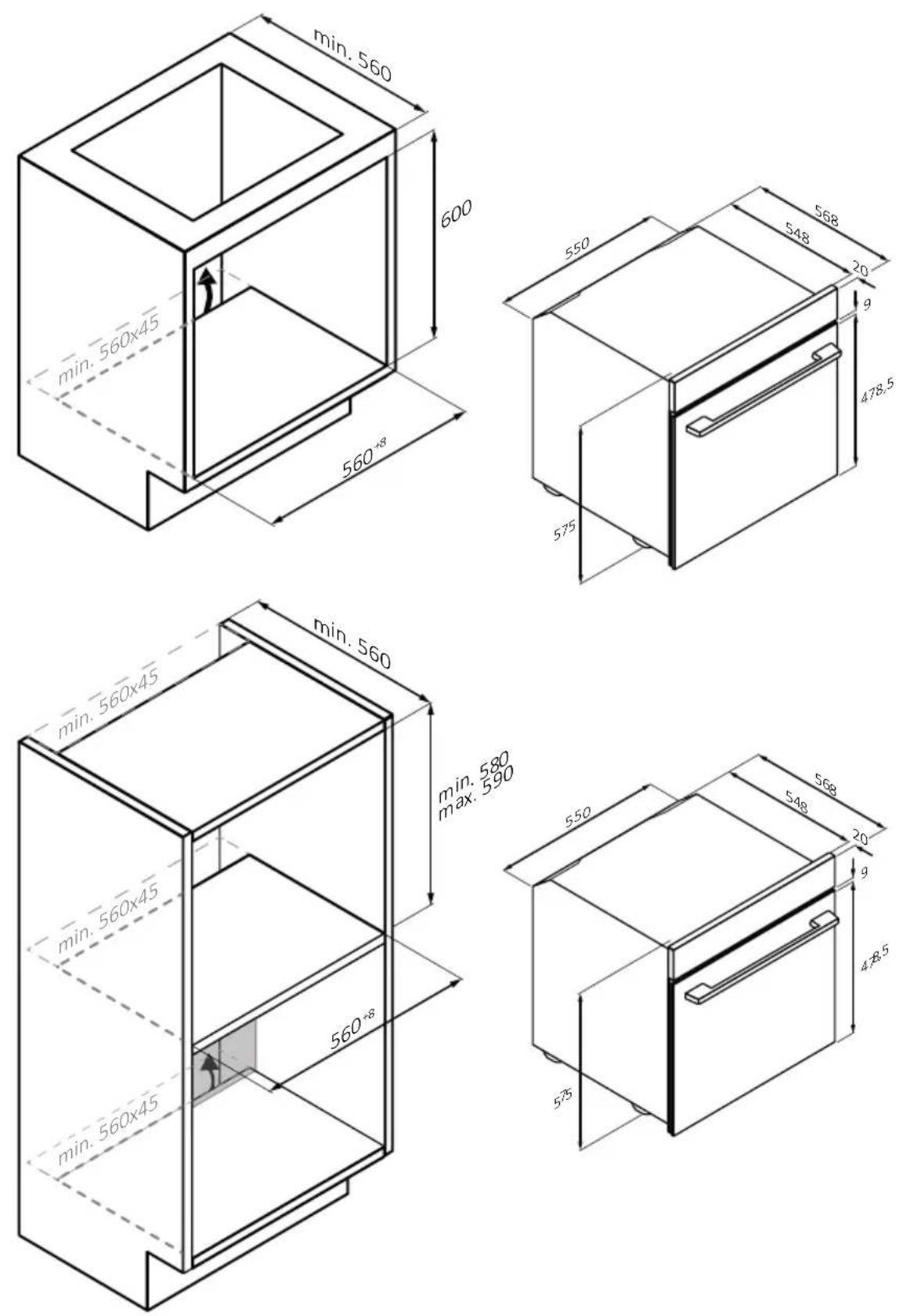
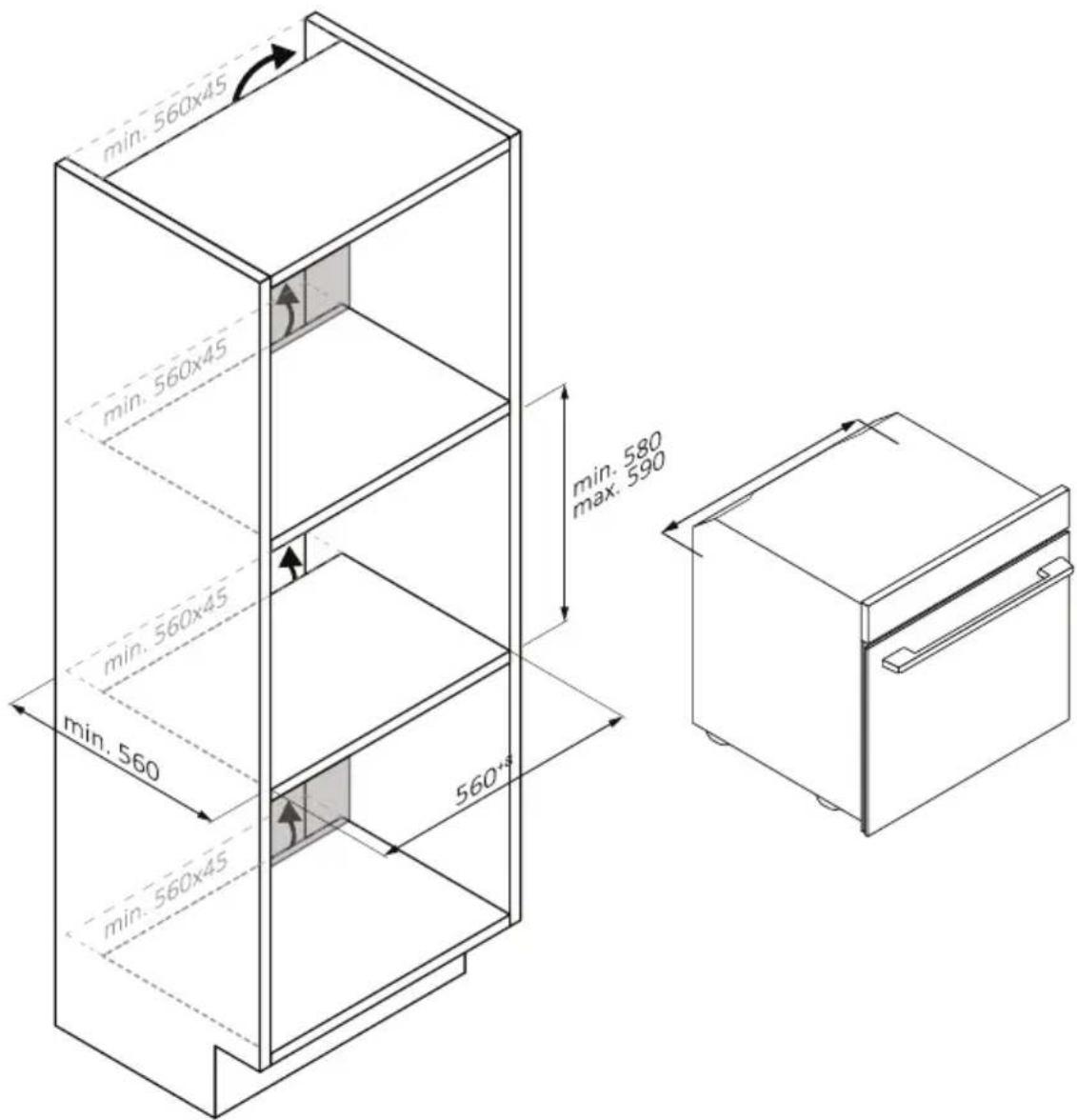
- The oven can be located high in a column or under a worktop.
- Before xing, you must ensure good ven la on in the oven space to allow proper circula on of the fresh air required for cooling and protec ng the internal parts. Make the openings speci ed on the illustra ons according to the type of ng. Always x the oven to the furniture with screws provided with the appliance.
- No additional operation/setting is required in order to operate the appliance at the rated frequencies.
- The appliance must not be installed behind a decora ve door in order to avoid overhea ng.
- During installa on the oven should be disconnected from the mains to avoid overhea ng.
- If the assistance of the manufacturer is required to rec fy faults arising from incorrect installa on, this assistance is not covered by the guarantee. The installa on instruc ons for professionally quali ed personnel must be followed.
- Incorrect installation on may cause harm or injury to people, animals or belongings. The manufacturer cannot be held responsible for such harm or injury.
- Installa on must be carried on by a qualified technician who must know and respect the laws in force in the country of installa on and the manufacturer's instruc on.
- A er unboxing the appliance, always check it is not damaged, in case of issue contact the customer service before installing and do not connect to the power supply.
- Remove the packaging material before operating the appliance.
- During installa on do not use the oven door's handle to li and move the oven.
- The installa on furniture and the adjacent ones must withstand temperatures of 95°C.
- It is recommended to wear protec ve gloves during installa on to avoid cut injuries.
- Do not install the product in open environments exposed to atmospheric agents.
- This appliance is designed to be used at altitude lower than 2000m.
ELECTRICAL WARNINGS
- The socket must be suitable for the load indicated on the tag and must have ground contact connected and in operation. The earth conductor is yellow-green in colour. This operation should be carried out by a suitably qualified professional.
- Connection to the power source can be made by plug or by fixed wiring placing an omnipolar breaker, with contact separation compliant to the requirements for overvoltage category III, between the appliance and the power source that can bear the maximum connected load and that is in line with current legislation.
- In case of incompatibility between the socket and the appliance plug, ask a qualified electrician to substitute the socket with another suitable type. The plug and the socket must be conformed to the current norms of the installation country.
- The yellow-green earth cable should not be interrupted by the breaker. The socket or omnipolar breaker used for the connection should be easily accessible when the appliance is installed.
- If the supply cord is damaged, it must be replaced by the manufacturer, its service agent or similarly qualified persons in order to avoid a hazard. For any repairs, refer only to the Customer Care Department and request the use of original spare parts.
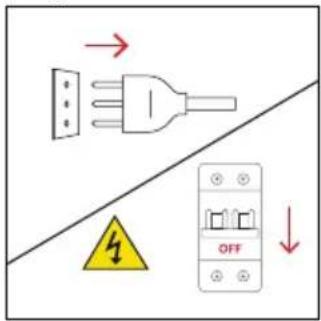
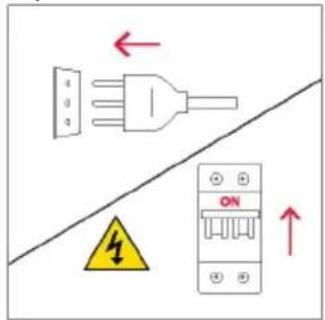
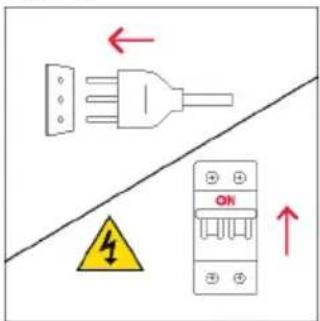
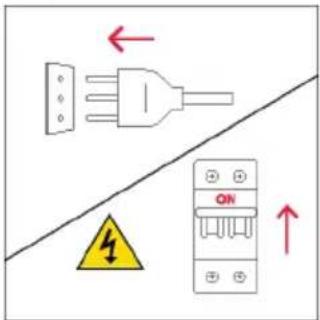
- Disconnect the appliance from the mains electricity supply before carrying out any work or maintenance on it.
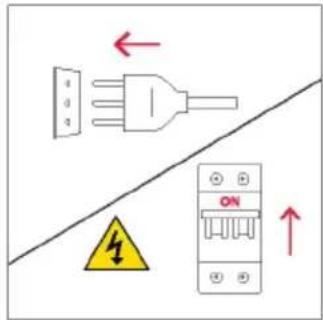
- WARNING: ensure that the appliance is switched off before replacing the bulb, to avoid the possibility of electric shocks.
- The oven must be switched off before removing the removable parts. After cleaning, reassemble them according the instructions.
- The use of any electrical appliance implies the observance of some fundamental rules:
- do not pull on the power cable to disconnect the appliance from the power source:
- do not touch the appliance with wet or damp hands or feet;
- in general the use of adaptors, multiple sockets and extension cables is not recommended;
- in case of malfunction and /or poor operation, switch off the appliance and do not tamper with it.
- NOTE: as the oven could require maintenance work, it is advisable to keep another wall socket available so that the oven can be connected to this if it is removed from the space in which it is installed.
- Any repair, installation and maintenance not carried out correctly can seriously endanger the user.
- The manufacturing company hereby states that it does not assume any responsibility for direct or indirect damages caused by incorrect installation, maintenance, or repair work. Furthermore, it is not liable for damages caused by the absence or interruption of the grounding system (e.g., electric shock).
- CAUTION: in order to avoid a hazard due to inadvertent resetting of the thermal cut-out, this appliance must not be supplier through an external switching device, such as a timer, or connected to a circuit that is regularly switched on and off by the utility.
- The appliance is not designed to be activated by an external timer or separate remote control system.
USE & MAINTENANCE
- The dripping pan collects the residues that drip during cooking.
- When you place the Airfry tray or the grid on the side racks, make sure that the shorter section of the side (between the stop and the extremity) is directed towards the interior of the oven. If the grid has a decorative metal bar, pay attention to position it on the exterior of the oven so that the brand logo can be visible and readable. For the correct positioning refer also to the image in the Accessories section of this user manual.
- Do not use harsh abrasive cleaners or sharp metal scrapers to clean the oven door glasses, since they can scratch the surface, which may result in shattering of the glass.
- Only use the temperature probe recommended for this oven.
- During cooking, moisture may condense inside the oven cavity or on the glass of the door. This is a normal condition. To reduce this effect, wait 10-15 minutes after turning on the power before putting food
inside the oven. In any case, the condensation disappears when the oven reaches the cooking temperature.
- Cook the vegetables in a container with a lid instead of an open tray.
- Avoid leaving food inside the oven after cooking for more than 15/20 minutes.
- A long power supply failure during an occurring cooking phase may cause a malfunction of the monitor. In this case contact customer service.
- ⚠ WARNING: Do not line the oven walls with aluminium foil or single-use protection available from stores. Aluminium foil or any other protection, in direct contact with the hot enamel, risk melting and deteriorating the enamel of the insides.
- WARNING: Never remove the oven door seal.
- CAUTION: Do not refill the cavity bottom with water during cooking or when the oven is hot.
- For a correct use of the oven it is advisable not to put the food in direct contact with the racks and trays, but to use oven papers and/or special containers.
WARNINGS (\*FOR PYRO OVENS)
- Excess spillage must be removed before cleaning.
-
WARNING: before initiating the automatic cleaning cycle:
-
Clean the oven door;
- Remove large or coarse food residues from the inside of the oven using a damp sponge. Do not use detergents;
- Remove all accessories and the sliding rack kit (where present);
-
Do not place tea towels.
-
In ovens with meat probe it is necessary, before making the cleaning cycle, close the hole with the nut provided. Always close the hole with the nut when the meat probe is not used.
- During the pyrolytic cleaning process (if available), the surfaces may get hottewhildren should be kept away.
- If a hob has been fitted above the oven, never use the hob while the Pyrolizer is working, this will prevent the hob from overheating.
WARNINGS for WIRELESS TEMPERATURE PROBE
- This product is exclusive for oven appliances. It should only be used as described in this User Manual.
- DO NOT TOUCH Heat Feel Sensor WITH BARE HANDS JUST AFTER COOKING. Always wear oven gloves to remove Heat Feel Sensor from the food after cooking.
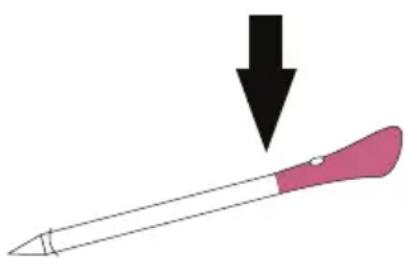
- To use the temperature probe correctly, it is essential to fully insert the metal bar of the probe into the food during cooking until it reaches the black-colored ceramic portion located at the tip of the probe.
natural_image
Illustration of a pink-handled tool with a black downward arrow pointing to it (no text or symbols)- Do not expose the metal part of Heat Feel Sensor to the heat generated by oven directly.
- Do not use Heat Feel Sensor in another appliance except for the built-in oven.
- Do not use Heat Feel Sensor in a microwave oven.
- Heat Feel Sensor can be cleaned and washed but do not immerse it long in water.
- This product is not intended for use by persons with ages 12 and under.
- The supplier will not be liable for any damage of Heat Feel Sensor due to misuse of the device.
- Clean the Heat Feel Sensor before the use.
- Probe can work in this range of temperature: 10 °C to an internal maximum temperature of 100°C of the metal part. Ceramic part can reach 350°C.
- If the Heat Feel Sensor temperature exceeds 100°C, cooking will stop and the Heat Feel Sensor must be removed from the oven as soon as possible, wearing gloves, to avoid damage to the probe.
2.PRODUCT INTRODUCTION
2.1. OVERVIEW OF THE PRODUCT
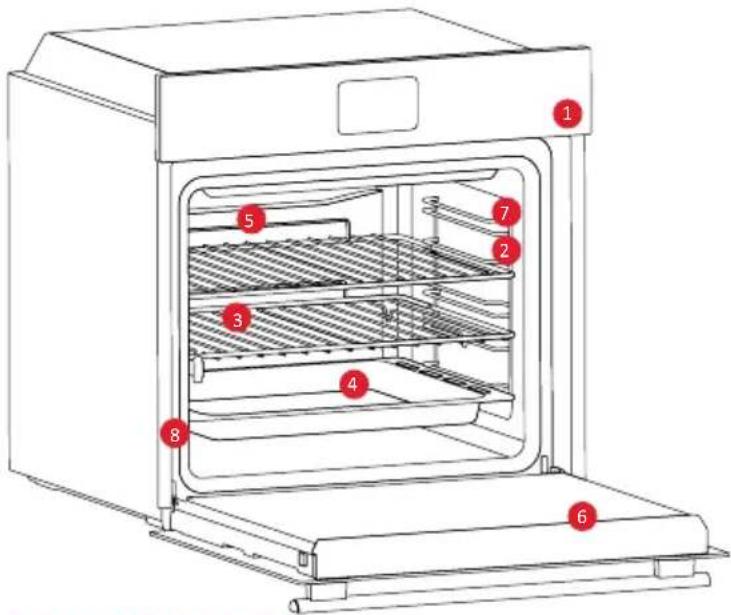
- Control panel
- Shelf positions numbers
- Grids
- Trays
- Fan cover
- Oven door
- Lateral wire grids (if present: only for flat cavity)
- Serial number & QR Code
natural_image
Empty white rectangle with black border (no text or symbols)Write here your serial number for future reference.
2.2. ACCESSORIES
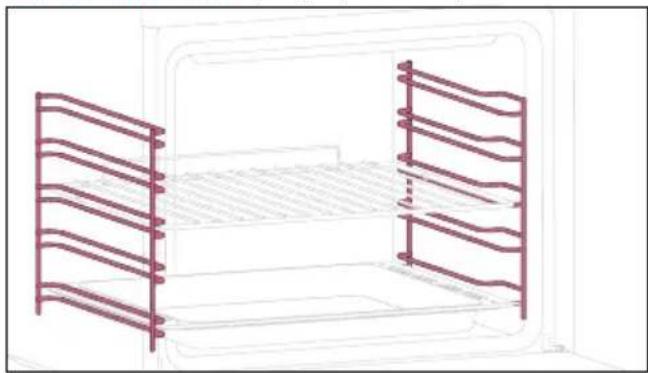
Lateral Wire Grids (only if present*)
natural_image
Line drawing of a microwave oven with two side panels and horizontal shelves (no text or symbols)Located on both sides of the oven cavity, the side racks are designed for placing baking tray and grids during the cooking.
Metal Grid
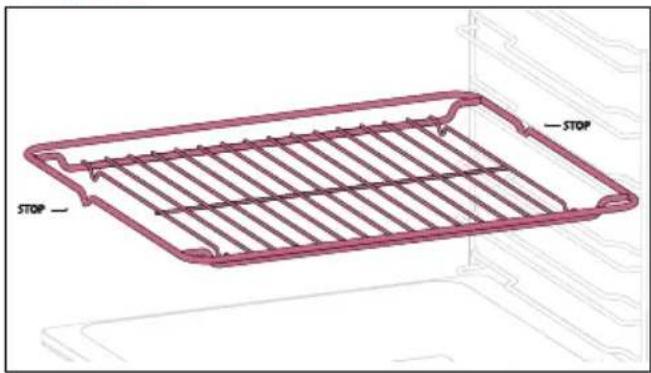
A metal grid in an oven is a removable, adjustable shelf that supports cookware, ensuring even cooking, and makes cleaning easy. It can be used to hold plates and pans at different heights for various cooking needs.
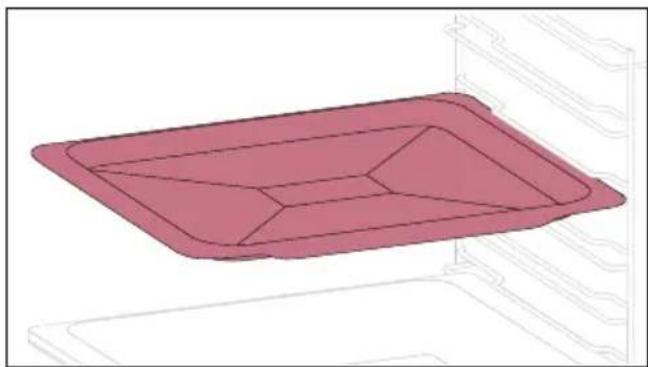
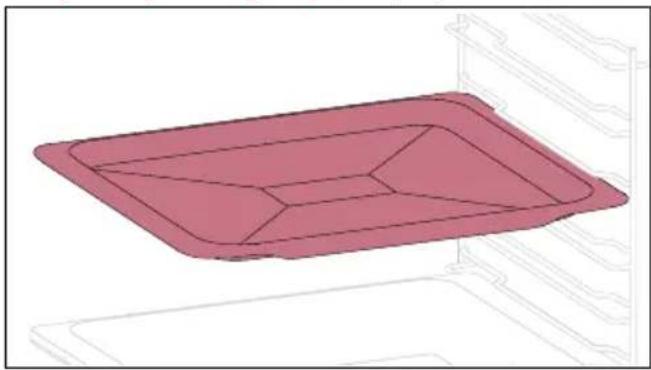
Deeper tray Baking Tray (only if present*)
natural_image
3D rendering of a pink rectangular tray with internal geometric cutouts, placed inside a storage unit (no text or symbols)A baking tray is ideal for achieving even bottom browning, making it perfect for cookies and pastries due to its shallow, flat design. Additionally, placing it under a cooking grid can help collect drips and prevent messes in the oven.
natural_image
3D rendering of a pink rectangular tray with internal compartments, placed on a white shelf (no text or symbols)The deeper tray is ideal for recipes with added liquids or layers, such as casseroles or roasts. Its depth is specifically designed to ensure the desired consistency of the food prepared in it.
©
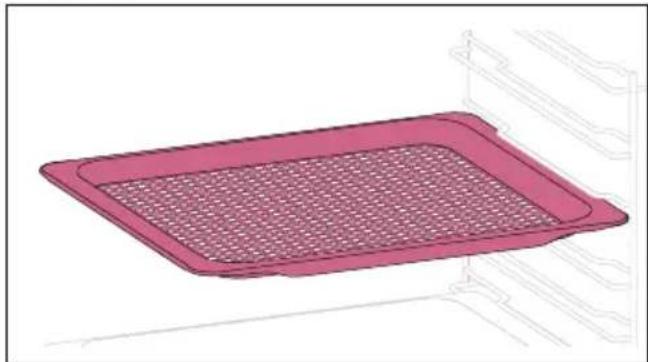
Airfry Tray (only if present*)
natural_image
Illustration of a pink rectangular tray with a mesh pattern inside, placed on an oven (no text or symbols)The airfry tray ensures that hot air reaches the food evenly and tridimensionally, resulting in a crispier exterior while maintaining tenderness inside. To collect juices and breading, place it on top of the baking tray.
2.3. CONTROL PANEL
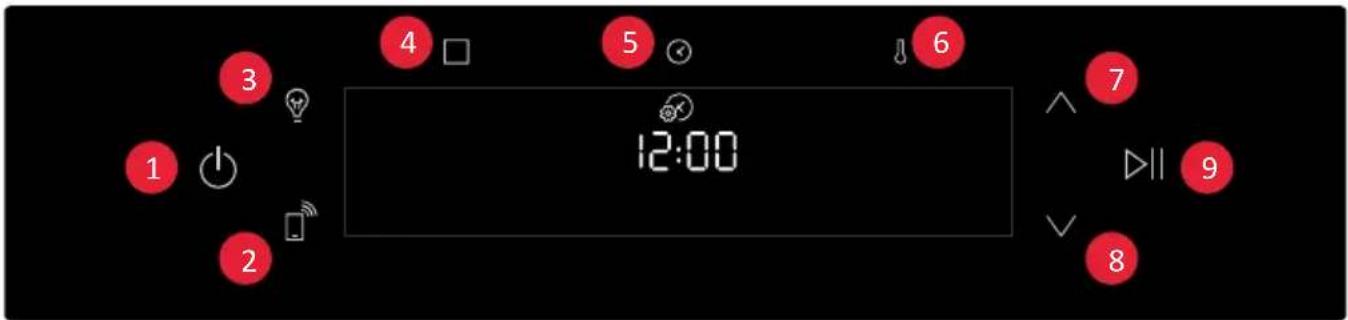
Functions and function ranking can be changed depending on the model.
- On/Off
- Remote Control
- Lamp
- Functions
- Time
- Temperature
7/8. Navigation buttons - Start/Pause
MAIN FUNCTIONS
The control panel has the following main functions:
| Symbol Function Description | ||
| On/Of Press to turn on/off the oven. | ||
| Remote Control ON/OFF | Press the button to activate remote control, after pairing the oven with the hOn app (through the application). | |
| Light Press to turn on/off the oven cavity light | ||
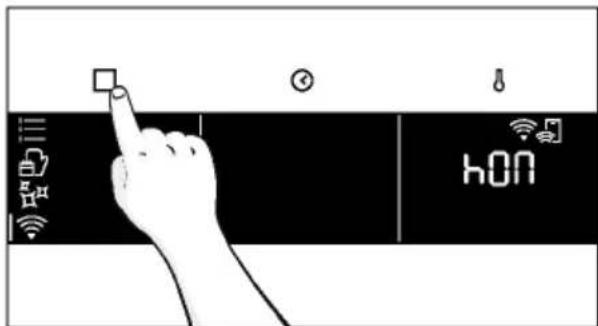
| Functions | Press once to access Manual functions, twice for Everyday cooking programs, three times for Cleaning menu, and four times for WIFI menu. | |
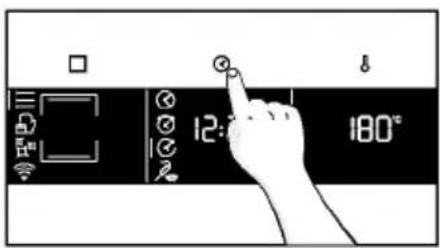
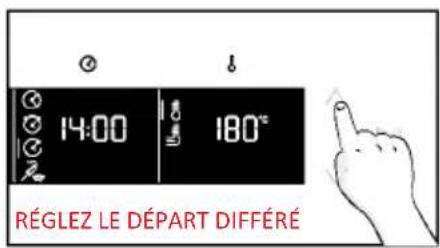
| Time | Press once for cooking duration, twice for the minute minder (available in standby mode), three times for delay start. In standby mode are available the kitchen timer and, by pressing for 3 sec, the Time of day. | |
| Temperature | Press once to check the cavity temperature, twice to activate the fastpreheating option (only available during the oven's preheat phase). | |
| Navigation buttons | Press Navigation buttons to scroll between function and to adjust the parameters. | |
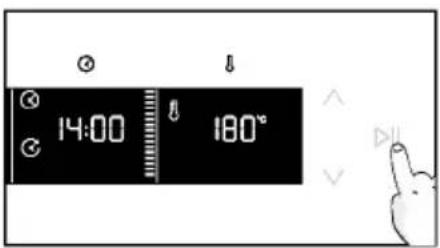
| Start/Pause Press to Start/Pause cooking or to confirm the functions | ||
2.4. CONNECTIVITY
Wireless parameters
| Technology Wi-Fi Bluetooth | ||
| Standard IEEE 802.11 | b/g/n Bluetooth v4.2, | BR/EDR, BLE |
| Frequency Band(s) [MHz] | 2401÷2483 2402÷2480 | |
| Maximum Power [mW] | 100 10 | |
Heat Feel Sensor model et180 wireless parameters
| Technology Bluetooth | |
| Standard Bluetooth v4.0 BLE | |
| Frequency Band(s) [MHz] | 2400÷2480 |
| Maximum Power [mW] | 2.5 - (4dBm) |
PRODUCT INFORMATION FOR NETWORKED EQUIPMENT
Power consumption of the product in networked standby if all wired network ports are connected and all wireless network ports are activated: 2,0 W
How to activate wireless network port:
Wifi module switches on as soon as the user press the power on button.
How to deactivate wireless network port:
Wi-fi module deactivates as soon as the user presses the power off button. The wi-fi can also be deactivated when the oven is on by selecting "off" in the Wi-fi settings menu.
Hereby, Candy Hoover Group Srl declares that the radio equipment is in compliance with Directive 2014/53/EU and with the relevant statutory requirements for the UK market. The full text of the declaration of conformity is available at the following internet address: www.candy-group.com
HOW TO INTERACT WITH THE APP
Your appliance may be connected to your home wireless network and operated remotely using the app. Connect your appliance to ensure it stays up to date with the latest software and features.
NOTE
- Once the oven is turned on, the WIFI icons blinks for 30 minutes. During this period it's possible to enroll the product.
- Ensure your home Wi-Fi network is turned on.
- You will be given step by step guidance on both your appliance and mobile device.
- It may take up to 10 minutes to connect your oven.
- For further guidance and troubleshooting, please refer to the app.
Download on your smartphone.
NEW USER REGISTRATION
- Click on "Register"
- You can register through social accounts or sign up with your personal email
QUICK PAIR ENROLLMENT
Step 1
- Select "Add appliance".
Step 2
- Allow your location permission.
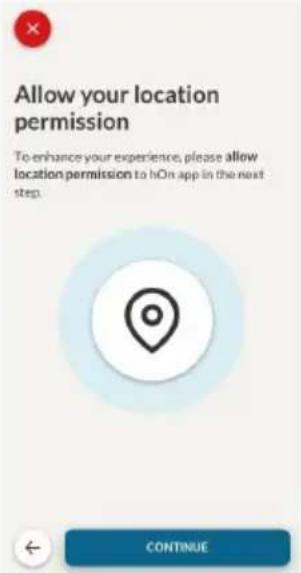
Step 3
- Select oven from the appliance category.
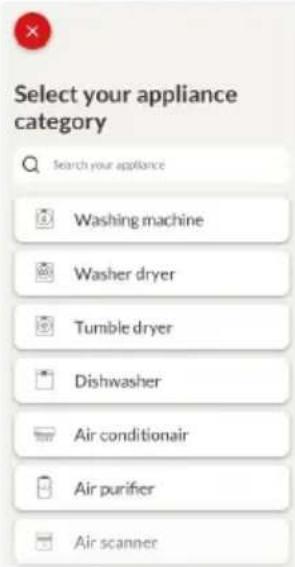
Step 4
- Turn on your appliance; if it is already on, turn it off and on again.
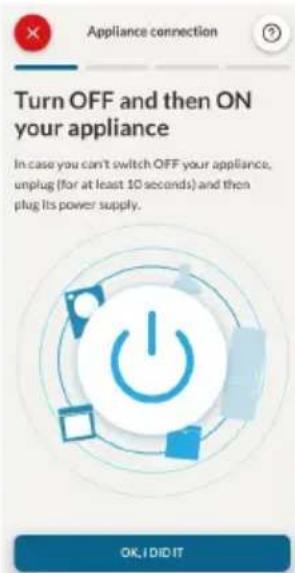
Step 5
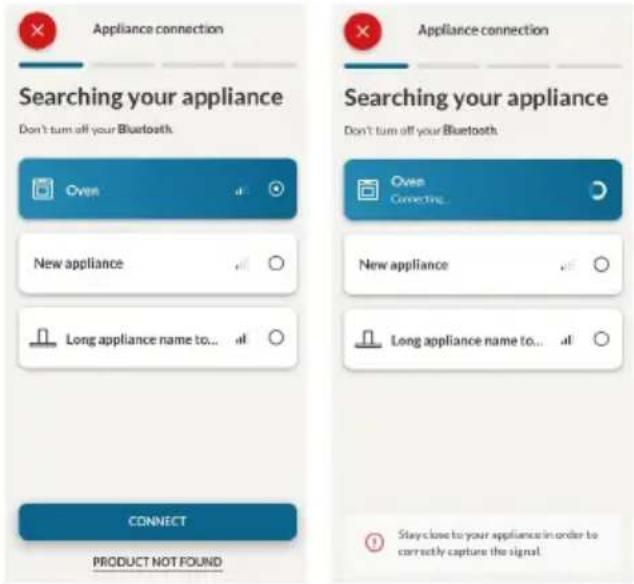
• After turning on, the hOn app will start searching for your home appliance.
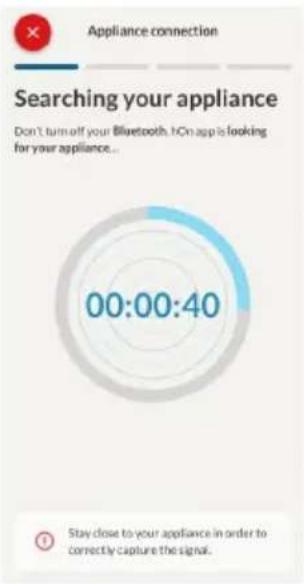
Step 6.1-6.2
- Select your home appliance, tap on "connect" and wait a few seconds.
Step 7
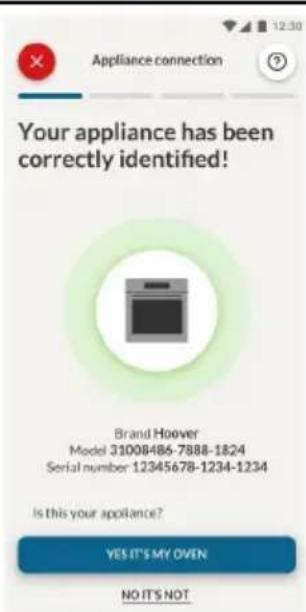
- Your Oven will be found and you can control it through hOn.
Once the appliance is connected, the user can change the WIFI settings between:
- WIFI ON: It is only possible to monitor the oven status by App.
- WIFI hOn: The oven can be used exclusively by App.
- WIFI OFF: The oven is not connected but s ll enrolled with network creden als saved.
-
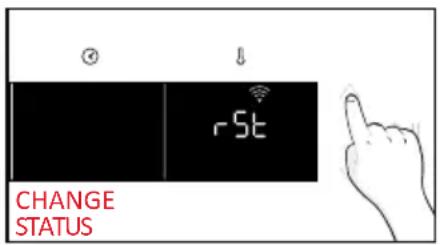
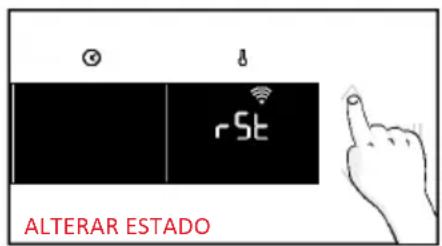
WIFI RESET: The connec on is reset and a new enrollment is possible.
-
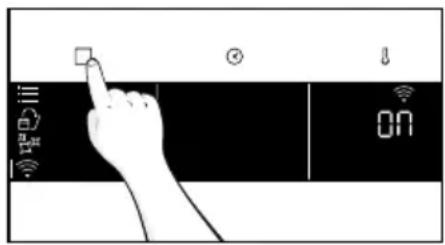
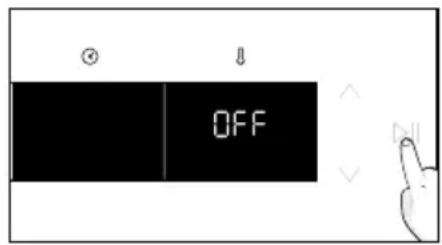
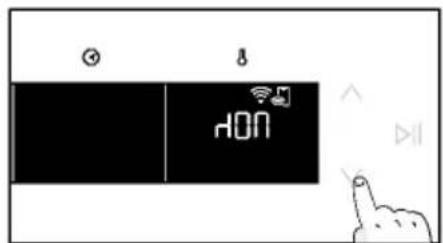
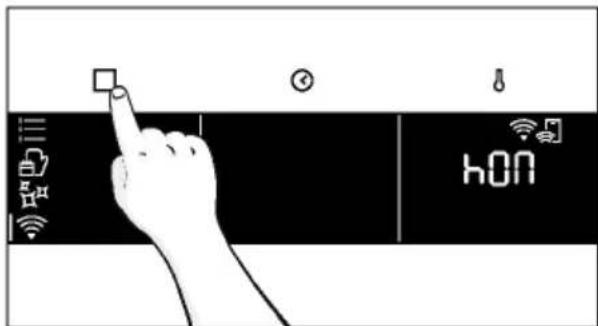
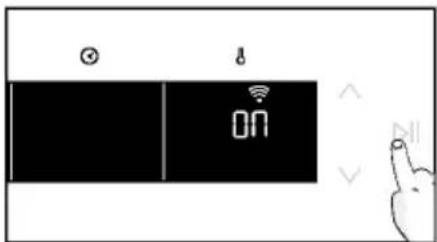
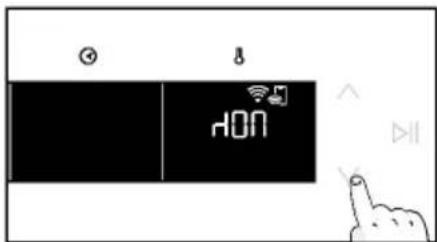
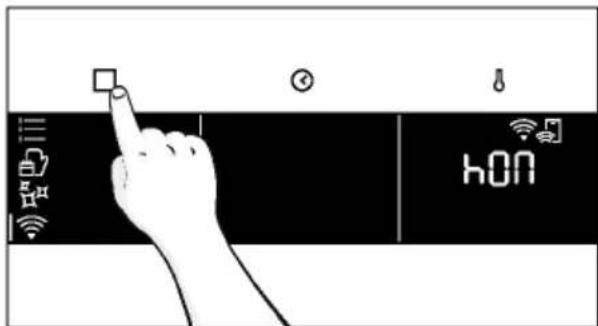
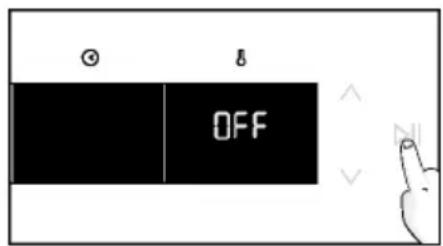
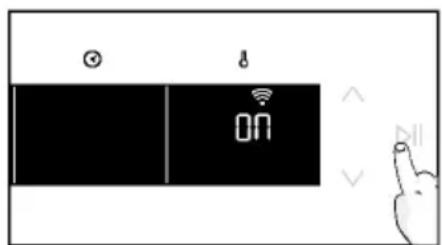
Tap and enter in WIFI menu. On display appears "On".
- On display appears "On".
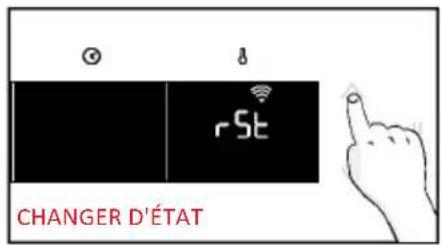
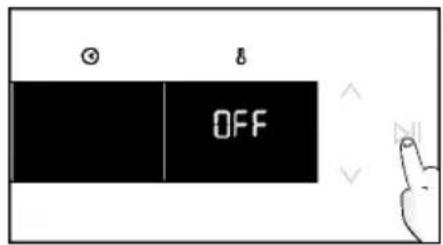
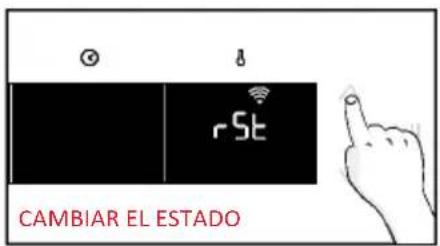
- Use the arrows until "Off" or reset setting "rSt" will be showed.

REMOTE CONTROL
The Remote Control offers numerous advantages for users, enhancing convenience, efficiency, and the overall cooking experience, by giving the capability to control the product directly from both the appliance and hOn App.
This function allows, through your device, to enjoy various features, such as: instant or scheduled start of recipes or cooking programs already available in the app; real-time monitoring of the progress of your recipes; adjustment of the cooking parameters in use; monitoring of the cooking process using the probe. Furthermore, it is possible to receive notifications once programs or recipes are completed.
The Remote Control can be activated exclusively when the product is enrolled.
NOTE: It is available for all cooking functions on the product, except for Gratin, Grill and Supergrill programs.
How to acquire Remote Control:
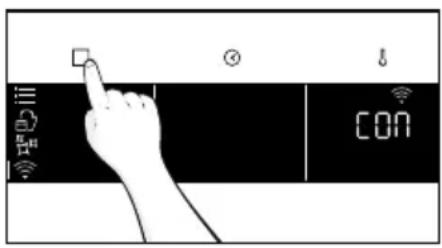
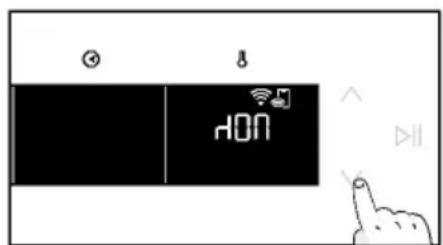
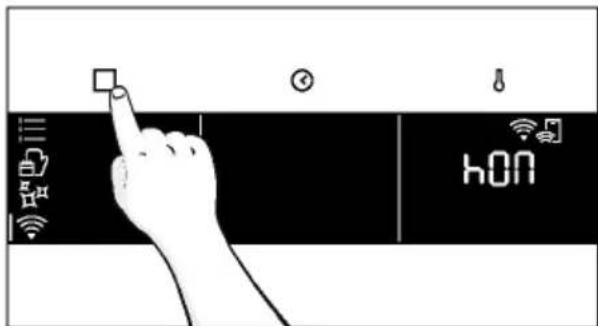
- Tap to select the WIFI mode.
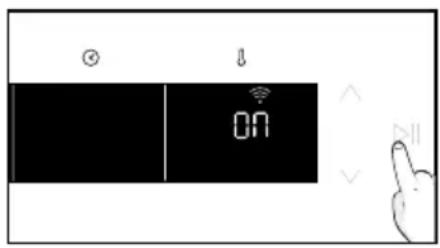
- On display appears "connect". Tap "On" will start blinking.
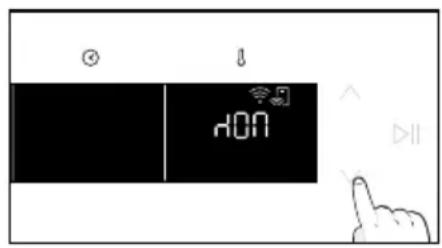
- Tap to select the "hOn" mode and tap to activate Remote Control.
-
Press to exit "hOn" mode.
-
Access to the App, select a program and let the cooking starts. During the process is possible to control and change the program parameters from both product and App.
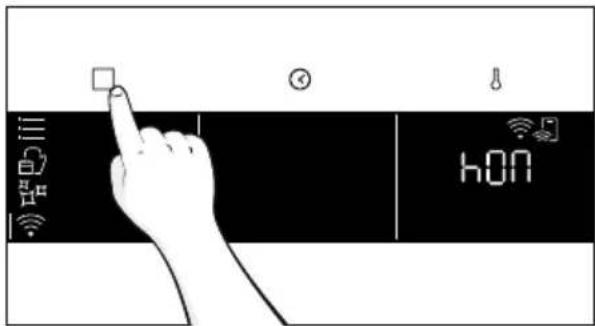
It's also possible to activate Remote Control during cooking process by pressing related button
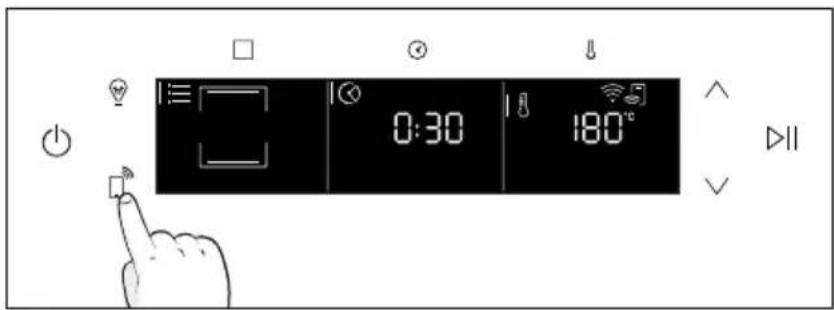
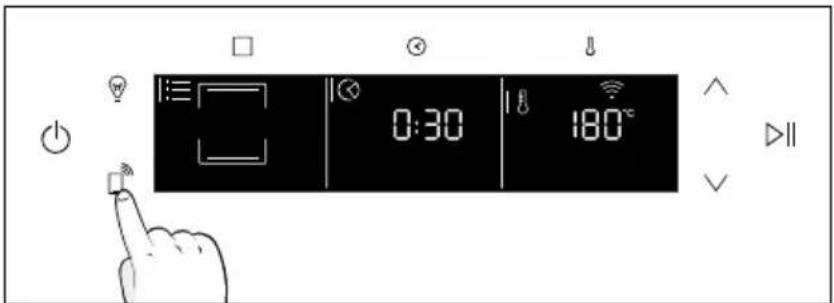
How to stop Remote Control:
While the cooking program is in progress, it can be stopped directly from the product itself by pressing the corresponding button of Remote Control that came with your appliance.
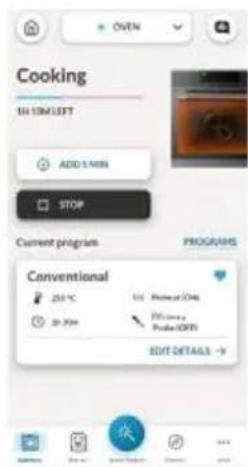
You can also stop the cooking program remotely using the app by clicking the 'STOP' Button on display device. The oven will automatically stop the cooking.
NOTE: If the user stops the cooking in progress from the oven, simultaneously the stopped cooking will be seen in the App.
3. BEFORE STARTING
3.1. INFORMATION TO START
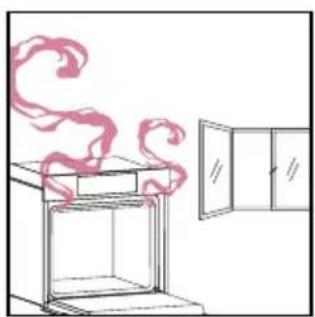
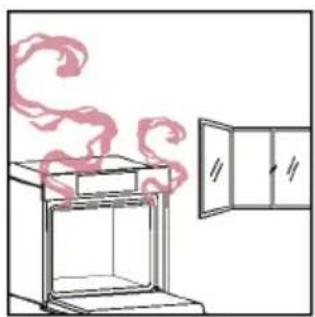
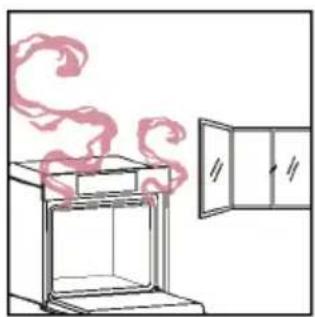
When you first turn on the oven, you might notice some smoke. Don't worry, just wait for the smoke to clear before using the oven. For functions that use the grill, thanks to the door switch technology the oven will automatically pause the heating elements when you open the door and continue cooking once you close it.
This feature is available only on specific oven configurations. All the pyro models have it.
How door works
For functions that use the grill, thanks to the door switch technology the oven will automatically pause the heating elements when you open the door and continue cooking once you close it.
This feature is available only on specific oven configurations. All the pyro models have it.
During the pyrolytic cleaning process, the oven door remains locked at all times. If it's not locked, the oven will display error code 24 and pause the cleaning function.
How illumination works
The oven cavity is illuminated by one or more light bulbs, typically activated each time a cooking function begins.
For ovens equipped with a door switch (see below), the light automatically turns on when the door is opened.
For ovens equipped with lamp button, it can also be used to activate the lighting.
If the oven door remains open for more than 10 minutes, the lights will automatically turn off.
During pyrolytic cleaning process light remains off. *
How cooling fan works
The cooling fan is responsible for dissipating the heat, keeping the oven and its surroundings from getting too hot, as well as protecting kitchen appliances from the effects of high temperatures. For this reason, the cooling fan remains audible for a period of time even after the oven is turned off.
It operates during and after cooking cycle in relation to the internal temperature of the oven.
When the cooling fan is operational, it usually generates a gentle humming or whirring noise. You may also notice a warm airflow emanating from the gap between the oven door and the control panel.
During pyrolytic cleaning and when door is locked, cooling fan is switched on. *
During ECO function the light will remain off.
(*only for pyro ovens)
3.2. FIRST USAGE
When the appliance is switched On for the first time, the initial step is to set time of day, choose between 13 ampere or 16 ampere, and select sound level.
- SET THE TIME: The display will show the blinking preset time '12:00'. To modify it, hold ⏻ and use the arrows to set the current hour. Press ⏱ to confirm hours. Follow the same procedure to set the minutes. To confirm press ▷|| .
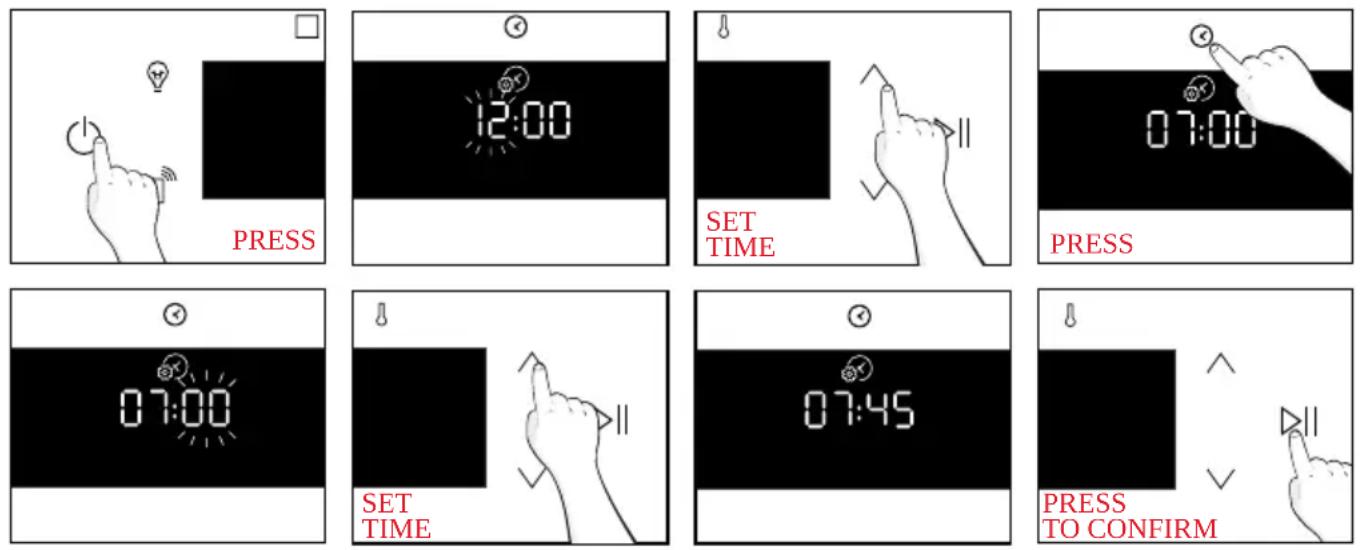
- AMPERAGE: By default, the oven is set to work with higher power suitable for households with more than 3 kW (16 A). If your home has lower power, you can change this setting to ▷∥ 13 A. This setting affects how quickly the oven heats up. Choosing the higher option (16A) means it heats up faster (because the power absorption is increased). On the display, you'll see two choices: 13A and 16A. Select your preferred one by using the arrows. To confirm press ▷∥ .
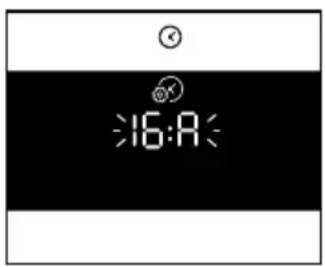
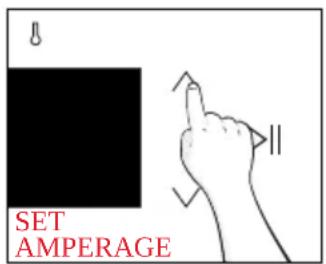
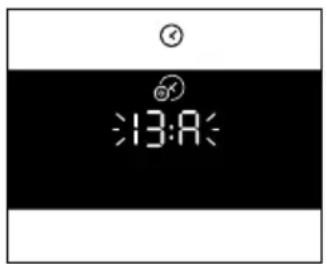
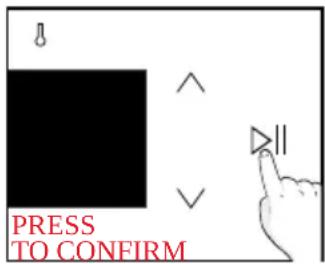
NOTE: The option to set the amperage is only available during the initial installation. To modify the set amperage, please refer to the post-installation instructions.
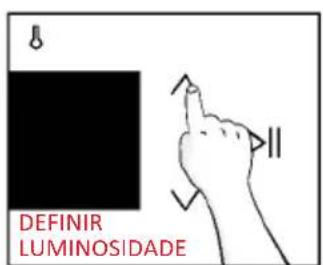
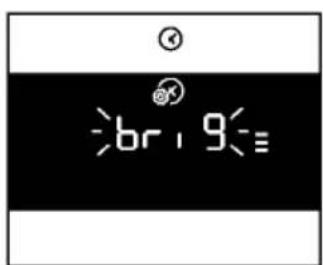
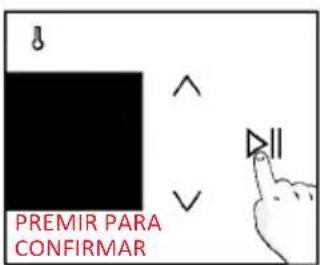
- BRIGHTNESS: The display shows the symbol “brig”. The numbers represent the level of brightness intensity, editable using the arrows. To confirm press ▷∥ .
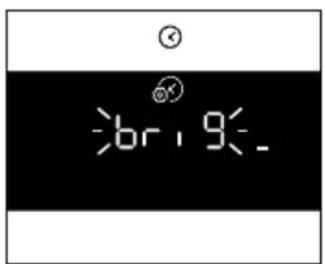
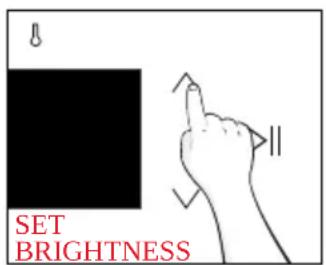
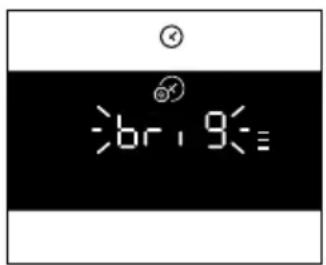
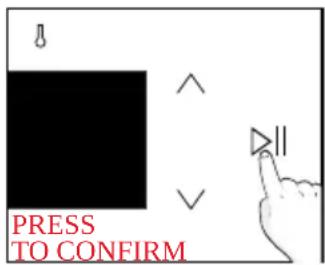
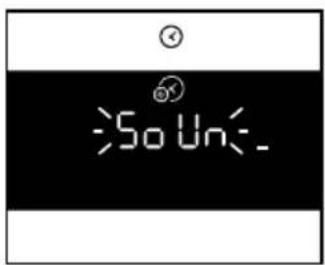
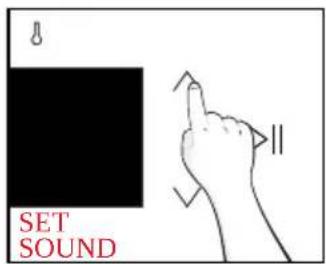
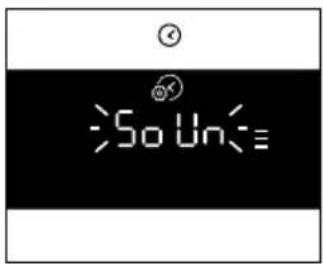
- SOUND: The display shows the symbol "Sound". The numbers represent the level of sound intensity, editable using the arrows. To confirm press ▷|| .
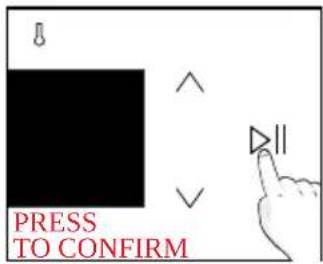
• POST INSTALLATION INSTRUCTION
It is possible to go back to initial settings by pressing Lamp button for 5 sec
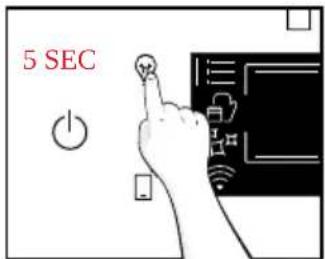
3.3. PRELIMINARY CLEANING
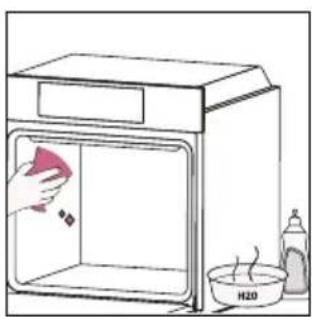
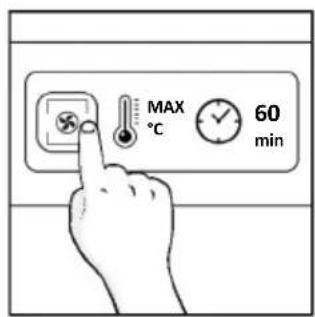
Clean the oven before using for the first time. Wipe over external surfaces with a damp soft cloth. Wash all accessories and wipe inside the oven with a solution of hot water and washing up liquid. Set the empty oven to the maximum temperature and leave on for about 1 hour, this will remove any lingering smells of newness.
natural_image
Simple line drawing of a kitchen sink with a hand cleaning the interior and a bottle labeled H20 nearby (no text or symbols on main elements)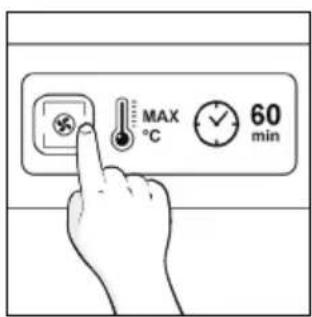
natural_image
Simple line drawing of a cabinet with steam rising, next to an open door (no text or symbols)4. OPERATION OF PRODUCT
4.1. HOW THE PRODUCT WORKS
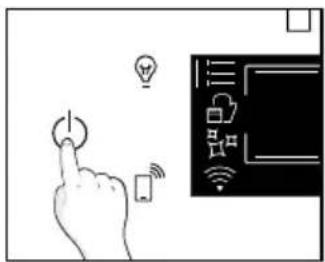
SWITCHING ON/OFF THE OVEN
To turn ON/OFF the oven, hold ⏻
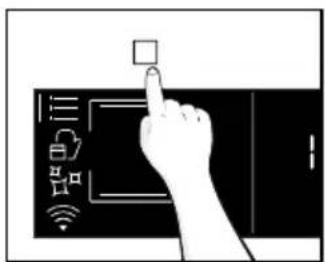
FUNCTIONS MENU
Access the Function menu by pressing □.
To navigate into tap as many times as is needed to enter in the f wing settings:
| Symbol Function Description | ||
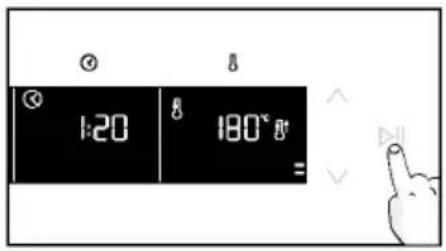
 | MAIN FUNCTIONS | This function allows to select the desired cooking program by using arrows. Tap⊙and ⚠ to set time and temperature. Press ▷llto start the function. To pause the program, click again. |
 | FOOD CATEGORIES | In this menu you can access to 4 food cooking categories already integrated on your oven by using arrows. The display will show default time and temperature. |
 | WIFI | In this mode you can connect your oven to a network and enroll it with the hOn App. |
 | CLEANING FUNCTIONS | This function allows to choose a cleaning system available on your oven. |
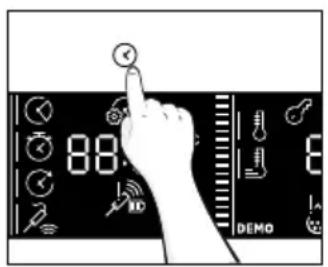
TIME MENU
After having selecting the cooking program, access Time menu by pressing ✗. To navigate into tap ✗ as many times as is needed to enter in the following settings:
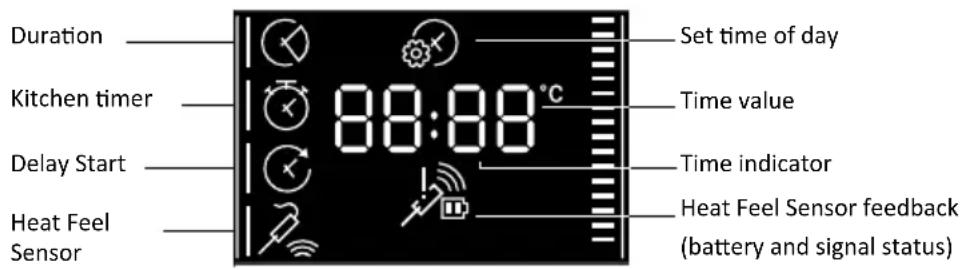
NOTE: several parameters cannot be set at the same time, therefore only the last set remains in the memory while the previous one is deleted.
| Symbol Function Description | ||
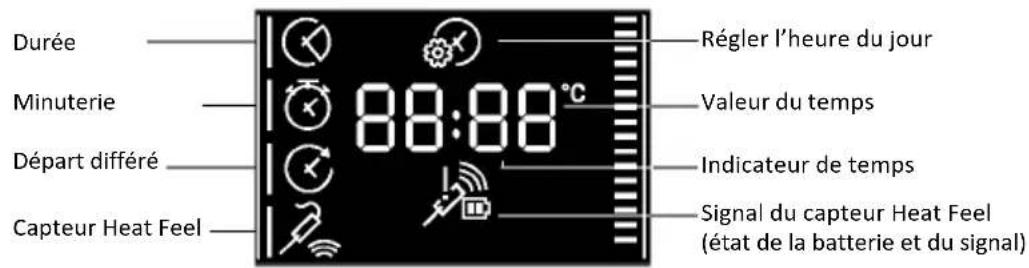
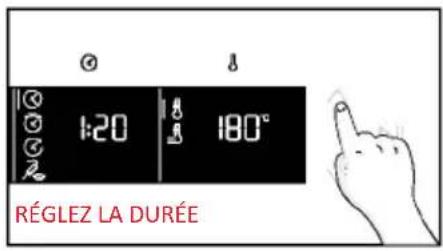
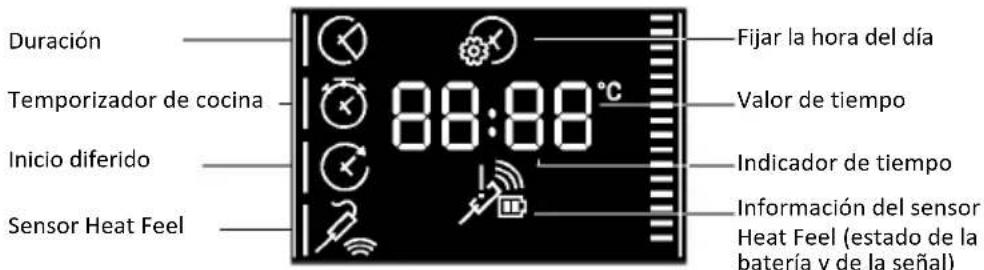
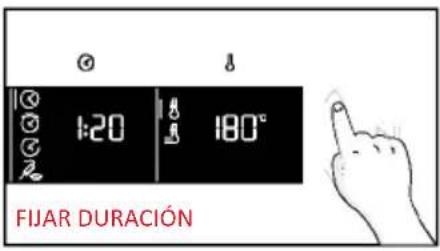
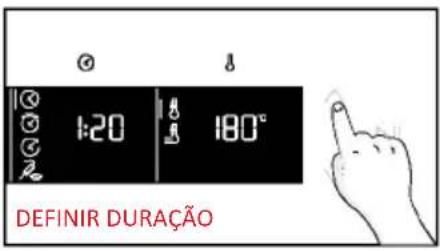
 | a)COOKING DURATION | Allows to preset the cooking time required for the recipe chosen.Press ✉ to enter in the Time menu. Tap ✉ as many times as you need to select “Cooking duration” function. Then use the arrows to regulate the value and press ▷∥ to confirm. The countdown starts at the end of preheating (if present). During cooking phase is possible to change the duration value by pressing ⚙ and by using the arrows. When duration is elapsed the display shows “End” and the cooking stops. |
 | b)MINUTE MINDER | Allows to use the oven as alarm clock.Press ✉ to enter in the Time menu. Tap ✉ as many times as you need to select “Minute minder” function. Then use the arrows to regulate the value and press ▷∥ to confirm.During cooking phase is possible to change the duration value by pressing ⚙ and by using the arrows. Then press ▷∥ to restart the cooking. When duration is elapsed, the cooking continues until manually interrupted.This function can be also set when the oven is in stand by mode by pressing ⚙When activated, the minute minder operates independently of the oven’s cooking functions. |
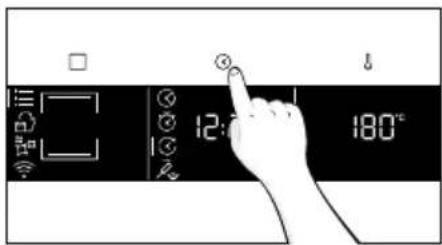
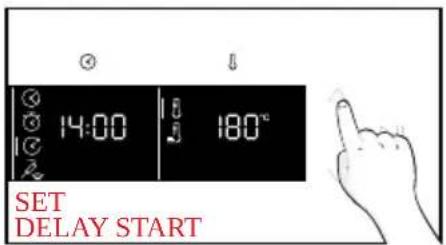
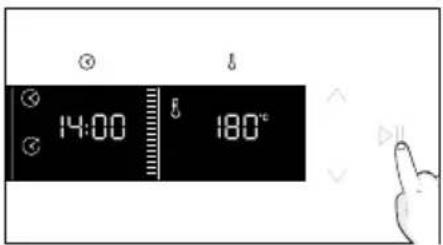
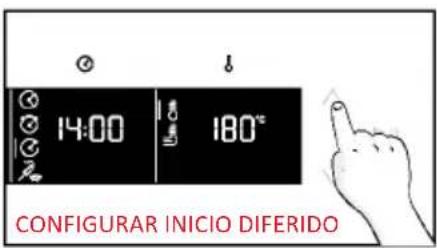
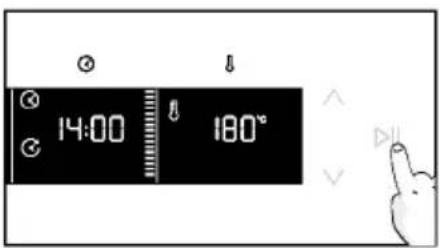
 | c)DELAY START | Allows to choose the cooking start time.Press ✉ to enter in the Time menu. Tap ✉ as many times as you need to select “Delay start” function. Then use the arrows to regulate the value and press ▷∥ to confirm.NOTE: Delay start is activable only after setting Cooking Duration and it is not available with grill’s functions |
a. COOKING DURATION
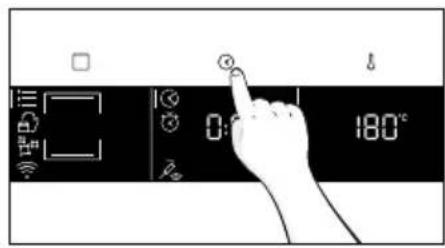
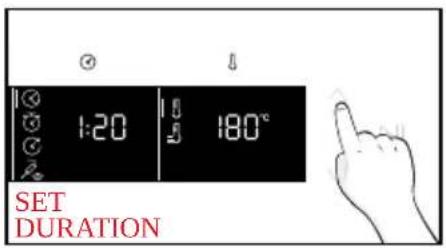
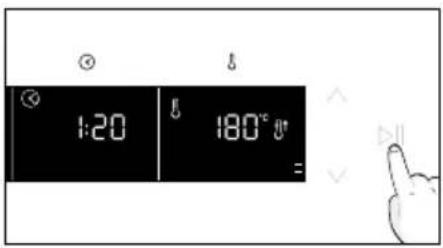
a. MINUTE MINDER
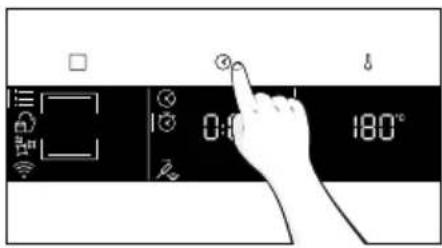
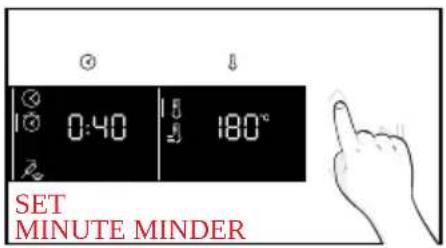
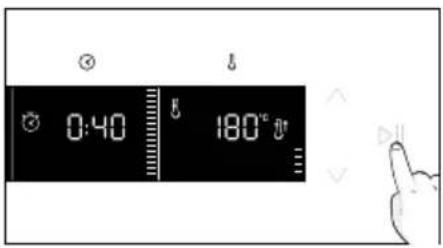
a. DELAY START
TEMPERATURE MENU
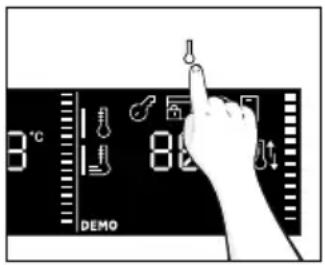
After having selecting the cooking program, access Temperature menu by pressing ⚠. To navigate into tap ⚠ as many times as is needed to enter in the following settings:
| Symbol Function Description | ||
 | TEMPERATURE | Press ↓ to set the temperature and use arrows to regulate the value. |
 | FAST PREHEATING | Press twice ↓ to set the fast temperature. |
ADDITIONAL FUNCTION
| Symbol Function Description | ||
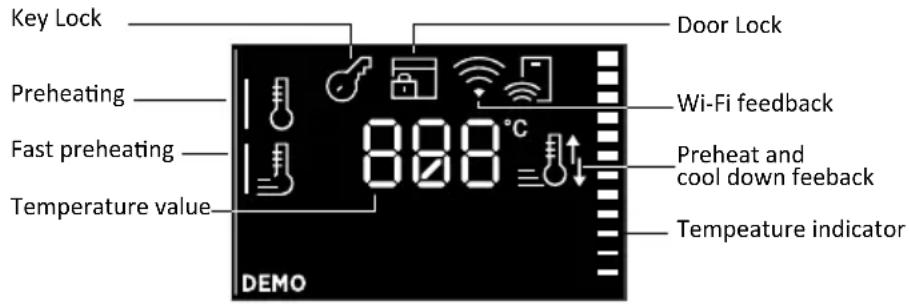
 | CHILD LOCK | 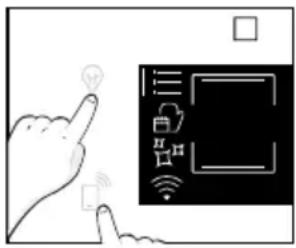 This function allows you to lock the screen to prevent any unwanted use by minors. To activate it, simultaneously press the Lamp and Remote Control buttons for 3 seconds. An icon with a key will appear on the user interface. In this condition, the oven user interface is locked, and no changes in settings can be made.To deactivate the child lock, press the Lamp and Remote Control buttons again for 3 seconds (the icon with the key will disappear). This function allows you to lock the screen to prevent any unwanted use by minors. To activate it, simultaneously press the Lamp and Remote Control buttons for 3 seconds. An icon with a key will appear on the user interface. In this condition, the oven user interface is locked, and no changes in settings can be made.To deactivate the child lock, press the Lamp and Remote Control buttons again for 3 seconds (the icon with the key will disappear). |
4.2. COOKING FUNCTIONS
FAST PREHEATING OPTION
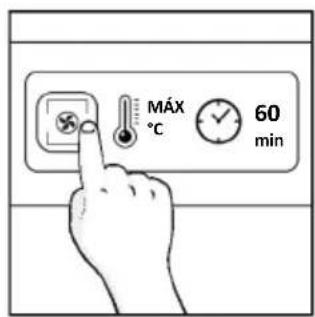
In order to accelerate preheating phase, the fast-preheating option can be selected by pressing the temperature icon for 3s after having selected cooking program and temperature. This option will activate a combination of fan and heating elements regardless of the chosen cooking function.
To save energy, when fast preheating is activated the lamp will be turned OFF until the oven reaches the desired temperature
4.2.1. STANDARD FUNCTIONS
NOTE: for functions that require preheating, ensure all accessories are removed during this phase. Follow instructions in the table below for what regards preheating. "YES/FAST PREHEAT" means that preheating is required and fast preheat option is available; "NO" means that preheat is not available and foods must be inserted with cold oven.
| Symbol Function | T°C default T°C range | Suggested shelf position | Preheat Suggestions | ||
 | *Conventional | 200°C 30-250°C | L2/L3 | YES/FAST PREHEAT | IDEAL FOR: cakes, breads, biscuits, quiches on one level using both upper and lower heating.Can be used with Heat Feel Sensor. |
 | Convection + fan | 50-250°C L2 | /L3/L4 | YES/FAST PREHEAT | IDEAL FOR: roasts, casseroles, vegetables and pies with moist fillings on one level. Ideal for cooking foods with high water content.Can be used with Heat Feel Sensor. |
 | Multi-Level | 160°C 50-250°C | L4 for single level L2+L5 for double level L2+L4+L6 for triple level | YES/FAST PREHEAT | IDEAL FOR: cakes, biscuits and pizzas on one or more levels. Ideal to cook different foods.Can be used with Heat Feel Sensor. |
 | Bottom heating | 50-230°C L2 | YES/FAST PREHEAT | IDEAL FOR: crème caramel, puddings and bain marie on one level. This function can be also used for finishing a preparation.Can be used with Heat Feel Sensor | |
 | Bottom heating+fan | 170°C 50-230°C | L2 | YES/FAST PREHEAT | IDEAL FOR: pizzas, salty cakes, tarts and foods with liquid toppings on one level. Can be used with Heat Feel Sensor. |
| Grill 01-05 | L6 for thin foodL5 for thicker foods | NO | IDEAL FOR: gratin, grilled meat, fish, vegetables. This function uses only the inner top heating element. Use with the door closed. Place a tray underneath to collect juices. | |
| **Supergrill | 0501-05 | L6 NO | IDEAL FOR: big quantities of sausages,steaks and toast bread. The entire areabelow the grill element becomes hot.Use with the door closed. Turn food twothirds of the way through cooking (If necessary). | |
| **Gratin | 200°C150-250°C | L4/L5 | YES/FASTPREHEAT | IDEAL FOR: whole pieces of meat(roasts) or gratinated foods. Use withthe door closed. Slide the drip trayunder the shelf to collect juices. Turnfood over halfway through cooking ifneeded. |
| Multilevel + 150-250°C | YES/FASTPREHEAT | IDEAL FOR: complete menu cookingwithout odor mixing. Foods do not haveto be extracted at the same cookingtimeSee dedicated paragraph (insertparagraph number) for menusuggestions | ||
| *ECO | 190°C150-220°C | 3rd / 4th level NO | IDEAL FOR: cooking meat, fishor vegetablesThis function allows to saveenergy during cooking keepingthe food moist and tender.Cavity lamp is switched off. | |
| Airfry | 200°C150-250°C | 3rd / 4th level NO | IDEAL FOR: preparing frozen foods orbreaded par-cooked foods which areusually fried. Thanks to the dedicatedtray, the hot air can flow evenly overthe foods. |
HEAT FEEL SENSOR
Before the use verify the charge of the Heat Feel Sensor:
- Put Heat Feel Sensor into the charger and close the cover.
- Connect the charger to a USB power source, such as USB adapter or USB socket of PC/ notebook with the USB cable. The charger may not be working properly with power bank because of its auto switch-off function.
- LED of the charger will turn on and is flashing during charging. It will turn off when Heat Feel Sensor is fully charged.
How to enroll and use Heat Feel Sensor:
- Insert the Probe in the food.
- Tap □ to select the desired function and Tap Ⓧ as many times as you need to select Probe icon.
- After a while, the oven will recognize the Probe code. Tap ▷∥, and use arrows to set the target temperature.
- Tap ▷II to confirm. From this moment, the oven will use the Probe's data to monitor the internal temperature of your food.
- Once the desired internal temperature is reached, the alarm sounds and the oven turns off. Carefully remove the Probe from the food.
Cooking tips
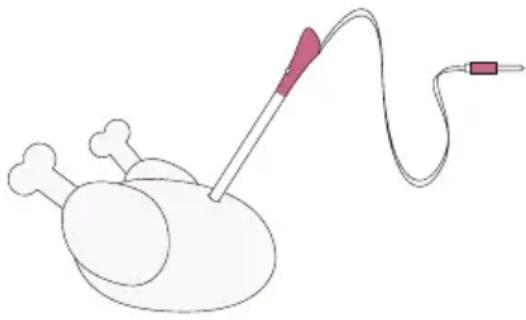
The Probe is equipped with a single measuring point. Insert it entirely into the food with the metal tip positioned at the centre of the food. Place this point as close as possible to the thickest (coldest) part of the food to accurately monitor the cooking process.
natural_image
Illustration of a medical procedure with a needle inserted into a patient's chest (no text or symbols)The Probe can be used with manual functions (Static, Static + Fan, Grill, Super grill, Gratin, and Multilevel), with FOOD COOKING CATEGORIES (Meat, Fish and Vegetables) and Gentle cooking.
| Food category Suggested core T°C Suggested positioning | ||
| Roast beef 45°C | Diagonally in the thickest part. For cylindrical shape foods (i.e. beef roasts) place the tip as close as possible to the geometric center | |
| Roasted meats 55 °C / 60 °C / 65 °C | ||
| Poultry 83-85°C Into the thickest part of the breast | ||
| Fish (whole/steaks) 65°C Diagonally in the thickest part | ||
| Bread/casseroles 90°C Close to the geometric center of the food | ||
5. COOKING GUIDELINES
5.1. GENERAL COOKING TABLE
| Category Recipe | N°of levels | Cooking Program | T°C | Pre-heat | Cooking accessory | Shelf position | Cooking time after preheating* (min) | |
| Sweet bakery | Small cakes /Muffins | 1 | Static Multilevel | 175°C 160°C | Y | Baking tray Baking tray | L3 L4 | 20-30 30-40 |
| 2 Mu | tilevel 150°C | Baking + Deeper trays | L2+L5 30-40 | |||||
| 3 Mu | tilevel 140°C Baking trays L2-L4+L6 40-50 | |||||||
| Sponge cakes (26 cm ∅) | 1 | Static 170°C | Y | Metal grid + Cake tin | L2 30-40 | |||
| Multilevel 150°C | Metal grid + Cake tin | L4 40-50 | ||||||
| 2 Mu | tilevel 150°C | Metal grids + Cake tin | L1+L4 50-60 | |||||
| Biscuits/ Shortbreads | 1 | Static Multilevel | 150°C 150°C | Y | Baking tray Baking tray | L3 L4 | 25-30 30-40 | |
| 2 Mu | tilevel 140°C | Baking +Deeper trays | L2+L5 30-40 | |||||
| 3 Mu | tilevel 140°C Baking trays L2-L4+L6 35-40 | |||||||
| Choquettes | 1 Static 190°C Baking tray L4 25-35 | |||||||
| 2 Mu | tilevel 170°C Baking tray L3 25-35 | |||||||
| Yorkshire pudding | 1 Static 200°C Y Baking tray L3 20-30 | |||||||
| Meringues | 1 | Multilevel | 90°C | Y | Baking tray | 90-160 | ||
| Macaron 1 | Static 150°C Y Baking tray L3 | 15-20 | ||||||
| Apple pie | 1 Static 185°C Y | Metal grids + Cake tin | L2 60-70 | |||||
| 1 Mul | tilevel 170°C Y | Metal grids + Cake tin | L4 65-75 | |||||
| Tarte tatin | 1 Static 170°C Y | Metal grids + Cake tin | L2 40-60 | |||||
| Chocolate souffle | 1 Static 200°C Y | Baking tray + molds | L3 10-15 | |||||
| Cheesecake | 1 Static 150°C Y | Metal grids + Cake tin | L2 50-65 | |||||
| Frozen croissants | 1 Static 180°C | Baking tray L3 | 20-25 | |||||
| 2 Static 180°C Baking trays L2+L5,25-35 | ||||||||
| 3 Mul | tilevel 160°C Baking trays L2-L4+L6 30-40 | |||||||
| Category Recipe | N° of lev-els | Cooking Program | T°C | Pre-heat | Cooking accessory | Shelf position | Cooking time after preheating* (min) | |
| Sweet bakery | Strudel, frozen | 1 | Static | 210°C Y | Baking tray | L3 30-45 | ||
| Breads and Flatbread | Toast bread 1 Supergrill 5°C N Metal grid L6 4-6 | |||||||
| Focaccia 1 | Static | 200°C Y | Baking tray | L2 or L3 25-35 | ||||
| Bread, whole 1 | Static | 200°C Y | Baking tray | L3 25-50 | ||||
| Savory pies and casseroles | Salty cakes / Quiches (26 cm Ø) | 1 | Static | 200°C Y | Metal grid + Quiche tin | L1 or L2 30-50 | 50 | |
| 2 Multilevel 180°C Y | Metal grid + Quiche tin | L1+L4 | 50-70 | |||||
| Cheese souffle | 1 | Static | 200°C | Y | Baking tray + molds | L3 20-35 | ||
| Lasagna, fresh | 1 | Static | 200°C | Y | Metal grid + ovenproof dish | L3 40-60 | ||
| Lasagna, frozen | 1 | Static | 180°C Y | Metal grid + ovenproof dish | L3 50-60 | |||
| Cannelloni, frozen | 1 | Static | 180°C Y | Metal grid + ovenproof dish | L3 45-55 | |||
| Baked pasta | 1 | Gratin | 200°C | Y | Metal grid + ovenproof dish | L4 20-30 | ||
| Pizza | Pizza, fresh (Tray) | 1 | Static | 250°C | Y | Baking tray | L2 or L3 | 15-20 |
| Pizza, fresh (Tray) | 1 | Pizza | 250°C | N | Baking tray | L2 or L3 | 18-25 | |
| 2 Multilevel 180°C Y | Baking + Deeper trays | L2+L5 | 25-35 | |||||
| Pizza, fresh (Round) | 1 | Static | 250°C | Y | Baking tray | L2 or L3 | 8-10 | |
| Pizza, fresh (Round) | 1 | Pizza | 300°C | N | Baking tray | L2 or L3 | 15-20 | |
| 2 Multilevel 180°C Y | Baking tray + molds | L3 30-40 | ||||||
| Pizza, frozen (thin crust) | 1 | Static | 220°C | Y | Metal grid | L3 10-15 | ||
| 2 Multilevel 180°C Y | Metal grid | L2+L5 | 15-25 | |||||
| 3 Multilevel 180°C Y | L2+L4+L6 | |||||||
| Pizza, frozen (thin crust) | 1 | Pizza | 200°C | N | Metal grid | L2 | 10-15 | |
| Category Recipe | N° of levels | Cooking Program | T°C | Pre-heat | Cooking accessory | Shelf position | Cooking time after preheat-ing* (min) | |
| Meat & Poultry | Roasted whole chicken (1-1.2kg) | 1 Gratin 220°C Y | Metal grid/L4 Place Backing tray at L1 with 150ml of water | L4 40-60 | ||||
| Chicken thighs | 1 AirFry** | 220°C | N | Air fry tray** | L4 | 30-50 | ||
| Roasted duck | 1 Gratin 200°C Y | Metal grid + Ovenproof dish | L3 50-60 | |||||
| Rooster 1 Gratin 220°C Y | Metal grid Place baking tray at L1 | L4 20-40 | ||||||
| Roasted Turkey | 1 Gratin 200°C Y | Metal grid +Oven-proof dish | L3 50-60 | |||||
| Pork ribs (1000-1200g) | 1 Static 200°C Y | Metal grid +Oven-proof dish | L3 80-100 | |||||
| Sausages | 1 Supergrill | 4 | Y | Metal grid | L5 | 40-50 | ||
| Beef fillet (1000-1500g) | 1 Gentle cooking** | 60°C | N | Metal grid + Oven-proof dish | L3 60-80 | |||
| Roast beef (500g) | 1 Gratin 220°C Y Baking tray | L3 20-40 | ||||||
| Meatloaf (1000-1500g) | 1 Static 180°C Y Baking tray | L3 40-50 | ||||||
| Roasted chicken with potatoes | 1 Gratin | 200°C | Y | Deeper tray | L4 | 45-60 | ||
| Fish and Seafood | Grilled seafood | 1 Supergrill 4 N | Metal grid | L5 15-30 | ||||
| Frozen fish sticks | 1 Air Fry** 200°C N Air fry tray ** L4 20-25 | |||||||
| Baked fish | 1 ECO | 200°C | N | Metal grid Place baking tray at L1 | L3 40-60 | |||
| Vegetables | Vegetable gratin | 1 ECO 200°C N | Metal grid +Oven-proof dish | L3 80-90 | ||||
| Frozen french fries (300-500g) | 1 Air Fry** 200°C N Air fry tray ** L4 18-25 | |||||||
| Potato gratin | 2 Gratin 180°C Y | Metal grid + Oven-proof dish | L4 15-25 | |||||
| Roasted potatoes | 1 Static 200°C Y Baking tray | L4 30-50 | ||||||
Cooking times may vary according to consumer's recipe and ingredients.
*if preheating required
** Depending on the oven model.
NOTE: For cooking cakes, quiches and other recipes that require a mold or a container on 2 levels, place the staggered: the upper tray on the left side and the lower tray on the right side.
5.2. EVERYDAY COOKING TABLE
Food category menu allows to cook a variety of recipes without preheating the oven, thanks to dedicated cooking programs tailored to each category needs.
After selecting the cooking program, the default time will be shown and can be edited by turning the right knob; cooking temperature can be changed by pressing the dedicated icon. Both parameters can be set within a limited range as shown in the table below.
| Symbol | Description Preheat | Shelf position | Temperature range (°C) | Time Range (min) | Heat Feel Sensor temperature (if available) | Description |
 | Meat NO 2-3-4 180-200 | 20-80 55-85°C | For beef, veal and pork roasts, poultry and cuts of meat. | |||
 | Fish NO 3-4 160-180 | 15-45 55-65°C | For whole fish and fillets. | |||
 | Vegetables NO 3-4 180-200 | 30-80 70-90°C | For roasted vegetables and potatoes |
NOTE: : if, after turning off the oven, there is a need to continue cooking, it's recommended avoiding th use of everyday cooking programs and instead opting for standard functions.
| Recipe Serving size | Cooking program | T°C | Cooking accessory | Shelf position | Cooking time (min) | |
| Beef roast | 500-800g | Meat | 190°C | Metal grid | L3 | 30-40 |
| Beef fillet 200g | Meat Metal grid | L3 | ||||
| Meatloaf | 1000-1500g | Meat | 180°C | Metal grid | L3 | 40-50 |
| Beef wellington | 500g Meat | 200°C Metal grid L3 | 50-80 | |||
| Port roast | 800-1000g | Meat | 200°C | Metal grid | L3 | 40-70 |
| Pork ribs | 1000-1200g | Meat | 200°C | Metal grid | L3 | 80-100 |
| Lamb rack | 800-1000g | Meat | 200°C | Metal grid | L3 | 60-80 |
| Lamb leg | 1500-2000g | Meat | 190°C | Metal grid | L3 | 80-100 |
| Salmon fillets | 200-600g | Fish | 170°C | Baking tray | L3 | 20-35 |
| Tuna steaks | 600g (app. 4 pcs) | Fish | 180°C Meta | grid L3 10-20 | ||
| Swordfish steaks | 700g (app. 4 pcs) | Fish | 200°C | Baking tray | L3 | 15-20 |
| Cod fillet | 600g (app. 4 pcs) | Fish | 150°C | Baking tray | L3 | 10-20 |
| Seabream, whole | 1 | Fish | 170°C | Baking tray | L3 | 35-45 |
| Seabream, fillet | 600g (app. 4 pcs) | Fish | 150°C | Baking tray | L3 | 10-20 |
| Seabass fillet | 600g (app. 4 pcs) | Fish | 150°C | Baking tray | L3 | 10-20 |
| Salt baked fish | 1 | Fish | 220°C | Baking tray | L3 | 30-40 |
| Fish skewers | 8 pieces | Fish | 150°C | Metal grid | L3 | 20-30 |
| Stuffed squid | 4 pieces | Fish | 180°C | Baking tray | L3 | 25-40 |
| Whole bread | 1 Bakery | 200°C Metal grid L3 | 35-50 | |||
| Rye bread 1 | Bakery 190°C Metal grid L3 | 35-50 | ||||
| Sandwich loaf | 1 Bakery | 200°C Metal grid L3 | 35-50 | |||
| Frozen baguettes | 1 Bakery | 200°C Metal grid L3 | 15-25 | |||
| Frozen puff pastry snacks | 1 Bakery | 190°C Metal grid L3 | 20-30 | |||
| Fennels | 1 tray | Vegetables | 200°C | Metal grid | L3 | 30-40 |
| Recipe Serving size | Cooking program | T°C | Cooking accessory | Shelf position | Cooking time (min) |
| Mixed vegetables | 1 tray Vegetables 190°C Metal grid L3 40-45 | ||||
| Cauliflowers | 1 tray | 190°C | Metal grid | L3 | 40-50 |
| Pumpkins, cubed | 1 tray Vegetables 200°C Metal grid L3 30-40 | ||||
| Stuffed peppers | 1 tray Vegetables 180°C Metal grid L3 70-80 | ||||
| Stuffed zucchini | 1 tray Vegetables 190°C Metal grid L3 35-45 | ||||
| Carrot sticks | 1 tray Vegetables 180°C Baking tray L3 35-40 | ||||
| Broccoli | 1 tray | 190°C | Baking tray | L3 | 30-40 |
| Ratatouille 1 tray Vegetables 190°C Metal grid L3 40-45 | |||||
| Vegetable flan | 6 ramekins Vegetables 180°C | Baking tray + molds | L3 25-35 | ||
6. CARE & CLEANING
6.1. GENERAL RECOMMENDATIONS
Regular cleaning can extend the lifecycle of your appliance. Wait for the oven to cool before carrying out manual cleaning.
• After each use of the oven, a minimum of cleaning will help keep the oven perfectly clean.
- Do not line the oven walls with aluminum foil or single-use protection available from stores. Aluminum foil or any other protection, in direct contact with the hot enamel, risks melting and deteriorating the enamel of the insides.
- In order to prevent excessive dirt of your oven and the resulting strong smokey smells, we recommend not using the oven at very high temperature. It is better to extend the cooking time and lower the temperature a little.
- In addition to the accessories supplied with the oven, we advise you only use dishes and baking molds resistant to very high temperatures.
6.2. CLEANING THE OVEN
6.2.1. INSIDE THE OVEN: cleaning functions

Pyrolytic cleaning (*depending on the oven model)
This process relies on the chemical process bearing the same name, which involves the decomposition of complex substances through the application of heat treatment.
Once initiated, it automatically locks the oven door and swiftly elevates the temperature to a searing 410^ C.
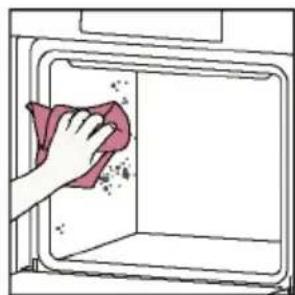
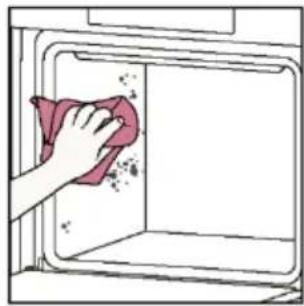
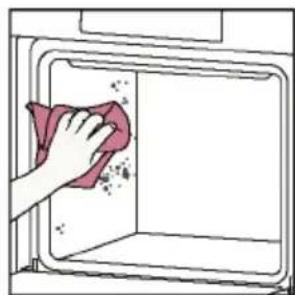
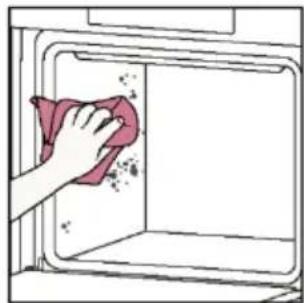
At the end of the cleaning cycle, food residues will leave a white coating on the enamel surfaces. To remove these particles, wipe with a cloth soaked in hot soapy water and use a brush or steel wool. Suitable cleaning agents are hot soapy water or oven cleaner.
How does it work:
- Remove any accessories from the oven, such as grids, side racks and side racks screw (*);
- Turn function knob on Turn the dial control to set the Pyrolytic program;
Allow the function to operate for the preset time. During this process and the following cooling phase, the oven door will remain locked. - When the appliance is cool, clean the inner surfaces of the oven with a cloth.
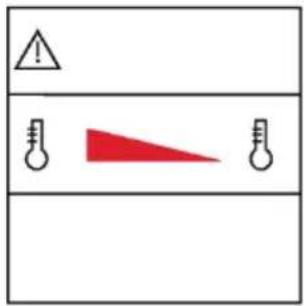
WARNING: Make sure that the appliance is cool before you touch it. Care must be taken with all hot surfaces as there is a risk of burns. Use distilled or drinkable water.
(*) only for models with 7 levels.
natural_image
Line drawing of an oven with a rack and vent, showing internal structure without any text or symbols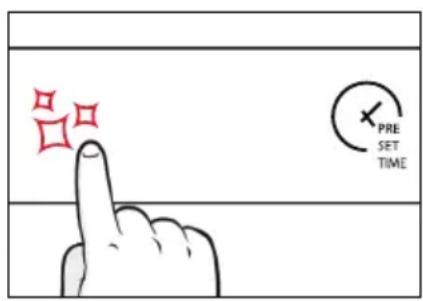
natural_image
Illustration of a hand cleaning a kitchen appliance with a pink cloth (no text or symbols)Hydroeasy
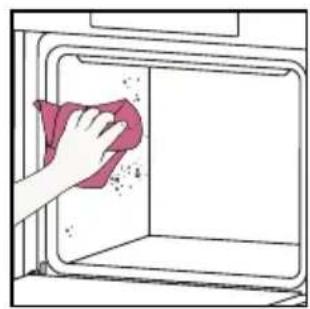
The Hydroeasy function is designed to effortlessly tackle light dirt and provide a quick and eco-friendly solution for cleaning your oven cavity using the power of steam.
How does it work:
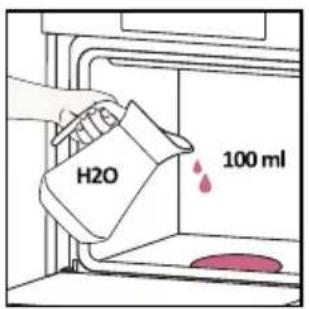
- Pour 100 ml of water with a drop of washing-up liquid into the bottom embossment of the oven.
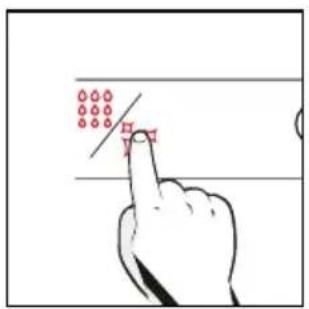
- Turn the knob on ☐. If necessary, turn the dial control to set the Hydro clean program. Allow the function to operate for the preset time.
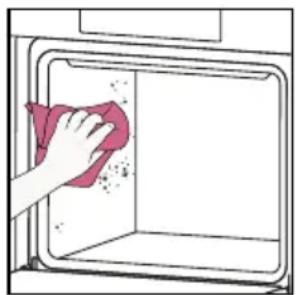
- At the end of the cleaning process, allow the oven to cool down.
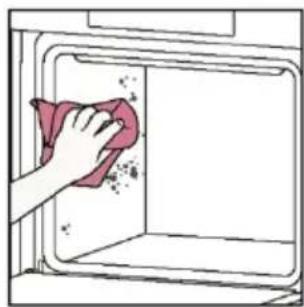
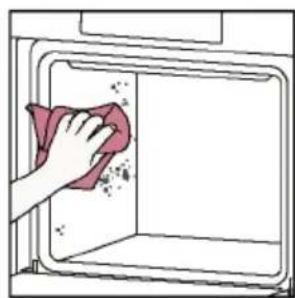
- When the appliance is cool, clean the inner surfaces of the oven with a cloth.
- ⚠ WARNING: Make sure that the appliance is cool before you touch it. Care must be taken with all hot surfaces as there is a risk of burns. Use distilled or drinkable water. Wipe the cooking compartment and allow it to dry completely to avoid possible corrosions.
natural_image
Hand cleaning a kitchen appliance with a cloth (no text or symbols visible)6.2.2. OUTSIDE THE OVEN: removal and cleaning the glass door
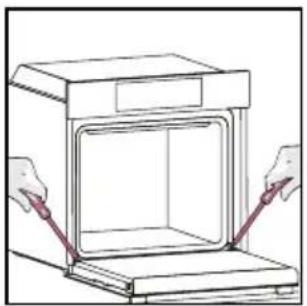
- Position the door at 90^ . Rotate the hinge locking tabs outward from the oven.
natural_image
Line drawing of a cabinet with two hands inserting a red cable into the opening (no text or symbols)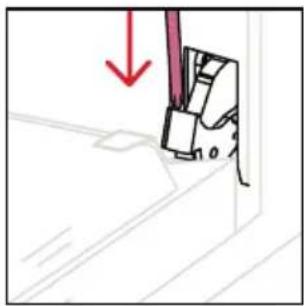
natural_image
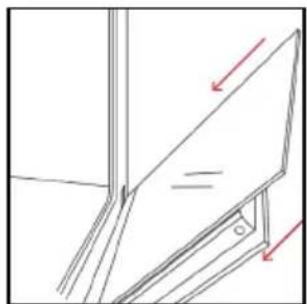
Simple line drawing of a sewing machine needle with a red downward arrow indicating force or direction (no text or symbols)- Position the door at 45°. Simultaneously press the two buttons on both the sides of the door's lateral shoulders and pull towards yourself to remove the upper glasses' door cover.
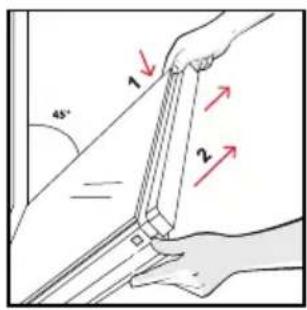
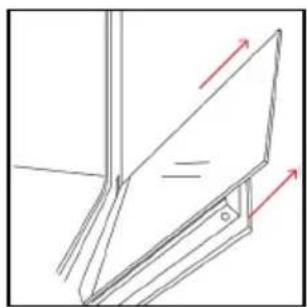
- Very carefully remove the oven glass, starting with the inner one. During the procedure, firmly hold the glass with both hands and place them on a cushioned flat surface (e.g., on a fabric).
natural_image
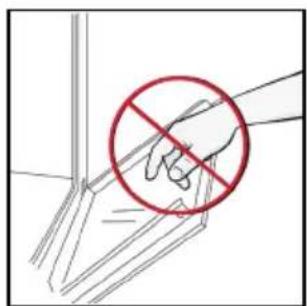
Pure technical line drawing of a mechanical assembly with no text or symbols- ⚠️ WARNING: The outer glass is not removable.
natural_image
Illustration of a hand holding a red prohibition symbol (no text or labels present)- Clean the glass using a soft cloth and suitable cleaning products.

natural_image
Illustration of a hand cleaning a surface with a pink cloth and a water bottle labeled H₂O (no text or symbols on the main subject)-
Insert the glass panels, making sure that the "Low-E" label is correctly readable and positioned on the lower left side of the door, near the left-side hinge. This way, the printed label on the first glass will remain on the inside of the door.
-
Reattach the upper glasses' door cover by pushing it inwards until you hear a click from the two side buttons.
-
Then, bring the door back to 90^ and rotate the hinge locking tabs inward towards the inside of the oven.
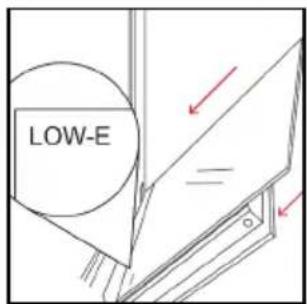
natural_image
Technical line drawing of a structural frame with arrows indicating direction (no text or symbols)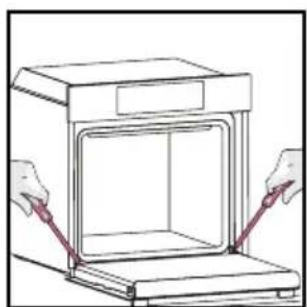
natural_image
Line drawing of a cabinet with two hands operating it, no text or symbols present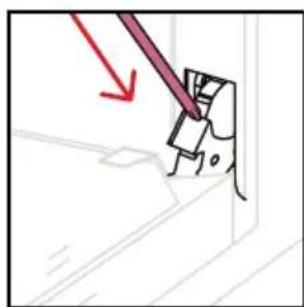
natural_image
Simple line drawing of a tool interacting with a wall-mounted device (no text or symbols)6.3 CLEANING OF ACCESSORIES
Ensure that you clean the accessories thoroughly a er every use and dry them using a towel. For persistent residues, consider soaking the accessories in a mixture of water and soap for approximately 30 minutes before giving them a second wash.
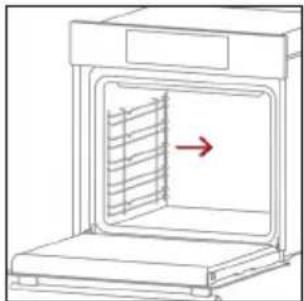
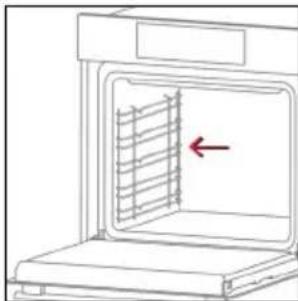
CLEANING OF SIDE RACKS:
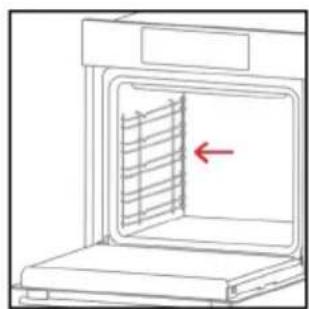
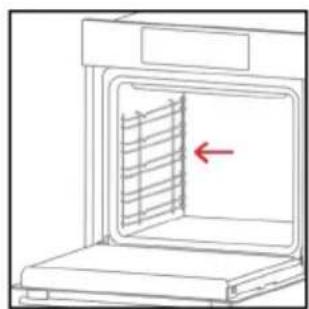
- 6 levels model
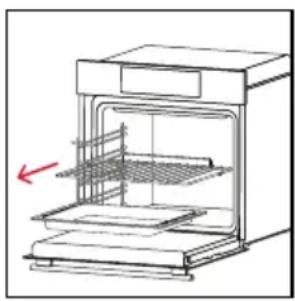
- Remove the side racks by pulling them in the direc on of the arrows.
- To clean the side racks either put them in the dishwasher or use a wet sponge, ensuring that they are dried a erwards.
- A er the cleaning process install the side racks in reverse order
natural_image
Line drawing of an oven with a red arrow indicating airflow or ventilation direction (no text or symbols)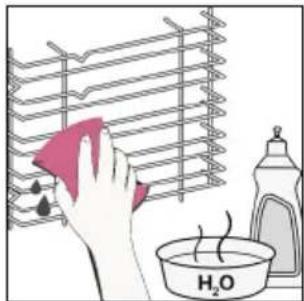
natural_image
Line drawing of an oven with a red arrow indicating a ventilation grille (no text or symbols)6.4. MAINTENANCE
COMPONENTS REPLACEMENT
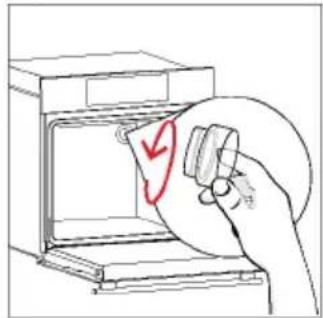
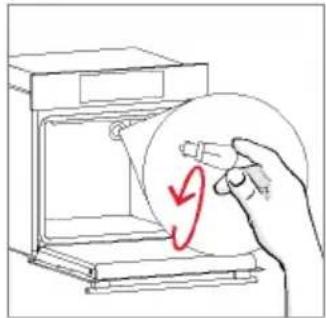
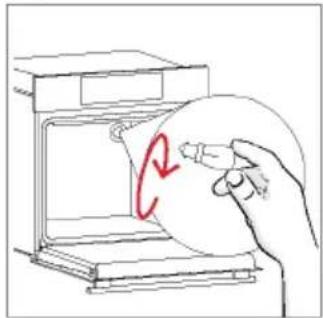
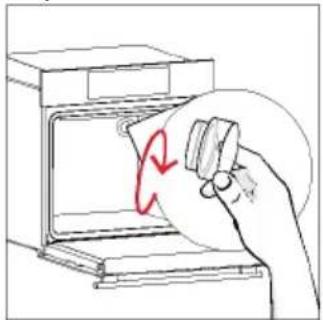
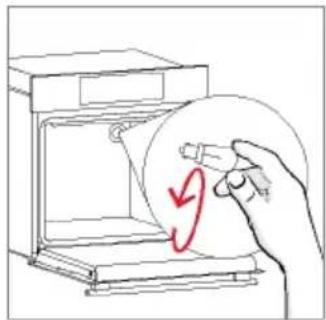
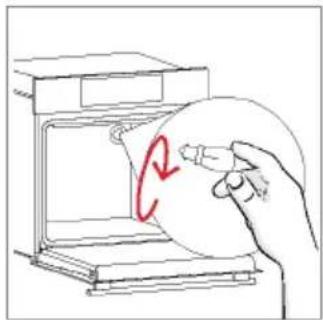
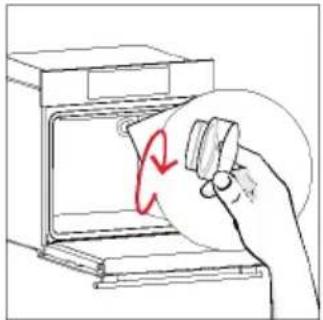
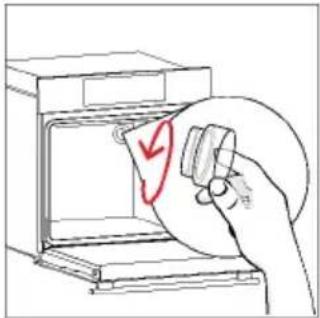
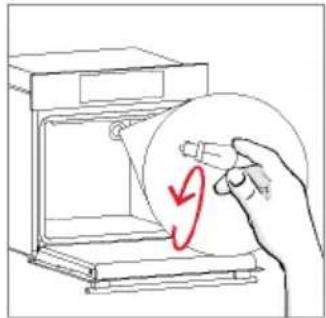
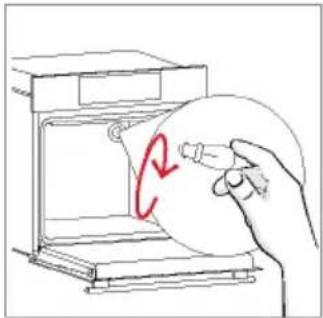
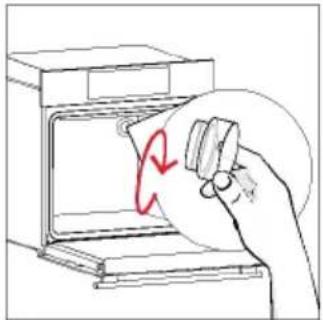
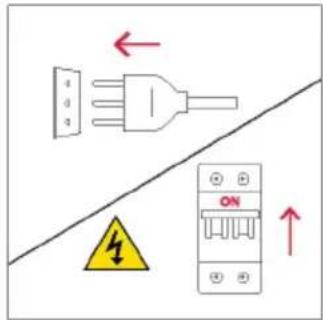
Changing the bulb on top:
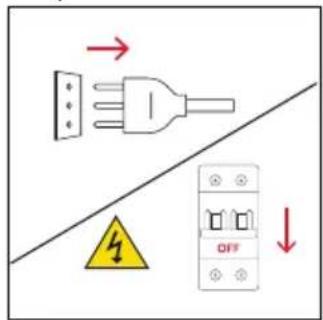
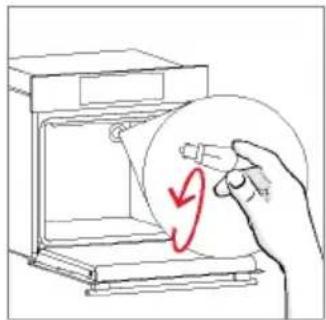
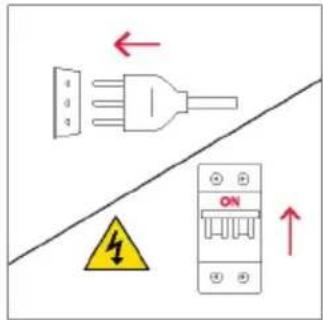
- Disconnect the oven from mains supply.
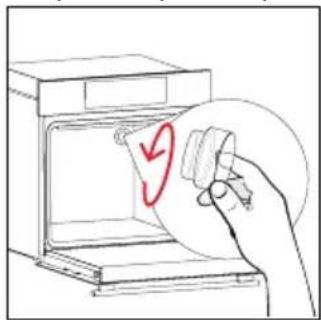
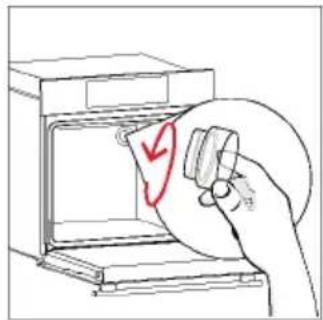
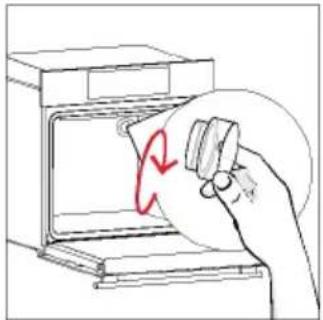
- Remove the lamp's glass cover.
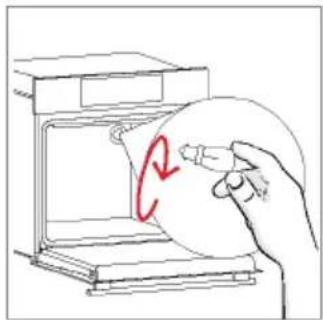
- Disassemble the bulb.
- Replace the bulb with a new one of the same type.
- Relocate the lamp's glass cover.
- Reconnect the oven from mains supply.
Step 1
Step 2 Step 3 Step 4
natural_image
Hand holding a paper with a red checkmark inside an oven (no text or symbols)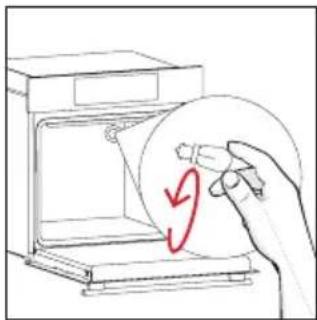
natural_image
Hand holding a circular object inside a microwave oven, with a red curved arrow indicating rotation (no text or symbols)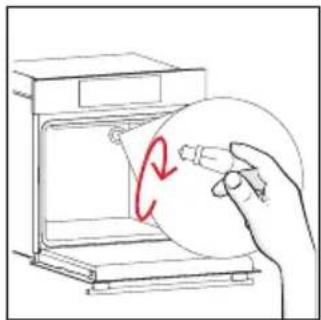
natural_image
Hand holding a circular object inside a kitchen appliance (no text or symbols visible)Step 5 Step 6
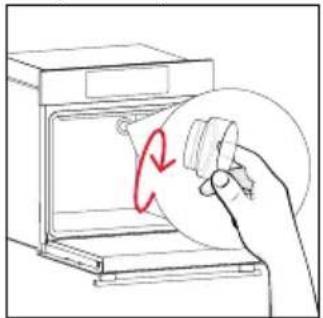
natural_image
Hand holding a circular object inside an oven, with a red curved arrow indicating rotation (no text or symbols)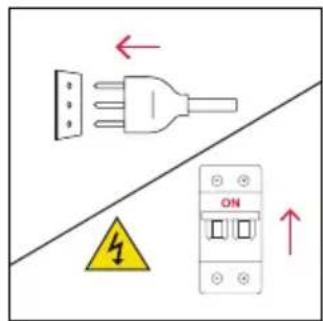
This product contains one or more light sources of energy efficiency class G (Lamp)
Changing the lateral bulb:
- Disconnect the oven from mains supply.
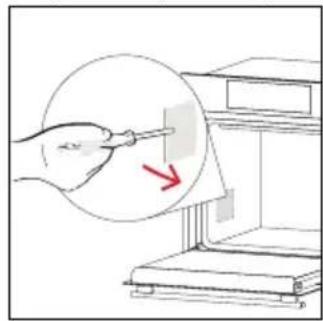
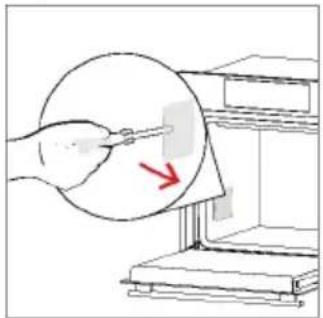
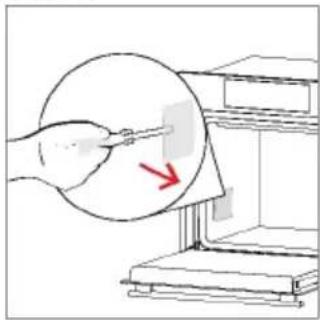
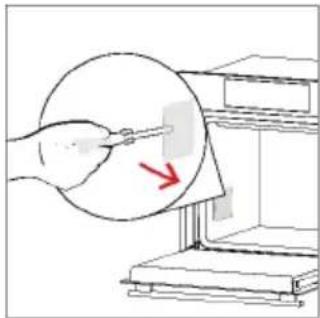
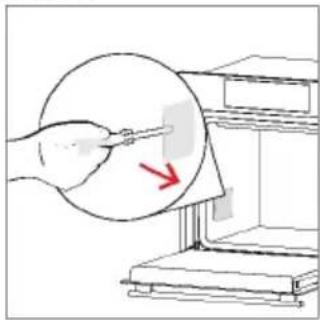
- Use a at-head screwdriver by positioning it to the side of the protective glass and gently apply pressure to remove it.
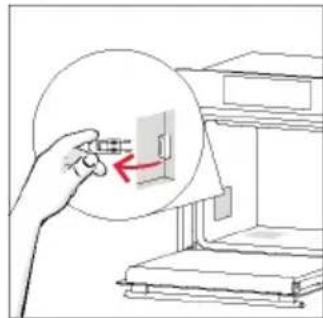
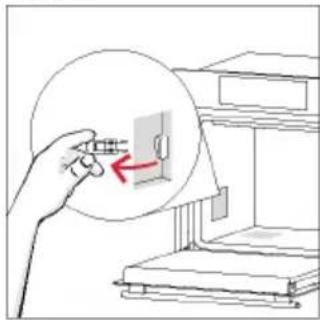
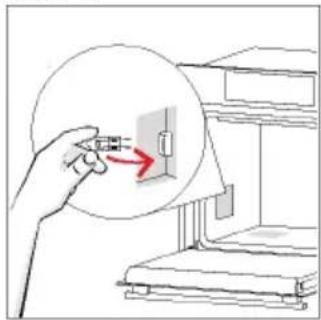
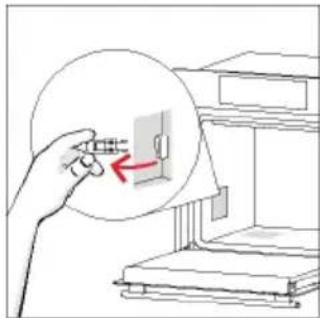
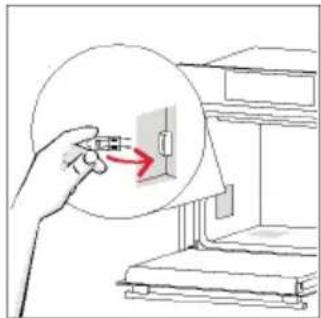
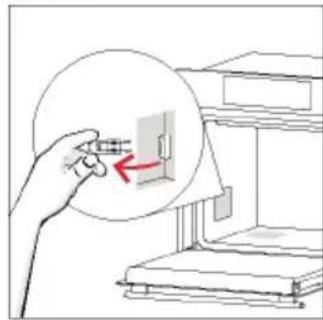
- Carefully grasp the bulb from its base.
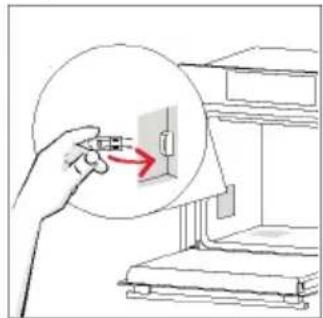
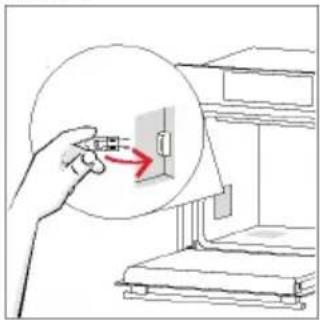
- Insert the new one.
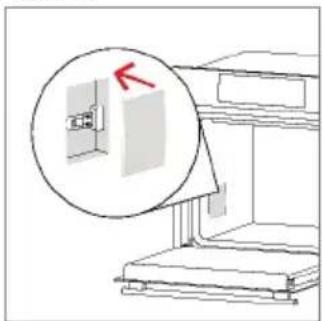
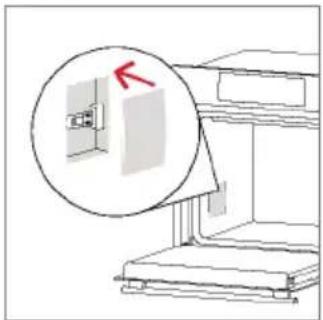
- Reinstall the protec ve glass by pressing it gently un l it's locked into posi on.
- Reconnect the oven from mains supply.
Step 1
Step 2 Step 3 Step 4
natural_image
Illustration of a hand using a tool to adjust or install a component, with a red arrow indicating the process (no text or symbols present)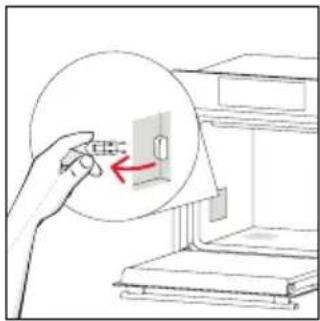
natural_image
Illustration of a hand holding a device with a red arrow pointing to it, next to stacked books (no text or symbols)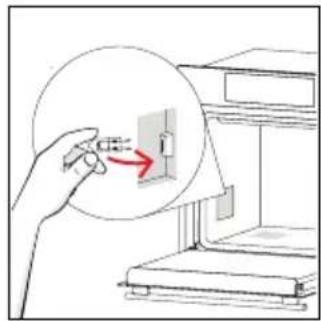
Step 5 Step 6

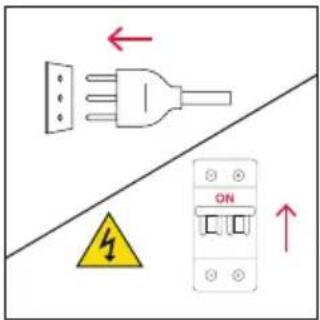
This product contains one or more light sources of energy efficiency class G (Lamp)
7. TROUBLE SHOOTING
If, during oven use, an error occurs, the display will show the code "ER" followed by two digits, which will identify the error.
Proceed by turn off the oven and un-plug it, wait for a few minutes, and then reconnect it.
If the error disappears, you can resume using the oven. If it doesn't, call customer service and communicate the code (ERXX) you see on the display.
Error
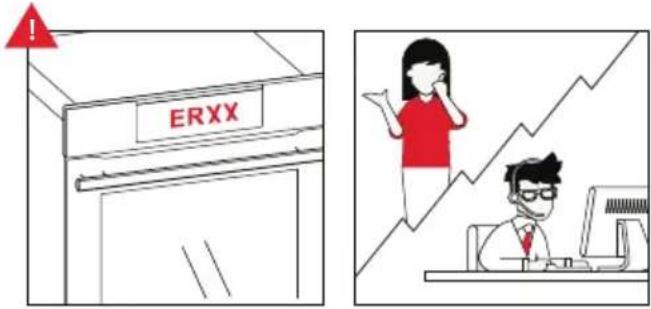
Smoke
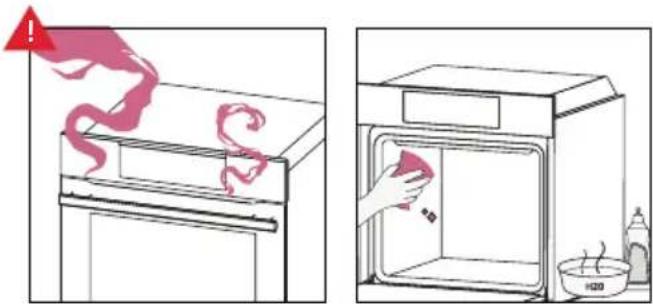
8. ENVIRONMENTAL PROTECTION & DISPOSAL
8.1. APPLIANCE DISPOSAL
This appliance is labelled in accordance with European Directive 2012/19/EU regarding electric and electronic appliances (WEEE). The WEEE contain both polluting substances (that can have a negative
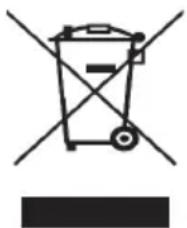
natural_image
Simple line drawing of a trash bin with crossed lines indicating no waste or plastic (no text or symbols)effect on the environment) and base elements (that can be reused). It is important that the WEEE undergo specific treatments to correctly remove and dispose of the pollutants and recover all the materials.
Individuals can play an important role in ensuring that the WEEE do not become an environmental problem; it is essential to follow a few basic rules:
- the WEEE should not be treated as domestic waste;
- the WEEE should be taken to dedicated collection areas managed by the town council or a registered company.
In many countries, domestic collections may be available for large WEEEs. When you buy a new appliance, the old one can be returned to the vendor who must
accept it free of charge as a one-off, as long as the appliance is of an equivalent type and has the same functions as the purchased appliance.
8.2. SAVING AND RESPECTING THE ENVIRONMENT
Where possible, avoid pre-heating the oven and always try to fill it.
Open the oven door as infrequently as possible, because heat from the cavity disperses every time it is opened. For a significant energy saving, switch off the oven between 5 and 10 minutes before the planned end of the cooking time, and use the residual heat that the oven continues to generate.
Keep the seals clean and in order, to avoid any heat dispersal outside of the cavity. If you have an electric contract with an hourly tariff, the "delayed cooking" programme makes energy saving simpler, moving the cooking process to start at the reduced tariff time slot.
natural_image
Isometric line drawing of a multi-level cabinet or enclosure with internal compartments and horizontal supports (no text or symbols)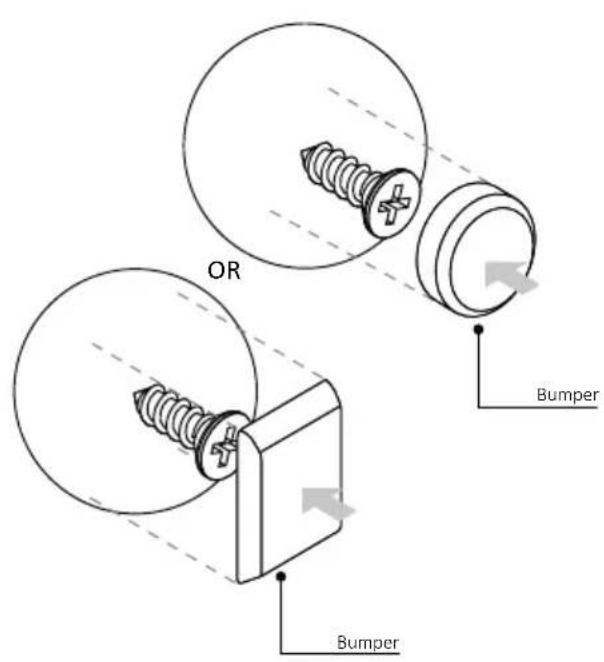
BIENVENUE
natural_image
Simple illustration of a pen with a pink handle and a black downward arrow pointing to it (no text or symbols)natural_image
Blank white image with no visible content, text, or symbolsnatural_image
Line drawing of a double-bay refrigerator with horizontal shelves and side panels (no text or symbols)natural_image
3D diagram of a rectangular tray with internal geometric cutouts, placed on a shelf (no text or symbols)natural_image
3D diagram of a rectangular tray with internal grid pattern, no text or symbols presentnatural_image
3D rendering of a pink rectangular tray with a mesh pattern inside, placed on a white shelf (no text or symbols)COMMENT INTERAGIR AVEC L'APPLICATION
INSCRIPTION D'UN NOUVEL UTILISATEUR

APPAIRAGE RAPIDE
Étape 1
Étape 2
Allow your location permission
To enhance your experience, please allow location permission to hOn app in the next step.


CONTINUE
Étape 3
Select your appliance category
Search your appliance
Washing machine
Washer dryer
Tumble dryer
Dishwasher
Air conditionair
Air purifier
Air scanner
Étape 4
Appliance connection

Turn OFF and then ON your appliance
In case you can't switch OFF your appliance, unplug (for at least 10 seconds) and then plug its power supply.
natural_image
Circular icon with a blue 'Power' button surrounded by abstract geometric shapes (no text or symbols)Étape 5
Étape 6.1-6.2
Étape 7

COMMENT MODIFIER LES PARAMÈTRES DU WI-FI

CONTRÔLE À DISTANCE

3. AVANT DE COMMENCER
3.1. INFORMATIONS POUR COMMENCER
MISE EN MARCHE/ARRÊT DU FOUR
MENU DES FONCTIONS
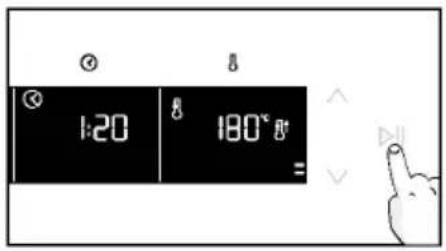
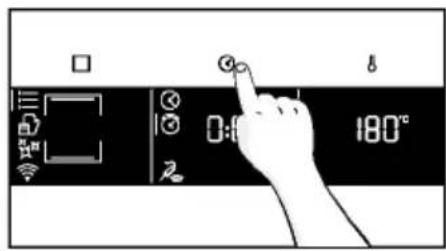
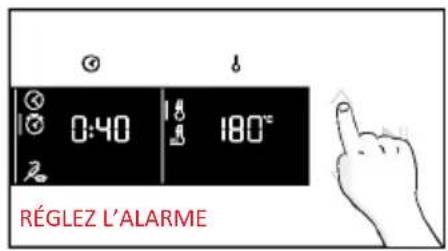
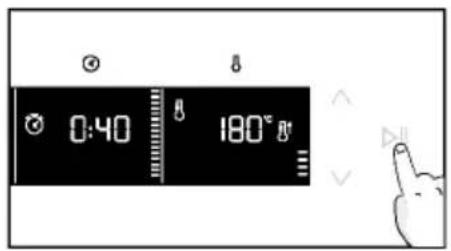
a. ALARME
a. DÉPART DIFFÉRÉ
MENU TEMPÉRATURE
natural_image
Simple line drawing of a medical procedure with a tool and tubing (no text or symbols)natural_image
Line drawing of an oven with a red arrow indicating a component or process (no text or symbols present)
natural_image
Illustration of a hand cleaning a kitchen appliance with a cloth (no text or symbols)
Hydroeasy
natural_image
Hand cleaning a kitchen appliance with a cloth (no text or symbols visible)natural_image
Line drawing of a box being lifted by two hands, showing internal structure and opening position (no text or symbols)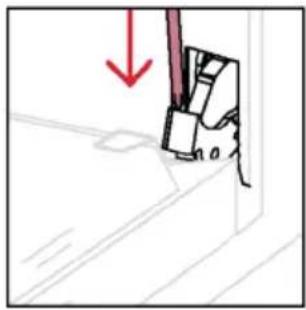
natural_image
Simple line drawing of a mechanical component with a red downward arrow indicating force or direction (no text or symbols)natural_image
Pure technical line drawing of a mechanical component with no text or symbolsnatural_image
Hand holding a hand with a red prohibition symbol (no text or labels)natural_image
Illustration of a hand cleaning a surface with a cloth, water droplets, and a bottle labeled 'H2O' (no text or symbols on main objects)natural_image
Technical line drawing of a window frame with red arrows indicating direction (no text or symbols)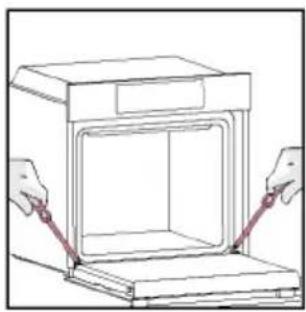
natural_image
Line drawing of a cabinet with two hands adjusting its side panel (no text or symbols)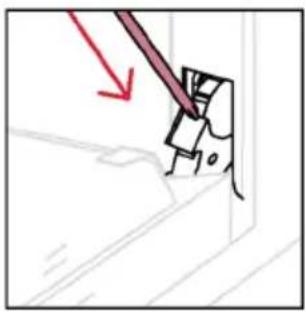
natural_image
Diagram showing a tool interacting with a mechanical component, with a red arrow indicating direction (no text or symbols present)6.3. NETTOYAGE DES ACCESSOIRES
natural_image
Diagram of an oven with a red arrow indicating direction, no text or symbols present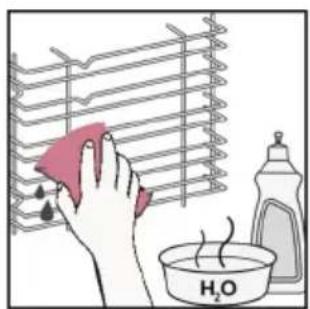
natural_image
Diagram of an oven with a red arrow indicating a cooling or ventilation system inside (no text or symbols present)6.4. ENTRETIEN
REMPLACEMENT DES COMPOSANTS
Étape 2
natural_image
Hand holding a circular object with a red checkmark inside an oven (no text or symbols)Étape 3
natural_image
Hand holding a circular object inside a device, with a red curved arrow indicating rotation (no text or symbols)Étape 4
natural_image
Hand holding a circular object with a red '2' mark inside an oven (no text or symbols on the object itself)Étape 5
natural_image
Hand holding a tool interacting with an open oven (no text or symbols visible)Étape 6
Étape 2
natural_image
Illustration of a hand using a tool to interact with a device, showing a red arrow indicating direction (no text or symbols present)Étape 3
natural_image
Illustration of a hand holding a small object with a red arrow pointing to it, next to a shelf (no text or symbols)Étape 4
natural_image
Illustration of a hand holding a circular device with a red arrow pointing to it, next to stacked books (no text or symbols)Étape 5
natural_image
Diagram showing a mechanical assembly with a magnified inset highlighting a component (no text or symbols present)Étape 6
natural_image
Simple line drawing of a trash bin with crossed lines indicating no waste or plastic (no text or symbols)natural_image
Isometric line drawing of a multi-level refrigerator with drawers and doors (no text or symbols)
BENVENUTI
natural_image
Simple illustration of a pen with a pink handle and a black downward arrow pointing to it (no text or symbols)natural_image
Blank white image with a thin gray border (no text, symbols, or markings)natural_image
Line drawing of a kitchen appliance with two vertical panes and a horizontal shelf (no text or symbols)natural_image
Technical line drawing of a rectangular metal grate with 'STOP' and 'R' annotations (no text or symbols on the grate itself)natural_image
3D diagram of a pink rectangular tray with internal geometric cutouts, placed on a white shelf (no text or symbols)natural_image
3D diagram of a pink rectangular tray with internal geometric cutouts, placed inside a transparent storage unit (no text or symbols)natural_image
Architectural sketch of a bathroom sink with a round bed, wooden platform, and wall-mounted fixtures (no text or symbols)natural_image
Illustration of a rectangular container with a pink patterned lid and striped interior (no text or symbols)natural_image
Line drawing of a rooster on an oven with chopsticks and steam (no text or symbols)natural_image
Diagram of a mechanical or architectural component with a circular arrow indicating rotation or motion, no text or symbols present.natural_image
Illustration of a pink rectangular appliance with a grating, placed inside an oven (no text or symbols visible)natural_image
Illustration of a pink pen with a black handle, isolated on white background (no text or symbols)natural_image
Illustration of a pink rectangular tray with a mesh pattern inside, placed on a shelf (no text or symbols)
Passo 2
Passo 3
Passo 4
Passo 5
Passo 6.1-6.2
Passo 7
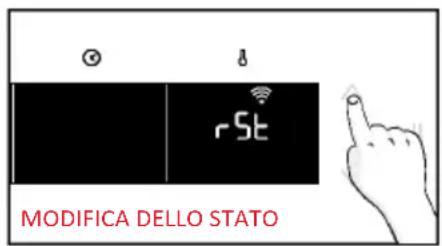
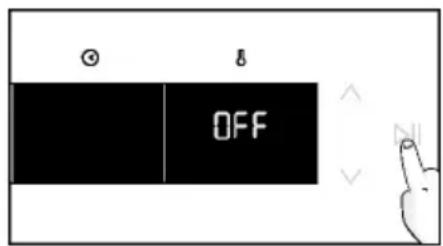

CONTROLLO DA REMOTO
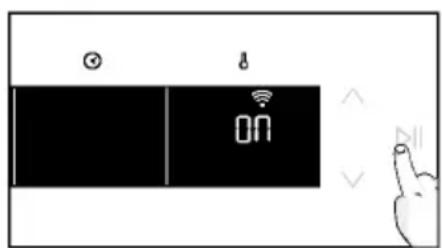
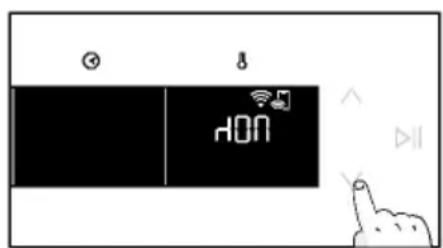
3. PRIMA DI COMINCIARE
natural_image
Simple line drawing of a kitchen oven with steam rising from the chimney (no text or symbols)4. USO DEL PRODOTTO
MENÙ FUNZIONI

a. PROMEMORIA MINUTI
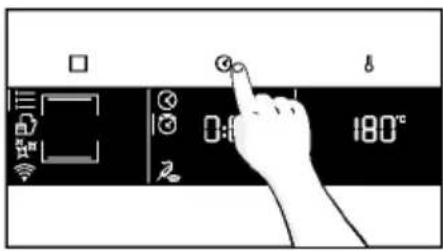
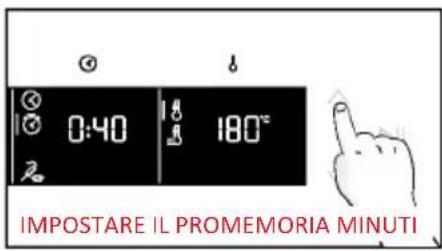
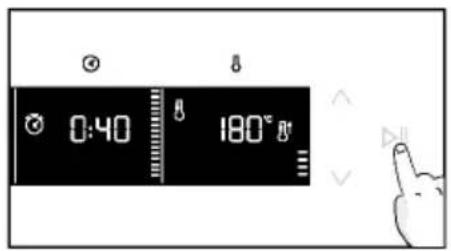
a. PARTENZA RITARDATA
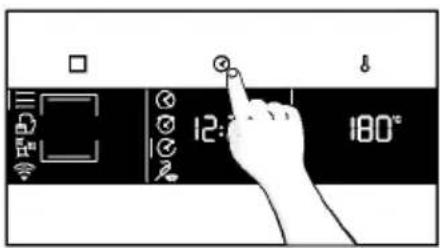
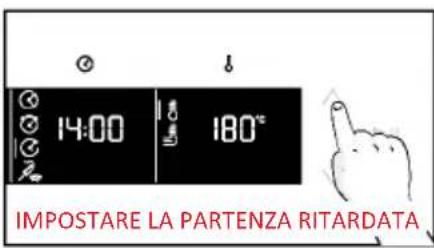
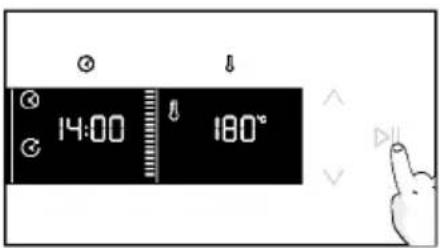
MENU TEMPERATURA
natural_image
Simple line drawing of a medical procedure with a tool and tubing (no text or symbols)natural_image
Line drawing of an oven with internal grating and a red arrow indicating a component (no text or symbols)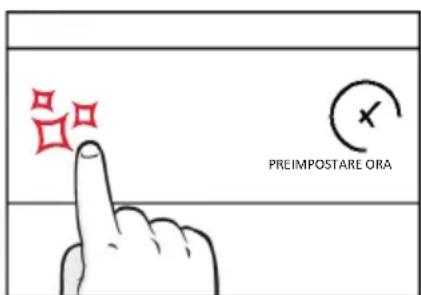
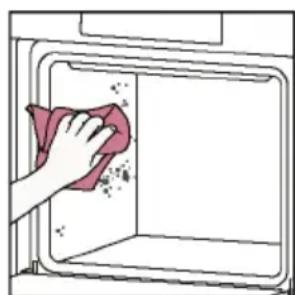
natural_image
Illustration of a hand cleaning a kitchen appliance with a cloth (no text or symbols)
Hydroeasy
natural_image
Hand cleaning a kitchen appliance with a cloth (no text or symbols visible)natural_image
Line drawing of a box being lifted by two hands, showing internal structure and support (no text or symbols)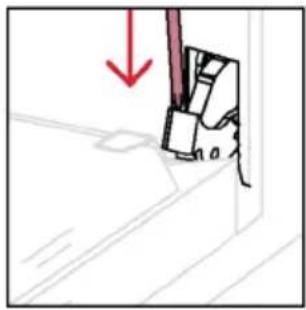
natural_image
Simple line drawing of a mechanical component with a red downward arrow indicating force or direction (no text or symbols)natural_image
Pure technical line drawing of a mechanical component with no text, numbers, or symbolsnatural_image
Illustration of a hand holding a tool with a red prohibition symbol (no text or labels)natural_image
Illustration of a hand cleaning a tiled surface with a red cloth and a water bottle labeled H₂O (no text or symbols on the main subject)natural_image
Technical line drawing of a window frame with red arrows indicating direction (no text or symbols)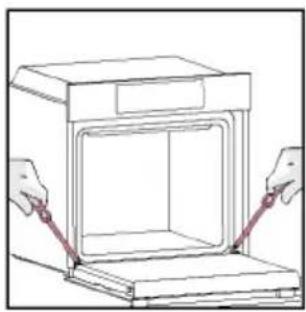
natural_image
Line drawing of a cabinet with two hands adjusting its side panel (no text or symbols)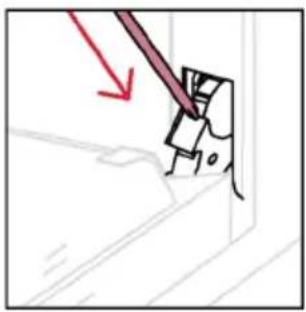
natural_image
Diagram showing a tool interacting with a mechanical component, with no visible text or symbols6.3. PULIZIA DEGLI ACCESSORI
natural_image
Diagram of an oven with a red arrow indicating direction, no text or symbols present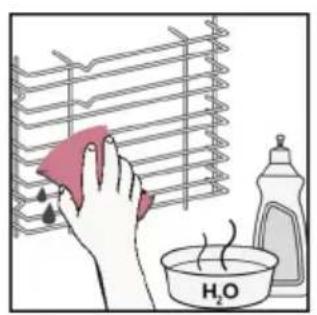
natural_image
Illustration of a hand cleaning a rack with a pink cloth, next to a bottle and a bowl labeled H₂O (no text or symbols on main objects)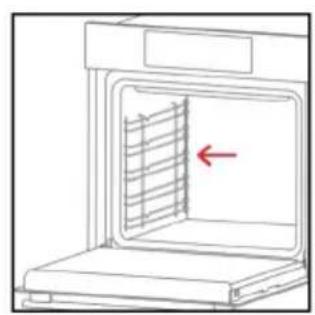
natural_image
Line drawing of an oven with a red arrow pointing to the interior panel (no text or symbols)6.4. MANUTENZIONE
Passo 2
natural_image
Hand holding a circular object with a red checkmark inside an oven (no text or symbols)Passo 3
natural_image
Hand holding a circular object inside a device, with a red curved arrow indicating rotation (no text or symbols)Passo 4
natural_image
Hand holding a circular object with a red '2' mark inside, next to an open appliance (no text or symbols)Passo 5
natural_image
Hand holding a small object inside an oven with a red circular arrow indicating rotation (no text or symbols)Passo 6
Passo 2
natural_image
Illustration of a hand using a tool to clean or inspect a circular object, with a red arrow indicating the process (no text or symbols present)Passo 3
natural_image
Illustration of a hand holding a magnifying glass over a wall-mounted device, with no visible text or symbols.Passo 4
natural_image
Illustration of a hand holding a small electronic component with a red arrow pointing to it, next to a shelf (no text or symbols)Passo 5
natural_image
Diagram of a printer with a magnified view showing a 3D object (no text or symbols present)Passo 6
natural_image
Symbol of a trash bin crossed with no text or labels, accompanied by a black rectangular block below (no readable text or symbols)natural_image
Isometric line drawing of a multi-level cabinet or refrigerator with internal compartments and drawers (no text or symbols)
natural_image
Blank white image with a thin gray border (no text, symbols, or markings)natural_image
Line drawing of a microwave oven with two side grilles (no text or symbols)natural_image
3D diagram of a pink rectangular tray with internal geometric cutouts, placed inside a transparent storage unit (no text or symbols)natural_image
Technical line drawing of a rectangular metal grate with 'STOP' and 'STOP' annotations (no text or symbols on the grate itself)natural_image
3D diagram of a rectangular object with internal dashed lines, no text or symbols presentnatural_image
Line drawing of a minimalist bathroom sink with a round bed and wall-mounted platform (no text or symbols)natural_image
Illustration of a rectangular tray with pink patterned fill and grid lines, no text or symbols presentnatural_image
Line drawing of a rooster on an oven with steam rising (no text or symbols)natural_image
Diagram of a mechanical assembly with a circular component and directional arrow, no text or symbols presentnatural_image
Illustration of a rectangular appliance with a lid and internal grating, placed on a shelf (no text or symbols)natural_image
Illustration of a pink pen with a pointed tip, isolated on white background (no text or symbols)natural_image
3D rendering of a pink rectangular tray with a mesh pattern inside, placed on a white shelf (no text or symbols)
REGISTRO RÁPIDO PARA EMPAREJAMIENTO
Paso 1
Paso 2
Paso 3
Paso 4
Paso 5
Paso 6.1-6.2
Paso 7
3. ANTES DE EMPEZAR
MENÚ DE FUNCIONES
a. MINUTERO
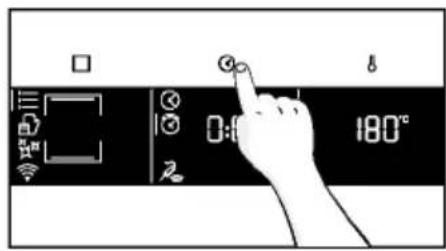
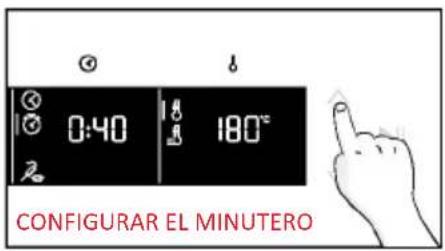
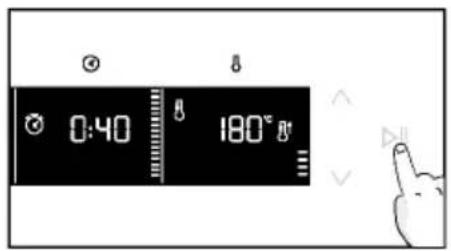
a. INICIO DIFERIDO
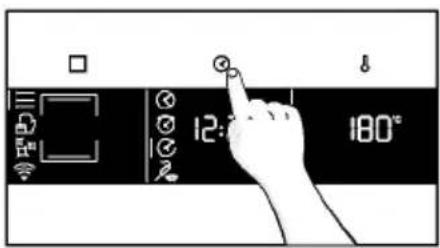
MENÚ DE TEMPERATURA
natural_image
Simple line drawing of a medical procedure with a tool and tubing (no text or symbols)natural_image
Line drawing of an oven with internal grating and a red arrow indicating a component (no text or symbols)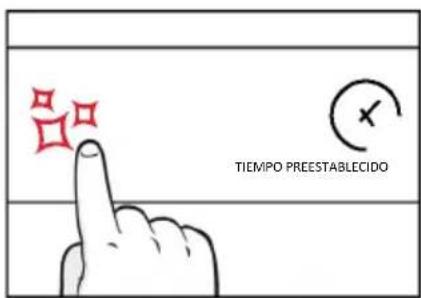
natural_image
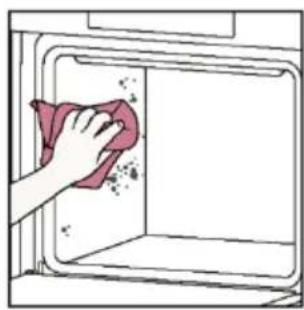
Illustration of a hand cleaning a kitchen appliance with a cloth (no text or symbols)
Hidroeasy
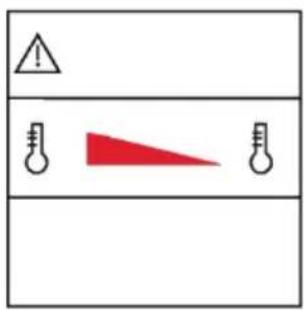
natural_image
Hand cleaning a kitchen appliance with a cloth (no text or symbols visible)natural_image
Line drawing of a box being lifted by two hands, showing internal structure and support (no text or symbols)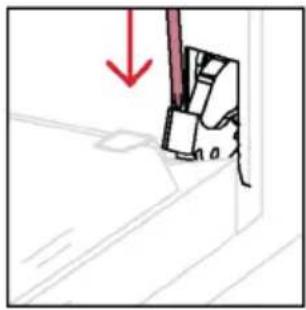
natural_image
Simple line drawing of a mechanical component with a red downward arrow indicating force or direction (no text or symbols)natural_image
Pure technical line drawing of a mechanical assembly with no text or symbolsnatural_image
Hand holding a hand with a red prohibition symbol (no text or labels)natural_image
Illustration of a hand cleaning a surface with a cloth, water droplets, and a bottle labeled H₂O (no text or symbols on main objects)natural_image
Pure technical line drawing of a structural joint or bracket (no text or symbols)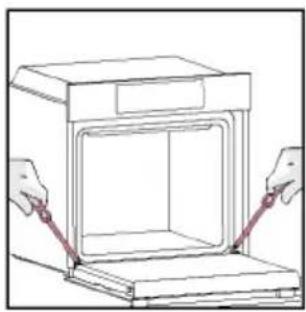
natural_image
Line drawing of a cabinet with two hands adjusting its side panel (no text or symbols)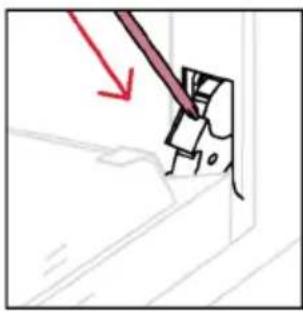
natural_image
Illustration of a tool interacting with a mechanical component (no text or symbols visible)6.3. LIMPIEZA DE ACCESORIOS
natural_image
Diagram of an oven with a red arrow indicating direction, no text or symbols present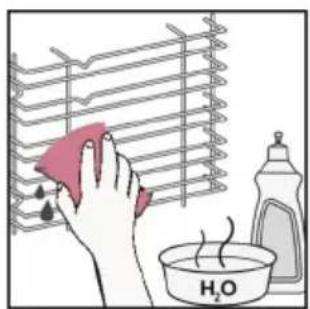
natural_image
Diagram of an oven with a red arrow indicating a cooling element inside (no text or symbols)6.4. MANTENIMIENTO
Paso 2
natural_image
Hand holding a circular object with a checkmark inside an oven (no text or symbols)Paso 3
natural_image
Hand holding a circular object with a red arrow inside, next to an open appliance (no text or symbols)Paso 4
natural_image
Hand drawing a hand holding a circular object with a red spiral arrow inside, next to an open appliance (no text or symbols)Paso 5
natural_image
Hand holding a tool interacting with an oven (no text or symbols visible)Paso 6
Paso 2
natural_image
Illustration of a hand using a tool to interact with a device, showing a red arrow indicating direction (no text or symbols present)Paso 3
natural_image
Illustration of a hand holding a magnifying glass over a wall-mounted device, with no visible text or symbols.Paso 4
natural_image
Illustration of a hand holding a small electrical component with a red arrow pointing to it, next to a bookshelf (no text or symbols)Paso 5
natural_image
Diagram of a printer with a magnified view showing a paper airplane inside (no text or symbols)Paso 6
natural_image
Symbol of a trash bin crossed with no text or labels, accompanied by a black rectangular block below (no readable text or symbols)natural_image
Isometric line drawing of a multi-level refrigerator with drawers and doors (no text or symbols)
en mm
BEM-VINDO
natural_image
Simple illustration of a pen with a pink handle and a black downward arrow pointing to it (no text or symbols)natural_image
Empty white rectangle with a thin border (no text or symbols)natural_image
Line drawing of a microwave oven with two side panels and a central rack (no text or symbols)natural_image
Technical line drawing of a rectangular grid structure with 'STOP' and 'STOP' annotations (no text or symbols on the diagram itself)natural_image
3D diagram of a red rectangular tray with internal geometric lines, placed on a grid-like surface (no text or symbols)natural_image
3D diagram of a pink rectangular tray with internal geometric lines, placed inside a transparent housing (no text or symbols)natural_image
Architectural line drawing of a bathroom sink with a round bed and wall-mounted platform (no text or symbols)natural_image
Illustration of a rectangular tray with a red patterned interior and a white outline, no text or symbols present.natural_image
Line drawing of a roasted chicken on an oven, no text or symbols presentnatural_image
Diagram of a mechanical component with a circular arrow indicating motion or force, no text or symbols presentnatural_image
Illustration of a rectangular kitchen appliance with a red lid and grating, placed on an oven (no text or symbols)natural_image
Illustration of a pink pen with a black handle and pointed tip, isolated on white background (no text or symbols)natural_image
Illustration of a pink rectangular kitchen tray with a mesh grille, placed inside a rack (no text or symbols)
Passo 2
Passo 3
Passo 4
Passo 5
Passo 6.1-6.2
Passo 7

CONTROLO REMOTO
3. ANTES DE COMEÇAR
3.1. INFORMAÇÕES PARA COMEÇAR
natural_image
Simple line drawing of a cabinet with steam rising, next to an open cabinet (no text or symbols)MENU FUNÇÕES
natural_image
Simple line drawing of a medical procedure with a tool and tubing, no text or symbols presentnatural_image
Line drawing of an oven with a red arrow indicating a component or process (no text or symbols present)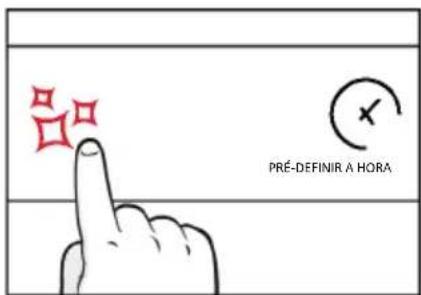
natural_image
Hand cleaning a kitchen appliance with a cloth (no text or symbols visible)
Hidroeasy
natural_image
Hand cleaning a kitchen appliance with a cloth (no text or symbols visible)natural_image
Line drawing of a box being lifted by two hands, showing internal structure and support (no text or symbols)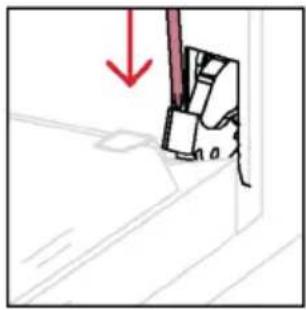
natural_image
Simple line drawing of a mechanical component with a red downward arrow indicating force or direction (no text or symbols)natural_image
Pure technical line drawing of a mechanical component with red directional arrows indicating motion (no text or symbols)natural_image
Illustration of a hand holding a tool with a red prohibition symbol (no text or labels)natural_image
Illustration of a hand cleaning a surface with a red cloth and a water bottle, showing a bowl of water and a droplet (no text or symbols)natural_image
Pure technical line drawing of a structural joint or bracket (no text or symbols)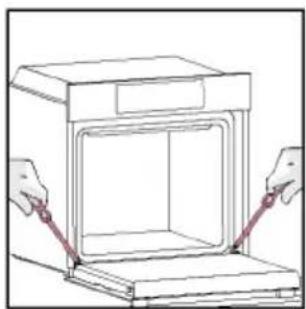
natural_image
Line drawing of a door opening with hands adjusting the lid (no text or symbols)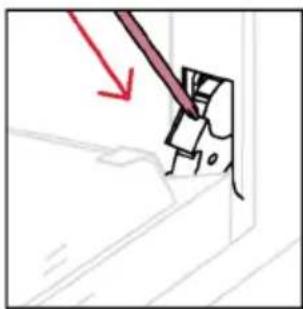
natural_image
Simple line drawing of a mechanical component with a red arrow indicating direction (no text or symbols)6.3. LIMPEZA DOS ACESSÓRIOS
Passo 2

natural_image
Hand holding a circular object with a red checkmark inside an oven (no text or symbols)Passo 3
natural_image
Hand holding a circular object inside a kitchen appliance (no text or symbols visible)Passo 4
natural_image
Hand holding a circular object with a red '2' mark inside, next to an open oven (no text or symbols)Passo 5
natural_image
Hand holding a tool interacting with an oven (no text or symbols visible)Passo 6
Passo 2
natural_image
Illustration of a hand using a tool to clean or inspect a circular object, with a red arrow indicating the process (no text or symbols present)Passo 3
natural_image
Illustration of a hand holding a tool near a device inside a rack (no text or symbols visible)Passo 4
natural_image
Illustration of a hand holding a small electronic component with a red arrow pointing to it, next to a shelf (no text or symbols)Passo 5
natural_image
Diagram of a printer with a magnified view showing a 3D object (no text or symbols present)Passo 6
natural_image
Simple line drawing of a trash bin with crossed lines indicating no waste or discharge (no text or symbols)natural_image
Isometric line drawing of a multi-level refrigerator with drawers and doors (no text or symbols)
WITAMY
natural_image
Illustration of a pink tool with a black downward arrow pointing to it (no text or symbols)natural_image
Blank white image with a thin border (no text, symbols, or markings)natural_image
Diagram of a microwave oven with two side grilles and one interior tray (no text or symbols)natural_image
3D diagram of a rectangular tray with internal geometric cutouts, placed inside a storage unit (no text or symbols)natural_image
Technical line drawing of a rectangular metal grate with 'STOP' annotations (no text or symbols on the grate itself)natural_image
3D diagram of a pink rectangular tray with internal compartments, placed inside a transparent housing (no text or symbols)natural_image
Architectural sketch of a bathroom sink with a bowl and wall-mounted platform (no text or symbols)natural_image
Illustration of a rectangular tray with pink fill and grid pattern, no text or symbols presentnatural_image
Line drawing of a rooster on an oven with chopsticks and steam (no text or symbols)natural_image
Diagram of a mechanical assembly with a circular component and directional arrow, no text or symbols presentnatural_image
Illustration of a pink rectangular appliance with a lid and internal grating, placed on a white tray (no text or symbols visible)natural_image
Simple line drawing of a pink pen with a pointed tip (no text or symbols)natural_image
Illustration of a pink rectangular tray with a mesh pattern inside, placed on a white shelf (no text or symbols)INFORMACJE O PRODUKCIE DOT. URZĄDZEŃ SIECIOWYCH

SZYBKA REJESTRACJA PAROWANIA
Krok 1
Krok 2
Krok 3
Krok 4
Krok 5
Krok 6.1-6.2
Krok 7
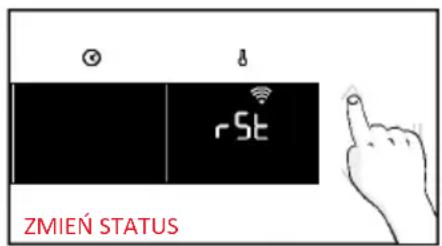
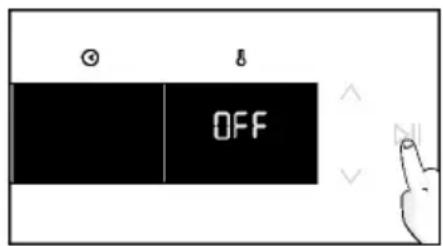

ZDALNE STEROWANIE
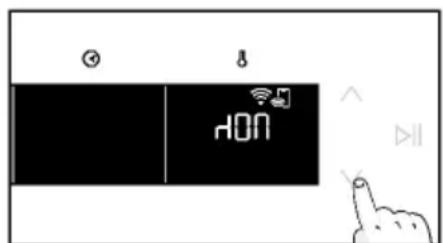

3. PRZED URUCHOMIENIEM
3.1. INFORMACJE NA START
natural_image
Simple line drawing of a kitchen appliance with a hand cleaning the interior and a water bottle nearby (no text or symbols)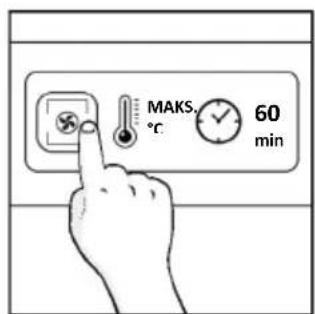
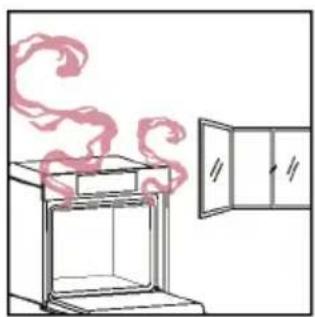
natural_image
Simple line drawing of a cabinet with steam rising, next to an open cabinet (no text or symbols)4. DZIAŁANIE PRODUKTU
4.1. JAK DZIAŁA PRODUKT
WŁĄCZANIE/WYŁĄCZANIE PIEKARNIKA
MENU FUNKCJI
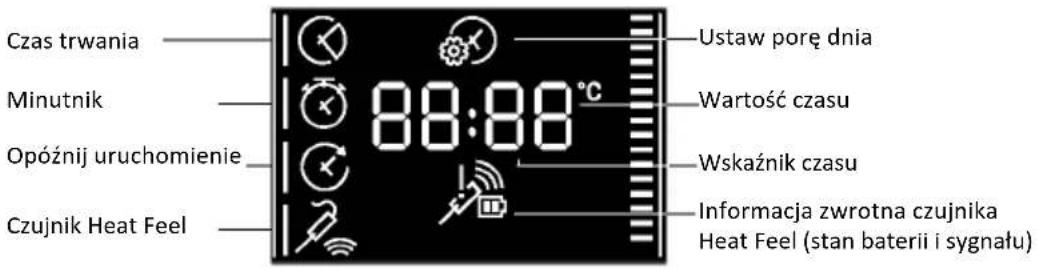
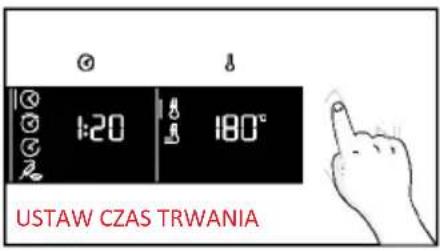
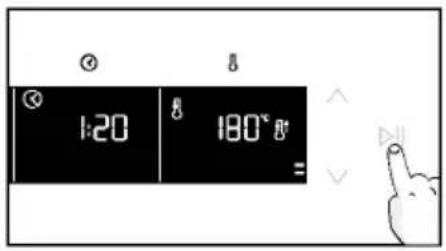
a. MINUTNIK
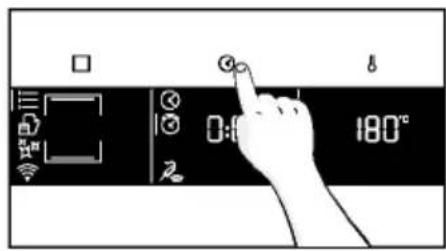

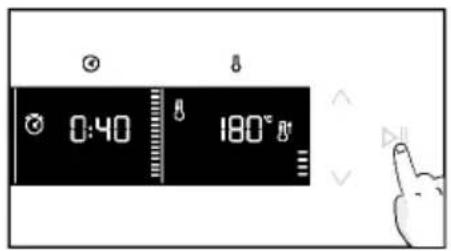
a. OPÓŹNIENIE URUCHOMIENIA
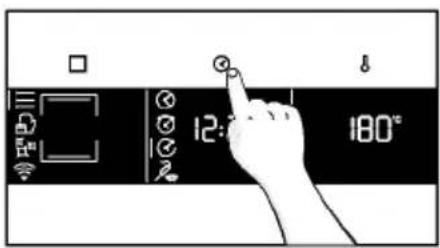
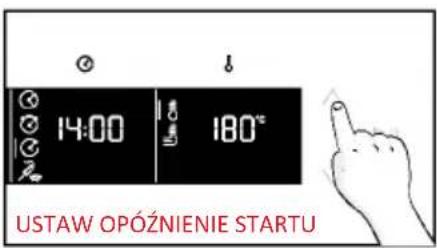
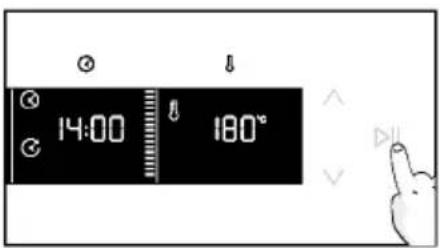
TEMPERATURA
natural_image
Simple line drawing of a medical procedure with a tool and tubing (no text or symbols)natural_image
Line drawing of an oven with a red arrow indicating a component or process (no text or symbols present)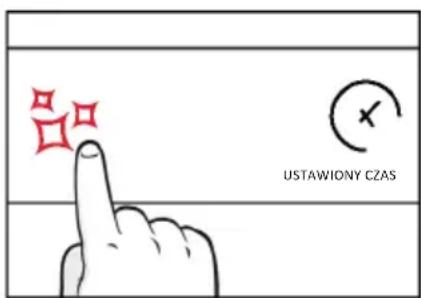
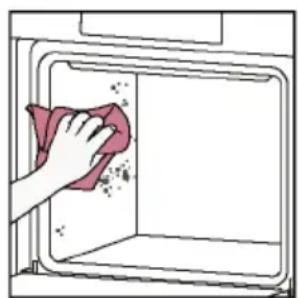
natural_image
Illustration of a hand cleaning a window with a cloth (no text or symbols)
Hydroeasy

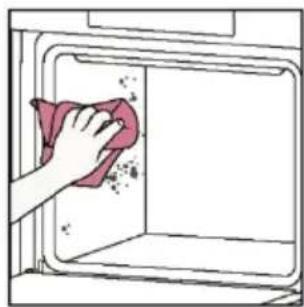
natural_image
Hand cleaning a kitchen appliance with a cloth (no text or symbols visible)natural_image
Line drawing of a box being lifted by two hands, showing internal structure and support (no text or symbols)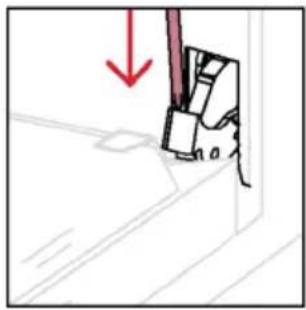
natural_image
Simple line drawing of a mechanical component with a red downward arrow indicating force or direction (no text or symbols)natural_image
Pure technical line drawing of a mechanical assembly with no text or symbolsnatural_image
Hand holding a hand with a red prohibition symbol (no text or labels)natural_image
Illustration of a hand cleaning a surface with a red cloth and a small container labeled H₂O (no text or symbols on the main subject)natural_image
Pure technical line drawing of a structural joint or bracket (no text or symbols)natural_image
Line drawing of hands operating a cabinet with an open door (no text or symbols)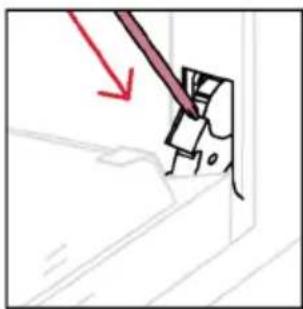
natural_image
Simple line drawing of a mechanical component with a red arrow indicating direction (no text or symbols)6.3. CZYSZCZENIE AKCESORIÓW
natural_image
Diagram of an oven with a red arrow indicating direction (no text or symbols present)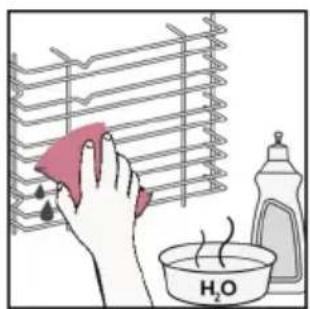
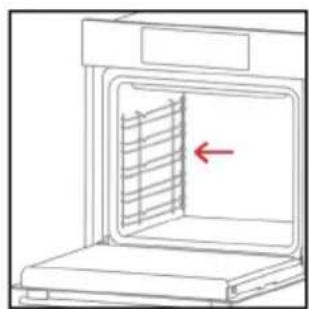
natural_image
Diagram of an oven with a red arrow indicating a cooling or ventilation system inside (no text or symbols present)6.4. KONSERWACJA
WYMIANA KOMPONENTÓW
Krok 2
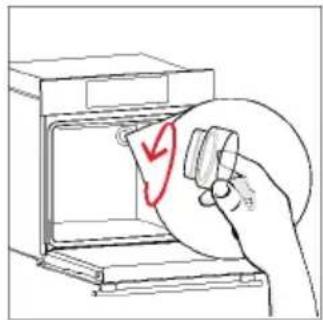
natural_image
Hand holding a circular object with a red checkmark inside, next to an open oven (no text or symbols visible)Krok 3
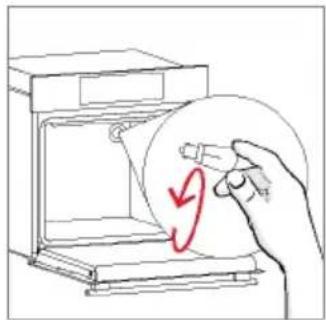
natural_image
Hand holding a circular object inside a device, with a red curved arrow indicating rotation (no text or symbols)Krok 4
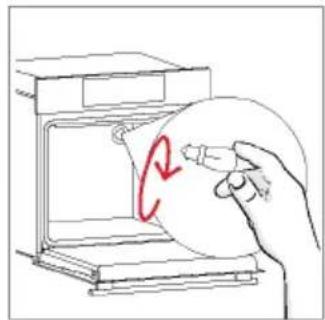
natural_image
Hand holding a circular object with a red '2' mark inside, next to an open oven (no text or symbols on the object itself)Krok 5
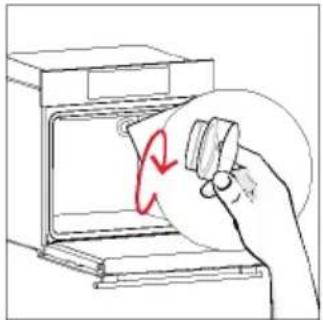
natural_image
Hand holding a small object inside an oven with a red circular arrow indicating rotation (no text or symbols)Krok 6
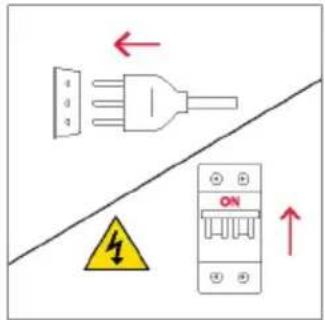
Krok 2
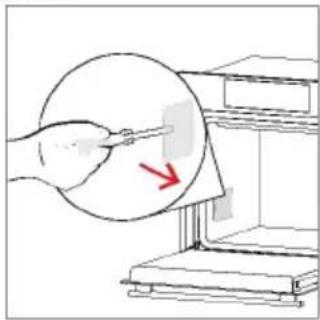
natural_image
Illustration of a hand using a tool to clean or inspect a circular object, with a red arrow indicating the process (no text or symbols present)Krok 3

natural_image
Illustration of a hand holding a circular object with a red arrow pointing to a small rectangular object, next to a shelf (no text or symbols)Krok 4
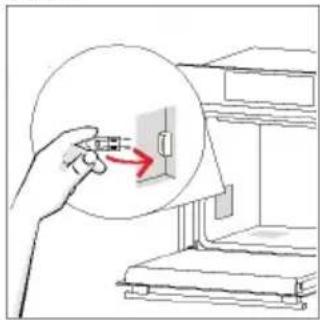
natural_image
Illustration of a hand holding a plug with a red arrow pointing to a component inside a circular diagram (no text or symbols)Krok 5
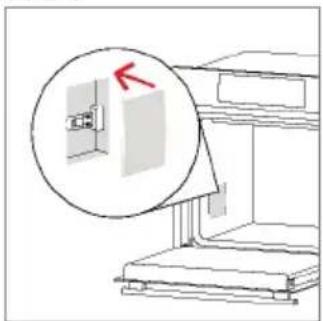
natural_image
Diagram of a mechanical device with a magnified inset showing a component (no text or symbols)Krok 6
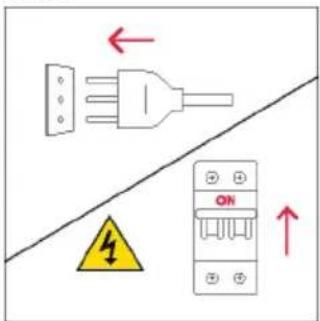
natural_image
Simple line drawing of a trash bin with crossed lines indicating no waste or discharge (no text or symbols)natural_image
Isometric line drawing of a multi-level refrigerator with drawers and shelves (no text or symbols)
DOBRO DOŠLI
Hvala što ste odabrali naš proizvod. Radi svoje sigurnosti i najboljih rezultata pažljivo pročitajte ovaj priručnik, uključujući upute u vezi sigurnosti i sačuvajte ga za buduću upotrebu.
- Upravljačka ploča
- Brojevi položaja polica
- Rešetke
- Plitice
- Poklopac ventilatora
- Vrata pećnice
- Bočne žičane rešetke (ako postoje: samo za ravni prostor za pečenje)
- Serijski broj i QR kôd
natural_image
Blank white image with a thin border (no text, symbols, or markings)natural_image
Line drawing of a microwave oven with two side grilles (no text or symbols)natural_image
3D diagram of a rectangular tray with internal geometric lines, no text or symbols presentnatural_image
Technical line drawing of a rectangular metal grate with 'STOP' and 'STOP' annotations (no text or symbols on the grate itself)natural_image
3D diagram of a pink rectangular tray with internal geometric lines, placed inside a transparent housing (no text or symbols)Duboka ladica idealna je za recepte s dodanim tekućinama ili slojevima, kao što su složenci ili pečenja. Njena je dubina posebno dizajnirana kako bi hrana koja se u njenoj priprema imal željenu konzistentnost.
Teleskopske vodilice
natural_image
Line drawing of a minimalist bathroom sink with a round bed, pink frame, and wall-mounted fixtures (no text or symbols)Teleskopske vodilice u pećnici police su koje se mogu produljiti, što olakšava postavljanje i uklanjanje predmeta, bez potrebe za posezanjem duboko u vruću pećnicu. Poboljšavaju sigurnost, stabilnost i mogu se postaviti na različite razine.
Ladica H-Lab - način rada s PAROM (samo ako postoji*)
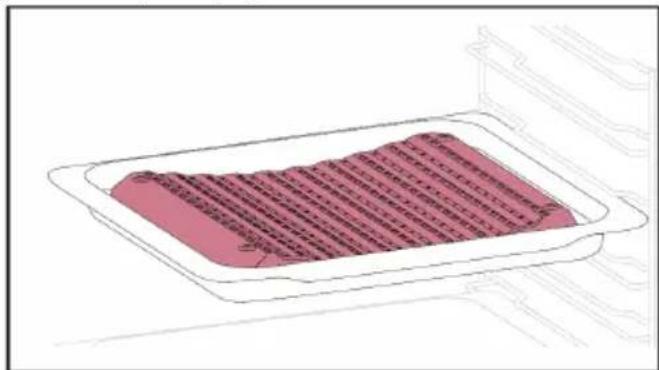
natural_image
Illustration of a rectangular tray with pink fill and striped pattern, no text or symbols presentnatural_image
Simple line drawing of a rooster on an oven with chopsticks (no text or symbols)Ražanj radi zajedno s gornjim grijaćim elementom, hrana se okretanjem peče ravnomjerno. Najbolje ga je upotrebljavati za hranu srednje veličine. Idealno za ponovno otkrivanje okusa tradicionalnog pečenja.
Šarke za postupno zatvaranje/otvaranje (samo ako je uređaj opremljen*)
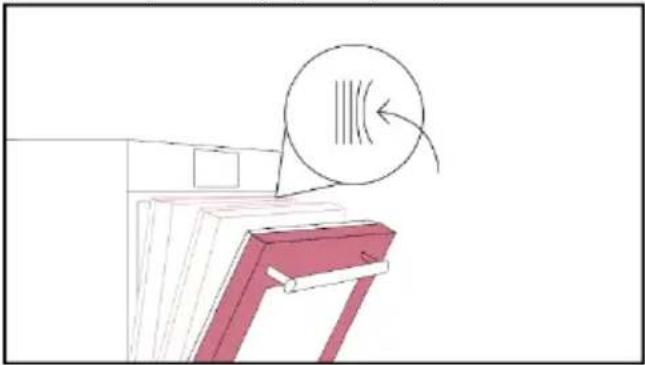
natural_image
Diagram of a mechanical component with a circular arrow indicating motion or force, no text or symbols presentŠarke za postupno zatvaranje i otvaranje upravljanju kretanjem vrata koja se zbog njih zatvaraju glatko, bez lupanja.
Ladica H-Lab - način rada za roštilj (samo ako postoji*)
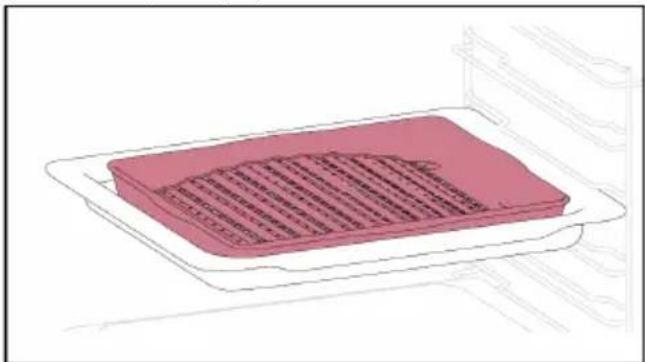
natural_image
Illustration of a pink rectangular appliance with a lid, placed on a white tray (no text or symbols visible)Konveksni oblik prikladan je za pečenje roštiljanje u pećnici na visokoj temperaturi (220°), omogućujući rezultate kao na roštilju čak i kod kuće, s malo dima zahvaljujuć i drenažnom djelovanju masti na dnu ladice.
Senzor Heat Feel (samo ako je prisutan*)
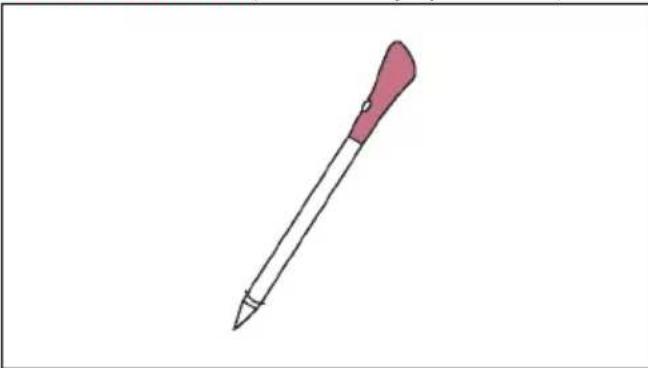
natural_image
Simple line drawing of a pink pen with a pointed tip (no text or symbols)Ova sonda je senzor temperature koji, kada je postavljena u hranu i povezana s pećnicom putem kabela Bluetooth veze, omogućuje upravljanje unutarnjom tem peraturom hrane tijekom njene pripreme. Uglavnom se koristi za ribu i meso.
Airfry tava (samo ako je uređaj opremljen*)
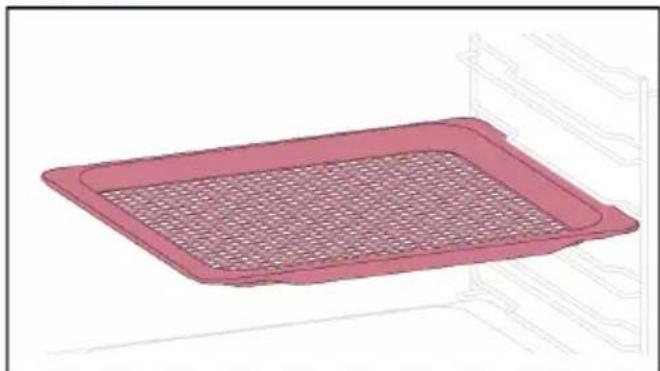
natural_image
Illustration of a pink rectangular tray with a mesh pattern inside, placed on a shelf (no text or symbols)REGISTRACIJA NOVOG KORISNIKA
• Kliknite na „Registriraj se”
- Možete se registrirati putem računa društvenih mreža ili se registrirati adresom osobne e-pošte
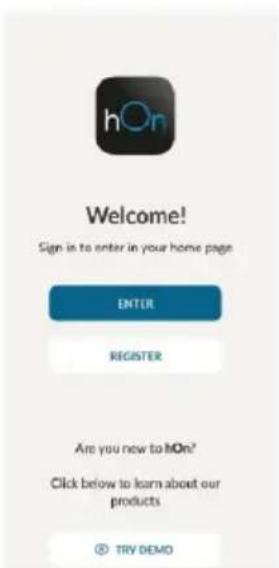

BRZA REGISTRACIJA ZA UPARIVANJE
1. korak
- Odaberite „Add appliance" (Dodaj uređaj).
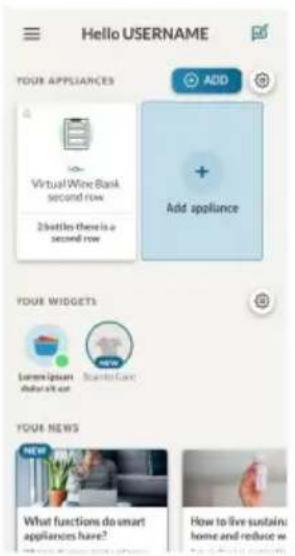
2. korak
3. korak
- Odaberite pećnicu iz kategorije uređaja.
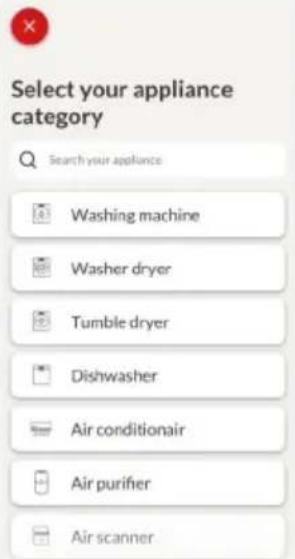
4. korak
5. korak
Korak 6.1 - 6.2
- Odaberite kućanski uređaj, dodirnite „Connect” (Poveži se) i pričekajte nekoliko sekundi.
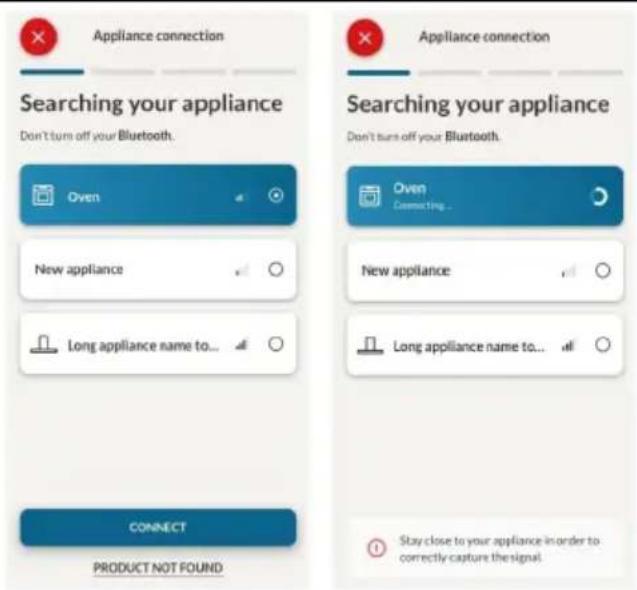
7. korak
Nakon povezivanja uređaja, korisnik može odabrati sljedeće postavke Wi-Fi mreže:
- WIFI ON (UKLJUČI Wi-Fi): Stanje pećnice može se pratiti samo putem aplikacije.
- WIFI hOn: Pećnica se može koristiti isključivo putem aplikacije.
- WIFI OFF (ISKLJUČI Wi-Fi): Pećnica nije spojena, ali je i dalje registrirana sa spremljenim mrežnim vjerodajnicama.
-
WIFI RESET (RESETIRAJ Wi-Fi): Veza je ponovno uspostavljena i moguća je nova registracija.
-
Dodirnite □ i uđi u izbornik Wi-Fi mreže. Na zaslonu se prikazuje „On” (Uključeno).
- Na zaslonu se prikazuje „On” (Uključeno).
- Koristite strelice dok se ne prikaže „Off“ (Isključeno) ili postavka za resetiranje „rSt”.
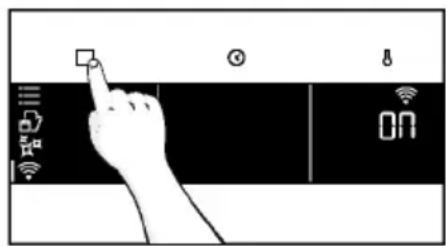
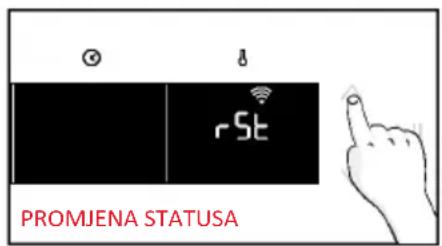
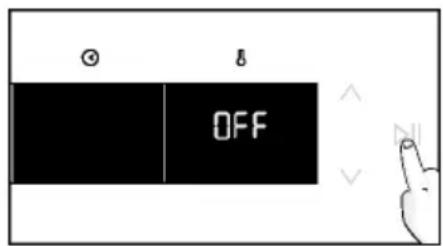

DALJINSKO UPRAVLJANJE
Daljinsko upravljanje nudi brojne prednosti za korisnike, povećava praktičnost, učinkovitost i cjelokupno iskustvo pripreme hrane i pružaj mogućnost upravljanja proizvodom izravno s uređaja i iz aplikacije hOn.
Ova funkcija omogućuje da putem uređaja uživate u raznim značajkama, kao što su: trenutno ili planirano pokretanje recepata ili programa kuhanja koji su već dostupni u aplikaciji; praćenje napretka vaših recepata u stvarnom vremenu; podešavanje korištenih parametara kuhanja; praćenje postupka kuhanja pomoću sonde. Nadalje, moguće je primati obavijesti nakon završetka programa ili recepata.
Daljinsko upravljanje možete aktivirati isključivo kada je proizvod registriran.
NAPOMENA: Dostupan je za sve funkcije kuhanja na proizvodu, osim za programe Gratiniranje, Roštilj i Supergrill.
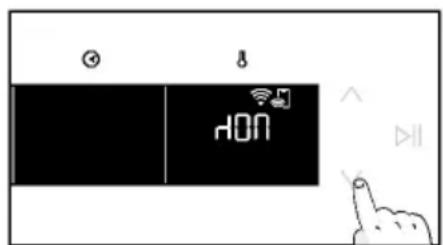
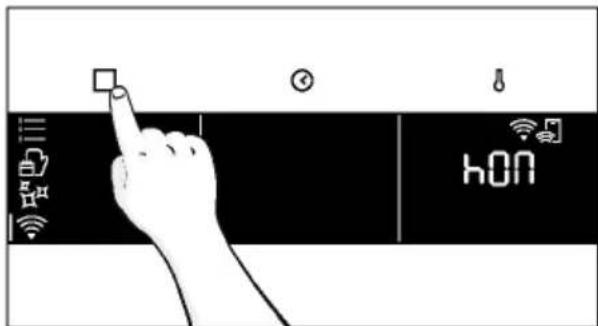
3. PRIJE POKRETANJA
3.1. INFORMACIJE ZA POČETAK
natural_image
Simple line drawing of a kitchen appliance with a hand cleaning the interior and a water bottle nearby (no text or symbols)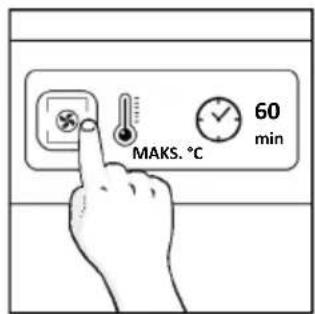
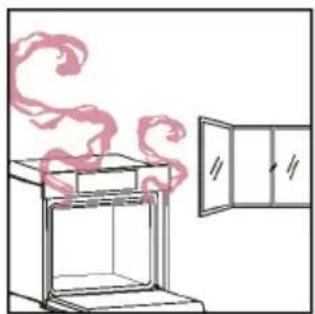
natural_image
Simple line drawing of a stove with steam rising from the chimney, next to a door (no text or symbols)4. UPOTREBA PROIZVODA
4.1. NAČIN RADA PROIZVODA
UKLJUČIVANJE/ISKLJUČIVANJE PEĆNICE
IZBORNIK FUNKCIJA
Pristupite izborniku Funkcija pritiskom gumba

Za navigaciju dodirnite onoliko puta koliko je potrebno za unos sljedećih postavki:
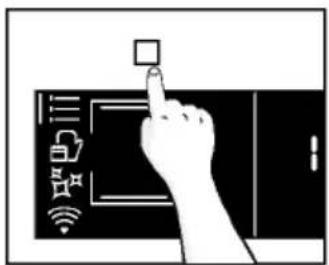
| Simbol | Funkcija | Opis |
 | GLAVNE FUNKCIJE | Ova funkcija omogućuje odabir željenog programa kuhanja strelicama. Dodirnite ⚙i za postavljanje vremena i temperature. Pritisnite ▷za pokretanje funkcije. Želite li pauzirati program, ponovno kliknite. |
 | KATEGORIJE HRANE | U ovom izborniku strelicama možete pristupiti 4 kategorije hrane za kuhanje koje su već integrirane u pećnicu. Na zaslonu će se prikazati zadano vrijeme i temperatura. |
 | Wi-Fi | U ovom načinu rada možete spojiti pećnicu na mrežu i registrirati je pomoću aplikacije hOn. |
 | FUNKCIJE ČIŠĆENJA | Ova funkcija omogućuje odabir sustava čišćenja dostupnog na vašoj pećnici. |
IZBORNIK VREMENA
Nakon odabira programa kuhanja, otvorite izbornik Vrijeme pritiskom na ☑ Za navigaciju dodirnite ☑ onoliko puta koliko je potrebno za unos sljedećih postavki:
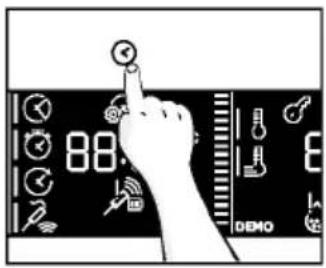
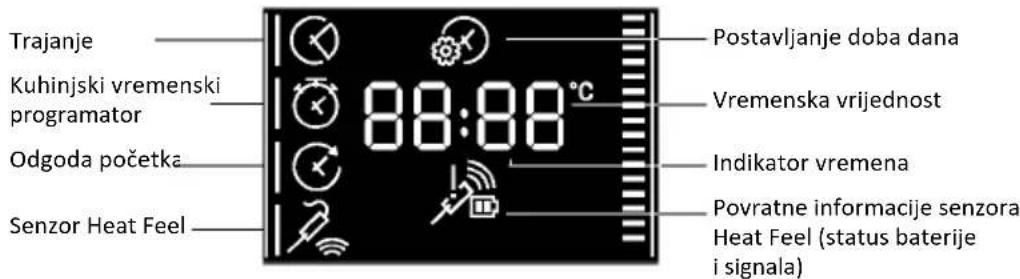
NAPOMENA: nije moguće postaviti nekoliko parametara istovremeno, stoga u memoriji ostaje samo posljednji, a prethodni se briše.
| Simbol | Funkcija | Opis |
 | a) TRAJANJE KUHANJA | Omogućuje se prethodno postavljanje vremena kuhanja za odabrani recept.Pritisnite ✉ za ulazak u izbornik Vrijeme. Dodirnite ✉ onoliko puta koliko je potrebno za odabir funkcije „Trajanje kuhanja”. Zatim strelicama postavite vrijednosti i pritisnite ▶II za potvrdu. Odbrojavanje počinje po završetku zagrijavanja (ako je uređaj opremljen). Tijekom faze kuhanja moguće je promijeniti trajanje pritiskom gumba ✉ i korištenjem strelica. Po isteku vremena, na se prikazuje „End” (Završetak) i kuhanje se zaustavlja. |
 | b) TAJMER | Omogućuje upotrebu pećnice kao budilice.Pritisnite ✉ za ulazak u izbornik Vrijeme. Dodirnite ✉ onoliko puta koliko vam je potrebno za odabir funkcije „Tajmer”. Zatim strelicama postavite vrijednosti i pritisnite ▶II za potvrdu.Tijekom faze kuhanja moguće je promijeniti trajanje pritiskom gumba ✉ i korištenjem strelica. Zatim pritisnite ▶II za ponovno pokretanje kuhanja. Po isteku vremena, kuhanje se nastavlja dok se ručno ne prekine.Ova se funkcija može podesiti i kad je pećnica u stanju pripravnosti pritiskom na .1kad je uključena, tajmer radi neovisno o funkcijama kuhanja. |
 | c) ODGODA POČETKA | Omogućuje odabir vremena početka kuhanja.Pritisnite ✉ za ulazak u izbornik Vrijeme. Dodirni ✉ onoliko puta koliko ti je potrebno za odabir funkcije „Delay start” (Odgoda početka). Zatim strelicama postavite vrijednosti i pritisnite ▶II za potvrdu.NAPOMENA: Odgoda početka moguća je tek nakon postavljanja trajanja kuhanja i nije dostupna zajedno s funkcijama roštilja |
a. TRAJANJE KUHANJA

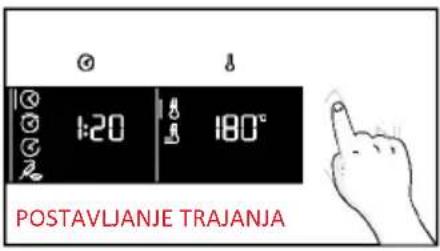
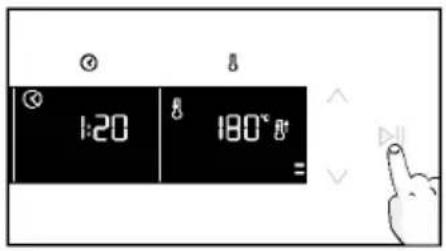
a. TAJMER
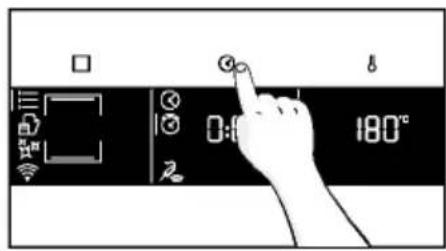
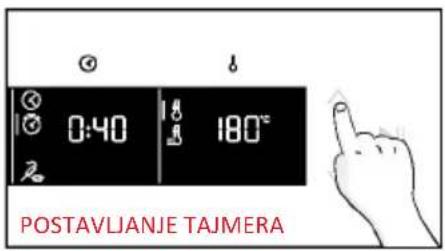
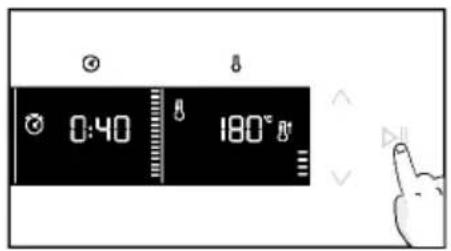
a. ODGODA POČETKA
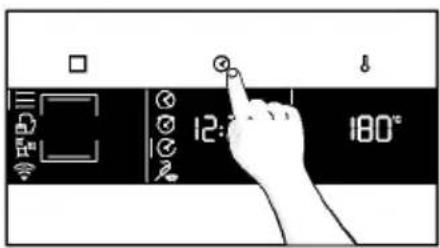
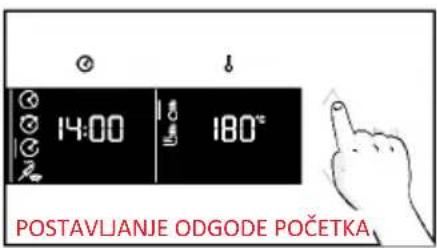

IZBORNIK TEMPERATURE
Nakon odabira programa pečenja, otvorite izbornik Temperatura pritiskom na . Za navigaciju dodirnite 8 onoliko puta koliko je potrebno za unos sljedećih postavki:
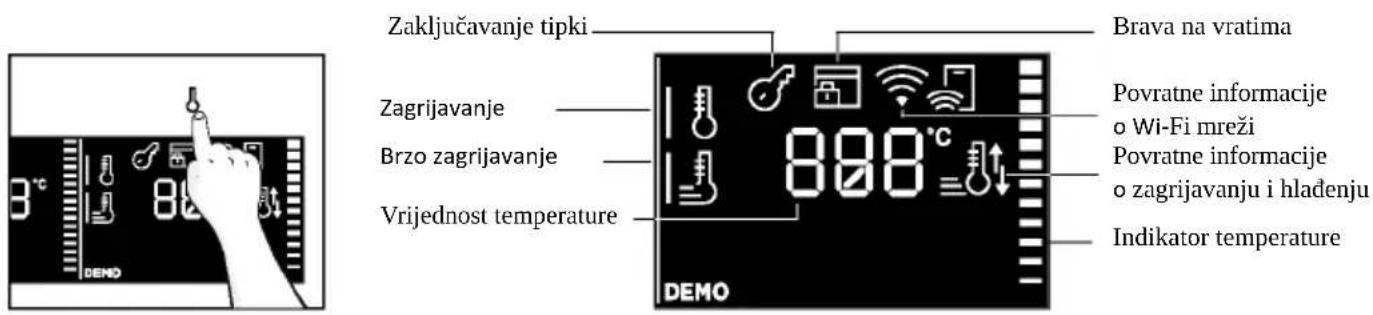
| Simbol | Funkcija | Opis |
 | TEMPERATURA | Pritisnite za postavljanje temperature i strelicama odaberite vrijednost. |
| [5y8S] | BRZO ZAGRIJAVANJE | Pritisnite dvaput za brzo podešavanje temperature. |
DODATNA FUNKCIJA
| Simbol | Funkcija | Opis |
| ZAKLJUČAVANJE ZA ZAŠTITU DJECE | 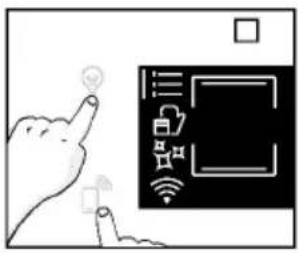 Ova funkcija omogućuje zaključavanje zaslona kako bi se maloljetnicima onemo-gućila neželjena upotreba uređaja. Da biste ga aktivirali, istodobno pritisnite tipke Lamp i Remote Control na 3 sekunde.Na korisničkom sučelju pojavit će se ikona s ključem. U tom stanju korisničko sučelje pećnice je zaključano i ne može se mijenjati postavke.Za isključivanje sigurnosne blokade za djecu ponovno pritisnite tipke Lamp i Remote Control na 3 sekunde (ikona s ključem će nestati). Ova funkcija omogućuje zaključavanje zaslona kako bi se maloljetnicima onemo-gućila neželjena upotreba uređaja. Da biste ga aktivirali, istodobno pritisnite tipke Lamp i Remote Control na 3 sekunde.Na korisničkom sučelju pojavit će se ikona s ključem. U tom stanju korisničko sučelje pećnice je zaključano i ne može se mijenjati postavke.Za isključivanje sigurnosne blokade za djecu ponovno pritisnite tipke Lamp i Remote Control na 3 sekunde (ikona s ključem će nestati). |
4.2. FUNKCIJE KUHANJA
OPCIJA BRZOG ZAGRIJAVANJA
Kako biste ubrzali fazu zagrijavanja, možete odabrati opciju brzog zagrijavanja pritiskom ikone temperature na 3 sekunde nakon odabira programa kuhanja i temperature. Ova opcija aktivirat će kombinaciju ventilatora i grijaćih elemenata bez obzira na odabranu funkciju kuhanja. Kako biste uštedjeli energiju kada je uključeno brzo zagrijavanje, lampica će se ISKLJUČITI dok pećnica ne dosegne željenu temperaturu
4.2.1. STANDARDNE FUNKCIJE
natural_image
Simple line drawing of a medical procedure with a tool and tubing (no text or symbols)Sonda se može koristiti s ručnim funkcijama (Konvencionalna, Konvencionalan + ventilator, Roštilj, Supergrill, Gratiniranje i Više razina), s KATEGORIJAMA HRANE ZA KUHANJE (meso, riba i povrće) i s programom Gentle cooking.
| Kategorija hrane | Predložena temperatura u središtu hrane T °C | Predloženi položaj |
| Pečena govedina 45 °C | Dijagonalno u najdebljem dijelu.Za namirnice cilindričnog oblika (npr. goveđe pečenje) postavite vrh što je moguće bliže geometrijskom središtu | |
| Pečeno meso | 55 °C / 60 °C / 65 °C | |
| Perad | 83 - 85 °C | U najdeblji dio prsa |
| Riba (cijela/odresci) | 65 °C | Dijagonalno u najdebljem dijelu |
| Kruh/složenci | 90 °C | Blizu geometrijskog središta namirnice |
5. SMJERNICE ZA PRIPREMANJE HRANE
5.1. OPĆA TABLICA ZA PRIPREMU HRANE
| Kategorija | Recept | Br. razina | Program kuhanja | T °C | Zagrijavanje | Pribor za kuhanje | Položaj police | Vrijeme kuhanja nakon zagrijavanja * (min) |
| Slatki pekarski proizvodi | Sitni kolačići/muffini | 1 | Konvencionalna na više razina | 175 °C160 °C | Y | Ladica za pečenjeLadica za pečenje | L3L4 | 20 - 3030 - 40 |
| 2 Više razina 150 °C | Ladice za pečenje + dublje ladice | L2 + L5 | 30 - 40 | |||||
| 3 | Više razina | 140 °C | Ladice za pečenje | L2 + L4 + L6 | 40 - 50 | |||
| Biskviti (∅ 26 cm) | 1 | Konvencionalna | 170 °C | Y | Metalna rešetka + kalup za kolače | L2 | 30 - 40 | |
| Više razina 150 °C | Metalna rešetka + kalup za kolače | L4 | 40 - 50 | |||||
| 2 Više razina 150 °C | Metalne rešetke + kalup za kolače | L1 + L4 | 50 - 60 | |||||
| Keksi / prhko pecivo | 1 | Konvencionalna na više razina | 150 °C150 °C | Y | Ladica za pečenjeLadica za pečenje | L3L4 | 25 - 3030 - 40 | |
| 2 Više razina 140 °C | Pečenje + dublje ladice | L2 + L5 | 30 - 40 | |||||
| 3 | Više razina | 140 °C | Ladice za pečenje | L2 + L4 + L6 | 35 - 40 | |||
| Francuska peciva s punjenjem | 1 | Konvencionalna | 190 °C | Ladica za pečenje | L4 | 25 - 35 | ||
| 2 | Više razina | 170 °C | Ladica za pečenje | L3 | 25 - 35 | |||
| Jorkširski puding | 1 | Konvencionalna | 200 °C | Y | Ladica za pečenje | L3 | 20 - 30 | |
| Puslice | 1 | Više razina | 90 °C | Y | Ladica za pečenje | 90-160 | ||
| Macaron | 1 | Konvencionalna | 150 °C | Y | Ladica za pečenje | L3 | 15 - 20 | |
| Pita od jabuka | 1 | Konvencionalna | 185 °C | Y | Metalne rešetke + kalup za kolače | L2 | 60 - 70 | |
| 1 Više razina 170 °C Y | Metalne rešetke + kalup za kolače | L4 65 - 75 | ||||||
| Tarte tatin | 1 | Konvencionalna | 170 °C | Y | Metalne rešetke + kalup za kolače | L2 | 40 - 60 | |
| Čokoladni nabujak | 1 | Konvencionalna | 200 °C | Y | Ladica za pečenje + kalupi | L3 | 10 - 15 | |
| Torta sa sirom | 1 | Konvencionalna | 150 °C | Y | Metalne rešetke + kalup za kolače | L2 | 50 - 65 | |
| Smrznuti kroasani | 1 | Konvencionalna | 180 °C | Y | Ladica za pečenje | L3 | 20 - 25 | |
| 2 | Konvencionalna | 180 °C | Ladice za pečenje | L2 + L5 | 25 - 35 | |||
| 3 | Više razina | 160 °C | Ladice za pečenje | L2 + L4 + L6 | 30 - 40 | |||
| Slatki pekarski proizvodi | Savijača, smrznuta | 1 | Konvencionalna | 210 °C | Y | Ladica za pečenje | L3 | 30 - 45 |
| Kruh i lepinja | Tostirani kruh | 1 | Supergrill | 5 °C | N | Metalna rešetka | L6 | 4 - 6 |
| Focaccia | 1 | Konvencionalna | 200 °C | Y | Ladica za pečenje | L2 ili L3 | 25 - 35 | |
| Kategorija | Recept | Br. razina | Program kuhanja | T °C | Zagrija-vanje | Pribor za kuhanje | Položaj police | Vrijeme kuha-nja nakon zagrijavanja * (min) |
| Kruh, cijeli | 1 | Konvencionalna | 200 °C | Y | Ladica za pečenje | L3 | 25-50 | |
| Slane pite i složenci | Slani kolači / quichevi (ø 26 cm) | 1 | Konvencionalna | 200 °C | Y | Metalna rešetka + Quiche limenka | L1 ili L2 | 30 - 50 |
| 2 Više razina 180 °C Y | Metalna rešetka + Quiche limenka | L1 + L4 | 50 - 70 | |||||
| Nabujak od sira | 1 | Konvencionalna | 200 °C | Y | Ladica za pečenje + kalupi | L3 | 20 - 35 | |
| Lazanje, svježe | 1 | Konvencionalna | 200 °C | Y | Metalna rešetka + vatrostalna posuda | L3 | 40 - 60 | |
| Lazanje, smrznute | 1 | Konvencionalna | 180 °C | Y | Metalna rešetka + vatrostalna posuda | L3 | 50 - 60 | |
| Cannelloni, smrznuti | 1 | Konvencionalna | 180 °C | Y | Metalna rešetka + vatrostalna posuda | L3 45 - 55 | ||
| Pečena tjestenina | 1 Gratiniranje 200 °C Y | Metalna rešetka + vatrostalna posuda | L4 | 20 - 30 | ||||
| Pizza | Pizza, svježa (ladica) | 1 | Konvencionalna | 250 °C | Y | Ladica za pečenje | L2 ili L3 | 15 - 20 |
| Pizza, svježa (ladica) | 1 | Pizza | 250 °C | N | Ladica za pečenje | L2 ili L3 | 18 - 25 | |
| 2 Više razina 180 °C Y | Ladice za pečenje + dublje ladice | L2 + L5 | 25 - 35 | |||||
| Pizza, svježa (okrugla) | 1 | Konvencionalna | 250 °C | Y | Ladica za pečenje | L2 ili L3 | 8 - 10 | |
| Pizza, svježa (okrugla) | 1 | Pizza | 300 °C | N | Ladica za pečenje | L2 ili L3 | 15 - 20 | |
| 2 Više razina 180 °C Y | Ladica za pečenje + kalupi | L3 | 30 - 40 | |||||
| Pizza, smrznuta (tanka kora) | 1 | Konvencionalna | 220 °C | Y | Metalna rešetka | L3 | 10 - 15 | |
| 2 | Više razina | 200 °C | Metalna rešetka | L2 + L5 | 15 - 25 | |||
| 3 | Više razina | 180 °C | Metalna rešetka | L2 + L4 + L6 | ||||
| Pizza, smrznuta (tanka kora) | 1 | Pizza | 200 °C | N | Metalna rešetka | L2 | 10 - 15 | |
| Meso i perad | Pržena cijela piletna (1 do 1,2 kg) | 1 Gratiniranje 220 °C Y | Metalna rešetka / L4, postavite ladicu za pečenje na L1 sa 150 ml vode | L4 | 40 - 60 | |||
| Pileća batkovi | 1 | AirFry** | 220 °C | N | Airfry tava** | L4 | 30 - 50 | |
| Pečena patka | 1 | Gratiniranje | 200 °C | Y | Metalna rešetka + vatrostalna posuda | L3 | 50 - 60 | |
| Pijetao | 1 | Gratiniranje | 220 °C | Y | Metalna rešetka, postavite ladicu za pečenje na L1 | L4 | 20 - 40 | |
| Pečena puretina | 1 Gratiniranje 200 °C Y | Metalna rešetka + posuda za uporabu u pećnici | L3 | 50 - 60 | ||||
| Svinjska rebra (1000 - 1200 g) | 1 | Konvencionalna | 200 °C | Y | Metalna rešetka + posuda za uporabu u pećnici | L3 | 80 - 100 | |
| Kobasice | 1 | Supergrill | 4 | Y | Metalna rešetka | L5 | 40 - 50 | |
| Govedi file (1000 do 1500 g) | 1 | Gentle cooking ** | 60 °C N | Metalna rešetka + vatrostalna posuda | L3 | 60 - 80 | ||
| Pečena govedina (500 g) | 1 | Gratiniranje | 220 °C | Y | Ladica za pečenje | L3 | 20 - 40 | |
| Mesna štruca (1000 do 1500 g) | 1 | Konvencionalna | 180 °C | Y | Ladica za pečenje | L3 | 40 - 50 | |
| Pečena piletina s krumpirom | 1 | Gratiniranje | 200 °C | Y | Duboka ladica | L4 | 45 - 60 | |
| Riba i morski plodovi | Morski plodovi na žaru | 1 | Supergrill | 4 | N | Metalna rešetka | L5 | 15 - 30 |
| Smrznuti riblji štapići | 1 | AirFry** | 200 °C | N | Airfry tava** | L4 | 20 - 25 | |
| Pečena riba | 1 | ECO | 200 °C | N | Metalna rešetka, postavite ladicu za pečenje na L1 | L3 | 40 - 60 | |
| Povrće | Gratinirano povrće | 1 | ECO | 200 °C | N | Metalna rešetka + posuda za uporabu u pećnici | L3 | 80-90 |
| Smrznuti pomfri (300 do 500 g) | 1 | AirFry** | 200 °C | N | Airfry tava** | L4 | 18 - 25 | |
| Gratinirani krumpir | 2 | Gratiniranje 180 °C Y | Metalna rešetka + vatrostalna posuda | L4 15 - 25 | ||||
| Pečeni krumpir | 1 | Konvencionalna | 200 °C | Y | Ladica za pečenje | L4 | 30 - 50 | |
natural_image
Line drawing of an oven with a red arrow indicating a component or process (no text or symbols present)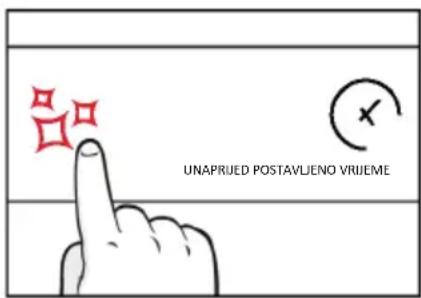
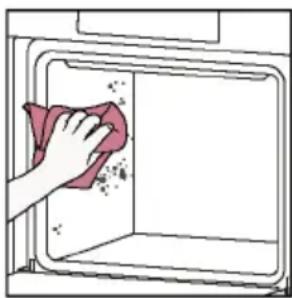
natural_image
Illustration of a hand cleaning a kitchen appliance with a cloth (no text or symbols)Hydroeasy
Funkcija Hydroeasy dizajnirana je za lako uklanjanje lagane prljavštine, brzo je i ekološki prihvatljivo rješenje za čišćenje unutrašnjosti pećnice snagom pare.
Kako funkcionira:
- Ulijte 100 ml vode s kapljicom tekućine za pranje suđa u donje izbočenje pećnice.
- Okrenite birač na . Ako je potrebno, okrenite birač za podešavanje programa Hydro Clean. Pričekajte da funkcija odradi svoj posao tijekom postavljenog vremena.
- Po završetku postupka čišćenja, pričekajte da se pećnica ohladi.
- Kad se uređaj ohladi, očistite unutarnje površine pećnice krpom.
- UPOZORENJE: Provjerite je li se uređaj ohladio prije nego ga dodirnete. Vodite računa o svim vrućim površinama jer postoji opasnost od opeklina. Koristite destiliranu ili pitku vodu. Obrišite odjeljak za kuhanje i ostavite da se potpuno osuši kako biste izbjegli moguću koroziju.
100 ml
6.2.2. VANJSKE POVRŠINE PEĆNICE: uklanjanje i čišćenje staklenih vrata
- Postavite vrata na 90°. Zakrenite jezičke za zaključavanje šarke tako da su okrenuti od pećnice.
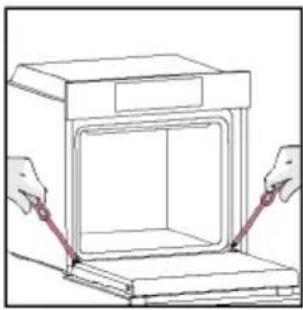
natural_image
Line drawing of a box being lifted by two hands, showing internal structure and opening position (no text or symbols)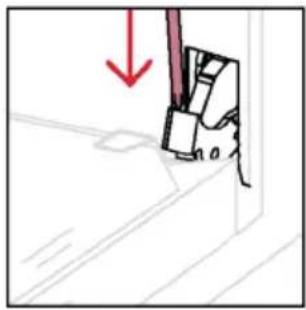
natural_image
Simple line drawing of a mechanical component with a red downward arrow indicating force or direction (no text or symbols)natural_image
Pure technical line drawing of a mechanical component with no text or symbols- UROZORENJE: Vanjsko staklo ne može se ukloniti.
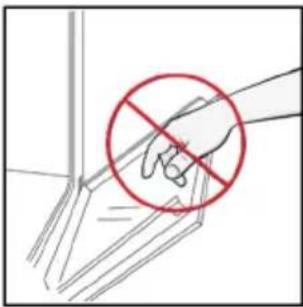
natural_image
Illustration of a hand holding a tool with a red prohibition symbol (no text or labels)- Očistite staklo mekom krpom i odgovarajućim sredstvima za čišćenje.
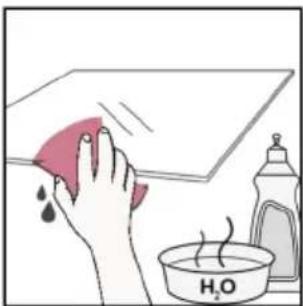
natural_image
Illustration of a hand cleaning a tiled surface with a red cloth and a water bottle labeled H₂O (no text or symbols on the main subject)natural_image
Pure technical line drawing of a structural joint or bracket (no text or symbols)- Zatim vratite vrata na 90° i zakrenite jezičke za zaključavanje šarki tako da gledaju prema unutrašnjosti pećnice.
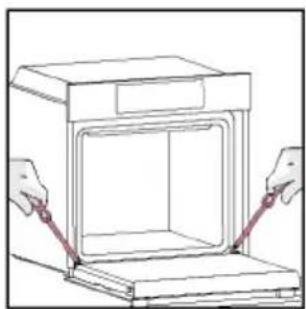
natural_image
Line drawing of hands operating a cabinet with an open door (no text or symbols)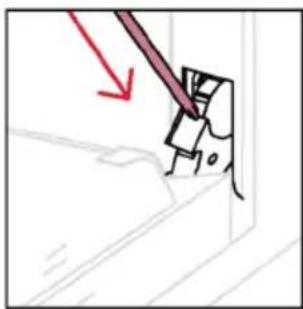
natural_image
Simple line drawing of a mechanical component with a red arrow indicating direction (no text or symbols)6.3. ČIŠĆENJE PRIBORA
Nakon svake upotrebe temeljito očistite pribor i osušite ga ručnikom. Tvrdokorne je ostatke na priboru pribora možda najbolje namočiti u mješavini vode i sapuna otprilike 30 minuta prije drugog pranja.
ČIŠĆENJE BOČNIH REŠETKI:
- Model sa 6 razina
- Uklonite bočne rešetke povlačenjem u smjeru strelica.
- Žičane rešetke prilikom čišćenja stavite u perilicu posuđa ili upotrijebite mokru spužvu, a zatim ih obavezno osušite.
- Nakon postupka čišćenja postavite bočne police obrnutim redoslijedom

natural_image
Line drawing of an oven with a red arrow indicating direction (no text or symbols)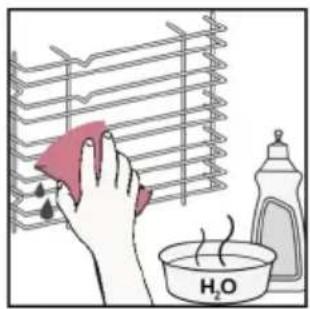
natural_image
Illustration of a hand cleaning a rack with a pink cloth, next to a bottle and a bowl labeled 'H2O' (no text or symbols on main objects)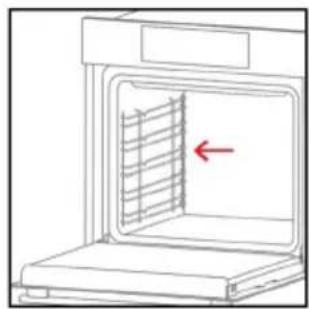
natural_image
Line drawing of an oven with a red arrow pointing to the interior panel (no text or symbols)6.4. ODRŽAVANJE
ZAMJENA DIJELOVA
- korak
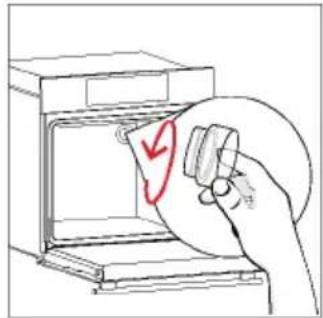
natural_image
Hand holding a circular object with a red checkmark inside an oven (no text or symbols)- korak
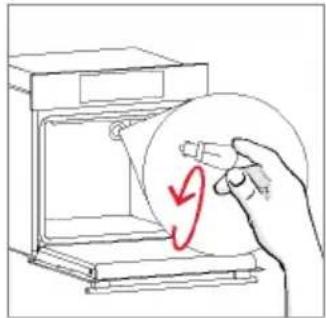
natural_image
Hand holding a circular object inside a device, with a red curved arrow indicating rotation (no text or symbols)- korak
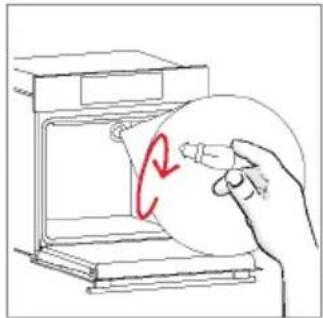
natural_image
Hand holding a circular object with a red '2' mark inside, next to an open appliance (no text or symbols)- korak
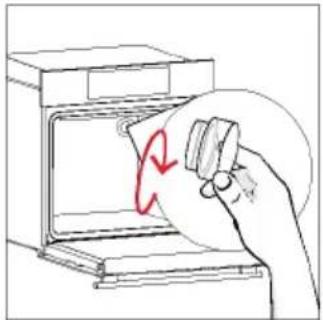
natural_image
Hand holding a tool interacting with an open oven (no text or symbols visible)- korak
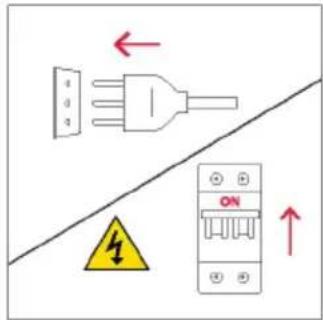
- korak
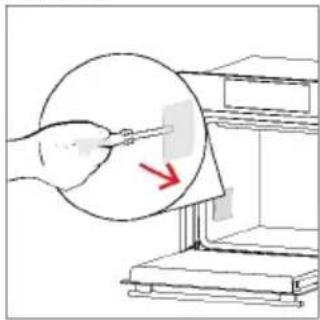
natural_image
Illustration of a hand using a tool to clean or inspect a circular object with a red arrow (no text or symbols)- korak
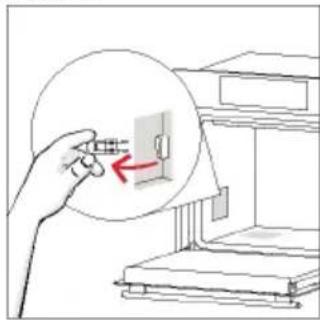
natural_image
Illustration of a hand holding a circular object with a red arrow pointing to a small rectangular object, next to a shelf (no text or symbols)- korak
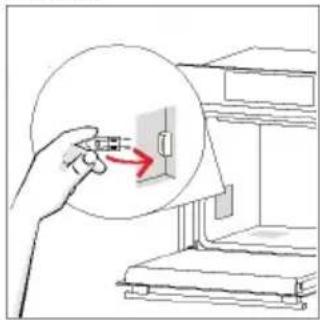
natural_image
Illustration of a hand holding a plug with a red arrow pointing to a component inside a circular diagram (no text or symbols)- korak
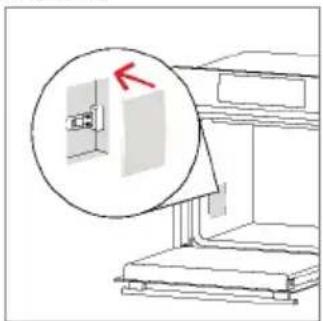
natural_image
Diagram of a mechanical assembly with a magnified inset showing a component (no text or symbols)- korak
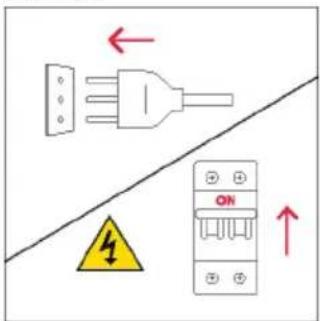
natural_image
Symbol of a trash bin crossed with no text or labels, accompanied by a black rectangular block below (no readable text or symbols)Pojedinci mogu imati važnu ulogu u postizanju cilja da otpadna električna i elektronička oprema ne postane ekološki problem. Treba se pridržavati nekoliko osnovnih pravila:
natural_image
Isometric line drawing of a multi-level refrigerator with drawers and doors (no text or symbols)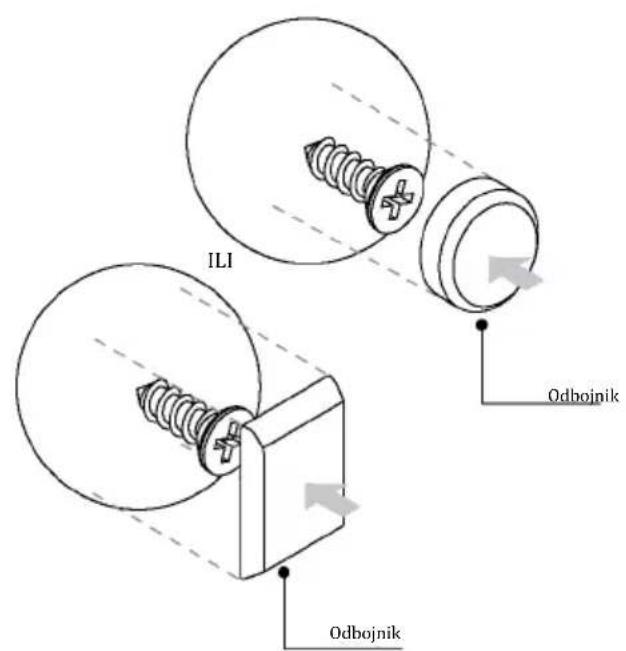
70050186
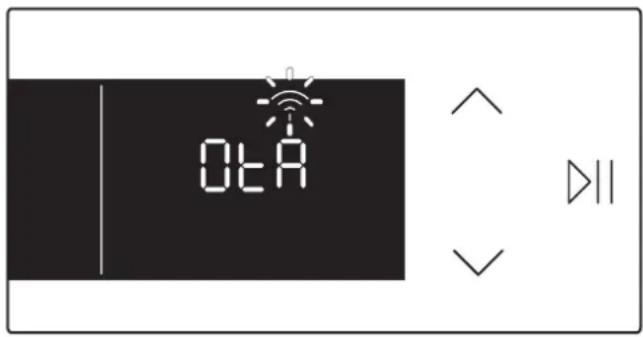
(EN) Thanks to the "Over The Air" technology, you can effortlessly keep your oven up-to-date with the latest features.
If available, once the oven is connected to the app and no cooking functions are active, the update will automatically initiate. "OtA" will appear on the display, the Wi-Fi icon will blink, and all product commands will be temporarily unavailable. This process may take a few minutes, so please do not disconnect or unplug the oven during this time. Once the update is complete, "12:00" will blink on the display. Simply reset the time and start cooking!
- WELCOME
- SUMMARY
- SAFETY INFORMATION
- PRODUCT INTRODUCTION
- BEFORE STARTING
- OPERATION OF PRODUCT
- COOKING GUIDELINES
- CARE & CLEANING
- TROUBLESHOOTING
- ENVIRONMENTAL PROTECTION & DISPOSAL
- INSTALLATION
- GENERAL WARNINGS
- Use in accordance with attendend use
- Use limitations
- INSTALLATION WARNINGS
- ELECTRICAL WARNINGS
- USE & MAINTENANCE
- WARNINGS (\*FOR PYRO OVENS)
- WARNINGS for WIRELESS TEMPERATURE PROBE
- 2.PRODUCT INTRODUCTION
- OVERVIEW OF THE PRODUCT
- ACCESSORIES
- CONTROL PANEL
- MAIN FUNCTIONS
- CONNECTIVITY
- Wireless parameters
- PRODUCT INFORMATION FOR NETWORKED EQUIPMENT
- How to activate wireless network port:
- How to deactivate wireless network port:
- HOW TO INTERACT WITH THE APP
- NOTE
- NEW USER REGISTRATION
- QUICK PAIR ENROLLMENT
- Step 1
- Step 2
- Step 3
- Step 4
- Step 5
- Step 6.1-6.2
- Step 7
- REMOTE CONTROL
- How to acquire Remote Control:
- How to stop Remote Control:
- INFORMATION TO START
- How door works
- How illumination works
- How cooling fan works
- FIRST USAGE
- • POST INSTALLATION INSTRUCTION
- PRELIMINARY CLEANING
- HOW THE PRODUCT WORKS
- SWITCHING ON/OFF THE OVEN
- FUNCTIONS MENU
- TIME MENU
- TEMPERATURE MENU
- ADDITIONAL FUNCTION
- COOKING FUNCTIONS
- FAST PREHEATING OPTION
- STANDARD FUNCTIONS
- HEAT FEEL SENSOR
- Before the use verify the charge of the Heat Feel Sensor:
- How to enroll and use Heat Feel Sensor:
- Cooking tips
- EVERYDAY COOKING TABLE
- GENERAL RECOMMENDATIONS
- CLEANING THE OVEN
- INSIDE THE OVEN: cleaning functions
- How does it work:
- Hydroeasy
- OUTSIDE THE OVEN: removal and cleaning the glass door
- CLEANING OF ACCESSORIES
- CLEANING OF SIDE RACKS:
- - 6 levels model
- MAINTENANCE
- COMPONENTS REPLACEMENT
- Changing the bulb on top:
- Changing the lateral bulb:
- TROUBLE SHOOTING
- Error
- Smoke
- APPLIANCE DISPOSAL
- SAVING AND RESPECTING THE ENVIRONMENT
- BIENVENUE
- COMMENT INTERAGIR AVEC L'APPLICATION
- INSCRIPTION D'UN NOUVEL UTILISATEUR
- APPAIRAGE RAPIDE
- Étape 1
- Étape 2
- Allow your location permission
- Étape 3
- Select your appliance category
- Étape 4
- Turn OFF and then ON your appliance
- Étape 5
- Étape 6.1-6.2
- Étape 7
- COMMENT MODIFIER LES PARAMÈTRES DU WI-FI
- CONTRÔLE À DISTANCE
- AVANT DE COMMENCER
- INFORMATIONS POUR COMMENCER
- MISE EN MARCHE/ARRÊT DU FOUR
- MENU DES FONCTIONS
- MENU TEMPÉRATURE
- NETTOYAGE DES ACCESSOIRES
- ENTRETIEN
- REMPLACEMENT DES COMPOSANTS
- BENVENUTI
- Passo 2
- Passo 3
- Passo 4
- Passo 5
- Passo 6.1-6.2
- Passo 7
- CONTROLLO DA REMOTO
- PRIMA DI COMINCIARE
- USO DEL PRODOTTO
- MENÙ FUNZIONI
- MENU TEMPERATURA
- PULIZIA DEGLI ACCESSORI
- MANUTENZIONE
- REGISTRO RÁPIDO PARA EMPAREJAMIENTO
- Paso 1
- Paso 2
- Paso 3
- Paso 4
- Paso 5
- Paso 6.1-6.2
- Paso 7
- ANTES DE EMPEZAR
- MENÚ DE FUNCIONES
- MENÚ DE TEMPERATURA
- Hidroeasy
- LIMPIEZA DE ACCESORIOS
- MANTENIMIENTO
- BEM-VINDO
- CONTROLO REMOTO
- ANTES DE COMEÇAR
- INFORMAÇÕES PARA COMEÇAR
- MENU FUNÇÕES
- # #
- LIMPEZA DOS ACESSÓRIOS
- WITAMY
- INFORMACJE O PRODUKCIE DOT. URZĄDZEŃ SIECIOWYCH
- SZYBKA REJESTRACJA PAROWANIA
- Krok 1
- Krok 2
- Krok 3
- Krok 4
- Krok 5
- Krok 6.1-6.2
- Krok 7
- ZDALNE STEROWANIE
- PRZED URUCHOMIENIEM
- INFORMACJE NA START
- DZIAŁANIE PRODUKTU
- JAK DZIAŁA PRODUKT
- WŁĄCZANIE/WYŁĄCZANIE PIEKARNIKA
- MENU FUNKCJI
- TEMPERATURA
- CZYSZCZENIE AKCESORIÓW
- KONSERWACJA
- WYMIANA KOMPONENTÓW
- DOBRO DOŠLI
- Teleskopske vodilice
- REGISTRACIJA NOVOG KORISNIKA
- BRZA REGISTRACIJA ZA UPARIVANJE
- korak
- korak
- korak
- korak
- korak
- Korak 6.1 - 6.2
- korak
- DALJINSKO UPRAVLJANJE
- PRIJE POKRETANJA
- INFORMACIJE ZA POČETAK
- UPOTREBA PROIZVODA
- NAČIN RADA PROIZVODA
- UKLJUČIVANJE/ISKLJUČIVANJE PEĆNICE
- IZBORNIK FUNKCIJA
- IZBORNIK VREMENA
- IZBORNIK TEMPERATURE
- FUNKCIJE KUHANJA
- OPCIJA BRZOG ZAGRIJAVANJA
- STANDARDNE FUNKCIJE
- SMJERNICE ZA PRIPREMANJE HRANE
- Kako funkcionira:
- VANJSKE POVRŠINE PEĆNICE: uklanjanje i čišćenje staklenih vrata
- ČIŠĆENJE PRIBORA
- ČIŠĆENJE BOČNIH REŠETKI:
- - Model sa 6 razina
- ODRŽAVANJE
- ZAMJENA DIJELOVA
Brand : ROSIERES
Model : RO6 M5G5YTB
Category : Oven