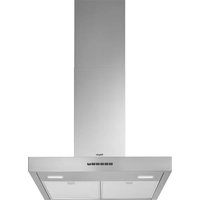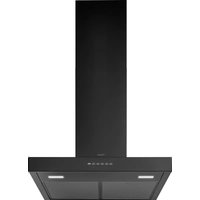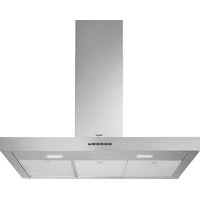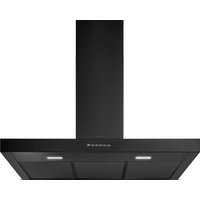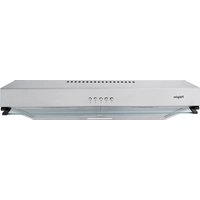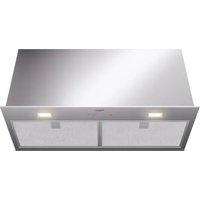
ISW771RVS - Basket Pelgrim - Free user manual and instructions
Find the device manual for free ISW771RVS Pelgrim in PDF.


User questions about ISW771RVS Pelgrim
0 question about this device. Answer the ones you know or ask your own.
Ask a new question about this device
Download the instructions for your Basket in PDF format for free! Find your manual ISW771RVS - Pelgrim and take your electronic device back in hand. On this page are published all the documents necessary for the use of your device. ISW771RVS by Pelgrim.
USER MANUAL ISW771RVS Pelgrim
Instructions for use
Cooker hood
NL Handleiding NL 3 - NL 10
Mounting the cooker hood
Gebruikte pictogrammen - Pictogrammes utilisés Benutzte Piktogramme - Pictograms used

text_image
1 2 3 4 5 2 3/inatural_image
Hand holding a tool interacting with a circular diagram showing a road sign (no text or symbols present)Koolstofffilter
natural_image
Diagram of a mechanical or biological structure with green arrows indicating rotational or directional movement (no text or symbols)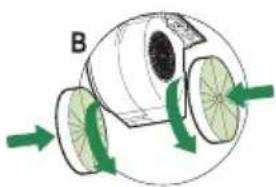
natural_image
Diagram of a biological or mechanical component with green arrows indicating flow or movement, no visible text or symbols.natural_image
Symbol of a trash bin with crossed lines indicating no waste or discharge (no text or numbers present)text_image
1 2 3 4 5 2 3/inatural_image
Hand pointing at a vehicle ahead, showing the road sign (no text or symbols present)Filtres à charbon
natural_image
Diagram of a mechanical device with green arrows indicating rotational motion (no text or symbols)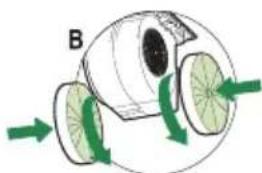
natural_image
Diagram of a mechanical or biological structure with green arrows indicating rotational or directional movement (no text or symbols)natural_image
Symbol of a trash bin crossed with no text or numbers, representing waste sorting or disposal (no text present)text_image
1 2 3 4 5 2 3/inatural_image
Hand pointing at a circular diagram with an arrow and a compass (no text or symbols)Kohlefilter
natural_image
Diagram of a mechanical or biological structure with green arrows indicating rotational or directional movement (no text or symbols)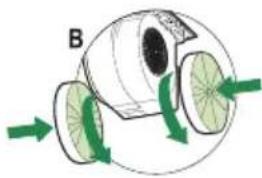
natural_image
Diagram of a biological or mechanical structure with green arrows indicating direction, no text or symbols presentnatural_image
Symbol of a trash bin crossed with no text or numbers, representing waste sorting or disposal (no text present)| Cleaning | 6 | |||
| Removing the grease filters | 7 | |||
| Replacing the carbon filter | 7 | |||
| Changing | the | light | bulbs |
Installation
| General | 8 | |
| Electrical connection | 9 | |
| Mounting the canopy hood 9 |
Environmental aspects
| Disposal of appliance and packaging | 10 |
Installation
| Mounting the cooker hood | 12 |
Description
text_image
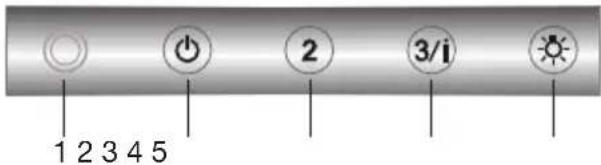
1 2 3 4 5 2 3/i1 Indicator light
2 On/Off button (Speed 1)
3 Speed button 2
4 Speed button 3 and intensive setting
5 Lighting button
Introduction
This user manual gives you a quick overview of all the possibilities offered by the appliance. You will find information on safety measures and maintaining the appliance.

Please retain this user manual and the installation guide. They may be of use to future users of the appliance.

Read the separate safety instructions before using the device!
You can find the most recent version of the instructions for use on our website.
Operation
Switching the fan on and off
- Select the desired extraction setting by pressing the corresponding speed setting button.
The cooker hood switches on and the indicator light comes on.
The indicator light changes color depending on the selected extraction setting. In the intensive setting, the indicator light flashes. - Press the on/off button.
The cooker hood switches off.
If speed setting 2, 3 or the intensive setting is switched on, the control will switch on setting 1 first. Then press the on/off button again to switch off the extraction.
Switching on the intensive setting
-
Press and hold speed button 3 for two seconds.
The indicator light flashes.
The intensive setting is switched on for six minutes. The previous extraction setting will be reactivated after this period. -
Press the on/off button or any other speed button to stop the intensive setting at any time.
Switching the lighting on and off
- Press the lighting button.
The lighting comes on. - Press the lighting button again and the lighting goes off.
Cleaning
Attention! Before performing any maintenance operation, isolate the hood from the electrical supply by switching off at the connector and removing the connector fuse. Or if the appliance has been connected through a plug and socket, then the plug must be removed from the socket.
The cooker hood should be cleaned regularly (at least with the same frequency with which you carry out maintenance of the fat filters) internally and externally. Do not use abrasive products. Do not use alcohol!
Attention! Failure to carry out the basic cleaning recommendations of the cooker hood and replacement of the filters may cause fire risks. Therefore, we recommend oserving these instructions.
The manufacturer declines all responsibility for any damage to the motor or any fire damage linked to inappropriate maintenance or failure to observe the above safety recommendations.
Cooker hood
Clean the cooker hood with soapy water and a soft cloth. Then wipe with clean water to rinse. Do not use aggressive cleaning agents such as soda. The cooker hood paintwork will stay looking nice if you wax it occasionally.
Stainless steel canopy hoods
Do not use any sort of scourer. Treat with a stainless steel care product and polish with the structure of the stainless steel.
Metal grease filters
These must be cleaned every two months, using non aggressive detergents, either by hand or in the dishwasher, which must be set to a low temperature and a short cycle. The openings must be placed downwards to let the water run out of the filters. The cleaning agents will make the aluminium filter turn dull, this is normal.
Grease filters
natural_image
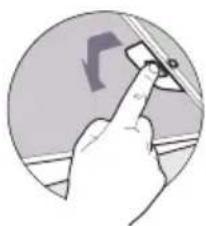
Hand pointing at a curved road sign on a circular surface (no text or symbols)Removing the grease filters
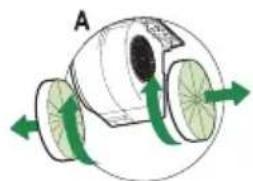
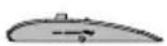
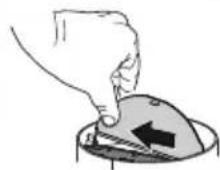
Switch off the electricity! Remove the plug from the socket or switch the electricity off at the mains. Pull the special handle to remove the filter.
natural_image
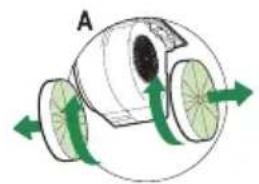
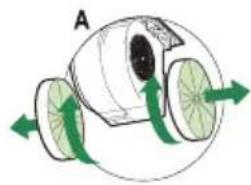
Diagram of a mechanical or fluidic device with rotating wheels and green arrows indicating flow direction (no text or symbols)Replacing the carbon filter
The carbon filter must always be used if the cooker hood is not ducted.

natural_image
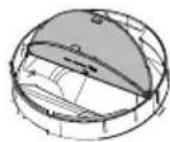
Diagram of a mechanical or biological structure with green arrows indicating direction, no visible text or symbols- Remove the grease filters.
- Fit the carbon filter by wedging it into the casing.
- Replace the filter grids in the extractor hood.
Note:
- Saturation of the activated charcoal will eventually occur after more or less prolonged use, depending on the type of cooking and how frequently the grease filter is cleaned.
- The carbon filter for this appliance should be replaced after nine months at the latest. The filter is for single use.
- DO NOT wash or reuse the carbon filter. Saturated carbon is not environmentally friendly, change the filter regularly.
Lighting

This hood is fitted with a light system. This light system has to be replaced by an authorized technician. Do not attempt to replace it by yourself.

The lamp in this household appliance is only suitable for illumination of this appliance. The lamp is not suitable for household room illumination.
General
This appliance should be connected to the power supply by a recognized fitter who is familiar with, and works according to the correct safety regulations. This appliance meets the European requirements.
Important that you know:
- The minimum distance between the supporting surface for the cooking vessels on the gashob and the lowest part of the range hood must be not less than 65 cm. For use with an electric, ceramic or induction hob, this distance must be at least 55 cm.
- If the cooker hood is to be fitted to an existing duct no other appliances, such as a geyser or heater, may be connected to that same duct.
- Consider local regulations with respect to the ventilation of gas appliances.
- The shorter the duct, and the fewer the bends in it, the better the cooker hood will work.
- Before you start drilling check that there are no installation cables present.
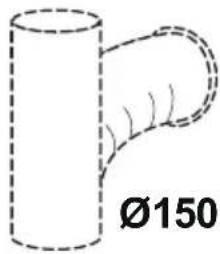
- The connecting pipe for the cooker hood has a diameter of 120 or 150 mm. It is best also to use a flue pipe of the same diameter.
- The installation material supplied with this range hood is designed for fixing to reinforced concrete or masonry walls. For some types of walls you may need special plugs and screws.
Electrical connection
This appliance is manufactured in class I, it must therefore be connected to the earth system.
Make sure the supply voltage ratings correspond with those stated on the appliance data plate. The connection to the mains is carried out as follows:
BROWN = phase L
BLUE = phase N
YELLOW/GREEN = Earth
During the electrical connection make sure that the electrical socket is equipped with earth connection.
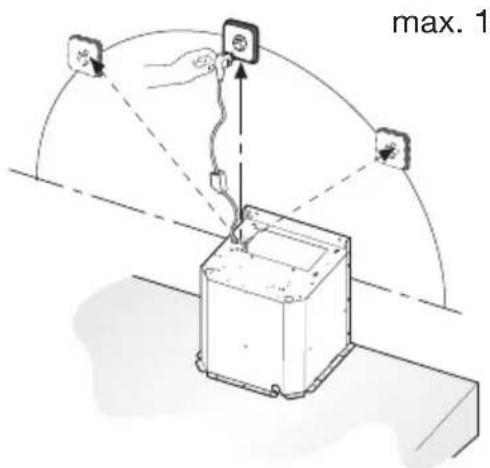
This canopy hood has been provided with a power plug. When installing the hood, make sure that this plug remains accessible.

Attention:
If you want to make a fixed connection, ensure that a multi-pole switch with a distance between contacts of 3 mm is installed in the supply cable.
text_image
max. 1max. 120 ~mm
Mounting the cooker hood
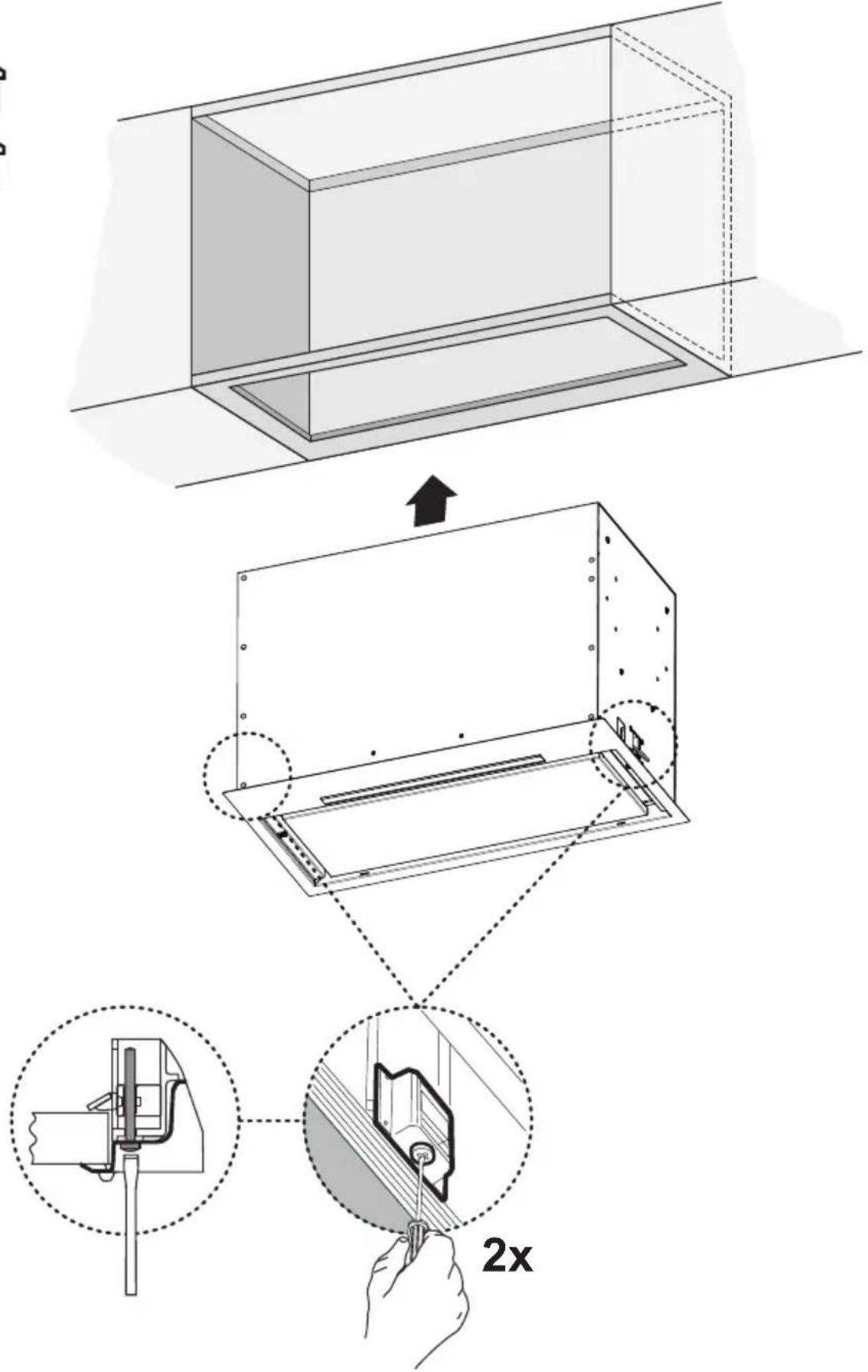
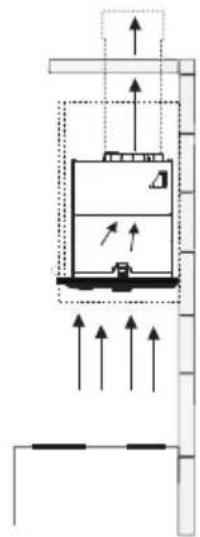
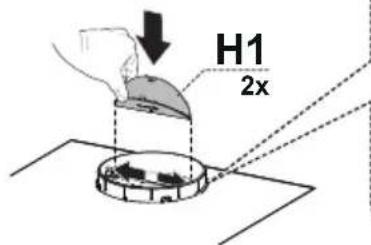
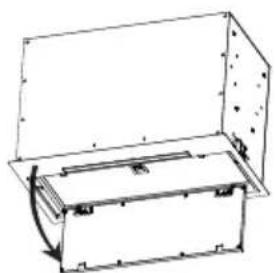
The last pages of this manual show the steps for mounting the cooker hood.
Disposal of appliance and packaging
By ensuring this product is disposed of correctly, you will help prevent potential negative consequences for the environment and human health, which could otherwise be caused by inappropriate waste handling of this product. The local authorities can provide you with the relevant information.
The packaging of this appliance is recyclable. It could have been made from:
- cardboard;
• polythene foil (PE); - CFK-free polystyrene (PS-hard foam).
You need to dispose of these materials responsibly in accordance with official regulations.
text_image
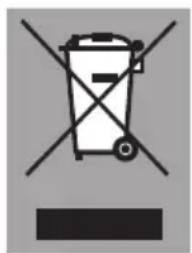
Prohibition sign with crossed-out trash bin and no text or symbolsTo draw attention to the fact that the segregated processing of electric household appliances is compulsory, this appliance carries the symbol of a crossed-out dustbin. This means that at the end of its working life, you may not dispose of the appliance as household refuse. Instead, you should hand it in at a special refuse collection centre run by the local authority or at a dealer's providing this service.
Segregated processing of household appliances avoids any negative effects on the environment and public health that might otherwise occur.
It enables the recovery of the materials used in the production of this appliance, thus realising considerable savings in terms of raw materials and energy.

Declaration of conformity
We hereby declare that our products satisfy the applicable European directives, orders and regulations, as well as the requirements stated in the referenced standards.
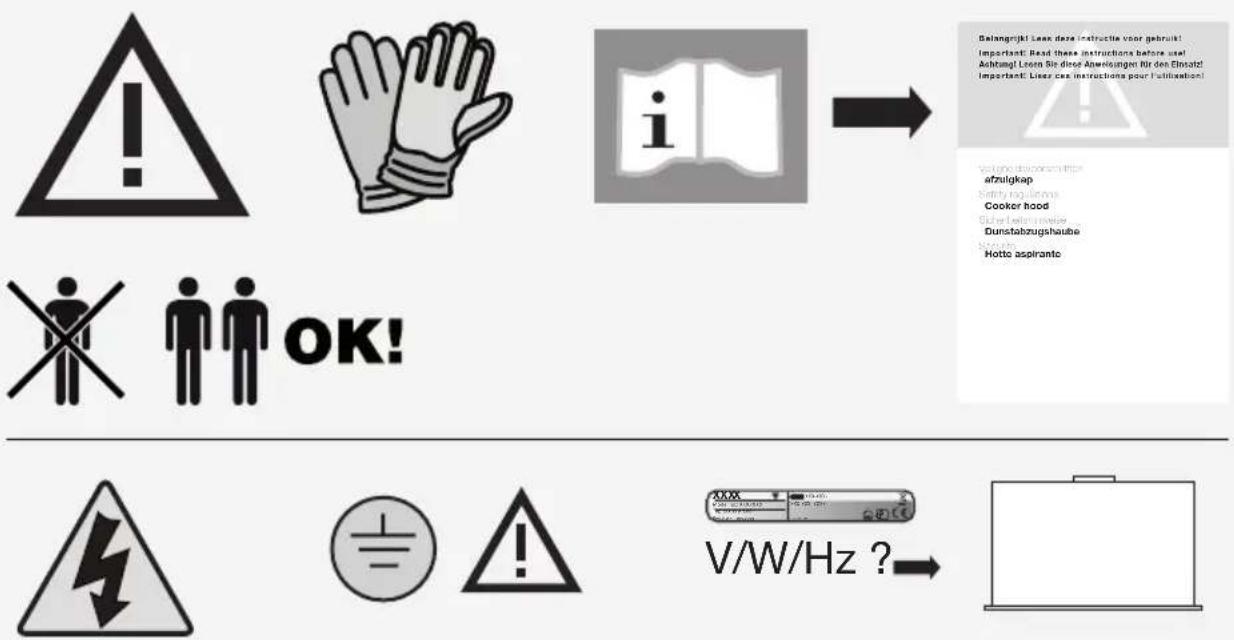
Bolangrijki Leek deze instructie voor gebruikt Important: Read these instructions before use! Achtung! Leoen Sie diese Anweisungen für den Einsatz! Important: Lieves ces instructions pour l'utilisation!
OK!
text_image
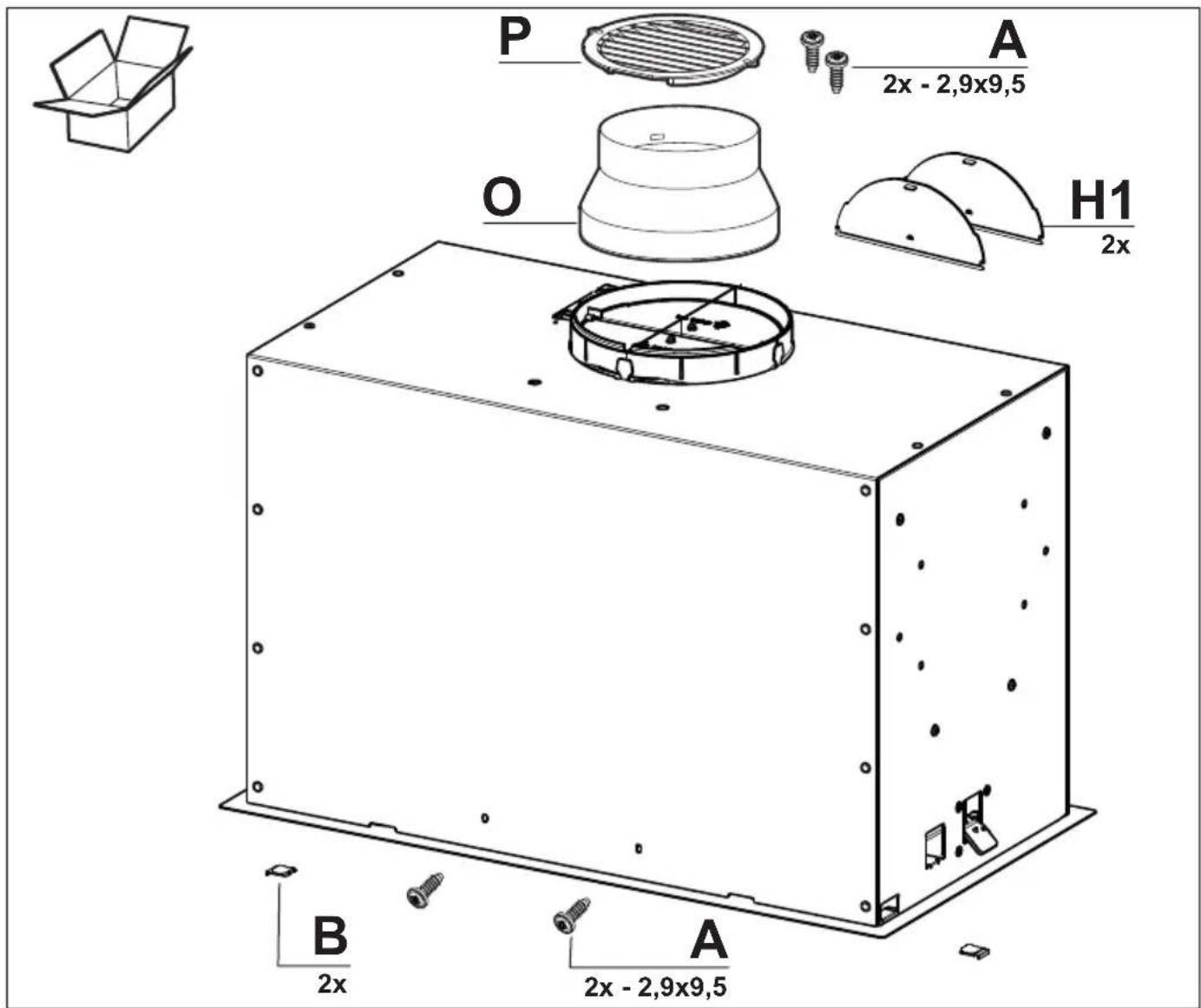
P A 2x - 2,9x9,5 O H1 2x B A 2x - 2,9x9,5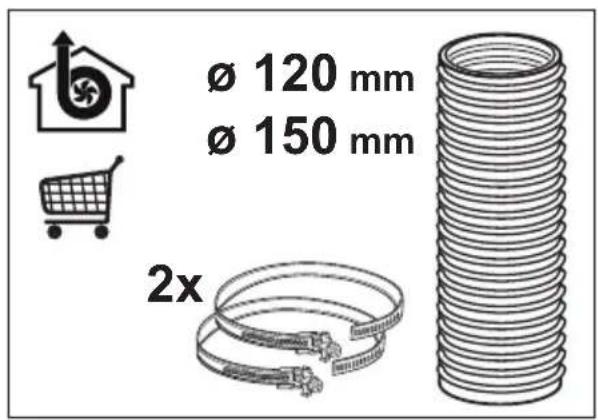
text_image
Ø 120 mm Ø 150 mm 2x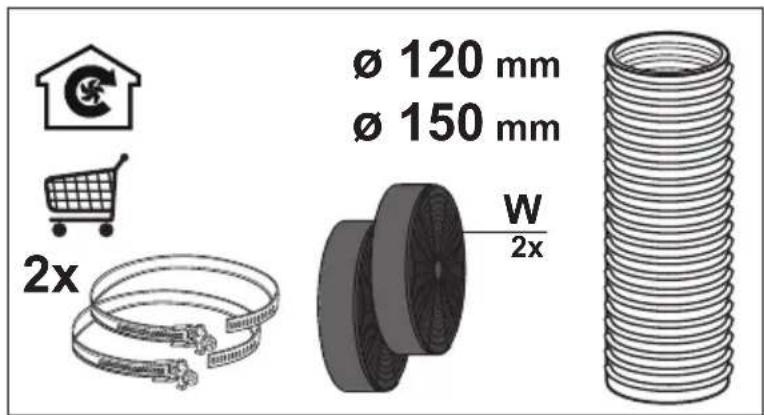
text_image
Ø 120 mm Ø 150 mm W 2x 2x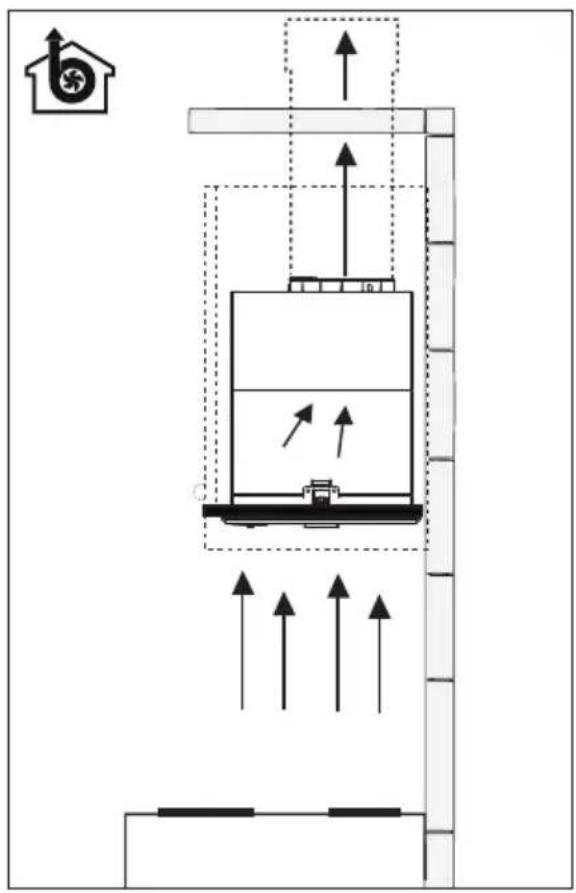
text_image
Diagram of a building interior with directional arrows indicating flow or movement, featuring a house icon and a central container with internal structure.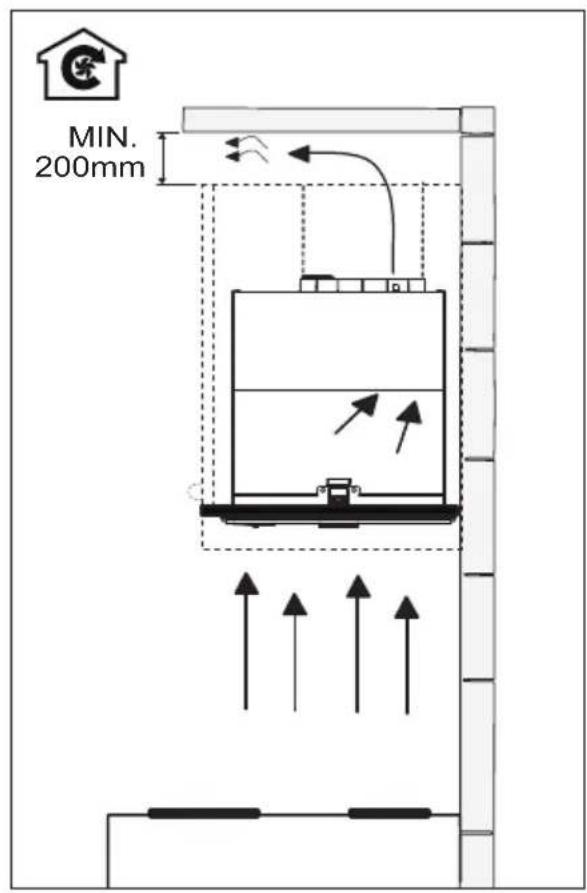
text_image
MIN. 200mm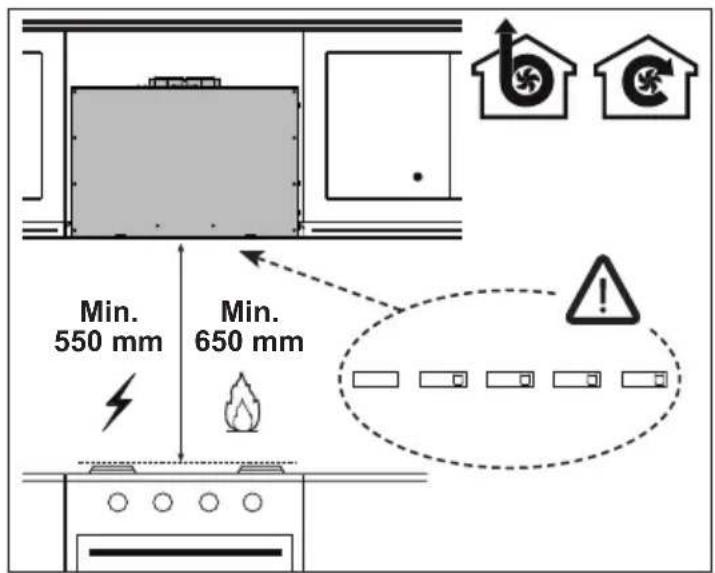
text_image
Min. 550 mm Min. 650 mm Warning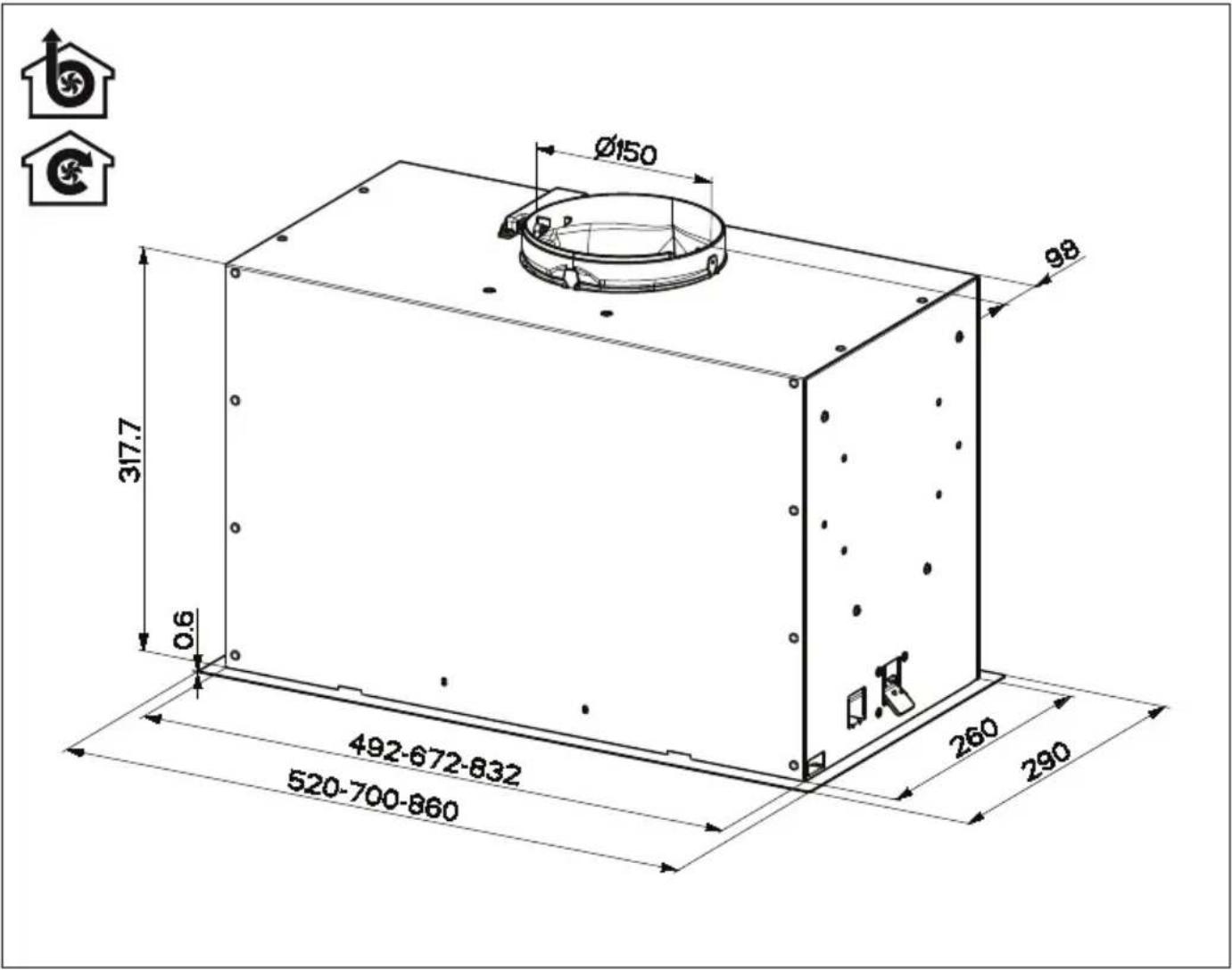
text_image
Ø150 317.7 0.6 492-672-832 520-700-860 260 290 98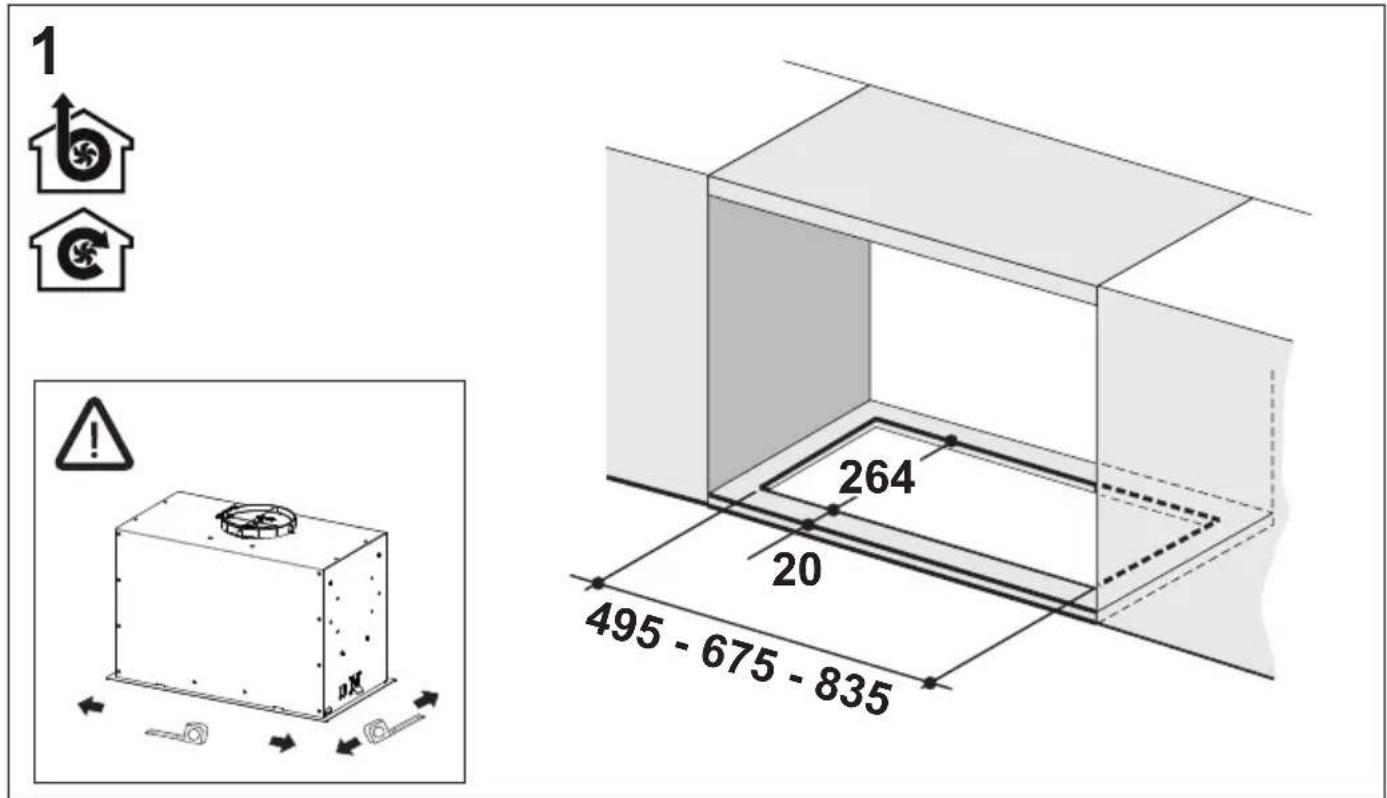
text_image
1 264 20 495 - 675 - 8352

text_image
Technical diagram illustrating a 2x magnification process of a device with labeled components and a 2x magnification indicator.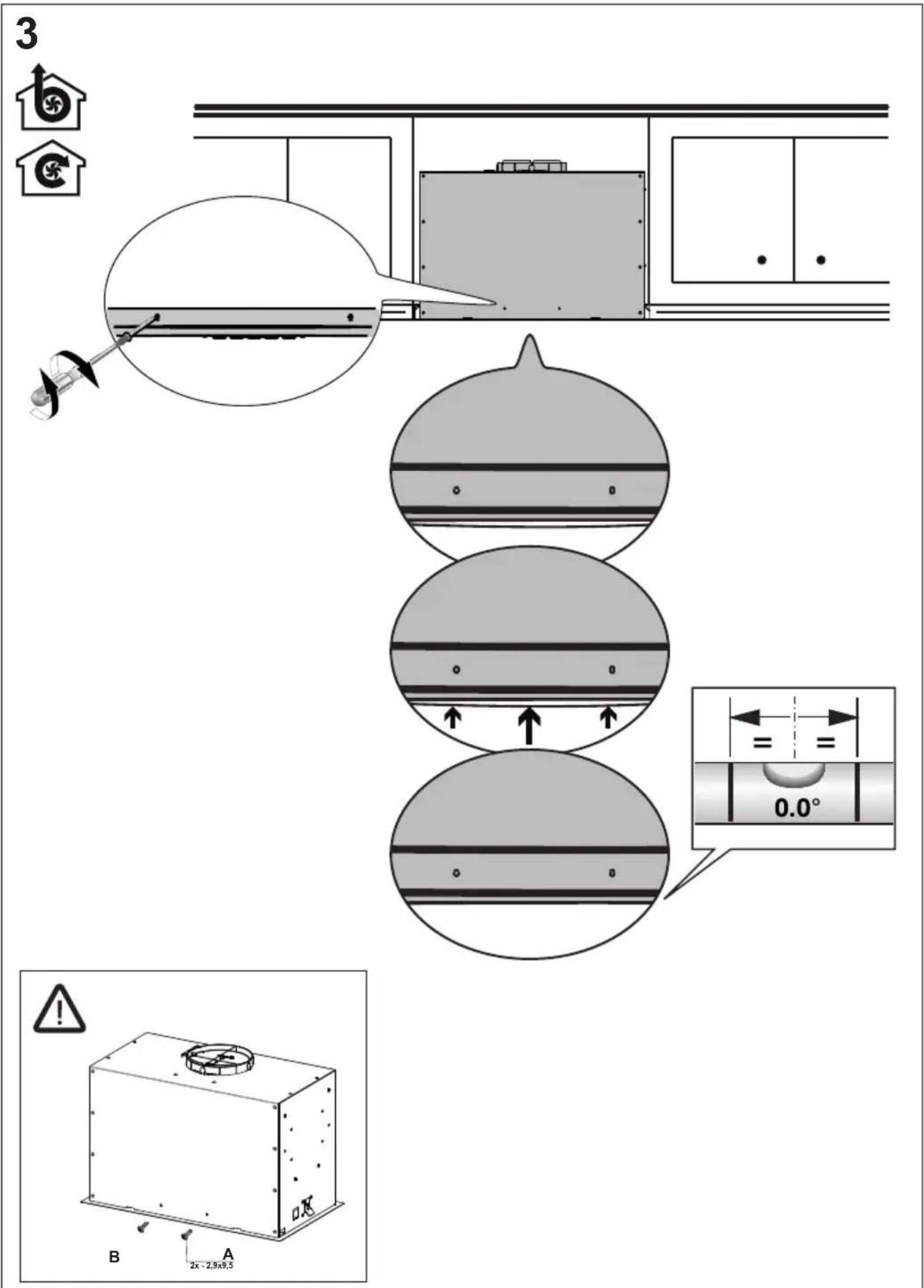
text_image
3 B A 2x - 2.9x8.54

natural_image
Diagram of a vertical structure with internal components and directional arrows, no readable text or symbols present.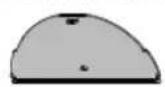
text_image
Ø150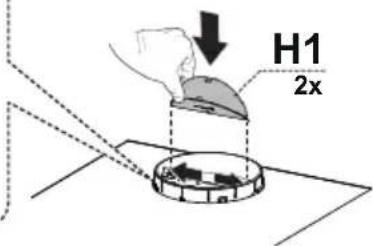
text_image
H1 2x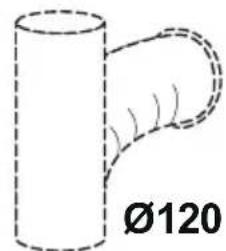
natural_image
Simple line drawing of a cylindrical object with a curved handle, labeled Ø120 (no text or symbols on the object itself)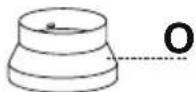
text_image
H1 2x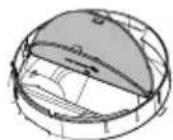
5

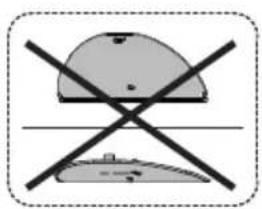
natural_image
Crossed construction symbol with no text or labels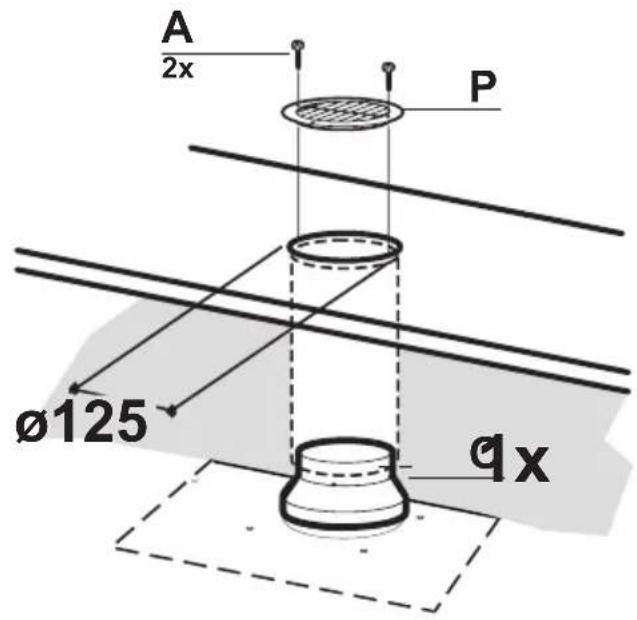
text_image
A 2x P Ø125 qx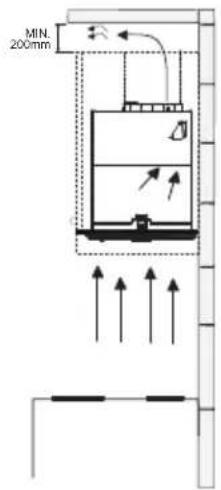
text_image
MIN. 200mm6

natural_image
Technical line drawing of a rectangular enclosure with an open lid and internal components, showing no text or symbols.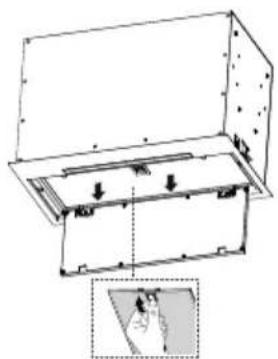
text_image
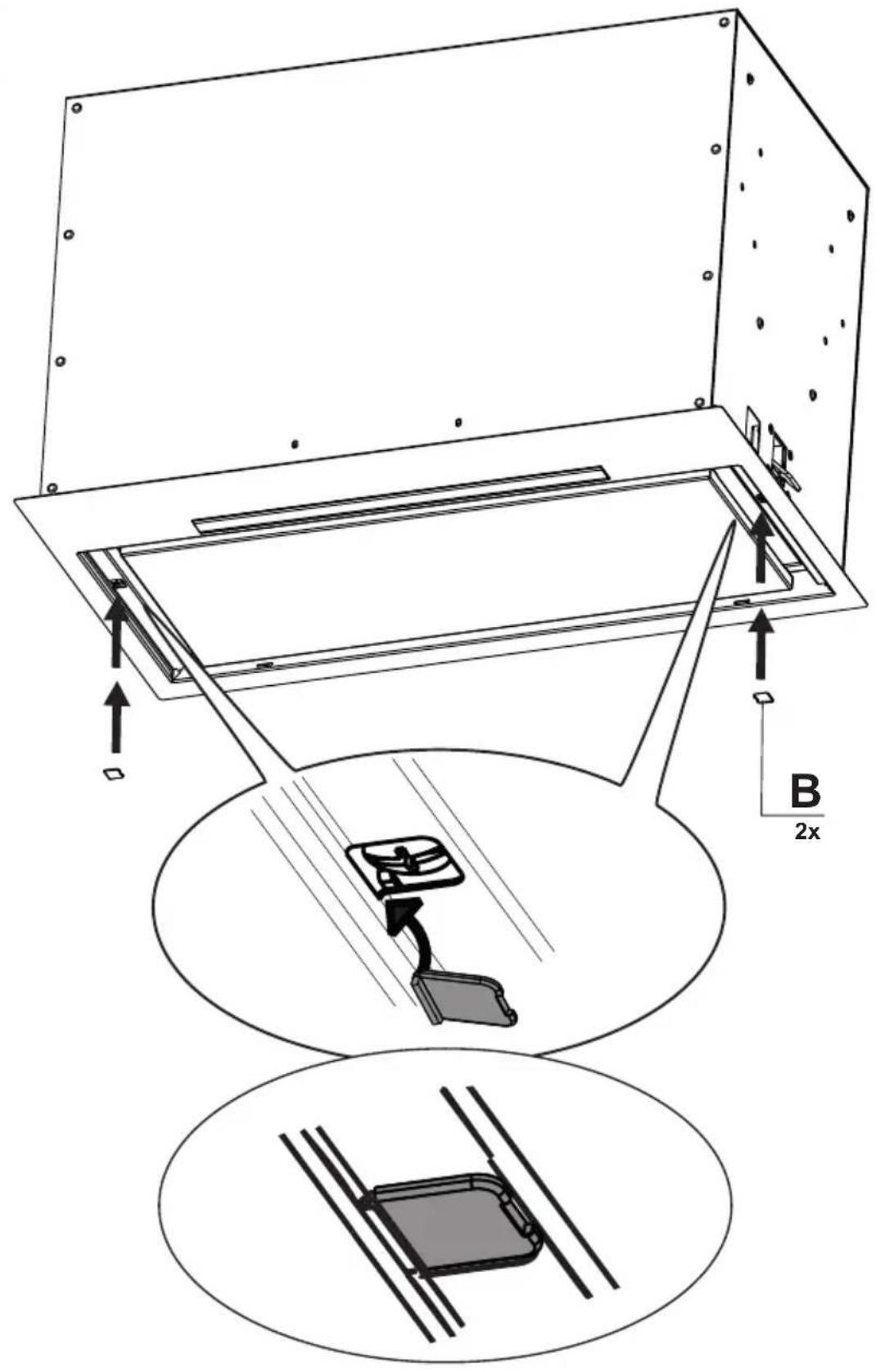
Technical diagram showing a 3D mechanical assembly with labeled components and an inset view of a folded corner detail.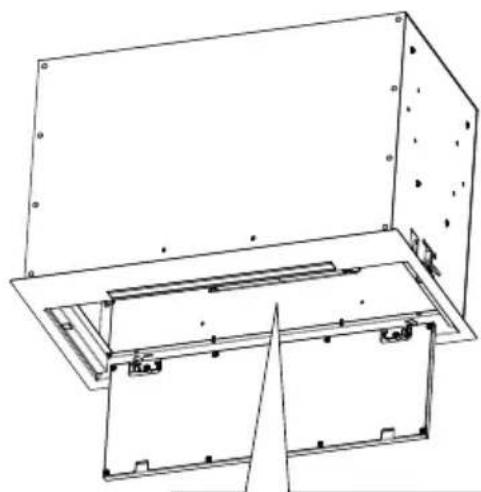
natural_image
Technical line drawing of a mechanical assembly with no visible text or symbols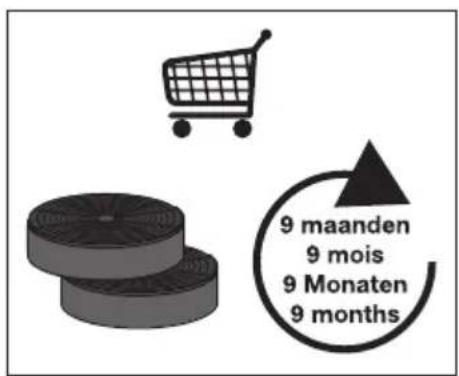
text_image
9 maanden 9 mois 9 Monaten 9 months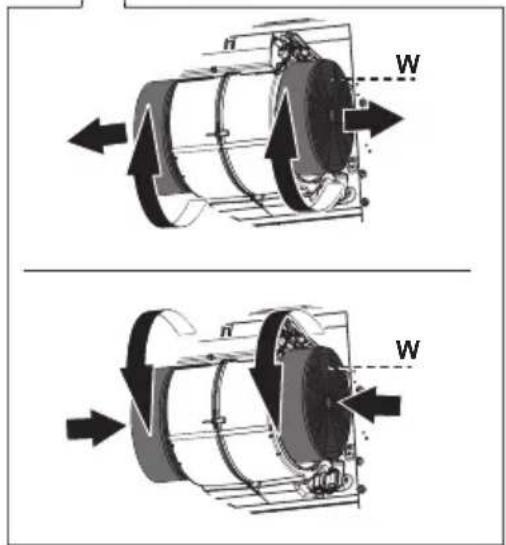
text_image
n W n W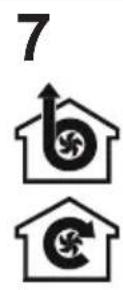
text_image
Technical diagram showing assembly steps of a mechanical component with labeled parts and dimensions
text_image
Warning symbol with exclamation mark inside a trianglewww.pelgrim.nl
www.pelgrim.be

938020
Pelgrim